Framekit templates
Start from a designer-made template
 Use template
 Use template
 Use template
 Use template
 Use template
 Use template
 Use template
 Use template
Two products in this comparison do a very similar job for a creative business. One costs about $240 a year. The other costs $708 a year per seat, and its next tier up costs $12,000.
For a studio's case studies, captions and proposals, the expensive one adds team governance rather than better drafting, and the cheaper one covers more of what a one-person business actually needs writing help with.
That gap is what has happened to AI writing tools for creators in 2026. The category was built when general assistants were weak and a purpose-built marketing writer was worth paying for.
General assistants got very good, the marketing platforms moved upmarket toward enterprise teams with workflow automation, and a lot of creative businesses are now being sold a product designed for a department they do not have.
So we compared seven tools against the three pieces a studio actually writes, using what each vendor publishes.
An AI writing tool is software that drafts, edits, or restructures written work using a language model, and the meaningful split in 2026 is between general assistants that will write anything and specialist products that add brand controls, workflow, or a specific craft discipline on top.
A general assistant such as Claude or ChatGPT is the best AI writing tool for most creators in 2026, at a reported $20 a month, because it drafts, edits, and restructures anything without a workflow to learn, though neither publishes pricing our checks could verify.
Grammarly at 12 euro a month is the best editor rather than writer, Sudowrite from $10 a month is the only tool here built for narrative, and Jasper at $59 a seat per month is a marketing platform most studios should not buy.
Updated in September 2026: we re-verified Framekit's plans and where the finished writing is published, since Framekit's own models, Cadence and Score, draft site copy rather than long-form prose; writing tool prices are as read in August 2026.
On 12 October 2026 we removed the results of a three-piece writing test we could not document, so the ranking now rests on published plans and on judgement we label as ours.
How We Compared These AI Writing Tools
We compared seven tools against three pieces a creative business actually writes rather than scoring feature lists: a 900-word case study about a brand photography project, a set of six Instagram captions for images from that project, and a client proposal email following a discovery call.
Each tool was judged from its published plans, pricing and documented features, read in August 2026; we did not run the three pieces through the tools, so no entry reports a measured result.
Those three were chosen because they are what creative businesses actually write and they fail in different ways. A case study needs structure and specificity, and it is where generic AI output is most obvious.
Captions need a voice and brevity, which is where tone controls either work or do not. A proposal email needs to be persuasive without being pushy, and it is the piece most people are most reluctant to send unedited.
Our confidence labels are worth reading before the entries. Where we describe how a tool behaves, it comes from the vendor's documentation and is our judgement rather than a test.
A price described as published was read on the vendor's own pricing page in August 2026.
A price described as reported could not be verified at source because the vendor's page refused our automated checks, which here applies to the two general assistants, and their entries say so plainly.
Free tiers and trials are flagged in each entry, because in this category they are the cheapest way to judge output on your own writing.
Weighting, which you are free to disagree with: fit for creative-business writing, our editorial judgement from each tool's design and documentation, 35 percent, voice control 25 percent, cost for a one-person or small studio 20 percent, editing and revision workflow 15 percent, and integrations 5 percent.
Fit dominates because in this category the differences in interface are trivial next to the differences in what a tool is built to do.
In one lineseven tools compared in August 2026 on published plans and documented features against a 900-word case study, six captions, and a client proposal, with fit for creative-business writing weighted above everything else.
By the Numbers
Seven tools and seven pricing pages, read in August 2026. These figures decided the ranking, and the spread between the cheapest credible option and the most expensive is the widest of any category we have compared this year.
- $240 a year is the reported cost of a general assistant subscription at $20 a month, against $708 a year per seat for Jasper Pro billed annually.
- $29 a month is Copy.ai's Chat plan, or $24 billed annually at $288 a year, and its next tier up is $1,000 a month.
- 100 AI prompts are included in Grammarly's free plan, alongside unlimited spelling and grammar checking.
- 225,000 credits a month come with Sudowrite's $10 Hobby and Student plan, rising to 2,000,000 on Max at $44.
- $10 per 1,000 monthly credits is what Notion charges for Custom Agents on top of a plan.
- 12 euro a month is Grammarly Pro, the cheapest specialist tool in this comparison.
- 7-day free trials are offered by both Jasper and Grammarly, and Sudowrite offers trials with no credit card on every paid tier.
- 2 of 7 do not publish pricing that our automated checks could read: the two general assistants.
- 5 seats are included in Copy.ai's $29 a month Chat plan, which is unusual at that price.
The Full Comparison Table
Prices were read on the vendor's own pricing page in August 2026 unless the row says reported. Currencies appear as each vendor publishes them, since converting today gives a figure that is wrong tomorrow.
| Tool | Best for | Free tier | Entry paid price | Built for |
|---|---|---|---|---|
| Claude | Long-form drafting and editing | Free tier available | $20/mo reported | Anything |
| ChatGPT | General writing and research | Free tier available | $20/mo reported | Anything |
| Grammarly | Editing what you already wrote | Free, 100 AI prompts | 12 euro/mo Pro | Polish |
| Sudowrite | Narrative and long-form fiction | Trial, no card | $10/mo Hobby | Storytelling |
| Notion AI | Writing inside your own notes | Notion free plan | $10 per 1,000 credits | Notes and docs |
| Jasper | Brand-governed marketing teams | 7-day trial | $59/seat/mo yearly | Marketing teams |
| Copy.ai | Sales and marketing workflows | Not published | $24/mo yearly Chat | Go-to-market teams |
The last column is the one that resolves most of this. Two of these are built for marketing departments with governance requirements, and if you are a studio of one to five people, that is not a description of you.
1. Claude: Our Pick for Drafting and Editing Long Pieces
Claude ranks first as our editorial pick for long-form drafting and editing, and it is close to a tie with ChatGPT on everything we can document: the same reported $20 a month, a free tier and standing instructions on both.
For a case study, the habit to build in either tool is asking it to mark gaps where the client name, the constraint, and the result should go rather than fill them, because invented specifics are the failure mode that gets you in trouble.
The real number is reported rather than published, and we want to be precise about that.
The consumer subscription is widely documented at $20 a month, and the pricing page did not respond to our automated checks, so we are reporting rather than verifying it.
There is a free tier with lower usage limits, and higher tiers exist for heavier use. Confirm at checkout.
Against a marketing platform at $708 a year per seat, a reported $240 a year for a tool that will draft, restructure, cut, and critique any piece of writing you give it is the central arithmetic of this article.
For a studio that writes six case studies, forty captions, and a hundred client emails a year, it is difficult to construct an argument for the more expensive product.
The standout detail nobody writes about: it is a better editor than a writer, and that is how creatives should use it.
Paste your own rough draft and ask it to cut a third and mark where you have asserted something without evidence, and in our view you get a better result than any generated first draft, in your own voice.
The gotchathe voice is the problem, as it is everywhere in this category. Left to write freely it produces prose that is fluent, balanced, and recognisably not yours, and clients who read a lot of it are starting to notice.
Give it your own writing as a reference before asking for anything client-facing.
Skip it ifyou specifically need brand governance across a team, approval workflows, or a marketing platform with agents. That is what Jasper sells.
Verdict: The best value in this comparison at a reported $240 a year, and best used to edit your writing rather than to replace it. Verify the current price yourself rather than trusting any article.
Words are only half the job; our guide to getting clients from your website covers where they need to land.
2. ChatGPT: The Broadest, and the Most Familiar
ChatGPT is the tool most creatives already have open, and it is the broadest single subscription in this comparison, which is why it sits a close second rather than below the specialists.
The real number is again reported rather than published, because the pricing page refused our automated checks. The consumer plan is widely documented at $20 a month with a free tier below it and higher tiers above. Treat that figure as reported and confirm it directly.
The comparison against Claude is close enough that we would not tell anyone to switch.
Where it differs usefully for creatives is breadth: image generation, data analysis, and web browsing sit alongside the writing, so a single subscription covers jobs that would otherwise need two or three tools.
For a solo creative that consolidation is worth more than a marginal difference in prose quality.
The standout detail: custom instructions.
Giving it a standing description of your studio, your voice, and the things you never say removes most of the generic-output problem permanently, and it is a five-minute setup that almost nobody does.
In our view it does more for captions than any prompt technique.
The gotchalike every assistant here, it will fill gaps confidently; ask for a case study from thin notes and it can produce a specific client-satisfaction claim with no basis in what you gave it, which is exactly the kind of sentence that goes out the door and becomes a problem.
Read for invented facts, not for grammar.
Skip it ifyour writing is narrative fiction, where Sudowrite's structure genuinely helps, or you need documented brand governance for a team.
Verdict: The most versatile single subscription for a creative business at a reported $240 a year. Set custom instructions on day one and check every specific it produces.
3. Grammarly: The Editor, Not the Writer
Grammarly is the tool in this comparison that improves writing you already did, which for most creatives is a better fit than generating writing they did not.
Its tone detection flags sentences that read as more tentative or curt than intended, which is a judgement about tone rather than a grammar correction, and it happens in place, where you are typing, rather than in a separate chat.
The real numbers: Grammarly's free plan is 0 euro a month and includes writing without spelling and grammar mistakes, tone detection, and 100 AI prompts.
Pro is 12 euro a month with a 7-day free trial. Enterprise is quoted. The page displays the monthly rate without an explicit annual equivalent.
That free tier is more useful than it sounds for a creative business.
Tone detection alone, applied to client emails, catches the two most common problems in freelance correspondence: sounding uncertain when quoting a price, and sounding curt when setting a boundary. 100 AI prompts is enough to test the generative side without paying.
The standout detail: it works everywhere you type rather than in its own window. For a photographer writing in email, in a gallery description, in a proposal tool, and in a caption box, an editor that follows you is worth more than a better editor you have to visit.
The gotchait will flatten voice if you accept everything. Its suggestions trend toward the conventional, and a distinctive writer applying every recommendation ends up sounding like everyone else. Treat it as a flagging tool rather than an authority.
Skip it ifyou want something to write for you. It is deliberately not that.
Verdict: The best editing layer in this comparison at 144 euro a year, with a free tier worth using regardless. Pair it with an assistant rather than choosing between them.
4. Sudowrite: The Only One Built for Storytelling
Sudowrite is built for fiction and long narrative, and it is on this list because a meaningful share of creative work is storytelling: a documentary treatment, a long-form project essay, a book of photographs that needs connective text.
On that kind of writing it behaves completely differently from a general assistant, offering to describe, expand, or rewrite a passage rather than to produce a finished draft.
The real numbers: Sudowrite prices Hobby and Student at $10 a month with 225,000 credits a month, Professional at $22 a month with 450,000 credits a month, and Max at $44 a month with 2,000,000 credits a month.
Yearly billing advertises up to 50 percent off without displaying the annual figures. Every paid tier offers a trial with no credit card required.
At $120 a year, the entry plan is half the cost of a general assistant and does considerably less, which is the correct relationship for a specialist tool.
The reason to buy it is not price, it is that its Describe and Expand functions work at the paragraph level in your document rather than producing a separate finished thing you then have to reconcile with your own draft.
The standout detail: the trial requires no credit card on every tier, which in a category full of seven-day trials with automatic conversion is worth noting and worth rewarding.
The gotchait is genuinely not for marketing copy. It is optimised for narrative texture rather than for a call to action, so expect captions to come out atmospheric rather than useful.
Skip it ifyour writing is commercial. Case studies, captions, and proposals are not what this is for.
Verdict: The right tool for treatments, essays, and any long narrative, from $120 a year. Buy it in addition to a general assistant, never instead of one.
5. Notion AI: Writing Where Your Notes Already Are
Notion AI is the answer for creatives whose project notes, shoot briefs, and client records already live in Notion, because it writes with that context rather than from a blank prompt.
That is a structural advantage rather than a better model: a draft can draw on the shoot notes, the brief, and the client record on adjacent pages.
The real numbers: Notion's own pricing is 0 euro for Free, 9.50 euro per member per month for Plus, 19.50 euro for Business, and custom for Enterprise, with AI available as a limited trial across the tiers.
Custom Agents are free to try and then $10 per 1,000 monthly Notion credits, and a Workers feature is in beta. The free plan gives unlimited blocks for individuals, 5MB file uploads, 10 external guests, and 7 days of page history.
That credit pricing is the thing to model before committing. $10 per 1,000 credits is a usage-based add-on rather than an included allowance, which is a different commitment from the flat monthly subscriptions elsewhere in this article, and it is harder to budget for until you have used it for a month.
The standout detail: context. Every other tool here starts from nothing every time you open it, and the single largest determinant of AI writing quality is how much true, specific information the model has.
A tool sitting on top of your actual project notes starts several steps ahead.
The gotchait only helps if your notes are genuinely in Notion and genuinely maintained. A sparse workspace gives it nothing to work with, and then it is an ordinary assistant at an unusual price.
Skip it ifyou do not already use Notion. Adopting a workspace to get its writing features is a very large tail wagging a small dog.
Verdict: The tool here best placed to write from your real project context, for existing Notion users, at 9.50 euro per member plus usage-based credits. Irrelevant to everyone else.
6. Jasper: A Marketing Platform, Priced for Marketing Teams
Jasper is a competent, well-built product aimed at a customer who is not the reader of this article.
It offers brand voices, knowledge assets, audience definitions, marketing agents, and a canvas for building campaigns, and its brand voices are built to keep tone consistent across every piece a team produces, which is genuinely its strength.
The real numbers: Jasper prices Pro at $69 a month per seat, or $59 per seat billed annually, described as saving about 20 percent, which is $708 a year per seat.
Pro includes 1 seat, the Canvas platform, core marketing agents, 2 Brand Voices, 5 Knowledge assets, 3 Audiences, image generation, a plagiarism checker, chat, and integrations. Business is custom-priced with a 12-month minimum.
There is a 7-day free trial.
Set that against a reported $240 a year for a general assistant. Jasper costs roughly three times as much, and for a studio writing case studies and captions the drafting itself is the same kind of work a general assistant does.
What it adds is governance: brand voices that a team applies consistently, and knowledge assets that stop a junior writer inventing a claim.
Those are worth $708 a year to a marketing department with several writers, and close to nothing to a photographer writing alone.
The standout detail: 2 Brand Voices on the Pro plan is a low number that tells you the plan's intent. A studio needs one voice. An agency with clients needs one per client, which is what pushes you to Business, which is where the real pricing conversation happens.
The gotchathe 12-month minimum on Business. Committing a year to a platform in a category moving this fast is a real risk, and it is the standard shape of enterprise software rather than anything unusual.
Skip it ifyou are fewer than about five people producing marketing content, which is almost everyone reading this.
Verdict: A good product at $708 a year per seat for teams that need brand governance. For a creative studio it is roughly three times the price of a general assistant for drafting help that an assistant also gives.
7. Copy.ai: The Cheap Plan and the Enormous One
Copy.ai has repositioned decisively toward go-to-market workflow automation, and its pricing tells that story more clearly than its marketing does.
Its Chat plan writes like any capable general assistant, and everything above the entry plan is built for revenue teams rather than for writers.
The real numbers: Copy.ai prices Chat at $29 a month or $24 billed annually at $288 a year, including 5 seats, unlimited words in chat, unlimited chat projects, and access to models from multiple providers.
Growth is $1,000 a month billed at $12,000 a year with 75 seats and 20,000 workflow credits a month. Expansion is $2,000 a month at $24,000 a year with 150 seats. Scale is $3,000 a month at $36,000 a year with 200 seats.
Enterprise is quoted.
The jump from $29 a month to $1,000 a month is the widest single step in any pricing table in this article, and it is not a mistake.
Everything above Chat is a workflow automation platform for a sales organisation, and the Chat plan is what remains of the product a creative would recognise.
The standout detail: 5 seats on the $29 Chat plan is genuinely good value for a small studio, and better than any competitor here at that price.
If a five-person studio wants shared access to a capable writing assistant, $288 a year total is cheaper than five individual assistant subscriptions.
The gotchathe entry plan is a chat interface, so you are buying a general assistant with a different logo, and the roadmap attention is clearly upmarket. Judge it on what Chat does today rather than on where the product is going.
Skip it ifyou are one person, in which case a reported $240 a year for a general assistant is simpler and cheaper.
Verdict: The best small-team value here at $288 a year for 5 seats, and an enterprise platform above that. Buy Chat or nothing.
The Gap That Has Opened in This Category
Reading the seven pricing pages side by side shows one clear structural shift, and it is worth stating separately because it should change what most creative businesses buy.
General assistants got good enough that specialist writing tools have moved upmarket. Jasper Pro is $708 a year per seat and sells brand governance, agents, and knowledge assets.
Copy.ai's meaningful tiers start at $12,000 a year and sell workflow automation for revenue teams. Both are competent products, and both are now solving problems that arise when many people write on behalf of one brand.
A creative studio has the opposite problem. One or two people write, the voice already exists in their head, and the difficulty is starting, structuring, and cutting rather than governing.
That is what a general assistant at a reported $240 a year does well, and it is why the expensive tier of this market has quietly stopped being the right answer for the audience it originally served.
There is a second shift underneath that one.
The specialist products that remain genuinely differentiated are the ones doing a craft rather than a category: Sudowrite for narrative from $120 a year, Grammarly for editing at 144 euro a year, Notion AI for writing with context.
Each of those does something a general assistant does worse, and each costs less than the marketing platforms.
The practical stack we would recommend for a creative business is therefore small and cheap.
One general assistant at a reported $240 a year, Grammarly's free tier or Pro if you write a lot of client correspondence, and a specialist only if you do narrative work.
Total between $240 and $384 a year, against $708 for a single Jasper seat.
In one linespecialist AI writing platforms have moved upmarket toward brand governance and workflow, so a creative studio's correct stack is now a general assistant at a reported $240 a year plus an editor, not a marketing platform at $708.
The Voice Problem, and the Three Fixes That Work
Every tool here writes fluently and none of them write like you, which for a creative business is the entire risk.
A case study that reads like everyone else's case study is worse than no case study, because it signals that the studio outsources its thinking. Three techniques matter more than which tool you pick.
Give it your own writing first. Paste two or three things you have written and liked, and ask for the new piece in that voice.
This works substantially better than describing your voice in adjectives, because "warm but direct" means nothing to a model and 600 words of your actual prose means a great deal. Every tool here supports this and almost nobody does it.
Write the draft yourself and use the tool to cut. The strongest results tend to come from writing badly and quickly yourself, then asking for a version a third shorter with every unsupported claim marked.
The result is your voice with the flab removed, rather than a model's voice with your facts inserted.
Set standing instructions once. Custom instructions, brand voices, or a saved system prompt describing your studio, your clients, and the phrases you never use will improve everything you generate afterwards, permanently.
It takes five minutes. Grammarly, Jasper, and the general assistants all support some version of it.
There is one thing that does not work, and it is worth naming because it is the most common approach: asking for a finished piece from a short brief and then lightly editing it.
That produces confident, generic prose whose problems are structural rather than sentence-level, and light editing cannot fix a structure that was never yours.
In one linepaste your own writing as a voice reference and use the tool to cut your draft rather than to produce one, because generating from a short brief creates structural genericness that editing cannot repair.
Accuracy, Invented Facts, and Client Work
The failure that matters commercially in this category is not bad prose, it is confident specifics that are not true, and it takes predictable forms worth describing precisely.
Asked for a case study from thin notes, a model can produce a client satisfaction claim you never supplied, invent a project timeline, or attribute a quote to a client contact who appears in your notes only as a job title.
None of these arrive flagged as uncertain, and each reads as a perfectly plausible sentence in an otherwise accurate document, which is exactly what makes them dangerous.
The pattern holds across the category: the more you ask a model to write and the less real information you give it, the more it fills gaps, and no tool here does this reliably enough to be trusted without a read-through.
For client-facing work there are three checks worth making habitual. Read every number, date, and proper noun against your source notes rather than for plausibility. Never let a generated quote go out without the person having said it.
And for case studies specifically, get client sign-off on the finished text, which you should be doing anyway and which catches everything.
There is also a licensing and disclosure question that varies by client. Some agencies and brands now have policies on AI-assisted content in delivered work, particularly for anything published under their name.
Asking before you deliver costs one sentence in an email and avoids an awkward conversation later.
In one lineany of these tools can invent a plausible specific in a case study, so check numbers, dates, and proper nouns against your notes rather than reading for plausibility, and never ship a generated quote.
The Thirty-Minute Test to Run Before Subscribing
Take a piece of writing you already published and liked, and a set of rough notes for something you have not written yet. Then do three things in a free tier.
First, paste the published piece and ask for the new one in that voice, and judge whether the result sounds like you or like a competent stranger.
Second, write 400 bad words yourself and ask the tool to cut them to 250 and mark every claim you did not support, because that workflow beats generation for most creative writing and you should know whether you prefer it.
Third, read the output specifically hunting for invented specifics rather than for style, and count them.
If the count is above zero, and it often is, you have learned the most important thing about using these tools professionally, and it cost nothing.
Voice Reference Files, and Why Nobody Builds One
The advice to give a model your own writing as a reference is easy to agree with and almost nobody does it, because it is framed as a technique rather than as an asset. Treated as an asset it takes an hour once and improves everything you generate afterwards, permanently.
What goes in it is narrower than people expect.
Three to five pieces you wrote and were happy with, chosen for range rather than quality: one case study or project description, one client email that struck the right tone, one piece of short social copy, and one longer reflective piece if you write them.
Roughly two thousand words in total is plenty, and more is not better, because a model averaging ten samples produces a blander result than one following three.
Add a short list of the things you never say, which is more useful than a list of things you do. Every writer has phrases that are not theirs, and naming six of them removes most of the output that reads as generic.
For creative businesses the usual offenders are the language of agencies rather than studios: passionate, bespoke, tailored solutions, and the word journey applied to anything that is not travel.
Then use it deliberately rather than occasionally. Paste it at the top of any client-facing request, or save it as a custom instruction where the tool supports one, which Grammarly, Jasper, and the general assistants all do.
The difference between a first draft written with a voice reference and one written without it is the difference between editing and rewriting, and it compounds across every piece you produce for as long as the file exists.
The file needs updating roughly once a year, or whenever your writing genuinely changes, and that is the whole maintenance cost.
In one linethree to five samples totalling about two thousand words, plus a list of six phrases you never use, saved once and pasted into every client-facing request, is the difference between editing a draft and rewriting one.
Where AI Writing Belongs in a Creative Business
The pattern of what works with these tools is consistent enough to state as placements rather than as advice, and the placements are narrower than the marketing and wider than the sceptics allow.
Reliably useful. Cutting your own draft by a third. Restructuring something you have written that is not landing. Producing five subject lines or captions to choose between rather than one to accept.
Translating your own rough notes into a first pass you will then rewrite. Answering routine client email where the content is factual and the tone is standard.
Auditing a piece for claims you have not supported, which is a genuinely underused prompt.
Useful with supervision. First drafts of case studies, where the structure is worth having and every specific must be checked. Long-form pieces where you supply the argument and the tool supplies the connective tissue.
Anything a client will see, provided you have run it against a voice reference and read it for invented facts.
Not useful, and quietly damaging. Writing your About page. Writing the description of a project you care about.
Anything where the value to a reader is that a specific person with a specific view wrote it, which for a creative business is most of what actually differentiates you.
A studio whose portfolio copy reads as machine-written has told a prospective client something about how much attention they can expect.
That last category is the one to protect deliberately, because it is the one where the time saving is most tempting and the cost is least visible.
The pages that describe who you are and what you believe about the work are the pages that survive being read by a person deciding whether to hire you, and they are worth the afternoon.
In one lineuse these tools to cut, restructure, generate options, and audit claims, supervise them on case studies and client-facing drafts, and write your About page and your project descriptions yourself because that is what a client is actually reading you for.
The Decision Guide
Read down these and act on the first that describes you. For most creative businesses the answer arrives in the first two branches, and the expensive products further down are aimed at organisations rather than studios.
Start with team size. Do more than five people write on behalf of your brand? If yes, brand governance is a real problem and Jasper Pro at $59 a seat per month billed annually is built for it.
If no, continue, because you are not the customer those platforms are designed for.
Do you mainly need to fix writing you already did? If yes, Grammarly, free for spelling, grammar, tone detection, and 100 AI prompts, or Pro at 12 euro a month if you write client correspondence daily. If no, continue.
Is the writing narrative rather than commercial, such as a treatment or a long essay? If yes, Sudowrite from $10 a month for Hobby and Student, alongside a general assistant rather than instead of one. If no, continue.
Do your project notes, briefs, and client records already live in Notion? If yes, Notion AI writes with that context, which is its whole advantage, at 9.50 euro per member plus $10 per 1,000 credits for Custom Agents. If no, continue.
Are there two to five of you who all want a writing assistant? If yes, Copy.ai's Chat plan at $24 a month billed annually includes 5 seats for $288 a year, which is cheaper than five individual subscriptions. Ignore every tier above it.
Everyone else. A general assistant at a reported $20 a month. Spend the first five minutes setting standing instructions describing your studio and your voice, and use it to cut your drafts rather than to write them.
Any branch. Before anything goes to a client, check every number, date, and proper noun against your source notes, and never send a generated quote.
Where Your Website Fits In
Writing tools produce words. They do not produce anywhere for the words to live, and the most common shape of this problem in creative businesses is a folder of good, unpublished case studies alongside a portfolio that has three projects on it and no text at all.
Framekit is our own product and this is the half of the problem we work on, so weigh the section accordingly. It is not a writing tool and we kept it out of the rankings for that reason.
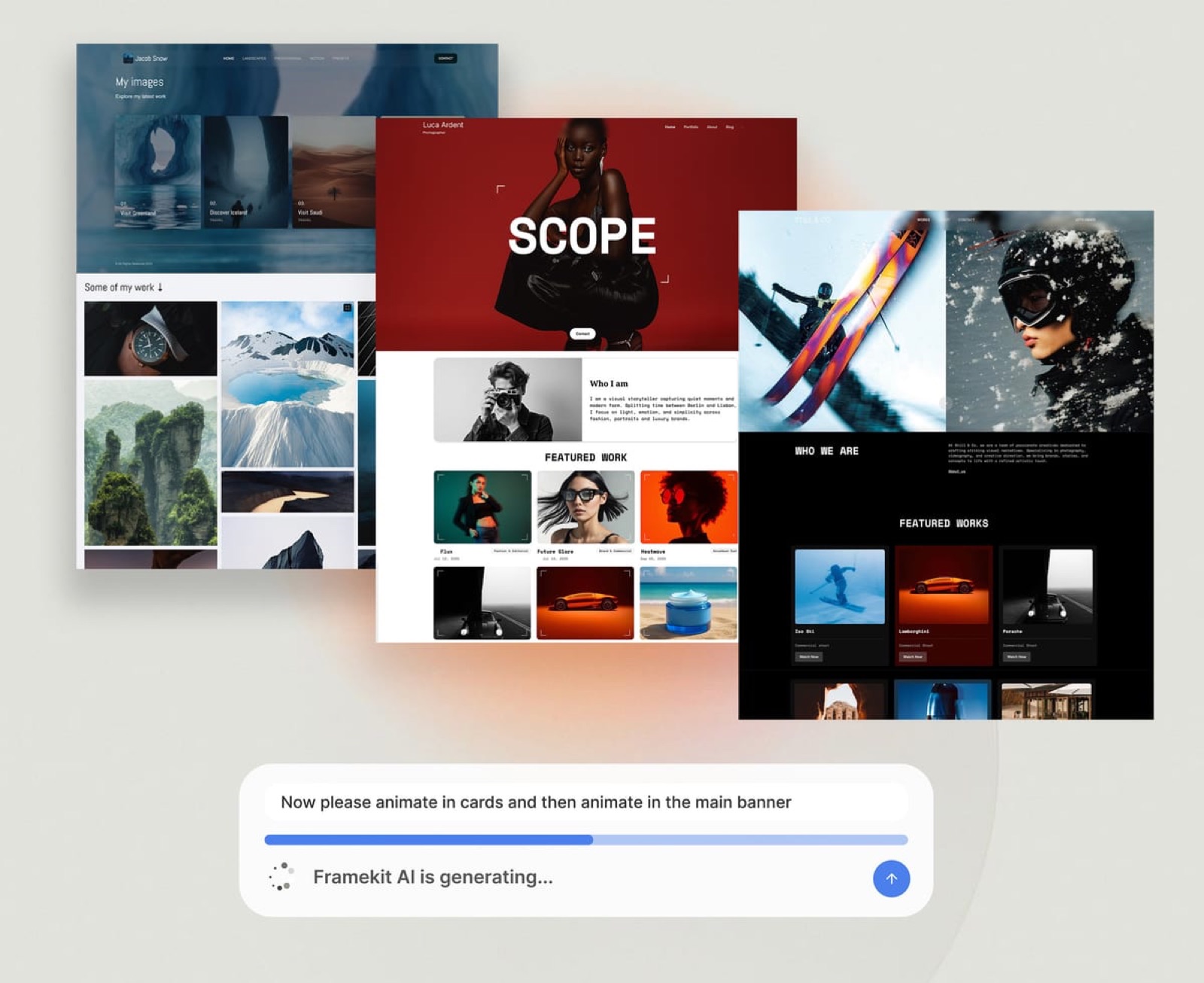
Framekit is an AI website builder for photographers, filmmakers, designers, and illustrators, producing project pages that can actually hold a case study, a services page, a store, and client galleries, on your own domain from the $9 Starter plan.
The connection matters more than it sounds. A project page with a photograph and no words is invisible to search engines and to AI assistants, both of which read text.
A project page with a 900-word case study describing the brief, the constraint, and the result is the single most useful thing a creative business can publish, and the writing tools in this article make producing one an afternoon rather than a week.
Framekit starts at $0 with a 5 percent fee on product sales, moves to Pro at $19 a month with a 3 percent fee, and reaches Business at $39 a month where Framekit's transaction fee goes away, with Stripe processing still applying on every plan.
If you have written more this year than you have published, the writing tool is not the constraint.
Frequently Asked Questions
What is the best AI writing tool for a creative business?
A general assistant such as Claude or ChatGPT, at a reported $20 a month, is the best AI writing tool for most creative businesses in 2026.
It drafts, restructures, cuts, and critiques any kind of writing with no workflow to learn, and the marketing platforms costing three times more add team governance rather than better drafting for a studio's case studies, captions, and client proposals.
Neither publishes pricing our automated checks could verify, so confirm the current figure directly.
Is Jasper worth $59 a seat per month?
Jasper Pro at $59 per seat per month billed annually, which is $708 a year, is worth it for a marketing team of several writers who need brand governance: consistent brand voices, knowledge assets that prevent invented claims, and agents that run campaign workflows.
For a creative studio of one to five people it is roughly three times the cost of a general assistant for drafting help an assistant also gives on the pieces creatives actually write.
Its Business tier is custom-priced with a 12-month minimum.
Which AI writing tool has the best free plan?
Grammarly, whose free plan includes writing without spelling and grammar mistakes, tone detection, and 100 AI prompts at 0 euro a month, and which works everywhere you type rather than in its own window.
The general assistants also have free tiers with lower usage limits, which are enough to evaluate them properly.
Sudowrite offers trials on every paid tier with no credit card required, which is unusually fair in a category full of auto-converting seven-day trials.
How do I stop AI writing from sounding generic?
Three things work and one does not. Paste two or three pieces of your own published writing and ask for the new piece in that voice, which is far more effective than describing your voice in adjectives.
Write a fast rough draft yourself and use the tool to cut it by a third, which keeps your structure and voice. Set standing instructions describing your studio and the phrases you never use.
What does not work is generating a finished piece from a short brief and lightly editing it, because the genericness is structural rather than sentence-level.
Do AI writing tools invent facts?
Yes, AI writing tools invent facts, and it is the failure to plan around with every tool here.
Asked for a case study from thin notes, a model can invent a client satisfaction claim, a project timeline, or a quote attributed to someone who appears in your notes only as a job title, and none of it arrives flagged as uncertain.
The practical defence is to check every number, date, and proper noun against your source notes rather than reading for plausibility, and to never send a generated quote without the person having said it.
Claude vs ChatGPT for writing?
Claude and ChatGPT are close enough for writing that switching is rarely worth it.
We rank Claude first as an editorial call for long-form drafting and editing rather than on a measured result, and ChatGPT is the more versatile single subscription, since it also covers image generation and data work.
Both are reported at $20 a month and neither published pricing our checks could verify.
Is there an AI writing tool for fiction or narrative work?
Sudowrite, which is the only tool in this comparison built for storytelling rather than marketing.
It works at the paragraph level inside your document with Describe and Expand functions rather than producing a separate finished draft, which suits treatments, long-form essays, and connective text for a photo book.
Hobby and Student is $10 a month with 225,000 credits, Professional is $22 with 450,000, and Max is $44 with 2,000,000. It is genuinely poor at marketing copy.
What is the cheapest way for a small studio to get AI writing?
Copy.ai's Chat plan at $29 a month, or $24 billed annually at $288 a year, includes 5 seats with unlimited words in chat, which is cheaper than five individual general assistant subscriptions at a reported $20 each.
Below that, Grammarly's free tier gives every person on your team tone detection and 100 AI prompts at no cost. Ignore Copy.ai's higher tiers, which start at $1,000 a month and are workflow platforms for revenue teams.
Should I tell clients I used AI to write something?
Ask before you deliver rather than disclosing afterwards, because some agencies and brands now have explicit policies on AI-assisted content in work published under their name.
One sentence in an email at the proposal stage settles it, and finding out after delivery is the expensive version of the same conversation.
For case studies specifically, get client sign-off on the finished text, which is good practice regardless and catches invented specifics at the same time.
Does Notion AI write better than a general assistant?
Not better, but more specifically, and that difference is often worth more.
Because it can read your shoot notes, briefs, and client records on adjacent pages, it can ground drafts in real detail rather than generic scaffolding, which is the most direct fix for generic AI writing.
That advantage exists only if your notes are genuinely maintained there. Notion is 9.50 euro per member per month for Plus, with Custom Agents at $10 per 1,000 monthly credits on top.
What should a creative business actually spend on AI writing?
Between $240 and $384 a year in most cases. One general assistant at a reported $20 a month covers drafting, restructuring, and editing. Grammarly free or Pro at 12 euro a month covers polish and tone on client correspondence.
Add Sudowrite from $10 a month only if you do narrative work. That stack does what a $708-a-year marketing platform seat does for a studio, and the difference buys governance features a one-person business has no use for.
Final Verdict
A general assistant is the best AI writing tool for creators in 2026, at a reported $20 a month, and the reason is that the specialist end of this market has moved away from you rather than that the specialists got worse.
Jasper and Copy.ai are competent products now built for marketing departments with governance and workflow requirements, and a studio of one to five people does not have those requirements.
Where the general assistants lose is real. They invent specifics confidently, and any of them can produce a plausible fact you never supplied.
They will not enforce a brand voice across several writers, which is exactly what Jasper sells at $708 a year per seat.
They are worse at narrative than Sudowrite from $120 a year, worse at in-place editing than Grammarly at 144 euro, and less specific than Notion AI when your notes actually live in Notion.
And their pricing pages did not respond to our checks, so even the $240 a year figure is reported rather than verified.
The honest summary, from the pricing pages and the way these tools work: buy one assistant, add Grammarly free, and add a specialist only for a named reason.
Use the tool to cut your own draft rather than to produce one, paste your own published writing as a voice reference before anything client-facing, and read every output hunting for invented facts rather than for style.
And publish the results.
The most common outcome of getting good at this is a folder of strong unpublished case studies, which is worth nothing until it becomes project pages a client and a search engine can both read.
Related readingThe best AI tools for designers, how to SEO a photography website, and email marketing tools for photographers.
Also in this seriesSEO tools for creatives, AI meeting notetakers, and paid newsletter platforms.