Framekit templates
Start from a designer-made template
 Use template
 Use template
 Use template
 Use template
 Use template
 Use template
 Use template
 Use template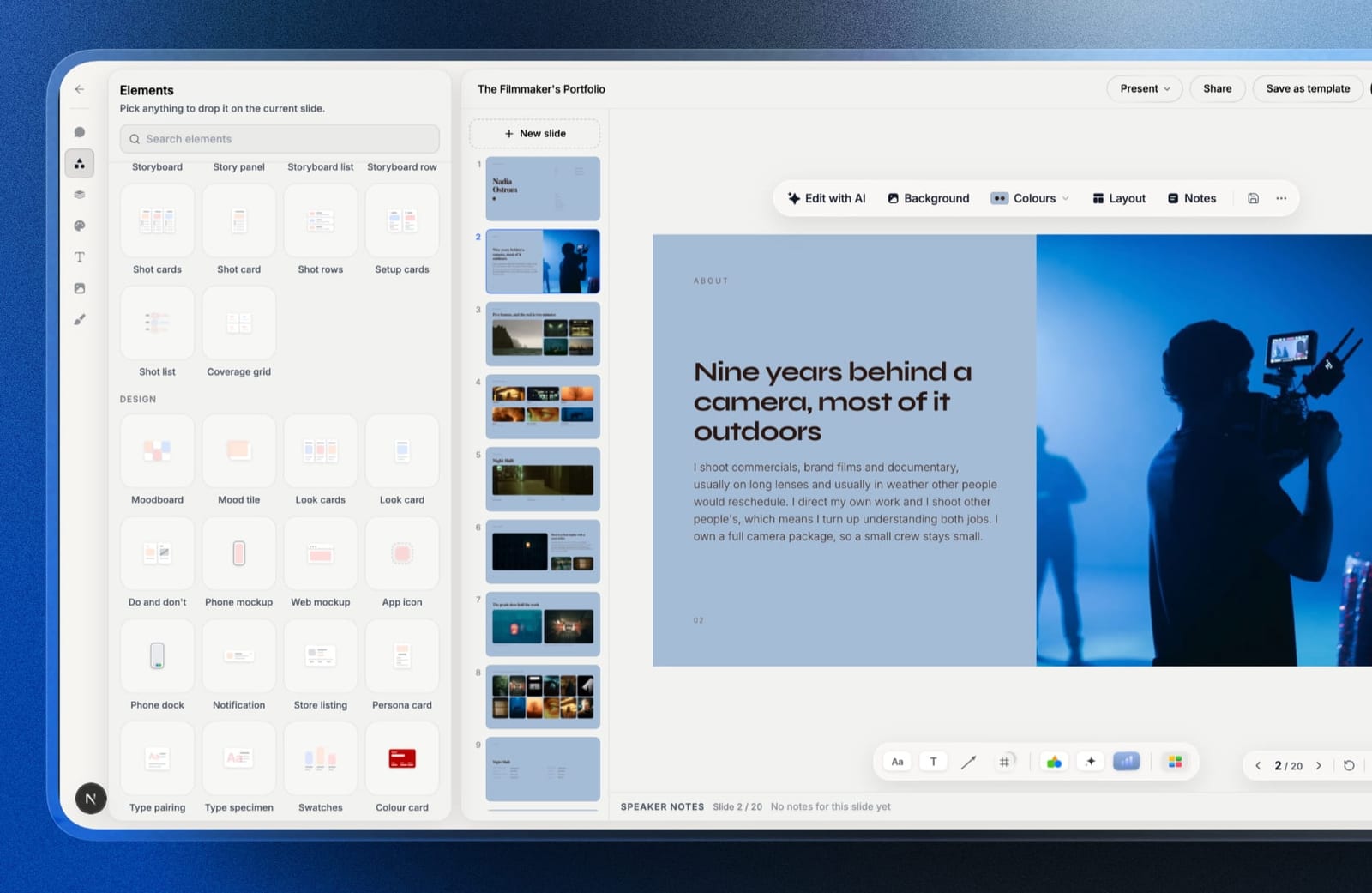
For twenty years the honest answer to "what are the InDesign alternatives" was that there weren't any, not really. You could lay out a document elsewhere, and if it had to go to a commercial printer with a colour profile and a bleed, you opened InDesign like everybody else.
That changed, and most people have not noticed yet. Canva acquired Serif, and Affinity's applications, including Publisher, are now free. A professional page-layout tool with master pages, proper typographic control, CMYK, spot colours, and press-ready export costs nothing.
The moat was the export. The moat is gone.
A page layout application is software for assembling long multi-page documents with precise control over type, grids, and images, and for exporting them to print-ready or screen-ready files with the colour and compression settings specified rather than assumed.
Framekit sits outside that definition on purpose. Its Slides editor lays out the lookbooks and treatments that are only ever read on a screen, with no CMYK, bleed, or preflight anywhere in it, so it is not ranked below.
The best InDesign alternative in 2026 is Affinity Publisher, because it is now free, handles master pages, paragraph and character styles, CMYK, spot colours, and preflight, and it exports press-ready PDF/X with spot colours intact, the same kind of file InDesign sends to a printer.
The honest trade-off is the ecosystem: no InCopy equivalent for editorial workflows, a smaller plugin market, and no native .indd support, so a studio receiving InDesign files from clients still needs InDesign.
Canva is the pick for non-designers, Scribus is the open-source option, and QuarkXPress remains the perpetual-licence alternative for long-document publishing.
Full disclosure: Framekit is our own product and it is not ranked below, because it publishes web pages and screen decks and this is a comparison of print and document layout tools. It appears once, in a marked section about documents that were never going to be printed.
In September 2026 we re-verified what Framekit's deck tool exports and corrected that section; competitor prices are as checked in August 2026.
On 12 October 2026 we removed a layout-and-preflight test this page described but cannot document, and restated print output from each tool's documented export options.
How We Compared These InDesign Alternatives
We judged all eight against the same brief, read against each vendor's own documentation and pricing: a 32-page studio brochure with a cover, running headers, automatic page numbers, a three-column grid, twelve placed photographs, two data tables, a pull-quote treatment repeated on six spreads, and a back cover with a spot-colour logo.
Then we looked hardest at the part that decides this category: whether each tool's documented export produces a press-ready PDF, with CMYK, spot colours, bleed and PDF/X, that a commercial printer's preflight would accept.
We did not lay the brochure out in the eight tools or submit files to a printer for this guide, so the press-ready column reflects documented export capability, and the test near the end is how you confirm it with your own printer.
Layout structure. Master pages, styles, and whether changing the running header on page one changes it everywhere.
Typography. Optical kerning, hyphenation control, baseline grids, and OpenType feature access.
Print output. CMYK, spot colours, bleed, crop marks, and whether the documented export targets PDF/X for press.
Long-document features. Automatic contents, cross-references, and text flow across linked frames.
Cost, at published rates, over one year and over five.
Two kinds of claim, kept apart. From each vendor's published pricing and documentation, read in August 2026: every figure and feature below. Attributed rather than claimed: patterns in public reviews, which we flag as other people's experience rather than ours.
What Comparing Eight Layout Tools Showed
Print output separates these tools far more sharply than any other feature does, and the result reorders the received wisdom about this category, because the capability that used to justify the subscription is now available for nothing.
- 4 of 8 document a press-ready export with CMYK, bleed and PDF/X: InDesign, Affinity Publisher, Scribus and QuarkXPress.
- 4 of 8 support spot colours, the same four; the rest output RGB or process colour only.
- Real master pages, rather than a template you duplicate, are standard in the print-grade tools and missing from Canva, Figma and Google Docs.
- Cost over five years ranged from $0 to about $1,380.
- 2 of 8 are free with no functional limits at all, and one of those is a full professional application.
- Text flowing across linked frames, which is what makes a long document maintainable, is a print-grade-tool feature that Figma and Canva do not offer.
InDesign Alternatives Compared
The weighting, applied to each tool's documented features and published prices: print output 30%, layout structure 25%, typography 20%, cost 15%, long-document features 10%.
Print output leads because it is the specific capability that kept InDesign unassailable, and it is the one that has just been commoditised.
| Tool | Cost | Press-ready PDF export | Spot colours | Master pages |
|---|---|---|---|---|
| Adobe InDesign | ~$276/yr | Yes | Yes | Yes |
| Affinity Publisher | Free | Yes | Yes | Yes |
| Scribus | Free | Yes | Yes | Yes |
| QuarkXPress | Perpetual licence | Yes | Yes | Yes |
| Marq | Paid tiers | No, RGB output | No | Templates only |
| Canva | Free, or $144/yr Pro | Partial, CMYK on paid plans | No | No |
| Figma | $36 to $192/yr | No, RGB output | No | Components |
| Google Docs | Free | No | No | No |
1. Affinity Publisher: The Best InDesign Alternative
Best foralmost everyone, and especially anyone paying for InDesign out of habit.
Everything the 32-page brochure needs is documented in Affinity Publisher: master pages, paragraph and character styles that cascade, a baseline grid, text flow across linked frames, and spot colours that stay spot colours through PDF/X export.
The feature that has no InDesign equivalent is StudioLink, which opens the pixel and vector editors inside Publisher, so retouching a placed image or editing a vector happens in the same document rather than in a round trip through two other applications.
The real numberAffinity's applications are free following Canva's acquisition of Serif, against InDesign at roughly $276 a year. Over five years that is about $1,380 against nothing.
The gotchathe ecosystem, not the application. There is no InCopy equivalent, so editorial workflows where writers work in parallel with designers have no clean answer. The plugin market is small.
And it does not open .indd files, so a studio receiving native InDesign files from clients or contractors still needs a copy of InDesign.
Skip it ifyou receive .indd files from other people, or you run an editorial workflow with separate writers and designers.
What reviewers say elsewhereAffinity Publisher holds a 4.6 out of 5 across more than 90 reviews on Capterra, where value and the absence of a subscription dominate the positive comments even before the applications became free.
Verdict: the clearest recommendation in this comparison. A professional page-layout application, free, that exports the same kind of press-ready PDF InDesign does. The file-compatibility gap is the only real reason to keep paying.
2. Canva: Best for People Who Are Not Designers
Best forteams producing documents where speed matters more than typographic control.
Canva's templates get a respectable brochure onto the page far faster than a blank professional layout, and they look good.
For a small business producing a menu, a report, or a leave-behind without a designer, this is a genuinely reasonable answer that InDesign has never served well.
The real numberfree, with Pro at $144 a year and Teams at $25 per user a month.
The gotchathere is no spot colour support, the free export is RGB with CMYK held back for paid plans, and bleed is fixed rather than set by you. For anything going to a commercial printer with brand colours that must match, this is the wrong end of the tool.
Skip it ifthe document is being printed professionally and colour accuracy matters.
Verdict: the fastest route to a decent-looking document and the wrong tool for press. Note that Canva now owns Affinity, so the company sells both answers.
3. Scribus: The Open Source Option
Best forpeople who want professional print output with no vendor at all.
Scribus is free, open source, cross-platform, and genuinely capable. CMYK, spot colours, ICC profiles, and PDF/X export are all present. It has been doing this since long before Affinity was free.
The real numberzero, permanently, with no account and no telemetry.
The gotchathe interface shows its lineage. The typographic defaults need work before anything looks right, and the learning materials are thinner than any commercial tool's.
Skip it ifyour time is worth more than the licence you are avoiding, which now that Affinity is free is most people.
Verdict: technically excellent and harder to use than the free commercial alternative, which is an unusual position to be in. Choose it for the open-source principle rather than the price.
4. QuarkXPress: The Perpetual Licence Alternative
Best forpublishers and studios producing long documents who want to own their software outright.
Quark remains genuinely strong at exactly the thing InDesign is strong at: long, structured documents with complex text flow, cross-references, and automatic contents.
A 32-page brochure is well within what it is built for, and its PDF/X export is the long-standing professional path.
The real numberQuarkXPress is sold as a perpetual licence with an optional advantage plan, rather than a subscription, which over a long horizon compares favourably with InDesign. Check the current price on their site, since it is quoted rather than listed as a simple monthly figure.
The gotchathe ecosystem has moved. Hiring someone who knows Quark is harder than it was, and file interchange with the rest of the industry means exporting rather than sharing natives.
Skip it ifyou need to hand working files to freelancers.
Verdict: a serious professional tool with a shrinking community, and the strongest case for buying software once rather than renting it.
5. Marq: Best for Brand-Controlled Templates
Best fororganisations where many people produce documents from locked brand templates.
Marq, formerly Lucidprint and Lucidpress, solves a different problem from InDesign: letting non-designers fill in documents without breaking them. Locked regions, brand controls, and template management are its whole point, and it does that better than any tool here.
The real numberMarq sells paid tiers with a free entry level; check current pricing on their site.
The gotchait is a templating system rather than a layout application. A brochure has to be built as a template first, and print-grade colour control is not its focus, so press work needs another tool.
Skip it ifyou are designing rather than distributing.
Verdict: the right tool for a brand team and the wrong one for a designer, which is a distinction this category often blurs.
6. Figma: Best for Screen-First Documents
Best fordesigners laying out documents that will only ever be PDFs on a screen.
Figma is not a page-layout tool and it is on this list because a large number of documents that used to be InDesign jobs are now screen-only. For those, Figma's auto-layout, components, and collaboration are better than InDesign's.
The real numbera Collab seat is $3 a month billed annually, which is $36 a year, and a Full seat is $16 a month, or $192.
The gotchano CMYK, no spot colours, no bleed handling worth the name, no master pages, and no text flow across frames. Its exports are RGB, so a printer's preflight will flag colour space, and long documents become unwieldy.
Skip it ifthe document is printed, or longer than about twenty pages.
Verdict: excellent for short screen documents and structurally wrong for print, which is fine as long as you know which you are making.
7. Swift Publisher: Best Cheap Mac Option
Best forMac users making flyers, newsletters, and short documents occasionally.
Swift Publisher is a lightweight Mac page-layout application sold at a low one-off price, aimed at the space between Pages and InDesign. For a two-page flyer or a small newsletter it is faster to reach a finished result than anything professional.
The real numbersold as a low-cost one-time purchase for macOS, with pricing on their site.
The gotchait is not built for a 32-page structured document. Its styling controls are sized for flyers and newsletters, and they run out well before a long document's typography needs them.
Skip it ifthe document is long or typographically demanding.
Verdict: genuinely useful at the small end and outclassed by a free Affinity Publisher at every size above a few pages.
8. Google Docs: The Floor
Best fordocuments where the words matter and the layout does not.
Google Docs will produce a 32-page document with automatic page numbers, a contents page, and headers, for nothing, collaboratively, in a browser. A great many reports are better served this way than by a designed layout nobody has time to maintain.
The gotchano design control worth the name, no CMYK, no bleed, and no master pages.
Verdict: the honest floor, and the correct answer more often than designers like to admit for internal documents.
What Five Years Costs
Subscription versus ownership is the argument this category has been having for a decade, and the arrival of a free professional option changes the shape of it.
| Tool | 1 year | 5 years | Press-ready output |
|---|---|---|---|
| Affinity Publisher | $0 | $0 | Yes |
| Scribus | $0 | $0 | Yes |
| Google Docs | $0 | $0 | No |
| Figma, Collab seat | $36 | $180 | No |
| Canva Pro | $144 | $720 | No |
| Adobe InDesign | ~$276 | ~$1,380 | Yes |
| QuarkXPress | Perpetual licence | Licence plus optional updates | Yes |
A test that settles it in an afternoon. Take your most complex recent InDesign document, rebuild the first four pages in Affinity Publisher, and export a press PDF.
If it passes your printer's preflight and nothing in your workflow depended on receiving .indd files, the remaining reason to pay $276 a year is habit.
In one linethe subscription is now buying you file compatibility and an editorial ecosystem rather than layout or print capability, which is a much narrower purchase than it was two years ago.
The Documents That Were Never Print Jobs
One marked section, and the only mention of anything we build. A meaningful share of what gets laid out in InDesign is never printed and never will be: the capabilities brochure sent as a PDF, the services overview, the annual review that lives in an email attachment.
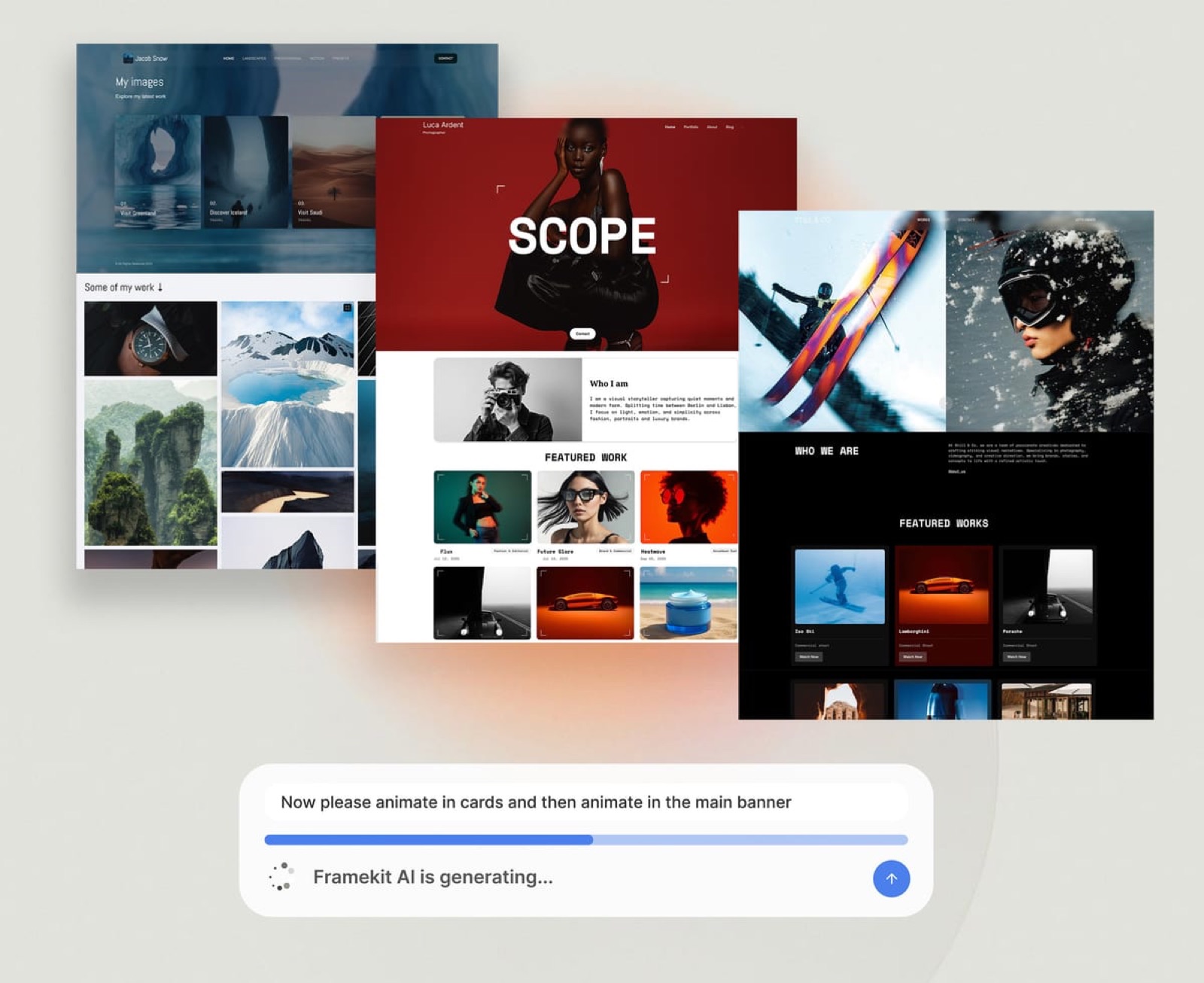
Framekit is an AI website builder for studios and creative businesses, and the observation is narrow.
Those documents are pages or decks that were never published, and keeping them as PDFs costs you the two things a link gives you for free, which are showing everyone the current version and, for a page, being found in search.
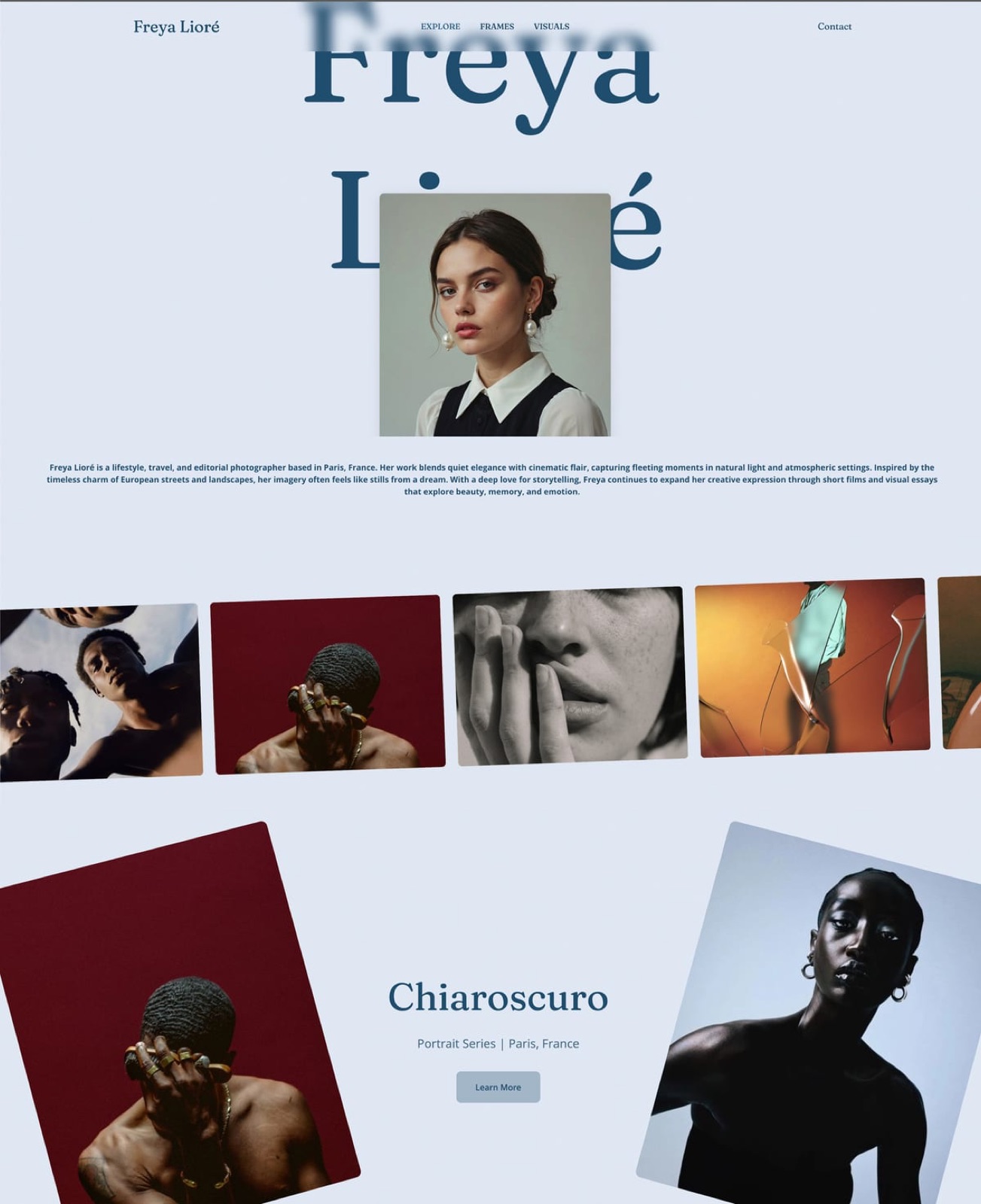
For the lookbook, the treatment, the capabilities deck and the portfolio PDF that designers still build in InDesign, Framekit Slides is the screen-first route.
It has templates for that kind of document, your own fonts and colours across every slide, and ready-made elements such as moodboards, colour swatches, type specimens and mockups.
The deck is shared as a link that updates in place, and it exports a PDF on every plan for the recipient who wants a file.
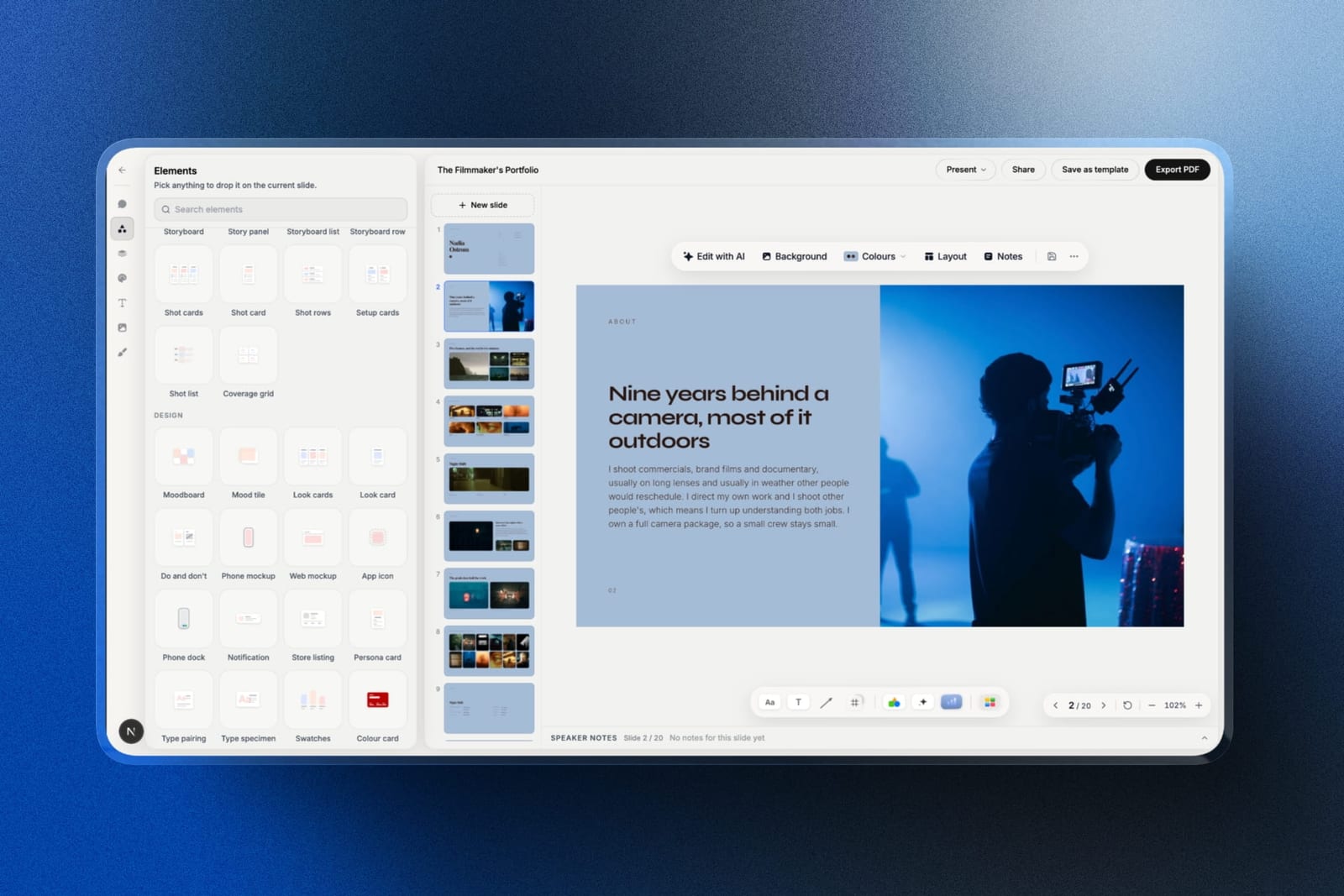
The limits, plainly: that PDF is a screen document rendered from the slides, with no CMYK, no bleed or crop marks, no master pages, no facing-page spreads and no preflight.
It cannot produce a print job, and it is not an alternative to any of the eight tools above for the job this page is about.
Which InDesign Alternative Should You Choose?
The decision comes down to whether the document is printed, who else touches the file, and whether anyone sends you native InDesign files, so work down these questions in order.
1. Is the document printed commercially? Affinity Publisher, free, which exports the same kind of press-ready PDF InDesign does.
2. Do clients or contractors send you .indd files? Keep InDesign. Nothing else opens them, and that is now the main thing the subscription buys.
3. Do writers work in parallel with designers on the same document? Keep InDesign for InCopy, or move the writing upstream into a separate tool.
4. Is the document screen-only and under twenty pages? Figma at $36 a year, or Canva if nobody on the team designs.
5. Do many non-designers produce documents from your templates? Marq, which is built for exactly that.
6. Do you want professional print output with no vendor at all? Scribus, free and open source.
7. Is it a report where the words carry it? Google Docs, and spend the time on the writing.
Frequently Asked Questions
Is Affinity Publisher really free?
Affinity's applications, including Publisher, Designer, and Photo, are free following Canva's acquisition of Serif.
Publisher includes master pages, paragraph and character styles, CMYK, spot colours, bleed, and press-ready PDF export, and its PDF/X export is built for the same commercial print workflow InDesign's is.
Can Affinity Publisher open InDesign files?
Affinity Publisher cannot open native .indd files, which is the single biggest practical reason studios keep an InDesign subscription.
It can place and work with PDFs and IDML support has limitations, so a workflow that involves receiving native InDesign documents from clients or contractors still needs InDesign somewhere.
How much does InDesign cost per year?
Adobe InDesign as a single application costs roughly $22.99 a month, which is about $276 a year, with Creative Cloud All Apps considerably higher. Over five years that is roughly $1,380 against nothing for Affinity Publisher or Scribus.
Is Canva a good InDesign alternative?
Canva is a good InDesign alternative for screen documents and for teams without a designer, and a poor one for commercial print.
Its free export is RGB, CMYK is a paid-plan option and there is no spot colour support, so a free-plan file is likely to be flagged on colour space by a printer's preflight.
What is the best free InDesign alternative?
Affinity Publisher is the best free InDesign alternative, offering a full professional feature set including CMYK, spot colours, and preflight.
Scribus is the best open-source option with comparable print capability and a steeper interface, and both export PDF/X for commercial print.
Can you do professional print work without InDesign?
You can produce professional press-ready work in Affinity Publisher, Scribus, or QuarkXPress, all of which support CMYK, spot colours, bleed, and PDF/X export.
Four of the eight document a press-ready export, and three of those four cost nothing or are sold as a perpetual licence.
What does InDesign still do better than the alternatives?
InDesign retains three genuine advantages: it opens native .indd files that clients and contractors send, it pairs with InCopy for editorial workflows where writers and designers work in parallel, and it has by far the largest plugin ecosystem and hiring pool.
None of those are layout or print capabilities.
Is Scribus better than Affinity Publisher?
Scribus matches Affinity Publisher on print capability and trails it substantially on interface, typographic defaults, and learning materials.
With both now free, most people will produce better work faster in Affinity Publisher, and Scribus remains the right choice for anyone who specifically wants open-source software.
Which tool should a brand team use for documents?
Marq is built for brand teams, letting non-designers fill in locked templates without breaking the layout, which is a different problem from designing the template in the first place.
Design the master document in Affinity Publisher or InDesign, then distribute it through a templating tool if many people produce versions of it.
Should a brochure be a PDF or a web page?
A brochure should be a PDF when it is printed or when a recipient's process requires a file, and a web page when it is only ever sent as a link, because a page can be found in search and updated in place while a downloaded PDF ages from the moment it is exported.
Many studio brochures are the second case built as the first.
Can I make a lookbook without InDesign?
You can make a screen lookbook without InDesign in Framekit Slides, which has lookbook-style templates, moodboard and swatch elements, a share link that updates in place, and a PDF export on its free plan.
For a lookbook that will be printed, use Affinity Publisher or InDesign instead, because Framekit's PDF has no CMYK output, bleed or print preflight.
Final Verdict
Affinity Publisher is the answer for most people, and the reason is not that it is good for a free tool. It is a professional page-layout application with press-ready PDF/X export, and it costs nothing.
Two years ago the recommendation in this category came with caveats about output quality; that caveat no longer exists.
What the InDesign subscription now buys is compatibility rather than capability: opening .indd files, InCopy for editorial teams, and the largest plugin ecosystem. Those are real and they are narrower than most people paying for it realise.
Where Framekit loseswe do not lay out print documents.
No master pages, no CMYK, no bleed, none of the print typography controls the tools above offer, and only a screen PDF exported from a deck, which is why we excluded ourselves from this ranking rather than finding a place in it.
Every tool above beats us at print and document layout. Our only point concerns the brochures and lookbooks that were never going to be printed.
If you do one thing, rebuild four pages of your most complex document in Affinity Publisher and send the PDF to your printer. That test answers this question better than any comparison.
Related reading: our roundups of the best free graphic design software, the best Canva alternatives, the best Photoshop alternatives, and the best Adobe Illustrator alternatives.
Pricing here reflects published vendor rates read in August 2026, and QuarkXPress and Swift Publisher are sold as licences rather than listed monthly plans, which we have noted where it applies.