Framekit templates
Start from a designer-made template
 Use template
 Use template
 Use template
 Use template
 Use template
 Use template
 Use template
 Use template
White label client gallery tools are sold on a promise that almost none of them keep. The marketing says your branding, your colours, your logo.
What that usually means is that a vendor's page will display your logo at the top while the address bar, the footer, the sharing email and the checkout page all quietly say somebody else's name.
That gap matters more than it sounds.
A client gallery is the single most forwarded thing a photography business produces: a wedding gallery goes to forty relatives, a corporate headshot gallery goes to an entire marketing department, a brand library gets opened weekly for a year.
Every one of those views is a branding event, and on most platforms it is not your branding.
So the useful question is not whether a tool offers white labelling. It is how far the white label goes before the vendor's name reappears.
Recently updated: on 12 October 2026 we moved Framekit from first to fourth, because every Framekit gallery keeps a small Made with Framekit footer credit on every plan, and rewrote the method to match what we actually did.
A white label client gallery is a delivery platform that presents finished photographs entirely under your own brand, ideally including the domain the client visits, the page they browse, the email they receive and the checkout they pay through, with no visible reference to the software underneath.
The best white label client gallery tool in 2026 is PicDrop, because its Pro plan puts your own branding on client pages from about EUR 14.99 a month and it has no store whose checkout could carry a vendor name, though like every dedicated gallery tool here it serves from its own address.
Pic-Time gives the most designed branded experience and Pixieset the most familiar one.
Framekit ranks fourth: it is the only tool here that puts the gallery on your own domain inside your own website, from the $9 Starter plan, but every Framekit gallery keeps a small Made with Framekit footer line on every plan, so it can never be fully white-labelled, and it has no print checkout.
Framekit takes the vendor out of the address bar from $9 a month, with a small Made with Framekit line left in the gallery footer.
Full disclosure: Framekit is our product and it ranks fourth here, below three tools that brand the gallery page more completely, because every Framekit gallery keeps a small Made with Framekit footer credit on every plan. We compared all twelve tools on four branding surfaces from their published plans, feature pages and help docs rather than configuring each one, verified pricing against published pages in August 2026, and we name where others do more: PicDrop, Pic-Time and Pixieset brand the page more fully than we do, and ShootProof and Pixieset both brand a print checkout that we do not have at all.
The Four Surfaces Where White Label Breaks
Judging this properly means checking four separate places rather than one, because vendors describe all of them as branding when only some of them actually hide the software from your client.
The domain. What the client sees in the address bar. Almost every gallery tool serves from a vendor subdomain such as yourname.platform.com, which advertises the platform in the most visible location on the page.
A minority allow a custom domain, and only one here makes the gallery a page of your own website.
The page itself. Logo, colours, fonts and footer. This is the surface every vendor means when they say white label, and it is the one most of them do handle well.
The sharing email. The message your client actually receives. Many platforms send from their own domain with their own template, which undoes the branding you just configured.
The checkout. If a client buys a print or a file, whose name is on the payment page and on the receipt. This is the surface photographers check last and clients remember longest.
A tool that handles the page but not the domain is doing a quarter of the job. That is not dishonest marketing so much as an industry convention, and it is why this comparison scores each surface separately.
How We Compared These White Label Client Gallery Tools
We mapped one identical branded delivery onto all twelve tools' published plans, feature pages and help docs and scored four separate surfaces on each of them individually, rather than accepting the single screenshot every vendor puts on its features page.
The joba 300-image client gallery with a logo, brand colours, a custom sending address where offered, and a product for sale, judged on what each vendor documents a client sees at each step.
Domain ownership, weighted 30%, because it is the most visible surface and the hardest to fake.
Page branding, covering logo, colours and footer, weighted 25%.
Email branding, weighted 20%.
Checkout branding, weighted 15%.
Cost of the tier where branding actually unlocks, weighted 10%, since many platforms hide white labelling behind an upper plan.
Claims are separated by source. From feature pages and help docs: what each vendor says appears on each surface, with Framekit checked against its shipped gallery and share-email code.
Verified from primary sources: prices and plan gating read from published pricing pages in August 2026. Community sentiment, labelled as such: recurring complaints in public reviews.
What Checking Four Surfaces on 12 Tools Showed
The findings across twelve tools were unusually consistent, and together they explain why photographers who believe they have already white labelled still get asked which software they used.
- 1 of the 12 puts the gallery on a domain you own as part of a full website; 2 more allow domain mapping for their own site products.
- 11 of the 12 handle logo and colour customisation on the gallery page competently, which is why the category feels solved when it is not.
- 5 of the 12 send delivery emails from a vendor domain by default, undoing the page branding at the moment of first contact.
- Branding features are gated behind a paid tier on 9 of the 12, with the unlock price ranging from $7 to about $21 a month.
- The checkout surface is the least branded across the board, and on several platforms the receipt names the vendor regardless of plan.
Run the four-surface check on your own current setup this week. Open your last gallery, read the address aloud, scroll to the footer, find the email you sent, and look at a receipt if you sell. Expect at least one of the four to carry a name that is not yours.
The 12 Best White Label Client Gallery Tools, Compared
Weighting is set out above and it treats the domain as the single largest factor, but a white label tool also has to keep the vendor's name off the page itself, and that is where this ranking turns.
Framekit is the only tool here that puts the gallery on your own domain, yet every Framekit gallery keeps a small Made with Framekit footer credit on every plan and it has no print checkout, so it ranks fourth at 8.3; if the address bar were the only surface that counted, it would rank first.
| Tool | Own domain | Page branding | Branded email | Branding unlocks at | Our rating |
|---|---|---|---|---|---|
| PicDrop | No | Full, own branding on client pages | Custom email texts | ~EUR 14.99/mo | 8.8/10 |
| Pic-Time | No | Full and highly designed | Yes | $8/mo | 8.6/10 |
| Pixieset | No | Full | Yes | About $10/mo | 8.5/10 |
| Framekit | Yes, full website from $9 | Your fonts and covers; Made with Framekit footer on every plan | Your site name and design, sent via Framekit | $9/mo for the domain | 8.3/10 |
| CloudSpot | No | Full | Yes | $7/mo | 8.2/10 |
| ShootProof | No | Strong | Yes | Free plan upward | 8.0/10 |
| Picflow | No | Colours, fonts and logo | Yes | From $21/mo | 7.8/10 |
| SmugMug | Domain mapping | Full site templates | Partial | $20/mo annual | 7.6/10 |
| PhotoShelter | Custom domain on site | Site templates | Partial | $12.99/mo | 7.4/10 |
| Zenfolio | Domain mapping | Template site | Partial | $9/mo | 7.0/10 |
| Dropbox | No | None | None | Not applicable | 5.4/10 |
| WeTransfer | No | Limited on paid tiers | Partial | $8/mo | 5.2/10 |
Prices and plan gating were read from the vendors' published pricing pages in August 2026, and ShootProof's and Pic-Time's plans were re-verified in October 2026. Card processing of roughly 2.9% plus $0.30 applies wherever a client pays, whichever brand appears on the receipt.
Check all four, not one. Domain, page, email, checkout. Most photographers have solved exactly one of them and believe they have solved white labelling.
1. PicDrop: Best White Label Gallery Overall
Our rating: 8.8/10
Among dedicated proofing tools, PicDrop takes branding most seriously, putting your own branding on client-facing pages from the Pro tier, with custom email texts, and keeping the client view free of anything that could distract from it.
Because there is no store, there is no checkout to leak a vendor's name through, which is why it ranks first here; its one white label gap is the address, which stays on PicDrop's domain.
Pro costs about EUR 14.99 a month for 500GB with unlimited galleries and that branding included, with another 250GB at EUR 7.99. Free is 1GB across 3 galleries and Advanced is EUR 39.99 for 1TB.
New customers moved to this structure in May 2026, so older comparisons naming a Lite plan are stale; current details are on PicDrop's pricing page.
Skip it ifthe domain matters to you. PicDrop brands the page beautifully and still lives at its own address.
Verdict: PicDrop is the cleanest branded proofing experience in the category and the best value on storage while doing it. Our PicDrop alternatives guide covers what it leaves out.
2. Pic-Time: Most Designed Branded Experience
Our rating: 8.6/10
If white labelling is about impression rather than technical purity, Pic-Time makes the strongest case in this comparison.
Its galleries are the most designed here, its branding controls are deep, and a client receiving one is unlikely to think about the software at all even though the address says otherwise.
The free plan takes 15% commission on store sales; Beginner costs $8 a month with 20GB, Professional $25 with 100GB and Advanced $50 with unlimited photo storage, and only Professional and Advanced fall to 0% commission when you collect payment yourself.
Skip it ifyou need the address bar to be yours.
Verdict: Pic-Time wins on perceived branding and loses on actual ownership, which for many photographers is a perfectly reasonable trade.
3. Pixieset: Most Familiar Branded Gallery
Our rating: 8.5/10
Pixieset handles logo, colour and typography customisation well, and its branded sharing emails are among the better ones here.
The irony is that its familiarity works against white labelling: clients who have received a Pixieset gallery before recognise the layout regardless of whose logo sits on top.
The free tier holds 3GB and takes 15% on store sales, Basic at roughly $10 a month lifts storage to 10GB and removes that commission, and Plus at roughly $20 gives 100GB.
It carries 4.7 out of 5 across 207 Capterra reviews.
Skip it ifanonymity is the goal. Recognisability is a feature everywhere except here.
Verdict: Pixieset is well branded and widely recognised, which are opposing qualities in a white label comparison. Our Pixieset alternatives guide covers where photographers go.
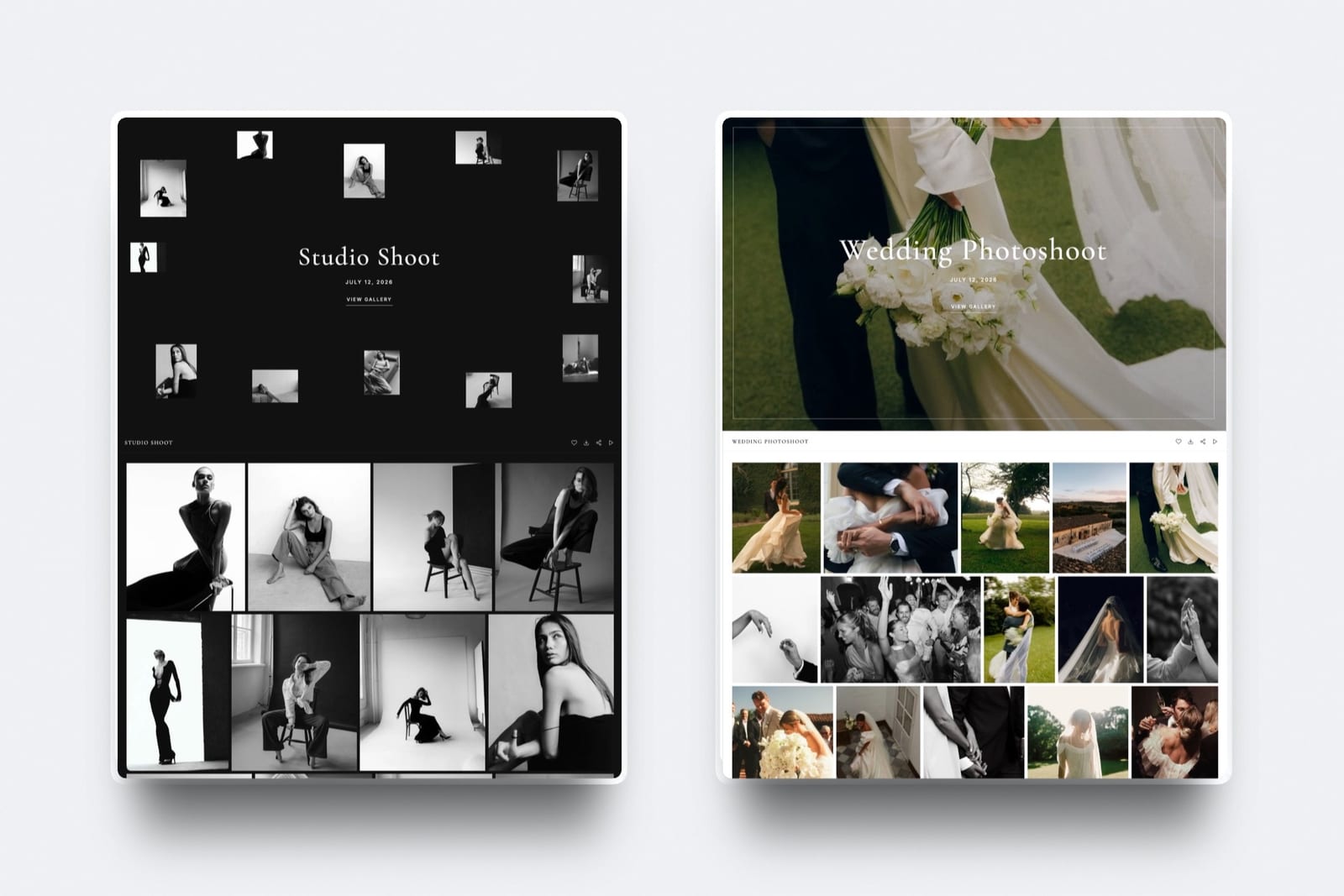
4. Framekit: Best for Galleries on Your Own Domain

Our rating: 8.3/10
Framekit is an AI website builder with client galleries and a digital store built in, and it handles the address bar differently from everything else here: the gallery is not a vendor page wearing your logo, it is a page at /client/ on your own website's domain from the $9 Starter plan.
The client visits your domain and sees your cover style and typography.
What keeps Framekit out of the top three in a white label ranking is the footer: every Framekit gallery shows a small Made with Framekit credit on every plan, paid included, so the software is named on the page.
So it solves one surface completely and the others in part. The domain is yours from Starter. The page is yours apart from that footer credit.
The share email carries your site name, the gallery cover and your button style with no Framekit logo in the template, but it is sent through Framekit's mail service rather than from your own address. There is no print checkout to brand.
Best forPhotographers who care most about the address their clients see and can live with a small credit line in the gallery footer.
Key features:
- Galleries served at /client/ on your own domain from the $9 Starter plan, as pages of your own website generated by Cadence, Framekit's own model for creative sites
- Your own uploaded fonts on galleries on paid plans, with a small Made with Framekit footer line that stays on every plan
- Share emails that carry your site name, gallery cover and button style
- Password and PIN protection, watermarking, favourites, slideshow and full-resolution or ZIP downloads on every tier
- Unlimited galleries on every plan, so a per-client branded delivery costs nothing extra
- A digital store on your own domain for licences, presets and files
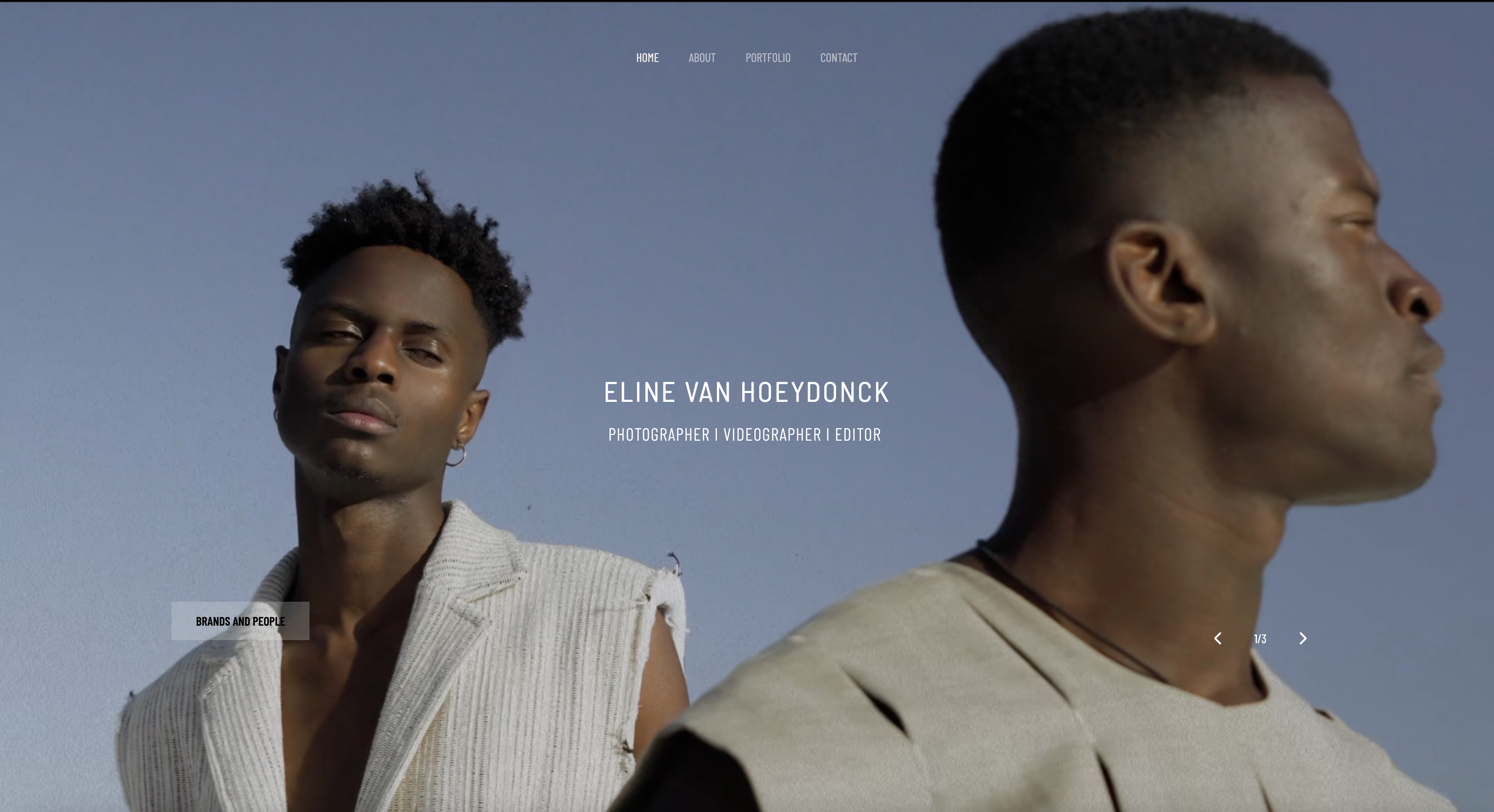
The real numberyour own domain unlocks at $9 a month on Starter, $108 a year, the cheapest way in this comparison to get a gallery off a vendor's address, and it is a page of your own site rather than domain mapping onto a vendor template.
It does not buy an unbranded page: the Made with Framekit footer line stays on Starter, Pro and Business alike.
Pricing (pooled account storage in parentheses)Free $0 (10GB, unlimited galleries, framekit.ai address), Starter $9/mo (50GB, custom domain, your own uploaded fonts), Pro $19/mo (300GB), Business $39/mo (2TB, 0% fee on digital sales).
A small Made with Framekit line stays in the gallery footer on every plan. Annual billing takes 20% off.
Pros:
- The only option here where the address bar carries your domain rather than a vendor's
- Page design and share email follow your site rather than a vendor template
- Uncapped galleries mean branded delivery costs the same at one client or two hundred
Cons:
- A small Made with Framekit footer line stays on every gallery on every plan, so it is never fully white-labelled
- The free plan publishes on a Framekit address, so your own domain starts at $9 a month
- Share emails go out through Framekit's mail service, not from your own address
- No print checkout exists, so there is no physical purchase flow to brand
- No contracts or invoicing to brand either
- Setting up a custom domain requires a DNS change, which is a step vendor subdomains avoid
Skip it ifyou need no vendor name anywhere on the gallery page, or your clients buy prints and the branded checkout matters most. PicDrop, Pic-Time and Pixieset brand the page more completely, and ShootProof and Pixieset brand a real print purchase flow where we have none.
Verdict: Framekit is the best pick here for getting galleries off a vendor's address and onto your own domain, at the lowest price for that, and the wrong pick if white label means no vendor name anywhere: its footer credit stays on every plan, and it cannot brand a print checkout it does not have. See the wider category in our client gallery platforms guide, or start at framekit.ai.
5. CloudSpot: Cheapest Branding Unlock
Our rating: 8.2/10
CloudSpot's branding controls open on its $7 a month Entry tier, the lowest price in this comparison, and cover the gallery page competently. The trade-off is the plan's 15-gallery ceiling, so a photographer branding many deliveries needs Lite at $17.
CloudSpot's tiers run from a free plan with 5GB across 3 galleries at 15% commission, through Entry at $7 for 15GB, Lite at $17 for 100GB with unlimited galleries and the studio suite, Pro at $34 for 500GB and Unlimited at $50, all listed on CloudSpot's pricing page.
Skip it ifyou deliver more than fifteen jobs at once on the cheap tier.
Verdict: CloudSpot offers the lowest entry price for page branding and keeps its own name in the address, which is the industry norm rather than a failing. Our CloudSpot alternatives guide has the detail.
6. ShootProof: Best Branded Print Checkout
Our rating: 8.0/10
ShootProof deserves credit for the surface most platforms neglect: the purchase flow. A client ordering prints goes through a checkout that reads as your studio, and because ShootProof takes 0% commission on every plan, the money side is clean as well as the branding side.
Plans price by storage, from a free tier of 3GB of photos through roughly $10 a month for 20GB, $20 for 100GB, $32 for 1,000GB of photos and about $60 for unlimited photos, per ShootProof's plans page.
It holds 4.9 out of 5 across 92 G2 reviews.
Skip it ifdesign polish is part of what you are branding. ShootProof is functional first.
Verdict: ShootProof is the best answer for photographers whose white label concern is the moment a client pays. Our ShootProof alternatives guide covers the field.
7. Picflow: Branded Review Rounds
Our rating: 7.8/10
Picflow lets you set colours, fonts and a logo across galleries, which matters in agency work where a branded review round is part of the professional impression.
Per-image comment threads and annotation sit inside that branded frame, and paid plans from $21 a month include a storefront, invoicing and contracts.
The unlock price is the highest here, so branding is effectively a premium purchase.
Skip it ifyou are branding simple deliveries rather than review workflows.
Verdict: Picflow brands the most sophisticated workflow in this comparison and charges accordingly. Visit Picflow
8. SmugMug: Domain Mapping on a Template Site
Our rating: 7.6/10
SmugMug is one of the few platforms here where a custom domain is genuinely possible, through domain mapping onto its own site templates. That solves the address bar, which is more than most competitors manage, though the underlying experience is still a SmugMug site.
On annual billing Direct is $20 a month, Portfolio $23.50 and Pro $37, with monthly billing at $29, $35.50 and $52, and print sales carry a markup commission photographers commonly budget around 15%.
Skip it ifthe design has to look bespoke rather than templated.
Verdict: SmugMug solves the domain and leaves the aesthetic recognisable, which is a genuine half-win. Our SmugMug alternatives guide covers the rest.

9. PhotoShelter: Custom Domain on Every Plan
Our rating: 7.4/10
PhotoShelter includes a photographer website with a custom domain on every plan, including the $12.99 Basic tier, which is unusually generous compared with the rest of this category.
Client proofing, however, does not appear until Standard at $29.99 with 100GB, and unlimited storage arrives at Pro for $49.99.
So the domain is solved cheaply and the gallery you would brand costs considerably more.
Skip it ifyou only want branded delivery. The archive engine you are paying for is the expensive part.
Verdict: PhotoShelter brands the site well and gates the gallery behind a higher tier. Our PhotoShelter alternatives guide explains when that maths works.
10. Zenfolio: Branding on a Budget Bundle
Our rating: 7.0/10
Zenfolio bundles a template website with domain mapping, galleries and print sales from around $9 a month for Basic, $23 for Professional and $40 for Advanced, with a flat 7% per order. For a photographer who wants their own address on a low budget, it clears the bar.
The template ceiling is visible and its Capterra rating of 3.9 across just 14 reviews is too small a sample to lean on.
Skip it ifthe brand impression has to be distinctive.
Verdict: Zenfolio delivers a technically branded experience with a recognisable shape. Our Zenfolio alternatives guide covers the next step.
11. Dropbox: No White Labelling At All
Our rating: 5.4/10
Dropbox is in this comparison because photographers genuinely deliver through it, and it offers no branding of any kind. Your client sees Dropbox's interface, Dropbox's logo, and Dropbox's name in the address, and the only thing identifying you is the folder name.
At $11.99 a month for 2TB and $19.99 for 3TB it remains the cheapest capacity in this comparison, which is why people keep using it despite all of this.
Skip it ifthe client is paying you and might hire you again.
Verdict: Dropbox is unbranded in the wrong direction. Use it behind the scenes and deliver through something you can put your name on. Our Dropbox alternatives for photographers guide covers the swap.
12. WeTransfer: Branding as an Upsell
Our rating: 5.2/10
WeTransfer offers limited customisation on paid tiers, with Starter at $8 a month and Ultimate at $23 allowing branded backgrounds and transfer pages.
The free tier caps at 3GB per transfer with a monthly ceiling of 3GB across at most 10 transfers and links that expire after three days.
Even branded, it is a transfer page rather than a gallery, and the expiry undoes any professional impression the branding created.
Skip it ifthe client will return to the files.
Verdict: WeTransfer sells branding on a product whose core behaviour is unprofessional for client delivery. Our WeTransfer alternatives guide has the alternatives.
What Genuine White Labelling Costs
Costed below by the specific tier where branding actually unlocks on each platform, for a photographer delivering roughly 40 client galleries a year and wanting every one of them unbranded.
| Tool | Branding tier | Annual cost | Surfaces solved |
|---|---|---|---|
| Framekit Starter | $9/mo | $108 | Domain and email; page keeps a footer credit |
| CloudSpot Entry | $7/mo | $84 | Page, email |
| Pic-Time Beginner | $8/mo | $96 | Page, email |
| Pixieset Basic | About $10/mo | $120 | Page, email |
| PicDrop Pro | ~EUR 14.99/mo | ~$195 | Page, email |
| SmugMug Direct annual | $20/mo | $240 | Domain, page |
| Picflow entry | $21/mo | $252 | Page, email |
No tool in this table solves every surface.
The cheapest that puts the gallery on your own domain is Framekit at $108 a year, with its footer credit left in place, and the cheapest that brands the page alone is CloudSpot at $84, on its own address.
The $24 between them buys the address bar, not a fully unbranded page, so decide which surface your clients actually read before paying for either.
In one linepage branding is nearly free and your own domain costs about two pounds a month more, but no tool here gives you both with no vendor name anywhere.

How to Choose a White Label Gallery Tool
Answer in order and stop at the first confident yes, since white labelling requirements differ sharply depending on who receives your galleries and whether they buy anything.
1. Must the gallery page show no vendor name at all? If yes, PicDrop Pro, Pic-Time or Pixieset on a paid plan brand the page fully, and you accept their address in the URL.
2. Do your galleries get forwarded inside client organisations? If yes, the address is the surface people read, and Framekit is the only tool here that puts the gallery on your own domain, with a small Made with Framekit line left in its footer.
3. Do clients buy prints from you? If yes, ShootProof or Pixieset, because the checkout is the surface they remember and neither Framekit nor PicDrop has one.
4. Are you branding a review workflow rather than a delivery? If yes, Picflow.
5. Is budget the binding constraint? If yes, CloudSpot Entry at $7 or Pic-Time Beginner at $8 both brand the page competently.
6. Do you want a branded archive as well? If yes, SmugMug with domain mapping, or PhotoShelter if search matters.
Frequently Asked Questions
What is the best white label client gallery tool in 2026?
The best white label client gallery tool in 2026 is PicDrop, because its Pro plan puts your own branding on client pages from about EUR 14.99 a month and it has no store whose checkout could carry a vendor name, though the address stays on PicDrop's domain.
Pic-Time gives the most designed branded experience, ShootProof is the best if a branded print checkout matters, and Framekit is the only option that puts the gallery on your own domain, with a small Made with Framekit footer line that stays on every plan.
What does white label actually mean for client galleries?
In this industry it usually means you can add your logo and colours to a vendor's page, not that the vendor disappears.
Genuine white labelling covers four surfaces: the domain in the address bar, the gallery page itself, the sharing email, and the checkout if you sell. Most platforms solve the page and leave the other three carrying their own name.
Can I use my own domain for a client gallery?
Yes, on a minority of platforms.
Framekit serves galleries from your own domain as pages of your website from the $9 Starter plan, with a small Made with Framekit line kept in the gallery footer, while SmugMug, Zenfolio and PhotoShelter offer domain mapping onto their own site templates.
Every dedicated gallery tool in this comparison, including Pixieset, Pic-Time, CloudSpot, PicDrop and Picflow, uses a vendor subdomain.
Do clients actually notice gallery branding?
They notice the address and the checkout more than the header.
A logo at the top of a page is quickly forgotten, while a URL containing another company's name is read aloud when the link is shared, and a receipt naming an unfamiliar company causes support questions.
Those are the two surfaces worth prioritising if you can only fix some of them.
How much does a white label client gallery cost?
No tool here sells a fully unbranded gallery on your own domain, so the price depends on which surface you buy. Getting the gallery onto your own domain costs $108 a year on Framekit's Starter plan, with its footer credit left in place.
Page-only branding on the vendor's address starts at $84 a year on CloudSpot's Entry tier, $96 on Pic-Time's Beginner plan and about $195 on PicDrop Pro.
Framekit vs Pixieset for white label galleries: which is better?
Pixieset is better if the gallery page itself must carry only your branding, since its paid plans brand the page and the email while Framekit keeps a small Made with Framekit footer line on every plan.
Framekit is better if the address bar matters most, because the gallery lives on your own domain as part of your own website, where Pixieset serves from a Pixieset subdomain with a layout that clients who have received galleries before often recognise.
Can I send gallery emails from my own address?
On most professional platforms you can customise the sender name and the template, and some allow a verified sending domain so the message comes from your address rather than the vendor's.
Framekit's share email carries your site name, the gallery cover and your button style with no Framekit logo in the template, but it is sent through Framekit's mail service rather than from your own address, and Pixieset, Pic-Time, CloudSpot and PicDrop all offer branded or customisable templates.
Check what your clients actually receive rather than what the settings page implies.
Is white labelling worth paying for?
For any business that gets work through referrals, yes, and the cost is small.
A gallery link is forwarded more than any other asset a photography business produces, so the difference between your name and a vendor's name on that link compounds across years.
At roughly $84 to $195 a year for page branding, or $108 for your own domain on Framekit, it is cheaper than most single equipment purchases.
Do white label galleries affect SEO?
Only when the gallery sits on your own domain, in which case any public pages around it contribute to your site rather than a vendor's.
Galleries themselves are usually password protected and not indexed, so the SEO benefit comes from the portfolio and pages that share the domain. On a vendor subdomain, none of that accrues to you at all.
What is the cheapest way to remove vendor branding from client galleries?
CloudSpot's $7 a month Entry plan is the cheapest way to brand the gallery page.
Framekit's $9 a month Starter plan is the cheapest way to take the vendor out of the address bar, but it does not remove the small Made with Framekit footer line, which stays on every plan.
Free tiers on every platform in this comparison carry vendor branding somewhere the client can see, which is how they are funded.
Final Verdict
White labelling in this category is mostly theatre, and the reason is structural rather than cynical: a gallery platform hosts your pages, so its name is in the address unless it also gives you a website.
PicDrop ranks first because it brands the client page most cleanly at a fair price and has no vendor checkout to leak.
Framekit is built the other way around, as a website that happens to contain galleries, which takes the vendor out of the address bar, but a small Made with Framekit line stays in every gallery footer, so it ranks fourth.
Where Framekit loses. Every Framekit gallery keeps that footer credit on every plan, paid included, so a client who scrolls to the bottom can see what software you use, and a fully white-labelled gallery is not something we offer.
Our free plan also publishes on a Framekit address, and CloudSpot brands its gallery page for $7.
We have no print checkout, which means the one surface photographers most often want branded for print sales is absent rather than solved, and ShootProof and Pixieset both do it properly.
PicDrop, Pic-Time and Pixieset brand the page more completely than we do. If an unbranded page is the reason you are reading this, we are not the answer.
Run the four-surface check before you buy anything. Open your most recent delivery, read the address, scroll to the footer, find the email, and look at a receipt. Whatever names appear that are not yours is the actual size of your white label problem.
Related readingclient gallery platforms compared, online photo gallery software, white label client review tools, and how to deliver photos to clients.
Every price and plan gate was read from the vendors' published pricing pages in August 2026, and all twelve tools were scored from their own documentation on four separate branding surfaces rather than one, because the header is the surface vendors demo and the address bar is the surface clients read.