Framekit templates
Start from a designer-made template
 Use template
 Use template
 Use template
 Use template
 Use template
 Use template
 Use template
 Use template
A wedding photographer sets up a Stripe Payment Link for her $30 preset bundle on a Sunday night, posts it, and sells four copies by Monday morning. Stripe did its job perfectly: four payments, $4.68 in fees, $115.32 on its way to her bank.
Then she opens her inbox to three messages asking where the presets are. Stripe had shown each buyer a thank-you message and nothing else.
That is the one fact to understand before you sell digital products with Stripe. Stripe takes the payment. It does not store, send or protect the file. Every method in this guide is an answer to a single question: what happens in the ten seconds after the payment succeeds?
Stripe's own documentation is candid about it.
Its guide to fulfilling orders says delivering what the customer paid for is your job, done either by hand or by a system you build, and that you cannot rely on the post-payment page alone because a buyer can pay and lose their connection before it loads.
A digital product is a file or piece of content a buyer pays for and receives electronically, such as a preset pack, LUT, ebook, template or video course, with no shipping.
Selling one with Stripe means pairing Stripe's checkout with something that delivers the file and remembers who bought it.
You can sell digital products with Stripe, but Stripe only takes the payment, so you need a delivery layer.
There are four routes: (1) a Stripe Payment Link that redirects buyers to a hidden download page, free beyond Stripe's 2.9% + 30 cents but easy to share around; (2) a Zapier or Make automation that emails the file after each payment; (3) your own webhook code, which Stripe itself recommends for reliable fulfilment; or (4) a storefront that runs on your Stripe account and handles delivery, such as Framekit, which sells files from your own website with instant delivery and re-downloads for a 5%, 3% or 0% platform fee by plan.
Stripe Managed Payments adds tax handling for 3.5% more per sale if you want Stripe to be merchant of record.
Full disclosure: Framekit is our product and is one of the four routes described here. It does not calculate or remit tax, and it has no courses, memberships or subscriptions, so the pure-Stripe routes and Stripe Managed Payments beat it for sellers who need those. We did not build the webhook route or run Zapier ourselves for this guide; the steps come from Stripe's and Zapier's documentation, read on 19 September 2026, and the costs are calculated on a single $30 product.
Where These Steps and Numbers Come From
This is a how-to built from documentation and arithmetic rather than from a store we ran, so each claim below is tagged by where it comes from, and a skeptical reader can check the source in one click or redo the maths in one minute.
Read at the source. Stripe's rates come from Stripe's pricing page, which served European pricing to us; the US rates quoted here (2.9% + 30 cents, 1.5% for international cards, 1% for currency conversion, $15 per dispute) match Stripe's published US schedule as restated in other vendors' help centres and in search results for that page.
Delivery behaviour comes from Stripe's docs on what happens after a Payment Link payment, fulfilling orders and Managed Payments eligibility.
Framekit's store details come from its own pricing and store pages.
Calculated. One carried example: a $30 Lightroom preset bundle sold by a US photographer. Where monthly totals appear, they assume 40 sales a month, or $1,200 in revenue.
Reported by users. Only one claim falls here, and it is flagged where it appears: that shared download links get passed around. It is widely reported by sellers and follows from how a public link works, but we did not measure it.
Selling on Stripe by the numbers
- $1.17 is Stripe's fee on a $30 US card sale (2.9% + 30 cents), or 3.9%. On a $5 product the same formula takes 8.9%.
- $0 a month for Payment Links and Checkout; you pay only per transaction.
- 0.5% per transaction for Stripe Tax Basic, charged only where you have registered to collect tax, per Stripe Tax pricing.
- 3.5% per transaction on top of normal fees for Stripe Managed Payments, which makes Stripe the merchant of record for eligible digital products.
- $46.17 is what one lost dispute costs on the $30 bundle: the $30, the $1.17 fee and a $15 dispute fee.
- 0 files delivered by Stripe itself. Delivery is always something you add.
What Stripe Does and Does Not Do for a Digital Product
In one lineStripe handles everything up to the moment of payment and a receipt after it, and nothing that involves the file: it does not host downloads, send them, limit how often they are used, or give buyers a place to come back for them later.
Most confusion about selling digital products with Stripe comes from assuming a checkout is a store. The table separates the two jobs.
| Job | Stripe (Payment Links or Checkout) | What you need to add |
|---|---|---|
| Hosted checkout page | Yes, no code needed | Nothing |
| Cards, Link, wallets such as Apple Pay | Yes, where enabled on your account | Nothing |
| Emailed receipt | Yes, if switched on in settings | Nothing |
| Promotion codes | Yes | Nothing |
| Tax calculation | Yes, with Stripe Tax at 0.5% where registered | Your own registrations and filings |
| Thank-you page | Yes, a custom message or a redirect to your URL | A page that delivers the file |
| Hosting the file | No | Cloud storage, your site or a store layer |
| Sending the file | No | A redirect, an automation, code or a store layer |
| Expiring or limiting download links | No | Code or a store layer |
| Buyer can re-download later | No | Code or a store layer |
| Product page that sells | No, only a checkout | Your website or a store layer |
Everything in the right-hand column is what the four routes below compete on. The cheaper a route is, the more of that column becomes your job.
The fee stack on a $30 bundle
Stripe's price does not change with the delivery method; only what sits on top of it does. For a US seller:
| Item | Rate | On a $30 sale |
|---|---|---|
| Card processing, US card | 2.9% + $0.30 | $1.17 |
| International card | +1.5% | +$0.45 |
| Currency conversion | +1% | +$0.30 |
| Stripe Tax Basic (where registered) | 0.5% | $0.15 |
| Managed Payments (Stripe as merchant of record) | +3.5% | +$1.05 |
| Refund | Original fee not returned | You lose $1.17 |
| Dispute received | $15, not returned | $15.00 |
| Dispute countered | $15, returned if you win | $15.00 |
| Standard payout to your bank | Free on Stripe's standard schedule | $0.00 |
Stripe's refund documentation is the source for the refund line: processing fees from the original payment are not returned.
For the wider fee picture, including payout timing, see our guide to Stripe fees for creators.
The Four Ways to Deliver Files After a Stripe Payment
In one lineEvery way of selling digital files through Stripe is one of four patterns, from a free redirect you set up in ten minutes to a storefront that does delivery for a platform fee, and the right one depends on your volume, your comfort with code and whether buyers find you through a website.
| 1. Payment Link + redirect | 2. Automation (Zapier or Make) | 3. Webhooks + your code | 4. Storefront on your Stripe account | |
|---|---|---|---|---|
| Setup | Dashboard only | No-code workflow | Developer work | Upload file, set price |
| Cost beyond Stripe | $0 | Automation plan if you exceed its free tier | Hosting and developer time | Platform fee or subscription |
| File sent by | Buyer's browser landing on your page | An email step in the workflow | Your server | The store |
| Survives a closed tab | No | Yes | Yes | Yes |
| Stops link sharing | No | Partly, if links expire | Yes, if you build it | Depends on the store |
| Buyer can come back for files | Only by keeping the URL | Only by keeping the email | If you build it | Usually built in |
| Product page | Your own, separately | Your own, separately | Your own, separately | Included |
| Best for | A first test with a few buyers | Steady sales, no developer | Developers and custom products | Creators who want it done |
Stripe's docs name the first three patterns directly: a redirect after payment, automation through a partner "such as Zapier", and fulfilment with the API and webhooks. The fourth is any store that uses Stripe as its payment processor and adds delivery on top.
Route 1: A Stripe Payment Link and a Download Page
The simplest way to sell a digital product with Stripe is a Payment Link whose "after the payment" setting redirects the buyer to a page where the file can be downloaded, which needs no code, no extra subscription and about ten minutes, and it works until someone shares the page.
Stripe's Payment Links are hosted checkout pages you create in the Dashboard and share as a URL or embed as a buy button.
After a successful payment, Stripe either shows a confirmation message or sends the buyer to a URL you choose. That redirect is the whole delivery mechanism.
Step by step: the Payment Link route
- Upload the file somewhere that serves downloads. A cloud-storage share link works, as does a file on your own website. Name the file clearly, because it is what the buyer sees.
- Build a download page. A simple page on your site with a heading, the download button and a line on how to install the presets. Keep it out of your site's navigation and search index.
- Create the product in Stripe. In the Dashboard, add a product with its name, image and price ($30 in our example). If you collect tax, set the product's tax code and turn on Stripe Tax.
- Create a Payment Link for it. Under the payment link options, open the "After the payment" setting and choose to redirect customers to your website instead of showing a confirmation page, using your download page's URL. Stripe lets you append the Checkout Session ID to that URL if you want the page to know which purchase it is.
- Turn on email receipts. Stripe's receipts doc puts the switch under Settings, Business, Customer emails. Receipts do not contain your file, but they give the buyer a record.
- Add the link where buyers are. A bio, a newsletter, a button on your site. Stripe's Payment Links page shows views, sales and revenue per link.
- Buy it yourself once in live mode and refund it. You will lose the $1.17 processing fee, which is the cheapest insurance in this guide.
Where the Payment Link route breaks
On the $30 bundle this route costs $1.17 a sale and nothing else: $46.80 a month on 40 sales. It is the cheapest way to sell digital products with Stripe, and three things make it fragile.
The download page is a public URL. Anyone who has it can use it, and nothing stops a buyer from posting it in a forum.
Sellers widely report finding their download links shared; that is reported experience, not something we measured, but it follows from how a public link works.
The redirect is not guaranteed. Stripe's fulfilment guide warns that you cannot rely on the landing page alone because a buyer can pay and never reach it. That buyer paid, got a receipt and has no file. Plan to answer those emails by hand.
Buyers cannot come back. If they lose the page, the only way to get the file again is to email you. At 5 sales a month that is fine. At 200 it is a part-time job.
Verdict: the right way to test whether a product sells, and the wrong way to run a product that already does.
Route 2: Automate the Email With Zapier or Make
The second route connects Stripe to an automation tool that watches for each successful payment and emails the buyer a download link, which removes the closed-tab problem and puts the file in the buyer's inbox without you writing code.
Stripe's post-payment doc names this option itself: use a Stripe partner "such as Zapier" to automate emailing customers and recording data. Zapier's Stripe integration triggers workflows on successful charges; Make is a comparable automation tool that many sellers use instead.
Step by step: the automation route
- Host the file as in Route 1. Ideally use a storage service that can create links that expire.
- Create the Payment Link in Stripe, and leave the confirmation message on with text such as "Your download link is on its way to your inbox."
- Create a workflow with Stripe's payment or checkout-completed event as the trigger.
- Add a filter so the workflow only fires for this product, if you sell more than one.
- Add an email step that sends the buyer's email address (from the Stripe event) a message containing the download link.
- Optionally add a spreadsheet step that logs each buyer, so you have a record to answer "I lost my file" emails.
- Test with a real purchase and refund it.
Where the automation breaks
Stripe still takes $1.17 a sale. On top sits the automation tool's plan. Zapier lists a free tier; check how many runs a month any free tier allows against your order count, because each sale is at least one run and a busy launch can exhaust it.
The weak points are subtler than in Route 1. Emails land in spam folders, so some buyers never see the link. Workflows fail silently if a connected account's login expires.
And if the link in the email never expires, it is exactly as shareable as Route 1's download page. The automation solves delivery; it does not solve access.
Verdict: the right upgrade from Route 1 once you sell weekly, as long as you check the workflow's run history every week or so.
Route 3: Webhooks and Your Own Code
In one lineThe route Stripe itself recommends is a server that listens for the checkout.session.completed event and delivers the file, which is the most reliable and flexible option and only sensible if you or someone you pay can write and maintain it.
Stripe's order fulfilment guide is direct about this: webhooks are required for reliable fulfilment, because the redirect page is not guaranteed to load.
It recommends a single fulfilment function that both the webhook and the redirect page call, and warns that it may be called more than once for the same payment, so it must fulfil only once.
What the build involves
- A webhook endpoint on your server that receives Stripe's checkout.session.completed event and verifies it came from Stripe.
- A fulfilment function that checks the session's payment status, looks up which product was bought, creates a download link and records that this session has been fulfilled.
- Delayed payment handling. Some payment methods, such as bank debits, succeed later. Stripe sends a separate checkout.session.async_payment_succeeded event for those, and your code must handle it.
- Signed, expiring download links generated per buyer, so a shared link stops working after a set time or number of uses.
- An email sent by your server with the link, plus a page where a buyer can enter their email and get a fresh link.
- Monitoring. You need to know when your endpoint is down, because every minute it is down is a paid order with no file.
The cost of owning the code
Stripe's fee is the same $1.17. Everything else is hosting, a transactional email service and developer time.
This is the only route where you control every part of the experience, and the only one where the maintenance is entirely yours: a broken deploy on launch day means paid orders with no files.
Verdict: the best route for developers and for products that need licence keys, custom bundles or access rules, and overkill for a photographer selling three preset packs.
Route 4: A Storefront That Runs on Your Stripe Account
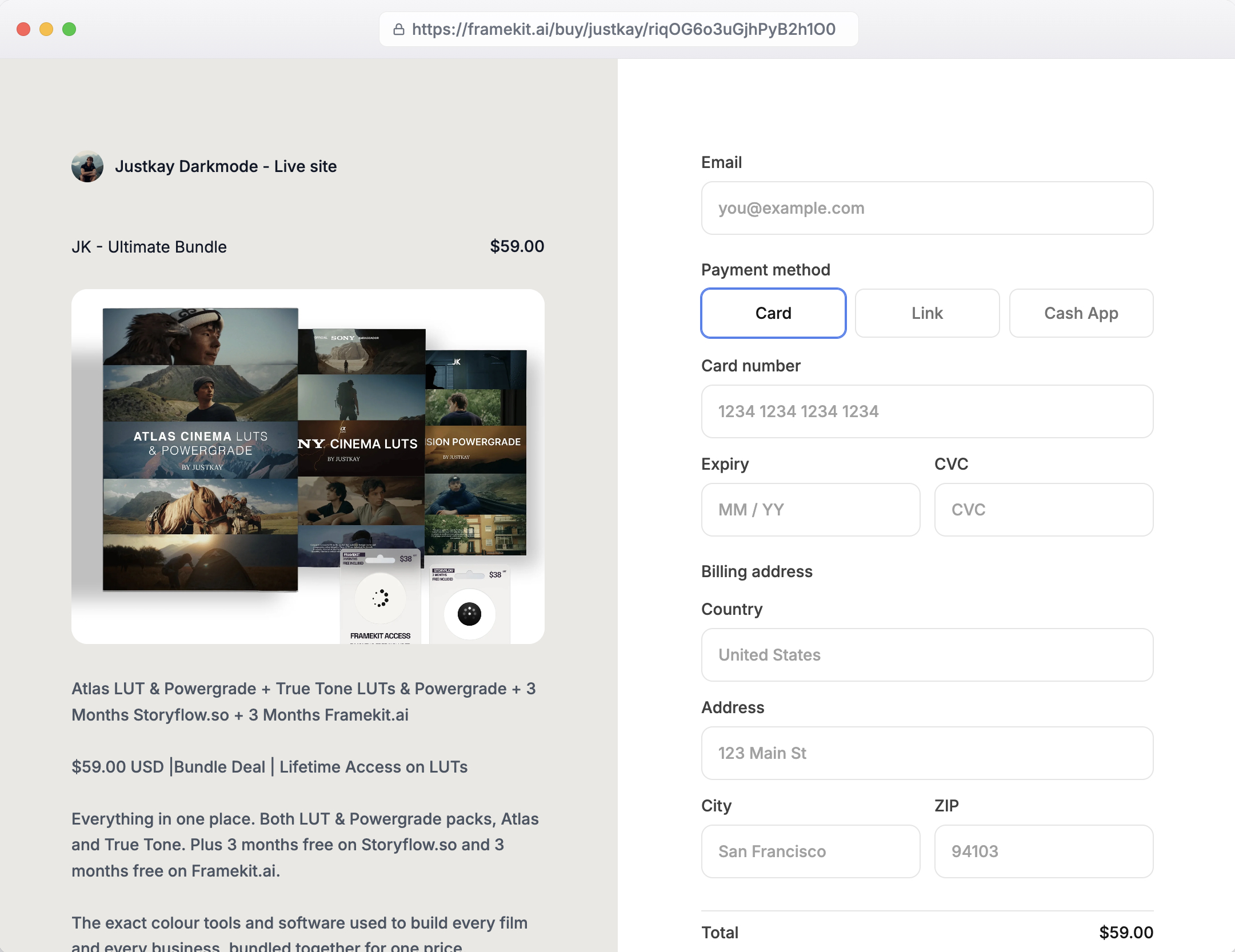
The fourth route puts a store layer on top of Stripe: you connect your Stripe account, upload the file and set a price, and the store builds the product page, runs checkout through Stripe, delivers the file the moment payment clears and lets buyers return for it, in exchange for a platform fee or subscription.
Several products work this way. We describe Framekit because it is ours and we can state exactly what it does, and because it pairs the store with the thing Routes 1 to 3 all leave out: a website to sell from.
Framekit is an AI website builder for photographers, filmmakers and designers whose store sells digital files straight from the portfolio site it builds, with Stripe underneath the checkout.
The mechanics matter for the tax and money questions.
Framekit's checkout uses Stripe Connect direct charges on your own Stripe account, so payments land in your account, Stripe's normal fees apply, and you are the merchant of record, handling VAT and sales tax yourself, exactly as on raw Stripe.
Buyers see the payment methods enabled on your Stripe account: cards, Link and wallets such as Apple Pay or Google Pay where you have them switched on.
Step by step: selling a file with Framekit
- Create a free Framekit account and start a site from a template, or describe what you want and let the AI build the first pages.
- Connect your Stripe account when you set up the store. Because charges run on your own account, your Stripe dashboard keeps its normal records and payout schedule.
- Add a product. Upload the file (any file type: presets, LUTs, ebooks, templates), give it a name, description, cover image and price. Products are unlimited on every plan, including Free.
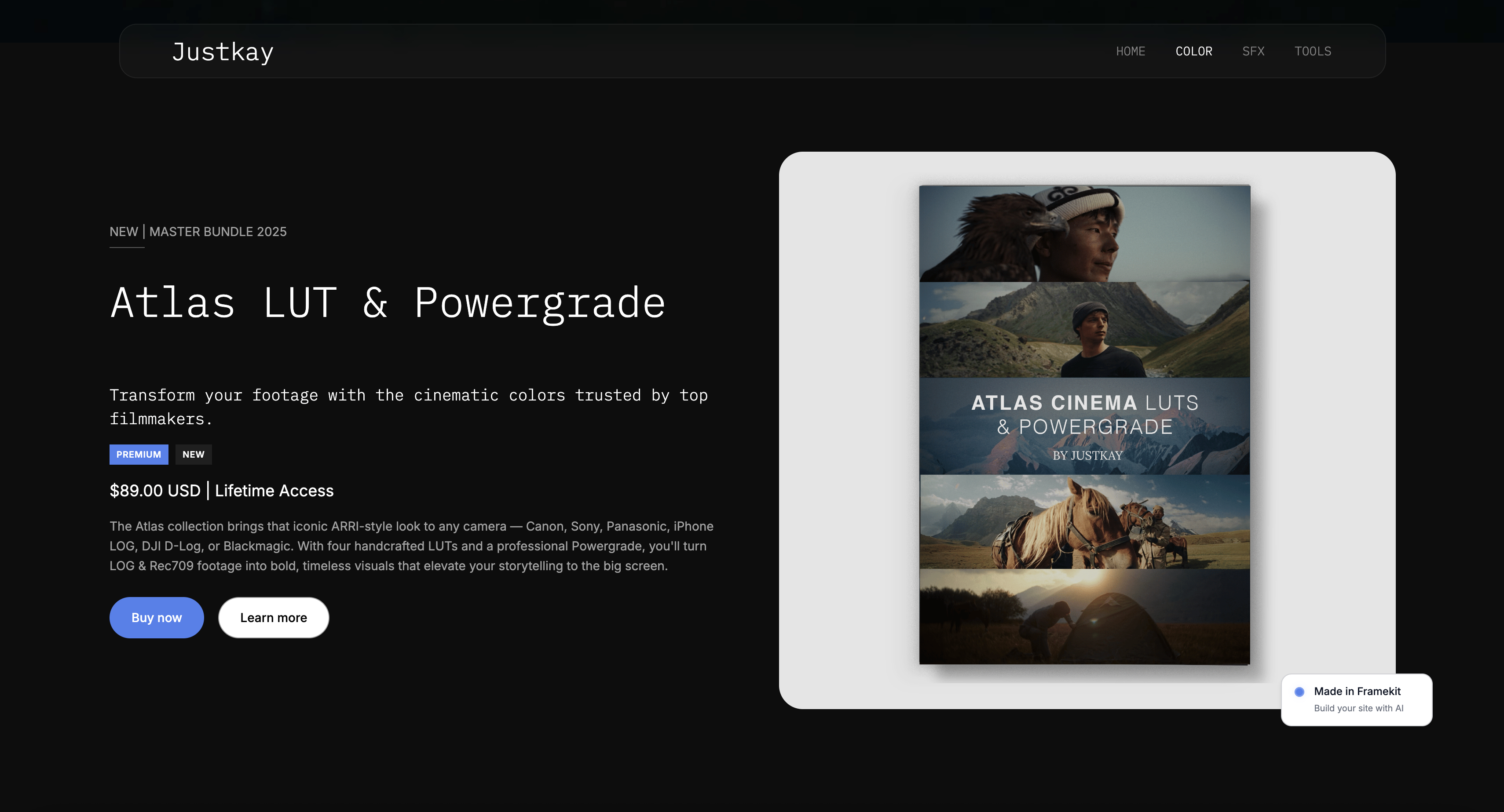
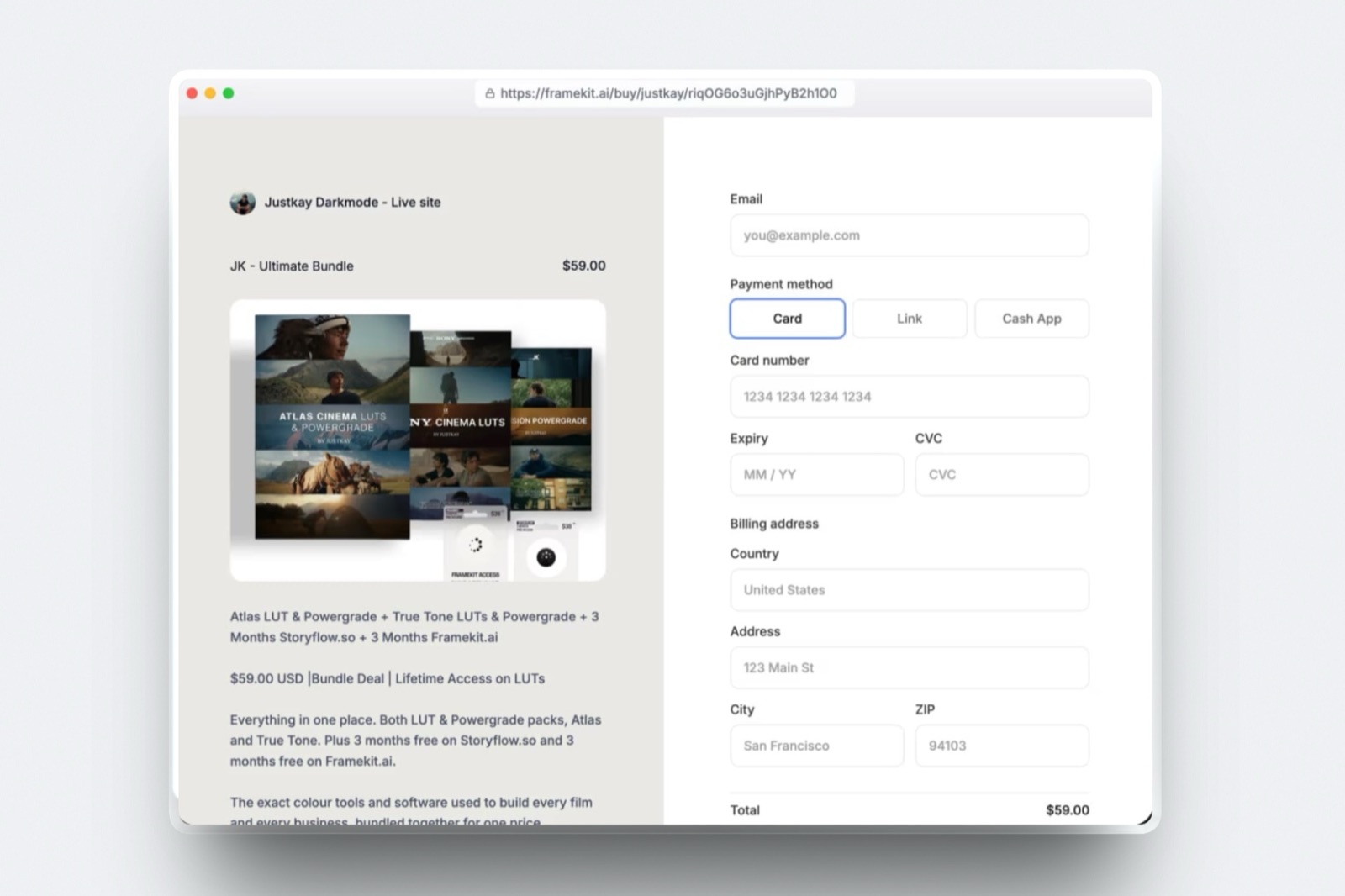
- Build the product page. Place the product on your site, or describe a section such as "a product hero for my preset bundle" and let Framekit's AI lay it out in your fonts and colours, as in the image at the top of this guide.
- Copy the direct buy link. Every product gets one, so the same product can sell from a bio or newsletter without the buyer visiting your homepage first.
- Make a test purchase. Files are delivered right after payment, and the buyer can come back later for them without emailing you.
- Watch orders in the dashboard. Orders, refunds and revenue sit in Framekit's dashboard; the payments also appear in your Stripe dashboard.
What it costs and where it loses
Framekit's store fee is 5% of each sale on the Free and Starter plans, 3% on Pro ($19 a month, or $15 billed yearly) and 0% on Business ($39 a month, or $31 billed yearly), charged on the post-discount price. Stripe's $1.17 applies on top.
On the $30 bundle that is $2.67 a sale on Free, $2.07 on Pro and $1.17 on Business.
The 5% fee equals the $39 Business plan at $780 a month in sales, and Pro's 3% equals Business at about $667 a month in sales ($20 / 3%), or about $533 on yearly billing.
Two costs are easy to miss. Framekit keeps its platform fee when you refund a buyer, so on the Free plan a refunded $30 sale costs you $1.50 to Framekit plus Stripe's $1.17. And discount codes need the Pro plan.
Where it loses: Framekit sells files only. There are no courses, memberships or subscriptions, no upsells or funnels, no affiliate program and no email marketing sends, and it does not calculate or remit tax.
Because it runs on Stripe Connect, it also cannot use Stripe Managed Payments, which Stripe's eligibility page limits to direct integrations.
Verdict: the route for creatives who want delivery, re-downloads and a real product page handled, on a site that also shows their work, and a poor fit for anyone who needs Stripe to handle tax.
Stripe Managed Payments: Letting Stripe Handle the Tax
In one lineStripe Managed Payments turns Stripe into your merchant of record for eligible digital products for 3.5% on top of normal fees, which takes sales tax and VAT off your plate but only works with Stripe Checkout or Payment Links used directly, not through platforms built on Stripe Connect.
Every route above leaves you responsible for tax, because on ordinary Stripe you are the seller. Managed Payments changes that.
Stripe's Managed Payments overview describes it as a merchant-of-record service for digital products that handles sales tax, VAT and GST in more than 80 countries, along with fraud prevention, dispute management and transaction-level customer support.
Its eligibility page sets clear limits. It supports software, e-books, audio and video content, digital images and artwork, and online courses, sold directly to customers.
It does not support physical goods, professional services, live events or anything involving human intervention such as live coaching.
It supports direct integrations only, which rules out Connect platforms, Express accounts and accounts controlled by a platform. Each product needs an eligible tax code, and Stripe reviews your business before granting access.
On the $30 bundle, Managed Payments adds $1.05 a sale, for a total of $2.22 with processing. On 40 sales a month that is $42 more than plain Stripe.
Whether that is cheap depends on where your buyers are: for a US seller with US buyers it is a lot for little, and for a seller with buyers across the EU and UK it replaces registrations and quarterly returns.
Stripe Tax Basic, at 0.5% ($0.15 a sale), only calculates and collects where you are registered; it files nothing.
Our guides on whether you need a merchant of record and on VAT for digital products cover when the obligation starts.
What Each Route Costs at 40 Sales a Month
In one lineAt 40 sales of a $30 bundle, the pure-Stripe routes cost $46.80 a month plus your time and any tools, Managed Payments costs $88.80 with tax handled, and a Framekit store costs $85.80 to $106.80 depending on plan, with delivery and a website included.
| Route, $1,200 a month (40 sales of $30) | Stripe fees | Extra fees | Monthly total | What you still do yourself |
|---|---|---|---|---|
| 1. Payment Link + download page | $46.80 | $0 | $46.80 | Host file and page, answer lost-file emails, accept sharing |
| 2. Payment Link + automation | $46.80 | Automation plan, if past the free tier | $46.80 plus plan | Host file, watch the workflow |
| 3. Checkout + webhooks | $46.80 | Hosting, email service, developer time | $46.80 plus build | Everything, including maintenance |
| Plain Stripe + Stripe Tax Basic | $46.80 | $6.00 | $52.80 | Register and file tax returns |
| Payment Link + Managed Payments | $46.80 | $42.00 | $88.80 | Delivery (Routes 1 to 3 still apply) |
| 4. Framekit Free (5%) | $46.80 | $60.00 | $106.80 | Tax |
| 4. Framekit Pro (3% + $19) | $46.80 | $55.00 | $101.80 | Tax |
| 4. Framekit Business (0% + $39) | $46.80 | $39.00 | $85.80 | Tax |
Two readings of this table are both correct. On fees alone, a Payment Link is cheapest by a wide margin.
On fees plus the right-hand column, the question is what an hour of your time is worth: at 40 orders a month, even a few minutes per lost-file email or failed automation adds up to more than the $39 difference between Route 1 and a Business-plan store.
Run the test on your own sales
Count last month's orders and the emails you answered about downloads. Multiply the emails by the minutes each took.
If that time is worth more to you than 5% of your revenue (or $39 once you pass $780 a month), a store layer pays for itself. If you had no delivery emails at all, Route 1 or 2 is doing its job and you should keep it.
Refunds, Disputes and Payouts on Stripe
In one lineOn every route in this guide, a refund costs you Stripe's processing fee, a dispute costs a $15 fee you never get back plus another $15 to fight it, and payouts on Stripe's standard schedule are free, so a clear refund policy is cheaper than a chargeback.
Refunds. Stripe's refund doc says processing fees from the original transaction are not returned. Refund the $30 bundle and you lose $1.17. On Framekit you also lose its platform fee, which it keeps on refunds.
Refunds take 5 to 10 business days to reach the buyer, per Stripe's Payment Links docs.
Disputes. When a buyer disputes a charge with their bank, Stripe debits the disputed amount and a dispute fee from your balance.
Stripe's disputes documentation says the fee for receiving a dispute is not refundable outside Mexico, and that countering it adds a second fee that comes back only if you win.
The decision can take up to three months. A lost dispute on the $30 bundle costs $46.17; one you fought and lost costs $61.17.
The cheap escape. If the bank starts with an inquiry rather than a full dispute, Stripe's docs say you can resolve it without a dispute fee by issuing a full refund.
For a $30 file, refunding at the inquiry stage is almost always the better trade. Our guide to refunds and chargebacks on digital products covers evidence and policy wording.
Payouts. Stripe's pricing page says payouts on its standard schedule are free, with Instant Payouts available for a percentage fee. Because Framekit runs on your own Stripe account, its sales pay out on that same schedule.
Which Way Should You Sell With Stripe?
Ask these questions in order and take the first answer that fits, because the early ones are about legal and technical constraints that rule routes out, and the later ones are about cost and convenience among the routes that remain.
- Do you sell to buyers in many countries and want no tax registrations? If yes, use Stripe Managed Payments with a Payment Link and add delivery through Route 1 or 2, or use a merchant-of-record platform instead of Stripe. If no, go on.
- Do you write code, or sell software that needs licence keys and access rules? If yes, build Route 3 on Checkout and webhooks. If no, go on.
- Are you testing a first product with a handful of buyers? If yes, use Route 1: a Payment Link and a download page, live tonight. If no, go on.
- Do buyers find you through a portfolio, Google or client work? If yes, use a store on your own site such as Framekit, starting on the Free plan and moving to Business past $780 a month. If no, go on.
- Do you sell steadily from social media or email with no website? If yes, use Route 2, or a link-based store; our guide to selling digital products without a website compares those.

Frequently Asked Questions
Can I sell digital products with Stripe?
Stripe can take payments for digital products such as presets, LUTs, ebooks and templates through Payment Links or Checkout, with no monthly fee and 2.9% + 30 cents per US card sale. Stripe does not host or deliver the file, though.
You need a download page, an automation, your own webhook code or a storefront that runs on Stripe to get the file to the buyer.
Does Stripe deliver digital downloads automatically?
Stripe does not deliver digital downloads. After a Payment Link payment it shows a confirmation message or redirects the buyer to a URL you choose, and it can email a receipt, but it never sends a file.
Stripe's fulfilment guide says reliable delivery needs webhooks, because a buyer can pay and never reach the redirect page. Store layers built on Stripe handle delivery for you.
How do I deliver a file after a Stripe Payment Link purchase?
The simplest way to deliver a file after a Stripe Payment Link purchase is to set the link's after-payment behaviour to redirect buyers to a hidden page with a download button.
It costs nothing beyond Stripe's fees but the page is shareable and not guaranteed to load.
For reliability, trigger an email with a Zapier workflow on each successful payment, or handle the checkout.session.completed webhook in your own code.
How much does Stripe charge to sell a digital product?
Stripe charges 2.9% + 30 cents per successful US card payment, which is $1.17 on a $30 product, with no monthly fee for Payment Links or Checkout. International cards add 1.5% and currency conversion adds 1%.
Stripe Tax Basic costs 0.5% per transaction where you are registered, and Managed Payments adds 3.5% if you want Stripe to be merchant of record.
Does Stripe handle VAT and sales tax on digital products?
Stripe handles VAT and sales tax on digital products only if you pay for it. Stripe Tax calculates and collects tax for 0.5% per transaction but only where you have registered, and you still file returns.
Stripe Managed Payments makes Stripe the merchant of record for eligible digital products for 3.5% on top of normal fees, handling tax in more than 80 countries, but it does not work through Stripe Connect platforms.
Is it safe to send buyers a Google Drive link after Stripe payment?
A Google Drive or Dropbox link after a Stripe payment works for a small number of sales, but anyone who has the link can use it and pass it on, and it never expires unless you change it. It is fine for testing a product.
Once a product sells steadily, use expiring links from your own code or a store that controls access and lets buyers re-download.
What happens if a buyer disputes a Stripe payment for a digital product?
When a buyer disputes a Stripe payment, Stripe takes the disputed amount plus a $15 dispute fee from your balance, and the fee is not returned even if you win.
Countering costs another $15, which comes back only if you win, and a decision can take up to three months. On a $30 file a lost dispute costs about $46; refunding at the inquiry stage avoids the fee entirely.
Stripe or PayPal: which is better for selling digital files?
Stripe is usually better for selling digital files from your own site because Payment Links and Checkout need no code, fees are 2.9% + 30 cents on US cards with no monthly charge, and store layers such as Framekit run on it.
PayPal matters when many buyers prefer paying with a PayPal balance. Our PayPal vs Stripe for creators guide compares fees and holds.
Can I use Stripe Managed Payments with Framekit?
Stripe Managed Payments cannot be used with Framekit's store, because Stripe's eligibility page limits Managed Payments to direct integrations and excludes Stripe Connect platforms, and Framekit's checkout runs through Stripe Connect on your own account.
On Framekit you are the merchant of record and handle VAT and sales tax yourself. Sellers who need Stripe to handle tax should use Payment Links with Managed Payments directly.
Do I need a website to sell digital products with Stripe?
You do not need a website to sell digital products with Stripe, because a Payment Link is a hosted checkout you can share from a bio, email or message. You do need somewhere for the file to live and a way to deliver it.
A website helps once buyers search for your products or want to see your work before paying, which is where a store on your own site earns its fee.
Final Verdict
Selling digital products with Stripe is easy on the payment side and entirely yours on the delivery side. Stripe will take the money for $1.17 on a $30 sale, pay you out for free on its standard schedule and email a receipt.
It will not send the file, stop it being shared or let a buyer find it again next month.
For a first product, a Payment Link and a hidden download page is the right start: no subscription, live in minutes. Once sales are steady, add an automation or, if you code, build the webhook route Stripe recommends.
If your buyers are international and tax is the worry, Stripe Managed Payments at 3.5% extra is the cleanest fix that keeps you on Stripe.
A storefront layer makes sense when delivery, re-downloads and a real product page are worth a platform fee to you.
Framekit is that layer for creatives who also want the portfolio site the products sell from: 5% on Free, 3% on Pro, 0% on the $39 Business plan, with your own Stripe account underneath.
Where Framekit losesFramekit is not for sellers who want Stripe or anyone else to handle tax, because you stay merchant of record and it cannot use Managed Payments; it also does not sell courses, memberships or subscriptions, and at small volumes a bare Payment Link costs less.
It is the better fit only when you want delivery handled on a site you own.
Related reading: how to start selling digital products, the best checkout tools for digital products, the best digital product delivery tools, and Stripe fees for creators in full.
Not sure you want to be merchant of record? Lemon Squeezy vs Stripe prices that choice on one sale, and Stan Store pricing shows the flat-fee route.