Framekit templates
Start from a designer-made template
 Use template
 Use template
 Use template
 Use template
 Use template
 Use template
 Use template
 Use template
There are two ways people arrive at Beautiful.ai alternatives. The first is philosophical: the layout engine that keeps your slides tidy also refuses to let you move anything, and by slide six that stops feeling like help. The second is arithmetic, and it is brutal.
Beautiful.ai Pro is $14.50 a month billed annually, so $174 a year for one seat, or $45 for a single month billed monthly.
The moment you need a second person, you are on Team, which its own pricing page prices two ways: $40 a month including three users on the plan card, and $40 per user per month on annual billing in the FAQ.
Read the FAQ's way, two people cost $960 a year, a 5.5 times jump triggered by hiring one collaborator.
On that reading nothing else in this comparison has a cliff that steep, and almost nobody sees it coming.
A layout engine is a tool that arranges slides for you: you add the content, and the software decides the spacing, alignment, and balance rather than leaving those choices to you.
That is the thing Beautiful.ai sells, and an alternative is any presentation tool that reaches similar consistency by a different route, ideally one that lets you override a layout when it is wrong and add a colleague without renegotiating your budget.
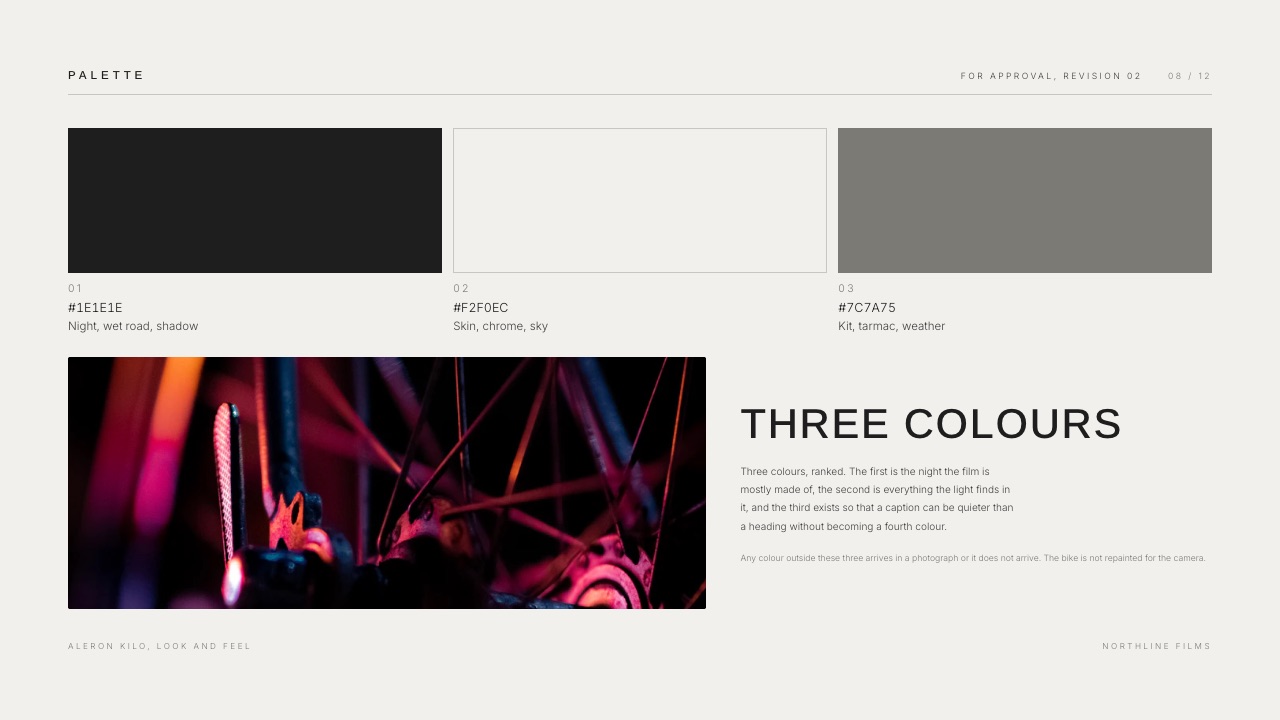
One of the nine is ours, so we will say it here rather than bury it: Framekit Slides writes and lays out image-led decks, treatments and lookbooks from a short description, then lets you drag any element off its mark, which is the override Beautiful.ai withholds on purpose.
It is ranked second below, behind Canva, and the review says exactly why.
The best Beautiful.ai alternative in 2026 is Canva, because it gives you the same design-without-a-designer outcome while letting you override any layout, has a genuinely free plan, and costs $144 a year for Pro, $30 under Beautiful.ai Pro, with a far gentler step at two seats than Beautiful.ai's FAQ price.
The honest trade-off is that Canva will happily let you make a badly spaced slide, which is the exact freedom Beautiful.ai removes on purpose.
For a solo creative, Framekit Slides is the close second: its AI lays out every slide and lets you move anything, with creative elements Beautiful.ai lacks, from $84 a year, though it is not a multi-editor tool.
Pitch is the pick for teams, Gamma is the fastest drafting tool, and Google Slides is the free answer if the layout engine was never the appeal.
Full disclosure: Framekit is our own product and it is ranked second below, behind Canva, because it has no shared multi-editor workspace and this guide weights the two-seat case at 20%. We scored it on the same five criteria as the other eight, all from published features and docs rather than test builds, we link to every tool, and we score it below Figma Slides and Gamma on layout automation and below Beautiful.ai on editable export; where each rival beats us is written into its own review.
How We Compared 9 Beautiful.ai Alternatives
We held all nine against one yardstick deck of twenty slides, with eight images, a four-item feature row that grows to five, a three-column pricing slide, a chart and speaker notes, and read each tool's feature pages and help docs for how it handles that deck rather than building it nine times.
The four-to-five change is the point, because it is exactly the moment Beautiful.ai's Smart Slides are designed for.
Then we priced each one twice: for a single freelancer, and for that same person after adding one collaborator.
Verified covers prices and plan limits from published vendor pages, read in August 2026 unless a later re-read is dated. Documented behaviour covers how each tool handles layout, taken from its own feature pages and help docs; we built no test decks. Community sentiment is labelled wherever we use it.
On 19 September 2026 we re-verified Framekit's plans against its own pricing page and moved it from ninth to second, because the tool we had ranked as a page builder now ships Slides, a real deck editor; the competitor prices below are unchanged from the August read.
We reviewed the ranking again on 20 September 2026 and left Canva first, because the weighting below prices the second seat at 20% and Framekit does not sell one.
A 12 October 2026 pass took out results from a twenty-slide build we could not document, and corrected Beautiful.ai's prices, Gamma's analytics tier and Pitch's per-seat Team plan from their own pages.
The weighting
Layout consistency is 25%, since that is what Beautiful.ai does. Override freedom is 25%, since that is what it takes away. Two-seat cost is 20%. Design ceiling is 20%. Free-plan quality is 10%, because Beautiful.ai has none.
What Nine Alternatives Showed
- 7 of 9 have a free plan you can build a real deck on; Plus AI and Decktopus offer trials instead. Beautiful.ai is the outlier in this category, not the norm.
- 5 of 9 do not charge per seat at all for a single-person workflow, so adding a collaborator costs nothing until you need shared editing.
- The two-seat spread runs from $0 for Google Slides to $960 for Beautiful.ai Team on its FAQ's per-user reading, for essentially the same job.
- 2 of 9 document layouts that respace a growing row on their own: Figma Slides through auto layout and Gamma through cards that reflow. For the rest, add a fifth item to a four-item row on the free plan or trial before you commit, because that is the genuine thing Beautiful.ai is selling.
- 6 of 9 let you override the layout completely, which is the genuine thing Beautiful.ai does not.
- Beautiful.ai itself lists no one-time project licence; its short-term option is a single $45 month of Pro on monthly billing.
What Your Second Seat Actually Costs
In one linethe price of adding one collaborator ranges from $0 to $786 a year across these tools, and Beautiful.ai's jump is 2.8 or 5.5 times depending on which of its two published Team prices applies, against 4.4 times for Gamma.
| Tool | One person, per year | Two people, per year | The jump |
|---|---|---|---|
| Google Slides | $0 | $0 | None |
| Framekit | $84, Starter | Decks are owner-only; no shared editing | Not applicable |
| Canva Pro | $144 | About $300, priced per person | 2.1x |
| Gamma Plus | $108 | $480, Team at $20 a seat | 4.4x |
| Pitch Plus | About EUR 120 | About EUR 360, Team at EUR 15 a seat | 3x |
| Figma Professional | $192 | $384 | 2x |
| Visme Starter | $147 | $294 | 2x |
| Decktopus Pro | $119.88 | Business, per seat, on request | Not published |
| Storydoc Starter | $237.60 | Team, custom pricing | Not published |
| Beautiful.ai | $174 | $480 on the plan card, $960 per its FAQ | 2.8x or 5.5x |
Every figure here comes from the vendor's own published plans as of August 2026, except Beautiful.ai's and Pitch's seat basis, re-read on 12 October 2026, and the second-seat column assumes the cheapest tier that legitimately supports two editors.
Run this on yourself. Ask whether you will add a person in the next eighteen months.
If the answer is yes or maybe, Beautiful.ai's real price is $480 or $960 a year rather than $174 (ask which of its two Team prices applies to you), and at that number it is competing with Figma, Canva Business, and a freelance designer's day rate rather than with Canva Pro.
Quick Comparison: 9 Beautiful.ai Alternatives
Weighted on the five criteria above, with the layout-consistency score shown separately because it is the one Beautiful.ai would win outright at 10.
Canva leads overall and Framekit follows closely while scoring below Figma Slides and Gamma on that column, which is the honest shape of this comparison: nothing else automates spacing as reliably, and everything else lets you fix it yourself.
| Tool | Best for | Free plan | One seat, per year | Layout consistency, our rating | Rating |
|---|---|---|---|---|---|
| Canva | Design range with full override | Yes | $144 | 7/10 | 9.1/10 |
| Framekit | Solo creative decks | Yes, no card | $84 | 7.5/10 | 9.0/10 |
| Gamma | Fast structured drafts | 400 one-time credits | $108 | 8.5/10 | 8.7/10 |
| Pitch | Teams adding seats in small steps | Yes, 1 seat | About EUR 120 | 7/10 | 8.5/10 |
| Google Slides | Free collaboration at any size | Yes | $0 | 5/10 | 8.3/10 |
| Figma Slides | Systems and exact control | Starter plan | $192 | 9/10 | 8.2/10 |
| Visme | Charts and infographics | Yes, with logo | $147 | 6.5/10 | 7.5/10 |
| Plus AI | Working inside PowerPoint | 7-day trial | $120 | 6/10 | 7.4/10 |
| Decktopus | Predictable credit pricing | Generator trial | $119.88 | 7/10 | 7.1/10 |
1. Canva: Best Overall Beautiful.ai Alternative
Our rating: 9.1/10
Canva gets you most of the way to Beautiful.ai's promise by a different route. Instead of a layout engine that guarantees good spacing, it gives you thousands of layouts that already have good spacing, and then lets you break them if you want to.
A fifth item in a four-item row is not rebalanced for you; what Canva offers instead is that every element can be dragged apart and rebuilt by hand, which is the trade in miniature: less automation, no wall.
Best forPeople who want tidy decks without being told what they may not do.
Key features:
- The largest well-designed template library in the category
- Complete override freedom on any element
- A genuinely free plan with no watermark on standard exports
- Brand Kit on Pro for fonts, colours, and logos across every deck
- Export to PDF, PPTX, MP4, and GIF
The real numberPro is $18 a month or $144 billed annually, about $12 a month, which is $30 a year below Beautiful.ai Pro at $174.
The difference widens at two people: Canva prices its team plan per person, about $300 a year for two on our August read (its pricing page refused an automated check on 12 October 2026, so confirm the per-person rate there), against Beautiful.ai Team at $480 or $960 depending on which of its two published prices applies.
The gotchapremium stock assets come back watermarked in exports and the mark is faint in the editor, so the discovery point is usually the finished PDF rather than the design step.
What reviewers say elsewhereCanva carries 4.7 out of 5 on G2 from more than 6,800 reviews, the largest verified review sample in this comparison.
Pros:
- A lower annual price than Beautiful.ai Pro, with a free plan underneath it
- Complete override freedom, which is the main structural complaint fixed
- A second seat costs about $156 more a year rather than $306 or $786 more
Cons:
- No automatic rebalancing, so bad spacing is still possible
- Premium assets watermark the export
- Custom brand fonts require Pro
Skip it ifthe reason you chose Beautiful.ai is that you genuinely cannot see when a slide is badly spaced. Canva will not protect you from that and it is not trying to.
Verdict: Canva is the right move for most people leaving Beautiful.ai, because it removes both the cliff and the cage while charging $30 less for one seat. Designers should also read our best AI tools for designers roundup.
2. Framekit: Best Beautiful.ai Alternative for Solo Creative Work

Our rating: 9.0/10
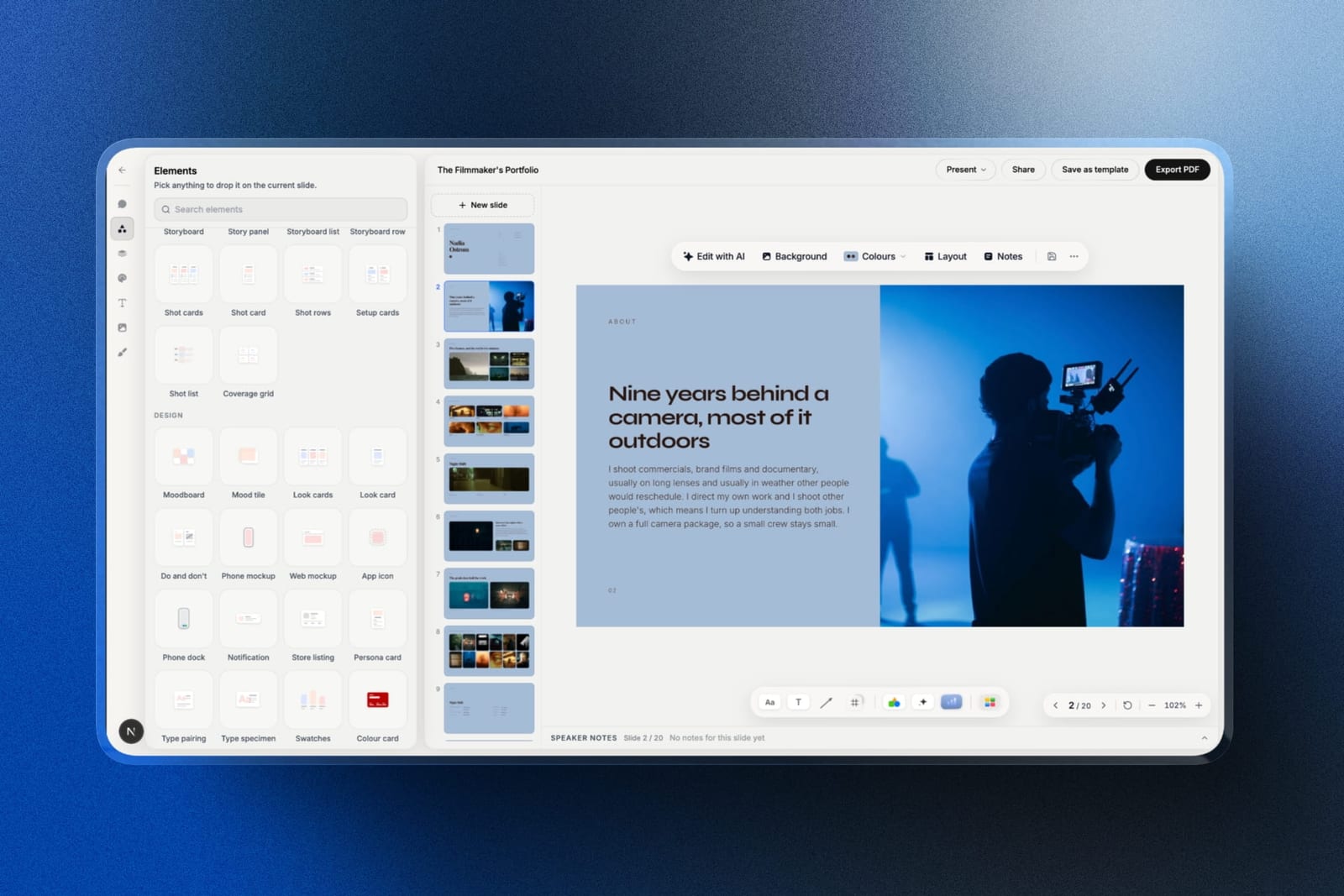
Framekit is an AI website builder whose account also holds Slides, a deck editor made for treatments, lookbooks, portfolio decks and pitch decks, and it is the closest thing in this comparison to Beautiful.ai's promise without Beautiful.ai's cage.
You describe the deck, attach up to 12 reference images to the prompt, and the AI drafts the whole deck, writing and laying out every slide, drawing on the monthly AI allowance every plan includes.
Then anything on the slide can be dragged, resized, restyled or deleted by hand, which is the freedom Smart Slides withholds.
The five-item change is where the two philosophies part. There is no live rebalancing rule, so the fix is to ask Edit with AI to rebuild the slide around five items, or to drag the row apart yourself.
That is a regenerate rather than a guarantee: you trust the AI once instead of a rule forever.
Best forPhotographers, filmmakers, designers and studios where one person builds the image-led decks, and anyone who resents paying per head for a solo workflow.
The real numberFramekit is priced per account, not per seat.
Starter is $84 a year on annual billing, $90 less than Beautiful.ai Pro, and Pro at $180 adds PowerPoint export; the free plan already includes the AI writer within its monthly allowance, unlimited decks, a share link and PDF export, with no card.
It avoids Beautiful.ai's seat cliff by not being a multi-editor deck tool: a deck belongs to the person who made it, and Pro's team members are website admins who cannot open it, so a two-person studio sharing decks is better served by Pitch.
The standout detailthe elements panel. Shot lists, storyboard rows, look cards, swatches, type specimens and phone or web mockups drop onto a slide as editable blocks. Beautiful.ai's Smart Slides are built for business content and have no equivalent for a lookbook or a shot list.
The gotchaPowerPoint export is Pro and up and picture-based, so each slide lands in the .pptx as an image your client cannot edit, a real step back from Beautiful.ai's editable export on every plan.
A deck also tops out at 40 slides, and there is no live co-editing, so two people cannot work the same slide at the same moment.
There are no comments, no presenter view and no link password either, and a share link reports a total view count only, with no per-viewer analytics.
Skip it ifyour decks are text-heavy corporate reports built by people who cannot judge spacing, or a client's brand team expects an editable file back. Beautiful.ai and Google Slides both serve that better.
Verdict: For a solo creative this is the alternative we would move to: layout help without the lock, a lower price than Beautiful.ai Pro, and the deck sits beside your website, client galleries, video review and store rather than in yet another subscription. For two or more people editing, Canva or Pitch.
3. Gamma: Best for Speed Over Structure
Our rating: 8.7/10
Gamma attacks the same problem from the front. Rather than fixing your layout after you make it, it generates a whole structured deck before you touch anything, which for a lot of Beautiful.ai users removes the reason the layout engine was needed.
Its cards reflow rather than sitting on a fixed canvas, so a fifth item is designed to be a non-event: the layout adapts, which puts Gamma closest to Beautiful.ai's behaviour alongside Figma's auto layout.
Best forPeople who want a finished-looking deck fast and will share it as a link.
Key features:
- Prompt-to-deck generation producing structure as well as copy
- Web-native cards that reflow rather than breaking on content changes
- Analytics on who opened a link and how far they read, on Pro
- Image generation and stock search inside the editor
- PDF and PowerPoint export, flattened on the way out
The real numberthe free plan is 400 credits, once, with no refresh. Plus is $9 a month billed annually, $108 a year, refreshing 1,000 credits monthly; Pro is $18 a month billed annually, $216 a year, at 4,000.
At $108 a year, Gamma Plus is $66 cheaper than Beautiful.ai Pro, though Gamma keeps full read analytics on Pro at $216, not on Plus.
The gotchateam seats are $20 each, so two people is $480 a year. That matches Beautiful.ai's plan-card Team price of $480, sits well below its FAQ figure of $960, and is still a 4.4 times jump from the individual plan, among the steepest cliffs in this comparison.
Pros:
- Reflowing layouts built to absorb content changes, as Smart Slides are
- Cheaper than Beautiful.ai for one seat, with a free tier underneath
- The fastest route from brief to defensible draft
Cons:
- Free credits never refresh, so the free plan ends permanently
- Team seats create their own cliff at $480 for two
- A recognisable house style until you override it
Skip it ifyour decks must arrive as editable PowerPoint files. Gamma's export flattens.
Verdict: Gamma is the alternative for people whose real problem was time rather than spacing, and it undercuts Beautiful.ai on price for a single user.
4. Pitch: Best Team Alternative
Our rating: 8.5/10
If your Beautiful.ai problem is specifically the two-seat cliff, Pitch is the most direct answer.
Its Team plan is EUR 15 a seat a month on yearly billing, so two people is roughly EUR 360 a year against Beautiful.ai's $480 or $960, and because it is priced per seat for up to 25 people, the bill grows in small steps rather than one jump.
The product is also genuinely built for teams in a way Beautiful.ai is not: shared template libraries hold your house style, which is a different way of guaranteeing consistency than a layout engine.
Best forSmall studios that want consistency enforced by a shared system rather than by software.
Key features:
- Shared template libraries across a workspace
- Team plan priced per seat, from 1 to 25 seats
- Advanced links with tracking, expiry, and per-recipient control, on Team
- Teamspaces for organising decks by client
- PowerPoint export and custom fonts on paid plans
The real numberfree gives one seat, unlimited presentations, and two external guests. Plus is EUR 10 a month annually, Team is EUR 15 per seat for 1 to 25 seats, and Business is EUR 20 for up to 200, per Pitch's pricing page. Prices are quoted in EUR.
The gotchaPowerPoint export is paid-only, and the free plan's 100 one-time AI credits are the smallest AI grant of any tool here.
Pros and consa per-seat team plan that climbs in small steps rather than one cliff, shared templates that enforce consistency, and the best link controls at this price once you are on Team, against paid-only .pptx export, a tight free tier, and EUR pricing.
Skip it ifyou work alone and always will. Most of Pitch's advantage is structural.
Verdict: Pitch is the answer to the cliff specifically. Two people cost roughly EUR 360 a year, against $480 or $960 for the same pair on Beautiful.ai depending on which Team price applies.
5. Google Slides: Best Free Alternative
Our rating: 8.3/10
Google Slides is the option that makes the Beautiful.ai pricing question disappear entirely. It is free at one seat, free at two, free at twenty, and its collaboration is better than anything else in this comparison.
It does nothing for spacing: a fifth item in a row is yours to rearrange by hand, and the result looks exactly as good as your own alignment skills.
Best forAnyone whose Beautiful.ai complaint is purely the money.
Key features:
- Free and unlimited with any Google account, at any number of editors
- Native .pptx import and export
- Real-time co-editing and threaded comments
- Version history that restores a single slide
- Add-ons if you want generation bolted on later
The real number$0 at any team size, or $7 per user a month on a company domain through Google Workspace Business Starter, per Google's published pricing.
Against Beautiful.ai Team's $480 or $960 for two people, a two-person studio saves the entire amount.
The gotchayou get exactly the design quality you personally produce, which is the whole reason people pay for a layout engine. Going here from Beautiful.ai without a design eye is a visible downgrade.
Pros and consfree at any team size with the best collaboration and file fidelity here, against dated templates, thin type controls, and no automated layout help at all.
Skip it ifyou cannot reliably tell when a slide is badly spaced.
Verdict: Google Slides solves the price problem completely and the design problem not at all. Whether that is a good trade depends on your eye.
6. Figma Slides: Best for Systems and Control
Our rating: 8.2/10
Figma Slides offers a third answer to the consistency problem: build a system once and let components enforce it.
Auto layout is built for exactly the five-item change, resizing and respacing a row of components the way Smart Slides would, with the crucial difference that you can override any of it.
It asks for the most setup of any tool here before a first deck, and its collaborator seats are the cheapest way to bring a client into a review at $3 a month.
Best forDesigners who want guaranteed consistency without giving up control.
Key features:
- Auto layout and components, which handle content changes automatically
- Exact typographic control with any locally installed font
- Shared libraries so every deck inherits a studio system
- Interactive prototypes embedded into slides
- Collaborator seats at $3 a month for client review
The real numberthe free Starter plan includes unlimited drafts and 150 AI credits a day, up to 500 a month. Professional is $16 a month per full seat, so two people is $384 a year, per Figma's pricing page.
That is $96 to $576 less than Beautiful.ai Team for the same pair, depending on which Team price applies.
The gotchathere is no editable export, so a client's brand team cannot take the file further. Beautiful.ai exports .pptx on every plan and Figma does not.
Pros and construe component-based slides with full override freedom, exact typography, and cheap client-review seats, against the most setup before a first deck, no editable export, and a real learning curve.
Skip it ifyou do not already use Figma daily.
Verdict: Figma Slides gives you Beautiful.ai's consistency with none of its constraints, at the cost of doing the setup yourself. Studios should also read our best website builder for graphic designers guide.
7. Visme: Best for Charts and Infographics
Our rating: 7.5/10
Visme competes with Beautiful.ai most directly on data slides, where its chart library is deeper and its templates more varied. If the reason you were on Beautiful.ai was the dynamic data visualisations, this is the closest match at a similar price.
Its free plan brands published work, which makes the entry price effectively $147 a year for client-facing decks.
Best forData-led decks where charts and infographics carry the argument.
Key features:
- The deepest chart and data-visualisation library of the nine
- Infographic and report templates alongside slides
- Brand Kit, analytics, and privacy controls on Pro
- PPTX and HTML5 export on paid plans
- Content blocks that bridge slides and long-form documents
The real numberStarter is $12.25 a month at $147 a year, Pro is $24.75 a month at $297, and Enterprise starts at ten seats, per Visme's pricing page. Two Starter seats is $294 a year against Beautiful.ai Team's $480 or $960.
The gotchathe free plan puts a Visme logo on published projects, not just downloads, so the link your client opens is branded.
What reviewers say elsewhereVisme carries 4.5 out of 5 on G2 from roughly 469 reviews, with the chart tooling the most consistently praised element.
Pros and consthe best data visualisation here at a similar single-seat price and a far cheaper second seat, against branded free output, a busier editor, and no automatic layout rebalancing.
Skip it ifyour decks are image-led.
Verdict: Visme is the closest match on data features and much cheaper as soon as a second person is involved.
8. Plus AI: Best If You Have to Stay in PowerPoint
Our rating: 7.4/10
Plus AI is the alternative for people whose organisation was never going to leave Microsoft or Google in the first place. It generates and reformats slides inside PowerPoint and Google Slides, so consistency comes from your own template rather than a vendor's engine.
Design output is capped by the host application, which is a step down from Beautiful.ai's tidiness.
Best forTeams locked into a suite who want drafting help without a new tool.
Key features:
- Generates and edits slides inside Google Slides and PowerPoint
- No export step, because the output is already native
- Rewrites and reformats existing slides in place
- Custom templates and themes the generation respects
- A 7-day trial with 1,000 AI credits
The real numberBasic is $10 per user a month on annual billing, or $15 monthly; Pro is $20 or $25; Team is $30 or $40, per Plus AI's pricing page. Two Basic seats is $240 a year plus your suite, still well under Beautiful.ai Team.
The gotchathe cost stacks on a subscription you already pay, so the honest comparison is roughly $220 a year for one person rather than $120.
Pros and conszero migration, native files, and per-seat pricing that stays linear, against a stacked cost, a design ceiling set by the host application, and no standalone value.
Skip it ifyou are free to choose your own tools.
Verdict: Plus AI is the pragmatic answer inside a locked-down organisation, and irrelevant outside one.
9. Decktopus: Best Predictable Credit Pricing
Our rating: 7.1/10
Decktopus is a straightforward generator whose distinguishing feature is honesty about cost. It publishes a credit-to-slide ratio, which nobody else in this category does, so you can work out what a month of decks will consume before you commit.
Its design output is plainer than Beautiful.ai's, and there is no standing free plan.
Best forBusiness users who want predictable monthly output and a clear price.
Key features:
- A published credit-to-slide ratio, unique in this category
- Presentations and carousels from a single prompt
- PDF, PPT, and PNG export on all paid plans
- Delivery practice with recorded run-throughs
- Version history and mobile access
The real numberPro is $24.99 a month, or $9.99 a month billed annually at $119.88 a year, with 750 credits a month covering roughly 150 slides, per Decktopus's pricing page. That is about $54 a year less than Beautiful.ai Pro.
The gotchamonthly billing is two and a half times the annual rate, the widest such gap of the nine.
Pros and consthe only published credit ratio in the category, PPT export on every paid plan, and a slightly lower annual price, against generic design, no standing free tier, and a punitive monthly rate.
Skip it ifthe quality of the layout is what you were paying for.
Verdict: Decktopus is fair and plain. It undercuts Beautiful.ai slightly and does not match it on tidiness.
What You Give Up by Leaving Beautiful.ai
In one linenothing else in this comparison is built around automatic spacing the way Beautiful.ai is, and only Figma's auto layout and Gamma's reflowing cards are designed to do a similar job when a row grows from four items to five.
Be fair to the product. Beautiful.ai does one hard thing genuinely well: it removes the possibility of a badly arranged slide, without asking you to understand why the arrangement was bad.
For a founder, a consultant, or anyone whose decks are content-heavy and design-light, that is real value, and one $45 month of Pro, billed monthly and cancelled afterwards, is an honest way to buy it for a single important deck.
It also exports an editable .pptx on every plan, which is a better portability position than Gamma, Figma, Storydoc, or Framekit, whose PowerPoint export is Pro-only and turns each slide into a picture.
What you are leaving is the constraint, the absent free tier, and the seat cliff. If none of those three affect you, staying is a reasonable decision.
How to Choose a Beautiful.ai Alternative
1. Is the two-seat cliff the problem? If yes, Pitch, whose Team plan adds people at EUR 15 a seat rather than in one jump, or Google Slides, which is free at any size. If you work alone, go on.
2. Are your decks image-led creative work, like treatments, lookbooks, portfolio or pitch decks, built by you alone? Framekit Slides, which lays the deck out for you, lets you override everything, and costs $84 a year.
If a client needs an editable .pptx back, go on.
3. Is the layout engine overruling you and you want the widest template range? Canva, for complete override freedom at $30 a year less.
4. Do you want the consistency without the cage? Figma Slides, where auto layout does the same job and you can always override it.
5. Was it the speed you liked? Gamma, which is $66 a year cheaper for one seat.
6. Was it the dynamic data visualisations? Visme, at a similar price with a much cheaper second seat.
7. Are you stuck inside PowerPoint anyway? Plus AI.
8. Do you need one great deck rather than a subscription? Stay, and buy one month of Beautiful.ai Pro at $45 on monthly billing.
Frequently Asked Questions
What is the best Beautiful.ai alternative in 2026?
The best Beautiful.ai alternative in 2026 is Canva, because its templates give you well-spaced starting points at $144 a year, $30 under Beautiful.ai Pro, adds a genuinely free plan, and lets you override any layout rather than being overruled by one.
Framekit Slides is the close second for solo creatives, with AI layouts, creative elements and a $84 Starter plan, Pitch is the better answer if the two-seat price jump is your reason for leaving, and Google Slides is the free option at any team size.
Framekit vs Beautiful.ai: which is better?
Beautiful.ai is better at automatic spacing and editable PowerPoint export; Framekit is better for image-led creative decks built by one person.
Framekit's AI lays out slides but does not rebalance them live, and its .pptx export is picture-based on Pro and up, while Beautiful.ai exports editable files on every plan.
In return, Framekit has a free plan, creative elements such as shot lists and look cards, and a Starter plan $90 a year cheaper than Beautiful.ai Pro, though it is not built for two people editing together.
Does Beautiful.ai have a free plan?
No. Beautiful.ai has no free tier at all, and its 14-day trial requires a credit card, which makes it the strictest entry condition of any tool in this comparison.
Seven of the nine alternatives here have a free plan you can build a real deck on, including Canva, Framekit, Google Slides, Visme, Pitch, and Figma; Plus AI and Decktopus offer trials instead.
How much does Beautiful.ai cost for two people?
Beautiful.ai costs $480 or $960 a year for two people, because its pricing page states the Team price two ways: $40 a month including three users on the plan card, and $40 per user a month on annual billing in the FAQ.
Pro is a single seat at $14.50 a month billed annually, $174 a year, so the jump to two people is 2.8 times on the card's reading and 5.5 times on the FAQ's; the FAQ reading is the steepest seat cliff in this comparison, ahead of Gamma's Team plan at $480 for two.
Ask Beautiful.ai which figure applies before you budget.
Canva vs Beautiful.ai: which is better?
Beautiful.ai is better at guaranteeing spacing and Canva is better at everything else.
Beautiful.ai's Smart Slides rebalance automatically so a badly arranged slide is impossible; Canva gives you thousands of well-spaced starting points, complete override freedom, a free plan, and a second seat that costs about $156 more rather than $306 or $786 more.
Is Beautiful.ai worth it?
Beautiful.ai is worth it for a solo user who genuinely cannot spot bad spacing and needs consistent output without learning why, and a single $45 month of Pro billed monthly is a fair way to buy that for one important deck.
It gets much harder to justify the moment you add a collaborator, because the annual cost moves from $174 to $480 or $960 for the same work, depending on which of its two Team prices applies.
Which alternative handles layout changes automatically?
Figma Slides and Gamma are the two whose documentation describes it: Figma's auto layout resizes and respaces a row of components when you add an item, and Gamma's web-native cards reflow as content changes.
Canva and Google Slides are free canvases where you rearrange a row yourself, and for Visme, Pitch and Decktopus the quickest check is to add a fifth item to a four-item row on a free plan or trial before you commit, since automatic rebalancing is the specific capability Beautiful.ai is selling.
Can I export my Beautiful.ai decks before I leave?
Yes. Beautiful.ai exports PowerPoint files on every plan, which is a better portability position than Gamma, Figma Slides, or Storydoc. Export a .pptx and a PDF of anything you want to keep before you cancel, because the .pptx is what any of the alternatives here can import.
What is the cheapest Beautiful.ai alternative?
Google Slides at $0 is the cheapest, and it stays free no matter how many people edit.
Among paid options, Framekit Starter is $84 a year on annual billing, Gamma Plus is $108, Decktopus is $119.88 on annual billing, and Plus AI Basic is $120 before your suite subscription.
All four undercut Beautiful.ai Pro at $174, and Framekit's free plan already covers the AI writer within a monthly AI allowance, unlimited decks and PDF export.
Do I need a layout engine at all?
Most creatives do not. A strong template library tends to solve the same problem as a layout engine, because a good starting layout keeps the spacing tidy without removing your ability to change it.
A layout engine earns its price when the person building the deck cannot tell good spacing from bad, which is a real situation and a narrower one than the marketing suggests.
Should a client proposal be a slide deck or a web page?
A shared link beats an attached file if the client reads it alone rather than watching you present.
A link opens without downloading, keeps its typography, and can be corrected after sending, which an emailed PDF cannot; Framekit, Gamma and Pitch all share decks this way.
Keep an editable file for anything a client will take further in PowerPoint.
Final Verdict
Canva is the best Beautiful.ai alternative in 2026 because it undercuts the single-seat price by $30, adds a free plan underneath it, gives back the override freedom that the layout engine takes away, and does not add Beautiful.ai's $306 to $786 the day you hire someone.
Framekit Slides is the close second for solo creatives, because it keeps the part people liked, an AI that lays the slides out, and drops the layout you are not allowed to touch.
Pitch is the sharpest answer to the seat cliff, Figma Slides is the answer for designers who want automation and control at once, and Google Slides removes the pricing question entirely.
Beautiful.ai is a good product with a pricing structure aimed at companies rather than at the freelancers who mostly use it. If you are staying for one deck, a single $45 month of Pro is the honest way to buy it.
Where Framekit losesFramekit is not for teams who need automatic live rebalancing, an editable .pptx for a client's brand team, decks longer than 40 slides, or two people editing one slide at the same moment. Beautiful.ai, Google Slides and Pitch are the better fit for each of those.
Keep reading: the best pitch deck software, the best AI tools for designers, the cheapest website builders for creatives, and the best website builders for creative agencies.