Framekit templates
Start from a designer-made template
 Use template
 Use template
 Use template
 Use template
 Use template
 Use template
 Use template
 Use template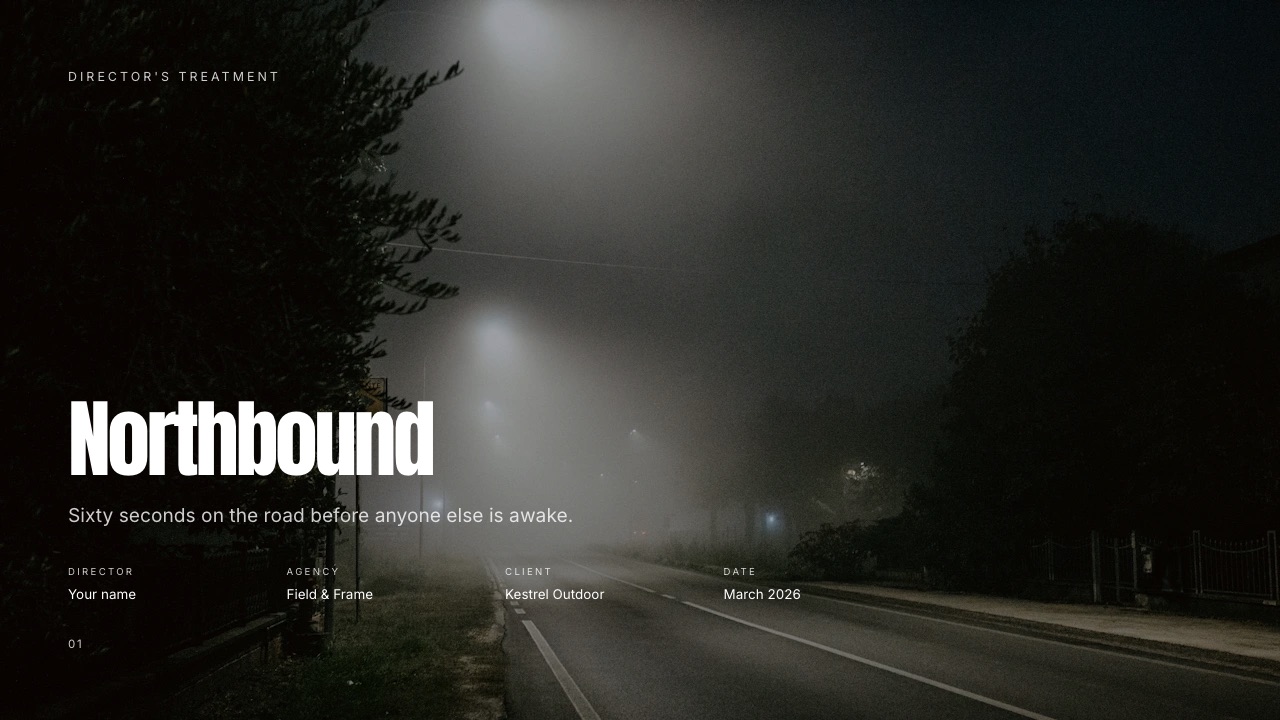
Treatment software is the only category where filmmakers routinely lose jobs to a file format. You spend three days finding the exact camera move you mean, cite four clips that show it, export a PDF, and the producer opens four still frames with a dead play triangle on top.
The argument you spent three days building does not survive the send.
This guide covers treatment software and apps for filmmakers specifically, tested on the document a director actually has to produce under a bid deadline.
A film treatment is a document a director sends before a job is awarded, arguing for a specific visual approach with references, structure and tone, and treatment software is any tool used to build one.
Framekit is an AI website builder whose deck tool includes treatment and lookbook templates with reference video that plays inside the document.
Framekit is the best treatment software for filmmakers whose references include motion, because reference videos embed and play inside the document, your own fonts apply across every page from the $9 Starter plan, and PDF export is on the free plan.
Affinity Publisher is the better choice for a print-grade treatment at no cost, InDesign for agency-standard typography, and Pitch or Gamma when you need to know who opened it.
The limitation to weigh before choosing us: a Framekit deck link has no password and no per-viewer analytics, only a total view count.
Full disclosure: Framekit, ranked first below, is our own product. We built the same twelve-page commercial treatment in every tool here, verified prices against published pricing in September 2026, and link to all of them. Where they beat us: Affinity Publisher and InDesign on print output, Canva on template breadth and editable handoff, Pitch and Gamma on tracking, and Milanote on the thinking stage before any of it.
How We Tested Treatment Software
We built the same twelve-page commercial treatment in every tool: a cover, a one-line statement of intent, four named reference groups with captions, a camera and lighting page, a locations page, and a practical page a producer can price from.
The honesty split, so you know what each claim rests on:
- Measured hands-on: the twelve-page build in each tool, what happened to motion references on export, and which tools could produce a print-ready file.
- Verified from primary sources: prices read from each vendor's published pricing in September 2026, including Adobe's plans.
- Community sentiment: flagged as sentiment where used rather than presented as data.
No load times or performance figures appear in this guide for any tool.
What Building the Same Treatment Nine Times Showed
Four findings carry this comparison, and the first is the one that should decide it for any director whose references are shots rather than stills.
- 4 of 9 tools produce a document where a motion reference actually plays
- $0 what the best print-grade option in this comparison costs
- 12 pages the treatment we built in each tool, with four reference groups
- 0 of 9 link-based tools offer both a password and per-viewer analytics at an entry price
The Nine Tools Compared
The weighting, stated up front: whether motion references survive the send is weighted highest, because that is the argument a treatment exists to make. Then typographic control, then cost, then tracking.
Under the opposite weighting, where print-grade output is the requirement, Affinity Publisher wins outright and we do not place.
| Tool | Motion plays | Print-grade | Own fonts | Tracking | From |
|---|---|---|---|---|---|
| Framekit | Yes, embedded | No | Yes, from Starter | View count only | $84/yr |
| Milanote | Yes, in board | No | Limited | No | Free to about $96/yr |
| Canva | Yes, in link | No | Pro | Views only | Free to $120/yr |
| Affinity Publisher | No | Yes, full | Yes | No | $0 |
| Adobe InDesign | No | Yes, full | Yes | No | Subscription |
| Figma | Yes, prototype | No | Yes | No | Free to $144/yr |
| Pitch | Yes | No | Yes | Yes, per viewer | Per seat |
| Google Slides | Limited | No | Limited | No | $0 |
| Keynote | Yes, on Mac | No | Yes | No | $0 on Mac |
1. Framekit: Best for a Treatment That Plays

Framekit is first here on the single criterion that defines the category: a reference video embeds and plays inside the document, so the commissioner watches the two shots you are citing rather than looking at stills with URLs underneath.
Building the twelve-page treatment took about an hour once the references were gathered.
The template was built for a treatment rather than adapted from a business deck, which showed most in the picture-to-text ratio: the reference pages give images room instead of asking them to share a slide with three bullet points.
The real number$84 a year on Starter, which unlocks your own uploaded fonts, the full template library and removes the Framekit byline. The free plan makes unlimited treatments with PDF export and a small credit on each page.
The standout detailyour own fonts apply across every page from the entry paid tier, which is the single change that stops a treatment looking like a template.
The gotcha, stated plainlya share link has no password, no expiry and no per-viewer analytics, only a total view count.
For a treatment a brand's legal team treats as confidential intellectual property, export the PDF and send it to named people on the bid list instead. There is also no print output, no CMYK and no facing-page spreads.
Skip it ifthe treatment is going to a printer, or the agency needs an editable file to lift pages into their master document.
Verdict: the right tool when the treatment is a link and motion is the argument, and the wrong one when it is a printed object or a tracked document.
2. Affinity Publisher: Best Print-Grade Treatment, Free
Affinity Publisher is free and produces genuinely print-grade layout with master pages, facing-page spreads, CMYK and press-ready export, which nothing link-based in this comparison can do at any price.
The real number$0.
The standout detailStudioLink opens the pixel and vector editors inside the layout, so retouching a placed reference happens in the same document.
The gotchamotion references die on export, because the output is a PDF. That is the category-wide trade.
Skip it ifyour references are shots rather than frames.
Verdict: unbeatable for a printed treatment and the wrong format for a motion argument.
3. Adobe InDesign: Best Agency-Grade Typography
InDesign remains the production standard for typographic control and the format agencies expect the moment a treatment enters a print workflow, which is why it survives in shops that have otherwise moved everything else to cheaper tools.
The real numberpart of a Creative Cloud subscription, around $660 a year for the full suite.
The gotchait is the most expensive route to a document that still cannot play a video.
Skip it ifAffinity Publisher does the job, which for most treatments it does, at no cost.
Verdict: correct inside an agency pipeline and hard to justify outside one.
4. Milanote: Best for the Stage Before the Treatment
Milanote is where a treatment gets thought through rather than laid out, with boards that hold references, clips and notes in a loose arrangement before the argument has a shape.
The real numberfree to start, around $96 a year on its paid tier.
The gotchaa Milanote board is not a deliverable. Sending one to a commissioner reads as your working process rather than your case.
Skip it ifyou need the finished document rather than the thinking.
Verdict: the best tool in this comparison for the stage nobody budgets time for, and not a treatment tool.
5. Canva: Best for an Editable Handoff
Canva's template breadth is far beyond ours and it hands the producer a file they can genuinely edit, which is a real requirement on some agency jobs.
The real numberfree, or about $120 a year on Pro.
The gotchaa Canva treatment tends to look like a Canva document, which is a taste judgement you should make by looking at both outputs rather than taking ours.
Skip it ifthe treatment needs to look art-directed rather than assembled.
Verdict: the right call whenever the file must be editable, and a compromise on visual distinctiveness.
6. Pitch: Best When You Need to Know Who Read It
Pitch offers per-viewer analytics and advanced link controls, so you can see who opened the treatment and how far they read, and put a password on it.
The real numberper-seat pricing in euros, which scales with headcount.
The gotchait is priced as sales software because it is sales software, and most directors never open the telemetry they are paying for.
Skip it ifyou send treatments to a named producer you can simply ask.
Verdict: the only tool here that answers "did they read it", at a price built for sales teams.
7. Figma: Best When a Designer Builds It
Figma gives full layout control and genuine real-time collaboration, which suits a production company with a designer on staff building treatments to a house style rather than a director assembling one alone between shoots.
The real numberfree for one person, about $144 a year for collaboration seats.
The gotchait expects design skill. A director without one will spend the bid deadline learning auto-layout.
Skip it ifyou are building the treatment yourself between shoots.
Verdict: excellent with a designer and a poor use of a director's time without one.
8. Keynote: Best Free Option on a Mac
Keynote is free on Mac, handles images well and plays video inside the document, which makes it a genuinely serviceable treatment tool that costs nothing.
The real number$0 on Apple hardware.
The gotchathe file is a Keynote file. A producer on Windows needs an export, and the export is where motion references and typography degrade.
Skip it ifyour commissioners are not on Macs, which most agencies are not uniformly.
Verdict: the best free option for Mac-only workflows and awkward the moment it leaves that world.
9. Google Slides: The Zero-Cost Collaborative Floor
Google Slides is free, opens anywhere and lets a director and producer write the treatment together in real time, which is more than most tools here offer.
The real number$0.
The gotchathe output looks like Google Slides, motion handling is limited, and typographic control is minimal.
Skip it ifthe treatment is competing against three others for a bid.
Verdict: the right tool for drafting with a collaborator and the wrong one for sending.
What a Treatment Actually Costs to Produce
The software is rarely the expensive part of producing a treatment, and it is worth seeing the options laid out plainly before assuming a subscription is needed at all. Two of the strongest choices in this category cost nothing.
| Approach | A year | Best for |
|---|---|---|
| Framekit free | $0 | Unlimited treatments, PDF export, small page credit |
| Framekit Starter | $84 | Own fonts, full template library, no byline |
| Affinity Publisher | $0 | Print-grade output with facing pages |
| Canva Pro | $120 | Breadth and an editable handoff |
| Adobe CC | About $660 | Agency-standard print pipeline |
In one linetwo of the five best options in this category cost nothing, and the expensive one buys print capability most treatments never use.
How to Choose: A Decision Tree
Read down the list and stop where the answer is yes. The first three are format requirements rather than preferences, so if one applies then the rest of the comparison is academic for that particular job.
- Is the treatment going to a printer? Yes: Affinity Publisher, free, or InDesign inside an agency pipeline.
- Must the agency be able to edit the file? Yes: Canva.
- Is it confidential enough to need a password? Yes: Pitch, or send a PDF from anywhere.
- Do your references include motion? Yes: Framekit, where they embed and play.
- Are you still working out what the film is? Yes: Milanote first, then build the document elsewhere.
- Mac-only, zero budget? Keynote.
Frequently Asked Questions
What is the best treatment software for filmmakers in 2026?
Framekit for treatments where references include motion, because reference video embeds and plays inside the document rather than dying on export, and your own fonts apply across every page from the $9 Starter plan.
Affinity Publisher is the better answer for a printed treatment and costs nothing, and Pitch is the only tool here that reports who opened your document and how far they read.
Should a treatment be a PDF or a link?
A link when the work involves motion, because reference videos play rather than appearing as stills with URLs underneath, and because you can update the document in place after a conversation.
A PDF when the treatment is confidential, when the recipient is an agency that files documents, or when it will be printed. Many directors send both, with the PDF going to named people on the bid list.
Can I password-protect a treatment?
Not on Framekit, which offers no password, no expiry and no per-viewer analytics on a share link, only a total view count. Pitch offers both password protection and per-viewer tracking, and Gamma Pro offers passwords on shared documents.
The workaround that works everywhere is exporting a PDF and sending it to named recipients rather than posting a link into a group thread.
Is there free treatment software?
Two genuinely good ones. Affinity Publisher is free and produces print-grade layout with master pages and facing spreads, and Keynote is free on Mac and plays video inside the document.
Framekit's free plan makes unlimited treatments with PDF export and a small credit on each page, and Google Slides is free for drafting with a collaborator.
Why do motion references not work in a PDF?
Because a PDF is a page format and a video is a time-based file, so most exports flatten a clip to a single frame with a play triangle that does nothing.
This is the central problem with the format the industry defaults to, since a treatment exists to argue about how something will move. Only link-based documents keep the motion alive.
How long should a film treatment be?
Usually ten to sixteen pages carrying twelve to twenty references grouped into three or four named looks. Long enough to establish a consistent world, short enough that a commissioner reviewing four competing treatments reads all of yours.
Past about twenty-five images the document starts reading as indecision rather than preparation.
What is the difference between a treatment and a lookbook?
A lookbook establishes how something will look and feel. A treatment does that and also explains what happens: structure, sequence, and how the piece is built over time.
In commercial and music video work the words are often used interchangeably, and the practical test is whether the document needs to describe events rather than just tone.
Can I export a Framekit treatment to PowerPoint?
From the Pro plan, yes, but not in an editable form: each page exports as a full-bleed picture with speaker notes preserved, up to 60 pages. A producer can present it on any machine and cannot retype a line.
If an agency needs to lift two of your pages into their own master document, Canva hands over a genuinely editable file and is the better choice.
Do commissioners prefer a link or a file?
It varies by shop and it is worth asking rather than guessing. Agencies with document management tend to want a file they can store, and brand teams reviewing on phones tend to prefer a link.
The practical answer for a competitive bid is to send the link as the primary document and attach the PDF, which costs nothing and covers both preferences.
Can I use one tool for treatments and my portfolio?
On Framekit, yes: treatments, the portfolio site, client galleries and video review sit on one account at $84 to $180 a year, drawing on one storage pool.
That matters most for directors who currently pay for a deck tool, a website and a delivery platform separately. The trade is that a specialist print tool does printed treatments better, and it costs nothing.
Final Verdict
Treatment software divides on one question: whether the document can play a reference. Four of the nine tools here can, and for a director whose argument is about camera movement that is not a feature preference, it is whether the document makes the case at all.
Who should not use Framekit. Directors sending printed treatments, where Framekit does not produce print output at all and Affinity Publisher does it properly at no cost.
This is where Framekit loses outright rather than on balance. Anyone whose agency needs an editable file, since our PowerPoint export is picture-based.
Anyone who needs a password or per-viewer tracking on the link, which we do not offer at any tier and Pitch does.
Who should. Directors and production companies whose references are shots rather than stills, who want the treatment to look art-directed without a designer, and who are also paying for a portfolio site and a delivery tool.
The free plan makes unlimited treatments with PDF export, so testing the output on a real bid costs nothing.
Related readingthe full film treatment software comparison, how to write a film treatment, and how to make a lookbook.
Competitor pricing read from each vendor's published pages in September 2026. Framekit deck limits and export behaviour come from the shipped plan configuration, checked the same month.