Framekit templates
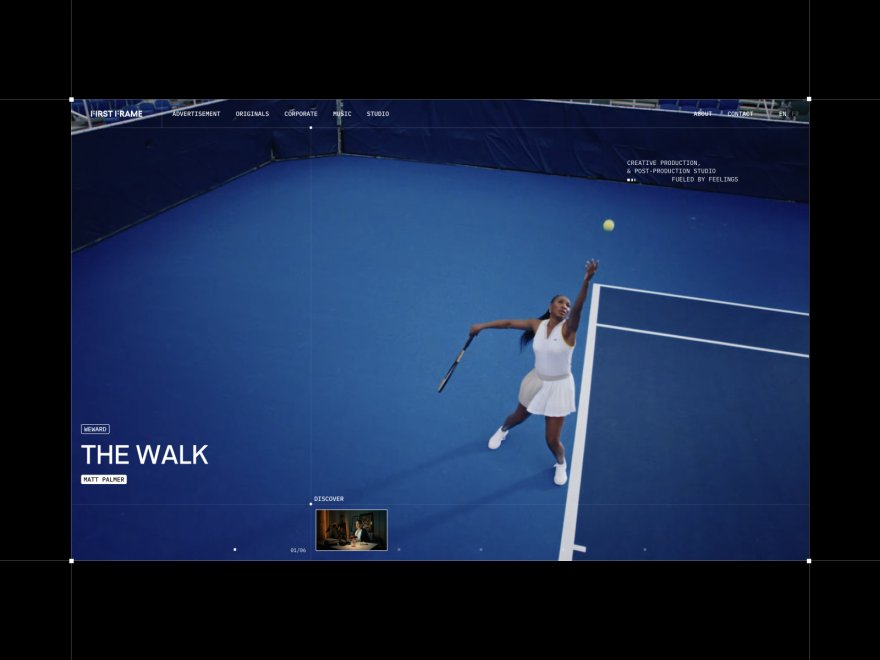
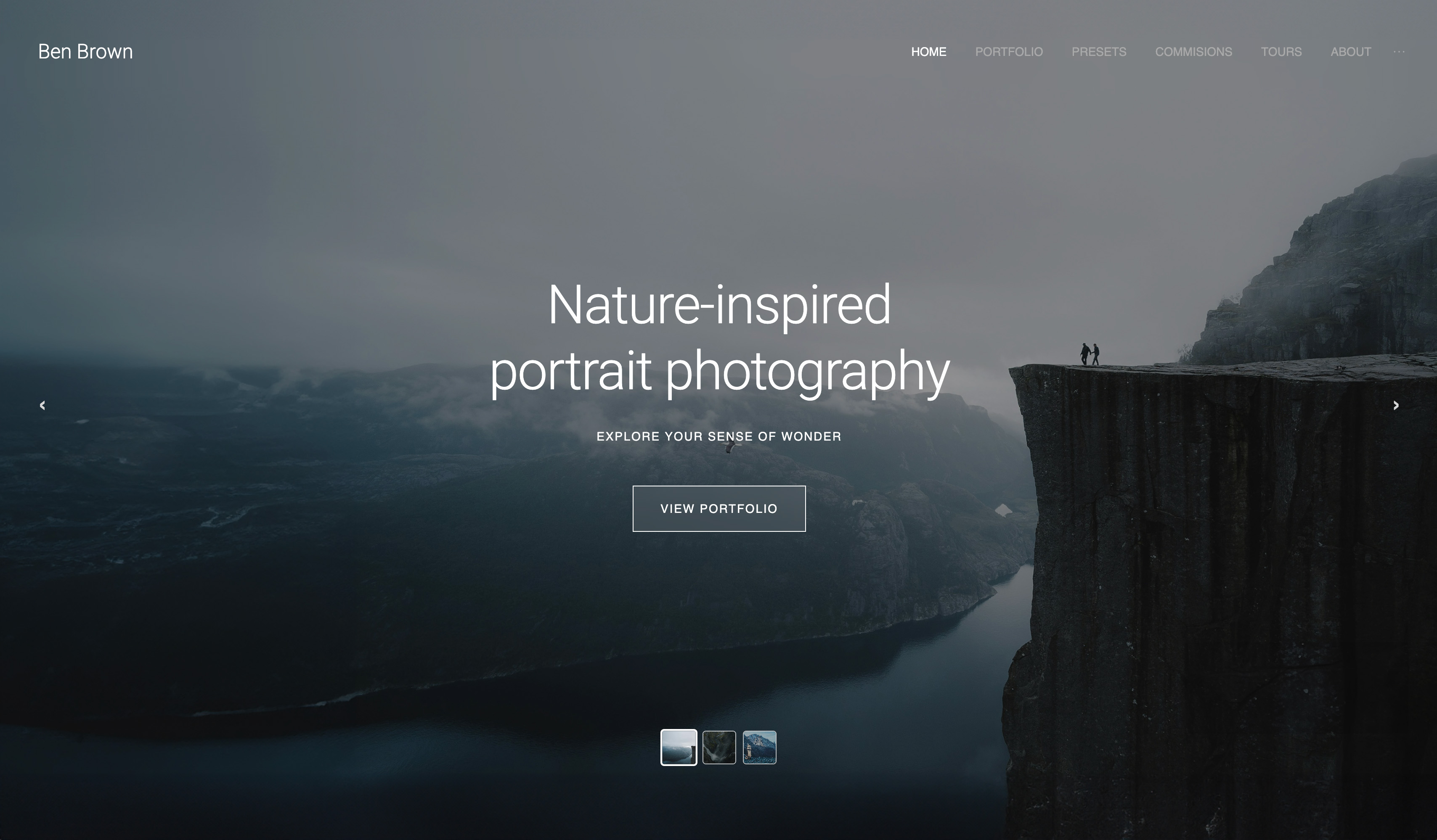
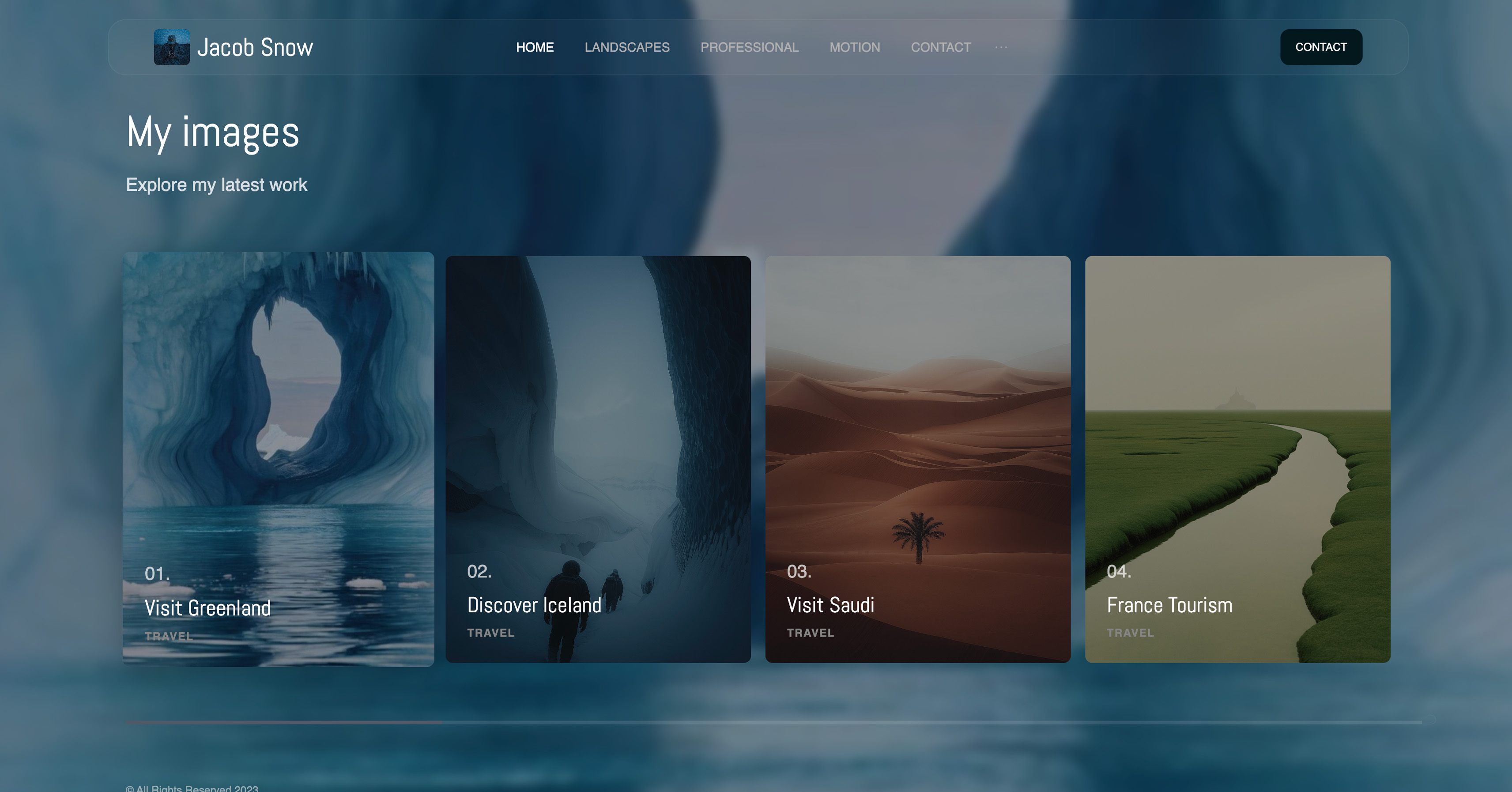
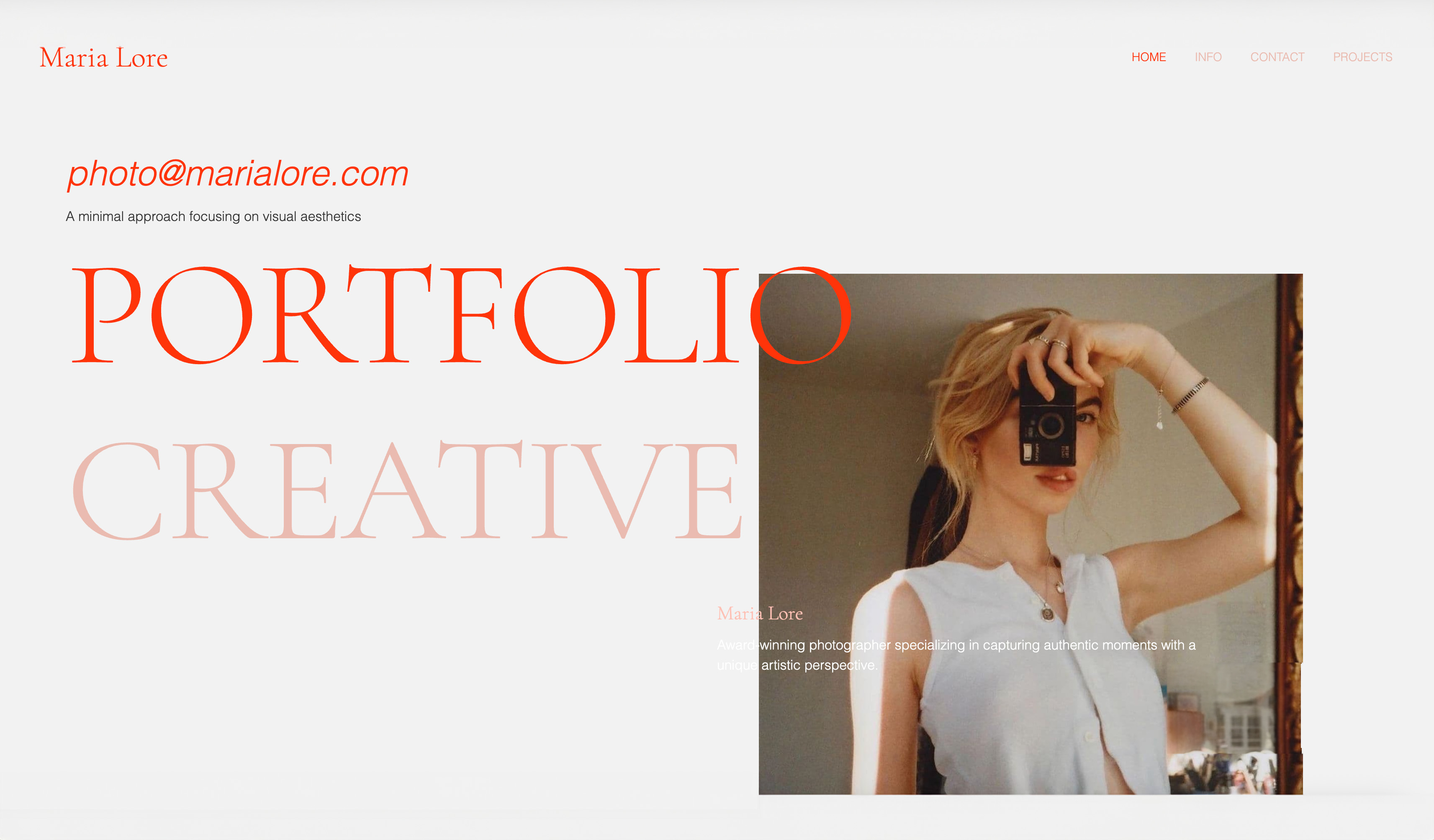
Start from a designer-made template
 Use template
 Use template
 Use template
 Use template
 Use template
 Use template
 Use template
 Use template
Most photographers who type Framekit vs Squarespace for photographers into a search bar are not unhappy with their portfolio. They are unhappy with the bill next to it.
The Squarespace site shows the work, then the client gallery lives on Pixieset, the preset pack sells on another platform, and a hybrid shooter sends highlight films through a review tool that charges per seat.
That stack works. It also means three logins on a wedding Monday, three brands in front of the couple, and three renewals every year.
Framekit's pitch to photographers is that the portfolio, the client gallery, the film review link and the preset store can live in one account with one storage pool.
A photography website builder is a tool that publishes a portfolio site without code; the 2026 question for photographers is whether that tool should also deliver client galleries, or leave delivery to a separate gallery service as Squarespace does.
For most working photographers, Framekit is the better choice in 2026, because client galleries with favourites, watermarks and PIN-protected downloads are included on every plan alongside the AI-built portfolio, so you pay for one account instead of Squarespace plus a gallery service.
Squarespace is the better choice if you sell physical prints you fulfil yourself, take session bookings through Acuity Scheduling, or want free client invoices, all of which Framekit does not do. Pixieset remains the specialist pick if lab print sales drive your income.
Full disclosure: Framekit is our product. Squarespace, Pixieset and Frame.io figures come from each vendor's own pricing and help pages, and nothing below claims a hands-on test of either builder.
Updated for October 2026: we re-verified Squarespace's plans, its 2% and 0% store fees and its video hosting limits on 12 October, priced the gallery and review tools a Squarespace photographer pays for separately, and dropped the speed scores from the earlier version because no published test stood behind them; a second pass corrected two gallery lines that promised no Framekit badge or sets locked to named clients.
How We Compared the Two for Photography Work
We compared Framekit and Squarespace on the five jobs a photography business runs every month, using each vendor's own published limits and fees, and then priced three real photographer setups over one and three years.
The five jobs are the portfolio, client delivery, selling (prints or presets), bookings and admin, and for hybrid shooters, getting a highlight film approved.
A builder that is excellent at the first job and silent on the other four is still a fine choice, but you should know what you will buy beside it.
Sources, all read on 12 October 2026: Squarespace's pricing page and its Help Center article on selling across plans; Pixieset's pricing page; Frame.io's pricing page; Framekit's pricing page and product pages.
Squarespace prices change by billing country, so the US figures are quoted. Speed is discussed qualitatively; we publish no load-time numbers.
The Short Comparison for Photographers
Squarespace gives a photographer a polished site and strong selling tools for physical goods, while Framekit gives a photographer the site plus the delivery, review and download-selling tools, and the table below is the fastest way to see which side of that line your business sits on.
| What a photographer needs | Framekit | Squarespace |
|---|---|---|
| Portfolio site on your own domain | From Starter, $7 a month yearly | From Basic, $19 a month yearly |
| Client galleries with favourites and download PINs | Included, unlimited, every plan | Not native; usually Pixieset or similar |
| Photos and video in one gallery | Yes, video never watermarked | No delivery gallery |
| Highlight film review with frame notes | Included, every plan | Not offered |
| Print sales | No print ordering or lab fulfilment | Sell physical products; you fulfil |
| Preset or LUT sales | Digital store, 5% to 0% fee by plan | Store, 2% fee on Basic, 0% from Core |
| Session booking | Contact and enquiry forms only | Acuity Scheduling, separate subscription |
| Client invoices | No | Free invoices on every plan |
| Storage | 10GB to 2TB pooled across site, galleries, review | No stated cap on bandwidth or storage |
| Free plan | Permanent | 14-day trial |
Where Squarespace Wins for Photographers

Squarespace wins for the photographer whose income depends on physical products, booked sessions and paperwork, because it sells prints and other goods, connects to its own scheduling product, and sends client invoices for free, three things Framekit does not do at all.
Prints and physical products. Squarespace sells physical products on every plan with unlimited products, and from Core it adds shipping labels, live carrier rates and automated tax calculation.
A fine-art photographer who ships framed prints or a book from the studio can run that entire shop on Squarespace. Framekit sells digital downloads only, and its galleries have no print ordering or lab fulfilment.
Session booking. Squarespace owns Acuity Scheduling, which lets clients book a slot, fill an intake form and get reminders, and embeds in a Squarespace page with a Scheduling block.
It is a separate subscription, but it is the closest thing to a native booking calendar either platform offers. Framekit's forms collect enquiries; they do not book a time.
Invoices. Squarespace's pricing page lists branded invoices as free on every plan, which suits a photographer who bills a deposit and a balance. Framekit does not send client invoices.
Blogging for search. Many wedding and family photographers win local search with a long-running blog. Squarespace publishes RSS feeds and lets you write 301 redirects with URL mappings when you restructure.
Framekit has no RSS feed and no redirect manager, and robots.txt is not editable.
Video on the portfolio itself. Squarespace hosts 30 minutes of video on Basic, 5 hours on Core, 50 hours on Plus and unlimited video on Advanced.
Framekit's site pages take video uploads up to 15MB on Free and 100MB on paid plans, so a film reel on a Framekit page is a Vimeo or YouTube embed, while client films go into galleries or review links.
Verdict: a print-led or booking-led photography business is easier to run on Squarespace, and the right add-on for delivery is a gallery service with lab fulfilment. If that is you, Pixieset vs ShootProof is the comparison to read next.
Where Framekit Wins for Photographers

Framekit is an AI website builder that holds the portfolio, client galleries, film review, Slides and a preset store in one account, so it wins for the photographer whose real cost is the stack of tools around the site rather than the site itself.
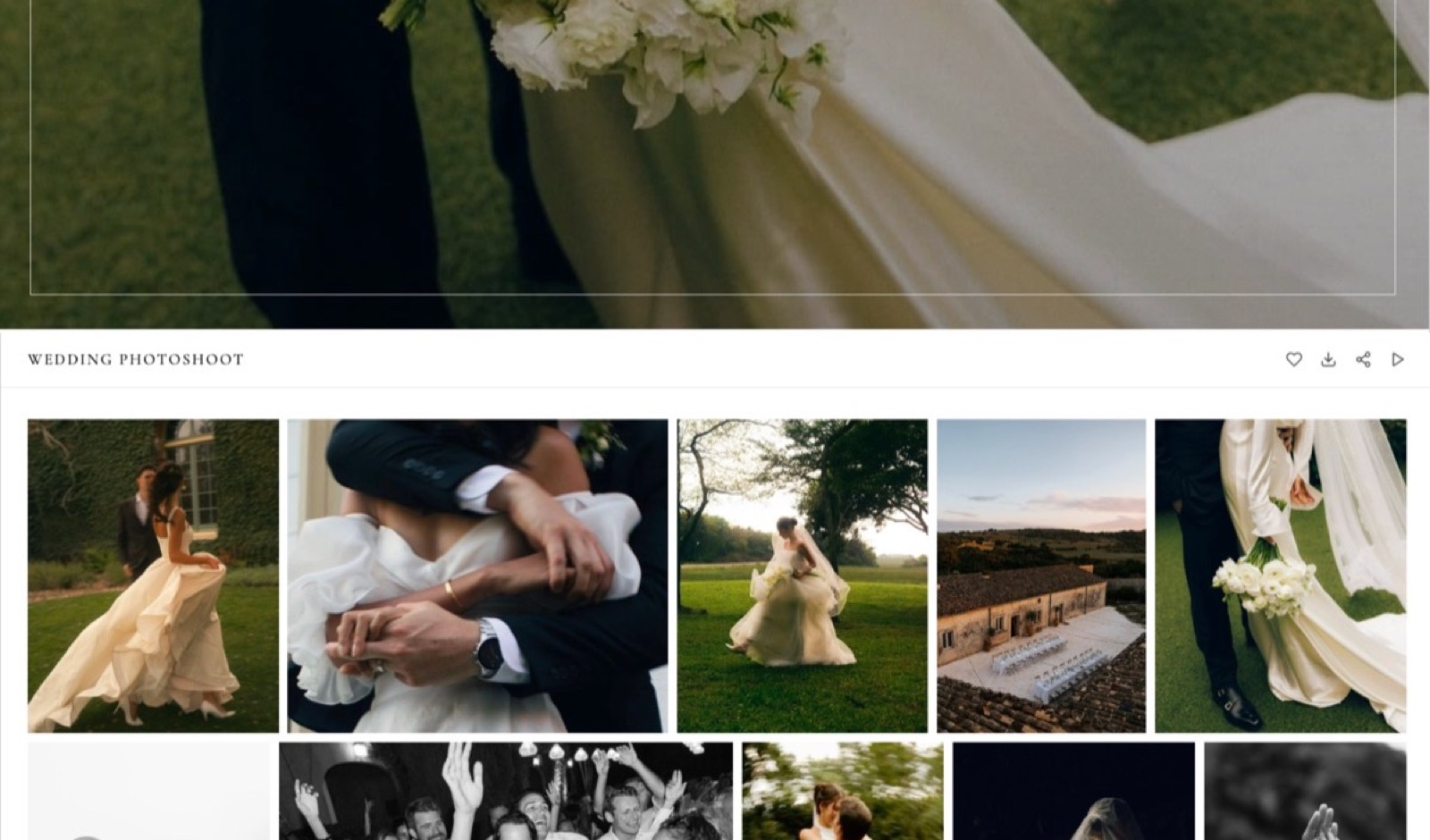
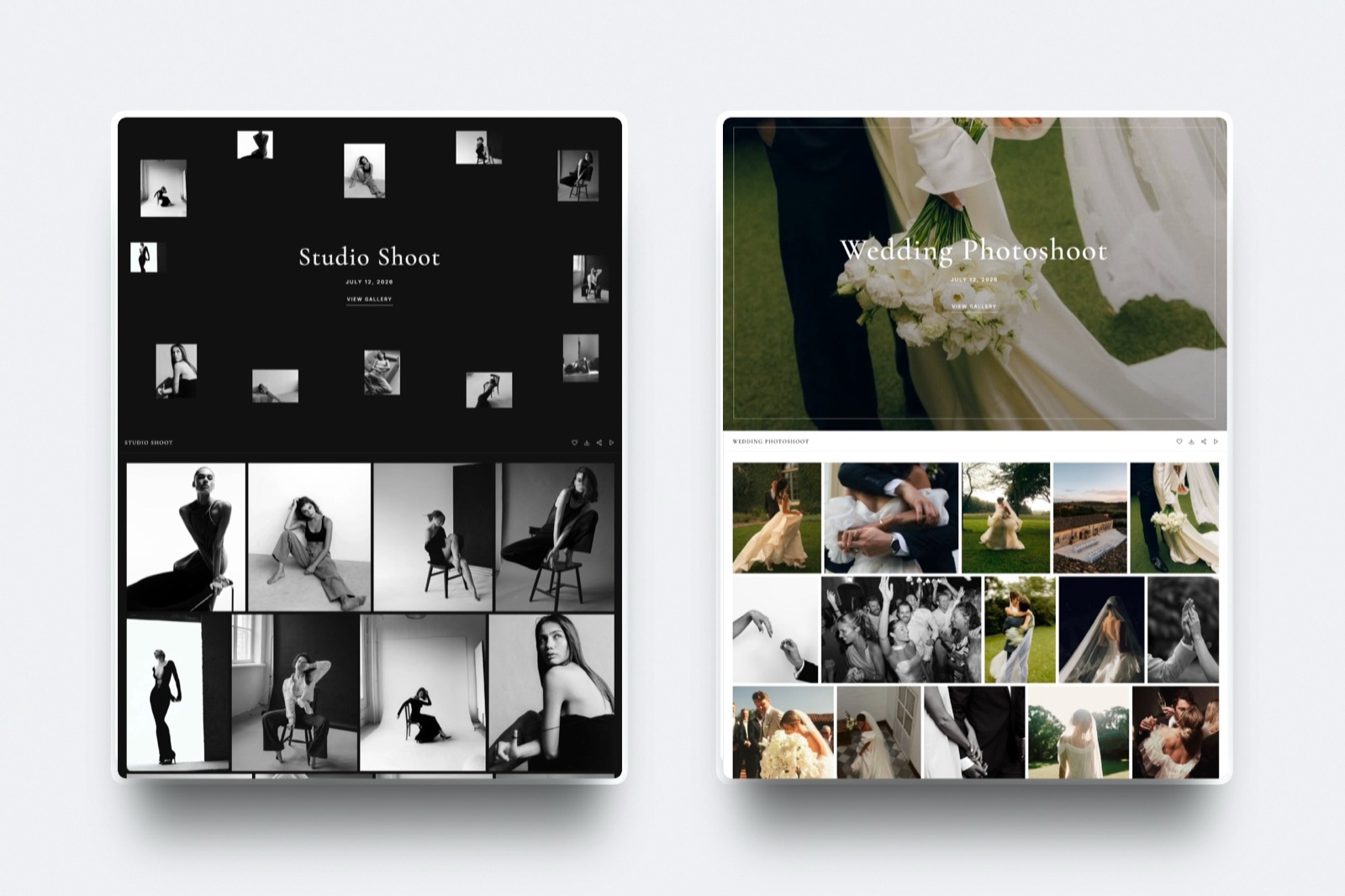
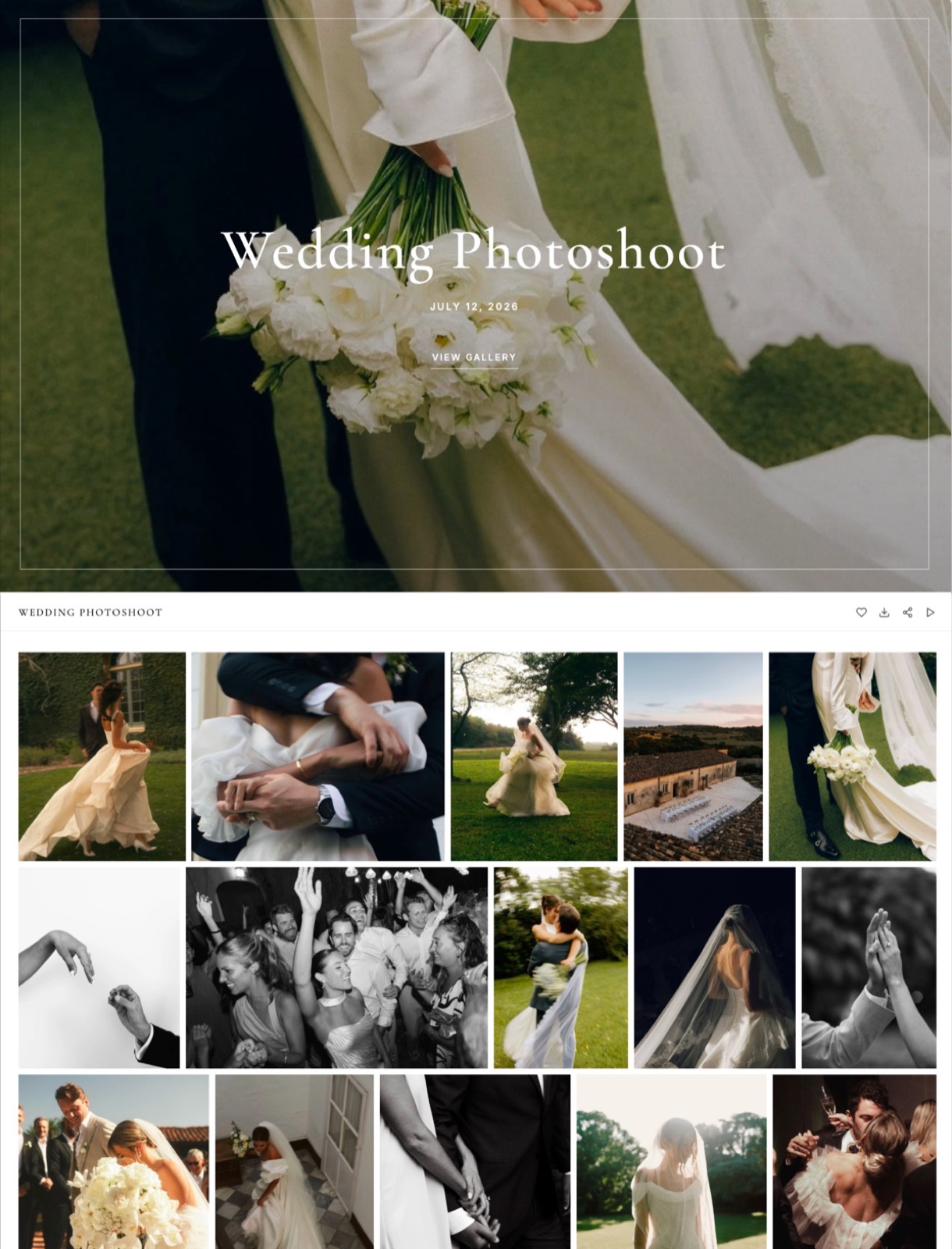
Client galleries on every plan. One share link per shoot, photos and videos in the same gallery, a heart for favourites and a favourites filter for album picks, downloads of the full set or favourites only, optional download PINs, and watermarks on photos.
Galleries are unlimited and every gallery feature is on every plan, Free included. On paid plans they carry your branding and your own domain, and a small Made with Framekit line stays in the gallery footer on every plan.
One storage pool. Framekit's storage is shared across the site, galleries and review: 10GB on Free, 50GB on Starter, 300GB on Pro and 2TB on Business, of which 3GB, 15GB, 150GB and 750GB can be video. A wedding season fits on Pro without a second storage bill.
A portfolio drafted around your images. The AI generates sections and writes copy from a short brief, or rebuilds the layout of a reference screenshot you love, using templates built with AI and trained by senior designers.
Focal-point controls keep the subject in frame when a hero image crops on a phone, and everything stays editable in the visual editor.
A store for presets and guides. Sell presets, LUTs, posing guides or education files with unlimited products, free lead-magnet downloads, instant delivery after payment, and a buy link you can drop into Instagram without a site at all.
The fee is 5% on Free and Starter, 3% on Pro and 0% on Business.
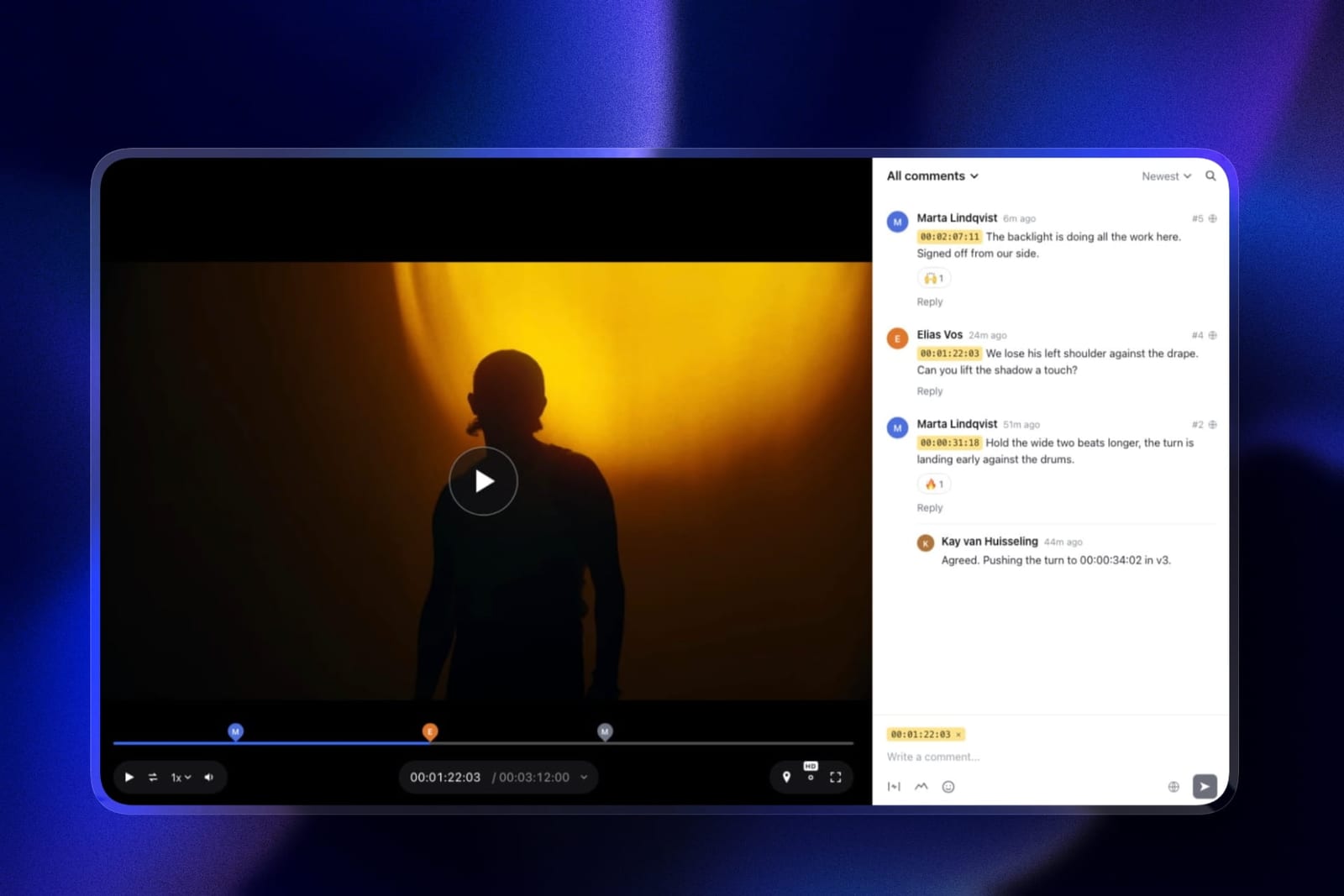
Film review for hybrid shooters. Couples or brands leave notes at the exact frame of a highlight film, draw on the frame and reply in threads, without a Framekit account. Upload a second cut and the first keeps its notes.
Verdict: for a photographer who delivers every shoot and sells a few downloads, Framekit does the whole month's work in one place and costs less than Squarespace plus a gallery service.
The Gallery Question, in Detail
Client delivery is where Framekit vs Squarespace stops being a matter of taste, because Squarespace has no client-proofing gallery at all, so a Squarespace photographer is really comparing Framekit against Squarespace plus a gallery service.
Squarespace's galleries are portfolio galleries: grids, slideshows and lightboxes that show your work to visitors. They are good at that.
What they do not do is deliver a private set to one client, let that client mark favourites for an album, and gate a high-resolution download behind a PIN.
That job is why so many Squarespace photographers also pay Pixieset, whose Client Gallery plans run $8, $16, $24 and $40 a month billed yearly for 10GB, 100GB, 1TB and unlimited photo storage, with a free 3GB plan that takes a 15% commission on store sales.
Framekit's gallery is built for delivery. A few specifics photographers ask about:
- Files. Photos up to 100MB each on every plan. Video up to 500MB per file on Free, 1GB on Starter, 2GB on Pro and 3GB on Business, transcoded for smooth playback.
- Protection. Watermarks on photos, a separate PIN on downloads, and email registration before a gallery opens if you want to know who viewed it. Galleries can retire themselves on a date you set.
- Selections. Clients heart images and you see the favourites list, which is how album and print selections usually start.
- Branding. Cover layouts and styles and your logo, plus your own domain and uploaded fonts on paid plans; the small Made with Framekit footer credit stays on every plan.
Where Pixieset still beats Framekit is the money after delivery. Its galleries include a storefront with automatic lab fulfilment, so a couple can order prints from the gallery and you never touch the box.
Framekit has no print ordering, no price sheets and no lab. It also has no native mobile gallery app and no client uploads into a gallery.
If prints are a real line in your accounts, keep a print-capable gallery service; the best client galleries for wedding photographers compares them.
Portfolio Design and Performance on Image-Heavy Sites
Both platforms can host a beautiful photography portfolio, and both serve it over a CDN with SSL included, so the practical difference is how each one gets you from a folder of selects to a finished site, and how much styling you do by hand along the way.
Squarespace starts from a finished template. You choose one whose structure fits your work, swap in your images, and adjust blocks in the Fluid Engine editor. When the template matches your vision, this is quick and the result is polished.
When you want a layout the template did not plan for, you style it yourself.
Framekit starts from a draft.
Describe the site ("wedding and elopement photographer in the Dolomites, editorial, lots of white space") or upload a screenshot of a portfolio you admire, and the AI lays out sections against one site-wide theme of colours and fonts.
You then edit by hand. Adding a pricing page or a testimonials section later produces a block in the same theme rather than a new design problem.
On speed, image-heavy portfolios live or die on how images are served.
Framekit serves responsive image sizes for each screen and is built for galleries of large photographs; on Squarespace, oversized uploads and heavy template effects are the usual suspects when a page drags.
We do not publish load times, because they vary by image weight, region and connection more than by platform.
Local search is where most portrait and wedding bookings start, and both builders cover the basics.
Framekit includes per-page titles and descriptions, a sitemap, social previews and structured data on every plan; Squarespace has its own SEO panel and adds RSS feeds and URL redirects. Neither platform ranks a photographer by itself.
Location pages that name the venues and towns you shoot, gallery images with descriptive alt text, and a steady run of real client stories do that work on either one.
Run it yourselfexport ten of your strongest images at the size you normally upload. Build a homepage and one gallery page on the Framekit free plan and on a Squarespace trial, then open both on your phone on mobile data, scroll the gallery, and ask a friend which one they would book from.
Hybrid Shooters: Highlight Films, Review and Pitch Decks
A photographer who also shoots film needs two things Squarespace does not offer, a frame-accurate review link for the edit and a place to deliver the final file, and Framekit includes both on every plan, which changes the cost picture for hybrid studios more than anything else.
Framekit video review takes a cut up to 2 hours long, shares it as a link, and lets the couple or the brand comment at the exact frame.
Notes appear as timecode chips, reviewers can draw on the frame and reply in threads, and approval statuses (needs review, in progress, approved, needs changes) track the round. Upload v2 and v1 keeps its notes.
Per-file limits are 500MB on Free, 1GB on Starter, 2GB on Pro and 3GB on Business. Once approved, the final film goes into the same client gallery as the photos.
The limits: review is video only, there is no side-by-side version compare, no Premiere or Resolve panel, and team members are site admins, so the account holder uploads cuts.
A studio that lives in Premiere all day may still prefer Frame.io, whose Pro plan is $15 per member a month.
Photographers also pitch.
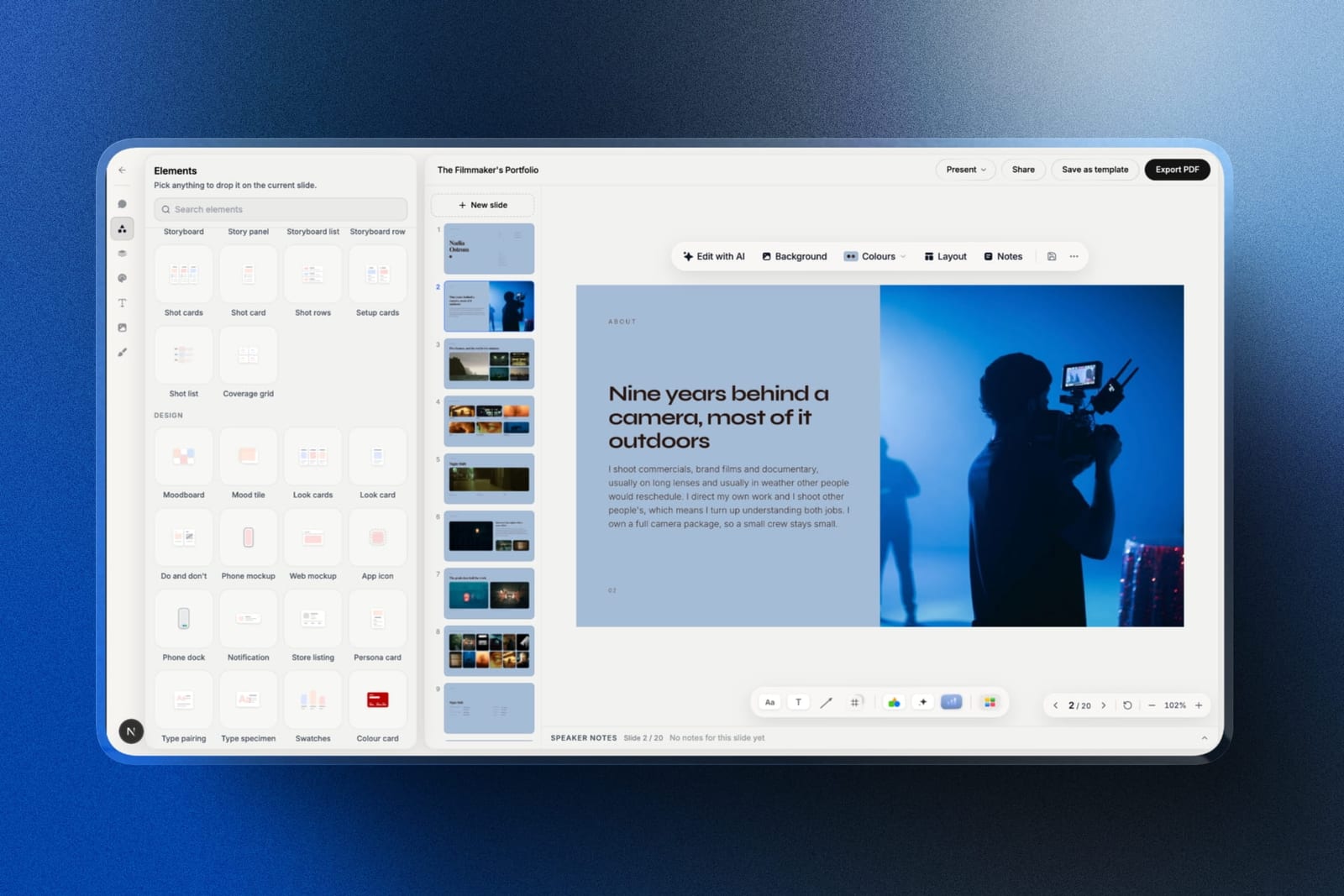
Framekit Slides makes pricing guides, wedding film proposals, portfolio books and lookbooks from templates built for creative work, with moodboard, shot list and storyboard elements, and the AI drafts a whole deck from a brief, through an outline you approve, or writes and lays out any single slide.
Decks are unlimited on every plan and export to PDF everywhere; PowerPoint export, picture-based, opens on Pro.
What Three Photographers Would Pay in Year One and by Year Three
Framekit costs less than Squarespace plus a gallery service for all three photographers below, by about $240 a year for a new portrait photographer and about $440 a year for a hybrid studio where one person uploads the review cuts, because Squarespace has no delivery gallery or review tool of its own.
Assumptions: yearly billing at US prices read on 12 October 2026, prices held flat for three years, card processing excluded on both sides, and gallery storage sized to what is live at any one time.
Squarespace's annual plans include a free domain for year one; Framekit connects a domain you register anywhere, so add that small yearly fee to Framekit from year one and to Squarespace from year two.
| Photographer | Framekit plan | Framekit year one | Framekit by year three | Squarespace stack | Squarespace year one | Squarespace by year three |
|---|---|---|---|---|---|---|
| New portrait photographer, about 8GB of galleries live, no store | Starter, 50GB pooled ($84) | $84 | $252 | Basic ($228) plus Pixieset Basic, 10GB ($96) | $324 | $972 |
| Wedding photographer, about 150GB of galleries live, $2,000 of preset sales | Pro, 300GB ($180) plus 3% fee ($60) | $240 | $720 | Basic ($228) plus 2% fee ($40) plus Pixieset Pro, 1TB ($288) | $556 | $1,668 |
| Hybrid photo and film studio of 3, client film review, $5,000 of LUT sales | Business, 2TB ($372), 0% fee | $372 | $1,116 | Core ($348) plus Pixieset Pro ($288) plus Frame.io Pro for the one person who uploads ($180) | $816 | $2,448 |
A few honest footnotes. Pixieset Pro's 1TB is far more than the wedding photographer needs, but Plus stops at 100GB, so Pro is the cheapest Pixieset plan that fits 150GB.
Pixieset also sells prints through its store, which Framekit cannot, so a photographer with steady print orders should count that income before switching.
Frame.io's $180 is the monthly-billed rate for one member, matched to Framekit, where only the account holder uploads review cuts and the other two people help on the website as team members; if all three need to upload, Frame.io Pro for three members is $540 and Framekit cannot do that job at any price.
Frame.io says annual billing saves 13%. And Framekit Pro lets up to 150GB of its 300GB be video, so a hybrid shooter whose galleries are mostly film belongs on Business, which allows 750GB of video.
Run it yourselfadd the size of every gallery you currently keep online, then add your last twelve months of preset sales. Pick the Framekit plan whose storage covers the first number, add its fee on the second, and compare that with your current site, gallery and selling bills added together.
Which Framekit Plan Fits Which Photography Business
Choosing a Framekit plan as a photographer comes down to storage first and store fees second, because live galleries fill the pooled storage long before a photography business gets near the page or team limits on any plan.
| Your photography business | Plan | Why it fits |
|---|---|---|
| Testing a portfolio, a few small galleries | Free, $0 | 10GB pooled, every gallery and review feature, framekit.ai address and a Framekit badge |
| Portraits and families, under 50GB of galleries live | Starter, $7 a month yearly | Your own domain, no website badge, the full template library, 50GB |
| Weddings or events, under 300GB live | Pro, $15 a month yearly | 300GB with up to 150GB of video, 3% store fee, custom code, translation, 3 team members for the website |
| Hybrid photo and film, or a busy preset store | Business, $31 a month yearly | 2TB with up to 750GB of video, 0% store fee, unlimited website team members |
The store-fee crossover is simple arithmetic.
On yearly billing Business costs $16 a month more than Pro, and Pro's 3% fee reaches $16 at about $530 a month of sales, so a photographer selling more than that every month pays less on Business.
On monthly billing the gap is $20 and the crossover is about $670 a month.
Limits a Photographer Will Actually Hit
The rows below are the limits that decide whether a photography business fits on each platform, drawn from Framekit's pricing page and Squarespace's pricing page and Help Center in October 2026.
| Limit | Framekit | Squarespace |
|---|---|---|
| Photo file size in client galleries | 100MB per photo, every plan | No delivery gallery |
| Video file size in galleries and review | 500MB Free, 1GB Starter, 2GB Pro, 3GB Business | Not offered |
| Video on site pages | 15MB uploads on Free, 100MB paid, plus Vimeo and YouTube embeds | 30 min Basic, 5 hrs Core, 50 hrs Plus, unlimited Advanced |
| Storage | 10GB, 50GB, 300GB, 2TB pooled | No caps stated on bandwidth or storage |
| Site pages | 10, 30, 200, unlimited | Up to 1,000 on Basic |
| Templates | Starter set on Free, full library from Starter | Full library on every plan |
| Store | Digital only; 5%, 5%, 3%, 0% fee | Physical and digital; 2% on Basic, 0% from Core |
| Contributors | 3 team members on Pro, unlimited on Business | 2 on Basic, unlimited from Core |
| Booking and invoices | Enquiry forms only, no invoices | Acuity (separate), free invoices |
| Redirects and RSS | Neither | URL mappings and RSS feeds |
What Happens When a Client, a File or a Payment Misbehaves
These are the moments photographers ask about after the first month on a new platform, and the answers come from what Framekit and Squarespace publish, so you can decide before a real wedding is on the line.
The couple has no account. A Framekit gallery or review link opens without a Framekit account. On Squarespace the couple opens whatever gallery service you use, so the experience depends on that tool.
A guest shares the gallery link. Framekit lets you add a password, a download PIN on top of the link, or require an email before the gallery opens, and social share buttons for visitors stay off unless you switch them on.
A highlight film is bigger than the plan allows. On Framekit, the per-file cap is 1GB on Starter and 3GB on Business; export a delivery file under the cap or move up a plan. The 2-hour maximum applies to review videos.
A preset buyer asks for a refund. Framekit's fee is charged on the post-discount price and kept on a refund, and Stripe's processing fee applies on top. On Business the Framekit fee is 0%, so there is nothing of Framekit's to lose.
A buyer cannot find the download. Framekit's order email links last 7 days, buyers can come back for their files, and you can resend fresh links; an updated preset version is not pushed to past buyers automatically.
You stop paying. Framekit's Free plan is permanent, but a site on Free uses a framekit.ai address and shows a Framekit badge, and its storage drops to 10GB, so archive old galleries before downgrading. Squarespace has no free plan to fall back to.
Moving a Photography Site From Squarespace to Framekit
Moving a photography business from Squarespace to Framekit means rebuilding the site and moving live deliveries in the right order, because neither platform imports the other's site and active clients must never lose access to their galleries mid-move.
- List what is live. Pages, blog posts, products, and every gallery a client could still open on your current gallery service.
- Export what you can. Squarespace's export tool produces a WordPress-format file covering layout pages, one blog and gallery pages; store and portfolio pages are left out, so keep your original image files.
- Draft the portfolio. Start from a Framekit template or upload a screenshot of your current homepage and let the AI rebuild the structure with your selects.
- Keep slugs identical. Framekit has no redirect manager, so match your highest-traffic Squarespace URLs exactly, especially wedding blog posts that rank locally.
- Recreate open galleries. Upload current clients' galleries to Framekit, then send the new links; leave the old gallery service running until everyone has downloaded.
- Move the store. Add presets or guides to the Framekit store and connect your Stripe account. Physical prints have no equivalent, so decide where they go first.
- Replace bookings and invoices. Keep Acuity or another booking tool, and an invoicing tool, because Framekit does neither.
- Point the domain, then cancel. Connect your domain on Starter or above, run both for one billing cycle, test every form and checkout, then cancel Squarespace.
For a wider field before you decide, the best Squarespace alternatives for photographers ranks every credible option, and how much a photography website costs breaks down the full budget.

A Decision Path for Photographers
The quickest way to settle Framekit vs Squarespace for a photography business is to answer the questions below in order, because each one rules a platform in or out on a fact rather than a preference.
1. Is print or physical product revenue more than a small share of your income? If yes, stay on Squarespace for the shop and pair it with a print-capable gallery service, or look at Pixieset. If no, go to question 2.
2. Do clients book sessions through a calendar on your site? If yes and you want it native, Squarespace with Acuity is the tidier setup; Framekit only collects enquiries. If you are happy with a separate booking tool, go to question 3.
3. Do you deliver client galleries? If yes, Framekit includes them on every plan; go to question 4. If you deliver by WeTransfer or never deliver, the gallery saving disappears and the comparison is about the portfolio alone.
4. Do you shoot film as well as stills? If yes, Framekit's review links and video in galleries save you a review subscription; choose Business if most of your storage is video.
5. Does a blog with years of links drive your bookings? If yes and your URLs would change, think carefully: Framekit has no redirects or RSS. If you can keep your slugs, go ahead.
6. What is your storage today? Under 50GB of live galleries fits Starter; under 300GB fits Pro; beyond that, Business.
Frequently Asked Questions
Is Framekit better than Squarespace for photographers?
Framekit is better than Squarespace for photographers who deliver client galleries, sell presets or shoot film, because galleries, review and a download store are included in the same account as the AI-built portfolio, starting free.
Squarespace is better for photographers who sell physical prints themselves, book sessions through Acuity Scheduling or want free client invoices. For a portfolio alone, the free plan and the 14-day trial are the fair test.
Does Squarespace have client galleries for photographers?
No, Squarespace does not offer a client-proofing gallery with favourites, private delivery and download PINs; its galleries display work on your site.
Most Squarespace photographers add a gallery service such as Pixieset, whose paid Client Gallery plans start at $8 a month billed yearly. Framekit includes unlimited client galleries on every plan, Free included.
Can I sell prints with Framekit like I can with Squarespace?
No. Framekit sells digital downloads only and its galleries have no print ordering, price sheets or lab fulfilment.
Squarespace sells physical products on every plan, with shipping and tax tools from Core, and gallery services such as Pixieset add automatic lab fulfilment. If prints matter to your income, keep a print-capable tool.
Is Framekit cheaper than Squarespace for a wedding photographer?
Yes, for a wedding photographer with about 150GB of galleries online and $2,000 of preset sales, Framekit Pro costs $240 a year including its 3% fee, against $556 for Squarespace Basic plus Pixieset Pro and a 2% store fee.
Over three years that is $720 against $1,668, before card processing and domain fees.
Squarespace vs Framekit for a hybrid photo and video studio: which wins?
Framekit wins for a hybrid studio that sends films for client review, because review links, video in galleries and 2TB of pooled storage come with Business at $372 a year.
The equivalent Squarespace setup, Core plus Pixieset Pro plus Frame.io Pro for the one person who uploads cuts, comes to $816 a year.
Framekit's team members administer the website rather than review, so a studio where all three post cuts needs Frame.io Pro for three at $540 on its own.
Frame.io lists Premiere and Final Cut Pro integrations that Framekit does not have, which some studios will want.
Can my clients download full-resolution photos from a Framekit gallery?
Yes. Clients can download the full set or only their favourites, and you can put a separate PIN on downloads so only the right person takes the files. Photo files can be up to 100MB each on every plan. Watermarks apply to photos if you turn them on; videos are never watermarked.
Does Framekit handle session bookings and deposits?
No. Framekit has contact and enquiry forms whose entries arrive in your dashboard and inbox, but no booking calendar, deposits or client invoices. Photographers on Framekit pair it with a booking or studio management tool.
Squarespace's Acuity Scheduling and its free invoices cover more of that admin natively.
Will my Squarespace blog posts keep their Google rankings on Framekit?
Only if you keep the same URLs, because Framekit has no redirect manager and no RSS feed.
Rebuild your best-ranking posts at identical slugs before you move the domain, and set titles and descriptions per page, which Framekit includes on every plan along with a sitemap and structured data.
A photographer whose bookings depend on hundreds of blog posts at changing URLs should weigh that carefully.
How much storage does a photographer need on Framekit?
Most photographers need the plan whose pooled storage covers every gallery they keep online at once: 50GB on Starter, 300GB on Pro or 2TB on Business.
Storage is shared by the site, galleries and video review, and each plan reserves a video share of 15GB, 150GB or 750GB. Archiving finished galleries keeps a smaller plan workable.
Can I put a film reel on my Framekit portfolio?
Yes, through a Vimeo or YouTube embed, because uploads to site pages are capped at 15MB on Free and 100MB on paid plans.
Full films for clients go into galleries or review links, where the per-file limit runs from 500MB on Free to 3GB on Business. Squarespace hosts video on the site directly, from 30 minutes on Basic upward.
Do I need a separate preset store if I use Framekit?
No. Framekit's store sells presets, LUTs and guides with unlimited products, instant downloads and shareable buy links, at a fee of 5% on Free and Starter, 3% on Pro and 0% on Business.
You are the merchant of record through your own Stripe account, so sales tax and VAT are yours to handle.
Is Squarespace still worth it for photographers in 2026?
Squarespace is still worth it for photographers whose business is prints, products and booked sessions, and for those who want a large template library with no AI.
It is less worth it for photographers who already pay separately for galleries, film review and a preset store, since those bills usually add more than the Squarespace plan itself.
Does Framekit have a mobile app for client galleries?
No, Framekit galleries do not have a native mobile gallery app; clients open galleries in the browser on any phone. Pixieset includes mobile gallery apps on its plans. If a branded app is part of how you deliver, that is a reason to keep a gallery specialist alongside your site.
The Verdict for Photographers
Choose Framekit if you are a portrait, wedding or hybrid photographer who delivers galleries, sells a few downloads and wants the portfolio, delivery and selling in one account, because it does the month's work for less than Squarespace plus a gallery service.
Choose Squarespace if prints, booked sessions and invoices are the centre of your business.
Where Framekit loses: it does not sell prints, does not book sessions, does not send invoices, has no mobile gallery app, and offers no redirects or RSS for a long-running blog.
For a fine-art print seller or a studio run on a booking calendar, Squarespace and a print-capable gallery service is the better fit.
The test that settles it costs nothing: deliver your next small shoot as a Framekit gallery from the free plan and see how the client responds.
Related reading: Framekit vs Squarespace on design quality and performance covers the general comparison, Squarespace vs Wix for photographers covers the other common choice, and Framekit vs Pixieset compares Framekit with the gallery service most Squarespace photographers use.