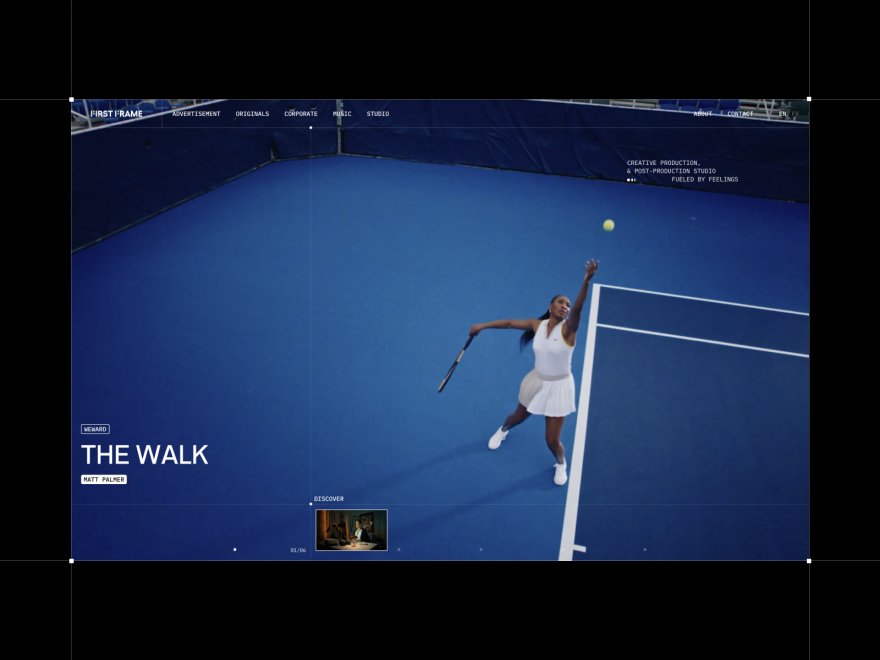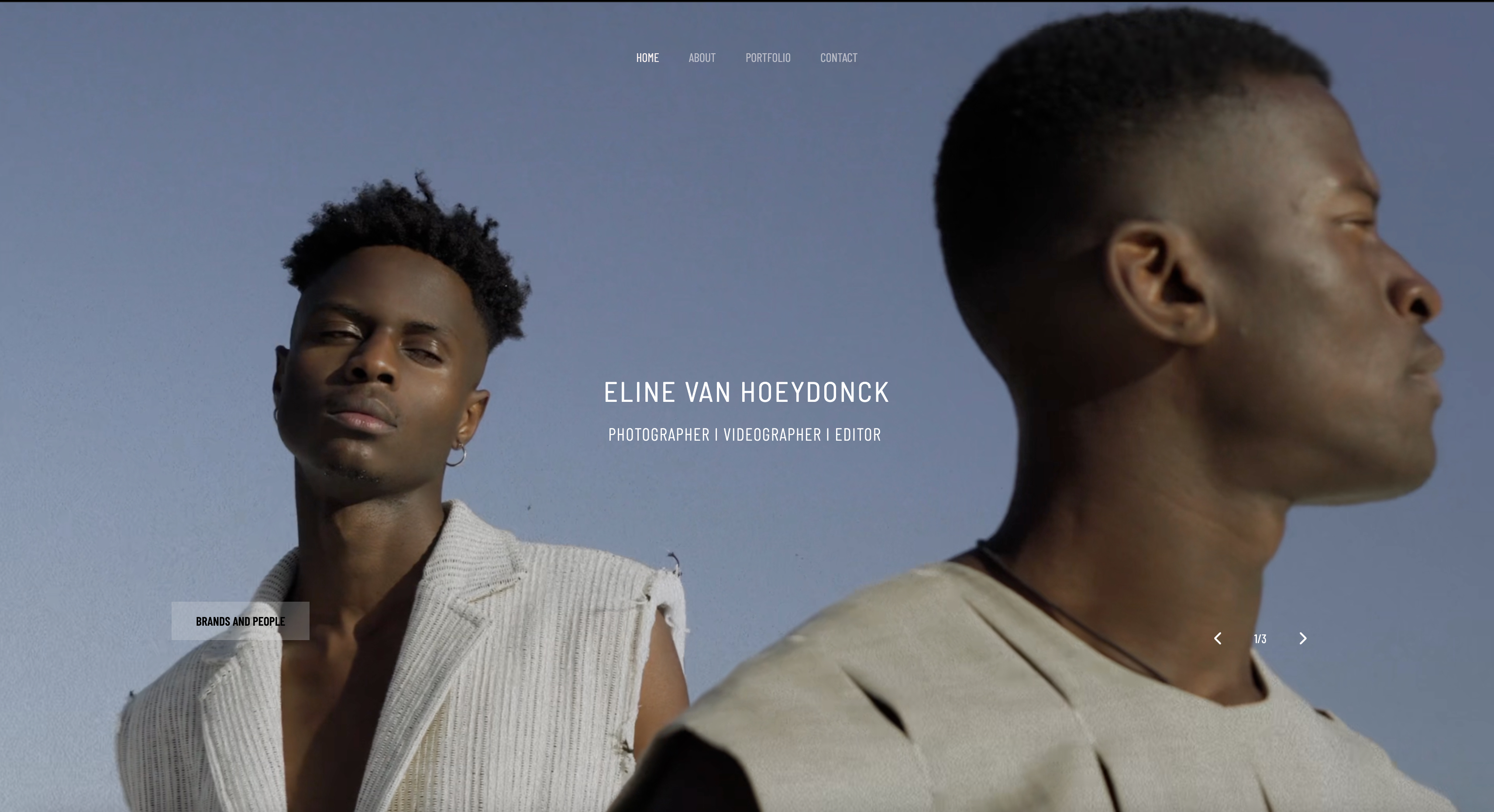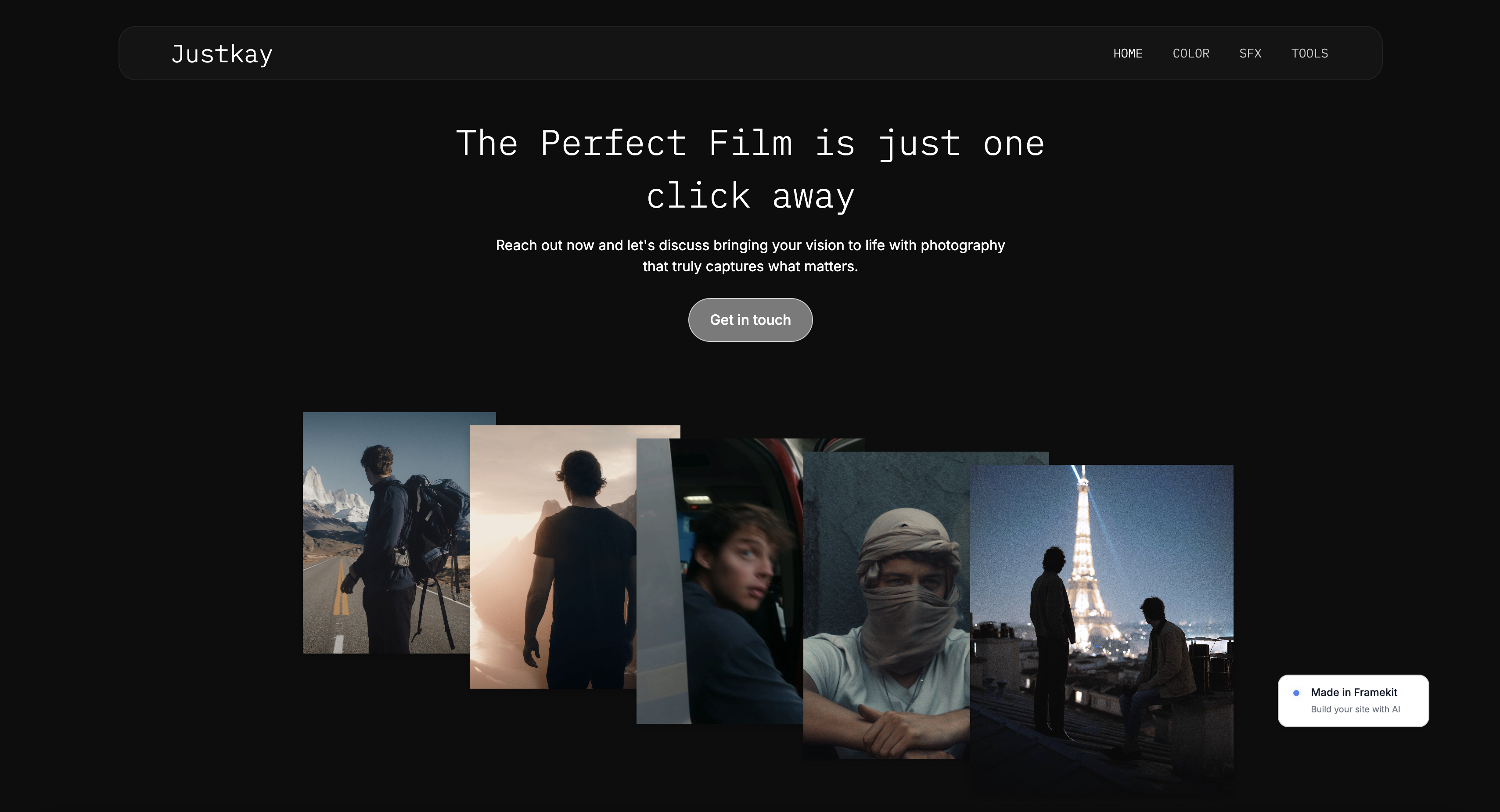
Framekit templates
Start from a designer-made template
 Use template
 Use template
 Use template
 Use template
 Use template
 Use template
 Use template
 Use template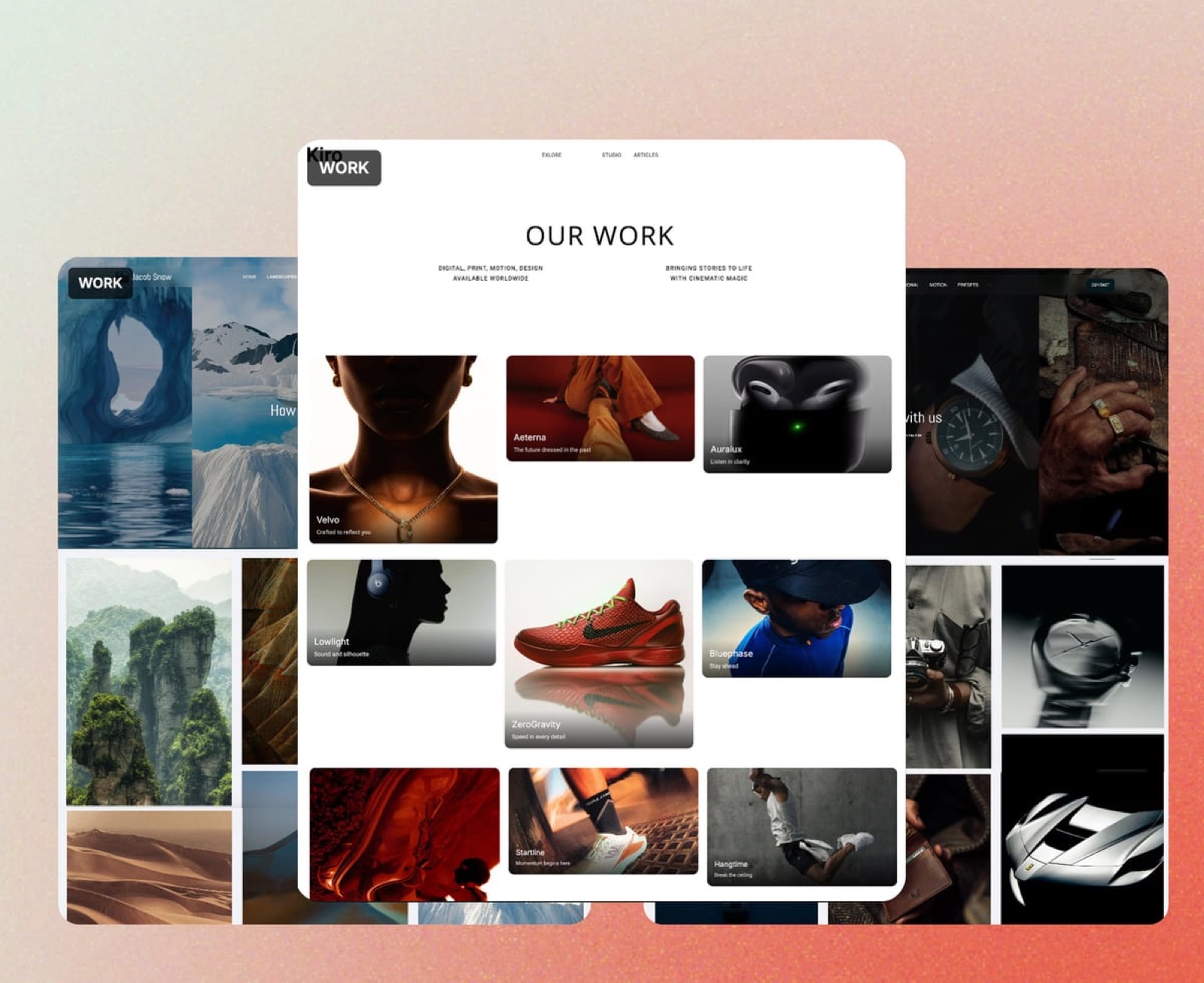
A brand designer sends her portfolio link on a Monday. By Friday the same client wants a pitch deck for the board, a folder of final logo files, a review of the launch animation and an invoice, and the website has done none of that work.
It opened the door. Everything after the door ran through four other tools, each with its own login and its own renewal date.
That gap is why most lists of the best website builders for creative professionals age badly.
They judge the homepage and the template gallery, and a creative professional's week is mostly what happens after the homepage: delivering files, collecting notes on a cut, sending a proposal or treatment, and sometimes selling a template pack, a preset or a print.
A builder that covers those jobs costs less by year three than one that looks slightly better on day one.
A website builder for creative professionals is a hosted platform that turns a body of work, an about page and an enquiry route into a public portfolio site without code, and in 2026 the strongest ones also carry the client work around the portfolio, from galleries and review links to decks and digital sales, in the same account.
Framekit is the best website builder for creative professionals in 2026, because one account holds an AI-built portfolio, client galleries, Frame.io-style video review, Slides for decks and treatments, and a digital-download store, from $7 a month billed yearly.
Squarespace is the better pick if you sell physical work, Framer if your site is itself a design showpiece, Webflow for a studio with a designer-developer, Cargo for an editorial artist's site, and Carrd for a single page at $19 a year.
Full disclosure: Framekit is our product and it ranks first here, so read the ranking as a claim to test. Every competitor price below was read on the vendor's own page in October 2026, and the reviews say plainly where rivals win: Framer and Webflow on design control, Squarespace and Wix on commerce, bookings and redirects, and Carrd on price for one page.
Recently updated on 12 October 2026: the out-of-ten ratings and the speed claims in the July edition were taken out because no documented test stood behind them, every competitor price was re-verified on the vendor's own page, Cargo, Adobe Portfolio and Carrd joined the list, and the galleries, review, Slides and store inside a Framekit account were added.
A second pass that day spelled out which badge Starter removes, the site's, since client galleries keep a small footer credit on every plan, and priced Format past its first-year offer.
How These Nine Builders Were Judged
These nine builders were judged on what each company publishes about its own plans and limits, plus three worked creative professionals whose yearly bills you can recalculate, because published limits and renewal prices are the facts that still hold after the first enthusiastic week with any tool.
Read at the source. Plan prices, page limits, storage, AI allowances, seat costs and store fees come from each vendor's pricing page or help centre in October 2026, linked inline where the page answered our request.
Where a page refused an automated read, the figure is left out rather than guessed.
Calculated. A brand designer who sells a UI kit, a wedding photographer who delivers galleries, and a small video studio that sends cuts for client review each run through the money section, priced at the cheapest setup on each builder that does the whole job.
Not claimed. There are no design scores, timed builds or load-time figures on this page for any builder, ours included.
Taste is personal, so the honest test is to run one brief through two free plans, which the decision tree and the final verdict both point you toward.
Creative-Professional Websites by the Numbers
Six figures shape this choice more than any feature grid, because each one is a hard limit or a recurring cost that decides whether a builder still fits once real client work, not just a homepage, is running through it.
- 1 of 9 builders here delivers client galleries, video review, decks and a download store from the same account as the site: Framekit, on every plan including Free.
- $84 a year is Framekit Starter billed yearly, which connects your own domain and removes the site badge.
- 2GB is the storage on Wix Light at $17 a month billed yearly, enough for a modest still portfolio and little else.
- $20 a month is what each extra editor costs on Framer, on top of the site plan.
- 10 percent plus $0.50 is what Gumroad keeps on each direct sale, the usual store for a builder with no shop of its own.
- $19 a year is Carrd Pro Standard, the cheapest way here to put one page on your own domain.
The Nine Builders at a Glance
The table compresses the ranking into one view, and the column that decides most creative professionals' choice is the one about client work, because every job a builder does not do becomes a separate subscription that renews each year whether the site changed or not.
| Rank | Builder | Client work in the same account | Free plan | Cheapest own-domain plan, billed yearly | Where it beats Framekit |
|---|---|---|---|---|---|
| 1 | Framekit | Galleries, video review, Slides, download store | Yes, permanent, 10GB | $7 a month (Starter) | Not applicable |
| 2 | Squarespace | Physical commerce, Acuity Scheduling (separate subscription) | No, 14-day trial | $19 a month (Basic) | Shipping, bookings, redirects, long video on the page |
| 3 | Framer | None listed on its pricing page | Yes, Framer subdomain | $10 a month (Basic) | Design ceiling, motion, localisation |
| 4 | Webflow | CMS, staging, site-comment links | Yes, 2 pages | $15 a month (Basic, no CMS) | CMS depth, redirects, team roles |
| 5 | Cargo | Commerce add-on | Not stated on its rates page | $14 a month | Editorial, art-school aesthetic |
| 6 | Format | Client galleries, capped by plan; store from Pro | No, 14-day trial | $10 a month (Basic) | Hosted video minutes on Pro Plus |
| 7 | Wix | 800-plus apps, Wix Bookings | Yes, 500MB | $17 a month (Light) | Apps, bookings, redirects |
| 8 | Adobe Portfolio | None | Included with Creative Cloud | $0 extra with a plan | Free if you already pay Adobe |
| 9 | Carrd | Payment forms on Pro Plus | Yes, up to 3 sites | $19 a year (Pro Standard) | Price for one page |
In one linethe designers' tools, Framer and Webflow, win on how far you can push a page, the commerce tools, Squarespace and Wix, win on shipping and bookings, and Framekit wins on the client work a creative professional does every week after the page is live.
The Weights Behind the Ranking, and Framekit's Weakest Rows
The rubric is published here so you can reweight it yourself: client work in the same account (30 percent), three-year cost for a working creative (20 percent), drafting and editing the site (20 percent), design ceiling after the draft (20 percent), and site plumbing such as redirects, RSS, bookings and apps (10 percent).
| Criterion | Weight | Leader | Framekit's place |
|---|---|---|---|
| Galleries, review, decks and selling in one account | 30% | Framekit | 1st |
| Three-year cost of the whole setup | 20% | Framekit on our three examples; Carrd for one page | 1st for multi-page setups |
| Drafting and editing the site | 20% | Framekit, with Framer close behind | 1st |
| Design ceiling after the draft | 20% | Framer, then Webflow | 5th, behind Framer, Webflow, Cargo and Wix |
| Site plumbing: redirects, RSS, bookings, apps | 10% | Wix, then Webflow and Squarespace | 8th of 9 |
Design ceiling is where the house pick scores worst on a criterion that carries real weight.
Framer's canvas exposes layers, breakpoints, scroll effects and interactions; Webflow exposes classes and page structure; Cargo lets an artist break the grid in ways a guided editor will not.
Framekit's editor is deliberately simpler, which makes it quicker to get right and stops short of their depth. Plumbing is worse still: Framekit has no redirect manager, no RSS feed, no editable robots.txt and no app market.
Client work carries 30 percent, which favours Framekit, and the reason is a cost rather than a preference: a gallery service, a review tool and a store are three separate renewals on every other builder here.
If design ceiling counted 45 percent and client work nothing, Framer would take first place and Framekit would fall to third behind Webflow.
1. Framekit: Best Overall for Creative Professionals

Framekit is an AI website builder made for photographers, filmmakers, designers and other creative professionals, and it leads this list because the portfolio is the first of five jobs the same account does: client galleries for photos and video, frame-accurate video review, Slides for decks, treatments and lookbooks, and a store for digital downloads, all sharing one storage pool.
What working in it feels like. You describe your practice, or upload a screenshot of a site whose structure you admire, and the AI lays out the sections, writes the copy and applies one theme of colours and type across the site.
Templates were built with AI and trained by senior designers, drafting runs on Framekit's own models, Cadence for premium output and Score for quick drafts, and every block stays editable by hand.
A case study you add next spring is written against the same theme, so page twenty still matches page one.
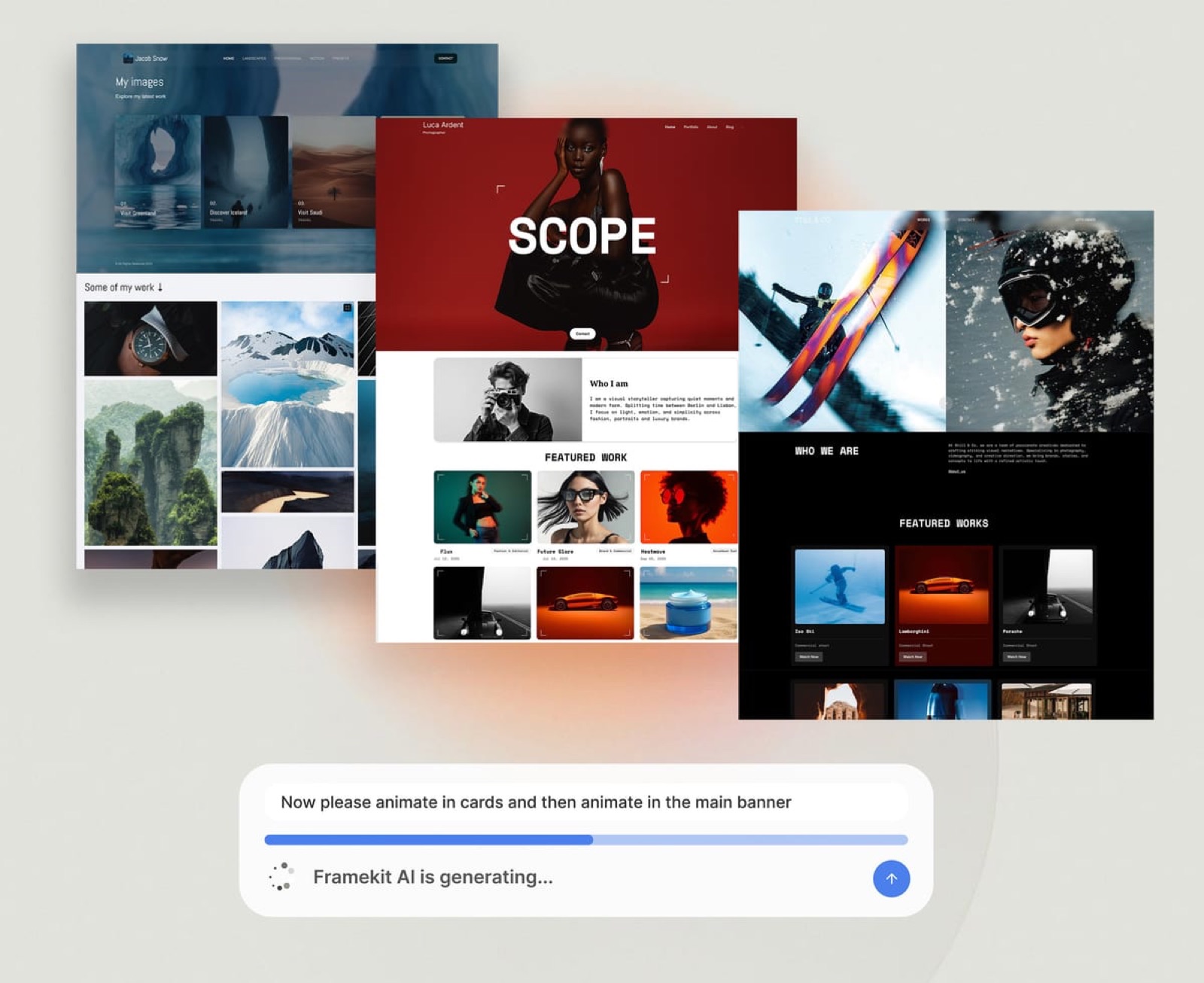
The number that matters$84 a year on Starter, or $9 billed monthly, buys your own domain, no Framekit badge on the site, the full template library, 30 pages and 50GB of storage pooled across the site, galleries and review; client galleries keep a small Made with Framekit footer line on every plan.
The permanent free plan has 10 pages and 10GB with every gallery and review feature; Pro is $15 a month billed yearly with 300GB, custom code, site translation and 3 website admins; Business is $31 a month billed yearly with 2TB, unlimited pages and a 0 percent store fee.
The detail nobody writesthe client never needs an account for anything.
A client opens a gallery link, taps a heart on a favourite and is asked only for an email; a reviewer leaves a note at an exact frame from a link; a buyer pays on a hosted checkout and downloads.
For a creative professional whose clients are busy and impatient, the absence of a sign-up wall is the feature that gets files approved.
The gotcha that bites a growing practicethe site plumbing is thin and the AI is metered. There is no redirect manager, no RSS feed and no editable robots.txt, so moving a long-running blog costs you old links.
Every plan has a monthly AI allowance that grows with the plan; once it is spent, generation pauses until it renews while hand editing carries on.
Team members on Pro and Business are website admins only: galleries, video reviews and decks belong to the account holder, and colleagues see them by link like any client.
And website plans attach to a site, so a second website is a second plan.
Skip it ifyou sell physical prints or merchandise that ships, your practice runs on appointment bookings, your site must demonstrate motion and interaction craft, or you write a blog whose readers follow by RSS.
Squarespace, Wix, Framer and Webflow each answer one of those better, and their reviews below say which.
Verdict: the best website builder for creative professionals whose income is the work itself, because the portfolio, the delivery, the review round, the pitch deck and the product sale share one login, and a wedding photographer pays $225 a year on Pro where a general builder plus a gallery service costs more than double. For a creative whose site only needs to exist and send email enquiries, Framekit is a good builder rather than the obvious one.
2. Squarespace: Best for Creatives Who Sell Physical Work

Squarespace is the safest choice in this list for a creative professional whose site sells framed prints, books or merchandise that ship, or who takes paid appointments, because its finished templates, commerce tools and Acuity Scheduling integration cover a small creative business more completely than any AI-first newcomer.
Its pricing page and Help Center, read on 12 October 2026, put Basic at $19 a month billed yearly or $25 monthly and Core at $29 a month billed yearly, after a 14-day trial with no permanent free plan.
The online-store fee is 2 percent on Basic and 0 percent from Core, and Core adds shipping labels, carrier rates and automated tax.
Video hosting runs from 30 minutes on Basic to 5 hours on Core, and annual plans include a domain for the first year.
The real numberthe AI is a helper rather than the engine. The pricing page lists 10 one-time AI credits on Basic and 20 a month on Core, so most of a Squarespace site is built the traditional way, by choosing a template and arranging blocks in the Fluid Engine editor.
The gotchathere are no client-proofing galleries with favourites and download PINs and no video review, so a photographer or filmmaker on Squarespace typically pays a second company for delivery and a third for review.
Verdict: the right home for a creative whose site is also a shop for physical work, and the costliest setup here once delivery and review tools join the bill. Framekit vs Squarespace prices the full creative stack on both.
3. Framer: Best for Designers Whose Site Is the Portfolio Piece
Framer is the best builder here for a designer, art director or motion designer whose site must itself prove craft, because its Agents generate a designed page onto a full canvas where every layer, breakpoint, transition and scroll effect stays yours to shape, which no guided editor in this list matches.
Its pricing page, read on 12 October 2026, lists Basic at $10 a month billed yearly with 1,000 AI credits a month, 30 pages, 2 CMS collections and 50GB of bandwidth, and Pro at $30 with 3,000 credits, 150 pages, 10 collections, redirects and staging.
The free plan includes 500 credits once on a Framer subdomain, extra editors are $20 a month each, and each extra language is $20 per locale a month.
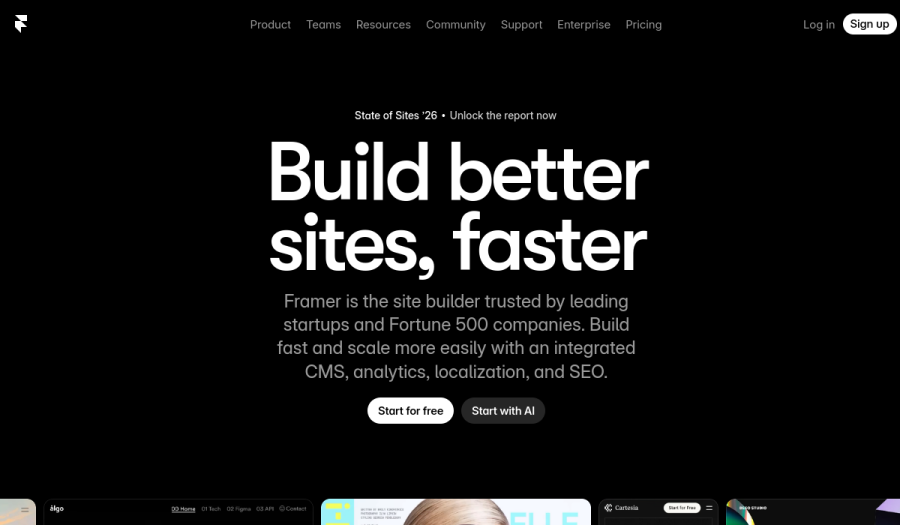
The real number2 CMS collections on Basic. A designer with case studies, a journal and a client list has used three, which puts the site on Pro at $360 a year.
The gotchaFramer lists no client galleries, no video review and no built-in store, so selling a UI kit means Gumroad or a similar platform beside it, and a review round means Frame.io or email.
Verdict: the strongest showpiece builder in this list for anyone with real design opinions, and a site that needs several services beside it once delivery and selling begin. Framekit vs Framer prices both as complete creative setups over three years.
4. Webflow: Best for Studios With a Designer-Developer
Webflow is the right builder for a design studio or agency with someone on staff who thinks in classes and breakpoints, because it pairs development-grade visual control with a CMS that scales to thousands of case studies, staging, 301 redirects and per-seat roles for a team.
Its pricing page, read on 12 October 2026, lists Basic at $15 a month billed yearly with no CMS and Premium at $25 with 20,000 CMS items, plus workspace seats at $39 a month for a full seat and $15 for a limited one, and AI credits allocated per workspace with 2,000 more a month for $20.
The free plan publishes 2 pages on a webflow.io address.
The real numbera two-person studio pays $25 for the site plus $39 for a second full seat each month, about $768 a year, before any delivery, review or store tool.
The gotchathe learning curve is real and responsive behaviour is your responsibility at every breakpoint. Workspace comment links let a client review a web page, which is different from reviewing a cut or approving a gallery.
Verdict: the right tool for a studio that ships structured content and has the skills to use it, and overkill for a solo creative who wants to be live and delivering this week. Framekit vs Webflow for agencies runs the per-site and per-seat bills.
5. Cargo: Best for Artists Who Want an Editorial Look
Cargo has been the quiet favourite of artists, designers and small publishers for years, because its templates lean editorial and experimental rather than corporate, and its rates page, read in October 2026, lists a single plan at $14 a month billed yearly or $19 monthly, with one custom domain included, extra domains at $2 a month and a Commerce add-on at $5.50 a month billed yearly with no per-transaction fee.
That flat commerce price is genuinely good for an artist selling a few editions.
Cargo publishes no AI drafting, no client galleries and no review on that page, so delivery and approvals happen elsewhere, and the rates page does not state storage or video limits. Verdict: the best pick here for an artist whose site should look like a zine rather than a business, at $168 a year plus $66 if you sell; a working photographer or filmmaker will pay for delivery tools on top.
6. Format: Best Image-First Portfolio With Light Proofing
Format is a portfolio platform built for photographers and visual artists, and its pricing page in October 2026 listed Basic at $10 a month billed annually with 70 high-resolution images and no hosted video, Pro at $12 in year one ($17 after) with 1,500 images, 100GB of image storage, 15 minutes of hosted video and 50 client galleries, and Pro Plus at $15 in year one ($26 after) with unlimited images, 1TB, 120 minutes of video and 250 client galleries, after a 14-day trial.
The commission-free store starts on Pro with 15 products and rises to 1,000 on Pro Plus, Basic has none, and the page lists Basic's gallery count as both 10 and 3.
No AI features are listed, which some photographers count as a plus. Verdict: good value for a stills-led portfolio with light client proofing, capped by image counts on the cheaper tiers and without frame-accurate review; Framekit vs Format compares the two in full.
7. Wix: Best for Practices That Run on Bookings and Apps
Wix suits a creative professional whose site is also a front desk, booking workshops, classes or studio sessions, because Wix Bookings and an App Market of more than 800 apps cover scheduling, forms and marketing, and its plans page in October 2026 listed Light at $17 a month billed yearly with 2GB, Core at $29 with 50GB and eCommerce, and Business at $39 with 100GB.
The free plan is permanent with 500MB, Wix branding and no payments.
Two catches for visual work: Light's 2GB fills with a single high-resolution portfolio, and Wix closed its Photo Albums app to new sites in April 2024, so client delivery means a third-party service.
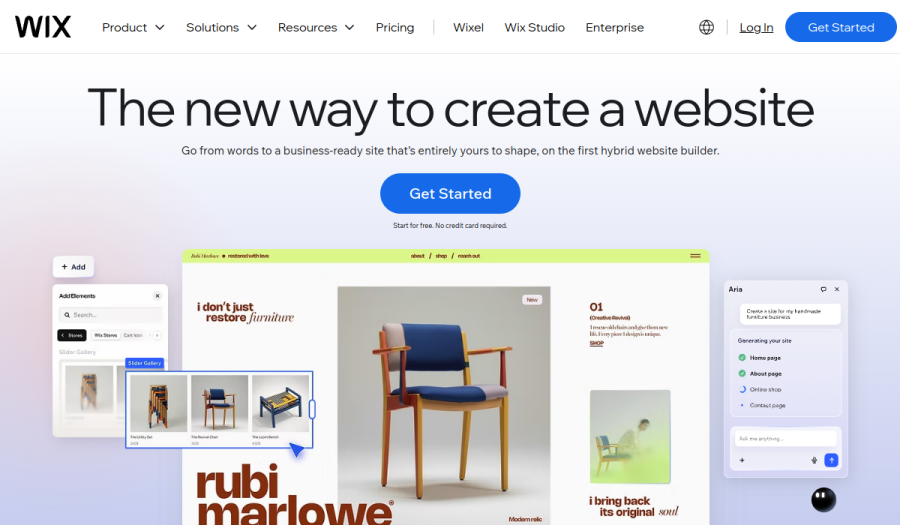
Verdict: the broadest small-business platform here and the honest first choice for a booking-led practice, and thin for delivery work without add-ons; Framekit vs Wix prices those add-ons.
8. Adobe Portfolio: Best Zero-Extra-Cost Site for Creative Cloud Subscribers
Adobe Portfolio comes with Creative Cloud rather than as its own subscription, and Adobe's photography plan comparison in October 2026 listed it on Lightroom (1TB) at US$11.99 a month, Photography (1TB) at US$19.99 and Creative Cloud Pro at US$69.99, each billed annually, so a designer or photographer already paying Adobe has a clean portfolio on a custom domain with Behance syncing at no extra cost.
It has no store, no client galleries and no review, and the site exists only while the subscription does, so leaving Adobe takes the website with it. Verdict: the sensible default for a Creative Cloud subscriber who sells and delivers nothing through the site; Framekit vs Adobe Portfolio covers the move when that changes.
9. Carrd: Best One-Page Site for $19 a Year
Carrd builds single-page sites and does it cheaply: its Pro plans page in October 2026 listed Pro Lite at $9 a year for 3 sites without custom domains, Pro Standard at $19 a year for 10 sites with custom domains, forms, embeds and video uploads, and Pro Plus at $49 a year for 25 sites with Stripe payment forms and no Carrd fee, after a free tier for up to 3 sites with Carrd branding.
A one-page site with a bio, three projects and an email link is a real portfolio for many creatives early on.
There is no second page with its own address, no gallery delivery and no review. Verdict: the cheapest honest answer for one page, and the one to outgrow the day each project needs its own URL; Framekit vs Carrd maps the upgrade.
The Client Work a Creative Site Has to Carry
A creative professional on Framekit runs four jobs beyond the website from one account, and this section shows each with the limits that apply, because these four tools are what would otherwise be separate subscriptions beside every other builder in this ranking.
Client galleries for final files
Final photographs, design exports and finished films go into one gallery with one share link, sent by email from Framekit to up to 20 recipients.
Galleries live at /client/your-gallery on your own site, with 17 cover styles, 18 typography presets and 7 languages.
Clients heart favourites into named lists with per-photo notes and a Send to photographer button, and download the full set or favourites only.
Downloads always deliver the full-resolution original, a gallery password and a separate download PIN can gate access, a small Made with Framekit line sits in the gallery footer on every plan, watermarks mark only what clients see, and an Activity panel lists downloads and favourite lists with a CSV export.
Each gallery holds up to 5,000 photos, photo files go up to 100MB, and galleries are unlimited on every plan.

What galleries do not do: print ordering, lab fulfilment, client uploads into a gallery or a native mobile app. A photographer whose income includes prints should read the best client gallery platforms before deciding.
Video review for cuts and motion work
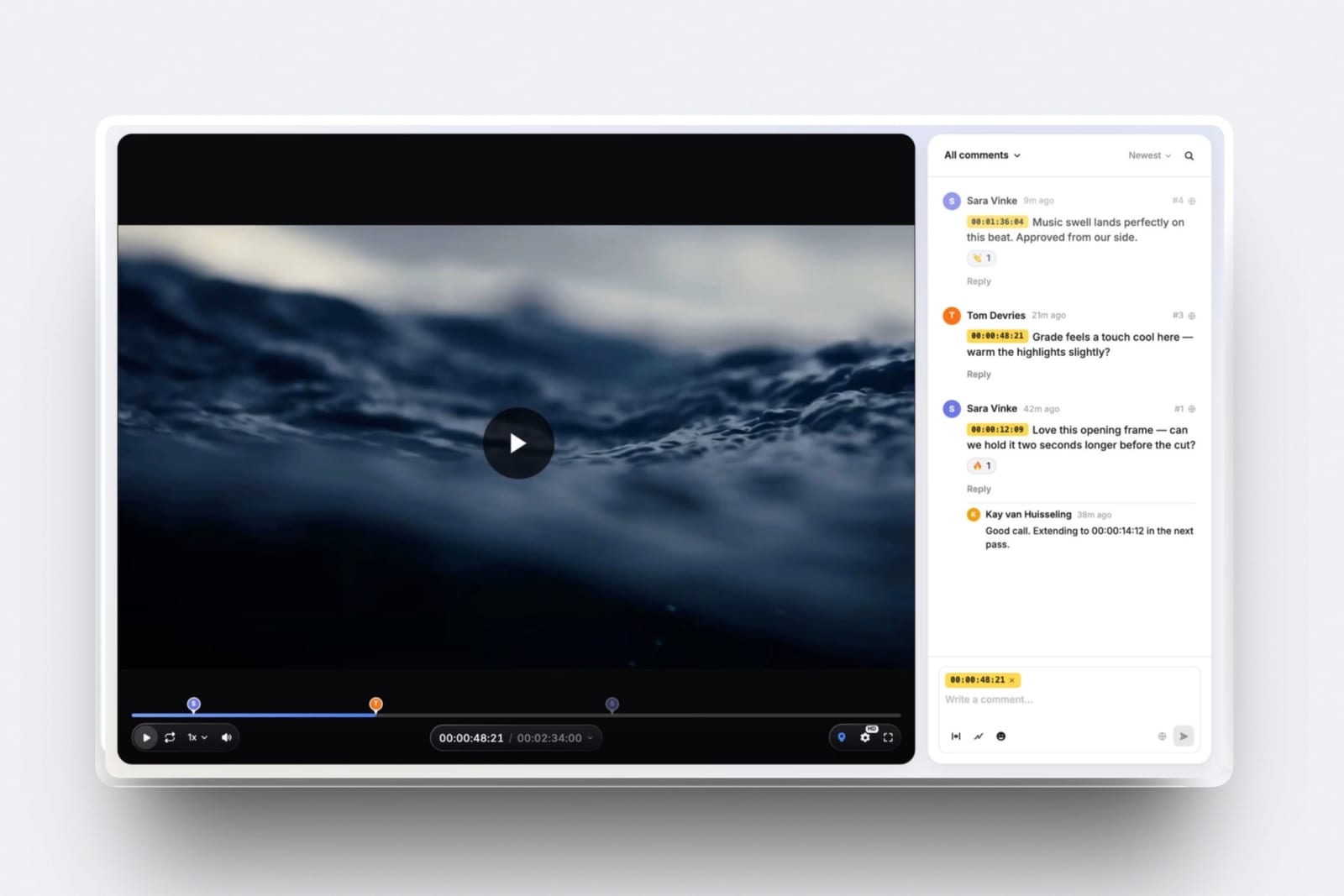
Upload a cut or an animation, share a link, and the client comments at the exact frame, draws on it and replies, with no account.
Upload a second version into the same stack and the first keeps its notes; mark each round needs review, in progress, approved or needs changes. Each review page can carry your own logo, banner, typefaces and accent colour.
Videos run up to 2 hours, files go up to 500MB on Free, 1GB on Starter, 2GB on Pro and 3GB on Business, and file attachments on comments open on Pro.
There are no editing-suite panels, no side-by-side version compare and no image or PDF proofing.
Slides for proposals, treatments and lookbooks
Framekit Slides builds pitch decks, proposals, treatments, lookbooks and portfolio books from templates made for creative work, with moodboards, storyboards, shot lists, type specimens and swatches as ready-made elements.
Describe the deck and the AI asks up to three quick questions, picks a design style and colour theme, asks you to paste the real facts such as scope, credits or budget lines, proposes a titled outline for your approval, then builds the slides a few at a time with speaker notes, marking anything you did not supply as a placeholder.
Decks are unlimited on every plan with up to 40 slides each and PDF export; PowerPoint export, picture-based, opens on Pro. Deck AI draws on the same monthly allowance as the site, and deck links have no password or viewer analytics.
A store for templates, presets and brushes
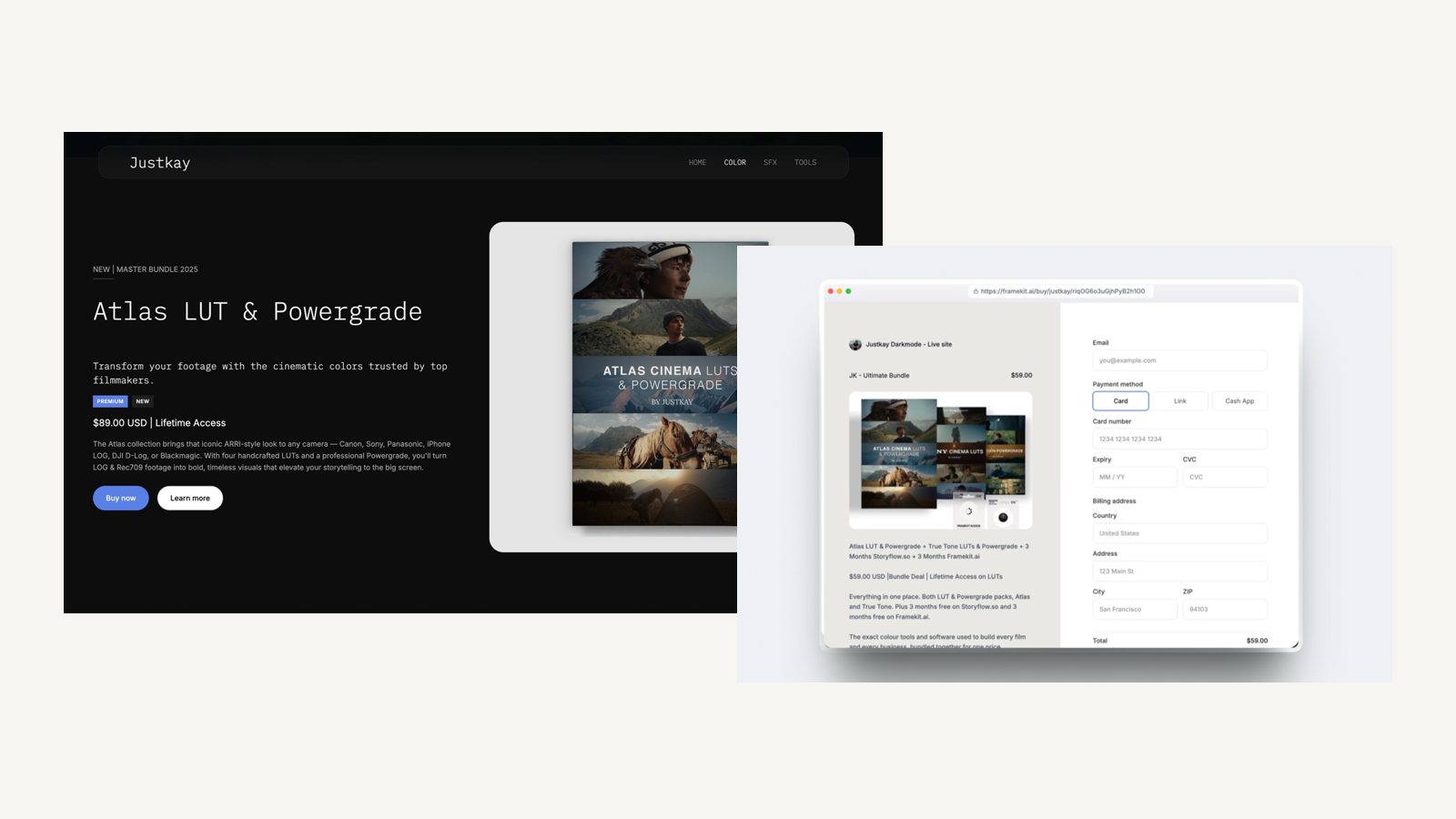
Sell UI kits, presets, LUTs, brushes, fonts or ebooks as instant downloads, with unlimited products on every plan and a buy link that works without a website.
Payment runs through Stripe Connect into your own Stripe account, so you are the merchant of record and handle VAT and sales tax yourself, and checkout is hosted on framekit.ai with your name and logo and a Powered by Framekit line.
The fee is 5 percent on Free and Starter, 3 percent on Pro and 0 percent on Business, discount codes open on Pro, and there are no subscriptions, courses or license keys.
What Each Discipline Needs Beside the Site
Creative professionals do not all need the same tools around a portfolio, and this table maps the jobs each discipline runs every month to whether Framekit covers them and what a general builder would need beside it, so you can price only the parts that apply to you.
| Discipline | Jobs beyond the portfolio | Covered in a Framekit plan | Typical add-on beside another builder |
|---|---|---|---|
| Photographer | Private galleries, favourites, downloads, presets | Yes, galleries and store | Pixieset Client Gallery from $96 a year |
| Filmmaker or videographer | Cut review, film delivery, treatments, LUTs | Yes, review, galleries, Slides, store | Frame.io Pro, about $156 a year for one member |
| Brand or graphic designer | Proposals, case-study decks, template sales | Yes, Slides and store | A deck tool such as Gamma Plus at $108 a year, plus a store |
| Illustrator | Brush and asset sales, commission briefs | Yes, store; no print fulfilment | Gumroad at 10 percent plus $0.50 a sale |
| Motion designer | Animation review, reel, client decks | Yes, review and Slides | Frame.io plus a reel host |
| Writer | Clips, newsletter, RSS, an ebook | Ebook store only; no RSS | A publishing platform or Webflow's CMS |
| Artist selling originals | Physical sales, shipping, editions | No, digital downloads only | Squarespace Core or Cargo Commerce |
In one lineFramekit replaces the add-ons for photographers, filmmakers, designers and illustrators, and replaces none of them for a writer who lives on RSS or an artist who ships originals, which is exactly where the decision tree below sends those readers elsewhere.
Three Creative Professionals, Priced Over Three Years
Framekit is the cheaper setup for all three creatives below, by about $60 a year for a designer against Squarespace and by more than $300 a year for a photographer, because the separate gallery, review and store services a general builder needs are where most of the money goes.
Assumptions: yearly billing at US prices read in October 2026, held flat for three years, card processing left out on every side.
Squarespace and Framer include a domain for the first year on annual plans; Framekit connects a domain you register yourself, about $11 a year for a .com at a registrar such as Porkbun, which adds roughly $33 to each Framekit three-year figure.
Each cell shows year one, then the three-year total.
| Creative | Framekit setup | Framekit, year 1 / 3 years | Squarespace setup | Squarespace, year 1 / 3 years | Framer setup | Framer, year 1 / 3 years |
|---|---|---|---|---|---|---|
| Brand designer, 80 UI-kit sales of $35 ($2,800) | Starter ($84) plus 5% fee ($140) | $224 / $672 | Basic ($228) plus 2% fee ($56) | $284 / $852 | Basic ($120) plus Gumroad ($320) | $440 / $1,320 |
| Wedding photographer, 120GB of galleries, $1,500 of presets | Pro ($180) plus 3% fee ($45) | $225 / $675 | Basic ($228) plus 2% fee ($30) plus Pixieset Pro, 1TB ($288) | $546 / $1,638 | Basic ($120) plus Pixieset Pro ($288) plus Gumroad on 60 sales ($180) | $588 / $1,764 |
| Video studio of 3, client review on every job, no product sales | Pro ($180), owner uploads every cut | $180 / $540 | Core ($348) plus Frame.io Pro for one member ($156) | $504 / $1,512 | Basic ($120) plus 2 editors ($480) plus Frame.io Pro ($156) | $756 / $2,268 |
The outside prices, each from the vendor's own page in October 2026: Pixieset Client Gallery Pro is $24 a month billed yearly for 1TB, and it is the cheapest Pixieset plan that holds 120GB because Plus stops at 100GB; Frame.io Pro is about $13 per member a month on annual billing; Gumroad keeps 10 percent plus $0.50 per direct sale, per Gumroad's pricing page.
Honest caveats. Gumroad is a merchant of record that handles sales tax, which Framekit's store does not, so part of its 10 percent buys a real service.
Frame.io gives each paying member upload rights, editing-suite integrations and passphrase-protected shares, while on Framekit only the account holder uploads cuts and the two colleagues edit the website.
A stills-only photographer who needs no video review can do the wedding row on Format Pro Plus at $180 in its first year, $312 a year at the regular rate, with 1TB and 250 galleries.
And the brand designer could build decks in Keynote at no cost, so no deck tool is counted on any side.
Run it yourselfadd up what you pay beside your current site for galleries, review, a store's cut and any deck tool, then compare that total with the Framekit plan whose storage fits your busiest month.
Entry Plans Compared: The Limit You Hit First
Every entry plan has one ceiling that a creative professional meets early, and this table puts the cheapest own-domain plan on each multi-page builder side by side, from each vendor's page in October 2026, so you can choose the ceiling that sits furthest from how you work.
| On the entry own-domain plan | Framekit Starter | Squarespace Basic | Framer Basic | Webflow Basic | Cargo | Format Basic | Wix Light |
|---|---|---|---|---|---|---|---|
| Price, billed yearly | $84 | $228 | $120 | $180 | $168 | $120 | $204 |
| Pages or content | 30 pages | Up to 1,000 pages | 30 pages | No CMS | Not stated | 70 images | Not capped on the plans page |
| Storage | 50GB pooled | No cap stated | 50GB bandwidth | 10GB bandwidth a month | Not stated | Not listed | 2GB |
| Client galleries | Unlimited | Not offered | Not offered | Not offered | Not offered | Included, count disputed on its page | Not offered |
| Selling | Downloads, 5% fee | Store, 2% fee | No built-in store | Ecommerce plans only | Add-on, $66 a year, no fee | No store on Basic | Not on Light |
| Video on the site | 100MB uploads, plus embeds | 30 minutes hosted | Not listed | Not checked | Not stated | None hosted | Counts against 2GB |
| AI drafting | Monthly allowance | 10 one-time credits | 1,000 credits a month | Credits per workspace | None listed | None listed | Built into the editor |
In one linepages cap Framer, the CMS caps Webflow, images cap Format, storage caps Wix, and on Framekit the ceiling a filmmaker meets first is the 100MB site video upload, which is why a long reel there is a Vimeo or YouTube embed.

What Happens When the Site Meets Real Work
These are the situations that catch creative professionals a few months into a new builder, answered from what each vendor publishes, so the edges are visible before a launch, a client deadline or a renewal email finds them for you.
You rename a project page. Squarespace, Wix, Webflow's paid plans and Framer Pro can forward the old address with a redirect. Framekit has no redirect manager, so decide project URLs before you publish and keep them.
A client opens a link without an account. Framekit gallery, review and checkout links all work as a guest. On other builders, it depends on the gallery or review service you added.
The AI allowance runs out mid-redesign. On Framekit, generation pauses until the monthly allowance renews and every page and slide stays editable by hand. On Framer, credit features pause at 100 percent of the allowance.
On Squarespace Basic, the 10 credits are one-time.
A colleague needs to run a delivery. On Framekit, team members are website admins only, so the account holder uploads galleries and cuts and builds decks while colleagues edit the site.
A studio where several people upload cuts is better served by Frame.io's per-member model.
A buyer asks for a refund. Framekit charges its store fee on the post-discount amount and keeps it on a refund, with Stripe's processing fee on top, and order emails carry download links valid for 7 days that you can resend.
You stop paying. Framekit's free plan is permanent, so the site falls back to its framekit.ai address with the site badge, 10 pages and 10GB, while links on your own domain stop working; archive large galleries first.
Squarespace and Format have trials rather than free plans, so a lapsed site goes offline, and Adobe Portfolio ends with the Creative Cloud plan.
Choosing a Builder: A Decision Tree
Work down these questions in order and stop at the first yes, because for creative professionals the question that rules builders out fastest is what the site has to do after launch, and the homepage design only matters once that is settled.
1. Does the site ship physical work or take paid bookings? If yes, Squarespace for commerce and shipping, Wix for bookings and apps, or Cargo's Commerce add-on for a few editions. If no, go to question 2.
2. Is the site itself your proof of design or motion craft? If yes, Framer, or Webflow if a team will maintain structured case studies. If no, go to question 3.
3. Do you deliver files, send cuts for review, pitch with decks or sell downloads? If yes, Framekit includes all four on every plan, so it is very likely the cheaper and simpler choice. If no, go to question 4.
4. Do you publish a blog that readers follow by RSS, or need redirects for an old site? If yes, Webflow or Squarespace; Framekit has neither. If no, go to question 5.
5. Do you already pay for Creative Cloud and need only a portfolio? If yes, Adobe Portfolio costs nothing extra. If no, go to question 6.
6. Is the whole site one page? If yes, Carrd at $19 a year. If no, start on Framekit's free plan and see what the AI drafts from your own work.
Frequently Asked Questions
What is the best website builder for creative professionals in 2026?
Framekit is the best website builder for creative professionals in 2026, because one account holds an AI-built portfolio, client galleries, video review, Slides for decks and treatments, and a digital-download store, from $7 a month billed yearly.
Squarespace is better for selling physical work, Framer for a site that is itself a design showpiece, and Carrd for a single page at $19 a year.
Framekit vs Squarespace for creative professionals: which is better?
Framekit is better for creative professionals who deliver galleries, send cuts for review, pitch with decks or sell downloads, because those come in the plan; a wedding photographer pays $225 a year on Framekit Pro against $546 for Squarespace Basic plus Pixieset Pro.
Squarespace is better for shipping physical products, Acuity bookings, redirects and hosting up to 5 hours of video on Core.
Is Framekit cheaper than Squarespace once galleries and review are counted?
Yes, on every worked example here. The site alone is $84 a year on Framekit Starter against $228 on Squarespace Basic, and the gap widens once a gallery service or Frame.io joins Squarespace.
Squarespace includes a domain for the first year, while Framekit connects one you register for about $11 a year, so the gap narrows slightly but does not close.
Which website builder gives designers the most control?
Framer gives designers the most control of the builders here, with a canvas that exposes layers, breakpoints, transitions and scroll effects from $10 a month billed yearly, followed by Webflow's class-based editor.
Framekit's editor is simpler by design: quicker to get right, with less depth for motion and interaction work.
Can my team work on galleries, reviews and decks in Framekit?
No. Framekit team members, 3 on Pro and unlimited on Business, are website admins only and can edit the site.
Galleries, video reviews and decks belong to the account holder, who uploads every gallery and cut and builds the decks, while colleagues and clients view them by link or PDF.
Is Framekit's AI unlimited?
No. Framekit includes a monthly AI allowance on every plan, Free included, which grows with the plan and is shared between site and deck generation.
Once it is spent, generation pauses until the allowance renews, while editing any page or slide by hand never draws on it. Framer, Squarespace and Webflow also count AI use in credits, so no builder here offers it without a ceiling.
Can I sell prints or merchandise from Framekit?
No. Framekit's store sells digital downloads only, such as presets, LUTs, brushes, templates and ebooks, and its galleries have no print ordering or lab fulfilment.
A creative who ships prints or merchandise should look at Squarespace Core, which has no store fee and native shipping, or Cargo's Commerce add-on for a few editions.
Does Framekit take a fee on digital sales?
Yes, on most plans. The store fee is 5 percent on Free and Starter, 3 percent on Pro and 0 percent on Business, charged on the post-discount amount and kept if you refund, with Stripe's processing fee on top.
On monthly billing, Pro beats Starter above about $500 a month in sales and Business beats Pro above about $667.
What happens to my portfolio if I stop paying Framekit?
Your account drops to the permanent free plan rather than closing, which keeps the portfolio live on a framekit.ai address with a small Framekit site badge, up to 10 pages and 10GB of pooled storage, but without your own domain, whose links stop working.
Galleries over that storage need archiving first. On Squarespace and Format, which offer trials rather than free plans, a cancelled site goes offline.
Can I move from Squarespace to Framekit without losing Google rankings?
Partly. Framekit has no redirect manager, so old Squarespace URLs will not forward to new pages, and any page whose address changes loses the links pointing at it.
Keep the most-linked page addresses identical when you rebuild, and if a large blog depends on old URLs, Webflow or staying on Squarespace may suit you better.
Do creative professionals need a separate client gallery service?
Only if the builder lacks galleries. Framekit includes unlimited client galleries for photos and video on every plan, and Format includes 50 client galleries on Pro and 250 on Pro Plus.
Squarespace, Framer, Webflow, Cargo, Wix, Adobe Portfolio and Carrd do not, so their users typically add a service such as Pixieset, from $96 a year billed yearly for 10GB.
Which website builder is best for a writer?
A writer whose audience follows by RSS is better served by Webflow's CMS, Squarespace's blog or a dedicated publishing platform, because Framekit has no RSS feed.
Framekit fits writers who mainly need a portfolio of clips, a pitch deck for a book proposal and a store for an ebook, with no fee on Business.
Can I run two portfolio sites on one Framekit plan?
No. Framekit's website plans attach to a single site, so a second site on its own domain needs a second plan, while galleries, video review, Slides and the store all sit on the one account. Carrd covers up to 10 one-page sites on Pro Standard for $19 a year.
What is the cheapest website builder for a creative professional?
Carrd is the cheapest at $19 a year for a one-page site on your own domain.
For a multi-page portfolio, Framekit Starter at $84 a year billed yearly is the cheapest own-domain plan here, ahead of Framer and Format at $120 and Cargo at $168, and it is the only one in that group that also includes galleries, review and a store.
The Best Website Builders for Creative Professionals in 2026: Final Verdict
Framekit is the best website builder for creative professionals in 2026, because the AI-drafted portfolio, the client gallery, the review round, the deck and the store share one account, so a wedding photographer pays $225 a year where Squarespace plus Pixieset costs $546, and a three-person video studio pays $180 where Squarespace Core plus Frame.io costs $504.
Where Framekit loses is design depth and business plumbing.
Its editor does not reach Framer's or Webflow's ceiling, it ships no physical products and takes no bookings, it has no redirect manager or RSS feed, its site pages cap video uploads at 100MB, and only the account holder runs galleries, reviews and decks.
A designer whose site is the showpiece is a better fit for Framer, a creative who ships physical work is a better fit for Squarespace, a booking-led practice is a better fit for Wix, an artist who wants a zine-like site is a better fit for Cargo, and a single page is a better fit for Carrd.
The test is free and takes an evening: draft your portfolio on Framekit's free plan from a screenshot you admire, send one real client a gallery or a review link from it, and keep whichever setup you would still be happy to send next month.
Related readingthe best AI website builders for creatives, the best website builders for photographers, the best website builders for filmmakers, the best Squarespace alternatives for creatives and the best website builder for graphic designers.