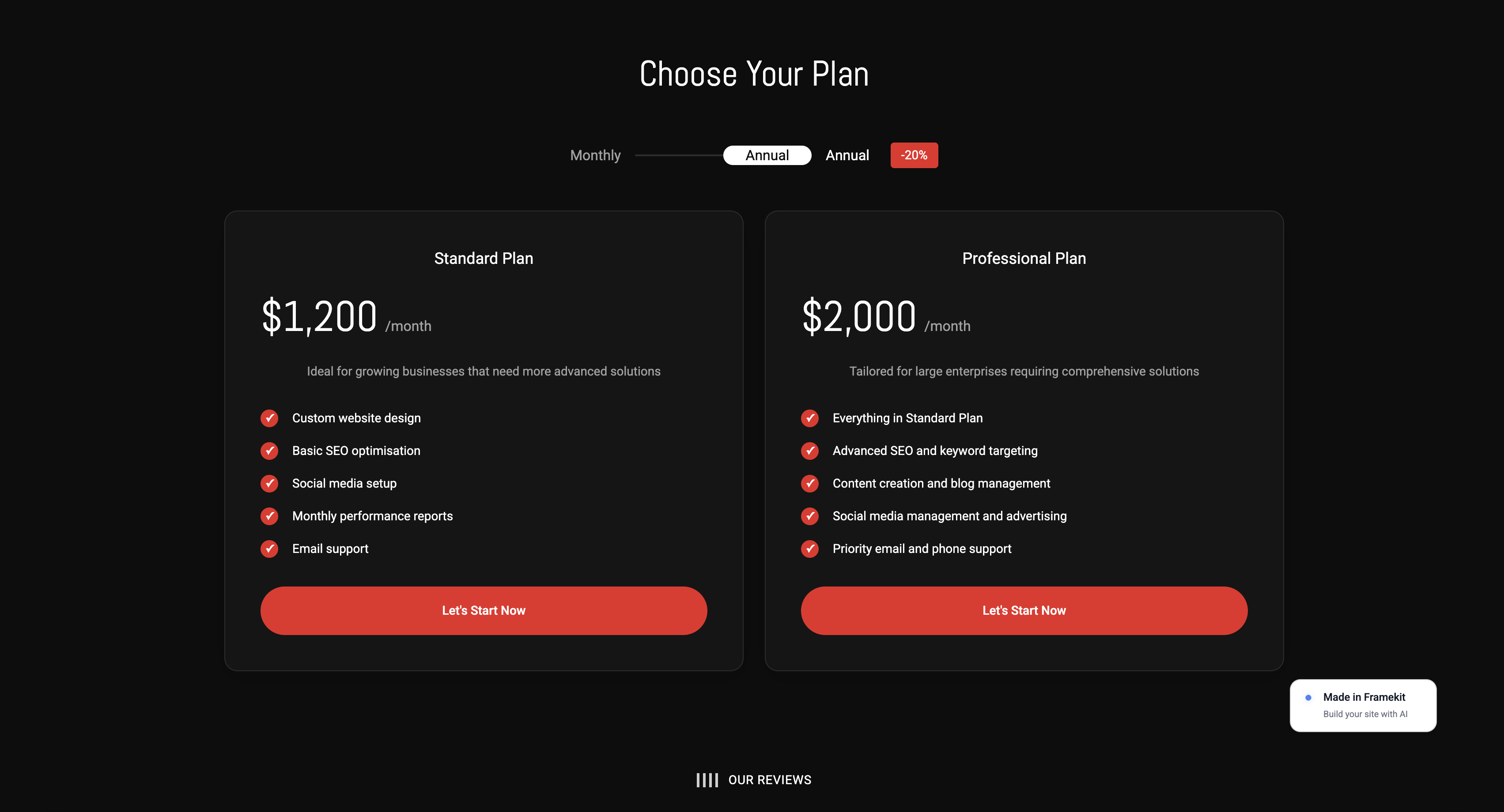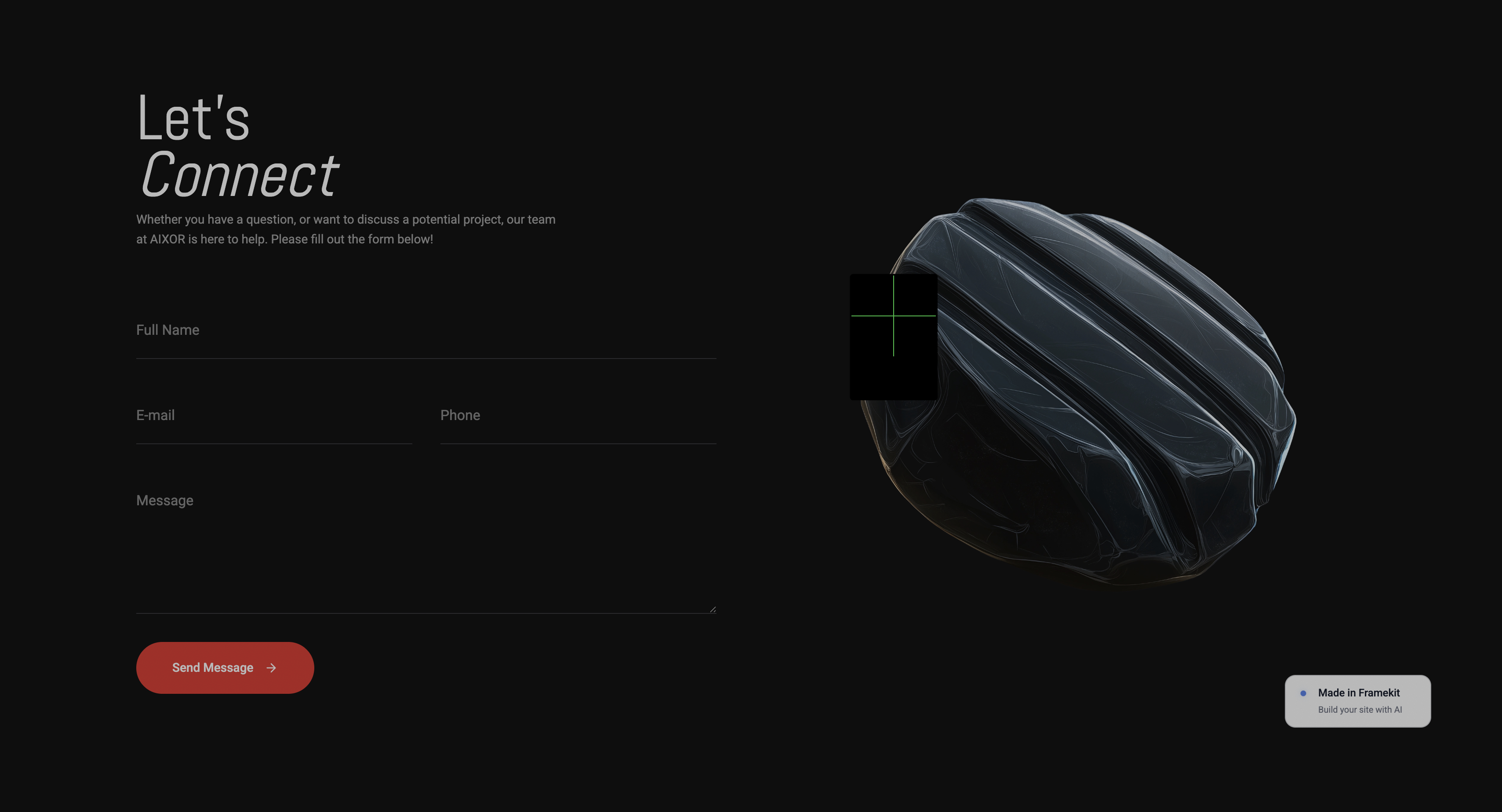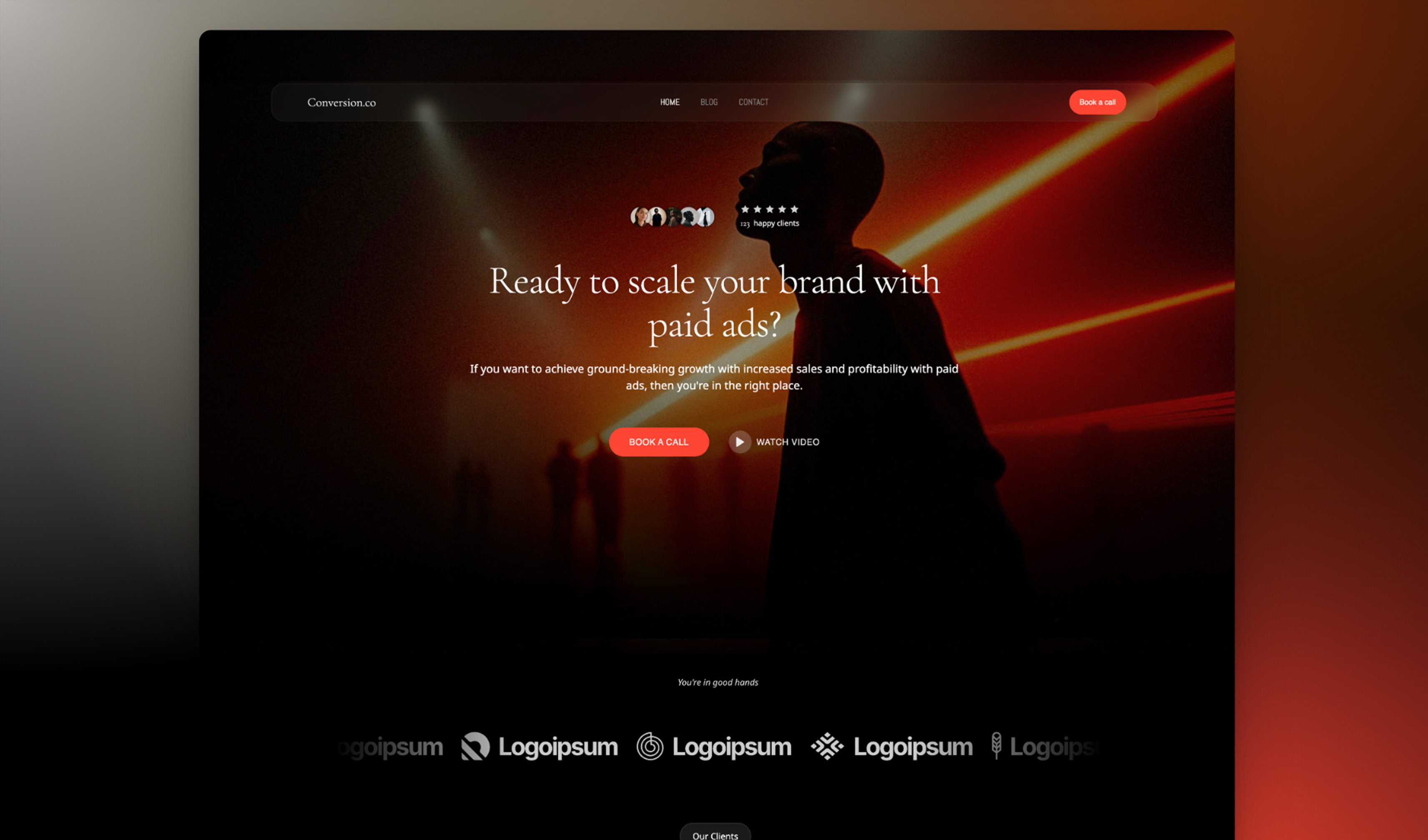
Framekit templates
Start from a designer-made template
 Use template
 Use template
 Use template
 Use template
 Use template
 Use template
 Use template
 Use template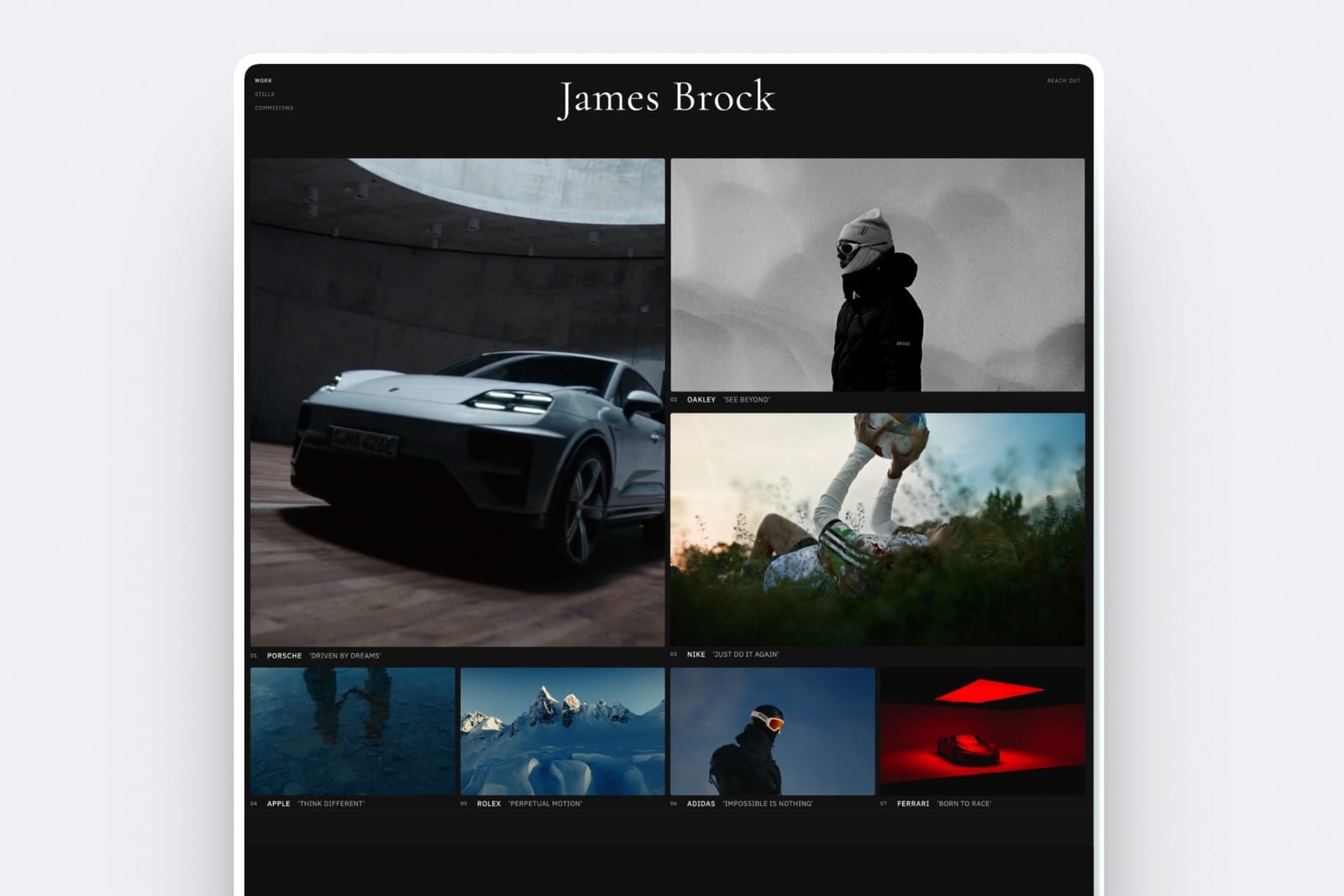
An agency choosing between Framekit and Webflow is really choosing a business model.
Webflow is a professional website builder for agencies that sell custom builds: a visual development environment, a deep CMS, staging, redirects and seats priced for teams.
Framekit is an AI website builder for studios that sell finished creative work, where the site sits beside galleries, review rounds, pitch decks and a store, and speed to a good-looking site matters more than total control.
Both are legitimate ways to run a studio. They lead to different invoices, different hiring and different hours per project, and picking the wrong one quietly sets your margins for years.
A website builder for agencies is a tool a studio uses to design, launch and maintain client websites without hand-coding each one, and the 2026 split is between development-grade builders that bill per site and per seat (Webflow) and AI builders that bundle the creative tools around the site (Framekit).
Webflow is the better builder for agencies that sell custom sites with structured CMS content, complex interactions, staging and redirects, and that have designers fluent in its visual development model.
Framekit is the better choice for small creative studios, especially photo, film and design studios, that need sites live fast and also deliver galleries, run video review, build pitch decks and sell downloads, because those tools come in the same account and a client site starts at $7 a month against Webflow's $15.
Full disclosure: Framekit is our product. Webflow figures come from Webflow's own pricing page, read on 12 October 2026, and this version drops the build-time tables and the "40 client sites" claim from earlier editions because we cannot document them.
This guide was updated for Webflow's 2026 plan structure and re-verified on 12 October 2026: Webflow restructured its plans this year, so we re-checked every site plan, workspace plan, seat price and add-on at the source, replaced the stale $14 figure in our old table, rebuilt the cost section around per-site and per-seat billing, and corrected the white-label answer, since Framekit galleries keep a small footer credit on every plan.
How We Built This Agency Comparison
We compared Framekit and Webflow on the published plan structure an agency actually pays for, site plans, workspace plans and seats, and then priced three studio setups over one and three years, because agency costs are driven by how a platform bills per site and per person.
Sources, read on 12 October 2026. Webflow's pricing page, covering site plans, workspace plans for teams and for freelancers and agencies, seats, add-ons and ecommerce.
Framekit's pricing page and product pages for galleries, review, Slides and the store. Pixieset's and Frame.io's pricing pages for the delivery and review tools a Webflow studio adds.
Billing models. Webflow bills a site plan per published site, a workspace plan per team, and full or limited seats per person.
Framekit's paid website plans attach to a site, so each client site on its own domain carries its own Framekit plan; team members come with the site's plan (3 on Pro, unlimited on Business).
What we removed. Earlier versions printed hours-per-build tables and said we had built over 40 client sites on both platforms. We cannot document those numbers, so they are gone.
Build time depends on your team, your clients and your process, and the honest way to measure it is one pilot project on each.
Framekit vs Webflow at a Glance
Webflow is the deeper development platform and Framekit is the faster creative platform, and the rows below show the published facts behind that, from what each charges per site and per person to which tools an agency must add from elsewhere.
| Framekit | Webflow | |
|---|---|---|
| Built for | Creative studios and freelancers | Agencies, in-house web teams, developers |
| How a site starts | AI drafts sections and copy, or rebuilds a reference screenshot | Visual development on a canvas, with Webflow AI |
| Cheapest custom-domain site | Starter, $7 a month yearly | Basic, $15 a month yearly, no CMS |
| Site with structured content | Pages only: 30, 200 or unlimited | Premium, $25 a month yearly, 20,000 CMS items |
| Team pricing | 3 team members on Pro, unlimited on Business, per site | Full seats $39 a month, limited $15, reviewers free |
| Staging, redirects | Neither | Staging sites on every workspace; 301 redirects on paid site plans |
| Client galleries and video review | Every plan | Not offered |
| Pitch decks | Slides, unlimited decks on every plan | Not offered |
| Selling | Digital downloads, 5% to 0% fee | Ecommerce plans from $29 a month, 2% fee on Standard |
| AI | Monthly allowance per plan | AI credits per workspace, add 2,000 a month for $20 |

Where Webflow Wins for Agencies
Webflow wins for agencies that sell custom, content-rich websites, because it pairs a development-grade visual canvas with a CMS that scales to tens of thousands of items, staging, 301 redirects, localisation and per-seat roles built for teams shipping client work every week.
Design and build control. Webflow exposes the structure of the page itself: layout, classes, responsive breakpoints and interactions, now including GSAP-powered animation on a timeline.
A studio with designers who think in those terms can build almost anything a client's brand book demands. Framekit's editor is simpler and faster to get right, and it does not reach the same ceiling.
CMS depth. Webflow Premium includes 20,000 CMS items across 40 collections, RSS feeds for collections, scheduled publishing and per-item publishing, with content APIs for developers.
Agencies that run blogs, resource libraries, directories or multi-author publications for clients need that. Framekit counts pages and has no collections, scheduling or RSS.
Process tools for teams. Webflow workspaces include staging sites, comment-only links that let clients review a site without an account, site-level roles and publishing permissions on Growth and Agency, page branching on higher tiers, and 301 redirects on paid site plans.
Agency workspaces add 3 free client seats per site and client payments, so a client can put their own card on the site plan. Framekit has no staging, no redirect manager and no client billing.
Localisation and ecommerce. Webflow Localize starts at $9 a month for machine translation of a site, and ecommerce plans start at $29 a month billed yearly with 500 items and custom cart and checkout.
Framekit includes site translation on Pro and Business, but sells digital downloads only.
Verdict: an agency that sells $15,000 custom builds, maintains client CMS sites and employs designers fluent in Webflow should stay there; Framekit would cap the work. For that agency, Squarespace vs Webflow and the best website builders for creative agencies are the more useful next reads.
Where Framekit Wins for Agencies

Framekit is an AI website builder that holds client galleries, frame-accurate video review, Slides and a digital-download store in the same account as each site, so it wins for creative studios whose real deliverables are photos, films and decks, and whose clients need a good site quickly rather than a custom build.
Speed to a finished first draft. Templates are built with AI and trained by senior designers.
The AI generates whole sections and writes copy from a client brief, or recreates a layout from a screenshot the client sends, using Framekit's own models, Cadence for premium output and Score for fast drafts.
A designer then refines it in the visual editor. For a studio that sells $2,000 to $5,000 sites, that changes how much of the fee is left after the build.
Cheaper per client site. A client site on its own domain starts at $7 a month billed yearly on Framekit Starter, with 50GB of storage, against $15 on Webflow Basic with 10GB of monthly bandwidth and no CMS.
Hosting, SSL and a global CDN are included on every Framekit plan.
Team seats included. Framekit Pro is $15 a month billed yearly and includes 3 team members on that site, plus custom code and site translation. Business includes unlimited team members. On Webflow, each additional full seat is $39 a month billed yearly.
The deliverables around the site. Client galleries with favourites, watermarks and download PINs; video review where clients comment at the exact frame without an account; unlimited Slides decks for proposals and treatments; and a store for clients who sell presets, templates or guides.
All are on every plan and share the site's storage pool.
Verdict: a photo, film or design studio that builds sites as one of several services gets more done per client in Framekit, at a lower cost per site and per person than Webflow.

Two Different Agency Business Models
The deciding question for most studios is not which tool is more powerful, which is Webflow, but which kind of project your agency sells, because a custom-build agency and a creative studio that also builds sites earn their margin in completely different places.
The custom-build agency sells the site as the product. Clients pay for unique design, structured content, integrations and a site their marketing team can run for years.
Hours spent in Webflow are billable, and Webflow's depth is what justifies a five-figure fee. The risk is the opposite one: low-budget clients who cannot pay for that depth.
The creative studio sells photography, film, design or content, and the website is one deliverable among several.
The client wants a good-looking site live soon, a gallery of the shoot, a review link for the cut, and maybe a deck for their investors.
Hours spent on the site are a cost to minimise, and a tool that drafts the first version from a brief protects the margin.
Most studios know which they are. If you are unsure, look at last year's invoices: if the site line was the biggest, you are a custom-build agency; if it sat beside shoot, edit and design lines, you are a creative studio.
Run it yourselftake one recent client brief. Give it to Framekit's AI on the free plan with the client's reference screenshot, and build the same homepage in Webflow on a free Starter site.
Track the hours each took to reach something you would show the client, then multiply by your hourly rate. That number, not anyone's benchmark, is your build-cost difference.
The Studio Deliverables Around the Site
Framekit's galleries, review, Slides and store are the reason it competes with Webflow for creative studios at all, because Webflow does not offer any of them and a studio that needs them buys each from a different company.
Client galleries
One link per shoot with photos and videos together. Clients heart favourites, filter to them, download everything or only favourites, and a separate PIN can protect downloads. Photos can be watermarked; video never is.
Unlimited galleries on every plan, with branding and your domain on paid plans. Photos up to 100MB, video up to 500MB, 1GB, 2GB or 3GB per file from Free to Business.
Not offered: print ordering, lab fulfilment, a mobile gallery app or client uploads.

Video review
Clients comment at the exact frame, draw on it and reply in threads, without a Framekit account. Versions stack with their notes, statuses track each round from needs review to approved, and videos can run up to 2 hours.
Team members on a Framekit site are site admins, so the account holder uploads review cuts. Not offered: Premiere, Resolve or Final Cut panels, side-by-side version compare, or proofing for stills and PDFs.

Slides for proposals and treatments
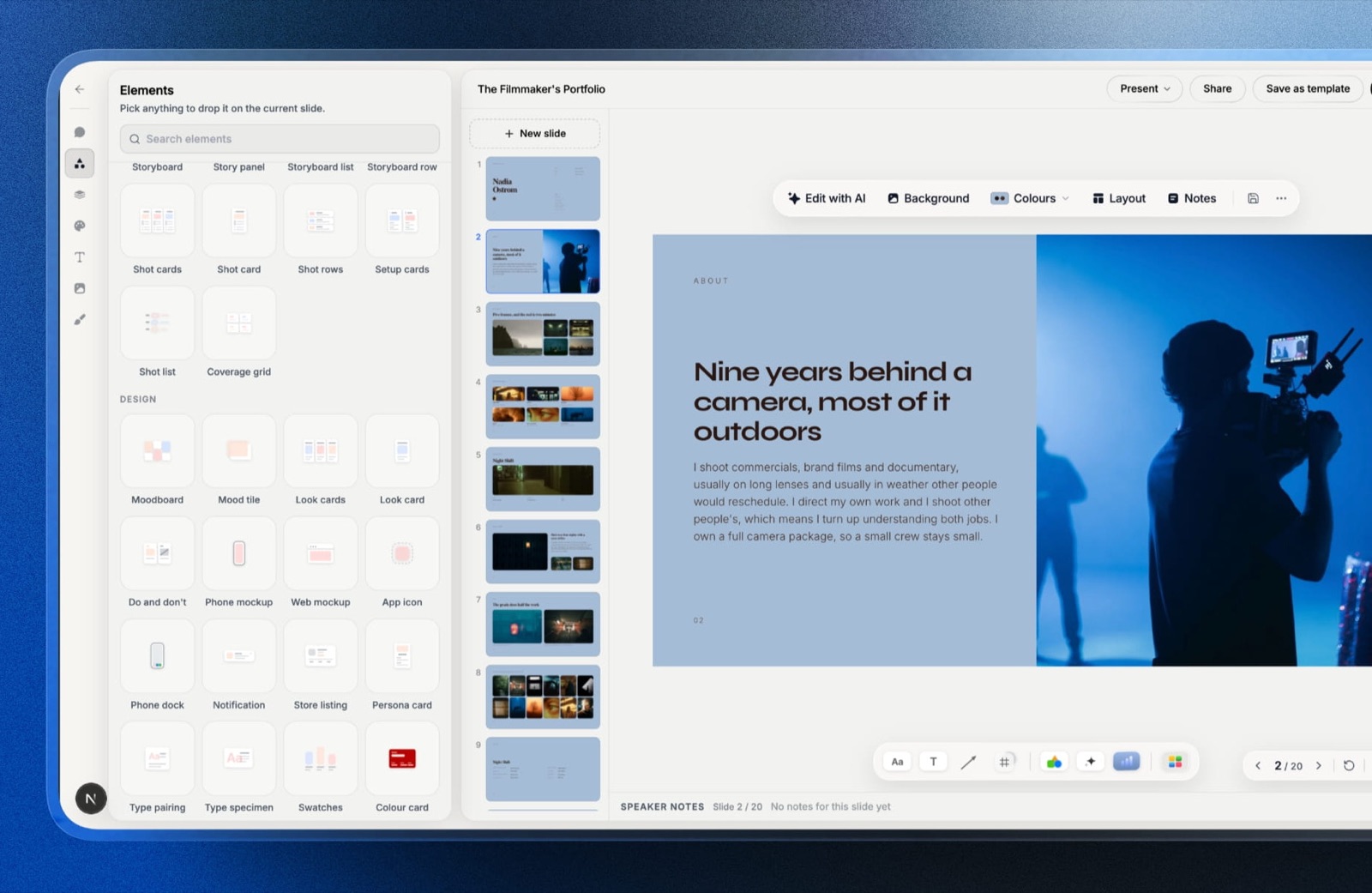
Agencies pitch constantly. Framekit Slides builds proposals, case-study decks, treatments and lookbooks from templates made for creative work, with storyboard, shot list, moodboard, mockup and chart elements.
The AI drafts a whole deck from a brief through an outline you approve, or a single slide from a description; decks are unlimited, present full screen, share as a link and export to PDF on every plan.
PowerPoint export, picture-based, opens on Pro.
A store for clients who sell downloads
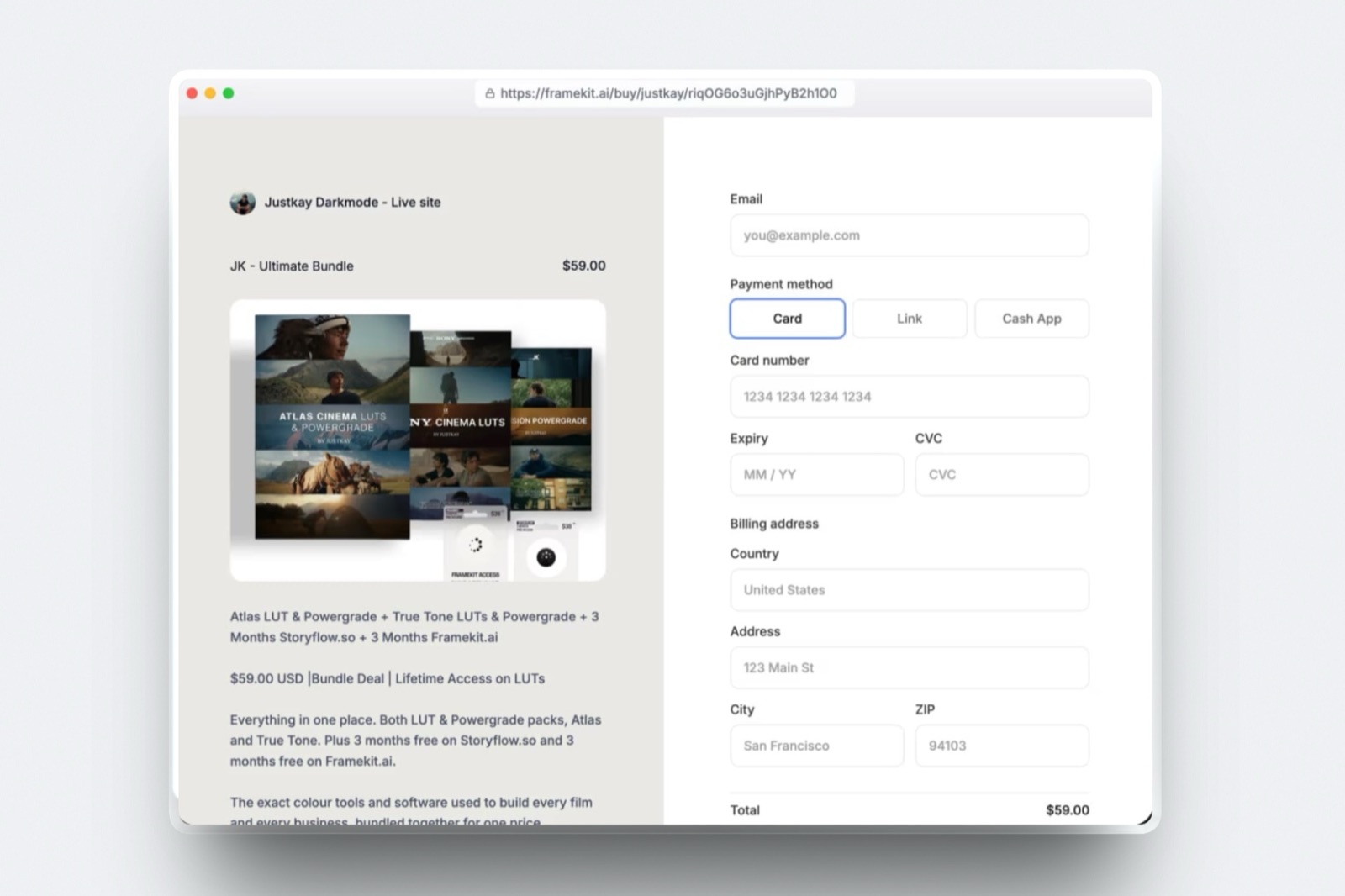
If a client sells presets, LUTs, templates or guides, Framekit's store runs on every plan with unlimited products and instant downloads, through Stripe Connect into the client's own Stripe account.
The client is the merchant of record and handles VAT or sales tax. Checkout is hosted on framekit.ai with the seller's name and logo and a "Powered by Framekit" line. The fee is 5% on Free and Starter, 3% on Pro and 0% on Business.
What Three Studios Pay in Year One and by Year Three
On the setups below Framekit costs less than Webflow every time, from about $480 a year for a solo freelancer with five client sites to about $1,600 a year for a three-person studio, because Webflow bills each site, each extra seat and each outside delivery tool separately.
Assumptions: yearly billing, US prices read on 12 October 2026, prices held flat, card processing excluded. Webflow site plans come with no free domain on its pricing page; neither does Framekit, so domain registration is left out of both.
Webflow's free Starter workspace supports unlimited paid sites, so the freelancer row uses it.
| Studio | Framekit setup | Framekit year one | Framekit by year three | Webflow setup | Webflow year one | Webflow by year three |
|---|---|---|---|---|---|---|
| Solo freelancer: own portfolio plus 4 client brochure sites | 5 Starter sites ($84 each) | $420 | $1,260 | 5 Basic site plans ($180 each), free workspace | $900 | $2,700 |
| Photographer who builds her own site and delivers about 120GB of galleries | 1 Pro site, 300GB ($180) | $180 | $540 | 1 Basic site plan ($180) plus Pixieset Pro, 1TB ($288) | $468 | $1,404 |
| Studio of 3: own site plus 4 client sites all three edit, client video review | Own site on Business ($372) plus 4 client sites on Pro ($180 each) | $1,092 | $3,276 | Own site on Premium ($300) plus 4 Basic ($720), Freelancer workspace ($192), 2 extra full seats ($936), Frame.io Pro for 3 ($540) | $2,688 | $8,064 |
Outside prices, each read on the vendor's own page in October 2026: Pixieset Client Gallery Pro is $24 a month billed yearly for 1TB (its 100GB Plus plan is too small here), and Frame.io Pro is $15 per member a month on monthly billing, 13% less on annual.
The fair caveats. The Webflow studio gets real-time collaboration on the canvas, a 20,000-item CMS on its own site, staging and comment-only client links, none of which Framekit offers.
Framekit Pro's 3 team members are per site, so a studio with more than three people on a client site needs Business for that site.
Frame.io Pro includes Premiere and Final Cut Pro integrations and passphrase-protected shares that Framekit review does not, and it gives each of the three members their own uploads, where on Framekit only the account holder uploads review cuts and owns the galleries and decks.
And a Webflow agency can pass site plans to clients through client payments, which changes who carries the cost; Framekit has no equivalent client-billing feature, so price hosting into your retainer.
Hosting margin is the quieter line in the same arithmetic.
If you charge a client $40 a month to host and maintain a brochure site, Framekit Starter leaves $33 of that each month and Webflow Basic leaves $25, or $396 against $300 a year per client before your time.
Across ten retained clients that is $960 a year, enough to pay for Framekit Business on your own studio site twice over.
Run it yourselflist every client site you host, the seats you pay for and any gallery, review or deck tools beside them.
Price the Framekit plan each site would need (Starter for a brochure site, Pro if three people edit it or it sells, Business for unlimited editors and 0% fees), and compare the totals.
Limits an Agency Will Run Into
These are the published limits that shape agency work on each platform, from Framekit's pricing page and Webflow's pricing page in October 2026, chosen because each one is a limit a studio meets on a real client project.
| Limit | Framekit | Webflow |
|---|---|---|
| Static pages | 10 Free, 30 Starter, 200 Pro, unlimited Business | 2 Starter, 300 Basic, 500 on platform plans |
| CMS | No collections | 50 items on Starter, none on Basic, 20,000 items and 40 collections on Premium |
| Storage or bandwidth | 50GB, 300GB, 2TB pooled storage | 1GB Starter, 10GB Basic, from 50GB a month on Premium with paid tiers up to 2.5TB |
| Forms | 500, 1,000, 5,000 or unlimited submissions a month | 50 on Starter, unlimited on Basic and up |
| Seats | 3 per site on Pro, unlimited on Business | 1 full seat included; full $39, limited $15 a month each; free reviewers |
| Client access | Team members are site admins | 1 free client seat per paid site on Freelancer, 3 on Agency |
| Staging and redirects | Neither | Staging sites on every workspace; 301 redirects on paid site plans |
| RSS | No | Yes, for CMS collections on Premium |
| Localisation | Translation on Pro and Business | Localize add-on from $9 a month |
| Ecommerce | Digital downloads on every plan; 5%, 5%, 3%, 0% | Standard $29 (2%), Plus $74 (0%), Advanced $212 (0%), all billed yearly |
| Video on site pages | 15MB Free, 100MB paid uploads, plus Vimeo and YouTube embeds | Not compared |
| AI | Monthly allowance on every plan | 200 to 400 credits by workspace tier; 2,000 more for $20 a month |
What Happens When a Project Goes Off-Script
These are the agency moments that test a platform, answered from what Framekit and Webflow publish, so you can see the edges before a client deadline does.
A client wants to approve the site before launch. Webflow's comment-only links let a client review and comment on the site without an account.
Framekit has no site-comment mode; share a preview of the published page, or present the design as a Slides deck for sign-off.
A client sends a cut to approve, not a page. On Framekit, send a review link; they comment at the frame without an account. On Webflow, add a review service.
The client renames half the site. Webflow can redirect old URLs with 301s. Framekit cannot, so changed URLs stop working; agree the sitemap before you build.
The client's blog grows to 500 posts. On Webflow Premium, a CMS collection handles it with RSS and scheduled publishing. On Framekit, that is 500 pages, which needs Business, and there is no RSS. Recommend Webflow for content-led clients.
The client wants to own billing. Webflow's client payments let the client put their own card on the site plan. Framekit has no client-billing feature, so either the client holds the account or you bill hosting through your retainer.
The AI allowance runs out in a busy month. On Framekit, AI generation pauses until the next cycle and every page stays editable by hand. On Webflow, AI credits are pooled per workspace, and 2,000 more cost $20 a month on yearly billing.
Moving Client Sites From Webflow to Framekit
Moving client sites from Webflow to Framekit is a rebuild, and only the right kind of site should move, so the checklist starts with a filter that keeps CMS-heavy and redirect-dependent sites where they are.
| Step | What to do | What to watch |
|---|---|---|
| 1. Filter the portfolio | Move brochure, portfolio and creative sites; keep CMS-led sites on Webflow | Anything relying on collections, staging or redirects stays |
| 2. Agree URLs with the client | List every live URL that earns traffic | Framekit has no redirect manager, so keep slugs identical |
| 3. Export assets | Download original images, copy and any CMS exports for reference | Webflow interactions and custom classes do not transfer |
| 4. Draft on Framekit | Upload a screenshot of the Webflow homepage and let the AI rebuild the structure, then refine | Free has a starter set of templates; the full library opens on Starter |
| 5. Choose the plan | Starter for a simple brochure site, Pro if three people edit or it sells, Business for unlimited editors | Plans attach to a site, so price each client separately |
| 6. Move deliverables | Put the client's galleries, review rounds and decks in the same account | Only the account holder uploads review cuts |
| 7. Switch the domain | Connect the client's domain on Starter or above, then test forms and analytics | Keep the Webflow site plan until DNS has settled |
| 8. Cancel cleanly | Cancel the Webflow site plan and any seats it used | Webflow says you still pay the remainder of a term you signed up for |
Which Platform Should Your Agency Choose?
This decision path asks the questions in the order that eliminates a platform fastest for an agency, starting with what your clients actually pay for, because that answer usually settles Framekit vs Webflow before tools or prices enter the conversation.
1. Is the custom website your main product, priced at five figures? If yes, choose Webflow; its depth is what you are selling. If no, go to question 2.
2. Do your client sites run on structured content, such as blogs, directories or resource libraries, or need staging and redirects? If yes, Webflow. If no, go to question 3.
3. Do you also deliver photos, films or decks to the same clients? If yes, Framekit puts galleries, review and Slides in the same account as each site; go to question 5. If no, go to question 4.
4. Do your designers already work in Webflow every day? If yes, the switching cost is real, and staying is reasonable. If no, Framekit's AI-first drafting is the shorter path for a small team.
5. How many people edit each client site? Up to three fit Framekit Pro at $15 a month yearly per site; more needs Business at $31. On Webflow, budget $39 a month per extra full seat across the workspace.
6. Who pays for hosting? If clients should pay Webflow directly, its client payments handle that. If you bundle hosting into a retainer, Framekit's lower per-site price protects the margin.
Frequently Asked Questions
Framekit vs Webflow: which is better for agencies in 2026?
Webflow is better for agencies that sell custom, CMS-driven websites and have designers fluent in its visual development model, because it adds staging, redirects, per-seat roles and a 20,000-item CMS on Premium.
Framekit is better for small creative studios that also deliver galleries, video review and decks, because those come in the same account and a client site starts at $7 a month against Webflow's $15.
How much does Webflow cost an agency per client site?
A Webflow client site costs $15 a month billed yearly on Basic, without a CMS, or $25 a month on Premium, with 20,000 CMS items, according to Webflow's pricing page in October 2026.
Workspace plans for agencies add $16 (Freelancer) or $35 (Agency) a month billed yearly, and each additional full seat is $39 a month. Ecommerce sites start at $29 a month.
How much does Framekit cost per client site?
Framekit's paid website plans attach to a site, so each client site on its own domain needs its own plan: Starter at $7 a month billed yearly ($9 monthly), Pro at $15 ($19), or Business at $31 ($39).
Pro includes 3 team members, custom code and translation; Business includes unlimited team members and a 0% store fee. Hosting, SSL and a CDN come with every plan.
Can Framekit replace Webflow for a design agency?
Framekit can replace Webflow for an agency whose client sites are portfolios, brochure sites and creative showcases, especially if the agency also delivers photos, films or decks.
It cannot replace Webflow for CMS-heavy sites, complex interactions, staging, redirects or client-billed hosting. Many agencies will keep Webflow for custom builds and use Framekit for creative clients.
Does Framekit have a CMS like Webflow?
No. Framekit organises a site into pages, from 10 on Free to unlimited on Business, with no collections, reference fields, scheduled publishing or RSS.
Webflow Premium includes 20,000 CMS items across 40 collections, with RSS feeds and content APIs. For a client blog or directory that will grow into hundreds of entries, Webflow is the right tool.
Is Webflow AI metered like Framekit's AI?
Yes, both meter AI. Webflow pools AI credits per workspace, 200 on the free Starter workspace, 300 on Core or Freelancer and 400 on Growth or Agency, with 2,000 more credits a month for $20 billed yearly.
Framekit includes a monthly AI allowance on every plan that grows with the plan; only AI generation draws on it, and editing by hand never does.
Can clients review a site without an account on Webflow or Framekit?
Webflow's comment-only links let people without a Webflow account review and comment on a site.
Framekit has no comment mode for site pages, but its video review links let clients comment at the exact frame of a cut without an account, and its galleries open without one. For site sign-off, Webflow has the stronger workflow.
Webflow vs Framekit for a video production studio: which is better?
Framekit is better for a video production studio that builds simple sites for itself and its clients, because frame-accurate review, version stacks and approval statuses come with every plan, alongside galleries for stills and Slides for treatments.
Webflow is better if the studio sells complex marketing sites as a service. Frame.io lists Premiere and Final Cut Pro integrations, which Framekit review does not offer.
Does Framekit support 301 redirects for client migrations?
No. Framekit has no redirect manager and robots.txt is not editable, so a migrated client site must keep its existing URLs to protect search traffic. Webflow supports 301 redirects.
If a client's site has years of inbound links to URLs you cannot preserve, keep it on a platform with redirects.
How many people can edit a Framekit client site?
Framekit Pro includes 3 team members per site and Business includes unlimited team members; team members are site admins, and the account holder uploads review cuts. Free and Starter sites are edited from the account that owns them.
On Webflow, one full seat is included and each additional full seat costs $39 a month billed yearly.
Can a Framekit site sell products for a client?
Yes, if the products are digital downloads. Framekit's store sells presets, LUTs, templates and guides on every plan through the client's own Stripe account, at a fee of 5% on Free and Starter, 3% on Pro and 0% on Business.
It does not sell physical products. Webflow's ecommerce plans sell physical and digital products from $29 a month billed yearly with a 2% fee on Standard.
Can I white-label Framekit for client sites?
Partly.
From Starter, a Framekit site runs on the client's own domain with no Framekit badge, and on paid plans review pages can drop the Framekit credit, but client galleries keep a small Made with Framekit footer line on every plan, so galleries are not white-label.
The store checkout is hosted on framekit.ai with the seller's name and logo and a "Powered by Framekit" line on every plan, so checkout is not fully white-label. Webflow removes its badge on paid site plans.
Is it worth moving client sites from Webflow to Framekit?
It is worth moving brochure and creative sites whose clients do not need a CMS, staging or redirects, especially if you also deliver galleries or review cuts for them, because each site costs less on Framekit and the deliverables share one account.
It is not worth moving CMS-led or redirect-dependent sites. Run one pilot client before committing the whole portfolio.
What does a new studio need to start on Framekit?
A new studio can start on Framekit's permanent Free plan with 10 pages, 10GB of storage, galleries, review, Slides and the store, then move each client site to Starter when it needs a custom domain.
Pro adds 3 team members, custom code and translation per site. No credit card is needed for the Free plan.
Framekit vs Webflow for Agencies: The Verdict
Choose Webflow if your agency sells custom websites as its main product, maintains CMS-driven client sites, and employs designers who work in Webflow daily: its staging, redirects, seats and CMS are built for exactly that business.
Choose Framekit if you are a creative studio that builds sites alongside photography, film or design work, because it drafts client sites faster, costs less per site and per person, and puts galleries, review, decks and a store in the same account.
Where Framekit loses: no CMS collections, no staging, no redirects, no RSS, no site-comment mode for client sign-off, no client-billed hosting, and a lower design ceiling than Webflow's canvas.
For a custom-build agency, Webflow is the better fit, and switching would cost you capability you sell.
For a creative studio, the test is one client: build their next site on Framekit, deliver their shoot as a gallery from the same account, and compare the hours and the invoice.
Related reading: the best Webflow alternatives ranks the wider field, the best website builders for agencies covers studio tools, Framekit vs Framer compares the other design-first builder, and the best tools for small video production teams covers the review side in depth.