
Framekit templates
Start from a designer-made template
 Use template
 Use template
 Use template
 Use template
 Use template
 Use template
 Use template
 Use template
The search phrase "how to launch a digital product" is nearly always a question about what to post on the day. The answer is that the day is the least important part, and by then almost every variable that decides the outcome has already been set.
Here is the shape of a launch that does not work. You finish the pack on a Tuesday, you post about it on Wednesday, two people buy, and you conclude that nobody wants it.
What actually happened is that on Wednesday you asked a cold audience to make a decision they had no warning of, no context for and no reason to make that week rather than any other.
A digital product launch is a dated sequence of preparation, audience building and selling, run over two to four weeks, in which the product goes on sale at a known time to people who were told in advance that it was coming.
Work backwards from a fixed open date and treat the fortnight before it as the launch, because that is when the waitlist gets built, the page gets proved and the file gets tested.
Build the list in Kit, which is free up to 10,000 subscribers, or Buttondown, which is free for your first 100.
Have the product page and a working checkout live at least seven days before you open, and buy your own product with a real card before anyone else does.
Framekit is a reasonable home for the page and the checkout, with unlimited products on every plan and a 5 percent fee on the free plan, though discount codes need the $19 Pro plan, so a free-plan launch uses a temporary price rather than a code.
Full disclosure: Framekit is our product and appears below as one option for the page and the checkout, so read those parts as a vendor describing its own tool. Every third-party price was read on that company's own pricing page or help centre in September 2026 and linked where it is used. Framekit does none of the marketing half of a launch: no email sending, no affiliate program, no upsells or order bumps and no funnels, so the list in this guide lives in a dedicated email tool and always will.
How this launch plan was assembled
This is a procedure, not a case study, so it is worth separating the parts that are documented from the parts that are judgement before you follow any of it.
Read at the source. Every price, limit and timing quoted below came from the owner's own page in September 2026 and is linked at the point of use: Kit's pricing page, Buttondown's pricing page, Gumroad's pricing page, Lemon Squeezy's pricing page, the Stan Store plan comparison, and Stripe's documentation on payouts and refunds.
Calculated. The carried example is a filmmaker launching Nightfall, a 14-LUT pack, with 3,100 followers and 260 email subscribers. The pack is priced at $39, with a $29 price for the first 72 hours.
Every figure below uses those numbers so you can substitute your own list size and price and get an honest answer instead of an inspiring one.
No borrowed benchmarks. You will not find a launch conversion rate in this guide.
No primary source publishes a trustworthy one for creator digital products, and the sites that quote figures like that do not open for inspection, so quoting one would be dressing a guess as data.
What you get instead is arithmetic on your own list, which is the only version that predicts anything.
Launch arithmetic, before you plan anything
These are the numbers that shape a launch, and they are worth knowing before you pick a date, because two of them are outside your control and will happen on someone else's schedule.
- 7 to 14 days: how long Stripe says it typically takes to schedule your first payout after your first successful live payment, which is why launch revenue is not launch cash.
- 10,000 subscribers: the ceiling on Kit's free plan, which also includes unlimited landing pages, forms and email broadcasts.
- 100 subscribers: the ceiling on Buttondown's free tier, with premium features available as add-ons from $9 a month.
- 5 percent: Framekit's platform fee on the free plan, so a $39 pack nets $37.05 before payment processing and a $29 launch price nets $27.55.
- 10 percent plus 50 cents: Gumroad's published direct rate, which nets $34.60 on the same $39 pack.
- 5 to 10 business days: how long Stripe says a refund typically takes to appear on the buyer's statement, which matters in launch week because refunds cluster in the first 72 hours.
The 14-day countdown
Here is the fortnight, written as dated work instead of as advice, because the reason launches fail is almost never the strategy and almost always that three of these tasks were still open on the morning of day zero.
| Day | The work | Why it is on that day |
|---|---|---|
| Day -14 | Fix the open date and the close date | Everything below is relative to a date you cannot move |
| Day -13 | Publish the waitlist page and start collecting emails | The list has to have 13 days to grow, not 2 |
| Day -12 | Write the result line and the nine-block product page | The page takes longer than you think and blocks the rest |
| Day -10 | Finish and package the file, zipped and named | The product being late is what collapses launch weeks |
| Day -9 | Upload the file, set the price, publish the page unlisted | Now the checkout exists and can be tested |
| Day -7 | Buy your own product with a real card, then refund it | The only test that proves delivery works |
| Day -6 | Write all launch-week posts and emails in one sitting | Writing them live is how you post nothing on day 2 |
| Day -5 | Post the behind-the-scenes build, with the waitlist link | Interest without a sale ask, and it grows the list |
| Day -3 | Post the before and after proof | The single most persuasive asset you own |
| Day -1 | Email the waitlist: opens tomorrow at this time | People need one clear warning to be present |
| Day 0 | Open. Email the list, post once, reply to everything | The checklist day, not the creative day |
| Day +1 | Post one buyer's reaction or one usage frame | Social proof arrives now and nowhere else |
| Day +3 | Launch price ends. Say so once, plainly | A deadline without an announcement is not a deadline |
| Day +7 | Email non-buyers once with the compatibility answer | The most common silent objection, answered late |
| Day +10 | Write the debrief and archive the assets | The launch is only worth it if the next one is easier |
Notice how little of it happens on day zero. Ten of the fifteen dated items happen before anything is for sale, which is the whole argument of this guide compressed into a table.
In one lineWrite the fortnight out as dated tasks against a fixed open date, because a launch that exists only as intentions collapses into a single post on the day, and a single post is not a launch by any definition worth the word.
Step 1. Fix the open date, then count backwards from it
Pick a specific date and hour before you do anything else, and write it somewhere public enough that moving it costs you something. A launch without a date is a project, and projects expand until the enthusiasm runs out.
Choose a Tuesday, Wednesday or Thursday, and pick the hour your audience is actually awake in the timezone most of them live in.
If half your followers are in the US and you are in Europe, an 09:00 European open is a 03:00 open for them and you have thrown away the first six hours.
Set the close date at the same time. For the carried example, Nightfall opens on a Tuesday at 15:00 Central European Time, which is 09:00 on the US east coast, and the $29 launch price ends 72 hours later on the Friday at 15:00.
Both dates go in the calendar before anything else is decided.
What goes wrongyou leave the date open so you can move it if the product is not ready. You will move it, twice, and the third time nobody is paying attention. A date you announced to 260 people is a commitment; a date in your own notes is a wish.
In one lineFix the open hour and the close hour in a timezone your buyers actually live in, announce both, and treat them as immovable, because the date is the only part of a launch that creates urgency for anyone other than you.
Step 2. Build the list before the product is finished
Start collecting emails on day minus 13 with nothing but a description and a date, because the list is the one asset that takes real calendar time to grow and the one thing you cannot buy back at the end. Everything else on this list can be done in a weekend. A list cannot.
You need an email tool, and two of them are free at the size most creators are. Kit's free plan runs up to 10,000 subscribers and includes unlimited landing pages, forms and email broadcasts.
Buttondown is free for your first 100 subscribers with premium features as add-ons from $9 a month.
| Tool | Free tier | What it costs to grow | What it does not do |
|---|---|---|---|
| Kit | Up to 10,000 subscribers, unlimited broadcasts | Creator plan at $33 a month, or $390 billed yearly | It is not a store: the checkout is elsewhere |
| Buttondown | First 100 subscribers | Add-ons from $9 a month per feature | Smaller free ceiling, so it runs out sooner |
| Framekit | Contact and booking forms on every plan | Included | It does not send email campaigns at all |

That third row is the concession, stated early. Framekit collects form submissions into the dashboard and your inbox, and that is the end of what it does with email.
It will not send a broadcast, run a sequence or segment a list, so pair it with Kit or Buttondown and stop looking for a feature that is not there.
The number that decides your launchthe size of the list on day zero, not the size of your following. For Nightfall, 260 subscribers and 3,100 followers is a realistic starting point, and the honest way to forecast is to assume the email list does most of the work.
Run your own version: take your list size and ask what a plausible fraction of it buying looks like at your price. If 5 percent of 260 buy at $29, that is 13 sales and $377 before fees. If 2 percent buy, it is 5 sales and $145.
Neither number is a failure, and both are worth knowing before launch day, not after it.
In one lineStart the waitlist on day minus 13 with a description and a date rather than a finished product, because the list is the only launch asset that needs calendar time and the only one you cannot assemble in a weekend.

Step 3. Finish the file and the page ten days out
Package the product on day minus 10 and publish the page unlisted on day minus 9, because a product that is still being finished in launch week eats the attention that should be going to selling it, and no amount of good copy rescues a file that is not ready.
Packaged means done, not nearly done. For Nightfall that is 14 .cube files, a Powergrade, a three-page install PDF, one zip, named so that a buyer opening their downloads folder in March knows what it is. Anything you were going to add later goes in the update, not the launch.
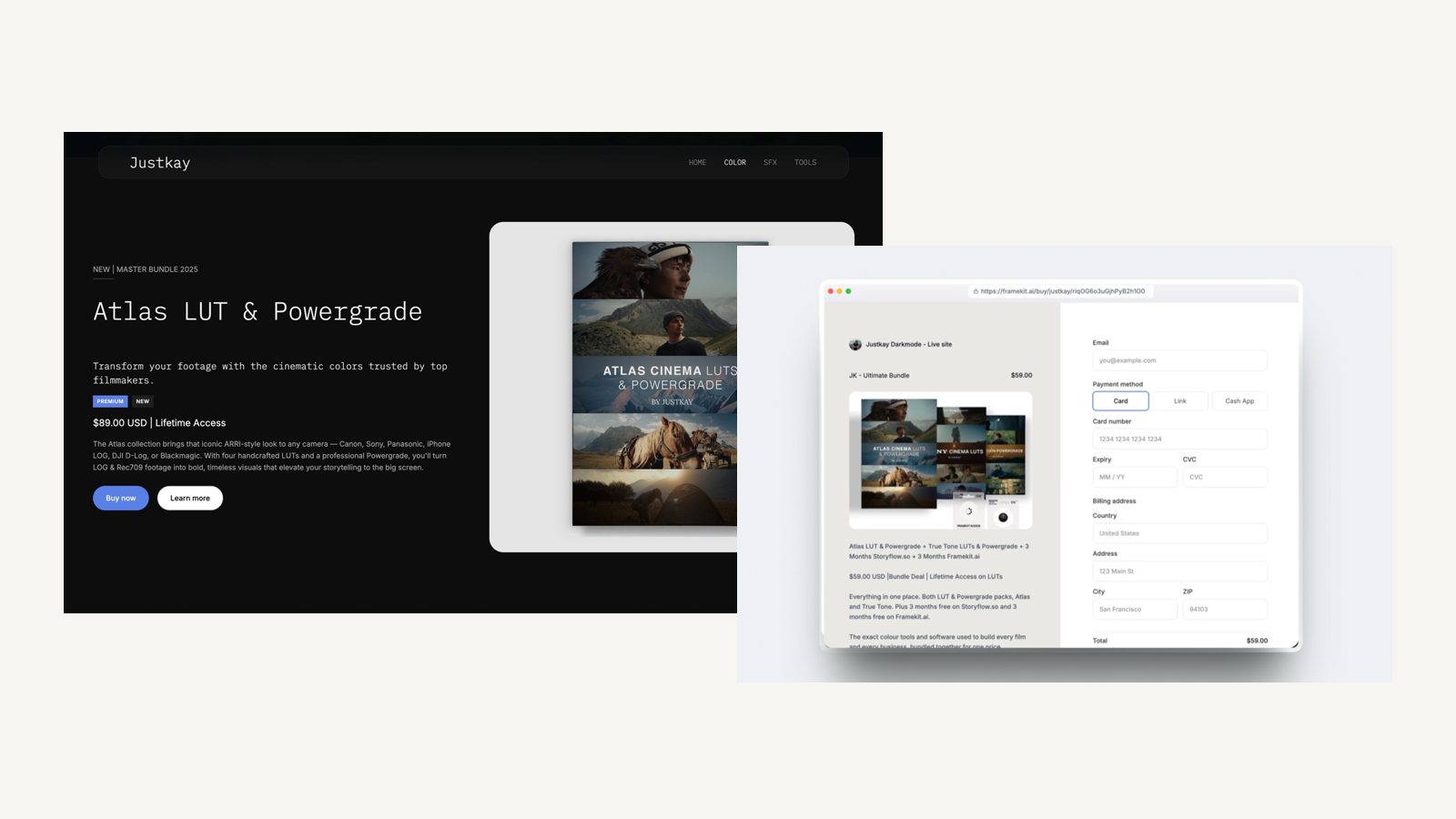
The page is the nine-block product page: result line, proof image, price and button, what you receive, compatibility, before and after, who it is for, the refund line, the second button. Publish it unlisted so the URL works, the checkout exists, and nothing is discoverable yet.
Framekit is an AI website builder that keeps the store and the site in one project, which for a launch means the product page is built in the same editor and the same fonts as the portfolio it hangs off, and the direct buy link for a product works whether or not the page is linked in your navigation.
Unlimited products on every plan means a launch does not require an upgrade.
The gotcha nobody expectsthe file is fine and the zip is 4.2GB, and half your buyers are on phones.
Check the download size against the worst device your buyers use, and split the pack if it is enormous. The best digital product delivery tools covers the size and hosting side of this properly.
In one lineHave the file packaged on day minus 10 and the page live but unlisted on day minus 9, because everything after that point is selling work, and a product being finished during launch week takes the attention selling needs.
Step 4. Buy your own product, with a real card, seven days out
Run one real transaction through your own checkout on day minus 7, using a real card and not a test key, and then refund it. This is the only test that proves the full chain works: payment, delivery email, download link, file integrity, receipt.
Check five things and write down the result of each. Did the payment succeed. Did the delivery email arrive, and in how long, and did it go to spam. Does the download link work on a phone on mobile data.
Does the zip open and contain what the page promised. Does your own name and business look right on the receipt.
Then refund yourself, and note what that cost. Stripe's documentation states that its processing fees from the original transaction are not returned. On Framekit the platform fee is kept on a refund too.
So your test purchase costs you a couple of dollars, and that is the cheapest insurance in this guide.
What goes wrongthe delivery email lands in spam for anyone on a corporate address, and you find out from a buyer. Send the test to a second address on a different provider, including one work address if you can, because a launch-day delivery problem is unrecoverable in real time.
If you want to understand the checkout chain in more detail before you test it, how to sell digital products with Stripe walks through what happens between the card and the file.
In one lineComplete one genuine purchase of your own product a week out and check payment, delivery, download, file and receipt in turn, because every one of those five links has failed for somebody on a launch day and four of them fail silently.
Step 5. Decide the launch price and exactly how it ends
Pick the full price first, then decide what the launch offer is and when it stops, because a launch price with no end date is just a lower price and it trains the people who were going to pay full price to wait for the next one.
For Nightfall the full price is $39 and the launch price is $29 for the first 72 hours.
That is a 26 percent reduction, it has an end time in the calendar, and it is announced as a reduction from a price that will actually be charged afterwards. Never show a strike-through price you have never charged.
There are two mechanics for running that offer, and which one you can use depends on your plan:
| Mechanic | How it works | Where it is available |
|---|---|---|
| A discount code | Buyer enters a code, percentage or amount off, you keep the list price visible | Framekit Pro at $19 a month and up; on Stan Store it is a Creator Pro feature at $99 a month |
| A temporary price | You set the price to $29, then change it to $39 when the window closes | Any plan, including free ones, on every platform in this guide |
On Framekit's free plan you use the temporary price, because discount codes are a Pro feature and this guide is not going to tell you otherwise.
That is a real limitation and it costs you something: a code lets you show $39 crossed out at checkout, which a straight price change does not, and it lets you give a specific person a code without changing the public price.
The temporary price has one compensating advantage. It is honest and simple, the page says $29 and the buyer pays $29, and there is no code to be forgotten, mistyped or shared on a deals forum three months later.
The fee detail worth knowingon Framekit the platform fee is charged on the post-discount amount, so a $29 launch sale costs you $1.45 on the free plan, not 5 percent of the list price.
Set your launch price with the net in mind, and if you have not fixed the full price yet, how to price digital products is the place to start.
In one lineDecide the full price first and then attach a launch offer with a written end time, using a code if your plan has them and a temporary price change if it does not, because an offer with no deadline is simply a cheaper product.
Step 6. Post five things in the week before you open
Write every launch-week post and email on day minus 6, in one sitting, because writing them live is how a launch becomes one post on day zero and silence afterwards. You are not going to feel creative on launch morning. You are going to feel sick.
Five formats, in this order, and each does a different job:
The build post, day minus 5. The work in progress with the waitlist link. Not a sale, an invitation to be told. For Nightfall this is a screen recording of a grade being matched, with the pack name and a date.
The proof post, day minus 3. One before and after on the hardest footage you have. Name the camera and the profile. This is the single most persuasive asset you own and it belongs before the sale, not during it.
The warning email, day minus 1. One short email to the list: opens tomorrow at this hour, here is the price, here is what it is. Short is the point.
The open post and email, day zero. The link, the price, the deadline for the launch price, nothing else. Do not add a new idea on launch day.
The deadline post, day plus 3. The launch price ends today at this hour. Say it once, plainly, and then honour it. The people who buy in the last four hours are real and they were always going to be last.
What goes wrongyou post daily during launch week and say the same thing five times. Five posts that repeat one message is worse than three that each carry a different one, because your audience learns to scroll past the product instead of past the repetition.
Distribution differs by platform, and if most of your audience is on one channel, selling digital products on Instagram covers the mechanics of the link problem in more depth than this guide can.
In one lineWrite all five launch communications in a single sitting six days out, give each a distinct job rather than repeating one message, and accept that you will not feel creative on the morning the thing goes on sale.
Step 7. Run day one as a checklist, not a vigil
Work through a written list on launch day and then close the analytics tab, because refreshing a sales dashboard is not work and the single most common way a launch day goes badly is that the person running it spends six hours watching a number instead of answering messages.
| Time | Do this | Not this |
|---|---|---|
| One hour before | Load the live page on a phone and buy nothing, just look | Editing the copy |
| Open | Send the email, post once, put the link in every bio | Posting the same thing four times |
| First hour | Reply to every comment and message personally | Watching the dashboard |
| Hours 2 to 6 | Answer the compatibility question wherever it appears | Adding a new offer because it is slow |
| End of day | Post one buyer reaction if you have consent to | Announcing the total unless it flatters you |
| Before bed | Check that every delivery email actually went out | Changing the price |
The compatibility question is the one to watch for. On a LUT pack it arrives within the hour, phrased as "will this work on Canon", and the answer you give publicly converts more people than any post you scheduled.
What goes wrong at hour threesales are slower than you imagined and you panic-add something. A bonus, a bigger discount, a bundle. Do not. You have no information at hour three, the deadline has not done its work yet, and a price you drop on day one is a price you taught everyone to wait for.
In one lineRun the day from a written checklist that puts replying to people above watching a number, and make no pricing or offer decisions before the launch window closes, because hour three of a launch contains no usable information at all.
Step 8. Close the launch on purpose, then write the debrief
End the launch price at the hour you said, say so publicly once, and then write down what happened while you still remember it. A launch that fades out teaches you nothing and trains your audience to ignore your next deadline.
The debrief is one page and it answers six questions. How many people were on the list on day zero. How many bought, at what price, in what window. Which post brought the most clicks. What question came up more than twice.
What was still unfinished on day minus 1. And what you will start earlier next time.
For Nightfall a realistic debrief reads: 260 on the list, 11 sales in 72 hours at $29 and 4 more at $39 in the following week, $475 gross, $451 after Framekit's 5 percent on the free plan, before payment processing.
The most clicked post was the before and after. The repeated question was Canon compatibility. The thing still unfinished on day minus 1 was the install PDF.
Every line of that debrief is next launch's instruction. The install PDF gets written on day minus 10 next time. The compatibility answer goes on the page, not in replies. The before and after gets made twice.
The money timing to plan aroundStripe schedules a first payout to complete typically within 7 to 14 days after your first live payment, so launch revenue is not launch cash. If you were counting on it for rent, count again.
In one lineClose the launch window at the announced hour and write a one-page debrief the same week, because every lesson in it is a dated task in your next countdown and none of it survives two weeks of memory.
What to do if it flops
A launch that sells two copies is information, not a verdict, and the thing to do with it is a diagnosis, not a rewrite. Work through three questions in order, because they fail in sequence and fixing the third one first is wasted effort.
Did anybody see it? Count the clicks to the page, not the impressions on the post.
If 40 people reached the page, you do not have a product problem or a page problem, you have a distribution problem, and no amount of copy editing will show up in numbers that small.
Did they see it and not understand it? Look at what people asked.
If the questions are all "what is this for" or "does it work with X", the page failed at the compatibility and contents blocks, which is the cheapest of the three to fix and you can fix it this week.
Did they understand it and not want it? This is the real one, and it is rarer than people assume after one quiet launch.
The test is whether anyone who was in the target audience and understood the product said no on price, not on relevance. Price objections mean the product is right and the number is wrong. Relevance objections mean the product is wrong.
What not to dodelete the product, discount it to nothing, or launch something different next week. Leave it up.
A pack that sells two copies in launch week and one a month afterwards is a quiet, permanent asset, and the second launch of the same product to a bigger list routinely outperforms the first.
In one lineDiagnose a flat launch in the order of reach, comprehension and desire, because on a 260-subscriber list reach is where the arithmetic points first, comprehension is cheap to fix, and only the third means the product itself was wrong.
After the launch: what keeps selling
The week after the launch is when most creators stop, and it is the week that decides whether the product earns anything for the next two years or becomes a file in a folder. Three things carry it, and none of them is another launch.
The page. Once the launch price ends, the product page becomes an evergreen page that search engines can find, which means the compatibility and contents blocks matter more now than they did in launch week.
Traffic that arrives in March has none of the context your list had.
The follow-up email. One email to non-buyers, seven days after the open, answering the single most common objection from launch week. Not a discount. An answer.
For Nightfall that email is the Canon question, answered honestly, including the part where the answer is no.
The update. Ship one update in the first three months that a buyer can name, three more LUTs or a second export format, and tell them about it.
Buyers can come back for their files on Framekit, so an updated zip reaches everyone who already paid without you emailing files around, and a product that visibly improves is a product people recommend.
What none of this is: an affiliate program, an upsell sequence or a funnel.
Framekit's store does not do any of those, so if your plan for month two is a partner programme and a two-step order bump, you are looking at the wrong tool and should read the best checkout tools for selling digital products instead.
In one lineAfter the launch window closes, the page, one honest follow-up email and one shipped update carry the product for the next two years, and none of those three requires the emotional cost of another launch week.
How big should your launch be: a branching guide
Match the launch to the list you actually have, because the two-week countdown above is right between 100 and 2,000 subscribers and wrong at both ends of that range, and running a four-week campaign at 40 subscribers is how creators talk themselves out of shipping anything.
Do you have fewer than 100 people on a list or a warm audience? If yes, do not run a launch.
Publish the page, tell the people who already asked for it, and spend the fortnight you saved on growing the audience instead. How to start selling digital products is the right guide for that stage.
Do you have between 100 and 2,000 on a list? If yes, run exactly the fortnight above. It is scaled for you: one waitlist, five posts, a 72-hour launch price, a debrief.
Do you have more than 2,000, or a paid audience? If yes, extend the front half rather than the back half. Three weeks of waitlist building, the same 72-hour window. The close stays short at every size, because urgency does not scale with list size.
Is this your second launch of the same product? If yes, skip the build posts and go straight to proof and deadline, and expect it to outperform the first, because the page is better, the questions are answered and the audience is larger.
In one lineScale the preparation to your list size while keeping the selling window short at every size, because urgency comes from a deadline rather than from an audience, and a long close is the one variable that reliably makes a launch worse.
Frequently Asked Questions
How long should a digital product launch be?
A digital product launch runs two weeks of preparation and a 72-hour selling window.
The preparation scales with your list: under 100 subscribers, skip the launch and publish the page; between 100 and 2,000, two weeks is right; above that, extend the waitlist phase to three weeks.
The selling window stays short at every size, because urgency comes from the deadline rather than from the number of people watching.
Do I need an email list to launch a digital product?
You do not strictly need one, but the launch will be much smaller without it, because social posts reach a fraction of your followers and an email reaches everyone who gave you an address.
Kit is free up to 10,000 subscribers and includes unlimited broadcasts and landing pages, and Buttondown is free for the first 100. Start collecting on day minus 13 with nothing more than a product description and a date.
Should I launch with a discount?
A launch price works when it has a written end time and is a reduction from a price you will genuinely charge afterwards. A common shape is 25 to 30 percent off for the first 72 hours.
What does not work is a discount with no deadline, or a strike-through price you have never actually charged, both of which teach your audience that the real price is whatever they are willing to wait for.
Can I run a discount code on a free plan?
Not on Framekit's free plan: discount codes are a Pro feature at $19 a month. On the free and Starter plans you run a launch offer by temporarily setting the lower price and changing it back when the window closes.
Stan Store puts discount codes on its Creator Pro plan at $99 a month and not on Creator at $29, so this is a common place for platforms to draw the paid line.
When do I actually get the launch money?
Later than you expect.
Stripe's documentation states that after your first successful live payment it typically schedules the first payout to complete within 7 to 14 days, and that it can take longer depending on your industry, country and risk level.
After the first payout, settlement falls into a regular schedule. Plan a launch on the assumption that the money arrives a fortnight after the sales do.
What do I do if the launch sells almost nothing?
Diagnose it in order: reach, comprehension, then desire. Count clicks to the page, not impressions. If only 40 people reached the page, the problem is distribution and nothing on the page caused it.
If people arrived and asked what it was for, the contents and compatibility blocks failed and you can fix that this week. Do not delete the product or discount it: leave it up and relaunch it later to a bigger list.
Should I announce my sales numbers after a launch?
Only if the number helps the reader, and be aware that announcing a small number publicly is a decision you cannot reverse.
A more useful post is what you learned: which asset got the most clicks, which question came up repeatedly, what you would start earlier. That post earns goodwill from other creators without turning your revenue into your public identity.
How many products should I have before launching one?
One is enough, and waiting until you have three is a common way to launch none. A single well-made pack with a proved checkout and a real page outperforms a catalogue of half-finished files.
If you want to see which product types actually sell for creators before you build the first one, the best digital products to sell is a better starting point than guessing.
What should I do about refunds in launch week?
Expect a few and price them in instead of treating them as failures.
Stripe's documentation states its processing fees from the original transaction are not returned, and Framekit keeps its platform fee on a refunded sale, so a refunded $29 launch sale costs you the $29 plus $1.45 plus the processing.
Stripe also says a refund typically shows on the customer's statement roughly 5 to 10 business days later, so a fast refund does not feel fast to the buyer.
Is Framekit a good platform to launch a digital product on?
Framekit works for the page and the checkout: unlimited products on every plan including the free one, a direct buy link per product, instant delivery, buyers able to return for their files, and a 5 percent fee on the free plan that drops to 0 percent on the $39 Business plan.
It is a poor choice for the marketing half of a launch, because it does not send email, run affiliates, add order bumps or build funnels, and discount codes need the $19 Pro plan.
Final Verdict
The question of how to launch a digital product has a boring answer: pick a date, build the list for a fortnight, finish the file early, prove the checkout with a real purchase, write everything in one sitting, and then run the day from a checklist.
The exciting parts of a launch are the parts that do not affect the outcome.
Verdict: Run the 14-day countdown, keep the selling window to 72 hours, and treat day minus 7 as the real deadline, not day zero. Framekit suits the page and the checkout half of that, especially if the product should live on the same domain as the portfolio it came out of.
Where Framekit loses: it does not do the marketing half at all.
No email sending, no sequences, no affiliate program, no upsells, no order bumps, no funnels, and no subscriptions, memberships or courses if that is the product you wanted to launch.
Discount codes need the $19 Pro plan, so a free-plan launch runs on a temporary price.
The list belongs in Kit or Buttondown, and if you want somebody else to handle VAT and sales tax on launch day, Lemon Squeezy at 5 percent plus 50 cents is the better fit than being your own merchant of record.
Related readingwork out the number before you set a launch price with how to price digital products, see the whole path from idea to first sale in how to start selling digital products, pick where presets and packs actually sell in the best platforms to sell presets, and prepare for the awkward week after with digital product refunds and chargebacks.
The page the launch points at is built in how to write a sales page for a digital product, and if the launch is quieter than you hoped, how to get your first 10 sales as a digital creator counts the audience you already have.