Framekit templates
Start from a designer-made template
 Use template
 Use template
 Use template
 Use template
 Use template
 Use template
 Use template
 Use template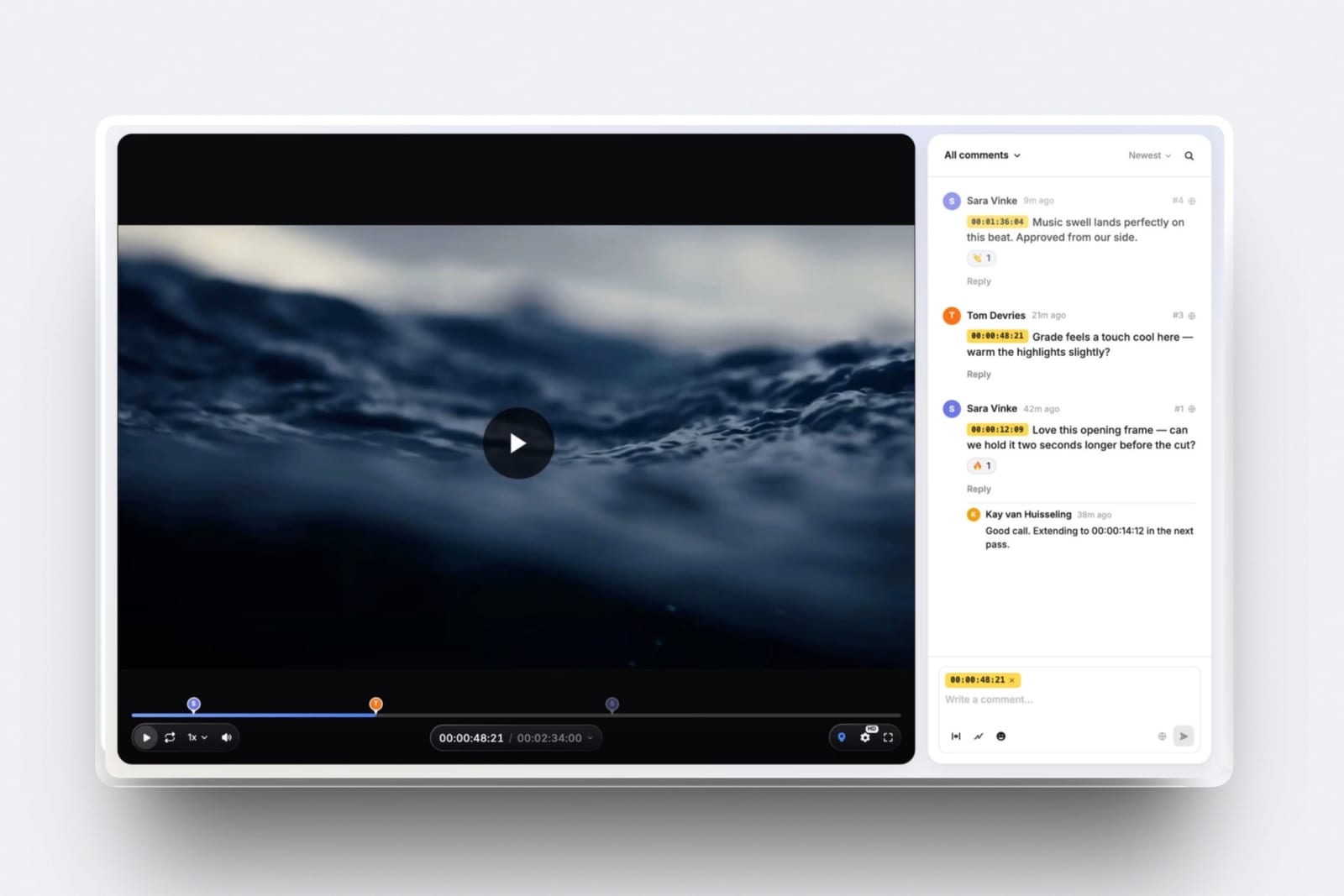
An editor with six years of work opens a new timeline to make a demo reel. There are 41 finished projects on the drive, 38 of them are good, and the first rough assembly runs three minutes and twelve seconds.
The person who will watch it is a producer with a shortlist of eleven editors and a Tuesday afternoon.
Audiosocket's advice for editing reels puts the ceiling at 90 seconds and says the first 20 seconds have to hold the viewer. So the real question is not how to fit six years into a reel. It is which 20 seconds make a stranger press play on the remaining 70.
A demo reel is a short edit, usually 60 seconds to three minutes depending on the discipline, that shows your strongest work for one kind of job, opens with your name and role, and ends with how to reach you, so that someone hiring can judge your craft before reading a CV.
To make a demo reel, pick the one job it is applying for, pull every candidate shot, score each one on a sheet (craft visible in three seconds, relevance, clear role, cleared rights), and cut the best to 60 to 90 seconds for editing and camera work (Pixar asks animators for about one to three minutes), with your strongest shot inside the first ten seconds.
Use music you hold a licence for, put your name and role on the first and last card, cut a version per niche, get timecoded notes on the draft, then export H.264 at the settings YouTube and Vimeo publish and host it on your own site as a link that plays without a password.
Edit in any NLE; Framekit covers the notes and the hosting, Frame.io is the better review tool if you want it inside Premiere or Resolve, and Vimeo is the better pure video host.
Full disclosure: Framekit is our product, and it appears in two steps of nine: getting timecoded feedback and hosting the finished reel on a website. It is not an editing tool, and nothing here needs it. We did not use the other tools for this guide; the length norms, music terms and export settings come from the published pages linked in each section, read in September 2026. Frame.io beats Framekit on NLE integration and review tooling, and Vimeo beats it as a dedicated video host.
How This Build Plan Was Put Together
This guide combines published rules from the people who watch and host reels with a build method you can check yourself, and the two are kept apart so you know which advice is sourced and which is our recommendation.
Read at the source. Length norms come from Audiosocket's editing reel guide and Pixar's careers FAQ.
Music licensing comes from Musicbed's demo reel music guide, Epidemic Sound's licensing explainer and the US copyright statute.
Export settings come from YouTube's recommended upload encoding settings and Vimeo's compression guidelines.
Hosting prices come from each vendor's pricing page. All were read on 19 September 2026.
Our method. The shot scoring sheet, the seconds budget and the versioning plan are recommendations, not studies. They are laid out as tables so you can change the weights and still use the structure.
Calculated. File sizes are bitrate multiplied by running time, shown in the export section.
Reported by users. Nothing. We found no published study measuring which reel structure gets more callbacks, so this guide claims none.
The carried example. A freelance editor who cuts commercials and short documentaries, applying for commercial editing work, with 41 finished projects and a 3:12 first assembly. Every step below uses that reel.
Demo Reel Rules by the Numbers
A handful of published numbers do most of the work in deciding how a reel is built, and they are worth having in front of you before the first cut, because each one removes a decision you would otherwise argue with yourself about.
- 60 seconds, 90 at most: Audiosocket's length guidance for a video editing reel, with the viewer's attention to be won in the first 20 seconds.
- About 15 seconds per clip: the length Audiosocket gives for "scene style" reels, which suit narrative and long-form documentary editors.
- One to three minutes: Pixar's answer to "how long should my demo reel be?" on its careers page. Animation reels run longer than editing reels.
- 8 Mbps and 35 to 45 Mbps: YouTube's recommended SDR upload bitrates for 1080p and 4K at standard frame rates.
- 10 to 20 Mbps: Vimeo's recommended bitrate range for 1080p, with AAC-LC audio at 320 kb/s and 48 kHz.
- $750 to $150,000: the US statutory damages range per infringed work under 17 U.S.C. 504(c), the reason "it is only my reel" is not a music licence.
How Long Should a Demo Reel Be?
In one lineA demo reel should run 60 to 90 seconds for editing, camera and directing work and one to three minutes for animation or effects, because the published guidance splits by discipline, and a reel that ends before the viewer wants it to is a far smaller problem than one they stop halfway.
The disagreement you see online is mostly two disciplines talking past each other. Editing and camera reels are judged on rhythm and taste, which shows up fast.
Animation and effects reels are judged shot by shot, often with a breakdown of what the artist did, so they need more running time.
| Discipline | Published guidance | Our target | Why |
|---|---|---|---|
| Video editor (commercial, promo, music video) | Audiosocket: 60 seconds, 90 maximum | 60 to 75 seconds | Pace is the skill on show; a longer reel dilutes it |
| Documentary or narrative editor | Audiosocket: scene style, clips of around 15 seconds | 90 seconds, or a 60-second reel plus one full scene | Performance and story need a scene, not a flash |
| Cinematographer or camera operator | No single published rule found | 60 to 90 seconds | Frames sell in seconds; lighting range needs a few more |
| Director | No single published rule found | 60 to 90 seconds, plus full spots on the site | A director is judged on finished spots as much as the reel, so link them |
| Animator or effects artist | Pixar: about one to three minutes | Under two minutes, with shot labels | Each shot is assessed on its own merits |
The carried example is a commercial editor, so the target is 60 to 75 seconds. That means cutting the 3:12 assembly by roughly two thirds, which is where the scoring sheet in step two earns its keep.
Step 1: Pick the One Job This Reel Is Applying For
In one lineA demo reel is a job application, not an archive, so decide which job title and which kind of client it is for before opening a timeline, because every later cut is a judgement about relevance to that one viewer.
Write the job down as a sentence a producer would say: "a commercial editor for 30- and 60-second brand spots" or "a documentary DP who can light interviews and handle run-and-gun".
The carried example's editor has commercials and short documentaries on the drive, and the reel for commercial work cannot also be the documentary reel. One of them has to wait for step six.
Then write down three things the viewer will be looking for in that job. For a commercial editor: pace that lands on beats, a clean product moment, and dialogue or voice-over cut tightly.
For a documentary DP: natural interview light, handheld that holds a subject, and texture in available light. Those three things become the relevance column in the scoring sheet.
A useful check is the job posting itself. If you are sending the reel against a specific listing, copy its wording into your notes; the reel and the email should use the same nouns.
Step 2: Pull Every Candidate Shot and Score It
In one lineScoring each candidate moment on a simple sheet turns "which clips feel strong" into a ranked list you can defend, and it is the fastest way to take a 3:12 assembly down to 70 seconds without keeping clips out of sentiment.
Go through every finished project and pull any moment, three to fifteen seconds long, that you would be happy to be judged on. For the carried example that produces 64 candidate moments from 41 projects.
Drop them into a bin or a string-out, one after another, with the project name and your role noted on each.
Then score every moment from 0 to 3 on five criteria. The weights below are our recommendation for an editing or camera reel; change them for your discipline, but keep the rights column as a gate.
| Criterion | Weight | Scores 3 when | Scores 0 when |
|---|---|---|---|
| Craft visible in three seconds | 30% | A stranger sees the skill with no context: a cut on action, a lighting move, a match | The skill only shows if you know the brief |
| Relevance to the job in step 1 | 25% | It is exactly the kind of work the job needs | It is from a different field entirely |
| Your role is clear and yours | 20% | You did the thing on screen that the reel claims you did | Someone else's craft is carrying the shot |
| Not like anything already chosen | 15% | It shows a range the reel does not have yet | It repeats a moment already in the reel |
| Rights and permission cleared | 10%, and a gate | The client allows portfolio use, and the music can be replaced or is licensed | Under NDA, unreleased, or the client said no |
Multiply each score by its weight and add them up. Any moment that scores 0 on rights is out regardless of its total.
In the carried example, 19 of the 64 moments score above 2.2 out of 3, which at an average of about four seconds each is roughly 76 seconds of material, right where a commercial editing reel should land.
The sheet catches three habits. Keeping a clip because the project was famous (it scores low on craft if the craft is not yours).
Keeping two clips from the same shoot because both are pretty (the fourth criterion drops the second one). And keeping a clip you cannot legally show, which is the one that costs money later.
Step 3: Build the 90-Second Structure Backwards From the First Ten Seconds
In one lineCut the opening ten seconds first and the rest of the reel second, because Audiosocket's 20-second attention window means the opening decides whether anything after it is seen, so it gets your two highest-scoring moments, not a logo sting.
Most first assemblies are built front to back: a title, a slow opener to set the mood, then the good stuff. Reverse it. Take the top two moments from the scoring sheet and put them in the first ten seconds, then build outwards.
Here is a seconds budget for the carried example's 75-second commercial editing reel. It is a recommendation, not a formula; the point is to decide where each second goes before you start trimming.
| Section | Seconds | What goes in it |
|---|---|---|
| Name and role card | 0 to 2 | Name, "Editor", one line on specialism. White on black is fine |
| The hook | 2 to 12 | The two highest-scoring moments on the sheet, cut to the music's first strong beat |
| First movement | 12 to 35 | Five or six moments that prove the job skills written down in step 1 |
| Change of pace | 35 to 45 | One longer moment (six to ten seconds) that shows you can hold a shot or a line of dialogue |
| Second movement | 45 to 68 | Range: a different client, a different look, still inside the job |
| The closer | 68 to 72 | Your third-best moment, so the reel ends high rather than trailing off |
| End card | 72 to 75 | Name, role, email, website address. Hold it long enough to read |
Rules that make the budget work. Cut on the music, but not only on the music; an editing reel that is all beat cuts shows timing, not judgement. Use hard cuts between projects rather than fades, which keeps the pace up.
Let one moment play with its original sound (a line of dialogue, a crowd reaction) if you are an editor; it is the clearest proof that you can cut sound as well as picture.
If you are a narrative or documentary editor, Audiosocket's scene style applies: fewer, longer clips of around 15 seconds. In that case the budget becomes five or six scenes, with the best one still inside the first 20 seconds.
Step 4: Choose Music You Are Actually Allowed to Use
In one lineUsing a song on a demo reel needs a licence even though the reel is self-promotion, and the licence you bought for a client project usually covers that project and not your reel, so check the terms before the edit locks to a track.
Musicbed's guide to demo reel music says it plainly: using music for demo reels requires a licence, and personal promotion or non-commercial use does not make an unlicensed track safe.
In the US, the copyright statute sets statutory damages at $750 to $30,000 per infringed work, rising to $150,000 where infringement is wilful.
The practical question is which licence you hold, and for what.
| Where the music came from | Can it go on your reel? | What to check |
|---|---|---|
| A popular commercial song you like | Not without a sync licence from the rights holders | Assume no. Clearing a hit for a reel is rarely practical |
| A track the client licensed for their spot | Only if that licence covers your use | Licences are often tied to a project or to the licensee. Ask the client or the library, in writing |
| Your own subscription to a music library | Usually yes, while the terms allow | Epidemic Sound, for example, says content published during an active subscription stays cleared, but new content published after it ends does not, and channels must be safelisted |
| A single-track licence you bought for the reel | Yes, within the licence's scope | Where the reel will live (website, YouTube, Vimeo) and whether paid promotion is covered |
| Music written for you, with a written agreement | Yes | That the agreement says so |
Two practical moves save most reels. Cut the reel to a track you license yourself, so the whole reel sits under one licence you can show.
And where a clip's original music was licensed only for the client, lay your reel track over it rather than letting the client's track play; an editor's reel rarely needs the client's song to prove the edit.
For a comparison of the libraries themselves, see the best stock music licensing sites.
Step 5: Label Credits and Your Role Honestly
In one lineA reel that makes your role ambiguous is a reel that can be checked, so state on screen or beside the video exactly what you did on each project, because the producer watching may know the people who did the rest.
Hiring in film and video is a small world, and the fastest way to lose a job is to be credited, implicitly, with someone else's work.
A DP's reel that uses a shot from a second-unit camera, or an editor's reel that includes a sequence the lead editor cut, is a problem the moment someone recognises it.
Three labelling rules cover almost every case:
- Say your role per project, either as a small lower-third ("Editor, Brand X spot") or as a credits list beside the reel on your site. The credits list is cleaner and keeps the reel fast.
- Name shared credits as shared. "Additional editor", "co-editor" and "B-camera" are real credits. Use them.
- Separate what you did from what you finished. If you cut the spot but someone else graded it, that is fine, but a colourist's reel is not the place for your edit, and vice versa.
Permission matters as much as credit. Some client work is under NDA or unreleased, and some clients do not allow portfolio use at all.
Keep a note of what each client agreed, and if in doubt, ask before the reel goes public; a clip that has to come down later breaks the reel and the relationship.
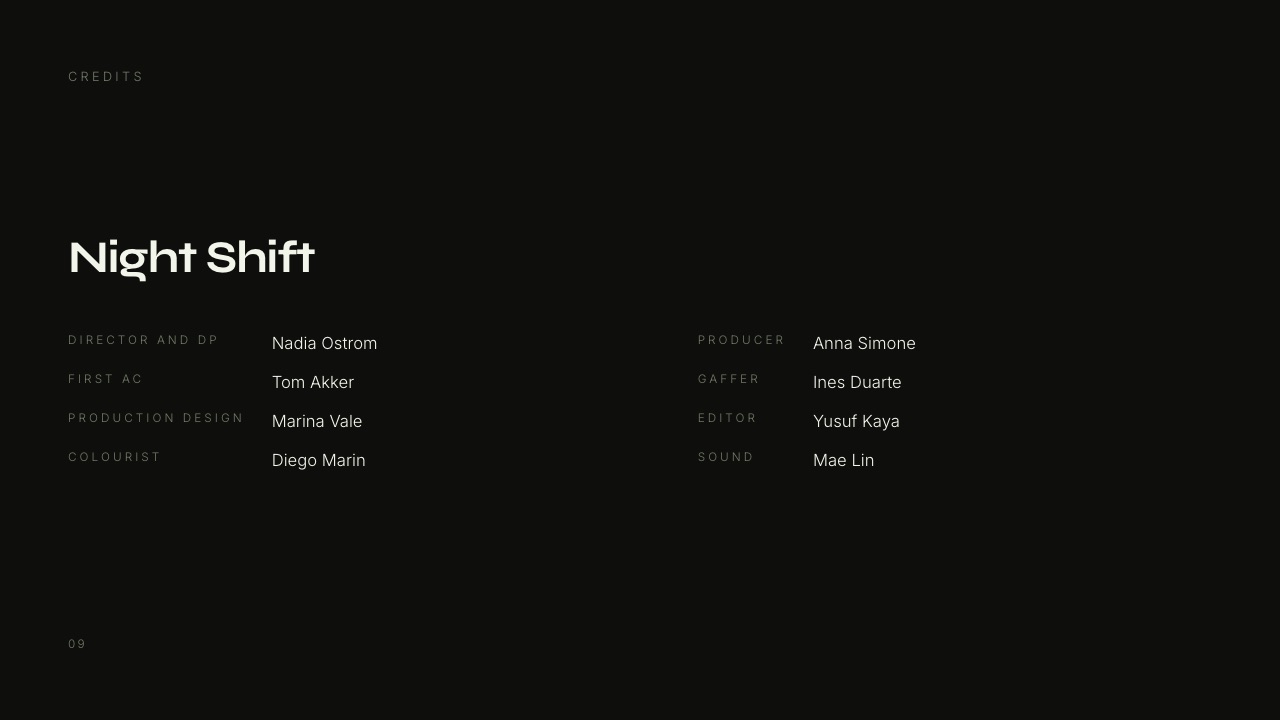
The Director and DP Portfolio template in Framekit Slides has a Credits slide for exactly this: a project title with each department and name listed, so a pitch deck and the website credits page can say the same thing.
Step 6: Cut One Version per Niche, Not One Reel for Everything
In one lineOnce the first reel is locked, the scoring sheet makes a second and third version cheap, because re-weighting the relevance column for a different job reorders the same 64 moments into a different, equally honest reel in an afternoon.
A reel that tries to please a commercial producer and a documentary director pleases neither. The carried example's editor needs at least two versions, and the scoring sheet already holds the material for both.
| Version | Length | Structure | Where it is sent |
|---|---|---|---|
| Commercial editing reel | 60 to 75 seconds | Beat-driven, product and performance moments, one dialogue beat | Agencies, brands, production companies hiring for spots |
| Documentary editing reel | About 90 seconds | Scene style: five or six moments of around 15 seconds, original sound kept | Documentary producers, broadcasters, non-profits |
| Music video reel | About 60 seconds | Performance cutting, rhythm, effects if they are yours | Labels, artist managers, music video directors |
| Vertical social cut | 20 to 30 seconds, 9:16 | The hook and the closer only, reframed | Social profiles, a pinned post, a DM reply |
| Full projects page | Whole films | Two or three finished pieces, not excerpts | Linked under the reel on your site |
Name each file and page clearly ("Editor reel, commercial, 2026") and keep a note of which version went to whom. When you update one, the scoring sheet tells you which others share the replaced moment.
The full projects page matters as much as the reel. A reel proves taste in seconds; a finished spot proves you can carry a whole brief from first frame to last. Link two or three below the reel so a producer who likes the 75 seconds can watch a 60-second spot end to end.

Step 7: Get Timecoded Notes Before Anyone Who Can Hire You Sees It
In one lineTreat the reel draft like a client cut and send it for notes pinned to exact timecodes, because "it drags a bit in the middle" is useless feedback and "the three shots at 0:38 feel like the same shoot" is a fix you can make in ten minutes.
By the final draft you have watched the reel so often that you can no longer see it.
Three viewers fix that: someone who hires for the job you are applying for, a peer in your discipline, and one person outside the industry who will tell you where they got bored.
Ask each for notes with timecodes, and ask one question only: "where did you stop paying attention?"

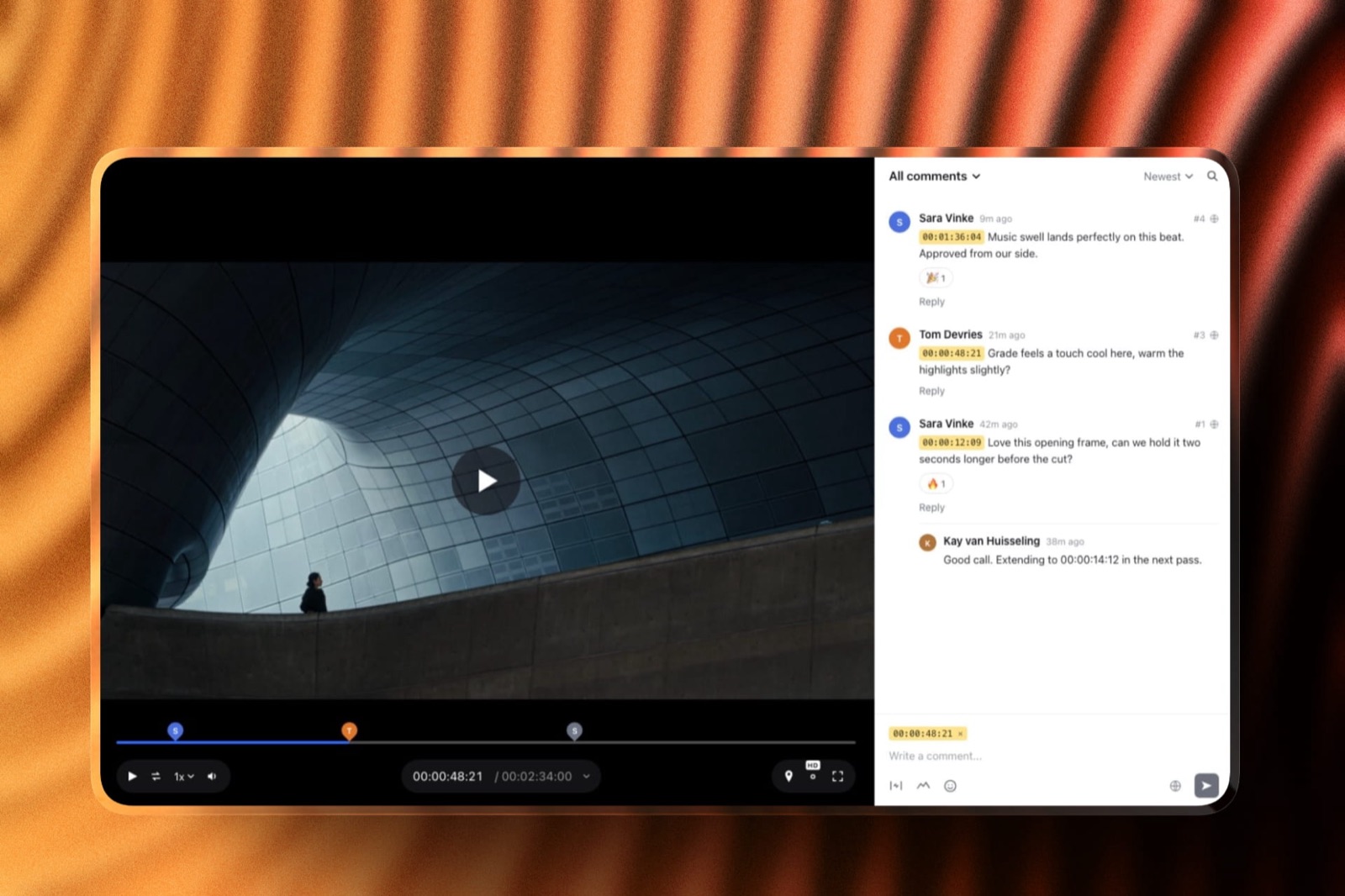
Framekit Video Review is built for this loop. You upload the draft, share a link, and reviewers leave comments pinned to the exact timecode and can draw on the frame; guests do not need an account.
When you upload the next draft it stacks on the first as a new version with the old notes kept, so you can check every note was dealt with, and an approval status marks when the reel is done.
The free plan includes it, with a 500 MB per-video cap, which a 90-second 1080p reel fits comfortably.
Frame.io does the same job with deeper tooling, and it is the better choice if you want comments to appear inside Premiere Pro or DaVinci Resolve.
Its pricing page lists a free plan with two members, 2 GB of storage and two projects, and Pro at $15 per member a month.
For a wider comparison, see the best video review tools for freelance editors.
What to do with the notes. If two of three reviewers flag the same moment, cut it. If one person flags something, check it against the scoring sheet; a note that disagrees with a 2.8 score may be about taste, not the reel.
And if the outsider stops paying attention before 20 seconds, the hook is wrong, whatever the other two said.
Step 8: Export the Reel for the Web
In one lineExport the finished reel as an H.264 MP4 at your project's native frame rate with 48 kHz AAC audio, because YouTube and Vimeo both publish settings along those lines, and a reel that re-encodes badly on upload undoes the grade you spent a week on.
The two platforms most reels end up on publish their recommended upload settings. They agree on the essentials and differ on bitrate, and you can export one master that satisfies both.
| Setting | YouTube recommends | Vimeo recommends | One master that fits both |
|---|---|---|---|
| Container | MP4, with the moov atom at the front (Fast Start) | MP4 (H.264 in the guide's examples) | MP4, Fast Start on |
| Video codec | H.264 | H.264 High Profile, ProRes 422 HQ or H.265 | H.264 High Profile |
| Frame rate | Same as recorded; 24, 25, 30, 48, 50, 60 are common | Native frame rate, constant | Native, constant |
| Bitrate at 1080p | 8 Mbps (standard frame rate), 12 Mbps (high) | 10 to 20 Mbps | 16 to 20 Mbps, variable |
| Bitrate at 4K | 35 to 45 Mbps (standard), 53 to 68 (high) | 30 to 60 Mbps | 45 Mbps |
| Audio | AAC-LC, 48 kHz, stereo at 384 kbps | AAC-LC, 48 kHz, 320 kb/s | AAC-LC, 48 kHz, 320 to 384 kbps |
| Scan | Progressive, deinterlace first | Deinterlace before upload | Progressive |
| Colour space (SDR) | BT.709 | Not specified in the section read | BT.709 |
Sources: YouTube's recommended upload encoding settings and Vimeo's compression guidelines, read 19 September 2026. Vimeo also suggests a constant rate factor of 18 or below if your encoder uses CRF.
File size is minutes of running time, times 60, times the bitrate in megabits per second, divided by 8. A 90-second reel at 20 Mbps is about 225 MB; at 45 Mbps in 4K it is about 506 MB.
That matters in two places: email and review-tool caps. A 506 MB file is just over Framekit's 500 MB free-plan per-video cap (Starter's is 1 GB), and too big to attach to any email, which is why a reel should always travel as a link.
Before uploading, watch the export on a phone with headphones and then on laptop speakers. Most producers will see it on one of the two, and a mix that only works on studio monitors loses the dialogue beat you kept in step 3.
Step 9: Host It Where a Hiring Producer Can Press Play
In one lineHost the reel at the top of your own portfolio site and send that address, because a link on your own domain carries your credits and contact details with it, and Pixar's own careers page shows that a password is friction a recruiter has to work around.
Pixar's careers FAQ asks applicants to paste a link to their online portfolio or demo reel and adds that if the site is password protected, the applicant must supply the password.
Every password is one more step between a busy person and your first ten seconds. Keep the public reel public, and use passwords for unreleased client work, not for the thing you want people to see.
| Where the reel lives | What the viewer lands on | Cost read in September 2026 | Best for |
|---|---|---|---|
| Your own portfolio site | Your name, the reel, credits, full projects and a contact form | Framekit free plan, custom domain from Starter at $9 a month ($7 billed yearly) | The address on your email signature and CV |
| Vimeo | An ad-free player, with password and unlisted options | Vimeo's pricing page lists Starter at $12 per seat a month | Embedding, a clean player, private versions |
| YouTube | YouTube's page and player, surrounded by other videos | Free | Reach, and a backup link |
| Frame.io share link | A review page | Free plan, Pro at $15 per member a month | Sending a specific version to a specific producer, with passphrase protection on Pro |
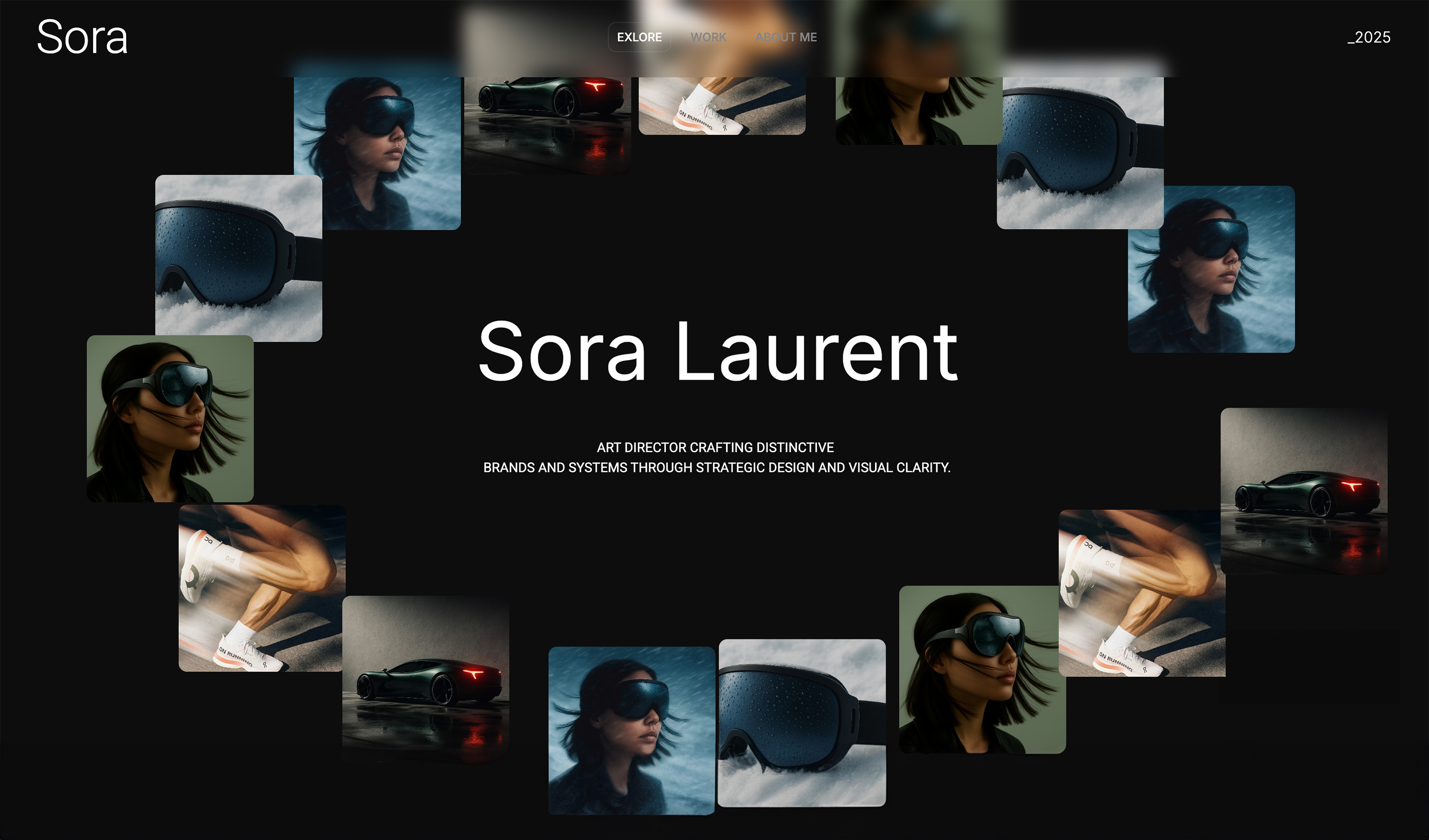
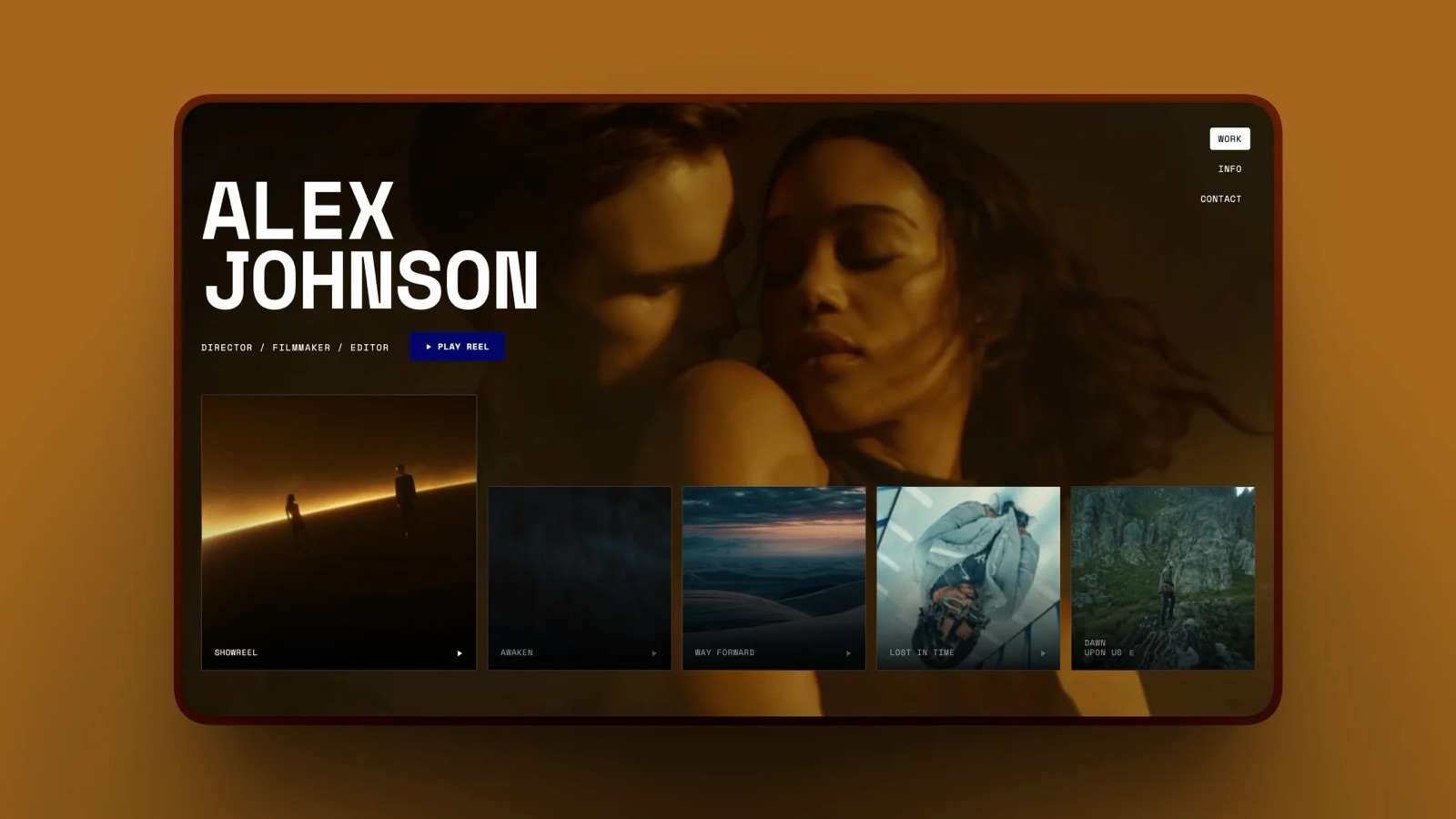
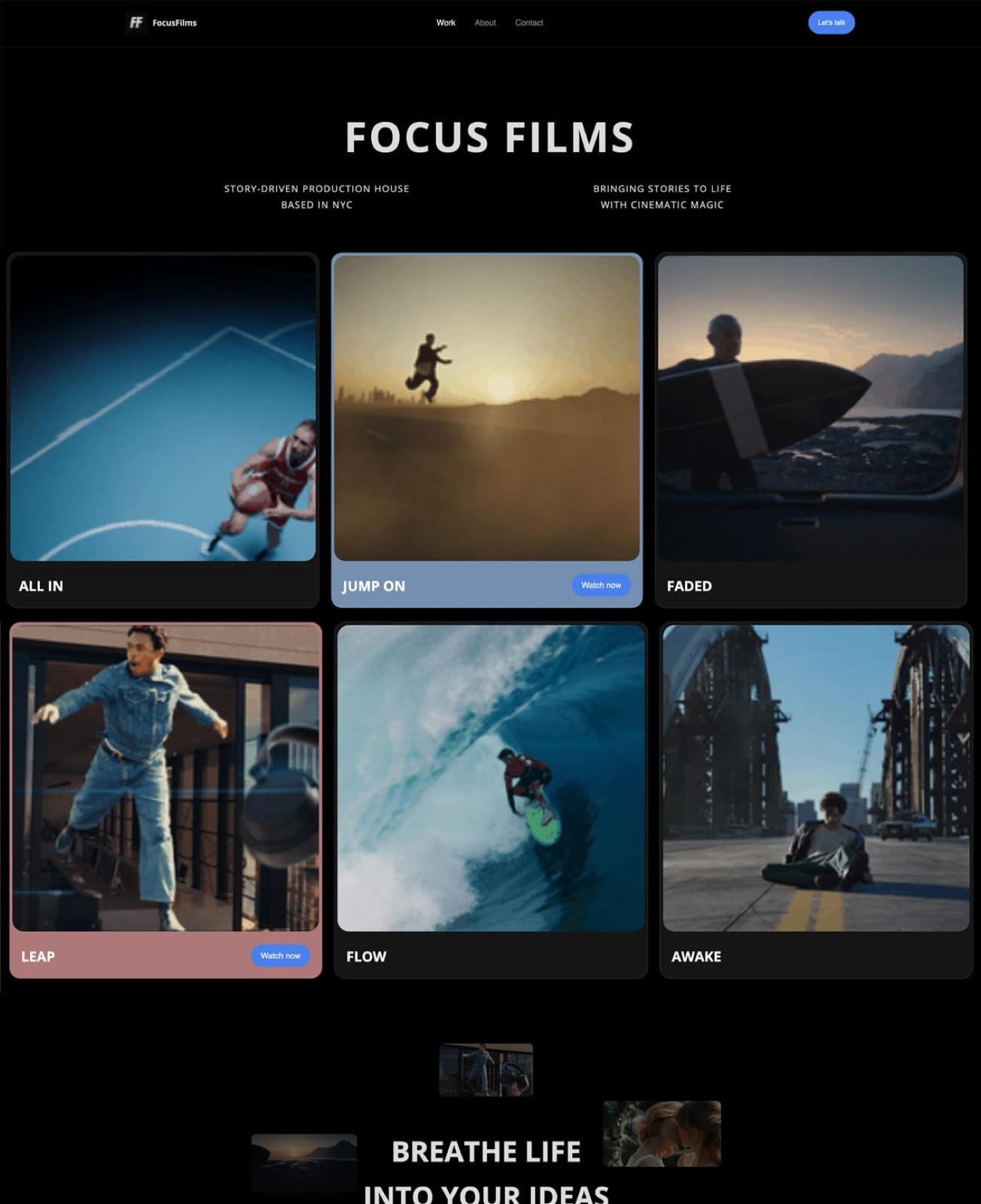
Framekit is an AI website builder with a showreel template that opens on a Play reel button and a strip of projects, so the reel, the credits and the contact form sit on one page at your own address.
Framekit's site builder and Video Review share one account, so the draft that got notes in step 7 and the finished reel on the site are managed in the same place.
For a dedicated comparison of hosts, see the best showreel hosting platforms and the best website builder for video editors.

Where Framekit is the wrong hostif you want view analytics on the reel itself, a player you can brand and embed across other sites, or reach through a platform's own audience, Vimeo and YouTube do those things and Framekit's site is not a replacement for them.
A common setup uses both: the video on Vimeo or YouTube, the page that frames it on your own site.
How to Make a Demo Reel With No Experience
In one lineWith no client work, a demo reel is built from spec work you make on purpose for the job you want, and a 30-second reel of three honest spec pieces beats 90 seconds of padding that any producer will see through by the second clip.
The scoring sheet still works; it just scores work you have not made yet. Start from step 1, write down the job, then make the three pieces that would score highest on relevance for it.
| Your target job | Spec pieces worth making | Where the raw material comes from |
|---|---|---|
| Commercial editor | Recut an existing ad to a new length, a 15-second version of a 30-second spot, a product film from stock footage | Footage you shoot yourself, licensed stock, or a brand-new edit of a friend's shoot |
| Documentary editor | A three-minute character portrait cut from an interview you record | One interview, one location, your own camera |
| Music video editor | A performance edit for a local band | A live session or rehearsal you film with permission |
| Cinematographer | A lighting study: one scene lit three ways | A friend, a room, and borrowed lights |
Label spec work as spec work ("Spec spot" in the credits list). Producers expect it from people starting out and respect it when it is honest; a spec ad presented as a real campaign is the one thing that makes a producer stop reading.
Two more moves help a first reel. Enter the cut you are proudest of into a small festival or online challenge, so there is a real screening credit to list.
And make the reel short: at 30 to 45 seconds, three strong pieces read as a sharp beginner; stretched to 90 seconds, they read as a thin portfolio.
If you are still choosing an editor, the best video editing software compares the options, and how to make money as a video editor covers what comes after the reel lands.
Seven Demo Reel Mistakes the Scoring Sheet Catches
These are the mistakes that come up again and again in published reel advice, and each one maps to a column of the scoring sheet or a line of the seconds budget, which is why a written process is worth more than another pass of watching the reel on repeat.
| Mistake | What it costs | The fix |
|---|---|---|
| A ten-second logo animation at the start | Half of the 20-second attention window | A two-second name card, then the hook |
| Chronological order | Your oldest, weakest work plays first | Order by score, not by date |
| Two clips from the same shoot | Looks like range, reads as repetition | The "not like anything already chosen" column |
| Someone else's craft carrying the shot | A recognisable shot credited to the wrong person | The "your role is clear" column, and a credits list |
| Unlicensed chart music | Takedowns, claims, and statutory damages in the US | A track you license yourself (step 4) |
| One reel for every job | Nobody sees the work they are hiring for | Versions per niche (step 6) |
| A password on the public reel | One more step before anyone presses play | Public reel, private client cuts |
How to Decide What Your Reel Needs Next
Answer these questions in order and stop at the first one that applies, because the reel's biggest weakness is usually earlier in the process than the one you are currently fiddling with in the timeline.
- Can you name the job the reel is for in one sentence? If not, go back to step 1; every later decision depends on it.
- Is anything in the reel something you cannot legally show? If yes, cut it or replace the music now; nothing else matters until it is gone.
- Does the reel run longer than the table in "How long should a demo reel be" suggests for your discipline? If yes, re-score and cut from the bottom of the sheet.
- Are your two highest-scoring moments inside the first ten seconds? If not, rebuild the opening before trimming anything else.
- Has anyone outside your head given you timecoded notes? If not, send the draft to three people before sending it to anyone who can hire you.
- Does it play on a phone, without a password, from an address that is yours? If not, fix the export and the hosting. If yes, send it.
Frequently Asked Questions
How long should a demo reel be in 2026?
A demo reel for video editing should be about 60 seconds, with 90 seconds as the maximum, according to Audiosocket's editing reel guide, and should win the viewer in the first 20 seconds.
Animation reels run longer: Pixar's careers page asks for about one to three minutes. Camera and directing reels usually fit the 60 to 90 second range, with full projects linked separately.
What should be the first shot of a demo reel?
The first shot of a demo reel should be one of your two highest-scoring moments for the job the reel is applying for, arriving within the first ten seconds after a short name card.
Audiosocket's guidance that the first 20 seconds decide whether a viewer keeps watching means a slow opener or a long logo animation spends the only time you are guaranteed.
Can I use copyrighted music in my demo reel?
You cannot use copyrighted music in a demo reel without a licence that covers that use, even though the reel promotes only you.
Musicbed's demo reel guide states that reels require a licence, and US statutory damages run from $750 to $30,000 per work, up to $150,000 if wilful.
Use a track from a library subscription or single-track licence whose terms cover where the reel will be posted.
How do I make a demo reel with no experience?
To make a demo reel with no experience, make three spec pieces aimed at the exact job you want, such as a recut ad, a short character documentary or a lighting study, label them as spec work, and cut them into a 30 to 45 second reel.
A short, honest reel reads as a promising beginner; padding a thin reel to 90 seconds makes it look thinner.
Should I include client work under NDA in my reel?
Client work under NDA or unreleased should stay out of a public demo reel unless the client has agreed in writing.
Keep a note of what each client allows, send NDA work only as a private, password-protected link to a specific producer if the client permits it, and build the public reel from work you are cleared to show.
Should a demo reel have music or original sound?
A demo reel can use a licensed music track throughout, but editors should let at least one moment play with original sound, such as a line of dialogue or an interview answer, because it proves sound editing as well as picture.
Documentary and narrative editors often keep original sound on most clips, using Audiosocket's scene style of clips around 15 seconds long.
What export settings should I use for a demo reel?
Export a demo reel as an H.264 MP4 with Fast Start on, at its native constant frame rate, with AAC-LC audio at 48 kHz.
YouTube recommends 8 Mbps for 1080p at standard frame rates and 35 to 45 Mbps for 4K, while Vimeo recommends 10 to 20 Mbps for 1080p, so a 16 to 20 Mbps 1080p master works on both.
Where should I host my demo reel?
Host your demo reel at the top of your own portfolio website and send that address, and keep a copy on Vimeo or YouTube for embedding and backup.
A site on your own domain puts your credits, full projects and contact details beside the reel, and a public link without a password removes a step for recruiters; Pixar's careers FAQ asks applicants to supply the password if their site is protected.
Framekit vs Frame.io for demo reel feedback: which should I use?
Framekit Video Review suits a solo editor who wants timecoded notes, drawing on the frame, stacked versions and a free plan on the same account as their portfolio site.
Frame.io is the better choice if you want comments inside Premiere Pro or DaVinci Resolve and deeper review tooling; its free plan allows two members, 2 GB and two projects, and Pro is $15 per member a month.
How often should I update my demo reel?
Update your demo reel whenever a new project would score higher on your sheet than the weakest moment currently in the reel, and at least once a year so the work reflects your current level.
Swap one moment at a time rather than recutting from scratch, and check which niche versions share the moment you are replacing.
Final Verdict
Making a demo reel is an editing job with one viewer and a 20-second deadline.
Pick the job first, score every moment on a sheet, put the two best inside the first ten seconds, keep editing reels to 60 to 90 seconds, license the music you cut to, label your role, get timecoded notes from three people, export H.264 at the published settings, and host it publicly on an address that is yours.
Framekit fits the last two steps: Video Review for the notes and a portfolio site for the finished reel, on one account and free to start.
Where Framekit loses: it is not an editor, it does not plug into Premiere or Resolve the way Frame.io does, and it is not a video platform with its own audience or player analytics, which is what Vimeo and YouTube are for.
Framekit is not for an editor who only needs a player link; Vimeo is the better fit there.
Related readingcompare where to host the finished cut in the best showreel hosting platforms, choose a site built around video in the best portfolio website builder for videographers, and find a track you can legally cut to in the best stock music licensing sites.
See where finished reels live in the videographer portfolio examples, and if you collect notes on the cut, Frame.io vs Vimeo compares the two usual review routes.