Framekit templates
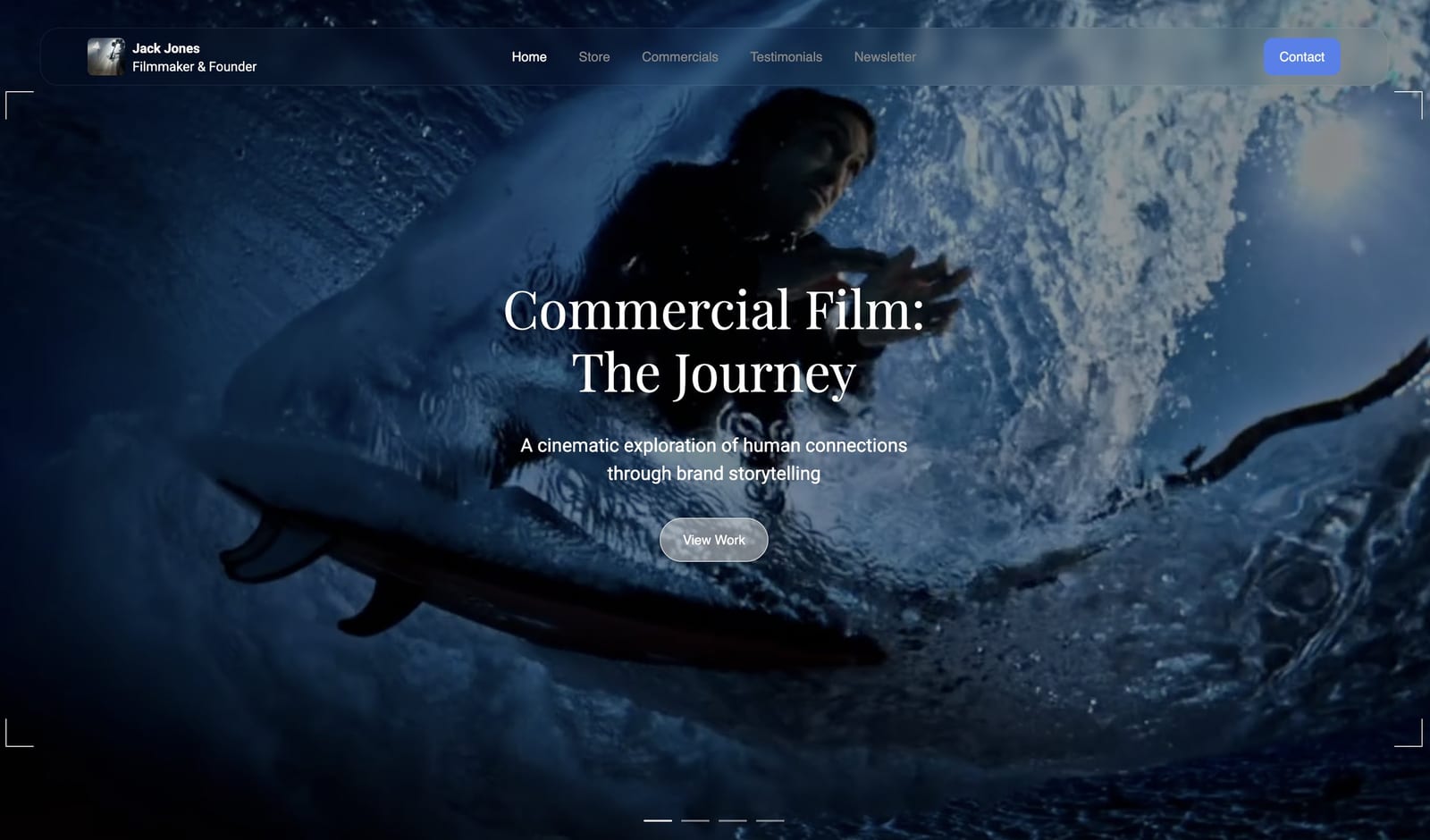
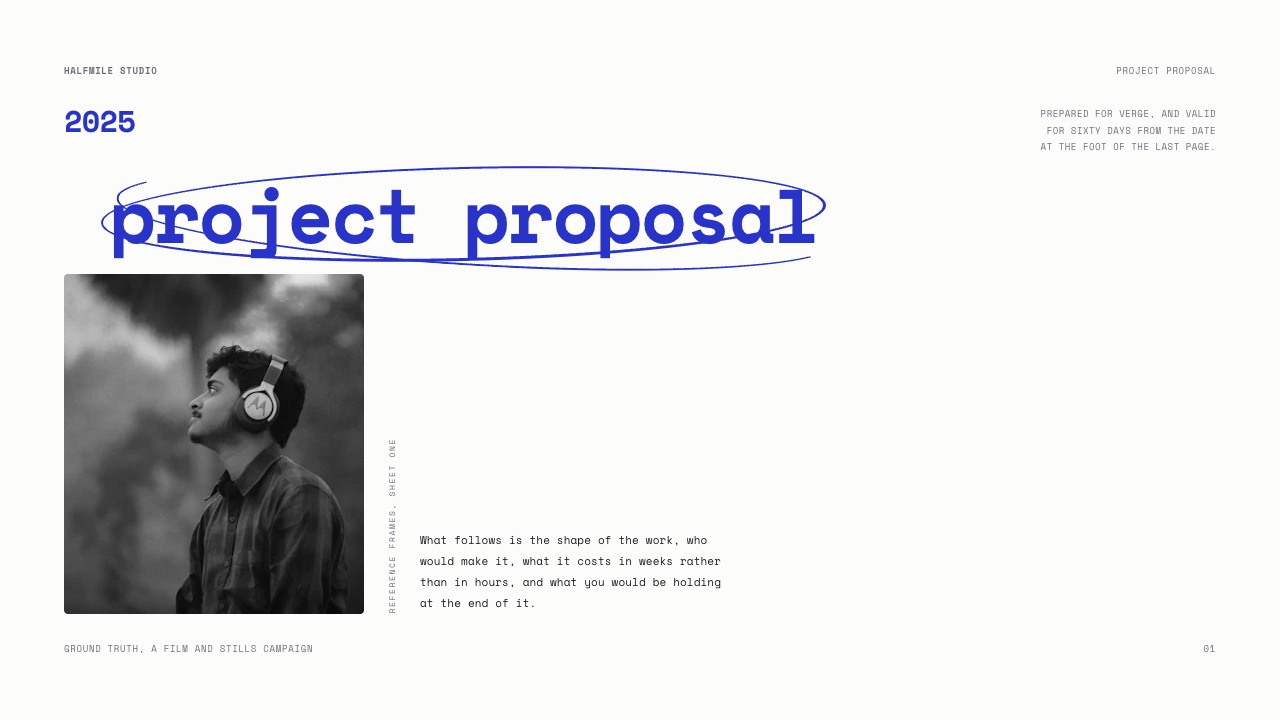
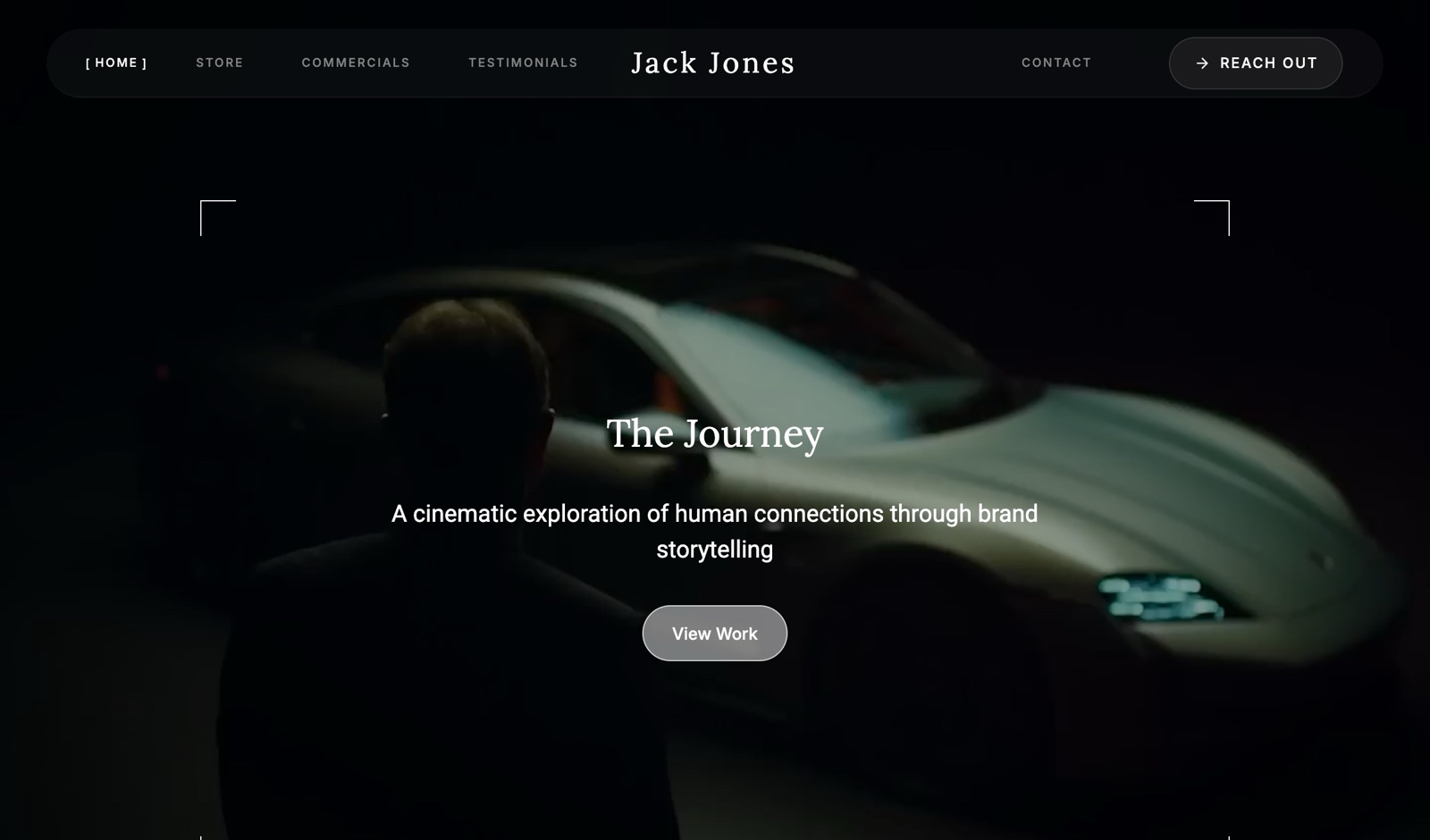
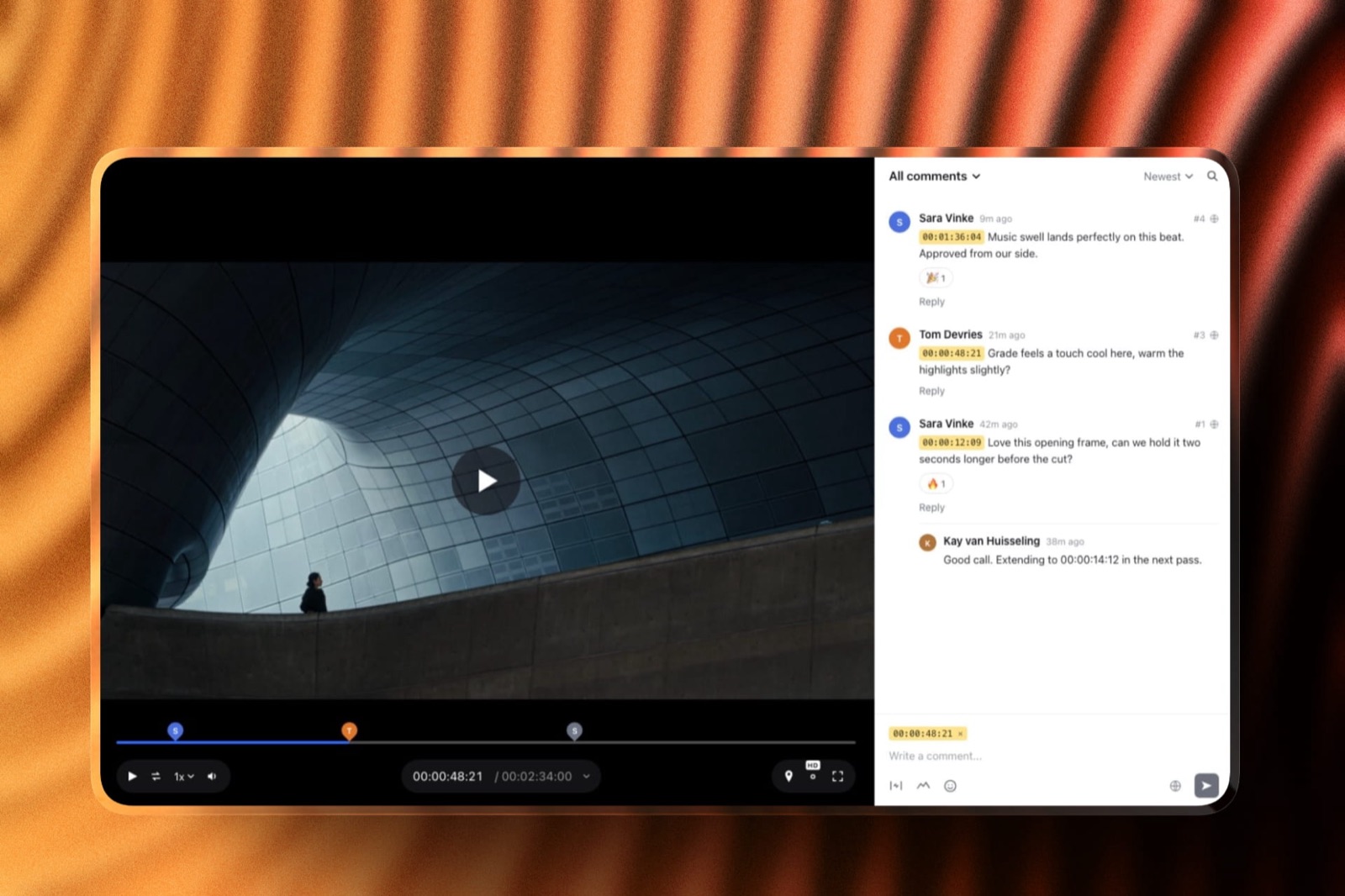
Start from a designer-made template
 Use template
 Use template
 Use template
 Use template
 Use template
 Use template
 Use template
 Use template
A freelance editor who delivers brand films usually ends up paying for both: Frame.io Pro at $156 a year so the client can leave notes on the cut, and Vimeo Starter at $144 a year so the approved film has an ad-free player to live on.
That is $300 a year for two tools that both now advertise client review, and the obvious question is whether one of them can go. The honest Frame.io vs Vimeo answer depends on which direction most of your video travels.
Frame.io was built for media coming in: footage from set, cuts from the timeline, notes from a director. Vimeo was built for video going out: a player, embeds and showcases for audiences.
Both added client review where those two journeys meet, and they did it with different priorities.
A video review tool is software that lets a client or collaborator watch a cut in a browser and leave comments pinned to exact moments, with versions tracked so everyone knows which cut they are talking about.
A video host is software that stores finished video and plays it back to an audience through a player you can embed, share and brand.
Frame.io is better for client review when review is part of production: on-frame drawing, range comments, a comparison viewer, transcription, Camera to Cloud and editing-app panels come on every plan, and Pro costs $156 per member a year with 2TB per seat.
Vimeo is better when the same video also needs to be published, because its review links sit on top of an ad-free 4K HDR player, embeds and showcases, from $144 a year for one person on Starter.
The trade-off is sharp: Frame.io is not sold as a public video host with embeds and showcases, and Vimeo's own review documentation describes no drawing tools and no compare view.
For a solo filmmaker who needs review plus a portfolio site and client galleries rather than either specialist, Framekit covers all three on one plan from $0, with honest limits covered below.
Full disclosure: Framekit is our product and appears at the end as a third option for solo creators and small studios. It is not a replacement for Frame.io in a post-production pipeline or for Vimeo as a public video host, and both sections say where Framekit falls short. Every Frame.io and Vimeo figure was read on their own pricing pages and help centres on 19 September 2026.
How Frame.io and Vimeo Were Compared
This comparison sets the two products side by side on the job most readers are hiring them for, which is getting a client from a first cut to an approved film, and every claim in it sits in one of three evidence buckets so you can tell a published fact from arithmetic.
Read at the source. Frame.io's plans, limits and feature grid come from frame.io/pricing, and its storage rules from Frame.io's help centre.
Vimeo's plans, seats, storage and feature grid come from Vimeo's pricing page, including the monthly prices it loads behind the annual default, and its review features from Vimeo's help articles on review links and versions.
All of it was read on 19 September 2026.
Calculated. Annual and monthly totals for one person and a three-person studio, shown with the multiplication. Tax is excluded throughout.
Not claimed. Neither product was used on a paid account for this piece, so there are no timings, upload speeds or playback impressions. Where a feature is missing from a vendor's own documentation, the text says "not described" rather than "not available".
Frame.io vs Vimeo at a Glance
In one lineFrame.io is the stronger review tool and the weaker publisher, Vimeo is the stronger publisher and the lighter review tool, and their prices for one person are within $12 a year of each other, so the decision rests on features, not on cost.
| Frame.io | Vimeo | |
|---|---|---|
| Built for | Production collaboration and review | Hosting, player and distribution |
| Owner | Adobe (since October 2021) | Bending Spoons (since November 2025) |
| Free plan | 2 members, 2GB, 2 projects | 1 seat, 1GB total for the account |
| Cheapest paid plan, one person | Pro, $156 a year or $15 a month | Starter, $144 a year or $20 a month |
| Storage on that plan | 2TB | 2TB |
| How extra people are billed | Per member, each adding 2TB | Per seat, sharing the plan's storage |
| Client reviewers | Free, no account | Free, account optional |
| Drawing on the frame | Yes, every plan | Not described |
| Public player, embeds and showcases | Share links and presentations, not a public host | Every plan |
| Camera to Cloud | Every plan | Not listed |
| Editing-app integration | Premiere Pro, After Effects, Final Cut Pro | Premiere Pro |
A few numbers carry most of the decision:
- $12. The annual price gap between Frame.io Pro ($156) and Vimeo Starter ($144) for one person.
- 40% vs 13%. Vimeo's advertised saving for paying yearly on Starter against Frame.io's for Pro, which is why Vimeo's monthly price ($20) is the higher of the two.
- 5. The member limit on both Frame.io Pro and Vimeo Standard, the plans a small studio lands on.
- 2TB a month. The bandwidth cap Vimeo sets on self-serve plans, a limit Frame.io's pricing page does not list.
- 1GB. The total, non-renewing storage on a Vimeo Free account opened since June 2024.
Frame.io: A Review Tool Built Into Production
Frame.io is a cloud workspace for video production that also carries one of the most complete client review toolsets on the market, and the review features are only half the reason people pay for it; the other half is how media gets in and how notes get back into the edit.
Adobe completed its acquisition of Frame.io in October 2021, and the product now sits alongside Premiere Pro and After Effects.
Its pricing page lists Premiere Pro and Final Cut Pro integrations on every plan, and its help centre documents a Premiere Pro comments panel and an After Effects panel, so an editor can read a client's notes inside the app and jump to the frame.
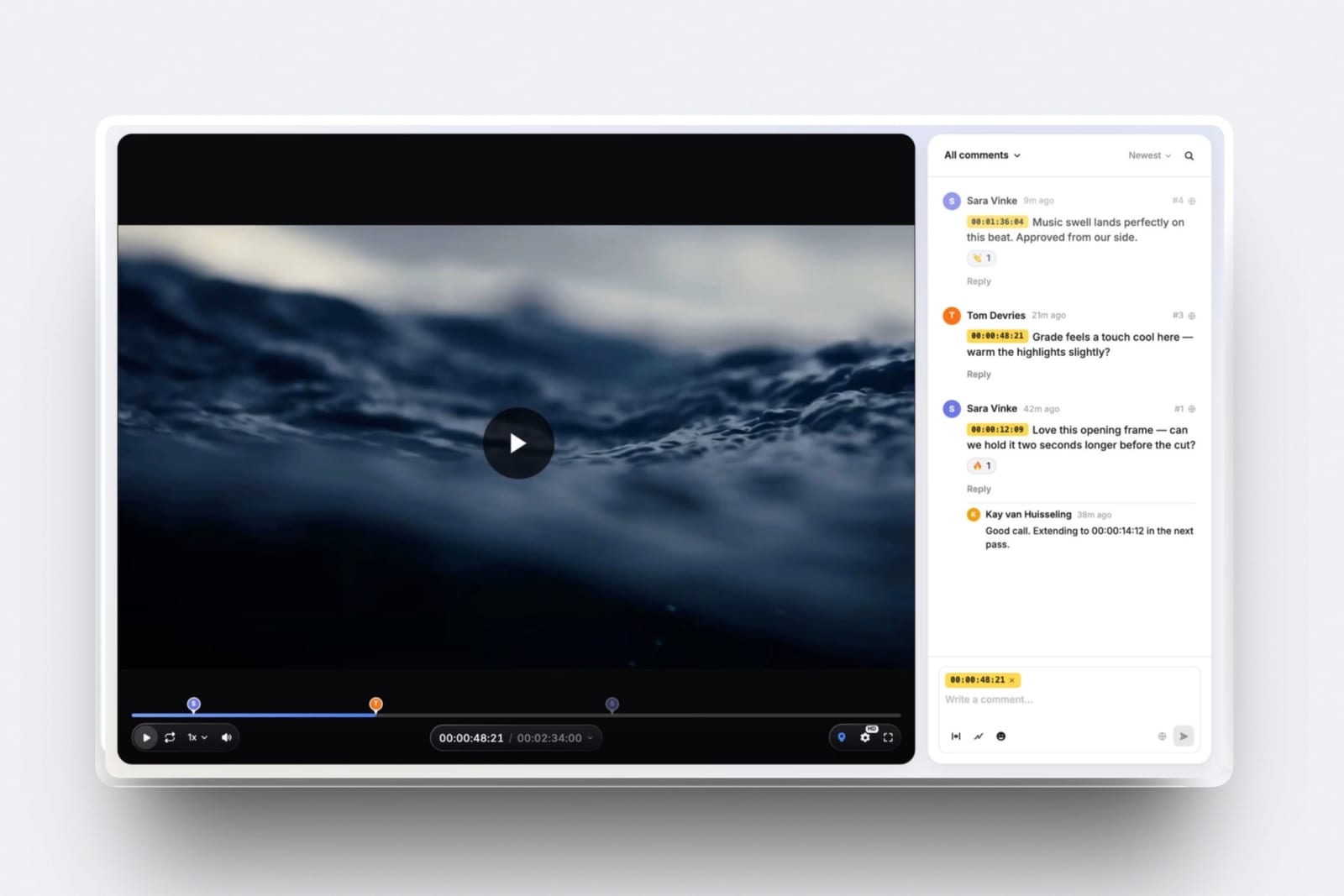
What review looks like. Comments can be frame-accurate or cover a range, reviewers can draw annotations on the picture, and versions stack so a reviewer can switch between cut 3 and cut 4.
The comparison viewer, transcription and captions come on every plan, Free included. Comment attachments start on Pro.
What share controls cost. Branded share pages, passphrases, expiry dates, turning off downloads or comments, and hiding older versions all start on Pro at $15 per member a month. On Free a share link has none of those protections.
The detail most comparisons miss. Frame.io's storage scales per member: Pro starts at 2TB and each extra paid member adds 2TB, so five people hold 10TB. That makes Frame.io a serious cloud drive for footage, not just a review page.
The gotcha. Anyone who uploads is a paid member. A studio with a producer, two editors and a freelance assistant pays for four seats, even if only one of them sends cuts to clients.
Skip it if your review rounds are short, your files are finished exports, and what you really need afterwards is somewhere public to play the film.
Verdict: Frame.io is the right review tool whenever the review is the middle of a production workflow rather than the end of one, and it is more tool than a solo editor sending two cuts a month needs.
Vimeo: A Video Host With Review on Top
Vimeo is an ad-free video hosting platform first, and its client review is a newer layer that uses the same library, so the cut you approve is already sitting in the place you will publish it from; that shortcut is the entire case for choosing Vimeo for review.
Vimeo announced on 10 September 2025 that it had agreed to be acquired by Bending Spoons for about $1.38 billion in cash, and Vimeo's filing with the US Securities and Exchange Commission records the deal as completed on 24 November 2025.
Bending Spoons also owns WeTransfer, Evernote and Brightcove, according to the same announcement.
What review looks like. You create a review link from a video's Share panel, and you can make several links for one video with different settings.
Each link can carry a password and an expiry date, and you choose whether people can download, comment, change the review status or view previous versions.
Vimeo's product page says anyone with the link can comment with or without a Vimeo account, every comment is timestamped to a frame, and reviewers can react with emoji and paste clickable links.
Statuses run from In progress to Needs review to Approved.
What the player adds. Every plan, Free included, plays back in 4K with HDR and Dolby Vision support, carries no ads and embeds anywhere.
Paid plans add domain-level embed privacy, password protection, video SEO, transcription and automated captions. Standard adds player branding, a custom watermark and lead capture.
The detail most comparisons miss. Replacing a file keeps the same URL and creates a new version, and comments from earlier versions stay in the version history.
For a brand film already embedded on a client's site, that means the approved re-cut replaces the old one without a new link.
The gotcha. Vimeo's help documentation and review product page describe timestamped comments, replies and reactions, but not drawing on the frame or a side-by-side compare. Notes like "the logo at top left" stay as words.
Skip it if your review rounds involve a director marking up frames, or if nobody outside the review ever sees the video.
Verdict: Vimeo is the right choice for editors whose approved cut goes straight to an audience, and a thin review tool for anyone who needs to point at part of the picture.
If you are already on Vimeo and weighing a move, our guide to Vimeo alternatives covers the hosting side and Vimeo review alternatives the feedback side.
Review Features Head to Head
In one lineon the review features both vendors document, Frame.io matches Vimeo on every basic and adds drawing, range comments, a compare view, attachments and deeper editing-app links, while Vimeo matches Frame.io on passwords, expiry, download control and approval status at a lower tier.
| Review feature | Frame.io | Vimeo |
|---|---|---|
| Timestamped comments | Yes, frame-accurate, every plan | Yes, timestamped to a frame, paid plans |
| Range comments (in to out) | Yes | Not described |
| Drawing on the frame | Yes | Not described |
| Replies and reactions | Replies | Threaded replies, emoji reactions |
| Version history | Version stacks | New version on file replace, old comments kept |
| Side-by-side compare | Comparison viewer | Not described |
| Approval status | Not listed on the pricing grid | In progress, Needs review, Approved |
| Reviewer can change status | Not listed | Optional per link |
| Password on the link | Pro and up (passphrase) | Paid plans |
| Link expiry | Pro and up | Paid plans |
| Turn off downloads | Pro and up | Per link |
| Several links, different rules, one video | Share permissions per share | Yes, documented |
| Comment attachments | Pro and up | Not described |
| Staff-only comments | Team and up (internal comments) | Not described; review comments are private from the public, not from the client |
| Download or export comments | Yes | Yes |
| Transcription and captions | Every plan | Paid plans |
| Editing-app round trip | Premiere Pro, After Effects, Final Cut Pro | Premiere Pro |
Two rows decide it for most people. If your reviewers need to circle a problem in the picture, Frame.io is the only one of the two that documents drawing.
If your client is the one who should press Approved, Vimeo builds that into the link settings, where Frame.io's pricing grid does not mention an approval status at all.
A note on privacy. Vimeo's help article says a review link works regardless of the video's own privacy setting, so anyone holding the link sees the cut. Put a password and an expiry date on every client link rather than relying on the video being private.
Hosting, Players and Sharing Finished Work
In one lineonce a film is approved, Vimeo gives it a public, ad-free home with embeds, showcases and SEO on every paid plan, while Frame.io's sharing is built for private presentations to known people, so a Frame.io-only editor still needs somewhere to publish.
| After approval | Frame.io | Vimeo |
|---|---|---|
| Embeddable public player | Not part of the plan grid | Every plan, ad-free |
| Playback quality | 1080p on Free, 4K UHD on Pro and up | 4K, HDR and Dolby Vision on every plan |
| Presentation pages | Branded shares, reel layout on Pro and up | Showcases (3 on Free), branded galleries on Standard |
| Player branding | Not applicable | Standard and up |
| Search visibility | Not applicable | Video SEO on paid plans, showcase SEO on Standard |
| Monthly bandwidth | Not stated | 2TB on self-serve plans |
| Largest single file | Not stated on the pricing page | 300GB and 24 hours, any plan |
The 2TB bandwidth figure is generous for portfolio work.
A 1080p stream at around 10 megabits per second uses about 75MB a minute, so 2TB covers roughly 26,700 minutes of viewing a month; that is our arithmetic, and higher-resolution viewing uses more.
Vimeo says it set the limit so that 99% of users never reach it.
Frame.io's strength here is the private screening. A branded share with a reel layout, a passphrase and downloads switched off is a clean way to show a client three directors' cuts. It is not a way to put a film on your website.
If hosting is the bigger half of your decision, our roundups of video hosting platforms and showreel hosting go deeper on players and embeds.
Storage, Seats and the Limits That Bite
In one lineFrame.io gives every paid member their own 2TB and charges for everyone who uploads, while Vimeo gives the account a fixed pool that seats share and lets viewers comment for free, so Frame.io scales storage with headcount and Vimeo does not.
| Frame.io Pro | Frame.io Team | Vimeo Starter | Vimeo Standard | Vimeo Advanced | |
|---|---|---|---|---|---|
| People who can upload | Up to 5 | Up to 15 | 1 | Up to 5 | Up to 10 |
| Storage | 2TB + 2TB per extra member | 3TB + 2TB per extra member | 2TB | 4TB | 7TB |
| Storage with 3 uploaders | 6TB | 7TB | Not possible | 4TB | 7TB |
| Free commenters | Reviewers | Reviewers | Viewers | Viewers | Viewers |
Frame.io's limits. Projects are capped at 2 on Free and unlimited on paid plans. Removing a member removes their 2TB, and an account over its limits gets a warning and a short window to fix it.
Add-on storage is sold in 250GB steps, price not published in the help article.
Vimeo's limits. Vimeo's FAQ says team members share the account's storage allowance, and Starter allows only one user.
The Free plan's 1GB is a total for the life of the account, not a monthly allowance, for accounts opened from 17 June 2024 onward. Every file can be up to 300GB and 24 hours long regardless of plan.
What Frame.io and Vimeo Cost for 1 and 3 People
In one lineone person pays $156 a year for Frame.io Pro or $144 for Vimeo Starter, but three people pay $468 on Frame.io Pro against $900 on Vimeo Standard at list per-seat prices, so Frame.io gets cheaper relative to Vimeo as the team grows.
| Scenario | Frame.io | Vimeo |
|---|---|---|
| 1 person, billed yearly | Pro: $156 (2TB) | Starter: $144 (2TB) |
| 1 person, billed monthly | Pro: $15 x 12 = $180 | Starter: $20 x 12 = $240 |
| 3 people, billed yearly | Pro: 3 x $156 = $468 (6TB) | Standard: 3 x $300 = $900 (4TB shared) |
| 3 people, billed monthly | Pro: 3 x $180 = $540 | Standard: 3 x $41 x 12 = $1,476 |
| 3 people, staff-only comments | Team: 3 x $264 = $792 (7TB) | Not described on any self-serve plan |
| Both tools, 1 person, yearly | $156 + $144 = $300 |
Vimeo lists every paid plan "per seat / month", and its FAQ describes additional Admin and Contributor seats bought by the owner, so the three-person figures above multiply the listed seat price.
Check the total in Vimeo's cart before you budget, since seat pricing on hosting plans is easy to misread.
Refund terms differ too. Vimeo's FAQ promises a full refund within 14 days of an annual subscription or 3 days of a monthly one. Frame.io's FAQ says you pay the period up front and keep access until it ends if you cancel. Both add sales tax where it applies.
Who Owns Frame.io and Vimeo Now
In one lineFrame.io has been part of Adobe since October 2021 and is increasingly tied into Creative Cloud, while Vimeo became part of Bending Spoons in November 2025, and both changes shape where each product is likely to invest.
Adobe's ownership shows up in the product: the Premiere Pro and After Effects panels, the Lightroom connection on the pricing grid, and a Frame.io allowance that Frame.io says is included with select Creative Cloud subscriptions.
If you already pay Adobe, that bundle can cover light review before you buy a Frame.io seat.
Bending Spoons' chief executive said in the deal announcement that the company acquires businesses expecting to own and operate them indefinitely, and that it plans to invest across both the creator and enterprise offerings.
For a buyer, the practical advice is the same as with any platform that has changed hands: keep your masters somewhere else and export anything you would miss.
Frame.io or Vimeo: Which to Choose by Job
In one linepick by where the video goes next, because a cut that returns to the timeline belongs in Frame.io, a cut that goes straight to an audience belongs in Vimeo, and a cut that goes to one client and then onto your own site may need neither.
- Is anyone uploading straight from set, or cutting in Premiere Pro, After Effects or Final Cut Pro with notes you want inside the edit? If yes, choose Frame.io. If no, go to question 2.
- Do reviewers need to draw on the frame or compare two cuts side by side? If yes, choose Frame.io, Pro at $156 per member a year. If no, go to question 3.
- Will the approved film be embedded on a client's site, a showcase or a public page? If yes, choose Vimeo: Starter at $144 a year for one person, Standard at $300 per seat once more than one person uploads. If no, go to question 4.
- Are three or more people uploading? If yes, Frame.io Pro is the cheaper of the two at $468 a year for three against $900 for Vimeo Standard. If no, go to question 5.
- Is the review page really the only thing you need, or do you also need a portfolio site, client photo galleries and decks? If review is everything, either tool at about $150 a year does the job, and Frame.io Free covers one or two small projects. If you need the rest too, read the next section.
By job, in short. A post-production team with an assistant editor and a colourist: Frame.io Team. A freelance editor delivering brand films that live on the client's site: Vimeo Starter.
A documentary editor storing selects in the cloud: Frame.io Pro for the per-seat storage. A wedding filmmaker who sends one film per couple and needs a gallery and a website: the third option below.
Editors who mostly need a way to get files to clients rather than a full review workflow should also read our guide to sending video to clients.
The Third Option: Framekit for Solo Filmmakers and Small Studios
In one linefor a solo filmmaker or small studio whose review work is sending a cut to a client, and who also needs a portfolio site and client galleries, Framekit replaces the review half of Frame.io and the showcase half of Vimeo on one plan from $0, with real limits on storage and workflow.
Framekit is an AI website builder whose Video Review, client galleries, Slides decks and digital-download store live on the same account as the portfolio site, so the review page, the delivery gallery and the reel on your homepage share one login and one bill.
Review, the client side. You upload a cut; clients open the link without an account, leave comments pinned to the exact timecode, draw on the frame to point at something, reply and react.
New cuts stack as versions in order and keep their old notes. Each cut carries a status (needs review, in progress, approved, needs changes).
Links can be password-locked, set to expire, and set to collect an email before viewing, and you get comment notifications by email. Review pages take your logo, banner, fonts, accent colours and a light or dark theme.
What replaces Vimeo's showcase. The approved film goes onto your Framekit site, with hosting, SSL and SEO controls on every plan, and the raw files go to the client through a gallery with full-resolution and ZIP downloads, a download PIN and watermarking.
Treatments and pitch decks for the next job are built in Slides on the same account.
The price. Free costs $0 with 10GB of pooled storage, 3GB of it for video. Pro is $19 a month or $15 billed yearly, $180 a year, with 300GB pooled (150GB video) and 3 team members.
Business is $39 a month or $31 billed yearly with 2TB pooled (750GB video) and unlimited team members. Paid plans put review pages and galleries on your own domain without the Framekit badge.
Where it falls short of Frame.io. No Camera to Cloud, no panels for Premiere Pro, Resolve, Final Cut Pro or After Effects, no transcription, no frame-by-frame compare or wipe, no forensic or session watermarking, no SSO or per-seat enterprise admin, and no 4K HDR review grading.
Storage is a fraction of Frame.io's 2TB per seat, videos are capped at 2 hours, and per-video uploads top out at 3GB on Business.
Where it falls short of Vimeo. Framekit is not a public video platform with an embeddable player for other people's sites, a 2TB-a-month bandwidth allowance, showcases with their own SEO, live streaming or video subscriptions.
If a client wants to embed the film on their own website, Vimeo is still the tool.
Verdict: Framekit is the better fit when review is one step between a pitch deck and a delivery gallery for the same client, and the wrong fit for editors whose review work feeds a timeline or whose films need a public player on someone else's site.

Frequently Asked Questions
Is Frame.io or Vimeo better for client video review?
Frame.io is better for client review that is part of production, because it documents on-frame drawing, range comments, a comparison viewer, transcription and editing-app panels on every plan.
Vimeo is better when the reviewed video will also be published, because review links sit on the same library as its ad-free player and embeds. For one person the prices are $156 and $144 a year.
Can clients comment on Vimeo without an account?
Yes. Vimeo says anyone with a review link can leave comments with or without a Vimeo account, and its help centre notes that a guest gives a name and email before posting.
Comments are timestamped to a frame and support replies, emoji reactions and clickable links. Review links can carry a password, an expiry date and download controls.
Does Vimeo have drawing or annotation tools like Frame.io?
Vimeo's own review documentation describes timestamped comments, threaded replies, emoji reactions and links, but not drawing on the frame or a side-by-side compare.
Frame.io lists annotations and a comparison viewer on every plan, including Free. If reviewers need to mark part of the picture, Frame.io is the safer choice of the two.
Can Frame.io replace Vimeo for hosting a finished film?
Frame.io is built for sharing with known people, not for public hosting. Its plans include branded shares, a reel layout and passphrases, but its pricing page does not offer an embeddable public player, showcases or video SEO.
Vimeo includes all three on every paid plan, so editors who publish films still tend to keep a Vimeo or similar host.
How much do Frame.io and Vimeo cost for a small team?
For three people who all upload, Frame.io Pro costs $468 a year with 6TB of storage and Frame.io Team $792 with 7TB. Vimeo Standard lists $25 per seat a month billed yearly, which is $900 a year for three seats sharing 4TB.
On monthly billing the same teams pay $540 on Frame.io Pro and $1,476 on Vimeo Standard.
Which is cheaper for one freelance editor, Frame.io or Vimeo?
Vimeo Starter is $12 a year cheaper on annual billing at $144 against $156 for Frame.io Pro, and both include 2TB. On monthly billing Frame.io is cheaper at $15 a month against Vimeo's $20.
Frame.io's Free plan (2GB, 2 projects) is more usable than Vimeo's Free plan, which holds 1GB in total for the life of the account.
Who owns Vimeo and Frame.io in 2026?
Adobe owns Frame.io, having completed the acquisition in October 2021.
Bending Spoons owns Vimeo: the companies announced the deal on 10 September 2025 at about $1.38 billion in cash, and it completed on 24 November 2025 according to Vimeo's SEC filing.
Bending Spoons also owns WeTransfer, Evernote and Brightcove.
Does Vimeo integrate with Premiere Pro like Frame.io?
Yes, partly. Vimeo lists a Premiere Pro integration on every paid plan that syncs review comments and exports cuts from the timeline to Vimeo.
Frame.io goes further, with a Premiere Pro comments panel, an After Effects panel and a Final Cut Pro integration on every plan, plus Camera to Cloud uploads from set.
Do I need both Frame.io and Vimeo?
Many freelance editors pay for both, about $300 a year for one person on annual billing, using Frame.io for review and Vimeo for the finished film.
You need both only if your review needs Frame.io's drawing, compare or editing-app features and your finished films need a public, embeddable player. If not, Vimeo alone covers light review plus hosting.
What is a cheaper alternative to Frame.io and Vimeo for client review?
Framekit covers client review with timecoded comments, drawing on the frame, versions and approval statuses on its free plan, and Pro costs $180 a year with a portfolio site, client galleries and Slides included.
It has no Camera to Cloud, editing-app panels, transcription or public embeddable player, so it suits solo filmmakers and small studios rather than post houses.
Final Verdict
Frame.io wins the review itself.
It documents drawing, range comments, a comparison viewer, transcription and editing-app round trips on every plan, it scales storage with every seat, and at three uploaders it costs about half of Vimeo Standard.
Vimeo wins everything after approval: an ad-free 4K HDR player, embeds, showcases and search visibility, with review links that are good enough for clients who write their notes in words.
If your cuts go back into a timeline, choose Frame.io. If they go out to an audience, choose Vimeo.
Framekit does not compete with either at their core. It will not replace Frame.io in a post-production pipeline, and it is not a public video host for other people's websites; Framekit is not for editors who need either of those.
It is the better fit for a solo filmmaker or small studio that sends cuts to one client at a time and also needs the website, delivery galleries and treatment decks around the review.
Related readingthe best Frame.io alternatives ranks every dedicated review tool, Vimeo alternatives covers the hosting market, and client galleries for videographers compares delivery options once the cut is approved.
Filmmakers building the site around all of it can start with the best website builders for filmmakers.
For the seat maths behind Frame.io's plans, see Frame.io pricing; for the film you will send through either tool, how to make a demo reel covers the cut itself.