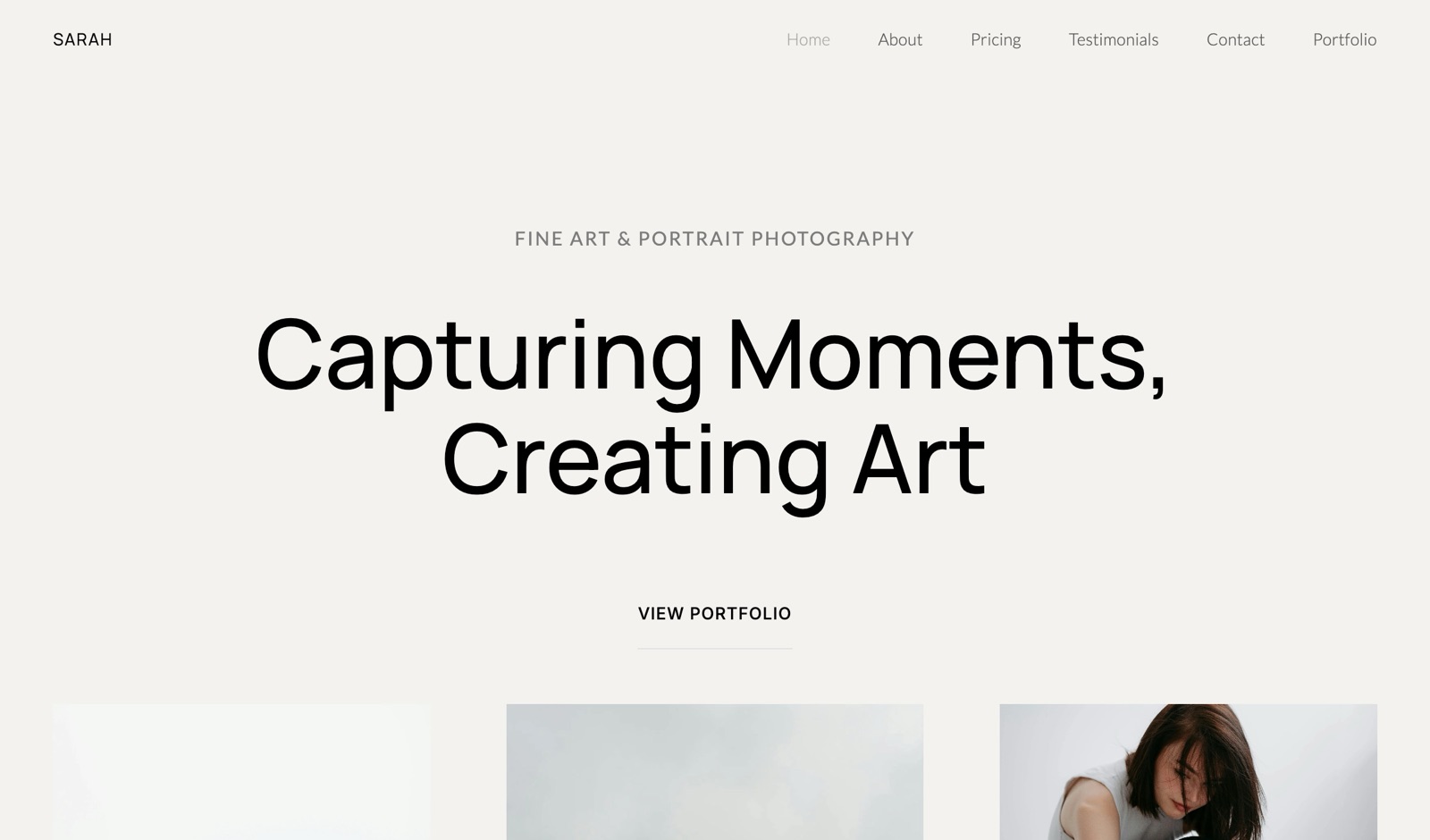
Framekit templates
Start from a designer-made template
 Use template
 Use template
 Use template
 Use template
 Use template
 Use template
 Use template
 Use template
Some photographers choose a platform for the next client. Others choose it for the next twenty years of photographs.
SmugMug has been built for the second group since 2002, the year on its own footer: unlimited full-resolution JPEG storage on every plan, Lightroom and Luminar plugins, 24/7 human support, and a print shop with a 100% satisfaction guarantee attached.
Framekit is built for the first group.
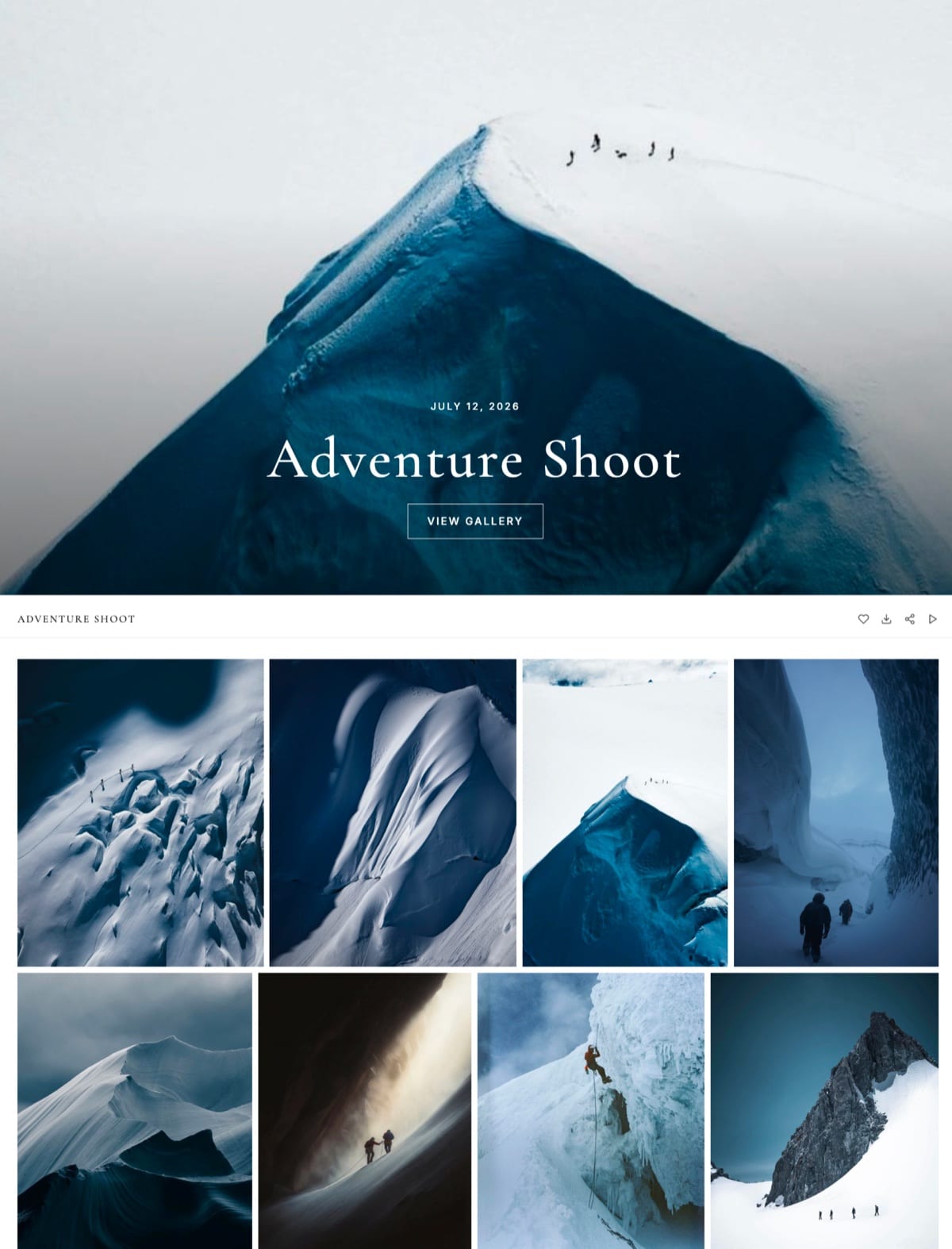
Its client galleries hold the stills and the film from one job under one link, its review room handles the edit before delivery, and the same account runs the portfolio site, Slides decks and a digital store.
It stores a working business rather than a permanent archive, and it caps out at 2TB.
A client gallery platform is software that delivers a finished shoot to a client through a private link they can browse, favourite and download from.
Framekit is an AI website builder with client galleries, video review, Slides and a digital-download store in one account, and SmugMug is an unlimited photo archive with galleries, a website and print sales on top, so choosing between them starts with deciding whether you need an archive or a delivery desk.
SmugMug is the better choice if you want an unlimited, permanent online home for a large photo library, because every plan from $20 a month billed yearly stores unlimited full-resolution JPEGs, with print sales, lab fulfilment and website templates from $23.50 and RAW storage as an add-on.
Framekit is the better choice for client delivery on a budget, because favourites, watermarks, passwords and a download PIN are on its free plan while SmugMug keeps client favouriting for its $37 Pro plan, and $180 a year on Framekit Pro also covers stills and films in one gallery, video review, the portfolio site and a digital store.
Framekit is not an archive, and it sells no prints.
Full disclosure: Framekit is our product. On 12 October 2026 we re-verified every SmugMug price and plan feature against its plans page and its features and selling pages, and every Framekit figure against framekit.ai's plan table. SmugMug's help centre blocks automated reads, so its exact print commission is not quoted here. The August 2026 version of this page quoted SmugMug at around $13 a month; its cheapest published plan is now $20 a month billed yearly. We also corrected lines that said Framekit's paid plans remove its gallery credit, which stays on every plan.
What We Checked and How
This Framekit vs SmugMug comparison rests on each company's own published pages in October 2026 plus simple arithmetic on them, with gaps labelled as gaps, so you can check every figure and swap in your own library size and delivery volume.
Read at the source. SmugMug's plans page with its full feature grid, its features page, and its page on selling photos online.
For Framekit, the plan table at framekit.ai/pricing and the gallery settings the product ships.
Worked out. Storage for three kinds of photographer using 10MB per delivered JPEG and 30MB to 50MB per RAW file, and film sizes from bitrate times seconds divided by eight.
SmugMug publishes yearly-billed prices on its plans page; its monthly prices load from a separate service that did not return to an automated request, so only yearly prices are quoted.
Not established. SmugMug's help centre returned a block to automated requests in October 2026, so its exact commission on print sales is not quoted.
SmugMug's plans and features pages do not mention video, so this comparison makes no claim either way about SmugMug video limits. We did not run either platform through a season or time uploads.
SmugMug and Framekit in One Table
Both platforms offer private, password-protected galleries with watermarks and a website, so this table focuses on the rows that separate an unlimited archive with a print shop from an all-in-one creative account with a delivery desk.
| Framekit | SmugMug | |
|---|---|---|
| Built for | Site, client galleries, video review, Slides and a digital store in one account | Unlimited photo storage, galleries, print sales and a photography website |
| Free plan | Permanent, 10GB pooled, every gallery feature | None; 14-day free trial |
| Cheapest paid plan | Starter, $7 a month billed yearly ($9 monthly), 50GB | Direct, $20 a month billed yearly, unlimited JPEG storage |
| Mid plan | Pro, $15 a month yearly, 300GB with 150GB video | Portfolio, $23.50 a month yearly, adds selling and website templates |
| Top plan | Business, $31 a month yearly, 2TB | Pro, $37 a month yearly, adds pricelists, coupons, favouriting and download limits |
| Storage ceiling | 2TB, shared with site and reviews | Unlimited full-resolution JPEGs on every plan |
| RAW files | Not accepted | Add-on: $10 a month for 1TB, then $6 per extra TB |
| Client favouriting | Every plan, with named lists and notes | Pro plan |
| Print sales and labs | None | Portfolio and Pro, with a 100% satisfaction guarantee |
| Video in galleries | Every plan, published per-file caps | Not mentioned on the plans or features pages |
| Video review before delivery | Timecoded comments, drawing, versions, approvals | Not offered |
In one lineSmugMug is the place to keep everything you have ever shot and sell prints from it, and Framekit is the place to run the jobs you are shooting now, so the shape of your library matters more than any single feature.
The Figures That Matter Most
These seven figures, each from SmugMug's or Framekit's own pages in October 2026 or calculated from them, decide most Framekit vs SmugMug choices, and each one points at a particular kind of photographer.
- Unlimited. Full-resolution JPEG storage on every SmugMug plan, from $240 a year.
- 2TB. Framekit's largest storage pool, on Business at $372 a year billed yearly, shared with your site and review files.
- $444 a year. SmugMug Pro, the plan its feature grid lists for client favouriting and customer download limits.
- $0. Framekit's free plan, which includes favourites, watermarking, a gallery password and a separate download PIN.
- $10 a month. SmugMug's RAW add-on for up to 1TB, then $6 a month for each extra terabyte.
- 2 hours and 2GB. Framekit Pro's longest and largest single video. Business raises the file cap to 3GB.
- 14 days. The length of SmugMug's free trial, which SmugMug says lets you explore every feature.
Where SmugMug Wins
SmugMug wins whenever the question is how to keep a very large body of work online, safe and sellable for years, because unlimited full-resolution storage, plugins for Lightroom and Luminar, 24/7 human support and a guaranteed print shop are things Framekit does not offer at any price.
Unlimited storage that is actually the point. Every SmugMug plan includes unlimited full-resolution JPEG storage with, in SmugMug's words, zero image compression.
A photographer with 400,000 finished images can put all of them online for $240 a year. Framekit's largest plan stops at 2TB, and it is shared with the website and review files.
A real RAW home. SmugMug sells RAW storage as an add-on: up to 1TB for $10 a month, then $6 a month for each additional terabyte. Framekit does not accept RAW files at all; gallery photos must be JPEG, PNG, WebP or GIF.
Workflow plumbing. Automatic uploading for macOS and Windows, plugins for Adobe Lightroom and Luminar, mobile apps for iOS and Android, and uploading from Flickr and Dropbox. Framekit has no desktop uploader, no Lightroom plugin and no mobile app.
A print shop with a guarantee. On Portfolio and Pro you set profit margins with a pricelist tool, choose print partners, and sell prints, downloads and gifts, with proof-delayed orders, custom printmarking and backprinting, branded thank-you cards and packaging on Pro, and what SmugMug calls a 100% print satisfaction guarantee that covers shipping damage.
Its plans grid lists credit card processing fees as "None" on the selling plans. Framekit cannot sell a print.
Support around the clock. SmugMug advertises 24/7 live human support on every plan.
The number that matters$240 a year for unlimited full-resolution storage. At 10MB a frame, 3TB of finished JPEGs is 300,000 photos, a library no Framekit plan can hold.
The gotchathe client-facing gallery tools are spread across plans. SmugMug's grid puts watermarks and selling on Portfolio and client favouriting and download limits on Pro, so a proofing workflow costs $444 a year.
SmugMug also keeps a share of each sale's profit; its help centre describes the rate, but it blocked our automated read, so check it in your account.
Skip it ifyou deliver more film than stills, you need favourites and proofing without paying for the top plan, or you want a builder-led website rather than templates.
Verdict: SmugMug is the right home for a photographer whose archive is the asset, and still the best value for unlimited online storage in this pair. The best SmugMug alternatives and SmugMug vs Zenfolio cover where else archive-first photographers look.
Where Framekit Wins

Framekit wins for working photographers and videographers who deliver jobs to clients every week, because its galleries put every proofing and delivery feature on the free plan, carry stills and films under one link, and share one account with the website, video review, Slides and a store.
Proofing on every plan, not the top one. Favourites, watermarking, a gallery password, a separate download PIN, slideshows, full-resolution downloads, ZIP downloads of everything or favourites only, email registration, auto expiry with a reminder email and email sharing are on Framekit's free plan.
Paid plans add your own domain and uploaded fonts, with a small Made with Framekit line kept in the gallery footer on every plan. On SmugMug, favouriting sits on Pro.
Lists that come back as instructions. A client signs in with an email, hearts frames into named lists, writes a note on any photo, and presses Send to photographer, which notifies you in Framekit and by email.
Lists can be shared with family by link, and the gallery's Activity panel records each favourite list and each download, down to whether someone took one photo, a set, a list or the whole gallery.
Films in the same gallery as stills. Video uploads on every plan, is transcoded for smooth playback and is never watermarked, with 3GB, 15GB, 150GB or 750GB of the pool available for video by plan.
The number that matters$180 a year. That is Framekit Pro billed yearly, with 300GB, client favourites, film delivery and video review, against $444 for SmugMug Pro, the plan that adds favouriting.
The detail nobody mentionsa Framekit gallery is a page of your own website. It lives under /client/ on one of your Framekit sites, at a framekit.ai address on Free and on your own domain from Starter, so a returning client is on the same domain as your portfolio and contact form.
The gotchastorage is capped and shared. The free plan's 10GB, Starter's 50GB, Pro's 300GB and Business's 2TB cover your site, galleries and review files together, and no plan is unlimited. Video files are capped at 500MB, 1GB, 2GB and 3GB by plan, with a 2-hour maximum length.
Skip it ifyou want your entire archive online, you sell prints, or you need RAW storage, a Lightroom plugin or a mobile app.
Verdict: Framekit is the better delivery desk for photographers and hybrid shooters who keep their archive on drives and want proofing, film and the website in one plan.

Storage, File and Access Limits Compared
This table sets out the published limits that decide whether a delivery or an archive fits, covering storage, file caps, watermarking, the download PIN, favourites, custom domains and branding, with SmugMug's entries taken from its plans grid in October 2026.
| Limit | Framekit | SmugMug |
|---|---|---|
| Storage | 10GB, 50GB, 300GB, 2TB, pooled with your site and reviews | Unlimited full-resolution JPEGs on every plan |
| RAW | Not accepted | Add-on, $10 a month for 1TB, then $6 per TB |
| Largest photo | 100MB; JPEG, PNG, WebP, GIF | Not published on the plans page |
| Video | Every plan; 500MB, 1GB, 2GB, 3GB per file; 2 hours maximum | Not mentioned on the plans or features pages |
| Watermarking | Every plan; photos only, videos never watermarked | Custom watermarks on Portfolio and Pro |
| Password protection | Every plan | Private and password-protected galleries on every plan |
| Download protection | Separate download PIN on every plan | Right-click protection; customer download limits on Pro |
| Client favourites | Every plan, named lists and notes | Pro |
| Display sizes | Full-resolution original on every download | Custom display sizes on every plan |
| Custom domain | Starter and up | Supported |
| Remove platform branding | Not on galleries: a small Made with Framekit footer line stays on every plan | Not listed on the plans page |
| Team access | 3 members on Pro, unlimited on Business | Assistant or second-shooter access on Pro |
| Mobile apps | No | iOS and Android |
| QR delivery | No | QR code generation on every plan |
The two most important rows are the first two. If your library is measured in terabytes, only one column works. If it is measured in delivered jobs, the rest of the table matters more.
What Happens in the Awkward Moments
Most platform regrets start in a moment the feature list never mentions, so here is what each platform does in the six situations that come up most, limited to what each vendor documents.
Your library outgrows the plan. On SmugMug it cannot, at least for JPEGs. On Framekit you move up a plan, and past 2TB there is nowhere to go, so archive older galleries to your own drives or cloud storage.
A client wants to choose album frames. On Framekit, they sign in with an email, heart frames into a named list, add notes and press Send to photographer, on any plan.
On SmugMug, client favouriting is a Pro-plan feature, so on Direct or Portfolio you collect selections another way.
A film needs to go with the stills. Framekit uploads it into the same gallery on every plan, up to the plan's per-file cap and a 2-hour length.
SmugMug's plans and features pages do not mention video, so confirm limits with SmugMug before promising a client a film in the same gallery.
The gallery should come down. Framekit unpublishes a gallery on the expiry date you set, keeps the files in your account, shows visitors a message to contact the photographer, and can email you and the gallery's contacts three days before.
SmugMug's custom visibility and access settings let you hide a gallery, and since storage is unlimited, many SmugMug users simply keep everything online.
The client orders a print. On SmugMug Portfolio or Pro the order goes through SmugMug's print partners, backed by its satisfaction guarantee. On Framekit you take the order by email, use your own lab and invoice outside Framekit.
You need help at 2am. SmugMug advertises 24/7 live human support on every plan. Framekit's support runs from the help centre on Free to priority support on Business.
A Year on Each Platform for Three Kinds of Photographer
Because SmugMug storage is unlimited, the useful way to price this comparison is by what each photographer needs rather than by gigabytes alone, so these three worked examples cover a delivery-only side business, a proofing wedding studio and an archive-heavy landscape shooter.
Assumptions: yearly billing, 10MB per delivered JPEG, 40MB per RAW file, films at 10 Mbps. Framekit's figures include the website, video review, Slides and store; SmugMug's include its website templates where the plan has them.
| Photographer | What they need | SmugMug plan | SmugMug a year | Framekit plan | Framekit a year |
|---|---|---|---|---|---|
| Portrait side business: 15 sessions of 60 photos, delivery only | 9GB, password, downloads | Direct | $240 | Free if the site stays small, or Starter for your own domain | $0 or $84 |
| Wedding studio: 25 weddings of 600 photos with a favourites round and watermarks | 150GB, favourites, watermark | Pro (favouriting) | $444 | Pro (300GB) | $180 |
| Wedding studio that also delivers a 20-minute film per wedding | 150GB plus 37.5GB of video | Video terms not published | Ask SmugMug | Pro (150GB video, 1.5GB files) | $180 |
| Landscape shooter: 3TB of finished JPEGs online, 2TB of RAW | Unlimited JPEG plus RAW | Direct plus 2TB RAW add-on | $432 | Not possible; Business stops at 2TB and RAW is not accepted | Not applicable |
Read the rows in order and the comparison resolves itself. For delivery, Framekit is cheaper at every volume and puts favourites on the free plan. For an archive, SmugMug is the only option of the two, and $432 a year for 3TB of finished work plus 2TB of RAW is excellent value.
A combined setup is also reasonable. SmugMug Direct at $240 for the archive plus Framekit Pro at $180 for delivery, review and the website comes to $420 a year, which is less than SmugMug Pro alone for photographers who do not need SmugMug's print shop.
Do the sum with your own library. Count finished JPEGs you want online and multiply by your average file size; if it is over 2TB, SmugMug is your archive regardless.
Then count last year's delivered jobs, multiply by photos per job and file size, and add each film's seconds times bitrate divided by eight; if that fits in 300GB, Framekit Pro is your cheapest delivery desk.

Selling Prints From the Archive
SmugMug can sell prints, downloads and gifts straight from your galleries on its Portfolio and Pro plans, with pricelists, partner labs and a satisfaction guarantee, while Framekit offers no print ordering, price sheets, packages or lab fulfilment on any plan.
SmugMug's selling page describes the workflow: pick a print partner and a profit margin, apply a pricelist to one gallery or many, and let clients order prints, fine art, mugs, magnets and other products.
Proof-delayed orders let you check an image before it goes to print or download, and you can apply your own colour correction. Pro adds multiple pricelists, coupons, packages and branded packaging.
Each sale is backed by SmugMug's 100% satisfaction guarantee, and its plans grid lists no separate card processing fees on the selling plans. SmugMug keeps a share of each sale's profit, which its help centre spells out.
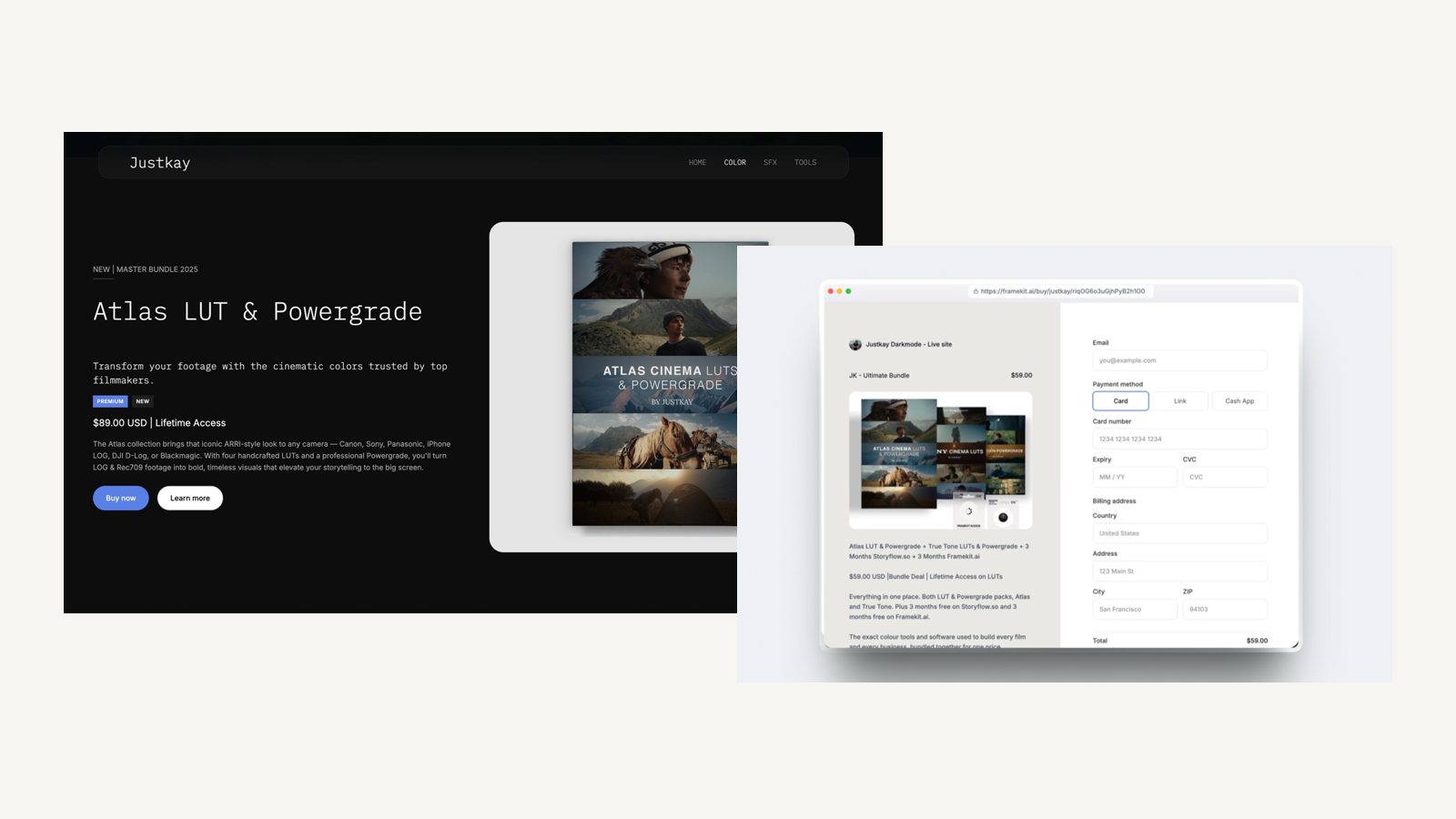
Framekit's store sells digital products, such as presets, LUTs, guides and templates, from your site and through shareable buy links, at a 5% fee on Free and Starter, 3% on Pro and 0% on Business, with Stripe processing on top and you as merchant of record.
It is not wired into galleries, so there is no print shop and no per-photo cart.
Photographers who sell prints occasionally take orders by email and use their own lab, as the guide to selling prints from a client gallery explains.
Films, Review and the Delivery Link
Video is where this comparison has the least published information on one side, because SmugMug's plans and features pages say nothing about video while Framekit publishes per-file caps by plan and adds a review room for the cut before delivery.
On Framekit, video uploads to galleries on every plan, free included, up to 500MB, 1GB, 2GB or 3GB per file by plan and 2 hours in length.
MP4, MOV, M4V, WebM and MKV are accepted, and ProRes or HEVC MOV files are transcoded so they play in any browser. Videos are never watermarked.
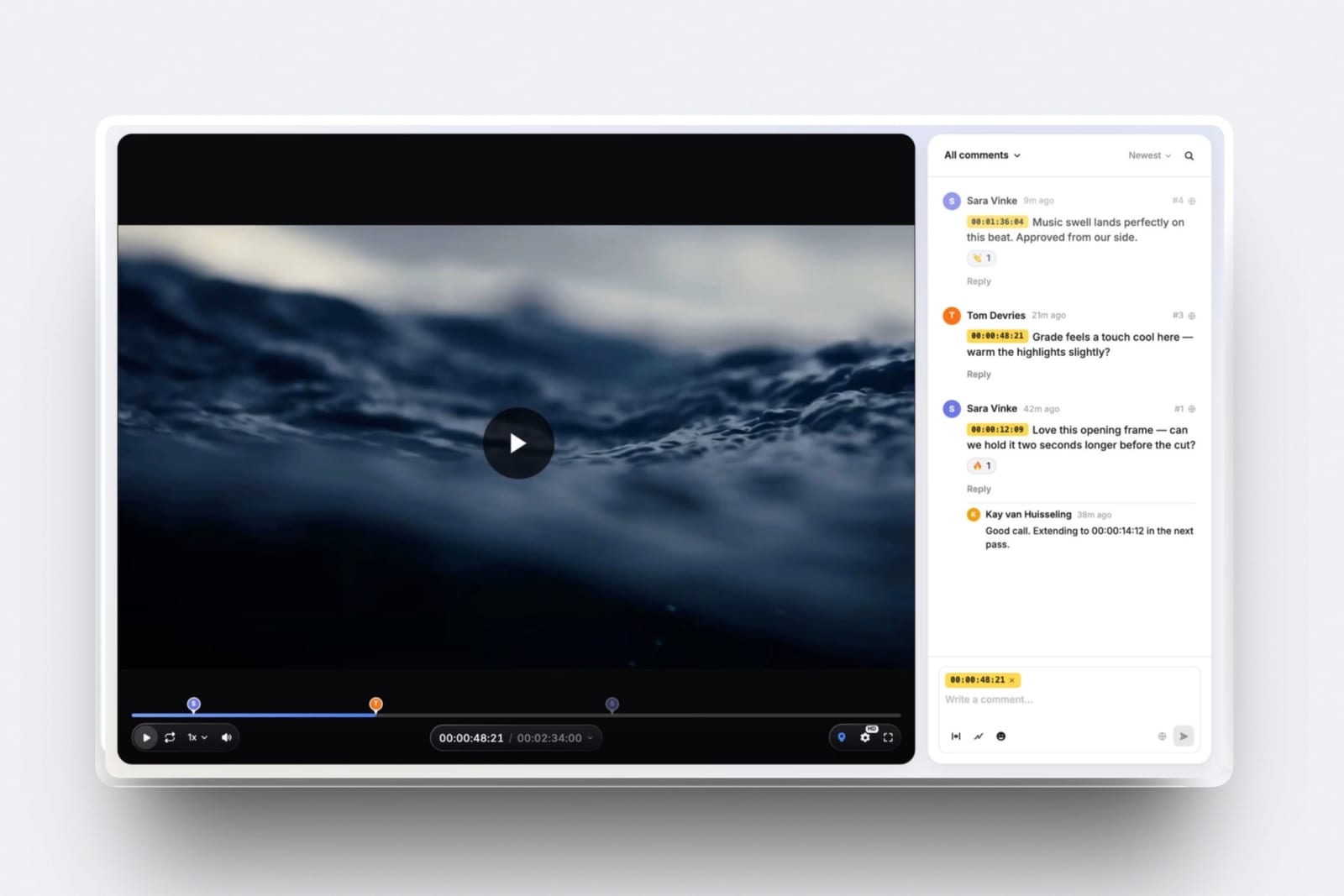
Before the final film goes in the gallery, Framekit's video review runs the approval round.
The client comments at an exact frame, draws on the frame, replies and reacts, with no account needed. Upload version 2 and version 1 stays in the stack with its notes; set the status to approved; then deliver.
If you are moving from Frame.io or Vimeo review pages, the best video review tools compares the field.
For SmugMug, this comparison claims nothing about video because SmugMug's pages do not. If films are part of your delivery, ask SmugMug for its current video limits before you plan around them.
The Website That Wraps It All
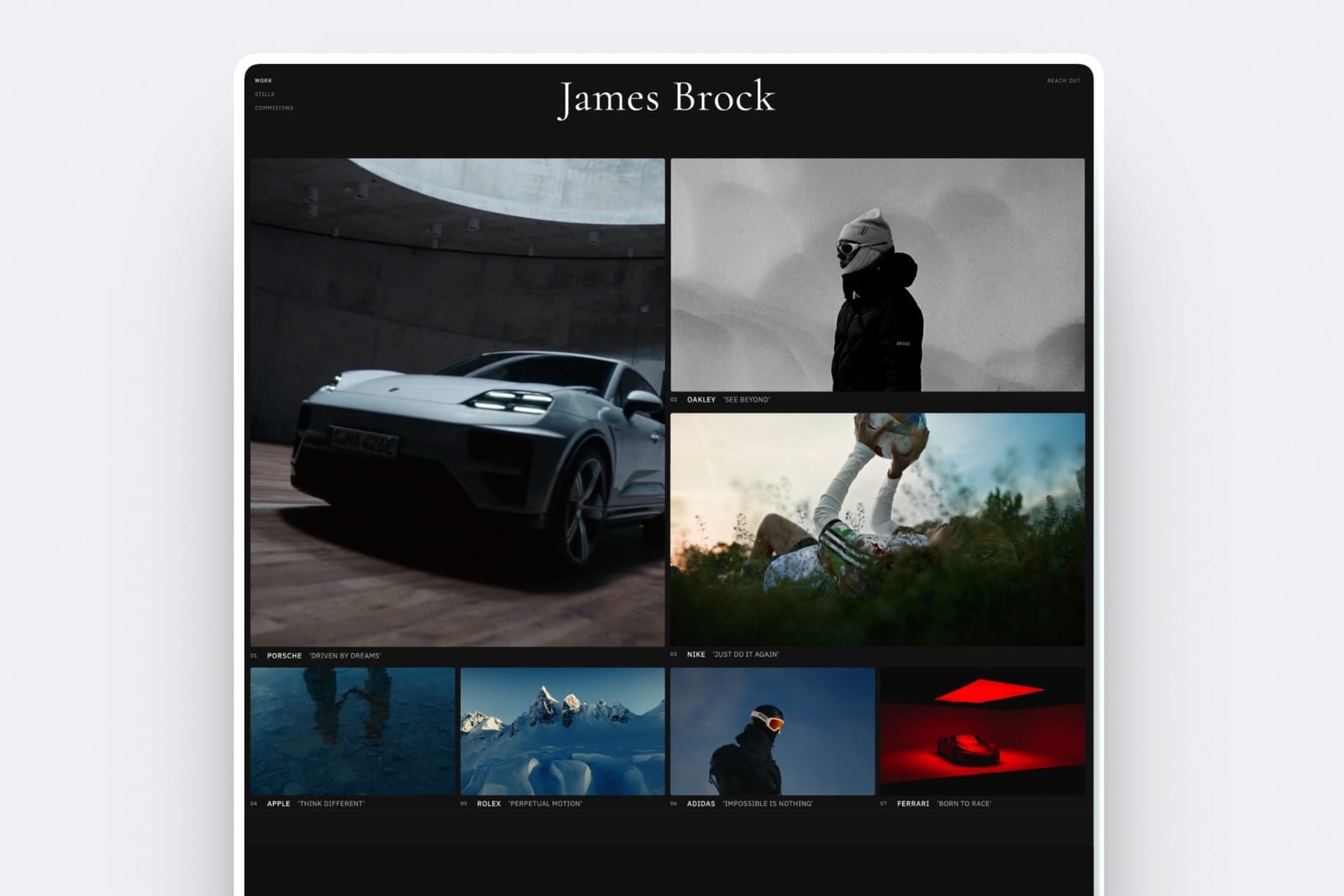
SmugMug offers customisable website templates and no-code site building on its Portfolio and Pro plans, and Framekit is an AI website builder first, so the difference is between a photography site built around your galleries and a full site that happens to host them.
SmugMug's site is designed to showcase and sell photos: templates, a custom domain, a branded shopping cart and sales pages that match the look of your site. For a photographer whose website is mainly a browsable, buyable archive, that is exactly right.
Framekit's builder generates full sections, writes copy, can recreate a layout from a screenshot, and hosts the site with SSL on every plan, with your own domain from Starter. Galleries publish as pages under /client/ on that site.
Slides on the same account makes proposals, lookbooks and portfolio decks, with unlimited decks on every plan and a monthly AI allowance for generation.
Framekit has no contracts, invoices or booking calendar, and neither does SmugMug's plans grid list them.
Moving Client Delivery From SmugMug to Framekit
Most photographers who move delivery from SmugMug to Framekit keep SmugMug as the archive, because SmugMug's unlimited storage has no Framekit equivalent, and move only the active client work, which makes the switch a matter of days rather than weeks.
| Step | What to do | Note |
|---|---|---|
| 1 | Decide what stays on SmugMug | Keep the archive and any print shop there; move only client delivery |
| 2 | Download what you still owe clients | Save originals for every active gallery to your own drives |
| 3 | Build the Framekit site | Connect your domain on Starter or above; galleries publish under /client/ |
| 4 | Check your files | Photos under 100MB in JPEG, PNG, WebP or GIF; films under your plan's per-file cap |
| 5 | Recreate active galleries | Set watermark, password, download PIN and expiry on each |
| 6 | Move proofing | Ask clients to make selections in Framekit's named lists, which arrive with notes |
| 7 | Update links | Change delivery emails and any QR codes you printed for events |
| 8 | Leave old SmugMug links alone | Framekit has no redirect manager, so old galleries stay where they are |
If you are leaving SmugMug entirely, step 1 changes: download your whole archive first, because no Framekit plan can hold more than 2TB or any RAW files, and pick an archive service before you cancel. The best cloud storage for photographers covers where large libraries go.

Deciding Between Them, in Order
This decision path asks the questions in the order that removes options fastest, starting with library size, because whether you need more than 2TB online settles Framekit vs SmugMug before any feature does.
1. Do you want more than 2TB of photos online, or any RAW files? If yes, SmugMug is your archive; Framekit cannot hold it. You can still use Framekit for delivery alongside it. If no, go to question 2.
2. Do clients order prints, gifts or wall art from you? If yes, SmugMug Portfolio or Pro sells them with a guarantee, and Framekit does not sell prints at all. If no, go to question 3.
3. Do you run a favourites or proofing round with clients? If yes, Framekit includes it on every plan, while SmugMug puts favouriting on Pro at $444 a year. If no, go to question 4.
4. Do you deliver films with your stills? If yes, Framekit publishes its video limits and adds review before delivery. If no, go to question 5.
5. Is your website a sales tool or an archive? If it is the archive, SmugMug's templates fit.
If it needs to win bookings, Framekit's builder is the stronger tool, and the Framekit vs Pixieset comparison covers the other common alternative.
Frequently Asked Questions
Framekit vs SmugMug: which is better for photographers?
SmugMug is better for photographers who want an unlimited online archive and print sales, because every plan stores unlimited full-resolution JPEGs and Portfolio and Pro sell prints with a satisfaction guarantee.
Framekit is better for client delivery, because favourites, watermarking, passwords and a download PIN are on its free plan, films share the gallery with stills, and one plan also runs the website, video review and a digital store.
Does SmugMug have unlimited storage?
Yes. SmugMug's plans page lists unlimited full-resolution JPEG storage on Direct, Portfolio and Pro, from $20 a month billed yearly, with RAW storage sold separately at $10 a month for up to 1TB and $6 a month for each additional terabyte.
Framekit does not offer unlimited storage; its pooled storage runs from 10GB on Free to 2TB on Business.
How much does SmugMug cost in 2026?
SmugMug costs $20 a month billed yearly for Direct, $23.50 for Portfolio and $37 for Pro, which is $240, $282 and $444 a year, per its plans page in October 2026, with an Enterprise plan by quote.
There is no free plan, only a 14-day free trial. Monthly prices load separately on SmugMug's site and are not quoted here.
Does Framekit have client galleries with favourites?
Yes, on every plan including free. Clients sign in with an email address, heart photos into lists they name, add a note to any photo and press Send to photographer, which notifies you in Framekit and by email.
SmugMug's plans grid lists client favouriting and customer download limits on its Pro plan.
Does SmugMug take a commission on print sales?
SmugMug keeps a share of the profit on each print and download sale, and its plans grid lists no separate credit card processing fees on the selling plans.
Its help centre describes the exact rate, but it blocks automated reads, so we have not quoted a figure; check it inside your account. Framekit takes no commission on prints because it does not sell them.
Can SmugMug deliver video to clients?
SmugMug's plans and features pages did not mention video in October 2026, so this comparison does not state SmugMug's video limits; ask SmugMug before relying on it for films.
Framekit puts video in client galleries on every plan, with per-file caps of 500MB, 1GB, 2GB and 3GB by plan, a 2-hour maximum length, and timecoded video review on the same account.
Which is cheaper for a wedding photographer?
Framekit is cheaper for wedding delivery with a favourites round. Twenty-five weddings of 600 photos at 10MB come to about 150GB, which fits Framekit Pro at $180 a year with favourites, watermarking and film delivery included.
SmugMug stores the same photos on any plan, but client favouriting is on Pro at $444 a year. SmugMug is the better buy if you also sell prints.
Can I keep SmugMug as my archive and use Framekit for delivery?
Yes, and it is a sensible split. SmugMug Direct at $240 a year stores the archive with no ceiling, and Framekit Pro at $180 a year handles client galleries, film delivery, video review and the website, for $420 a year combined.
That is less than SmugMug Pro alone if you do not need SmugMug's print shop.
Does Framekit accept RAW files?
No. Framekit galleries accept photos in JPEG, PNG, WebP and GIF up to 100MB each, and videos in MP4, MOV, M4V, WebM and MKV. RAW files belong in an archive service; SmugMug sells RAW storage as an add-on at $10 a month for up to 1TB, then $6 a month per extra terabyte.
Does Framekit watermark videos and downloads?
Framekit watermarks photos as they are displayed in a gallery, never watermarks videos, and always delivers clean originals on download.
You control downloading with the download PIN, a separate code from the gallery password, or by switching downloads off. SmugMug offers custom watermarks on Portfolio and Pro, right-click protection and customer download limits on Pro.
Is there a free plan on SmugMug or Framekit?
Framekit has a permanent free plan with unlimited galleries, 10GB of pooled storage and every gallery feature, including video, watermarks, passwords and the download PIN.
SmugMug has no free plan; it offers a 14-day free trial that SmugMug says includes every feature, then the cheapest plan is $20 a month billed yearly.
Can I put Framekit galleries on my own domain?
Yes, from Starter at $7 a month billed yearly.
Every Framekit gallery lives under /client/ on one of your Framekit websites, at a framekit.ai address on the free plan and on your own domain on paid plans, which also add your own uploaded fonts; a small Made with Framekit line stays in the gallery footer on every plan.
SmugMug supports a custom domain for its photography websites.
Should I switch from SmugMug to Framekit?
Switch your client delivery if you run favourites rounds, deliver films, or want the website and review in one plan, and keep SmugMug if your archive is larger than 2TB, includes RAW files, or feeds a print shop. Many photographers do both.
Leaving SmugMug entirely means downloading your archive first, because Framekit is not an archive.
Final Verdict
SmugMug is the better choice for photographers whose library is the asset.
Unlimited full-resolution storage on every plan, RAW storage as an add-on, desktop and Lightroom uploads, 24/7 human support and a print shop with a satisfaction guarantee make it the most complete archive in this pair, and Framekit does not compete with it there.
Framekit is the better choice for the jobs you are delivering now. Favourites, watermarking, passwords and the download PIN are free, films share the gallery with stills, review happens before delivery, and $180 a year on Pro also pays for the website, Slides and a digital store.
Where Framekit loses: it is not an archive and does not offer unlimited storage, does not accept RAW files, does not sell prints or offer price lists and packages, has no mobile app, Lightroom plugin or client uploads, and caps video files by plan.
If those matter, SmugMug is the better fit, and pairing the two is often the best answer.
Related reading: Pixieset vs SmugMug and SmugMug vs PhotoShelter cover the other archive-and-delivery shortlists, client galleries with unlimited storage ranks the field on storage, and how much storage photographers need helps size the archive.
More head-to-heads: Framekit vs Pic-Time, Framekit vs ShootProof and Framekit vs Zenfolio.