Framekit templates
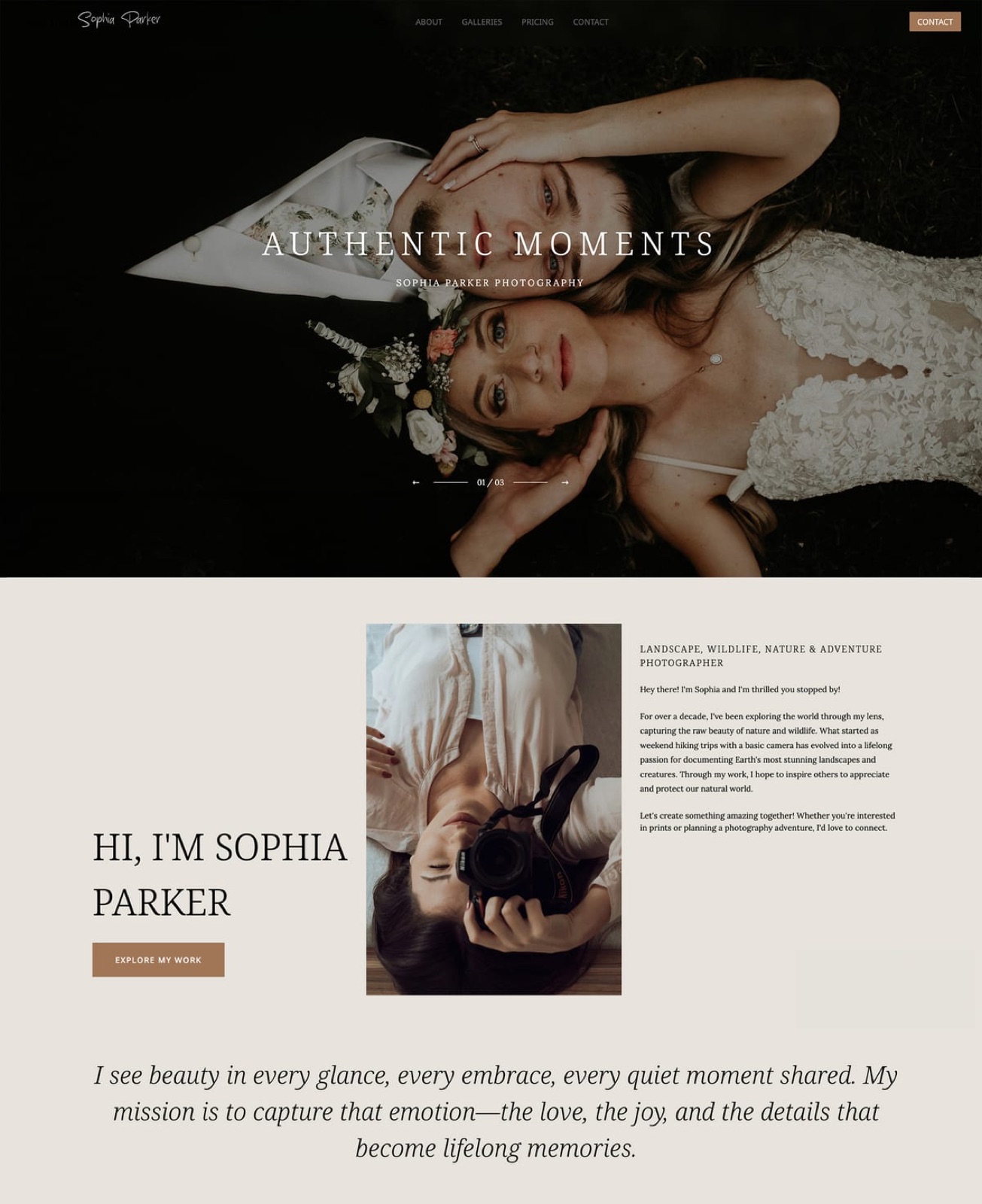
Start from a designer-made template
 Use template
 Use template
 Use template
 Use template
 Use template
 Use template
 Use template
 Use template
ShootProof has a line on its store page that most gallery companies would never print: it says it never charges a commission on your sales, ever, and its plans page extends that to the free plan too.
A client buys a canvas from a gallery, a partner lab prints and ships it, and the whole markup lands with you. Add contracts, invoices and branded mobile apps, and you can see why it sits on so many shortlists.
Framekit sits on the same shortlists for a different reason. It does not sell prints at all.
It puts every gallery feature on every plan, holds stills and films in one link, and runs the portfolio site, a Frame.io-style review room, Slides and a digital store from the same account.
A client gallery platform is software that delivers a finished shoot to the client through a private, branded link with favourites, downloads and access controls.
Framekit is an AI website builder with client galleries, video review, Slides and a digital-download store in one account, while ShootProof is a gallery and studio-management platform built around commission-free print sales, so the comparison is really about which half of the business you want the software to run.
ShootProof is the better choice for photographers who sell prints, albums or wall art, because it charges 0% commission on every plan including free, connects to partner labs, and adds contracts, invoices, labels for album proofing and branded mobile apps.
Framekit is the better choice for photographers and hybrid shooters paid in session fees, because every gallery feature is on every plan, a 20-wedding season with films fits Framekit Pro at $180 a year against $320 on ShootProof Professional, and the same plan runs your portfolio site, video review, Slides and a digital store.
The trade-off: Framekit has no print store, no studio tools and per-file video caps you must export around.
Full disclosure: Framekit is our product, and we compete with ShootProof for some of the same photographers. We re-verified every ShootProof plan, storage figure and feature claim on 12 October 2026 against its plans page and its own feature pages, and every Framekit figure against the plan table on framekit.ai. This rewrite corrects the August 2026 version, which used ShootProof's older photo-count tiers and said ShootProof did not deliver video; its current plans are storage-based and include video up to 4K on every paid tier. The same pass fixed our branding row, because Framekit's gallery footer credit stays on paid plans, and a line that overstated what the Activity panel logs.
Method: What Was Read, Worked Out and Left Alone
This Framekit vs ShootProof comparison uses only what the two companies publish about their own products in October 2026, plus arithmetic on those figures, so every claim can be traced to a vendor page and every cost can be recalculated with your own numbers.
Read at the source. ShootProof's plans page, including its full feature table, and its feature pages for proofing, the online photo store and mobile apps.
For Framekit, the plan comparison at framekit.ai/pricing and the gallery settings in the shipped product.
Worked out. Storage for three shooting volumes using 8MB per delivered JPEG, and film sizes from export bitrate: megabits per second times seconds, divided by eight, gives megabytes. Annual prices use yearly billing unless a row says monthly.
Left alone. We did not run a ShootProof store through a season, test its labs or apps, or time uploads on either platform.
ShootProof's plans page shows a second, older set of photo-count plans further down; this article uses the storage-based plans shown at the top of the page, and you should confirm which set your account is on.
ShootProof and Framekit Compared Feature by Feature
Both platforms give you unlimited client galleries, branding, watermarks, download controls and favourites, so this table concentrates on the rows that actually separate them: selling, studio tools, storage shape, video and what else the plan includes.
| Framekit | ShootProof | |
|---|---|---|
| Built for | Site, galleries, video review, Slides and a digital store in one account | Galleries, proofing, a commission-free store and studio management |
| Free plan | Unlimited galleries, 10GB pooled, every gallery feature, video included | Unlimited galleries, 3GB, photos only, 0% commission |
| Entry paid plan | Starter, $7 a month billed yearly ($9 monthly), 50GB | Starter, $8.33 a month billed yearly ($9.99 monthly), 20GB photo and video |
| Mid plans | Pro, $15 a month yearly, 300GB with 150GB video | Standard, $16.67 a month yearly, 100GB; Professional, $26.67, 1,000GB photo plus 50GB video |
| Top plan | Business, $31 a month yearly, 2TB pooled | Premium, $50 a month yearly, unlimited photo plus 150GB video |
| Print and lab sales | None | Partner labs, wall art, self-fulfilment, 0% commission on every plan |
| Contracts and invoices | Not offered | Included on paid plans |
| Online booking | Not offered | $6.99 a month add-on |
| Website | Full AI website builder on every plan | Simple portfolio website on every plan |
| Video review before delivery | Timecoded comments, drawing, versions, approvals | Not offered |
| Branded mobile apps | No | Up to 5 on Free, unlimited on paid |
In one lineShootProof runs the business side of a print-selling studio and Framekit runs the creative side of a session-fee studio, and the row about prints settles most cases on its own.
Key Figures Before You Choose
These seven figures, each read from ShootProof's or Framekit's own page in October 2026 or calculated from one, decide most Framekit vs ShootProof choices and point at specific photographers rather than at an overall winner.
- 0%. ShootProof's commission on sales on every plan, free included. Its store page says you set your markup and keep 100% of the profits.
- 3GB, photos only. ShootProof's free plan storage, with video listed as not included.
- 50GB. The video allowance on ShootProof Professional at $26.67 a month billed yearly, alongside 1,000GB of photos.
- 150GB. The video share of Framekit Pro's 300GB pool at $15 a month billed yearly.
- 2GB. Framekit Pro's per-file video cap. Starter is 1GB, Business 3GB, and nothing longer than 2 hours uploads. ShootProof's plans page lists video up to 4K but no per-file cap.
- $6.99 a month. ShootProof's add-on for unlimited online client booking. Framekit has no booking tool at any price.
- $2.99 a month. The starting price ShootProof lists for archiving extra photos below Premium, where archiving is included.
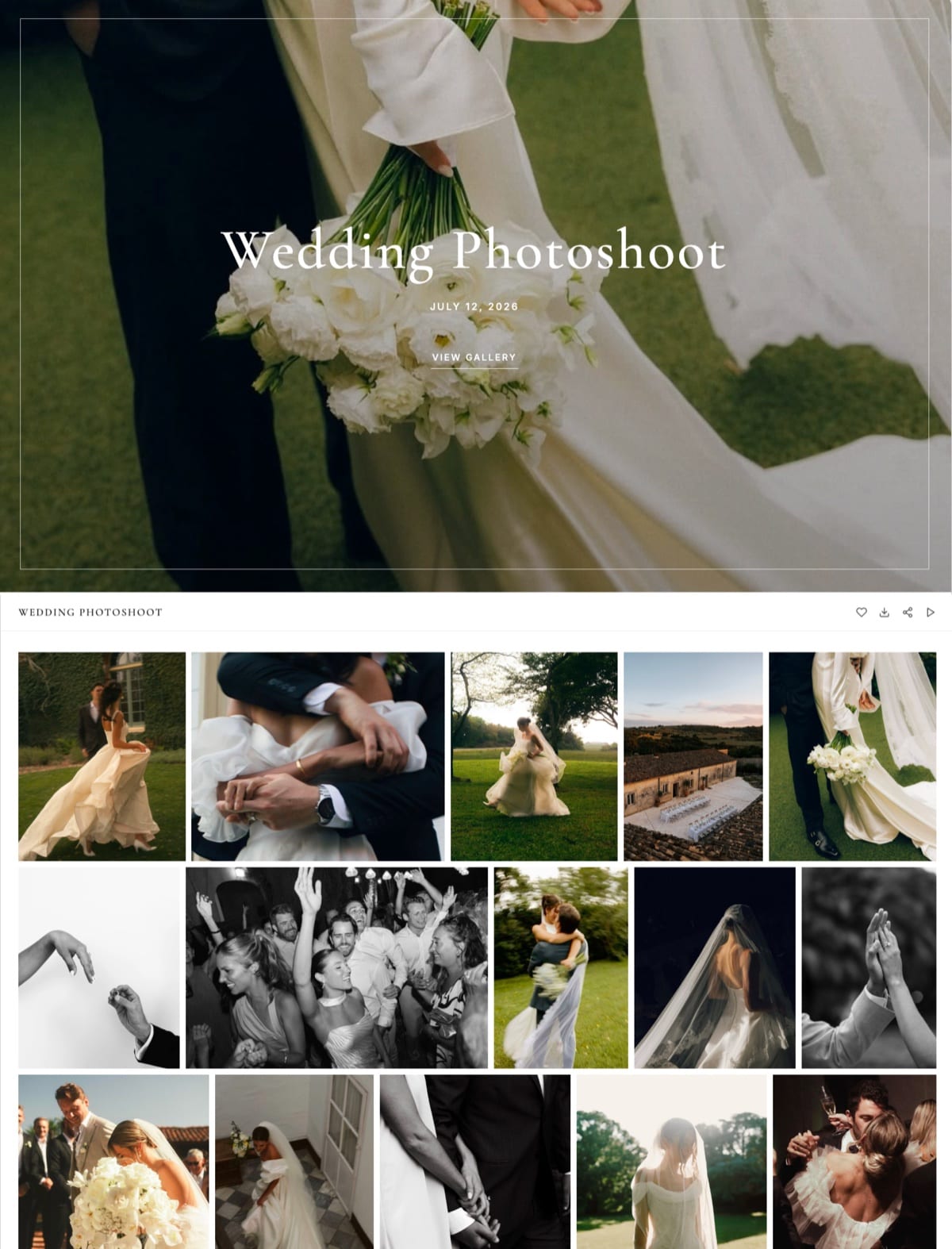
Where ShootProof Wins
ShootProof wins for any photographer who earns from products after the session, because a commission-free store, partner labs, label-based album proofing, contracts, invoices and branded apps cover the whole money side of a portrait or wedding business, and Framekit offers none of those.
Commission-free, on every plan. ShootProof's store page puts it plainly: it "never charges a commission on your sales".
Clients buy digital downloads, lab prints, wall art, slideshows and video from a store built into each gallery, stocked with their own photos, with in-room previews that show a canvas on a wall before they buy.
You choose the lab or fulfil orders yourself.
Proofing for albums. Clients can favourite and label photos, videos and slideshows, and you can set up custom labels so a couple marks which frames go in the main album and which go in the parents' album.
ShootProof can email you when a client has finished favouriting. Framekit has named favourite lists that do a similar job, but no labels and no album workflow.
The office work is in the same login. Every paid plan includes invoicing with tipping and contracts with e-signatures, and the plans page lists questionnaires, automated emails and a Google Calendar integration, with unlimited online booking for $6.99 a month.
Framekit has no contracts, invoices, questionnaires or booking.
Branded mobile apps and multiple brands. ShootProof turns a gallery into a mobile app the client installs from the link, up to 5 on Free and unlimited on paid plans, and paid plans can run multiple brands from one account. Framekit has no app.
Unlimited photos and archiving at the top. Premium has unlimited photo storage with archiving included, and lower plans can archive extra photos from $2.99 a month.
The number that matters$0 of commission on $6,000 of print sales. Card processing still applies, but ShootProof keeps none of your markup, on any plan.
The gotchathe free plan cannot hold video and only has 3GB, so a hybrid shooter has to pay before testing the workflow, and the storage shape changes at the top: Starter and Standard pool photos and video together, then Professional and Premium split them into a large photo allowance and a smaller video one.
Read that row before assuming an upgrade is simply more of the same.
Skip it ifyou never sell products, you deliver films regularly and want review before delivery, or you want your portfolio to be a full website rather than a simple one.
Verdict: ShootProof is the best value in this pair for a print-selling studio that also wants its contracts and invoices in one place. Comparing it with other gallery tools? The best ShootProof alternatives and ShootProof vs Zenfolio cover the neighbours.
Where Framekit Wins

Framekit wins for photographers and videographers who are paid for the shoot rather than for products, because its galleries carry every delivery and proofing feature on every plan, take film on the free plan, and share one account with a full website, video review, Slides and a store.
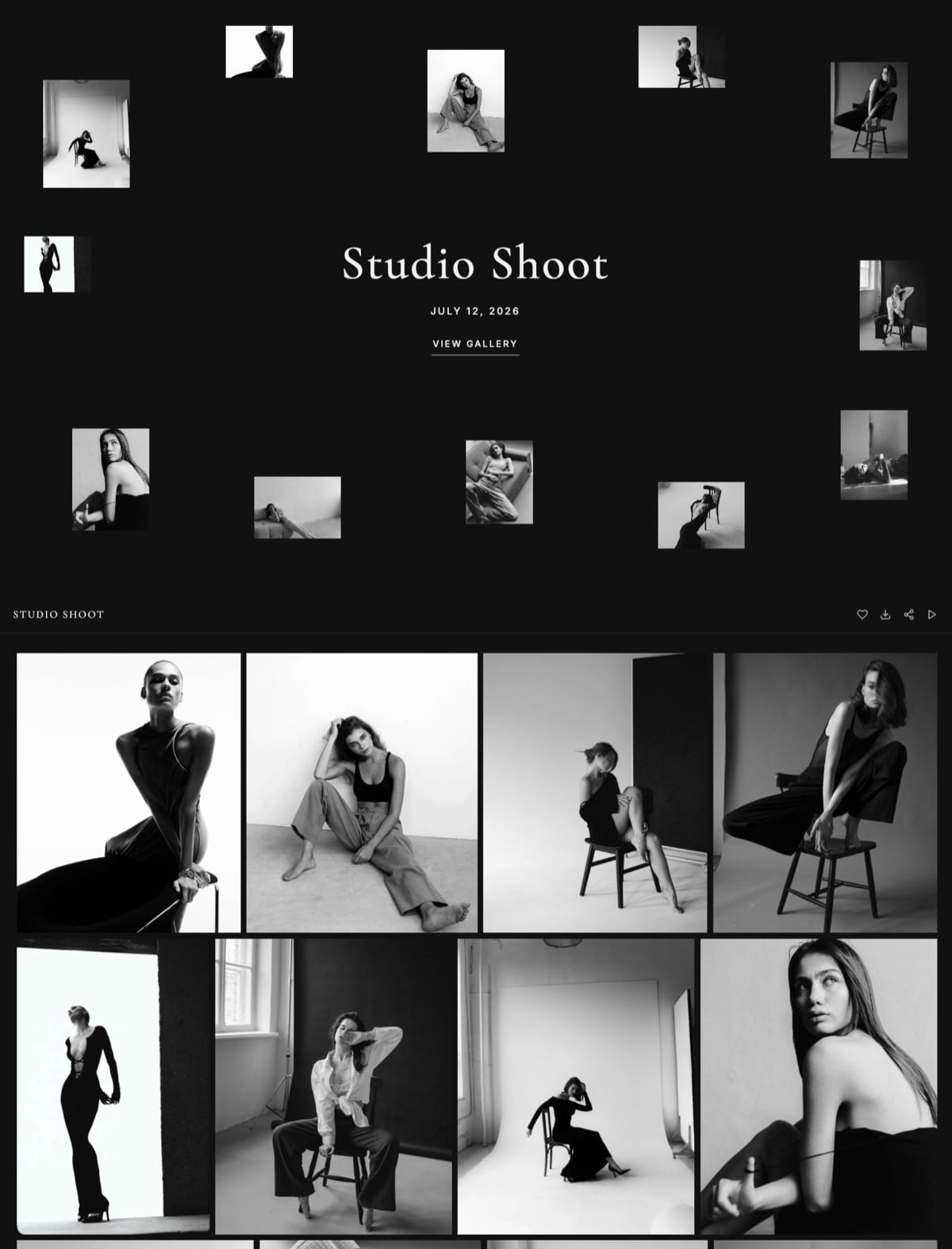
A free plan you can actually deliver from. Framekit's free plan has 10GB, video included, with watermarking, a gallery password, a separate download PIN, favourites, slideshows, full-resolution downloads, ZIP downloads of all or favourites only, email registration, auto expiry and email sharing.
Paid plans add your own domain and your uploaded fonts, and a small Made with Framekit line stays in the gallery footer on every plan. There are 17 cover styles, 18 typography presets, 3 grid styles and 7 gallery languages.
Favourites with a send button. A client signs in with their email, hearts frames into lists they name, writes a note on any photo, and presses Send to photographer, which notifies you in Framekit and by email.
Lists can be shared with family by link. The Activity panel logs each client's favourite lists and each download, including whether it was a photo, a set, a list or the whole gallery.
Photos and films in one link. Video goes into the same gallery as the stills on every plan, is transcoded for smooth playback, and is never watermarked.
Storage is one pool shared with your site and review files: 10GB, 50GB, 300GB and 2TB across the four plans, of which 3GB, 15GB, 150GB and 750GB may be video.
The number that matters300GB for $15 a month billed yearly. ShootProof's closest pooled plan, Standard, holds 100GB for $16.67.
The detail most comparisons missdownloads always deliver clean originals, because the watermark protects the gallery view rather than the file. On Framekit you control downloading with the download PIN or by switching downloads off.
The gotchathe per-file video caps are strict. A 33-minute film exported at 10 Mbps is about 2.5GB, which is too big for Pro's 2GB cap, so you either export a little lighter or pay for Business.
There is no print store, no lab, no contracts, no invoices, no booking, no app, no RAW support and no unlimited storage.
Skip it ifprints or albums are part of your packages, you want studio admin in the same tool, or you need more than 2TB of storage online.
Verdict: Framekit is the better fit when the gallery is the last step of a digital job, especially one with a film, and you would rather pay one plan for the site, review and delivery than three.
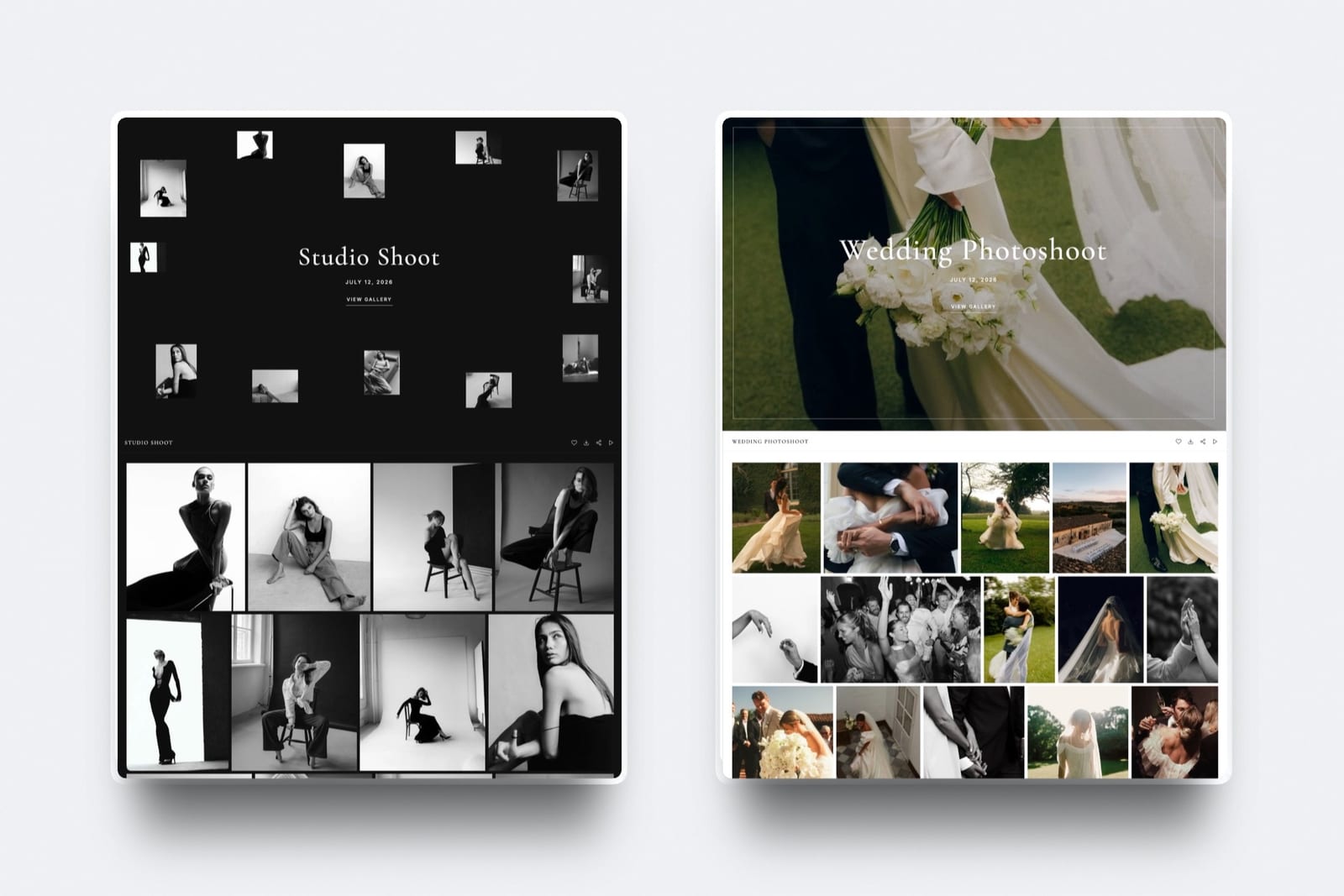
Published Limits: Storage, Files and Access
These are the limits that decide whether a delivery fits and how locked down it is, from storage and file caps to watermarking, download PINs, favourites, domains and branding, with ShootProof's figures read from its plans page in October 2026.
| Limit | Framekit | ShootProof |
|---|---|---|
| Galleries | Unlimited on every plan | Unlimited on every plan |
| Storage by plan | 10GB, 50GB, 300GB, 2TB, pooled with your site and reviews | 3GB photos; 20GB and 100GB photo plus video; 1,000GB photos plus 50GB video; unlimited photos plus 150GB video |
| Video on the free plan | Yes, 500MB per file within 3GB | Not included |
| Largest photo | 100MB; JPEG, PNG, WebP, GIF | Not published on the plans page |
| Largest video | 500MB, 1GB, 2GB, 3GB by plan; 2 hours maximum | Not published; up to 4K |
| Watermark | Every plan; photos only, videos never watermarked | Your branding, logo and watermark on every plan |
| Download controls | Download PIN and downloads on or off on every plan; every download is the full-resolution original | Digital download controls on every plan |
| Favourites | Named lists, notes, send to photographer, share a list | Favourites and custom labels on photos, videos and slideshows |
| Custom domain | Starter and up | Not listed on the plans page |
| Remove platform branding | Not on galleries: a small Made with Framekit footer line stays on every plan | Not listed on the plans page |
| Team access | Website only: 3 team members on Pro, unlimited on Business; galleries and reviews stay with the account holder | Multiple user access on every plan |
| Mobile apps | No | Up to 5 on Free, unlimited on paid |
| Archive | Not offered | From $2.99 a month; included on Premium |
Three blanks are deliberate. ShootProof's plans page does not publish a per-file size for photos or video, and it does not list custom domains or branding removal in its plan table, so check those in the account before you plan a domain switch around them.
When Things Do Not Go to Plan
The difference between two gallery platforms often shows up on the bad night rather than in the feature list, so here is how each handles the situations photographers ask about most, described only as far as each vendor documents.
A film is too large. Framekit refuses any video above the plan's per-file cap or longer than 2 hours at upload, so you see the problem immediately and can re-export.
ShootProof does not publish a per-file cap; what you can check is the video storage left on your plan.
The client wants their album selections changed. On ShootProof, they relabel frames and you get the updated labels. On Framekit, they edit their named list and notes, then press Send to photographer again, and you are notified.
The client has no account. Neither platform makes clients create an account to view a gallery. On Framekit you can add a password, an email gate or both, and a client who wants to save lists signs in with an email address.
A gallery should expire. Framekit unpublishes a gallery on the date you set, keeps the files in your account, shows visitors a contact-the-photographer message, and can email you and the gallery's contacts three days before.
ShootProof's own navigation mentions gallery expiration reminders as part of its email marketing, which it pitches as a sales prompt.
The client orders prints. On ShootProof the order goes to the lab you chose, or to you if the item is self-fulfilled. On Framekit there is nothing to order, so you handle it by email and invoice outside Framekit.
You want an assistant to help. ShootProof lists multiple user access on every plan.
Framekit adds team members to the site on Pro (3) and Business (unlimited), but they are website admins only: the account holder alone creates and manages client galleries and uploads video reviews, so an assistant who needs to build galleries is better served by ShootProof.
A Season Priced Three Ways
The cheaper platform depends on how much you shoot and whether films are part of the delivery, so these three worked seasons price a full year of galleries kept online on each platform's yearly billing, with every step of the arithmetic shown.
Assumptions: 8MB per delivered JPEG, films exported at 10 Mbps, galleries online all year. A 33-minute film at 10 Mbps is 1,980 seconds times 10, divided by 8, or 2,475MB. Framekit prices include the site, review, Slides and store.
| Season | Storage needed | ShootProof plan that fits | ShootProof a year | Framekit plan that fits | Framekit a year |
|---|---|---|---|---|---|
| Family and newborn: 25 sessions of 45 photos | 9GB of photos | Starter (Free has 3GB) | $99.96 | Free if your site is small, or Starter | $0 or $84 |
| Weddings, stills only: 20 weddings of 800 photos | 128GB of photos | Professional, since Standard stops at 100GB | $320.04 | Pro (300GB) | $180 |
| Hybrid weddings: the same 20 weddings plus a 33-minute film each | 128GB photos and 50GB video | Professional (50GB video, no headroom) | $320.04 | Business at 2.5GB a film, or Pro after exporting at 7.5 Mbps | $372 or $180 |
The third row is the honest one.
At a 10 Mbps export each film is about 2.5GB, which is over Framekit Pro's 2GB per-file cap, so you either pay $372 for Business or export at 7.5 Mbps, which makes each film about 1,856MB and keeps you on Pro at $180.
ShootProof Professional holds the season with about half a gigabyte of its 50GB video allowance to spare; one more film and Premium at $600 is the next step.
Now add product sales. If those 20 couples order $6,000 of albums and prints, ShootProof keeps none of the markup on any plan and the lab does the shipping.
Framekit takes no commission either, but only because it cannot take the order, so the $6,000 is either lost or handled by you one email at a time.
Try it on your own year. Multiply last year's delivered photos by your average file size, add each film's length in seconds times your export bitrate divided by eight, and write down last year's product sales.
If product sales are above roughly $1,500, ShootProof's store pays for its plan many times over. If they are near zero and you deliver films, Framekit is usually the cheaper and simpler home.

Print Sales, Labs and Studio Admin
ShootProof is the clear winner on print sales and studio administration, because it pairs a commission-free store and partner labs with contracts, invoices, booking and questionnaires, and Framekit does not offer print ordering, price sheets, packages or any studio-management tool.
The store is where ShootProof earns its place. It is built into each gallery and stocked with that client's photos, it shows wall art in a room preview, and it sells digital downloads, lab prints, slideshows and video deliverables.
You set the products, prices and markup, pick a partner lab or self-fulfil, and ShootProof takes no commission. Email campaigns cover seasonal deals and flash sales.
Framekit's store is a different tool for a different job.
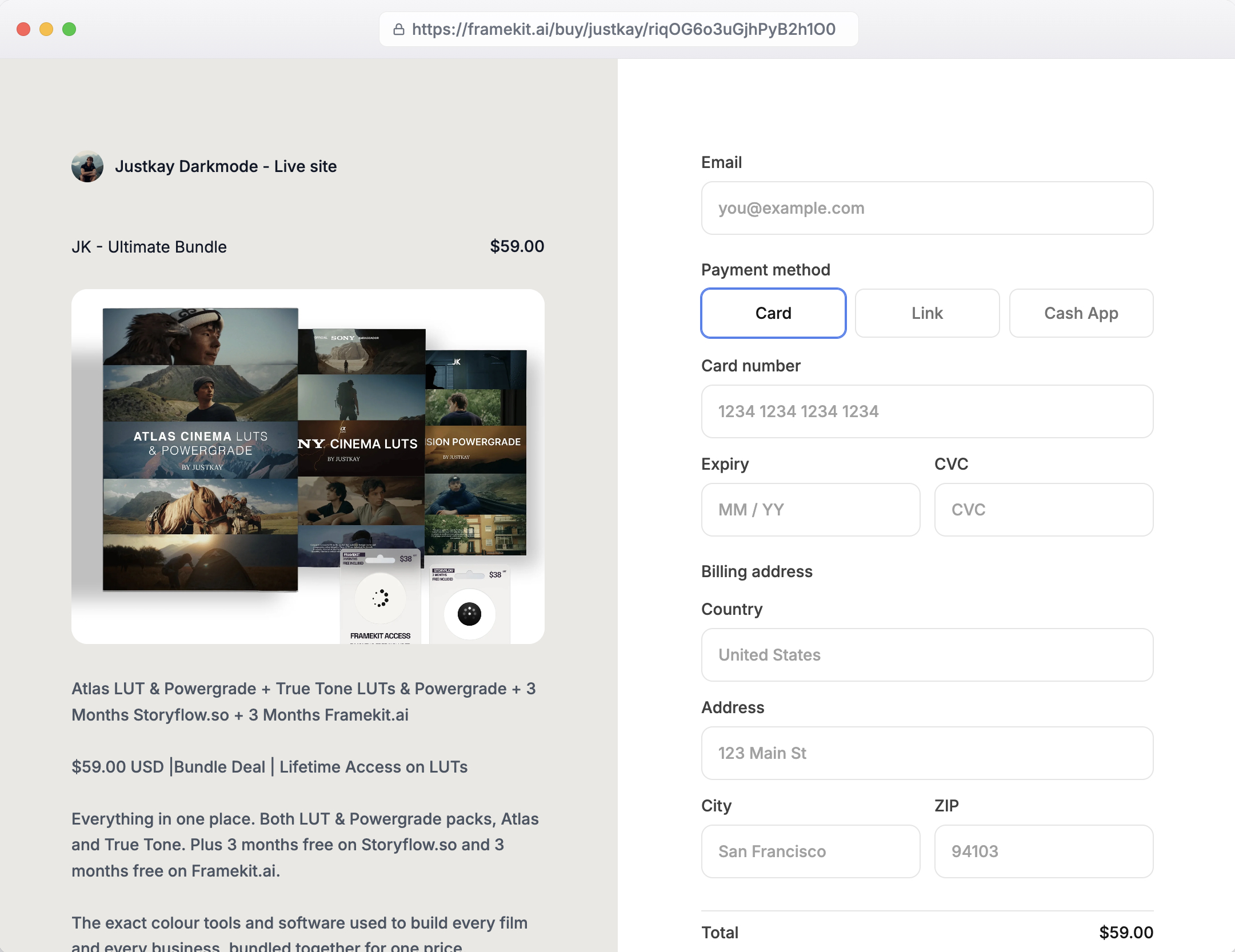
It sells digital products such as presets, LUTs, guides and templates from your site and through shareable buy links, with a 5% fee on Free and Starter, 3% on Pro and 0% on Business, Stripe processing on top and you as merchant of record.
It is not connected to galleries, so there is no per-photo cart.
For studio admin, ShootProof is simply more complete.
If you would otherwise run contracts in one tool and invoices in another, ShootProof's paid plans fold them in, and the best studio management tools for photographers covers the alternatives.
Framekit users who need those tools run them separately.
Video Delivery and the Review Round
Both platforms now deliver video inside client galleries, so the real differences are how each meters it, whether it publishes a per-file cap, and whether the cut can be reviewed and approved before the final file is delivered.
ShootProof lists video up to 4K on every paid plan.
Starter and Standard share 20GB and 100GB between photos and video, Professional sets aside 50GB of video next to 1,000GB of photos, and Premium sets aside 150GB of video next to unlimited photos. The free plan does not include video.
Clients can favourite and label videos as well as photos, and ShootProof's store can sell video deliverables.
Framekit takes video on every plan, free included, against a published per-file cap of 500MB, 1GB, 2GB or 3GB and a 2-hour maximum length. MP4, MOV, M4V, WebM and MKV are accepted, and ProRes or HEVC MOV files are transcoded to play in the browser. Videos are never watermarked.
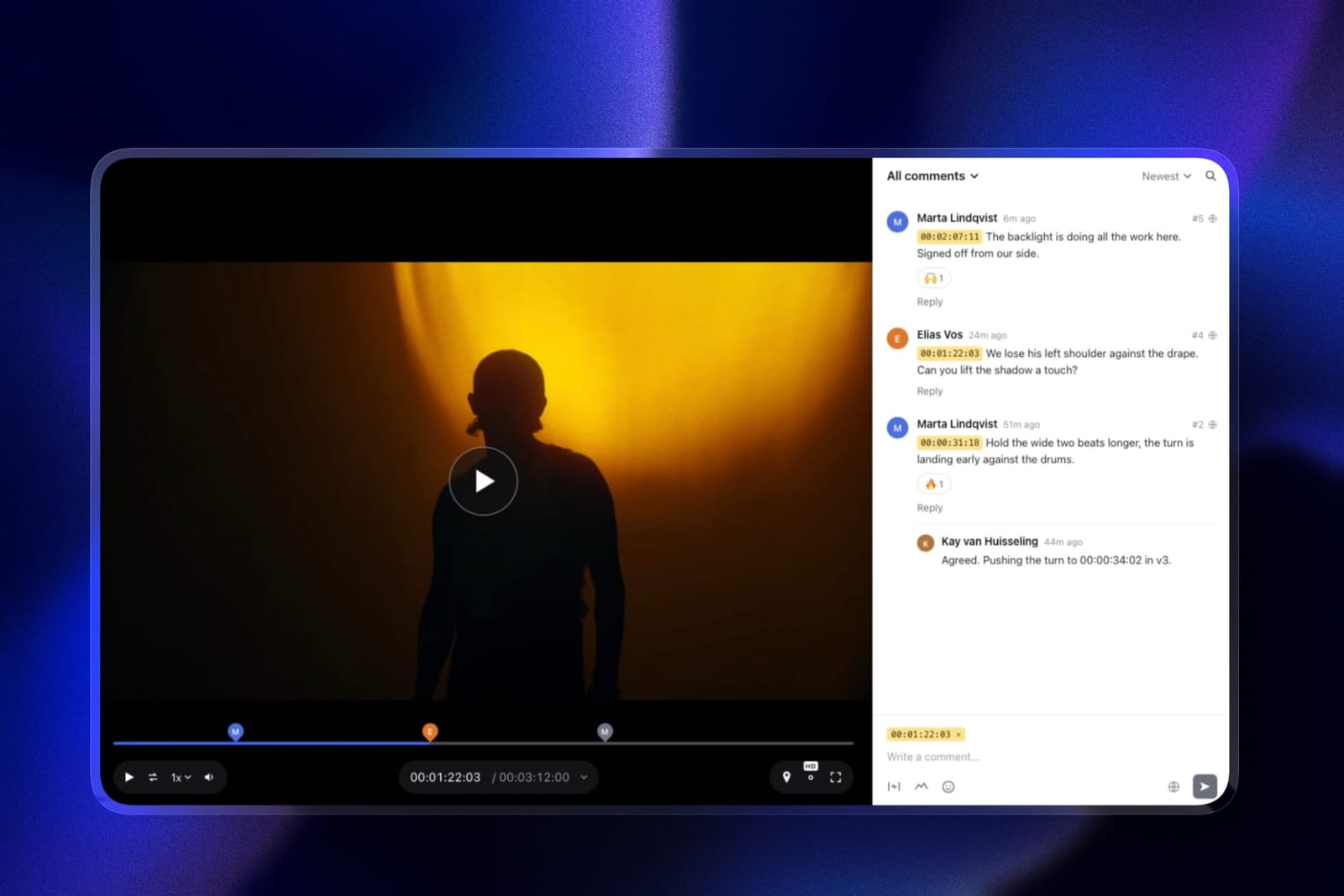
The step ShootProof does not cover is approval of the edit. Framekit's video review lets the client comment at an exact frame, draw on the frame, reply and react without an account.
Upload a new version and the old one and its notes stay in the stack; mark the cut approved; then deliver the final film beside the stills.
For the full workflow, see how to deliver photos and video together.
The Website and Store Around the Gallery
ShootProof includes a simple portfolio website and Framekit is a full website builder, and that gap matters most to photographers whose bookings come from search and referrals landing on their site rather than from repeat print clients.
ShootProof describes its portfolio site as a way to build a simple photography website in seconds with no coding, and it is included on every plan. For many studios that is enough, especially if the main relationship happens inside the gallery and store.
Framekit's AI website builder generates full sections, writes copy, can recreate a layout from a reference screenshot, and hosts the site with SSL on every plan.
Each client gallery lives under /client/ on one of your Framekit sites, at a framekit.ai address on the free plan and on your own domain from Starter, so a client returning to download is on the same domain as your portfolio and enquiry form.
Slides makes proposals and lookbooks on the same account, with unlimited decks and a monthly AI allowance for generation.
The store runs through a hosted checkout with your name and logo, instant downloads after payment, and buyers who can come back for their files.
Switching From ShootProof to Framekit
Moving from ShootProof to Framekit works best as a forward switch, with new jobs going to Framekit from a set date while existing ShootProof galleries run out, because galleries do not transfer between platforms and Framekit has no redirect manager.
| Order | Task | Detail |
|---|---|---|
| 1 | Replace what ShootProof did beyond galleries | Prints, contracts, invoices and booking all need a new home, since Framekit has none of them |
| 2 | Export proofing results | Save favourites and labels from galleries still in progress |
| 3 | Confirm your own copies | Every gallery you still owe a client should exist on your drives |
| 4 | Build the Framekit site | Generate the site and connect your domain on Starter or above |
| 5 | Test your longest film | Starter takes 1GB, Pro 2GB, Business 3GB; re-export if needed |
| 6 | Recreate active galleries | Upload what clients still need, then set watermark, password, PIN and expiry |
| 7 | Update delivery emails | Templates and links in your welcome guide do not move |
| 8 | Overlap the subscriptions | Keep ShootProof until the last gallery sent there has expired |
Step 1 is the long one. A studio that relies on ShootProof contracts and invoices should keep those running, or move them to a dedicated studio tool, before cancelling anything.
Which One Fits Your Studio
This decision path asks the questions in the order they rule options out, starting with product sales, because that one answer decides Framekit vs ShootProof for most portrait and wedding photographers before storage or price come into it.
1. Do prints, albums or wall art bring in more than a little money each year? If yes, choose ShootProof; 0% commission on every plan and partner labs are its core. If no, go to question 2.
2. Do you want contracts, invoices and booking in the same login as your galleries? If yes, ShootProof's paid plans include them. If you use a separate studio tool or none, go to question 3.
3. Do you deliver films and want clients to review the cut first? If yes, choose Framekit, which has video on every plan and review on the same account. If not, go to question 4.
4. Do your clients expect a branded mobile app? If yes, choose ShootProof. If not, go to question 5.
5. Do you also pay for a website or a store? If yes, Framekit folds them into one plan. If not, compare ShootProof Starter at $99.96 a year with Framekit Starter at $84 and choose on the gallery you prefer.
Frequently Asked Questions
Is Framekit or ShootProof better in 2026?
ShootProof is better for photographers who sell prints and albums or want contracts and invoices built in, because it charges 0% commission on every plan and includes studio tools on paid plans.
Framekit is better for photographers and videographers paid in session fees, because every gallery feature is on every plan, video is included from the free plan, and one subscription also covers the website, video review, Slides and a digital store.
Does Framekit have client galleries like ShootProof?
Yes.
Framekit includes unlimited client galleries on every plan, with watermarking, passwords, a separate download PIN, favourites with named lists and notes, slideshows, full-resolution and ZIP downloads, email registration, auto expiry and email sharing, all on the free plan, and photos and videos share one gallery.
Framekit does not offer print sales, labels, contracts or mobile apps.
Is ShootProof really commission-free?
Yes. ShootProof's store page says it never charges a commission on your sales, and its plans page lists commission-free sales on every plan, including the free one. You still pay the lab's product cost and card processing.
Framekit takes no commission on galleries either, but it cannot sell prints, and its digital product store charges 5% on Free and Starter, 3% on Pro and 0% on Business.
Does ShootProof deliver video?
Yes, on paid plans. ShootProof lists video up to 4K on Starter, Standard, Professional and Premium, pooled with photos on the first two and as a separate 50GB or 150GB allowance on the top two. Its free plan is photos only.
Framekit includes video in galleries on every plan, free included, with a published per-file cap and a 2-hour maximum length.
How much does ShootProof cost in 2026?
ShootProof costs $0 on Free, $8.33 a month billed yearly on Starter ($9.99 monthly), $16.67 on Standard ($19.99), $26.67 on Professional ($31.99) and $50 on Premium ($60), plus applicable taxes, per its plans page in October 2026.
Storage runs from 3GB of photos on Free to unlimited photos plus 150GB of video on Premium.
Which is cheaper for a wedding photographer delivering 128GB a year?
Framekit is cheaper for that volume.
Twenty weddings of 800 photos at 8MB come to about 128GB, which needs ShootProof Professional at $320.04 a year because Standard stops at 100GB, while Framekit Pro holds it in a 300GB pool for $180 a year.
If those clients also buy prints, ShootProof's 0% commission store can earn back far more than the difference.
What is the largest video Framekit accepts?
Framekit accepts videos up to 500MB on Free, 1GB on Starter, 2GB on Pro and 3GB on Business, with a 2-hour maximum length on every plan.
A 33-minute film at 10 Mbps is about 2.5GB, so on Pro you export it at around 7.5 Mbps to bring it under 2GB, or use Business. ShootProof does not publish a per-file video cap.
Can I sell prints if I use Framekit for galleries?
Not through Framekit. It has no print store, lab connection, price sheet or package builder.
Photographers who use Framekit and sell prints occasionally take the order by email, place it with their own lab and invoice outside Framekit, which keeps the full margin.
Those with steady print income are better served by keeping ShootProof or another lab-connected store.
Does Framekit have contracts and invoicing?
No. Framekit does not include contracts, e-signatures, invoices, questionnaires or booking. ShootProof includes invoicing and e-sign contracts on its paid plans, and unlimited online booking costs $6.99 a month.
Photographers moving to Framekit for galleries usually keep a separate studio management tool for that work.
Does Framekit have a mobile app like ShootProof?
No. Framekit galleries work in any mobile browser, but there is no installable app for clients. ShootProof turns galleries into branded mobile apps that clients install from the link, with up to 5 apps on the free plan and unlimited apps on paid plans.
Can I put a Framekit gallery on my own domain?
Yes, from Starter at $7 a month billed yearly.
Each Framekit gallery lives under /client/ on one of your Framekit websites, on a framekit.ai address on the free plan and on your own domain on paid plans, so returning clients land on the same domain as your portfolio.
Paid plans also add your own uploaded fonts, while a small Made with Framekit line stays in the gallery footer on every plan.
Does Framekit watermark films?
No. Framekit watermarks photos as they appear in the gallery and never watermarks videos, and downloads always deliver clean originals.
To control downloads, use the download PIN, which is separate from the gallery password, or switch downloads off for that gallery. Both options are on every plan including free.
Should I move from ShootProof to Framekit?
Move if your income is session fees, you deliver films, and you would rather run the site, review and delivery on one plan.
Stay if prints, albums, contracts, invoices or branded apps are central to how you work, because Framekit has none of them. Some studios keep ShootProof for its store and use Framekit for the portfolio and film delivery.
Final Verdict
ShootProof is the stronger choice for a print-selling studio, and especially for one that also wants its contracts, invoices and booking under the same login.
Zero commission on every plan, partner labs, wall-art previews, label-based album proofing and branded apps make it a complete business tool that Framekit does not try to replace.
Framekit is the stronger choice for photographers and hybrid shooters paid in session fees.
Every gallery feature is on every plan, film is included from the free plan, review happens before delivery on the same account, and $180 a year on Pro also covers the website, Slides and a digital store.
Where Framekit loses: it does not sell prints or offer price sheets and packages, has no contracts, invoices or booking, no mobile app, no client uploads or RAW support, no unlimited storage, and per-file video caps that long-form shooters must export around.
If any of those runs your business, ShootProof is the better fit.
Related reading: Pixieset vs ShootProof, ShootProof vs Pic-Time and ShootProof vs CloudSpot cover the other shortlists, commission-free client galleries compares selling costs, and what client galleries cost prices the field.
More head-to-heads: Framekit vs Pixieset, Framekit vs Pic-Time and Framekit vs SmugMug.