
Framekit templates
Start from a designer-made template
 Use template
 Use template
 Use template
 Use template
 Use template
 Use template
 Use template
 Use template
A wedding photographer who delivers 600 finished JPEGs per wedding, thirty weddings a year, at an average of 6MB a file, uploads about 108GB of galleries in twelve months.
Add forty portrait sessions at 80 images each and the year lands at roughly 127GB. Do nothing for three years and the same library is 381GB, and every gigabyte of it sits on a plan that bills every month whether anyone opens it or not.
The fix is not a bigger plan.
To organize client photo galleries you need two written rules and one recurring half hour: a naming convention that sorts by itself, a retention schedule with real dates on it, and a quarterly audit that enforces both.
A client gallery with no expiry date is a subscription you keep renewing on behalf of someone who stopped looking in 2022.
A client gallery is a private web page where a photographer delivers finished images to the person who paid for the shoot, with its own link, its own password, its own download rules and, if you set one, its own expiry date.
Organising them is not a tidying exercise. It decides what you pay for storage, how long a client can help themselves, and how fast you can answer the email that starts "I know this was a while ago, but".
Organise client galleries with date-first names (2026-06-14-hartley-wedding) and a four-stage retention schedule: live for 90 days, re-download on request for 12 months, cold archive after that, deleted at three years with the client told in writing.
Framekit is the cheapest place to keep the live layer, because galleries are unlimited on every plan including Free, storage is one pool shared with your site and video review, and auto expiry enforces the schedule for you.
Pixieset and Pic-Time are the better pick if you sell prints from the gallery, ShootProof if you want a paid archive tier to lean on, and SmugMug if you would rather pay for unlimited storage than run a retention policy at all.
Full disclosure: Framekit is our product, so read any recommendation here with that in mind. Every competitor figure below comes from that vendor's own pricing page, read on 22 September 2026 and linked so you can check it yourself; where a page served European pricing to us we say so instead of converting it. Pixieset, Pic-Time, ShootProof and SmugMug all beat Framekit at things Framekit does not do at all, starting with print sales.
How the figures in this guide were put together
Three different kinds of claim appear below and it is worth knowing which is which before you trust any of them, because a storage argument built on the wrong kind of number will cost you money.
Read at the source. Every gallery platform price, storage tier and archive add-on was read on each vendor's published pricing page in September 2026, and each one is linked at the point where it is used.
Where a page served European pricing, the figure is given as listed for European buyers, never converted at an invented exchange rate.
Calculated. The storage arithmetic is ours and is shown in full so you can rerun it with your own numbers.
The carried example throughout is a photographer shooting 30 weddings and 40 portrait sessions a year, delivering 600 finished JPEGs per wedding and 80 per portrait session, at an average delivered file size of 6MB.
Framekit's own capabilities come from the product as it ships today. Where Framekit cannot do something a photographer needs, this guide says so and names the tool that can.
Client gallery storage by the numbers
These are the figures the rest of the guide turns on, and they are the ones worth copying into your own spreadsheet before you decide which plan or which retention rule you need.
- 3.6GB of delivered files per wedding at 600 images and 6MB each.
- 127GB of new galleries in a year at 30 weddings plus 40 portrait sessions.
- 381GB after three years if nothing is ever archived or deleted.
- $31.78 a year to hold that same 381GB in cold object storage at Backblaze B2's published $6.95 per TB per month.
- 10GB, 50GB, 300GB and 2TB are Framekit's pooled storage tiers on Free, Starter, Pro and Business, shared across your website, galleries and video review.
- Two years is how long an unused Google account can sit before Google reserves the right to delete it, which is why a consumer drive is not an archive.
In one linethe expensive layer is not your archive, it is the live delivery layer, so the whole job is deciding how fast a gallery stops being live and where it goes next.
Step 1. Separate delivery, portfolio and archive before you organise anything
Most disorganised gallery libraries are not messy, they are three different libraries wearing the same costume, and every decision about naming, storage and expiry gets easier the moment you split them.
Delivery is the gallery the client opens: finished, retouched, web-ready files, live for weeks, priced per gigabyte on a monthly plan. Portfolio is the handful of images from that shoot you will show forever, which belongs on your website, not in a client folder. Archive is the material nobody is looking at today but which you would be sued or shamed for losing: the selects, the finished exports, sometimes the raw files.
Those three have opposite requirements. Delivery wants speed of access and a short life. Portfolio wants permanence and search engines. Archive wants to be cheap, boring and in two places.
When one platform is asked to do all three, you end up paying delivery prices for archive volume, which is the single most common reason a photographer's storage bill outruns their shooting calendar.

The practical move at the end of a job is to do all three at once: publish the delivery gallery, pull 6 to 10 frames into your portfolio, and push the full export plus selects to cold storage the same afternoon.
Doing it later means doing it never.
If your portfolio side is thin, how many photos a portfolio should have is the sanity check on how much of each shoot is worth keeping in public.
The thing that goes wrongphotographers treat the delivery gallery as the archive because it is the only copy that is already uploaded. Then a plan lapses, or a platform prunes an inactive account, and the only copy of a 2023 wedding goes with it.
Step 2. Name every gallery the same way, starting with the date
A naming convention is worth more than a folder structure, because names sort and folders do not travel: the same name has to work in your gallery platform, your hard drive, your invoices and the email you send eighteen months later.
Use date first, in ISO order, because it is the only format that sorts chronologically as text in every system you will ever use. Then the client, then the shoot type, then a version marker if you ever redeliver.
| Field | Example | Why it is there |
|---|---|---|
| Date, ISO | 2026-06-14 | Sorts correctly as text everywhere, no ambiguity between US and EU date order |
| Client | hartley | The name the client calls themselves, lowercase, no spaces |
| Shoot type | wedding | Lets you filter a year of work by job type in one search |
| Set | full, highlights, preview | Distinguishes the sets inside one job so links do not get crossed |
| Version | v2 | Only appears when a set is redelivered after a reedit |
That produces 2026-06-14-hartley-wedding-full and 2026-06-14-hartley-wedding-highlights, which sort next to each other, read correctly in a browser tab, and survive being pasted into an invoice.
Keep the same string on the hard drive folder, the archive bucket and the gallery title so a search for "hartley" finds all three.
Two rules make it hold. Never put a client's personal details or a private note in the name, because gallery titles show up in share previews and browser history.
And never rename a gallery that has already been sent, because the old link is in the client's inbox and in the inbox of everyone they forwarded it to.
The thing that goes wrongthe studio name goes first ("Hartley Wedding - Studio Nine"), so every gallery in the library sorts under the same prefix and the date, the one field you will actually search by, is buried at the end.
Step 3. Split the delivery into sets the client can act on
A 600-image gallery is not a delivery, it is a task you handed to a client who did not ask for it, and the way to fix that is structure, not a smaller export.
Give a wedding client three sets: a preview of 30 to 40 frames sent within a week, a full set of everything you are delivering, and a highlights set of the 60 you would print.
The preview buys you goodwill while you finish the edit. The highlights set is what they actually send to family, and it is what stops the "which ones do we print" question from becoming three weeks of email.

Framekit handles this with client-exclusive sets inside one gallery, so a corporate client sees the frames cleared for their use and nobody else does, plus favourites and slideshows on every plan including Free so the client can mark their own picks instead of emailing you filenames.
Pixieset, Pic-Time and ShootProof all do their own version of collections; the feature is table stakes, the discipline is not.
For the client who wants to choose without downloading 600 files, favourites plus a download of favourites only is the whole workflow.
Framekit ships full-resolution and ZIP downloads of either the full set or the favourites on every plan, which is the one setting that keeps a client out of your inbox.
If you are setting this up for the first time, the mechanics are in how to create a client gallery, and the delivery options across platforms are compared in how to deliver photos to clients.
The thing that goes wrongthe highlights set gets built from your favourites and not theirs. Sixty frames you love is a portfolio edit; sixty frames with their mother in them is a delivery.
Step 4. Write a retention schedule with actual dates in it
A retention policy is four lines of text that say where a gallery lives, how long it stays there, who can reach it at each stage, and what has to happen before anything is deleted for good.
Write it once, put it in your delivery email and your contract, and it stops being a judgement call you make 200 times a year. Here is the schedule the rest of this guide assumes, and it is a reasonable default for wedding and portrait work.
| Stage | How long | Where it lives | What the client can do | What it costs you |
|---|---|---|---|---|
| Live | Day 0 to day 90 | Delivery gallery, link active | Download everything, favourite, share | Full plan storage |
| Dormant | Day 91 to month 12 | Same gallery, expired link | Ask you to reopen it, free once per client | Same storage until you archive |
| Archive | Month 13 to year 3 | Cold object storage or a drive pair | Ask for a restore, billed | A few dollars a year per terabyte |
| Deleted | After year 3 | Nowhere | Nothing, and they were told in writing | Zero |
Three details decide whether this survives contact with real clients.
Tell them the dates up front, in the delivery email, in one sentence: your gallery is live until 14 September, after that ask and I will reopen it, and I keep a copy for three years.
Give yourself one free reopen per client so you are not nickel-and-diming a bride over a link.
And never delete at the end of year three without a dated email sent first, because the one client who wanted their files is always the one you did not warn.
Commercial work is different and you should say so in the same policy. If a brand licensed images for 12 months, the gallery and the archive are evidence of what was delivered and when; keep those until the licence has expired plus a year, and keep the contract next to them.
The thing that goes wrongthe policy exists in your head and nowhere else, so every "can you resend" email becomes a fresh negotiation, and you end up keeping everything forever because deleting feels riskier than paying.
Step 5. Turn the schedule into settings so you do not have to remember it
A retention policy that depends on you remembering to close galleries is not a policy, it is a chore, and the only version that survives a busy season is the one the platform enforces on a date you set at upload.
Four settings do the work. Auto expiry closes the gallery on the date in your schedule. A gallery password keeps the link from working after a forward.
A separate download PIN lets you show the set to a whole family while only one person can pull originals. Watermarking covers the preview set you send before the invoice clears.
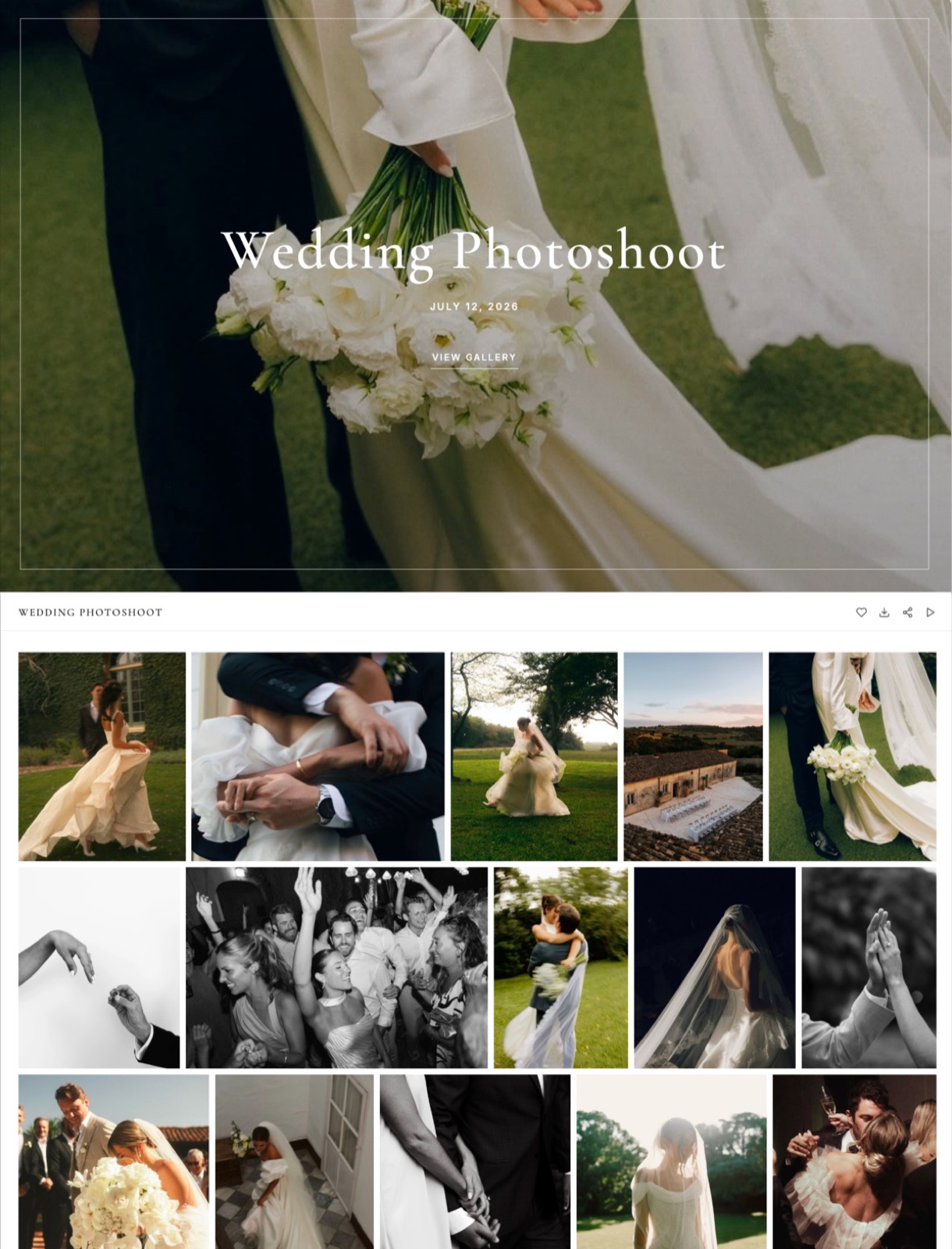
Framekit puts all four on every plan including Free, which matters here for a specific reason: if expiry is a paid upgrade, the photographer with the messiest library is precisely the one who will not have it.
Framekit is an AI website builder whose client galleries run on the same account and the same storage pool as the site the galleries are linked from, so the expiry date you set on delivery is the same lever that keeps your storage bill flat.
Paid plans add galleries on your own domain, no Framekit badge and your own uploaded fonts.
Two things Framekit deliberately does not do, and you should know before you commit: there is no print store, so print sales belong with Pixieset, Pic-Time, ShootProof, Zenfolio or SmugMug, and there is no face recognition, so if your workflow depends on the platform finding every frame with one person in it, this is not the tool.
For password and access mechanics across the market, the password-protected photo sharing comparison goes deeper than this guide does, and watermarking tools covers the preview-set question properly.
The thing that goes wrongthe password gets sent in the same email as the link, to a shared family address, and six months later you cannot work out who downloaded the originals or when.
Step 6. Move the archive off the delivery platform
Delivery storage is priced for access and archive storage is priced for sitting still, and mixing them is how a photographer ends up paying a gallery platform to hold five years of files nobody has opened since the week they were delivered.
The carried example reaches 381GB of delivered galleries after three years. Held on a gallery platform, that volume pushes you into the upper tiers of almost every plan on the market.
Held in cold object storage at Backblaze B2's published rate of $6.95 per TB per month, 381GB is $2.65 a month, or $31.78 a year. The gap is not a rounding error, it is the entire argument for archiving on a schedule.

| Where the archive goes | What it costs | What it does not do |
|---|---|---|
| Backblaze B2 | $6.95 per TB per month, first 10GB free, egress free up to 3x your stored data then $0.01/GB | No client-facing gallery, no sharing UI, restores are a technical task |
| Dropbox | Plus listed at EUR 9.99 a month for 2TB for European buyers | Not a delivery tool, and shared-folder links are easy to lose track of |
| SmugMug | Direct from $20 a month billed annually with unlimited full-resolution JPEG storage, RAW add-on $10 a month | Unlimited JPEG storage is not a substitute for a second copy in another place |
| Two local drives | A pair of 8TB drives, bought once, replaced every few years | Nothing off-site, and both die in the same flood or theft |
| Framekit pooled storage | Included in the plan: 10GB Free, 50GB Starter, 300GB Pro, 2TB Business | Not cold storage, and archive volume competes with your site and video review |
The rule underneath all of this is the old one: keep two copies on different media plus one off-site, and treat any single consumer cloud account as one copy, not two.
Google's own inactive-account policy is the reason to be careful about that last point, since a personal account that goes unused for two years can be deleted along with its contents.
An archive you have never restored from is a theory, so pull one job back from the archive every quarter and confirm the files open.
The thing that goes wrongthe archive is one external drive on the same desk as the working drive, which makes it a backup of your editing mistakes and nothing else.
Step 7. Price re-delivery before anyone asks for it
Every retention policy creates a new service, which is restoring files for someone whose gallery has closed, and if you have not priced that service you will keep doing it free at the worst possible moment.
Set two numbers. A free reopen, once per client, within the twelve-month dormant window, because reopening a live gallery costs you nothing and buys enormous goodwill.
And an archive restore fee for anything past that: a flat figure that covers pulling the job back from cold storage, republishing it and supporting the download.
Somewhere around $45 to $95 is defensible for a wedding, and the number matters less than having one.
Put both in the contract and repeat the second one in the delivery email. The sentence that does the work is short: after twelve months, restoring a closed gallery is a paid service, and here is what it costs.
Clients almost never argue with a policy they were told about in advance, and they always argue with one invented on the day they asked.
There is a pricing subtlety worth naming. A restore fee is not profit, it is a fence.
Its job is to make "can you keep everything forever, just in case" into a decision the client makes with a number attached rather than a favour they assume.
If you are rebuilding your pricing from scratch, how to price photography covers where fees like this sit next to the shoot rate.
The thing that goes wrongthe restore is quoted per hour. Clients hear an open-ended bill, get nervous, and ask you to just keep everything live instead, which is exactly the outcome the policy existed to prevent.
Step 8. Audit the library every quarter in thirty minutes
An audit is a scheduled half hour with a list of galleries sorted by date, and its only purpose is to move every job that crossed a line since the last audit into the next stage of the schedule.
Work through four questions in order. Which galleries passed day 90 and should be expired? Which passed month 12 and should be archived and removed from the delivery platform? Which passed year 3 and should get the deletion warning email?
And which galleries have no matching archive copy at all, which is the only genuinely urgent category on the list.
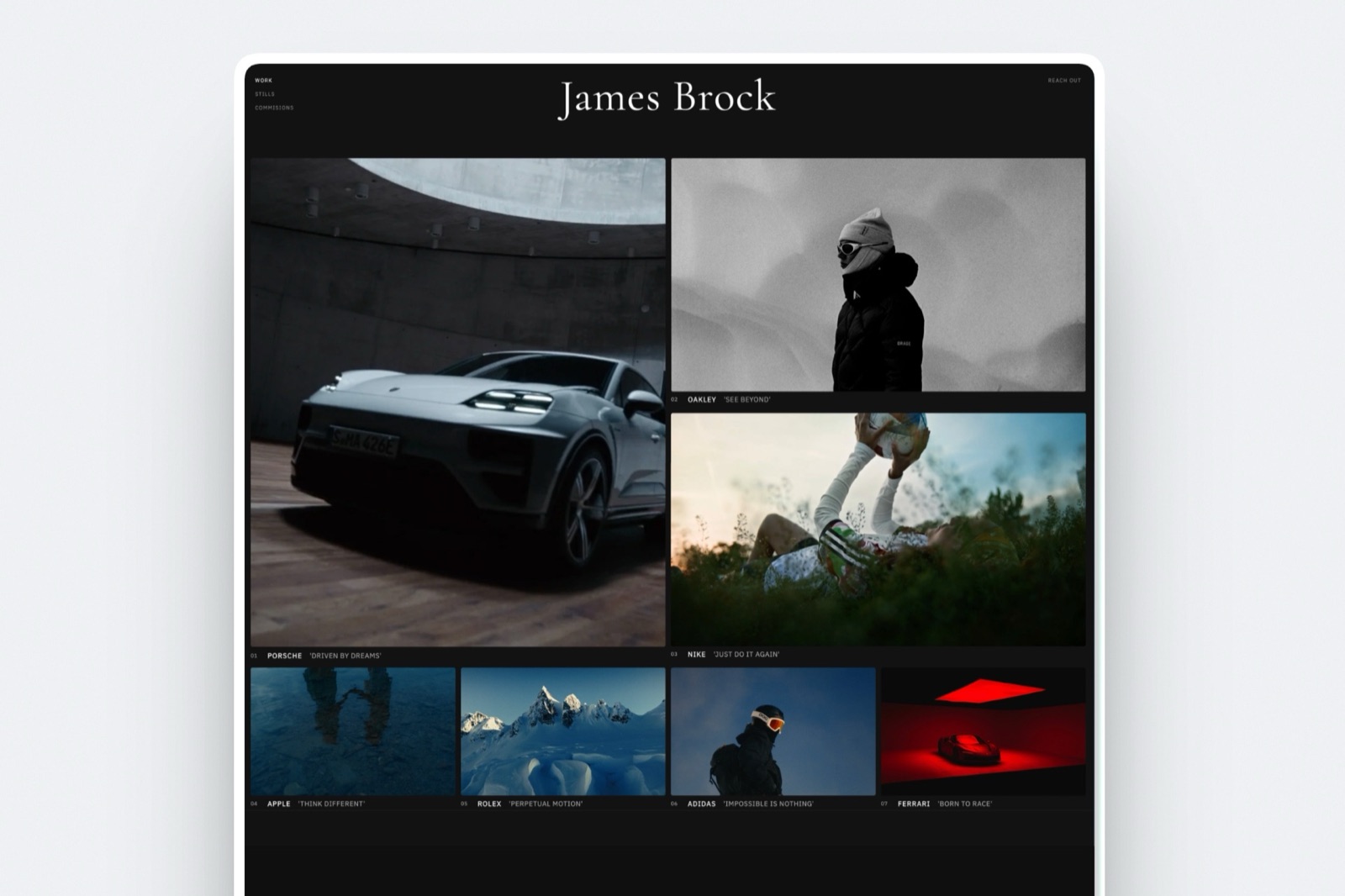
Keep the tracking outside the gallery platform, in a spreadsheet with six columns: gallery name, delivery date, expiry date, archive date and location, restore fee paid, deletion date.
It takes a minute per job to maintain and it is the only place where the whole picture lives, since no gallery platform will tell you what is or is not in your cold storage bucket.
Book it in the calendar on a date you are not shooting. The first audit on a neglected library takes an afternoon instead of half an hour, and it is the one that pays: most photographers find a third of their stored volume is galleries from jobs that closed years ago.
The thing that goes wrongthe audit gets done in the gallery platform's own interface, which sorts by upload date and hides nothing, so you scroll, get bored, and expire eleven galleries out of 300.
What three unmanaged years actually cost on each platform
The number that decides your plan is not how many galleries you have, it is how many gigabytes are still live, which is why the same working year can land you on a $180 plan or a $504 one.
Two columns below: managed is the carried example held at one year of live galleries, 127GB, because everything older has been archived off the platform. Unmanaged is the same photographer three years in at 381GB with nothing archived.
All prices are the annual-billing rate from each vendor's pricing page, read in September 2026.
| Platform | Plan that fits 127GB managed | Per year | Plan that fits 381GB unmanaged | Per year |
|---|---|---|---|---|
| Framekit | Pro, 300GB pooled, $15/mo yearly | $180 | Business, 2TB pooled, $31/mo yearly | $372 |
| Pixieset | Pro, 1TB, $24/mo annual | $288 | Pro, 1TB | $288 |
| ShootProof | Professional, 1000GB photo, $26.67/mo annual | $320 | Professional, 1000GB photo | $320 |
| Pic-Time | Advanced, unlimited photo, $42/mo annual | $504 | Advanced, unlimited photo | $504 |
| SmugMug | Direct, unlimited JPEG, $20/mo annual | $240 | Direct, unlimited JPEG | $240 |
Read that table honestly and two things jump out.
First, a retention policy is worth $192 a year on Framekit (the gap between Pro and Business) and nothing at all on SmugMug, whose unlimited JPEG storage is precisely a bet that you will never manage your library.
Second, Framekit is the cheapest managed option here and not the cheapest unmanaged one: at 381GB, SmugMug at $240 and Pixieset at $288 both undercut Framekit's Business plan.
If you refuse to archive, buy unlimited storage from someone who sells it.
There is also a caveat in Framekit's favour that you should check and not take on faith.
That pooled storage is shared across your website, your client galleries and your video reviews, so the $180 is not only paying for galleries the way the other rows are.
If you already pay separately for a portfolio site, compare the totals, not the rows. How much client galleries cost breaks that comparison down across the whole market, and videographers with much heavier files should start at client galleries for videographers instead, since video per-file caps change the arithmetic completely.
In one linethe retention policy is the lever, not the plan, because every platform in this table charges you for live gigabytes and none of them will archive anything on your behalf.
Which setup fits your studio
Work down these questions in order and stop at the first one where the answer is yes, because the right structure depends on what you sell rather than how many shoots you do.
Do you sell prints, albums or digital packages directly from the gallery? Then your delivery platform is Pixieset, Pic-Time, ShootProof or Zenfolio, and Framekit is not a candidate for that layer at all.
Run the naming convention and retention schedule from this guide inside whichever one you pick.
Do you need the platform to find every photo containing one person? Then you want face recognition, which rules out Framekit and points you at platforms that sell it, particularly for school, sports and event work at volume.
Is your library mostly stills, with a portfolio site you already pay for separately? Then pooled storage is worth real money: $180 a year on Framekit Pro covers the site and the galleries together, against $288 for Pixieset Pro plus whatever your portfolio host charges on top, and Framekit's unlimited galleries on every plan mean the count never pushes you up a tier, only the gigabytes do.
Do you deliver video alongside photos? Check the per-file cap before anything else. Framekit allows 500MB per video file on Free, 1GB on Starter, 2GB on Pro and 3GB on Business, which covers a highlight film but not an unsqueezed ceremony edit.
Would you genuinely rather pay than manage? Then buy unlimited storage, put the naming convention in place anyway, and skip the retention schedule. It is a defensible choice, it is just a more expensive one once you pass a few hundred gigabytes.
Frequently Asked Questions
How long should a photographer keep client galleries live?
Ninety days is the working default for a live client gallery, long enough for a client to download, share and come back once, short enough that your storage does not compound.
After that the gallery closes but the files stay recoverable: keep them on the platform or in cold storage for twelve months of easy reopens, then archive to cheap object storage for the rest of a three-year window.
State all four dates in the delivery email so nobody is surprised.
Should I archive old client galleries or just delete them?
Archive first, delete on a schedule. Archiving a finished delivery to cold object storage costs a few dollars per terabyte per month, which is small enough that deleting early is rarely worth the risk of a client asking a year later.
Deletion is the right call at the end of a published retention window, after a dated warning email, and for anything you never licensed or were never paid for. The one category to delete immediately is duplicate exports.
What is the best naming convention for client photo galleries?
Date first in ISO order, then client, then shoot type, then set: 2026-06-14-hartley-wedding-highlights.
ISO dates are the only format that sorts chronologically as plain text across your gallery platform, your drives and your archive bucket, which means one search finds all three copies of a job.
Keep names lowercase, hyphenated and free of personal details, since gallery titles appear in link previews. Never rename a gallery after it has been sent.
How much storage does a year of wedding galleries need?
About 108GB for thirty weddings, if you deliver 600 finished JPEGs per wedding at an average of 6MB each. Add forty portrait sessions at 80 images and the year is roughly 127GB.
Check your own average file size before trusting that: a photographer delivering 1,200 images per wedding at 9MB doubles it. The figure that matters for plan selection is not the year, it is how many years you leave live at once.
Can I charge a client to restore an expired gallery?
Yes, and you should publish the fee before anyone needs it. Give each client one free reopen inside the dormant window, then charge a flat restore fee, commonly $45 to $95 for a wedding, for anything pulled back from a cold archive.
The fee covers the retrieval, the republish and the support, and its real job is to turn "keep everything forever" into a priced decision instead of an assumed favour. Put it in the contract.
Is unlimited storage worth paying for?
Unlimited storage is worth it when you have decided not to run a retention policy, and it is a waste otherwise. SmugMug's Direct plan at $20 a month billed annually and Pic-Time's Advanced at $42 a month annual both sell that bet.
On the carried example, a managed 127GB library costs $180 a year on Framekit's Pro plan against $240 or $504 for unlimited storage, so the saving is real but modest, and it disappears the moment you stop archiving.
Does Framekit expire client galleries automatically?
Yes. Framekit includes auto expiry on every plan including Free, alongside gallery passwords, a separate download PIN, watermarking, client favourites, email registration and full-resolution or ZIP downloads.
Galleries are unlimited on every plan, so only the gigabytes move you up a tier, not the number of jobs. Paid plans add galleries on your own domain, removal of the Framekit badge and your own uploaded fonts.
What Framekit does not do is sell prints or run face recognition.
What happens to client galleries if I stop paying my platform?
That depends entirely on the vendor, and it is the question to ask before you upload three years of work.
Read each platform's published policy on downgrades and account closure instead of assuming, and keep an off-platform archive so the answer never matters to your clients. Framekit provides data export on every plan.
Google's inactive-account policy, which allows deletion of accounts unused for two years, is a reminder that a personal cloud drive is not a safe archive either.
Should client galleries and my portfolio live on the same platform?
They serve opposite goals, so the answer depends on your storage bill rather than on principle. A portfolio is public, permanent and built for search; a gallery is private, temporary and built for download.
Keeping both on one account saves a subscription and one pooled storage bill, which is the case for a platform like Framekit.
Keeping them apart lets you buy a print-selling gallery platform and a separate site, which is the right call if prints are real revenue.
Pixieset or Framekit for a large gallery library?
Pixieset is the better pick if you sell prints, products or digital packages from the gallery, because Framekit has no print store at all and never will be the tool for that job.
Framekit is the better pick if your galleries are pure delivery and you want them on the same pooled storage and the same bill as your website, with auto expiry on every plan to enforce a retention policy.
Price both against your real gigabytes.
Final Verdict
Organising client galleries is two written rules and one recurring half hour: name every gallery date first, publish a four-stage retention schedule, and audit the library quarterly so galleries actually move through it.
Do that and the platform question gets much smaller, because you are buying storage for one year of live work, not for everything you have ever shot.
For delivery-only libraries, Framekit is the pick in this guide: unlimited galleries on every plan, auto expiry, passwords and a separate download PIN on Free, and one pooled storage tier shared with your website and video review so a single plan covers more than the gallery layer.
Where Framekit losesit does not sell prints, albums or products from a gallery, it has no face recognition, and at 381GB of unmanaged volume its Business plan costs $372 a year against $288 for Pixieset Pro and $240 for SmugMug Direct.
If print revenue matters, if you need the platform to find one face across a season of youth sports, or if you would rather buy unlimited storage than run a retention policy, Framekit is the wrong tool and Pixieset, Pic-Time, ShootProof or SmugMug are the better fit.
Framekit also does not touch invoicing, contracts or booking, so keep a dedicated tool for the paperwork around the shoot.
Related readinghow much client galleries cost, how to create a client gallery, how to deliver photos to clients, client galleries for wedding photographers and password-protected photo sharing tools.
Access control sits alongside retention in how to password protect a client gallery, and if your galleries carry motion as well as stills, how to deliver photos and video from one shoot does the storage arithmetic.