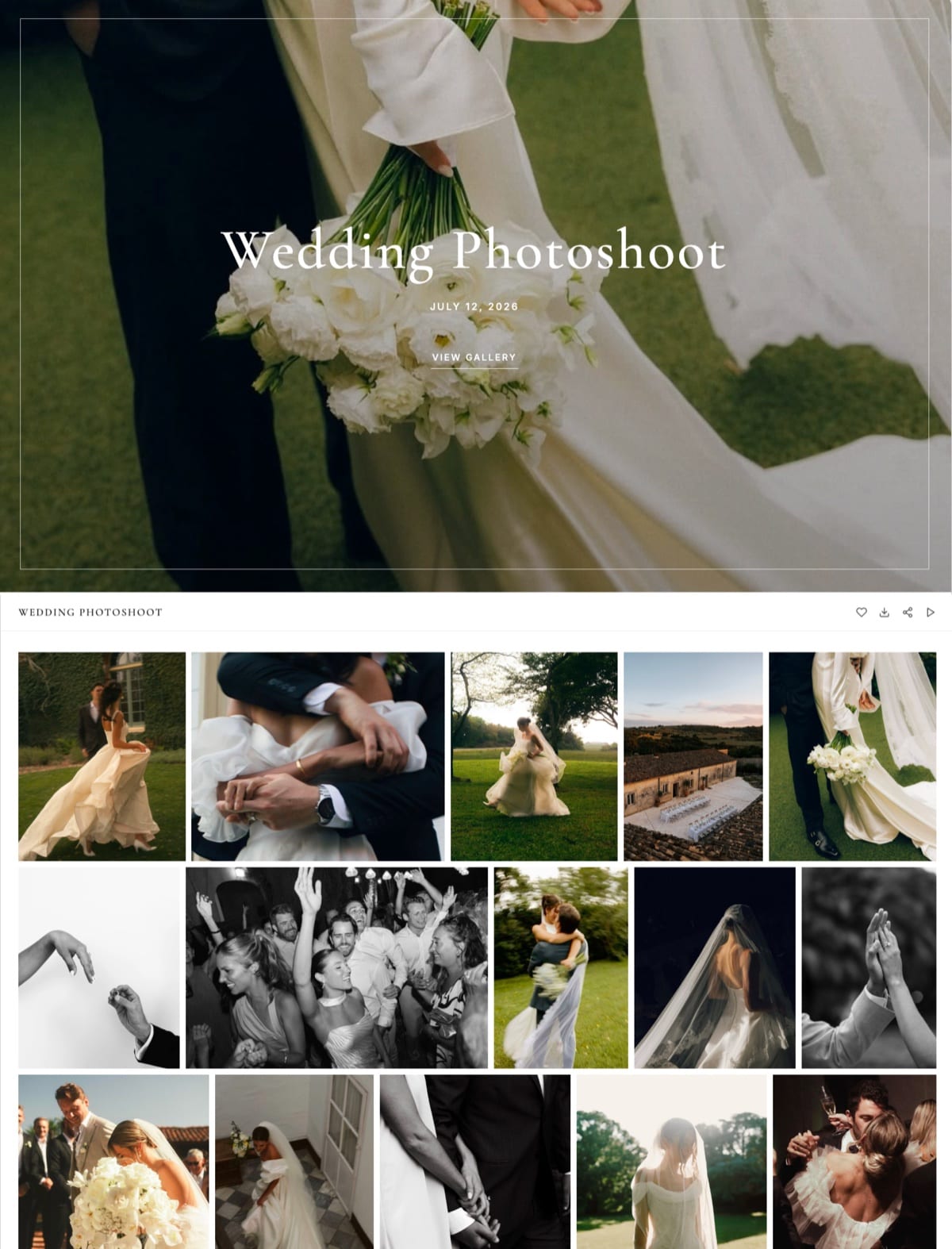
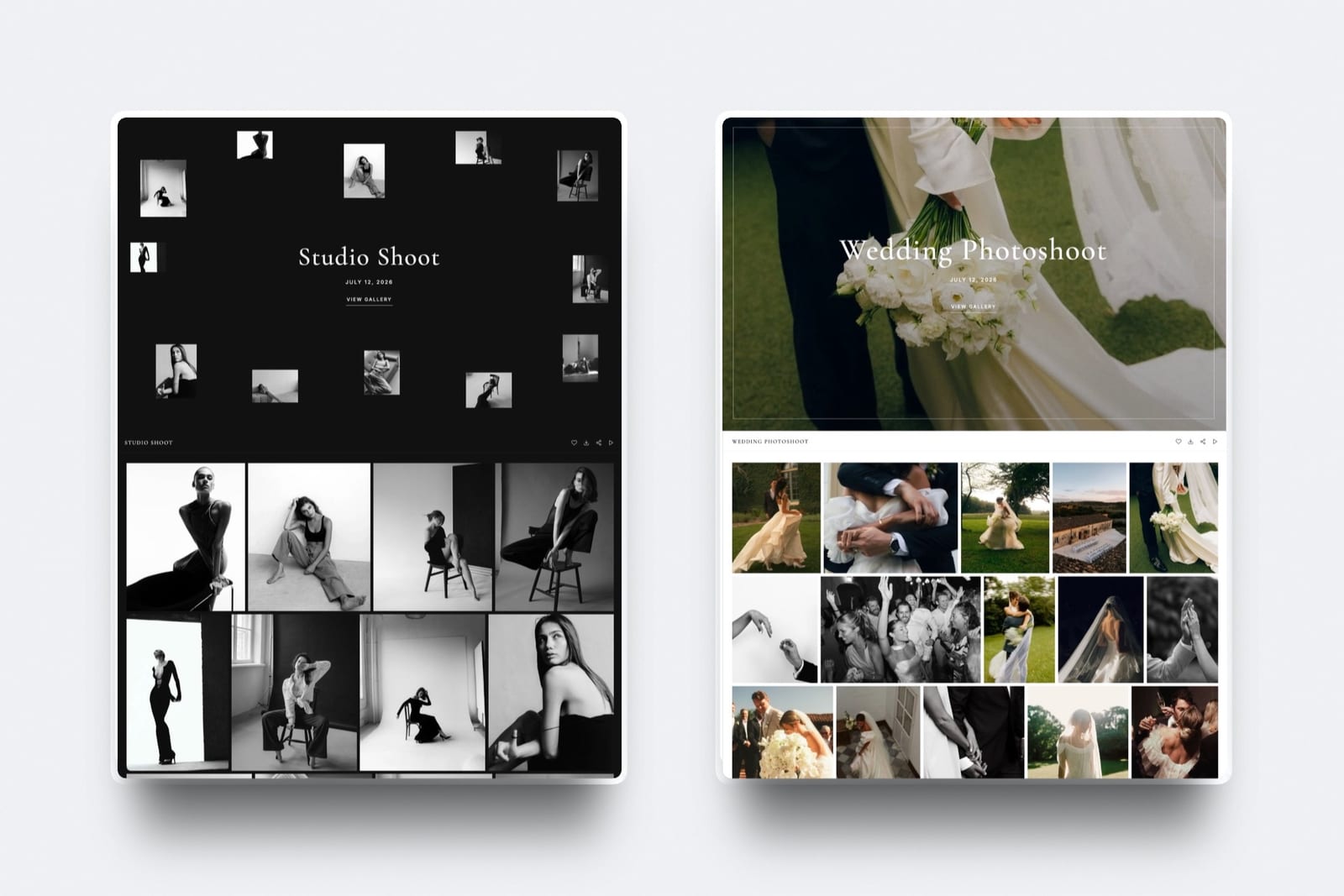
Framekit templates
Start from a designer-made template
 Use template
 Use template
 Use template
 Use template
 Use template
 Use template
 Use template
 Use template
How much client galleries cost is a harder question than the pricing pages suggest, because the subscription is rarely the biggest number on the bill.
A photographer on a free plan who sells $3,000 of prints through it has paid $450 in commission. A photographer on a $7 plan who hits a 15-gallery cap in April pays the higher tier for the rest of the year.
A wedding filmmaker on a plan that meters video in hours buys extra hours every month the season runs.
So the honest answer is a range, $0 to about $800 a year, and where you land depends less on the brand you pick than on which of four pricing levers your business pulls hardest.
A client gallery is software that hosts a finished shoot behind a private link so a client can view, favourite and download it, and platforms charge for it through some mix of a monthly subscription, a commission on anything sold through the gallery, and limits on storage, gallery count or video that force an upgrade.
Client galleries cost $0 to about $800 a year in 2026, and most working photographers pay $84 to $300.
Free plans are real but funded by a 15% store commission (Pixieset, CloudSpot), gallery caps of 3 (CloudSpot, PicDrop) or shrinking storage (Pic-Time); Framekit's free plan has 10GB, unlimited galleries and no commission on delivery.
For a stills-only wedding year of 120GB, Zenfolio Professional is cheapest at $138 and Framekit Pro next at $180; add a 25-minute film per wedding and Framekit Pro stays $180 while Pixieset reaches about $768.
Every price in this breakdown was re-verified on 12 October 2026 against each vendor's own pricing page, and the August version's figures for ShootProof's photo-count tiers, Pic-Time's entry plan, CloudSpot's commission and PicDrop's euro pricing were replaced with what those pages show today.
Full disclosure: Framekit is our product and appears in every table below, priced on the same basis as everyone else; it is not the cheapest option for a stills-only year, it has no print store, and the section on where it fits on price says so plainly.
The Four Ways Client Galleries Charge You
Client gallery platforms charge through four levers, a subscription, a commission, a cap and a video meter, and most businesses only feel one or two of them, so naming all four first tells you which column of the price tables below is actually yours.
1. The subscription. A monthly or yearly fee, usually tiered by storage.
Yearly billing saves roughly 16% to 50% depending on the vendor: Framekit takes 20% off ($9 becomes $7 a month on Starter), Zenfolio roughly halves its middle and top plans ($23 becomes $11.50 on Professional).
For a business that never sells through its galleries, this is the whole cost.
2. The commission. A percentage of print or download sales made inside the gallery.
It ranges from 0% on every ShootProof plan to 15% on the free plans of Pixieset and CloudSpot, with Pic-Time charging on store profit, Zenfolio a flat 7% per order and PhotoShelter 8% to 10%.
It is invisible until you sell, then it is usually the largest line.
3. The cap. A limit on storage or gallery count that forces an upgrade whatever else you spend. CloudSpot stops at 3 galleries free and 15 on Entry; PicDrop at 3 free; Pic-Time's free plan drops from 10GB to 3GB three months after sign-up.
4.
The video meter. Hybrid shooters pay for film separately on most platforms: in hours on Pixieset (30 minutes on Basic, $5 a month per extra hour), in gigabytes on Pic-Time and ShootProof, in monthly conversion hours on PicDrop, and not at all on CloudSpot, which takes Vimeo or YouTube links instead.
Framekit counts video in bytes against a video share of the same pool.
A fifth cost never appears on a gallery invoice: the portfolio website you pay for somewhere else. A gallery plan that includes the site changes the comparison by whatever that site costs you today.
Every Major Platform's Prices in October 2026
These are the published plans of nine client gallery platforms as read on each vendor's pricing page on 12 October 2026, shown at the yearly billing rate per month (CloudSpot shows list prices), with the commission each takes on sales made through the gallery.
| Platform | Free plan | Entry | Middle | Top | Commission on gallery sales |
|---|---|---|---|---|---|
| Framekit | 10GB, unlimited galleries | Starter $7, 50GB | Pro $15, 300GB | Business $31, 2TB | No print sales; 5%, 5%, 3%, 0% on digital products |
| Pixieset | 3GB | Basic $8, 10GB | Plus $16, 100GB; Pro $24, 1TB | Ultimate $40, unlimited photos | 15% on Free, 0% paid |
| Pic-Time | 10GB, then 3GB after 3 months | Beginner $7, 20GB | Professional $21, 100GB | Advanced $42, unlimited photos | 15%, 15%, 8%, 6% of store profit; 0% self-collected from Professional |
| ShootProof | 3GB, photos only | Starter $8.33, 20GB | Standard $16.67, 100GB; Professional $26.67, 1,000GB | Premium $50, unlimited photos | 0% on every plan |
| Zenfolio | Trial only | Basic $7, 15GB, cannot sell | Professional $11.50, 150GB | Advanced $20, unlimited JPEG | 7% per order |
| CloudSpot | 5GB, 3 galleries | Entry $7, 15GB, 15 galleries | Lite $17, 100GB | Pro $34, 500GB; Unlimited $50 | 15% on Free and Entry, 0% from Lite |
| SmugMug | 14-day trial | Direct $20, unlimited JPEG | Portfolio $23.50 | Pro $37 | Not quoted; its help centre blocks automated reads |
| PhotoShelter | 14-day trial | Basic $10, 4GB | Standard $25, 100GB | Pro $45, 500GB | 8% to 10% by tier |
| PicDrop | 1GB, 3 galleries | Pro $15.99, 500GB | Advanced $47.49, 1TB | Business, 3TB | No store |
Three of these figures carry the most weight in what follows, so check them at the source: Pixieset's 15% free-plan commission and video hours on its pricing page, ShootProof's 0% commission on every plan on its plans page, and Zenfolio's plan prices on its pricing page.
Card processing applies on top of any sale on every platform.
What a Year Costs at Three Shooting Volumes
A year of client galleries costs anywhere from $0 to $768 for the same work depending on the platform, and the order of the cheapest options changes completely once film enters the delivery, which is why this table prices three realistic volumes rather than one headline plan.
Assumptions: 10MB per delivered JPEG, films exported at 10 Mbps, every gallery kept online for the full year, yearly billing, and the cheapest plan on each platform that fits the storage, gallery count and video.
The portrait business has 15 galleries live; the wedding businesses have 24.
| Platform | Portraits: 15 sessions of 50 photos (7.5GB) | Weddings, stills only: 24 of 500 photos (120GB) | Hybrid: same 24 weddings plus a 25-minute film each (165GB, 10 hours of film) |
|---|---|---|---|
| Framekit | $0 on Free, or $84 on Starter for your own domain | $180, Pro | $180, Pro (45GB of its 150GB video share, 1.9GB per film) |
| Zenfolio | $84, Basic | $138, Professional | $240, Advanced (Professional's 150GB is exceeded) |
| Pic-Time | $84, Beginner | $504, Advanced (Professional stops at 100GB) | $504, Advanced (60GB of video) |
| CloudSpot | $84, Entry, at exactly its 15-gallery cap with 15% commission | $408, Pro (Lite stops at 100GB) | $408 plus a Vimeo or YouTube plan for the films |
| Pixieset | $96, Basic (Free has 3GB and no full-resolution download) | $288, Pro (Plus stops at 100GB) | About $768: Pro plus 8 extra video hours at $5 a month |
| ShootProof | $99.96, Starter | $320.04, Professional (Standard stops at 100GB) | $320.04, Professional (45GB of its 50GB video allowance) |
| PicDrop | $191.88, Pro | $191.88, Pro | $191.88 plus conversion add-ons in months with over an hour of film |
| SmugMug | $240, Direct | $444, Pro for client favouriting | Video terms not published |
| PhotoShelter | $300, Standard (Basic holds 4GB) | $540, Pro | Video not described on its plans page |
Read across the rows rather than down. For a weekend portrait business, five platforms land at $84 to $100 and Framekit's free plan covers it at $0. For a stills-only wedding year, Zenfolio is the cheapest by $42 and Framekit second.
For a hybrid wedding studio, Framekit is the cheapest, about $12 under PicDrop's base price and by about $588 over Pixieset, because film is counted in bytes rather than hours.
Two fairness notes. If films come down after 90 days, a hybrid studio only needs about 2.5 hours online at once, and Pixieset drops to roughly $348. And if those weddings also sell $3,000 of prints, the commission table below matters more than any of this.

Commission: The Cost That Grows With Your Sales
Commission is the client gallery cost that grows with your success, so a free plan that looks like $0 can be the most expensive option on the page for any photographer whose galleries sell prints, albums or downloads.
The table prices one year with $3,000 of print sales through the gallery. Pic-Time charges on store profit rather than sales, so its rows assume $2,000 of profit after lab costs; every other platform charges on the sale.
| Setup | Rate | Commission on the year | Plus the plan |
|---|---|---|---|
| Pixieset Free | 15% of sales | $450 | $0 |
| Pixieset Basic or above | 0% | $0 | From $96 |
| CloudSpot Free or Entry | 15% of sales | $450 | $0 or $84 |
| CloudSpot Lite or above | 0% | $0 | From $204 |
| ShootProof, any plan | 0% | $0 | $0 to $600 |
| Zenfolio Professional | 7% per order | $210 | $138 |
| Pic-Time Beginner, Pic-Time collects | 15% of profit | $300 | $84 |
| Pic-Time Professional, self-collected | 0% | $0 | $252 |
| PhotoShelter Standard | 8% to 10% | $240 to $300 | $300 |
| Framekit, any plan | No print store | Not applicable | $0 to $372 |
The cheapest print-selling year here is ShootProof: 0% commission on every plan, including the free one, with lab fulfilment.
Framekit cannot take a print order at all, so a print-selling photographer on Framekit either orders prints by hand from their own lab, keeping the full margin but spending about 15 minutes per order, or runs a print-store gallery alongside it.
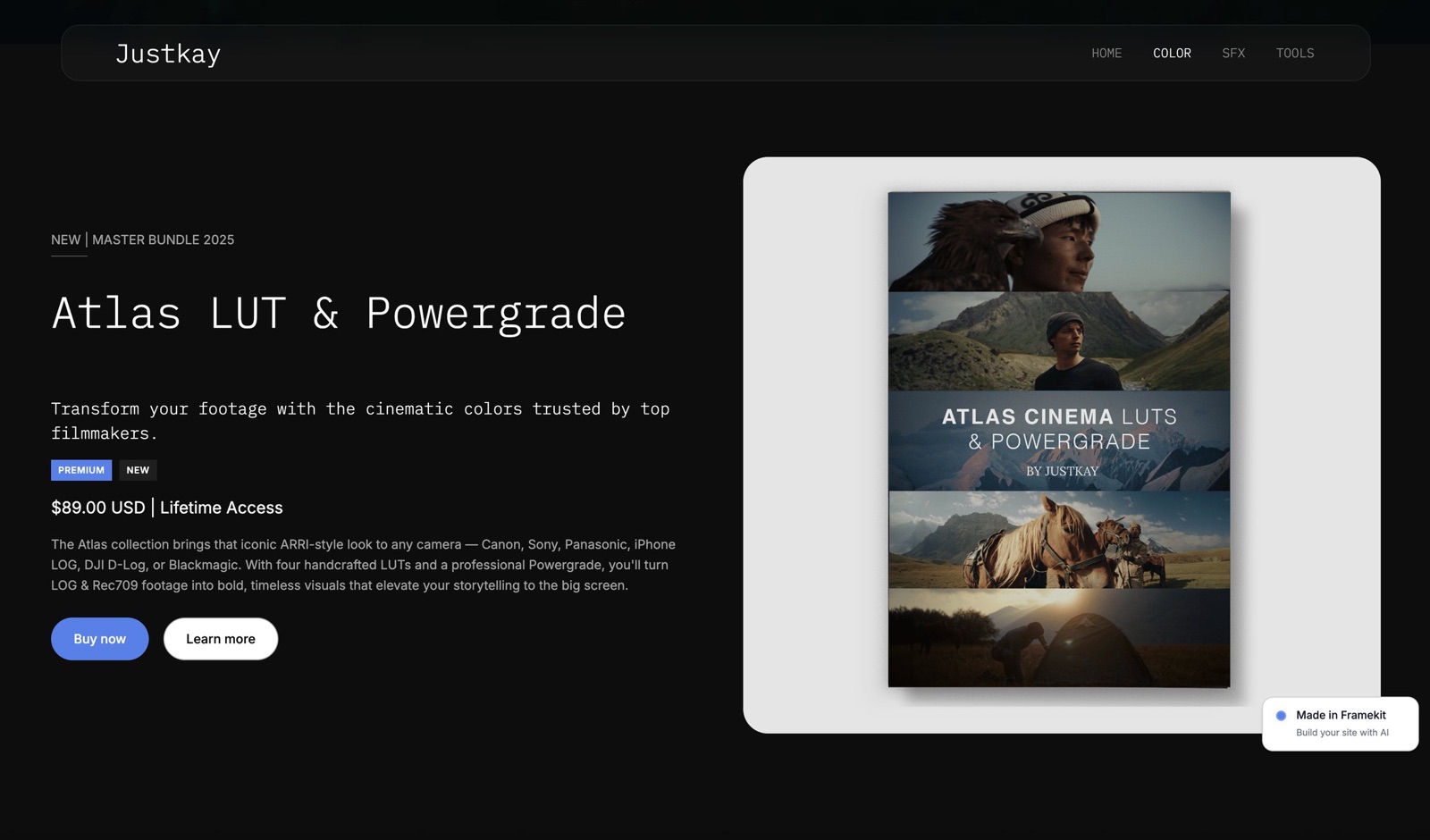
Framekit's own commission applies only to digital products sold through its store, such as presets, LUTs or guides: 5% on Free and Starter, 3% on Pro and 0% on Business, charged on the post-discount price, with Stripe processing on top and you as the merchant of record.
The guides to commission-free client galleries and selling prints from a client gallery go further.
Gallery Caps and Shrinking Free Plans
A gallery cap or a shrinking free plan is a cost that arrives as an upgrade you did not budget for, usually in the busiest month, so it is worth pricing in before you choose rather than discovering it with a client waiting.
CloudSpot3 galleries on Free and 15 on its $7 Entry plan. A photographer delivering one session a week reaches 15 live galleries in under four months, at which point CloudSpot's real price is Lite at $17 a month.
Its free plan also caps downloads at 2048 pixels on the long edge and accepts JPEG only.
PicDrop3 galleries and 1GB on Free, then Pro at $15.99 a month billed yearly; Lite was retired for new customers in May 2026, so there is no paid step in between.
Pic-Time10GB of photos on Free for three months, then 3GB, and galleries over the limit are permanently deleted a week later, oldest first.
Pixiesetunlimited galleries on Free, but 3GB, and its pricing page lists full-resolution download among the features Basic adds, so a free Pixieset gallery is a proofing gallery more than a delivery one.
Framekit, Pixieset, ShootProof, Zenfolio and Pic-Time put no cap on gallery count, so on those the only limit is storage.
Framekit's free plan does not shrink, but its 10GB is shared with your website and video review files, so it holds about two 500-photo weddings, not ten.
The way to price a cap: count the galleries you had live at once in your busiest month last year. If that number is above 15, the cheapest tier on two of these platforms is not available to you.

Billing Mechanics Worth Knowing Before You Pay
The billing rules around a client gallery plan, how refunds, downgrades, cancellations and free-plan limits work, can cost more than the price difference between two platforms, so read them on the vendor's own pages before committing a year of deliveries to one.
Refunds on yearly plans. Zenfolio's FAQ says a refund is available within 30 days of sign-up or an annual renewal, and monthly plans are not refunded. If you pay yearly anywhere, put the renewal date in your calendar a month ahead.
Cancelling takes galleries offline. Zenfolio takes content offline after a cancelled plan's billing period ends, and Pic-Time downgrades take effect at the end of the billing period.
Whatever the platform, download every gallery you still owe a client before you cancel, and keep originals on your own drives regardless.
Free plans that change under you. Pic-Time's free 10GB becomes 3GB after three months. Framekit's free plan is permanent and needs no card, but is a 10GB pool shared with your website.
Card fees sit on top of commission. Every platform that takes payment passes on card processing; a 0% commission plan is not a 0% cost plan, so compare the commission column, not the advertised zero.
Switching has a cost too. No platform imports another's galleries, favourites or download history, so a switch means re-uploading every gallery you still owe a client.
Most photographers move a season, not an archive, and leave old galleries to expire where they are.
Video: The Line Item Hybrid Shooters Miss
Video is where client gallery costs diverge most, because one platform meters film in hours, another in gigabytes, another in monthly conversion time and another not at all, so two photographers paying the same headline price can face bills $500 apart once their films are online.
Use one film to see it. A 25-minute highlight film exported at 10 Mbps is 25 times 60 times 10 divided by 8, about 1,875MB.
On Framekit it uses 1.9GB of Pro's 150GB video share and fits the 2GB per-file cap; on Starter it would need re-exporting under 1GB, about 5.3 Mbps.
On Pixieset it uses 25 minutes of an allowance that is 30 minutes on Basic, 1 hour on Plus, 2 hours on Pro and 5 hours on Ultimate. On Pic-Time it uses 1.9GB of 5GB, 30GB or 60GB.
On PicDrop it uses 25 of Pro's 60 conversion minutes for that month. On CloudSpot you upload it to a video host and paste the link.
Framekit's limits per plan are 500MB, 1GB, 2GB and 3GB per file, 3GB, 15GB, 150GB and 750GB of video in total, and 2 hours per film on every plan. Films are transcoded for smooth playback and never watermarked.
The other video cost is the review round before delivery.
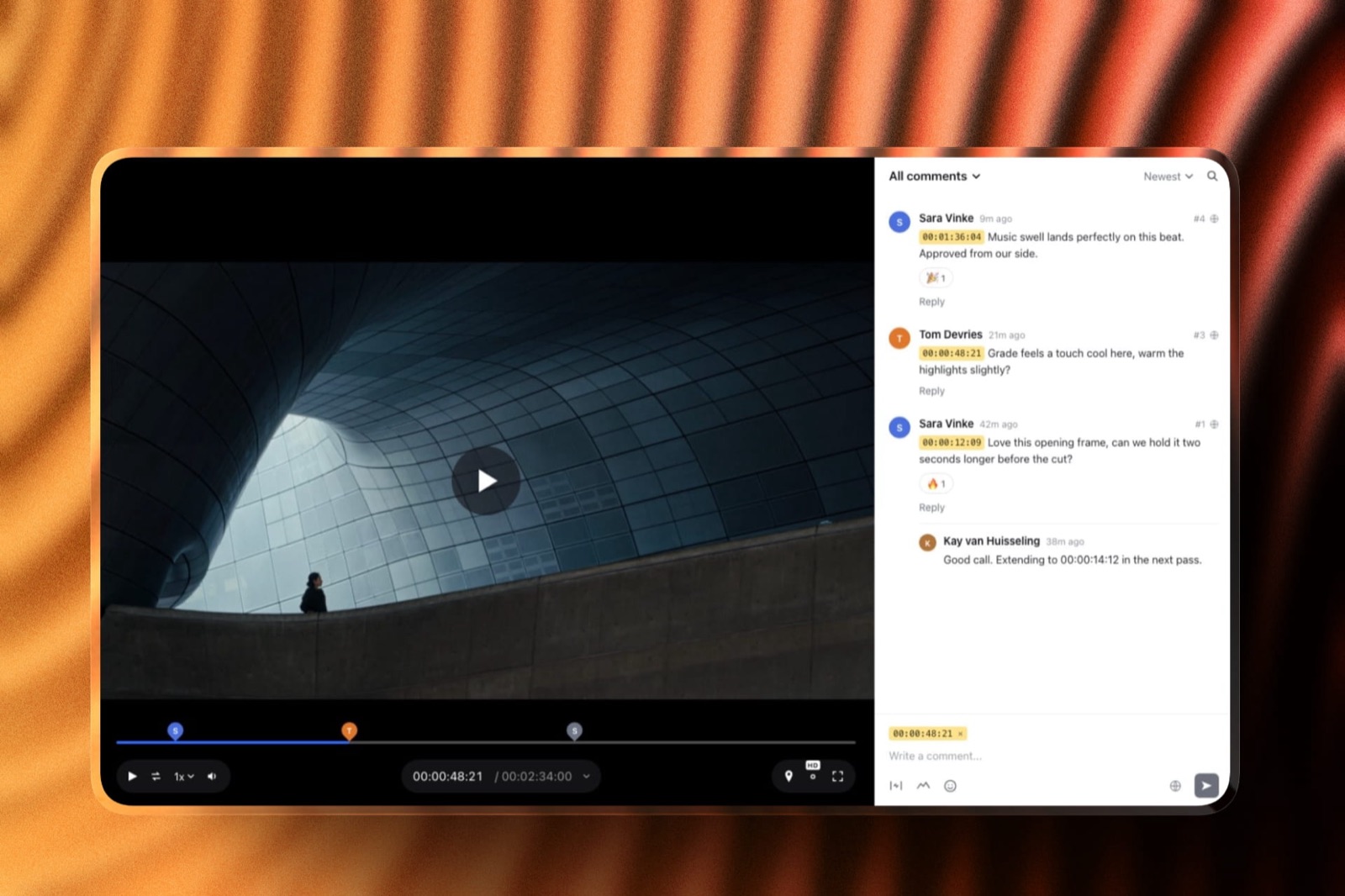
Filmmakers usually pay for a separate review tool to collect notes on the cut; Framekit includes video review with frame-accurate comments, drawing, versions and approval statuses on every plan, drawing on the same pool.
The Website You Are Already Paying For
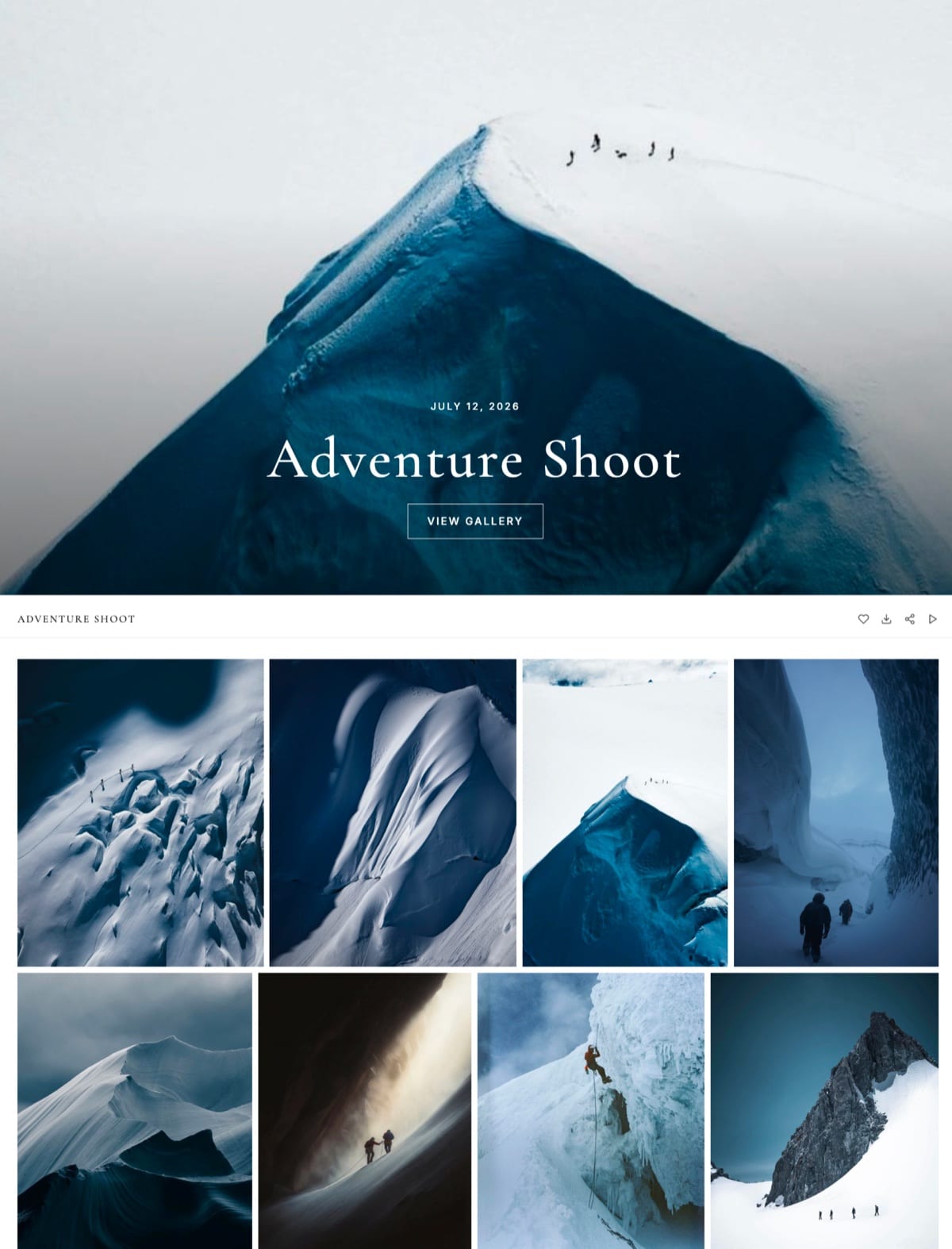
Most photographers pay for a portfolio website separately from their client galleries, so the honest annual cost of delivery is the gallery plan plus the site plan, and a platform that includes both can cost less than a cheaper gallery plan stacked on a website subscription.
Pixieset sells its website separately or in Suite, which bundles Client Gallery, Website and Studio Manager from $28 a month billed yearly.
Zenfolio includes a website with your own domain on every plan, and SmugMug adds website templates from its Portfolio plan. PhotoShelter includes 9 customisable templates.
Pic-Time, ShootProof and CloudSpot offer portfolio pages or a link-in-bio style site rather than a full website builder. PicDrop has no website.
Framekit is the other way round: it is an AI website builder first, with galleries, video review, Slides and a store on the same account.
Its free plan publishes a site on a framekit.ai address with 10 pages; Starter adds your own domain and 30 pages.
One caveat: website plans attach to a site, so a second website is a second plan, while galleries and review sit on the account.
Add whatever you pay for your current site to every gallery row in the tables above, then compare. The guide to how much a photography website costs has the site-side numbers.
Where Framekit Fits on Price

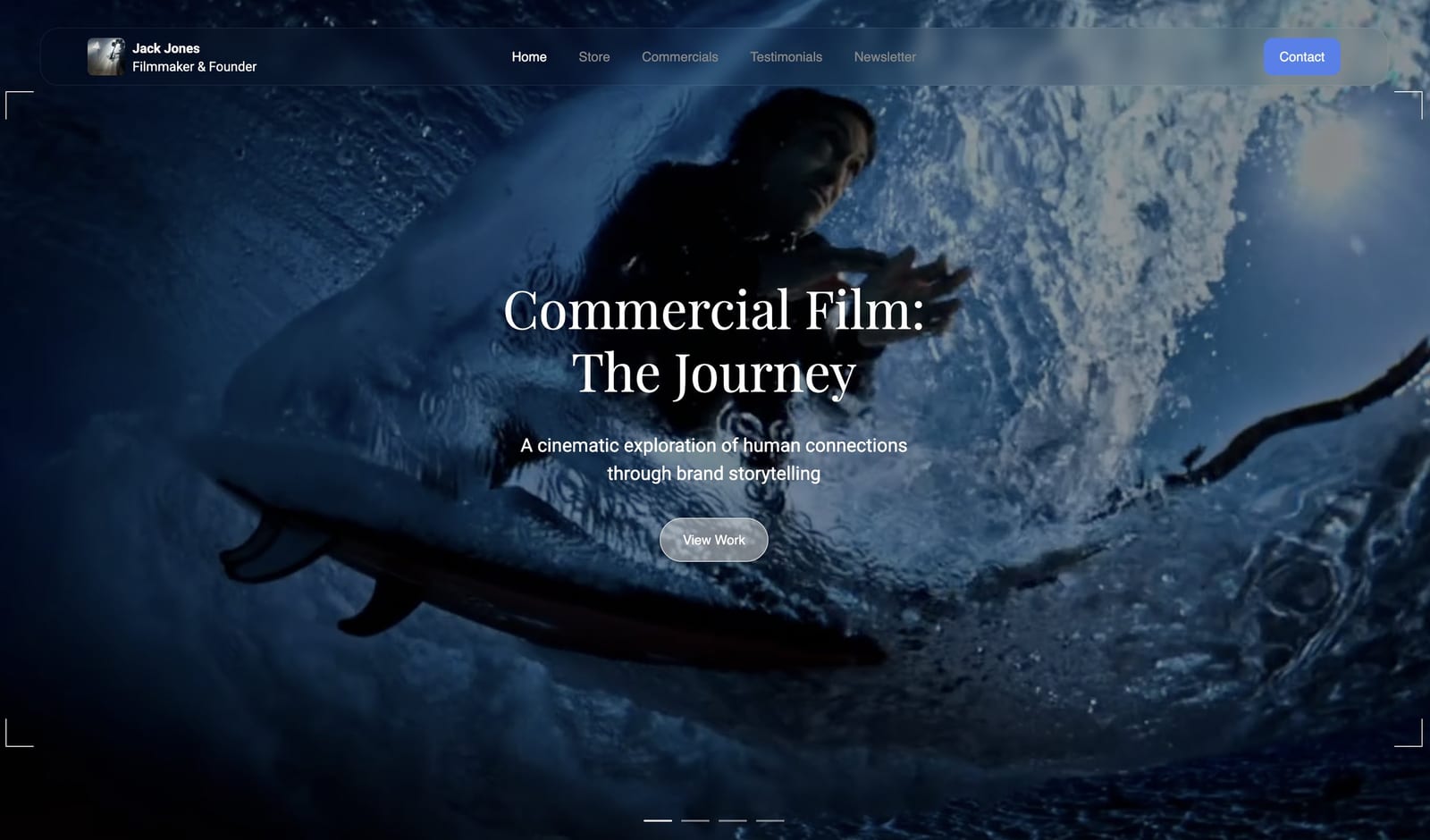
Framekit is an AI website builder with client galleries included on every plan, so on price it wins where a photographer would otherwise pay for a site, a gallery and a video tool separately, and it loses to cheaper stills-only galleries and to any print-store platform when prints are the income.
What each plan costs and holdsFree $0, 10GB; Starter $9 a month or $7 billed yearly, 50GB and your own domain; Pro $19 or $15 yearly, 300GB; Business $39 or $31 yearly, 2TB.
Every plan has unlimited galleries, every gallery feature, video in the gallery and video review.
Paid plans add your own domain on galleries and your own fonts, and take the badge off your website; galleries keep a small Made with Framekit footer line on every plan.
Where it is the cheapesta portrait business that fits 10GB pays $0. A hybrid wedding studio with films pays $180 a year on Pro, the lowest figure in the hybrid column above, with the site and review rounds included.
Where it is notZenfolio Professional is $42 a year cheaper for a stills-only wedding year. PicDrop gives 500GB for $15.99 a month against Framekit Pro's 300GB for $15, so on raw storage per dollar PicDrop wins.
ShootProof keeps 0% commission on print sales with a lab, which Framekit cannot match because it sells no prints. SmugMug stores unlimited JPEGs from $20 a month, past Framekit's 2TB ceiling.
What the price does not includeprint ordering, price sheets, a mobile app, client uploads, RAW files, unlimited storage, contracts, invoicing or booking. If you need those, the cheaper total is usually a platform that has them.
Our head-to-heads put each comparison on a single page: Framekit vs Pixieset, vs Zenfolio, vs ShootProof and vs Pic-Time.
Work Out Your Own Number in Five Steps
You can price client galleries for your own business in about fifteen minutes with last year's numbers, and doing so usually eliminates half the platforms before you compare a single feature, because your peak gallery count, storage and sales rule them out.
- Count your peak live galleries. Take your busiest month last year. If it is above 15, cross off CloudSpot Entry; above 3, cross off every free plan with a gallery cap.
- Work out your storage. Delivered photos times 10MB, plus each film's minutes times 60 times your bitrate in Mbps divided by 8, for everything you keep online at once. That is the plan size you need.
- Multiply your gallery sales by the commission. $3,000 at 15% is $450; if the result is larger than an entry paid plan, the free plan is the expensive one.
- Add your video meter. Total film minutes kept online; if it is over 30, Pixieset Basic is out, and over 2 hours, Pixieset Pro needs extra hours.
- Add your website bill. If your gallery platform can replace your site, subtract that subscription from its row.
Run it yourselfdo the five steps for the platform you use now and for one alternative, using last year's real figures, and put both totals side by side. If the gap is under $50 a year, stay where you are; switching costs a weekend.
Frequently Asked Questions
How much do client galleries cost in 2026?
Client galleries cost $0 to about $800 a year in 2026, and most working photographers pay $84 to $300.
Free plans exist on Framekit, Pixieset, Pic-Time, ShootProof, CloudSpot and PicDrop; entry paid plans run about $7 to $16 a month billed yearly; and the biggest variable is not the plan but commission on sales and video metering for films.
What is the cheapest client gallery platform?
It depends on volume.
Framekit's free plan costs $0 with 10GB and unlimited galleries; for a stills-only wedding year of 120GB, Zenfolio Professional at $138 a year is cheapest, with Framekit Pro second at $180; for a hybrid wedding year with films, Framekit Pro at $180 is cheapest.
ShootProof is the cheapest way to sell prints, with 0% commission on every plan.
Are free client galleries really free?
Only if you never sell through them and stay under their caps.
Pixieset and CloudSpot take 15% of store sales on their free plans, which is $450 on $3,000 of prints; CloudSpot and PicDrop cap free accounts at 3 galleries; Pic-Time's free plan shrinks to 3GB after three months.
Framekit's free plan has no commission on delivery and no gallery cap, but 10GB shared with your website.
How much commission do client gallery platforms take?
Commission on gallery sales ranges from 0% on every ShootProof plan and on Pixieset's paid plans, to 7% per order on Zenfolio, 8% to 10% on PhotoShelter, 6% to 15% of store profit on Pic-Time when it collects payment, and 15% on the free plans of Pixieset and CloudSpot.
Card processing applies on top everywhere. Framekit sells no prints, and charges 5% to 0% only on digital products.
How much does it cost to deliver video in a client gallery?
Framekit includes video in every plan, from a 3GB video share on Free to 750GB on Business, with per-file caps of 500MB to 3GB. Pixieset includes 30 minutes on Basic up to 5 hours on Ultimate and charges $5 a month per extra hour.
Pic-Time includes 1GB to 60GB, ShootProof 50GB on Professional and 150GB on Premium, and CloudSpot needs a separate video host.
Is it cheaper to pay monthly or yearly for a client gallery?
Yearly, on every platform that offers it. Framekit's yearly billing takes 20% off, so Pro is $15 a month instead of $19, or $48 a year saved. Zenfolio's yearly rate is about half its monthly rate on Professional and Advanced.
Pixieset Basic is $8 a month yearly against $10 monthly. Pay monthly only for your first season, while you are still testing.
How much storage do I need for client galleries?
Plan on about 10MB per delivered photo and 1.9GB per 25-minute film at 10 Mbps, for everything you keep online at once.
A 500-photo wedding is about 5GB, so 24 weddings kept online need 120GB, which is a 150GB to 300GB plan; 15 portrait sessions of 50 photos need 7.5GB, which fits a free 10GB plan.
Do I need to pay for a website as well as client galleries?
Usually, yes, unless your gallery platform includes a full site. Pixieset sells its website separately or in Suite from $28 a month billed yearly, and several gallery platforms only offer portfolio pages.
Framekit includes a full AI-built website on every plan, so its gallery price already contains the site; a second website is a second plan.
What happens if I run out of gallery storage?
On Framekit, an upload that would take you over your pool or video share is stopped before it starts and you are offered an upgrade; existing galleries stay online.
Other platforms behave differently: Pic-Time's free plan deletes galleries over its 3GB limit a week after it shrinks. Keep 20% headroom before a busy season.
Is Framekit or Pixieset cheaper for client galleries?
For stills only, Framekit is usually cheaper at volume: $180 a year on Pro for 300GB against $288 for Pixieset Pro once you need more than Plus's 100GB.
At the entry level they are close: Pixieset Basic is $96 a year for 10GB, Framekit Starter $84 for 50GB. With films, Framekit is far cheaper, about $180 against $768, because Pixieset meters video in hours.
For print sellers, Pixieset's lab store is worth more than the difference.
Are expensive client gallery plans worth it?
An expensive plan is worth it only when it removes a cost you are actually paying.
Upgrading to remove a 15% commission on $3,000 of sales saves $450; upgrading to hold films you deliver anyway can save hundreds in video hours; paying for 2TB when you keep 40GB online wastes the difference.
Check your storage use against your plan every January.
The Verdict
Client galleries cost what your business makes them cost. For a photographer who sells nothing through the gallery and keeps under 10GB online, the right price is $0.
For a stills-only wedding year it is $138 to $300, with Zenfolio cheapest. For a hybrid studio delivering films, the spread is $180 to about $768, and the meter, not the plan, decides it.
Framekit is the cheapest option in this breakdown for portrait businesses that fit its free 10GB and for hybrid studios delivering film, and the only one whose price includes a full website and video review.
It is not the cheapest for stills-only weddings, and it is the wrong choice where prints are income, because it sells none.
Run the five steps on last year's numbers before you compare a single feature page; the totals usually decide it.
Related readinghow to create a client gallery, are client galleries worth it, cheapest client gallery software, best free client gallery software, and the full client gallery platform comparison.