Framekit templates
Start from a designer-made template
 Use template
 Use template
 Use template
 Use template
 Use template
 Use template
 Use template
 Use template
Two freelancers with the same work can pay wildly different amounts for the software around it, and the difference is almost never the monthly price on the pricing page. It is the percentage buried in the checkout, charged on money you earned, not on software you used.
Most guides to budget tools for creative freelancers rank by sticker price and stop there.
That ranking is wrong the moment you sell anything, because a 10% cut on $4,872 of product sales is $487.20 a year that never appears on a single invoice from a software company.
So this guide prices a 36-month bill instead, percentages included, and shows the arithmetic.
A budget tool for a freelance creative is any application whose total cost over three years, including every percentage it takes from your revenue, is lower than the value it returns.
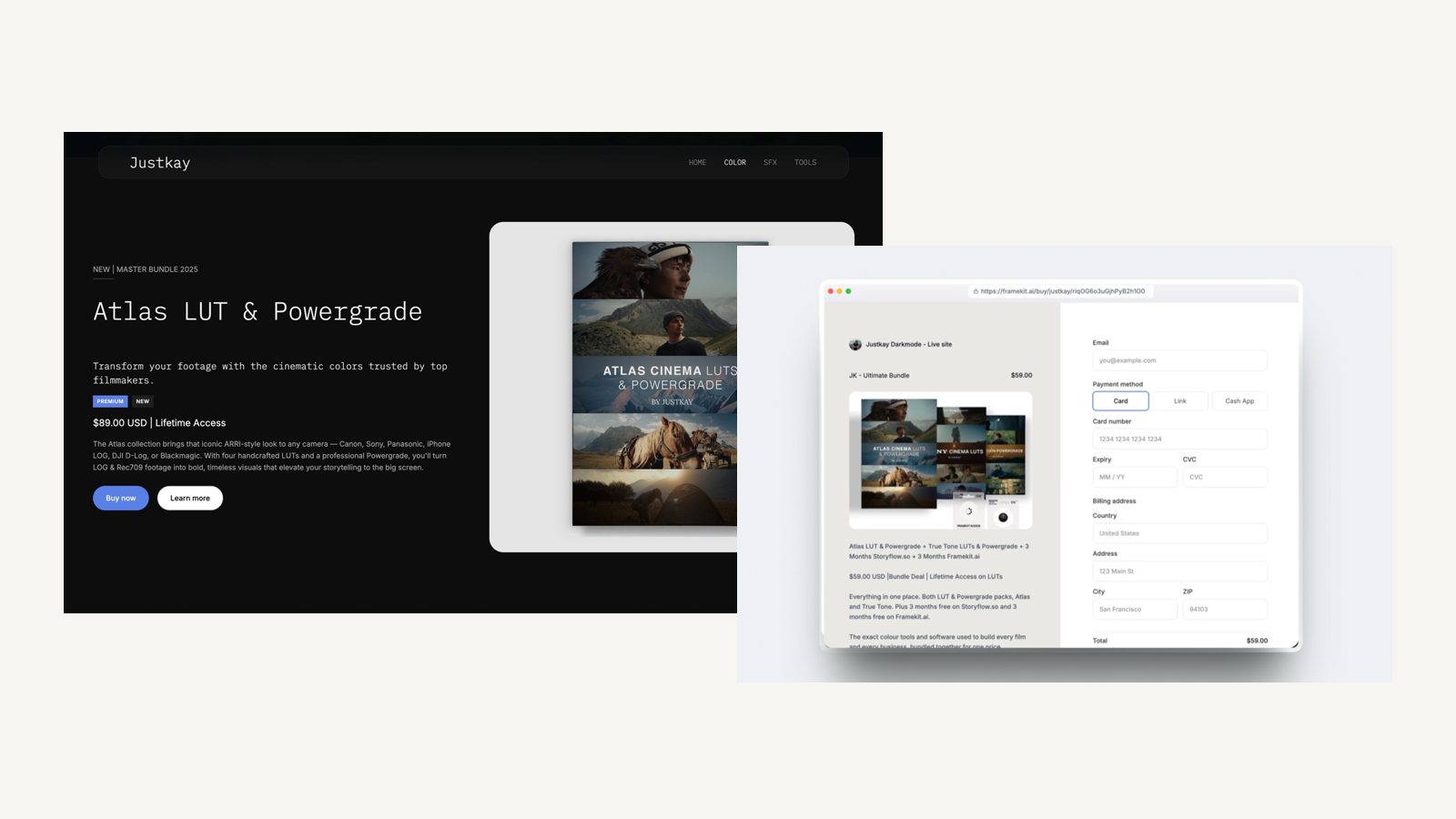
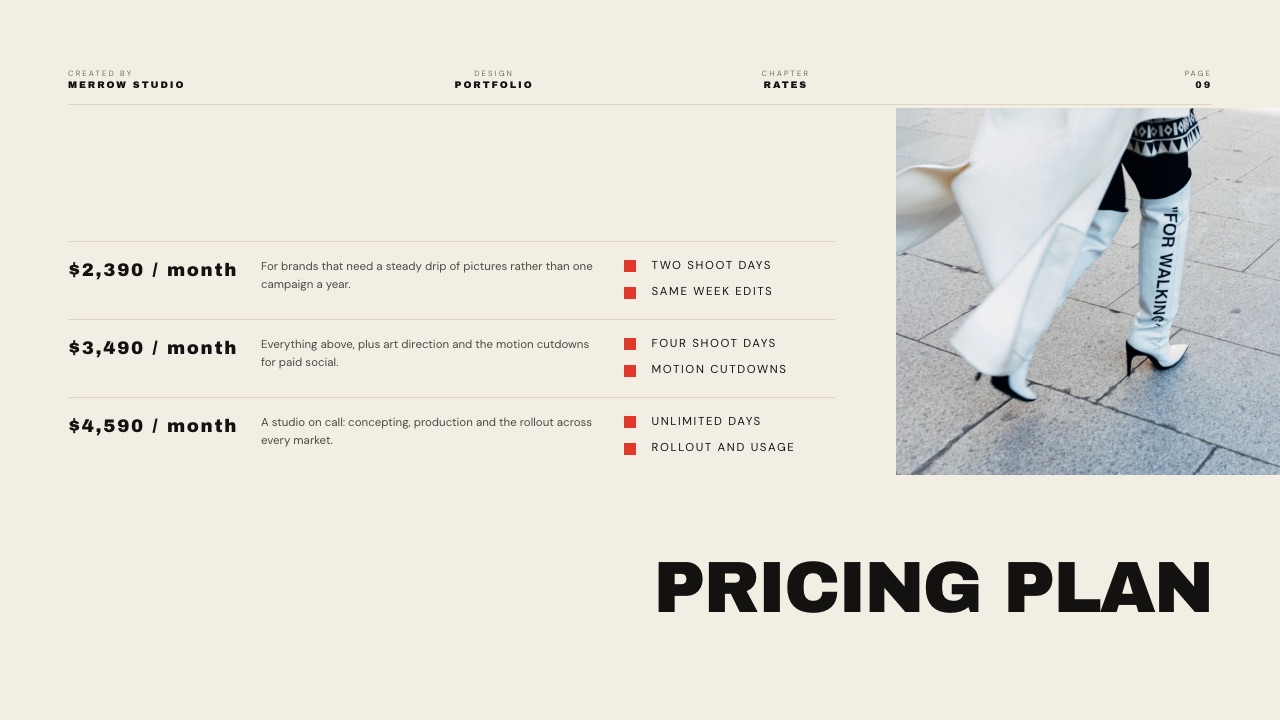
Framekit is the lowest three-year bill for the client-facing stack, because one Pro plan at $15 a month billed yearly covers the website, client galleries, video review, decks and a digital store, and its store fee drops to 3% instead of holding at a marketplace percentage forever.
On the carried example below that is $978.48 over three years against $2,973.60 for an assembled stack of Frame.io, Pixieset, Format and Gumroad.
DaVinci Resolve and Affinity are the two genuinely free professional applications worth building a business on; Wave does invoicing for nothing, which Framekit does not do at all; and if all you need is one page on the internet, Carrd at $19 a year beats everything here including us.
Full disclosure: Framekit is our product, so the arithmetic below is written to be checked, not believed, with every competitor figure linked to the page it came from. Prices were read on each vendor's own pricing page on 22 September 2026; Dropbox, Squarespace, Notion and Stripe served European pricing and are reported in euros, not converted, and Canva's page returns a 403 to automated requests so its figures are flagged as a browser reading. Gumroad charges no monthly fee at all, which beats us at low volume, and Carrd beats us outright on a one-page site.
How this comparison was built, and the parts it refuses to guess
A budget guide is only worth reading if you can tell which figures came from a vendor, which came from arithmetic, and which are missing because nobody would publish them.
Read at the source. Plan prices, percentages and storage limits come from each vendor's published pricing page, read on 22 September 2026 and linked where it is used.
Where a page served euros it is quoted in euros, because converting at a made-up rate would put a wrong number in a table that exists to be trusted.
Calculated. The 36-month bill is ours and is laid out line by line so you can substitute your own volume.
The carried example throughout is a freelance creative who sells a $29 digital pack at an average of 14 sales a month, which is $406 a month and $4,872 a year in product revenue alongside their client work.
Refused. Canva blocks automated requests, so its figures appear labelled as a browser reading on 18 September 2026 instead of linked.
No star ratings from software directories appear anywhere in this guide, because a rating we cannot open at a primary source is not evidence.
Budget creative software by the numbers
Six figures do most of the work in this comparison, and four of them are percentages, not prices, which is the point of the whole exercise.
- 10% plus $0.50 is what Gumroad takes on a direct sale, rising to 30% when a buyer finds you through its marketplace, with no monthly fee at all.
- $19 a year is Carrd Pro, the cheapest credible way to put a real page on the internet, with three sites buildable on the free tier.
- Free for individuals is how Affinity now describes its design, photo and layout suite, which is the single biggest change to a freelance creative's software budget in years.
- $0 is Wave's Starter plan, which includes unlimited estimates, invoices, bills and bookkeeping records, with card processing at 2.9% plus $0.60.
- 5% falling to 0% is the Framekit store fee across its plans, charged on the post-discount amount and only on digital files, against percentages elsewhere that never fall.
- $295 once buys DaVinci Resolve Studio outright, and the free version of Resolve 21 handles 8-bit formats up to 60fps at 3840 x 2160.
The three shapes a software bill can take
In one lineEvery tool in this guide charges in one of three shapes, and knowing which shape you are signing up to matters far more to a freelance budget than the headline number attached to it, because two of the three scale with your success.
Shape one is a flat plan. You pay the same at $0 of sales and at $4,872. It is the worst deal in a bad month and the best deal in a good one, and it is the only shape whose cost you can actually forecast.
Shape two is a percentage. It costs nothing when you sell nothing, which is why it feels generous at the start, and it is the most expensive line in this guide by year three if the work goes well.
A 10% cut does not get cheaper as you grow; it gets larger in exact proportion.
Shape three is free or bought once. Resolve, Affinity, darktable, Blender and Wave's free tier all sit here. This shape is underrated by freelancers because it has no marketing budget attached to it.
| Shape | Examples here | Cost at $0 revenue | Cost at $4,872 a year of sales | Forecastable |
|---|---|---|---|---|
| Flat plan | Framekit, Frame.io, Pixieset, Format, Squarespace | Plan price | Plan price plus a small fee | Yes |
| Percentage | Gumroad, Pixieset free tier, marketplace listings | $0 | $487.20 at 10%, more on a marketplace | No |
| Free or bought once | Resolve, Affinity, Wave Starter, Carrd free | $0 | $0 | Yes |
The practical advice falls straight out of that table: put the craft tools in shape three, put the client-facing tools in shape one, and avoid shape two for anything you expect to sell repeatedly.
The real three-year bill
In one linePriced over 36 months at a modest and realistic sales volume, an assembled four-vendor stack costs $2,973.60 while one Framekit Pro plan covering the same jobs costs $978.48, and almost the entire gap is one percentage, not four subscriptions.
Here is the arithmetic in full. The carried example is 14 sales a month of a $29 pack, which is $406 a month and $4,872 a year, alongside client work that needs a review link, a delivery gallery and a portfolio site.
| Line | Assembled stack | Per year | Over 36 months |
|---|---|---|---|
| Review and approval | Frame.io Pro, $15 per member per month | $180 | $540 |
| Client delivery | Pixieset Basic, $8 per month billed yearly | $96 | $288 |
| Portfolio site | Format Pro, $12 per month billed yearly | $144 | $432 |
| Selling the $29 pack | Gumroad, 10% plus $0.50 on 14 sales a month | $571.20 | $1,713.60 |
| Total | Four vendors | $991.20 | $2,973.60 |
And the same jobs on one account, with the store fee applied to the same $4,872 of sales.
| Framekit plan | Plan cost per year | Store fee per year | Per year | Over 36 months |
|---|---|---|---|---|
| Starter, $7 a month billed yearly | $84 | 5% of $4,872 = $243.60 | $327.60 | $982.80 |
| Pro, $15 a month billed yearly | $180 | 3% of $4,872 = $146.16 | $326.16 | $978.48 |
| Business, $31 a month billed yearly | $372 | 0% | $372 | $1,116 |
Three things in that table are worth saying out loud. Starter and Pro land $4.32 apart across three years at this volume, so the decision between them is about storage and team seats, not money.
Business is the most expensive of the three here and only becomes the cheapest above $533.33 a month of sales, which is where the $16 yearly price gap divided by the 3 percentage-point fee gap crosses over.
And the $1,995.12 difference against the assembled stack is mostly the Gumroad line, not the three subscriptions.
The test you can run tonight. Take last month's product sales, multiply by the percentage your current platform charges, add the fixed fee times the number of orders, then multiply by 36.
That is what the percentage costs you over the same period as a three-year plan, and on the carried example it is $1,713.60, which is larger than any subscription in this guide.
1. Framekit: Lowest Three-Year Bill for the Client-Facing Stack

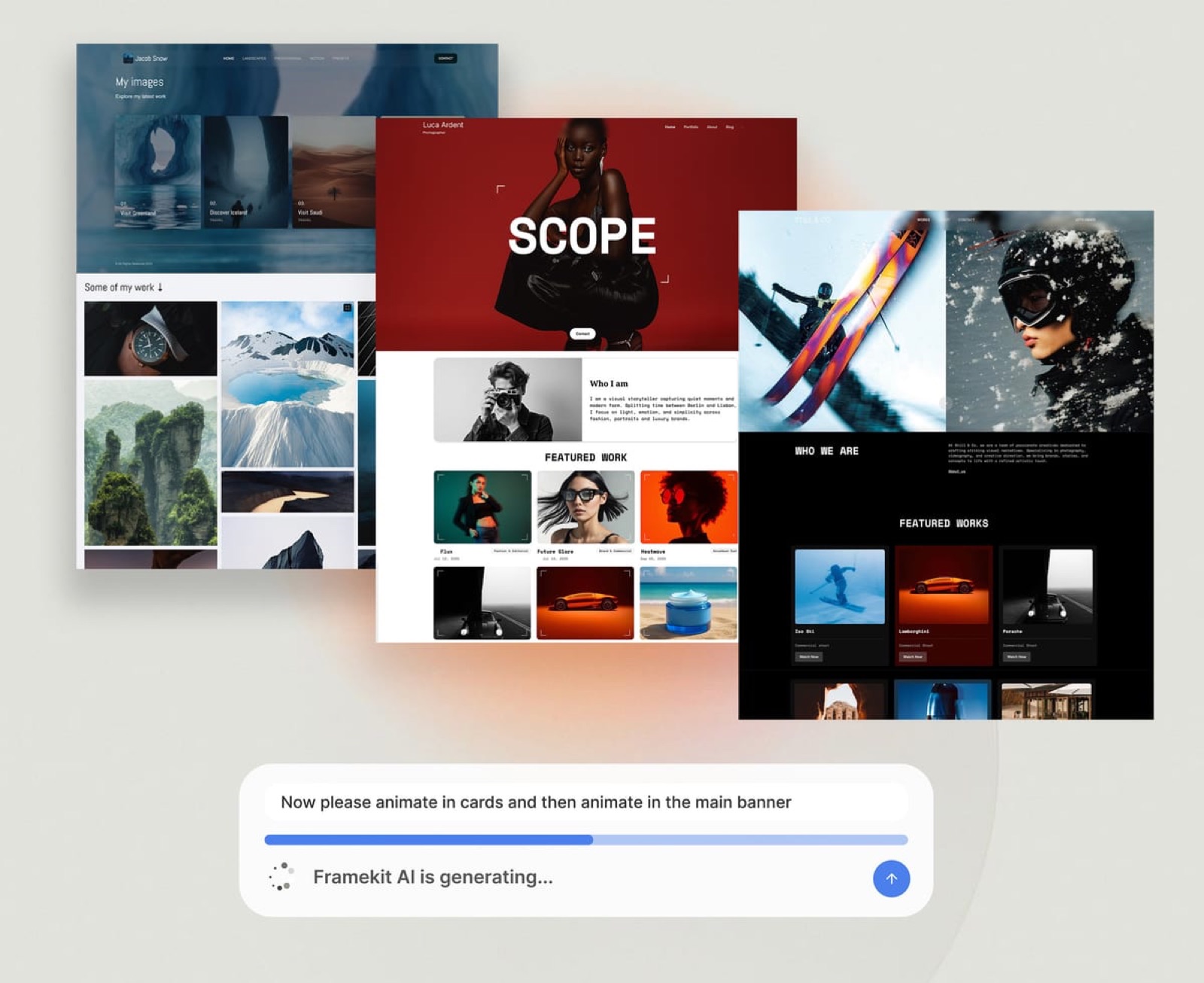
Framekit is an AI website builder sold as one subscription that also carries client galleries, timecoded video review, Slides and a digital store, which is why its three-year number is one line instead of four.
Best forA freelance creative paying for three or four client-facing subscriptions that each do one job.
The texture. What a budget-conscious freelancer notices first is not a feature but a renewal calendar.
Four vendors means four renewal dates, four cards on file, four price rises you did not plan for and four cancellations to remember if a quiet quarter arrives.
One plan means one date, and it means a quiet quarter is handled by dropping a tier, not by unpicking a stack.
The number. At the carried volume of $4,872 a year in product sales, Pro costs $326.16 a year all in and Starter costs $327.60.
Those two figures being within $1.44 of each other is the most useful thing on this page, because it means you choose your plan on storage and team seats and stop optimising the fee.
The detail nobody writes. The store fee is charged on the post-discount amount, so a 20% launch code does not also inflate the platform's cut, and checkout runs as a Stripe Connect direct charge on your own Stripe account.
The practical consequence is that you are the merchant of record: the payout is yours and so is the VAT obligation, which is a responsibility, not a perk, and is worth understanding before you sell into the EU.
The gotcha in week three. Framekit keeps its platform fee when you issue a refund. On a $29 pack refunded on Pro, the 3% stays gone, so a product with a high return rate costs more than the table suggests.
Storage is also one shared pool across the site, the galleries and the review pages, so a video-heavy month eats the room a gallery was going to need.
Who should skip it. Anyone who needs invoicing, contracts, a CRM or a booking calendar will not find them here, in any plan, at any price. Anyone who needs one page on the internet and nothing else is overpaying by roughly $195 over three years against Carrd.
Verdict: The cheapest way to run the whole client-facing side of a freelance creative business over three years, and a poor purchase if you only need one of its five surfaces. Buy it for the stack, not for the store.
2. DaVinci Resolve: The Best Free Professional Application in This Guide
Resolve earns second place in a budget guide because it is the rarest thing in software: a full professional application that a freelancer can build a paid workflow on without a subscription of any kind.
The texture. Blackmagic's business model is hardware, and the software exists to sell it, which is why the free tier has never been hollowed out the way free tiers in subscription software are.
The free build is not a demonstration with a watermark, it is the application, and the paid upgrade is a preference, not a rescue.
The number. Resolve Studio is $295, paid once, with no renewal.
Against a $20-a-month subscription editor, that is recovered in fifteen months and free thereafter, and across the 36-month window this guide uses it is $295 against $720.
The detail nobody writes. The free version's limits are technical, not commercial: it works with virtually all 8-bit formats up to 60fps at 3840 x 2160, which describes almost everything a freelance creative delivers for the web.
You hit the Studio wall on 10-bit at higher frame rates and on the Neural Engine features, not on client work.
The gotcha in week three. A perpetual licence is not a perpetual entitlement to new versions forever, and the practical budget note is that you should treat a paid major upgrade as a possible future line item instead of assuming $295 is the last money Blackmagic will ever take.
It is still cheaper than three years of anything else.
Who should skip it. A freelancer who never touches motion and only delivers stills is installing a very large application to avoid a subscription they were not paying anyway.
Verdict: The best value in creative software and the anchor of any genuinely cheap stack. If you also want the free alternatives ranked, the video editing software comparison has them.
3. Affinity: Free for Individuals, Which Changes the Maths
Affinity is the design, photo and layout suite that used to be recommended as the one-payment alternative to a creative subscription, and its site now states plainly that Affinity is free for individuals, with free downloads for Mac and Windows.
The texture. The suite covers vector design, pixel editing and page layout in one application instead of three, which suits a freelancer who designs a poster on Monday and retouches a product shot on Tuesday and does not want to learn a different file model for each.
The number. Zero, for an individual. Against a design subscription in the $20-a-month range, that is $720 not spent over the three-year window this guide prices everything against.
The detail nobody writes. Interchange is where a free suite falls down, and it is the thing to test before you commit, not after.
If your clients send layered working files and expect them back, check that round trip on a real job before you drop a subscription you can only restart at full price.
The gotcha in week three. Free for individuals is a licence scope, not a permanent property of the universe.
Enterprise and education licensing goes through Canva, and a freelancer who incorporates and grows should read the terms instead of assuming the word individual stretches to cover a studio.
Who should skip it. Anyone whose collaborators live inside a specific ecosystem's shared libraries and comment threads, where the cost of being the only person outside it is paid in hours, not dollars.
Verdict: The largest single saving available to a freelance creative in 2026, with a licence scope worth reading before you cancel anything.
4. Wave: Invoicing for Nothing
Wave is on this list because invoicing is a job Framekit does not do at all and a job no freelancer can skip, and because Wave's Starter plan does it for free against the $29 a month that the category's entry tier charges.
The free tier covers unlimited estimates, invoices, bills and bookkeeping records, with card payments at 2.9% plus $0.60 and Amex at 3.4% plus $0.60. Pro is $19 a month or $190 a year, adding bank imports, receipt scanning, branded invoicing and reminders.
The number worth carrying is the difference between free and the usual price of the same job: $348 a year against $0 is a saving of $1,044 across three years, which is larger than most of the subscriptions this guide is trying to eliminate.
The gotcha is that free bookkeeping is only worth anything if the reconciliation happens, and a year of unmatched transactions costs more in accountant hours than any plan here.
Skip Wave if your accountant has already given you a system, because fighting their workflow costs more than the software saves.
Verdict: The cheapest way for a freelancer to look organised about money, and the first thing to add to any stack that does not include invoicing. The alternatives are compared in the invoicing tools guide.
5. Carrd: The Cheapest Real Page on the Internet
Carrd is the one entry in this guide that beats Framekit outright on price, by $195 across the 36-month window used here, and saying so plainly is the reason it is included.
The texture. Carrd builds one-page sites and does not pretend to do anything else.
There is no blog, no store, no gallery module, no theme marketplace, and that restraint is exactly why a freelancer can have a live page with a custom domain and a working contact form inside an evening.
The number. Carrd's free tier builds up to three sites with the core features, and Pro starts at $19 a year, which adds custom domains, more sites, forms, widgets, analytics and removal of Carrd branding.
Over the 36-month window this guide uses, Pro is $57.
The detail nobody writes. Three free sites is a genuinely unusual allowance, and it is the right tool for the things freelancers keep building and abandoning: a landing page for one product, a page for a side project, a one-off page for a pitch.
The gotcha in week three. A one-page site is a ceiling and not a stage. The moment you want a project archive, a blog for search traffic or a place to deliver files, you are rebuilding somewhere else, and the rebuild costs more than the $19 ever saved.
Who should skip it. Anyone who already knows they will want case study pages, because starting on a single page and migrating later is the most expensive cheap decision in this guide.
Verdict: The correct answer for a freelancer whose entire web presence is a name, a reel, a line about what they do and an email address. If that is you, buy Carrd and ignore the rest of this ranking. More options in the cheapest website builders comparison.

6. Frame.io: The Free Tier Is the Budget Story
Frame.io is rarely described as a budget tool, and yet its free plan is one of the most capable free tiers in this guide, if not one of the roomiest at 2GB.
The free tier gives up to 2 members, 2GB of storage and up to 2 projects, and it includes Camera to Cloud and transcription with captions, neither of which Framekit offers at any price.
Pro is $15 per member per month for up to 5 members with 2TB, which is $540 over three years for one person, and Team is $25 per member per month.
The budget insight is that a freelancer who sends a review link once or twice a month should stay on the free plan indefinitely and spend nothing, treating the 2-project limit as a prompt to archive finished work instead of as a wall.
The gotcha is that custom branding and watermarking are paid features, so the free review page carries Frame.io's branding and not yours, and on some client relationships that matters more than the money.
Skip the paid tiers if you are one person with occasional review needs; take them the moment proxies from set or an NLE panel become part of how you actually work.
Verdict: A free tier worth keeping in any budget stack and a paid tier that is hard to justify for a single freelancer. The full plan breakdown is in the Frame.io pricing explainer.
7. Canva: The Free Tier Does More Than Freelancers Expect
Canva is the tool most freelancers already have open, and the budget question is not whether to use it but whether the paid tier earns its place in a three-year plan.
Canva's pricing page returns a 403 to automated requests, so the figures here come from a browser reading in September 2026, listed for European buyers: Free at EUR 0, Pro at EUR 110 a year for one person and Business at EUR 170 a year per person.
Check your own currency at the checkout.
The thing worth knowing is that the free tier limits the template library and not the output, so a freelancer who builds from a blank canvas instead of a template gives up little by staying on EUR 0.
At EUR 110 a year, Pro is EUR 330 across the three-year window, which is worth it if you produce client graphics weekly and hard to justify if you produce them monthly.
The gotcha is brand consistency across a portfolio of one-off documents, which is a discipline problem, not a plan problem. Skip the paid tier until the template library is genuinely what is slowing you down.
Verdict: Free is enough for most freelancers, and the upgrade is a volume decision, not a capability one. The presentation tools comparison covers where it sits against dedicated deck software.
8. Notion: A Free Workspace With One Hard Limit
Notion is the free operations layer for a freelance business: the project tracker, the client brief, the invoice log, the list of every password you should not be storing there.
Notion's pricing page served European figures when it was read: Free at EUR 0 per user per month, Plus at EUR 9.50 and Business at EUR 19.50.
The free plan caps file uploads at 5MB each, keeps seven days of page history and allows a maximum of ten external guests.
That 5MB cap is the number that defines how a freelancer should use it. Notion holds the words, the links and the checklists, and it does not hold the deliverables, which means it sits alongside a file service instead of replacing one.
Used that way the free tier genuinely does not run out.
The gotcha is the seven-day history. If a client edits a shared brief and you notice three weeks later, the earlier version is gone, so keep anything contractual somewhere with a real audit trail.
Skip Notion if you already run a system that works, because the cost of migrating a business into a new workspace is measured in unbilled evenings.
Verdict: The best free workspace for a solo creative, provided you never try to make it a file store.
9. Pixieset: Cheap Galleries With a Percentage Attached
Pixieset is the budget answer for photo delivery specifically, and its free tier is the clearest example in this guide of a percentage hiding behind a zero.
The published plans are Free at $0 with 3GB and unlimited galleries, Basic at $10 a month or $8 billed annually for 10GB, Plus at $20 or $16 for 100GB, Pro at $30 or $24 for 1TB, and Ultimate at $50 or $40 for unlimited storage.
Free accounts carry a 15% commission on store sales; every paid plan removes it.
Run that commission against the arithmetic this guide uses elsewhere. Fifteen per cent of $4,872 a year is $730.80, which is more than seven years of Basic.
The free plan is only cheap if you never sell anything through it, which is the exact scenario in which its store is irrelevant.
The gotcha for a freelancer is the 3GB ceiling, which is roughly two full-resolution deliveries and therefore a decision you make in month two, not year two.
Skip Pixieset if your deliverables are video or digital products instead of photographs, because it is a photo delivery specialist and priced as one. Read the Pixieset pricing breakdown if you want the tiers in detail.
Verdict: Good value on Basic and above, and an expensive free plan the moment you switch the store on.
10. Gumroad: No Monthly Fee, and That Is the Trade
Gumroad is the default for freelancers selling a first digital product, and it deserves the reputation: there is nothing to set up, nothing to host and nothing to pay until money arrives.
The texture. The appeal is psychological as much as financial. A freelancer who has never sold anything can list a $29 pack in an afternoon with no card on file and no decision to regret, and that absence of friction is why a first product gets listed at all.
The number. Gumroad charges 10% plus $0.50 on a direct sale, with no monthly fee, and 30% when the buyer arrives through its marketplace.
On the carried example of 14 sales a month at $29, direct sales cost $47.60 a month, $571.20 a year and $1,713.60 across three years.
The detail nobody writes. The 30% marketplace rate is not a punishment, it is a customer acquisition fee, and it is only expensive if you were going to get that sale anyway.
The freelancer's mistake is sending their own newsletter traffic through a marketplace link and paying discovery pricing on an audience they already owned.
The gotcha in week three. The percentage does not fall.
Every other line in this guide has a ceiling, and this one grows in exact proportion to how well you do, which is the reason a good year costs more than a bad one in ways that never show up as a renewal notice.
Who should skip it. Anyone selling steadily. At $4,872 a year the Gumroad deduction is $571.20, which passes the entire three-year Framekit Pro bill of $978.48 in about twenty-one months.
Verdict: The right place to sell your first product and an expensive place to sell your hundredth. The zero-commission platforms comparison covers where to move when the percentage starts to hurt.
11. Dropbox: Storage, Not Delivery
Dropbox is in this guide because most freelancers already pay for it, and the budget question is whether it is doing a job that something else in the stack already covers.
The plans page served European pricing: Basic free with 2GB, Plus at EUR 9.99 a month with 2TB, Standard at EUR 12 per user per month with a 3TB team minimum and Advanced at EUR 18 per user per month with 15TB.
As a sync and archive layer, Plus at 2TB is competitively priced and hard to fault.
As a client delivery mechanism it is weak in ways that cost you and not Dropbox: no download PIN, no favourites, no expiry you control per job, no branding, and a shared folder that exposes your own folder naming to a client.
The gotcha is that a shared link stays live until somebody revokes it, so old client work stays reachable long after the relationship ends.
Skip the upgrade if what you needed was delivery, not storage, which is a surprisingly common mix-up.
Verdict: A fine archive and a poor handover. Keep it for sync and put client handovers somewhere built for them.
12. Squarespace: The Digital Fee Is the Budget Line

Squarespace is the most expensive route to a website in this guide and the one most likely to be recommended anyway, which makes its fee structure worth spelling out.
The pricing page served euros: Basic at EUR 15 a month monthly or EUR 11 annually, Core at EUR 24 or EUR 17, and Advanced at EUR 42 or EUR 29.
The online store fee is 2% on Basic and 0% above it, while the digital content fee is 7% on Basic, 5% on Core and 0% on Advanced.
For a freelancer selling downloads, that digital content fee is the whole story.
At the carried $4,872 a year of sales, 7% on Basic is $341.04 a year on top of the plan, and 5% on Core is $243.60, so the cheap plan is once again the expensive one. Advanced at EUR 29 a month is the only tier where the percentage stops.
The gotcha is that the fee sits on top of card processing and not in place of it, so the true deduction is the platform fee plus the processor's.
Skip Squarespace if your site's job is to sell files, and consider it seriously if your site's job is to look considered with no design work from you.
Verdict: Strong templates, a fee structure that punishes digital sellers on the cheaper plans. The affordable builder comparison puts the alternatives side by side.

Where a single specialist is genuinely cheaper
In one lineA guide that ranks a five-product account first has an obligation to say where one focused tool wins on price, and there are three clear cases where buying the specialist is the correct budget decision and not the sentimental one.
You only need one page. Carrd Pro is $19 a year, which is $57 across three years. Framekit Starter is $84 a year, which is $252. If your web presence is a name, a reel and an email address, the specialist wins by $195 and there is no argument to make against it.
You sell almost nothing. Every percentage comparison in this guide assumes $4,872 a year of product sales. Take that to zero and Gumroad costs nothing at all, while a plan costs its plan price.
A freelancer who sells two packs a year should list them on a no-monthly-fee platform and not think about it again.
You only review video occasionally. Frame.io Free is $0 and includes Camera to Cloud and transcription. If one review link a month is the whole of your client-facing need, that free plan is a better budget answer than any subscription on this page, ours included.
The general rule is arithmetic and not loyalty: a bundle wins when you would otherwise buy three or more of its parts, and it loses the moment you would only ever buy one of them.
What Framekit does not do at any price
In one lineNo amount of plan comparison removes the four jobs below that a freelance creative business needs and Framekit does not build, and budgeting for all four separately is part of pricing a stack honestly.
Invoicing, contracts and CRM. There is no invoicing, no e-signature, no contract library and no client pipeline in Framekit. Wave covers invoices for nothing and HoneyBook covers the full set from $29 a month. Budget one of them in.
Project management. No tasks, no boards, no Gantt charts, no time tracking. Notion's free plan covers this for a solo freelancer, which is why it is in this ranking.
Editing and design. Framekit does not edit video, develop raw files or lay out a magazine. Resolve and Affinity do, and both are free.
Tax. Because Framekit's checkout runs as a direct charge on your own Stripe account, you are the merchant of record and the tax obligation is yours. Framekit does not calculate or remit VAT or sales tax.
If you want a platform to absorb that, a merchant-of-record service is the thing to shop for, and the guide to what it costs to sell digital products walks through the trade.
The processing fee nobody puts in the comparison
In one lineEvery percentage discussed so far sits on top of card processing and not in place of it, so a freelancer comparing platform fees without the processor's cut is comparing two numbers that are both incomplete.
Stripe's pricing page served European rates when it was read: 1.5% plus EUR 0.25 for standard EEA cards, 2.5% plus EUR 0.25 for UK cards and 3.15% plus EUR 0.25 for international cards.
Rates differ by country, so read the page for yours instead of assuming.
The practical effect is that the real deduction on a sale is the platform percentage plus the processor percentage plus the processor's fixed fee, and the fixed fee is the part that hurts on cheap products.
On a $9 pack, a fixed 25 or 30 cent charge is a bigger proportion of the sale than most platform percentages, which is an argument for bundling three cheap products into one $29 pack, not for switching platforms.
| Deduction | Where it goes | Falls with volume | Falls with plan |
|---|---|---|---|
| Platform percentage | The software vendor | No | Yes on Framekit, yes on Pixieset, no on Gumroad |
| Card processing percentage | The processor | Sometimes, by negotiation | No |
| Fixed per-transaction fee | The processor, and Gumroad | No | No |
| Refund | The buyer, and Framekit keeps its fee | No | No |
The decision guide
In one lineFive questions in order will put a freelance creative on the cheapest defensible stack, and the answers depend on what you sell and at what monthly volume, not on which vendor has the most attractive pricing page.
Question one: do you sell digital products at all? If no, percentages are irrelevant to you and this becomes a plain comparison of plan prices, which Carrd and free tiers win. If yes, go to question two.
Question two: is your product revenue above roughly $400 a month? If yes, a percentage platform is already costing you more than a plan, and the crossover between Framekit Pro and Business sits at $533.33 a month of sales.
If no, stay on something with no monthly fee and revisit in six months.
Question three: how many client-facing surfaces do you actually use? If the answer is three or more, a bundle is cheaper and the three-year table above shows by how much. If the answer is one, buy that one.
Question four: do you need invoicing, contracts or a CRM? If yes, budget Wave at $0 or HoneyBook at $348 a year on top of whatever else you choose, because no bundle in this guide includes them.
Question five: are you paying for editing or design software? If yes, price Resolve at $0 and Affinity at $0 against your current subscription before renewing, because that pair is the largest saving available in this entire guide.
Frequently Asked Questions
What are the cheapest tools a creative freelancer actually needs in 2026?
The cheapest defensible stack for a creative freelancer is DaVinci Resolve for video, Affinity for design, Wave for invoicing, Notion for operations and one client-facing platform for the website, delivery and selling.
The first four cost nothing. On the fifth, Framekit Starter is $84 a year or Pro is $180, against roughly $420 a year for the same jobs bought as separate subscriptions from Frame.io, Pixieset and Format.
Is a percentage fee or a monthly plan cheaper for selling digital products?
A percentage is cheaper below the crossover point and more expensive above it, so the answer depends entirely on your sales volume. Gumroad's 10% plus $0.50 costs nothing at zero sales and $571.20 a year at $4,872 of sales.
Framekit Pro costs $180 a year plus 3%, which is $326.16 at the same volume. The crossover between them sits well under $200 a month of sales, so anyone selling regularly is better off on a flat plan.
How much does Framekit cost over three years?
Framekit Pro billed yearly is $15 a month, so $180 a year and $540 over three years before any store fee.
At $4,872 a year of digital sales, the 3% store fee adds $146.16 a year, bringing the total to $326.16 a year and $978.48 over three years for the website, client galleries, video review, Slides and store combined.
Starter at $7 a month billed yearly works out at $982.80 over the same period, which is $4.32 more.
Does Framekit have a one-off plan you pay for once?
No. Framekit is sold as a monthly or yearly subscription across Free, Starter, Pro and Business, and there is no perpetual licence or one-payment option of any kind.
If a single payment is what your budget needs, the tools in this guide that work that way are DaVinci Resolve Studio at $295 and Affinity, which is now free for individuals. Both are craft applications, not client-facing platforms.
Is Gumroad or Framekit cheaper for selling a $29 pack?
Gumroad is cheaper until you sell about five packs a month and more expensive after that. Gumroad takes 10% plus $0.50, so a $29 sale nets $26.10.
On Framekit Pro the 3% fee leaves $28.13 from the same sale, but you are also paying $180 a year for the plan, which is why volume decides it. At 14 sales a month, Gumroad costs $571.20 a year against $326.16 all in on Framekit Pro.
What happens to my store fee when a customer asks for a refund?
On Framekit, the platform fee is kept when you refund a sale, so a refunded $29 pack on Pro costs you the full refund plus the 87 cents already deducted. This is worth knowing before you sell a product with a high return rate.
Other platforms handle this differently and it is one of the least-published details in the category, so check the help documentation of whichever platform you use instead of assuming the fee comes back.
Which website builder is cheapest for a freelancer who sells downloads?
For a freelancer selling downloads, the cheapest builder is the one whose digital-content percentage is lowest, not the one with the lowest plan price. Squarespace charges 7% on Basic, 5% on Core and 0% on Advanced at EUR 29 a month.
Framekit charges 5% on Free and Starter, 3% on Pro and 0% on Business at $31 a month billed yearly. At $4,872 a year of sales, Squarespace Basic's percentage alone is $341.04 on top of its plan.
Can I run a freelance creative business entirely on free software?
Almost.
DaVinci Resolve, Affinity, Wave Starter, Notion Free, Frame.io Free, Carrd's free tier and Framekit's free plan between them cover editing, design, invoicing, operations, review, a landing page, unlimited client galleries and unlimited decks at $0.
What you give up is a custom domain, vendor badges on your public pages, and a 5% cut on anything you sell. The first paid upgrade most freelancers should make is the one that removes the badge.
Is Canva Pro worth it for a freelancer on a budget?
Canva Pro is worth it for a freelancer producing client graphics weekly and hard to justify for one producing them monthly, because the free tier limits the template library and not the ability to export finished work.
A browser reading in September 2026 listed Pro at EUR 110 a year for one person, which is EUR 330 across three years.
If a free design suite would do the same job, Affinity is now free for individuals and covers vector, pixel and layout work.
What is the most expensive mistake in a freelance software budget?
The most expensive mistake is treating a percentage as free because it has no monthly charge.
A 10% platform cut on $4,872 of annual sales is $487.20 a year, which is more than the combined three-year cost of a flat plan covering five surfaces.
The second most expensive mistake is buying the cheapest tier of a platform that charges a higher percentage on it, which is how Squarespace Basic and Pixieset Free both end up costing more than the plan above them.
Final Verdict
For a freelance creative who uses three or more client-facing surfaces, Framekit is the lowest three-year bill in this guide: $978.48 on Pro against $2,973.60 for Frame.io, Pixieset, Format and Gumroad doing the same jobs, with almost the entire gap coming from one percentage and not from four subscriptions.
Pair it with DaVinci Resolve and Affinity, both free, and Wave's free invoicing, and the fixed cost of a working freelance stack is under $330 a year.
Where Framekit losesit does not do invoicing, contracts, a CRM, project management, editing or design, and it will not be cheaper than a specialist if you only need one thing.
Carrd beats it by $195 over three years for a single page, Gumroad beats it outright if you sell almost nothing, and Frame.io's free plan beats every paid option here for a freelancer who sends one review link a month.
Framekit is not for you if your web presence is one page and your product sales are occasional, because a bundle you use a fifth of is not a bargain at any price.
The one sentence to take away: price the percentages over 36 months before you price the plans, because the line that grows with your success is the one that decides the bill.
Related readingthe cheapest website builders for creatives, free website builders compared, zero-commission selling platforms, what it costs to sell digital products online and accounting software for freelance creatives.
If the next thing you need is the free end of the market specifically, free client gallery software and free product-selling software both price the zero-cost options properly.