Framekit templates
Start from a designer-made template
 Use template
 Use template
 Use template
 Use template
 Use template
 Use template
 Use template
 Use template
Most lists of free tools for filmmakers stop at the editor, which is the easy half of the problem.
The hard half arrives at eleven at night when the cut is finished, the export is 1.2GB, the free review tier you signed up for holds 2GB in total, and the treatment for tomorrow morning is still a folder of stills on the desktop.
Free software has never been better on the making side and it is still thin on the sending side.
The three limits that decide whether a free plan survives a real job are the per-file cap, the maximum length, and whose logo sits above your work when a client opens the link, and almost no comparison page states all three.
A free filmmaking tool is software that does production work on a permanent no-cost plan rather than a time-limited trial, which is a category that now covers editing, grading, 3D, audio, capture, decks and client delivery.
Framekit takes first place among free plans because it is the only one that covers the sending side of the job at no cost: unlimited client galleries, unlimited decks, timecoded video review and a digital store on one free account with 10GB of pooled storage, capped at 500MB per video file and two hours per video, with a Framekit badge and no custom domain until you pay.
DaVinci Resolve is the pick for the edit, the grade and the mix, Blender for 3D and compositing, and Frame.io's free tier is the one to use if your notes have to arrive inside an Adobe panel, though it holds 2GB and only two projects.
Full disclosure: Framekit is our product, so the place to check this ranking is the limits table rather than the adjectives, and every Framekit limit that costs you something is printed there. Competitor figures were read on each vendor's own site on 22 September 2026 and linked inline; Vimeo's pricing page and Canva's did not render for our automated reader, so no plan price for either is stated as verified. Resolve, Blender and Frame.io each beat Framekit outright at the jobs they are built for, and those wins are described in their own sections, not hedged.
How these free tiers were checked, and what is not claimed here
Every limit in this guide came from one of three places, and knowing which is which matters more on a free-plan comparison than anywhere else, because free tiers change quietly and vendors rarely announce a tightening.
Read at the source. Plan limits, storage figures and licence terms come from each vendor's own page, read on 22 September 2026 and linked where the claim is made. Blackmagic Design, Frame.io, Blender, Audacity, OBS, Milanote and Google all publish theirs plainly.
Calculated. The export-size arithmetic is worked from bitrate and duration, so you can redo it with your own export settings instead of trusting a rule of thumb. Nothing here is a speed claim or a quality judgement.
Not verified. Vimeo's plan page did not render for our reader and Canva's served euro pricing rather than dollars, so this guide states no dollar price for either.
CapCut's site advertises free online use with no credit card required but publishes no Pro price on any page we could read, so its paid tier is marked as not published, not guessed at.
The carried example throughout is a two-minute brand cut delivered to one client, exported as 1080p H.264, plus a six-page treatment and a folder of stills from the same shoot.
The free-tool limits that actually decide things
These are the numbers worth memorising, because each one is the point where a free plan either carries your job or quietly hands it back to you.
- 500MB is the per-video cap on Framekit's free plan, and two hours is the maximum length on any plan.
- 10GB is the free pooled storage shared by your site, galleries and review pages, of which 3GB can be video.
- 2GB and two projects is Frame.io's free tier, along with up to two members.
- $295 is what DaVinci Resolve Studio costs once, against a free version that handles Ultra HD 3840 x 2160 at up to 60fps.
- 100 notes and 10 file uploads is Milanote's free ceiling, which a single moodboard can reach in an afternoon.
- 15GB is the total free storage a Google account carries across Drive, Gmail and Photos.
Will your export even fit? The arithmetic, not the vibe
File size is the limit that ends free plans, and it is completely predictable, so there is no reason to find out by watching an upload fail at 92% while a client waits for a link.
The sum is bitrate multiplied by duration in seconds, divided by eight, which turns megabits into megabytes. A two-minute 1080p H.264 exported at 20 Mbit/s is 20 times 120 divided by 8, which is 300MB.
The same cut at 40 Mbit/s is 600MB, which is over Framekit's 500MB free cap, and a ten-minute piece at 20 Mbit/s is 1,500MB, which is over it three times.
| Export | Bitrate | Duration | File size | Fits a 500MB free cap? |
|---|---|---|---|---|
| Social cut | 12 Mbit/s | 60 seconds | 90MB | Yes |
| Brand film, light export | 20 Mbit/s | 2 minutes | 300MB | Yes |
| Brand film, heavy export | 40 Mbit/s | 2 minutes | 600MB | No |
| Short doc | 20 Mbit/s | 10 minutes | 1,500MB | No |
| Feature rough cut | 15 Mbit/s | 90 minutes | 10,125MB | No |
The practical answer for a long piece on a free plan is to export the review copy at a lower bitrate instead of sending the master, which is what a review copy is for.
At 300MB per cut, Framekit's 3GB free video allowance carries ten review uploads and Frame.io's 2GB carries six, though Frame.io stops you at two projects long before it stops you at six files.
In one lineWork out your export size before you pick a free plan, because a 500MB cap is generous for a two-minute review copy at 20 Mbit/s and useless for a ninety-minute assembly, and no plan page will do that sum for you.
The eleven free plans side by side
The table below is the whole comparison in one screen, and the column that matters most is the last one, because a free plan with no upgrade path is a different proposition from a free plan that is the bottom rung of a ladder.
| Tool | What the free plan does | The hard limit | What paying removes |
|---|---|---|---|
| Framekit | Galleries, decks, review, store, site | 10GB pooled, 500MB per video, badge | Badge, custom domain, bigger caps, lower store fee |
| DaVinci Resolve | Full edit, grade, audio, effects | 8-bit formats, up to 60fps, up to UHD | Studio at $295 once |
| Blender | 3D, animation, compositing, VFX | None on the licence | Nothing, it is free forever |
| Frame.io | Timecoded review with Adobe panels | 2GB, 2 projects, 2 members | $15 per member per month for 2TB |
| CapCut | Fast social cuts in a browser | Paid tier price not published | Not published |
| Canva | Graphics, thumbnails, simple decks | Template library is smaller on Free | Pro, priced in euros where we read it |
| Google Slides | Decks with live co-editing | Some features need a Workspace plan | Workspace features and more storage |
| Milanote | Moodboards and story boards | 100 notes and 10 file uploads | $9.99 a month billed annually |
| Audacity | Recording, cleanup, audio repair | None on the licence | Nothing, it is free forever |
| OBS Studio | Screen, camera and multicam capture | None on the licence | Nothing, it is free forever |
| Vimeo | Public hosting for a showreel | Plan limits not verified this session | Not verified this session |
Three of those eleven - Blender, Audacity and OBS Studio - are free permanently because they are open source, which is a different kind of free from a tier designed to run out. Those three will never email you about an upgrade; the other eight are the bottom rung of a price list.
1. Framekit: Best free plan for the sending half of the job

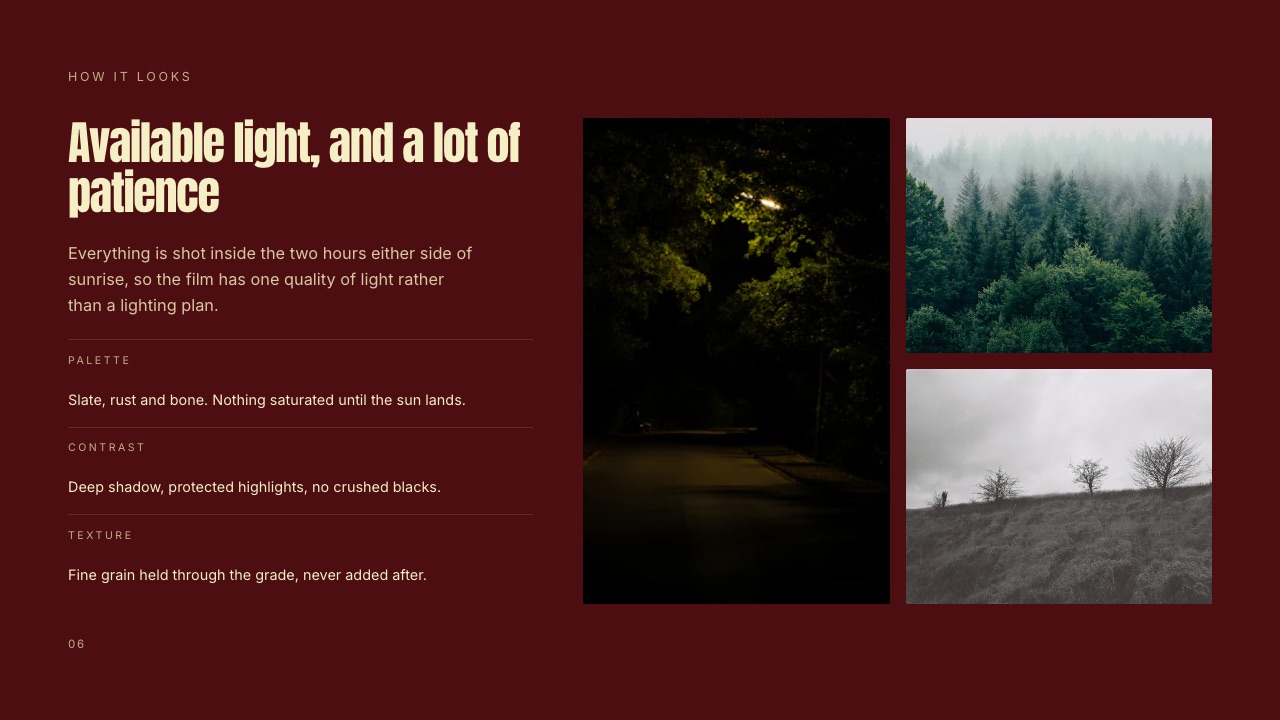
Framekit is an AI website builder whose free plan carries the parts of a film job that normally cost money the moment a client is involved: review pages, galleries, decks and a store, all on one account.
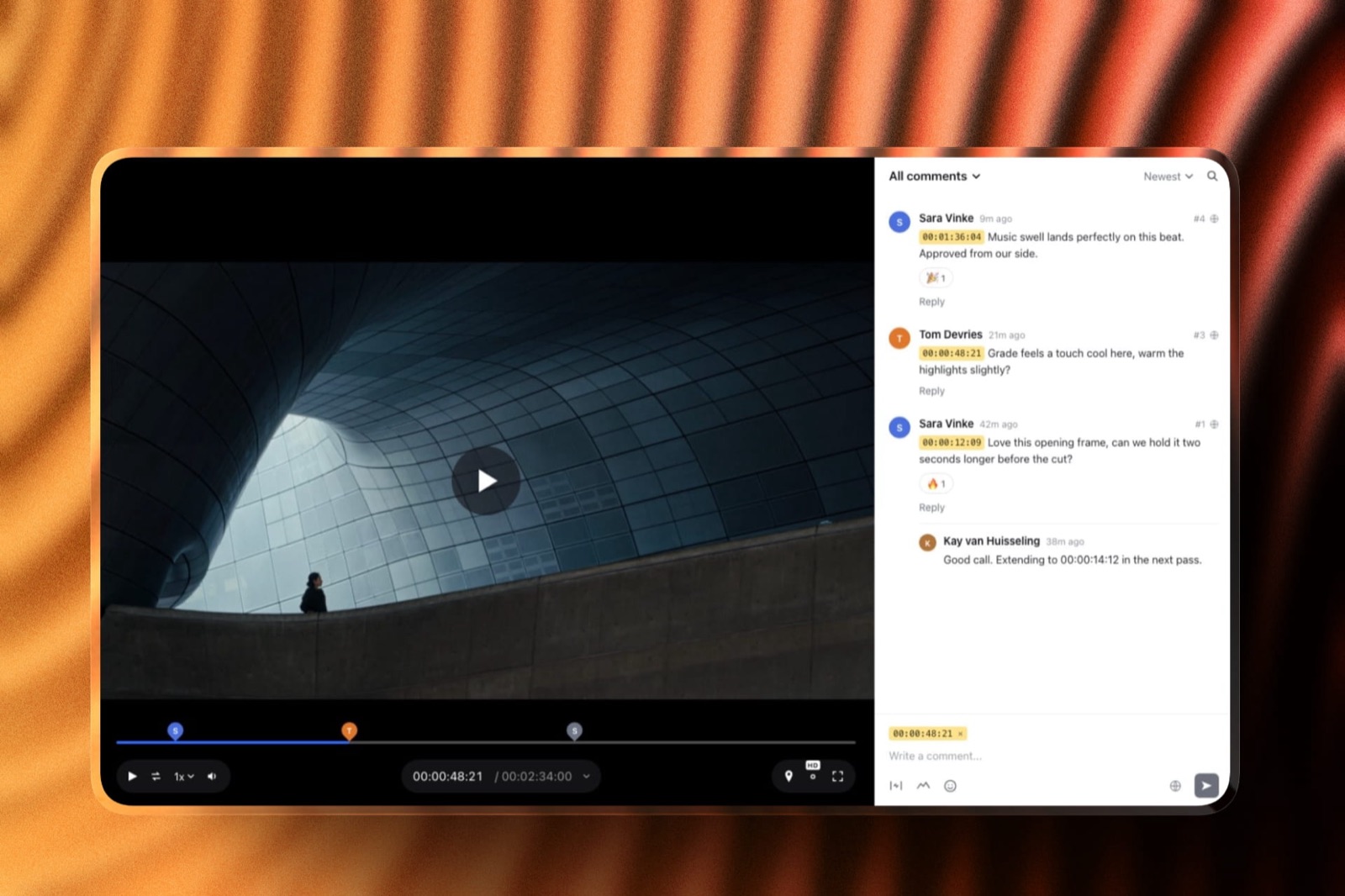
What the free plan includesunlimited client galleries, unlimited decks with an AI slide writer, video review with comments pinned to the timecode and versions stacked in order, a digital store, and a site with hosting, SSL and a CDN across 10 pages.
Watermarking, a gallery password, a separate download PIN, email registration and auto expiry are on the free plan too, which is unusual: most services treat the lock on a delivery as a paid feature.
The real numbers10GB of pooled storage shared by the site, the galleries and the review pages, of which 3GB can be video, a 500MB cap per video file, and a two-hour maximum length on any video on any plan.
At a 300MB review export that is ten cuts live at once, and you clear space by deleting, not by upgrading.
The detail nobody writes aboutguests do not need an account to leave a timecoded comment, draw on a frame or reply, which removes the single most common reason a client ignores a review link and replies with an email full of vague timings instead.
The gotcha that bites in week threethe free plan shows a Framekit badge and gives you no custom domain, so the client sees our name above your work, and the store fee on Free is 5%. If you are selling a LUT pack seriously, that percentage is the reason to move to a paid plan, not the storage.
Who should skip itanyone who needs Camera to Cloud, an NLE panel, transcription or frame-by-frame comparison, because none of those exist here at any price, and anyone delivering a ninety-minute assembly, which the 500MB free cap will not carry.
Verdict: As a free editor it does not compete, because it is not an editor. As the free half of a film job that involves another human being, it is the broadest plan in this list, and the badge is the honest price of that.
2. DaVinci Resolve: Best free edit, grade and mix in one application
Blackmagic Design gives away a tool that competes with subscriptions costing hundreds a year, and the free version is not a trial or a feature-limited teaser, which is still the most remarkable fact in this category.
The published detail is specific: the free version works with virtually all 8-bit video formats at up to 60fps in resolutions as high as Ultra HD 3840 x 2160, and it includes multi-user collaboration and HDR grading.
Editing, colour, Fairlight audio and Fusion compositing are all in the same application, so a one-person production does not need a second tool to finish.
DaVinci Resolve Studio is $295 as a one-off, and adds the Neural Engine features, more Resolve FX, temporal and AI spatial noise reduction, text-based editing, magic mask, film grain, optical blur, and support for 10-bit video up to 120 frames per second and resolutions beyond 4K.
Noise reduction is the item on that list that a single low-light interview turns into a purchase, and the 8-bit ceiling is the second, since Studio is the only way past 8-bit at 60fps to 10-bit at 120fps.
The gotcha is hardware rather than licensing. Resolve asks more of a machine than a lighter editor does, and the free version's 8-bit limit becomes a real constraint the moment a client hands you 10-bit log footage from a mirrorless camera.
Verdict: The strongest free software in filmmaking, full stop, and the $295 upgrade is the rare paid step that ends rather than repeats. If the reason your costs are high is a monthly editor subscription, this is the fix.
Deciding between editors on capability rather than price, the video editing software comparison covers the paid options next to this one.
3. Blender: Best free 3D, compositing and title work
Blender is free and open source software, forever, under the GNU GPL, and you are free to use it for any purpose including commercially, which is the licence line that matters when a client asks who owns the output.
For a filmmaker the value is not character animation, it is the set of jobs that would otherwise be quoted out: a title sequence in 3D, a product rendered for a spot the client cannot shoot, a matte painting, camera tracking, or a clean-up composite.
The compositor alone replaces a category of plug-in purchases.
The learning curve is the cost, and it is steep in a specific way: Blender's interface rewards people who learn its shortcuts and punishes people who hunt through menus, so the first week feels slower than the paid alternative you were avoiding.
Verdict: Free forever, professional in output, expensive in hours. Budget a fortnight of evenings before a paid job depends on it, then never pay for 3D again.
4. Frame.io: Best free review when the notes must land in your timeline
Frame.io's free plan exists to get you into a workflow that agencies and post houses already use, and on that measure it works, because a producer who has reviewed in Frame.io before needs no explanation.
The published free tier is $0 with 2GB of storage, 2GB of mounted storage, up to two members and up to two projects. Pro is $15 per member per month plus tax with 2TB included and up to five members, with 13% off on annual billing.
The two-project ceiling is the limit that ends the free plan, not the storage, and it ends it early: a wedding, a brand film and a favour for a friend is three projects, and the third one arrives in month two.
What you get in exchange for paying is the part nobody else offers, which is Camera to Cloud, panels inside Adobe applications and transcription.
Verdict: The best free review tier for an editor whose day happens inside Premiere or After Effects, and a frustrating one for anyone juggling more than two jobs at a time.
Weighing the category properly is easier with the Frame.io alternatives guide, and the free video review roundup covers the no-cost end specifically.
5. CapCut: Best free turnaround for social cuts
CapCut earned its place by making the fastest path from a clip to a captioned vertical video, and for a filmmaker whose client wants six social cuts from a shoot by Friday, that speed is worth more than a timeline nobody else can open.
The site advertises free online use with no credit card required, and publishes no Pro tier price on any page our reader could reach, so this guide does not state one.
That is worth knowing before you build a delivery process on it: the free tier is real, the terms of the paid tier are not something you can check as easily as a published plan page.
The practical gotcha is portability. Projects live in CapCut's own format and its own cloud, so moving a job to a different editor later means rebuilding rather than importing, which is a poor foundation for anything a client may want changed next year.
Verdict: Use it for the fast social layer and keep the master edit somewhere you control. As a tool for one deliverable it is excellent; as the home of your archive it is a risk.
6. Canva: Best free graphics when you need one good thumbnail
Canva is the tool most filmmakers already have open for a thumbnail, a title card, a social banner or a simple one-page document, and its free tier covers a thumbnail and a title card without a card on file.
Canva's pricing page served euro pricing to our reader and no dollar figure, so no dollar price appears here as verified.
The free tier's practical limit is library breadth: Canva lists over 1.6 million templates on Free against over 3.6 million on Pro, a gap you feel on brand work and never on a thumbnail.
Where it is the wrong tool is the image-led treatment. A director's treatment is a sequence of full-bleed frames with a small amount of type, and a layout system built for marketing graphics fights that shape every time.
Verdict: Keep it for graphics, drop it for treatments. It is a design tool that happens to make slides, not a deck tool that happens to handle images.
Comparing the wider category, the Canva alternatives guide is the place to start.
7. Google Slides: Best free deck when two people edit at once
Google Slides is free with a Google account and remains the least friction-filled way to build a deck that a producer and a director can edit in the same hour without sending versions to each other.
Google's own page notes that some features, such as Slides recording and speaker spotlight, are only available on Google Workspace plans, and the account it sits on carries up to 15GB of free storage shared across Drive, Gmail and Photos.
For a deck of stills and text that allowance is ample; for a deck full of exported frames it is the thing that fills up.
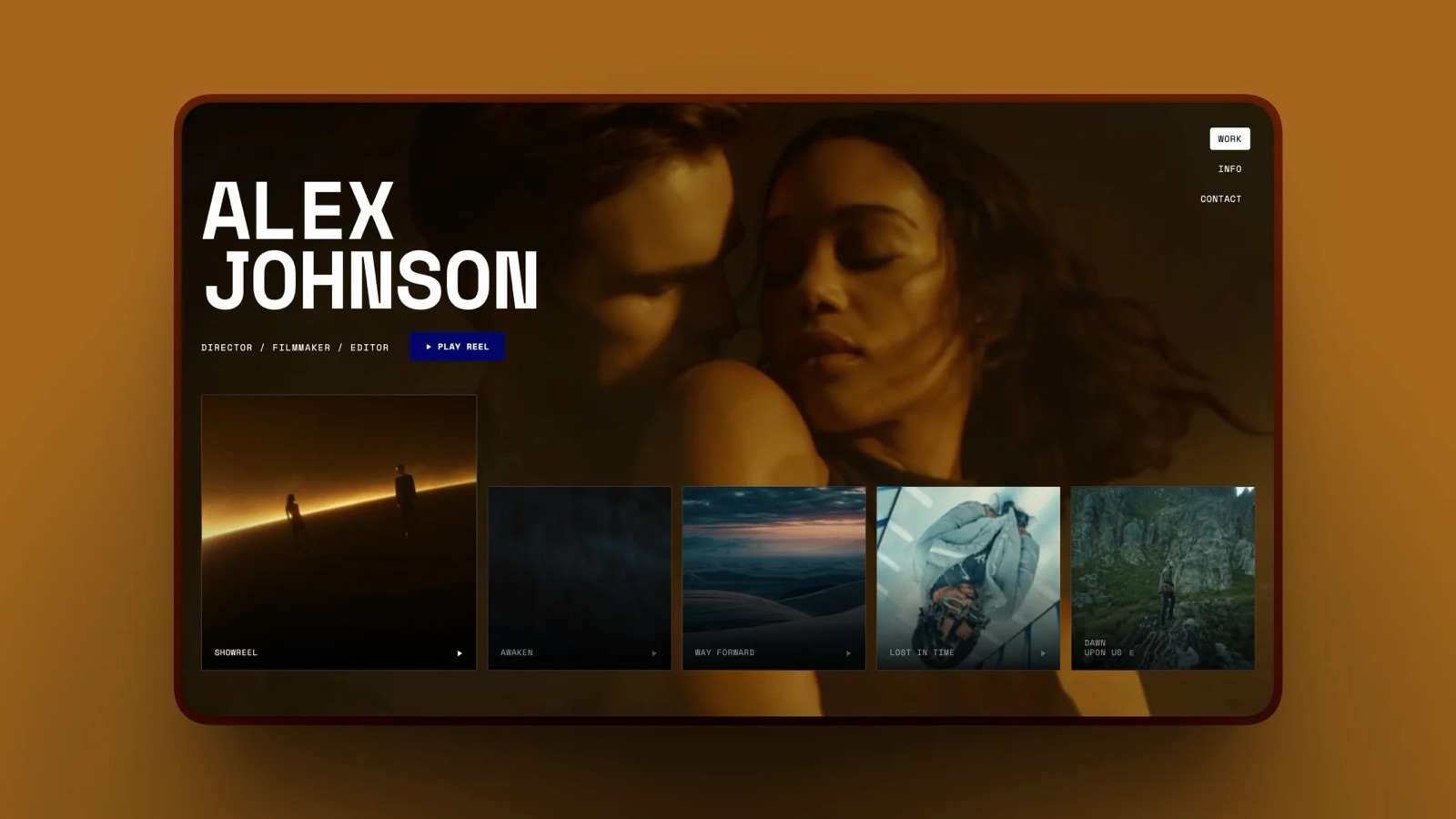
Its weakness for film work is typographic rather than technical. The default look is unmistakable, and a treatment that opens in a familiar template tells a brand you assembled it in a hurry even when you did not.
Verdict: Unbeatable for a working document that two people change, weak for the document you send to win a job.
For decks aimed at a client rather than a collaborator, the presentation tools guide for filmmakers compares the alternatives.
8. Milanote: Best free board for the thinking before the shoot
Milanote is a board tool for assembling references before anything becomes a treatment, and the free tier runs long enough to find out whether you work that way before the 100-note ceiling arrives.
The free plan carries 100 notes, images or links plus 10 file uploads, with unlimited shared boards, and the paid individual plan is $9.99 a month billed annually or $12.50 billed monthly.
The 10 file uploads is the number to watch, because images pasted from the web count differently from files you upload, and a single dense moodboard reaches the ceiling faster than expected.
Verdict: A good free notebook for the reference stage, and a fast upgrade if you work this way, since 100 notes is roughly one serious project.
9. Audacity: Best free audio repair when the sound is the problem
Audacity has always been and will always remain free for everyone, in the project's own words, and it is proudly open source, which is why it is still on working machines two decades after most of its contemporaries disappeared.
For film work its role is narrow and valuable: cleaning a noisy lavalier, salvaging a location interview, trimming and normalising a voiceover, or checking a file that a client swears is broken.
Modern editors have decent audio tools, but a dedicated waveform editor is still faster for repair work on a single take.
Verdict: Not a mixing suite and not trying to be. Keep it installed for the day a recording arrives with a hum in it.
10. OBS Studio: Best free capture for screens, cameras and remote shoots
OBS Studio is free and open source software for video recording and live streaming, running on Windows, Mac and Linux, and it quietly solves a set of production problems that have nothing to do with streaming.
The capability that matters on a film job is scene composition from multiple sources: window captures, images, text, browser windows, webcams and capture cards, all mixed live.
That covers recording a remote interview, capturing a screen for a case study, running a multicam feed for a client watching from another city, or making a clean recording of a review call.
Verdict: The most useful free tool in this list that filmmakers systematically forget they have. Learn its scene system once and it replaces two categories of paid utility.
11. Vimeo: Best free home for a public showreel
Vimeo remains a default home for a public reel, because the player is clean, the audience expects to find work there, and an embed behaves predictably on a portfolio page.
Vimeo's pricing page did not render for our automated reader on 22 September 2026, so this guide states no plan price and no free-tier storage figure.
That is a deliberate omission, not an oversight: check the current free allowance on the page itself before you plan a delivery workflow around it.
Where a public host is the wrong tool is client review. A public video page collects comments in a list without timecodes, versions are separate uploads rather than a stack, and there is no approval state, so a two-round revision turns into a thread nobody can audit.
Verdict: Keep it as a showcase, not as a review surface. A reel is a marketing asset and belongs somewhere people browse; a rough cut is a working document and belongs somewhere that records decisions.
If you are weighing hosts for the public reel, the Vimeo alternatives guide covers the category, and the video hosting comparison prices the paid tiers.

What the free plan costs you, stated plainly
Free is a price, not a gift, and on the sending side of a film job it is paid in three currencies, so here is the list instead of a reassurance that they do not matter.
| What you give up on Framekit Free | What it means on a job | What removes it |
|---|---|---|
| The Framekit badge | Our name sits above your work | Any paid plan from $9 a month |
| No custom domain | Links are on a Framekit address, not yours | Any paid plan |
| 500MB per video file | Long cuts need a lower-bitrate review export | Starter 1GB, Pro 2GB, Business 3GB |
| 10GB pooled storage, 3GB video | Ten 300MB review cuts live at once | Starter 50GB, Pro 300GB, Business 2TB |
| 5% store fee | $5 on every $100 of LUT or preset sales | 3% on Pro, 0% on Business |
| 10 site pages | Enough for a portfolio, tight for a blog | 30 on Starter, 200 on Pro |
Two hours is the maximum video length on every plan including the paid ones, so a feature-length assembly is outside this tool entirely and no upgrade changes that.
In one lineThe free plan costs you a badge, a domain and a 500MB ceiling, and it is worth understanding those three before you build a client-facing process on it rather than after a client has already seen the badge.
The free stack that ships an actual job
Free tools work best when each one does a single job and hands off cleanly, so here is the sequence for the carried example, a two-minute brand film with a treatment and a set of stills.
Plan it in Milanote while the reference count is under 100, or in a folder of images if it is not.
Shoot and cut it in DaVinci Resolve, grading in the same project rather than round-tripping, and build any 3D titles or clean-up composites in Blender.
Fix the audio in Audacity if a take needs repair, then bring it back into Resolve for the mix.
Export a review copy at 20 Mbit/s, not the master, which lands near 300MB for two minutes, and send it for timecoded comments on Framekit's free plan.
Pitch and deliver with a deck for the treatment, a gallery for the stills and a review page for the cut, all on one free account, so the client has one address instead of three.
In one lineA filmmaker can plan, cut, grade, mix, composite and deliver a paid brand job on software that costs nothing, and the only line that will genuinely push you to pay is removing the badge once the client is somebody you want to impress.
How to choose, in order
Answer these in sequence rather than picking the tool with the longest feature list, because every decision below changes which free plan survives contact with your actual deliverable.
First: is your export over 500MB? If yes, either export a review copy at a lower bitrate or use a paid tier. If no, a free plan carries the delivery.
Second: do your notes have to appear inside Premiere or After Effects? If yes, Frame.io's free tier is the only answer here, and its two-project cap will decide how long free lasts. If no, timecoded comments in a browser do the same job.
Third: is the client someone you want to win again? If yes, the badge and the missing custom domain are the reason to pay something rather than nothing. If it is an internal cut or a friend's short, free is fine.
Fourth: do you need 10-bit or above 60fps? If yes, DaVinci Resolve Studio at $295 once is the cheapest route. If no, the free version covers Ultra HD at up to 60fps.
Fifth: are you selling files as well as time? If yes, the store fee matters more than the subscription.
At $1,000 a month in sales the 5% Free fee takes $50 a month, while Business costs $39 a month and charges nothing on sales, so the Free-to-Business crossover is $39 divided by 5%, which is $780 a month of sales.
Frequently Asked Questions
What is the best free software for filmmakers in 2026?
DaVinci Resolve is the best free software for the edit, the grade and the mix, since its free version handles virtually all 8-bit formats at up to 60fps in resolutions as high as Ultra HD 3840 x 2160.
Framekit is the best free account for everything that happens after the export, covering timecoded review, unlimited client galleries, unlimited decks and a store on 10GB of pooled storage.
Blender covers 3D and compositing at no cost under the GNU GPL.
Is DaVinci Resolve really free, or is it a trial?
DaVinci Resolve's free version is permanent, not a trial, and it includes editing, colour, Fairlight audio and Fusion compositing in one application, plus multi-user collaboration and HDR grading.
The paid version, DaVinci Resolve Studio, is $295 once and adds the Neural Engine tools, noise reduction, magic mask and support for 10-bit video up to 120 frames per second and resolutions beyond 4K.
What is the catch with Framekit's free plan?
Framekit's free plan carries a Framekit badge, gives you no custom domain, caps a single video at 500MB, limits any video to two hours, pools 10GB of storage across your site, galleries and review pages with 3GB of that available for video, and charges a 5% fee on product sales.
Nothing is time-limited and galleries and decks stay unlimited, so the trade is visibility and file size rather than access.
Frame.io free or Framekit free: which should I use?
Use Frame.io's free plan if your notes need to appear inside an Adobe panel or if your clients already review there, and accept its 2GB of storage, two projects and two members.
Use Framekit's free plan if you need more than two jobs live at once or if the same client also needs stills, a deck and a portfolio, since those sit on the same free account instead of requiring three more signups.
How big can a video file be on a free review plan?
On Framekit's free plan a single video can be 500MB and up to two hours long, which comfortably carries a two-minute 1080p review export at 20 Mbit/s, since that lands near 300MB.
Frame.io's free tier gives 2GB of total storage rather than a per-file cap, spread across a maximum of two projects. For longer pieces, export a lower-bitrate review copy instead of uploading the master.
Can I deliver a paid client job entirely on free tools?
Yes, and the sequence is well established: plan in Milanote, cut and grade in DaVinci Resolve, repair audio in Audacity, build 3D or composites in Blender, capture remote material in OBS Studio, then send the review copy, the stills and the treatment from one free Framekit account.
The only thing free costs you on that path is a badge above your work and a link on someone else's domain.
What does CapCut cost?
CapCut advertises free online use with no credit card required, and no price for its paid tier appears on any CapCut page our reader could reach on 22 September 2026, so this guide does not quote one.
Check the price inside your own logged-in account, since figures quoted on third-party sites vary by country, platform and promotion and are not a reliable basis for a budget.
Do free video plans put a watermark on my footage?
Framekit does not burn a watermark into your video on the free plan; what the free plan shows is a Framekit badge on the page around it, and a paid plan removes that along with adding a custom domain.
Watermarking in Framekit is a feature you control for photo galleries rather than something applied to you, and it is available on every plan including Free.
What is the best free tool for a treatment or lookbook?
For an image-led treatment, a deck tool that respects full-bleed frames beats a graphics tool: Framekit Slides gives unlimited decks, an AI slide writer, speaker notes, PDF export and a share link on the free plan, with the full template library and byline removal reserved for paid plans.
Google Slides is the better free pick when two people need to edit the same document at once, and Milanote is better for the reference-gathering stage before either.
When is it worth paying for any of this?
Pay when a specific limit is costing you a job rather than on a schedule: the moment a client sees a badge you would rather they did not, the moment your review export will not fit under 500MB, the moment you need a third project on Frame.io, or the moment your product sales pass a few hundred a month and a 5% fee exceeds the price of a plan.
Until one of those happens, the free versions are doing the same work.
Final Verdict
The free side of filmmaking in 2026 is genuinely complete on the making half and genuinely uneven on the sending half, which is why this ranking puts a delivery account first and an editor second.
DaVinci Resolve, Blender, Audacity and OBS Studio will cut, grade, composite, repair and capture a paid job without asking for a card, and none of them will ever expire.
Framekit is the pick for the part those four do not touch.
Unlimited galleries, unlimited decks, timecoded review and a store on one free account with 10GB of pooled storage is the broadest free plan on the client-facing side, and the arithmetic that matters is the 500MB per-file cap, which carries a two-minute review export at 20 Mbit/s with room to spare.
Where Framekit losesthere is no Camera to Cloud, no NLE panel, no transcription and no frame-by-frame comparison, so an editor whose notes must arrive inside Premiere is better served by Frame.io even on its two-project free tier.
Framekit is not for feature-length review either, since two hours is the ceiling on every plan, and it will not cut, grade or mix anything.
The badge and the missing custom domain on Free are a real cost when the client is a brand you want to keep.
Start free, and let a specific limit rather than a calendar decide when you pay.
Related readingthe best free video review tools, AI tools for filmmakers, tools to send video to clients, client galleries for videographers and all-in-one platforms for filmmakers.
If the website is the next free thing on your list, the free website builders comparison covers the hosting side, and the Google Slides alternatives guide covers decks that look less like a template.