Framekit templates
Start from a designer-made template
 Use template
 Use template
 Use template
 Use template
 Use template
 Use template
 Use template
 Use template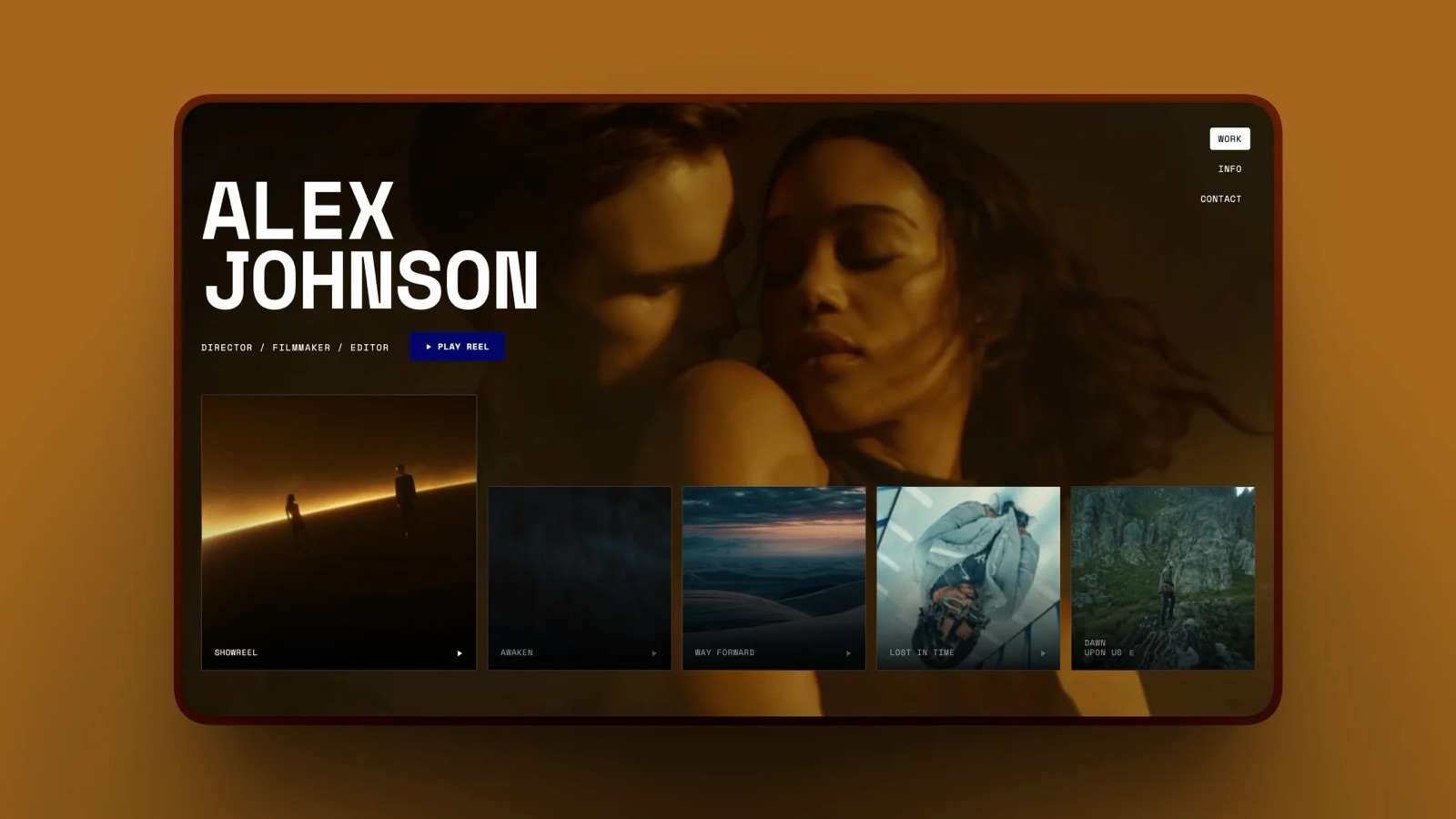
A brand manager finds a director through the reel on her website, gets a treatment as a deck link, watches the first cut in a review tool, receives the final film through a hosting link and, a month later, buys the director's LUT pack from a shop page.
That is five tools and five domains for one client relationship, and at September 2026 prices the chain costs the filmmaker $86.20 a month.
The best all-in-one platforms for filmmakers shorten that chain, and they disagree sharply about which links to keep.
Most comparisons treat this as a website question or a review question. It is both, plus a delivery question, a pitching question and, for a lot of working directors and colourists, a selling question.
An all-in-one platform for filmmakers is a single account that handles several of the recurring jobs around a film business (a portfolio site with a reel, client review of cuts, delivery of finished files, pitch decks and treatments, and selling digital products such as LUTs) so the client moves between them without changing tools.
The best all-in-one platform for filmmakers in 2026 is Framekit, because it is the only one here that puts the reel site, timecoded client review, video delivery galleries, treatment decks and a LUT store in one account, from $15 a month on Pro billed yearly.
The trade-off: Framekit has no Camera to Cloud, no Premiere or Resolve panels, no transcription and a 2GB per-file cap on Pro, so post-production teams should stay on Frame.io.
Vimeo is the better pick when hosting and a public player are the core of the business, Format suits photographer-filmmakers who want galleries plus a store at a low price, and StudioBinder is the tool for pre-production paperwork, which none of the others do.
Full disclosure: Framekit is our product and it ranks first here, so read with that in mind. We did not hold paid accounts on the other six for this guide: we read their pricing pages and help centres on 19 September 2026, link to each, and priced one filmmaker's workload across all seven. Frame.io beats us for editing teams, Vimeo for public hosting at scale and 300GB files, and StudioBinder does call sheets and stripboards that we do not attempt. We also mention Storyflow once for planning; Storyflow is a sister product to Framekit, made by the same team.
The Method: One Director, Seven Platforms, One Price List
Every platform in this guide was priced against one filmmaker's ordinary year, because film businesses differ so much that a feature grid on its own says almost nothing about the bill you would actually receive.
Meet Nico. He directs and shoots commercials and music videos. He runs about 12 client projects a year, each with two or three rounds of review on the cut. Finished films go to the client as downloadable files.
His site carries a reel and case studies. He sends a treatment deck for two or three bids a month. And he sells a $29 LUT pack that moves about 8 copies a month, $232 in sales.
We split the findings into three piles.
Read at the source. Prices, plan limits, file caps and feature placement from each vendor's own pricing page or help centre on 19 September 2026, linked where they appear. Where a vendor served a regional price, we say which region.
Calculated. Nico's monthly and yearly bill on each platform, on annual billing where it is offered, with the working shown. Card processing is excluded because every option pays it.
Reported by users. None. We did not find sentiment we could verify, so the page carries none.
Seven Platforms in Six Numbers
These six figures are the short version of the research, each read from a vendor page on 19 September 2026 or worked out from one, for filmmakers who want the ground truth before the reviews.
- $86.20 a month runs Nico's five-tool chain: Squarespace Basic $19, Frame.io Pro $15, Vimeo Starter $12, Pitch Plus $13 and $27.20 of Gumroad fees on eight $29 LUT sales.
- Vimeo's paid plans now include video review, version history and downloadable review comments from Starter at $12 a month billed yearly, so a filmmaker paying for both Vimeo and Frame.io may be paying twice for the same notes.
- 300GB per file is Vimeo's upload ceiling on every plan, against 2GB per video on Framekit Pro and 3GB on Framekit Business.
- Frame.io comes free with some Adobe subscriptions: Creative Cloud All Apps and single-app Premiere or After Effects plans include two users, five projects and 100GB.
- Format's Pro plan hosts 15 minutes of video; Pro Plus hosts 120 minutes. That is the whole video budget for a site that is also your reel.
- StudioBinder's Starter plan is $29 a month for 10 projects in total, archived ones included, per its help centre.
The Five-Link Chain and What It Costs
The five-link chain is the set of separate tools a filmmaker pays for to get from first impression to repeat sale, and for Nico it totals $86.20 a month, or $1,034.40 a year, before a single card fee.
| Link in the chain | What the client does there | Tool Nico uses | Plan | Per month |
|---|---|---|---|---|
| Showcase | Watches the reel, reads case studies | Squarespace | Basic, billed yearly | $19.00 |
| Pitch | Reads the treatment | Pitch | Plus, US pricing, paying yearly | $13.00 |
| Review | Leaves notes on the cut | Frame.io | Pro, one member | $15.00 |
| Delivery | Streams and downloads the final film | Vimeo | Starter, billed yearly ($144/yr) | $12.00 |
| Sell | Buys the LUT pack | Gumroad | 10% + $0.50 on 8 sales of $29 | $27.20 |
| Total | Five domains | $86.20 |
Sources: Squarespace pricing, Pitch pricing, Frame.io pricing, Vimeo plans and Gumroad pricing.
One regional note: Pitch's pricing page served us euro prices (EUR 10 a month, paying yearly), so the $13 in the table is the US-dollar price our team read on the same page on 18 September. Every other figure here was served in US dollars.
The Gumroad line, worked. Ten percent of $29 is $2.90, plus $0.50, so $3.40 a sale, or 11.7% of the price. Eight sales cost $27.20. It is the only line that grows as Nico's side business grows.
Two concessions belong next to this table. First, Gumroad is a merchant of record, so part of that $27.20 buys sales tax and VAT handling that a website store does not provide.
Second, Nico is arguably overpaying: Vimeo Starter already includes review tools, so a filmmaker content with Vimeo's review could drop Frame.io and save $15 without leaving Vimeo.
We kept both to show what running the two side by side costs, not because it is necessary.
In one lineNico's chain costs $86.20 a month across five domains, and the fairest way to judge any all-in-one platform for filmmakers is to count which of those links it removes and which bills survive.
Which Links Each Platform Covers
A filmmaker's platform choice is really a choice about which links in the chain to merge, and the grid below shows, platform by platform, where each one starts and stops across showcase, pitch, review, delivery, selling and pre-production.
| Platform | Showcase | Pitch decks | Client review | Delivery | Sell digital files | Pre-production |
|---|---|---|---|---|---|---|
| Framekit | Full website | Slides treatments | Timecoded notes, drawing, approvals | Video galleries and review downloads | LUTs or any file | Shot list, moodboard, storyboard slides |
| Vimeo | Showcases (Standard adds SEO) | None listed | Review, versions | 2TB hosting, 300GB files | Video subscriptions only | None listed |
| Frame.io | Branded presentation shares | None listed | Frame-accurate review | Shares with expiry and passphrase | None listed | Camera to Cloud |
| Format | Full website | None listed | None listed | 15 or 120 hosted minutes, client galleries | 15 or 1,000 products, no commission | None listed |
| Pixieset Suite | Full website | Quotes | None listed | 1 hour HD, $5 per extra hour | Payment links | None listed |
| Squarespace | Full website | None listed | None listed | Not assessed | Store and digital content fees by plan | None listed |
| StudioBinder | None | Mood boards | None listed | None listed | None listed | Scripts, breakdowns, call sheets, stripboards |
"None listed" means the job is not on that vendor's pricing page or help-centre plan description, which is where we looked. It is a statement about the published offer, not a claim that nobody has ever made it work with an integration.
The pattern is plain once it is laid out. The video specialists (Vimeo, Frame.io) own review and delivery and stop there. The website builders (Format, Squarespace, Pixieset) own the showcase and the shop and stop short of review.
StudioBinder lives before the shoot. Only one row reaches across all five delivery links.
Nico's Bill on Each Platform
Nico's real monthly cost on each platform is the plan he needs plus whatever links of the chain it leaves him paying for elsewhere, and on that basis the seven options run from $21.96 to $86.20 before card fees.
| Platform | Plan | Plan cost | Links still bought elsewhere | Nico's monthly total | Yearly |
|---|---|---|---|---|---|
| Framekit | Pro, yearly | $15.00 + 3% of $232 ($6.96) | None | $21.96 | $263.52 |
| Vimeo | Starter, yearly | $12.00 | Site $19, deck $13, LUT sales $27.20 | $71.20 | $854.40 |
| Frame.io | Pro, one member | $15.00 | Site $19, deck $13, LUT sales $27.20 | $74.20 | $890.40 |
| Format | Pro Plus, yearly offer | $15.00 (standard $26) | Review $15, deck $13 | $43.00 ($54.00 after the offer) | $516.00 |
| Pixieset Suite | Starter, yearly | $28.00 | Review $15, deck $13 | $56.00 | $672.00 |
| Squarespace | Core, yearly | $29.00 + $0 to $11.60 in fees | Review $15, hosting $12, deck $13 | $69.00 to $80.60 | $828.00 to $967.20 |
| StudioBinder | Starter | $29.00 | All five links | $115.20 | $1,382.40 |
Three rows need a note. Frame.io's total assumes Nico hosts his public reel somewhere free and delivers finals as Frame.io shares, which is how many directors use it.
Squarespace's range depends on which fee line a LUT download falls under: its pricing page lists a 0% online store fee on Core and a separate 5% fee for digital content and memberships, and 5% of $232 is $11.60.
StudioBinder is not trying to replace the chain at all, so it adds to it; it earns its place for a different reason, explained in its review.
In one lineOn one director's real workload Framekit cuts the chain from $86.20 to $21.96 a month, Format is the cheapest of the website builders once review is added back, and the video specialists save the least because they replace only one or two links.
1. Framekit: Best All-in-One Platform for Filmmakers
Framekit is an AI website builder that keeps a filmmaker's reel site, client review, video delivery, treatment decks and LUT store under one login, one storage pool and one bill, so the brand manager in our opening never leaves the director's own domain.
It is the only platform in this guide that covers every delivery link.
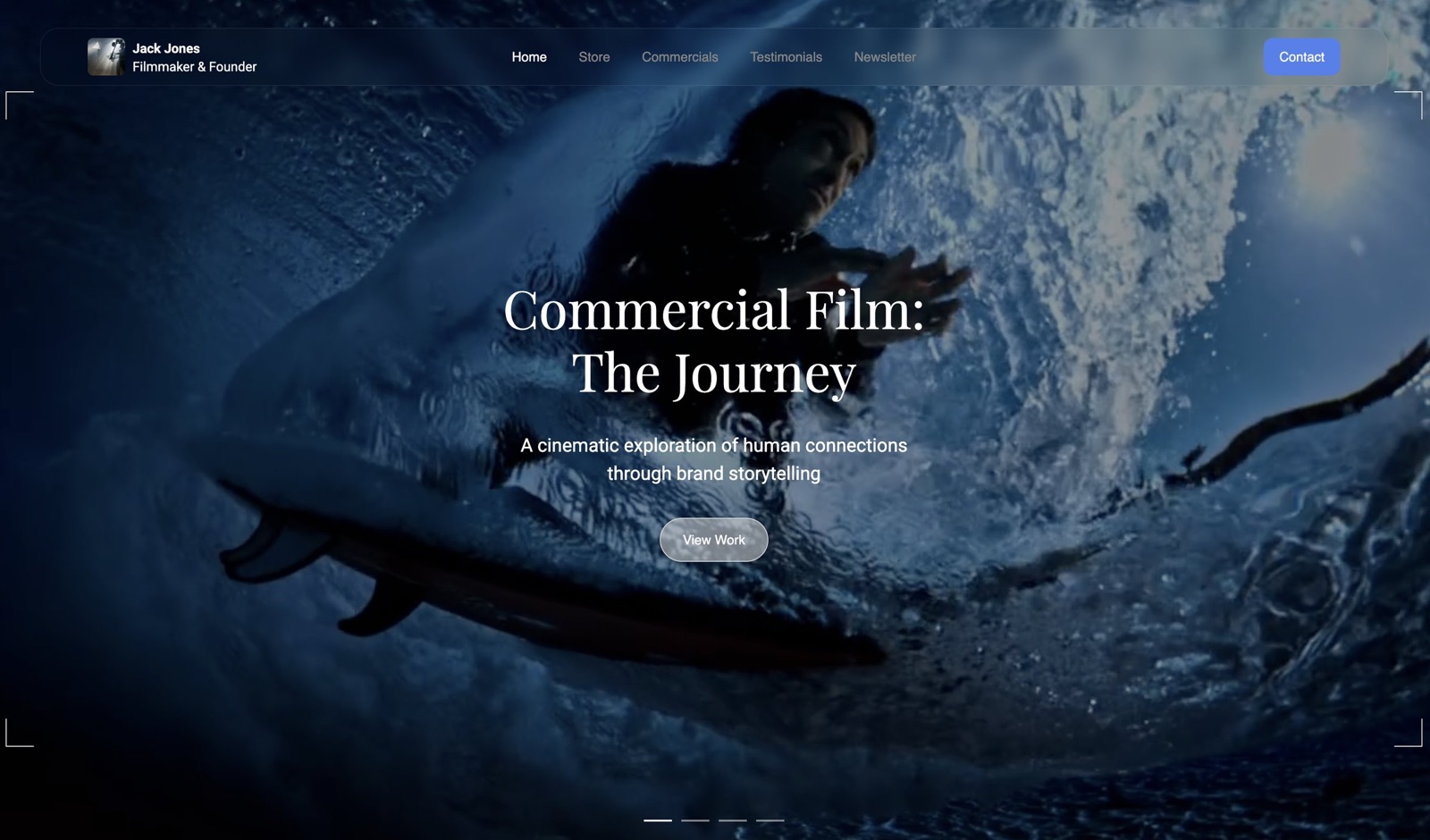
How it handles each link. The site starts from film templates designed by senior designers, and the AI builds new sections from a sentence or a reference frame in your fonts and colours.
Video Review takes an uploaded cut and lets the client pin comments to exact timecodes, draw on the frame, reply in threads and set a status from needs review to approved, with each new version stacked on the old one and the earlier notes kept.
Guests do not need an account. Client Galleries deliver photos and video with a password, a separate download PIN, email registration and auto expiry.
Slides builds the treatment, with ready-made elements for shot lists, moodboards and storyboards. The store sells the LUT pack with instant delivery, and buyers can come back for their files.
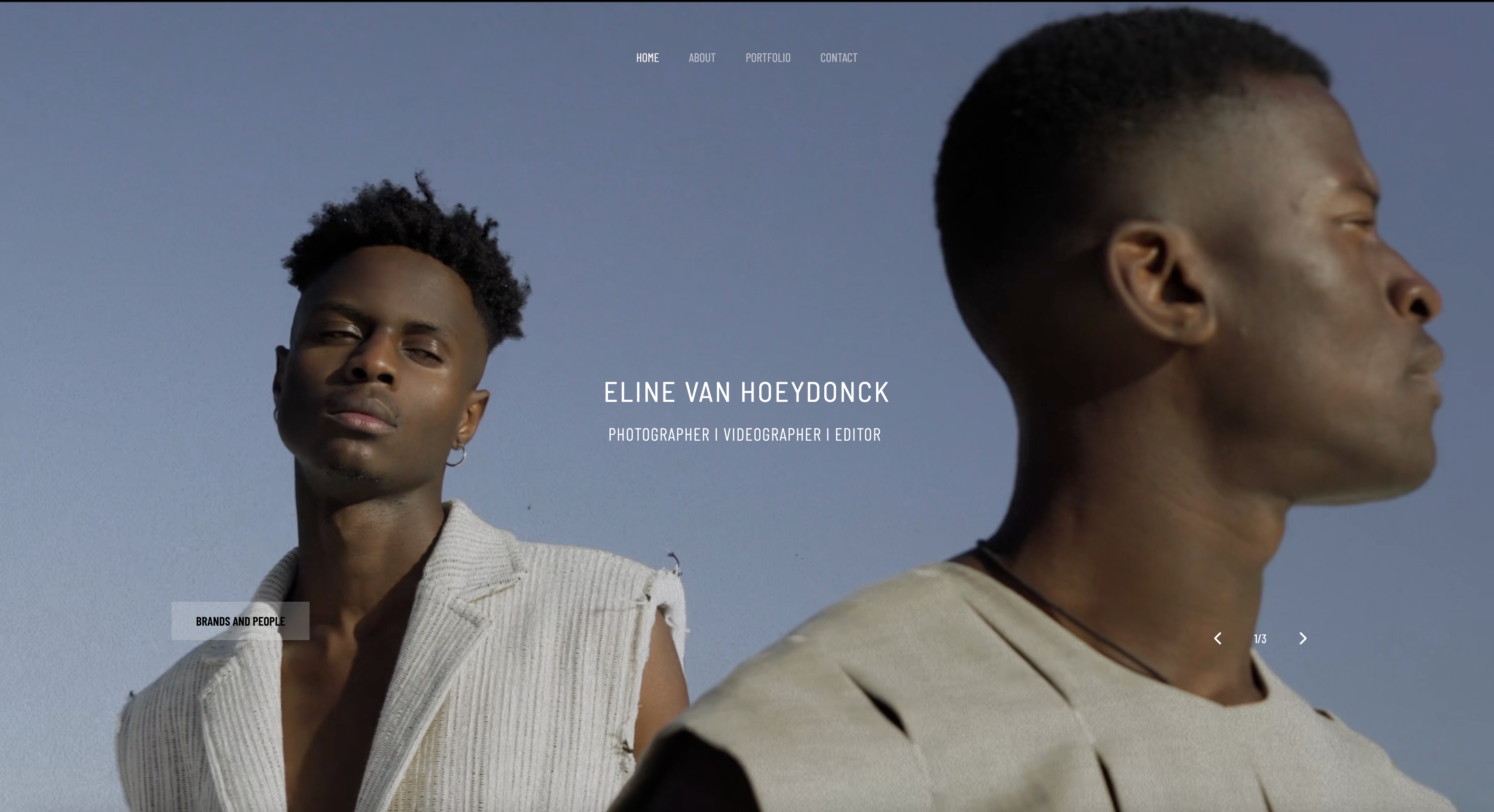
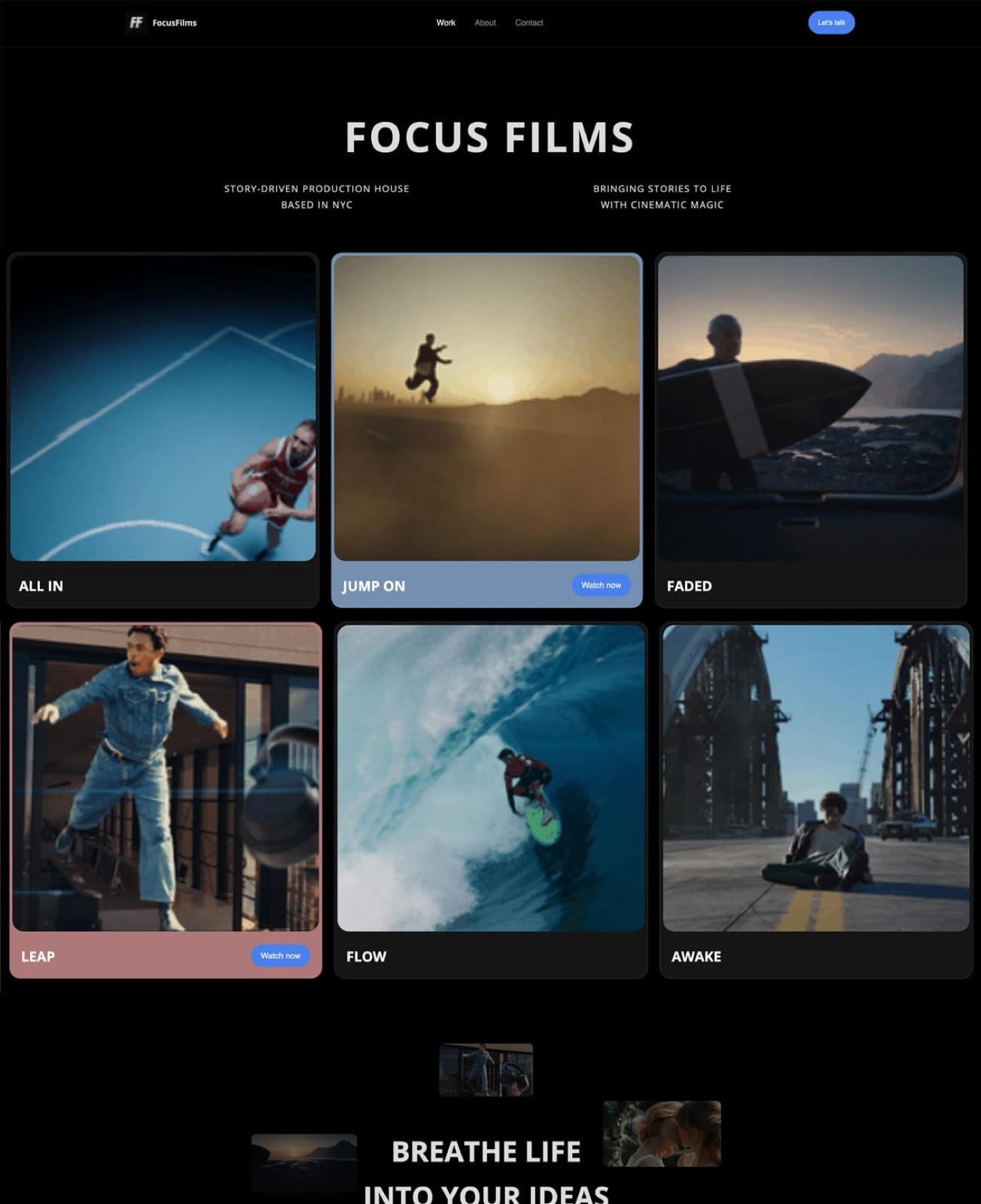
Real filmmakers already run their businesses on it. Eline van Hoeydonck, a photographer, videographer and editor, uses a Framekit site to split her work into Brands and People, Travel and Events.
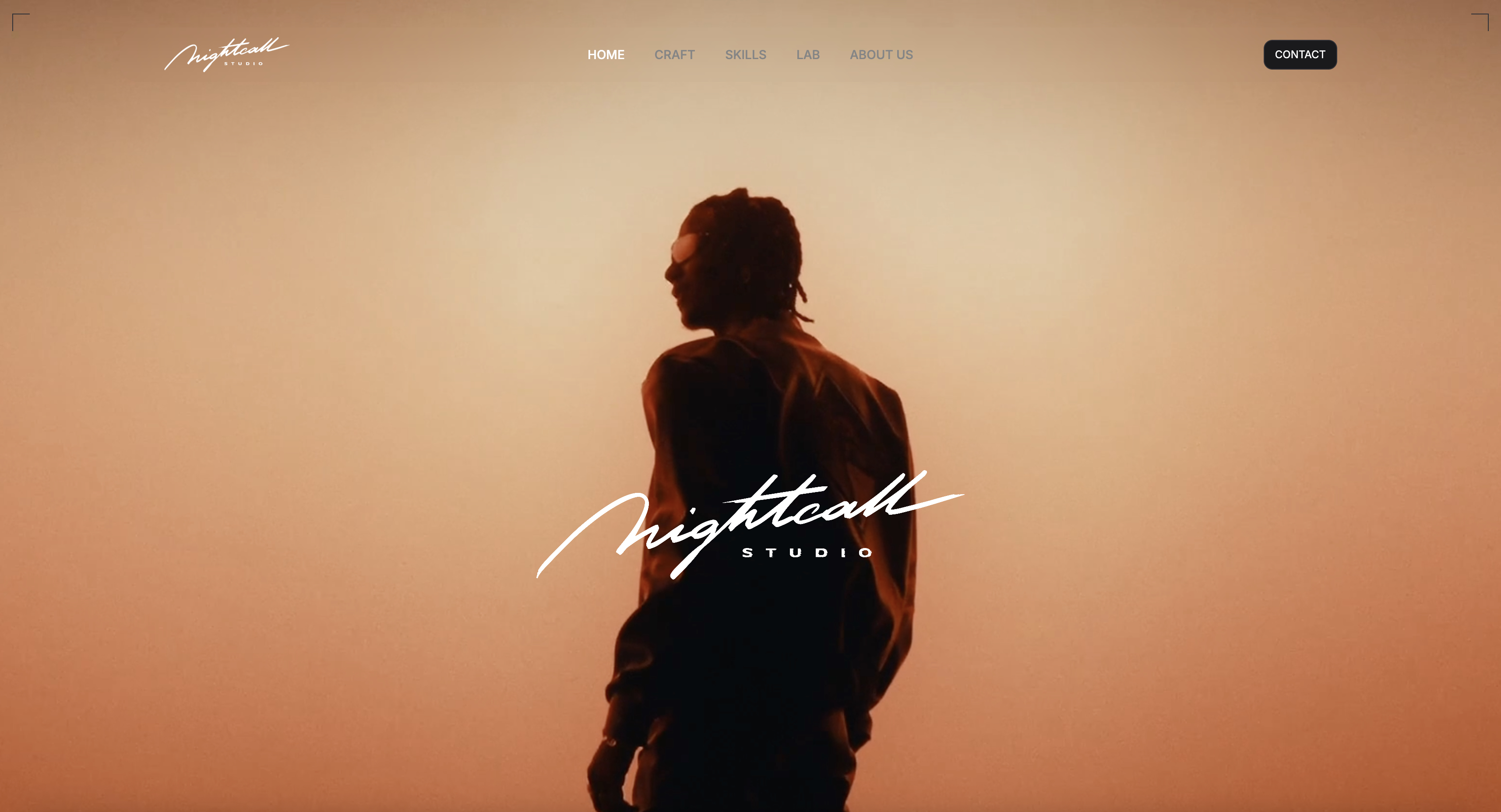
Nightcall Studio, a creative production agency, uses its Framekit site for a cinematic homepage, a skills page and campaign case studies, including work for Montblanc.
The number to remember. Pro billed yearly is $15 a month and the store takes 3%, so on Nico's $232 of LUT sales the platform costs $21.96 a month, $263.52 a year, against $1,034.40 for his five-tool chain.
On yearly billing, the 0% Business plan ($31) becomes cheaper than Pro once store sales pass about $533 a month.
The limit to plan around. Each uploaded video is capped at 2GB on Pro and 3GB on Business, with a maximum length of two hours.
That is plenty for H.264 review copies and delivery masters of a 60-second spot, and not enough for a ProRes master of a long-form piece.
Storage is one pool: Pro's 300GB is shared by site, galleries and reviews, with up to 150GB usable for video.
The gotcha. Framekit is not a post-production tool.
There is no Camera to Cloud, no Premiere, Resolve, Final Cut or After Effects panel, no transcription, no frame-by-frame compare or wipe, no forensic watermarking and no SSO.
Deck links have no password and only a total view count, not per-viewer analytics. And the store is not a merchant of record: the seller handles VAT and sales tax.
Skip it if you run an edit suite with assistants, conform and online, or if your clients expect review inside their NLE. That is Frame.io's job.
Verdict: The right single platform for a director, DP or editor who sells themselves, reviews with clients and delivers to them, and the wrong one for a post house. Most solo filmmakers will find it replaces four or five bills.
2. Vimeo: Best for Hosting and a Public Player
Vimeo is best known for its ad-free player, and its 2026 plans have grown from a player into a review-and-delivery tool as well.
Every paid plan on the Vimeo pricing page now lists video review, configurable review links, downloadable review comments, version history, file transfer and an Adobe Premiere Pro integration.
What it costs. Starter is $12 a seat a month billed yearly ($144) or $20 monthly, for one user and 2TB of storage.
Standard is $25 billed yearly ($300) or $41 monthly, for five users and 4TB, and adds branding in the player, a custom watermark, branded video galleries and showcase SEO.
Advanced is $75 billed yearly or $125 monthly, for ten users, 7TB and live events.
The number worth knowing. Vimeo's FAQ puts the per-file ceiling at 300GB and 24 hours on every plan. No other platform here comes close for long-form masters, and there are never ads in the player, even on the free tier.
The detail most people miss. "Replace version in URL" is listed on every plan, which means a new cut can go out at the link the client already has. For commercial work with late legal changes, that saves a round of new links and confused replies.
The gotcha. Showcases are galleries of videos, not a website. There is no case-study page builder, no contact form for inquiries and no store for LUTs, only the option to sell videos as a subscription. Most Vimeo filmmakers still pay for a site builder on top.
Skip it if you want one place for pitch, review, delivery and sales; Vimeo does two of those four very well.
Verdict: The best home for the film itself: the most generous file limits, a clean player and review that is now good enough for many solo jobs. Weighing a move? See the best Vimeo alternatives and our round-up of video hosting platforms.
3. Frame.io: Best for Post-Production Review
Frame.io is the professional standard for reviewing cuts, and nothing on this list matches its depth for editorial teams.
The Frame.io pricing page lists a Free plan for two members with 2GB and two projects, Pro at $15 per member a month for up to five members with 2TB included plus 2TB per extra member, and Team at $25 per member for up to 15 members with 3TB plus 2TB per member.
Frame.io's help centre gives a 13% discount on annual plans.
What sets it apart. Camera to Cloud sends takes from set to the cloud as they are recorded, so an editor can start before wrap.
Pro adds passphrase-protected shares, link expiry, custom-branded shares, comment attachments and a static watermark template, and Enterprise adds single sign-on, session-based and forensic watermarking.
The detail worth knowing. If you already pay Adobe, you may already have it.
Frame.io's Creative Cloud page says Frame.io for Creative Cloud comes at no extra charge with All Apps and individual Premiere or After Effects subscriptions, with two users, five projects, 100GB of storage, unlimited reviewers and Camera to Cloud.
The gotcha. Five concurrent projects on the Creative Cloud version is a real ceiling for a director with overlapping jobs, and upgrading to Pro is billed separately.
Frame.io also has no public website, no treatment builder and no store; it is the middle of the chain, done superbly.
Skip it if you are a one-person operation whose clients just need to watch a cut, comment and approve. You would be paying for workflow depth you will not use.
Verdict: The right review tool for any team with an editor, an assistant and a colourist passing files, and overkill for most solo commercial directors. Shopping around? Read the best Frame.io alternatives.
4. Format: Best Budget Site With Galleries and a Store
Format is a portfolio builder that grew a workflow side, and for a photographer-filmmaker it covers more of the chain than its price suggests: a website, client galleries, file transfers, hosted video and a commission-free store, on one plan.
What it costs. The Format pricing page was running a limited-time offer of up to 50% off annual plans when we read it.
Pro showed $12 a month billed yearly, with $17 struck through and "normally $24" a month. Pro Plus showed $15 billed yearly, with $26 struck through and "normally $36". Basic was $10 billed yearly.
Where the plans differ for film work. Pro hosts 15 minutes of video, sells up to 15 products, stores 100GB and allows 50 client galleries.
Pro Plus hosts 120 minutes, sells up to 1,000 products, stores 1TB, allows 250 client galleries and 10GB file transfers. Basic hosts no video and has no store at all.
The number that decides it. Fifteen minutes of hosted video is one reel and a couple of spots.
A director who wants case-study films on the site, rather than embeds from elsewhere, needs Pro Plus, and at the standard $26 yearly rate that is where Format's value sits.
The gotcha. The headline prices are promotional, and the page does not list client review of cuts, contracts or CRM on Pro or Pro Plus. You will still want a review tool.
Skip it if your work is mostly long-form video; 120 minutes of hosting fills quickly, and you will end up on Vimeo anyway.
Verdict: A sensible, low-cost base for filmmakers who also shoot stills and sell presets or LUTs, as long as you budget for the standard rate and a separate review tool. Comparing builders? See Framekit vs Format and the best Format alternatives.
5. Pixieset Suite: Best for Wedding Filmmakers Who Also Shoot Stills
Pixieset is a photography platform first, but its Suite plan has become a credible home for hybrid wedding businesses that deliver a highlight film alongside the gallery.
One plan covers a website, client galleries with video, a studio manager with contracts and invoices, a store and a mobile gallery app.
What it costs. The Pixieset Suite pricing page lists Starter at $28 a month billed yearly or $35 monthly, with one hour of HD video; Pro at $38 yearly or $50 monthly; and Ultimate at $55 yearly or $65 monthly.
Extra video storage is $5 a month per hour.
Why film people consider it. The paperwork. Contracts with e-signatures, questionnaires, quotes, invoices and a booking site are in every Suite plan, which is the one area where a studio-management bundle beats any film-first tool on this list.
The gotcha. Video is measured in hours, not gigabytes, and the entry plan has one. Twelve 5-minute films fit; twelve 20-minute wedding edits do not, and each extra hour is another $5 a month.
There is also no timecoded review: clients watch and download, they do not pin notes to frames.
Skip it if you make commercials or music videos for brands. Pixieset is built around couples and families, not agencies.
Verdict: The right platform for a wedding filmmaker whose admin is the bottleneck and whose films are delivered, not reviewed. For galleries built with video in mind, see the best client galleries for videographers.
6. Squarespace: Best If Your Site Is Already There

Squarespace remains a common choice for filmmaker websites, and it deserves a place here because many directors will add tools around a Squarespace site rather than move it. On its own it covers the showcase and the shop, and nothing in the middle.
What it costs. US prices on the Squarespace pricing page are Basic $19 a month billed yearly or $25 monthly, Core $29 or $39, Plus $49 or $65, and Advanced $99 or $139.
Basic charges a 2% online store transaction fee; Core and above charge 0%. A separate Digital Content and Memberships fee runs 7%, 5%, 1% and 0% across the same four plans.
The detail worth checking. Those two fee lines matter to anyone selling LUTs. Before you list a pack, check which one your product type falls under, because on Core it is the difference between 0% and 5% of every sale.
The gotcha. Squarespace has no client review, no delivery galleries and no treatment builder, so it is always the first link of a longer chain. There is no free plan, only a 14-day trial.
Verdict: Keep it if it works and you like the editor. Do not mistake it for an all-in-one; on Nico's workload it is still a three-extra-tool setup. If you are rebuilding, read how to build a filmmaker website that books clients.
7. StudioBinder: Best for Pre-Production, Not Delivery
StudioBinder is on this list for a different reason from the rest: it is the all-in-one for the part of filmmaking that happens before the camera rolls.
Scripts, scene breakdowns, stripboard scheduling, call sheets, locations, contacts and mood boards all live in one production workspace.
What it costs. StudioBinder's help centre lists Starter at $29 a month for one user and 10 projects in total, archived projects included, and Indie at $49 a month for two users and 25 projects, adding shot lists, storyboards and AV scripts.
Extra users are $25 a month each. Both articles were updated in April 2026.
The gotcha. The project cap counts archived projects. A director who treats every commercial as a project reaches Starter's 10 inside a year and has to upgrade or delete history.
Skip it if your shoots are one-day, one-location jobs where a shared document does the job of a call sheet.
Verdict: The right tool for productions with crew, schedules and locations to coordinate, and a complement to everything above rather than a rival. For lighter planning before a treatment exists, some directors use Storyflow, our sister product, to map beats and references first; its guide on how to write a director's treatment covers that step. Comparing planning tools? See the best shot list software.
The LUT Pack Test: What Selling Costs as It Grows
In one lineFor a filmmaker who sells LUTs, the store fee is the one cost that scales with success, so the platform that is cheapest at four sales a month is rarely the cheapest at eighty, and the table shows where each option flips.
This follows Nico's $29 pack from 4 sales a month to 80. Gumroad is the store alone. The Framekit and Format columns are the whole platform, site included, on yearly billing, with Format at its standard $26 Pro Plus rate rather than the offer price.
| LUT packs a month | Sales | Gumroad (store only) | Framekit Pro ($15 + 3%) | Framekit Business ($31, 0%) | Format Pro Plus ($26, 0%) |
|---|---|---|---|---|---|
| 4 | $116 | $13.60 | $18.48 | $31.00 | $26.00 |
| 15 | $435 | $51.00 | $28.05 | $31.00 | $26.00 |
| 40 | $1,160 | $136.00 | $49.80 | $31.00 | $26.00 |
| 80 | $2,320 | $272.00 | $84.60 | $31.00 | $26.00 |
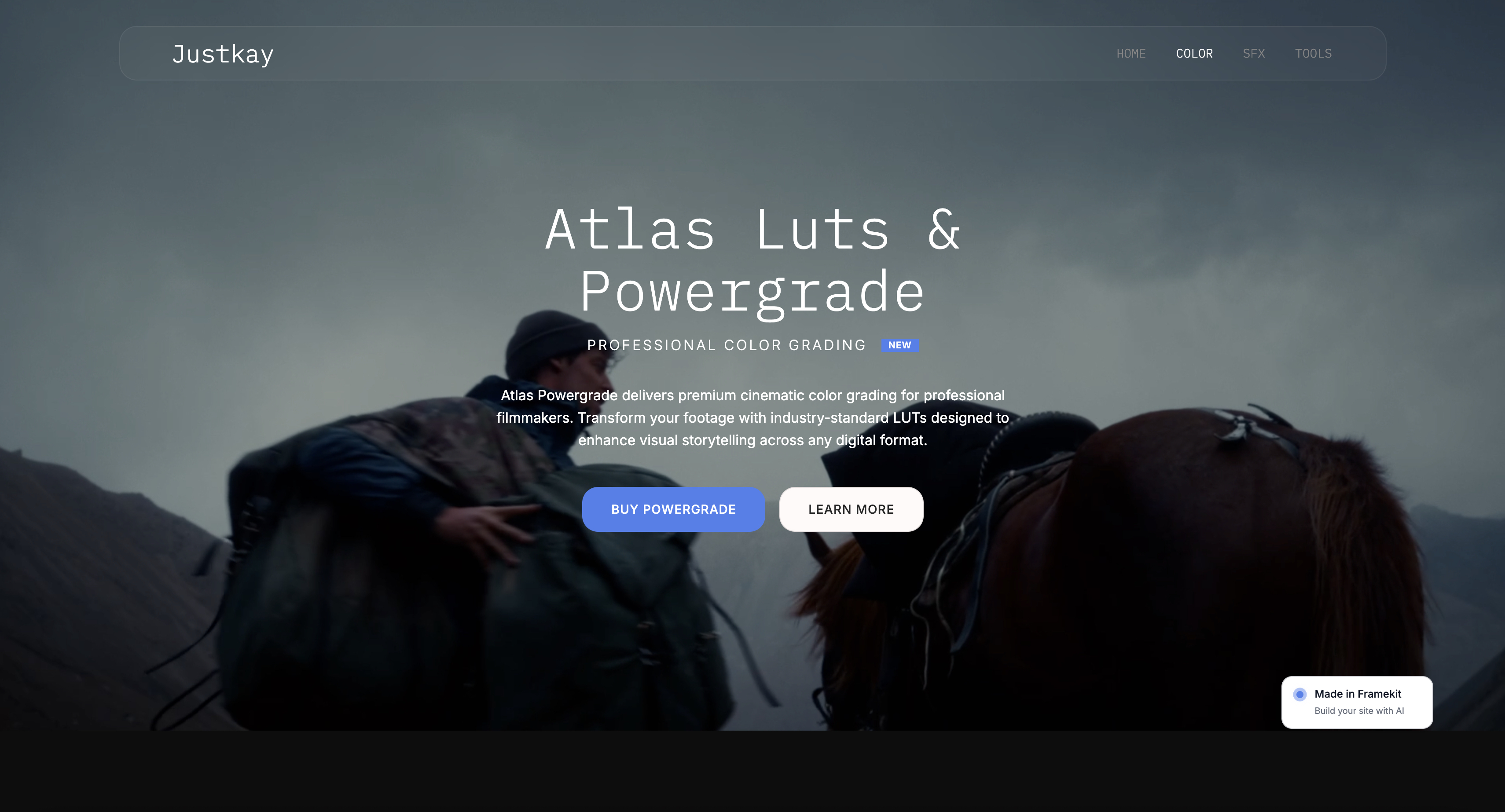
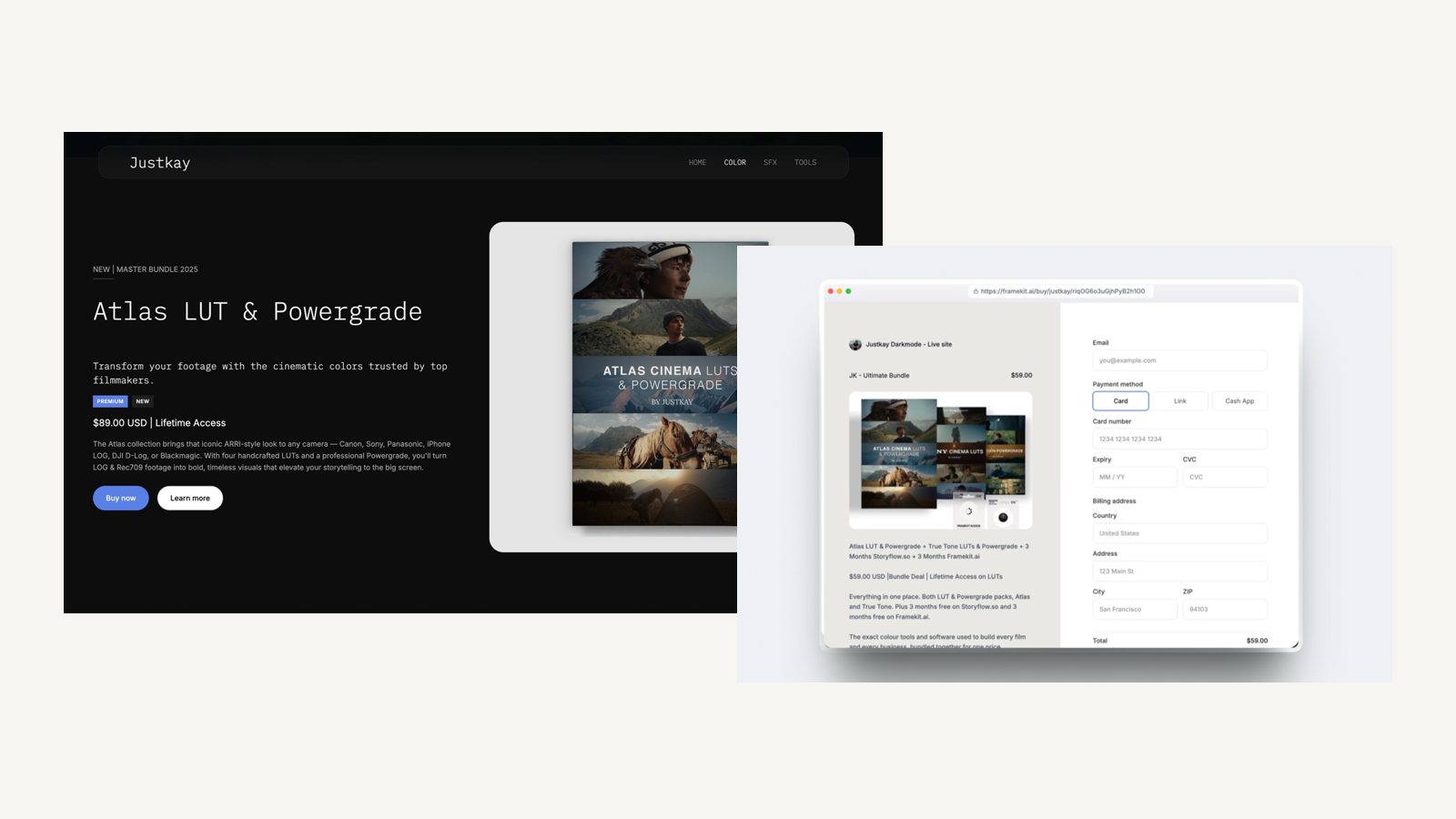
Justkay, a filmmaker, runs exactly this kind of store on Framekit: a colour page for Atlas LUTs and Powergrade, SFX packs under Resonance SFX, and tools, with before-and-after grade comparisons and audio previews on the product pages.
Test your own numbers. Take last month's LUT or preset sales, multiply by your platform's percentage, add the per-sale fee times the number of orders, and multiply by twelve. That is your yearly store cost.
If it is bigger than a flat plan's yearly price, you are paying to stay small.
File Limits: The Spec Sheet Nobody Reads Until Delivery Day
In one lineBefore choosing any all-in-one platform for film work, check the per-file upload cap and the video allowance, because a 40GB ProRes master and a 700MB review copy are different problems and each platform solves only one of them well.
| Platform | Per-file cap | Video allowance on the plan priced above | Length cap |
|---|---|---|---|
| Framekit | 500MB Free, 1GB Starter, 2GB Pro, 3GB Business | Up to 150GB of Pro's 300GB pool | 2 hours per video |
| Vimeo | 300GB on every plan | 2TB on Starter | 24 hours |
| Frame.io | Not stated on the pricing page | 2TB on Pro, 100GB via Creative Cloud | Not stated |
| Format | Not stated on the pricing page | 120 minutes on Pro Plus | Counted in minutes |
| Pixieset Suite | Not stated on the pricing page | 1 hour HD on Starter, $5 per extra hour | Counted in hours |
The practical split is simple. Review copies and web deliverables fit anywhere on this table.
Masters for broadcast or long-form archive belong on Vimeo or Frame.io, or on a transfer service, and a solo filmmaker using Framekit for the client-facing chain can still hand over a master that way when a job needs it.
Review Versus Delivery: Two Jobs, Often Confused
In one lineDelivery means the client can watch and download a film, review means the client can pin a note to 00:47, see version three beside the notes from version two and press approve, and most platforms that say video only do the first.
Among the seven, review lives in three places: Frame.io (the deepest, with Camera to Cloud and forensic watermarking on Enterprise), Vimeo (now on every paid plan) and Framekit (timecoded comments, drawing on the frame, threaded replies, reactions, stacked versions and approval statuses, with email notifications for new comments).
Format, Pixieset and Squarespace deliver or host but do not list review.
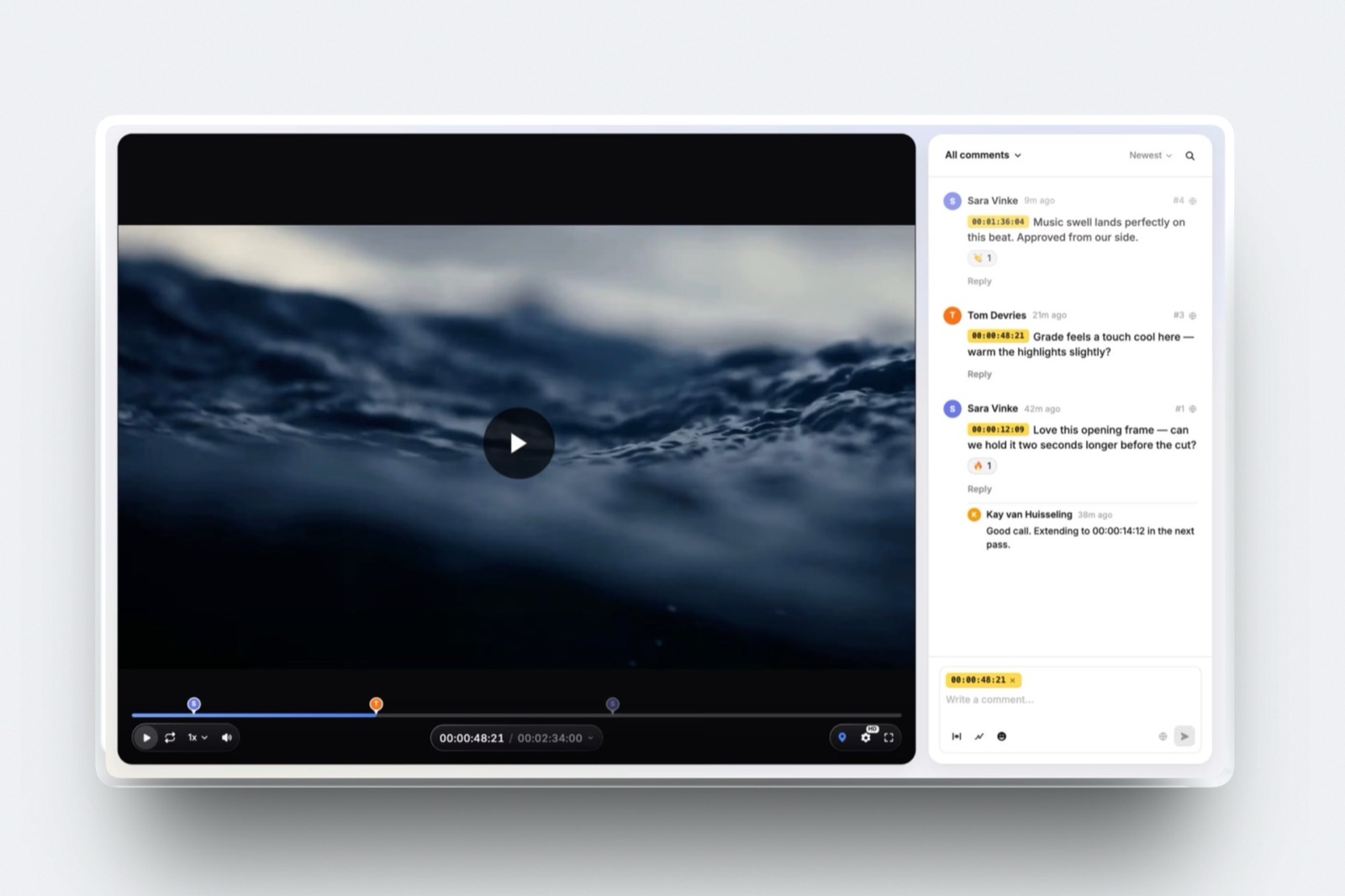
For a commercial director, the difference shows up in the email thread. A note that says "the logo at the end is too small" becomes a comment on the exact frame, and version two arrives with that note still attached for everyone to check.
Framekit's file attachments on comments are a Pro feature, and review pages can sit on your own domain without the Framekit badge on any paid plan.
Treatments and Decks: The Link Most Platforms Ignore
In one lineA treatment is often the document that wins the job, yet only one platform in this comparison builds decks, so filmmakers usually pay a separate presentation tool and lose the brand consistency between the deck and the site.
Framekit Slides is unlimited on every plan, including Free, and the AI slide writer lays out a slide from a sentence.
Templates include a Director's Treatment for a Commercial, with ready-made storyboard, references and shoot-day slides, and decks can be presented full screen, shared as a link or exported as a PDF.
The full template library and removing the Framekit byline need Starter or above; PowerPoint export is Pro and up and exports each slide as an image, so text is not editable in PowerPoint.
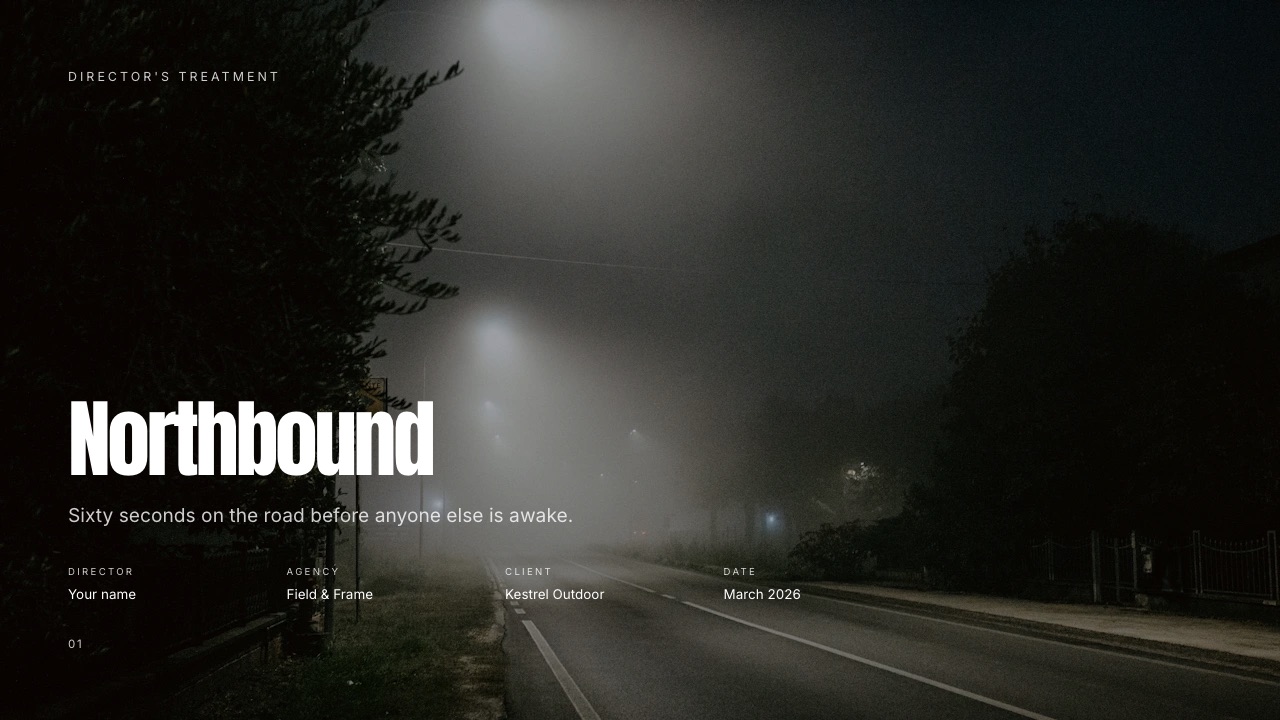
What it does not do: deck links cannot be password-protected and show a total view count only, not which person read which page. If you need per-viewer analytics on a treatment, a dedicated deck tool does that.
For the full field, see the best presentation tools for filmmakers.
How to Choose: Follow the Questions
Choosing an all-in-one platform for filmmakers gets easy if you answer the following questions in order, because each one rules out platforms that cannot handle a job you already depend on, and the first yes gives you a clear answer.
1. Do you work with editors, assistants or colourists passing files between them? If yes, make Frame.io your review layer, and check whether your Adobe plan already includes it.
Then pick the showcase and selling tools around it. If you work alone or with one editor, go to question 2.
2. Are your masters routinely bigger than 3GB, or longer than two hours? If yes, host them on Vimeo, whose 300GB per-file cap covers almost anything. If your client-facing files are review copies and web deliverables, go to question 3.
3. Do you pitch with treatments, review with clients and sell LUTs or presets? If two or more are yes, pick Framekit: it is the only platform here that does all three beside your site. If not, go to question 4.
4. Is paperwork (contracts, invoices, booking) your biggest time sink? If yes and you shoot weddings, Pixieset Suite. If you run crewed productions, add StudioBinder for pre-production. Otherwise, go to question 5.
5. Is the lowest bill for a site, galleries and a store the priority? If yes, Format, priced at its standard rate rather than the offer.
Frequently Asked Questions
What is the best all-in-one platform for filmmakers in 2026?
Framekit is the best all-in-one platform for filmmakers in 2026 for solo directors, DPs and editors, because one account covers the reel website, timecoded client review, video delivery galleries, treatment decks and a store for LUTs, from $15 a month on Pro billed yearly.
Frame.io is better for post-production teams, and Vimeo is better when public hosting and very large files are the priority.
Is Framekit a replacement for Frame.io?
Framekit replaces Frame.io for client review on solo and small commercial jobs: timecoded comments, drawing on frames, versions and approvals, with guests who need no account.
It does not replace Frame.io for post-production, because it has no Camera to Cloud, no Premiere, Resolve or After Effects panels, no transcription, no compare view and a 2GB per-file cap on Pro.
Teams passing files between editors should stay on Frame.io.
Vimeo or Frame.io: which should a filmmaker pay for?
Vimeo is the better single purchase for a filmmaker who needs public hosting, an ad-free player and simple client review, from $12 a month billed yearly with 2TB and a 300GB per-file cap.
Frame.io is better for editorial teams that need Camera to Cloud, deeper review controls and watermarking, from $15 per member a month on Pro. Paying for both is often double-paying for review.
Does Adobe Creative Cloud include Frame.io?
Adobe Creative Cloud includes Frame.io for Creative Cloud at no extra charge on All Apps plans and on individual Premiere and After Effects subscriptions.
According to Frame.io, that version includes two users, five projects, 100GB of storage, unlimited reviewers and Camera to Cloud. Anything beyond that is a separately billed Frame.io Pro, Team or Enterprise plan.
Can I sell LUTs from my filmmaker website?
Framekit, Format, Squarespace and Pixieset can all sell digital files from your own site, with different fees: Framekit takes 5%, 3% or 0% by plan, Format lists commission-free selling on Pro and Pro Plus, Squarespace's fee depends on plan and product type, and Pixieset sells digital products through Payment Links.
Vimeo, Frame.io and StudioBinder do not sell LUTs.
What is the cheapest way to get a website, client review and delivery?
Framekit Pro at $15 a month billed yearly is the cheapest single plan in this comparison that includes a website, timecoded client review and video delivery, plus Slides and a store.
The cheapest pairing without Framekit is Format Pro Plus plus a review tool: $26 at Format's standard yearly rate plus Frame.io Pro at $15, or $41 a month.
Who handles VAT when a filmmaker sells LUTs on Framekit?
The filmmaker handles VAT and sales tax when selling LUTs on Framekit.
Checkout runs on Stripe Connect as a direct charge on the seller's own Stripe account, so the seller is the merchant of record, and Framekit does not calculate or remit tax.
Gumroad is a merchant of record that handles tax for sellers, at 10% plus $0.50 per direct sale.
Is StudioBinder an all-in-one platform?
StudioBinder is an all-in-one platform for pre-production, not for the client-facing side of a film business.
It combines scripts, breakdowns, stripboards, call sheets, locations and mood boards, from $29 a month for one user and 10 projects. It does not host a portfolio site, run client review, deliver finished films or sell digital products.
How big a file can I upload for client review?
Framekit allows up to 500MB per video on Free, 1GB on Starter, 2GB on Pro and 3GB on Business, with a two-hour maximum length. Vimeo allows 300GB and 24 hours per file on every plan.
For review copies an H.264 export fits comfortably under Framekit's caps; for full-quality masters, Vimeo or Frame.io are the right destination.
Do I need a separate tool for treatments?
A filmmaker needs a separate treatment tool on every platform in this comparison except Framekit, which includes Slides on every plan with treatment and pitch templates, shot list, storyboard and moodboard elements, link sharing and PDF export.
Framekit's deck links have no password or per-viewer analytics, so filmmakers who must know who opened which page should use a dedicated deck tool.
Final Verdict
For a solo or small-crew filmmaker whose year looks like Nico's (commercials and music videos, client review on every cut, treatments for bids and a LUT pack on the side) Framekit is the best all-in-one platform in 2026.
It replaces all five links of the chain for $21.96 a month against $86.20, and it keeps the client on the filmmaker's own domain from reel to receipt.
Where Framekit loses is the edit suite and the heavy master. It does not have Camera to Cloud, NLE panels, transcription, compare views or enterprise controls, and its 3GB top per-file cap will not hold a long-form ProRes master.
A post-production team is a better fit for Frame.io, a filmmaker whose business is public hosting is a better fit for Vimeo, a crewed production needs StudioBinder for its call sheets, and a wedding filmmaker drowning in contracts may prefer Pixieset Suite.
Framekit is not for teams that live inside Premiere or Resolve review panels.
Related readingStart with the best website builders for filmmakers if the site is your first decision.
If you sell colour, see the best platforms to sell LUTs.
For the review layer alone, compare the best Vimeo review alternatives, and for delivery, the guide to client galleries for videographers covers the options in depth.
For the review line on that bill, Frame.io pricing shows the seat maths; for the deck, the film pitch deck template; and photographers can compare the all-in-one platforms for photographers.