Framekit templates
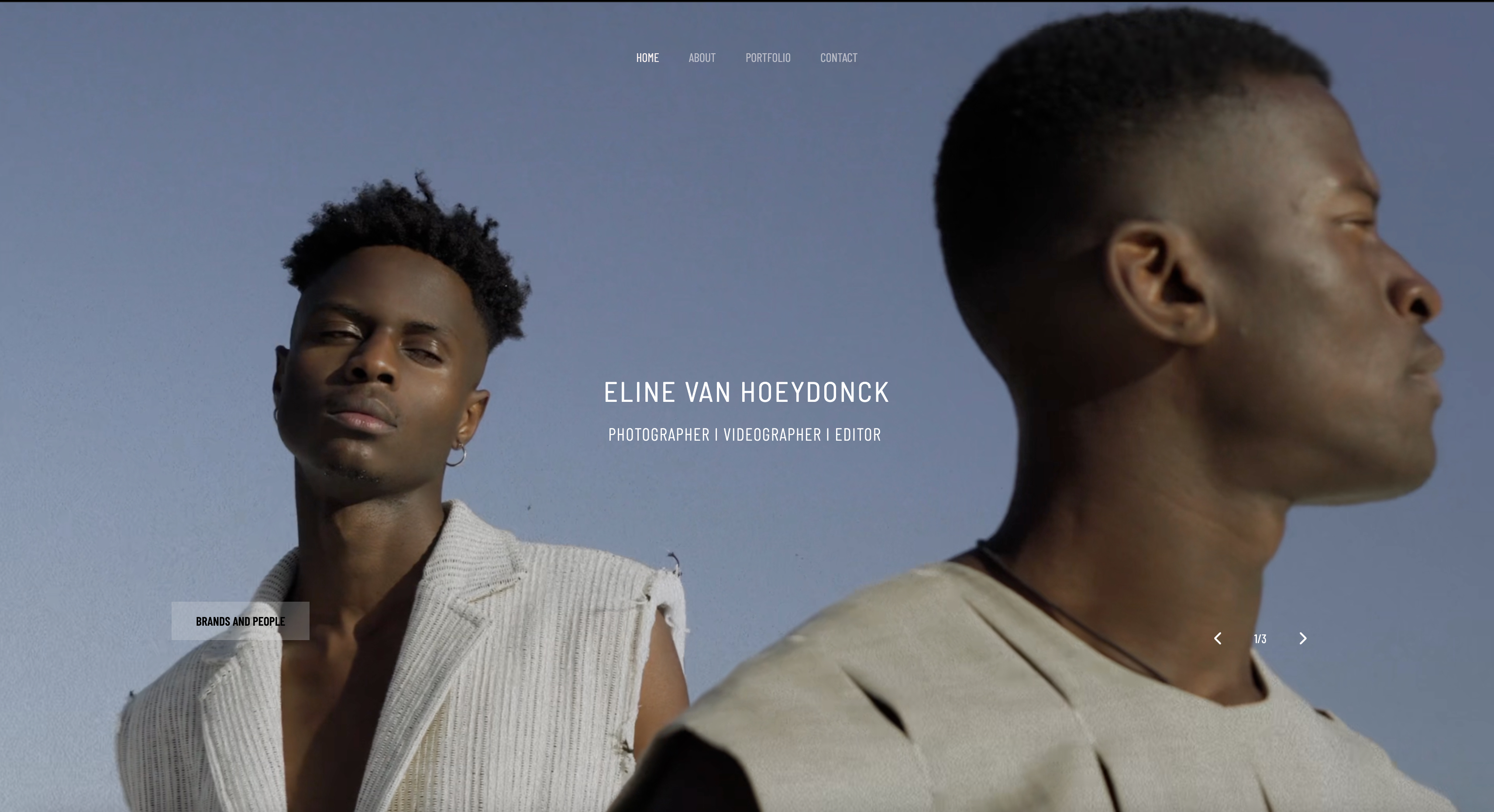
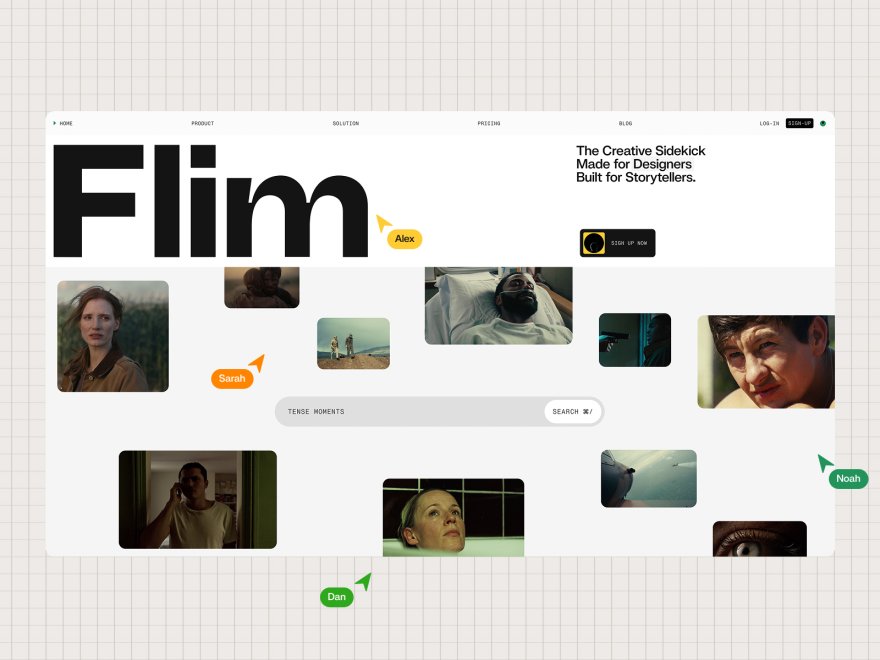
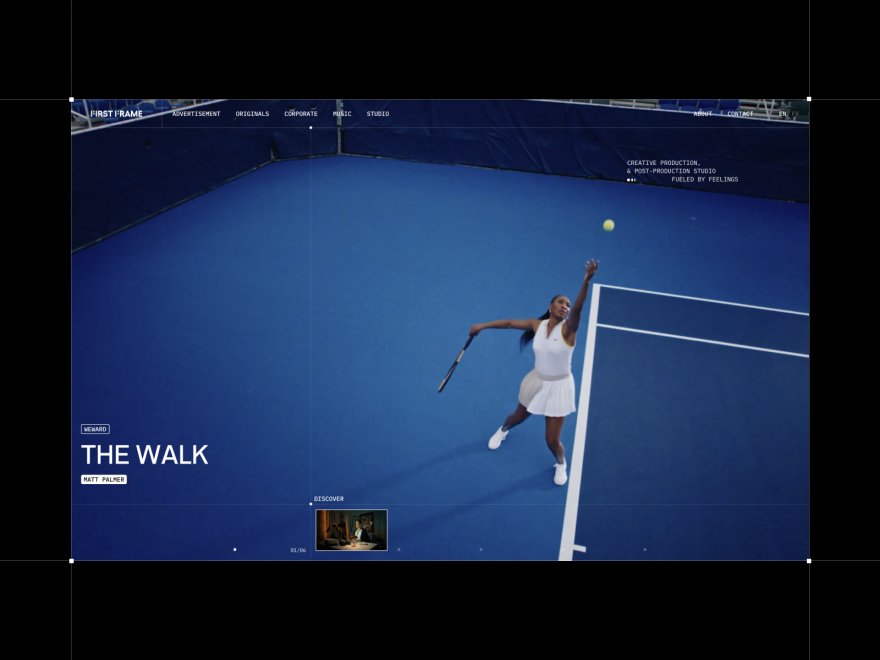
Start from a designer-made template
 Use template
 Use template
 Use template
 Use template
 Use template
 Use template
 Use template
 Use template
Squarespace is rarely the reason a creative leaves Squarespace. The site still looks good.
What changes is the bill around it: a gallery service for client delivery, a review tool for cuts, a deck tool for pitches, a store for presets, each added one at a time until the website is the cheapest line on the card statement.
That is the useful lens for choosing a Squarespace alternative for creatives in 2026. A photographer, filmmaker or designer is rarely shopping for a better template.
They are shopping for fewer subscriptions, a site that drafts itself instead of being arranged block by block, or a platform that does the one creative job Squarespace was never built for, and each of those needs points to a different alternative.
A Squarespace alternative is another website platform a creative can use in place of Squarespace to show work, win clients and sell, and the best one depends on which job Squarespace leaves to other tools, because no alternative beats Squarespace at everything it does.
Framekit is the best Squarespace alternative for creatives in 2026, because one account holds an AI-built portfolio, client galleries, video review, Slides and a download store, starting free and from $7 a month billed yearly with your own domain, against $19 for Squarespace Basic plus whatever gallery and review tools sit beside it.
Framer is better for designers who want a motion-led canvas, Pixieset for photographers who sell prints, Webflow for CMS-heavy studio sites, and Carrd for a one-page portfolio at $19 a year.
Full disclosure: Framekit is our product and ranks first, so treat that as a claim to check. Every competitor price was read on the vendor's own page in October 2026, and a full section below covers where Squarespace still beats every alternative here, including Framekit, on physical commerce, scheduling, memberships, redirects and video hosting.
What's new in this October 2026 rewrite: every price was re-verified on the 12th, the 9.5-out-of-10 ratings and the "we built real sites on each platform" claim were removed because no documented test supports them, Hostinger, Durable and 10Web gave way to Pixieset, Format and Adobe Portfolio because creatives actually shortlist those, and the cost of the tools around a Squarespace site was added; the Starter line now separates the website badge it removes from the gallery footer credit it keeps.
How This Ranking Was Weighted
The ranking weights four criteria and publishes them so you can reweight: what the account does beyond the site for a creative business (30 percent), the website itself, drafting and design control (25 percent), three-year cost of the whole creative setup (25 percent), and Squarespace's own strengths that you would keep or lose (20 percent).
| Criterion | Weight | Leader | Framekit's place |
|---|---|---|---|
| Galleries, review, decks and a store in one account | 30% | Framekit | 1st |
| The website: drafting, design ceiling, editing | 25% | Framer on design ceiling; Framekit on drafting | 3rd on design ceiling, 1st on drafting |
| Three-year cost of the whole creative setup | 25% | Framekit; Carrd for one page | 1st for multi-page creative setups |
| Keeping Squarespace's strengths: commerce, scheduling, redirects, RSS | 20% | Wix, then Webflow | 7th of 8 |
The last row is where Framekit scores worst.
It sells digital downloads only, has no scheduling, no memberships, no redirect manager and no RSS feed, so a Squarespace site that runs on Acuity bookings or ships physical prints loses more by moving to Framekit than to Wix.
The design ceiling is the second soft spot: Framer's canvas and Webflow's visual development go further than Framekit's editor.
Beyond-the-site work carries 30 percent because, for creatives, the tools beside Squarespace are usually the larger bill and they renew every year.
The July version weighted design quality and speed most heavily and also put Framekit first; if Squarespace's strengths were weighted at 45 percent instead, Wix would take first place and Framekit would drop to third, behind Webflow.
Squarespace Alternatives at a Glance
The table below compresses the ranking into one view, and the column that decides most creatives' choice is what each alternative adds that Squarespace leaves to another company, because that is where a move saves or costs money.
| Rank | Alternative | What it adds that Squarespace lacks | Free plan | Cheapest own-domain plan, yearly | What you give up |
|---|---|---|---|---|---|
| 1 | Framekit | Galleries, video review, Slides, AI drafting, a store from Free | Yes, 10GB | $7 a month (Starter) | Physical goods, scheduling, redirects, RSS |
| 2 | Framer | A design canvas with motion and AI Agents | Yes | $10 a month (Basic) | Commerce and creative delivery |
| 3 | Pixieset | Client galleries with lab print sales | Galleries only, 3GB | Suite from $28 a month | A general-purpose site builder |
| 4 | Webflow | CMS depth, staging, team workflows | Yes, 2 pages | $15 a month (Basic) | Easy editing; seats cost extra |
| 5 | Wix | An 800-plus app market and Wix Bookings | Yes, 500MB | $17 a month (Light, 2GB) | Storage on the entry plan |
| 6 | Format | A photographer-first portfolio with proofing | No | $10 a month (Basic) | Image counts on cheaper tiers |
| 7 | Adobe Portfolio | A free site with Creative Cloud | Included with a plan | $0 extra | Galleries, store, independence from Adobe |
| 8 | Carrd | One-page sites for a few dollars a year | Yes, up to 3 sites | $19 a year (Pro Standard) | Every page after the first |
In one lineonly Framekit adds client galleries, frame-accurate review, decks and a store to the site in one account, and only Pixieset adds lab print sales, so those two answer different creatives leaving Squarespace for different reasons.
Where Squarespace Still Wins

Squarespace still beats every alternative on this page for a creative whose site is also a shop for physical products, a booking desk or a membership, because its commerce, scheduling and site plumbing are built in rather than bolted on, and moving away loses some of that.
Its pricing page and Help Center, read on 12 October 2026, list Basic at $19 a month billed yearly or $25 monthly and Core at $29 a month billed yearly, with a 14-day trial and no free plan.
The store fee is 2 percent on Basic and 0 percent from Core, and Core adds shipping labels, carrier rates and automated tax.
Digital content and memberships, meaning courses, video pages and member areas, carry 7 percent on Basic and 5 percent on Core; a preset or LUT sold as a download pays the store fee.
What you would lose by leaving. Physical products with shipping; Acuity Scheduling for client bookings; courses and memberships; URL mappings for 301 redirects; RSS feeds on blogs; video hosting from 30 minutes on Basic to 5 hours on Core; and a pricing page that states no caps on bandwidth or storage.
Framekit offers none of the first five and caps site video uploads at 100MB.
Verdict: if your Squarespace site sells prints in boxes, books sessions or runs a membership, staying is often the right call, and the alternatives below are worth reading only for the jobs Squarespace leaves to other tools.
1. Framekit: Best Squarespace Alternative for Creatives

Framekit is an AI website builder that also delivers client galleries, runs frame-accurate video review, builds treatments and lookbooks in Slides and sells digital downloads, so the four tools a creative typically adds beside a Squarespace site come in the same account as the portfolio, sharing one storage pool.
What working in it feels like. Squarespace starts with a template you arrange; Framekit starts with a draft you correct.
Describe the site, or upload a screenshot of your current Squarespace homepage, and the AI lays out the sections, writes the copy and applies one site-wide theme.
Templates were built with AI and trained by senior designers, the drafting runs on Framekit's own models, Cadence for premium output and Score for fast drafts, and every block stays editable by hand.
A new case-study page months later is written against the same theme, so the site keeps one look without you policing the spacing.

The number that matters$84 a year on Starter, billed yearly, for your own domain, a website without the Framekit badge, the full template library and 50GB of storage pooled across the site, galleries and review (client galleries keep a small Made with Framekit footer line on every plan), against $228 a year for Squarespace Basic before any gallery or review tool.
The free plan is permanent with 10 pages, 10GB and every gallery and review feature; Pro is $15 a month yearly with 300GB, custom code, translation and 3 website admins.
The detail nobody writesthe AI is metered on Squarespace too.
Squarespace's pricing page lists 10 one-time AI credits on Basic and 20 a month on Core; Framekit carries a monthly AI allowance on every plan, Free included, that grows with the plan, and editing any page by hand never draws on it.
The difference is that Framekit's AI drafts whole sections and rebuilds a layout from a screenshot, so the allowance buys more of the build.
The gotcha that bites a Squarespace leaverthe plumbing Squarespace gives you is missing.
There is no redirect manager, so old Squarespace URLs will not forward unless you keep the same slugs; no RSS feed; robots.txt is not editable; site video uploads stop at 15MB on Free and 100MB on paid plans, so a long reel is an embed; and there are no physical products, scheduling or memberships.
Website plans attach to a site, so two Squarespace sites become two Framekit plans, though galleries, review, Slides and the store sit on one account.
Skip it ifyour site ships physical goods, books appointments, runs memberships, or is a blog with years of inbound links you need to redirect. Squarespace or Wix serve those better.
Verdict: the best Squarespace alternative for a creative business, because it replaces the gallery, review, deck and store subscriptions beside Squarespace rather than only the site, and a photographer with 80GB of galleries pays $216 a year on Framekit Pro against $444 for Squarespace plus Pixieset. For a shop or a booking desk, it is the wrong move.
2. Framer: Best for Designers Who Want a Real Canvas
Framer is the Squarespace alternative for a designer who has hit the ceiling of Squarespace's Fluid Engine, because its canvas exposes layers, breakpoints, scroll effects and interactions, and its Agents generate a designed starting page from a prompt that you then shape by hand.
Its pricing page, read on 12 October 2026, lists Basic at $10 a month billed yearly with 1,000 AI credits a month, 30 pages and 2 CMS collections, and Pro at $30 a month billed yearly with 3,000 credits, 150 pages, 10 collections, redirects, staging and branching.
Extra editors are $20 a month each and each extra language $20 per locale a month, up to 20.
The real numbera two-person studio on Framer Pro pays $360 plus $240 for the second editor, $600 a year, before any gallery, review or store service.
The gotchaFramer's pricing page lists no client galleries, no video review and no built-in store, so a creative business adds a separate service for each.
Verdict: the best alternative when the site is the portfolio piece and its craft is the pitch. Framekit vs Framer prices both as full creative setups.
3. Pixieset: Best for Photographers Who Sell Prints
Pixieset is the Squarespace alternative for a photographer whose income includes prints and albums, because its client galleries send print orders to a pro lab with automatic fulfilment and take 0 percent commission on every paid plan, and its Suite adds a website and studio tools around them.
Pixieset's pricing page, re-checked in October 2026, lists Client Gallery plans at $8, $16, $24 and $40 a month billed yearly for 10GB, 100GB, 1TB and unlimited photo storage, and a free 3GB plan that takes 15 percent commission on store sales.
The Suite, which bundles Pixieset Website and Studio Manager with galleries, costs $28, $38 or $55 a month billed yearly.
The gotchavideo is metered in hours, 30 minutes on Basic up to 5 hours on Ultimate with extra hours at $5 a month, and there is no frame-accurate review.
Verdict: the right home for a print-led photographer, and a gallery business first with a website second. Framekit vs Pixieset runs a full hybrid wedding year on both.
4. Webflow: Best for Studio Sites With Structured Content
Webflow is the Squarespace alternative for a studio with a designer who wants development-grade control and a CMS that scales to 20,000 items, with staging, 301 redirects and per-seat roles for a team maintaining case studies and a journal.
Its pricing page, read on 12 October 2026, lists Basic at $15 a month billed yearly without a CMS and Premium at $25 with 20,000 CMS items, plus workspace seats at $39 a month for a full seat and $15 for a limited one.
The free Starter plan publishes 2 pages on a webflow.io address.
The gotchathe learning curve is steep, seats add up, and there is no client delivery, review or creative store.
Verdict: the right move for a studio commissioning a custom build, and more tool than a solo creative needs. Squarespace vs Webflow covers the direct trade.
5. Wix: Best if You Need Apps and Bookings
Wix is the Squarespace alternative for a creative whose site runs on bookings, events or a specific integration, because its App Market lists more than 800 apps and Wix Bookings takes paid appointments on a Premium plan.
Its plans page, read on 12 October 2026, lists Light at $17 a month billed yearly with 2GB of storage, Core at $29 with 50GB and eCommerce, Business at $39 with 100GB and Business Elite at $159 with unlimited storage.
The free plan is permanent with 500MB and no payments, and the URL Redirect Manager holds up to 5,000 redirects.
The gotchaLight's 2GB fills fast with full-resolution work, and Wix closed its Photo Albums app to new sites in April 2024, so client delivery means a third-party tool.
Verdict: the broadest small-business platform here, and a thin creative one without add-ons. Framekit vs Wix has the creative comparison.
6. Format: Best Cheap Image-First Portfolio
Format is a portfolio platform built for photographers and visual artists, and its pricing page in October 2026 listed Basic at $10 a month billed annually with 70 high-resolution images, Pro at $12 with 1,500 images, 100GB of image storage, 15 minutes of hosted video and 50 client galleries, and Pro Plus at $15 with unlimited images, 1TB, 120 minutes of video and 250 client galleries.
Pro and Pro Plus add a commission-free store with room for 15 and 1,000 products, Basic has none, and the $12 and $15 rates are first-year offer prices against $17 and $26 regular.
The page contradicted itself on Basic's gallery count and on password protection, so confirm those before relying on them. Verdict: strong value for an image-first portfolio with light proofing, and capped by image counts on the cheaper tiers; Framekit vs Format compares them.
7. Adobe Portfolio: Best Free Option for Creative Cloud Subscribers
Adobe Portfolio is included with Creative Cloud plans, including single-app and Photography plans, according to Adobe's Portfolio FAQ, so a creative already paying Adobe can replace a Squarespace portfolio at no extra cost with a custom domain.
It has no client galleries, no store and no review, and the site lasts only as long as the subscription. Verdict: the cheapest replacement for a pure portfolio, and the wrong one if your Squarespace site sells anything; Framekit vs Adobe Portfolio covers the step up.
8. Carrd: Best for a One-Page Portfolio
If your Squarespace site is really a single page, Carrd does it for $19 a year on Pro Standard, which its Pro page in October 2026 listed with 10 sites, custom domains, forms and embeds, after a free plan for up to three sites.
That is less than one month of Squarespace Basic billed monthly. Verdict: the cheapest honest replacement for a one-page creative site, and the one to outgrow when project pages arrive; Framekit vs Carrd maps the upgrade.
What a Creative Setup Costs Beside Squarespace
For creatives the larger cost of Squarespace is usually the services beside it, and Framekit is the cheaper way to do the whole job for all three creatives below, by $54 a year for a solo designer and $708 a year for a three-person studio, because galleries and review come in the plan.
Assumptions: yearly billing, US prices read on 12 October 2026, prices held flat for three years, card processing excluded.
Squarespace includes a free domain for the first year on annual plans; Framekit connects a domain registered anywhere, so add that registration to Framekit's rows from year one.
| Creative | Framekit setup | Framekit year one | Framekit by year three | Squarespace setup | Squarespace year one | Squarespace by year three |
|---|---|---|---|---|---|---|
| Solo designer, $3,000 a year of template sales | Starter ($84) plus 5% fee ($150) | $234 | $702 | Basic ($228) plus 2% store fee ($60) | $288 | $864 |
| Photographer, about 80GB of galleries, $1,200 of preset sales | Pro, 300GB ($180), plus 3% fee ($36) | $216 | $648 | Basic ($228) plus Pixieset Plus, 100GB ($192), plus 2% fee ($24) | $444 | $1,332 |
| Studio of 3, client review on every job, $6,000 of LUT sales | Business, 2TB ($372), 0% fee | $372 | $1,116 | Core ($348) plus Frame.io Pro for 3 ($540) plus Pixieset Plus ($192) | $1,080 | $3,240 |
The outside prices, each read on the vendor's own page in October 2026: Pixieset Client Gallery Plus is $16 a month billed yearly for 100GB, and Frame.io's pricing page lists Pro at $15 per member a month on monthly billing, with 13 percent off for annual billing, which takes the studio's review line to about $470.
Three things the totals do not show.
Frame.io Pro includes far more review storage and features Framekit lacks, such as passphrase-protected shares and link expiry, so the studio row compares jobs, not identical products, and Framekit's team members are website admins only, with galleries, reviews and decks owned by the account holder, so one person uploads the studio's cuts and galleries.
Pixieset sells prints and Framekit does not.
And a solo designer selling more than about $4,800 a year should run the Pro line, the point where the 2-point fee saving covers Pro's extra $96: at 3 percent the fee on $6,000 is $180, so Pro costs $360 a year in total against $384 on Starter.
Run it yourselfadd last year's download sales times your Framekit plan's fee, plus the plan price. Then list every tool you pay for beside Squarespace for galleries, review, decks and selling. If the second total is bigger, the move pays for itself in year one.
The Tools Around the Site, Inside One Framekit Account
Framekit is one account holding five tools that share one storage pool of 10GB, 50GB, 300GB or 2TB by plan, and these are the four that a Squarespace creative usually buys elsewhere, each shown with the limits that apply.
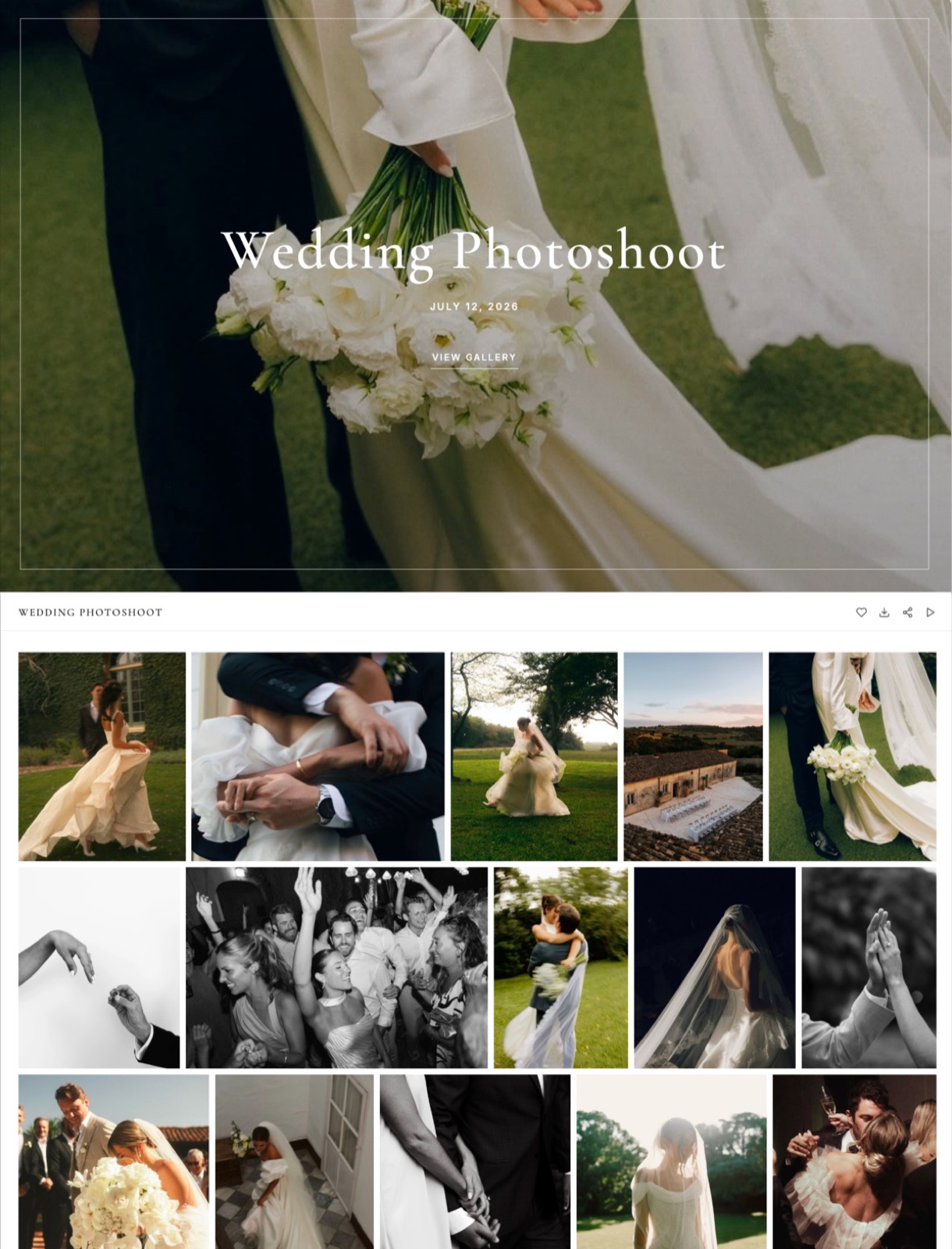
Client galleries. Photos and video share one gallery with one link per shoot, shared by email from Framekit.
Clients heart favourites and filter to them, download the full set or favourites only, and an optional PIN gates downloads. Photos can be watermarked; video never is.
Every gallery feature is on every plan; paid plans add your own domain and uploaded fonts, while a small Made with Framekit line stays in the gallery footer on every plan.
Photo files go up to 100MB, video files from 500MB on Free to 3GB on Business. There is no print ordering, no lab fulfilment, no native mobile gallery app and no client uploads.
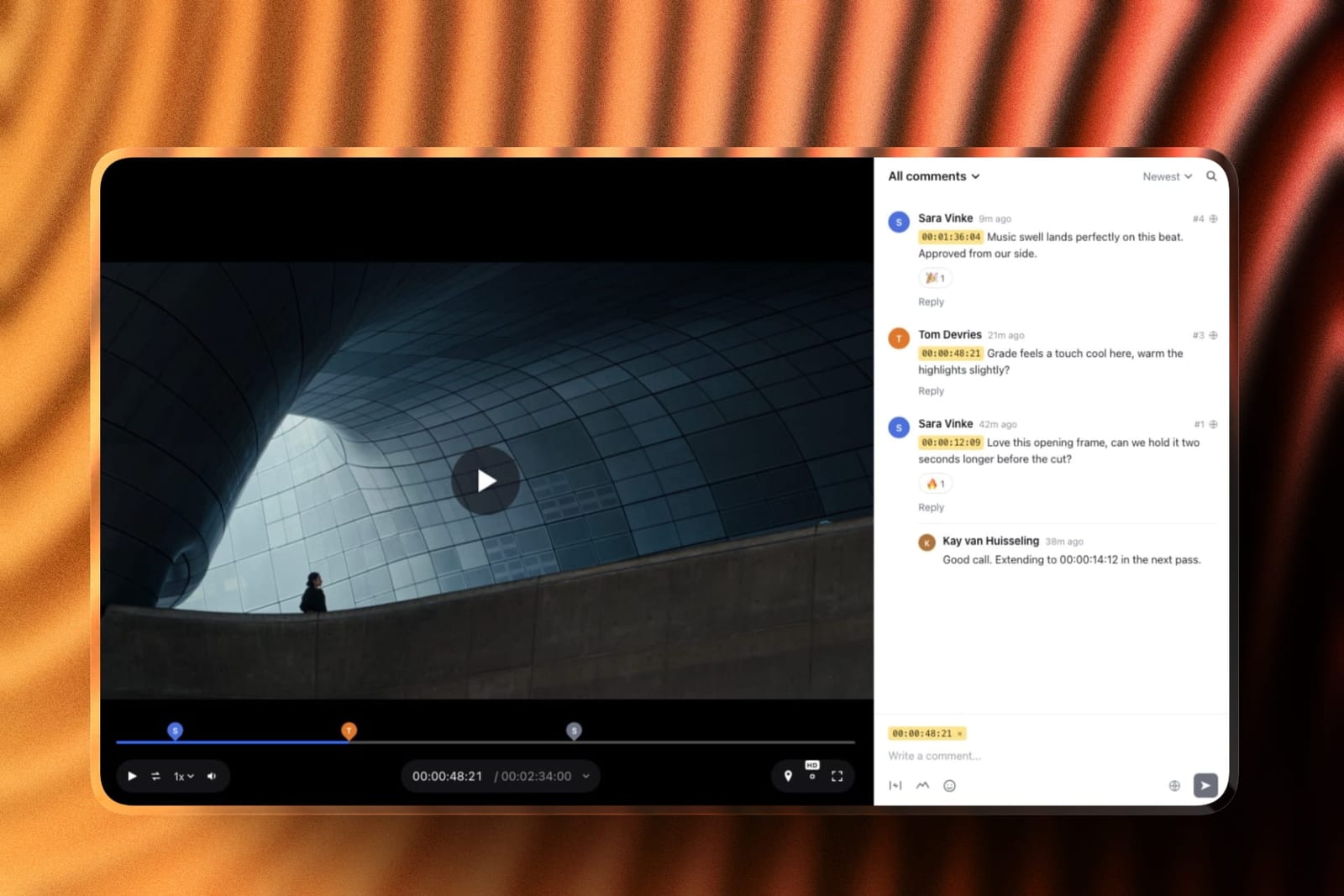
Video review. Upload a cut and the client comments at the exact frame, draws on it and replies, without an account.
Versions stack, so v1 keeps its notes when v2 arrives, and statuses track each round from needs review to approved. Videos can run up to 2 hours; comment attachments open on Pro.
There are no editing-suite panels and no side-by-side version compare.
Slides. Treatments, lookbooks, moodboards and pitch decks from templates made for creative work, with shot lists, storyboards, swatches and type specimens as ready-made elements.
The AI can build a whole deck from a brief: it asks a few quick questions, asks for your real facts, proposes an outline for your approval and then builds the slides with speaker notes, marking anything missing as a placeholder.
Decks are unlimited on every plan and export to PDF.

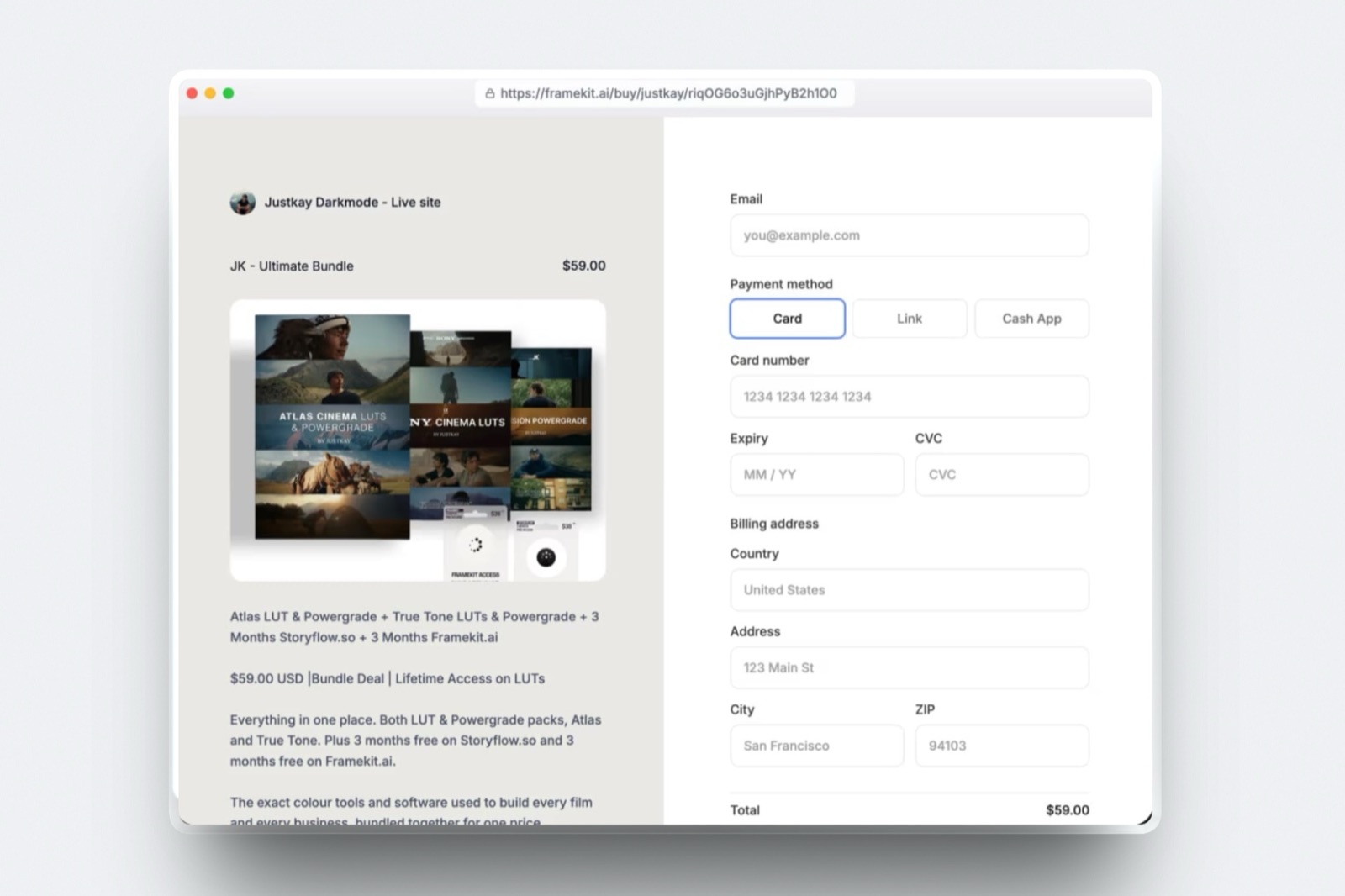
Store. Presets, LUTs, templates and guides sell as instant downloads, with unlimited products on every plan and a buy link that works without a site.
Payment runs through Stripe Connect into your own Stripe account, so you are the merchant of record and handle VAT; checkout is hosted on framekit.ai with your name and logo and a "Powered by Framekit" line.
Plan Limits Side by Side
These are the published limits that decide day-to-day fit for a creative, taken from each vendor's own pricing page and help centre in October 2026, with each row chosen because it is a limit a portfolio, a gallery business or a small studio actually runs into.
| Limit | Framekit Starter / Pro | Squarespace Basic / Core | Framer Basic / Pro | Webflow Basic / Premium |
|---|---|---|---|---|
| Price, billed yearly | $7 / $15 a month | $19 / $29 a month | $10 / $30 a month | $15 / $25 a month |
| Pages | 30 / 200 | Up to 1,000 on Basic | 30 / 150 | Static pages; CMS on Premium |
| Storage or bandwidth | 50GB / 300GB pooled storage | No storage or bandwidth cap stated | 50GB / 100GB bandwidth | 10GB a month on Basic |
| Video on the site | 100MB uploads, plus embeds | 30 minutes / 5 hours hosted | Not listed on the pricing page | Not checked for this guide |
| Client galleries and video review | Every plan | Not offered | Not offered | Not offered |
| Team | 3 website admins on Pro | 2 contributors / unlimited | $20 per extra editor | $39 per full seat |
| Redirects | Not offered | URL mappings | On Pro | On paid site plans |
| Selling | Downloads, 5% / 3% fee | Store 2% / 0%; digital 7% / 5% | No built-in store | Ecommerce plans from $29 |
| AI | Monthly allowance on every plan | 10 one-time / 20 a month credits | 1,000 / 3,000 credits a month | Credits per workspace |
In one lineFramekit is the only plan in the table with galleries and review included, Squarespace the only one with hosted video hours and no storage cap, and Framer and Webflow the two with the deepest design and content controls, so the row you care about most is usually the deciding one.
What You Keep and Lose When You Leave Squarespace
Every Squarespace feature a creative relies on either has a home on the alternative you choose or it does not, and this table maps the ones that matter most to Framekit and to the next-best alternative, so nothing you depend on disappears in the move.
| Squarespace feature | On Framekit | Best alternative if you need it |
|---|---|---|
| Finished templates and a drag-and-drop editor | AI drafts from a brief or screenshot; visual editor | Wix for hand placement |
| Physical products with shipping and tax | Not offered; digital downloads only | Wix Core, or Shopify for a store |
| Digital products and downloads | Store on every plan, 5% to 0% fee | Framekit |
| Courses and memberships | Not offered | Stay on Squarespace |
| Acuity Scheduling for bookings | Not offered; enquiry forms only | Wix Bookings |
| URL mappings for 301 redirects | Not offered | Webflow, Framer Pro or Wix |
| RSS feeds on blogs | Not offered | Webflow CMS collections or Wix |
| Video hosting from 30 minutes to unlimited | 100MB uploads on paid plans, plus embeds | Format Pro Plus for 120 minutes |
| Client galleries with favourites and PINs | Unlimited, every plan | Pixieset if you sell prints |
| Frame-accurate video review | Every plan | Framekit |
In one lineif more than two rows you rely on say "not offered" for Framekit, a different alternative, or staying on Squarespace, is the better call.
Switching From Squarespace to Framekit
Moving from Squarespace to Framekit is a rebuild rather than an import, because neither platform exports a site the other can open, so the work is in carrying over content, URLs and the tools around the site in an order that keeps clients and buyers served throughout.
| Step | What to do | Watch out for |
|---|---|---|
| 1. Inventory | List every page, post, product and form, plus the gallery, review and deck tools you pay for | Pages beyond Framekit's cap for your plan: 10, 30, 200 or unlimited |
| 2. Export content | Run Squarespace's export, which produces a WordPress-format file, and download your original images | Store, portfolio and index pages, product and video blocks and custom CSS are left out |
| 3. Draft the new site | Upload a screenshot of your current homepage for the AI to rebuild, or start from a template | Free plan templates are a starter set; the full library opens on Starter |
| 4. Keep key URLs | Rebuild your top pages at identical slugs | Framekit has no redirect manager, so changed URLs will not forward |
| 5. Move delivery and selling | Recreate live galleries and review rounds; add downloads and connect Stripe | Keep the old gallery tool live until clients have downloaded |
| 6. Point the domain | Connect your domain on Starter or above | A Squarespace-registered domain can stay there or be transferred |
| 7. Overlap, then cancel | Run both for a billing cycle and test forms and checkout | Squarespace plan changes take effect at the end of the billing cycle |
If your Squarespace blog earns most of your search traffic, keep its posts at their existing addresses and accept that any renamed page will break, or choose Webflow, which keeps redirects. How to switch website builders covers the general process.
What Happens After the Move
These are the questions creatives ask in the first month after leaving Squarespace, answered from what each platform publishes, so you can plan for them before a client or a buyer runs into one.
A client has no account. Framekit gallery and review links open without one, and favourites and frame notes work from the link.
A video is too big for the page. Anything over 100MB on a paid Framekit plan goes on the site as a Vimeo or YouTube embed, or into a gallery or review link, where files run up to 3GB.
A buyer loses the download. Framekit's order emails carry links valid for 7 days, buyers can return for their files and you can resend fresh links; updated files are not pushed to past buyers.
You refund a buyer. Framekit's store fee is charged on the post-discount amount and kept on refunds, and Stripe's fee applies on top; on Business the Framekit fee is 0 percent.
Tax on downloads. On Framekit you are the merchant of record through your own Stripe account, so VAT and sales tax are yours; Squarespace Core adds automated tax calculation, which is a real reason to stay for an international seller.
You stop paying. Framekit's free plan is permanent with 10GB on a framekit.ai address; Squarespace has no free plan to fall back to.
Decision Tree: Which Squarespace Alternative Fits Your Work
Work down these questions in order and stop at the first yes, because the question that rules options out fastest for creatives leaving Squarespace is what the site has to sell or book, and design preferences only matter once that is answered.
1. Does your site ship physical products, book appointments or run memberships? If yes, stay on Squarespace, or move to Wix for bookings and apps. If no, go to question 2.
2. Do prints and albums make up a real share of your income? If yes, choose Pixieset for lab-fulfilled print sales at 0 percent commission on paid plans. If no, go to question 3.
3. Do you deliver galleries, send cuts for review, pitch with decks or sell downloads? If yes, Framekit includes all four on every plan, so it is very likely the cheaper and simpler move. If no, go to question 4.
4. Is the site itself your design showpiece? If yes, Framer, or Webflow if a team maintains structured content. If no, go to question 5.
5. Do you already pay for Creative Cloud and need only a portfolio? If yes, Adobe Portfolio. If no, go to question 6.
6. Is the whole site one page? If yes, Carrd at $19 a year; otherwise Framekit or Format for an image-first portfolio.
Frequently Asked Questions
What is the best Squarespace alternative for creatives in 2026?
Framekit is the best Squarespace alternative for creatives in 2026, because one account holds an AI-built portfolio, client galleries, video review, Slides and a download store, from $7 a month billed yearly with your own domain.
Framer is better for designers who want a motion-led canvas, Pixieset for photographers who sell prints, and Wix for creatives whose site runs on bookings and apps.
Is Framekit cheaper than Squarespace?
Yes. Framekit Starter is $84 a year billed yearly with your own domain and 50GB of storage, against $228 a year for Squarespace Basic, and Framekit has a permanent free plan where Squarespace has a 14-day trial.
Once galleries and review are counted, the worked examples above run $216 against $444 for a photographer and $372 against $1,080 for a three-person studio.
Squarespace vs Framer: which is better for a designer?
Framer is better for a designer whose site must demonstrate craft, because its canvas controls layout, breakpoints, scroll effects and interactions more finely than Squarespace's Fluid Engine, from $10 a month billed yearly.
Squarespace is better for a designer who also sells physical products or books clients, with commerce tools and Acuity Scheduling built around its templates.
Can I move my Squarespace site to Framekit automatically?
No. Neither platform exports a site the other can open, so moving is a rebuild. Squarespace's export produces a WordPress-format file that leaves out store, portfolio and index pages, product and video blocks and custom CSS.
On Framekit, uploading a screenshot of your Squarespace homepage lets the AI rebuild its structure as a starting point.
Will I lose SEO if I leave Squarespace for Framekit?
You keep most of it if you rebuild your highest-traffic pages at identical URLs before pointing the domain. Framekit has no redirect manager and robots.txt is not editable, so any renamed page loses its old address.
If a large blog cannot keep its URLs, stay on Squarespace or choose Webflow, which supports 301 redirects.
Does Framekit have client galleries like Pixieset?
Yes. Framekit includes unlimited client galleries on every plan, with photos and video in one gallery, favourites, watermarks on photos and PIN-protected downloads.
Unlike Pixieset, it has no print ordering or lab fulfilment, no native mobile gallery app and no client uploads, so photographers who sell prints should keep Pixieset or choose it instead.
Is Squarespace still worth it for creatives?
Squarespace is still worth it for creatives whose site is mainly a shop for physical products, a booking page or a membership, or who want a large finished template library with little AI.
It is less worth it for creatives who pay separately for galleries, review and a download store, since those three bills often cost more than the site.
Does Framekit meter its AI like Squarespace?
Yes, both meter AI. Squarespace's pricing page lists 10 one-time AI credits on Basic and 20 a month on Core. Every Framekit plan, Free included, carries a monthly AI allowance that grows with the plan, and only AI generation draws on it; editing pages by hand never does.
Which Squarespace alternative has the best templates for photographers?
Framekit and Format are the strongest for photographers: Framekit's templates are built with AI and trained by senior designers and come with client galleries on every plan, while Format's are built specifically for photographers, with a set number of client galleries on each plan.
Pixieset's Website, sold through its Suite, suits photographers who want their site and print store in one place.
Can I sell presets and LUTs on a Squarespace alternative?
Yes. Framekit sells presets and LUTs as instant downloads on every plan, Free included, at a fee of 5% on Free and Starter, 3% on Pro and 0% on Business, with buy links that work without a site.
Squarespace's online-store fee, which also covers downloads such as presets, is 2% on Basic and 0% from Core, while courses and memberships carry 7% on Basic and 5% on Core.
How many people can edit a Framekit site compared with Squarespace?
Framekit Pro includes 3 team members and Business includes unlimited, and they are website admins only; galleries, reviews and decks stay with the account owner. Squarespace Basic allows 2 contributors and Core and up allow unlimited.
A three-person team fits Framekit Pro at $15 a month billed yearly or Squarespace Core at $29.
What is the cheapest Squarespace alternative with a custom domain?
Carrd is the cheapest at $19 a year on Pro Standard for one-page sites, and Framekit Starter is the cheapest multi-page alternative here at $84 a year billed yearly, with 50GB of storage. Adobe Portfolio adds a custom domain at no extra cost if you already pay for Creative Cloud.
Squarespace or Framekit for a filmmaker: which is better?
Squarespace is better for a filmmaker who wants long films hosted on the site itself, with 5 hours of video on Core.
Framekit is better for a filmmaker who sends cuts for client notes and delivers finished films, because frame-accurate review and video galleries are on every plan, though its site pages cap uploads at 100MB, so the reel is an embed.
What happens to my Framekit site if I stop paying?
Framekit's free plan is permanent, so the site falls back to a framekit.ai address with a Framekit badge, 10 pages and 10GB of pooled storage, without a custom domain. Archive large galleries before downgrading.
Squarespace has no free plan, so a lapsed Squarespace site goes offline instead.
Final Verdict: The Best Squarespace Alternative for Creatives in 2026
Framekit is the best Squarespace alternative for creatives in 2026, because it replaces the gallery, review, deck and store subscriptions that sit beside a Squarespace site, not only the site itself, so a photographer pays $216 a year on Framekit Pro against $444 for Squarespace plus Pixieset, and a three-person studio pays $372 against $1,080.
Where Framekit loses is everything Squarespace does beyond creative work. It does not sell physical products, has no scheduling or memberships, does not manage redirects or publish RSS, and does not host long video on the page.
A creative whose site is a shop or a booking desk is a better fit staying on Squarespace or moving to Wix, a print-led photographer is a better fit for Pixieset, and a designer's showpiece is a better fit for Framer.
The test that settles it costs nothing: rebuild your Squarespace homepage on Framekit's free plan from a screenshot this week, and deliver one real client gallery from it before your next renewal.
Related readingFramekit vs Squarespace, the best Squarespace alternatives for photographers, the best AI website builders for creatives, the best Wix alternatives and Framer vs Squarespace.