Framekit templates
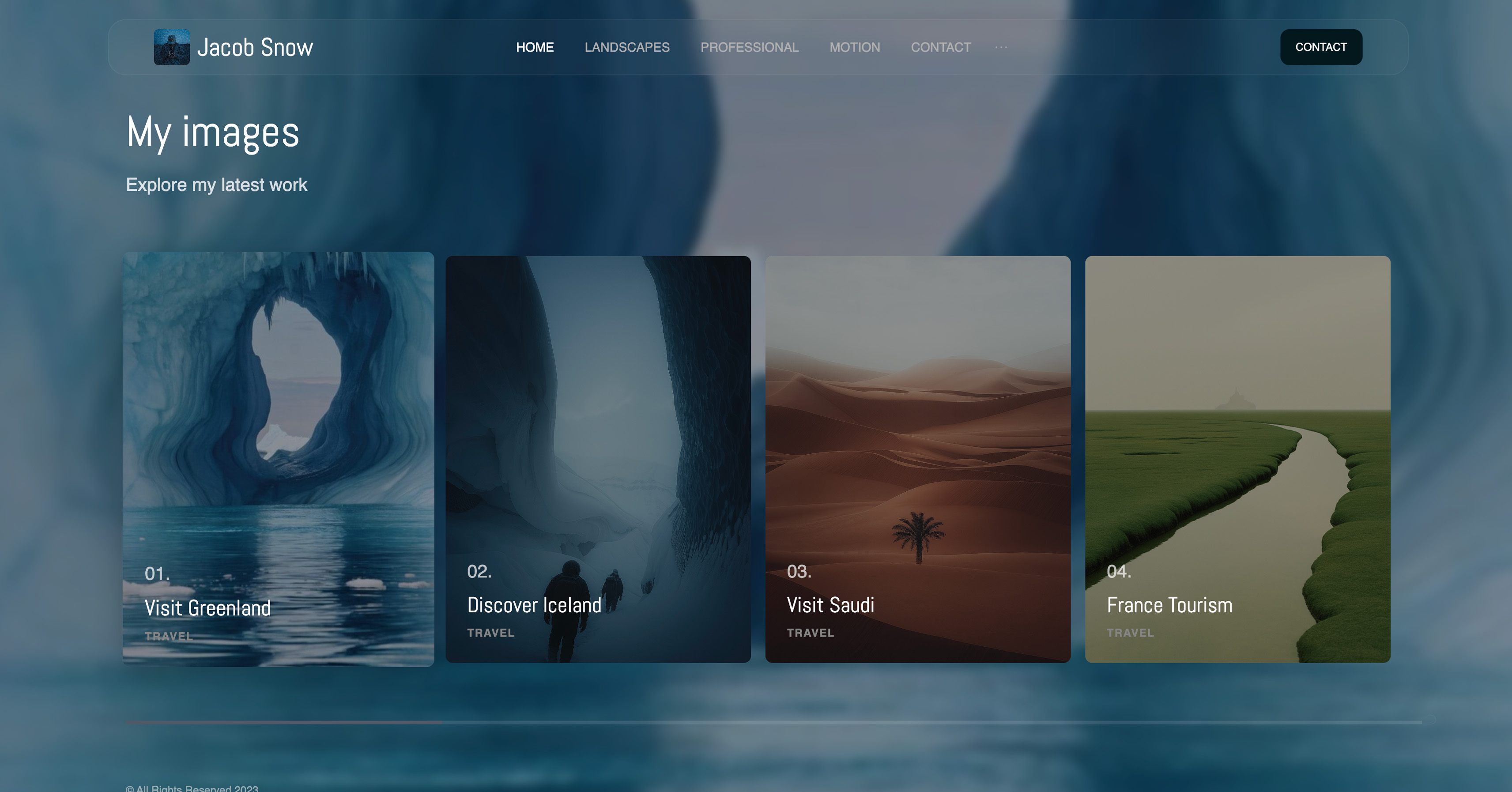
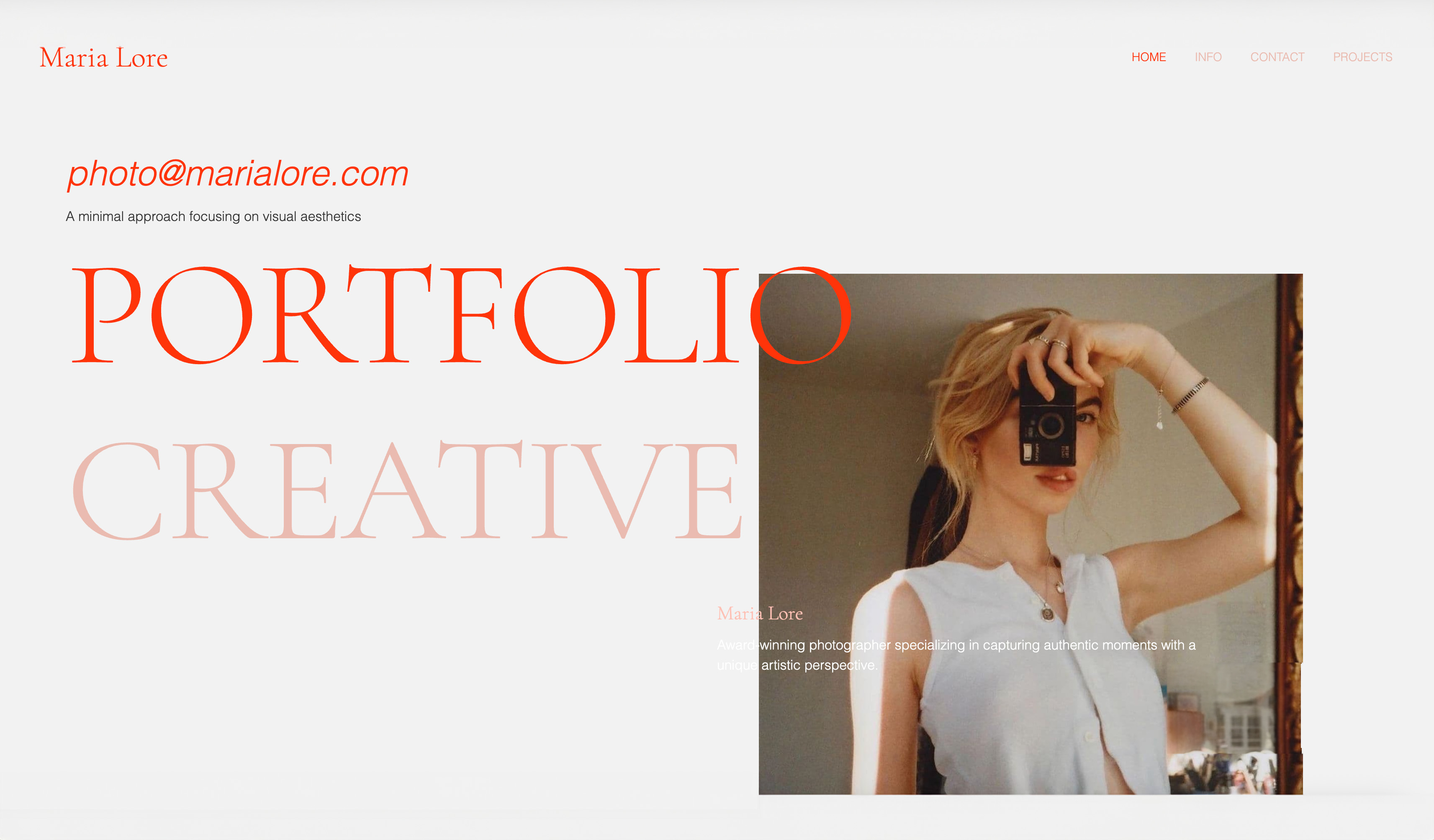
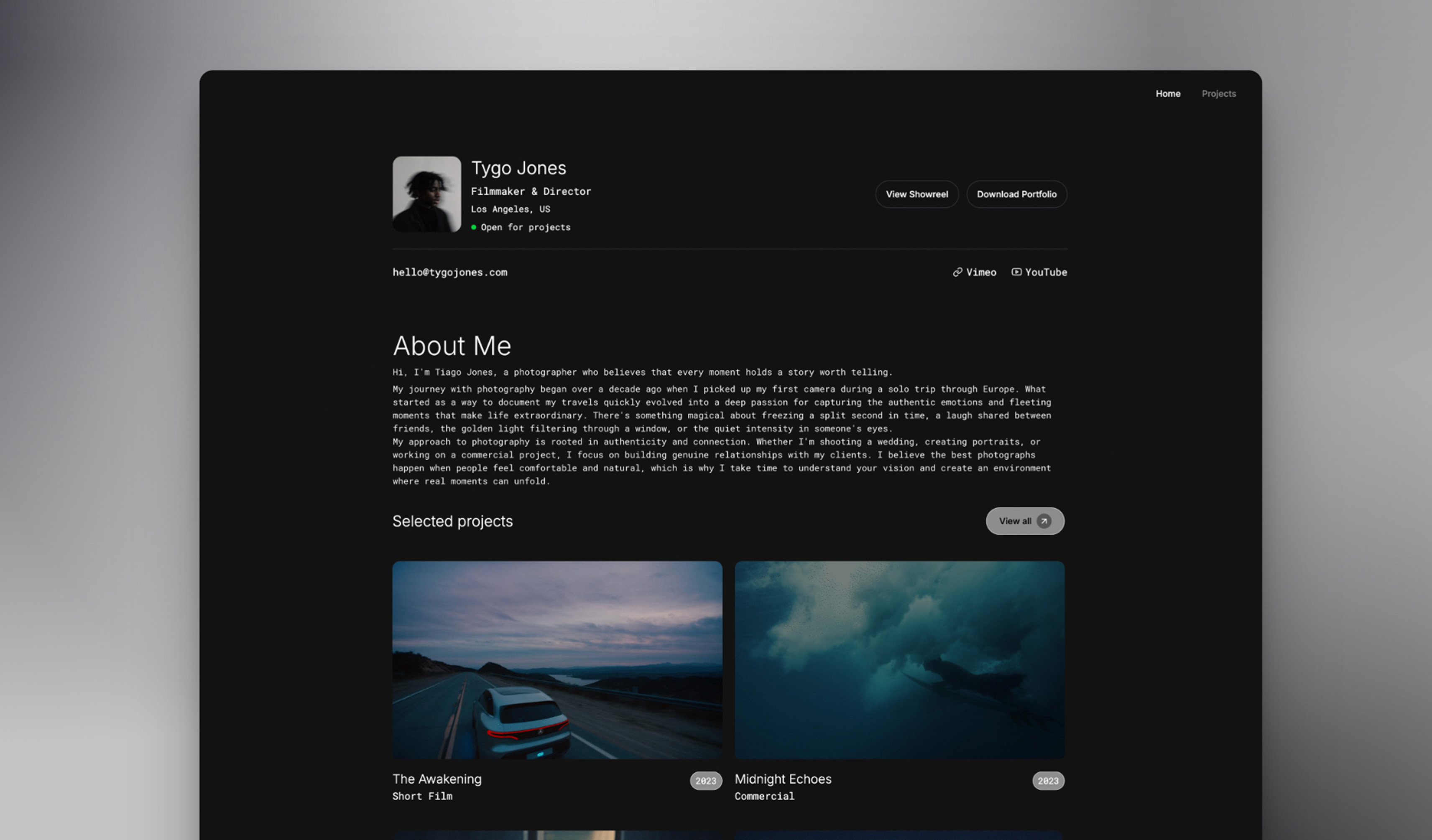
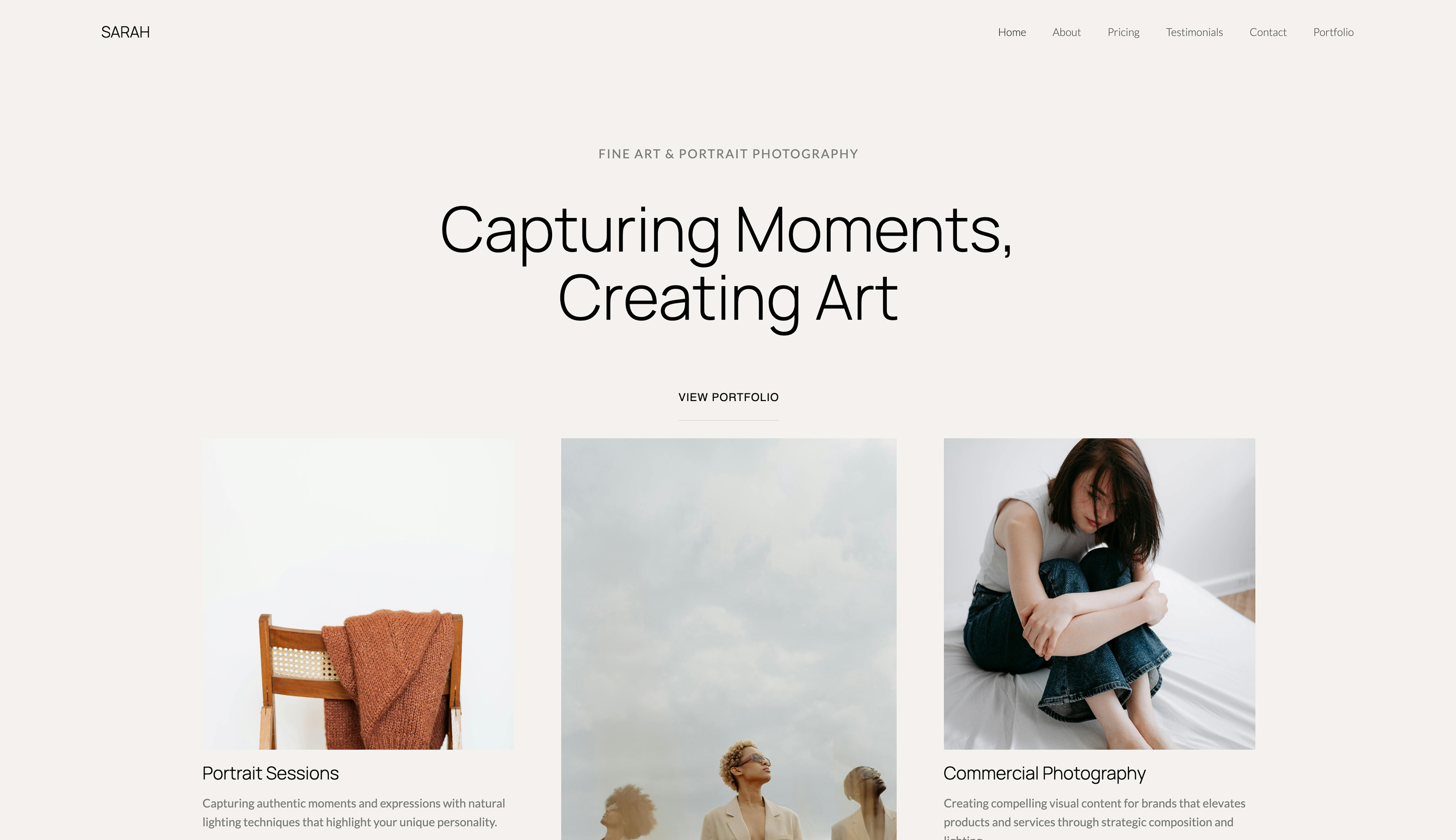
Start from a designer-made template
 Use template
 Use template
 Use template
 Use template
 Use template
 Use template
 Use template
 Use template
A couple finds you on a Sunday night, opens your website on a phone, scrolls three galleries and sends an enquiry before they close the tab.
Seven months later you deliver 640 edited frames and a four-minute film, and they come back to the same link twice to download again. The website builder you choose touches both of those moments, and most rankings only judge the first one.
That is why the best website builders for photographers in 2026 are not the same list as the best website builders in general.
A photographer's site has to show image-heavy work well on a phone, but the business around it also delivers private galleries, collects favourites for an album, sometimes sends a film for approval, and sometimes sells prints or presets.
Each of those jobs either lives in the same account as the site or becomes another subscription.
A website builder for photographers is a hosted platform that turns a portfolio, an about page and an enquiry form into a public website without code, and in 2026 the better ones also deliver client galleries from the same account so the site and the delivery share one login and one bill.
Framekit is the best website builder for photographers whose income is session fees and digital delivery, because one account holds an AI-built portfolio, unlimited client galleries for photos and video, video review, Slides and a preset store, with 300GB of pooled storage on Pro at $15 a month billed yearly.
Pixieset is the better pick if prints and albums are real revenue, Squarespace if you sell physical products or need scheduling, SmugMug for an unlimited JPEG archive, Zenfolio for print and volume work at a flat 7% fee, and Adobe Portfolio if you already pay for Creative Cloud.
Full disclosure: Framekit is our product and it is ranked first, so read this as a claim to check. Every competitor price, storage cap and fee was read on the vendor's own page in October 2026, and this guide says plainly that Pixieset, Zenfolio and SmugMug sell prints through labs and Framekit does not, and that SmugMug's unlimited JPEG storage has no Framekit equivalent.
Updated for October 2026: every price and storage figure was re-verified at the source on 12 October, the claim that we had built the same site on all ten platforms was removed because no record of that test exists, the Pixpa and Format plan names were corrected, and the galleries, video review, Slides and store a photographer gets inside a Framekit account were added.
A later pass corrected the branding line: Starter removes the badge from the website only, and client galleries carry a small Made with Framekit footer credit on every plan.
How This Photographer Ranking Was Built
This ranking rests on what each platform publishes about its own plans, plus three worked photographers whose costs you can recalculate with your own numbers, because storage caps, print commissions and gallery limits are what decide a photography business's bill over three years.
Read at the source. Plan prices, storage, video allowances, commissions and gallery limits come from each vendor's own pricing page or help centre in October 2026, linked inline where the page answered.
Pixpa's pricing page showed its plan limits but not its prices to our automated read, so no Pixpa price appears below.
Calculated. Three photographers carry through the money section: a portrait photographer with about 40GB of galleries online and $1,000 a year of preset sales, a wedding photographer with about 150GB online and $2,000 of preset sales, and a three-person hybrid studio that sends films for client review and sells $5,000 of LUTs.
Not claimed. The July version said we had built a photography site on all ten platforms with the same twelve images; we cannot document that, so it is gone, along with every speed claim.
Framekit's own capabilities are described from what ships today on the plan named, including what it does not do.
Photography Website Builders by the Numbers
These six figures shape a sensible choice more than any feature grid, because each is a constraint that decides whether a given platform still fits once a busy season of galleries has piled up.
- 6 of 10 platforms here deliver client galleries alongside the website: Framekit, Pixieset through its Suite, Zenfolio, SmugMug, Pixpa and Format, which caps the number of galleries by plan.
- 3 of 10 sell prints with lab fulfilment: Pixieset, Zenfolio and SmugMug. Framekit is not one of them.
- 10GB is Framekit's free storage, shared by the site, galleries and review, against 3GB on Pixieset's free plan.
- 7% is Zenfolio's flat commerce fee on every print, self-fulfilled and digital order, on top of card processing.
- 30 minutes of HD video is what Pixieset Basic holds, because it meters video in hours rather than gigabytes.
- $444 a year is SmugMug Pro, the plan its feature grid lists for client favouriting.
The Ten Builders at a Glance
The table below is the ranking in compressed form, and the two columns that settle most photographers' choice are whether galleries come with the site and whether the platform sells prints, because those two answers decide whether you need a second subscription.
| Rank | Builder | Client galleries with the site | Print lab sales | Free plan | Entry price with your domain, yearly |
|---|---|---|---|---|---|
| 1 | Framekit | Yes, unlimited on every plan | No | Yes, 10GB | $7 a month (Starter) |
| 2 | Pixieset | Yes, website through Suite | Yes, 0% commission on paid plans | Galleries only, 3GB | Suite from $28 a month |
| 3 | Squarespace | No | Physical products, no lab | No, 14-day trial | $19 a month (Basic) |
| 4 | Zenfolio | Yes | Yes, flat 7% fee | No, trial | $7 a month (Basic, cannot sell) |
| 5 | SmugMug | Yes, favouriting on Pro | Yes | No, 14-day trial | $20 a month (Direct) |
| 6 | Format | Yes, capped by plan | Store from Pro, commission-free, you fulfil prints | No | $10 a month (Basic, no store) |
| 7 | Wix | No, Photo Albums closed to new sites | Physical products from Core | Yes, 500MB | $17 a month (Light) |
| 8 | Pixpa | Yes | Store, 0% commission | Not established | Not published to our read |
| 9 | Adobe Portfolio | No | No | Included with Creative Cloud | $0 extra with a plan |
| 10 | Webflow | No | Ecommerce plans only | Yes, 2 pages | $15 a month (Basic) |
In one lineOnly Framekit puts client galleries, a free plan and a custom-domain site under $10 a month in one account, and only Pixieset, Zenfolio and SmugMug turn a gallery into a print shop, which is the fork most photographers should decide on first.
How the Ranking Is Weighted, and Where Framekit Loses Points
The rubric is published so you can reweight it: the website itself (25 percent), client delivery in the same account (25 percent), three-year cost for a working photographer (20 percent), selling (15 percent) and storage headroom (15 percent).
| Criterion | Weight | Leader | Framekit's place |
|---|---|---|---|
| The website: drafting, design, editing | 25% | Framekit, with Squarespace and Webflow close on design control | 1st |
| Client delivery in the same account | 25% | Framekit and Pixieset | 1st, tied |
| Three-year cost for a working photographer | 20% | Framekit on our three examples; Zenfolio for stills only | 1st on our examples, 2nd for a stills-only season |
| Selling: prints, products and downloads | 15% | Pixieset, then Zenfolio and SmugMug | 5th, downloads only |
| Storage headroom | 15% | SmugMug, unlimited JPEGs | 4th, capped at 2TB |
Selling is where the house pick scores worst. Framekit sells presets, LUTs and other downloads, but it has no print ordering, no price sheets and no lab fulfilment, so Pixieset, Zenfolio and SmugMug all beat it on a print-led business.
Storage is the second weak row: Framekit tops out at 2TB on Business, while SmugMug stores unlimited full-resolution JPEGs from $240 a year.
Client delivery carries 25 percent, which favours Framekit and Pixieset, because a separate gallery service is the single largest extra bill a photographer on a general builder pays, and it renews every year.
If selling were weighted at 35 percent and delivery at 10, Pixieset would take first place and Framekit would drop to third, behind Zenfolio.
1. Framekit: Best Overall Website Builder for Photographers

Framekit is an AI website builder that also delivers client galleries for photos and video, runs video review, builds pricing guides and lookbooks in Slides and sells presets from a download store, so a photographer's portfolio, delivery, approvals and product sales sit in one account with one storage pool.
What working in it feels like. You describe your work, or upload a screenshot of a photographer's site whose structure you like, and the AI drafts the sections, writes the copy and applies one theme of colours and fonts.
Templates were built with AI and trained by senior designers, and every block stays editable by hand.
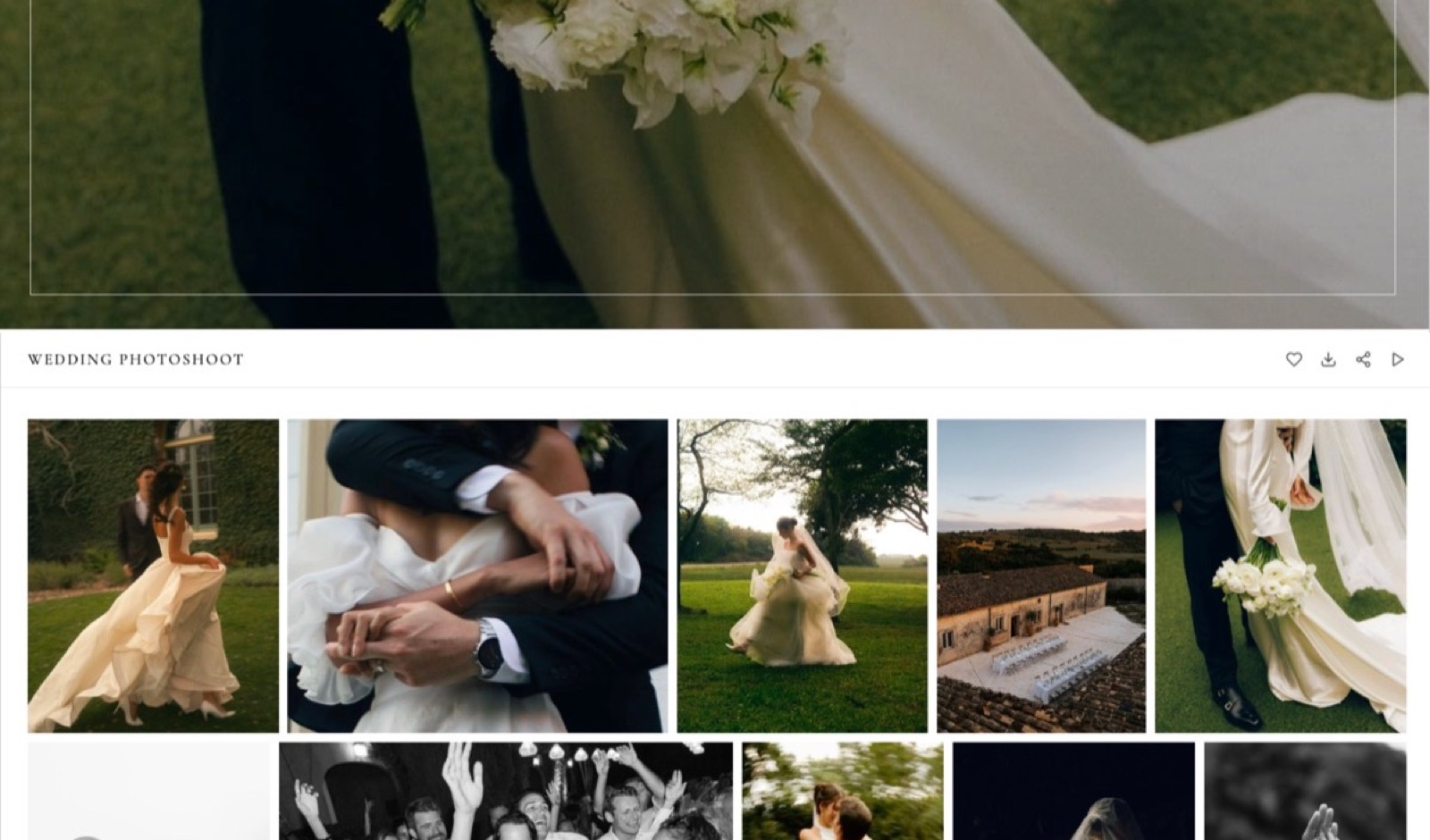
When a client books, the same dashboard opens a gallery: upload the set, share one link, and the client taps a heart on favourites, filters to them for album picks, and downloads the full set or only favourites, behind an optional PIN.
Photos can be watermarked; video in the same gallery never is.
The number that matters$15 a month billed yearly on Pro buys 300GB of storage pooled across the site, galleries and review, 150GB of which can be video, plus a 3% fee on preset sales.
The free plan is permanent with 10GB and every gallery feature; Starter is $7 a month yearly with 50GB, your own domain and no Framekit badge on the site, though galleries keep a small Made with Framekit footer line on every plan; Business is $31 a month yearly with 2TB and a 0% store fee.
The detail nobody writesgalleries are unlimited on every plan, and every gallery feature is on every plan, Free included.
Most gallery platforms ration either the number of galleries or the features, such as favouriting on SmugMug's Pro plan, so a photographer on a budget gets proofing on Framekit's free plan that elsewhere starts at $444 a year.
The gotcha that bites in Auguststorage is capped and shared, and the cap is what forces an upgrade. Ten weddings of 800 frames at 10MB each is about 80GB, which outgrows Starter's 50GB, and a gallery photo can be at most 100MB.
There is no print ordering, no lab fulfilment, no native mobile gallery app and no client uploads into a gallery.
On the site side, there is no redirect manager, no RSS feed and no editable robots.txt, and site video uploads stop at 100MB on paid plans, so a long film on a page is a Vimeo or YouTube embed.
Skip it ifprints, albums or wall art make up a real share of your income, you need a bottomless archive of every frame you have ever shot, or you run school and volume work with student lookups.
Pixieset, SmugMug and Zenfolio are each built for one of those, and the reviews below say which.
Verdict: the best website builder for photographers who are paid for the session and deliver digitally, because the site, the gallery and the preset store cost less together on Framekit Pro than a general builder plus a gallery service, and the free plan is good enough to deliver real client work before you pay anything.
2. Pixieset: Best if Galleries and Print Sales Come First
Pixieset is where most photographers first meet client galleries, and it remains the strongest pick here for a photographer whose income includes prints and albums, because its integrated store sends orders to a pro lab with automatic fulfilment and takes 0 percent commission on every paid plan.
Pixieset's pricing page, re-checked in October 2026, lists Client Gallery plans at $8 a month billed yearly for 10GB on Basic, $16 for 100GB on Plus, $24 for 1TB on Pro and $40 for unlimited photo storage on Ultimate, with a free 3GB plan that takes 15 percent commission on store sales.
The Suite, which adds Pixieset Website and Studio Manager for invoices, contracts and booking, costs $28, $38 or $55 a month billed yearly.
The real numbervideo is metered in hours, not gigabytes. Basic holds 30 minutes of HD video, Plus 1 hour, Pro 2 hours in 4K and Ultimate 5 hours, with extra hours at $5 a month, so a hybrid wedding shooter keeps buying time.
The gotchathe website is a companion to the galleries, sold through Suite rather than included in every gallery plan, and there is no frame-accurate video review.
Skip it ifyou sell no prints and the website is where you win bookings; you would be paying for a print engine you never use.
Verdict: the right home for a print-led portrait or wedding business, and a strong gallery even if you build the site elsewhere. Framekit vs Pixieset prices a full hybrid year on both.
3. Squarespace: Best for Template-Led Sites That Sell Physical Prints

Squarespace is the safest general builder for a photographer who ships framed prints or books from the studio, or who wants appointment booking through Acuity Scheduling, because its finished templates and commerce tools cover a small business well even though it has no client-proofing gallery.
Its pricing page and Help Center, read on 12 October 2026, list Basic at $19 a month billed yearly or $25 monthly and Core at $29 a month billed yearly, after a 14-day free trial with no permanent free plan.
The online-store fee is 2 percent on Basic and 0 percent from Core, and Core adds shipping labels, carrier rates and automated tax calculation. Video hosting runs from 30 minutes on Basic to 5 hours on Core.
The real number$228 a year for Basic is only part of the bill, because Squarespace's galleries display work and do not deliver a private set with favourites and download PINs, so most Squarespace photographers add a gallery service on top.
Verdict: a sound choice for a photographer whose site is also a shop for physical products, and an expensive one once a gallery service is added beside it. Framekit vs Squarespace for photographers works through three photographers' full bills.
4. Zenfolio: Best for Print and Volume Work on One Bill
Zenfolio puts a template website, client galleries and a mature print-sales engine into one subscription, and it adds QR and volume workflows that suit sports and school photographers, which no other platform in this list matches as completely.
Zenfolio's plans, read in October 2026, run Basic at $7 a month billed yearly with 15GB and no selling, Professional at $11.50 a month billed yearly ($23 monthly) with 150GB for photos and video combined, and Advanced at $20 a month billed yearly ($40 monthly) with unlimited JPEG storage, 150GB of 4K video and booking included.
Its help article on selling fees sets a flat 7 percent commerce fee on print, self-fulfilled and digital orders, with card processing on top.
The real numberon $5,000 a year of print and album orders, that 7 percent is $350, and it never disappears however much you sell.
The gotchathe yearly prices look promotional; Zenfolio's FAQ describes Professional's $11.50 as 50 percent off the $23 monthly rate, so budget for the monthly figure if the discount lapses.
Verdict: the most complete single bill for a volume or print-led photographer who accepts a permanent 7 percent. Framekit vs Zenfolio covers the hybrid wedding case.
5. SmugMug: Best for an Unlimited Photo Archive
SmugMug is the archival heavyweight, because every plan stores unlimited full-resolution JPEGs, which for a photographer with fifteen years of work and no wish to curate it down is a position nothing else here matches.
SmugMug's plans page, read in October 2026, lists Direct at $20 a month billed yearly, Portfolio at $23.50 and Pro at $37, which is $240, $282 and $444 a year, after a 14-day free trial.
Selling and watermarks start on Portfolio, client favouriting and download limits on Pro, and RAW storage is an add-on at $10 a month for up to 1TB, then $6 a month for each additional terabyte.
SmugMug also keeps a share of each print sale's profit; its help centre blocked our automated read, so check that rate in your account.
The gotchaclient proofing with favourites costs $444 a year, and the templates feel a generation behind the design-led builders above.
Verdict: the pick when the archive is the asset, and a costly delivery desk if favourites are all you need. Framekit vs SmugMug shows a split setup that uses SmugMug for the archive and Framekit for delivery.
6. Format: Best Cheap Image-First Portfolio With Proofing
Format is a portfolio builder made for photographers, and its pricing page in October 2026 listed Basic at $10 a month billed annually ($14 monthly) with 70 high-resolution images, Pro at $12 ($24 monthly) with 1,500 images, 100GB of image storage, 15 minutes of hosted video and 50 client galleries, and Pro Plus at $15 ($36 monthly) with unlimited images, 1TB, 120 minutes of video and 250 client galleries.
The commission-free store starts on Pro with up to 15 products (1,000 on Pro Plus), Basic has no store, and the $12 and $15 rates are a first-year offer against regular yearly rates of $17 and $26.
The page contradicted itself on Basic's gallery count and on password protection, so confirm both before relying on them. Verdict: good value for a clean image-first portfolio with light proofing, and capped by its image counts on the cheaper tiers; Framekit vs Format compares the two directly.
7. Wix: Best for Photographers Who Run on Apps and Bookings
Wix suits a photographer whose site is also a booking desk, because Wix Bookings and an App Market of more than 800 apps cover scheduling, forms and marketing, and its plans page in October 2026 listed Light at $17 a month billed yearly with 2GB, Core at $29 with 50GB and eCommerce, and Business at $39 with 100GB.
The catch for photographers is delivery: Wix closed its Photo Albums app to new sites in April 2024, so client galleries mean a third-party app or service, and Light's 2GB fills quickly with full-resolution work. Verdict: a strong small-business platform and a thin photography one unless you add a gallery tool; Framekit vs Wix prices that addition.
8. Pixpa: Best Budget All-in-One With Galleries and a Store
Pixpa combines a portfolio site, client galleries and a store in one plan, and its pricing page in October 2026 showed four tiers, Basic, Creator, Professional and Advanced, with 3GB, 5GB, 25GB and 100GB of original-file storage, 3, 10, 25 and unlimited gallery links, and 0 percent commission on sales, though its prices did not load for our automated read, so check them on the page.
The earlier version of this guide used Pixpa plan names that no longer exist. Verdict: a sensible budget bundle for a photographer with modest storage needs, and tight once a wedding season needs more than 100GB.
9. Adobe Portfolio: Best Free Site if You Already Pay Adobe
Adobe Portfolio is included with Creative Cloud plans, including the Photography plans, according to Adobe's Portfolio FAQ, so a photographer already paying for Lightroom has a clean portfolio site and a custom domain at no extra cost.
It sells nothing and delivers nothing: there are no client galleries, no store and no print sales, and the site exists only while the subscription does, so dropping Creative Cloud takes the website with it. Verdict: the best zero-extra-cost portfolio for Creative Cloud subscribers who take enquiries by email; Framekit vs Adobe Portfolio covers the move when you need galleries.
10. Webflow: Best for a Studio That Wants a Custom Build
Webflow gives a photography studio with a designer on staff near-total control over layout, interactions and a CMS, and its pricing page in October 2026 listed Basic at $15 a month billed yearly without a CMS and Premium at $25 with 20,000 CMS items, plus workspace seats at $39 a month for a full seat.
It has no client galleries, no proofing and no print sales, and its learning curve is steep for a solo photographer. Verdict: the right tool for a studio commissioning a custom site, and the wrong one for a photographer who wants to be live and delivering this week.
What One Framekit Account Does for a Photographer
A photographer on Framekit runs five jobs from one account that share one storage pool, the website, client galleries, video review, Slides and a download store, and this section shows each one with the limits that apply so you can judge where it fits your week.
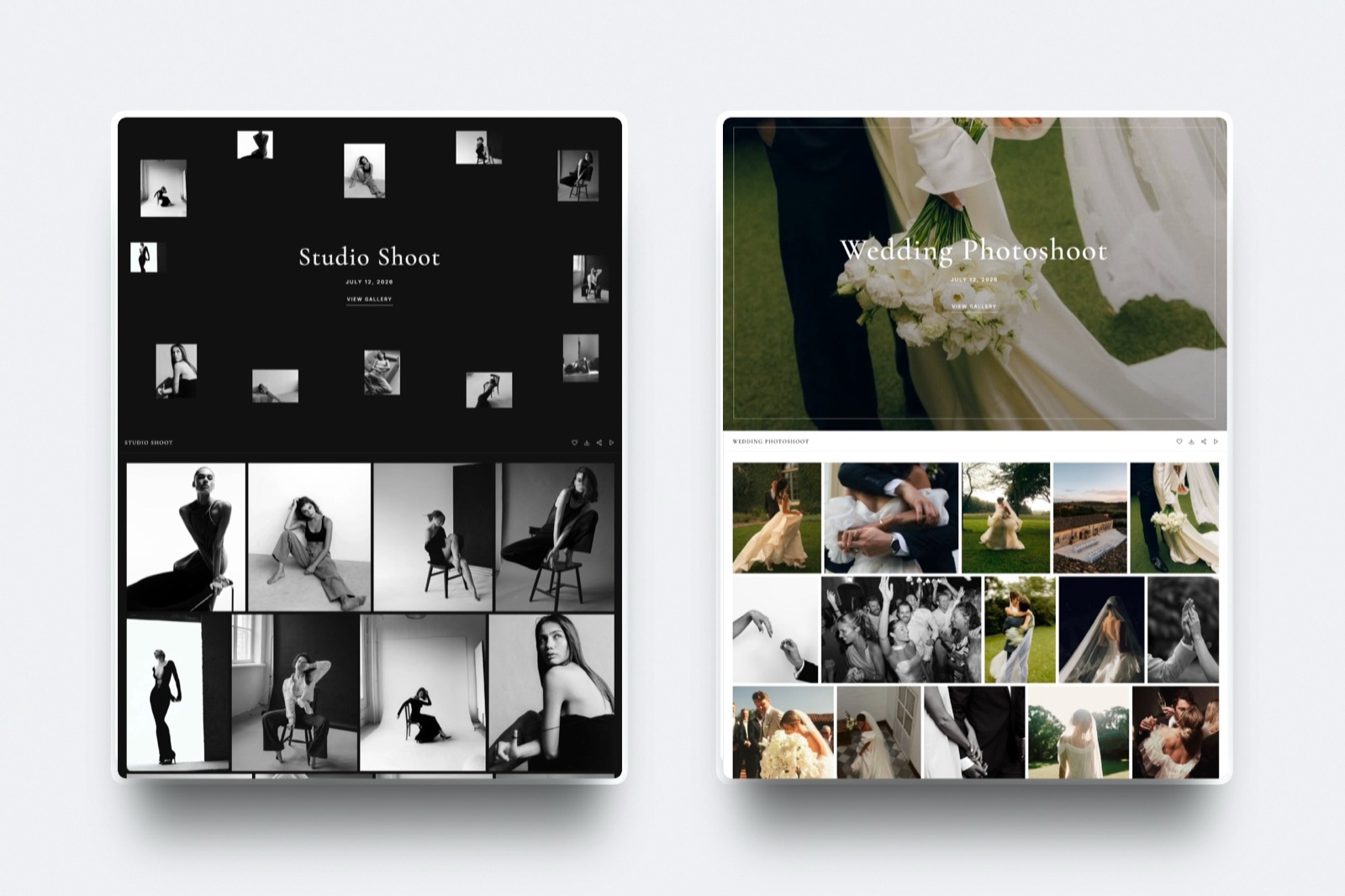
Client galleries. One share link per shoot, photos and video together, shared by email from Framekit.
Clients heart favourites and filter to them, download the full set or only favourites, and an optional PIN gates downloads.
Watermarks apply to photos, cover layouts and styles set the first impression, and on paid plans galleries sit on your own domain with your own fonts, while a small Made with Framekit line stays in the gallery footer on every plan.
Photo files go up to 100MB each; video files up to 500MB on Free, 1GB on Starter, 2GB on Pro and 3GB on Business.
If you deliver prints, read the best print fulfilment options first, because Framekit galleries do not take print orders.
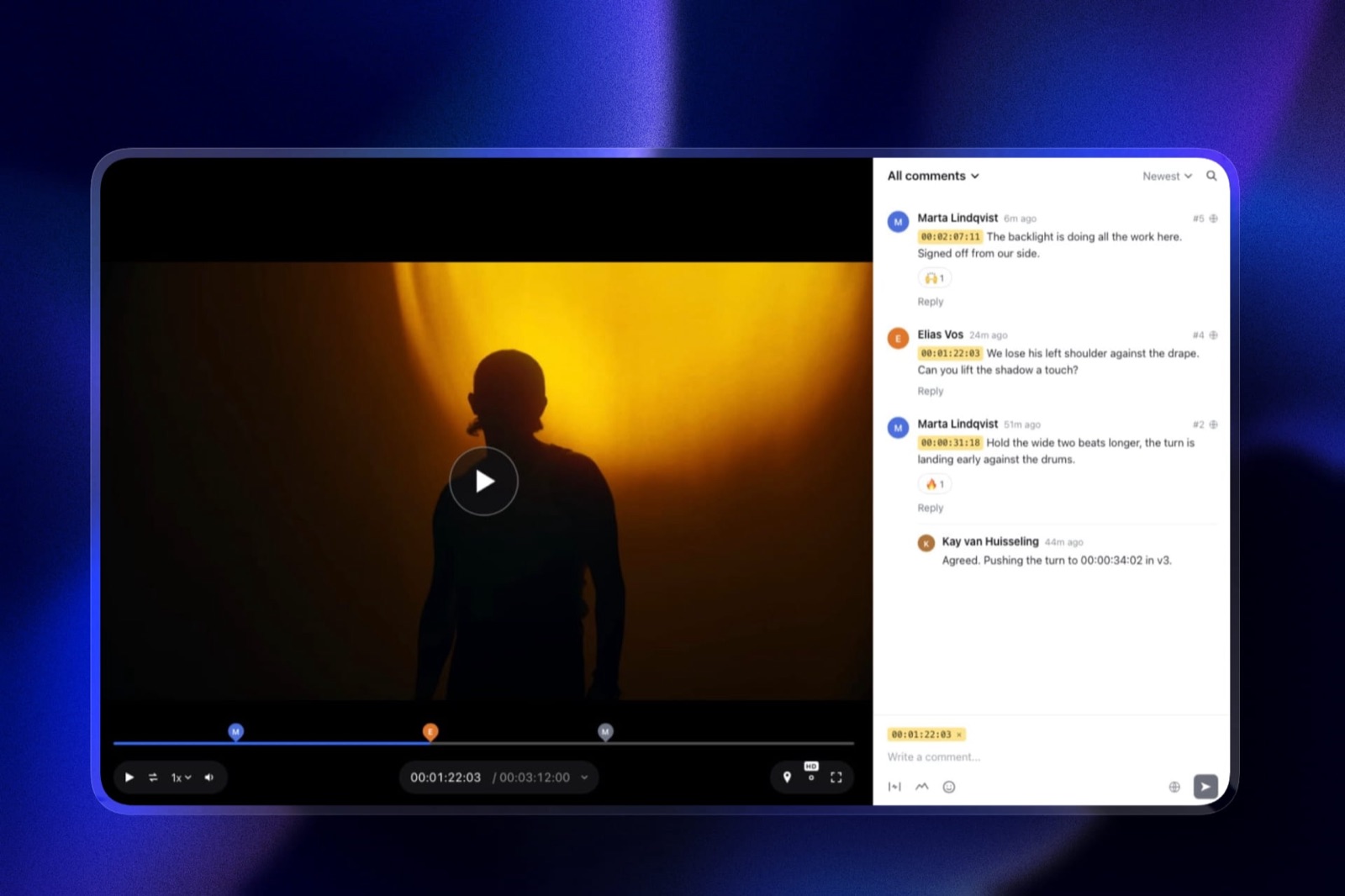
Video review for hybrid shooters. Upload a wedding film or a brand video, send a review link, and the client comments at the exact frame, draws on it and replies, without an account.
Upload a second version and the first keeps its notes; mark each round needs review, in progress, approved or needs changes. Every review feature is on every plan, for videos up to 2 hours.
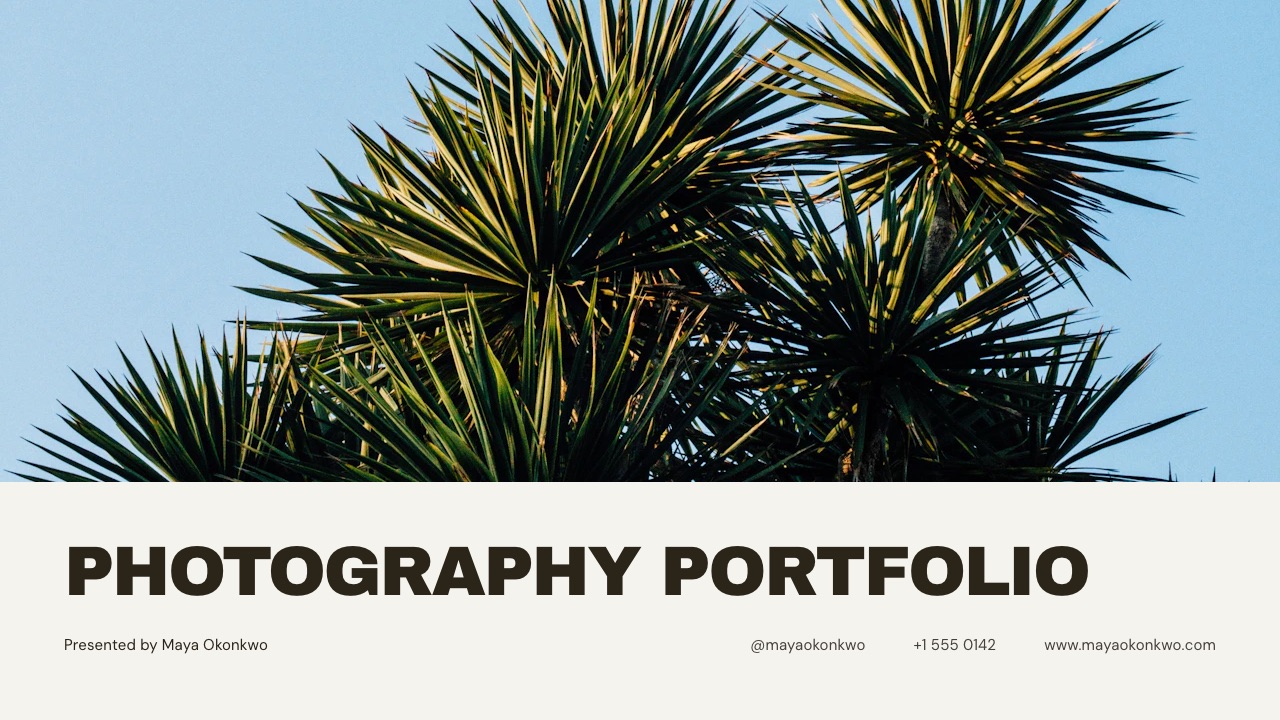
Slides for pricing guides and lookbooks. Framekit Slides builds portfolio books, lookbooks, proposals and pricing guides from templates made for creative work.
Describe the deck and the AI asks a few quick questions, proposes a titled outline for your approval, then builds the slides with speaker notes, marking anything you did not supply as a placeholder rather than inventing it.
Decks are unlimited on every plan and export to PDF; free decks show a "Made with Framekit" badge on the link.
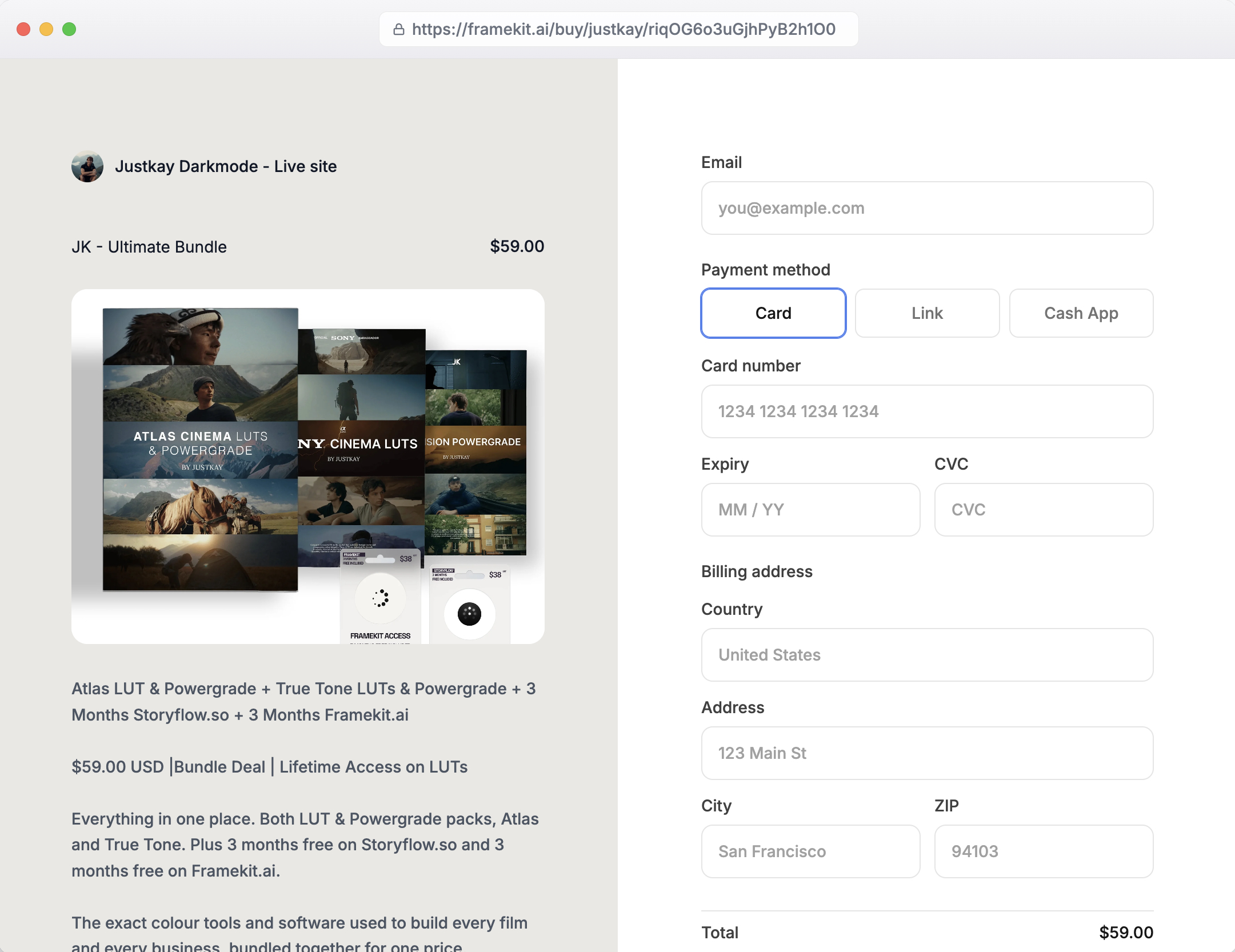
A store for presets. Sell Lightroom presets, LUTs and guides as instant downloads with unlimited products on every plan, through a buy link that works without a site.
Payments go through Stripe Connect into your own Stripe account, so you are the merchant of record and handle VAT yourself, and checkout is hosted on framekit.ai with your name and logo and a "Powered by Framekit" line.
What a Photography Website Costs in Year One and by Year Three
Framekit is the cheaper setup for all three photographers below, by about $300 a year for a portrait photographer and about $800 a year for a hybrid studio, and almost all of the difference is the gallery and review services a general builder needs beside it.
Assumptions: yearly billing at US prices read in October 2026, prices held flat for three years, card processing excluded.
Squarespace includes a domain for the first year on annual plans; Framekit connects a domain registered anywhere, so add that fee to Framekit's rows from year one.
| Photographer | Framekit setup | Framekit year one | Framekit by year three | General-builder setup | That setup, year one | By year three |
|---|---|---|---|---|---|---|
| Portrait, about 40GB of galleries, $1,000 of preset sales | Starter, 50GB ($84), plus 5% fee ($50) | $134 | $402 | Squarespace Basic ($228) plus 2% fee ($20) plus Pixieset Plus, 100GB ($192) | $440 | $1,320 |
| Wedding, about 150GB of galleries, $2,000 of preset sales | Pro, 300GB ($180), plus 3% fee ($60) | $240 | $720 | Squarespace Basic ($228) plus 2% fee ($40) plus Pixieset Pro, 1TB ($288) | $556 | $1,668 |
| Hybrid studio of 3, client film review, $5,000 of LUT sales | Business, 2TB ($372), 0% fee | $372 | $1,116 | Squarespace Core ($348) plus Pixieset Pro ($288) plus Frame.io Pro for 3 ($540) | $1,176 | $3,528 |
Frame.io's $540 is its Pro plan at $15 per member a month on monthly billing, per its pricing page; it says annual billing saves 13 percent, which brings that line to roughly $470. Pixieset Pro is the cheapest Pixieset plan that fits 150GB, because Plus stops at 100GB.
Three honest footnotes. Pixieset sells prints and Framekit does not, so a photographer with steady print orders should count that income before switching.
Zenfolio Professional at $138 a year holds a stills-only 150GB season for less than Framekit Pro, and sells prints on top.
And Framekit Pro lets up to 150GB of its 300GB be video, so a studio whose galleries are mostly film belongs on Business with 750GB of video.
One more for the studio row: Framekit team members are website admins only, and galleries, reviews and decks belong to the account owner, so one person uploads every gallery and cut while colleagues comment from the review link like any client.
Run it yourselfadd up the gigabytes of galleries you keep online, the gallery and review services you pay for beside your site, and last year's preset sales times your Framekit plan's fee. If the services cost more than the step to Framekit Pro, the move pays for itself in year one.
If Prints Are Your Income: What Each Platform Keeps
Print revenue changes the ranking more than any other single number, because three of these platforms turn a gallery into a lab-fulfilled shop and the others cannot sell a print at all, so this table runs the same $5,000 print year through each one.
| Platform | Can it sell lab-fulfilled prints? | Platform fee on $5,000 of print orders | Notes |
|---|---|---|---|
| Pixieset paid plans | Yes | $0 commission | Free plan takes 15% on store sales |
| Zenfolio Professional or Advanced | Yes | $350 at a flat 7% | Card processing on top |
| SmugMug Portfolio or Pro | Yes | A share of profit, rate in your account | Help centre blocked our read |
| Squarespace Basic | Physical products you fulfil yourself | $100 at the 2% store fee | 0% from Core |
| Format Pro or Pro Plus | Physical products you fulfil yourself | $0, the store is commission-free | No store on Basic; 15 products on Pro |
| Framekit | No | Not applicable | Sells digital downloads only |
In one lineif a $5,000 print year is real for you, Pixieset's paid plans keep the most of it, Zenfolio keeps $350, and Framekit keeps nothing only because it cannot take the order in the first place, which is a trade-off rather than a saving.
Gallery Storage and Video Limits Side by Side
These are the published limits that decide whether a platform still fits after a full season, taken from each vendor's own page in October 2026 and chosen because they are the limits a working photographer meets first.
| Platform | Free storage | Paid storage ladder | Video in client galleries | Cheapest plan that holds a 150GB season |
|---|---|---|---|---|
| Framekit | 10GB pooled | 50GB, 300GB, 2TB pooled | Every plan, 500MB to 3GB per file | Pro, $180 a year |
| Pixieset | 3GB | 10GB, 100GB, 1TB, unlimited photos | 30 min, 1 hr, 2 hrs, 5 hrs by plan | Pro, $288 a year |
| Zenfolio | No free plan | 15GB, 150GB, unlimited JPEG | HD on Basic and Professional, 4K on Advanced | Professional, $138 a year |
| SmugMug | No free plan | Unlimited JPEG on every plan | Video terms not published to our read | Direct, $240 a year |
| Format | No free plan | 100GB on Pro, 1TB on Pro Plus | 15 or 120 minutes hosted | Pro Plus, $180 a year |
| Pixpa | Not established | 3GB, 5GB, 25GB, 100GB | Not listed on its pricing page | None, tops out at 100GB |
A wedding of 800 edited frames at 10MB each is about 8GB, so a 3GB free plan holds none of them and Framekit's 10GB free pool holds one with room for the site.
For a full season, how much storage photographers need works the numbers by genre.
What Happens When Something Goes Sideways
These are the situations that catch photographers in the first busy season on a new platform, answered from what each vendor publishes, so you can plan for them before a client is waiting on a download.
Storage fills mid-season. On Framekit, storage is pooled, so archiving an old gallery frees room for the next one, and the next plan up is 50GB, 300GB or 2TB. On Pixieset, video fills by the hour and extra hours are $5 a month.
A client has no account. Framekit gallery and review links open without a Framekit account, and favourites and frame notes work from the link.
A film is bigger than the cap. Framekit's per-file video cap is 500MB on Free, 1GB on Starter, 2GB on Pro and 3GB on Business, so a long 4K wedding film may need a lighter export or a higher plan.
On the website itself, anything over 100MB is a Vimeo or YouTube embed.
A preset buyer loses the download. Framekit's order emails carry links valid for 7 days, buyers can return for their files, and you can resend fresh links; updated files are not pushed to past buyers.
You refund a buyer. Framekit's store fee is charged on the post-discount amount and is kept on refunds, with Stripe's processing fee on top.
You stop paying. Framekit's free plan is permanent, so the account and galleries drop to 10GB on the framekit.ai address with the site badge back on, and links on your own domain, gallery links included, stop working; archive large galleries first.
Squarespace, Zenfolio and SmugMug have trials rather than free plans to fall back to.
How to Choose a Photography Website Builder: A Decision Tree
Work down these questions in order and stop at the first yes, because for photographers the question that rules platforms out fastest is how you make money, and design preferences only matter once that is settled.
1.
Are prints, albums or wall art a real share of your income? If yes, choose Pixieset for 0 percent commission on paid plans, Zenfolio for site, galleries and prints on one bill at a flat 7 percent, or SmugMug if an unlimited archive matters most.
If no, go to question 2.
2. Do you shoot school, sports or volume events with student or athlete lookups? If yes, Zenfolio's volume workflows fit; Framekit has none. If no, go to question 3.
3. Do you deliver client galleries, and sometimes films? If yes, Framekit includes galleries for photos and video and frame-accurate review on every plan, so it is very likely the cheaper and simpler choice. If no, go to question 4.
4. Do you sell physical products you ship yourself, or need appointment booking? If yes, Squarespace or Wix. If no, go to question 5.
5. Do you already pay for Creative Cloud and only need a portfolio? If yes, Adobe Portfolio costs nothing extra. If no, go to question 6.
6. Do you want the site drafted for you or built by hand? Drafted from a brief or a screenshot: Framekit. Built by a designer with full control: Webflow.
Frequently Asked Questions
What is the best website builder for photographers in 2026?
Framekit is the best website builder for photographers in 2026 if your income is session fees and digital delivery, because one account holds an AI-built portfolio, unlimited client galleries for photos and video, video review, Slides and a preset store, with 300GB of pooled storage on Pro at $15 a month yearly.
Pixieset is better if prints and albums are real revenue, and SmugMug if you need an unlimited JPEG archive.
Framekit vs Pixieset for photographers: which is better?
Framekit is better for photographers paid for the session who deliver digitally, especially with video, because every gallery feature is on every plan, video is measured in gigabytes rather than hours, and the website, review and store share one account.
Pixieset is better if you sell prints, since its paid plans send orders to a pro lab at 0% commission and include native mobile gallery apps.
Does Framekit sell prints?
No. Framekit sells digital downloads only, such as presets, LUTs and guides, and its client galleries have no print ordering, price sheets or lab fulfilment.
Photographers who earn from prints should use Pixieset, Zenfolio or SmugMug for that part of the business, or keep a print-capable gallery beside a Framekit site.
Do photographers need a separate client gallery platform?
Only if the website builder lacks galleries. Framekit includes unlimited client galleries on every plan, and Pixieset, Zenfolio, SmugMug, Format and Pixpa bundle galleries with a site in some form.
Squarespace, Wix, Webflow and Adobe Portfolio do not, so photographers on those usually add a service such as Pixieset Plus at $192 a year for 100GB.
How much does a photography website cost per year?
A photography website costs $0 to about $350 a year for the site alone, and more once galleries are added. Framekit's free plan publishes a real site, Starter is $84 a year with your domain, and Squarespace Basic is $228.
Add a gallery service to a general builder and a working photographer's bill reaches $440 to $560 a year on our worked examples.
Which photography platform has the most storage?
SmugMug stores unlimited full-resolution JPEGs on every plan from $240 a year, and Pixieset Ultimate offers unlimited photo storage at $40 a month billed yearly.
Framekit's largest plan, Business, holds 2TB pooled across site, galleries and review, with 750GB of that available for video, so it is not an archive for a career's worth of RAW files.
Can I deliver wedding films in the same gallery as the photos?
Yes on Framekit, where photos and videos share one gallery and one link on every plan, with per-file video caps of 500MB on Free up to 3GB on Business and no watermark on video.
Pixieset also holds video in galleries but meters it in hours, from 30 minutes on Basic to 5 hours on Ultimate, with extra hours at $5 a month.
Is Squarespace good for photographers?
Squarespace is good for photographers who sell physical products or need booking, with polished templates from $19 a month billed yearly, but it has no client-proofing gallery with favourites and download PINs.
Most Squarespace photographers add Pixieset or a similar service, which is why the combined bill on our worked examples runs $440 to $556 a year.
What is the cheapest website builder for photographers with client galleries?
Framekit is the cheapest, because its free plan includes unlimited client galleries with favourites, watermarks and PIN-protected downloads on 10GB of storage, and Starter adds your own domain and 50GB for $84 a year.
Zenfolio Basic is $84 a year billed yearly with 15GB but cannot sell, and Pixieset's free gallery plan has 3GB and a 15% store commission.
Can I sell Lightroom presets from my photography website?
Yes. Framekit's store sells presets as instant downloads on every plan, with a fee of 5% on Free and Starter, 3% on Pro and 0% on Business, and a buy link that works without a site.
You are the merchant of record through your own Stripe account, so VAT and sales tax are yours to handle.
What happens to my client galleries if I cancel Framekit?
The account falls back to the permanent free plan with 10GB of pooled storage, a framekit.ai address and the Framekit site badge, so galleries within that limit stay available at the framekit.ai address, while any links you shared on your custom domain stop working.
Download or archive larger galleries before downgrading, since anything over 10GB will not fit the free plan.
Is Adobe Portfolio enough for a professional photographer?
Adobe Portfolio is enough if you only need a clean portfolio and take enquiries by email, since it is included with Creative Cloud plans at no extra cost.
It has no client galleries, no store and no print sales, and the site disappears if the subscription lapses, so working photographers who deliver to clients usually need a second tool.
Does SmugMug take a commission on print sales?
SmugMug keeps a share of the profit on each print sale, which its help centre spells out, but that page blocked our automated read in October 2026, so the exact rate is not quoted here.
Selling starts on its Portfolio plan at $282 a year billed yearly, and client favouriting on Pro at $444 a year.
The Best Website Builders for Photographers in 2026: Final Verdict
Framekit is the best website builder for photographers in 2026 who are paid for the session and deliver digitally, because the AI-built portfolio, unlimited galleries for photos and film, frame-accurate review, Slides and a preset store share one account, and a wedding photographer pays $240 a year on Framekit Pro against $556 for Squarespace plus Pixieset.
Where Framekit loses is prints and archives.
It does not sell prints, has no lab fulfilment and no volume or school workflows, and its storage stops at 2TB, so a print-led business is a better fit for Pixieset or Zenfolio and a career archive is a better fit for SmugMug.
It also has no redirect manager or RSS feed, which matters if you are moving a long-running photography blog.
The fair test is free: rebuild your homepage on Framekit's free plan this week and deliver one real client gallery from it before you decide.
Related readingthe best client gallery platforms, the best free website builders for photographers, the best website builders for wedding photographers, is Squarespace worth it for photographers and the best Pixieset alternatives.