Framekit templates
Start from a designer-made template
 Use template
 Use template
 Use template
 Use template
 Use template
 Use template
 Use template
 Use template
Boarding a commercial is two jobs pretending to be one. The first is working out the sequence, which is thinking.
The second is producing thirty-two panels a client can follow, with timings, dialogue and camera notes attached, which is production.
Most people choose their tool for the first job and then discover they bought the wrong one for the second.
The tell is always the same: you can draw the whole thing in an afternoon and cannot get it out as something a client will watch.
Storyboard software is a tool that turns a sequence of shots into ordered panels with shot descriptions, camera directions and timings, and in most cases assembles them into an animatic so a client can see the pacing rather than imagine it.
The best storyboard software in 2026 is Boords, because it takes you from panels to a timed animatic with client comments, version history and password protection in one place, and you do not need to draw; the trade-off is price, now $26 a month billed yearly on Solo.
StudioBinder is the pick when boards feed a whole production, Toon Boom Storyboard Pro is the standard for animation, and Storyboarder is still free for anyone who can draw, though it has not had a stable release since 2020.
Framekit Slides ranks seventh: a good place for a frame-assembled board inside a treatment or pitch deck, with no drawing tools, no panel timing and no animatic.
Full disclosure: Framekit is our own product and it ranks seventh here, behind six tools that do the core boarding job better. Its storyboard rows, shot cards and coverage grid lay out frames you import inside a deck; they do not draw, time or play back panels, and decks take no comments. Those three gaps sit on criteria this guide weights at 60 percent, so we have not moved it up.
Every vendor price below was re-verified on 12 October 2026 where the vendor's page answered an automated read, and the biggest change since our last pass is Boords, whose entry plan rose from the $7.99 a month this guide used to quote to $26 a month billed yearly.
How This Storyboard Software Ranking Was Put Together
This ranking compares eleven tools on the job a director or producer boarding a sixty-second commercial actually does, and it rests on each vendor's own pricing and product pages rather than on timed builds we could not substantiate.
The carried job. A sixty-second commercial in about thirty-two panels, with camera moves noted on nine of them, dialogue on six, timings throughout, and one revision round after client comments, boarded by someone who can sketch stick figures at best.
The weights. Animatic output 25 percent, usability without drawing skill 25 percent, client review 20 percent, drawing quality for those who can 15 percent, and cost 15 percent.
The first two carry half the score because the dominant user in this category is a director who cannot draw and needs a client to understand pacing.
What changed. Earlier versions of this page described boarding the same commercial in ten tools and timing each revision round. We could not substantiate those measurements, so the timed tables and counts have been removed.
Capabilities now come from vendor documentation, prices from vendor pricing pages read in October 2026, and Framekit is described from what it ships, with no hands-on test claimed.
What is labelled. StudioBinder's and Toon Boom's pricing pages did not render prices to our automated read, so their figures are the August 2026 reading and are marked as such. Canva's page refused the read entirely.
Storyboarding in 2026 by the Numbers
These six figures, read from vendor pages in October 2026, shape the choice more than any feature grid, because each one is a constraint you hit within the first job on a tool.
- $312 a year is Boords Solo billed yearly, $26 a month, or $39 month to month; the free plan holds 5 active storyboards.
- $0 is Storyboarder, open source, with six drawing tools, timing fields and export to Premiere, Final Cut, Avid, PDF and animated GIF.
- 2020 is the year of Storyboarder's last stable release on GitHub, v2.1.0, with a 3.0 pre-release in February 2021 and nothing since.
- $9.99 a month is Plot Solo, with Pro at $14.99 for five collaborators and Business at $19.99 for unlimited.
- $12.99 is Procreate on the App Store, once, for the drawing half of the job only.
- 0 is the number of drawing tools, panel timings or animatic playback features in Framekit Slides; its storyboard elements hold a frame and a caption.
The 11 Best Storyboard Software Tools in 2026 Compared
The comparison table is the argument in compressed form, and the two columns that decide most purchases are animatic and client review, because those are where boarding time and client confusion actually go.
| Tool | Best for | Animatic | Usable without drawing | Client comments | Cost a year |
|---|---|---|---|---|---|
| Boords | Directors and agencies | Yes, animatic editor | Yes, image import and AI images | Yes, unlimited guests | $312 (Solo, yearly) |
| StudioBinder | Boards inside a production | Not verified in October | Yes | Yes, in the workspace | From about $348 (August reading) |
| Toon Boom Storyboard Pro | Animation production | Yes, with audio | No | Via a review tool | About $252 (August reading) |
| Milanote | Reference-built boards | No | Yes | Yes, shared boards | $0 to $119.88 |
| Plot | Light collaborative boarding | Not documented | Partly, simple drawing | Yes | From $119.88 |
| Storyboarder | Anyone who can draw, free | Yes, exports to editors | Partly | No | $0 |
| Framekit Slides | Boards inside a treatment deck | No | Yes, frames you import | No, link and PDF only | $0 to $84 |
| Canva | Presentable boards, no drawing | No storyboard animatic | Yes | Yes | Page refused our read |
| Procreate | Hand-drawn panels on iPad | No | No | No | $12.99 once |
| Figma | Boards beside design work | No | Partly | Yes | $0 to $192 |
| StoryboardThat | Quick non-film boards | No | Yes, stock characters | Teams plan | $1 first month, then published rate |
In one lineOnly Boords combines a real animatic, non-drawing panel building and client comments in one product, which is why it leads, and Framekit's three gaps are in the three columns this table puts first.
Framekit's visible sub-top marks are animatic (none), client comments (none) and drawing (none).
Its strong marks are usability without drawing, since storyboard rows are built from frames you import or describe, and cost, since the free plan has unlimited decks.
If one constraint decides it for you, jump to the decision tree.
What Each Tool Does in the Revision Round
Revisions are where storyboarding time actually goes on commercial work, and the difference between tools is mostly how client feedback arrives and whether the board, the comments and the old version stay together.
| Tool | How client feedback arrives | Who can join the review |
|---|---|---|
| Boords | Comments on frames, with version history and an optional password | Unlimited guest commenters on paid plans |
| Plot | Comments, and collaborators can edit directly | 5 collaborators on Pro, unlimited on Business |
| Figma | Comment threads in the browser | Viewers and commenters need no seat on paid plans |
| Milanote, Canva | Comments on the shared board or design | Anyone you share the link or invite with |
| StudioBinder | Inside the production workspace | Not verified in October |
| Storyboarder, Procreate | Email listing panel numbers | Not applicable, local files |
| Framekit Slides | Email for the board; frame comments once the animatic is in Framekit's video review | The deck link opens without an account; no password, but the link can be reset |
In one lineIf the client's notes arrive as an email listing panel numbers, the revision round costs more than any subscription in this guide, so pick a tool whose comments sit on the frame.
Framekit belongs in the email row for the board itself, because slides take no comments.
Its route out of that row is the animatic: once you have cut one in Boords, Storyboarder or an editor, the same Framekit account runs video review, where a client leaves notes at the exact frame and v2 stacks on v1 without losing the earlier notes.
1. Boords: Best Overall for Directors and Agencies
Boords is the best storyboard software for most people boarding commercials because everything about it is arranged around a director who cannot draw and needs a client to understand the sequence by Thursday: panels from images, structured shot fields, an animatic editor and comments on the frame.
Best fordirectors, agencies and production companies boarding commercials, music videos and branded content on deadlines.
Boords' pricing page lists the parts that matter on every paid plan: an animatic editor with automatic voiceover timing, client review and comments with unlimited guest commenting, real-time collaboration, version history, password protection and PDF exports.
Solo also includes 250 AI images a month, which is the shortcut for a director with no illustrator.
The real numberSolo is $26 a month billed yearly, $312 a year, or $39 month to month for a single user. Pro is $50 a month yearly for up to 5 users, Team $85 for up to 10 and Agency $165 for up to 30. The free plan allows 5 active storyboards and 3 active scripts.
The standout detailguest commenting is unlimited, so a client, an agency producer and a brand manager can all leave notes on frame 14 without anyone buying a seat.
The gotchait is no longer the cheap option. At $312 a year it costs more than Plot Solo and Framekit Starter combined, and a director boarding two jobs a year should price the month-to-month plan instead.
Skip it ifyou are a storyboard artist who draws every panel, or you need boards to flow into schedules and call sheets.
Verdict: the best storyboard software for people who need boards rather than drawings, which is most of this market, now at a price that assumes you board often. Our storyboarding software comparison priced by AI images looks at how its AI image allowance compares with other tools.
2. StudioBinder: Best When Boards Feed a Production
StudioBinder's argument is continuity: the board becomes the shot list, which becomes the schedule, which becomes the call sheet, with the same shots carrying the same numbers through all of it, which saves a production company more time than any boarding feature.
Best forproduction companies where the board is the first document in a chain that ends at a call sheet.
For a freelance director boarding one commercial, it is a lot of platform to carry, and the boarding half is not clearly better than tools that cost less.
The real numberStudioBinder's pricing page did not render prices to our automated read in October 2026. In August it listed plans from about $29 a month, roughly $348 a year; confirm the current figure before budgeting.
The standout detailshot lists, schedules and call sheets in the same system as the board, so a change to shot 12 does not have to be retyped into three other documents.
The gotchayou are buying a production platform to solve a boarding problem. If scheduling already runs elsewhere, most of what you pay for sits unused.
Skip it ifyou are a freelance director rather than a company.
Verdict: a production decision that includes storyboards, and excellent as that. Judge it on the whole chain, and see the best shot list software if the shot list is the real need.
3. Toon Boom Storyboard Pro: Best for Animation
Storyboard Pro is the industry standard in animation, with real keyframed camera moves, layered professional drawing tools and output that feeds an animation pipeline, and nothing else here is close for that work.
Best foranimation studios and professional storyboard artists working into an animation pipeline.
It is also the least approachable tool in this comparison. A director who cannot draw will not produce a usable board in it, which is not a criticism; it is the product's intended audience.
The real numberToon Boom's store did not render prices to our automated read in October 2026. In August it listed about $252 a year on an annual subscription; check the store for your region.
The standout detailcamera moves are camera moves, keyframed rather than annotated with arrows, so the animatic shows the push-in rather than describing it.
The gotchait assumes drawing ability throughout, with no image-driven path for a non-drawing director.
Skip it ifyou board live action and cannot draw.
Verdict: the correct answer for animation and the wrong one for almost everything else here. Video review tools for animation studios covers what happens after the animatic.
4. Milanote: Best Reference-Built Boards
A great many commercial boards are not drawn at all; they are assembled from a frame of a reference film, a location photograph and a diagram of a camera move, and Milanote is a strong canvas for that method because it puts no structure on you.
Best fordirectors who board by assembling references, especially at the pitching stage.
What it will not do is produce an animatic or attach timings in a structured way, so the board stops where a client wants to see pacing.
The real numberMilanote's plans page lists a free plan with 100 notes, images or links and 10 file uploads, and a paid plan at $9.99 per person a month billed annually or $12.50 monthly, with unlimited uploads.
Ten uploads is fewer than a thirty-two-panel board needs.
The standout detailimages, video, notes and links sit side by side on one board, so the reference that inspired panel 9 lives next to panel 9.
The gotchano timing model and no animatic, so a client sees a sequence without pacing.
Skip it ifthe client needs to see timing, which on any broadcast or online spot they eventually will.
Verdict: the best place to work out a sequence from references and rarely the place it should finish. The best mood board tools comparison shows where it fits the wider workflow.
5. Plot: Best Light Collaborative Boarding
Plot is a lighter take on the boarding job, aimed at video teams who want script, frames, comments and a clean export without the weight of a production platform.
Best forsmall video teams boarding short-form and branded content together.
Plot's own site describes writing a script, adding visuals with simple drawing, sharing with colleagues and clients who can comment and edit, and downloading a formatted storyboard.
We did not find an animatic feature described on its pages, so it is not credited with one here; earlier versions of this guide said otherwise.
The real numberPlot's pricing page lists Solo at $9.99 a month with no collaborators, Pro at $14.99 with 5 collaborators and Business at $19.99 with unlimited collaborators, after a 14-day free trial.
The standout detailcollaborators can edit as well as comment, so a producer can fix a caption rather than describe the fix.
The gotchaits own comparison says it is not for complex brushes, highly customised layouts or branded exports, or for working offline.
Skip it ifyou need an animatic from the same tool.
Verdict: a competent, inexpensive collaborative boarding tool; try the trial against a real job and confirm how you will produce the animatic.
6. Storyboarder: Best Free Tool for Anyone Who Can Draw
Storyboarder is free, open source and genuinely capable for someone who can draw: six drawing tools, dialogue, action, timing and shot-type fields, and animatics you can show to others or export to an editor.
Best forstudents, independent filmmakers and artists who can draw and will not pay a subscription.
Wonder Unit's Storyboarder page lists the workflow: draw a board, add the next, enter dialogue and timing, edit in Photoshop when you need more control, print worksheets and import paper boards from a phone photo, then export to Premiere, Final Cut, Avid, PDF or animated GIF.
The real number$0, with no tier above it.
The standout detailthe paper round trip. Print worksheets, draw by hand, photograph them, and Storyboarder imports the boards into your project.
The gotchamaintenance.
The GitHub releases list shows the last stable release, v2.1.0, in September 2020 and a v3.0.0 pre-release in February 2021, so you are adopting software nobody has shipped an update to in over five years, with no comments and no hosted sharing.
Skip it ifclients review your boards online, or you need a vendor to fix something.
Verdict: the best free boarding tool for artists and the riskiest to depend on. Keep your exports.
7. Framekit Slides: Best Boards Inside a Treatment or Pitch Deck

Framekit is an AI website builder whose Slides tool handles the version of boarding many directors do for a pitch rather than a shoot: assembling frames into a board that sits inside the same deck as the treatment, the look, the shot list and the budget.
Best fordirectors and producers who board from reference frames for a pitch or treatment and want the board, the shot list and the rest of the deck in one document.
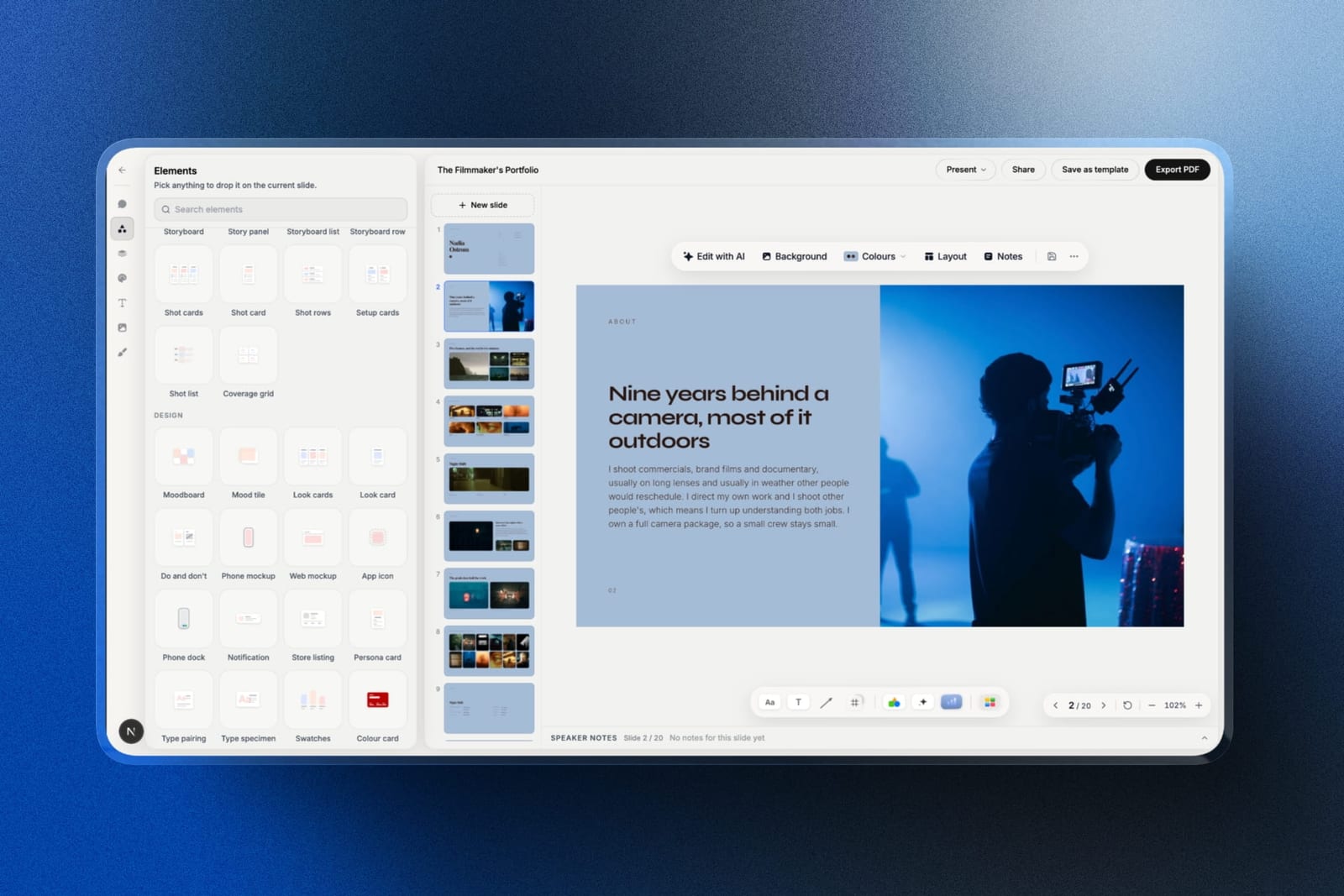
The texture is in the elements.
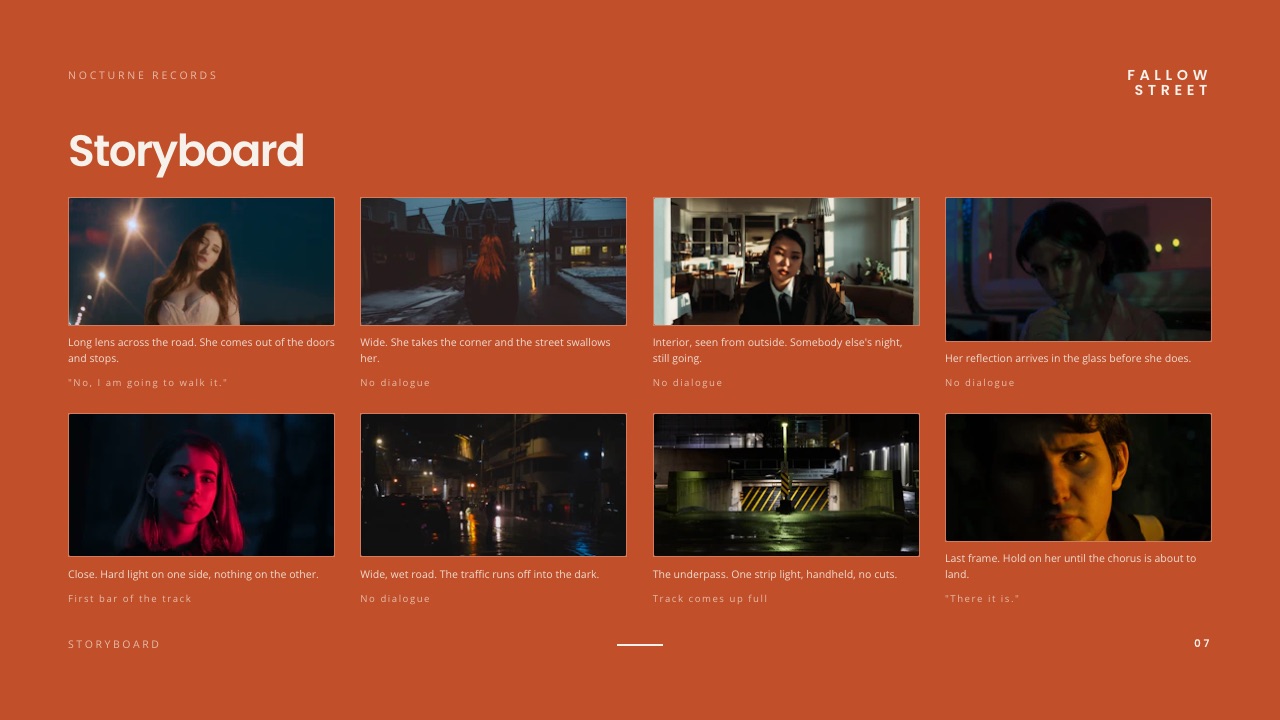
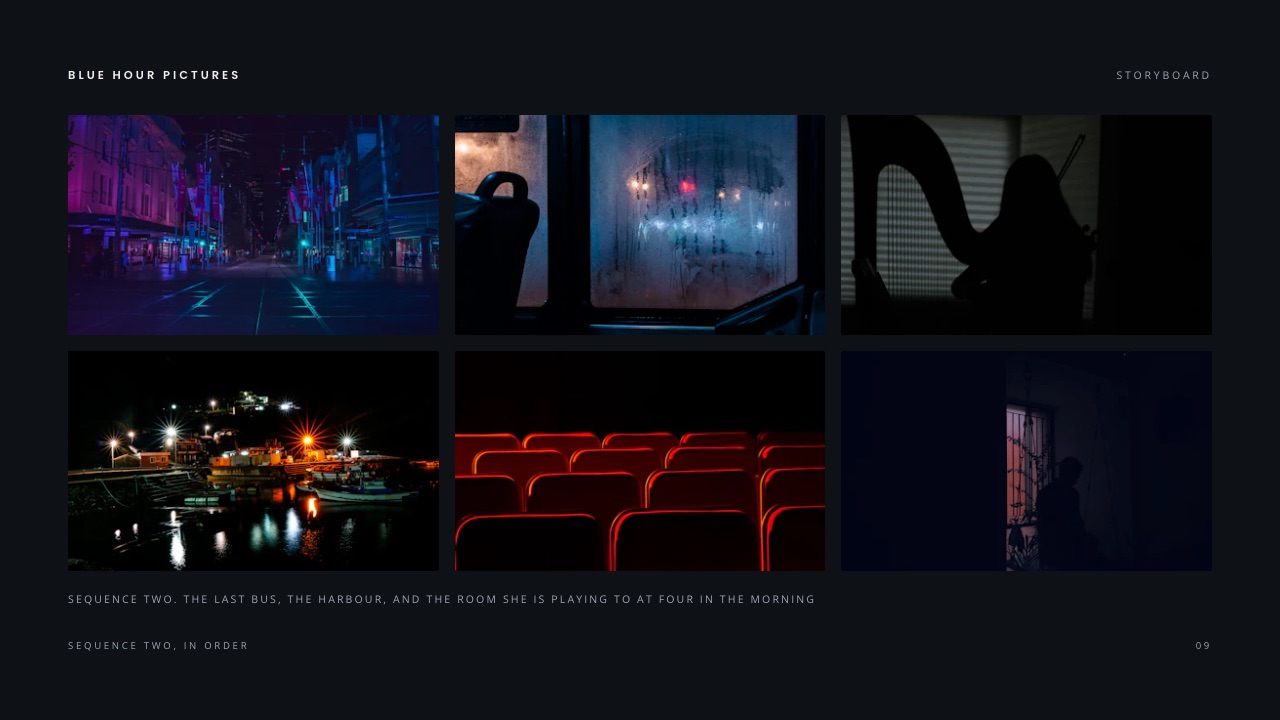
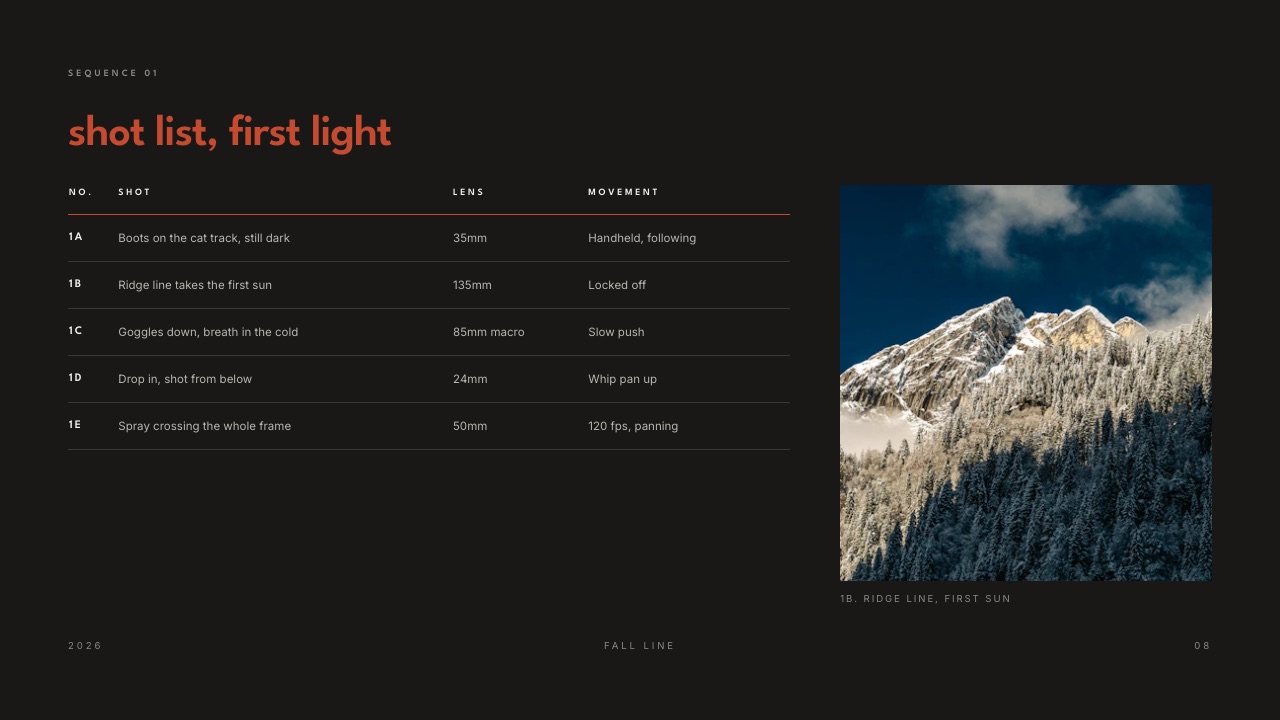
Storyboard, story panel, storyboard row and storyboard list elements hold a frame and a caption each, in grid, wide or strip views; shot cards, shot rows, setup cards, a shot list and a coverage grid sit beside them, along with script page, scene card, beat sheet and logline elements for the writing side.
There is also an animatic-strip layout, and it is honest to say what it is: a static row of frames with timecodes you type, not playback.
You can describe the spot and attach up to 12 reference frames to the prompt.
The AI asks up to three questions (how long the deck should be, what should happen after the client sees it, presented live or read alone), asks for the real facts such as the logline, the credits and the budget lines, proposes an outline for your approval and then builds three or four slides per turn with speaker notes, leaving a marked placeholder wherever you did not supply something.
The real numberthe free plan covers unlimited decks, a share link and PDF export, with a monthly AI allowance that generation draws on.
Starter at $84 a year, about $14 a job at six jobs, adds the full template library, your own fonts and removal of the "Made with Framekit" badge, which is $228 less than Boords Solo and buys no animatic.
The standout detailthe handoff to review. Once an animatic exists, the same Framekit account runs video review, where a client leaves comments at the exact frame and you stack v2 and v3 without losing earlier notes, on every plan.
The gotchano drawing tools, no panel timings, no animatic playback and no comments on slides, so the revision round on the board happens by email. A deck also caps at 40 slides, which fits a thirty-two-panel spot laid out several panels to a slide and gets tight for anything longer.
Skip it ifyou draw your own panels or the client needs to see pacing. Boords, Storyboard Pro and Storyboarder all do that, and Framekit does not.
Verdict: a strong way to put a frame-assembled board inside a pitch, and not a boarding tool for a timed job. Pair it with Boords or an editor for the animatic, and bring the animatic back to Framekit's video review for notes.
8. Canva: Best Presentable Boards Without Drawing
Canva is where a lot of agency boards are actually made, because a producer with no drawing ability can assemble thirty-two frames from stills into something a client will look at, in an afternoon, on the free plan.
Best forproducers and agency creatives making presentable reference-built boards with no specialist tool.
What you do not get is anything boarding-specific: no shot fields and no storyboard-to-animatic path, so turning the board into a timed sequence means rebuilding it in Canva's video editor or an NLE.
The real numberCanva's pricing page refused our automated read on 12 October 2026, and Canva prices by region, so no figure is quoted. The free plan covers a storyboard.
The standout detailcomments on the design, which puts Canva ahead of Framekit, Storyboarder and Procreate for the revision round.
The gotchano timing means no answer to the question clients ask most about a commercial, which is whether it fits the runtime.
Skip it ifpacing is part of what you are selling.
Verdict: a document that looks like a storyboard rather than a storyboard, good enough for internal alignment and weak for a client who needs to feel the timing.
9. Procreate: Best Hand-Drawn Panels on iPad
For artists who board by hand, Procreate on an iPad is the most pleasant drawing experience in this list, and at $12.99 once on the App Store it costs less than a month of most tools here.
Best forstoryboard artists who draw every panel and assemble the board elsewhere.
It is a drawing application, not a boarding tool: no panel structure, no shot metadata, no timing and no animatic, so everything after the drawing happens somewhere else.
The real number$12.99 as a single purchase on the App Store, which covers only the drawing half of the job.
The standout detailit works offline, so boarding on a recce with no signal is normal rather than a problem.
The gotchayou will need a second tool for assembly, timing and review, so the real cost is Procreate plus Boords or Storyboarder.
Skip it ifyou cannot draw.
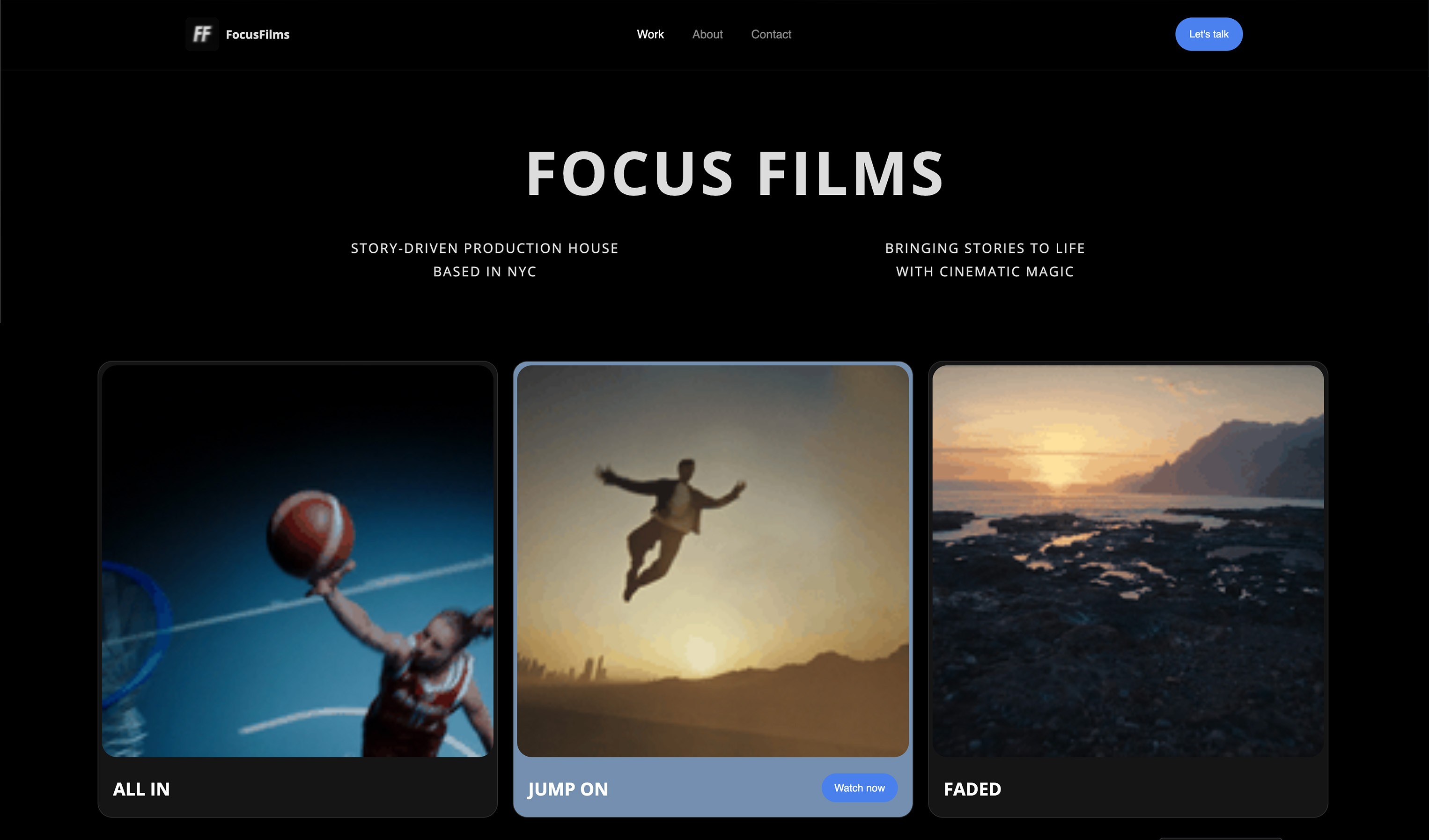
Verdict: the best half of a storyboarding workflow and never the whole of one. Artists showing their boards publicly should also look at website builders for storyboard artists.
10. Figma: Best Boards Beside Design Work
Figma appears here because a real number of agency boards are built in it, usually because the team already lives there, and its canvas and comments make a reference-built board workable.
Best foragency teams already working in Figma who want boards beside the campaign design.
It is a general design tool doing a specialist job: no timings, no animatic and no shot fields, with panels you maintain as frames by hand.
The real numberFigma's pricing page lists a Full seat at $16 a month on Professional, $192 a year at that rate, and on paid plans others can view and comment without buying seats.
The standout detailcomponents for repeated panel furniture, so the shot-number badge and caption block update everywhere at once.
The gotchano timing layer, so the board cannot answer whether the spot fits.
Skip it ifyou do not already pay for Figma.
Verdict: a convenience choice rather than a boarding choice, and a reasonable one if the alternative is a subscription nobody will approve.
11. StoryboardThat: Best Quick Non-Film Boards
StoryboardThat is built around drag-and-drop characters and scenes, which makes it fast for boards where the point is a situation rather than a shot: training scenarios, UX flows, classroom work and simple pitch illustrations.
Best fortraining, education and non-film storyboards where speed beats visual specificity.
For film and commercial boarding it is the weakest tool here, because the illustration style is fixed and no arrangement makes it read as a camera plan.
The real numberStoryboardThat's pricing page offers a first month for $1 on individual and team plans, then the full published rate, with a free plan for teachers.
The standout detailno drawing skill is required at all, and its individual plan lists up to 100 cells per storyboard.
The gotchaa commercial concept presented in cartoon characters is usually taken less seriously by the client.
Skip it ifthe board is for a film or anything where camera language matters.
Verdict: a good tool aimed at a different audience than most readers of this guide.
What Storyboarding Costs Per Job Over a Year
The software is between $0 and about $312 a year for a director boarding six times a year, and the revision round costs more than any of it, so here is the arithmetic per job at two levels of use.
| Tool and plan | Annual cost | Per job at 6 a year | Per job at 20 a year | What it adds |
|---|---|---|---|---|
| Storyboarder | $0 | $0 | $0 | Drawing, timing, animatic export, no comments |
| Framekit Free | $0 | $0 | $0 | Storyboard elements in a deck, badge on the link |
| Procreate | $12.99 once | About $2 | Under $1 | Drawing only |
| Framekit Starter | $84 | $14 | $4.20 | Your fonts, full templates, no badge |
| Milanote paid | $119.88 | About $20 | About $6 | Reference assembly, unlimited uploads |
| Plot Solo | $119.88 | About $20 | About $6 | Collaborative frames and comments |
| Toon Boom Storyboard Pro | About $252 (August reading) | About $42 | About $13 | Animation pipeline |
| Boords Solo | $312 | $52 | $15.60 | Animatic, frame comments, versions, password |
| StudioBinder | About $348 (August reading) | $58 | $17.40 | The whole production chain |
In one lineAt six jobs a year the gap between free and Boords is $52 a job, which a single revision round handled by email can easily exceed in unbilled hours, so the animatic-plus-comments tools pay for themselves faster than their price suggests.
Run this on yourself. Time your next revision round from the moment client feedback arrives to the moment the updated board goes back. Multiply by your day rate and by the number of jobs a year.
If that figure is above $312, a tool with frame-pinned comments and an animatic is cheaper than the free one you are using.
Where the Board Goes After It Is Approved
Boarding tools are built for the approval round and mostly forget the six weeks afterwards, when a crew needs the approved board, the shot list and the references in one findable place and the first AD is working from the latest version.
Once the board is signed off, the file starts moving. It gets emailed to the first AD, dropped into a production folder, printed for the shoot, and then someone on the day is working from a version that predates the last two changes.
Boords keeps versions; StudioBinder keeps the board inside the production; most other tools leave you with exports.
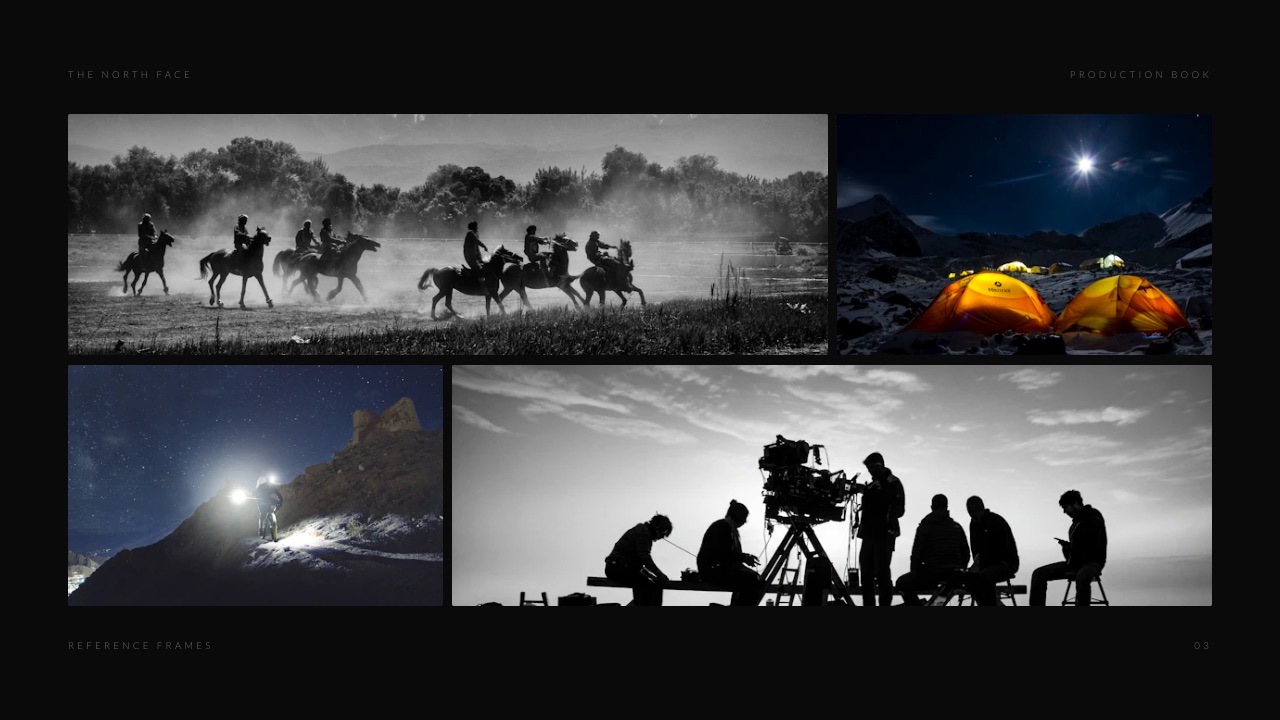
A treatment deck is one sensible home for the approved board when the job is small.
Framekit keeps the board, the shot list, the reference frames and a call-sheet layout in one deck behind one share link, so the crew opens one link instead of four attachments.
It is not a production platform: there is no scheduling, no crew management and no per-person permissions, so a production with a real schedule belongs in StudioBinder.
In one lineDecide where the approved board lives before the shoot, not on the morning of it, and make it one link rather than four attachments.
What Happens When the Job Changes
These are the moments that decide whether a storyboard tool was the right purchase, and each one arrives after you have already committed a job to it, so it is worth checking them before the first board.
The client asks for a timed version. Boords builds the animatic from the panels with voiceover timing. Storyboarder exports to Premiere, Final Cut, Avid or an animated GIF. Milanote, Canva, Figma, Procreate and Framekit send you to an editor with the frames.
You stop paying. Storyboarder and Procreate files are on your machine. Boords' free plan keeps 5 active storyboards.
Framekit's free plan keeps unlimited decks, so nothing is deleted, though the badge returns to the share link. On any hosted tool, export a PDF of every approved board the week it is signed off.
The client needs to comment without an account. Boords allows unlimited guest commenters. Framekit decks open without an account but take no comments; a cut in Framekit's video review does take frame comments without an account.
The board runs long. A Framekit deck caps at 40 slides. Boords, Storyboarder and Toon Boom handle long boards as boards rather than as slides.
The vendor stops updating. Storyboarder has had no stable release since 2020. Keep its exports, and do not build a studio workflow on it without a fallback.
In one lineAnimatic, guest comments and exports are the three mechanics to test on day one, because those are the ones a client's request will exercise first.

Where Framekit Is the Wrong Storyboard Tool
Ranking our own product seventh only means something if its boundary is drawn in public, so here is what Framekit's storyboard elements do not do, with the dedicated tool that does it.
Drawing. There are no drawing tools in Framekit Slides, frame by frame or otherwise. Storyboarder, Procreate and Toon Boom Storyboard Pro are built for drawing panels.
Timing and animatics. Storyboard elements hold a frame and a caption; there is no duration field and no playback. Boords and Storyboarder build animatics, and Toon Boom keyframes camera moves.
Comments on the board. Slides take no comments. Boords pins comments to frames with unlimited guests; Milanote, Canva, Figma and Plot all take comments.
Production continuity. No schedule, call-sheet engine or crew permissions. StudioBinder turns the board into the shoot.
Long boards. A 40-slide cap per deck. Dedicated tools have no comparable ceiling for a commercial.
In one lineFramekit is a place to present a board inside a pitch, and every other storyboarding job has a better home named above.
How to Choose Storyboard Software: A Decision Tree
Work down these questions in order and stop at your first yes, because that yes is the constraint that decides the tool more than any feature list, and it keeps you from buying a production platform to solve a drawing problem.
1. Are you boarding animation into a production pipeline? Toon Boom Storyboard Pro. Nothing else here belongs in that conversation.
2. Can you draw, and is your budget zero? Storyboarder, with exports kept safe because it is no longer updated.
3. Do clients review your boards and need to see pacing? Boords, from $26 a month billed yearly, for the animatic and the frame comments.
4. Does the board become a shot list, schedule and call sheet? StudioBinder, judged as a production platform.
5. Do you board by assembling references, and does the board belong inside a pitch or treatment deck? Framekit Slides, free to start, then Boords or an editor if a timed animatic is required.
6. Do you board by assembling references for your own thinking? Milanote.
7. Is it a small team boarding short-form content together? Plot, after its 14-day trial.
8. Is the board a training or explainer sequence rather than a film? StoryboardThat.
The film treatment software ranking covers the deck the board usually lives in, and how to write a film treatment covers what goes around it.
Frequently Asked Questions
What is the best storyboard software in 2026?
The best storyboard software in 2026 is Boords, because it combines an animatic editor with voiceover timing, client comments with unlimited guests, version history and password protection, and it does not require drawing skill.
Its Solo plan is $26 a month billed yearly. Toon Boom Storyboard Pro is the standard for animation, StudioBinder is better when the board feeds a production, and Storyboarder is free for anyone who can draw.
Is there free storyboard software?
Yes. Storyboarder is free and open source, with six drawing tools, timing fields and export to Premiere, Final Cut, Avid, PDF and animated GIF, though its last stable release was in 2020.
Boords has a free plan with 5 active storyboards, Milanote has a free plan with 10 file uploads, and Framekit's free plan includes unlimited decks with storyboard elements but no animatic or drawing.
Can Framekit make an animatic?
No. Framekit Slides has storyboard elements that hold a frame and a caption, and an animatic-strip layout that is a static row of frames with timecodes you type, but nothing plays back and there are no panel durations.
Build the animatic in Boords, Storyboarder or an editor, then upload the cut to Framekit's video review, where clients comment at the exact frame.
Framekit vs Boords: which is better for storyboarding?
Boords is better for any job with a fixed runtime, because it times panels, builds an animatic and takes client comments on each frame, for $312 a year on Solo billed yearly.
Framekit is better for a frame-assembled board that lives inside a treatment or pitch deck, at $0 or $84 a year, with the shot list, references and budget in the same document, but it has no drawing tools, timings, animatic or comments.
Do I need to be able to draw to storyboard?
No, and most people boarding commercials cannot.
Boords builds panels from imported images and includes AI images on paid plans, Milanote and Canva assemble reference frames, and Framekit's storyboard rows are built from frames you import or describe to its AI.
Boards assembled from reference frames read perfectly well to clients, provided the camera intent is written clearly on each panel.
What is an animatic and do I need one?
An animatic is your storyboard panels played back at their intended timings, usually with scratch audio, so a client watches the pacing rather than imagining it.
You need one on anything with a fixed runtime, which means commercials, music videos and most branded content, because the most common note on a static board is a question about whether it fits.
Boords, Storyboarder and Toon Boom Storyboard Pro produce one from the board.
Boords vs StudioBinder: which should I choose?
Boords if you board and stop, StudioBinder if the board becomes a shot list, schedule and call sheet.
Boords is $312 a year on Solo billed yearly and focused on boarding, review and animatics; StudioBinder was listed from about $29 a month in August 2026 and buys a whole production chain in which boarding is one step.
A freelance director usually needs the focused tool.
Is Storyboarder still maintained?
Not actively. Storyboarder's GitHub releases list shows the last stable release, v2.1.0, in September 2020 and a v3.0.0 pre-release in February 2021, with nothing published since.
It still offers drawing, timing fields and exports to editing software, and it costs nothing, but you should keep your exports and not depend on a fix for a future operating-system change.
How many panels does a commercial storyboard need?
Between about 20 and 40 panels for a sixty-second spot, with one panel per distinct shot plus an extra for any move that changes the frame meaningfully.
Boarding every beat produces a board nobody reads, and boarding too loosely produces an animatic that hides the timing problem you built it to find. A Framekit deck caps at 40 slides, so lay several panels to a slide.
Can I storyboard in Canva or Figma?
Yes for the panels and no for the pacing. Both handle frame arrangement and comments, and many agency boards are made in them because the team already pays for them.
Neither has shot fields or a storyboard-to-animatic path, so on any job with a fixed runtime you end up timing the frames in a video editor.
What happens to my boards if I stop paying for the tool?
It depends on the tool, which is why you should export every approved board the week it is signed off. Storyboarder and Procreate keep files on your machine. Boords' free plan holds 5 active storyboards.
Framekit's free plan keeps unlimited decks, so nothing is deleted, though the "Made with Framekit" badge returns to the share link.
Is Toon Boom Storyboard Pro worth it for live action?
Rarely. Its advantages are concentrated in animation: layered drawing, keyframed camera moves and export into an animation pipeline.
A live-action director gets most of the practical benefit from Boords, and the drawing tools only pay off if you are an illustrator boarding by hand.
Should storyboards be black and white or colour?
Black and white for sequence and staging, colour when the palette is part of the pitch. Greyscale boards keep a client's attention on framing and blocking, while colour boards invite notes on grading decisions that have not been made yet.
On commercial pitches where the look is the selling point, a few key colour frames beside a greyscale board works better than colouring everything.
Final Verdict
Boords is the best storyboard software in 2026 for the people who do most of the boarding in this industry: directors, producers and agency creatives who need a client to understand the sequence and the pacing, and who are not illustrators.
It is no longer cheap at $312 a year on Solo, and it still removes the part of the job that consumes the most time, the revision round.
Toon Boom Storyboard Pro remains correct for animation, StudioBinder is right when the board is the first link in a production chain, and Storyboarder is a capable free option whose cost shows up in revisions and in its age rather than in dollars.
Framekit Slides ranks seventh: a good home for a frame-assembled board inside a treatment or pitch deck, beside the shot list and references, with video review in the same account once an animatic exists.
Where Framekit losesFramekit is not for drawing panels, timing a sequence or building an animatic, and it does not take comments on slides. Boords, Toon Boom Storyboard Pro, Storyboarder and Plot are all the better fit for that core boarding work, which is why it has not moved up in this update.
Keep reading: the best moodboard and treatment tools for directors, the commercial treatment template, the best mood board tools and the best website builders for filmmakers.