Framekit templates
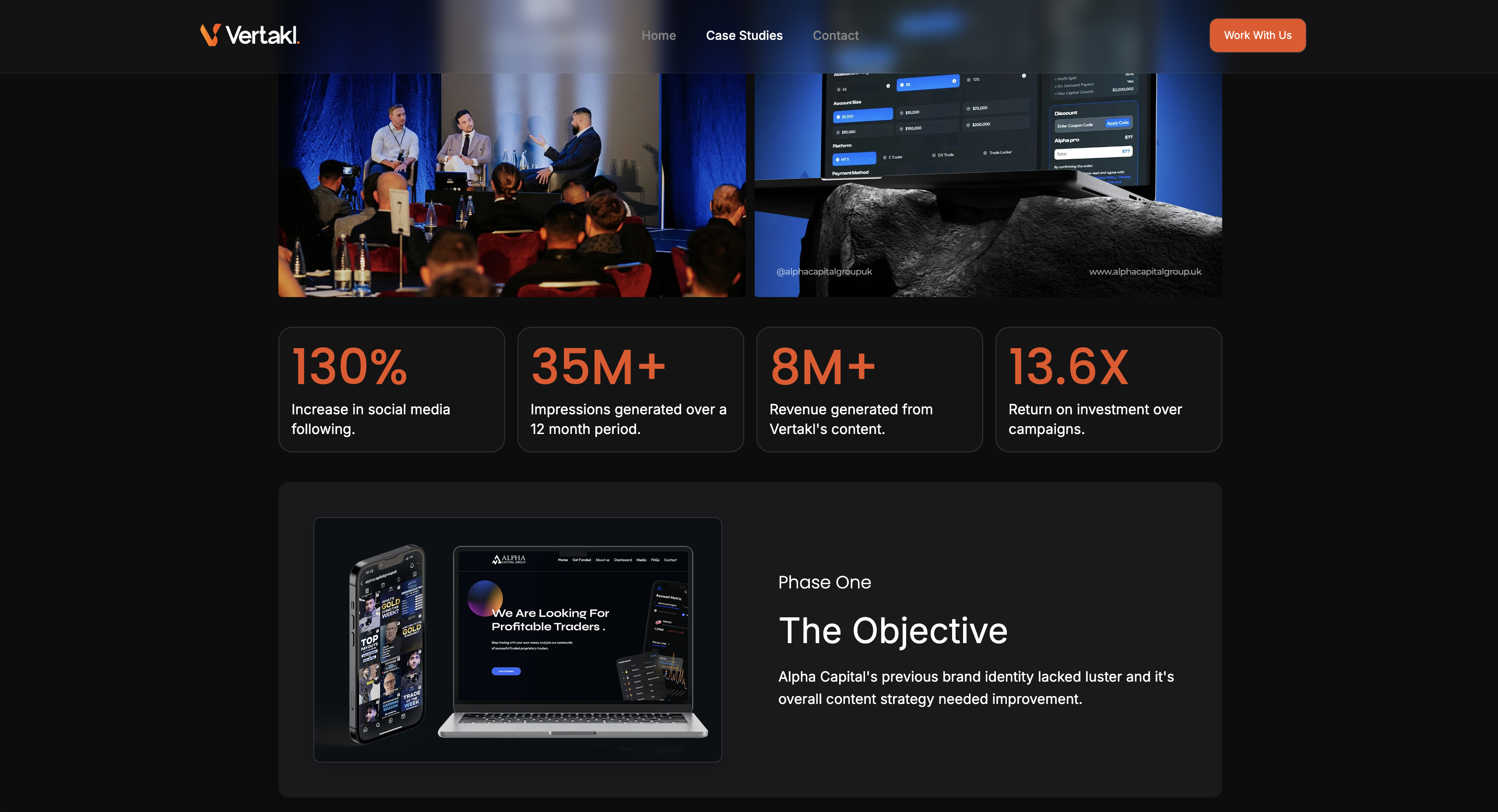
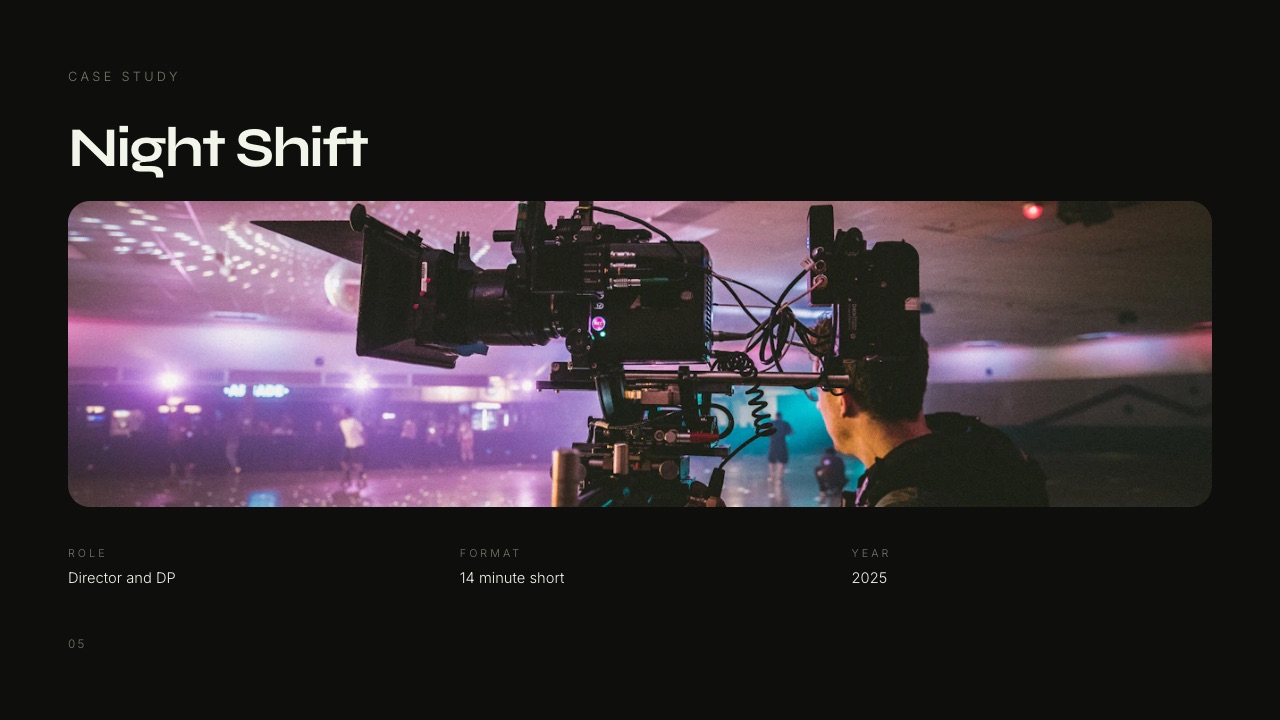
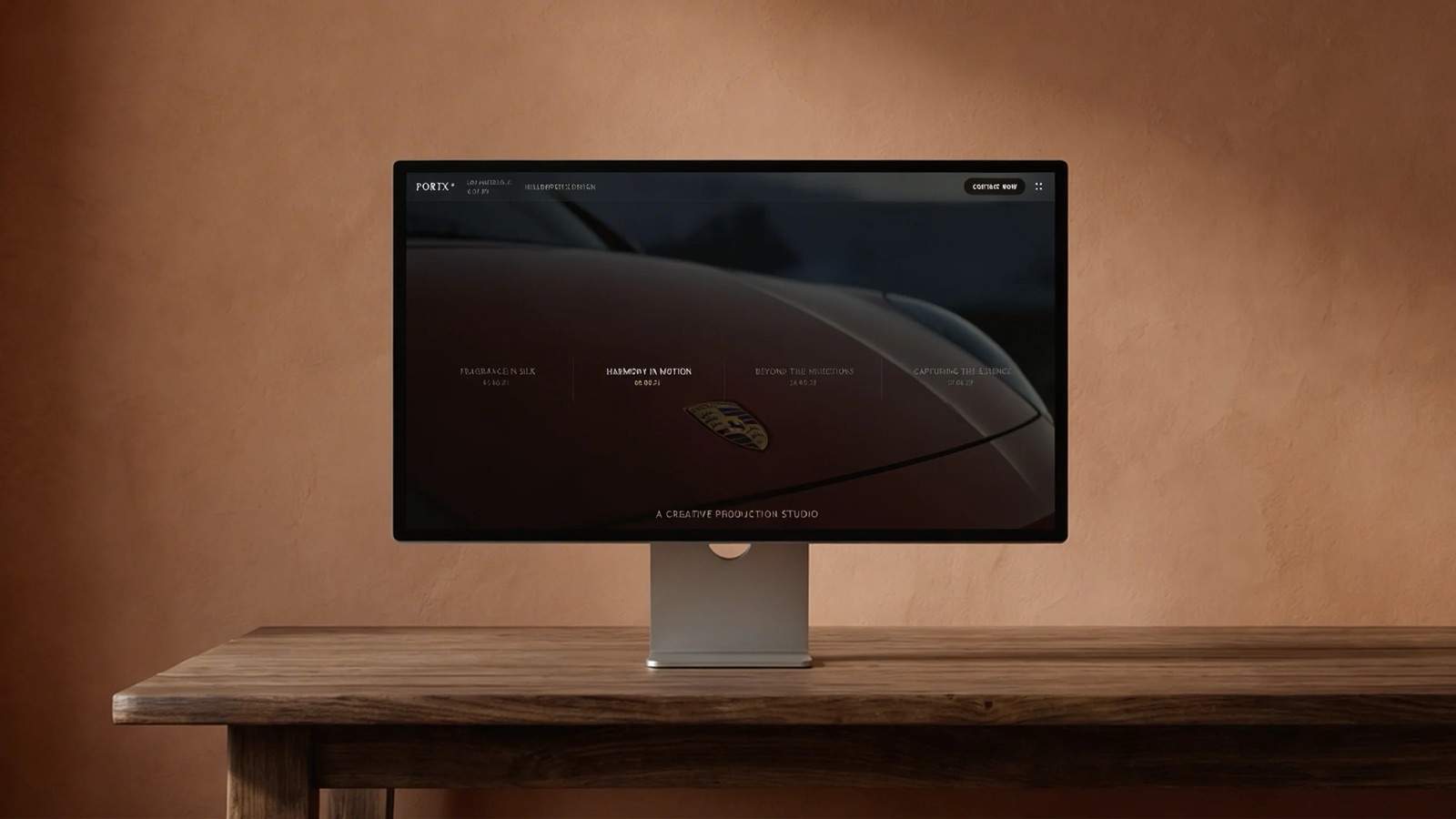
Start from a designer-made template
 Use template
 Use template
 Use template
 Use template
 Use template
 Use template
 Use template
 Use template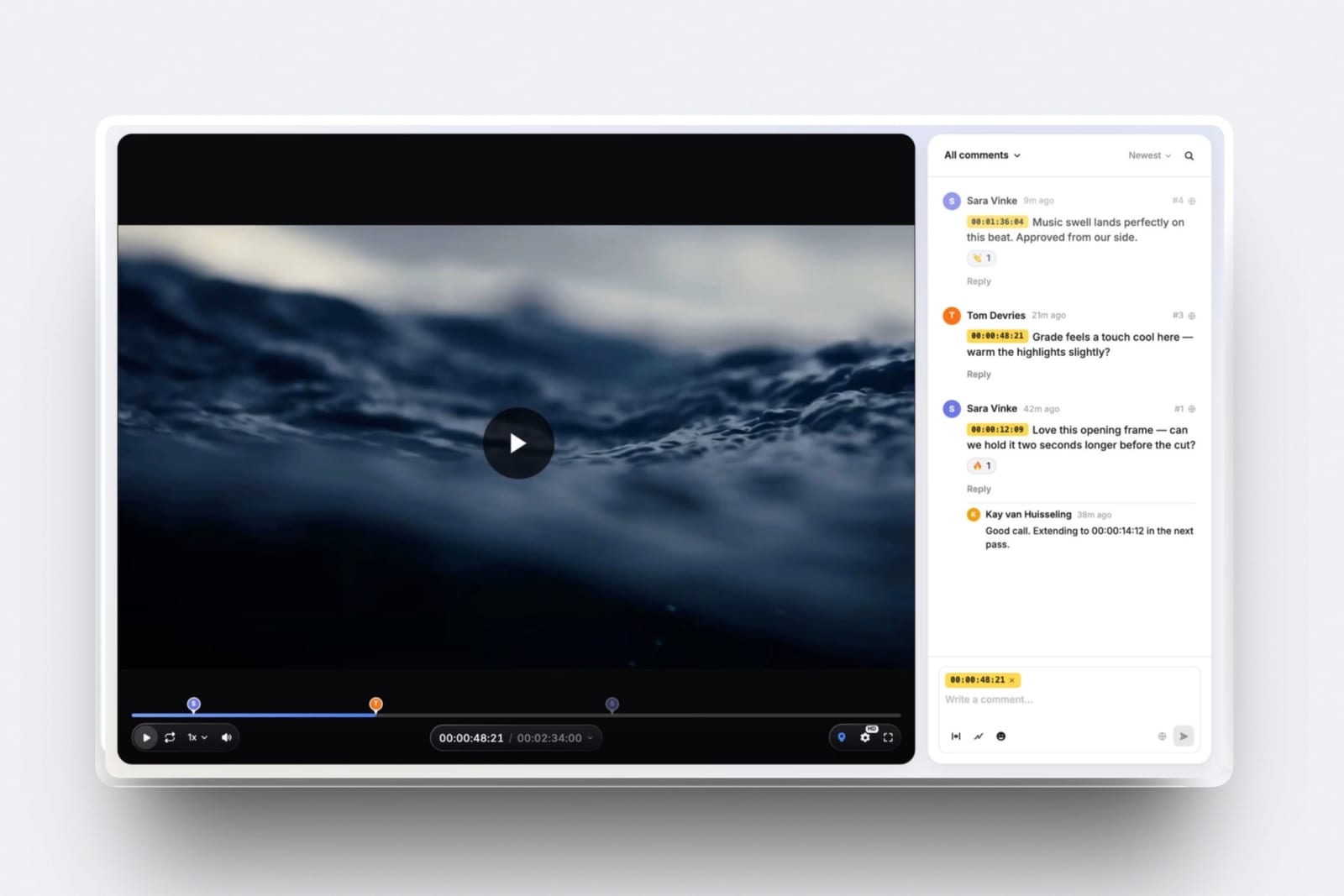
Nadia is four years into freelancing, shoots brand films and stills for the same handful of agencies, and pays five subscriptions before she has opened a single edit.
The decision to replace a creative software stack almost always arrives the same way: two renewal emails land in a quiet month, and the tools that were supposed to make the work easier start to look like a second rent.
Her client-facing lines cost $1,243.20 a year. That is review, galleries, a portfolio site, a deck tool and the percentage a checkout keeps on a $29 LUT pack.
The software that does the actual work, the edit and the paperwork, costs another $587.88, and nothing in this guide replaces either of those.
A creative software stack is the set of subscriptions a freelance photographer or filmmaker pays to win work, deliver it and get paid: a portfolio site, a client gallery, a review tool, a deck tool, a checkout and the storage sitting under all of them.
Framekit replaces the five client-facing lines with one account you administer and one address the client visits, which is the part of the stack that is genuinely duplicated: galleries, video review, decks, a site and a digital store on a single bill that runs $353.28 a year at the volumes below, against $1,243.20 for the separate tools.
The trade-off is that it replaces none of the specialist depth, so keep Frame.io if Camera to Cloud and an NLE panel are in your day, keep Pixieset or ShootProof if print sales are real revenue, and keep HoneyBook or a dedicated invoicing tool, because Framekit has no invoices, no contracts and no CRM at all.
- 1FramekitTop pickBest for replacing the client-facing half of the stack
- 2Frame.ioBest for review that has to reach into your timeline
- 3PixiesetBest for the gallery line when prints are real revenue
- 4FormatBest for a portfolio site priced in plain dollars
- 5SquarespaceBest for a site that is also a shop front
Full disclosure: Framekit is our product, so treat the ranking as an argument to check rather than a result to accept, and check it against the table below. Competitor prices here were read on each vendor's own pricing page on 22 September 2026 and linked inline; where a page served European pricing to us, the figure stays in euros rather than being converted at an invented rate, and where a page refused our request it is marked as not read. Frame.io, Pixieset and HoneyBook each beat Framekit at something specific, and each of those wins is named in its own section.
How the stack bill was priced, and what this guide does not claim
Every figure in this guide belongs to one of three buckets, and the difference matters because a replacement argument built on a number nobody can check is worth nothing to the person deciding whether to cancel something.
Read at the source. Plan prices, storage limits and transaction fees come from each vendor's own published pricing page, read on 22 September 2026 and linked at the point of the claim.
Frame.io, Pixieset, Format, Storydoc, Gumroad, HoneyBook, Adobe and Blackmagic Design published prices in dollars.
Squarespace, Notion and Dropbox served European pricing to us, so those figures appear in euros and stay out of the dollar totals.
Gamma's pricing page returned an HTTP 403 to our request, so its numbers come from a browser read by our team in September 2026 and are labelled where they appear.
Calculated. The annual totals, the effective checkout percentage and the plan crossovers are arithmetic on those published figures, shown in full so you can swap in your own renewal dates and sales volume. Nothing here is a benchmark, an index or a score.
Not claimed. We have not run these products side by side in a controlled trial, so there are no timings, no ratings and no verdicts on how anything feels under load.
Where a product does something Framekit cannot do, that is stated as a capability difference, not as a test result.
The carried example is one freelancer: 14 client projects a year, a mix of brand films and stills, and a $29 LUT pack that sells 12 copies a month. Every total below uses that same person, because a stack bill only means something when it is attached to a real volume of work.
The replacement, by the numbers
These six figures carry the whole argument, and each one is either printed on a vendor's page or worked from figures that are, which is why they are worth reading before the reviews.
- $1,243.20 a year is the client-facing stack: Frame.io Pro, Pixieset Plus, Format Pro, Storydoc Starter and Gumroad's cut on 12 sales a month.
- $353.28 a year is the same five jobs on Framekit Pro at $19 a month plus a 3% store fee on the same sales.
- $889.92 a year is the difference, which is a camera rental, a hard drive and a tank of fuel.
- 5 vendor accounts are what you administer, renew and pay for in the separate stack, against one.
- 0 accounts is what a client creates to use any of it, since review guests comment without signing up and a gallery opens with a password.
- $587.88 a year is the part nobody replaces: the Adobe Photography plan at $239.88 and HoneyBook Starter at $348.
- 3 jobs stay outside Framekit permanently: invoicing and contracts, the edit itself, and print fulfilment.
What a freelance creative stack costs in a year
The bill below is the ordinary version, not the extravagant one, and it is what a working freelancer who bought each tool for a good reason ends up paying once the trials have lapsed and the renewals have stacked up.
Each line names the job it does, the plan a solo creative realistically sits on, and the annual figure at the published price. Every price was read on the vendor's page on 22 September 2026.
| Line | Tool and plan | Published price | Annual | Replaced by one account? |
|---|---|---|---|---|
| Video review | Frame.io Pro | $15 per member per month | $180.00 | Yes |
| Client galleries | Pixieset Plus | $16 per month billed yearly | $192.00 | Yes |
| Portfolio site | Format Pro | $12 per month billed annually | $144.00 | Yes |
| Decks and treatments | Storydoc Starter | $19.80 per month billed annually | $237.60 | Yes |
| Selling the LUT pack | Gumroad | 10% plus $0.50 per sale, no monthly fee | $489.60 | Yes, at a lower percentage |
| Invoices and contracts | HoneyBook Starter | $29 per month billed yearly | $348.00 | No |
| The edit | Adobe Photography plan | US$19.99 per month | $239.88 | No |
| Total | $1,831.08 | $1,243.20 of it |
The Gumroad line is the one people underestimate, so here is the arithmetic in full. Twelve sales a month at $29 is $348 of revenue.
Gumroad's published fee for a sale through your own link is 10% plus $0.50, which is $34.80 plus $6.00, or $40.80 a month and $489.60 a year. That single line costs more than the review tool and the gallery tool together.
Run the same test on your own numbers before you believe any of this: take last month's product sales, multiply by your checkout's percentage, add the flat fee times the number of orders, then multiply by twelve.
That figure is what the checkout keeps whether or not you shoot anything next year.
In one lineThe five client-facing lines in this table cost $1,243.20 a year at published prices, which is 68% of a $1,831.08 stack bill, and they are the only five that a single account can genuinely absorb without pretending.

The other bill: five vendor accounts and four logos in front of yours
Money is the obvious cost of a scattered stack and it is not the expensive one, because the second bill is paid twice: once by you in accounts to administer, and once by the client in destinations to keep track of.
Count your side first. Five subscriptions means five dashboards, five renewal dates, five support queues and five sets of storage you are half-using, and that administration is the part that never appears in a price comparison.
Then count the client's side on an ordinary brand job.
The rough cut sits on a review vendor's page, the stills sit on a gallery service, the treatment sits on a deck host, the portfolio sits on a site builder and the checkout sits on a marketplace with its own logo at the top, so five brands stand between you and the person paying you and four of them are not yours.
The thing worth being precise about is what the client is asked to create, because that is where most consolidation copy overstates.
On Framekit a client makes no account at all: review guests leave timecoded comments, replies and reactions without signing up, a gallery opens with a password and a separate download PIN, optionally after leaving an email, and a deck is a plain link.
| What happens on the job | Separate stack | One account on a paid plan |
|---|---|---|
| Watching the cut and commenting | Review vendor's domain | Your domain |
| Downloading the stills | Gallery vendor's domain | Your domain |
| Reading the treatment | Deck vendor's domain | Your domain |
| Looking at your portfolio | Site builder's domain | Your domain |
| Buying the LUT pack | Checkout vendor's domain | Your domain |
| Accounts you administer and pay for | Five | One |
| Accounts the client has to create | Depends on the vendor | None |
| Brand seen at the top | Four vendors plus you | You |
In one lineA scattered stack costs you five vendor accounts to administer and five renewal dates to track, and it costs the client five separate destinations, each of which is a place where an approval stalls because nobody could find the right link in their inbox.
1. Framekit: Best for replacing the client-facing half of the stack

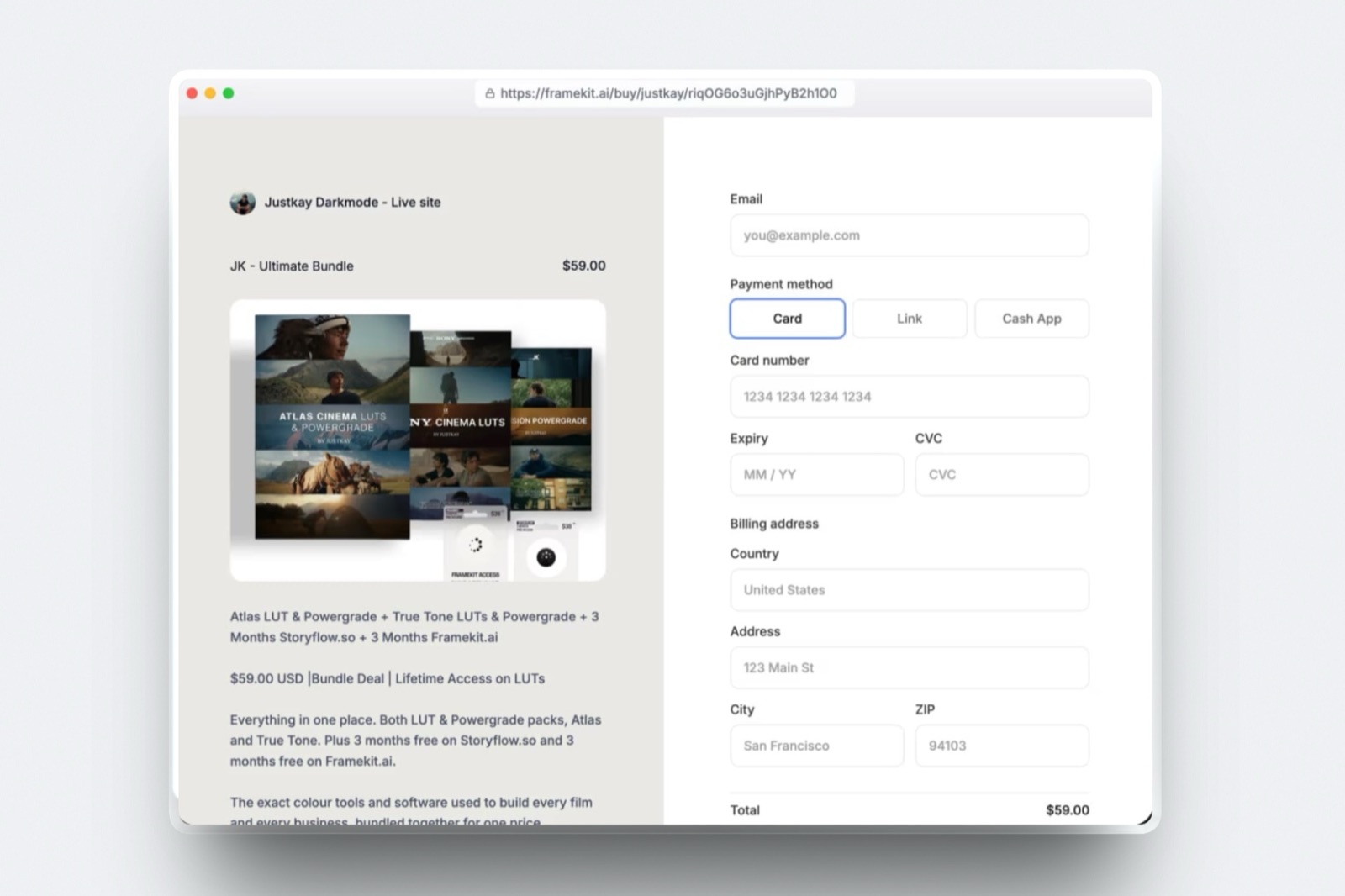
Framekit is an AI website builder that also runs client galleries, timecoded video review, a digital-download store and a deck tool called Slides on one account, which is why it collapses five subscription lines rather than competing with one of them.
The real numberPro is $19 a month, or $15 a month billed yearly, and it carries 300GB of pooled storage, 150GB of which can be video, plus a 3% fee on product sales.
At the carried volume of $348 a month in LUT sales, that is $228 in subscription and $125.28 in store fees, so $353.28 for the year against $1,243.20 for the five separate tools.
What you get on one accountunlimited client galleries on every plan including Free, video review with comments pinned to the timecode and versions stacked in order, unlimited decks with an AI slide writer, a website with hosting, SSL and a CDN, and a store that sells digital files through your own Stripe account.
Storage is one pool shared by the site, the galleries and the review pages, which is the mechanic that makes the single bill work: you are not buying 100GB from a gallery company and 2TB from a review company and using a fraction of each.
The detail nobody writes aboutwatermarking, a gallery password, a separate download PIN, client favourites, email registration and auto expiry are on every plan, including the free one.
What a paid plan buys instead is your own domain, the removal of the Framekit badge and your own uploaded fonts, which is an unusual place for a gallery product to draw the line.
The gotcha that bites in week threeFramekit deck links have no password and no per-viewer analytics, only a total view count.
If your follow-up process depends on knowing that the agency producer opened the treatment twice on Thursday, Framekit will not tell you, and no plan changes that.
The store fee is also real money until you move up: 5% on Free and Starter, 3% on Pro, 0% only on Business at $39 a month.
Who should skip itanyone whose income depends on print sales, because there is no print lab and no print fulfilment here at all, and anyone who needs Camera to Cloud, an NLE panel or transcription attached to review.
Verdict: The correct way to read Framekit in a replacement post is not "it does everything", because it does not. It absorbs the five duplicated client-facing lines onto one bill and one domain, and leaves the specialist work to specialists. At $353.28 a year against $1,243.20, the case is arithmetic rather than enthusiasm.
2. Frame.io: Best for review that has to reach into your timeline
Frame.io is the review tool the rest of the category is measured against, and for an editor who lives inside Premiere or After Effects it is not really a website at all, it is a panel that happens to have a website attached.
The free plan is $0 with 2GB of storage, up to 2 members and up to 2 projects, and Pro is $15 per member per month plus tax with 2TB included and up to 5 members, with 13% off when you pay annually.
Team is $25 per member per month plus tax and takes you to 15 members, which is the line most freelancers never need to cross.
What you are paying for is the part nobody else has properly: Camera to Cloud so footage lands from set before the card is offloaded, panels inside Adobe apps, transcription, and a review experience that post supervisors already know.
If your clients are agencies with their own post workflow, that familiarity is worth the subscription on its own.
The trap is the project cap on the free plan rather than the storage. Two projects sounds generous until you realise a wedding, a brand film and a rough cut for a friend are three, and the third one is the reason you upgrade in month two.
Verdict: For a freelancer whose day is an NLE, Frame.io is worth $180 a year and this guide does not pretend otherwise. For a photographer who sends a two-minute cut four times a year, it is a specialist tool funding features you will never open.
Already paying for Frame.io and wondering what the cheaper end of the category does now, read the Frame.io alternatives guide before the next renewal.
3. Pixieset: Best for the gallery line when prints are real revenue
Pixieset is the default client gallery for a large share of working photographers, and the reason is not the gallery design, it is that the store behind it sells prints through a lab without you touching a shipping label.
The published tiers are Free at 3GB, Basic at $10 a month or $8 billed yearly with 10GB, Plus at $20 a month or $16 billed yearly with 100GB, Pro at $30 a month or $24 billed yearly with 1,000GB, and Ultimate at $50 a month or $40 billed yearly with unlimited storage.
The Plus tier at $192 a year is where a busy solo photographer lands, which is the figure used in the stack table above.
The mechanic worth understanding is storage accounting.
Pixieset's tiers are gallery storage only, so the 100GB you buy does nothing for your website, your review pages or your deck files, and a year of 40-image deliveries at 8MB each uses about 320MB per gallery, or roughly 12GB across 36 jobs.
Where it quietly wins: a print order placed inside the gallery turns a delivery into revenue with no work from you, and that is a line Framekit cannot produce at any price.
Verdict: If prints are a meaningful part of your income, keep Pixieset and stop reading the cost comparison, because the lab relationship is the product. If you deliver digital files and have never sold a print, you are paying $192 a year for a storefront you do not use.
If it is the price rather than the prints that is bothering you, the Pixieset alternatives comparison is the next thing to read.
4. Format: Best for a portfolio site priced in plain dollars
Format has been a portfolio host for photographers since long before AI site builders existed, and it still does the simple thing well: templates that respect images, a domain, and a plan you do not have to decode.
Basic is $14 a month, or $10 a month on annual billing for $120 a year, and it carries 10 pages, 70 high-resolution images and no image storage.
Pro is $24 a month, or $12 a month on annual billing for $144 a year, with 100GB of image storage, unlimited pages and 1,500 high-resolution images. There is a 14-day free trial with no credit card required.
The number to notice is 70. A Basic plan holding 70 high-resolution images is a portfolio, not an archive, and photographers regularly discover that limit after uploading one wedding. The honest version of Format's line in a stack is $144 a year on Pro, not $120 on Basic.
Verdict: A good, narrow product. If a portfolio is all you need and you want it hosted by a company that only does portfolios, Format earns its place. In a stack replacement it is the easiest line to absorb, because a site is the one thing every all-in-one tool actually ships.
Weighing the two directly, Framekit against Format covers the feature-by-feature version, and the Format alternatives guide covers the rest of the category.
5. Squarespace: Best for a site that is also a shop front

Squarespace is the safe answer for a creative who wants a site, a blog, a scheduling page and a shop in one place, and its commerce tiers are structured in a way that matters if you sell anything digital.
The pricing page served us European figures, so they appear as listed for European buyers on 22 September 2026: Basic at EUR 15 a month or EUR 11 billed annually, with a 2% online store fee and a 7% fee on Digital Content and Memberships; Core at EUR 24 or EUR 17 annually, with 0% on the store and 5% on digital content; Advanced at EUR 42 or EUR 29 annually, with 0% on both.
That 7% line is the one to read twice. A site builder can advertise a 0% store fee and still take 7% of a preset pack, because digital content is billed as a separate product category. Check which bucket your file sits in before you assume the headline rate applies.
Verdict: Excellent for a creative business with a physical product, a booking page and a blog. If your entire commerce need is one downloadable file, you are buying a shop to sell a folder.
For creatives comparing this line specifically, the Squarespace alternatives roundup is the honest map of the category.
6. Gumroad: Best for selling a file today with nothing set up
Gumroad is the fastest route from a finished file to a link you can post, and that speed is genuinely valuable the first time you sell anything, because there is no site, no plan and no setup between you and the first sale.
The published fee is 10% plus $0.50 on a sale through your own profile or customer link, 30% on a sale that comes through Gumroad's Discover marketplace, and there is no monthly fee.
On the carried example of 12 sales a month at $29, the direct rate costs $40.80 a month and $489.60 a year, which is an effective 11.7% once the flat fee is spread over a $29 price.
The percentage hurts most on cheap products, which is the opposite of what most sellers assume. On a $9 preset pack the flat $0.50 alone is 5.6% before the percentage, so the effective rate is 15.6%. On a $99 course bundle it is 10.5%.
Price your product, then work out your own effective rate before comparing platforms.
The Discover trap is worth stating plainly: a sale you did not route yourself can be charged at 30%, so a $29 pack returns $25.60 through your own link and $20.30 through the marketplace, depending only on how the buyer arrived.
Verdict: The best place to start and an expensive place to stay. Past $271 a month in sales, a flat 10 percent costs more than Framekit Pro's $19 plus 3 percent, and a percentage is the one line on the stack you cannot cancel.
If that percentage is what brought you here, the Gumroad alternatives comparison prices the switch properly.
7. Gamma: Best for getting a deck drafted from a paragraph
Gamma turns a prompt into a presentation faster than any traditional deck tool, and for a creative who hates building slides that speed is the entire value proposition rather than a feature.
Gamma's pricing page refused our automated request with an HTTP 403, so these figures come from a browser read by our team in September 2026 and are listed in euros: Free at EUR 0 with 400 credits granted at signup and up to 10 slides per prompt, Plus at EUR 8 per seat per month billed annually, and Pro at EUR 18 per seat per month billed annually with custom branding and detailed analytics.
The credit model is the thing to understand before you commit. Credits are consumed by actions rather than by time, and the amount varies with the model and the length of what you generate, so a heavy week can cost more than a light month.
Verdict: Strong for business decks and fast drafts, weaker for the image-led treatment a director sends a brand, where the layout has to serve a frame rather than a bullet.
8. Dropbox: Best for raw files moving between machines
Dropbox remains the least dramatic way to move large files between a laptop, a desktop and a collaborator, and it is in most creative stacks because it never became anyone's problem.
The plans page served European pricing to us on 22 September 2026: Basic is free with 2GB, Plus is EUR 9.99 a month with 2TB, Standard is EUR 12 per user per month with 3TB of minimum team storage, and Advanced is EUR 18 per user per month with 15TB.
Where it fails as a client-facing tool is not capacity, it is context. A shared folder gives a client a file list, not a place to comment on frame 00:47 or to mark a delivery approved, so the feedback comes back in an email thread that nobody can reconstruct three weeks later.
Verdict: Keep it as working storage, stop using it as a delivery surface. The folder is for you and your collaborators; the client deserves something that records a decision.
9. Notion: Best for the part of the business the client never sees
Notion holds the shoot notes, the shot lists, the client brief and the running to-do list, and it is genuinely good at all of it, which is why it belongs in a stack even after you consolidate the client-facing tools.
The pricing page served European figures to us: Free at EUR 0 per member, Plus at EUR 9.50 per member per month on annual billing, and Business at EUR 19.50 per member per month on annual billing, with Enterprise quoted by sales.
The free plan carries a 5MB per-file upload limit and up to 10 external guests.
That 5MB limit is the detail that decides whether Notion can be part of your delivery path, and the answer is that it cannot. It is a place to think and to track, not a place to hand over a 300MB cut.
Verdict: Keep Notion, and stop trying to make it a client portal. Framekit does not replace it and should not try, because tasks, databases and project tracking are not on the feature list at all.
10. HoneyBook: Best for the paperwork Framekit will never touch
HoneyBook is the tool that turns an enquiry into a signed contract, a deposit and a paid invoice, and for a freelancer with more than a handful of clients it does the work that otherwise happens badly in email.
Starter is $29 a month billed yearly, which is $348 a year, and covers unlimited clients and projects, invoices, payments, proposals, contracts, a calendar, a client portal and up to two lead forms.
Essentials is $49 a month billed yearly, which is $588 a year, and adds the scheduler, automations, QuickBooks Online integration and up to two team members.
This is the line in the stack table that the replacement argument does not touch. Framekit has no invoicing, no contracts, no e-signatures, no CRM and no booking calendar, so if you cancel HoneyBook you are not consolidating the job, you are going back to doing it by hand.
Verdict: Budget for it. A consolidation that pretends the paperwork disappears is a consolidation that fails in month one, when a client asks for an invoice with VAT on it.
Comparing the paperwork line properly is its own job, and the invoicing tools guide for freelance creatives does it.
11. Adobe Creative Cloud: Best for the edit, at a price that sets the floor
Adobe is where most of this work is actually made, and no consolidation story changes that, which is why the edit line sits in the stack table as a cost rather than as a candidate for replacement.
The plans page lists the Photography plan at US$19.99 a month, billed as US$239.88 a year, and Creative Cloud Pro with all apps at US$34.99 a month for the first three months and US$69.99 a month after that, shown as US$419.88 for the first year.
The step from the Photography plan to all apps is the single largest jump in a creative's software budget.
Verdict: Pay it if you need Lightroom Classic and Photoshop, and look hard at the all-apps tier before renewing, because at US$69.99 a month it costs more than the entire client-facing stack this guide replaces.
12. DaVinci Resolve: Best free proof that the expensive line is optional
Blackmagic Design gives away a full editor, colourist and audio suite, and the free version is not a demo: the site states it works with virtually all 8-bit video formats at up to 60fps in resolutions as high as Ultra HD 3840 x 2160, and includes multi-user collaboration and HDR grading.
DaVinci Resolve Studio is $295 once, and adds the Neural Engine features, extra Resolve FX, noise reduction, magic mask and support for 10-bit video up to 120 frames per second and resolutions beyond 4K.
Compared against a subscription at US$69.99 a month, the paid version pays for itself in under five months and then keeps working.
Verdict: If your edit line is the reason your stack is expensive, this is the cheapest serious fix available, and it is the one tool in this list that can remove a recurring cost permanently rather than moving it.
What one account does not replace
A replacement guide that claims a single account absorbs every tool is selling something, so here is the list of jobs that stay outside Framekit no matter which plan you are on, with the tool that actually does each one.
| Job | Why Framekit cannot do it | Keep this instead |
|---|---|---|
| Invoices, contracts, e-signatures, CRM | Not built, not on the feature list | HoneyBook, Dubsado or a dedicated invoicing tool |
| The edit, the grade, the mix | Framekit hosts and reviews video, it does not cut it | DaVinci Resolve, Premiere Pro, Final Cut |
| Print sales and fulfilment | No print lab, no print store | Pixieset, ShootProof, Pic-Time |
| Camera to Cloud, NLE panels, transcription | Not available on review pages | Frame.io |
| Per-viewer deck analytics and deck passwords | Deck links report a total view count only | Storydoc, Pitch or DocSend |
| Tasks, timelines and project tracking | No tasks, no Gantt, no time tracking | Notion, Asana or ClickUp |
| Sales tax and merchant of record | Store checkout runs on your own Stripe account, so you are the merchant | An accountant or a tax service |
In one lineSeven jobs in that table survive any consolidation, and the honest saving from replacing a stack is measured only against the five duplicated client-facing lines, not against the whole software budget.
Which plan replaces the stack, and when it changes
The plan you land on depends almost entirely on how much you sell, because the subscription differences are small and the store percentage is the part that scales with your revenue rather than with your needs.
Framekit charges 5% on Free and Starter, 3% on Pro and 0% on Business, so the flat plan stops being expensive at the point where the percentage on the tier below exceeds the difference in price. That crossover is arithmetic you can do in one line each time.
| Comparison | Plan prices | The sum | Crossover |
|---|---|---|---|
| Free versus Business | $0 against $39 | $39 divided by 5% | $780 a month in sales |
| Starter versus Business | $9 against $39 | $30 divided by 5% | $600 a month in sales |
| Pro versus Business | $19 against $39 | $20 divided by 3% | $666.67 a month in sales |
| Pro versus Business, billed yearly | $15 against $31 | $16 divided by 3% | $533.33 a month in sales |
At the carried example of $348 a month in LUT sales, Pro is the right plan: $228 in subscription plus $125.28 in fees is $353.28 for the year, while Business would be $468 with nothing to show for it.
Cross $666.67 a month and the answer flips, and it flips earlier if you pay yearly.
The other reason to move up is storage rather than fees. The pool is shared across the site, the galleries and the review pages, so 300GB on Pro is the line where a photographer delivering full-resolution files and a filmmaker parking a few cuts stop watching the meter.
In one lineStay on Pro until your product sales pass roughly $666.67 a month, then move to Business for the 0% store fee, and use the yearly crossover of $533.33 if you have already committed to annual billing.
How to decide what to cancel first
Work through these in order rather than cancelling the most expensive thing, because the biggest line is the one doing the most specialised work and the cheapest one is where the duplication hides.
Start here: do you sell prints? If yes, keep your gallery service and replace the other four lines. If no, the gallery line is the first thing to consolidate, because digital delivery is the part every all-in-one tool does properly.
Next: does an NLE panel or Camera to Cloud appear in your week? If yes, keep Frame.io and consolidate the rest. If no, the review line is duplicated and costs $180 a year.
Next: does anyone actually need to know who opened your deck? If yes, keep the deck tool with analytics and accept the subscription. If no, the deck line is the easiest $237.60 a year to remove.
Next: how much do you sell a month? Under $780 a month, Framekit's Free plan at 5% still costs less than Business at $39 and 0%, and a 10% checkout is not harmless even there: at $348 a month it takes $489.60 a year, against $125.28 at Pro's 3%.
Over $666.67 a month, Business at 0% beats Pro outright.
Last: what does your client see? If the answer is four vendor logos before yours, consolidation is worth doing even where the saving is small, because the domain your work lives on is the only part of this that compounds.
In one lineCancel by duplication rather than by price, which on this stack means the gallery, the deck tool and the checkout percentage go first, and the specialist tools that do something nothing else can do stay on the card.
What the switch actually costs you in a week of work
Consolidation is not free even when the subscription is cheaper, and the cost is paid in an afternoon of moving things, so it is worth knowing what the afternoon contains before you start cancelling renewals.
Moving a portfolio is the slow part, because the images have to be re-uploaded and the pages rebuilt, and that is a half day for a site with 10 pages and a few hundred images.
Moving galleries is easier than it sounds, since live galleries can simply be left to expire on the old service while new work goes to the new one, which means you never migrate anything: you just stop adding to the old system.
Moving a product is the step people fear and it is the quickest, because a digital product is a file, a price and a description.
What does not move is the buyer list on a marketplace and the traffic a marketplace sent you, and if Discover was producing meaningful sales at 30%, losing that channel is a real cost rather than a rounding error.
The sequence that causes the least disruption is: build the site, point the domain, start new deliveries on the new account, list the product and only then cancel the old subscriptions in the order their renewals fall.
In one lineBudget roughly one working day for the site and an hour for everything else, and stagger the cancellations against renewal dates so you are never paying two bills for the same job in the same month.
Frequently Asked Questions
What does a freelance creative software stack cost in 2026?
A freelance creative software stack costs about $1,831 a year at published September 2026 prices for one working photographer-filmmaker: $180 for Frame.io Pro, $192 for Pixieset Plus, $144 for Format Pro, $237.60 for Storydoc Starter, $489.60 in Gumroad fees on $348 a month of sales, $348 for HoneyBook Starter and $239.88 for the Adobe Photography plan.
Five of those seven lines, worth $1,243.20, are the duplicated client-facing ones. For a wider price survey, the blog's creative stack cost breakdown prices more categories.
Can one account really replace Frame.io, Pixieset, Format and Gumroad?
One Framekit account replaces the everyday version of all four: timecoded video review, unlimited client galleries, a portfolio site and a digital store run from one dashboard on one storage pool.
It does not replace the specialist layer, which means Camera to Cloud and NLE panels stay with Frame.io, print fulfilment stays with Pixieset or ShootProof, and any workflow that depends on a marketplace audience stays where that audience is.
Does Framekit replace invoicing, contracts or a CRM?
No. Framekit has no invoicing, no contracts, no e-signatures, no CRM and no booking calendar, and none of those are planned features you can wait for.
If you cancel HoneyBook, Dubsado or a similar tool on the strength of a consolidation, the work comes back to you manually the first time a client asks for an invoice.
Is it cheaper to pay a 10% checkout fee or a monthly plan?
It depends entirely on volume, and the crossover is one line of arithmetic: a 10% platform matches Framekit Pro's $19 plus 3% at $19 divided by 7 points, which is $271.43 a month in sales.
At the carried $348 a month across 12 sales, the 10% plus $0.50 checkout takes $40.80 a month while Pro's 3% takes $10.44, so the percentage alone costs more than the whole subscription.
Below $271 a month, the no-subscription platform is the cheaper answer.
Framekit or Frame.io: which should a freelance editor keep?
A freelance editor who works inside Premiere, After Effects or Resolve every day should keep Frame.io, because the panel, Camera to Cloud and transcription have no equivalent in Framekit and those features are the reason the tool costs $15 per member per month.
An editor who mainly needs a client to watch a cut, leave notes on the timecode and approve it should use Framekit, where review sits on the same account as the site and the galleries.
Does Framekit handle sales tax on digital product sales?
No. Framekit's store uses Stripe Connect direct charges on your own Stripe account, which makes you the merchant of record, so VAT and sales tax are your responsibility and Framekit neither calculates nor remits them.
Platforms that act as merchant of record take that job on and charge for it, and that difference matters more than a percentage point of fee if you sell across borders.
Is Pixieset or Framekit cheaper for client galleries?
Framekit is cheaper on subscription and Pixieset is cheaper on effort if you sell prints.
Pixieset Plus is $192 a year for 100GB of gallery storage, while Framekit Pro is $228 a year for 300GB shared across galleries, the website and video review, so the gallery line alone is not the saving: absorbing four other lines is.
The print lab remains the reason to pay Pixieset.
What happens to my galleries, decks and store if I stop paying?
Framekit's free plan keeps unlimited galleries, unlimited decks, video review and a store, so the account does not become read-only, but the paid-only parts stop applying: custom domains and badge removal are paid features, and the store fee returns to 5% on Free.
Data export is available on every plan, which is the thing to check before you commit to any platform. Compare that against the free client galleries roundup before deciding.
How much storage does a freelancer actually need?
Work it out from your own deliveries rather than from a plan page: a 40-image gallery at 8MB per full-resolution file is about 320MB, so 36 jobs a year is roughly 12GB, while a single two-minute 1080p cut exported at 20 Mbit/s is about 300MB.
That is why a 10GB pooled free plan covers a starting photographer comfortably, while a filmmaker parking three versions of four two-minute cuts is at 3.6GB before a single still goes up.
Which line should I cancel first?
Cancel the deck tool first if nobody tracks who opened your treatment, because it is $237.60 a year for analytics you are not reading.
Then move the checkout percentage onto a flat plan once you sell more than $271.43 a month, which is where a 10% cut passes Framekit Pro's $19 plus 3%.
Keep the specialist tool that does something nothing else does, whether that is print fulfilment or an NLE panel, because cancelling it costs you capability rather than money.
Final Verdict
The replaceable part of a creative software stack is the client-facing half, and at the prices published in September 2026 that half costs $1,243.20 a year as five subscriptions and $353.28 on one Framekit Pro account with a 3% store fee.
The saving is $889.92, the client goes to one place instead of five, and the work lives on a domain you own rather than on four vendors' domains.
Framekit is the pick because it is the only account in this list that ships galleries, video review, decks, a site and a digital store together, and because the storage is one pool rather than five separate allowances you each half-use.
Where Framekit losesit does not invoice, it does not do contracts or a CRM, it has no print lab, it has no Camera to Cloud and no NLE panels, and its deck links carry no password and no per-viewer analytics.
If print sales pay your rent, Pixieset or ShootProof is the better fit and this ranking is wrong for you. If your week runs through a Premiere panel, keep Frame.io.
If you need to know which investor opened which slide, Storydoc or Pitch is the tool, and no amount of consolidation makes that feature appear here.
The honest summary is narrower than the headline: one account replaces five lines, not seven, and the three jobs it will never touch are the edit, the paperwork and the print.
Related readingwhat a creative software stack costs, the best client gallery platforms, the best video review tools, the best pitch deck software and all-in-one platforms for filmmakers.
If the site line is the one you are pricing, what a photography website costs covers it in detail, and the free website builders roundup covers the version with no subscription at all.