Framekit templates
Start from a designer-made template
 Use template
 Use template
 Use template
 Use template
 Use template
 Use template
 Use template
 Use template
An agency runs two review loops on every job and only talks about one of them. There is the internal pass, where a creative director says the second act is not working and an account lead notes that the client will hate the music.
Then there is the client pass, where a version of that conversation is presented as a considered recommendation.
The moment those two loops share a comment thread, someone reads the wrong one. It is not usually catastrophic, it is usually just expensive: a client sees the internal debate, loses confidence in the recommendation, and asks for a round that would not have existed.
So the feature that actually distinguishes agency review tools is not annotation or storage.
It is whether internal comments and client comments can live in the same project without meeting, and that capability is consistently sold a tier above where you would expect.
We re-verified every vendor's pricing grid and help pages for this page on 12 October 2026, and Krock.io's Pro grid, which now lists private comments alongside per-project roles, moved it above Framekit.
A video review tool for creative agencies is a platform that collects timestamped feedback from both internal reviewers and external clients on the same asset, while keeping the two audiences separated by permission rather than by convention.
The best video review tool for creative agencies in 2026 is Frame.io Team at $25 a member a month, because internal comments plus restricted projects and folders are the cleanest separation of the two loops here.
Filestage at $199 a month is the better fit when approval runs through reviewer groups in sequence, Ziflow suits agencies that ship print as well as video, and ReviewStudio Advanced at $240 a user a year is the cheapest tool with documented comment privacy and client teams.
Framekit, ninth, hides the account holder's own notes from clients but has no roles, restricted projects or second uploader.
Full disclosure: Framekit is our own product and it ranks ninth of eleven here, because the internal lane this page is about only half exists in it: notes the account holder posts can be hidden from clients, but there are no per-person roles, no restricted folders, no exportable audit trail and only one person can upload. Eight tools on this page are better built for an agency team, and our entry says exactly where the line falls.
How This Ranking Was Built From Published Permissions
This ranking compares eleven tools on what each vendor publishes about internal comments, restricted access, approval routing and price, worked through one realistic campaign, and it claims no hands-on test of either loop that was not run.
From the vendors. Prices, tiers, permission models and comment privacy were read on each vendor's own pricing, feature and help pages on 12 October 2026.
The heaviest claims are linked where they are used, including Frame.io's plan grid, ReviewStudio's plan table and PageProof's help article on invisible reviewer comments.
Calculated. The carried example is an agency campaign: a 45-second hero film plus three social cuts, an internal pass with a creative director and an account lead, then a client pass with a brand manager and a legal reviewer, across two rounds.
Costs are priced for a six-person agency team unless a table says otherwise, on the billing basis stated.
Not claimed. No campaign was run through these tools for this page, so there are no screenshots of what leaked where, no timings and no scores.
Where a vendor's documentation does not say who can see a comment, this page says so and suggests the test below rather than guessing.
Why the two loops must not share a thread
The internal pass exists to be unguarded. A creative director who has to phrase notes diplomatically because a client might read them is doing a worse job, slower. The client pass exists to be considered.
Collapse them and you get the worst of both: internal notes soften into uselessness, or client confidence takes a hit it did not need to.
Agencies usually solve this with convention, meaning a second project, a separate upload, or a rule that everyone forgets under deadline. Every one of those is a copy of the same file drifting out of sync.
Permission solves it properly, and permission is what you are paying the tier-up price for.
Eleven Agency Review Tools at a Glance
Seven of the eleven tools document some team-wide way to keep internal notes apart, seven document some way to restrict who sees which project, and Framekit documents a hidden lane for one person only, which is the gap this ranking turns on.
| Tool | Internal comment lane | Restricted access | Six-person team, 1 year | External reviewers |
|---|---|---|---|---|
| Frame.io | Internal comments on Team | Restricted projects and folders on Team | $1,584 on Team, billed yearly | Free by share link |
| Filestage | Team-only comments from Starter | Reviewer groups | $2,388 on Starter, billed monthly | Unlimited |
| Ziflow | Comment labels and resolve filters on Pro | Proof and folder permissions on Pro | $2,388 on Standard, billed yearly | Unlimited |
| PageProof | Invisible reviewer comments on Enterprise | Access and permission controls | $2,499 on Team, billed yearly | Unlimited |
| ReviewStudio | Comment privacy on Advanced | Client and project teams on Advanced | $1,440 on Advanced, billed yearly | Unlimited guests |
| Approval Studio | Task assignment on Pro | Not documented | $1,920 on Pro at the listed price | Unlimited |
| Wipster | Team-only comments on Team | Team controls on Enterprise | $1,436.40 on Team, billed yearly | Unlimited |
| Krock.io | Private comments on Pro | Per-project collaborators and reviewers | $720 at the listed rate | Unlimited |
| Framekit | Account holder's team-only notes | None | $372 on Business, billed yearly | Unlimited, no account |
| GoVisually | Not documented | Not documented | $2,376 on Pro | Unlimited on Pro |
| Kollaborate | Not documented | Private projects and departments | $300 on Small Business Plus, billed yearly | Password links |
Jump to the decision tree if you already know whether your two loops need separating by permission.
What an Internal Comment Lane Costs
Internal comments are a tier-up feature almost everywhere, so the honest way to price one is the gap between the tier without it and the tier with it, priced for the team that will actually use it.
- Frame.io puts internal comments and restricted projects on Team at $25 a member a month, not on Pro at $15. Pro also stops at five members, so a six-person agency is on Team regardless: $1,800 a year billed monthly, or about $1,584 on annual billing.
- For five people, the step from Frame.io Pro to Team costs $600 a year on monthly billing. That is the clean price of the lane.
- Filestage includes team-only comments on Starter at $199 a month with ten members, so a six-person team pays for ten at $2,388 a year billed monthly, with two months free on yearly billing.
- ReviewStudio puts comment privacy and client and project teams on Advanced at $240 a user a year with a five-user minimum: $1,440 for six, and a $1,200 floor for a team of three.
- Krock.io lists private comments on Pro at $10 a user, $720 a year for six, the cheapest documented lane here, though its help centre does not spell out who can read a private comment.
- PageProof documents invisible reviewer comments, where each external brand sees only its own feedback, as an Enterprise setting.
- Framekit hides notes the account holder marks as Team from every guest on every plan, $0 extra, for one voice only.
The Best Video Review Tools for Creative Agencies in 2026
The ranking below orders tools by how cleanly each separates internal from client review for a whole team, first on a documented internal comment lane, then on restricted access, then on approval routing and price, because that is the requirement agencies have that freelancers and studios do not.
The first five get full reviews, and Framekit gets the full review every house product gets on this blog, including where it falls short. Approval Studio, Wipster, Krock.io, GoVisually and Kollaborate get shorter entries with a verdict each.
1. Frame.io: Cleanest Separation of the Two Loops
Frame.io solves the agency problem more directly than anything else here, and it does it on a specific tier worth naming precisely, because the feature an agency needs is one step above the plan most comparisons quote.
Best fora video-led agency with several clients on one account and a creative director who needs to be blunt in writing.
The real numberTeam is $25 a member a month for up to 15 members, with 3TB included plus 2TB per additional member, and adds internal comments and restricted projects and folders to everything in Pro.
Six people is $1,800 a year billed monthly, or about $1,584 at the 13% annual discount.
The standout detailrestricted projects and folders matter as much as the comment lane and get discussed far less.
An agency with three clients on one account should not have every account manager able to browse every project, and Frame.io pairs that with internal comments on the same self-serve tier.
The gotchathe cost scales with the whole team rather than with the people who need privacy. A twelve-person agency pays $3,600 a year billed monthly on Team whether or not all twelve leave internal notes, and Team stops at 15 members.
Skip it ifyour approval runs in a defined sequence with deadlines, because Frame.io models status per asset rather than routing, and Filestage or Ziflow will serve you better.
Verdict: the best agency review tool in 2026 for teams whose work is video, because it separates the two loops by permission and keeps the deepest review toolkit in the category underneath. Considering the switch away? Our Frame.io alternatives guide covers the field.
2. Filestage: Best When Approval Runs in Sequence
Filestage is built for the agency shape where review is a process with named stages rather than a conversation, and unusually it puts the internal lane on its entry paid tier rather than a step above.
The real numberStarter is $199 a month with 10 members, reviewer groups, due dates, version comparison, team-only comments, custom branding and password-protected review links, with extra seats in bundles of five that each add 1TB.
That is $2,388 a year billed monthly, and about $1,990 with the two months free that yearly billing brings.
The standout detailteam-only comments at the floor. Where Frame.io makes you climb from Pro to Team for an internal lane, Filestage includes it on Starter, and reviewer groups give you sequencing on top.
Even the Free plan includes ten members, though it allows one active project and five new files a month.
The gotchaPDF review reports, automations and external partner uploads all sit on Business at $329 a month, so the audit document a client's legal team asks for is a tier up.
Verdict: the right buy when your problem is getting eleven people to approve in order. Expensive and correct for that; expensive and wrong for a six-person team that just needs privacy. Weighing it against others? See our Filestage alternatives.
3. Ziflow: Best for Mixed-Media Agencies
If your agency ships packaging and print alongside video, Ziflow handles all of it in one approval system, and its Pro tier adds the permissions and comment tools that separate conversations across a team.
The real numberStandard is $199 a month billed yearly with 15 users, 1TB and two workflow stages, and Pro is $329 with 20 users, 2TB and three stages, with more than 1,200 file types and side-by-side and pixel-level comparison on every tier, free included.
The standout detailPro adds custom comment labels, marking comments resolved and filtering by them, and proof and folder access permissions. That is less a hidden lane than a sorted one, which suits agencies whose internal and client reviewers overlap rather than forming two clean groups.
The gotchathe free plan keeps review history for 60 days with two users, 2GB and one workflow stage, so it cannot be the record for any campaign you might revisit.
Verdict: the strongest choice for an agency whose deliverables are not only video. For a video-only shop, Frame.io separates the loops more cleanly for less.
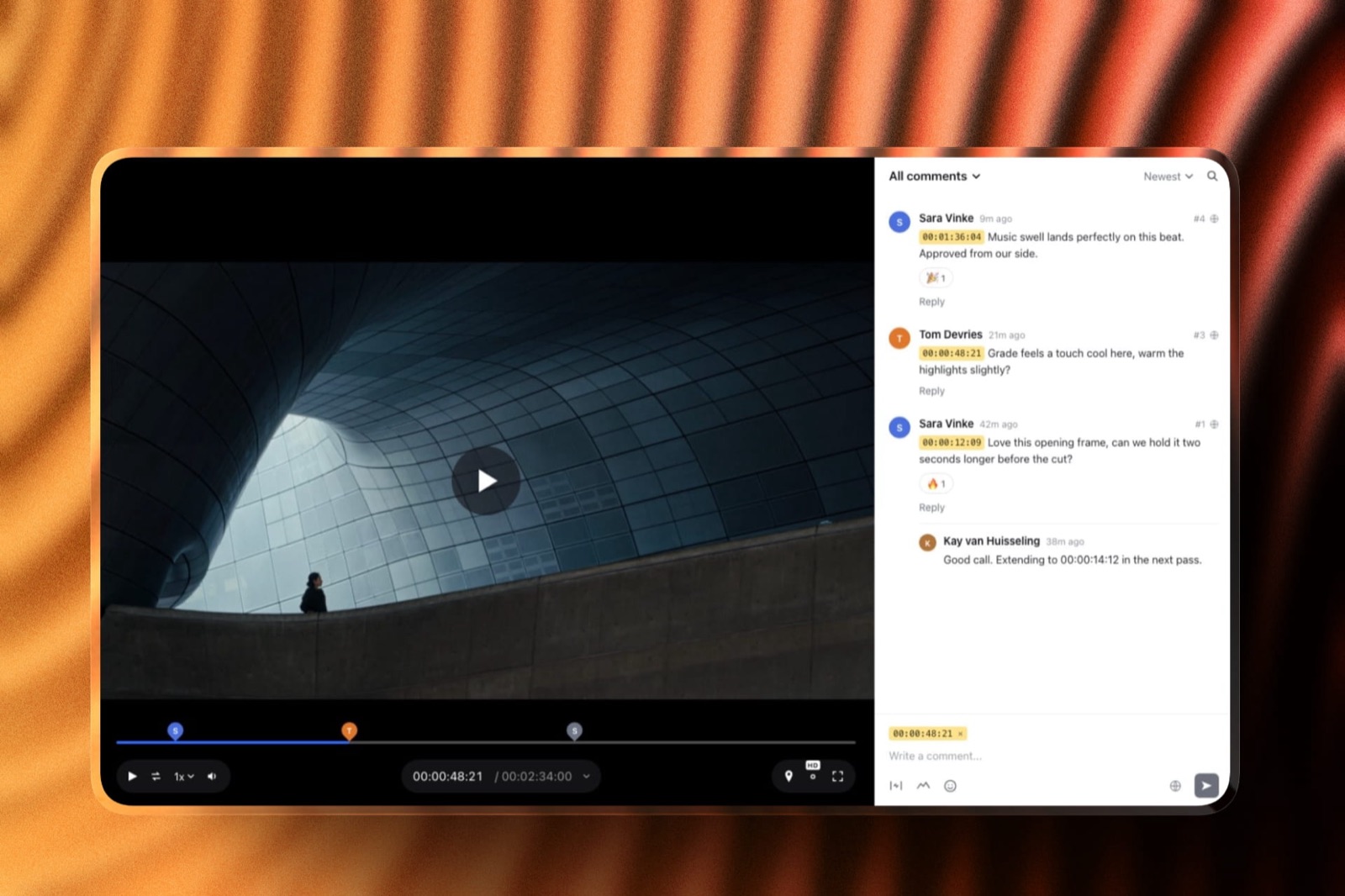
4. PageProof: Best When Reviewer Count Is Unpredictable
PageProof is the agency answer when client-side reviewer counts vary wildly by account, because it has no seat count at all, and it documents a separation setting built for exactly the multi-brand case agencies run into.
The real numberTeam is $249 a month or $2,499 a year with unlimited reviewers, unlimited proofs and unlimited versions of any file type, with automated workflows and reminders, a basic audit and user management for access and permission controls.
Team Plus is $399 a month or $3,999 a year.
The standout detailinvisible reviewer comments. PageProof's help centre describes a switch that lets each external brand see only its own feedback while the agency team sees everything, which is the cleanest documented answer here to two clients on one proof.
Its article says Enterprise team administrators turn it on.
The gotchathe full audit with compliance export and digital signing is Enterprise only, so a disputed sign-off on a published tier relies on the basic audit.
Verdict: the agency answer when client-side reviewer counts vary wildly by account, and the one to grow into if a sign-off might ever be disputed.
5. ReviewStudio: Cheapest Documented Comment Privacy
ReviewStudio gives a real permission model at the lowest per-user price among the tools that document both comment privacy and client separation, with the trade of a five-user minimum on the tier that has them.
The real numberAdvanced is $25 a user a month, or $240 a year billed yearly, with a five-user minimum, 50GB per user, unlimited active reviews, comment privacy, an internal-external privacy mode, client and project teams, workflow automations and API access. Six people is $1,440 a year.
The standout detailclient and project teams are a real permission model rather than a tag, and ReviewStudio's FAQ says collaborators and reviewers see only the projects and reviews shared with them, while unlimited guests comment by link with an optional password.
Verdict: the cheapest genuine internal lane with client separation in this comparison, at $1,440 a year for six people, and more than the price suggests.
6. Approval Studio: If Print Is Half the Work
Approval Studio is a print-first proofing tool that also reviews video, and its separation of internal and client conversation is task-based rather than permission-based, which suits a packaging agency more than a video shop.
The real numberLite is $60 a month and Pro $160 a month, both for teams of five or more, with four compare modes, zoom and rotation, unlimited external reviews and video review on every tier.
Pro adds task assignment, analytics, a spellchecker, an on-screen ruler and a barcode scanner.
Verdict: genuine print tooling at a lower price than Ziflow's, with an internal workflow built on tasks rather than hidden comments. Choose it when the printer's proof matters as much as the cut.
7. Wipster: Team-Only Comments Without the Workflow
Wipster gives every team member an internal lane on its Team tier, which is the core of this page, without the restricted projects or routing that the tools above add.
The real numberTeam is $19.95 a user a month billed yearly, or $25 monthly, with team-only comments, custom branding, closed captions, 250GB to start and no user limit. Six people is $1,436.40 a year.
Admin and security controls by team sit on Enterprise.
Verdict: an internal lane for the whole team at $1,436.40 a year for six, with no restricted projects and no routing. Suits a small agency that is really a group of editors rather than a department. Our Wipster alternatives guide covers what else sits at that price.
8. Krock.io: Private Comments and Roles at $10
Krock.io moved up this list in October, because its Pro grid lists private comments, password-protected shares, link expiry and hidden previous versions, and its help centre documents roles that keep freelancers and clients out of projects they were not given.
The real numberPro is $10 per user a month with unlimited team size and from 2TB, with unlimited reviewers on every plan, so six people are $720 a year at the listed rate.
Krock.io's user roles article describes Members who see the whole workspace, and Collaborators and Reviewers who are added per project and see nothing else.
The gotchathe documentation does not say exactly who can read a private comment, so run the guest-view test in this article before a real client goes near it.
Verdict: the cheapest documented internal lane and role model here, at $720 a year for six, which is why it now ranks above Framekit. Test the private comment with a client address before you rely on it.
9. Framekit: Best for Two-Person Studios, Not Agencies

Framekit is an AI website builder whose account also runs video review, client galleries, Slides decks and a digital-download store, and on the question this page asks it gets partway: it hides one person's notes from clients, and it has nothing for a second internal voice.
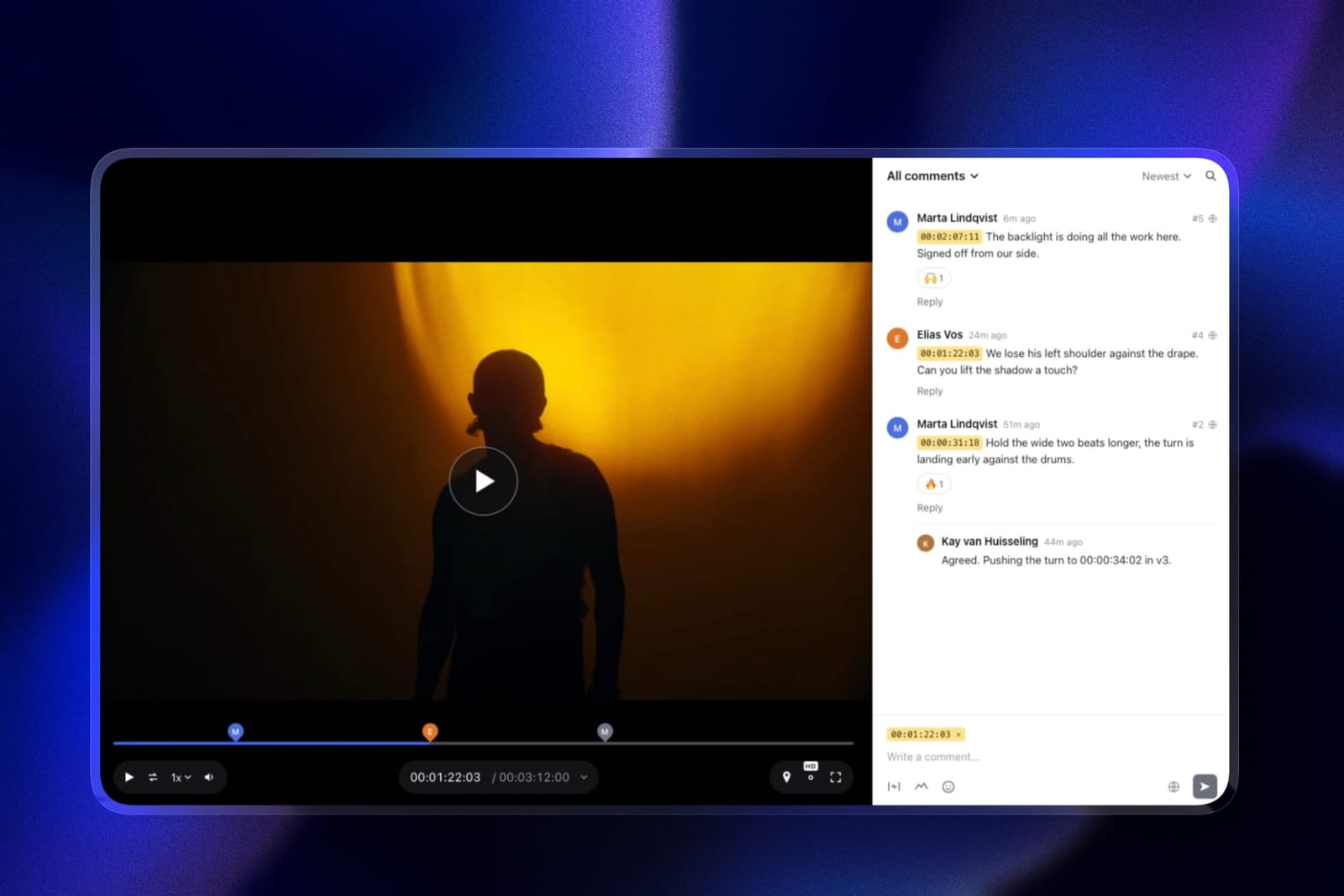
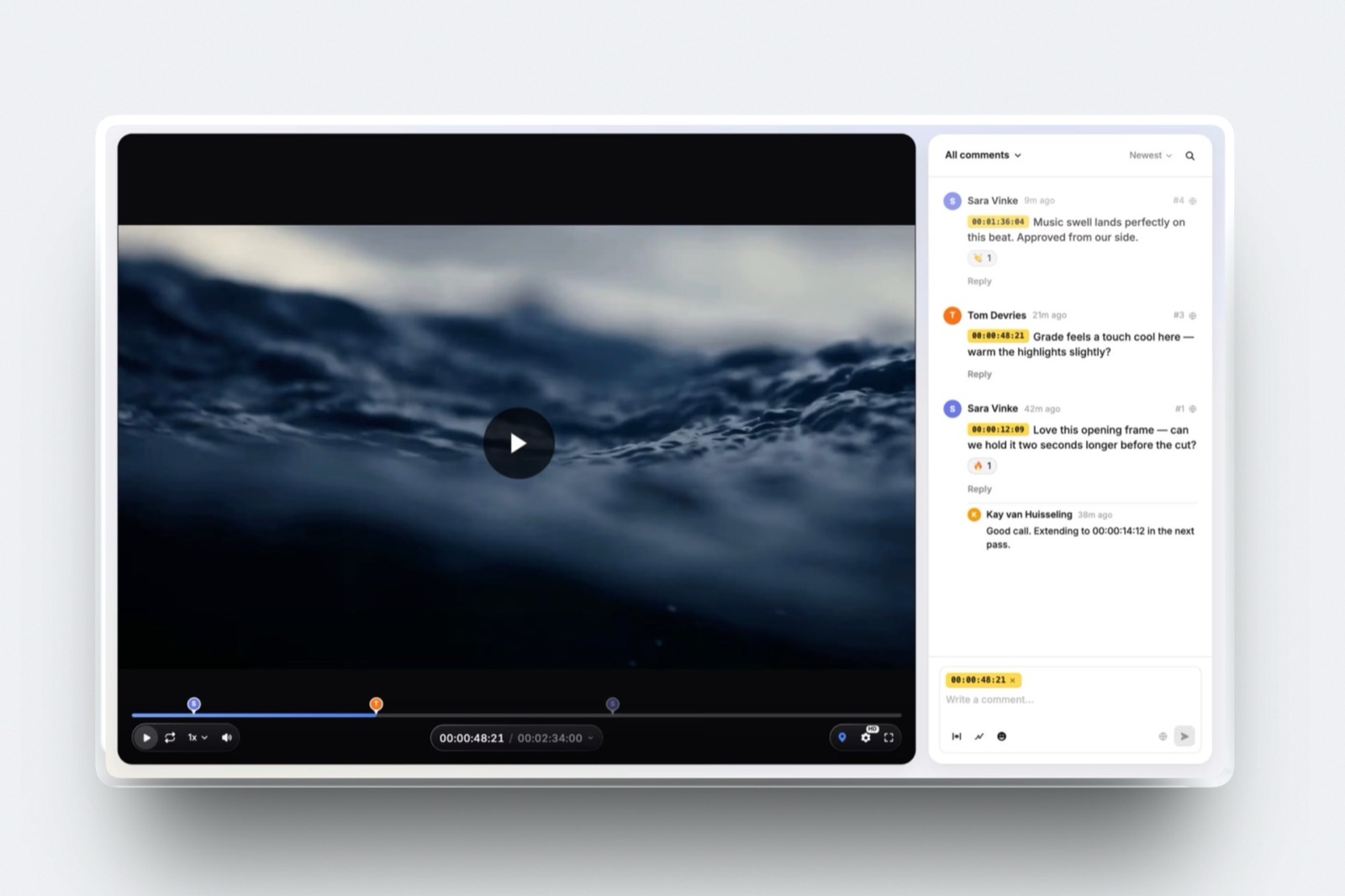
What review looks like. The account holder uploads a cut and shares one link or sends it from Framekit with a note.
Clients, brand managers and legal reviewers comment as free guests without an account, at the exact frame or across a range, draw on the frame, reply and react, and each cut carries one of four statuses the client can set if you allow it.
Every comment the account holder posts has a Public or Team switch; Team comments show a lock and are filtered out on the server before a guest's page loads, so a client cannot see them, reply to them or find them by guessing a link.
The real number1. That is how many people on your side can upload cuts and post hidden notes, the account holder, on every plan. Team members, three on Pro and unlimited on Business, are site admins rather than review seats. The account itself is $84 to $372 a year billed yearly.
The standout detailthe activity log.
Each review records comments, replies, approval changes, downloads and email registrations, with the email when the link asks for one, which answers "what did the client actually approve" without an exportable audit report.
A password, an email gate, an expiry date and a downloads switch are on every link on every plan.
The gotcha that decides this rankingthe hidden lane belongs to the account, not to a team.
A six-person agency with a creative director, an account lead and a producer each leaving blunt notes has nothing here that separates them, because only one of them can post from the account and the others would comment as guests the client can read.
There are also no restricted projects, no roles and no side-by-side compare.
Who should skip itany agency where more than one person on your side needs to leave notes the client must never read, or more than one person uploads cuts.
Verdict: ranked ninth because eight tools here separate the two loops for a whole team and Framekit does it for one person. It is the right pick for a two-person studio where the lead runs review: a branded client page, hidden notes for the lead, and the agency's site, credentials deck and delivery galleries on the same account.
10. GoVisually: Compliance-Led
GoVisually is built for agencies whose work is regulated packaging and claims, and its pricing page leads with compliance rather than with the two review loops this page is about.
The real numberLite is $16 a user a month for one to five users with no video or GIF support, and Pro is $33 a user with a three-user minimum, 250 active projects and unlimited external reviewers. The CPG Compliance AI Suite is priced on request.
Verdict: for agencies whose work is regulated packaging and claims, the real entry price is Pro at $2,376 a year for six, and its pricing page documents neither an internal comment lane nor project restrictions, which is why it sits below Framekit here.
11. Kollaborate: Private Projects, No Documented Lane
Kollaborate is one of very few tools here that sells team members at a flat account price, and its feature list documents private-by-default projects and departments, though not an internal comment lane on a shared asset.
The real numberSmall Business is $25 a month for 60GB and 5 team members, and Small Business Plus $40 for 125GB and 15, billed monthly, or $180 and $300 a year billed yearly, with unlimited projects and unlimited bandwidth on every tier.
Verdict: real project walls and per-user permission overrides at a flat price, which is rare, and no documented way to hide one comment from a client on a shared cut. Listed last for this page's specific question, and worth a look if your separation problem is between accounts rather than within a thread.
What Mixing the Loops Actually Costs
The cost of a client reading an internal note is almost never the note itself, it is the round of work that follows from a client who has stopped trusting the recommendation, and that round usually costs more than a year of the feature that would have prevented it.
Price it against the feature. Frame.io's internal lane costs $600 a year for a five-person team, the gap between Pro and Team on monthly billing, and a six-person team is on Team anyway because Pro stops at five members.
ReviewStudio's costs $1,440 at six users on Advanced. Filestage includes it at a floor of $2,388 billed monthly. Krock.io lists it at $10 a user.
Now price one incident. A client who sees "the second act does not work" from your own creative director, three days after you presented that act as intentional, will ask for options. Options mean a round.
At agency rates, one unplanned round on a campaign comfortably exceeds $600, and it also spends credibility you cannot re-buy.
That is the whole business case, and it is why the tier-up pricing across this category is defensible rather than cynical. The vendors have correctly identified that permission separation is worth more to an agency than any amount of annotation.
The test you can runopen your current tool, share a project with an external reviewer address you control, and read it as the client. Whatever you can see is what they can see, and most agencies have never checked.

What a Year Costs at Three Agency Sizes
Per-member, seat-block and flat pricing reorder completely between a three-person studio and a twelve-person agency, so this table prices the plan each tool needs for an internal lane at three sizes, on the billing basis shown.
| Tool | 3-person studio | 6-person agency, the carried campaign | 12-person agency |
|---|---|---|---|
| Frame.io Team | $792 yearly, $900 monthly | $1,584 yearly, $1,800 monthly | $3,168 yearly, $3,600 monthly |
| Filestage Starter | $2,388 monthly billing | $2,388 monthly billing | $2,388 plus one five-seat bundle |
| Ziflow | Standard, $2,388 yearly | Standard, $2,388 yearly | Pro for labels and folders, $3,948 yearly |
| PageProof Team | $2,499 yearly | $2,499 yearly | $2,499 yearly |
| ReviewStudio Advanced | $1,200, five-user floor | $1,440 yearly | $2,880 yearly |
| Approval Studio Pro | $1,920 at the listed price | $1,920 at the listed price | $1,920 at the listed price |
| Wipster Team | $718.20 yearly | $1,436.40 yearly | $2,872.80 yearly |
| Krock.io Pro | $360 | $720 | $1,440 |
| Framekit | Pro, $180 yearly, one uploader | Business, $372 yearly, one uploader | Business, $372 yearly, one uploader |
| GoVisually Pro | $1,188 | $2,376 | $4,752 |
| Kollaborate | Small Business, $180 yearly | Small Business Plus, $300 yearly | Small Business Plus, $300 yearly |
Read the Framekit row as a different product rather than a bargain. At three people it is the cheapest complete client layer in the table, because the lead runs review and the other two help with the site.
At six or twelve, the price stays low because the second, third and twelfth person get nothing from it on the review side.
Run it yourselfprice your real headcount at three points before choosing: today, plus two people, and plus five. Several tools on this page reorder completely between those three numbers.
Limits and Permissions Side by Side
This table lists the published permissions that decide whether a tool can keep an agency's two loops apart, because what matters on a deadline is who can post, who can see and what record survives, not how many annotation tools a player has.
| Permission or limit | Frame.io | Filestage | ReviewStudio | Krock.io | Framekit |
|---|---|---|---|---|---|
| Who can post internal notes | Every Team member | Every member, from Starter | Users on Advanced | Pro users | The account holder only |
| Restricted access | Restricted projects and folders | Reviewer groups | Client and project teams | Per-project collaborators and reviewers | None |
| Who uploads | Members, up to 15 on Team | Members; external partners on Business | Users; reviewers into their reviews | Members and per-project collaborators | The account holder only |
| Client account needed | No, share links | No | No, guests | No | No |
| Password and expiry | Pro and up | Password on Starter | Optional password for guests | Pro | Every plan |
| Record of the sign-off | Downloadable and printable comments | PDF review reports on Business | Approval history | Not documented | Activity log of comments, approvals and downloads |
The first row is the one this page exists for, and it is the row where Framekit's answer is one person.
Where Agency Tools Break at Scale
Per-member pricing punishes an agency for employing people who never open the tool, and per-seat-block pricing punishes it for growing by a single person, so the model matters more than the headline rate at every size above about five.
Two pricing shapes cause almost all the friction here. Per-member tools such as Frame.io, Wipster, ReviewStudio and Krock.io charge for everyone on the account, so a twelve-person agency on Frame.io Team pays $3,600 a year billed monthly even if only five people ever leave a note. Seat-block tools such as Filestage sell extra seats in bundles of five, so going from ten people to eleven costs the same as going to fifteen.
PageProof is the outlier that avoids both, at $2,499 a year with unlimited reviewers and no seat arithmetic, which is why it climbs the rankings for agencies with unpredictable client-side headcounts even though it is more expensive at small scale.
The Agency Work Around the Review Link
An agency's review link is one step in a client relationship that starts with a pitch and ends with delivery, and this is the part of the job where Framekit's one-account model helps an agency even when another tool runs the internal loop.
The pitch comes first: a treatment or credentials deck in Framekit Slides, built from ready-made elements such as shot lists, storyboard rows and moodboards, where the AI builds the whole deck from a brief once you approve its outline and paste the real facts, and marks anything you did not supply as a placeholder.
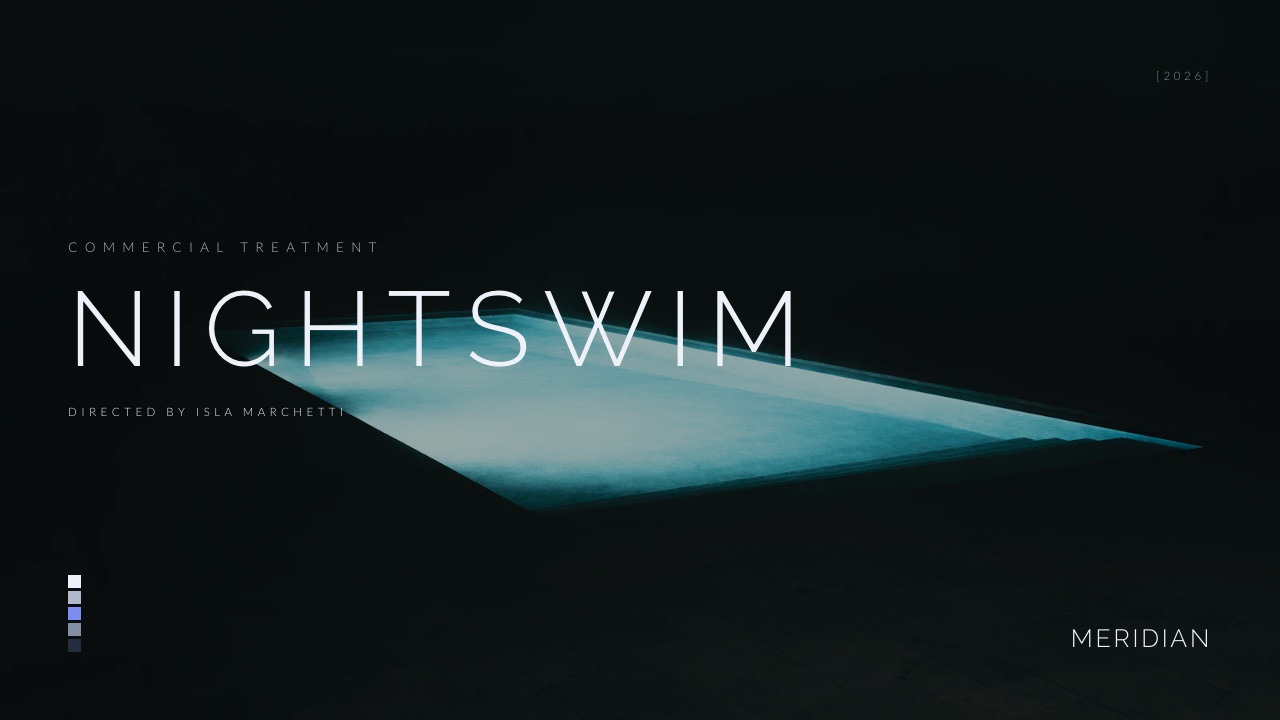
Delivery comes last: a client gallery that holds the final film, the social cuts and the stills under one link, with favourites, full-set or favourites-only downloads and a download PIN, unlimited on every plan.
The agency site with its case studies sits on the same account and, on paid plans, your own domain.
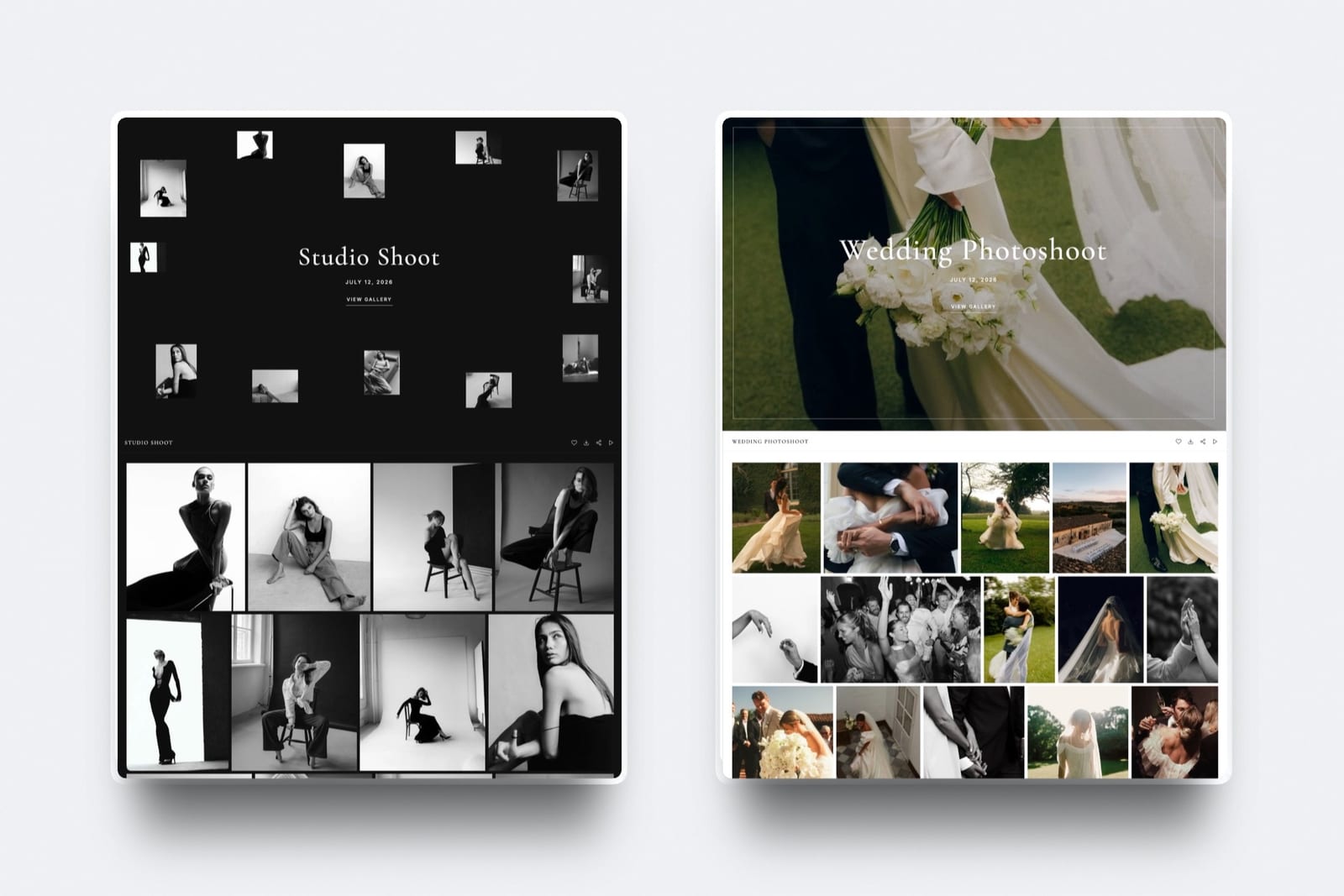
None of that moves Framekit up this ranking, which is about separating two loops. It is why an agency might run Frame.io Team for review and Framekit for the pitch, the site and delivery.
Our guides to presentation tools for creative agencies and website builders for creative agencies cover those halves.
Which Agency Review Tool Fits You? A Decision Tree
Work down these eight questions in order and stop at the first yes, because the first question is the one this whole article exists for, and if you answer no to it you can ignore most of the pricing above.
- Do several people on your side need notes invisible to clients? If yes, Frame.io Team at $25 a member, ReviewStudio Advanced at $240 a user a year, Filestage from $199 a month, or Krock.io Pro at $10 a user after testing it. If no, go to question 7.
- Must approvals happen in a defined sequence with deadlines? If yes, Filestage for reviewer groups, or Ziflow where workflow stages are the pricing axis. If no, go to question 3.
- Do you also ship print, packaging or regulated claims? If yes, Ziflow for breadth, Approval Studio for print depth, GoVisually if compliance checking is the work. If no, go to question 4.
- Does the client-side reviewer count vary wildly by account? If yes, PageProof at $2,499 a year with unlimited reviewers. If no, go to question 5.
- Do account teams need to be kept out of each other's clients? If yes, Frame.io Team, Ziflow Pro, ReviewStudio Advanced or Kollaborate's private projects. If no, go to question 6.
- Is the agency really five editors in Premiere Pro? If yes, Wipster Team for team-only comments and Adobe integration. If no, Frame.io Team is the safe default.
- Are there two of you, with one person leading review? If yes, Framekit, accepting that only the account holder's notes can be hidden and there are no roles or restricted projects. If no, go back to question 2.
- Do you also need the agency site, pitch decks and delivery galleries? Framekit runs those on one account, alongside whichever review tool you chose above.
Frequently Asked Questions
What is the best video review tool for creative agencies in 2026?
Frame.io Team at $25 a member a month is the best video review tool for creative agencies in 2026, because it combines internal comments with restricted projects and folders, the cleanest separation of internal and client review here.
Filestage at $199 a month is better when approval runs through reviewer groups in sequence, and ReviewStudio Advanced at $240 a user a year is the cheapest tool with documented comment privacy and client teams.
Which review tools keep internal comments hidden from clients?
Seven document a lane for the whole team: Frame.io on Team, Filestage from Starter, ReviewStudio on Advanced, Wipster on Team, Krock.io on Pro, Ziflow through labels and filters on Pro, and PageProof's invisible reviewer comments on Enterprise.
Framekit hides notes posted from the account holder's own login, which covers one creative lead but not a team, and GoVisually and Kollaborate document no hidden lane.
How much does an internal comment lane cost?
It is a tier-up feature almost everywhere. On Frame.io the step from Pro to Team costs $600 a year for five people on monthly billing, and a six-person agency needs Team anyway because Pro stops at five members.
ReviewStudio Advanced is $1,440 a year for six, Filestage includes the lane at $2,388 a year billed monthly, and Krock.io lists it at $10 a user.
Framekit vs Frame.io for an agency: which separates internal notes better?
Frame.io, clearly. Frame.io Team at $25 a member gives every member internal comments plus restricted projects and folders.
Framekit lets only the account holder post Team notes that guests never receive, records comments, approvals and downloads in an activity log, and lets only that same person upload.
It suits a two-person studio from $84 a year; Frame.io suits an agency.
Is Filestage or Ziflow better for an agency?
Both start at $199 a month, and the choice is structural. Ziflow Standard includes 15 users against Filestage Starter's 10, supports over 1,200 file types and prices workflow stages explicitly, with labels and folder permissions on Pro.
Filestage organises around reviewer groups with due dates and includes team-only comments at its floor. Choose Ziflow if you ship print as well as video, Filestage if your bottleneck is approval order.
What is the difference between internal review and client review?
Internal review is the unguarded pass where a creative director and account lead say what they think, and it is faster and more useful for being blunt. Client review is the considered pass where a recommendation is presented.
Mixing them in one thread either softens internal notes into uselessness or costs client confidence, and the resulting unplanned round usually exceeds the annual price of the feature that would have prevented it.
Which tool is best for an agency with unpredictable client headcount?
PageProof, at $2,499 a year on Team with unlimited reviewers, unlimited proofs and unlimited versions and no seat arithmetic.
Its invisible reviewer comments setting, which lets each external brand see only its own feedback, is documented for Enterprise team administrators.
Filestage sells extra seats in bundles of five, and Frame.io, Wipster and ReviewStudio charge per member regardless of who reviews.
Do any tools let me restrict which projects staff can see?
Several.
Frame.io offers restricted projects and folders on Team, Ziflow Pro has proof and folder permissions, ReviewStudio Advanced has client and project teams, Krock.io adds collaborators and reviewers per project, and Kollaborate makes projects private by default with departments inside them.
Framekit has no restricted projects, so it suits one client relationship at a time.
Can several people on an agency team upload cuts to Framekit?
No. Only the Framekit account holder uploads review cuts and posts the hidden Team notes. Team members, three on Pro at $19 a month and unlimited on Business at $39, are site admins who help run the website rather than review seats.
Anyone else from the agency who comments on a link does so as a guest, and guest comments are visible to the client.
What happens if a client sees an internal comment?
Practically, they question the recommendation you presented, and you get a revision round that would not otherwise have existed.
That round at agency rates typically costs more than a year of the feature that would have prevented it, which on Frame.io is $600 for five people.
It also spends credibility, which is the part that never appears in a cost comparison and is usually the more expensive loss.
Are free tiers usable for agency work?
Not for the internal-lane problem, which is paid everywhere except Framekit's one-person version. ReviewStudio's free tier is the most capable for pure client review, with unlimited users and guests on 5GB but 3 active reviews in total.
Ziflow's free plan keeps review history 60 days, Filestage Free allows one active project, and Frame.io Free caps at 2 projects and 2 members.
How should an agency price these tools before committing?
At three headcounts: today, plus two people and plus five. Per-member tools such as Frame.io, Wipster, ReviewStudio and Krock.io scale with the whole team, Filestage jumps in bundles of five, and PageProof does not move at all.
Several tools here reorder completely between those three numbers, so the cheapest option today is often not the cheapest at the size you are aiming for.
Do clients need accounts to review agency work?
No, on every tool in this comparison that documents it. Frame.io share links, Filestage, Ziflow, PageProof, ReviewStudio guests, Wipster, Krock.io, Approval Studio and Framekit all let external reviewers comment without a paid seat.
What differs is what those guests can see, which is the entire subject of this page, so test the guest view with an address you control before a real client goes near it.
Final Verdict
Frame.io Team is the best video review tool for creative agencies in 2026 because it solves the problem agencies actually have, keeping two review loops apart, by permission rather than by convention.
Internal comments plus restricted projects and folders at $25 a member is the cleanest implementation here, at about $1,584 a year for six people on annual billing.
Filestage is the better buy if your bottleneck is sequencing rather than privacy, Ziflow if you ship more than video, PageProof if client-side reviewer counts are unpredictable, and ReviewStudio Advanced if you want documented comment privacy and client teams at the lowest per-user price.
Where Framekit loses, and why an agency should not buy it for review. Framekit is not an agency review tool.
Its hidden Team notes work for the person who holds the account, not for a team; it has no roles, no restricted projects, no exportable audit trail and no side-by-side compare; and only that same person can upload cuts.
Eight tools on this page separate the two loops for a whole agency and Framekit does not, which is why it ranks ninth.
Unless you are two people with one person leading review, Frame.io Team, ReviewStudio Advanced or Krock.io is the better fit, and we would rather say so than sell you a low price.
Check your current tool's guest view today. Most agencies have never looked, and the ones that have are usually surprised.
Related readingthe 12 best video review tools, video review tools for production companies, client approval software compared, and white label client review tools.