Framekit templates
Start from a designer-made template
 Use template
 Use template
 Use template
 Use template
 Use template
 Use template
 Use template
 Use template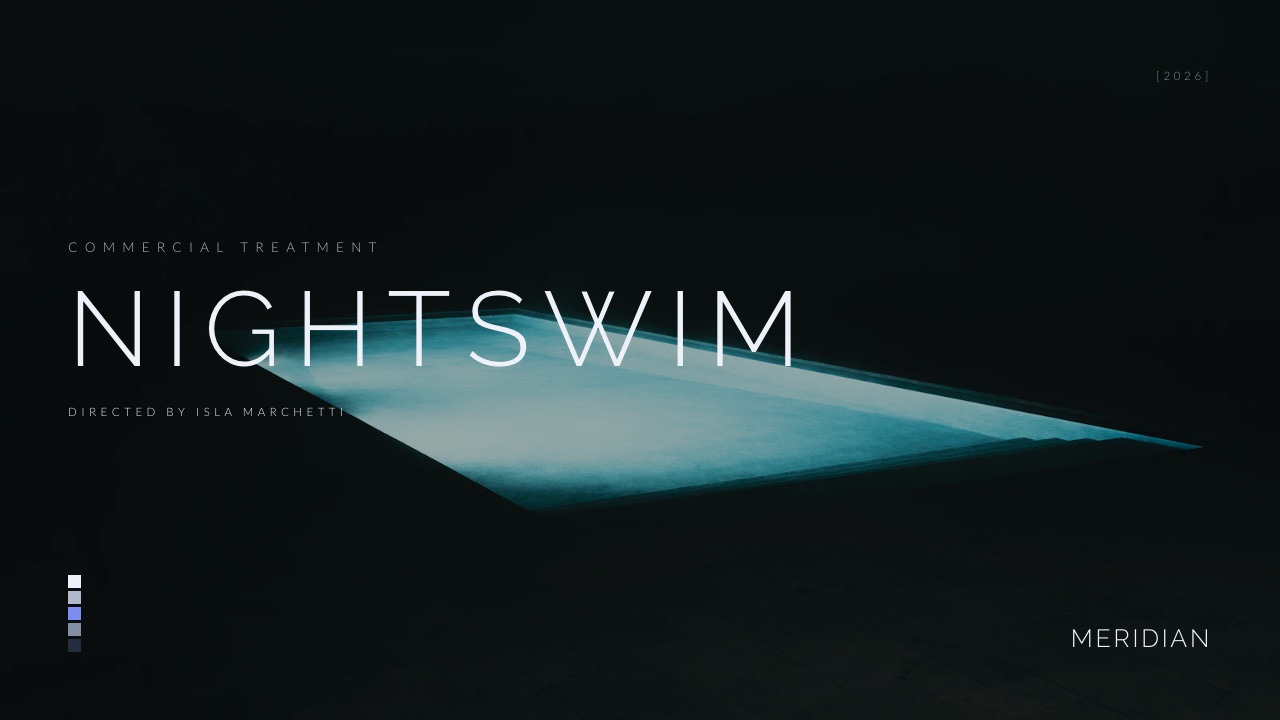
An agency's deck problem is never really about slides. It is that eight people make decks, three of them are not designers, and by the end of a quarter the agency's own work has been presented in four typefaces, two logo versions and a template somebody downloaded in 2023.
The other half of the problem is quieter. The pitch deck is on brand, the leave-behind was made by someone else, and the case studies the last slide links to sit on a website nobody has touched in two years. Clients read that spread as a preview of how the account will be run.
A presentation tool for a creative agency is software that lets a studio build client-facing pitch decks, treatments and credentials from controlled brand assets, show creative work at the quality it was made, collect client reaction, and send the result without the layout breaking on the way out.
The best presentation tool for creative agencies in 2026 is Pitch, because it combines a fast co-editing workspace, shared templates and advanced links that track visits, slide views and time per slide, at EUR 15 a seat a month on Team billed yearly.
Canva Business is the pick when most deck builders are not designers, Figma Slides fits agencies already living in Figma, and Framekit Slides ranks fourth: the strongest tool here for the creative pitch itself (treatments, campaign routes, credentials and moodboards) with the case-study site and client delivery in the same account, but with no co-editing, no comments and no template locking.
Google Slides remains the free place to write a deck four people edit at once.
Full disclosure: Framekit is our own product. In this update it moves from seventh to fourth because the scoring now weights creative-pitch craft and the pitch kit around the deck, both needs this guide already argued for; under the previous weights it would sit last of the eight, with Figma Slides second. It still has no live co-editing, no comments, no locking and no per-viewer analytics, and its team members are website admins rather than deck collaborators, which is why it is not first.
Prices in this guide were re-verified on each vendor's own pricing page on 12 October 2026; Canva's page refused an automated read, so its seat price is labelled rather than quoted, and two earlier claims that Pitch prices per workspace have been corrected, because Pitch prices per seat.
A later read of Beautiful.ai's page the same day also changed this guide's wording on its analytics, which the page lists on Pro in one place and leaves off the Pro plan card in another.
How This Agency Ranking Was Put Together
This ranking scores eight presentation tools on six criteria an independent creative agency of about eight people actually feels, using each vendor's own pricing and product pages as the evidence and publishing every score so you can change the weights and re-rank.
The carried scenario. An eight-person agency where two designers, three strategists, two account leads and a producer all build decks, pitching four or five new-business briefs a month with a twenty-two-slide campaign deck: strategy, four creative routes, a production timeline, a budget table and the team.
What changed in this version. Earlier versions described a four-editor build and a link-revocation test; we could not substantiate those, so the measured counts have been removed and every claim now rests on vendor documentation.
Framekit is described from what it ships, with no hands-on test claimed.
The new weights. Brand control and team editing 25 percent, creative-pitch craft 20 percent, client review and follow-up 15 percent, cost at agency size 15 percent, export and handover 10 percent, and the pitch kit around the deck 15 percent.
Why the weights moved. The old rubric gave design ceiling 15 percent and had no criterion for what surrounds the deck, while this guide's own analysis says pitches are lost on inconsistent materials and missing case studies.
Craft is weighted at 20 percent because the deck is the agency's work on display, and the pitch kit at 15 percent because the case study a client clicks through to is part of the pitch. Brand control is still the largest single weight.
The old weights, and who wins under them. Brand control 30, client review 20, seat economics 20, export 15, design ceiling 15. Under those, the same scores put Pitch first, Figma Slides second, Canva third, Google Slides fourth and Framekit last of the eight.
What Agencies Spend and Get in 2026
These six figures, all read on vendor pages in October 2026, frame the agency choice better than any feature grid, because each one is the point where a tool's pricing or limits meet an eight-person team.
- EUR 1,440 a year is eight seats of Pitch Team, which is priced per seat at EUR 15 a month paying yearly; an earlier version of this guide wrongly called it workspace pricing.
- $288 a year is eight Figma Collab seats at $3 a month, each with full access to Figma Slides.
- $3,840 a year is eight seats of Beautiful.ai Team at $40 per user a month billed annually, the per-user price in its pricing FAQ, and the tier with locked slides and live co-editing.
- $84 to $180 a year is one Framekit account for the designer who builds the pitches; it is not an eight-seat figure, because Framekit has no shared deck workspace.
- 12 reference images can be attached to a Framekit deck prompt, which is how a treatment's look gets into the AI draft.
- Teams of 5 or more on Storydoc are quote-only, so an eight-person agency cannot price it from the public page.
The 8 Best Presentation Tools for Creative Agencies Scored
The scores below are editorial judgments made from each vendor's documented features, not lab measurements, and they are published in full so the ranking can be checked rather than taken on trust.
| Tool | Brand control and team editing (25%) | Creative-pitch craft (20%) | Client review (15%) | Cost at agency size (15%) | Export (10%) | Pitch kit around the deck (15%) | Weighted score |
|---|---|---|---|---|---|---|---|
| Pitch | 9 | 7 | 8 | 5 | 7 | 2 | 6.60 |
| Canva Business | 8 | 7 | 6 | 5 | 6 | 5 | 6.40 |
| Figma Slides | 8 | 7 | 6 | 7 | 4 | 3 | 6.20 |
| Framekit Slides | 2 | 10 | 3 | 8 | 5 | 10 | 6.15 |
| Google Slides | 5 | 3 | 6 | 10 | 9 | 3 | 5.60 |
| Beautiful.ai | 8 | 4 | 6 | 3 | 7 | 2 | 5.15 |
| Apple Keynote | 3 | 7 | 2 | 10 | 7 | 2 | 4.95 |
| Storydoc | 6 | 4 | 9 | 3 | 4 | 2 | 4.80 |
In one lineFramekit's 2 on brand control and team editing is the lowest mark any tool gets on the heaviest criterion, and its 10s on craft and the pitch kit are what lift it to fourth; if your agency's problem is several people editing one deck, read its row as eighth.
Framekit's score is fourth by a margin of 0.05 points behind Figma Slides and 0.55 ahead of Google Slides, which is too close to treat as a verdict on its own.
Use the decision tree rather than the total if your agency's constraint is a single criterion.
What Eight Seats Cost Over a Year
Per-seat pricing is invisible at one person and decisive at eight, so here is the annual cost of each tool at the scenario's headcount and at a smaller studio of three, with the unit each vendor charges in.
| Tool | Pricing unit | 3 people a year | 8 people a year |
|---|---|---|---|
| Google Slides | Free with a Google Account | $0 | $0 |
| Apple Keynote | Free on Apple devices | $0 | $0 |
| Figma Slides | $3 per Collab seat a month | $108 | $288 |
| Framekit Slides | Per account; one per deck builder | $84 to $540 | Not a shared workspace |
| Pitch Team | EUR 15 per seat a month, yearly | EUR 540 | EUR 1,440 |
| Beautiful.ai Team | $40 per user a month by its FAQ; $40 a month for up to three users by its plan card | $1,440, or $480 on the card | $3,840 |
| Storydoc | $237.60 to $432 per individual a year | $712.80 to $1,296 | Teams plan, quote only |
| Canva Business | Per person, regional | Page refused our read | Page refused our read |
In one lineThe real decision at eight people is not which tool is cheapest but how many of the eight genuinely build decks, because a per-seat tool priced for everyone usually pays for five people who only comment.
Framekit is priced per account, $84 a year on Starter or $180 on Pro, and its team members are website admins rather than deck collaborators.
An agency where one designer builds every pitch pays for one account and shares a link the rest of the team opens without signing in; an agency where three people build pitches needs three separate accounts with no shared editing between them.
Which Tool for Which Agency Document
An agency does not make one kind of deck any more than a startup does, and the right tool changes with the document, so here is the split this guide recommends for the six decks an agency produces most often.
| Document | What it has to do | Best fit | Also fine | Avoid |
|---|---|---|---|---|
| New-business campaign pitch | Show creative routes at full quality, read well after the meeting | Pitch, or Framekit when one designer owns it | Canva Business, Figma Slides | Google Slides as the final version |
| Director's or commercial treatment | Carry film references, video and a look | Framekit Slides | Keynote, Figma Slides | Storydoc, Beautiful.ai |
| Credentials deck | Stay current, match the website | A site page plus a Framekit or Canva leave-behind | Pitch | A PDF emailed once and forgotten |
| Weekly status deck | Written fast by account leads | Google Slides | Canva Business | Anything with per-seat cost for every reader |
| Client workshop | Several editors and live reactions | Figma Slides, Google Slides | Pitch | Framekit, Keynote alone |
| Competitive pitch with follow-up | Know who read the budget | Pitch Team, Storydoc | Beautiful.ai Team | Tools with no per-viewer data |
In one lineMost agencies need two tools, one the whole team writes in and one the work is shown in, and the expensive mistake is paying every seat for the second when only the designers build in it.
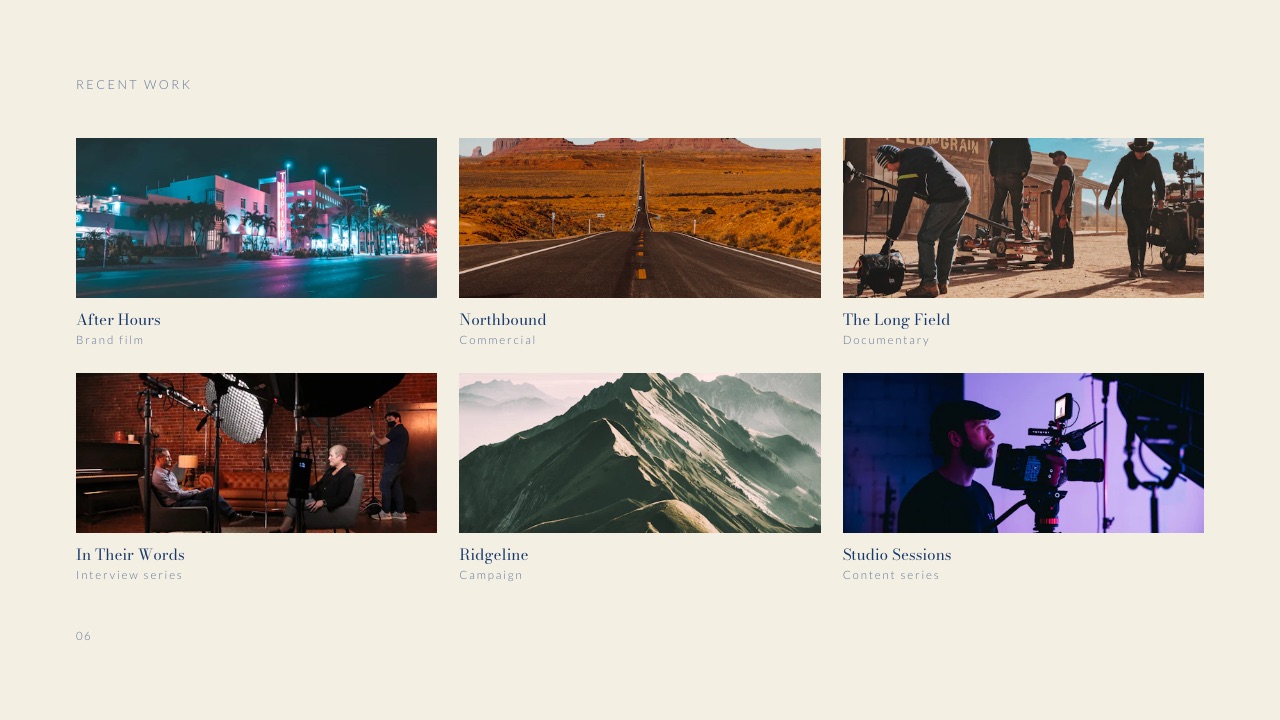
The credentials deck deserves its own note because it is the document agencies maintain worst. It is sent to every prospect, rarely tailored, and quietly decays as people leave and clients change.
Keeping the evergreen version as pages on the agency site, with a short deck that links to them, means every prospect sees this quarter's work rather than last year's. The agency credentials deck template covers what belongs on each slide.
1. Pitch: Best for Agencies of 5 to 25 People
Our score: 6.60
Pitch is the best presentation tool for creative agencies because it fits the agency-shaped problem: several people building client decks from shared templates at the same time, sent as links whose reading you can see, in an editor fast enough to change a budget slide between calls.
Best forindependent agencies and studios between about five and twenty-five people who send client decks weekly.
The editor handles four people at once comfortably, workspace templates keep a strategist inside the house style, and the Team plan's advanced links show which client contact opened the deck, which slides they viewed and how long they stayed.
The real numberPitch's pricing page lists Plus at EUR 10, Team at EUR 15 and Business at EUR 20 a month, each paying yearly and priced by the number of seats. Eight seats on Team are EUR 1,440 a year.
Team includes 25 advanced links and up to 25 external guests; Business makes advanced links unlimited.
The standout detailexternal guests who can edit with you, two on Free and twenty-five on Team, so a client-side lead can co-write a workshop deck inside your workspace without a seat.
The gotchathe advanced-link allowance on Team is 25. An agency pitching five briefs a month with several contacts each will use those faster than expected and face a EUR 5 per seat step up to Business.
Skip it ifmost of your deck builders start from a stock template rather than a house system, or clients demand editable .pptx files as standard.
Verdict: the best agency presentation tool in 2026, for the collaboration and the read data rather than the price, which at eight seats is EUR 1,440 a year. Pitch against Canva is the head-to-head if those are your two finalists.
2. Canva Business: Best When Deck Builders Are Not Designers
Our score: 6.40
Canva's argument for agencies is the brand kit, not the templates: fonts, colours and logos held at the account level, so the account lead building a status deck at 11pm produces something on brand without asking a designer.
Best foragencies where strategists, account managers and producers all build decks and only some of the team can design.
The design ceiling is also the highest here for people without design training. A strategist who will never open Figma produces a respectable twenty-two-slide deck in Canva, which is worth real money in an agency where designers are the bottleneck.
The real numberCanva's pricing page refused our automated read on 12 October 2026, and Canva prices by region and by team size, so no per-person figure is quoted here. Price the Business plan for your country at your actual headcount before committing the agency.
The standout detailbreadth. Social cutdowns, print leave-behinds and the pitch deck can come from one brand kit, which is the closest any tool here gets to Framekit's pitch-kit argument from the design side.
The gotcharecognisability. Brand managers have seen the popular templates, and an agency pitching its own craft on a familiar layout signals the wrong thing. Build a house template rather than starting from the gallery.
Skip it ifclients routinely edit your decks in PowerPoint, or you need to know what a client did with the deck after sending.
Verdict: the best answer when the constraint is your team's design ability rather than your tooling. Canva alternatives for presentations is the read if the familiarity is costing you.
3. Figma Slides: Best When the Agency Already Lives in Figma
Our score: 6.20
Figma Slides is the right deck tool for agencies whose design work already lives in Figma, because a creative route shown in a deck can be the actual design pulled from the same component library rather than a screenshot of it.
Best fordesign-led agencies with a Figma library and mostly design-literate staff.
Outside that situation it is a harder sell. Long written strategy sections are more awkward than in a presentation tool, and non-designers on the team will struggle in a way they do not in Canva.
The real numberFigma's pricing page lists a Collab seat at $3 a month on Professional with full access to Figma Slides, so eight Collab seats are $288 a year; Full seats for designers are $16 a month.
On paid plans, others can view and comment without buying seats.
The standout detaillive polls, alignment scales and voting inside slides, and live prototypes you can click through while presenting, which turns a workshop with the client into something they answer.
The gotchaa PowerPoint export flattens components into static groups, so a client team that wants to edit the deck receives something brittle.
Skip it ifaccount and strategy staff build most of your decks.
Verdict: excellent for the agencies it suits and a poor default for the rest; choose it as a side effect of your design workflow, not as a deck decision. Figma Slides alternatives covers the exit.
4. Framekit Slides: Best for the Creative Pitch and Everything Around It

Our score: 6.15
Framekit is an AI website builder whose Slides tool is built around the documents creative agencies actually pitch with, treatments, campaign decks, credentials decks, lookbooks and moodboards, and whose account also holds the case-study site, client galleries and video review the pitch leads to.
Best forstudios and small agencies where one designer or creative director builds every pitch, and the rest of the team and the client open a link.
The texture is in the elements panel.
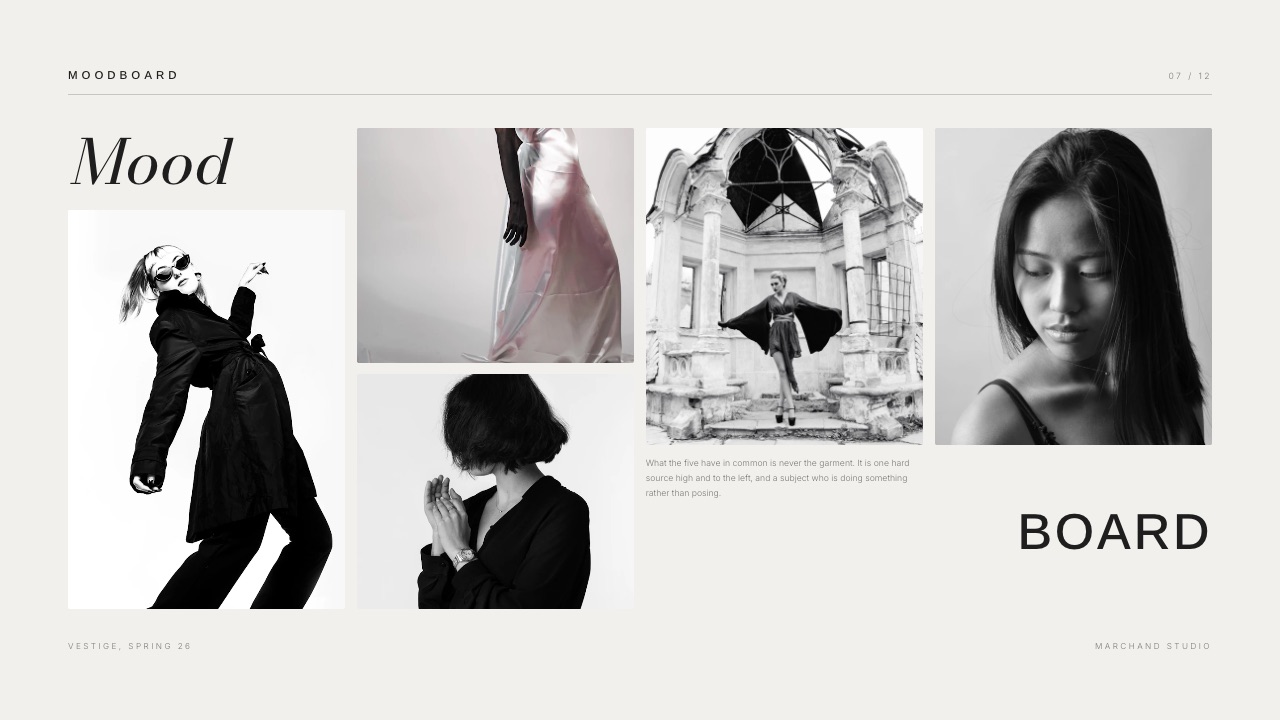
Alongside text and charts it carries shot lists, shot cards, storyboard rows, look cards, moodboards, phone and web mockups, swatches, type pairings and type specimens, so a campaign route can be shown as a route rather than as a bulleted description of one.
Slides play YouTube, Vimeo and Instagram video inline, both on the share link and in present mode, so the director's reference reel sits inside the treatment instead of behind a Drive link.
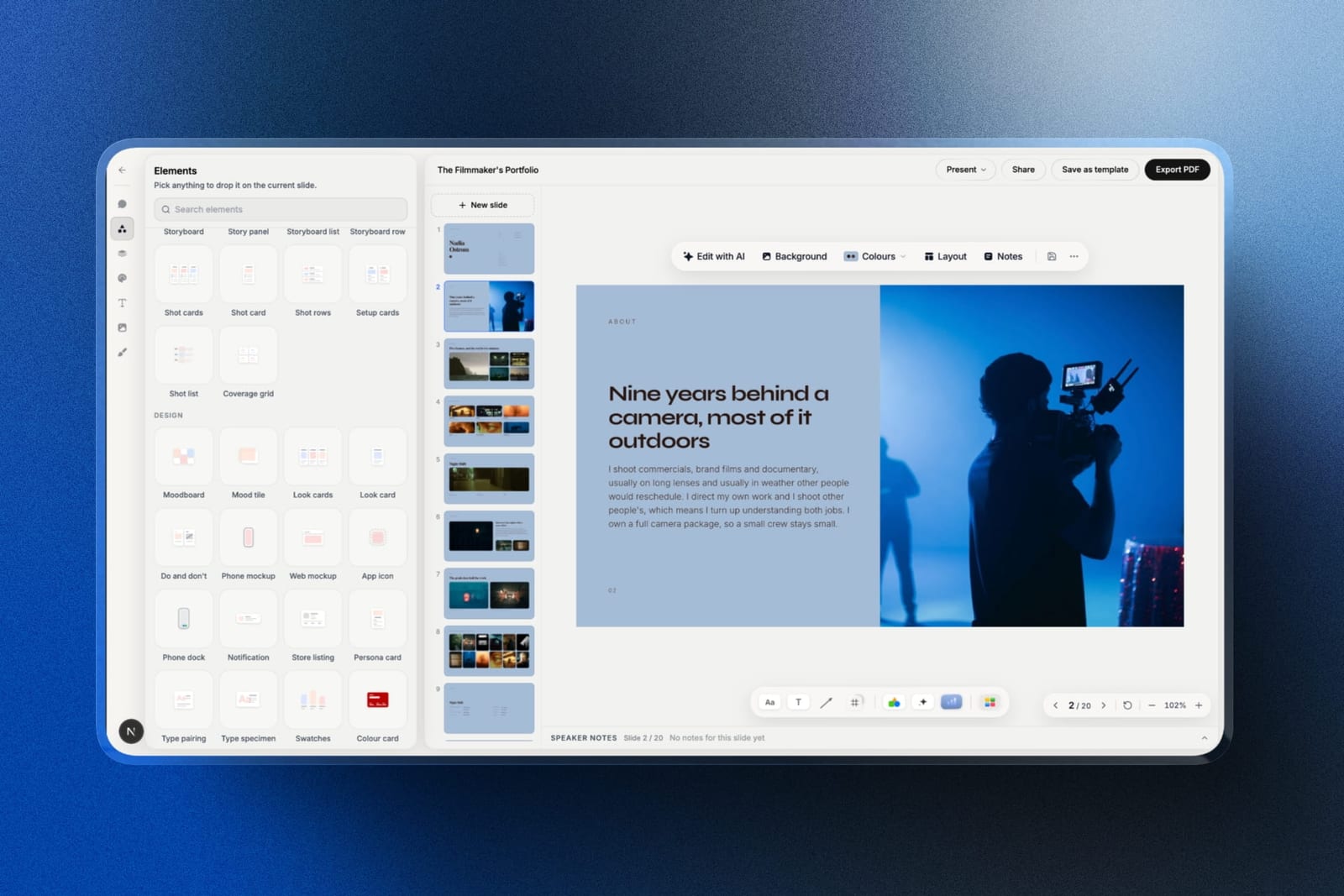
The AI builds a whole deck from a brief, and the agency-relevant part is how.
You describe the pitch and attach up to 12 reference images, the AI asks up to three questions (length, what the client should do after seeing it, presented live or read alone), picks a design style and colour theme, asks you to paste the real facts such as the brief, the budget lines and the team, and proposes a titled outline for approval.
Only then does it build, three or four slides per turn with speaker notes, leaving a marked placeholder wherever you did not supply a fact rather than inventing a client result.
Gamma is faster to a first full draft; Framekit trades that speed for a deck built on your brief.
The real numberone account, not eight seats. Free covers unlimited decks, PDF export, presenting and a share link, with a monthly AI allowance that generation draws on; hand edits cost nothing.
Starter at $84 a year adds the full template library, your own uploaded fonts and removal of the "Made with Framekit" badge, and Pro at $180 adds a picture-based PowerPoint export.
The standout detailthe pitch kit.
The site carrying the case study for the sector you are pitching, the client gallery the final stills are delivered in and the video review where the client leaves frame-accurate notes on the cut all live in the same account, in the same fonts and colours as the deck.
The gotchait is not a team tool. There is no live co-editing, no comments on slides, no template locking and no per-viewer analytics, decks belong to the account that made them, and the share link shows only a total view count.
A deck caps at 40 slides, and the PowerPoint export is pictures with speaker notes attached, so a client team that edits your deck in PowerPoint gets images.
Skip it iffour people build decks at once, non-designers need a locked template, or clients expect editable files. Pitch, Canva Business and Google Slides handle each of those better.
Verdict: the best tool in this list for making the pitch itself look like the agency's work, and for keeping the deck, the case studies and the delivery consistent, as long as one person owns the deck. For an agency with several deck builders it is a complement to Pitch, not a replacement.
5. Google Slides: Best for Decks Several People Write
Our score: 5.60
Google Slides is where a great many agency decks are actually written, because four people can be in it at once the night before a pitch, comments work, and it is free; what it will not do is protect your brand or impress anyone on appearance.
Best forthe writing stage of any agency deck, and teams where cost is the constraint.
Google's Slides page describes several people editing the same slide at the same time, comments, offline editing and PowerPoint import. That is the most reliable collaborative writing environment on this list.
The real numberfree with a Google Account.
On a company domain, Google's Workspace pricing served euro figures to our October check: Business Starter at EUR 6.80 per user a month on an annual commitment, EUR 652.80 a year for eight people, buying email and storage rather than deck features.
The standout detailthe handover. An editable file leaves cleanly, which is the opposite of most design-first tools here.
The gotchano meaningful template locking, so brand consistency across eight people relies on discipline, and the default output looks like a document.
Skip it ifthe deck is the agency's craft on display, which for new-business pitches it always is.
Verdict: where agency decks should be written and rarely where they should be finished. Draft here, present from somewhere else, and see Google Slides alternatives for the finishing tool.
6. Beautiful.ai: Best for Enforced Consistency Without a Designer
Our score: 5.15
Beautiful.ai keeps slides tidy by not letting anyone space them badly, and on its Team plan it adds locked slides, a central slide library and live co-editing, which makes it a real brand-control tool rather than a solo layout aid.
Best forsmall teams with no design resource who need every deck to look the same.
The real numberBeautiful.ai's pricing page lists Pro at $14.50 a month billed annually, $174 a year, with PowerPoint import and export, and prices Team two ways: $40 a month for up to three users on the plan card, and $40 per user a month billed annually, or $50 monthly, for 2 to 20 users in the FAQ.
Eight seats sit outside the card's three-user price, so on the FAQ's reading they are $3,840 a year, the most expensive published option here.
Viewer and slide analytics are listed on Team; Pro's viewer analytics appear in the page's comparison table but not on the Pro plan card.
The standout detaila one-month option at $45 for a single deck, which suits a two-person studio facing one important pitch.
The gotchathe layout engine that guarantees consistency also overrules the designers you employ, and the creative-pitch templates are business-shaped rather than campaign-shaped.
Skip it ifyou employ designers, because they will lose arguments with the layout engine.
Verdict: effective at enforcement and priced like a per-seat enterprise tool. Beautiful.ai alternatives is the read if the seat price is the blocker.
7. Apple Keynote: Best for Mac Studios Presenting in Person
Our score: 4.95
Keynote handles large images and typography better than any other free option and costs nothing on Apple hardware, which for a small Mac-based studio presenting creative work in a room is a genuinely strong position.
Best forsmall Mac-based studios whose pitches happen in a room rather than in an inbox.
Its weakness is the agency part: no brand locking and no read data, so it is a presenting tool more than a team tool.
The real number$0. Apple's Keynote page also describes creating, editing and collaborating on shared presentations from a web browser on a Mac or a Windows computer, so a mixed-hardware team is not locked out entirely.
The standout detailthe presenter display and rehearsal tools, which are the best here for a pitch delivered live.
The gotchacollaboration works, but there is no brand control at all, so consistency across eight people is discipline again.
Skip it ifyour decks are sent more often than presented.
Verdict: the best free tool for the room and the weakest for everything around it. Fine for a small studio, unworkable for a growing one; Keynote alternatives covers the next step.
8. Storydoc: Best When You Need Read Data on a Pitch
Our score: 4.80
Storydoc gives up slides for a scrolling interactive document and returns the deepest post-send data here, which for an agency in a competitive pitch can be genuinely actionable: who read the strategy section and whether anyone reached the budget.
Best foragencies running competitive pitches where the follow-up decides the outcome.
The format is the cost. Agency decks are landscape artefacts with designed spreads, and converting a creative route into a scrolling document changes how the work reads.
The real numberStorydoc's pricing page lists Starter at $19.80 a month billed annually, $237.60 a year, with 5 active documents, basic analytics and PDF export, and Pro at $36 a month billed annually, $432 a year, with 30 active documents and extended analytics.
Teams, designed for five or more users, is quote-only.
The standout detailthe active-document unit. Thirty live pitches on Pro is plenty; five on Starter is tight for an agency pitching weekly.
The gotchaPDF export exists, but it is a flattening of a scrolling page rather than the landscape spreads a creative route is designed as.
Skip it ifyour creative work needs to be presented as designed frames.
Verdict: Storydoc buys information rather than craft. Worth it in a pitch process where the follow-up decides the outcome, and Storydoc alternatives covers the trade.
What Agencies Actually Lose Pitches On
The deck rarely loses a pitch on its own, and two things around it lose pitches regularly, which is why this guide added the pitch kit as a criterion rather than scoring decks in isolation.
Inconsistency across the pitch materials. The deck is on brand, the leave-behind PDF was made by someone else, and the case studies linked at the end sit on a website last updated two years ago.
Clients read that spread as a signal about how the account will be run, and it is a fair signal.
Proof that does not match the pitch. Every agency deck ends with relevant work, and the moment a client clicks through to find it, the argument passes out of your control.
If the case study for the sector you are pitching does not exist as a page, the strongest claim in your deck has no evidence behind it.
That second problem is a website problem, not a slide problem. Whatever builds the deck, the case study for the sector you are pitching should be live as a page before the pitch rather than three weeks after it.
Framekit builds that page from the same account as its deck editor, and an agency that builds decks in Pitch can still host its case studies there.
In one lineWin the pitch on the deck and keep it on the case study, which means the page the last slide links to deserves the same attention as slide one.
After the Pitch Is Won: Delivery and Review
The work an agency pitches eventually has to be delivered and approved, and the tools that handle that stage decide how the client remembers the account, so it is worth knowing which deck tools connect to it.
None of the deck tools above handle delivery. Pitch, Canva, Figma and Google Slides end at the deck; the cut goes to a review tool and the stills go to a file-transfer link.
Framekit is the exception because its account includes video review, where a client comments at the exact frame and versions stack without losing earlier notes, and client galleries for delivering photos and video in one branded link.
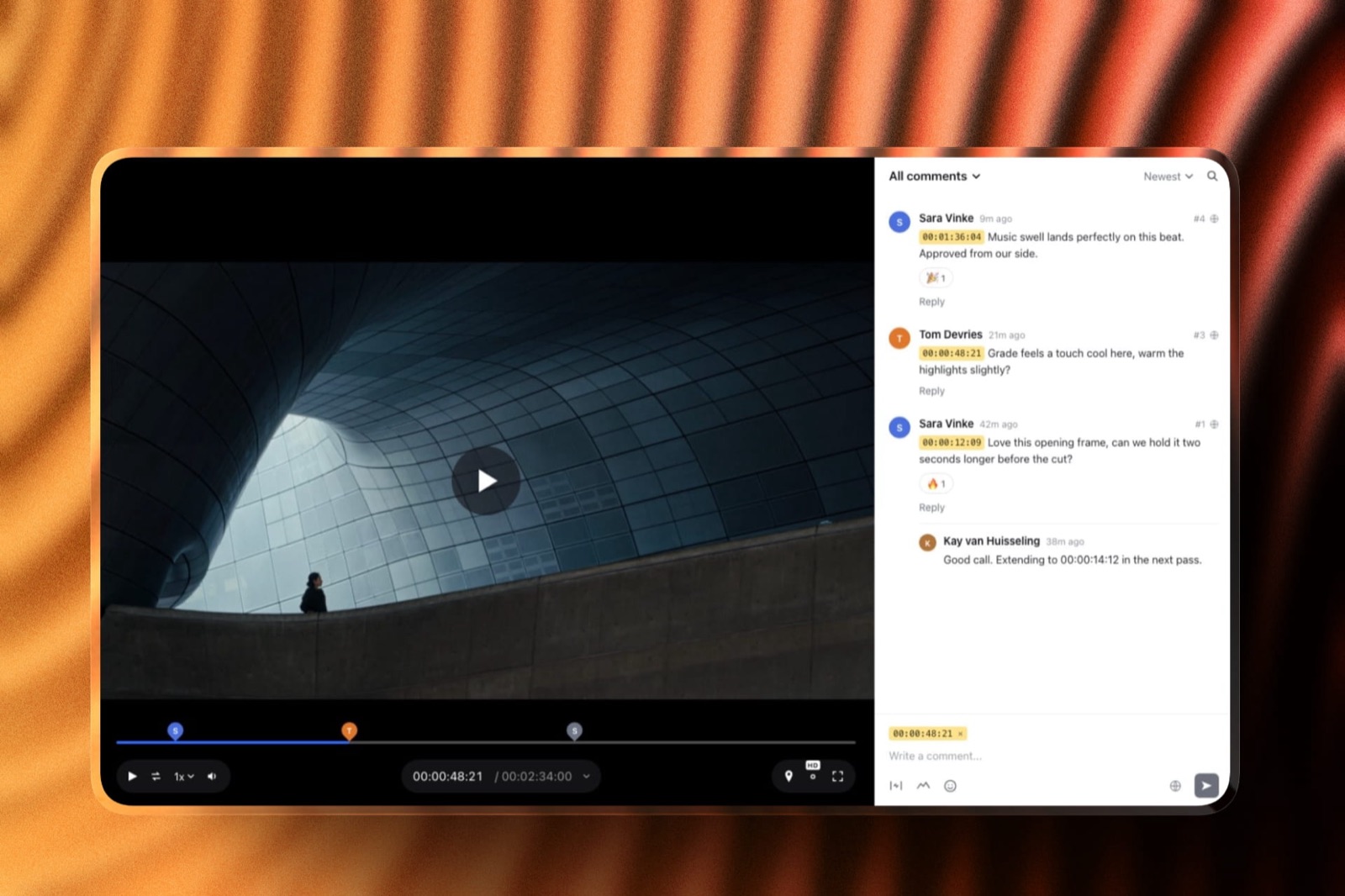
That matters most to production-heavy agencies and studios: the treatment, the review of the edit and the delivery gallery carry the same fonts and colours, and the client opens all three without an account.
It matters least to an agency whose output is strategy and brand guidelines, where a PDF is the deliverable.
In one lineIf your agency delivers film or photography, count the review and delivery tools in the budget, because they cost more than the deck tool and the client sees them more often.
How to Choose an Agency Presentation Tool: A Decision Tree
Answer these questions in order and stop at your first yes, because the first yes is the constraint that is actually costing your agency money, and it should decide the tool more than any weighted total above.
1. Do several people edit the same deck at the same time? Pitch, at EUR 15 a seat a month on Team, or Google Slides if cost decides. Framekit drops out at this question.
2. Do non-designers build most of your client decks? Canva Business for the brand kit, priced in your region.
3. Is your design work already in Figma? Figma Slides on $3 Collab seats.
4. Does one designer or creative director build every pitch, and is the work image-led or film-led? Framekit Slides, from $84 a year on one account, with the case-study site and delivery in the same place.
5. Do you need to know which client contact read what? Pitch Team's advanced links, or Storydoc if section-level depth is worth a quote-only team plan.
6. Are you two people with no designer at all? Beautiful.ai's $45 one-month option for the important deck.
7. Are you a Mac studio presenting in the room? Keynote at $0, with a PDF as the leave-behind.
8. None of the above? Pitch, because the co-editing and read data address the agency-shaped problem better than anything else here.
Two adjacent audiences have their own rankings: the best presentation tools for consultants, where editable deliverables decide it, and the best presentation tools for remote teams, where async delivery does.
Where Framekit Loses for an Agency
Ranking our own product fourth only means something if its losing ground is stated as clearly as its winning ground, so here are the agency jobs Framekit Slides does badly, each with the tool that does them well.
Several people on one deck. No live co-editing, no comments, and decks belong to one account. Pitch, Google Slides and Figma Slides are built for this.
Brand control for non-designers. A deck-wide theme applies your fonts and colours to every slide, but nothing stops someone moving the logo, and there is no locked template. Canva Business and Beautiful.ai Team lock things down.
Knowing what the client read. A total view count and nothing per viewer, no password on the link. Pitch Team and Storydoc report per recipient.
Editable handover. The PowerPoint export is pictures. Google Slides and Beautiful.ai hand over editable slides.
Long credentials decks. A deck caps at 40 slides, which fits a pitch and constrains a sprawling capabilities document.
In one lineFramekit wins the craft of the pitch and the consistency of everything around it, and loses every criterion that involves more than one person touching the deck.
Frequently Asked Questions
What is the best presentation software for a creative agency?
The best presentation software for a creative agency in 2026 is Pitch, because it combines a co-editing workspace, shared templates and advanced links on its Team plan, EUR 15 a seat a month billed yearly, that track visits, slide views and time per slide.
Canva Business is better when most deck builders are not designers, and Framekit Slides is the strongest tool for the creative pitch itself when one designer builds every deck.
Why does Framekit rank fourth if it has no co-editing?
Framekit ranks fourth because this guide's scoring now weights creative-pitch craft at 20 percent and the pitch kit around the deck at 15 percent, and Framekit scores 10 on both, while scoring 2 out of 10 on brand control and team editing, the heaviest criterion at 25 percent.
Under the previous weights, which had no pitch-kit criterion, it would rank last of the eight. The full score table is published so you can re-weight it.
Framekit vs Pitch: which is better for a creative agency?
Pitch is better for an agency where several people build decks, because it has live co-editing, shared templates and per-recipient analytics, at EUR 1,440 a year for eight Team seats.
Framekit is better for a studio where one designer builds every pitch, since its Slides editor carries treatment, credentials and moodboard templates plus shot list, storyboard and look-card elements, costs $84 to $180 a year on one account, and runs the case-study site and delivery in the same place.
How much should an agency spend on presentation tools?
Between $0 and about $3,840 a year for eight people, and most agencies should land well under $1,500.
Google Slides and Keynote are free, eight Figma Collab seats are $288, eight Pitch Team seats are EUR 1,440 and eight Beautiful.ai Team seats are $3,840.
The figure that matters is how many people build decks rather than read them, because readers rarely need a seat.
Can a client comment on a Framekit deck?
No. Framekit decks have no comments, so client reaction to a pitch deck arrives by email or in the meeting. The share link opens without an account and shows a total view count, and the link can be reset so an old address stops working.
Video cuts are different: Framekit's video review in the same account takes comments pinned to the exact frame.
Can an agency team share one Framekit account for decks?
Not as a shared deck workspace. Framekit bills per account, and its Pro plan includes three team members, but those members are website admins; each deck belongs to the account that created it, and there is no live co-editing.
An agency where several people build decks needs one account per builder or a team tool such as Pitch, Canva Business or Figma Slides.
How do agencies keep decks on brand across a team?
By locking a template rather than circulating one.
Beautiful.ai Team includes locked slides and a central slide library, Canva Business holds fonts, colours and logos in a brand kit, and Pitch keeps a workspace's templates and styles in one place.
Google Slides and Keynote rely on discipline. Framekit applies one deck-wide theme of your fonts and colours but does not lock layouts, which works only when one person builds the decks.
Should agencies send pitch decks as PDFs or links?
Links for new-business pitches and PDFs when the client's process demands a file.
A link can report readership on the tools that support it, lets you correct a slide after sending and can be revoked or reset; a PDF forwards reliably through corporate email and survives networks that block unfamiliar domains.
Framekit produces both on every plan, including Free.
Can Framekit play video inside a pitch deck?
Yes. Framekit slides embed YouTube, Vimeo and Instagram video that plays inline on the shared deck link and in present mode, so a director's reel or a reference clip sits inside the treatment rather than behind a separate link.
The same account also holds video review for the finished cut, where clients leave comments at the exact frame.
Is per-seat pricing worth it for an eight-person agency?
Often not for everyone. The same eight people cost $0 on Google Slides, $288 on Figma Collab seats, EUR 1,440 on Pitch Team and $3,840 on Beautiful.ai Team, and in most agencies only three or four people build decks from scratch.
License the builders, let everyone else view or comment where the tool allows it, and recalculate at your real number of builders.
What is the best free presentation tool for a studio?
Google Slides for collaborative writing and Apple Keynote for presenting in a room, and both are free with nothing important gated.
Framekit's free plan is the third option, with unlimited decks, PDF export and a share link, carrying a "Made with Framekit" badge until you move to Starter at $84 a year, which also unlocks the full template library.
None of the three reports per-viewer analytics.
Does an agency need a website if it pitches in person?
Yes, because every deck ends with case studies and the client will click through to check them, usually after the meeting and often with colleagues who were not in it.
An agency site that does not carry the work relevant to the pitch undermines the strongest claim in the deck. Framekit builds that site from a description in the same account as its deck editor.
How do agencies get read data on a pitch deck?
By sending a tracked link from a tool that supports it: Pitch Team's advanced links record visits, slide views and time per slide, Storydoc reports section-level reading, and Beautiful.ai Team lists viewer and slide analytics, while its Pro plan shows viewer analytics in the pricing page's comparison table and none on the Pro plan card.
Canva, Google Slides, Keynote and Framekit do not report per recipient; Framekit shows a total view count only.
Final Verdict
Pitch is the best presentation tool for creative agencies in 2026 because it fits the shape of an agency's actual problem: several people building client decks from shared templates, sent as links you want information about.
At eight seats it costs EUR 1,440 a year, more than this guide previously said, because Pitch prices per seat.
Canva Business earns its place where designers are the bottleneck, Figma Slides where the agency already lives in Figma, and Google Slides remains the right place to write anything four people edit at once.
Framekit Slides ranks fourth, and for one kind of agency it is the best tool here: the studio where one designer or creative director builds every pitch, whose treatments, credentials and moodboards need to look like the work, and whose case studies, review and delivery should match the deck.
Where Framekit losesFramekit is not for agencies where several people edit one deck at once or non-designers need a locked template, and it does not report what a client read, take comments on slides or export editable PowerPoint files.
Pitch, Canva Business, Google Slides and Storydoc are the better fit for those needs, and under the old weights Framekit would rank last of the eight.
Keep reading: the agency credentials deck template, how to make a case study deck, the best presentation software, the best video review tools for creative agencies and the best website builders for creative agencies.