Framekit templates
Start from a designer-made template
 Use template
 Use template
 Use template
 Use template
 Use template
 Use template
 Use template
 Use template
Most people typing Framekit vs Frame.io into a search bar are not running a post house. They are one or two people who cut video, send it to a client, and are tired of a reply that says "around the 40 second mark, the bit with the car".
Frame.io fixed that problem for the whole industry. The question here is whether you need the fix built for a fifteen-person team, or a smaller one attached to the rest of your business.
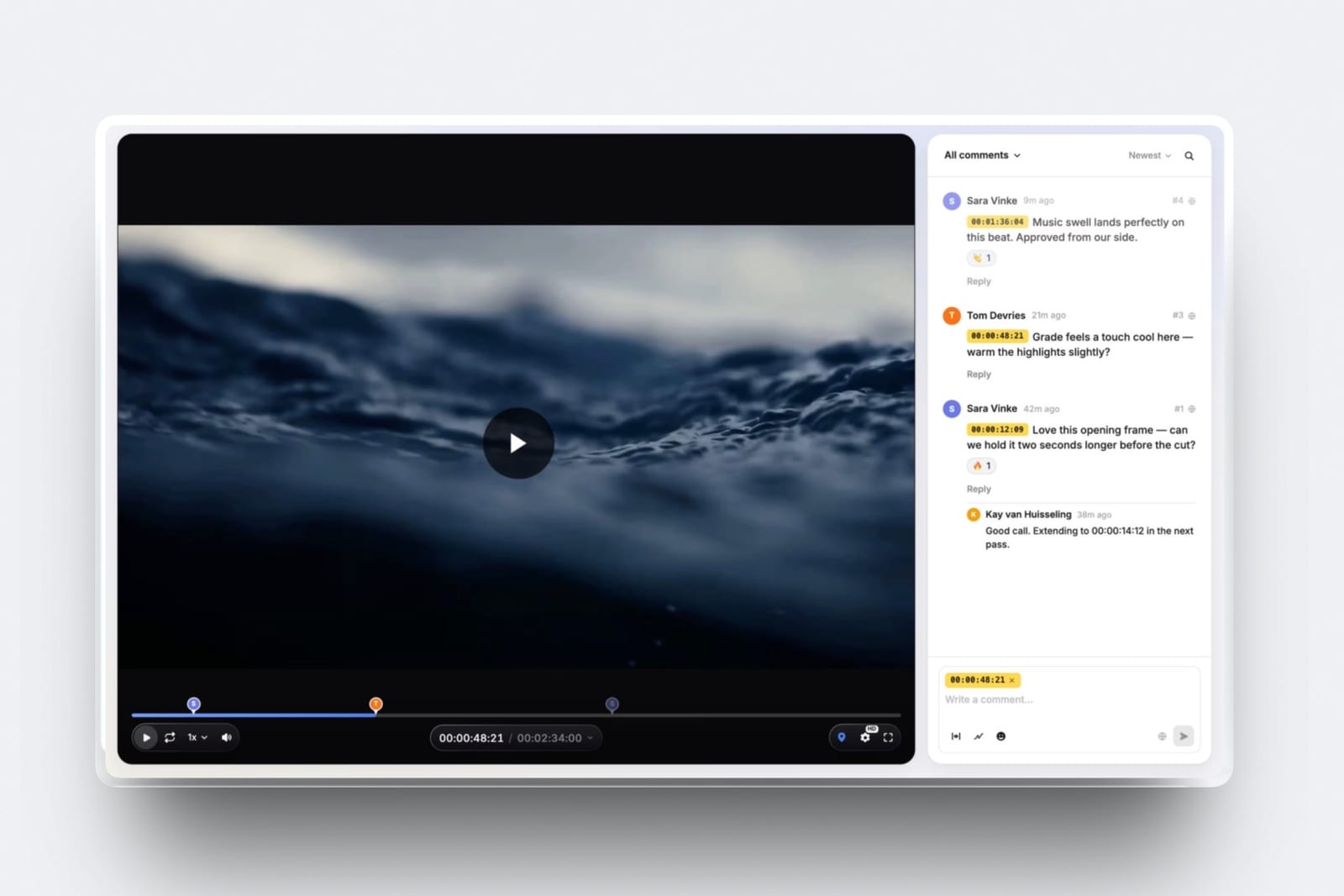
A video review tool is software that hosts a cut, lets people who did not make it leave comments pinned to exact frames, and keeps every version and decision in one place so nobody argues about which cut a note was for.
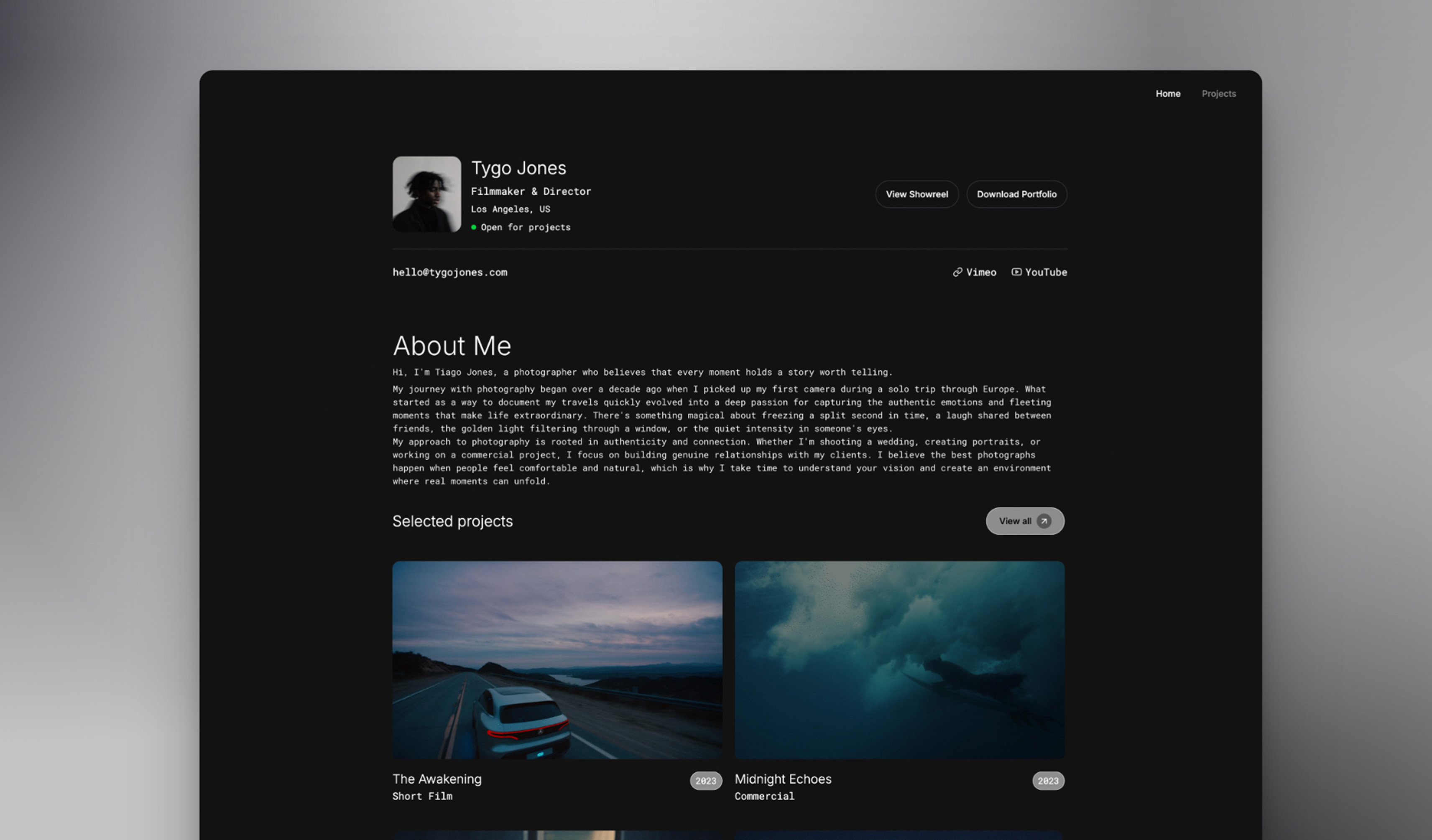
Framekit is an AI website builder for filmmakers, photographers and designers whose account also carries video review, client galleries, Slides decks and a digital-download store, so the review link, the delivery gallery and the portfolio share one login and one bill.
Frame.io is Adobe's cloud review and media workspace, and it is the professional standard for a reason.
Frame.io is the better review tool and Framekit is the better account for a small studio that also needs a site and a way to deliver.
Choose Frame.io if you cut in Premiere Pro, After Effects or Final Cut Pro, shoot Camera to Cloud, need staff-only comments, compare versions side by side, review images or PDFs, or send files over 3GB; Pro is $15 a member a month or $156 a year.
Choose Framekit if you are one or two people, with one of you uploading every cut, sending cuts shorter than two hours and inside your plan's 500MB to 3GB file cap, want frame-accurate notes, drawing, versions and approval statuses on every plan including Free, and want the portfolio site, client galleries and store on the same $0 to $39 plan.
Full disclosure: Framekit is our product and Frame.io is the incumbent it is measured against, so the section on where Frame.io wins is deliberately longer than the one on where we win. No hands-on timing tests of either product appear here: every Frame.io figure was re-read on frame.io/pricing and Frame.io's own help centre on 12 October 2026, and every Framekit figure comes from its published plan limits the same day.
How This Comparison Was Put Together
This page compares the two products on the job most readers hire them for, getting a client from a first cut to an approved film, and every claim on it sits in one of three evidence buckets so you can tell a published fact from our own arithmetic.
Read at the source. Frame.io's plans, member limits, storage rules and feature grid come from frame.io/pricing.
Its per-asset ceiling of 5TB and its list of reviewable file types come from Frame.io's uploading help article, and its After Effects workflow from the V4 panel overview.
Framekit's caps, formats, storage pools and link settings come from its published plan limits and the shipped product. All of it was re-read on 12 October 2026; Frame.io's prices had not moved since this page launched in September.
Calculated. One carried example runs through the page: a two-minute 1080p brand film exported as an H.264 MP4 at roughly 20 megabits per second, which lands near 300MB, sent to two client reviewers for a v2 and a v3 and then delivered.
Annual costs are worked at three usage levels with the multiplication shown.
Not claimed. There are no load times, upload speeds or playback impressions for either tool. Where a vendor's documentation is silent on a feature, the text says "not documented" rather than "missing". Prices are in US dollars before tax.
Framekit vs Frame.io at a Glance
Frame.io wins most of the rows below because it is a full production workspace with storage that grows per seat, while Framekit wins the rows about price at small scale and about everything that happens around the review link itself.
| Framekit | Frame.io | |
|---|---|---|
| What it is | AI website builder with video review, client galleries, Slides and a store on one account | Cloud review and media workspace, owned by Adobe |
| Billing | Per account | Per member |
| Free plan | Every review feature, 10GB pool with 3GB for video, 500MB per file | 2 members, 2GB, 2 projects |
| Cheapest paid plan | Starter, $9 a month or $84 a year | Pro, $15 a member a month or $156 a year |
| Largest single review file | 3GB, on Business | 5TB per asset |
| What it reviews | Video only | Video, images, audio, PDFs and Office files |
| Frame-accurate notes and drawing | Yes, every plan | Yes, every plan |
| Side-by-side version compare | No | Yes, every plan |
| Staff-only comment threads | No review seats for staff | Team and up |
| Premiere Pro, After Effects, Final Cut Pro | No | Yes |
| Camera to Cloud | No | Yes, every plan |
| Portfolio site, client galleries, store | Yes, same account | No |
Five numbers carry most of the decision:
- $156 against $84. A year of Frame.io Pro for one member against a year of Framekit Starter, both billed annually.
- 2 hours. The longest video Framekit accepts on any plan.
- 2TB per member. What each additional paid member adds to a Frame.io Pro account, up to five.
- 3GB of video. What Framekit Free holds across review and gallery video, inside its 10GB pool.
- 0. Editing-app panels Framekit ships.
In one lineFrame.io is the better video review product, Framekit is the better bill for a one- or two-person business that also needs a website and a delivery gallery, and your export size usually decides which sentence applies to you.
Frame.io: The Review Tool Built Into the Edit
Frame.io is the industry's default video review workspace, built so that footage arrives from the camera, cuts arrive from the timeline and client notes travel back into the edit, and every plan including Free carries the core review toolset rather than a demo of it.
Adobe completed its acquisition of Frame.io in October 2021, and the product now sits inside the Creative Cloud family.
That ownership shows up where it matters to an editor: the pricing grid lists Premiere Pro and Final Cut Pro integrations and a Lightroom connection on every plan, and Frame.io's V4 After Effects panel renders compositions from the Render Queue, uploads them, and turns client comments into markers on the timeline.
What review looks like. Comments can sit on a single frame or span a range, reviewers can draw annotations on the picture, versions stack so a reviewer can flip between cut 3 and cut 4, and a comparison viewer puts two versions next to each other.
Transcription and captions come on every plan. So does document markup: Frame.io's help centre says it accepts any file, and gives video, image, audio, PDF and Microsoft Office files the full viewing and review experience.
What Pro adds. At $15 a member a month, or $156 a year billed annually, Pro adds comment attachments, branded share pages, passphrases, expiry dates, download and comment switches, hidden previous versions, 4K UHD playback and a static watermark.
Team, at $25 a member a month or $264 a year, adds internal comments and restricted projects. Enterprise adds single sign-on and forensic watermarking.
The number that matters2TB for the first Pro member and 2TB more for each additional member, up to five. A five-person Pro account holds 10TB. Frame.io is not just a review page; it is a cloud drive for footage that happens to have the best review player in the business.
The detail most comparisons missthe annual discount is only 13%. Pro is $180 a year paid monthly and $156 paid annually, so committing saves $24 per member.
The gotcha that bites in week threethe Free plan's two projects and 2GB are hard limits, so the third client is the moment you buy Pro. Everyone who uploads is a paid member too, so a producer, two editors and an assistant who all push cuts are four seats.
Skip it ifyour review rounds are a link to one client, your cuts are finished H.264 exports well under 3GB, and what you actually need afterwards is a portfolio site and a delivery gallery rather than a footage drive.
Verdict: Frame.io is the right tool whenever review is the middle of a production workflow rather than the end of one, and it is more tool, and more storage, than a solo editor sending four short cuts a month will ever use.
Already weighing Frame.io's seat maths? Frame.io's full pricing and storage rules breaks down every tier, and the best Frame.io alternatives covers the other review tools people move to.
Framekit: Review Beside the Site, Galleries and Store

Framekit's video review does the client side of the job, a link, frame-accurate notes, drawings, versions and an approval status, on every plan including Free, and its whole case rests on sitting in the same account as the portfolio site, the client galleries and the store.
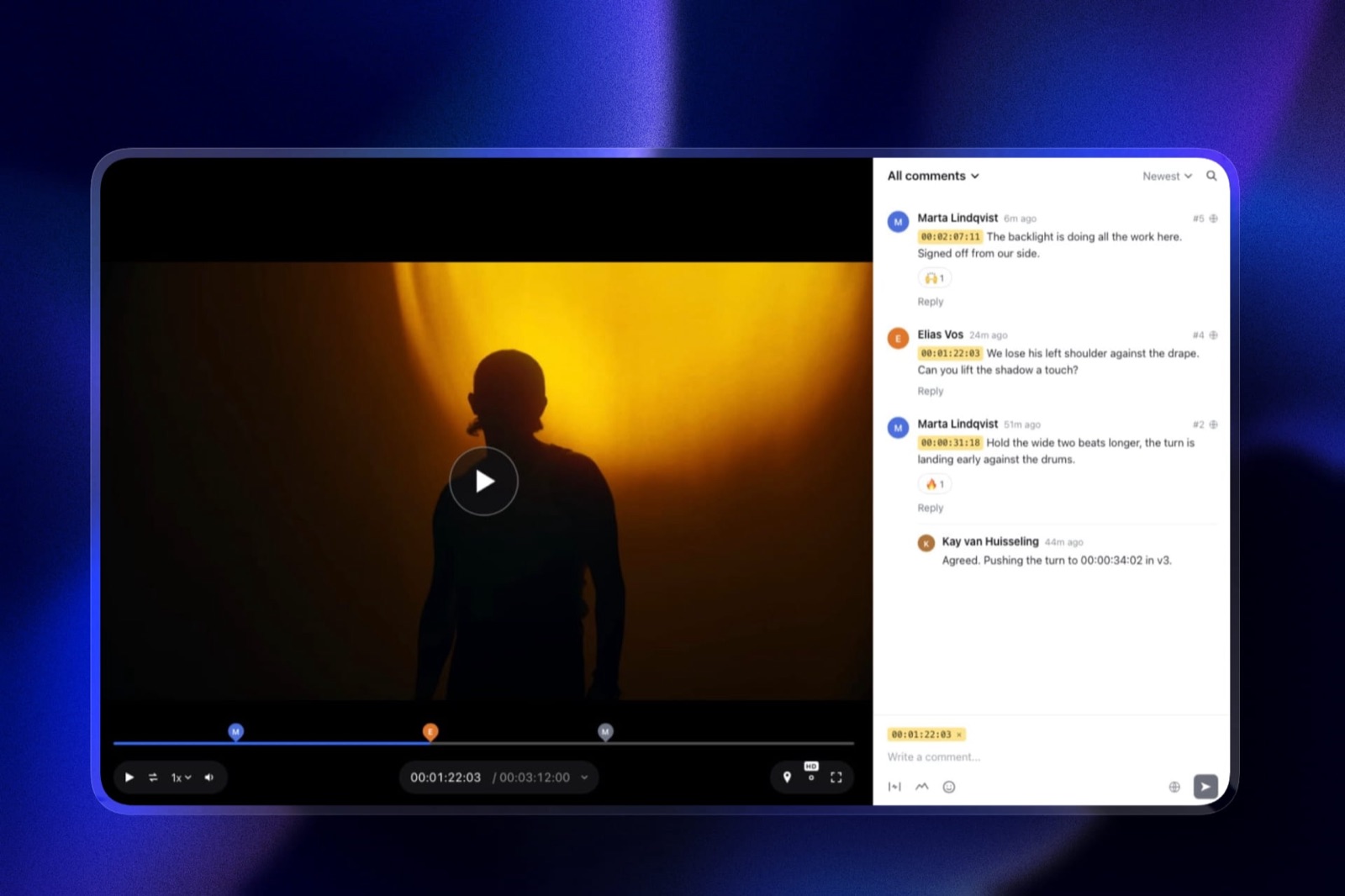
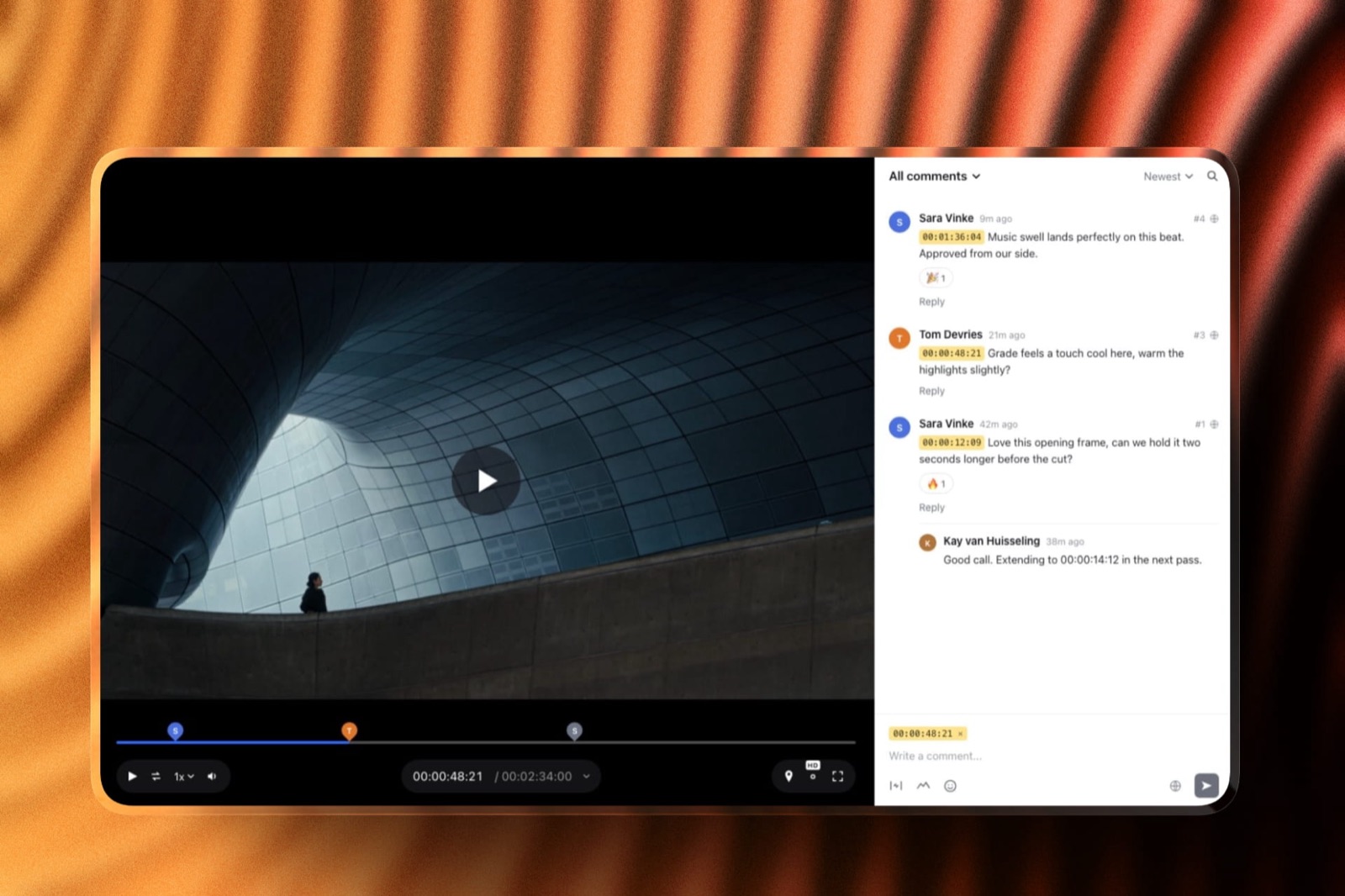
You upload a cut and share one link, or send it from Framekit with a note. Reviewers open it without an account and leave comments pinned to the exact frame, shown as timecode chips in the sidebar and markers on the timeline.
They can draw on the frame, reply and react with an emoji. Uploads of v2 and v3 stack as versions, with older cuts and their notes kept.
Each cut carries one of four statuses, needs review, in progress, approved or needs changes, so the approval sits on the cut rather than in an email.
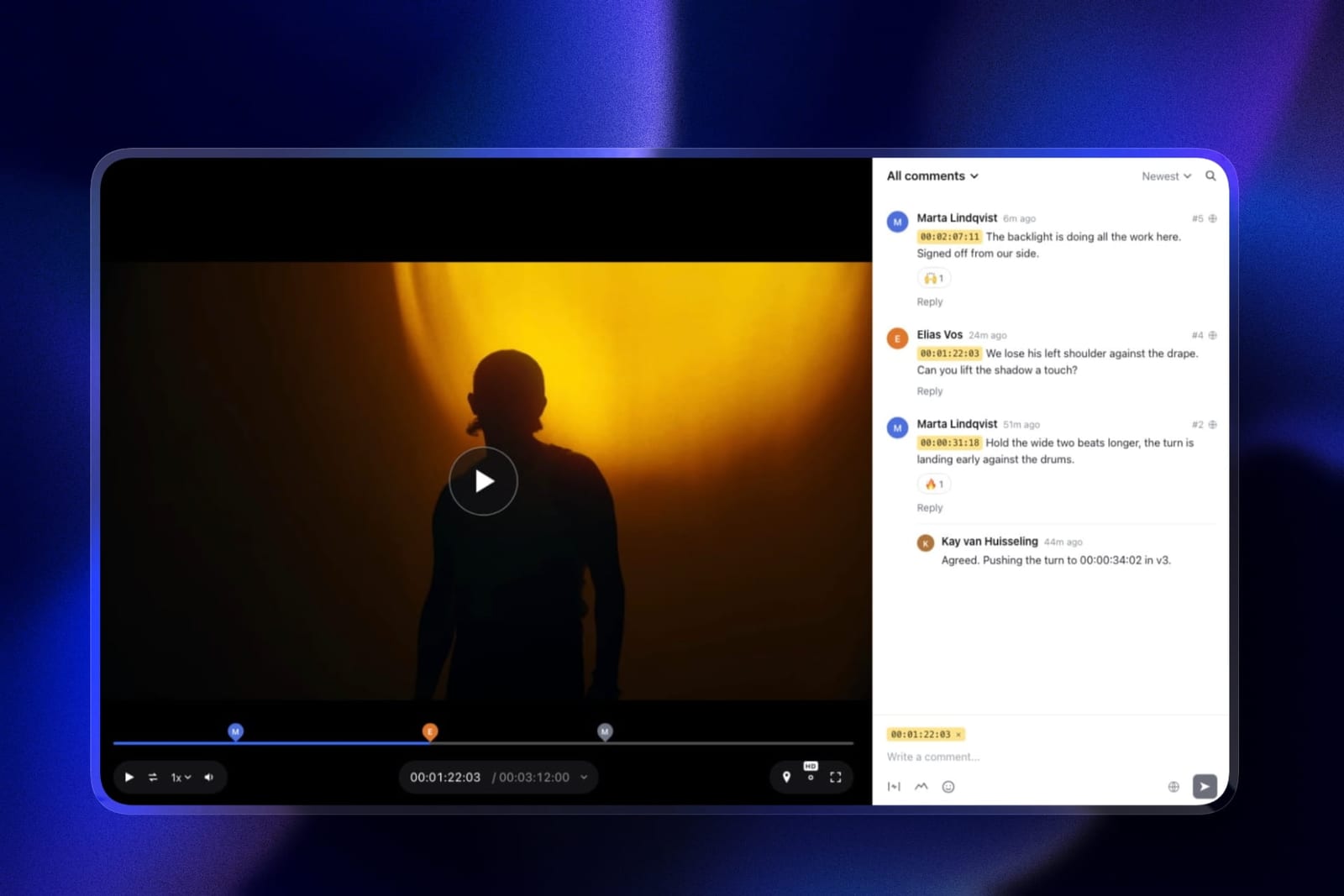
Review pages carry your logo, a banner, your fonts, an accent colour and a light or dark theme. Uploads can be MP4, MOV (including ProRes and HEVC), WebM, MKV or M4V, and Framekit transcodes them so they play smoothly in a browser.
Review projects are unlimited in number on every plan; the shared storage pool is the limit.
The number that matters$0. Every review feature, including drawing, versions and approvals, is on the Free plan. What Free limits is size: 500MB per file and 3GB of video across the account. Comment attachments start on Pro, where a reviewer can attach up to five files of up to 10MB each to a note.
The detail most write-ups misseach review link has its own settings.
You can add a password, set an expiry date, ask viewers for an email before they watch, switch downloads of the original file on or off, close comments, turn client approval on or off, and choose whether Framekit emails you about new comments.
For a first cut you do not want forwarded, a password plus downloads off is two clicks.
The gotcha that bites in week threethere are four. No side-by-side compare and no carrying of open notes from v2 to v3. Team members are site admins, not review seats, so only the account holder uploads and manages reviews. It reviews video only.
And the per-file caps are real: a ProRes master or a long cut will not fit.
Skip it ifyour cuts regularly exceed 3GB or two hours, your notes need to land as markers in Premiere or Resolve, or more than one person on your side runs review rounds.
Verdict: Framekit is the better choice for a solo filmmaker or a two-person studio where one person sends the H.264 cuts to clients, because review costs nothing extra on top of the site and galleries you would be paying for anyway, and the wrong choice the moment review becomes a shared edit-room tool.
Where Frame.io Wins, and It Is Not Close
Frame.io beats Framekit in seven areas, and a solo editor weighing the price gap should read this section before the next one, because five of the seven are capabilities Framekit does not offer on any plan at any price.
It takes the whole film. Framekit's ceiling is 3GB per file and two hours per video, on Business. Frame.io's help centre puts its ceiling at 5TB per asset with no length limit documented.
A 90-minute documentary assembly, a full ceremony film or a ProRes master is a Frame.io job, full stop.
It lives inside your editing app. Premiere Pro and Final Cut Pro integrations sit on every Frame.io plan, and the After Effects panel renders, uploads and syncs comments as markers.
On Framekit, a new version is an export, an upload and a fresh link to check, and notes come back to you in a browser tab, not on your timeline.
Camera to Cloud. Footage moving from the camera to the review workspace during the shoot is on every Frame.io plan, Free included. Framekit has no equivalent, and for commercial and episodic work this is a workflow, not a feature.
It compares versions properly. Frame.io's comparison viewer puts two cuts side by side on every plan, Free included. Framekit keeps versions in a stack you switch between, with each version's notes staying on that version.
Staff can talk without the client listening. Frame.io Team adds internal comments that clients never see, plus restricted projects and folders.
Framekit's account holder can mark a note as team only so reviewers do not see it, but with no review seats for staff it works as a private note to yourself rather than a conversation between colleagues.
It reviews more than video. Frame.io gives images, audio, PDFs and Office files the same review treatment as video, so a poster, a script or a deck gets its notes in the same place as the cut. Framekit review is video only.
Storage economics at scale. Frame.io Pro is $156 a member a year with 2TB, plus 2TB per member. Framekit Business is $372 a year for 2TB pooled across the site, galleries and review, 750GB of it video. Per terabyte of footage, Frame.io is cheaper.
In one lineif any of the first six describes your week, the price difference further down this page should not change your answer, and you should pay for Frame.io without guilt.
Where Framekit Wins for a One- or Two-Person Studio
Framekit wins on four points, and every one of them is about what a one- or two-person creative business pays and juggles across a year rather than about what either review player can do on a single cut.
The free plan is a working setup. Frame.io Free gives two projects and 2GB.
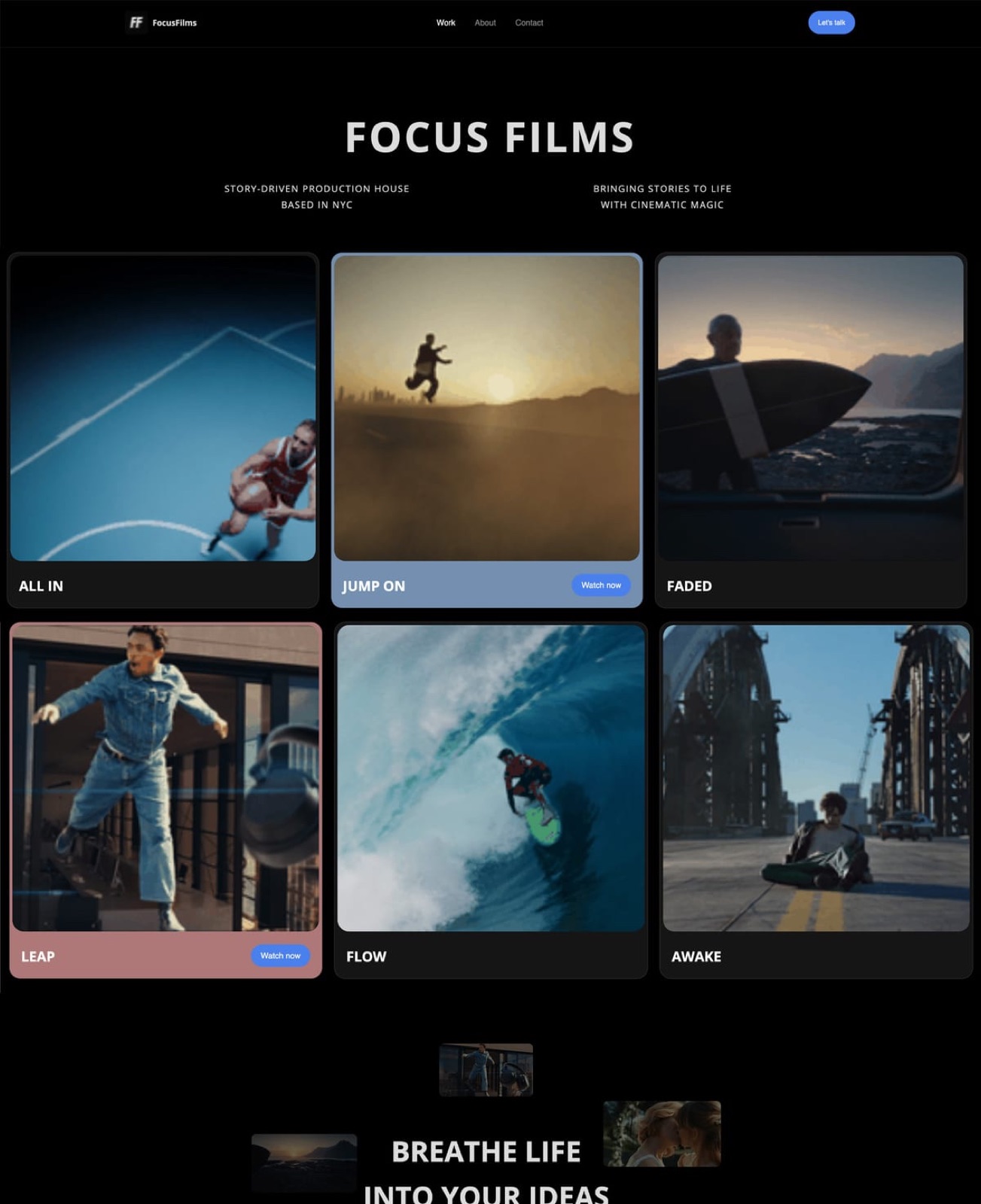
Framekit Free gives every review feature, unlimited review projects, a 10GB pool with 3GB for video, a ten-page portfolio site, unlimited client galleries and a store.
At 300MB a cut, 3GB holds ten live review versions, enough for a solo editor who clears finished jobs promptly.
Approval is a first-class field. Every Framekit cut carries needs review, in progress, approved or needs changes, on every plan, and the link can let the client set it.
Frame.io tracks status too, through a Status field among its built-in metadata, but on Framekit the status is built into the review link the client already has open.
Branded, locked links without a Pro plan. Logo, banner, fonts, accent colour, a password, an expiry date and a downloads switch all work on Framekit Free; paid plans remove the Framekit badge and use your own domain.
On Frame.io, branded shares, passphrases, expiry and download control start on Pro.
The rest of the business is on the same account. This is the actual argument. A freelance editor pays for review, a portfolio site and somewhere to deliver finished files, and often sells a LUT pack or a preset on the side.
On Framekit those are one subscription: review links, a portfolio on your own domain, client galleries that carry photos and video, and a store for digital downloads. Frame.io does the first of the four, and does it better.
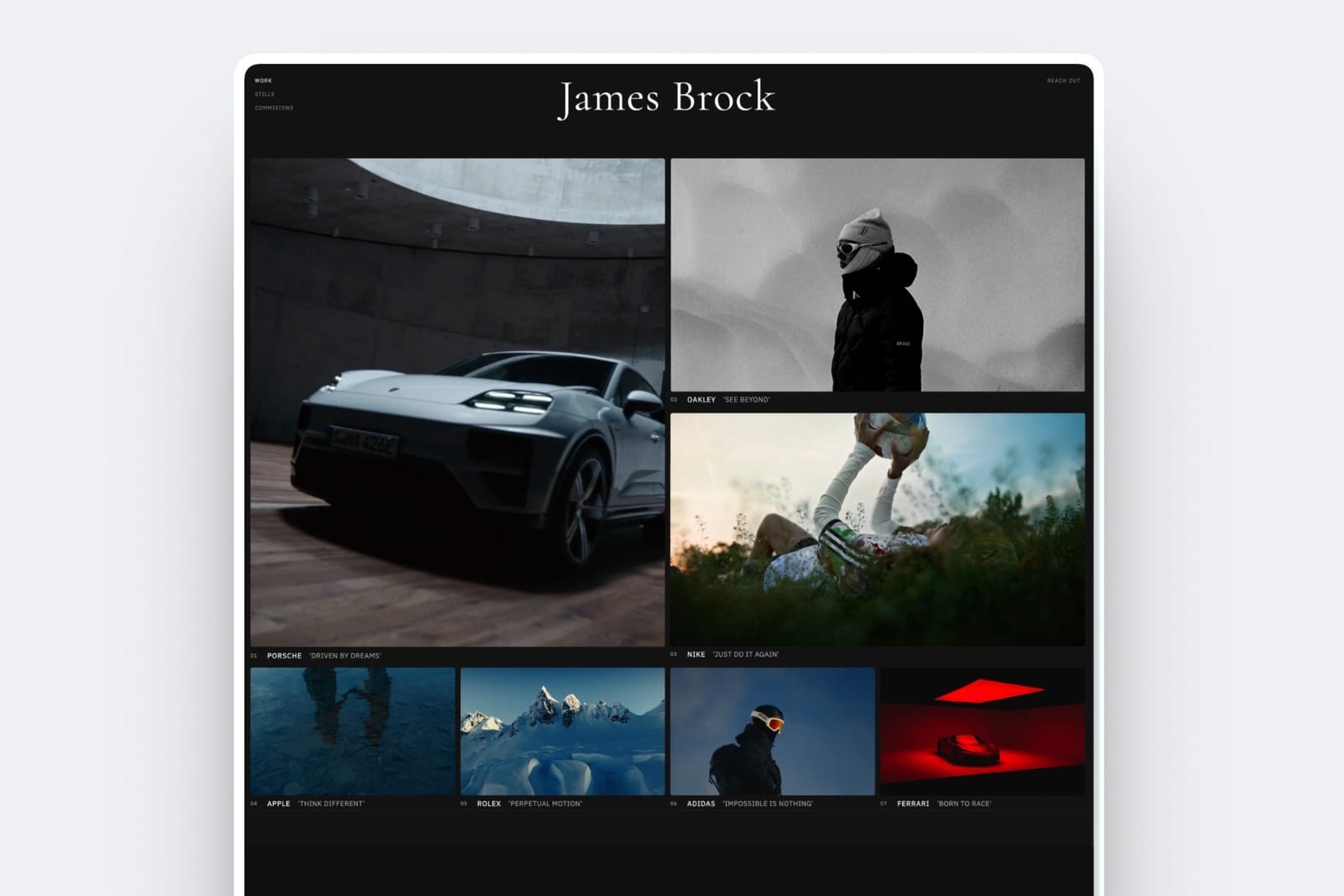
In one lineFramekit wins the bill rather than the player, which means it wins for people whose review work is one step in a client job and loses for people whose review work is the job.
Limits and Specs Side by Side
This table lists the limits that actually stop a review round, per-file caps, length, storage, who can upload, versions, approvals and attachments, because a feature list never tells you which wall you will hit first.
| Limit or spec | Framekit | Frame.io |
|---|---|---|
| Per-file cap | 500MB Free, 1GB Starter, 2GB Pro, 3GB Business | 5TB per asset |
| Longest video | 2 hours, every plan | Not documented |
| Accepted for review | MP4, MOV (ProRes, HEVC), WebM, MKV, M4V | Any file; review tools for video, images, audio, PDF, Office |
| Total storage | 10GB, 50GB, 300GB, 2TB pooled with site and galleries | 2GB Free; 2TB plus 2TB per member on Pro; 3TB plus 2TB per member on Team |
| Video allowance inside storage | 3GB, 15GB, 150GB, 750GB | No separate video cap |
| Review projects | Unlimited, every plan | 2 on Free, unlimited on paid plans |
| Reviewer accounts | Not needed; optional email before viewing | Not needed for share links |
| Who can upload | The account holder | Members: 2 Free, 5 Pro, 15 Team |
| Versions | Stacked; old cuts and notes stay | Version stacks |
| Side-by-side compare | No | Comparison viewer, every plan |
| Approval | 4 statuses, every plan, client can set | Default Status field |
| Comment attachments | Pro and up, 5 files of 10MB per comment | Pro and up |
| Password on the link | Every plan | Pro and up |
| Link expiry | Every plan | Pro and up |
| Download control | Every plan | Pro and up |
| Transcription and captions | No | Every plan |
| Watermarking | No | One static template on Pro; forensic on Enterprise |
Two rows decide it for most readers: a largest export over 3GB ends the comparison at the first row, and more than one uploader on your side ends it at "who can upload".
The File Size Question, Answered in Numbers
File size decides this comparison more often than price, and it decides it absolutely rather than on balance, because Framekit refuses a file over your plan's cap at upload and no setting changes that.
The arithmetic is short. File size in megabytes is roughly the bitrate in megabits per second, times the length in seconds, divided by eight. The carried example, two minutes at 20 Mbps, is 20 times 120 divided by 8, which is 300MB.
Here is the longest cut each Framekit plan accepts at the two bitrates most review exports use:
| Framekit plan | Per-file cap | Longest cut at 10 Mbps | Longest cut at 20 Mbps | Video allowance |
|---|---|---|---|---|
| Free | 500MB | About 6 minutes 40 seconds | About 3 minutes 20 seconds | 3GB |
| Starter | 1GB | About 13 minutes | About 6 minutes 40 seconds | 15GB |
| Pro | 2GB | About 26 minutes | About 13 minutes | 150GB |
| Business | 3GB | About 40 minutes | About 20 minutes | 750GB |
And here is what typical deliverables weigh as review exports:
| Deliverable | Typical review export | Framekit | Frame.io |
|---|---|---|---|
| Two-minute brand film, 1080p | 250 to 500MB | Free plan | Yes |
| Five-minute brand film, 1080p | 600MB to 1.2GB | Starter or Pro | Yes |
| Wedding highlight film | 1 to 2.5GB | Pro or Business | Yes |
| Full ceremony film | 4 to 15GB | No | Yes |
| ProRes master over two minutes | Several GB | No | Yes |
Run it yourselfopen the folder of your last ten review exports, sort by size and read the largest. If it is under 3GB, both tools can take your work and the rest of this page is about price and workflow.
If it is over, export a review proxy at 10 Mbps and check again; if even the proxy will not fit, or the film runs past two hours, Frame.io is your tool and no Framekit plan fixes that.
In one linea review copy rarely needs to be a master, so many short-form editors who think file size forces them onto Frame.io really need a lighter export preset.
What a Year of Review Costs at Three Usage Levels
A year of review costs less on Framekit for a light solo editor, slightly less on Frame.io for a busy solo editor who only needs review, and only Frame.io can serve a three-person studio uploading long masters, so here is each case priced out.
| Usage level | What it looks like | Frame.io, per year | Framekit, per year | Who is cheaper for review alone |
|---|---|---|---|---|
| Light solo | 2 to 4 cuts a month under 500MB, two rounds each, a handful live at once | Pro, 1 member: $156 annual or $180 monthly (Free's 2 projects run out at the third client) | Free: $0, or Starter: $84 annual or $108 monthly for 1GB files and your own domain | Framekit, by $72 to $156 |
| Busy solo | 8 highlight films a month at 1.5 to 2GB, kept live for three months | Pro, 1 member: $156 annual or $180 monthly, 2TB | Pro: $180 annual or $228 monthly, 2GB files, 150GB of video | Frame.io, by $24 to $48 |
| Three-person studio | 3 editors uploading, masters over 3GB, staff notes | Pro, 3 members: $468 annual or $540 monthly, 6TB; Team, 3 members: $792 annual or $900 monthly | Not workable: files over 3GB are refused and only the account holder uploads | Frame.io, by default |
The middle row needs a storage check. Eight films a month at 2GB, with a v2 for each, is 32GB of review video a month; keep three months live and you need about 96GB, which fits inside Framekit Pro's 150GB of video.
Keep six months live and you are at 192GB, past the allowance, so you either clear finished jobs or step up to Business at $372 a year.
Review alone is the wrong frame for most solo editors, because the comparison that matters is the whole stack. Plug in what you pay today for a website and a delivery gallery.
As an illustration, if those cost $250 a year together, the busy solo editor's Frame.io stack is $406 against $180 for Framekit Pro covering review, the site and unlimited galleries.
If your site is free and you never deliver files, Frame.io's $24 advantage stands.
In one linethe cheapest tool for review alone flips at about the point where your exports pass 1GB, while the cheapest stack stays Framekit for anyone who would otherwise pay separately for a site and a gallery.
What Happens When Something Goes Wrong
Most review tools look identical on a good day, so this section walks through the six situations that actually go wrong in a client round and says what each tool does in every one of them.
The file is over your plan's cap, or longer than two hours. Framekit refuses it at upload on every plan, so you export a lighter proxy or move up a plan; Business at 3GB is the ceiling.
A ProRes MOV is accepted as a container and transcoded, but its size usually hits the cap first. Frame.io takes all of it.
You upload v3 with notes still open on v2. On Framekit, v2's notes stay on v2 and v3 starts clean, so you check v2's list against v3 by switching versions. On Frame.io you can open the comparison viewer and hide previous versions from the reviewer on Pro and up.
The client approves. On Framekit the client can set the cut to approved from the review page if you leave client approval on. On Frame.io status lives in the asset's Status field.
The account runs out of room. Framekit's pool is shared with your site and galleries, with a video allowance inside it, so a busy gallery season can block a review upload until you clear delivered galleries.
Frame.io's storage grows with each paid member, and it sells storage add-ons on paid plans.
You stop paying. Frame.io's FAQ says each month or year is paid up front and you can cancel during it. On Framekit, check usage against the lower plan's pool and per-file cap before downgrading, because both shrink.
After Approval: Delivering the Film and Everything Around It
An approved cut is not the end of the client job, because the finished film, the stills from the same shoot and next month's pitch still have to go somewhere, and this is where the two products stop being comparable at all.
Frame.io's answer to delivery is its share page, a branded presentation with a reel layout on Pro and downloads switched on.
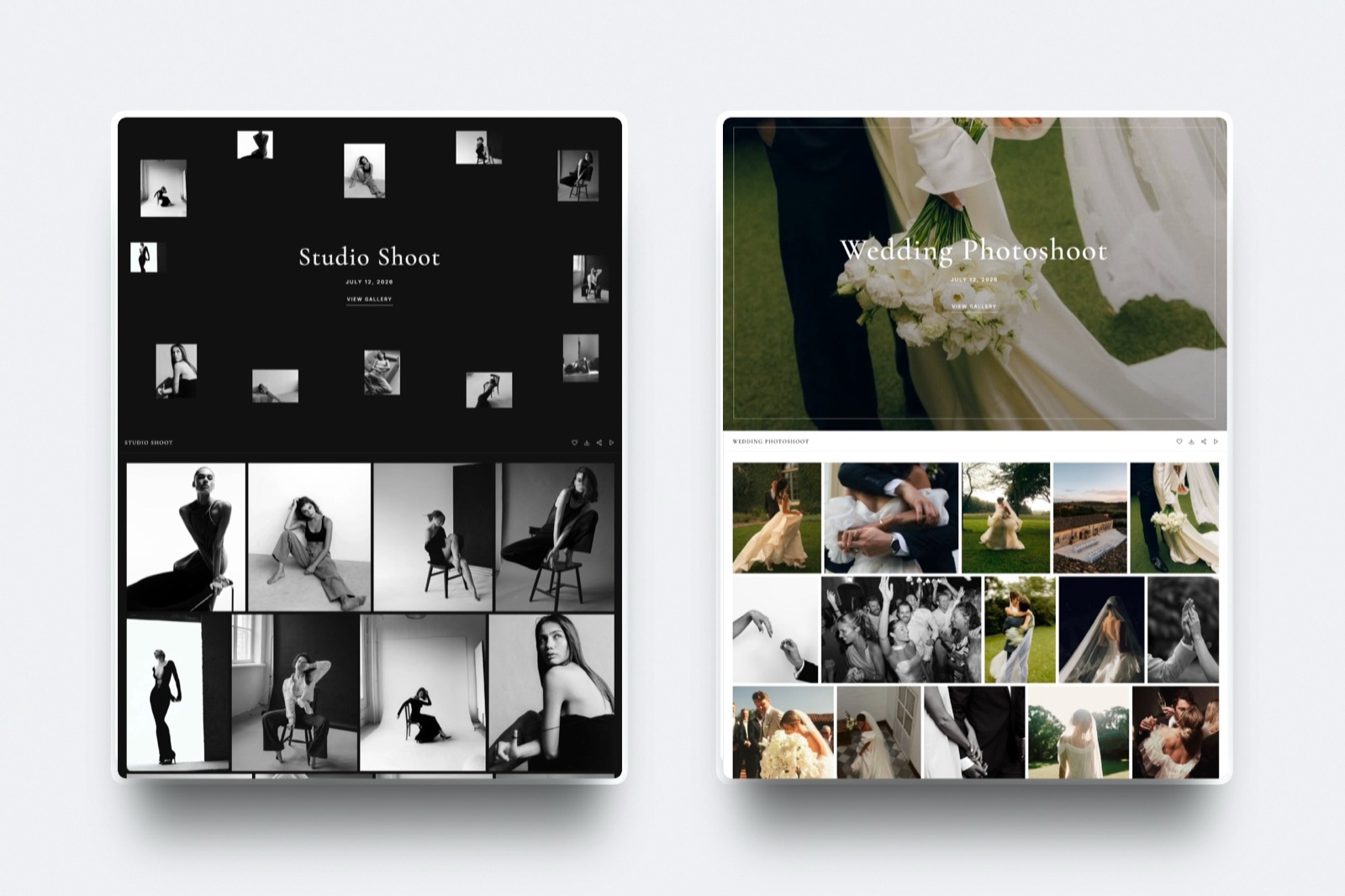
Framekit's answer is a client gallery that holds photos and video together, so a wedding film and its 600 stills arrive under one link. Videos are transcoded and never watermarked, photos can be.
Clients tap a heart to mark favourites, download the full set or only favourites, and you can put downloads behind a PIN.
Galleries are unlimited on every plan, sit on your own domain on paid plans, and use the same per-file video cap as review.
The work before the cut lives on the same account too.
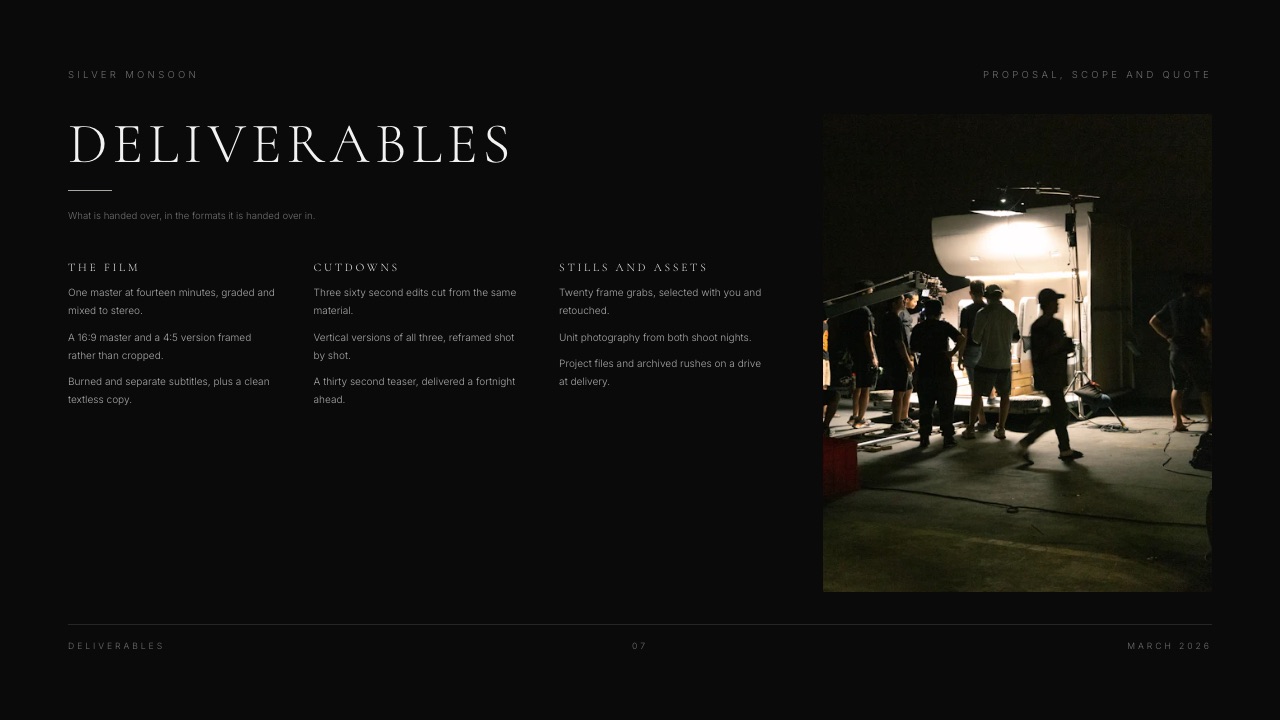
A director's treatment, a production proposal with a deliverables page, or a credentials deck for the next pitch is built in Framekit Slides and shared as a link, and the showreel sits on the portfolio site those decks point to.
For the full delivery workflow, how to deliver final video files to clients walks through formats and links, and delivering photos and video together covers the mixed shoot.
Using Both, Which Some Studios Should
Running Frame.io and Framekit side by side is a sensible setup rather than a wasteful one for a studio that cuts long-form in Premiere but still needs a portfolio site, client galleries and a store, because the two products overlap on one link and nothing else.
The division that works: Frame.io for review rounds on long-form and edit-room work, where its file handling, comparison viewer and panels earn the money, and Framekit for the portfolio site, the delivery galleries, decks and the store.
Frame.io Pro for one member at $156 a year plus Framekit Starter at $84 is $240 a year, often less than a separate website plan and gallery plan cost today.
Switching From Frame.io to Framekit: A Checklist
Moving review from Frame.io to Framekit takes an afternoon for a solo editor, and the checklist below is ordered so that the step most likely to stop you, file size, comes first and costs nothing to check.
| Step | What to do | Watch out for |
|---|---|---|
| 1. Measure | Find your largest review export and longest cut from the last three months | Over 3GB or two hours means stop here and stay on Frame.io |
| 2. Keep the record | Export comments from Frame.io for every active and recent project; download and export of comments is on every Frame.io plan | Notes do not import into Framekit; keep the export with the project files |
| 3. Archive masters | Download approved masters and project files to your own drives | Frame.io storage goes with the plan; Framekit is not a backup |
| 4. Set an export preset | H.264 MP4, 1080p, 10 to 20 Mbps, so cuts land well under your plan's cap | ProRes masters will not fit; send proxies for review |
| 5. Brand the review page | Logo, banner, fonts, accent colour and theme in Framekit's review design | Free plan pages show a Framekit badge; Starter removes it |
| 6. Set link rules | Password and downloads off for drafts, an expiry date for time-boxed rounds, email capture if you need to know who watched | Decide per link; each review has its own settings |
| 7. Move live jobs only | Re-upload the current cut of each active project; let finished projects end on Frame.io | Old versions and their notes stay behind |
| 8. Tell clients | Same no-account flow; explain the approved and needs changes statuses | There is no side-by-side compare, so show them the version switcher |
| 9. Move delivery | Create a gallery per finished job for the film and stills | Same per-file video cap as review |
| 10. Downgrade | Drop to Frame.io Free, or cancel at the end of your paid period | Free keeps 2 projects and 2GB only |
If step 1 stops you, consider the reverse: keep Frame.io for review and move the site and delivery to Framekit.
How to Choose: A Decision Tree
Answer these six questions in order and act on the first yes, because the first three are disqualifying rather than preferential, which means no price difference further down the list should change the answer they give.
- Are your review cuts routinely over 3GB, or longer than two hours? If yes, choose Frame.io. Framekit refuses the upload on every plan. If no, go to question 2.
- Do you need Premiere Pro, After Effects or Final Cut Pro integration, Camera to Cloud, side-by-side compare or staff-only comment threads? If yes, choose Frame.io, Team if internal comments matter. If no, go to question 3.
- Does more than one person on your side upload cuts and manage review rounds? If yes, choose Frame.io, because Framekit team members are site admins rather than review seats. If no, go to question 4.
- Do you review stills, posters or PDFs in the same rounds as video? If yes, Frame.io covers them in one place. If no, go to question 5.
- Do you also need a portfolio site, client galleries or a store? If yes, choose Framekit, which covers all three on the same plan as review. If no, go to question 6.
- Are you one person sending short cuts to a few clients? If yes, start on Framekit Free and move to Starter at $84 a year when you want your own domain. If you would rather pay for the stronger player alone, Frame.io Pro at $156 a year is a fair price.
Still split? Send one real two-minute cut through both free plans and ask the client which link was easier.
Frequently Asked Questions
Is Framekit a real alternative to Frame.io?
Framekit is a real Frame.io alternative for short-form client review and not for long-form or edit-room review.
It covers the core job, frame-accurate notes, drawing, replies, version stacks and approval statuses from clients who never make an account, on every plan including Free.
It stops at 3GB per file and two hours per video, with no editing-app panels, Camera to Cloud or side-by-side compare.
Framekit vs Frame.io: which is better for a solo editor?
For a solo editor sending H.264 cuts under 1GB, Framekit is usually the better buy, because Starter at $84 a year covers review plus a portfolio site and client galleries, against $156 a year for Frame.io Pro covering review alone.
For a solo editor who cuts in Premiere Pro, sends long cuts or wants side-by-side version compare, Frame.io Pro is the better tool and worth its price.
How big a video file can Framekit review take?
Framekit review takes 500MB per file on Free, 1GB on Starter at $9 a month, 2GB on Pro at $19 and 3GB on Business at $39, and no video can run longer than two hours on any plan.
At a 20 Mbps export that is about 3, 6, 13 and 20 minutes of footage respectively. Frame.io's help centre states a ceiling of 5TB per asset.
Is Frame.io cheaper than Framekit?
Frame.io is cheaper per terabyte and Framekit is cheaper per job. Frame.io Pro costs $156 a member a year with 2TB, plus 2TB per extra member, while Framekit Business costs $372 a year for 2TB pooled across review, galleries and the site.
For one person who needs review, a website and delivery galleries, Framekit Starter at $84 or Pro at $180 a year usually costs less than Frame.io plus separate site and gallery tools.
Do clients need an account to comment on Framekit or Frame.io?
No, clients do not need an account on either tool. Framekit reviewers open the link and comment straight away, or enter an email first if you switched that step on for the link.
Frame.io share links do not require sign-up or login, and Frame.io's pricing page says sharing outside your account is free, so reviewers never count as billed members on either service.
Does Framekit work inside Premiere Pro, After Effects or DaVinci Resolve?
No, Framekit has no panel or plugin for Premiere Pro, After Effects, Final Cut Pro or DaVinci Resolve, so a new version means exporting and uploading, and notes are read in the browser rather than as timeline markers.
Frame.io lists Premiere Pro and Final Cut Pro integrations on every plan and has a V4 After Effects panel.
Can Framekit compare two versions side by side?
No, Framekit does not offer side-by-side version compare, and it does not carry open notes forward to the next upload.
Versions stack on the same link, each older cut keeps its own notes, and reviewers switch between versions to see what changed.
Frame.io includes a comparison viewer on every plan including Free, so for a picky client going through five or six rounds, Frame.io makes checking a change faster.
Can I hide comments from my client on Framekit?
Partly. The Framekit account holder can mark a note as team only so reviewers do not see it, which works as a private reminder on the cut, but with no review seats for staff it is not a conversation between colleagues.
Frame.io Team, at $264 a member a year, adds internal comments for staff plus restricted projects and folders.
Can Framekit review images, PDFs or decks?
No, Framekit review is for video only, so stills, posters, PDF treatments and decks are reviewed elsewhere. Photos can be selected in Framekit client galleries, where clients mark favourites, but that is not annotated proofing.
Frame.io gives images, audio, PDFs and Office files the same review tools as video.
Do Framekit team members get review seats?
No. Framekit's team members, three on Pro and unlimited on Business, are site admins who can help run the website, not review seats, and only the account holder uploads and manages review rounds.
Clients and reviewers are free and unlimited on every plan. If two editors on your side both need to upload cuts and run review rounds, Frame.io's per-member model is the one built for that.
Can I password-protect a Framekit review link?
Yes, every Framekit plan, Free included, lets you put a password on a review link, set an expiry date, switch off downloads of the original file and ask viewers for an email before they watch.
Frame.io offers passphrases, link expiry and download control from Pro at $15 a member a month, and adds watermarking on Pro and forensic watermarking on Enterprise, which Framekit does not offer.
Which is better for a wedding videographer, Framekit or Frame.io?
Framekit is better for a wedding videographer whose reviewed deliverable is the highlight film, usually 1GB to 2.5GB, because Pro or Business takes it and the same account delivers the film and stills in one gallery.
Frame.io is better when couples review the full ceremony film, which typically exceeds Framekit's 3GB cap.
Final Verdict
Frame.io is the better video review product.
It takes files Framekit refuses, lives inside Premiere Pro, After Effects and Final Cut Pro, moves footage off the camera during the shoot, compares versions side by side, separates staff conversations from client ones, reviews images and PDFs, and gets cheaper per terabyte as a team grows.
If review is the job and the job is long-form, pay for Frame.io and stop comparing.
Where Framekit loses. Framekit is not for editors whose cuts exceed 3GB or two hours, does not integrate with any editing app or camera, does not compare versions side by side or carry notes forward, does not give staff review seats, and does not review anything but video.
For terabytes of footage its storage is worse value than Frame.io's.
Where Framekit is the better fit. Solo filmmakers and small studios delivering short-form cuts who also pay for a portfolio site and a way to deliver finished files.
For them the comparison is one account from $0 to $372 a year against three subscriptions, with frame-accurate notes, drawing, versions, approvals and branded links on every plan.
Related readingFrame.io vs Vimeo for client review covers the other incumbent, the best video review tools for freelance editors ranks the wider field, the best free video review tools sticks to $0 plans, and how to send a video to a client for review covers export settings and the message that goes with the link.