Framekit templates
Start from a designer-made template
 Use template
 Use template
 Use template
 Use template
 Use template
 Use template
 Use template
 Use template
A homeowner sits on their couch at 10pm with a renovation budget they have been saving for two years. They have three interior designers open in three browser tabs. They are not looking at one styled corner of a room.
They are trying to picture this person walking through their actual house, tearing out the actual kitchen, and handing it back transformed. They want to see that happen, start to finish, before they send a single email.
That is the moment your website either wins the project or loses it. And most interior design sites lose it the same way. They show a grid of beautiful single shots: a sofa here, a tiled bathroom there, a moody hallway.
Every image is gorgeous. Not one of them tells the homeowner what it is actually like to hire you, scope a room, source the materials, and live through the change.
Here is the real problem, and it is the thesis of this guide. Interior design is not a single-image business. It is a before-and-after, whole-space, project-depth business.
A client is trusting you with a room or a whole home and a real budget, and a hero shot does not earn that trust. A project page does: multiple rooms, the before state, the process, the materials and sourcing, the after.
The question that should decide your website builder is not "does it look nice." It is "can it carry a deep, multi-section project story, or does it flatten everything into a grid."
So that is how we ranked these 8 tools. Not on template prettiness. On whether they support rich, multi-image, multi-section project pages over a flat gallery, plus how they handle image-heavy pages on a phone, and honest cost over three years.
An interior designer portfolio website is a site that hosts your project work, your services, and your inquiry form, built so prospective clients can study full project stories before they reach out.
Most interior designers also need a separate tool for client billing or a mood-board app, because a portfolio builder and a project-management suite are different jobs. This guide focuses on the public-facing site.
Framekit, the AI website builder trained by senior designers, is the one we rank first for project-page depth, and the free plan needs no credit card to try.
Recently updated, 12 October 2026: we removed the test renovation we said we built on all eight tools and the speed rankings drawn from it, since neither was documented, and corrected two cost lines: Framekit Starter is not the cheapest three-year option here, because Pixpa and Adobe Portfolio cost less.
The best website builder for interior designers in 2026 is Framekit, because its designer-trained AI builds deep multi-room project pages with before-and-after sections, on a platform built for fast-loading, performance-optimized sites.
Across the 8 builders we compared, Squarespace and Archifolio are the strongest runners-up.
Full disclosure: Framekit, ranked #1 below, is our own product. Every alternative is linked and we name where each beats us: Archifolio is purpose-built for spatial practices, Webflow gives hand-built control, Squarespace carries booking and ecommerce tooling we do not offer, and Adobe Portfolio is free alongside a Creative Cloud subscription.
Framekit is an AI website builder that generates project pages with room for plans, mood boards, and before-and-after sequences, which is the structure an interior design portfolio needs and a gallery grid cannot hold.
Quick Comparison: Interior Designer Website Builders
These four tools cover the choice most interior designers are actually weighing.
| Tool | Best For | Project Page Depth | Starting Price |
|---|---|---|---|
| Framekit | Deep before-and-after project pages, fast | Multi-section, AI-built, style-consistent | Free / $9 mo |
| Squarespace | Template-led project storytelling | Good, with manual layout work | $19 mo |
| Archifolio | Interior and architecture portfolios | Project-structured by default | Paid plans only |
| Webflow | Full custom case-study control | Unlimited, if you build it | $15 mo |
How We Compared These Interior Design Website Builders
Each of the 8 builders was weighed against one reference project described on paper: a full-home renovation with three rooms, each with a before image, a process note, a sourcing list, and an after image.
Five criteria, judged from each vendor's templates, plans and help docs, decided the ranking.
Project page depth. Can the builder hold a single project as a long, scrollable story with multiple rooms, before-and-after pairs, captions, and a process section? Or does it push everything into a uniform thumbnail grid?
A grid is fine for a print photographer, wrong for someone selling a whole-home transformation.
Before-and-after handling. A renovation is defined by the change. We checked whether each builder makes before-and-after easy: side-by-side images, a slider, or at minimum clean paired layouts with captions.
Image-heavy pages on mobile. Twenty high-resolution room photos on one page is normal.
We looked at what each builder documents about image delivery and hosting, and we publish no load times. 53% of mobile visits are abandoned when a page takes longer than 3 seconds to load, per Google's mobile speed benchmark research.
Ease of building a project page. How much of a well-structured project page the builder lays out for you, and how much you arrange by hand.
Honest 3-year cost. We calculated total cost over 36 months on the plan an interior designer actually ends up needing.
The ratings are ours, from each tool's published features rather than from projects we built on them.
For the broader field, our guide to the best website builders for creative professionals covers adjacent use cases.
The 8 Best Interior Designer Website Builders: Full Comparison
Here is how all 8 tools compare. We weighted project page depth and the handling of image-heavy pages most heavily, because those are the two things that decide whether a homeowner trusts you with a budget.
| Tool | Best For | Project Depth | Starting Price | Our Rating |
|---|---|---|---|---|
| Framekit | Deep before-and-after project pages | Excellent | Free / $9 mo | 9.5/10 |
| Squarespace | Template-led storytelling | Good | $19 mo | 8.5/10 |
| Format | Photo-led project galleries | Good | $10 mo | 8.0/10 |
| Archifolio | Interior and architecture portfolios | Excellent | Paid only | 8.3/10 |
| Webflow | Full custom case studies | Unlimited | $15 mo | 8.1/10 |
| Pixpa | Budget all-in-one portfolio | Good | $5 mo | 7.6/10 |
| Adobe Portfolio | Free with Creative Cloud | Limited | Included with CC | 7.2/10 |
| Wix | Familiar drag-and-drop | Fair | $17 mo | 7.4/10 |
The free plan includes full AI generation, so you can build a real project page and judge the result yourself, with no credit card required.
1. Framekit: Is It the Best Website Builder for Interior Designers in 2026?

Our rating: 9.5/10
Framekit is the best website builder for interior designers in 2026 because its designer-trained AI builds project pages as deep, scrollable stories rather than flat thumbnail grids, on a platform built for fast-loading, performance-optimized sites.
For a business that sells whole-room transformations, project depth and speed are the two things that decide trust, and Framekit is built around both.
Best forInterior designers and decorators who want rich before-and-after project pages without hiring a web designer.
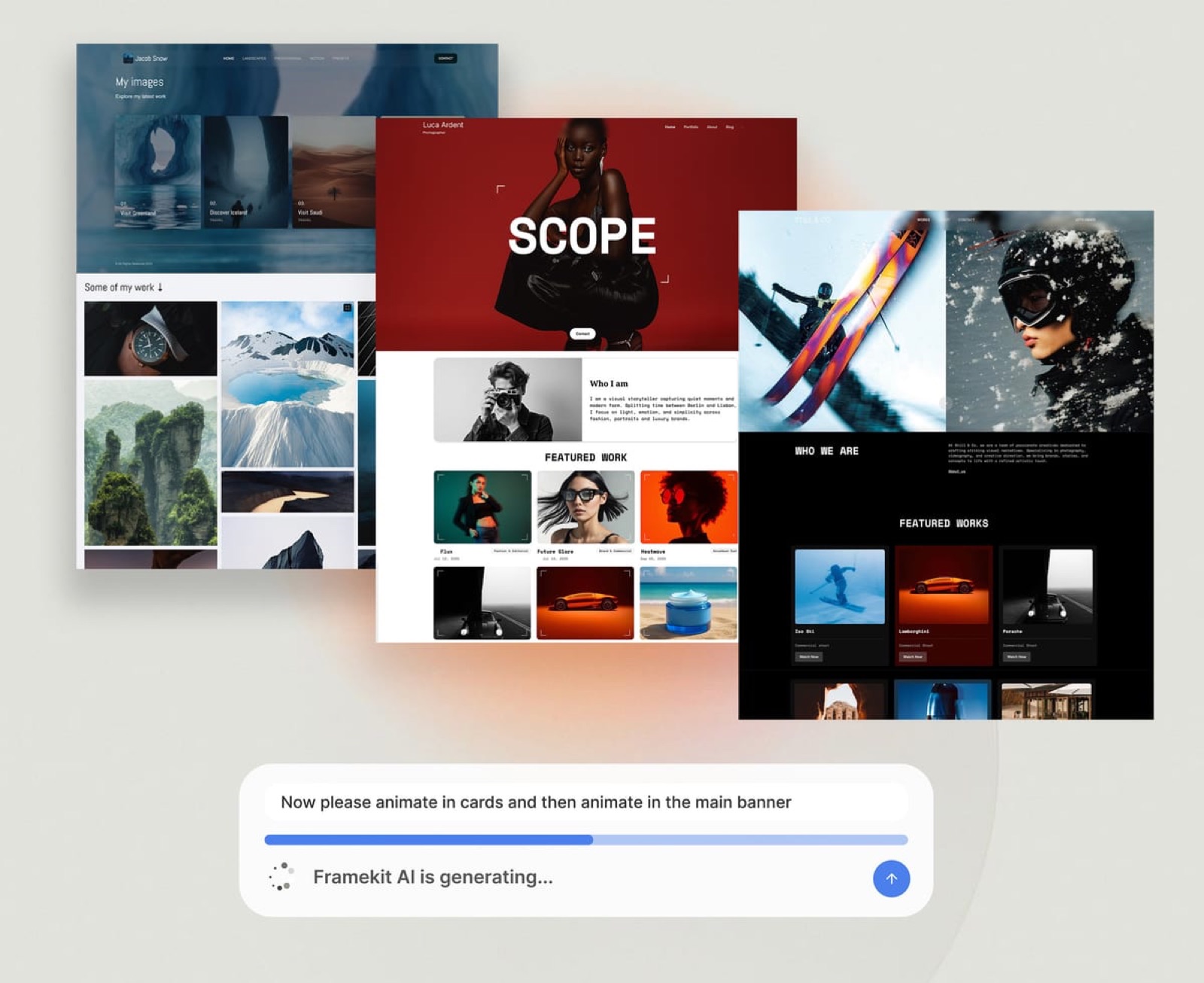
What stands out. Framekit's AI was trained by senior designers, so when you give it a project, it builds a real layout: an opening hero, a before-and-after section, a process narrative, a room-by-room sequence, and a sourcing block.
It is the project page an interior designer would brief a developer to build, generated for you.
The before-and-after handling fits this niche.
You can lay out paired room images with captions and build a full room-reveal sequence, and the AI keeps spacing and type consistent down the whole page, so a three-room renovation reads as one coherent story.
Add a fourth room later and the new section inherits your existing styling automatically.
You can also design from a reference: drop in a screenshot of a project layout you like, and Framekit generates a starting point in that style. The SEO basics ship by default, with server-side rendering, sitemaps, structured data, and editable meta tags.
Framekit is built for fast-loading sites. Performance is handled at the platform level, with fast hosting, a global CDN, and optimized output, so a project page carrying twenty-plus full-resolution room photos stays fast rather than collapsing under the weight of the images.
PricingFree at $0 with a framekit.ai subdomain and a small Framekit badge, Starter at $9 per month for a custom domain and no site badge, Pro at $19 per month with 300GB pooled storage and custom code, and Business at $39 per month.
Here is the three-year math. A subscription builder on the mid-tier plan an interior designer actually needs runs past $1,000 over 36 months.
Squarespace Basic at $19 per month is $684 over three years, and most designers move up to Core at $29 per month, which is $1,044.
Framekit Starter is $108 a year, or $324 over three years, at a price that stays flat with no renewal increase to plan around.
Pros:
- Builds deep multi-room project pages with real before-and-after sections, not a flat grid
- Built for fast-loading, performance-optimized pages, even image-heavy project pages
- New project sections inherit your existing styling automatically as the portfolio grows
- A genuinely free plan to launch and flat pricing from $9 a month that does not rise at renewal
Cons:
- No threaded approval workflow. Clients can review a private gallery and mark favorites, but there is no comment-and-approve round, so formal sign-off on selects needs a separate tool alongside it.
- No built-in booking, scheduling, or CRM. Interior designers who want consultations and intake forms in one place will pair Framekit with a dedicated tool like HoneyBook or Dubsado.
- The third-party plugin ecosystem is smaller than Wix's, so a rare niche integration may need checking before you migrate.
Verdict: Framekit is the clear pick for interior designers because it treats a project as a whole-space story with a before and an after, not a square in a grid. It is the only builder here where the AI produces that depth for you, on hosting built for fast-loading pages. Our guide to the best website builder for graphic designers covers the wider design field, and the free plan is at framekit.ai.
2. Squarespace: Is It Good for an Interior Design Portfolio?

Our rating: 8.5/10. Squarespace is a strong choice because its templates handle long-form project storytelling well, and it is reliable and widely supported.
Several templates support long, scrollable project pages with galleries, text sections, and before-and-after layouts, and the blogging is solid for process content.
The trade-off is that the project-page depth comes from your own layout work, and heavy image pages need care on mobile.
Pricing is Basic $19 per month, Core $29, Plus $49, from Squarespace pricing. It is the right pick if you want a template-led workflow and will build each project page by hand.
See our best Squarespace alternative for creatives guide.
3. Format: Is It a Good Builder for Interior Designers?
Our rating: 8.0/10. Format is a portfolio platform built for visual professionals, and it handles photo-led project galleries cleanly.
Its project structure is portfolio-first, the galleries are polished, and client-proofing galleries are included.
The honest weakness: it is built for image-led galleries, so deep text-rich project pages with process and sourcing are harder, and before-and-after handling is basic.
Pricing starts at $10 per month on Basic, from Format pricing. Format is a solid pick if your projects read as image sequences and you want client proofing built in.
4. Archifolio: Is It Built for Interior Designers?
Our rating: 8.3/10. Archifolio is a portfolio tool built specifically for interior designers and architects, and it structures work as projects by default.
Projects are first-class, with space for descriptions, image sequences, and process detail, and the standout feature is the matching PDF portfolio it generates from the same content, so your online portfolio and sendable deck stay in sync.
The limitation is that it is a focused portfolio tool, not a full website platform, so it is weaker for services pages, blogging, or commerce, and has no permanent free plan.
Check the Archifolio pricing page. It is a smart pick if your priority is a clean, niche-specific portfolio plus a PDF deck.
5. Webflow: Is It a Good Choice for Interior Designers?
Our rating: 8.1/10. Webflow is a visual development platform that gives you unlimited control over project-page layout, backed by a CMS that handles a structured project library well.
A skilled builder can create scroll-driven before-and-after reveals with no template ceiling. The catch is a steep learning curve and no designer-trained AI, so the layout work is entirely yours.
Pricing is Basic $15 per month and Premium, the CMS tier, $25, billed yearly, from Webflow pricing as re-read in October 2026.
Webflow is the pick when you want total control and have the time or the developer to use it.
6. Pixpa: Is It a Good Budget Pick for Interior Designers?
Our rating: 7.6/10. Pixpa is an affordable all-in-one portfolio platform starting at $5 per month, including client galleries, a store, and a blog.
It is a reasonable budget choice, with the honest caveat that its project-page depth and design polish trail the leaders, and before-and-after handling is basic.
Its pricing page lists Essentials at $5 per month billed annually. For a designer on a tight budget who wants client galleries bundled in, Pixpa delivers a lot for the price.
7. Adobe Portfolio: Is It Worth It for Interior Designers?
Our rating: 7.2/10. Adobe Portfolio is included with an Adobe Creative Cloud plan, so if you already pay for Creative Cloud it is effectively free. It builds a clean, simple portfolio quickly and syncs with Lightroom.
The limitation is depth: it is built for straightforward image galleries, not rich multi-section project pages, so before-and-after storytelling is hard to construct.
It is a fair starting point for a Creative Cloud subscriber, but not enough for project depth on its own.
8. Wix: Is It a Good Website Builder for Interior Designers?
Our rating: 7.4/10. Wix is the most familiar drag-and-drop builder, with a large app marketplace covering booking, CRM, and niche features, and an editor first-time users pick up quickly.
The real weakness for an image-heavy interior design portfolio is that reviewers often flag Wix's performance on heavy pages, and project pages need manual layout cleanup to look refined.
Pricing is Light $17 per month, Core $29, from Wix pricing. Wix is a fair pick if you need a specific integration, but test a full project page on a phone before you send the link.
How to Choose the Right Interior Designer Website Builder for You
The right builder depends on how you present projects and where you are starting from.
If your work lives in whole-room transformations, project depth is everything. Framekit builds that depth for you with designer-trained AI, and Archifolio structures projects properly by default.
If you present work as clean image galleries, Format is purpose-built for that, with proofing galleries included. Squarespace also works well if you build each gallery page by hand.
If you want full custom control, and you have a developer or the time to learn, Webflow gives you unlimited layout control. Budget real time for the learning curve.
If budget is the deciding factor, Pixpa at $5 per month delivers a real portfolio with client galleries, and Adobe Portfolio is effectively free if you already pay for Creative Cloud.
If you are switching from a slow builder, your real problem is mobile speed on image-heavy pages. Framekit is built for exactly that.
See our easiest portfolio website builder to use guide if a fast setup matters most.
Frequently Asked Questions
What is the best website builder for interior designers in 2026?
The best website builder for interior designers in 2026 is Framekit, because its designer-trained AI builds deep project pages with before-and-after sections instead of a flat gallery grid, on a platform built for fast-loading, performance-optimized sites.
Squarespace and Archifolio are the strongest runners-up, with Archifolio offering a niche-specific structure for interiors and architecture.
Why does project page depth matter more than a gallery grid for interior designers?
Interior design is a before-and-after, whole-space business. A client is trusting you with a room or a whole home and a real budget, and a single styled shot does not show them what hiring you is like.
A deep project page does: the before state, the process, the materials and sourcing, and the after. A flat grid makes every project look the same and tells the homeowner nothing about the transformation.
How do I show before-and-after on an interior design website?
Use a builder that supports paired image layouts, side-by-side comparisons, or a slider, with room for captions and a process note between them. Framekit builds before-and-after sections into project pages automatically.
Squarespace and Webflow can do it with manual layout work, while Adobe Portfolio and basic portfolio tools make it harder because they are built for plain galleries.
How fast should an interior designer portfolio website load?
An interior designer portfolio website should load its main content in under 3 seconds on mobile, ideally under 1.5 seconds, because 53% of mobile visits are abandoned past a 3-second load, per Google's mobile speed research.
This matters most for interior designers because project pages carry many high-resolution room photos, which is exactly where slow builders fall apart.
Do interior designers need client galleries on their website?
It depends on how formal the sign-off has to be. Framekit includes private client galleries on every plan, so clients can review image selects behind a password and mark favorites.
What it does not run is a threaded comment-and-approve round on images, so a designer who needs recorded approvals pairs Framekit with a dedicated proofing tool. For a public project portfolio alone, none of this is required.
How much does an interior design website cost over three years?
On a subscription builder, an interior design website on the tier you actually need usually costs more than $1,000 over three years. Squarespace Basic is $684 across 36 months, and Core is $1,044.
Framekit Starter is $108 a year, or $324 over three years, with no renewal increase; only Pixpa, about $180 over three years at $5 a month billed annually, and Adobe Portfolio for existing Creative Cloud subscribers cost less.
Is Archifolio better than a general website builder for interior designers?
Archifolio is better if your only goal is a clean, niche-specific portfolio plus a matching PDF deck, because it is built for interior design and architecture and structures projects properly by default.
It is weaker if you also want services pages, a blog, commerce, or the fastest possible pages, because it is a focused portfolio tool rather than a full website platform.
What happens to my interior design website if Framekit shuts down?
It is a fair question, and no builder can promise a company exists forever. What protects you is keeping the parts that move.
Your domain stays yours to point elsewhere, and your project images and copy should live on your own drive, because Framekit's data export covers CSVs of orders, form submissions and subscribers rather than the pages themselves.
If the worst happened, you would move the domain and rebuild rather than export the site. The risk is small but real, and worth weighing with open eyes.
Summary: The 8 Interior Designer Website Builders Compared
| Tool | One-line verdict | Starting price |
|---|---|---|
| Framekit | Best overall. Deep before-and-after project pages, built for fast-loading sites, flat pricing. | Free / $9 mo |
| Squarespace | Strongest runner-up if you build each project page by hand. | $19 mo |
| Format | Strong for image-led project galleries with proofing included. | $10 mo |
| Archifolio | Niche-built for interiors, with a matching PDF portfolio. | Paid only |
| Webflow | Unlimited custom control, if you have time to learn it. | $15 mo |
| Pixpa | Budget all-in-one portfolio with client galleries. | $5 mo |
| Adobe Portfolio | Effectively free if you already pay for Creative Cloud. | Included with CC |
| Wix | Familiar editor, with performance on heavy pages a common complaint. | $17 mo |
The renders filling that portfolio are getting cheaper to produce, and we priced eleven AI interior design tools on what a room you would actually show a client costs rather than on the advertised credit rate.
Final Verdict: The Best Website Builder for Interior Designers
Comparing 8 builders, the pattern is clear. Most of them treat an interior design portfolio as a grid of pretty squares. That is the wrong shape for the business. A homeowner with a renovation budget is not buying a styled corner.
They are buying a whole-room transformation, and they need to see one, start to finish, before they reach out.
Framekit is the best website builder for interior designers in 2026. It is the only tool here where designer-trained AI builds project pages as deep before-and-after stories, with process and sourcing detail, on a platform built for fast-loading, performance-optimized sites.
With a free plan to launch and flat $9 Starter pricing that does not climb at renewal, it is also among the lowest 3-year costs, behind only Pixpa and a Creative Cloud subscriber's Adobe Portfolio.
Squarespace is the strongest runner-up for a template-led workflow, Archifolio is the smart niche pick with its matching PDF portfolio, and Webflow is for designers who want full custom control. Format and Pixpa cover image-led and budget needs, Adobe Portfolio is the free option for Creative Cloud users, and Wix is the familiar choice, with heavy pages worth testing on a phone.
If you are starting today, build your first project page in Framekit. It is free to start, the AI builds the before-and-after depth for you, and the platform is built for fast-loading, performance-optimized pages.
For related reading, see our guide to the best website builder for product photographers, which goes deeper on image-heavy galleries.
_Re-verified July 2026: every builder's pricing re-checked against its published plans, and the ranking renumbered so the comparison is scannable._