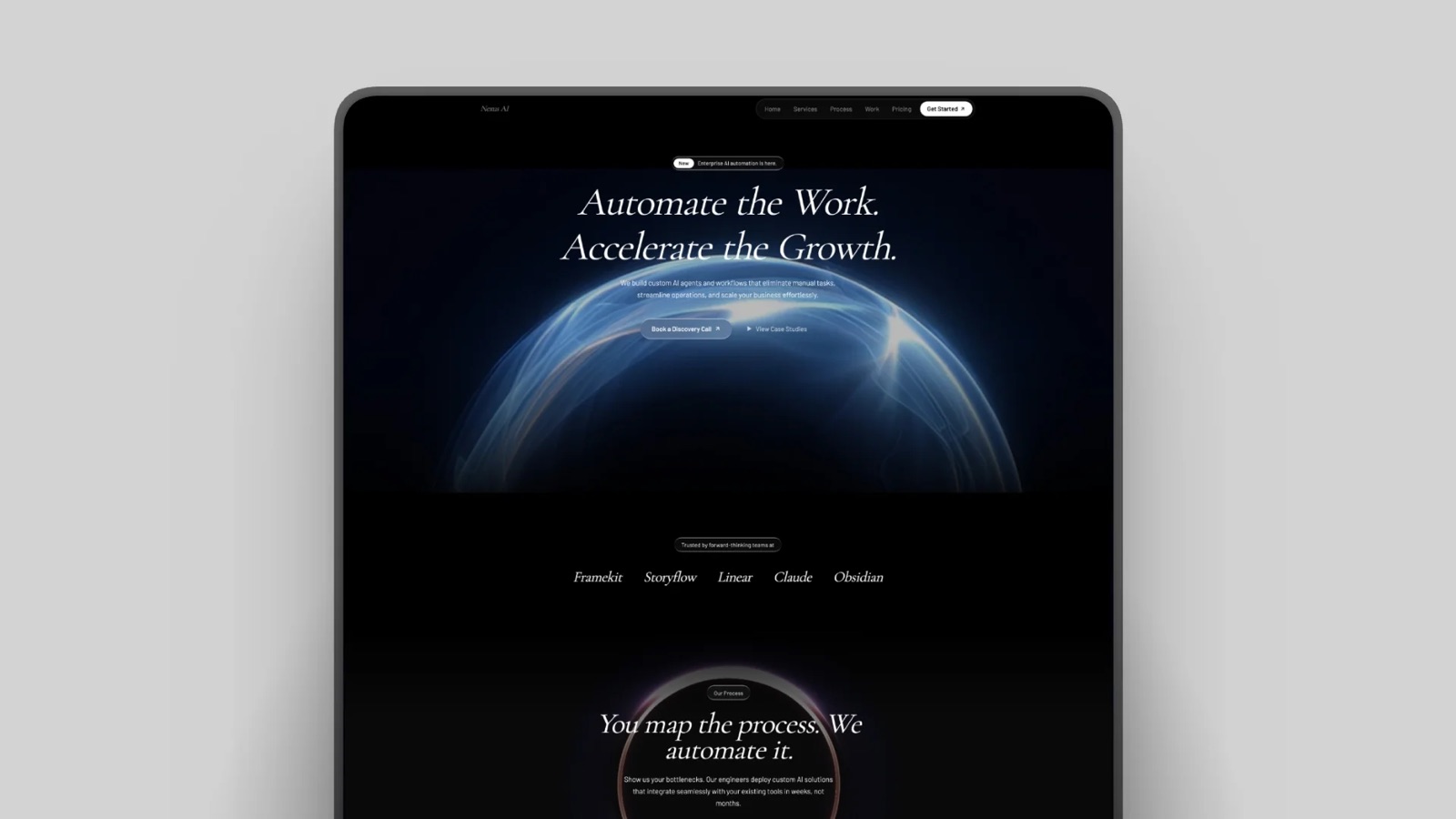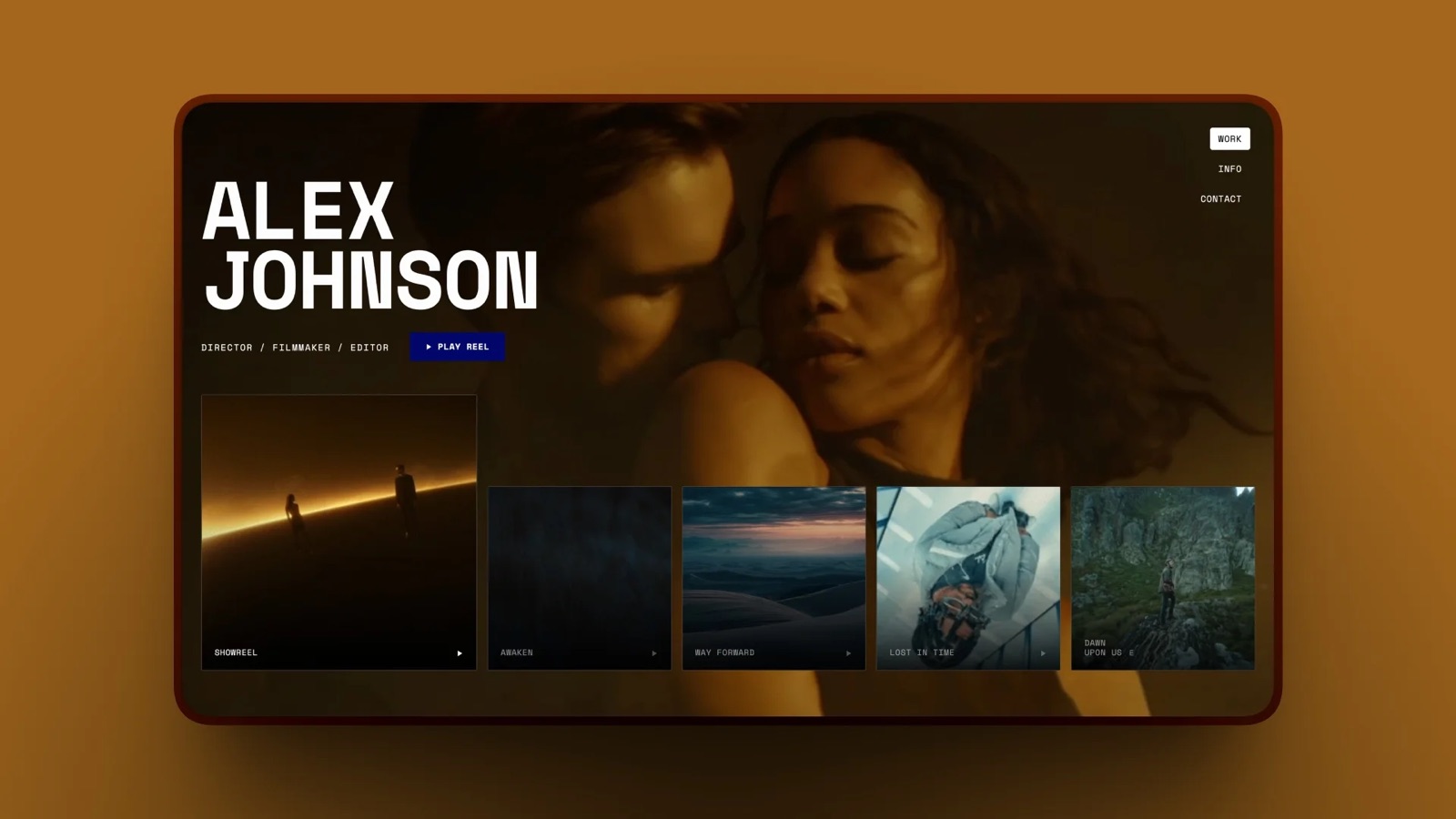
Framekit templates
Start from a designer-made template
 Use template
 Use template
 Use template
 Use template
 Use template
 Use template
 Use template
 Use template
A hybrid wedding produces 580 edited stills, a 6-minute highlight film, a 25-minute ceremony edit and a 60-second teaser for social.
Most photographers then deliver photos and video as two jobs: a gallery link from one platform, a transfer or video-host link from another, two passwords, two expiry dates and two brands in one email.
The couple's first reply is predictable. Which link has the ceremony? Is the second password the same? Why has the film link stopped working when the photos still load?
Delivering photos and video together is the practice of handing over the stills and the films from one hybrid job under a single private link, with one set of access rules and one date, so the client experiences one finished delivery rather than two unrelated downloads from two vendors.
To deliver photos and video together, get the cut approved first, export each film as an H.264 MP4 sized under your platform's per-file cap, then put stills and films in one gallery split into sets, protect it with one password and one download PIN, and send one link.
Framekit holds photos and films in the same gallery on every plan, free included, with published per-file caps of 500MB, 1GB, 2GB and 3GB by plan, a 2-hour maximum length and frame-accurate video review on the same account.
Pic-Time is the strongest hosted alternative if you also sell prints, with separate video storage and add-ons up to 5TB; Pixieset meters film in hours, which gets expensive for long-form work.
We re-verified every video allowance, per-file cap and price in this guide on 12 October 2026, Framekit's against the shipped transcoding code and the others on each vendor's own pricing page.
The August version said ShootProof did not take video and told readers to keep films out of the gallery; both lines were wrong and have been replaced.
Framekit is an AI website builder with client galleries that carry stills and films under one link, plus video review, Slides and a digital store on the same account.
Full disclosure: Framekit is our product, so read the recommendations with that in mind; the size arithmetic below works on any platform, the cost table includes plans that beat Framekit on price, and the section on Pic-Time explains when it is the better home for hybrid work.
What a Hybrid Delivery Actually Contains
A hybrid delivery usually contains four to six separate files of very different sizes, and sizing each one before you choose a platform is what stops a delivery-night upload from failing on the one film that is 300MB over the cap.
| Deliverable | Typical length | At 16 Mbps | At 10 Mbps | At 6 Mbps | Smallest Framekit plan at 10 Mbps |
|---|---|---|---|---|---|
| Social teaser | 60 seconds | 120MB | 75MB | 45MB | Free (500MB) |
| Highlight film | 6 minutes | 720MB | 450MB | 270MB | Free (500MB) |
| Long highlight | 12 minutes | 1,440MB | 900MB | 540MB | Starter (1GB) |
| Ceremony edit | 25 minutes | 3,000MB | 1,875MB | 1,125MB | Pro (2GB) |
| Documentary edit | 48 minutes | 5,760MB | 3,600MB | 2,160MB | Business at 6 Mbps (3GB) |
| Full ceremony and speeches | 90 minutes | 10,800MB | 6,750MB | 4,050MB | Business at 4 Mbps, 2,700MB |
| 580 edited stills | Not applicable | About 5,800MB at 10MB a frame | Not applicable | Not applicable | Starter pool or above |
File size in megabytes is the bitrate in megabits per second, times the length in seconds, divided by eight. A 25-minute edit at 10 Mbps is 10 times 1,500 divided by 8, or 1,875MB. Run that one line for your longest film before anything else in this guide.
Step 1: Size Every File Against the Per-File Cap and the Pool
Check two different limits for every hybrid job, the per-file video cap and the total storage pool, because they fail independently: 280GB free on a plan does not help a film that is 200MB over the single-file ceiling, and a plan whose per-file cap fits every film can still run out of room by October.
The per-file cap. Framekit's is 500MB on Free, 1GB on Starter, 2GB on Pro and 3GB on Business, and no video may run longer than 2 hours on any plan.
Pixieset's help centre states no size limit on video and meters it in hours instead. Pic-Time, ShootProof and Zenfolio publish storage totals but no per-file figure, so ask before you rely on a 3GB upload.
The pool. Framekit counts video in bytes against a share of one pool that also holds your stills and your website: 3GB of 10GB on Free, 15GB of 50GB on Starter, 150GB of 300GB on Pro and 750GB of 2TB on Business.
The fix when a film is too big. Re-export at a lower bitrate.
The 48-minute documentary edit is 3,600MB at 10 Mbps, too large for any Framekit plan; at 6 Mbps it is 2,160MB and fits Business; at 5.5 Mbps it is 1,980MB and fits Pro.
A 1080p H.264 export at 5 to 8 Mbps still looks clean on a television for most wedding and documentary footage.
In one linerun bitrate times seconds divided by eight on your longest film, compare it with the per-file cap first and the pool second, and change the export preset before delivery night rather than during it.
Step 2: Get the Cut Approved Before It Becomes a Delivery
Run the client's notes round on the film before it goes anywhere near the gallery, because a highlight film delivered and then revised means two downloads, two versions in circulation and a couple who shared the wrong one with sixty guests before you uploaded the fix.
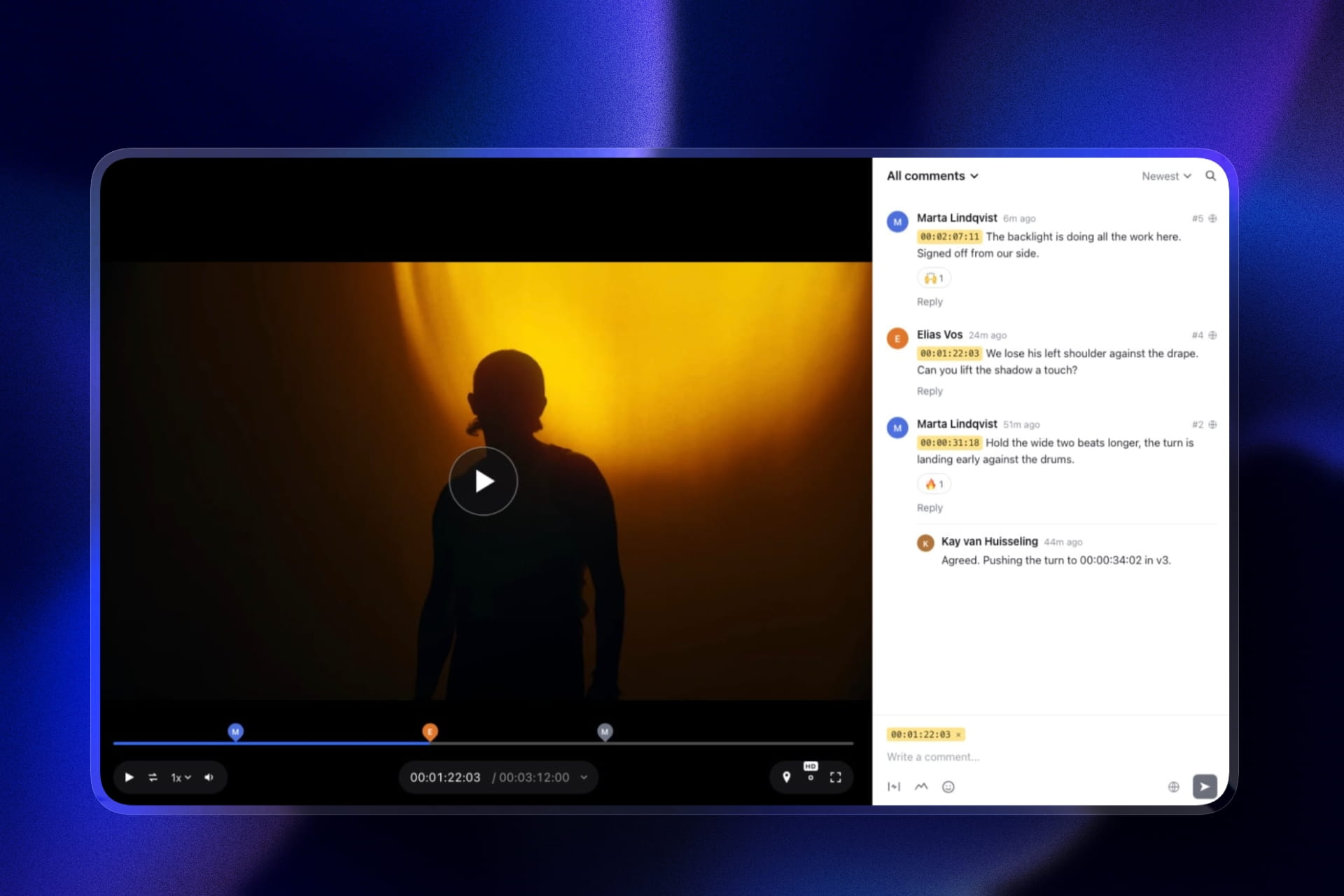
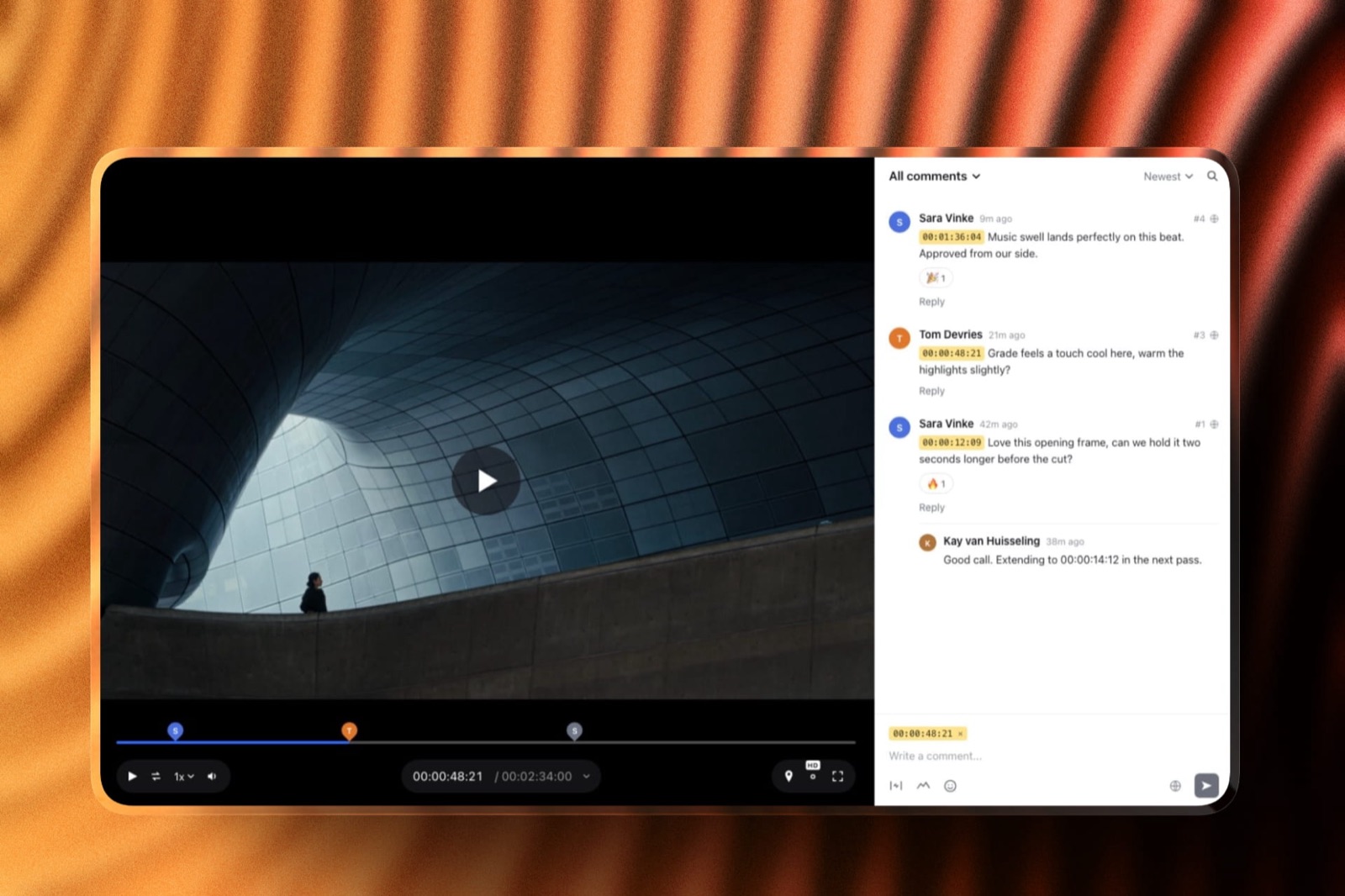
On Framekit's video review, you upload the cut and send a link.
The couple watches without an account, pauses where something bothers them and leaves a comment pinned to that exact frame, can draw on the frame to show which guest should not be in shot, and can reply to your answers or react with an emoji.
Upload version 2 and version 1 stays in the version stack with its notes, so nobody loses the thread. Set the status to needs review, in progress, needs changes or approved, and the approved cut is the one that goes into the gallery.
Two honest limits: Framekit does not show two versions side by side, and notes do not carry forward automatically from version 1 to version 2, so reply to each note on v1 as you fix it. Review files share the same per-file caps as gallery video and count against the same pool.
Step 3: Build One Gallery With Sets for Stills and Films
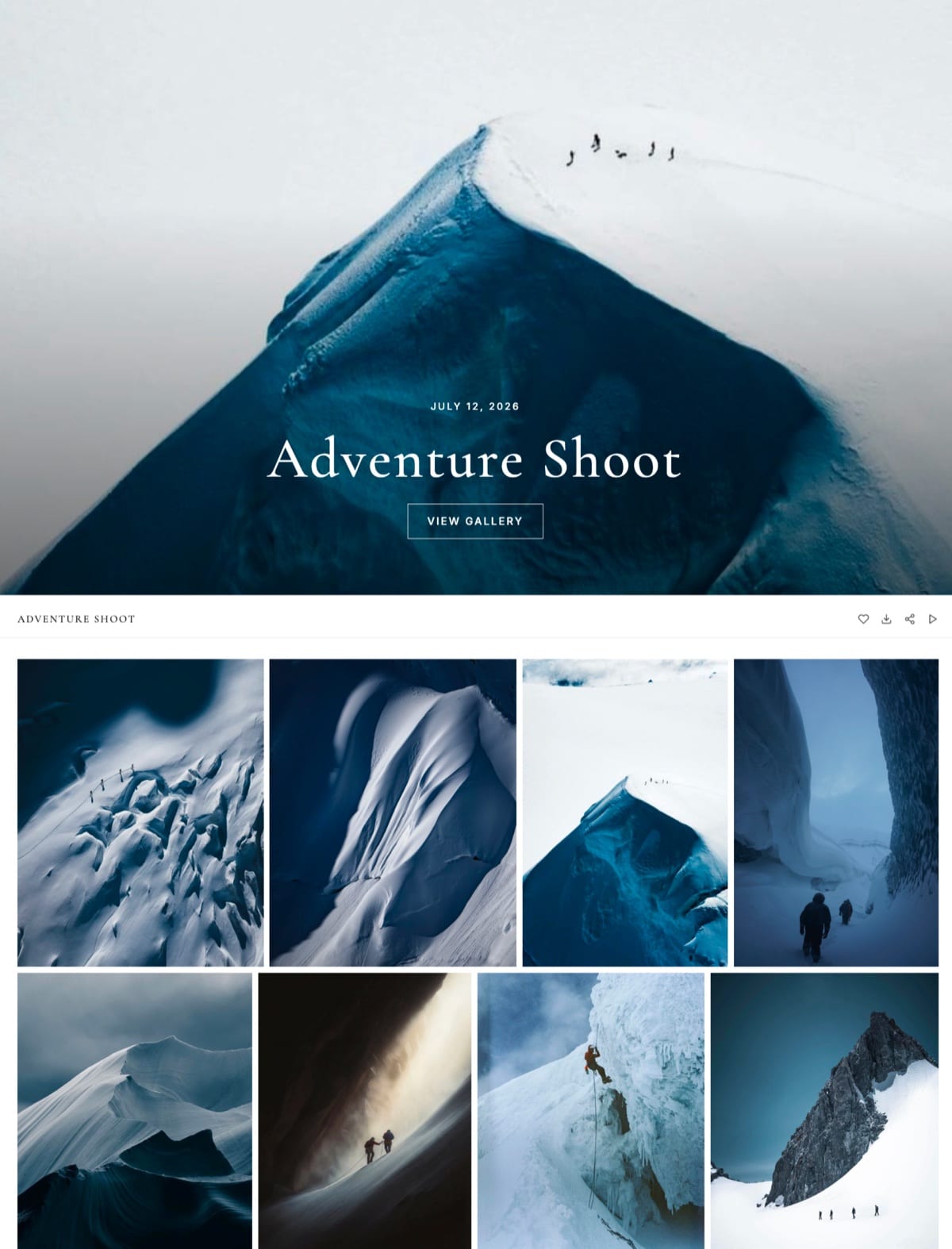
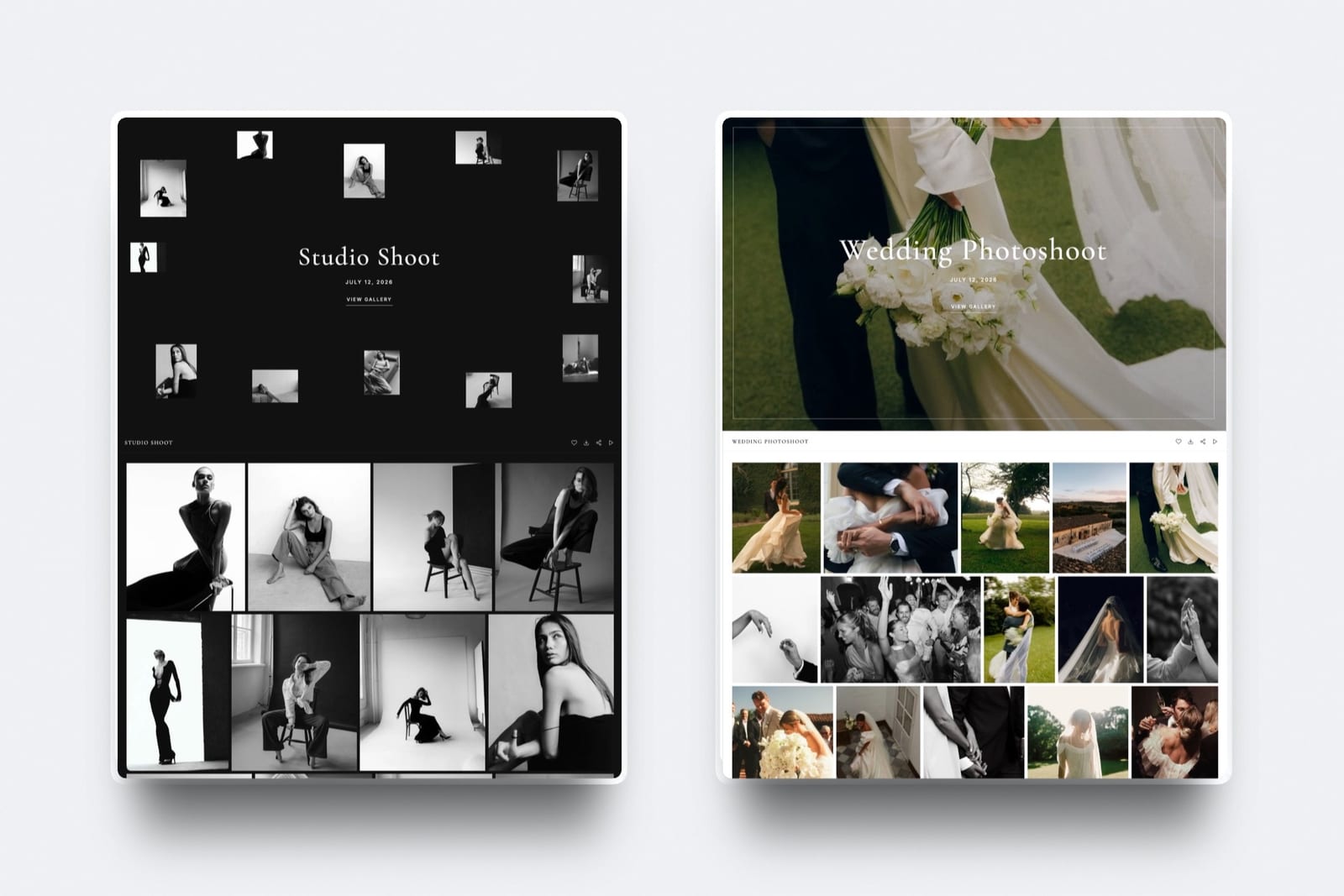
Put the stills and the films in one gallery and separate them with named sets, because a single link with clear chapters is what makes a hybrid delivery feel like one piece of work, and sets let the couple go straight to the films without scrolling past 580 photographs first.
A set order that works for weddings: Films first if the couple hired you mainly for video, otherwise Highlights, Ceremony, Portraits, Reception, then Films.
Put the highlight film first inside the Films set and the long edits after it, because the highlight is what gets forwarded.
On Framekit, videos upload into the same gallery as photos, in MP4, MOV, M4V, WebM or MKV.
Each one shows in the grid as a poster frame taken from the film, opens in the lightbox with a player, and is never watermarked, even in a gallery whose photos carry your mark. One gallery holds up to 5,000 photos.

If you would rather keep the long ceremony edit separate, use a second gallery with its own link only when the audiences differ, for example a ceremony film for the couple alone and a highlight gallery for the whole family. Otherwise one link wins.
Step 4: Decide How Each Film Plays and What the Client Downloads
Decide the export format before upload, because on Framekit the format of the file you upload determines how the film streams in the gallery and exactly what the couple gets when they press download, and those two outcomes pull in different directions for very long films.
How it plays. Framekit transcodes every gallery video into streaming copies: a 1080p copy for films up to 25 minutes, a 720p copy up to 55 minutes, and a 360p copy up to the 2-hour limit, and the gallery plays the 720p copy by default where one exists.
A file the browser can already play, a standard 8-bit H.264 MP4, plays its original file instead whenever the original is at least as sharp as that default, so a long 1080p H.264 export keeps full quality in the player even when the copies are capped.
The trap. A ProRes or HEVC MOV cannot play in most browsers, so it always streams from a copy: 720p by default, and 360p for anything longer than 55 minutes.
A 90-minute ceremony uploaded as ProRes streams at 360p; the same film exported as a 1080p H.264 MP4 streams the original.
What downloads. Every Framekit download delivers the original file you uploaded, at full resolution, for photos and films alike.
Upload a ProRes master and the couple downloads a ProRes master they cannot open on a phone; upload a clean H.264 MP4 and they get a file that plays everywhere.
In one lineupload each film as a 1080p or 4K H.264 MP4 sized under your cap, never the master, and the gallery will both stream it well and hand the couple a file they can use.
Step 5: Set One Password, One PIN and One Date for Both Halves
Set the access rules once for the whole gallery, because a hybrid delivery split across two platforms always ends up with two passwords and two expiry clocks, and the half that expires first is the one the couple notices, usually when a relative asks for the film.
Password. One per gallery, unique to the client. Change it and everyone who unlocked with the old one has to enter the new one.
Download PIN. A separate code that gates downloading. Guests with the link and password can watch the films and browse the stills; only the people holding the PIN can save files.
Because Framekit never watermarks video, the PIN, or switching downloads off, is how you keep a 2GB film from being downloaded by every wedding guest.
Expiry. Framekit applies one expiry date to the whole gallery, stills and films together.
When it passes, the gallery turns back into a draft with every file intact, and an optional reminder emails you and the gallery's linked contacts 3 days before. For a wedding, set no expiry or 12 months with the reminder on.
Favourites. Leave them on. The couple's first heart asks only for an email address; they can build named lists such as "Album" or "Stills for the thank-you cards", add notes to individual photos, and press Send to photographer when they are done.

Step 6: Send One Link and Say What Is Inside
Send one message with one link, one password and one sentence describing the contents and sizes, because a hybrid delivery has more to explain than a photo-only one and the explanation has to survive being read on a phone in under thirty seconds.
A five-line version: one personal line about the day; the link; the password on its own line; "Inside: 580 photos in five sets and three films, the highlight, the ceremony and a teaser for social"; "The full gallery is about 9GB, so download it on a computer, but every film plays straight from the link on a phone."
Framekit sends the gallery email to up to 20 recipients at once, so the couple and both sets of parents can get it in one send, with six starter templates you can edit and save.
Our photo delivery email guide has the longer scripts.
What Each Platform Does With Photos and Video Together
Most client gallery platforms now accept video in some form, but they meter it in four different ways and only two publish anything about single-file size, so this table puts each platform's published position side by side as read on their own pages on 12 October 2026.
| Platform | Video in client galleries | How video is metered | Per-file video cap | Free plan takes video |
|---|---|---|---|---|
| Framekit | Every plan | Bytes: 3GB, 15GB, 150GB, 750GB share of the pool | Published: 500MB, 1GB, 2GB, 3GB; 2 hours max | Yes, up to 500MB a file |
| Pic-Time | Every plan, up to 4K | Separate bytes: 1GB, 5GB, 30GB, 60GB; add-ons from 100GB to 5TB | Not published | Yes, 1GB total |
| Pixieset | Paid plans | Hours: 30 min Basic, 1 hr Plus, 2 hr Pro, 5 hr Ultimate; $5 a month per extra hour | Stated as no size limit | No, YouTube or Vimeo embeds only |
| ShootProof | Paid plans, up to 4K | Pooled with photos on Starter (20GB) and Standard (100GB); 50GB on Professional, 150GB on Premium | Not published | No, photos only |
| Zenfolio | Every plan; HD, 4K on Advanced | Pooled bytes; 150GB of video on Advanced, about 10 hours | Not published | No free plan |
| CloudSpot | As Vimeo or YouTube links | Not hosted | Not applicable | Not applicable |
Two figures carry the most weight: Pixieset's hour-based allowances, on its pricing page, and Pic-Time's video storage add-ons, from 100GB, about 10 hours, at $10 a month billed yearly, up to 5TB.
Pixieset's file size article also notes that gallery videos can be downloaded but not sold through its store.
For the full twelve-platform audit, including Dropbox, Google Drive and WeTransfer, see the platforms that deliver photos and video together.
Where Framekit Fits for Hybrid Shooters

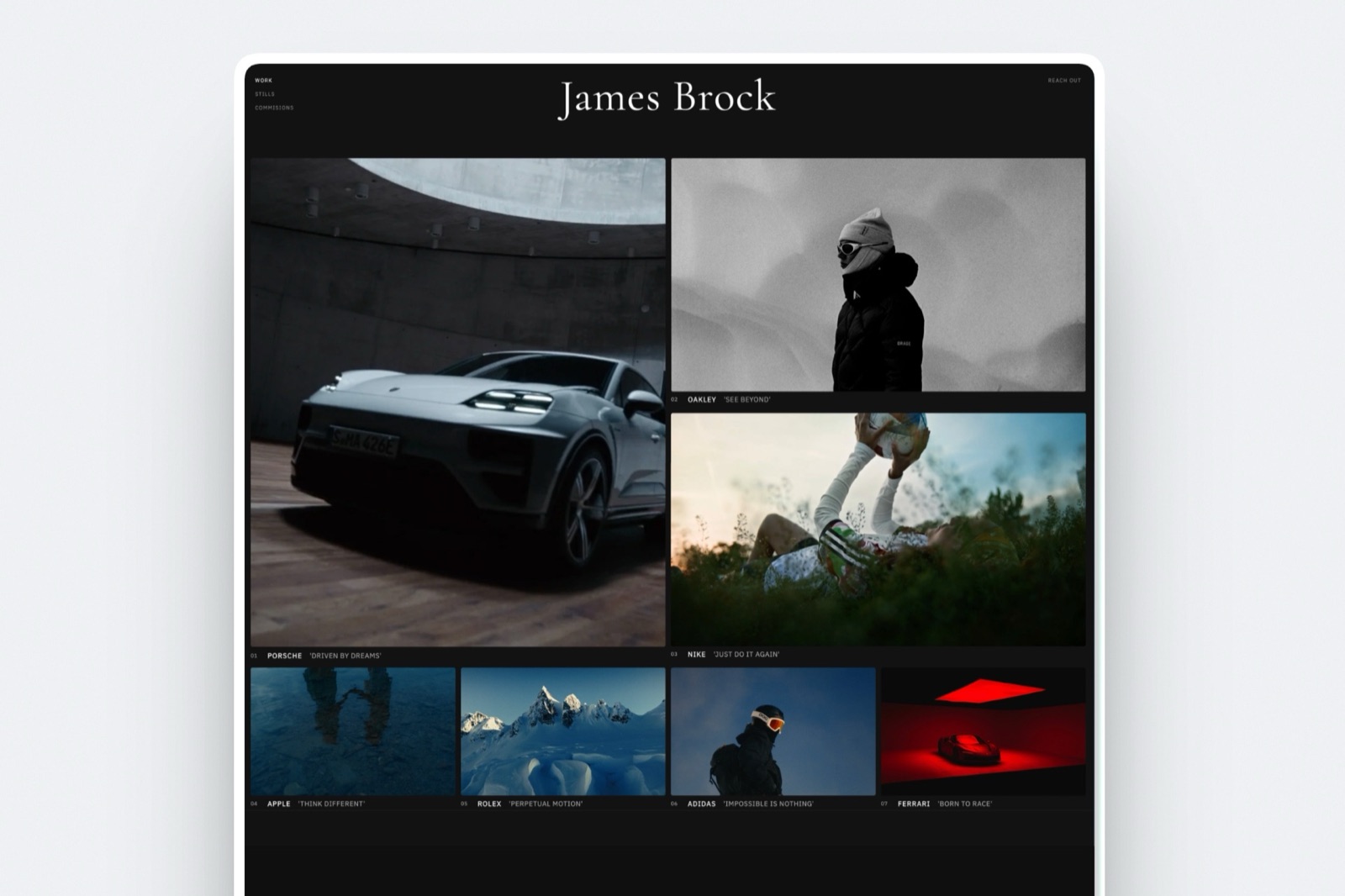
Framekit fits the hybrid photographer or videographer who is paid for the shoot rather than the print, because one plan holds stills and films in the same gallery, runs the frame-accurate review round before delivery, and publishes the whole thing on the portfolio site the client found you through.
What it feels like. The couple opens one link on your domain, scrolls the stills, taps into the Films set and plays the highlight on a phone without downloading anything.
The review round they took part in a fortnight earlier happened on the same domain, in your branding.
The number to remember. 150GB of video on Pro at $15 a month billed yearly. At 10 Mbps that is 80 ceremony edits of 25 minutes; Pic-Time's largest included allowance is 60GB on its $42 Advanced plan, and Pixieset Pro includes 2 hours of film.
The standout detail. Framekit is the only gallery platform in this comparison that publishes a per-file video cap by plan, so you can check before you pay whether your longest export will upload.
The honest gotcha. Those caps are tight for long-form work. A 48-minute edit at 10 Mbps is 3,600MB and will not upload on any plan until you re-export, and nothing over 2 hours uploads at all.
Who should skip it. Anyone selling prints or albums, since there is no print store or lab.
Studios where an editor or second shooter needs to upload deliveries from their own login: Framekit galleries and reviews belong to the account holder, and team members on Pro and Business edit the website only.
Verdict: for a hybrid shooter who delivers films and digital files and wants the review round, the delivery and the portfolio on one account, Framekit is the best fit here; for a print-selling studio it is not.
When Pic-Time Is the Better Home for Hybrid Work
Pic-Time is the better home for hybrid work when prints and albums are part of the job as well as films, because it keeps video in a separate allowance you can watch, sells more video when you need it, and wraps the whole gallery in the strongest print-selling tools in the category.
Its pricing page lists 1GB of video on Free, 5GB on Beginner at $7 a month billed yearly, 30GB on Professional at $21 and 60GB on Advanced at $42, up to 4K, with add-ons beyond that.
More than 30 labs, automated sales campaigns, an album designer and face and selfie search sit on top.
Commission on store profit is 15% on Free and Beginner, 8% on Professional and 6% on Advanced when Pic-Time collects payment, and 0% when you collect it yourself on Professional or Advanced.
What it does not have is a review room for the cut before delivery, and it does not publish a per-file video cap.
A Pic-Time wedding filmmaker typically runs approval in another tool. Framekit vs Pic-Time puts the two side by side, and Pic-Time vs Pixieset settles that pairing for print sellers.
What a Year of Hybrid Delivery Costs
A year of photos-plus-video delivery costs from about $138 to about $1,100 for the same work depending on platform, and the order changes sharply with film length, because hour-metered plans punish long edits while byte-metered plans punish nothing except a file over the per-file cap.
Assumptions: 10MB per JPEG, every gallery online all year, yearly billing, the cheapest plan that fits. Row one is 12 weddings of 500 photos plus a 12-minute highlight at 10 Mbps (about 71GB).
Row two is 24 weddings of 500 photos plus a 25-minute film at 10 Mbps (165GB, 10 hours of film), matching our client gallery cost breakdown.
Row three is 20 documentary jobs of 300 photos plus a 48-minute film at 6 Mbps (about 103GB, 16 hours).
| Platform | 12 light hybrid weddings | 24 hybrid weddings | 20 long-form jobs |
|---|---|---|---|
| Framekit | $180, Pro | $180, Pro | $372, Business (2,160MB files); $180 on Pro if re-exported at 5.5 Mbps |
| Zenfolio | $138, Professional, HD only | $240, Advanced | $138, Professional, HD only |
| ShootProof | $200.04, Standard | $320.04, Professional | $320.04, Professional |
| Pic-Time | $252, Professional | $504, Advanced | $372, Professional plus a 100GB video add-on |
| Pixieset | $312, Plus plus 2 extra hours | About $768, Pro plus 8 extra hours | About $1,092, Plus plus 15 extra hours |
Read it honestly. Zenfolio is the cheapest store of bytes for HD delivery, and ShootProof is competitive at every row, though neither publishes a per-file cap or offers a review round.
Framekit's price also covers the portfolio site, video review, Slides and a digital store. Pixieset is the expensive choice for long film, because 20 films of 48 minutes is 16 hours against a 2-hour allowance on Pro.
Run it on your own year. List last year's films with their lengths, multiply each by your export bitrate and divide by eight, add your stills at 10MB a frame, and price the plan that fits on each platform.
Then check your longest single film against the per-file caps you can find in writing.
What Happens When a Hybrid Delivery Goes Sideways
The failures in hybrid delivery are mechanical and repeat across studios, so here is what happens in the seven situations that generate the most support emails, based on what Framekit ships and what the other vendors publish.
The film is over the per-file cap. Framekit refuses it at upload and tells you so; re-export or move up a plan. Platforms that publish no cap leave you to find out on the night.
The film is over 2 hours. Framekit refuses it on every plan. Split it into two parts, ceremony and reception, or host the full-length version elsewhere.
The couple watches on a phone over mobile data. The film streams from a copy sized for the player, or from the original if it is a browser-playable H.264 MP4, so nothing downloads until they ask for it.
The couple asks for the 4K original. If you uploaded a 4K H.264 MP4 under your cap, the download is that original. If the master is larger than any cap, send it separately by Dropbox or WeTransfer and say so in the email.
A guest wants to download the film. Without the PIN they can watch but not save it. With downloads off, nobody can.
The gallery expires. Stills and films go offline together, the gallery returns to draft with every file intact, and republishing brings both back.
Your editor wants to upload the final cut. On Framekit only the account holder uploads to galleries and reviews, so the editor sends you the file and you upload it.
Choosing How to Deliver Photos and Video Together
This decision path asks the questions in the order they remove options, starting with prints and then film length, because those two answers decide the platform for a hybrid business before branding, design or price come into it.
1. Do prints or albums bring in more than about $1,000 a year? If yes, start with Pic-Time, or ShootProof for 0% commission on every plan, and accept that the review round happens in another tool. If no, go to question 2.
2. Is any single film longer than 2 hours? If yes, split it or host it on a video platform; no Framekit plan takes it. If no, go to question 3.
3. Does your longest film fit 2GB at a bitrate you are happy with? If yes, Framekit Pro at $180 a year holds a wedding season of stills and films with review included. If it needs up to 3GB, Business at $372 does. If no, go to question 4.
4. Do you need the cheapest possible bytes for HD-only delivery? If yes, price Zenfolio Professional at $138 and ShootProof Standard at $200.04. If you also pay for a website and a review tool today, Framekit replaces both, so price that in.
Frequently Asked Questions
How do I deliver photos and video to a client together?
Put the stills and the films in one private gallery split into named sets, protect it with one password and one download PIN, and send one link with a sentence describing what is inside.
Get the film approved in a review round first, and export each film as an H.264 MP4 under your platform's per-file cap. Framekit holds both in one gallery on every plan, Free included.
Can a client gallery hold photos and video files in the same gallery?
Yes, on most platforms in 2026, with different limits. Framekit takes photos and videos in one gallery on every plan, with per-file video caps of 500MB to 3GB by plan.
Pic-Time includes video on every tier, Pixieset and ShootProof on paid plans, and Zenfolio in HD on Basic and Professional and 4K on Advanced. CloudSpot embeds Vimeo or YouTube links instead of hosting the file.
What is the largest video file a Framekit gallery accepts?
Framekit accepts videos up to 500MB on Free, 1GB on Starter, 2GB on Pro and 3GB on Business, and no video longer than 2 hours on any plan. Accepted formats are MP4, MOV, M4V, WebM and MKV.
A 25-minute film at 10 Mbps is 1,875MB and fits Pro; the same film at 16 Mbps is 3,000MB, exactly Business's 3GB ceiling, so export it a little lower.
Will a long film play smoothly in a Framekit gallery?
Yes, if you export it as a standard H.264 MP4. Framekit makes streaming copies at 1080p for films up to 25 minutes, 720p up to 55 minutes and 360p up to 2 hours, and a browser-playable 1080p H.264 MP4 plays its original file by default.
A ProRes or HEVC upload longer than 55 minutes streams at 360p, so export long films as H.264.
Does the client download the original video or a compressed copy?
On Framekit the client always downloads the original file you uploaded, at full resolution, for both photos and videos; the streaming copies are only for playback.
That is why you should upload a clean H.264 delivery export rather than a ProRes master, which most clients cannot open on a phone or a family laptop.
Is Pixieset or Pic-Time better for delivering photos and video?
Pic-Time is better for long or frequent film delivery, because it meters video in gigabytes, includes 30GB on Professional at $21 a month billed yearly and sells add-ons from 100GB.
Pixieset meters video in hours, from 30 minutes on Basic to 5 hours on Ultimate at $5 a month per extra hour, which suits short highlight films. Framekit publishes a per-file cap and adds review before delivery.
How much storage does a hybrid wedding photographer need?
Plan on about 5GB of stills per 500-photo wedding plus each film's size: a 25-minute film at 10 Mbps is 1.9GB.
Twenty-four such weddings kept online for a year come to about 165GB, which fits Framekit Pro's 300GB pool and 150GB video share at $180 a year, Pic-Time Advanced at $504 or Pixieset Pro plus 8 extra video hours at about $768.
Can I watermark the video in a client gallery?
Not on Framekit, which watermarks photos as clients see them but never watermarks videos. To stop guests saving a film, set a download PIN that only the couple holds, or switch downloads off for that gallery. Guests can still watch the film from the link; only saving it is gated.
Should I send the wedding film by WeTransfer instead of a gallery?
No, not as the client delivery. WeTransfer transfers on its Free and Starter plans expire after up to 3 days, and its free plan is for non-commercial use, while a wedding film is the file couples come back to most often.
Use WeTransfer for sending a master to a colourist, and a gallery for the couple. See Framekit vs WeTransfer.
Can my second shooter or editor upload to the client gallery?
Not on Framekit. Galleries and video reviews belong to the account holder, and team members on Pro and Business can edit the website only. An editor sends you the approved file and you upload it; clients and reviewers never need an account to comment, favourite or download.
Do photos and video need separate expiry dates?
No, and on Framekit they cannot have them, because one gallery has one expiry date for stills and films together. That removes the most common hybrid failure, where the film link dies while the photos are still live.
An optional reminder emails you and the gallery's linked contacts 3 days before the date.
Final Verdict
Deliver photos and video together as one gallery with one link, one password, one PIN and one date: size every film against the per-file cap first, run the approval round before the film becomes a delivery, upload H.264 MP4s rather than masters, and describe the contents and sizes in one sentence of the email.
Framekit is the strongest fit for hybrid shooters paid for the shoot, because photos and films share one gallery on every plan, the per-file caps are published, review happens on the same account, and Pro at $180 a year holds a full wedding season of stills and films alongside the portfolio site.
Where Framekit loses: it does not sell prints, its per-file caps force long-form editors to re-export, nothing over 2 hours uploads, and only the account holder can upload deliveries.
For a print-selling hybrid studio, Pic-Time is the better home, and for the cheapest HD storage, Zenfolio and ShootProof undercut it on price.
Related readinghow to deliver a wedding film, the best client gallery platforms with video, the best client galleries for videographers, how to deliver photos to clients and Framekit vs Pixieset.