Framekit templates
Start from a designer-made template
 Use template
 Use template
 Use template
 Use template
 Use template
 Use template
 Use template
 Use template
Saturday's wedding came back on four cards: 3,400 frames from you and 1,900 from the second shooter. By Tuesday you have to decide how many photos the couple will actually receive. Deliver 350 and they may wonder where the speeches went.
Deliver 1,400 and they will scroll for ten minutes, give up somewhere around the first dance, and ask you which ones you like best.
How many photos you should deliver to clients is a decision about craft, time and price at once. Every extra frame is editing time you are not paid for, storage you are paying for, and attention the client has to spend before they reach your best work.
A delivered photo count is the number of finished, edited images a client receives at the end of a shoot, as distinct from the frames captured or the proofs shown, and it belongs in your contract as a range rather than a promise.
Most photographers deliver about 50 to 80 edited images per hour of wedding coverage, or 400 to 700 for a full day, 30 to 60 from a one-hour family or portrait session, 20 to 40 from a newborn session, 40 to 75 per hour of event coverage, and 5 to 15 retouched finals per headshot subject, with commercial work set by the shot list.
These are working ranges, not an industry rule, so set your own from how the client will use the photos, cull in three passes, write a minimum and a range into the contract, and deliver in two layers: a 40 to 80 frame highlights set above the full run.
Framekit holds both layers in one gallery on every plan.
We rewrote this guide on 12 October 2026 and re-verified every Framekit figure in it, storage pools, the 5,000-photo gallery limit and the 2,000-photo ZIP limit, against the shipped product.
The September version opened with an anecdote about a photographer "we know" and claimed industry print-sales data shows selections cluster in the first 100 to 150 images; we could not document either, so both are gone, and the counts below are presented as working ranges rather than research.
Framekit is an AI website builder with client galleries, video review, Slides and a digital store in one account, so the count you choose is delivered at /client/ on your own site, in named sets, with favourites the client can send back as a list.
Full disclosure: Framekit is our product. The counts and the cull apply on any gallery platform, and the Framekit section says which delivery jobs it does not do.
Delivery Counts by Genre
These are the delivery counts most working photographers settle on, expressed per hour where the work is hourly so they scale with the booking, and they are conventions that hold up in practice rather than figures from any survey, so treat them as a starting point to adjust for your own style and price.
| Shoot type | Typical delivery | Per hour of coverage | What drives the number |
|---|---|---|---|
| Full-day wedding (8 to 10 hours) | 400 to 700 | 50 to 80 | Story coverage across a whole day |
| Elopement or half-day | 150 to 300 | 50 to 75 | Fewer scenes, same story arc |
| Engagement session | 40 to 80 | 40 to 80 | One location, two people |
| Family portraits | 30 to 60 | 30 to 60 | Group plus individual combinations |
| Newborn | 20 to 40 | 15 to 25 | Slow shooting, heavy retouching |
| Headshots | 5 to 15 finals per person | 15 to 25 proofs | The client uses one or two |
| Branding session | 40 to 90 | 40 to 60 | Content volume is the deliverable |
| Corporate event | 150 to 400 | 40 to 75 | Attendees, speakers, sponsors |
| Concert or sports | 30 to 80 | 30 to 60 | Peak-action selects only |
| Real estate | 20 to 45 per property | Not hourly | Room count plus exteriors |
| Product or e-commerce | 3 to 8 per product | Not hourly | Angles in the brief |
| Editorial assignment | 8 to 20 selects | Not hourly | The editor picks the run |
These are delivery counts, not shutter counts. Firing 3,400 frames at a wedding and delivering 550 is normal. Delivering 1,400 usually means a decision about which frames are best has been handed to the client.
Why There Is No Single Right Number
There is no single right number of photos to deliver because the count depends on four things that change from job to job, how long you covered, how the client will use the images, how heavily each frame is retouched and what your price promises, and any guide that names one number for a genre is averaging those away.
A documentary wedding photographer who covers twelve hours and delivers 900 frames is not doing anything wrong if the couple booked them for completeness.
A fine-art photographer who delivers 250 from the same day is not short-changing anyone if the couple booked them for a tight edit. What goes wrong is a mismatch: a count the client did not expect, in either direction.
So the rest of this guide is a method rather than a number: work out what the photos are for, build the count from coverage, cull to it, write it down, and deliver it in a container that makes it easy to use.
Step 1: Start From How the Client Will Use the Photos
Work out what the client will actually do with the images before you think about how many survived the first pass, because the use sets a minimum you must cover and a point beyond which extra frames add editing time without adding anything the client needs.
| What the client will make | Frames it needs | What that means for the count |
|---|---|---|
| A wedding album, 30 to 40 spreads | 80 to 150 selected frames | Deliver several times that, so they have a real choice |
| Wall art and canvases | 3 to 6 standout frames | A few exceptional frames matter more than volume |
| Thank-you cards and family prints | 10 to 30 | Groups and portraits of named people |
| Social posts over a year | 20 to 40 | Variety: wide, close, detail, candid |
| A company website and LinkedIn | 1 to 3 per person, plus 10 to 20 team and office | Crops and consistency over volume |
| A product listing | The angles in the brief | Exactly what was asked, retouched |
The table gives a floor, not a ceiling. A couple choosing 120 album frames needs to choose from several hundred, which is why the wedding range sits at 400 to 700 rather than 120. A headshot client using one image needs a real choice of 5 to 15, not 80 near-identical frames.

Step 2: Build the Count From Coverage Blocks
Build the total from targets for each part of the day rather than from whatever survives the cull, because block targets make sure every moment the client cares about is covered and stop one long, beautiful hour of golden light from crowding out the speeches.
A full-day wedding, as an example:
| Block | Target frames | Notes |
|---|---|---|
| Preparation | 40 to 70 | Both sides if you had a second shooter |
| Ceremony | 60 to 100 | Every key moment, both families' reactions |
| Family formals | 30 to 60 | 1 to 2 frames per group on the list |
| Couple portraits | 40 to 80 | Variety of light and location |
| Details and venue | 20 to 40 | Rings, flowers, tables, signage |
| Guests and candids | 50 to 100 | The frames guests forward to each other |
| Speeches and party | 80 to 150 | Speeches, first dance, the floor |
| Total | 320 to 600 | Adjust for an 8 or 12 hour day |
Do the same for any genre with a structure. A conference becomes keynotes, breakouts, networking, venue and sponsors; a brand day becomes hero, product, team and social crops. When a block comes up short, you know before delivery; when one runs long, you know which block to cut.
Step 3: Cull in Three Passes
Cull in three separate passes, technical failures first, then duplicates, then anything that does not earn its place beside its neighbours, because doing all three at once is slower and the third pass, the one most photographers skip, is where a gallery goes from complete to good.
Here is how the passes typically narrow a wedding, using the 3,400 plus 1,900 frames from the opening as the example:
- Technical pass. Blinks, missed focus, misfires, test shots. On a typical day this removes more than half the take, leaving something like 2,000 to 2,400 frames.
- Duplicate pass. One frame per moment unless the expression genuinely changes; second-shooter angles only when they add something. This is the big cut, often to 700 to 900.
- Earn-its-place pass. Look at each frame beside the ones around it and ask whether the gallery is better with it. This takes 900 to the 500 to 600 that actually tell the day.
Those numbers are an illustration, not a benchmark; your ratios depend on your shooting style. What holds everywhere is the order: the third pass works only when the first two have already removed the noise, so it gets a fresh session, ideally the next morning.
Step 4: Write a Minimum and a Range Into the Contract
Write a minimum and a typical range into the contract rather than an exact figure or the word "all", because a minimum protects you on a short or rainy day, a range sets the client's expectation honestly, and "all the photos" is a promise nobody who culls can keep.
A clause that works: "A minimum of 400 edited, high-resolution images, typically 450 to 650 for a full day, delivered via a private online gallery within 20 business days of the event.
Image selection is at the photographer's editorial discretion; unedited images and RAW files are not included."
Four details to get right:
- Minimum, not "approximately". Promising "about 800" and delivering 740 creates an argument you cannot win.
- Say what is excluded. RAW files, outtakes and unedited frames, in one line.
- Tie the count to coverage. "For 8 hours of coverage" means an extra hour bought on the day has an obvious effect on the count.
- Put the timing next to the count. Turnaround and count are the two numbers clients remember; our guide to how long photo delivery should take covers the window.
Step 5: Deliver in Two Layers
Deliver a highlights set of 40 to 80 frames above the full run, in the same gallery, because clients engage most with a short, strong selection and feel most secure knowing the complete set is there, and two layers give them both without sending two links.
On Framekit every new gallery starts with a set called Highlights; add Preparation, Ceremony, Family and the rest below it. The client and anyone they forward the link to see the highlights first, and the full delivery sits one tap away in the set list.
Favourites then do the client's own cull.
On Framekit the first heart a client taps asks only for an email address, picks go into named lists such as "Album" or "Print for Mum", each photo can carry a note, and Send to photographer returns the list to you.
In the editor, a "Show only photos clients favorited" filter shows you exactly those frames.
Clients can also filter to their favourites and download only those as a ZIP, so a 600-frame delivery becomes an 80-frame album selection without an email describing photo 447.

What Over-Delivering Actually Costs
Over-delivering costs editing hours, storage and the client's attention, and the first two can be calculated from your own rates in about five minutes, which is usually enough to convince a photographer that the third pass of the cull is the most profitable hour of the week.
The arithmetic, with assumptions you should replace with your own: an edit speed of 30 finished frames an hour, studio time valued at $60 an hour, 10MB per delivered JPEG, and 25 weddings a year.
| Delivered per wedding | Editing hours per wedding | Studio time a year at $60 | Storage per wedding | 25 weddings kept online |
|---|---|---|---|---|
| 450 | 15 | $22,500 | 4.5GB | 113GB |
| 650 | 22 | $33,000 | 6.5GB | 163GB |
| 1,000 | 33 | $49,500 | 10GB | 250GB |
| 1,400 | 47 | $70,500 | 14GB | 350GB |
Going from 650 to 1,000 frames a wedding adds about 11 editing hours per wedding and roughly $16,500 of studio time a year at these assumptions, for frames the client did not ask for.
On storage, 25 weddings at 650 frames fit Framekit Pro's 300GB pool at $15 a month billed yearly; at 1,400 frames they do not, and the next step is Business at $31 a month billed yearly for 2TB.
There is also a hard limit to know. A Framekit gallery holds up to 5,000 photos, and a single whole-gallery ZIP holds up to 2,000, so a 2,400-frame event either needs splitting into two galleries or downloading as favourites rather than in one archive.
Attention is the cost you cannot invoice. A client reviewing 1,400 frames at a couple of seconds each spends most of an hour before reaching the end, and the frames you are proudest of compete with near-duplicates of themselves.
What Clients Expect, and How to Set It Early
Clients arrive expecting whatever the last photographer in their circle delivered, so they are anchored to someone else's number rather than to any standard, and the time to reset that anchor is the enquiry call, not the delivery email.
Say your number early.
"For a full day I deliver between 450 and 650 finished images, chosen and edited one by one, plus a highlights set of about 60" sets the expectation before a competitor's "1,000+ images guaranteed" does, and it frames your count as a decision rather than a limit.
Corporate and commercial clients think in usable finals rather than volume: an agency booking product photography wants the brief's angles, retouched, in the right ratios, and 200 unretouched options is homework handed back.
Second shooters change the count, not the standard: deliver the story once, with the second angle only where it adds something.
Outtakes, RAW Files and Black-and-White Duplicates
Requests for outtakes, RAW files and duplicate black-and-white versions all push the count up without adding moments, so decide your policy on each before the booking, write it into the contract, and answer the request warmly with an alternative rather than a flat no.
Outtakes. Frames you judged unfit to publish. The useful answer is a search: ask what moment they are looking for, check whether a usable frame exists, and deliver that one image. The real question is almost always "is there one of Grandad dancing?"
RAW files. Most photographers do not include them and say so in the contract; our guide on whether to give clients RAW files covers when a fee makes sense.
Framekit galleries refuse RAW, DNG, TIFF, PSD and HEIC at upload, so a RAW handoff goes by another route anyway.
Black-and-white versions. Deliver both only when the frame genuinely works both ways, and count the pair as one image toward the minimum. Doubling a gallery with conversions inflates the count without adding a single moment.
Extra edited images. If you sell them, price them per image, for example $20 to $40 depending on retouching depth, so the value stays visible and the client uses favourites to choose deliberately.
Run This Count Test on Your Last Five Galleries
You can test whether your count is right using what your clients already did with your last five galleries, because the favourites they chose and the files they downloaded show where your deliveries run long, and the test takes about twenty minutes.
Run it yourself:
- For each of your last five deliveries, write down the number of frames delivered.
- Write down how many frames the client hearted or selected. On Framekit, the Activity panel lists each favourites list with its photo count; on other platforms, check the selections or favourites view.
- Divide selections by the delivered count for each gallery.
- Compare the ratio across genres and across galleries of different sizes.
If clients consistently choose a similar number of frames whether you deliver 450 or 900, the extra 450 frames are editing time with no effect on what the client uses.
If a genre's ratio is noticeably lower than your others, that is the genre to cull harder first. Repeat the count after your next five deliveries.
Where Framekit Fits

Framekit fits photographers who want the count they chose delivered in a designed, two-layer gallery on their own site, because every gallery feature, sets, favourites with named lists, Send to photographer and download controls, is on every plan, and photos and films sit in the same gallery.
What it feels like to the client. They open a link on your domain, see a cover in one of 17 styles, browse a Highlights set, then the full delivery set by set.
They heart frames into a list named "Album", add a note such as "warm this up", press Send to photographer and download just those frames.
The number to remember. $0 for unlimited galleries inside 10GB of storage shared with your site, roughly 1,000 delivered frames at 10MB each.
Starter is $9 a month ($7 billed yearly) for 50GB and your own domain, Pro $19 ($15 yearly) for 300GB, and Business $39 ($31 yearly) for 2TB.
The standout detail. The favourites filter works on both sides: the client can view and download only their hearted frames, and in the editor you can show only the frames clients favourited, set by set, which turns album design into a filter rather than a search.
The honest gotcha. Every download is the full-resolution original, with no web-size option, so a 650-frame gallery downloaded whole is a 6.5GB archive; Framekit splits large archives into parts and offers "Email me when it's ready", but a client on a phone should download favourites rather than everything.
A gallery stops at 5,000 photos and a ZIP at 2,000.
Who should skip it. Studios that sell prints, albums or wall art from the gallery, because there is no print store, lab, price sheet or album proofing.
Anyone who needs a native mobile app, client uploads, RAW delivery, unlimited storage, or school and volume workflows.
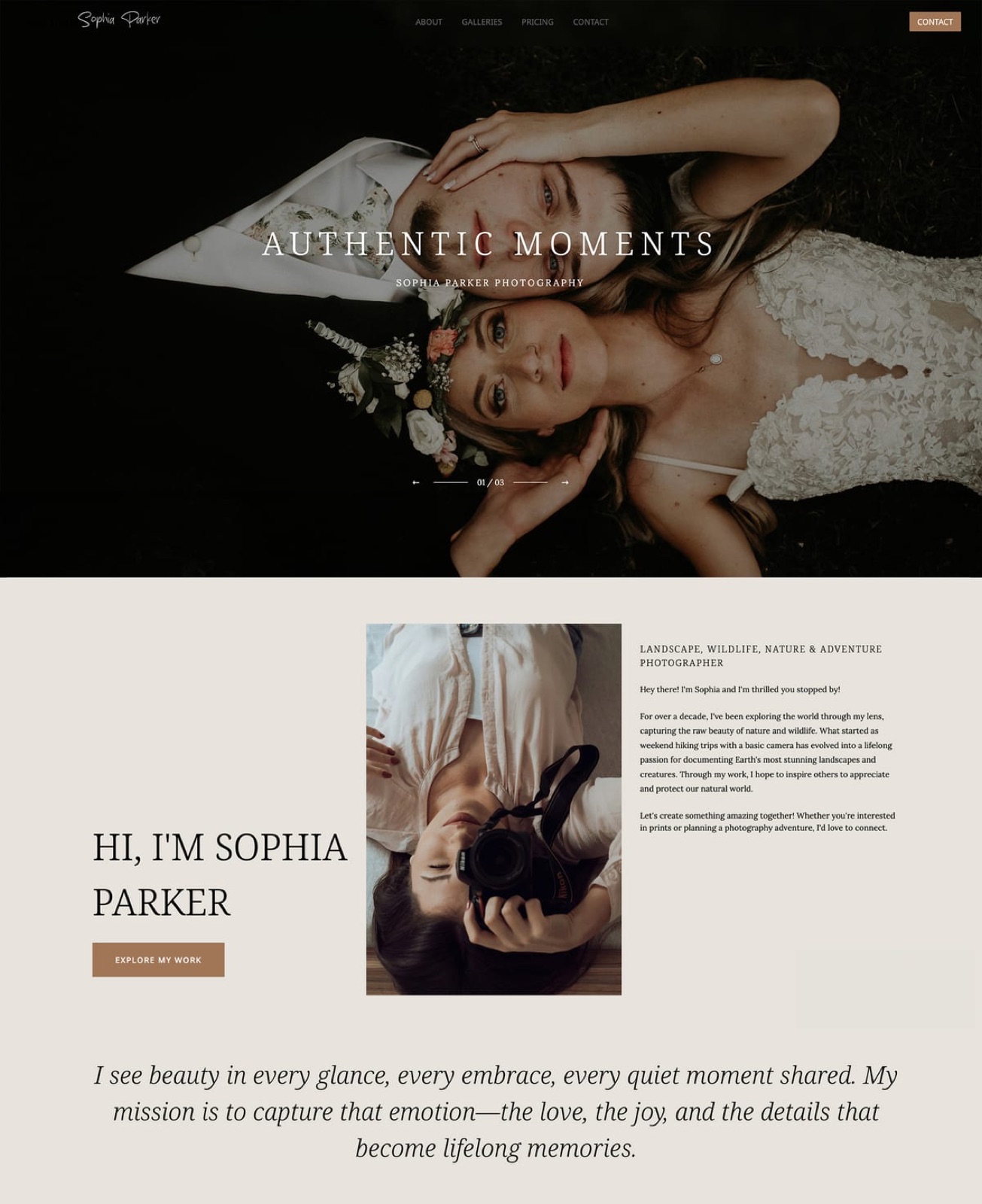
Verdict: for photographers paid for the shoot who deliver digital files, Framekit makes a disciplined count feel generous through sets, a highlights layer and favourites on the free plan; for studios whose album and print sales depend on the gallery, a print-store platform is the better fit.
Frequently Asked Questions
How many photos should a wedding photographer deliver?
A wedding photographer typically delivers 50 to 80 edited images per hour of coverage, about 400 to 700 for an eight to ten hour day, as a working range rather than a rule.
Build the total from blocks, such as 60 to 100 for the ceremony and 80 to 150 for speeches and the party, write a minimum into the contract, and lead the gallery with a highlights set of 40 to 80.
How many photos should I deliver from a one-hour portrait session?
Deliver about 30 to 60 edited images from a one-hour family or portrait session, and 20 to 40 from a newborn session where each frame takes longer to retouch.
Cover every pose and grouping once, without several near-identical versions, and remember families usually print a handful of frames, so a strong 40 serves them better than a loose 90.
Is it better to deliver more photos or fewer?
Fewer, chosen carefully, is better in most genres, because each extra frame costs editing time and storage and asks more of the client's attention before they reach your best work.
The exceptions are coverage jobs such as conferences, where the client needs every speaker and sponsor, and documentary weddings booked specifically for completeness. Match the count to what the client booked.
How many photos should I deliver for headshots?
Deliver 5 to 15 retouched finals per person from a headshot session, chosen from 15 to 25 proofs an hour, because the client will use one or two images for years and needs a real choice rather than volume.
For company headshot days, add square, 4:5 and 16:9 crops of the chosen frame, and name every file with the person's name.
What should my contract say about how many photos I deliver?
State a minimum, a typical range and the coverage it applies to: "a minimum of 400 edited, high-resolution images, typically 450 to 650 for 8 hours of coverage", plus the delivery window and a line saying selection is at the photographer's discretion and RAW files are excluded.
Avoid exact figures and the word "all", which you cannot honour once you cull.
Should I give clients the outtakes if they ask?
Usually no, but answer with an alternative rather than a refusal. Outtakes are frames you judged unfit to publish, so ask what moment the client is looking for, check whether a usable frame exists, and deliver that one image.
The request is almost always about a specific person or moment, not a wish to see your rejects.
Should I charge extra for additional edited photos?
Yes, if you offer them, and price them per image, for example $20 to $40 depending on retouching depth, so the value stays visible.
A base package with a stated minimum and per-image extras also gives clients a reason to use favourites to choose deliberately instead of asking for everything you shot.
How much storage do delivered photos take?
At about 10MB per full-resolution JPEG, 500 photos take roughly 5GB and 25 weddings of 650 frames about 163GB.
Framekit's free plan holds 10GB shared with your website, Starter 50GB, Pro 300GB and Business 2TB, so cutting a typical wedding from 1,400 to 650 frames can keep a 25-wedding year inside Pro rather than Business.
Is there a limit to how many photos one client gallery can hold?
On Framekit one gallery holds up to 5,000 photos, and a single whole-gallery ZIP download holds up to 2,000, with very large archives split into parts.
A delivery bigger than 2,000 frames should be split into two galleries, for example one per day of a conference, or downloaded as favourites lists rather than in one archive.
Do clients prefer a highlights gallery or the full set?
Clients tend to engage most with a short highlights selection and feel reassured that the full set exists, so deliver both in one gallery: a Highlights set of 40 to 80 frames first and the complete delivery below it in named sets.
Framekit starts every gallery with a Highlights set and holds both layers at one link on every plan.
Does delivering fewer photos hurt reviews?
Not when the expectation was set before the booking. Reviews suffer when clients receive fewer images than they were led to expect, not when the count is modest.
Say your range on the enquiry call, put a minimum in the contract, deliver inside the range every time, and explain that each frame was chosen and edited individually.
Should I deliver black-and-white versions as extra images?
Only when the black-and-white version is genuinely a different photograph, and then count the pair as one image toward your minimum.
Delivering colour and black-and-white versions of every frame doubles the gallery without adding a single moment, makes the client's selection twice as long, and doubles the storage on your plan.
The Verdict
There is no single right number of photos to deliver, but there is a right method: start from how the client will use the images, build the count from coverage blocks, cull in three passes, write a minimum and a range into the contract, and deliver a highlights set above the full run.
Framekit makes that disciplined count easy to use: sets, a Highlights layer, favourites with named lists and Send to photographer, and favourites-only downloads, all on the free plan, on your own site.
Where Framekit loses: it has no print store, lab, price sheets, album proofing, mobile app, client uploads, RAW delivery, unlimited storage or school and volume workflows, a gallery stops at 5,000 photos and a ZIP at 2,000, and there is no web-size download option.
If albums and prints sold from the gallery are your income, a print-store gallery is the better fit.
Run the count test on your last five galleries this week. If clients chose the same number of frames whatever you delivered, you already know where the editing hours went.
Related readinghow to deliver photos to clients, how to create a client gallery, best client galleries for wedding photographers, how to price photography, and best culling software for photographers.
The American Society of Media Photographers publishes business practice guidance for working photographers.