Framekit templates
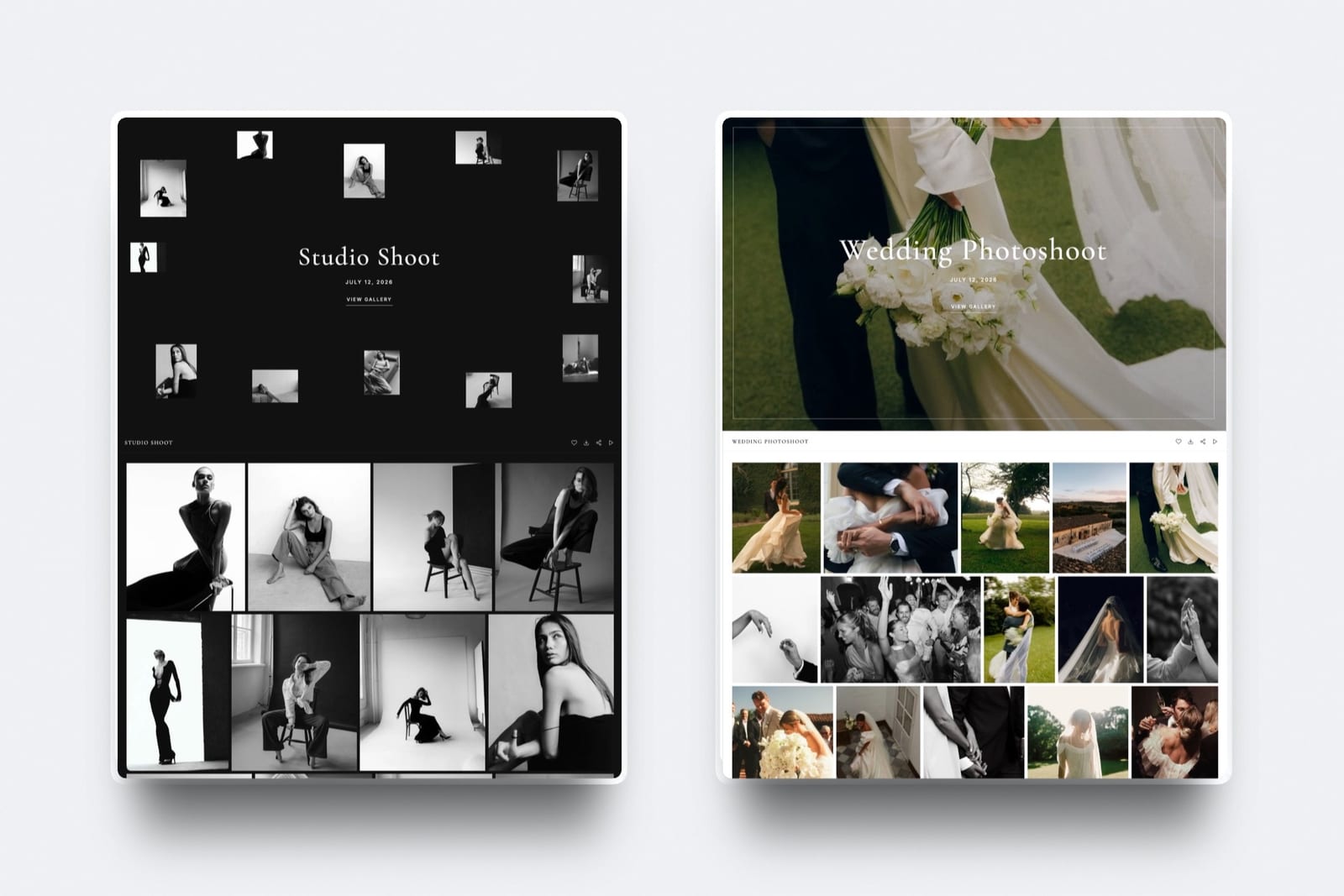
Start from a designer-made template
 Use template
 Use template
 Use template
 Use template
 Use template
 Use template
 Use template
 Use template
The email arrives on day nineteen and it always reads the same way: "Just wondering when we might see the photos!" It is polite and reasonable, and it means one thing. The client had no idea what to expect, and filled the silence with worry.
Most photographers answer that email by trying to work faster.
But how long photo delivery should take is mostly settled before the shoot, and the better fix is cheaper: say the number in advance, send something small within two days, and run the queue in a fixed order so the number holds in June as well as in February.
A photo delivery turnaround is the time between the shoot and the moment the client receives their finished gallery, counted in business days from the shoot date and written into the contract, usually with a small preview set sent within the first 48 hours to bridge the gap.
Photo delivery should take about 2 to 4 weeks for a wedding, 5 to 10 business days for a family or portrait session, 2 to 5 business days for headshots and events, 3 to 5 business days for commercial and product work, 24 to 48 hours for real estate, and 12 to 24 hours for press and concerts, with a preview of 5 to 10 edited images inside 48 hours for every consumer job.
These are working conventions rather than an industry rule, so quote the longest window you can reliably beat, count it in business days from the shoot, and send the preview. In most studios the delay is the queue, not the edit.
Framekit lets the preview and the full delivery share one gallery link on every plan.
We rewrote this guide on 12 October 2026 and re-verified every Framekit gallery behaviour in it against the shipped product that day, including how edits publish, what the download notification does and what happens on an expiry date.
Two September lines are gone: the claim that the preview is "the highest-shared message you will send", which we cannot measure, and a suggestion to send the preview and full set on one link without warning that Framekit syncs every edit to the live gallery automatically.
Framekit is an AI website builder with client galleries, video review, Slides and a digital store in one account, so the preview, the full gallery and the film review round all run from the same site and login.
Full disclosure: Framekit is our product. The turnaround windows, the queue maths and the contract wording apply whatever you deliver with, and the Framekit section says which parts of the timeline it does not touch.
Turnaround by Genre
These are the windows most working studios quote, measured from the shoot date to the full gallery going live, in business days unless stated, and they are conventions that hold up in practice rather than survey figures, so adjust them for your volume and your season.
| Shoot type | Preview | Full delivery | What drives the window |
|---|---|---|---|
| Wedding | 24 to 48 hours | 2 to 4 weeks | Volume and consistency across a whole day |
| Elopement or half-day | 24 hours | 1 to 2 weeks | Fewer frames, same standard |
| Family or portrait session | 24 to 48 hours | 5 to 10 business days | Small set, heavier retouching per frame |
| Newborn | 48 hours | 1 to 2 weeks | Slow, retouch-intensive editing |
| Headshots | Same day proofs | 2 to 5 business days | Client picks, then you retouch |
| Branding session | 48 hours | 1 to 2 weeks | Volume plus crop variants |
| Corporate event | Same day, 5 to 10 frames | 3 to 7 business days | Marketing has dated needs |
| Conference or trade show | Same day | 2 to 5 business days | Social content goes stale fast |
| Commercial or product | 24 hours | 3 to 5 business days | Listing and campaign dates |
| Real estate | Same day | 24 to 48 hours | The listing cannot go live without it |
| Editorial assignment | Same day | 24 to 72 hours | Publication schedule |
| Concert or press | 2 hours | 12 to 24 hours | The photo is news for a day |
Two patterns stand out. Consumer work runs in weeks and commercial work runs in days, because commercial images feed something with a date attached. And every row has a preview, because the preview is what makes the full window tolerable to the person waiting.
Where the Days Actually Go
The time between a wedding and its delivery is mostly waiting rather than working, because a full edit needs only a few days of hands-on time and the rest of the window is the queue of jobs ahead of it, which is why working faster rarely shortens turnaround as much as managing the queue does.
Here is one wedding, using illustrative assumptions you should replace with your own: 3,400 frames captured, 550 delivered, an edit speed of 30 finished frames an hour, about 10MB per exported JPEG, and a 50 Mbps upload connection.
| Stage | Hands-on time | Notes |
|---|---|---|
| Ingest and backup | 1 hour | Two copies before anything else |
| Cull, three passes | 4 to 6 hours | Fastest with dedicated culling software |
| Edit and retouch 550 frames | About 18 hours | 550 divided by 30 an hour |
| Export | 1 to 2 hours, mostly unattended | 550 frames, about 5.5GB |
| Upload | About 15 minutes at 50 Mbps | Over an hour at 10 Mbps |
| Gallery build and email | 10 to 30 minutes | Ten once you have a house style |
| Total hands-on | About 25 to 28 hours | Three to four working days |
Twenty-eight hours of work fits inside a week. A wedding delivered in five weeks therefore spent about four of them waiting behind other jobs. The steps below deal with both halves: making the 28 hours shorter where it is safe to, and making the wait predictable.
Step 1: Quote in Business Days, From the Shoot Date
Write the turnaround as a number of business days counted from the shoot date, and choose the longest number you can reliably beat, because the same delivery reads as early or late depending entirely on what you promised, and business days survive bank holidays and Christmas weeks.
Say business days. "Within 20 business days" survives a public holiday; "within four weeks" does not, and the client will count calendar days.
Start the clock at the shoot, and say so. Otherwise clients start it from whenever they think you should have started.
Quote what you beat 9 times out of 10. Delivering in three weeks against a four-week promise is a pleasant surprise. Delivering in three weeks against a two-week promise is a complaint, for identical work.
Add the season. "Between June and September, allow up to 10 additional business days" is honest, common, and prevents the conversation entirely.
A clause that works: "A minimum of 400 edited, high-resolution images delivered via a private online gallery within 20 business days of the shoot date, with a preview of 5 to 10 images within 2 business days. Between June and September, allow up to 10 additional business days."
Step 2: Send a Preview Within 48 Hours
Send 5 to 10 finished frames within 48 hours of every consumer shoot, chosen for variety rather than completeness, because clients are rarely impatient about the full gallery so much as anxious about silence, and a small set of your strongest work answers the anxiety without shortening your edit.
Keep it small. Five to ten images: one wide scene, one portrait, one detail, one emotional moment, one group. Twenty preview frames starts to feel like a delivery and raises expectations for the timeline.
Send it as a gallery, not attachments. Email attachments get compressed, cannot be forwarded cleanly and give you nothing back.
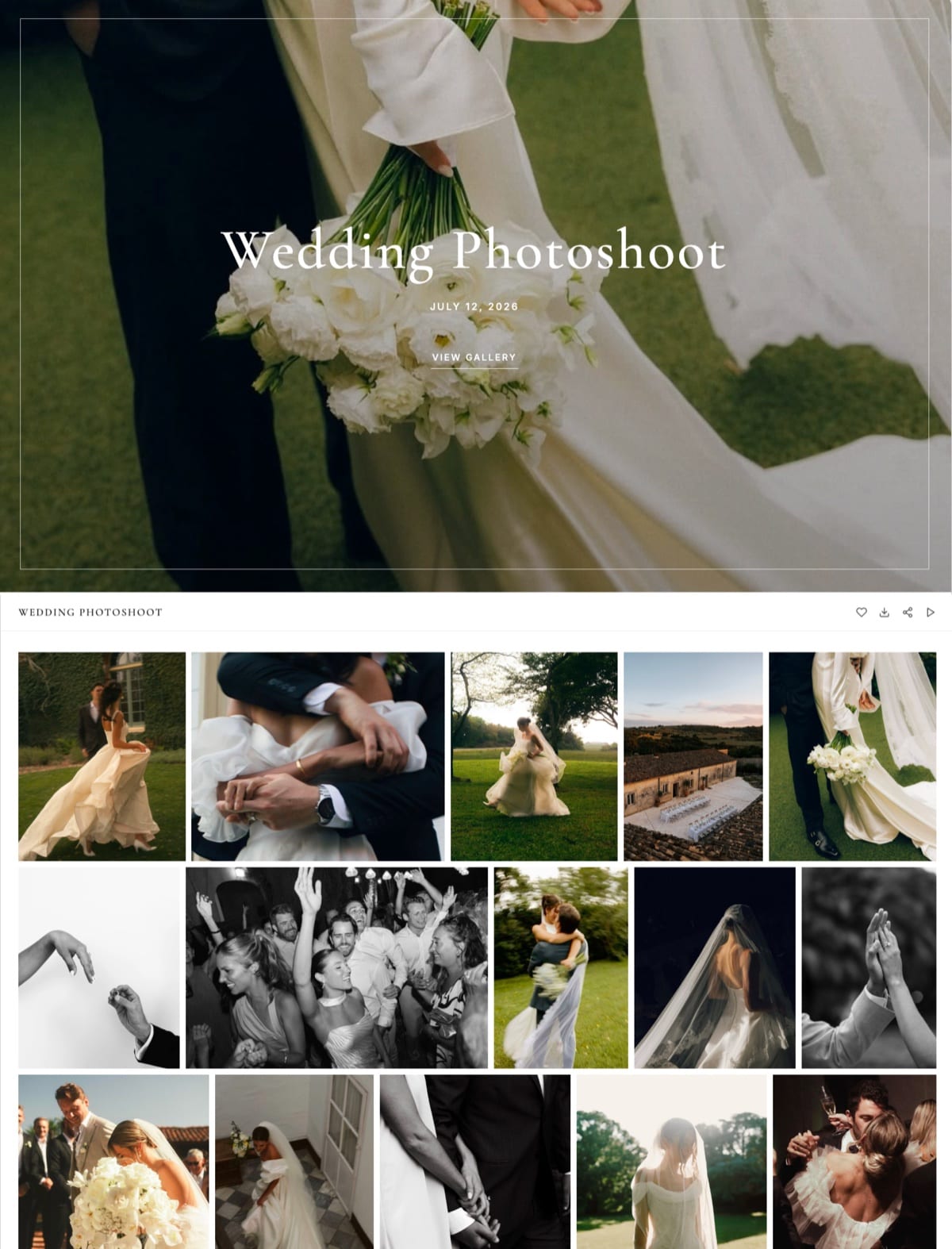
On Framekit, create the job's gallery, put the preview frames in its Highlights set, and send it from Framekit to up to 20 recipients with the password included by one checkbox.
Know how the same link behaves later. Framekit keeps a live gallery in sync with your edits automatically, so photos you add to the preview gallery appear to clients shortly after each upload finishes.
Either add the full set in one sitting on delivery day and then send the "your gallery is ready" email, or build the full delivery as a separate gallery and send that link instead.
Say when the rest is coming. One line: "The full gallery follows by 18 July." The date, not "in a few weeks".
Step 3: Run the Queue Oldest First and Know Its Length
Work your editing queue strictly oldest shoot first and calculate how long it is every Monday, because most late deliveries are not slow edits but a backlog with no rule about order, and a queue you have measured is one you can quote against honestly.
The formulaweeks of backlog equals hours of editing waiting, divided by the editing hours you actually get in a week.
Four weddings waiting at 28 hours each is 112 hours; at 20 editing hours a week, the newest wedding delivers in about 5.6 weeks, which is longer than a 20-business-day promise.
| Editing hours you get a week | Weddings you can deliver a month at 28 hours each | Safe quote in peak season |
|---|---|---|
| 10 | About 1.5 | 6 to 8 weeks |
| 20 | About 3 | 4 to 5 weeks |
| 30 | About 4.5 | 3 to 4 weeks |
| 40 | About 6 | 2 to 3 weeks |
If you book more weddings in a month than the middle column allows, no amount of working faster will hit the window, and the honest fixes are a longer quote, an outsourced edit or fewer bookings in that month.
Portrait sessions slot between weddings; deliver them in their own short window rather than letting them queue behind a wedding.

Step 4: Cut Editing Hours Without Cutting Quality
Cut editing time in the three places where it is safe to, the number of frames you deliver, the cull, and repeatable edits, because those reduce hours without touching the quality of any individual frame, while rushing the retouching itself shows up in the gallery.
Deliver fewer frames. Editing time scales with the count. At 30 frames an hour, delivering 550 rather than 900 frames saves about 12 hours per wedding.
Our guide on how many photos to deliver to clients sets out counts by genre.
Cull faster. A three-pass cull with dedicated software is usually the biggest single saving; best culling software for photographers compares the options.
Make edits repeatable. Presets per venue and per lighting condition, synced across a scene, then individual adjustments only where a frame needs them.
Outsource deliberately. An editing service can take the colour pass off your hands in peak season; agree a style reference and a turnaround in writing, and keep the final review yourself.
Step 5: Make the Gallery Build a Ten-Minute Job
Turn the gallery build into a ten-minute routine by fixing a house style once, a cover style, a typography preset, a set template per genre, a delivery email template and a default for passwords, PINs and expiry, because configuring every gallery from scratch adds half an hour to every job.
On Framekit, the pieces of a house style are: one of 17 cover styles, one of 18 typography presets, a light, dark or custom colour theme, one of 3 grid layouts, a set template you recreate for each genre (Highlights, Preparation, Ceremony, Family, Couple, Party for weddings), and a saved share email template next to the six starter ones.
Each gallery still needs its own password and PIN, which takes a minute.
Decide expiry while you build, not later. For finished deliveries, no expiry or 12 months; for a proofing round, 14 to 21 days.
A Framekit gallery with an expiry date returns to draft on that day with its files intact, and an optional reminder emails you and the linked contacts 3 days before, so the deadline in your contract is enforced by the gallery rather than by your memory.

Step 6: Tell the Client Before They Have to Ask
Send four short messages on a fixed schedule between the shoot and the delivery, because a client who hears from you at predictable points stops counting days, and every one of these messages is cheaper to write than the reply to a chasing email.
| When | Message | Length |
|---|---|---|
| Day 0 or 1 | Thank you, and the delivery date in business days | 2 sentences |
| Within 48 hours | Preview gallery link with 5 to 10 frames | 3 lines |
| Halfway | "Editing is on track for 18 July" plus one new frame | 2 sentences |
| Delivery day | Gallery link, password, download note, one ask | 4 lines |
If you are going to miss the date, say so before it passes, with a new date and two or three extra edited frames. Specificity resolves the worry; a small delivery resolves the impatience.
Our guide to writing a photo delivery email has the delivery-day message in full.
Step 7: Watch the First Week After Delivery
Watch what happens in the first five to seven days after the gallery goes out, because a delivery is not finished when the email leaves, and the commonest silent failure is a client who never downloads before the link expires or the laptop holding it is replaced.
On Framekit, you get a notification when someone downloads from a gallery, at most once an hour per visitor per gallery, and the Activity panel lists every download, with the visitor's email when Framekit has one, the PIN used and the date, plus each favourites list the client has built.
Both tables export to CSV.
Use it to decide the one follow-up: no download by day five, resend the link and PIN; a favourites list with 140 hearts but no Send to photographer, a one-line nudge with the album deadline; the whole gallery downloaded, send the review request instead.
Large downloads need a word too.
Every Framekit download is the full-resolution original, so a 550-frame wedding is about a 5.5GB archive; Framekit splits big archives into parts, holds up to 2,000 photos per ZIP, and offers "Email me when it's ready" so a client on a phone can close the tab.

Films, Video Review and the Longer Window
Films take longer than stills and almost always include a review round, so quote them as a separate window with the review built in, because a single date covering both photos and a film forces you either to hold back the photos or to rush the edit.
Work the window out from your own hours.
If a highlight film takes you 30 editing hours, fits into 10 hours a week alongside stills, and includes one client review round that takes the couple 5 business days to answer, the film needs about 3 weeks of editing plus a week of review, before the queue.
Deliver the stills on their own date and the film on its own.
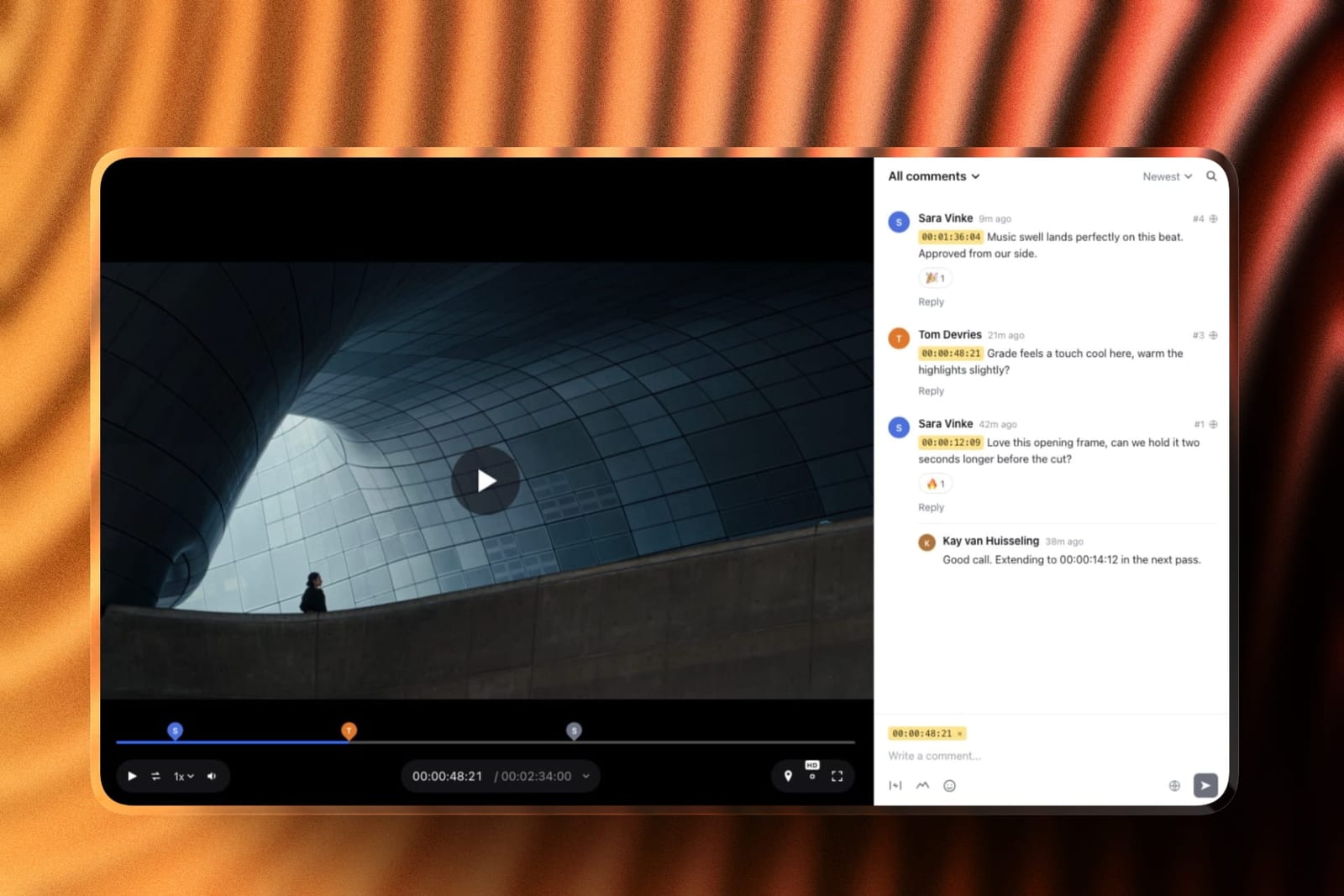
On Framekit the review round and the delivery share an account: upload the cut to video review, the client leaves comments at exact frames without creating an account, you upload version 2 to the same review with earlier notes kept, the status moves to approved, and the final film goes into the same client gallery as the photos.
Per-file video caps are 500MB on Free, 1GB on Starter, 2GB on Pro and 3GB on Business, with a 2-hour maximum length. Our guide to delivering a wedding film covers export settings.
Fast Delivery Is a Product, Not a Virtue
Delivering fast is a product decision with a price rather than a virtue to absorb as unpaid pressure, because every rush job displaces another client's place in the queue, compresses your quality control and, if it is not charged for, quietly trains clients to expect it.
Some studios build their positioning on 72-hour delivery and price for it; that is legitimate and it limits how many shoots they take in a week.
Others deliver in four weeks and win on craft; also legitimate, provided the preview lands within 48 hours and the window was stated up front. What does not work is quoting fast to win the booking and delivering slow.
If you sell speed, sell it explicitly: a rush option priced as a percentage of the shoot fee, for example 30% to 50%, with a stated window such as 5 business days.
Clients who need images by Friday will pay for Friday, and clients who were asking speculatively will accept the standard window.
Run This Turnaround Test on Your Last Ten Jobs
You can find your real turnaround, and the window you should be quoting, from your last ten jobs in about fifteen minutes, because the shoot dates and delivery dates are already in your calendar and sent mail, and the answer usually differs from the number in your contract.
Run it yourself:
- List your last ten jobs with the shoot date and the date the full gallery went out.
- Count the business days between each pair.
- Sort them. The fifth and sixth values give your median; the ninth is roughly what you beat 9 times out of 10.
- Compare the ninth value with the window in your contract.
If your contract says 20 business days and your ninth value is 27, either the quote or the queue has to change before next season. If your ninth value is 12, you can promise less and delight more, or charge for the speed you already deliver.
Where Framekit Fits the Delivery Timeline

Framekit fits the delivery half of the timeline, from the 48-hour preview to the day the gallery closes, for photographers and filmmakers who deliver digital files, because every gallery feature is on every plan and the preview, the film review and the final gallery run from one account, but it plays no part in culling or editing, where most hours go.
What it feels like. On day two you create the gallery, drop 8 frames into Highlights and send it to the couple and both sets of parents from Framekit.
On delivery day you upload the rest in one sitting, send the "ready" email from a saved template, and watch the download notification arrive.
The number to remember. $0 for unlimited galleries with every gallery feature inside 10GB of storage shared with your site.
Starter is $9 a month ($7 billed yearly) with 50GB and your own domain, Pro $19 ($15 yearly) with 300GB, and Business $39 ($31 yearly) with 2TB.
The standout detail. The film's review round and its delivery share an account: frame-accurate notes, versions and approval in video review, then the approved film in the same gallery as the stills.
The honest gotcha. Edits sync to the live gallery automatically, so a preview gallery topped up during the week shows clients a half-finished delivery; add the full set in one sitting or use a separate gallery.
Galleries belong to the account holder, so an associate photographer or editor on your team cannot build or upload galleries, only edit the website.
Who should skip it. Studios whose timeline includes a print-ordering or album-proofing window, because Framekit has no print store, lab, price sheets or album proofing.
Anyone who needs a native mobile app, client uploads, RAW delivery, unlimited storage, or school and volume workflows.
Verdict: Framekit shortens the delivery end of the timeline to minutes with a house style, a preview gallery and a download notification, on the free plan; it cannot shorten the edit, and for a print-led studio a gallery with a lab store is the better fit.
Frequently Asked Questions
How long should a photographer take to deliver photos?
A photographer typically delivers a wedding in 2 to 4 weeks, a family or portrait session in 5 to 10 business days, headshots and events in 2 to 7 business days, commercial work in 3 to 5 business days and press in 12 to 24 hours, with a 5 to 10 image preview inside 48 hours for consumer jobs.
Quote the longest window you reliably beat, in business days.
How long should wedding photo delivery take?
Wedding photo delivery usually takes 2 to 4 weeks, or up to 6 weeks in peak season if you said so in advance, counted in business days from the wedding.
More important than the number is a preview of 5 to 10 frames within 48 hours and one update halfway. A full edit is roughly 25 to 28 hands-on hours; the rest of the window is the queue.
Is six weeks too long to deliver wedding photos?
Six weeks is acceptable if it was quoted before the booking, a preview went out within 48 hours and you delivered on the date. It reads as too long when it was not stated.
If you regularly need six weeks or more, the cause is usually a queue larger than your weekly editing hours, so measure it and adjust bookings or the quote.
Should I send clients a preview before the full gallery?
Yes, within 48 hours of every consumer shoot, with 5 to 10 frames chosen for variety and a line giving the full delivery date. Send it as a small gallery rather than attachments.
On Framekit you can use the job's own gallery, but edits sync to the live gallery automatically, so add the full set in one sitting on delivery day or send the full delivery as a separate gallery.
What should my contract say about delivery times?
State a window in business days counted from the shoot date, name the preview separately, and add a peak-season line.
For example: "edited images delivered via a private online gallery within 20 business days of the shoot date, with a preview of 5 to 10 images within 2 business days; between June and September, allow up to 10 additional business days."
How can I deliver photos faster without working longer hours?
Deliver fewer frames, cull with dedicated software, and edit with presets synced across scenes, then fix the queue: work oldest shoot first and stop booking more jobs a month than your editing hours allow.
At 30 frames an hour, delivering 550 instead of 900 frames saves about 12 hours per wedding, and a ten-minute gallery house style saves another half hour.
How long should headshot delivery take?
Headshot delivery usually takes 2 to 5 business days: same-day or next-day proofs, the client's selection, then retouching of the chosen frames.
For company headshot days, agree the retouching level and file naming before the shoot, because a re-export for 40 people costs more time than the original turnaround.
Send proofs as a gallery with favourites so selections come back as a list.
What do commercial clients expect for photo turnaround?
Commercial clients usually expect 3 to 5 business days for product and campaign work, 24 to 48 hours for real estate and same-day selects for events, and the deadline is often tied to a launch date they have not mentioned.
Ask when the images are needed rather than when they would like them, and price anything faster as a rush option.
Should I charge for rush photo delivery?
Yes, if you offer it, as a stated percentage of the shoot fee, for example 30% to 50%, with a fixed window such as 5 business days. Rush work displaces other clients in the queue and compresses quality control, so pricing it protects both.
It also filters requests: clients who need Friday will pay for Friday.
How do I handle a client chasing me for their photos?
Reply the same day with a specific delivery date rather than reassurance, and include two or three newly edited frames.
Then check why it happened: almost every chasing email traces back to a window that was never stated, a preview that was never sent, or a queue longer than your editing hours. Fix that cause before the next booking.
How do I know when a client has downloaded their gallery?
Check the gallery's download log.
On Framekit you get a notification when someone downloads, at most once an hour per visitor per gallery, and the Activity panel lists every download with the visitor's email when known, the PIN used and the date, exporting to CSV.
If nothing is downloaded by day five, resend the link and PIN.
How long should a client gallery stay online after delivery?
Keep finished galleries online for at least 12 months, and proofing galleries for 14 to 21 days. Reprint and lost-file requests arrive months later.
On Framekit a gallery with an expiry date returns to draft with its files intact on that day, and an optional reminder emails you and the linked contacts 3 days before.
See how long galleries should stay online.
The Verdict
Photo delivery should take as long as you said it would: 2 to 4 weeks for weddings, 5 to 10 business days for portraits, days for commercial work, with a preview inside 48 hours, a window counted in business days from the shoot, and a queue run oldest first and measured every week.
Framekit makes the delivery end of that timeline quick and predictable, with a preview gallery, a ten-minute house style, film review and delivery on one account, a download notification and expiry with a reminder, all on the free plan.
Where Framekit loses: it does nothing for culling or editing, syncs every gallery edit to the live link automatically, and has no print store, lab, price sheets, album proofing, mobile app, client uploads, RAW delivery, unlimited storage or school and volume workflows.
For studios whose timeline includes print ordering, a gallery with a lab store is the better fit.
Run the ten-job test this week. The number it gives you is the one that belongs in next season's contract.
Related readinghow to deliver photos to clients, how many photos to deliver to clients, how to create a client gallery, best contract and proposal tools for creatives, and the full client gallery platform comparison.
The American Society of Media Photographers publishes business practice guidance on delivery terms for commissioned work.