Framekit templates
Start from a designer-made template
 Use template
 Use template
 Use template
 Use template
 Use template
 Use template
 Use template
 Use template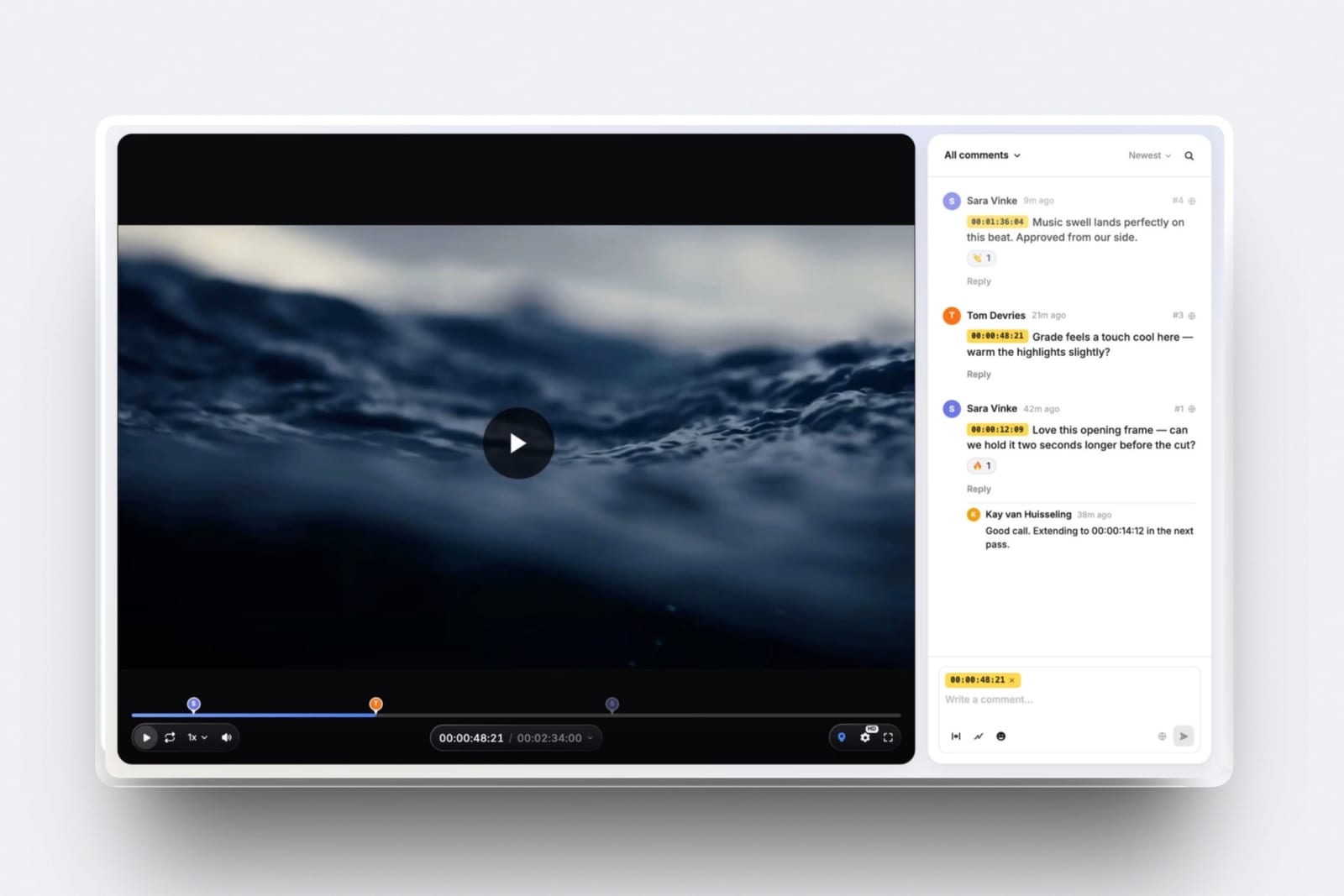
The email arrives four days after you deliver the final video files to a client, and it always says a version of the same thing: can we get this in a square, do you have it without the music, and does it come with subtitles.
None of those are unreasonable requests. All of them were predictable on the day you were briefed.
What went wrong is not the export. You shipped one 1080p master of a 90 second brand film and nothing else, and the client's social team, their agency and their events person each need a different file.
The handover generated three follow-up emails - the square crop, the no-music version and the subtitles - because it contained one file and no spec sheet.
A final delivery is the complete set of files a client needs to publish the work, plus a written record of what each file is, what it was made for and who keeps the archive. A single master is not a delivery. It is one item from a delivery.
Deliver final video files as a named file list against a written spec sheet, not as one master, and agree the list before you export: the master, the aspect variants the client will actually publish, a captions sidecar, and a version without music if anyone might ever need one.
Put them somewhere the client can download at full quality with a password and an expiry rather than emailing a file, and say in writing who keeps the archive and until when.
Framekit client galleries and review pages both do downloads with password, PIN and expiry; WeTransfer is fine for a one-off handover and useless as a record; Frame.io is the right answer when the delivery sits inside a larger post pipeline.
Full disclosure: Framekit is our product and its galleries and review pages are two of the delivery options below. Every third-party figure here was read on the vendor's own documentation in September 2026 and is linked where it is used. Framekit is a delivery tool and not an archive: it has no versioned backup, no checksum manifest and no cold storage tier, so the archive half of this guide points at Backblaze, AWS Glacier and LTO instead.
What belongs in a final delivery
A final delivery contains every file the client will publish plus the document that explains them, and the test is whether a colleague who was not on the project could use the folder without asking you a question. Most deliveries fail that test on the second file.
There are four categories and each one exists for a different reason. The master is the archival-quality version nobody publishes directly. The publish files are the platform-specific exports that actually get uploaded.
The sidecars are the things that travel alongside, such as captions and a no-music mix. And the spec sheet is the record that lets someone re-export correctly in two years.
Skip any of the four and you get a follow-up email. Skip the spec sheet and you get the follow-up email in eighteen months, from someone who no longer has your phone number.
In one lineA delivery that contains a master, the publish files, the sidecars and a written spec sheet answers in advance the four questions that otherwise arrive as separate emails over the fortnight after you thought the job was finished.
How this guide was researched
This guide is a procedure, and the evidence behind it splits three ways so you can see which parts are documented facts and which are judgement calls about process.
Read at the source. Every platform specification and vendor limit quoted below was read on the owner's own documentation in September 2026 and linked at the point of use: YouTube recommended upload encoding settings, YouTube supported caption formats, Meta's Instagram media specifications, WeTransfer plan limits, Google Drive file limits, Frame.io pricing, Backblaze B2 pricing and AWS S3 pricing.
Calculated. The carried example is a 90 second brand film delivered to a marketing team: one 1080p master, one 4K master, a vertical social cut, an SRT caption file and a no-music version.
Storage arithmetic uses the published per-terabyte prices above so you can redo it against your own footage volumes.
Judgement, flagged as such. The naming convention, the retention terms and the delivery email template are opinions formed from how these handovers go wrong, not measurements.
They are presented as defaults to adapt, and where a number would be invented rather than sourced, this guide leaves it out.
That is why no broadcast loudness target appears below: the standards documents that specify one would not open as readable text in the research for this piece, so the guide tells you to agree the figure in writing instead of quoting one it cannot cite.
Final video delivery by the numbers
These figures decide what you can send, in what format, and what it costs to keep afterwards, and every one of them comes from the platform's or vendor's own documentation read in September 2026.
- 8 Mbps for 1080p and 35 to 45 Mbps for 4K: YouTube's recommended SDR upload bitrates at standard frame rate.
- 384 kbps: YouTube's recommended stereo audio bitrate, with AAC-LC at a 48kHz sample rate.
- 300MB and 15 minutes: Meta's stated maximum file size and duration for a Reel, with a recommended 9:16 aspect ratio.
- 3 GB in any 30-day period: what a free WeTransfer account can send in total, which one 4K master will exhaust.
- 5 TB: the largest single file Google Drive accepts.
- $6.95 per TB per month: Backblaze B2's listed rate, with no minimum storage duration fees, which is the cheapest honest number in this guide.
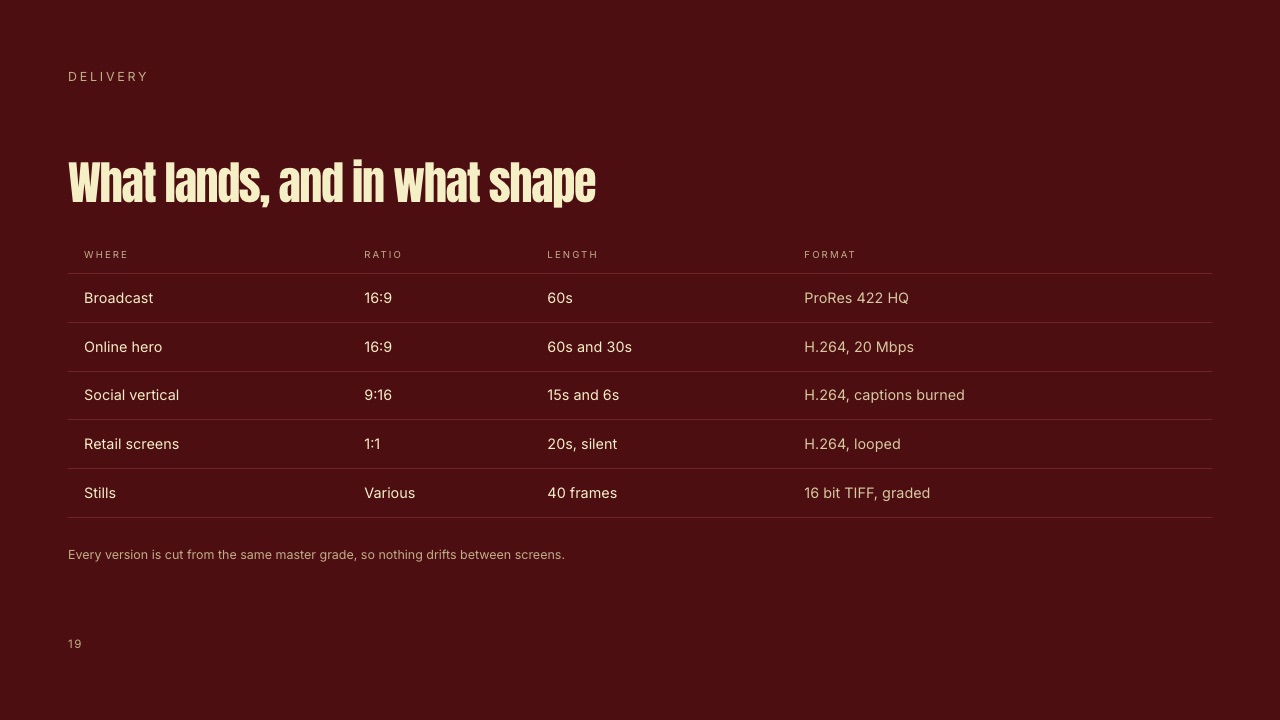
Step 1. Write the spec sheet before you touch the export queue
Write down what you are delivering before you render anything, because every argument about a delivery is an argument about something that was never written down, and the document takes ten minutes against a follow-up round that takes two days.
Send it to the client for agreement at picture lock, not at delivery.
The sheet is one page and covers nine lines. Container and codec. Resolution and aspect ratio. Frame rate. Audio channels, sample rate and the loudness target. Captions, and in what format. The colour space. The file naming convention.
Who receives it and how. And how long you will keep the archive.
| Spec line | What to write | The follow-up email it prevents |
|---|---|---|
| Container and codec | H.264 in MP4 for publish files, ProRes 422 HQ for the master | "Our system will not accept this file" |
| Resolution and aspect | 1920 by 1080 at 16:9 master, 1080 by 1920 at 9:16 social | "Do you have it in a square?" |
| Frame rate | 25 fps, matching acquisition, no conversion | "It looks juddery on our website" |
| Audio | Stereo, 48kHz, agreed loudness target stated as a number | "It is much quieter than our other videos" |
| Captions | Burned-in on the social cut, SRT sidecar for the master | "Can you add subtitles?" |
| Colour | Rec. 709, graded, no LUT to be applied downstream | "It looks different on their machine" |
| Naming | One documented pattern, applied to every file | "Which one is the latest?" |
| Delivery method | Named platform, password, expiry date | "The link has stopped working" |
| Archive | Who keeps it, in what form, until what date | "Can we get the raw files back?" |
Read the right-hand column as a list of the emails you are choosing not to receive. That is the actual return on the ten minutes.
In one lineA one page spec sheet agreed at picture lock converts nine predictable arguments into nine lines of text, and it is the only artefact in this guide that keeps working after you have forgotten the project entirely.
Step 2. Agree the file list, not just the film
Ask what the client is going to do with the work and build the file list from the answer, because a marketing team that says "we just need the video" means the website, the LinkedIn post, the trade show screen and the internal all-hands, which are four different files.
The list is a conversation, and it belongs in the brief, not in the delivery.
Here is the list for the carried 90 second brand film, which is a reasonable default for most commercial work:
| File | Spec | What it is for |
|---|---|---|
| Master, 1080p | ProRes 422 HQ, 1920 by 1080, 25 fps, stereo | Archive and any future re-export |
| Master, 4K | ProRes 422 HQ, 3840 by 2160, 25 fps, stereo | Large screens and future-proofing, only if shot in 4K |
| Web publish file | H.264 MP4, 1080p, 8 Mbps, AAC at 384 kbps | The website and YouTube |
| Vertical social cut | H.264 MP4, 1080 by 1920, burned-in captions, under 300MB | Reels, Stories, TikTok |
| Square cut | H.264 MP4, 1080 by 1080 | Feed placements where vertical crops badly |
| Captions sidecar | SRT, matching the master timing | Uploading captions separately on any platform |
| No-music version | Same as the web publish file, music stem muted | Events, dubbing, and any use where the licence does not follow |
Two of those seven are the ones people forget. The no-music version costs you one extra export at delivery and saves a rebuild later when the client wants to dub the film into German or play it behind a live speaker.
The SRT sidecar costs one more export and is one of the three requests the email at the top of this guide describes, alongside the square crop and the version without music.
What goes wrongthe file list is agreed after the grade is finished, which means the vertical cut is reframed from a locked 16:9 timeline rather than being planned in the edit. Ask about aspect variants before picture lock, not after.
Step 3. Lock the naming convention
Use one naming pattern for every file in every delivery, because filenames are the only metadata that survives being downloaded, emailed, zipped and re-uploaded, and "final final v3" is how a client publishes the wrong cut to a paid campaign.
Decide the pattern once and never negotiate it per project.
A pattern that works reads client, project, cut, aspect, resolution, version, date. For the carried example that is something like AcmeBrandFilm-Master-16x9-1080p-v01-2026-09-21 and the vertical becomes AcmeBrandFilm-Social-9x16-1080x1920-v01-2026-09-21.
Four rules make it survive contact with reality. No spaces, because they break on some systems and get encoded on others. Dates in year-month-day order, so alphabetical sorting is chronological sorting.
A version number with a leading zero, so v10 does not sort before v02. And no words that describe finality, because "final" is always wrong eventually and the version number is doing that job.
In one lineA filename is the only piece of metadata that survives a download, a zip and a re-upload, which is why the naming pattern is worth more process than most editors give it and why the word final should never appear in one.
Step 4. Set the picture spec: codec, resolution and frame rate
Match the publish file to the destination's published specification instead of exporting one high-bitrate file and hoping, because every platform re-encodes what you give it and the only thing you control is what goes in.
Two platforms cover most commercial deliveries and both publish their requirements.
YouTube's own recommended upload encoding settings ask for MP4 with the moov atom at the front of the file, H.264 with progressive scan, High Profile, closed GOP and 4:2:0 chroma subsampling, and AAC-LC audio at a 48kHz sample rate.
Its SDR bitrate recommendations are 8 Mbps for 1080p at standard frame rate, 12 Mbps for 1080p at high frame rate, 35 to 45 Mbps for 2160p at standard frame rate and 53 to 68 Mbps for 2160p at high frame rate.
On frame rate it is unambiguous: content should be encoded and uploaded at the same frame rate it was recorded, and interlaced material should be deinterlaced first.
Meta's Instagram media specifications for Reels ask for MOV or MP4 with no edit lists and the moov atom at the front, HEVC or H.264 with progressive scan and closed GOP, 23 to 60 fps, variable bitrate up to 25 Mbps, AAC audio at up to 48kHz in mono or stereo, a maximum of 1920 horizontal pixels, a maximum file size of 300MB and a maximum duration of 15 minutes.
The aspect ratio may technically be anything between 0.01:1 and 10:1, but Meta recommends 9:16 to avoid cropping or blank space.
The gotcha that bites in week threeframe rate conversion. A 25 fps film converted to 30 fps for an American client judders in every pan, and nobody notices until it plays on a large screen at an event.
Agree the frame rate in the spec sheet, deliver at the acquisition rate, and if a conversion is genuinely required, do it deliberately with motion estimation rather than letting an upload pipeline do it for you.

Step 5. Set the audio spec and agree a loudness target in writing
Write the audio specification down as numbers, because "make it the same as the others" is the most common audio note in delivery and the only way to satisfy it is to know what the others were.
Stereo, 48kHz sample rate, and a named loudness target belong on the spec sheet next to the picture lines.
Two honest points about loudness. First, the target depends on where the film is going, and the correct move is to ask the client's platform or broadcaster and write the answer down instead of assuming.
Broadcast work in the United States is governed by ATSC A/85, whose current revision is ATSC A/85:2026-07, approved on 8 July 2026, and European broadcast delivery has its own equivalent recommendation; get the number from the broadcaster's delivery spec, not from a blog.
Second, the major streaming platforms normalize on playback whatever you deliver, so an over-compressed loud master gains you nothing and loses dynamic range.
Spotify publishes its figure openly: it states that it adjusts tracks to -14 dB LUFS according to the ITU 1770 standard, applying negative gain to louder masters and positive gain to quieter ones.
Video platforms apply the same idea with less documentation.
What to put on the sheetstereo, 48kHz, the agreed loudness target as a number with its measurement standard named, true peak ceiling, and whether the delivery includes split stems.
If the client cannot tell you a target, deliver a sensible mix, state the measured figure on the spec sheet, and let them match to it later.
In one lineWriting the measured loudness figure on the spec sheet even when the client had no target means the next film in the series can be matched to this one, which is the actual reason anyone asks for a loudness number in the first place.
Step 6. Deliver captions as a separate file, and burn them in where it counts
Deliver captions twice: burned into the social cuts where they are watched on mute, and as a separate sidecar file alongside the master where the platform can switch them on and off.
The two serve different audiences and delivering only one of them is the most common gap in an otherwise complete handover.
The sidecar format to send is SRT unless the client asks for something else.
YouTube's supported caption formats list includes SubRip with the caveat that only basic versions are supported and no style markup is recognised, alongside WebVTT, TTML and the broadcast formats, of which it names Scenarist Closed Caption as its preferred one.
For a client uploading to their own website and YouTube, an SRT file whose timings match the master is the right deliverable.
Three details that make captions usable rather than technically present. Match the SRT timing to the master, not to a social cut, and produce a second SRT if the social cut is a different edit.
Check the line breaks manually, because auto-generated captions break at the wrong point and a two-line caption reading badly is worse than no caption.
And proofread names, product terms and numbers, which is exactly where automatic transcription fails and exactly what the client notices.
Framekit does not generate captions or transcripts, so this step happens in your editing software or a dedicated tool; the video captioning tools roundup covers what to use.
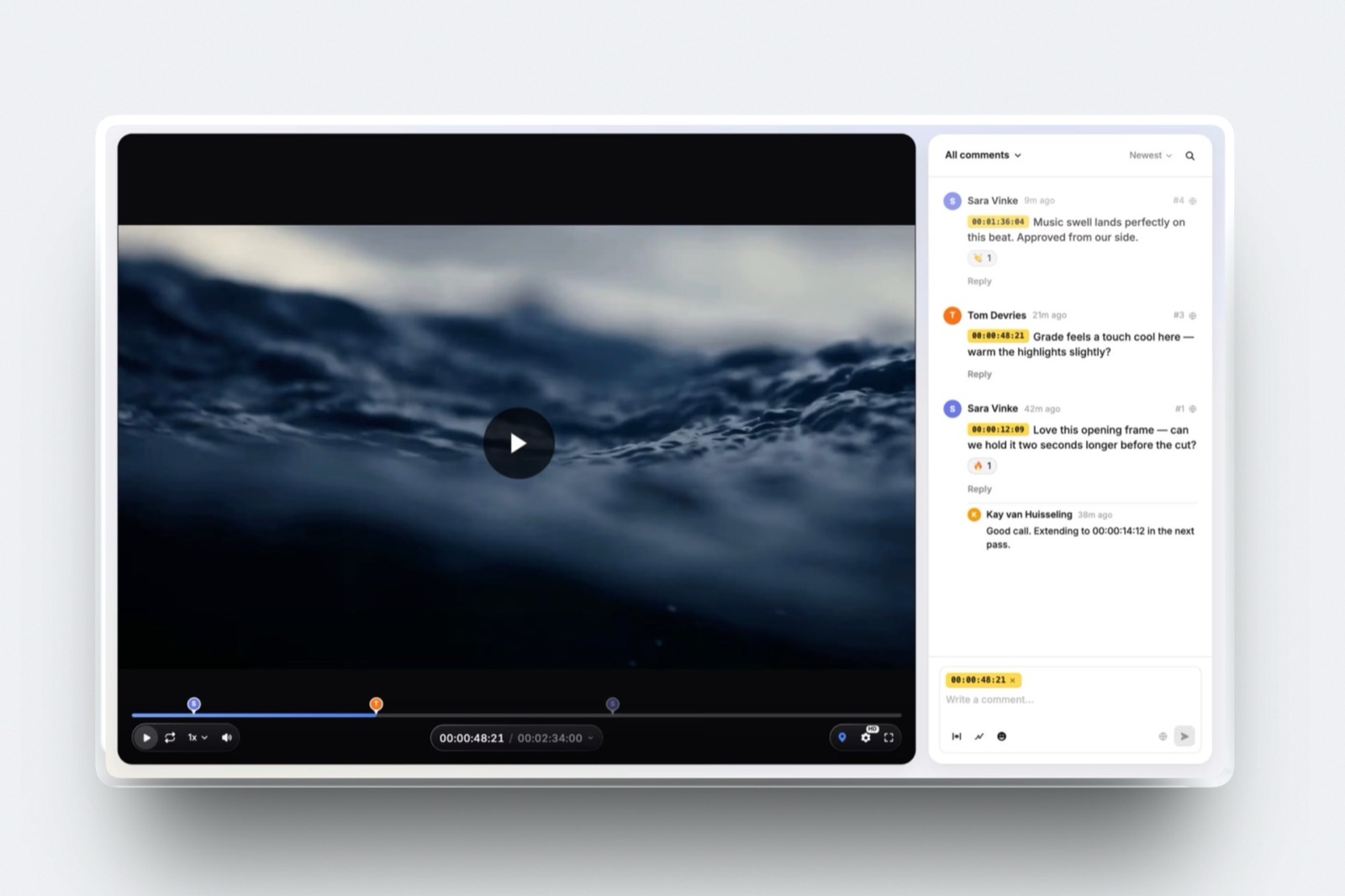
Frame.io includes transcription and captions in its workflow, which is a genuine advantage if you want that inside the review platform.
Step 7. Put the files where the client can actually download them
Deliver through a page that holds every file at full quality with a password, an expiry and a record of who downloaded what, because email attachments fail on size long before a 4K master gets near them, chat apps compress video, and a transfer service link that dies in a week turns into a request for a re-send at the worst possible moment.
The differences between the options are mostly about what happens after the handover, and that is what the table below compares. Note what each will not do rather than what it promises.
| Delivery route | Cost as listed in September 2026 | Practical limit | What it will not do |
|---|---|---|---|
| Framekit client galleries | Free plan; Starter $9/mo, Pro $19/mo, Business $39/mo | Video per file 500MB Free, 1GB Starter, 2GB Pro, 3GB Business; pooled storage 10GB to 2TB | Not an archive: no versioned backup, no checksum manifest, no cold storage tier |
| Framekit Video Review | Same plans; client downloads included | Same per-file caps, 2 hour maximum length | No transcription, no Camera to Cloud, no editing-app panels |
| Frame.io | Free at $0 with 2GB; Pro $15 per member per month with 2TB | Free tier caps at 2 members and 2 projects | Per-member pricing makes casual client access expensive at team size |
| WeTransfer | Free: 10 transfers or 3 GB per 30 days; Ultimate and above up to 1 TB per transfer | The free allowance is one 4K master | Keeps no record of the delivery, and the link expires |
| Google Drive or Dropbox | Bundled with most business accounts | Single files up to 5 TB on Drive | Downloads the wrong quality by default, and the preview player is not a presentation |

The per-file caps bite before the pooled storage does, and they are worth reading against your actual masters: a ProRes 4K master of the carried 90 second film will not fit on a Framekit free plan, which is a real limitation rather than a rounding error.
The practical answer is to deliver the publish files and the SRT through the gallery, and hand over the ProRes masters through a route built for bulk, which is what the client galleries for large file delivery comparison is about.
Which we would usefor a solo videographer delivering to a client who is not technical, a private gallery page with a password, a download PIN and an expiry beats a transfer link, because the client can come back to it and you can see it is still live.
Where the delivery is stills plus video from the same shoot, keep them together; delivering photos and video together covers the mechanics and how to deliver photos to clients is the photo-side version of this guide.

Framekit is an AI website builder for photographers and filmmakers, and the same storage pool feeds the client galleries and review pages you deliver from and the portfolio site the finished film gets embedded on.
Step 8. Say who keeps the archive and for how long
Put a retention line in the spec sheet that names who keeps the project files, in what form, and until what date, because the alternative is an open-ended obligation you never agreed to and a request for rushes three years later that you cannot refuse gracefully.
This is the cheapest clause in the whole document and the one most freelancers never write.
A workable default reads: the client receives and keeps the masters and publish files; you keep the project file, the graded timeline and the selects for twelve months from delivery; rushes are deleted after ninety days unless the client pays for extended storage.
Adjust the numbers, but say them out loud.
Then do the arithmetic on what keeping it costs, because a retention promise you cannot afford is worse than no promise. Backblaze B2 lists $6.95 per TB per month with free egress up to three times your monthly storage and $0.01 per GB beyond that, and states there are no minimum storage duration fees.
AWS is cheaper per terabyte at the Glacier tiers but charges for time you have not used: its S3 pricing documentation states a minimum storage duration of 90 days for Glacier Instant Retrieval and Glacier Flexible Retrieval, and 180 days for Glacier Deep Archive.
LTO tape is the cheapest per terabyte at volume and the most expensive in attention, because a tape nobody verifies is not a backup.
The concession, stated plainlyFramekit is a delivery tool, not an archive.
There is no versioned backup, no checksum manifest and no cold storage tier, and its storage is a single pool shared with your website and galleries at 10GB on Free, 50GB on Starter, 300GB on Pro and 2TB on Business.
Use it to hand work over and keep the archive somewhere built for archives.
The cloud storage for photographers roundup and the storage sizing guide cover the options properly.
In one lineA retention clause that names a date, a scope and a price for extending it converts an indefinite obligation into a service you can either perform or decline, and it is the only part of a delivery that protects you rather than the client.
The delivery email, written out
The delivery email is a short document rather than a friendly note, because it is the thing the client forwards internally and the version of your handover that everyone else in their organisation will ever see. Six lines, in this order, and nothing else.
Here is the finished film. The link holds seven files: a 1080p master, a 4K master, a web publish file, a vertical and a square social cut, an SRT caption file and a version without music. The spec sheet on the first page explains what each file is for, and the naming pattern is explained there too. Downloads are open until 21 October and the password is in the separate message. I keep the project file and graded timeline for twelve months from today, and the rushes until 20 December, so tell me before then if you want those extended. Anything that does not open, send me the filename and I will fix it the same day.
Read what that email does. It states what is in the delivery so nobody hunts. It points at the spec sheet rather than repeating it. It names the expiry so the link dying is not a surprise.
It puts the retention terms in writing on the day everyone is happy rather than in an argument later. And it offers a fix path that does not involve re-sending everything.
What goes wrongthe delivery email says "here you go, let me know if you need anything else", which is an open invitation with no scope, no dates and no record.
The photo delivery email guide has the stills version of the same template if you deliver both.
Which delivery fits your client
Work through these in order and stop at the first match, because the correct amount of delivery process depends on how many people inside the client will touch the files and whether anyone will come back for them later.
Is the client one person who will publish the film once, on one platform? Then a publish file, an SRT and a two line spec note on a password-protected page is a complete delivery. Do not build a seven file list for a single use.
If not: does the client have a social team or an agency? Then build the full file list including the aspect variants and the no-music version, and agree it before picture lock so the vertical cut is planned in the edit rather than cropped out of a finished timeline.
If the client is a brand with a broadcast or trade show placement: get the destination's written delivery specification before you export anything, especially the loudness target and the container, and deliver the masters through a route that handles ProRes sizes rather than a free transfer allowance.
If the client will probably want a recut in a yearthe retention clause is the important part of this guide, not the file list. Name a date, name a price for extending it, and put the project files somewhere with a published minimum storage duration you have actually read.
If you shot stills on the same daydeliver both from one place rather than two links, and check the per-file caps against your video before you promise it.
The client galleries for videographers comparison covers which platforms take video properly and which treat it as an afterthought.

Frequently Asked Questions
What files should I deliver to a client at the end of a video project?
Deliver a master in an archival codec such as ProRes 422 HQ, a compressed publish file in H.264 for the web, one export per aspect ratio the client will publish, an SRT caption sidecar and a version without music.
Add a one page spec sheet listing what each file is, the codec, resolution, frame rate, audio spec and naming pattern.
A single master with no spec sheet is the delivery that reliably produces follow-up emails about squares, subtitles and music.
What format should a final video be delivered in?
Deliver the publish file as H.264 in an MP4 container with the moov atom at the front, which is what YouTube's own recommended upload encoding settings ask for, along with AAC-LC audio at a 48kHz sample rate.
Keep the master in ProRes 422 HQ or an equivalent mezzanine codec for archive and future re-exports.
Match the frame rate to acquisition rather than converting, because YouTube's guidance is explicit that content should be uploaded at the frame rate it was recorded.
Should I give clients the raw footage?
Only if it was agreed and paid for, and never by default. Rushes are large, unusable without your project file and frequently requested years later by someone who was not on the original job.
Put a retention line in the spec sheet that says how long you keep rushes and what extending that costs. If the client genuinely needs them, price the transfer and the storage rather than absorbing both.
There is a fuller version of this argument in the guide on giving clients raw files.
How do I send large video files to a client?
Use a delivery page that holds the files at full quality with a password and an expiry rather than a transfer service, because a link that dies in a week becomes a re-send request.
Free WeTransfer accounts are capped at 10 transfers or 3 GB in any 30-day period, which one 4K master will exhaust.
Framekit client galleries accept video per file at 500MB on Free, 1GB on Starter, 2GB on Pro and 3GB on Business, and Google Drive takes single files up to 5 TB if you need bulk.
What is the right naming convention for delivered video files?
Use one pattern across every file: client, project, cut, aspect ratio, resolution, version and date, with no spaces, dates written year first, and version numbers with a leading zero so v02 sorts before v10.
Never use the word final, because the version number already does that job and final is always wrong eventually.
Filenames are the only metadata that survives downloading, zipping and re-uploading, which is why this matters more than it looks.
Do I need to deliver captions, and in what format?
Deliver captions twice: burned into the vertical and square social cuts, which are watched on mute, and as an SRT sidecar alongside the master so the platform can toggle them.
YouTube's supported caption format list includes SubRip, noting that only basic versions are supported and no style markup is recognised, and names Scenarist Closed Caption as its preferred broadcast format.
Match SRT timings to the master and produce a second file if the social cut is a different edit.
What are the Instagram and Reels specs for a delivered social cut?
Meta's Instagram media documentation asks for MOV or MP4 with no edit lists and the moov atom at the front, HEVC or H.264 with progressive scan and closed GOP, 23 to 60 fps, variable bitrate up to 25 Mbps, AAC audio up to 48kHz, a maximum of 1920 horizontal pixels, 300MB maximum file size and 15 minutes maximum duration.
The required aspect ratio range is 0.01:1 to 10:1, but Meta recommends 9:16 to avoid cropping or blank space.
Who should keep the archive after a video project ends?
The client keeps the masters and publish files; you keep the project file, graded timeline and selects for a stated period, and the default this guide uses is twelve months for the project file and ninety days for the rushes.
Write it into the spec sheet on delivery day, not in a negotiation eighteen months later.
Backblaze B2 lists $6.95 per TB per month with no minimum storage duration fees, while AWS charges a minimum storage duration of 90 days on Glacier Flexible Retrieval and 180 days on Glacier Deep Archive, so read the minimums before promising a retention window.
Can I deliver final video files from Framekit?
Yes.
Framekit client galleries take video as well as photos with a gallery password, a separate download PIN, watermarking, auto expiry and full-resolution or ZIP downloads, and Framekit Video Review lets a client download the approved cut from the same page the approval was recorded on.
Per-file video limits are 500MB on Free, 1GB on Starter, 2GB on Pro and 3GB on Business, drawn from a pooled storage allowance of 10GB, 50GB, 300GB and 2TB.
How long should a delivery link stay live?
Set an expiry that matches the client's publishing schedule plus a buffer, which is the 30 days the sample delivery email in this guide uses between a 21 September handover and a 21 October cut-off, and say the date in the delivery email so it is not a surprise.
An indefinitely live delivery page is a storage bill you keep paying and a file set that gets rediscovered and re-published without context.
Framekit galleries and review pages both support auto expiry on every plan, and you can re-open a link if the client asks.
What should I do when a client asks for another aspect ratio after delivery?
Quote it as work, because reframing a locked 16:9 timeline to 9:16 is an edit rather than an export, and doing it free once establishes that it is free forever.
The fix is upstream: ask about aspect variants in the brief and put them on the file list before picture lock, where the reframe costs a fraction as much because the shots are still live.
If it happens anyway, price it by the hour; what to charge for video editing is a reasonable benchmark.
Final Verdict
Write the spec sheet at picture lock, agree the file list before you export, name every file with one pattern, match the publish files to the destination's published specification, write the measured loudness figure down as a number, deliver captions twice, put everything behind one password-protected page with an expiry, and state who keeps the archive and until when.
Eight steps, one page of documentation, and a handover that stops generating email.
For a solo videographer or a small studio, a private gallery or review page with a password, a download PIN and an expiry is the practical delivery surface, and Framekit does that on its free plan.
Verdict: Deliver a file list against a written spec sheet from one password-protected page with an expiry, and put the retention terms in the delivery email on the day everyone is happy.
Where Framekit loses is the archive.
It is a delivery surface with no versioned backup, no checksum manifest and no cold storage tier, and its per-file video caps of 500MB to 3GB will not take a ProRes 4K master, so the masters and the long-term copy belong on Backblaze B2 at $6.95 per TB per month, on AWS Glacier, or on LTO, and not with us.
Framekit also does not do transcription or captions, which Frame.io includes, and it does not do invoicing, contracts or scope-change billing at all, so the paperwork that should accompany a delivery needs a dedicated tool.
If your whole post pipeline already lives in Frame.io, deliver from there and use this spec sheet inside it.
Related readingthe tools to send video to clients comparison ranks the delivery platforms, client galleries for videographers covers which gallery tools take video seriously, video compression tools helps when a master will not fit a per-file cap, how to deliver photos to clients is the stills version of this procedure, and how long client galleries should stay online is the retention question answered for photographers.
Before this stage, how to share a rough cut with a client sets the expectations that make delivery quiet, and shooters handing over stills at the same time should read how to deliver photos and video from one shoot.