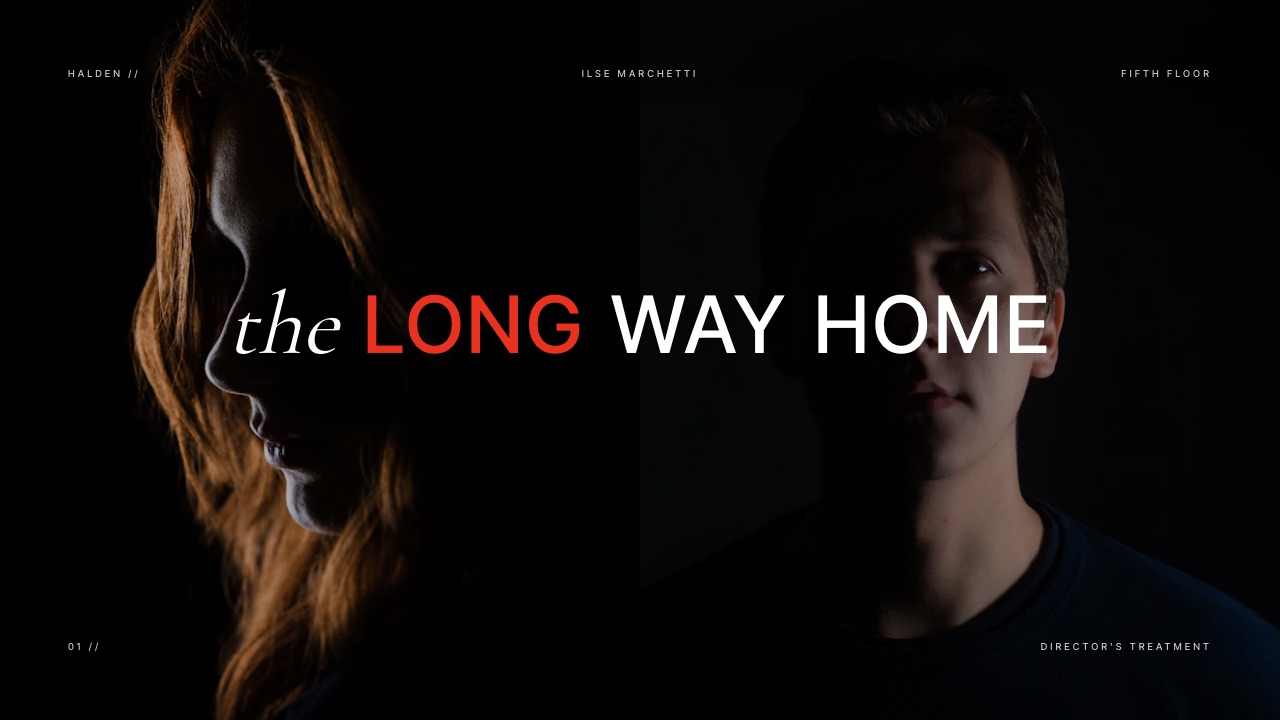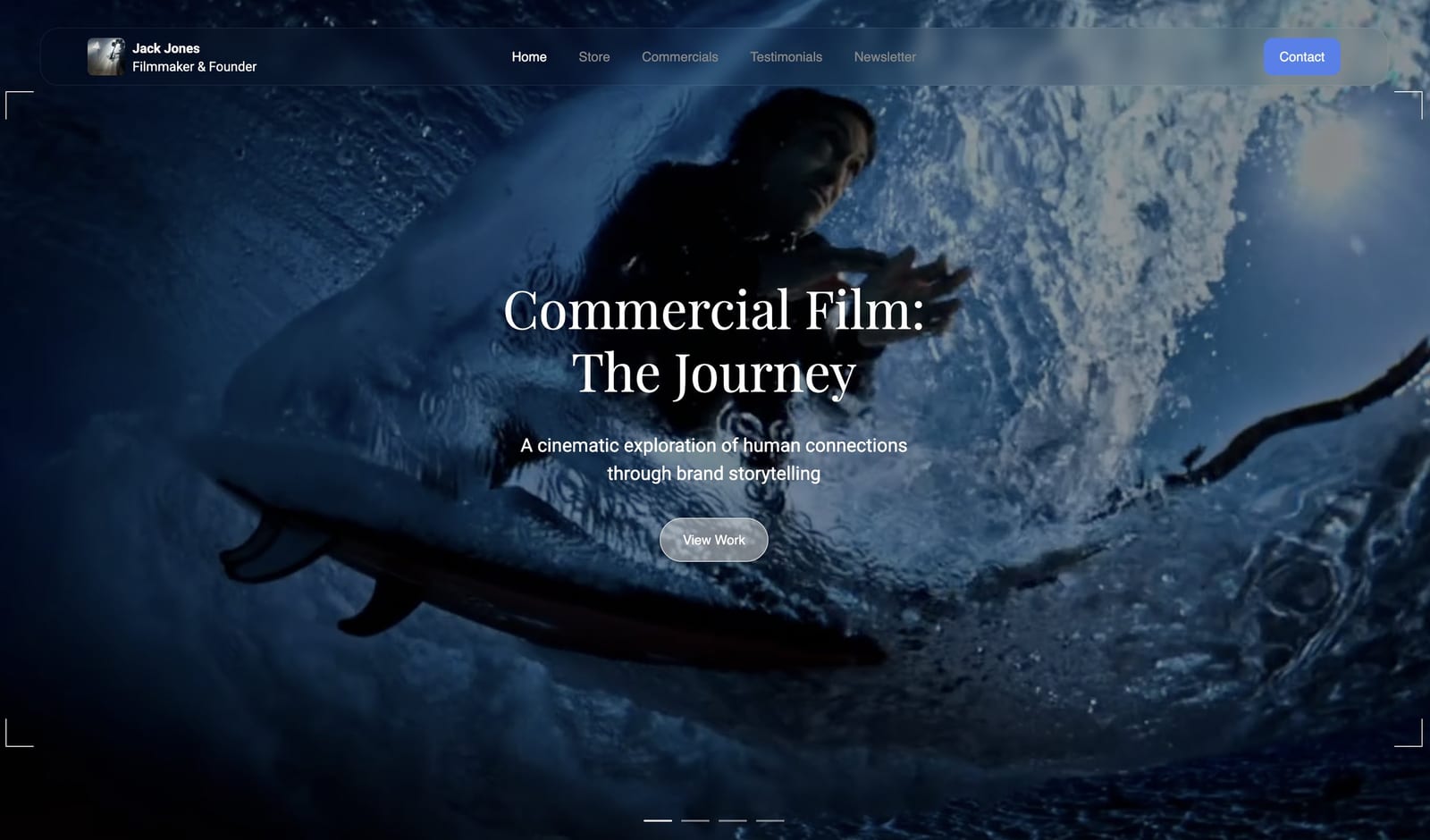
Framekit templates
Start from a designer-made template
 Use template
 Use template
 Use template
 Use template
 Use template
 Use template
 Use template
 Use template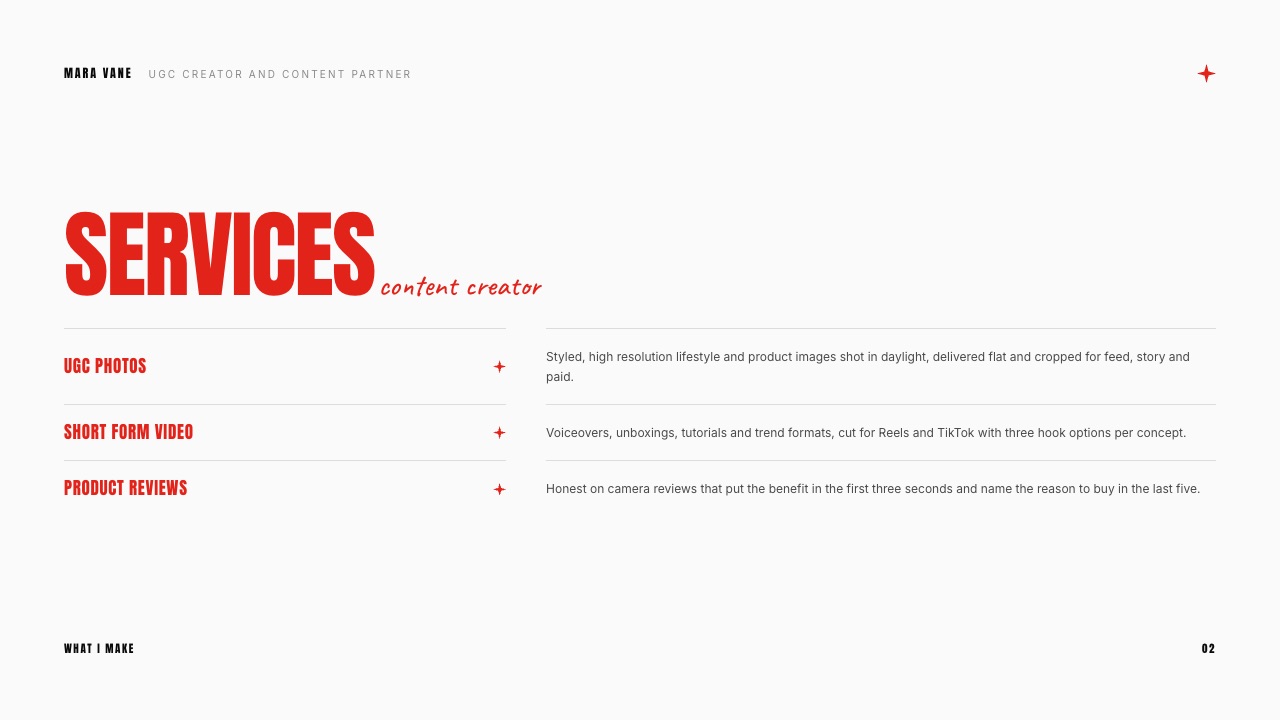
A skincare brand messages a creator: "Love your content, what's your rate for a 30-second video?" She replies "$150", the brand says yes within the hour, and three months later the same video is running as a paid ad with her face on it, from her own TikTok handle via the Spark Ads code she sent over as a favour, on a budget she never saw.
Nothing went wrong legally. She simply quoted one number for a job that had four parts, and the brand bought all four.
That is the problem a UGC rate card solves. It turns "what's your rate?" into a short menu where the video, the right to run it as an ad, access to your account for ads and the raw files each have their own price, so the brand chooses what it needs and pays for what it takes.
A UGC rate card is a one-page price list a user-generated content creator sends brands, setting a base price per video and separate prices for usage rights, whitelisting or Spark Ads access, raw footage and extra hooks, plus bundles and terms.
Price UGC as four levers, not one number: a base video (published 2026 ranges run from about $50 to $150 for entry-level creators and $150 to $350 for experienced ones, per Billo), paid usage rights by duration, whitelisting access by the month, and raw footage and extra hooks as add-ons.
Put the card where brands will check it, a page on your portfolio site plus a deck; Framekit does both on one account, with the trade-off that its deck templates need a paid plan and it has no invoicing.
Beacons pairs a rate card with a media kit that updates its own stats, Canva is the quickest route to a polished free PDF, and Notion is the free option for a text-first card.
Full disclosure: Framekit is our product and appears first in the tools section near the end. The rates in this guide come from marketplaces and publishers we name and link, read in September 2026; we did not survey creators or run campaigns. The two example rate cards are our worked calculations, clearly labelled, not real creators' prices, and the template screenshots show fictional creators.
Where These UGC Rates Come From
Every rate in this guide traces to a named source read on 19 September 2026, and the page keeps three kinds of number apart, because the UGC pricing articles that rank today mostly blend all three into one confident range with no citation.
Read at the source. Per-video prices and what they include come from the marketplaces' own pages: Billo's creator guide (published 4 September 2026), Insense's pricing page and JoinBrands' pricing page.
Market-wide context comes from Collabstr's 2026 Influencer Marketing Report, as reported by Storyboard18 on 20 March 2026, because Collabstr's own site blocks automated reading.
Posting rates for creators who also publish on their own accounts come from Hootsuite's influencer pricing guide, updated 16 March 2026. Platform mechanics come from TikTok's Spark Ads help page and Meta's partnership ads help centre.
Published conventions, flagged. Nobody publishes survey data on add-on pricing. What exists are conventions stated by marketplace blogs, mainly Influee and ppc.io, such as usage rights at 30% to 50% of the base rate.
Neither discloses a method, so this guide calls them conventions, not market data.
Calculated. The two example rate cards, one for a beginner and one for an experienced creator, are our arithmetic built on those sourced ranges. Every percentage and total is shown so you can swap in your own base rate.
UGC Rates in 2026 by the Numbers
These six figures frame every decision on a rate card, and each one is linked to the page it came from further down, so a brand that questions your pricing can be sent to the same sources you used.
- $30 and $70. What Billo says its payouts start at for a 15-second video, for new and premium creators respectively, before length and add-ons.
- $50 to $150, $150 to $350, $350 to $500+. The per-video ranges Billo's guide cites for entry-level, experienced and premium UGC creators.
- $100. Where Insense says UGC campaigns on its platform start per video, with more for expert creators or raw plus edited files.
- $25+. JoinBrands' published starting price per UGC video, which comes with unlimited usage rights for the brand.
- Nearly 80%. The share of all influencer collaborations on Collabstr priced below $300, from a 2026 report built on more than 21,000 collaborations.
- 133%. Collabstr's reported year-over-year growth in UGC campaigns, which now make up 35% of campaigns on the platform.
Why One Number Is the Wrong Answer
In one lineA UGC deal has four separately valuable parts, the video, the right to run it as an ad, access to your handle for ads, and the raw material, and a single per-video price gives the three most valuable ones away for free.
Most "how much should I charge for UGC" answers stop at a per-video range. That is where the damage starts.
A brand that buys a video for organic posting and a brand that runs the same video as a paid ad for a year are buying different products, and the second one is worth more to them because it is doing the work of an ad agency's production budget.
The four levers below are how experienced creators and the marketplaces themselves structure a price.
Billo's own guide says its creator payouts accumulate on top of the base for video length, add-ons such as hooks or additional material, and services like organic posting and partnership ads, with creators setting those prices themselves.
| Lever | What the brand gets | How it is usually priced | Why it is separate |
|---|---|---|---|
| 1. Base video | One edited video, one concept, agreed length, a set number of revisions | Flat fee per video, by length and experience | The work itself |
| 2. Usage rights | Permission to use the video beyond organic posts, usually in paid ads, for a set period | Percentage of base, scaled by duration | It replaces paid production for an ad |
| 3. Whitelisting or Spark Ads access | Ads that run from your handle, via TikTok Spark Ads codes or Meta partnership ads | Percentage of base per month | Your name and audience trust carry the ad |
| 4. Raw footage and variations | Unedited clips, extra hooks, alternate cuts | Flat fee or percentage per extra | The brand can make more ads without you |
Notice what the marketplaces do with these levers. JoinBrands' pricing page says brands acquire unlimited usage rights with any content purchased, and that Spark Ad and Instagram partnership ad codes come at no extra charge.
Insense says brands receive full digital rights to use the content across all digital marketing channels, with the creator keeping copyright and granting a licence. Those low per-video prices are all four levers bundled into one.
That is a legitimate trade for a creator who wants volume, but it is not the price you should quote a brand that found you directly.
Test it on your own inboxtake the last three brand deals you did, write down which of the four levers the brand actually used, and compare that with what you charged. If you quoted one number and the brand ran your video as an ad, the difference is the usage fee you did not bill.
What the UGC Marketplaces Actually Publish
In one lineThe published marketplace numbers range from $25 to about $350 per video, and the spread is mostly explained by what is bundled in, which is why you should compare what each price includes before treating any of them as the market rate.
This table collects what each platform says on its own pages or guides. Brand-side platform fees and subscriptions are separate from what reaches the creator, and are listed where the source shows them.
| Source | Published figure | What it includes or means | Read at |
|---|---|---|---|
| Billo (creator payouts) | From $30 (new) and $70 (premium) for a 15-second video | Base only; length, hooks, extra material, organic posting and partnership ads add to it | Billo's UGC creator guide, 4 Sep 2026 |
| Billo (industry ranges it cites) | $50 to $150 entry, $150 to $350 experienced, $350 to $500+ premium | Per video, across the market | Same guide |
| Insense | UGC campaigns from $100 per video | Brand gets a full digital rights licence; more for experts or raw plus edited | Insense pricing |
| JoinBrands | UGC video from $25, images from $10 | Unlimited usage rights; Spark and partnership ad codes included | JoinBrands pricing |
| Collabstr (2026 report) | Nearly 80% of all collaborations under $300 | All collaboration types, not UGC only | Storyboard18 on the Collabstr report |
Two things jump out. First, the floor is genuinely low: $25 on JoinBrands and a $30 payout on Billo are real starting points, and a beginner competing on those platforms is competing with them.
Second, the platforms that publish the lowest prices are also the ones that bundle the most rights, so a brand quoting "JoinBrands charges $25" to a creator is comparing a licence-included marketplace price with a direct, rights-separated one.
The brand side of these platforms has its own costs, which is useful context when a brand says your direct rate is too high.
JoinBrands charges brands a platform fee from 15% on pay-as-you-go down to 8% on its top Max plan, and Insense's brand plan is $500 a month or $1,500 billed quarterly. Hiring you directly skips those fees, which is part of your pitch.
Lever 1: The Base Video
In one lineSet your base price for one edited video, one concept, up to 30 seconds and one round of revisions, inside the published range for your experience, and let everything else on the card be priced from that single anchor number.
The base video is the anchor every other line on your card is calculated from, so it needs a tight definition. A base that says "one video" invites a brand to ask for a 90-second testimonial with three locations at the same price.
Define it by length, concepts, revisions, delivery time and formats.
| Experience level | Published per-video range | Where the range comes from | A sensible base to start from |
|---|---|---|---|
| Beginner, no paid clients yet | $50 to $150 | Billo's guide, entry-level | $75 to $100 |
| A handful of brand clients, a portfolio of 6+ videos | $150 to $350 | Billo's guide, experienced | $200 to $300 |
| Proven ad performance, a niche specialism | $350 to $500+ | Billo's guide, premium | $400 and up |
| Marketplace floor for comparison | $25 to $100 | JoinBrands, Insense | Only when rights are bundled |
The "sensible base" column is our recommendation, not published data: it sits inside each range rather than at its edge, because a first quote at the very top of a range invites negotiation and one at the very bottom sets a price you will spend a year trying to raise.
What moves you within a band? Length is the obvious one: Billo's payouts start with a 15-second video and rise with length.
Beyond length, the brand is paying for three things you can name on the card: how many concepts (one idea shot once, or three angles), how much production (phone in daylight, or lights and props), and turnaround (Influee's guide lists rush fees at 25% to 50%, a convention rather than survey data).
What to write on the card"Base video, up to 30 seconds, one concept, one round of revisions, delivered in 7 days, vertical 9:16 with captions: $X." That sentence ends most scope arguments before they start.
Lever 2: Usage Rights, Priced by Channel and Duration
In one lineOrganic use on the brand's own social accounts belongs in the base price, while paid use in ads is a licence priced as a percentage of the base and scaled by how long the brand may run it.
Usage rights answer one question: where, and for how long, may the brand use your video? The common split is organic versus paid. Organic means the brand posts your video on its own accounts, website or product page.
Paid means the brand puts money behind it as an ad, which is the use that replaces a production budget and is worth the most to them.
The published convention for paid usage is 30% to 50% of the base rate, stated by both Influee's UGC price guide and ppc.io's 2026 UGC pricing roundup.
Neither discloses how it arrived at the figure, so treat it as the going convention rather than measured data.
Where they are silent is duration, and duration is the whole point: a 30-day test and a 12-month always-on ad are not the same licence.
Here is a duration ladder that stays inside the published 30% to 50% range for the common windows and asks you to quote anything longer. The percentages are our method.
| Paid usage window | Add to base (our method) | On a $100 base | On a $300 base |
|---|---|---|---|
| Organic only, brand's own channels | Included | $0 | $0 |
| Paid ads, 30 days | +30% | $30 | $90 |
| Paid ads, 90 days | +50% | $50 | $150 |
| Paid ads, 6 to 12 months | Quote per campaign | Quote | Quote |
| Perpetual, all channels | Quote, or decline | Quote | Quote |
Why quote the long windows rather than print a price?
Because a 12-month licence on an ad that works is worth far more to the brand than a percentage of your production fee, and the right number depends on the brand's spend, which you will only learn by asking.
Putting "quote per campaign" on the card also signals that you know the difference.
Perpetual rights deserve a firm line. Marketplaces such as JoinBrands include unlimited usage in their price, and that is a condition of selling there.
For a direct client, a perpetual all-channel licence at a 30-day price is the single most expensive mistake on a beginner's rate card.
Lever 3: Whitelisting, Spark Ads and Partnership Ads
In one lineWhitelisting lets a brand run ads from your handle rather than its own, so price it per month of access on top of the usage fee, because your name, face and audience trust are what make that ad perform.
Whitelisting is the umbrella term for ads that appear to come from the creator.
On TikTok, the mechanism is Spark Ads, which TikTok's Spark Ads help page describes as a native ad format that uses organic TikTok posts in advertising; the creator generates an authorisation code for the brand, and TikTok lets the duration of that code be customised.
On Instagram and Facebook, the equivalent is partnership ads, where the creator grants the brand permission to run ads with their handle, covered in Meta's partnership ad permissions help page.
The pricing convention is per month of access. Influee puts it at 30% of base per month; ppc.io gives a wider 30% to 100% per month. We use 30% a month in the worked examples below, the low end, and recommend a 1-month minimum with a set end date.
Three terms belong next to this line on your card:
- The window. Match the Spark Ads code or partnership permission to the paid usage window, so the access ends when the licence does.
- Comments and DMs. Ads from your handle collect comments on your account. Say who moderates them.
- Revocation. Meta's partnership ad permissions are something the creator grants and can manage; say on the card that access ends on the agreed date.
Whitelisting sits on top of usage rights, not instead of them. A brand running your video from your handle for 90 days is using the paid licence (lever 2) and your account (lever 3) at the same time.
Lever 4: Raw Footage, Extra Hooks and Variations
In one lineRaw footage and extra hooks let a brand make more ads from one shoot without paying you again, so each one is priced as an add-on rather than thrown in, and the card should say exactly what each includes.
The first three seconds of a paid video decide whether it gets watched, which is why brands running ads ask for several hooks on the same body. Influee lists extra hooks at $50 each as a flat convention.
We prefer 25% of base per hook in the examples, so the price scales with your experience: $25 on a $100 base, $75 on a $300 base.
Raw footage is the unedited clips from the shoot, which let the brand's editor cut new ads without you. The published convention is 30% to 50% of base (Influee and ppc.io); we use 40%.
Billo's guide lists hooks and additional material among the add-ons that raise a creator's payout on top of the base, which is the marketplace confirming the principle.
| Add-on | Published convention | Our method | On $100 base | On $300 base |
|---|---|---|---|---|
| Extra hook, same body | $50 each (Influee) | 25% of base | $25 | $75 |
| Raw footage from the shoot | 30% to 50% of base | 40% of base | $40 | $120 |
| Rush delivery, under 72 hours | 25% to 50% (Influee) | 30% of base | $30 | $90 |
| Extra revision round | Not published | Quote | Quote | Quote |
Two Worked UGC Rate Cards
In one lineHere is the same four-lever method applied to a beginner at a $100 base and an experienced creator at $300, with every line derived from the base, so you can rebuild the card around your own number in five minutes.
These are examples, not real creators. The beginner base of $100 matches where Insense says UGC campaigns start and sits inside Billo's cited entry range of $50 to $150. The experienced base of $300 sits inside Billo's cited $150 to $350 range.
Example A: beginner UGC rate card
| Line | Price | How it was derived |
|---|---|---|
| Base video (up to 30s, 1 concept, 1 revision, 7-day delivery, organic use) | $100 | Inside Billo's entry range |
| Extra hook | $25 each | 25% of base |
| Raw footage | $40 | 40% of base |
| Paid usage, 30 days | $30 | 30% of base |
| Paid usage, 90 days | $50 | 50% of base |
| Spark Ads or partnership ads access | $30 per month | 30% of base per month |
| Rush delivery (72 hours) | $30 | 30% of base |
The three-video starter bundle, priced outthree base videos is $300; 90-day paid usage on all three is $150 (3 x $50); one month of whitelisting on all three is $90 (3 x $30). Total $540, or $180 per video once the ad rights are included, which is still inside the experienced range a brand would pay elsewhere.
Example B: experienced UGC rate card
| Line | Price | How it was derived |
|---|---|---|
| Base video (up to 30s, 1 concept, 2 revisions, 5-day delivery, organic use) | $300 | Inside Billo's experienced range |
| Extra hook | $75 each | 25% of base |
| Raw footage | $120 | 40% of base |
| Paid usage, 30 days | $90 | 30% of base |
| Paid usage, 90 days | $150 | 50% of base |
| Spark Ads or partnership ads access | $90 per month | 30% of base per month |
| Rush delivery (72 hours) | $90 | 30% of base |
The same bundle at this levelthree videos $900, 90-day paid usage $450 (3 x $150), one month of whitelisting $270 (3 x $90). Total $1,620, or $540 per video with ad rights.
Compare those totals with what the creator would have earned quoting one number.
The beginner who says "$100 a video" and lets the brand run all three as ads for 90 days from her handle has billed $300 for a $540 job: $240 left on the table on a single deal. At the experienced level the gap is $720.
Run your own numbersreplace the base with yours and multiply down the column. If the bundle total feels too high to say out loud, drop the whitelisting line first, not the usage line, because usage is the one brands expect to pay for.
A UGC Rate Card Template You Can Copy
In one lineA complete rate card fits on one page with five blocks, services, base prices, add-ons, bundles and terms, and the terms block matters as much as the prices because it defines what the numbers actually buy.
This is the structure to copy into whatever tool you use. The fictional numbers in brackets come from Example A; swap in yours.
| Block | What goes in it | Example line |
|---|---|---|
| Services | What you make, in one line each | "Short-form video, product photos, on-camera reviews" |
| Base prices | Per video, per photo set, with the definition | "Video up to 30s, 1 concept, 1 revision, 7 days: [$100]" |
| Add-ons | Hooks, raw footage, rush, extra revisions | "Extra hook [$25], raw footage [$40], rush [$30]" |
| Rights | Paid usage by window, whitelisting per month | "Paid usage 30 days [$30], 90 days [$50]; Spark access [$30/month]" |
| Bundles | Two or three packages with totals | "Starter: 3 videos, 90-day usage, 1 month Spark [$540]" |
| Terms | Payment, deposit, revisions, validity date | "50% to book, balance on delivery; rates valid to 31 Dec 2026" |
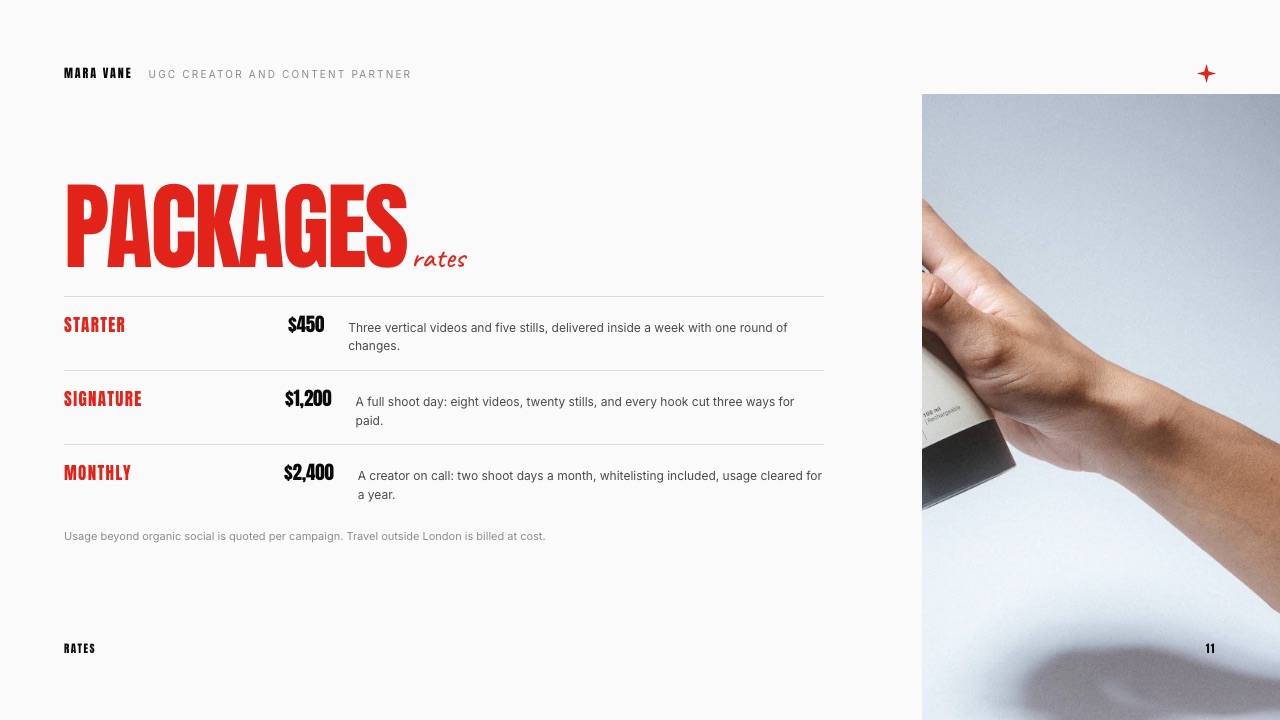
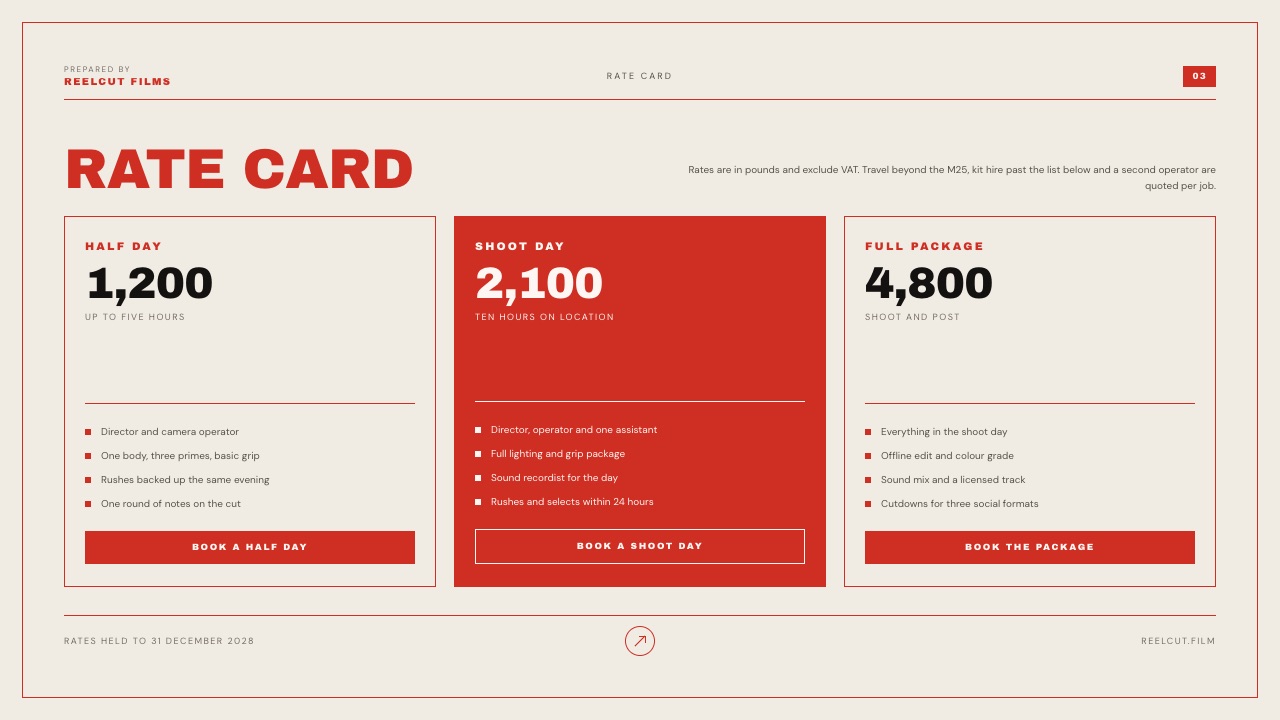
Framekit's UGC Creator Portfolio and Media Kit template turns this into slides: a Services slide listing UGC photos, short-form video and product reviews, and a Packages slide with three tiers and a line saying usage beyond organic social is quoted per campaign.
Its sample prices ($450, $1,200 and $2,400 for a fictional creator) are placeholder numbers, not market data.
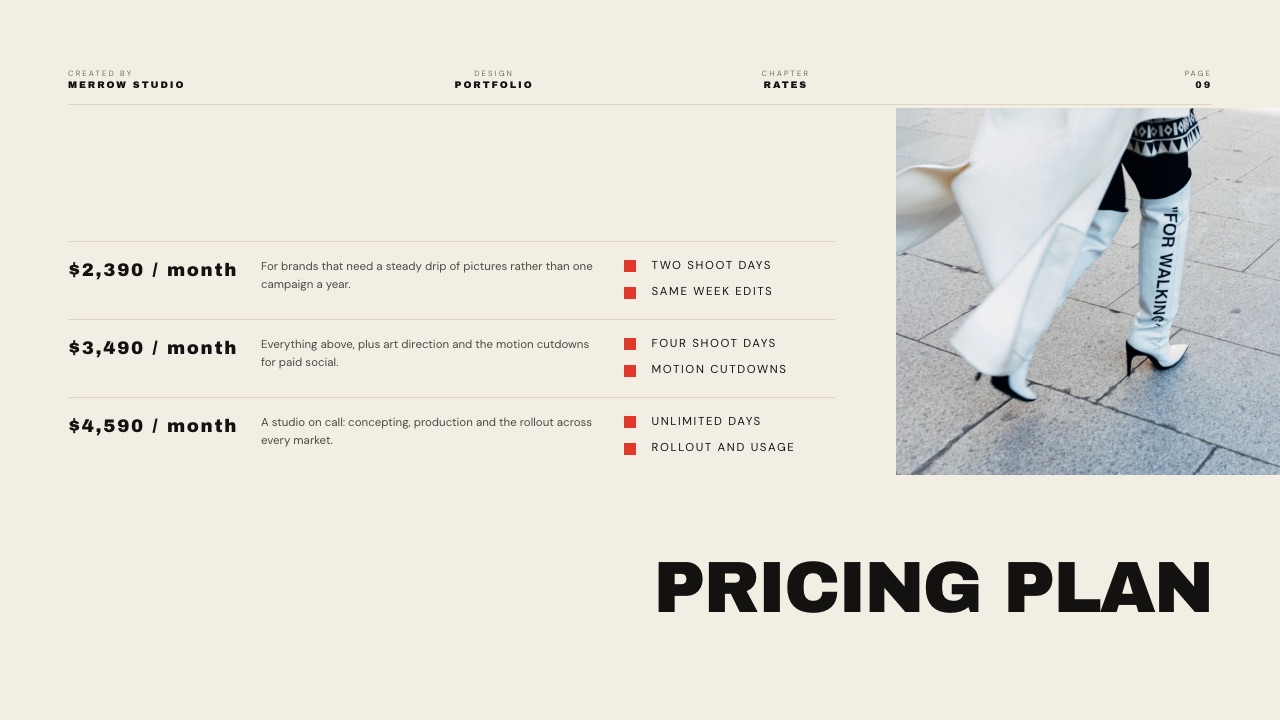
If you sell retainers rather than single videos, the Creative Studio Portfolio template's Pricing plan slide shows the monthly version of the same idea.
If you also post on your own account
Posting the video on your own TikTok or Instagram turns UGC into influencer marketing, and that is priced on audience size, not production. Hootsuite's March 2026 influencer pricing guide puts TikTok creators with 1,000 to 10,000 followers at $20 to $500 per post and 10,000 to 50,000 at $500 to $2,000; Instagram creators at the same sizes are listed at $20 to $200 and $200 to $2,000.
Add organic posting as its own line, priced from those tiers, rather than folding it into the base.
When a Brand Pushes Back on Your Rate
In one lineNegotiate on the levers, never on the base: offer a shorter usage window, fewer hooks or no whitelisting before you cut the per-video price, because a lowered base lowers every line on the card at once.
Every line on the card is a percentage of the base, so the base is the one number to protect. When a brand says "our budget is $400 for three videos", do not reprice the base to $133.
Take the Example A bundle at $540 and offer the version that fits: three videos with 30-day paid usage and no whitelisting is $300 + $90 = $390. The brand stays inside its budget and your per-video price stays intact for the next client.
Three other moves hold up well:
- Point at the marketplace fees. If a brand cites marketplace prices, remind it that platforms such as JoinBrands charge the brand a platform fee (15% on its pay-as-you-go plan) and a monthly subscription on others. Hiring you directly avoids both.
- Offer a test, then a retainer. One video at the full rate with 30-day usage, then a monthly bundle if it performs. Brands running ads can tell within weeks whether a creative works.
- Put a validity date on the card. "Rates valid to 31 December 2026" gives you a clean moment to raise prices without a difficult conversation.
What you should not do is send a different card to every brand. Consistency is what makes a published rate card credible: a brand that sees the same numbers on your site, in your deck and in your email trusts them more than a number typed into a DM.
Where to Publish Your UGC Rate Card: 5 Tools
In one lineA rate card works hardest in two places at once, a page on your portfolio site that brands find on their own and a deck or PDF you attach to a pitch, so choose a tool by which of those two jobs it does well.
Five tools compared on published features and prices, read at each vendor's site on 19 September 2026.
| Tool | Where the card lives | Free option | Paid from | Best at | Weak at |
|---|---|---|---|---|---|
| Framekit | A page on your own site plus a deck | Yes, with Framekit badge, no custom domain | Starter $9/mo ($7 yearly) | Site, media kit deck and rate card on one account | No invoicing; deck templates need Starter |
| Canva | A PDF or share link | Yes | Pro EUR 110/year (EU listing) | Polished one-page design fast | Not a web page on your domain |
| Notion | A public notion.site page | Yes, one notion.site domain | Plus EUR 9.50/member/mo (EU listing) | Text-first card you update in seconds | Looks like Notion; SEO controls are paid |
| Google Slides | A shared file or PDF | Yes, free with a Google account | Free | Brands can comment on terms | Default themes look generic |
| Beacons | A media kit page with rate cards | Yes, 9% fee on store sales | Creator $10/mo or $100/yr | Auto-updating stats beside the rates | Card lives on Beacons, not your site |
1. Framekit: Best for a Rate Card on Your Own Site and in Your Deck
Framekit is an AI website builder that gives UGC creators a portfolio site, a media kit deck and a rate card page on one login, alongside client galleries, video review and a digital-download store.
For a rate card, the useful part is that the same prices appear on a page brands find through your site and on the Packages slide of the deck you attach to a pitch, without keeping two files in sync by hand.
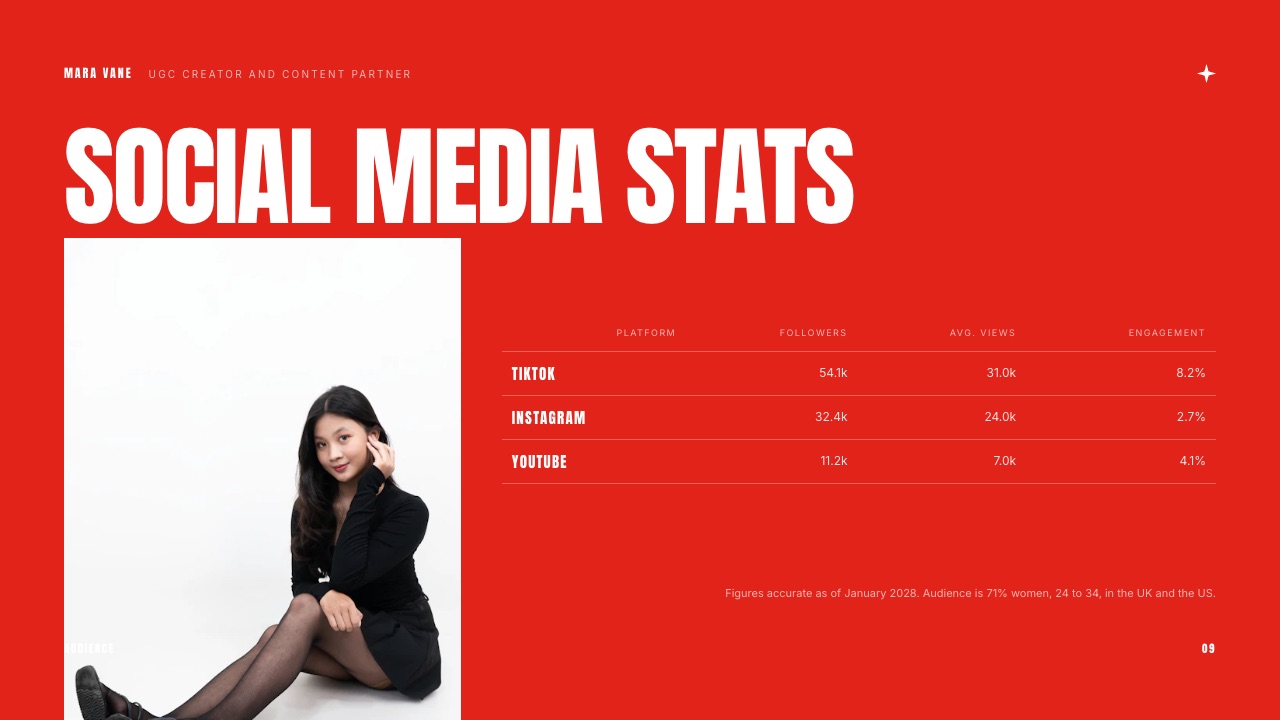
The UGC Creator Portfolio and Media Kit template is 12 slides: Cover, Services, About me, Videography, Experience, Testimonial, Content I have made, Photography, Social media stats, Reviews, Packages and Get in touch.
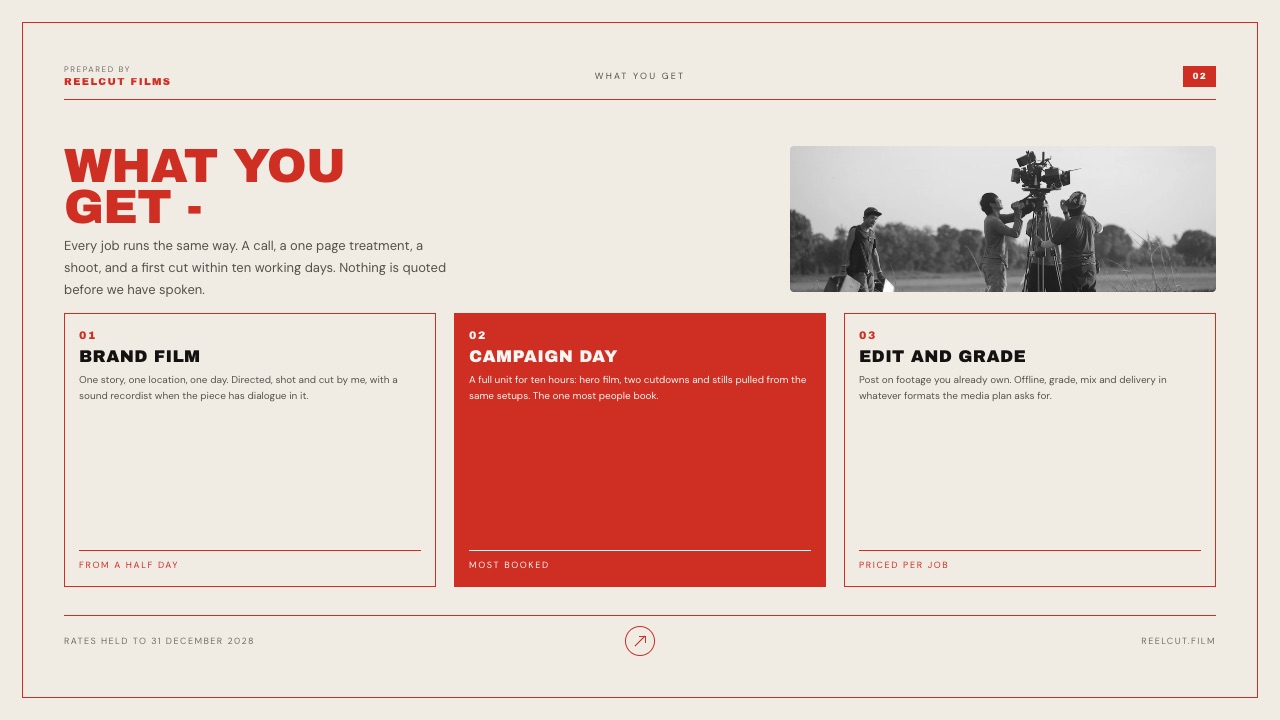
The Rate Card and Cold Outreach Deck is a tighter 4 slides: Cover, What you get, Rate card and Next step. Both use fictional sample creators and prices you replace.
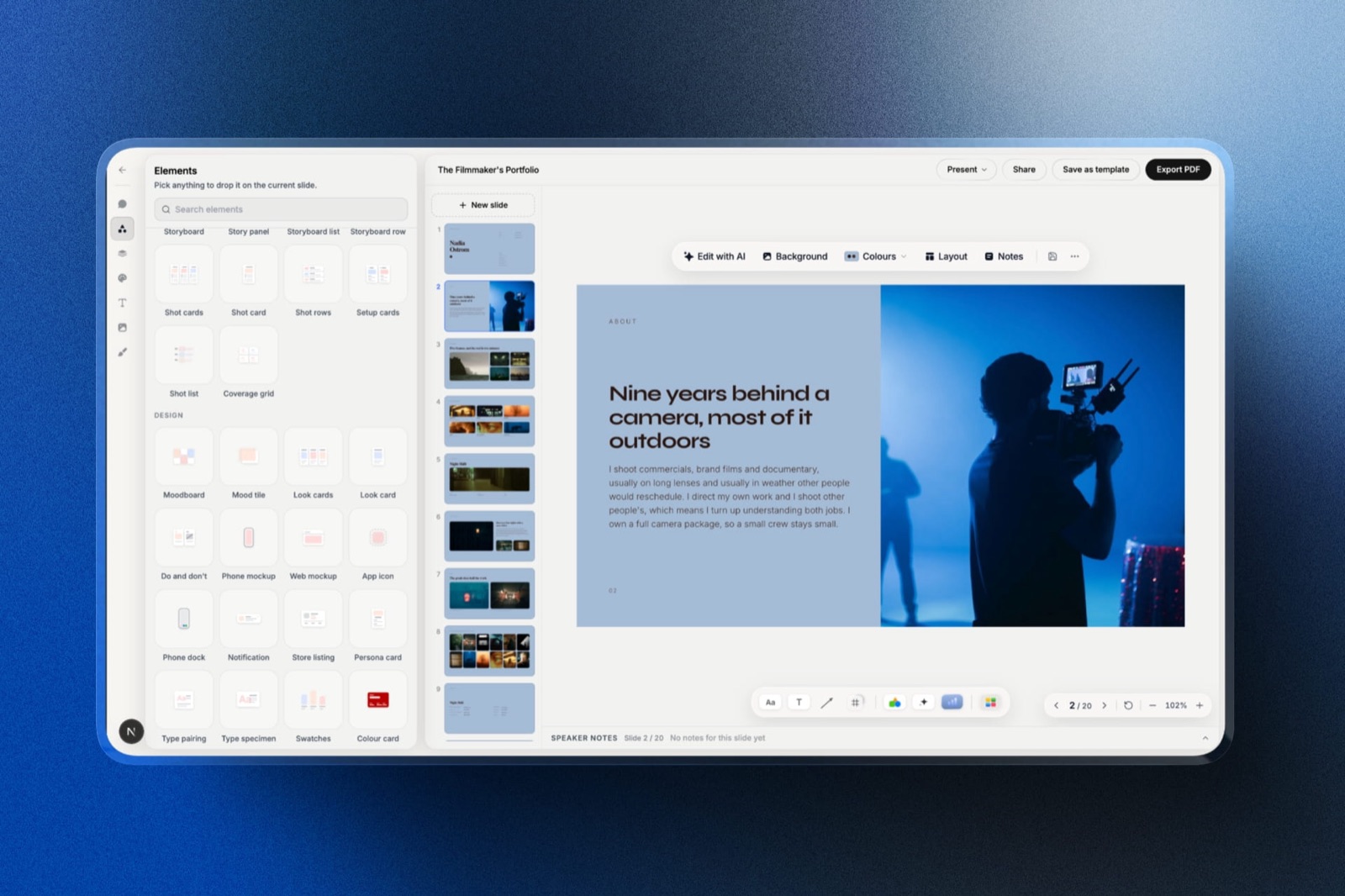
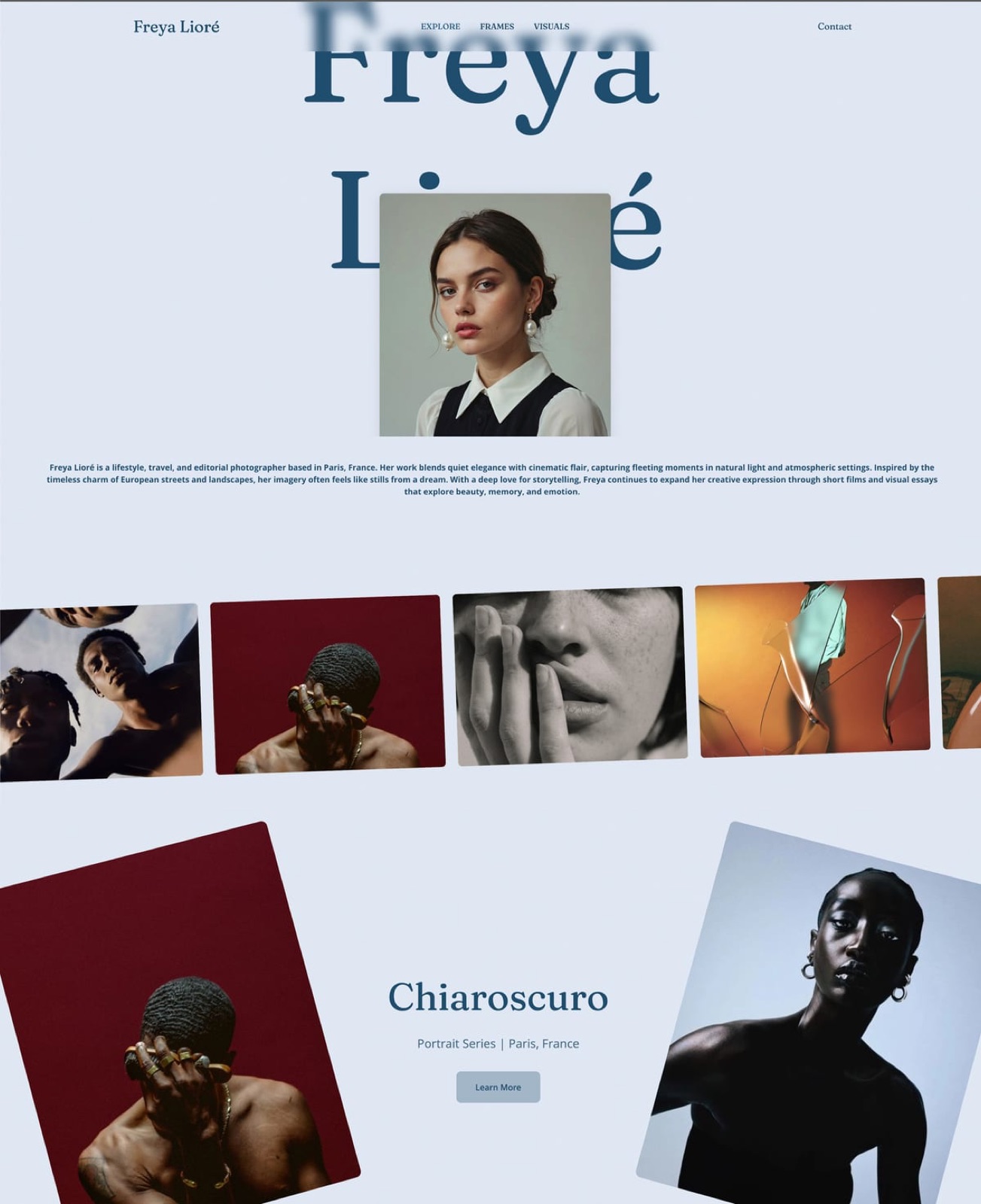
The real numberthe site, hosting, SEO controls, contact forms and unlimited decks are on the Free plan, with a Framekit badge and no custom domain.
Your own domain, no badge and the full deck template library start at Starter, $9 a month or $7 billed yearly. PDF export and share links are on every plan.
The standout detailyou can describe a section in words, such as "a three-column pricing table for UGC packages with usage rights listed underneath", and Framekit's AI builds it in your site's fonts and colours. The AI slide writer does the same for a single slide in a deck.
The gotchaFramekit does not send invoices, collect deposits for services or track payments, so you will still need an invoicing tool once a brand says yes. Deck share links also have no password and only a total view count, not per-viewer analytics.
Skip it ifyou already have a portfolio site you like and only need a one-page PDF; any of the free tools below will do that.
Verdict: the best fit for a creator who wants the rate card to be part of a site brands can find and a deck they can forward, on one account and one bill.
2. Canva: Best for a Polished One-Page PDF
Canva is the default for creators making a first rate card, and the results look good quickly. Its template library runs to millions of designs on the free plan, and a one-page card exported as a PDF is exactly what many brand managers expect to receive attached to an email.
The real numberthe free plan finishes a rate card. Canva Pro was listed at EUR 110 a year for one person for European buyers in September 2026, and its template library is listed at 3.6 million plus versus 1.6 million plus on Free.
The gotchaa PDF is a snapshot. When you raise your base rate in January, every PDF already sitting in a brand's inbox still shows the old number, and brands do forward old attachments.
Skip it ifyou want brands to find your rates through search or your site rather than your outbox.
Verdict: the fastest route to a card that looks professional, and a sensible first version. If you are outgrowing it, see our Canva alternatives.
3. Notion: Best Free Text-First Rate Card
Notion suits creators who think in lists and want to change a price in ten seconds.
Per Notion's publishing help page, any page can be published as a Notion Site, free users can claim one notion.site domain, and paid plans add search engine optimisation, themes and Google Analytics, with custom domains available as a paid add-on.
The real numberfree to publish. Notion's pricing page listed Plus at EUR 9.50 per member per month for European visitors in September 2026.
The gotchaa Notion page reads as a Notion page. It is fine for a brand manager who wants the numbers and a poor showcase for a creator whose product is visual content.
Skip it ifyour rate card is also doing the job of showing your work.
Verdict: the quickest free card to keep current, best used as a link in your pitch email rather than as your portfolio.
4. Google Slides: Best When a Brand Negotiates the Terms
Google Slides earns a place for one reason: comments.
When an agency wants to negotiate the usage window or whitelisting line, a shared file lets it comment on the exact row, and version history shows what was agreed. Google's product page lists comments, sharing permissions and PowerPoint import.
The real numberfree with a Google account.
The gotchadefault themes look like an internal document. Spend an hour on type and spacing or the card undercuts your visual work.
Verdict: a practical working copy for negotiation, rarely the version you lead with. Our Canva vs Google Slides comparison covers the trade.
5. Beacons: Best for Rates Beside Live Stats
Beacons combines a link-in-bio page with a media kit, and its media kit features, per Beacons' pricing page, include rate cards, a pricing calculator for base brand-deal rates, past projects with brand logos and outcomes, an email gate before viewing, and viewer analytics.
The free plan includes a daily-updating media kit that pulls your audience numbers from linked accounts.
The real numberfree plan with a 9% seller fee on store sales; Creator is $10 a month or $100 a year; Creator Plus is $30 a month or $300 a year with a 0% seller fee.
The gotchaa pricing calculator produces a number, but it cannot know which of the four levers a given brand is buying. Use it as a sanity check against the ranges in this guide, not as your price.
Skip it ifyour UGC work is not tied to your own follower count, since the auto-updating stats are Beacons' main advantage.
Verdict: the best choice for creators who also sell influencer posts and want live numbers next to their rates. Compare it with a plain link page in our Linktree vs Beacons guide.
How to Decide What Your Rate Card Needs
In one lineFour questions settle both your prices and your tool: whether you have paid clients yet, whether brands run your videos as ads, whether you post on your own account, and whether brands find you or you find them.
Have you been paid for UGC yet? If no, set a base of $75 to $100, use Example A, and publish the card anyway; a card with prices signals you are running a business. If yes, set the base from your last three deals and go to the next question.
Do brands run your videos as paid ads? If yes, add the usage ladder and the whitelisting line before your next quote, because that is where the money you are not billing sits. If no, keep usage as "organic included, paid quoted" and move on.
Do you also post the videos to your own audience? If yes, add an organic posting line priced from Hootsuite's follower tiers. If no, say "content only, not posted to my channels" so nobody assumes it.
Do brands find you, or do you pitch them? If brands find you, the card belongs on a page on your site, in Framekit, Notion or Beacons.
If you pitch cold, it belongs in the deck you attach, from Framekit, Canva or Google Slides. Most working creators end up needing both.
Frequently Asked Questions
How much should a beginner charge for UGC in 2026?
A beginner UGC creator in 2026 can reasonably charge $75 to $100 for a base video of up to 30 seconds with organic use, inside the $50 to $150 entry-level range Billo's creator guide cites and in line with Insense's stated $100 starting point.
Price paid usage, whitelisting and raw footage separately on top, because those are worth more to the brand than the video itself.
What is a usage rights fee for UGC?
A UGC usage rights fee is the extra charge for letting a brand use your video beyond organic posts on its own channels, usually in paid ads, for a set period.
The published convention is 30% to 50% of the base rate (Influee, ppc.io), though neither source discloses a method. Scale it by duration: for example, 30% for 30 days and 50% for 90 days, and quote longer windows per campaign.
How much should I charge for whitelisting or Spark Ads?
Whitelisting, which covers TikTok Spark Ads and Meta partnership ads running from your handle, is commonly priced per month of access: Influee lists 30% of the base rate per month and ppc.io gives 30% to 100%.
On a $300 base, 30% a month is $90. Set a start and end date, match it to the usage licence, and agree who moderates comments on the ad.
Should UGC creators charge for raw footage?
Yes, UGC creators should charge for raw footage, because unedited clips let a brand cut new ads without hiring you again. The published convention is 30% to 50% of the base rate; on a $100 base, 40% is $40.
Billo's own guide lists additional material among the add-ons that raise a creator's payout above the base, which confirms the principle on a major marketplace.
Why do UGC marketplaces pay so much less than direct clients?
UGC marketplaces often show lower per-video prices because the price bundles rights a direct client would pay for separately: JoinBrands says brands get unlimited usage rights and Spark and partnership ad codes at no extra charge, and Insense grants brands a full digital rights licence.
Brands on those platforms also pay platform fees or subscriptions. A marketplace price and a direct, rights-separated rate are not the same product.
Is $100 per UGC video too cheap?
A $100 UGC video is not too cheap for a beginner if it covers one concept, organic use and one revision, since it matches Insense's stated starting point and sits inside the entry range Billo cites.
It is too cheap if the brand also gets paid usage, whitelisting or raw footage at that price. The problem is rarely the base; it is giving the other three levers away.
Should I put my UGC rates on my website?
Yes, publishing UGC rates on your website saves a round of emails and pre-qualifies brands, as long as the card defines what each price includes and says long usage windows are quoted per campaign.
Publish a "from" price if you prefer to keep room to negotiate. A page on your own site can be updated once and stays current, unlike a PDF already sitting in a brand's inbox.
Do UGC creators need a lot of followers to charge more?
No, UGC creators do not need followers to charge more, because pure UGC is priced on the content and rights, not on audience size.
Followers matter only when the brand also wants the video posted to your own account, which Hootsuite's 2026 guide prices by follower tier, from $20 to $500 per TikTok post for 1,000 to 10,000 followers.
Portfolio quality and ad results move a UGC rate more.
Can Framekit send invoices for UGC deals?
No, Framekit does not send invoices, take deposits for services or track client payments. It hosts the portfolio site, the rate card page and the media kit deck, and its store sells digital files, not services.
For invoicing you will need a separate tool; our guide to invoicing tools for freelance creatives compares the options.
How often should I raise my UGC rates?
Review your UGC rates at least every six months and raise the base when you are consistently booked, when a video you made has proven ad results you can cite, or when your portfolio passes a new tier of work.
Put a validity date on the card, such as "rates valid to 31 December 2026", so the increase has a natural moment and does not need to be negotiated deal by deal.
Final Verdict
The most useful change most UGC creators can make to their pricing is not a higher number but a longer card.
Quote a base video inside the range for your experience, from about $50 to $150 for a beginner and $150 to $350 once you have clients, then price paid usage by duration, whitelisting by the month, and raw footage and hooks as add-ons.
On the three-video bundle in Example A, that structure turns a $300 job into a $540 one without touching the base.
Where the card lives matters almost as much. Framekit is our pick for creators who want the rate card on their own site and in their media kit deck at the same time, on one account.
It is not the right tool if you need invoicing or deposit collection, which Framekit does not do, or if you only want a single PDF, where Canva is the better fit.
Creators who also sell influencer posts and want live follower stats next to their prices will get more from Beacons.
Related readingsee the best website builder for UGC creators for where the card should live, compare the best media kit makers, build a content creator media kit website, borrow pricing logic from how to price digital products, and weigh link-in-bio tools for the link in your profile.
Put the card beside the work with the UGC portfolio examples, and when a brand wants a longer partnership, the sponsorship deck template turns the rates into a proposal.