Framekit templates
Start from a designer-made template
 Use template
 Use template
 Use template
 Use template
 Use template
 Use template
 Use template
 Use template
Nearly every client gallery now claims to deliver photos and video together.
The claim holds on nearly every page and stops one line short on almost all of them, because the question that decides whether your 41-minute film uploads at all is the maximum size of one file, and five of the seven client galleries audited below will not tell you what theirs is until you hit it.
That is the audit this article ran.
A platform that delivers photos and video together is a client-facing gallery that stores and presents both file types under one link, and the useful way to rank them is not by which one says yes to video, but by which one puts its limits in writing where a buyer can read them before paying.
Framekit ranks first here for one narrow reason, which is that it publishes a per-file video ceiling by plan, at 500MB on Free, 1GB on Starter, 2GB on Pro and 3GB on Business, with a 2 hour maximum length, so you can work out before you pay whether your longest edit will upload.
Those caps are not generous and the article shows a perfectly ordinary film that exceeds all of them.
Pic-Time is the best alternative if you want photo and video metered as two figures you can watch, Pixieset is the only platform that answers the file-size question with a flat no-limit, and Google Drive publishes the largest ceiling of anything here at 5 TB per file while offering no client experience at all.
Full disclosure: Framekit is our product and it wins this list on a criterion that happens to suit us, so the criterion is stated openly at the top instead of buried in a rubric. Every competitor figure was read on the vendor's own published page in September 2026 and is linked where it is used; none of these products was trialled hands-on for this article. Framekit has no print lab, no print store and no fulfilment, so Pixieset, Pic-Time, ShootProof, SmugMug and Zenfolio all beat us where prints are part of the job. Our own published caps also fail the worked example below at its default export setting, which is stated here and not hidden.
How the Limits Were Audited
The whole article rests on what vendors put in public, so it is worth being exact about what was read, what was worked out and what could not be established at all.
Read at the source. Every storage figure, price, format list and stated limit below came from the vendor's own live page in September 2026, linked at the point of use: Pixieset's Client Gallery pricing and its file size and format article, Pic-Time's pricing page, ShootProof's plans page, SmugMug's plans page, Zenfolio's pricing page, CloudSpot's pricing page, Frame.io's pricing page, Dropbox's plans page and Google's own list of Drive file limits.
Calculated here. Every file size and every annual cost is arithmetic on a published bitrate assumption or a published monthly price, shown in full so you can substitute your own numbers. Nothing is measured, nothing is benchmarked and there is no scoring model.
Could not be established. Vimeo's plan table renders in JavaScript and returned nothing usable, WeTransfer's pricing page reported that it could not load, and SmugMug's support centre blocks automated requests.
Where that happened, this article writes not published and says which page refused, instead of filling the gap with a guess.
The carried example throughout is one documentary short delivery: 120 edited stills at about 8MB each, plus one 41-minute finished film. It is deliberately a long-form job, because long-form is where published limits stop being trivia.
The Audit in Seven Numbers
These are the figures the rest of the article leans on, each either printed on a vendor page or one line of arithmetic from one.
- 1 of 12: platforms here that publish a per-file video size cap in megabytes by plan, which is Framekit at 500MB, 1GB, 2GB and 3GB.
- 1 of 12: platforms that answer the per-file size question with an explicit no limit, which is Pixieset.
- 5 TB: the per-file ceiling Google publishes for Drive, the largest readable number of any platform here and attached to the weakest client experience.
- 3 of 12: platforms that express part of a video allowance in hours or minutes on their pricing page, which are Pixieset, Pic-Time and Zenfolio.
- 1 of 12: gallery platforms whose published video feature is a link to a file hosted somewhere else instead of hosting, which is CloudSpot.
- 3,690MB: the size of the carried 41-minute film exported at 12 megabits per second, which exceeds every published gallery cap on this page.
- $0: what a published limit costs a vendor to print, which makes the absence of one a choice and not an oversight.
What Each Platform Publishes About Video
This is the table the article exists for, and every cell is what the vendor's own public page says, not what support might tell you after you subscribe.
| Platform | Hosts video | How video is metered | Per-file video cap published | Where it says so |
|---|---|---|---|---|
| Framekit | Yes | Pooled bytes, video sub-allowance | Yes: 500MB / 1GB / 2GB / 3GB by plan | Plan comparison |
| Pixieset | Paid plans only | Time, from 30 minutes to 5 hours | Stated as no limit | Help article |
| Pic-Time | Yes | Separate byte allowance | Not published | Pricing page |
| ShootProof | Paid plans only | Combined bytes, split above Standard | Not published | Plans page |
| Zenfolio | Yes | Bytes, hours estimate on top tier | Not published | Pricing page |
| SmugMug | Not published | Not published | Not published | Nowhere public |
| CloudSpot | No, links only | Not applicable | Not applicable | Pricing page |
| Frame.io | Yes | Bytes per member | Not published | Pricing page |
| Vimeo | Yes | Not readable | Not readable | Plan table did not render |
| Dropbox | As files | Bytes | Per transfer: 50GB or 100GB | Plans page |
| Google Drive | As files | Bytes | Yes: 5 TB per file | Help documentation |
| WeTransfer | As files | Per transfer | Free transfers up to 2GB | Page meta description |
In one lineOf the seven platforms on this page that market themselves as client galleries with video, exactly one publishes a per-file size cap and exactly one publishes an explicit statement that there is no cap, which leaves five where the most important number in a video workflow is simply absent.

Four Ways a Platform Meters Video, and What Each One Hides
Metering is not a detail. It decides which question you have to answer before you buy, and each of the four models on this page hides a different failure.
Bytes in a shared pool. One allowance covers stills and motion.
Framekit works this way, with a sub-allowance for video inside the pool: 3GB of the 10GB free plan, 15GB of 50GB on Starter, 150GB of 300GB on Pro and 750GB of 2TB on Business.
What this model hides is the per-file ceiling, which is why publishing one matters.
Bytes in a separate allowance. Photo and video are counted apart. Pic-Time gives 100GB of photo and 30GB of video on Professional. What this hides is nothing much, which is the point, though you now have two gauges to watch instead of one.
Time. Pixieset counts video in minutes and hours: 30 minutes on Basic, up to 5 hours depending on plan, and extra hours at $5 a month each. What time metering hides is bitrate.
Thirty minutes of 4K at a high bitrate and thirty minutes of compressed 1080p cost you the same allowance and cost the vendor wildly different amounts, which is why a size recommendation appears in the small print.
Nothing at all. SmugMug's plans page does not mention video. CloudSpot's published file types are JPEG, GIF, TIFF, PNG, PSD and PDF, with the video feature described as adding video links.
What this hides is the entire question, and it is the model you should be most careful with, because a platform that does not publish its video terms has not necessarily decided what they are.
In one linePick your platform by which metering model matches the shape of your work, because a long-form deliverer is destroyed by a time allowance and a high-volume stills shooter barely notices one.
1. Framekit: Best for a Cap You Can Read Before You Pay

Framekit takes first place on the audit criterion and not on generosity, because it is the only gallery platform in this comparison that prints a maximum single-video size against each plan where a prospective buyer can read it.
Framekit is an AI website builder whose client galleries hold the stills and the motion from one job under one link, with the video review tool, the store and the deck builder on the same account and the same bill.
What the page actually says. Video per file is capped at 500MB on Free, 1GB on Starter, 2GB on Pro and 3GB on Business. Photographs are capped at 100MB each. The maximum length of any single video is 2 hours.
Storage is one pool shared with the website and the review tool, at 10GB, 50GB, 300GB and 2TB across the four plans, with 3GB, 15GB, 150GB and 750GB of that available to video.
The number to carry. The carried 41-minute film at 12 megabits per second is 3,690MB. That is larger than the 3GB Business cap, so it does not upload on any Framekit plan at that export setting.
At 9 megabits per second the same film is 2,767.5MB and fits Business. At 6 it is 1,845MB and fits Pro.
This is the article's own worked example failing against its own top pick, and it is the clearest demonstration of why a published number is worth more than a generous one.
The detail nobody writes down. The feature list that most platforms stage across tiers is flat here.
Watermarking, gallery password, a separate download PIN, favourites, slideshows, full-resolution and ZIP downloads, favourites-only downloads, email registration, auto expiry and client-exclusive sets are on every plan including the free one.
What paid plans buy is your own domain, the removal of the Framekit badge and your own uploaded fonts.
The client creates no account to open any of it: the gallery takes a password, the download takes a PIN, and a guest on a review link comments without signing up.
The gotcha in week three. The per-file cap and the pool are separate limits, and people learn that the hard way. Having 280GB free on Pro does not help a 2.3GB file.
If you deliver long-form regularly, either standardise your export bitrate against the cap or buy Business for the 3GB ceiling.
Who should skip it. Anyone selling prints, because there is no print lab, no print store and no fulfilment. Anyone delivering a single film longer than 2 hours, which is a hard stop.
Anyone who needs invoicing, contracts or a CRM in the same account, none of which exist here.
Verdict: The caps are tight and the disclosure is total, which is an unusual trade and the right one for anyone who has ever discovered a limit at eleven at night on a delivery deadline.
2. Pic-Time: Best for Photo and Video You Can Count Separately
Pic-Time refuses to blend the two allowances, and once you have watched a run of long edits quietly consume a shared pool you start to see that refusal as a feature.
What the page actually says. The pricing page lists Free at 10GB photo and 1GB video, Beginner at $7 a month billed annually with 20GB photo and 5GB video annotated as approximately 30 minutes, Professional at $21 with 100GB photo and 30GB video at approximately 3 hours, and Advanced at $42 with unlimited photo storage and 60GB video at approximately 6 hours.
Video is up to 4K quality on every tier.
The number to carry. Thirty gigabytes of video on Professional holds eleven of the carried 41-minute films at 9 megabits per second, or sixteen at 6. That is a figure you can plan a documentary year around, which is more than most of this list allows.
The detail nobody writes down. Pic-Time's own pricing page describes its galleries as offering clips and photos side by side in beta.
It is the only vendor here that labels its hybrid delivery feature as beta on the page where it asks for money, and that is worth respecting, not mocking.
The gotcha in week three. No per-file cap is published anywhere on the pricing page, so the 30GB figure tells you how much total video you may store and nothing about whether one 3.7GB file will go up.
The free tier also shrinks: its 10GB photo allowance drops to 3GB after a period the same page states as three months in the comparison table and six months on the plan card.
Who should skip it. A photographer with no print line is buying a storefront they will not use, and a videographer needing per-file certainty still has to ask support. The Framekit and Pic-Time comparison sets the two metering models against each other.
Verdict: The clearest video accounting in the category and still silent on the one number that decides whether an upload starts.
3. Pixieset: Best for a Straight Answer on File Size
Pixieset is the only platform in this audit that treats the per-file question as a question worth answering in public, and its answer is a clean no.
What the page actually says. The file size and format article, dated November 2025, answers whether there is a file size limit for video uploads by saying there are no limits to the video size you can upload, while recommending 4K or smaller for best results.
Accepted video formats are MP4, MOV, AVI and M4V up to 3840 by 2160 pixels. Stills are capped at 100MB for JPEG and PNG and 85MB for GIF.
The number to carry. Video is metered in time instead. The pricing page lists Basic at $8 a month billed annually with 30 minutes of HD video storage, and the product announcement states a ceiling of up to 5 hours depending on plan, with extra hours sold at $5 a month.
The carried 41-minute film therefore does not fit Basic at all, regardless of its size in bytes.
The detail nobody writes down. Video upload is a paid feature. The announcement says uploads are for paid Client Gallery plans and Suite users, while free accounts get unlimited embedding from YouTube or Vimeo instead.
And the help article notes that video can be downloaded from a gallery but cannot be sold through the integrated store, so the storefront that makes Pixieset attractive does not extend to motion.
The gotcha in week three. Time metering makes a long-form business expensive in an unintuitive way.
Two 41-minute deliveries a month is 82 minutes, which burns through a 30-minute allowance and keeps going, and the fix is $5 an hour on top of a plan you already pay for.
Who should skip it. A long-form videographer, and anyone hoping to sell the film the way they sell prints.
If you are weighing the gallery field more broadly, the client gallery platforms guide covers the wider set.
Verdict: The most honest answer on file size in the whole audit, attached to the metering model least suited to long-form work, which is a strange and genuine combination.
4. ShootProof: Best for One Allowance That Covers Both
ShootProof's lower tiers do something unusual by refusing to separate the two file types at all, and for a shooter whose mix changes month to month that is genuinely easier to live with.
The plans page lists Free at 3GB photo only with video formats not included, Starter at $8.33 a month billed annually with 20GB of photo and video combined, Standard at $16.67 with 100GB combined, Professional at $26.67 with 1000GB of photo plus 50GB of video, and Premium at $50 with unlimited photo plus 150GB of video.
Video is supported up to 4K on every paid tier, and the page makes a point of saying galleries, contracts, invoices, selling, slideshows and video are all included in every paid plan.
The gotchathe allowance changes shape between Standard and Professional, moving from one combined pool to two separate numbers. Read that row carefully before assuming an upgrade is purely more of the same.
No per-file cap is published at any tier, and the free plan cannot take video at all, so the hybrid workflow cannot be evaluated without paying.
Verdict: The friendliest storage shape on the lower tiers and a confusing one at the top, with contracts and invoicing included as real compensation for the price.
5. Zenfolio: Best for a Published Hours Figure
Zenfolio states its video position on the pricing page instead of making you find a help article, which by the standards of this audit is already above average.
The pricing page served European pricing with a promotion running, and the undiscounted figures it prints are €9 a month for Basic, €20 for Professional and €36 for Advanced.
Storage is 15GB on Basic, 150GB on Professional, and on Advanced unlimited JPEG plus 150GB of video annotated as approximately 10 hours with 4K support.
The storage line names accepted formats as JPEG, PNG, GIF and HEIC for stills and MP4 and MOV for video. Basic and Professional list HD video; 4K is an Advanced feature. Client galleries are unlimited on every tier.
The gotchathe hours figure is an estimate attached to a byte allowance, not a limit, and 4K delivery effectively requires the top tier. No per-file cap is published, so a single very large file remains an unknown.
Verdict: A solid all-in-one whose published video terms are better than most of this list and still stop one question short. Zenfolio against Pixieset is the head-to-head if those two are your shortlist.

6. Google Drive: Best Published Per-File Ceiling Anywhere
Google Drive publishes the largest and clearest per-file ceiling in this entire comparison, which is worth stating plainly even though almost nothing else about it suits a client delivery.
What the page actually says. Google's documentation gives maximum file sizes by type and ends with a single line covering everything else: up to 5 TB.
Previewable video types include MOV, AVI, MPEG4, WMV and FLV.
Storage is sold through Google One, which starts at 15GB free with 100GB at €1.99 a month, 2TB at €9.99 and 5TB at €21.99 as served to a European request.
The number to carry. Five terabytes is roughly 1,800 copies of the carried 41-minute film at 9 megabits per second. No gallery platform in this comparison publishes anything within three orders of magnitude of that.
The detail nobody writes down. The ceiling that matters to a creative professional is not the one Google publishes.
It is the 15GB free tier shared across Photos, Drive and Gmail, which fills faster than anyone expects and then starts refusing email attachments, which is a strange way to discover your delivery platform is full.
The gotcha in week three. Everything about the client experience. No favourites, no watermark, no download PIN, no expiry that reads as deliberate, no presentation, and a permissions model that regularly locks out the one person you meant to let in.
Who should skip it. Anyone sending a folder to a paying client instead of to a colleague. Client galleries against Google Drive puts the comparison in detail.
Verdict: The most transparent file limit in the audit and the least professional delivery on it, which is a fair summary of using consumer storage for client work.
7. Dropbox: Best Published Delivery Ceiling
Dropbox publishes what it will carry in one go, which is more than most, and it moves very large files to other professionals better than any gallery on this page.
The plans page, served in euros to a European request, lists Basic free at 2GB, Plus at €9.99 a month with 2TB of storage and transfers up to 50GB, Standard at €12 per user per month starting at 3TB for the team with transfers up to 100GB, and Advanced at €18 per user per month from 15TB.
Password-protected and branded transfers appear on the paid rows.
The gotchaa transfer ceiling is not a per-file ceiling and the two get confused constantly. More importantly, what a client receives is a folder. There is no favouriting, no proofing, no watermark and no way to make a film look like a finished piece of work instead of a download.
Verdict: The right tool for moving a 60GB project folder to an editor and the wrong one for the people who paid for the job. Galleries against Dropbox covers the trade in full.
8. SmugMug: Best Photo Archive, Least Published on Video
SmugMug sells permanence, and for a photographer with a decade of work behind them that promise is a stronger buying reason than any feature table.
The plans page lists Direct at $20 a month billed annually, Portfolio at $23.50 and Pro at $37, with unlimited full-resolution JPEG storage across the paid tiers, Lightroom sync, custom domains, watermarking and 24/7 human support.
RAW is an add-on at $10 a month for up to 1TB, then $6 a month for each additional terabyte.
The gotchathe word video does not appear on the plans page. No storage figure, no format list, no length limit, no per-file cap.
The support centre returns a block to automated requests, so this audit records what the public page records, which is nothing, and leaves it there instead of assuming either way.
Verdict: An outstanding home for stills that cannot be assessed as a photo-and-video platform from its published material. Framekit against SmugMug is the direct comparison for anyone weighing archive against delivery.
9. CloudSpot: Best Gallery That Does Not Host Your Video
CloudSpot is quick, inexpensive and genuinely well made, and its studio management side carries contracts, questionnaires, scheduling and invoicing that no other gallery in this audit attempts, which is why its position on video is so easy to miss.
What the page actually says. The pricing page lists Free at 5GB with up to 3 galleries and JPEG only, Entry at $7 a month with 15GB and up to 15 galleries, Lite at $17 with 100GB and unlimited galleries, Pro at $34 with 500GB and Unlimited at $50.
Contracts, e-signatures, questionnaires, scheduling and invoicing appear on the full-suite tiers, with a 2.5% processing rate.
The number to carry. The footnote defining the higher tiers' all file types names six formats: JPEG, GIF, TIFF, PNG, PSD and PDF. Not one of them is a video container.
The detail nobody writes down. The gallery feature is listed as adding video links, and the integrations list describes adding a Vimeo or a YouTube video into your galleries.
So the motion half of a delivery is not stored by CloudSpot. It plays from another company's servers, in another company's player, under another company's terms.
The gotcha in week three. Your delivery now depends on a second subscription you may not have priced, and your client is one click away from a platform that would like to show them something else.
Who should skip it. Anyone whose deliverable list includes a film they expect the gallery to hold. The CloudSpot alternatives guide and Pixieset against CloudSpot both cover where to go instead.
Verdict: A very good photo gallery and business tool that belongs in this list only to be excluded from it, because pointing at video is not delivering video.
10. Frame.io: Best for the Round Before Delivery
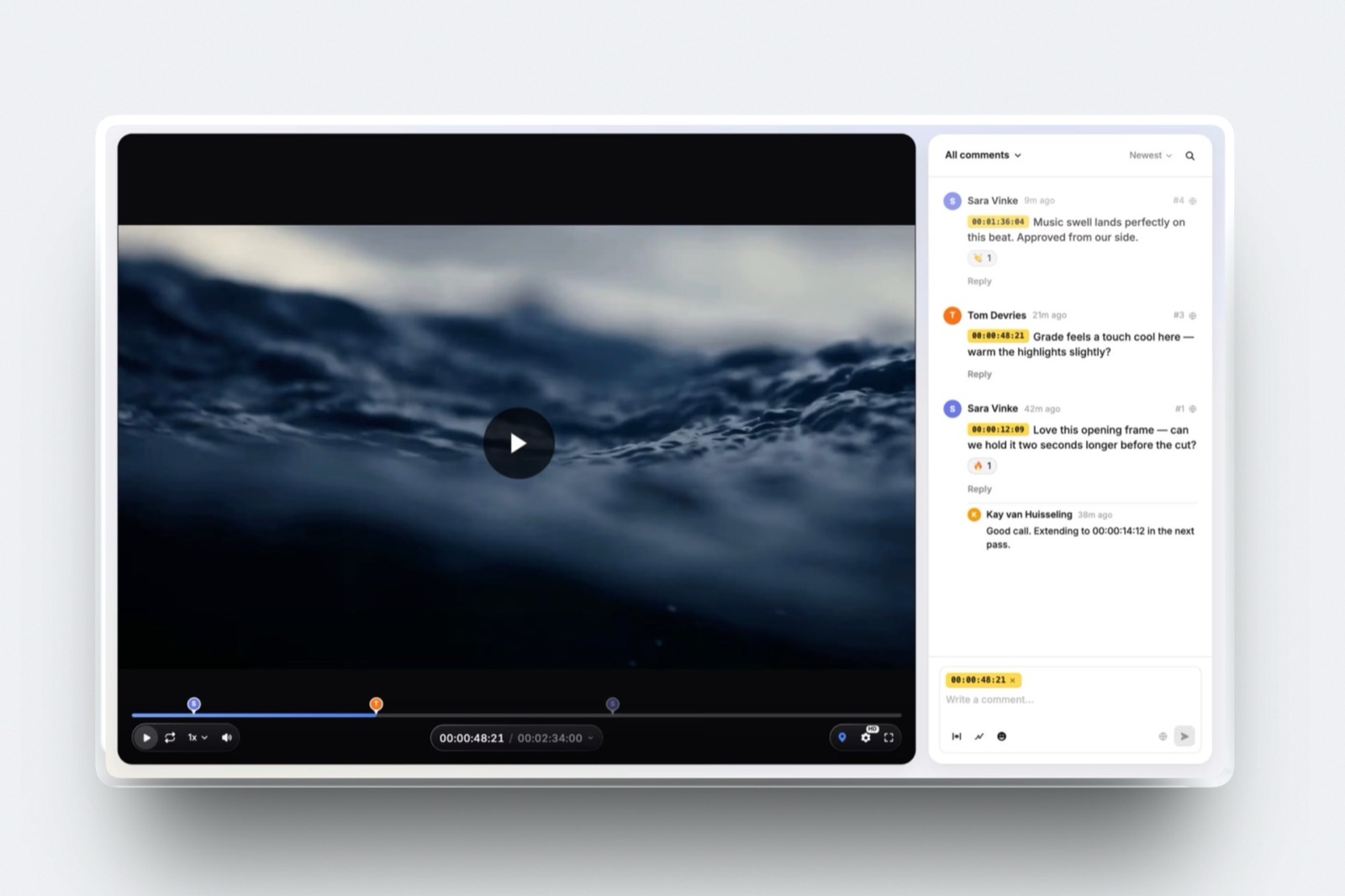
Frame.io is the strongest review environment in this audit and is included because the question keeps being asked in the other direction, which is whether the tool that ran the approval round can also be the place the finished job is handed over.
Its pricing page lists Free at $0 with 2GB of storage, up to 2 members and up to 2 projects, including Camera to Cloud and transcription.
Pro is $15 per member per month plus tax with 2TB included and 2TB more per additional member, unlimited projects, passphrase-protected shares, share link expiry and comment attachments.
Team is $25 per member per month with 3TB and internal comments.
The gotchastorage attaches to members and not to the account, which is generous for a growing team and irrelevant to one person. No per-file cap is published.
And there is no stills gallery a client would recognise, no favourites, no ZIP of the full-resolution set and no store, so it ends a review round, not a job.
Verdict: Buy it for the approval conversation, not for the handover. The video review tools roundup covers the specialist field properly.
11. Vimeo: The Best-Known Option With the Least Readable Pricing
Vimeo is where a finished film looks finished, with a clean player, no distractions around it and privacy settings a client can be trusted with.
It cannot be audited here. The plan table on its upgrade page renders in JavaScript and returned only navigation text to an automated request in September 2026, so no price, no storage figure and no upload limit is quoted in this article.
That is a statement about a page, not about a product. What is not in question is the shape: it presents motion and it is not a stills gallery, so it covers one half of a joint delivery.
Verdict: The right home for the public version of the film and never the whole delivery, because your client still needs somewhere to collect 120 edited stills.
12. WeTransfer: Fast, Simple, and the Least Published of All
WeTransfer is the quickest way to move one file to one person and it has earned its place in every working photographer's bookmarks for exactly that.
Its pricing page returned a load error to an automated request in September 2026, so the only figure used here is the one stated in the page's own meta description: free transfers up to 2GB. No paid tier, storage figure or file ceiling is quoted, because none could be read.
The gotchaa transfer is not a delivery. It expires, nothing is presented, no favourites exist, and a month later neither you nor the client has a record of what was sent.
Verdict: Excellent at its one job and not a platform for delivering photos and video together, which is the job this article is about.

The 41-Minute Film That Breaks Most Plans
In one lineOne ordinary long-form deliverable is enough to expose every platform's real position on video, and working out its size takes one line of arithmetic that you should run before you subscribe to anything.
The size of a delivered video in megabytes is its export bitrate in megabits per second times its running time in seconds, divided by eight. A 41-minute film runs 2,460 seconds.
| Export bitrate | File size | Fits Framekit Free | Starter | Pro | Business |
|---|---|---|---|---|---|
| 12 Mbps | 3,690MB | No | No | No | No |
| 9 Mbps | 2,767.5MB | No | No | No | Yes |
| 6 Mbps | 1,845MB | No | No | Yes | Yes |
| 3 Mbps | 922.5MB | No | Yes | Yes | Yes |
| 1.5 Mbps | 461.25MB | Yes | Yes | Yes | Yes |
The top row is the important one. At a perfectly ordinary 12 megabits per second, this film does not upload to any Framekit plan, and that is the top-ranked platform in this article.
The ranking is about disclosure, not capacity, and pretending otherwise would waste the disclosure.
Now run the same film against the platforms that meter time.
Forty-one minutes exceeds Pixieset Basic's 30 minutes outright, sits inside Pic-Time Professional's approximately 3 hours, and sits inside Zenfolio Advanced's approximately 10 hours.
Run it against the platforms that publish nothing and you get no answer at all until you try.
Add the stills and the whole delivery is 120 files at about 8MB, or 960MB, plus the film. At 9 megabits per second that is 3,727.5MB for one documentary short, or about 3.73GB.
Run this on your own longest deliverable. Take its length in seconds, multiply by your usual export bitrate, divide by eight, and compare the answer to every cap you can find published.
The platforms where you cannot complete that sentence are the ones to ask about before you pay, not after.
What a Published Limit Is Actually Worth
In one lineThe value of a published cap is not that it is generous, it is that it converts a delivery-night failure into a five-minute export decision you make weeks earlier, and that is worth more than a few gigabytes of headroom.
Think about the two ways the same problem arrives. In the published case you read 2GB, run the arithmetic, discover your usual export is 3,000MB, and either change the preset or pay $16 a month more for Business on yearly billing. Total cost: five minutes and $192 a year.
In the unpublished case you export as usual, start the upload at nine in the evening, watch it fail without a clear reason, search a help centre, find a forum post from 2023, and either re-export and re-upload or email the client to say it will be tomorrow.
Total cost: an evening and a small amount of professional credibility.
| Platform | Cheapest tier that takes a 2,767.5MB file | Annual cost of that tier |
|---|---|---|
| Framekit | Business | $372 billed yearly |
| Framekit, after re-exporting at 6 Mbps | Pro | $180 billed yearly |
| Pixieset | Basic or above, subject to the hours allowance | $96 and up |
| Pic-Time | Beginner or above, no per-file cap published | $84 and up |
| ShootProof | Starter or above, no per-file cap published | $99.96 and up |
| Zenfolio | Basic or above, no per-file cap published | EUR 108 and up |
Read that table carefully, because it does not flatter the top pick. Framekit is the most expensive way to store one 2,767.5MB file, at $372 a year on Business, and the only reason to pay it is that you knew the number in advance.
Drop the export to 6 megabits per second and Pro at $180 handles it, which is the same delivery for $192 a year less.
The rows that say no per-file cap published are not accusations. They may well accept a 3.7GB file without complaint. The point is that you cannot know that before you pay, and a vendor could remove all doubt with one line of text.

Choosing a Platform, in Order
In one lineThese questions run in sequence and the first one that returns a yes ends the decision, so read them in order instead of looking for the platform that scores best across all of them.
Do you sell prints? If yes, your platform is Pixieset, Pic-Time, ShootProof, SmugMug or Zenfolio, and no amount of published video detail changes that, because Framekit has no print store at all. If no, continue.
Is your longest deliverable over an hour? If yes, rule out time-metered plans first: 30 minutes on Pixieset Basic will not hold it, and Framekit's 2 hour maximum length is a hard stop above which nothing here helps. If no, continue.
Do you need to know the per-file limit in advance? If yes, Framekit is the only gallery platform here that publishes one by plan, and Pixieset is the only one that publishes an explicit no-limit. If it does not matter to you, continue.
Is your video already hosted somewhere you are happy with? If yes, CloudSpot becomes a good, cheap gallery instead of a disqualified one, and its studio management tools are a genuine bonus. If no, it is not a candidate.
Are you delivering to a colleague and not to a client? If yes, stop reading comparison tables and use Dropbox or Google Drive, because the presentation layer you are shopping for is not the thing you need.
Frequently Asked Questions
Which platforms deliver photos and video together in 2026?
Framekit, Pixieset, Pic-Time, ShootProof and Zenfolio all hold photographs and video in the same client gallery, delivered under one link. Pixieset and ShootProof restrict video upload to paid plans.
CloudSpot embeds video links instead of hosting files, and SmugMug's plans page does not mention video at all.
Frame.io and Vimeo host video well but are not stills galleries, and Dropbox, Google Drive and WeTransfer move files without presenting them.
Do client gallery platforms publish a maximum video file size?
Mostly no. Framekit is the only client gallery platform in this comparison that publishes a per-file video cap by plan, at 500MB on Free, 1GB on Starter, 2GB on Pro and 3GB on Business.
Pixieset answers the question directly in a help article and states that there is no limit on video file size, recommending 4K or smaller.
Pic-Time, ShootProof, Zenfolio, SmugMug and Frame.io publish no per-file video figure on any page readable without an account.
What is the largest video file you can upload to a client gallery?
On Framekit the answer is 3GB on the Business plan, with a maximum length of 2 hours per video.
On Pixieset the published answer is that there is no size limit, though the total allowance is counted in time and runs from 30 minutes on Basic up to 5 hours depending on plan.
Everywhere else in this comparison the answer is not published. Google Drive publishes a 5 TB per-file ceiling, but it is cloud storage and not a gallery.
Is it better to have one storage pool or separate photo and video allowances?
Separate allowances suit a business with a stable mix, because a run of long edits cannot quietly consume the space your stills need, and Pic-Time is built that way with 100GB of photo and 30GB of video on Professional.
A shared pool suits a business whose mix changes, and Framekit works that way with a video sub-allowance inside the pool. Neither model tells you anything about the per-file cap, which is the limit that actually stops an upload.
Can you upload video to a free client gallery plan?
Framekit allows video upload on its free plan, capped at 500MB per file with 10GB of pooled storage, 3GB of which is available to video. Pixieset's free tier is photo-only and offers embedding from YouTube or Vimeo instead of upload.
ShootProof's free tier lists video formats as not included. CloudSpot's free tier is JPEG only. Free video upload inside a client gallery is genuinely rare, which is worth knowing before planning a first paid job around it.
Does CloudSpot support video in client galleries?
CloudSpot supports video links, not video hosting.
Its pricing page lists the gallery feature as adding video links, its integrations describe adding a Vimeo or YouTube video into a gallery, and the footnote defining its accepted file types names JPEG, GIF, TIFF, PNG, PSD and PDF with no video container among them.
That means the file itself lives with another provider, plays in that provider's player and is governed by that provider's terms.
How much does it cost to deliver photos and video together?
Between $84 and $372 a year at published 2026 annual rates, depending on how much video and whether you need a print store.
Pic-Time Beginner is $84 a year, Pixieset Basic is $96, ShootProof Starter is $99.96, Framekit Pro is $180 and Framekit Business is $372.
The cheapest tier is rarely the right one for long-form work, because entry tiers are where video allowances are smallest and where time metering hurts most.
What happens when a video file is too large for the platform?
The upload is rejected, and on most platforms the message does not explain which limit you hit.
Re-exporting at a lower bitrate is the usual fix, because file size is bitrate multiplied by length divided by eight, so a 41-minute film drops from 3,690MB at 12 megabits per second to 1,845MB at 6.
Splitting a long film into parts also works. Neither fix helps if the constraint is length instead of size, which on Framekit is a fixed 2 hours.
Does Pixieset or Pic-Time handle video better?
Pic-Time handles long-form better because it meters video in bytes, giving 30GB on Professional at $21 a month billed annually, while Pixieset meters in time and starts at 30 minutes on Basic.
Pixieset handles uncertainty better, because it is the only one of the two that publishes an answer to the per-file size question, and its answer is that there is no limit.
For a photographer delivering short highlight films either works; for a documentary maker the byte allowance is the safer shape.
Should I use a gallery platform or cloud storage for video delivery?
Use a gallery platform for anyone who paid you and cloud storage for anyone who works with you.
Google Drive publishes a 5 TB per-file ceiling and Dropbox publishes transfer limits of 50GB or 100GB depending on tier, and both will carry files no gallery will touch.
Neither offers favourites, watermarking, a separate download PIN, expiry or any presentation, which means the client experience you are selling disappears the moment you send a folder.
Final Verdict
Framekit takes first place in this audit on a single criterion, which is that it publishes a per-file video ceiling by plan where a buyer can read it, and that criterion is stated in the opening paragraphs instead of hidden in a weighting.
Pic-Time is the better platform for a long-form business that wants a countable video allowance, and Pixieset is the only platform here that answers the file-size question outright.
Where Framekit loses is visible in its own worked example.
A 41-minute film at 12 megabits per second is 3,690MB and will not upload on any Framekit plan, including Business, while the platforms here that publish no cap at all may well accept it. The 2 hour maximum length is a hard stop.
There is no print lab, no print store and no fulfilment, so every print-selling photographer on this page has a better home than us. And there is no invoicing, no contracts and no CRM.
Framekit is not for a photographer whose revenue depends on prints, and it is not for anyone delivering a single file over 3GB who does not want to re-export it.
If you want the number in writing before you commit, this is the one place in the category that gives it to you, and if headroom matters more to you than certainty, Pic-Time and Pixieset are the two to shortlist.
Related readingwhat client galleries cost across the market prices the field, galleries with unlimited storage covers the other end of the allowance question, galleries built for large file delivery goes deeper on size, delivering photos and video together is the practical walkthrough, and SmugMug against Zenfolio settles that particular shortlist.