Framekit templates
Start from a designer-made template
 Use template
 Use template
 Use template
 Use template
 Use template
 Use template
 Use template
 Use template
Google Drive delivers photos perfectly well. The files arrive at full resolution, a client with the link can open them without signing in, and nobody pays anything for the first 15GB. That is a real argument, and photographers who dismiss it are usually selling something.
The counter-argument is just as real.
The client opens a list of filenames rather than a designed page, there is no password to type, no way to heart the frames they want in the album, no separate gate on downloading, and no expiry date unless you are on an eligible work or school account.
The link carries Google's interface, not your studio's, at the moment your work is seen for the first time.
Choosing between a client gallery and Google Drive is a question of which of those two lists costs you more, and for whom.
A client gallery is purpose-built delivery software that presents a finished shoot as a designed private page with favourites, a password, a separate download PIN and an optional expiry date, while Google Drive is general-purpose cloud storage that shares files and folders by link or with named people.
Use a client gallery for paying clients whose impression of your studio matters, and Google Drive for working files, collaborators and your own archive.
Drive wins on price (15GB free, 2TB for €99.99 a year as Google served it to us), on any-file-type storage, two-way sharing and search.
A gallery wins on presentation, favourites, a password plus a separate download PIN, deliberate expiry and a link on your own domain.
Framekit's free plan gives unlimited galleries with every feature in 10GB, so most photographers run both: Drive for the work in progress, a gallery for the delivery.
This comparison was rewritten and re-verified on 12 October 2026 against Google's own help centre and Google One plans page; the earlier version said a Drive link usually asks the client to sign in, which Google's sharing documentation contradicts for "anyone with the link" access, so that claim is gone.
Full disclosure: Framekit makes a client gallery, so this page puts Google Drive's strengths first, recommends keeping Drive for the jobs it does best, and quotes every Google rule from Google's own pages rather than from our impressions.
Client Gallery vs Google Drive at a Glance
The short version is that Google Drive is a better filing cabinet and a client gallery is a better shop window, and the rows below, each read from Google's help centre or Framekit's plan table on 12 October 2026, show exactly where that line falls.
| Client gallery (Framekit) | Google Drive | |
|---|---|---|
| What the client opens | A designed page: cover, sets, grid | A list or grid of files |
| Free storage | 10GB pooled with your website | 15GB shared with Gmail and Photos |
| 2TB of storage | Business, $372 a year, with the site and video review | €99.99 a year as served to us, storage only |
| File types | JPEG, PNG, WebP, GIF photos; MP4, MOV, M4V, WebM, MKV video | Any file, including RAW, PSD and project files |
| Account needed to view | No | No, with "anyone with the link" access |
| Password | Every plan | Not offered; access by link or by named people |
| Separate download gate | Download PIN on every plan | Can stop viewers and commenters downloading, no PIN |
| Favourites and selections | Named lists, per-photo notes, Send to photographer | None; comments on files only |
| Expiry date | Every plan, with a reminder email 3 days before | Eligible work or school accounts only |
| Activity record | Lists and downloads by client email, CSV export | Not designed for client delivery |
| Branding and address | Your cover styles; your own domain from Starter | Google's interface and drive.google.com |
| Two-way exchange | No client uploads | Yes, with editor access |
| Search across years of work | Per gallery | Full search across your whole Drive |
In one linekeep Drive for everything unfinished and everything you need to find again; use a gallery for the finished set a paying client opens.
How This Comparison Was Put Together
This page compares the two tools on the job photographers use both for, getting finished work to a client, using what each publishes about itself in October 2026 plus arithmetic on those numbers, so every figure can be checked and nothing rests on our impressions of either interface.
Read at the source. Google's sharing rules from its Drive sharing help page, its download behaviour and download limit from the Drive download help page, its over-quota rules from the Google One help centre, and storage prices from the Google One plans page, which served euro prices when we read it on 12 October 2026, so they appear in euros rather than converted at an invented rate.
Framekit's figures come from its published plan table and the shipped gallery settings.
Calculated. Storage for three kinds of photographer at 10MB per delivered JPEG and 10 Mbps for films, and a year of cost for each.
Not tested. We did not time downloads or uploads on either service, and we describe no Google behaviour that Google's own pages do not document.
Google Drive: What It Does Well for Photographers
Google Drive is the cheapest large storage most photographers already own and the best place for work that is still moving between people, because it takes any file type, shares in both directions, searches years of material in seconds, and starts with 15GB free on every Google account.
The price. Every Google account includes up to 15GB, shared across Drive, Gmail and Google Photos.
Above that, Google One sold 100GB for €1.99 a month or €19.99 a year, 2TB for €9.99 a month or €99.99 a year, and 5TB for €21.99 a month or €219.99 a year on the plans page we were served on 12 October 2026, with yearly billing saving up to 16%.
Per terabyte, that is cheaper than any client gallery plan.
Any file, both directions. RAW, TIFF, PSD, ProRes, project folders, contracts: Drive stores and shares them all. Give a retoucher editor access and they can drop files back in. No delivery gallery, Framekit's included, accepts client uploads or camera RAW.
Link sharing without accounts. Google's help page says that with "anyone with the link" access, people can use your file "without signing in to their Google Account", as a viewer, commenter or editor.
You can also share with up to 600 named email addresses per file.
Download control, of a kind. Owners can stop viewers and commenters from downloading, printing or copying a file, which is enough to show proofs without handing over files.
The number that matters€99.99 a year for 2TB, as served to us, against $372 a year for 2TB on Framekit Business, which also runs galleries, a website and video review.
The gotchaexpiry dates on shared access are only available on eligible work or school accounts, per Google, so on a personal account a delivery link stays open until you remember to change it.
And popular shared files can hit a temporary limit: Google's download help page describes a "too many users have viewed or downloaded this file recently" error that typically resets within 24 hours, and recommends dedicated hosting rather than public Drive links for large files.
Verdict: Drive is the right home for camera originals, layered files, collaborator exchange and your archive, and nothing on this page argues you should stop paying for it.
Framekit: A Client Gallery on Your Own Site

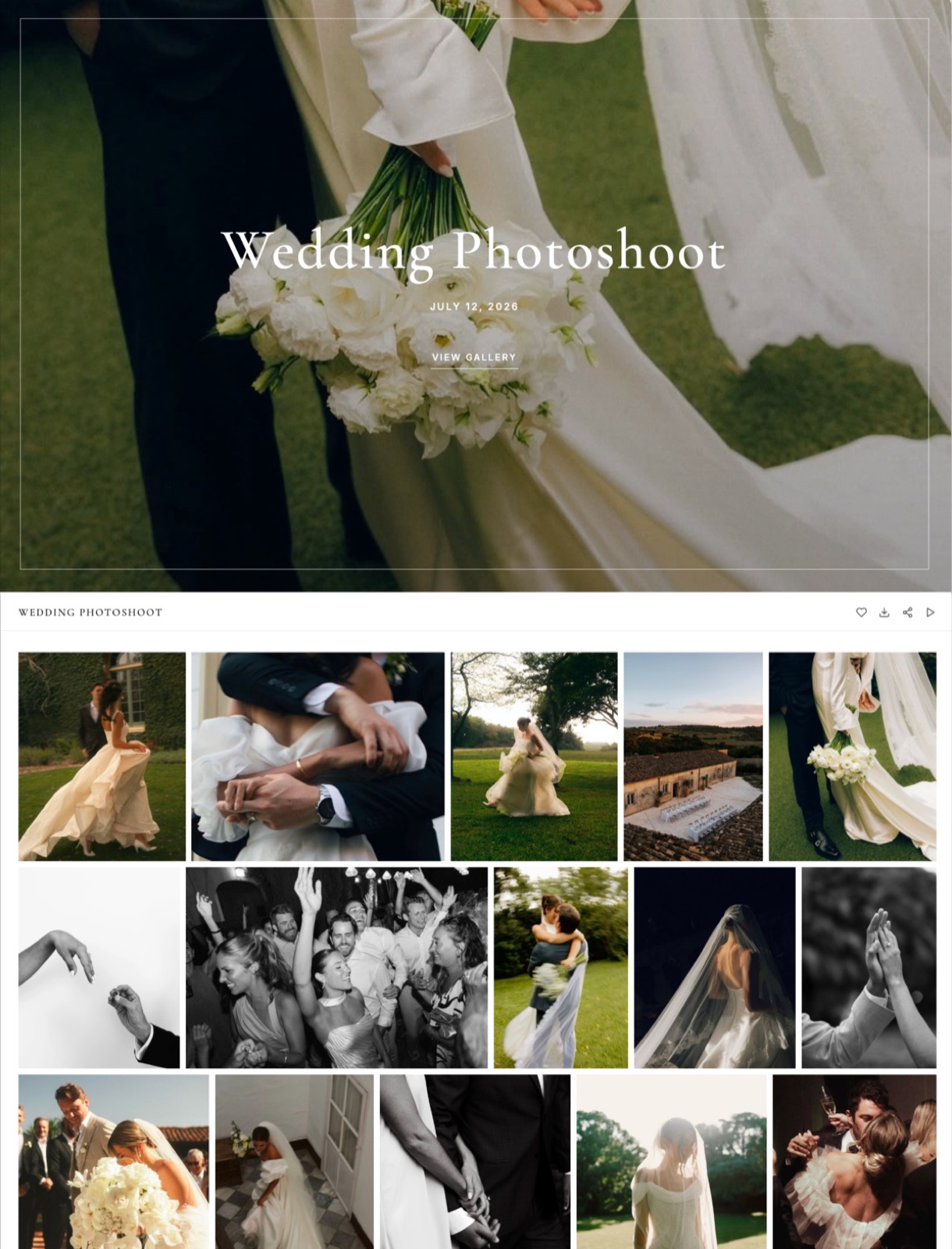
Framekit is an AI website builder with client galleries, video review, Slides and a digital store on one account, so a Framekit gallery is a private page of your own portfolio site that holds a finished shoot's photos and films together, with every gallery feature on every plan including the free one.
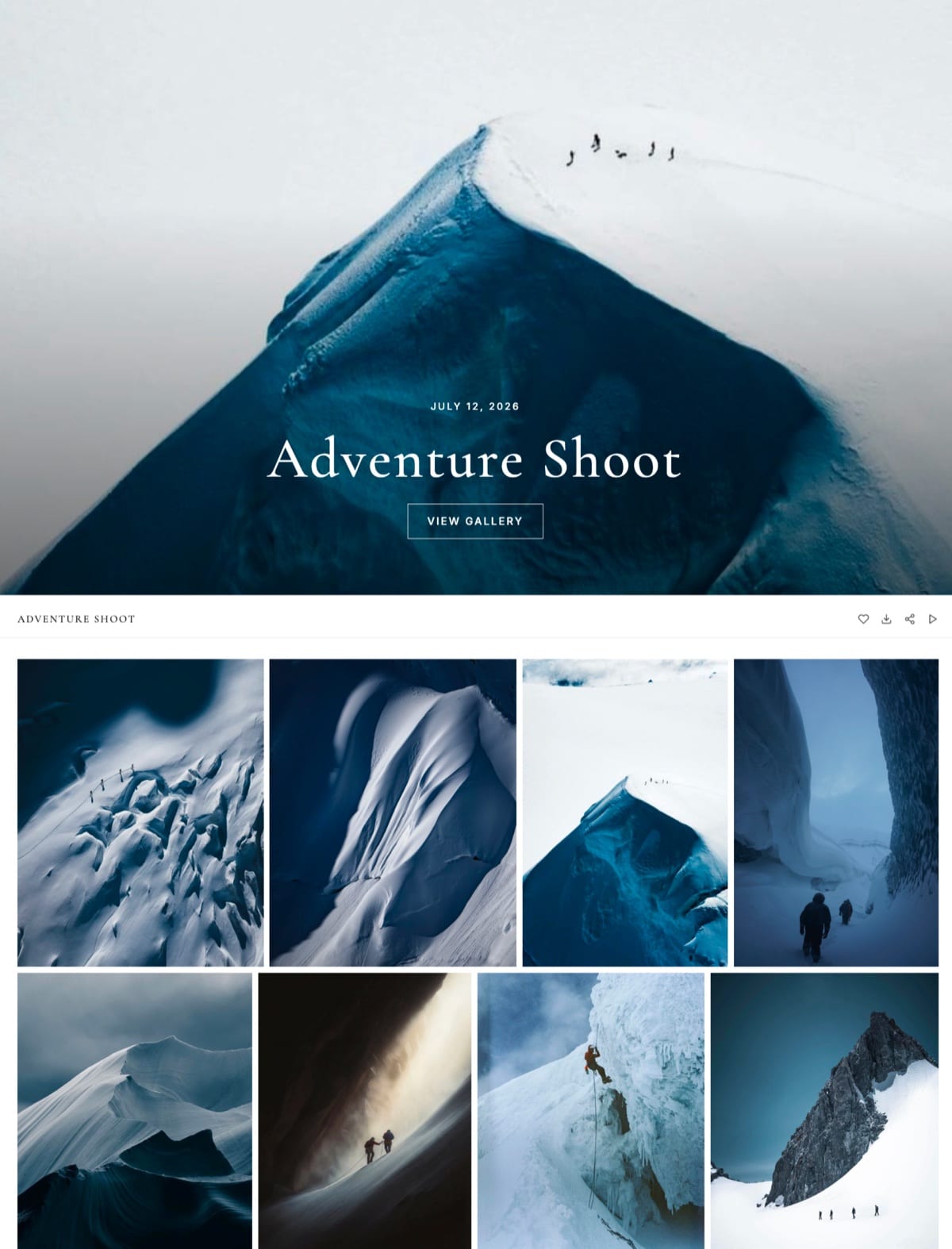
What the client sees. A cover in one of 17 styles with the client's name and date, the shoot split into named sets, and a grid in masonry, rows or an even layout, on a light, dark or custom theme, in one of 7 languages.
Films sit in the same gallery, transcoded so they play in the browser and never watermarked.
What you control. A gallery password, a separate download PIN, a downloads switch, photo watermarks (which mark what is shown; downloads deliver the clean original), email registration before viewing, and an optional expiry date that unpublishes the gallery and sends you and the gallery's linked contacts a reminder three days before.
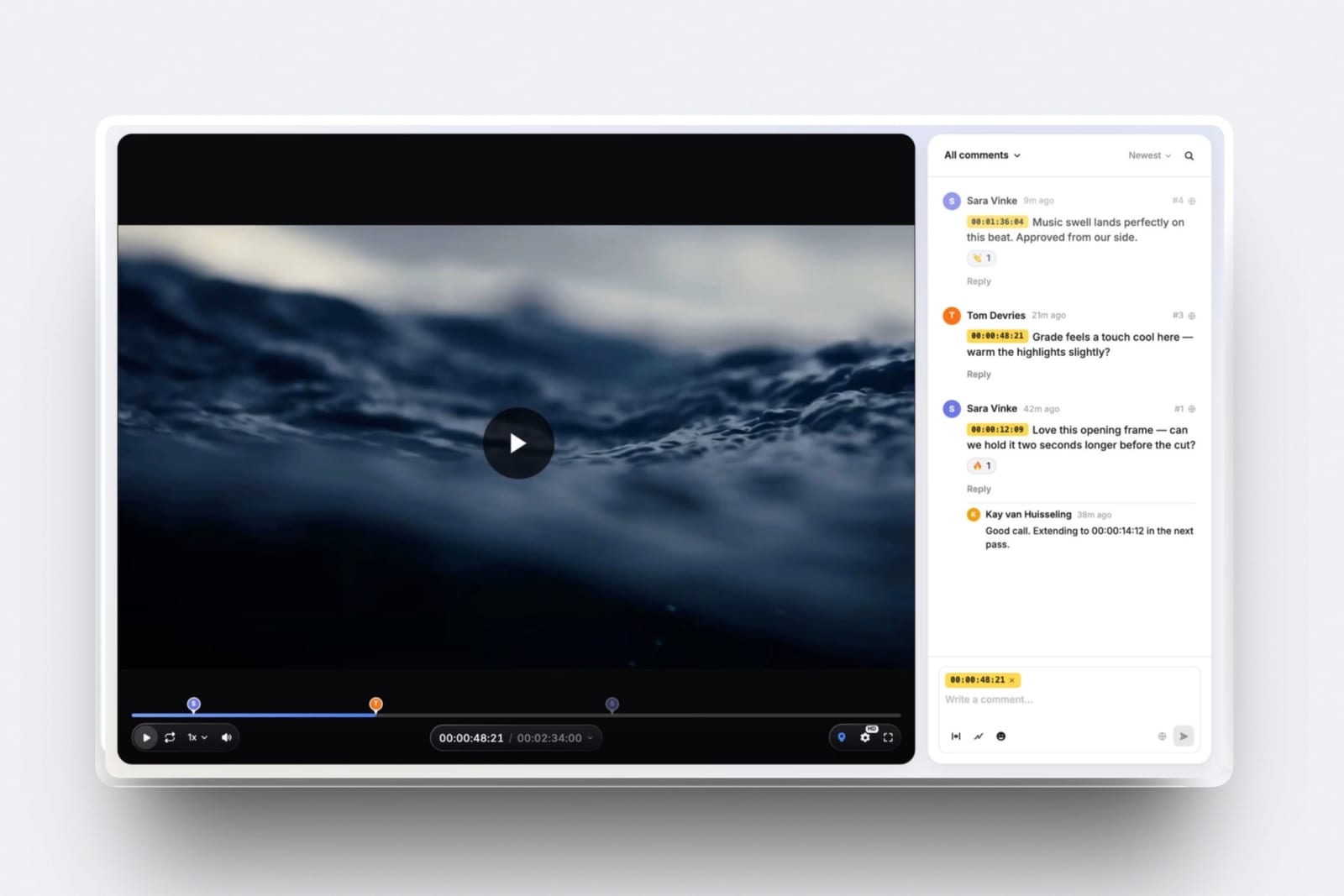
What comes back. The client's first heart asks for their email address, with no password and no account, and their picks go into named lists with notes on individual photos.
A Send to photographer button notifies you in Framekit and by email. The Activity panel logs every list and download by client email, with the PIN used, and exports to CSV.
The number that matters$0. Unlimited galleries with every feature on the free plan, in a 10GB pool shared with your site. Starter is $9 a month ($7 billed yearly) for 50GB and your own domain; Pro $19 ($15) for 300GB; Business $39 ($31) for 2TB.
The gotchaphotos must be JPEG, PNG, WebP or GIF up to 100MB, and films are capped per file at 500MB, 1GB, 2GB or 3GB by plan, and at 2 hours. No RAW, no client uploads, no print store, no mobile app, no unlimited storage.
Verdict: Framekit is the delivery half of the job, on your own domain, and it leaves the working-file half to Drive.
Where Google Drive Wins
Google Drive wins on five counts, and the first two settle the question outright for any delivery whose recipient is a professional rather than a paying client, which is why most studios that move client delivery to a gallery keep paying for Drive.
Price per terabyte. €99.99 a year for 2TB as served to us is far cheaper per gigabyte than any gallery. If your binding constraint is storing a growing archive, Drive or a dedicated backup service wins.
Working files. Layered TIFFs, PSDs, RAW archives, ProRes masters and Lightroom catalogues belong in storage, not a gallery. Framekit refuses those formats at upload.
Two-way exchange. A client who needs to send you a brief, references or their own photos can drop them into a Drive folder. Galleries are one-way by design.
Search across years. Drive finds a 2021 file by name in a second. A gallery makes you remember which gallery it was in.
Workspace clients. If the client's whole company runs on Google Workspace, Drive delivery is frictionless, and their admins may already require it.

Where a Client Gallery Wins
A client gallery wins wherever the person opening the link is a paying customer rather than a colleague, on six counts that all happen after delivery, which is why the difference is invisible the day you share the link and obvious three months later.
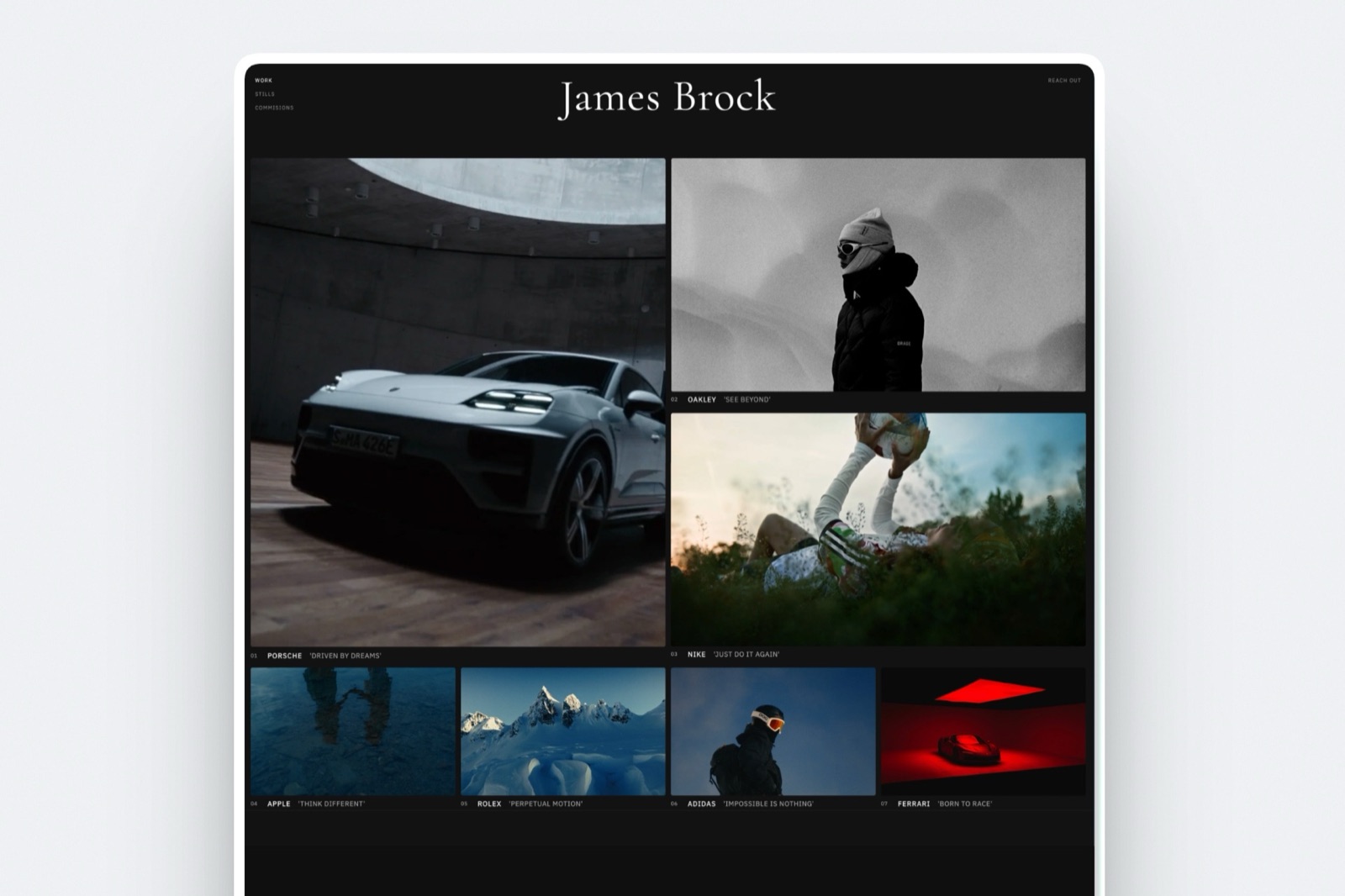
The first thirty seconds. The gallery opens on a full-bleed cover with the client's name; Drive opens on filenames. The photographs are identical and the impression is not, and the impression is what gets forwarded.
Two gates instead of one. A gallery password decides who gets in; a separate PIN decides who downloads. Forward the wedding gallery to forty guests who can browse and heart, while the couple holds the PIN.
Drive can block downloads for viewers, but cannot give one person a code to download while others only look.
Selections come back as lists. Named favourite lists with per-photo notes replace the email that describes a photo by where it sits on screen.
Expiry on purpose. Set a date for a proofing round and a reminder goes out three days before. On a personal Google account, Drive offers no expiry date at all.
Films in the same link. A Framekit gallery plays the highlight film beside the stills; there is no separate video link to send.
Your address. From Framekit's Starter plan the gallery sits at /client/ on your own domain, so a client who returns in 18 months comes back to your own address, with your portfolio and booking page on the same domain, not to a Drive folder; the gallery page itself has no link to them.
What Happens When: Six Delivery Moments Compared
The differences between a client gallery and Google Drive show up in specific moments after delivery, and describing those moments as each tool documents them answers most of the "which should I use" question without any opinion.
The client has no Google account. On Drive, "anyone with the link" access opens without signing in. On Framekit, the client needs the link and the password if you set one; their first heart asks for an email address, with no password.
Forty wedding guests open the link the same evening. On Drive, a busy shared file can hit the temporary "too many users" limit that Google says typically resets within 24 hours.
On a gallery, guests browse and heart, and the download PIN keeps them from saving every file.
Someone forwards the link who should not have it. On Drive, anyone with the link gets in unless you switch to named people. On a gallery, they still need the password, and repeated wrong guesses are rate-limited.
You run out of storage. Google says that over quota you cannot upload new files to Drive, Gmail can be affected, and after two years over quota content may be removed, with at least three months' notice.
Framekit stops an upload that would exceed your pool before it starts and offers an upgrade.
The proofing round should close. On a personal Drive account, you remember to change sharing. On Framekit, the gallery unpublishes itself on the expiry date and returns to draft with the files kept, and visitors see a message asking them to contact you.
The client wants their selects. On Drive, they email you filenames. On Framekit, they press Send to photographer on a named list and you download exactly those photos.
What a Year Costs at Three Usage Levels
A year of delivery through Google Drive alone, a client gallery alone, or both together costs between nothing and a few hundred dollars for most photographers, and the cheapest working setup is usually both, because the archive and the delivery have different storage needs.
Assumptions: 10MB per delivered JPEG, films at 10 Mbps, deliveries kept online for the year, yearly billing. Google One prices are as served to us in euros on 12 October 2026.
| Photographer | What is stored | Drive only | Gallery only (Framekit) | Both |
|---|---|---|---|---|
| Side business: 12 portrait sessions of 40 photos, RAW kept on a drive at home | 4.8GB delivered | Free 15GB, if Gmail and Photos leave room | Free, 10GB | Free plus Free, $0 |
| Full-time portraits: 30 sessions of 60 photos, 1TB RAW archive | 18GB delivered, 1TB archive | 2TB, €99.99 | Starter, $84, archive elsewhere | 2TB Drive €99.99 plus Starter $84 |
| Hybrid weddings: 24 weddings of 500 photos plus a 25-minute film each, 3TB archive | 165GB delivered, 3TB archive | 5TB, €219.99 | Pro, $180, archive elsewhere | 5TB Drive €219.99 plus Pro $180 |
The third row is the useful one. Drive alone looks cheaper by about $180 a year, but it is storing the archive, and the gallery is doing the client-facing job: favourites, the PIN, films in the same link, expiry and your own domain.
If you already pay for a portfolio website elsewhere, Framekit's plan includes the site, which can make "both" the cheaper total.

Using Both: Where to Draw the Line
The setup most working studios settle on is both tools with a clear line between them, drawn by whether the file is finished and whether the person receiving it is paying you, and writing the line down once stops every new job from reopening the question.
- Google Drive for camera originals, layered files, Lightroom catalogues, project folders, retoucher and editor exchange, anything a client sends you, and your archive and backup copy.
- A client gallery for the finished photos and film a paying client sees, with the password, PIN, favourites and expiry set per job.
- Video review for the cut before it is final. On Framekit, video review runs on the same account, so the approved version goes straight into the delivery gallery.
The handoff between them is one step: export finals from your editing software, upload them to the gallery, and leave everything else in Drive. The Framekit vs Dropbox comparison draws the same line for Dropbox users.
Moving Client Delivery From Drive to a Gallery
Moving client delivery off Google Drive takes one evening for the setup and then happens job by job, because there is no archive to migrate: old Drive links keep working, and only new deliveries go into galleries.
| Step | What to do | Watch out for |
|---|---|---|
| 1. Draw the line | Decide that finished client deliveries go to galleries and everything else stays in Drive | Working files and client uploads stay in Drive |
| 2. Check formats | Export finals as JPEG; convert HEIC; films as MP4 or MOV | Framekit refuses RAW, TIFF, PSD and HEIC |
| 3. Check sizes | Photos under 100MB; films under 500MB Free, 1GB Starter, 2GB Pro, 3GB Business | Films over 2 hours stay in Drive |
| 4. Build the site | Connect your domain on Starter or above | Galleries publish at /client/ on that domain |
| 5. Set a house style | Cover style, typography, grid, watermark | Reuse it on every gallery |
| 6. Set the gates | Unique password, separate PIN, downloads on or off | Write both codes into the delivery email template |
| 7. Decide expiry | Proofing rounds 14 to 21 days; finals none or 12 months | Link the client as a contact so they get the reminder |
| 8. Leave old links | Keep past Drive deliveries shared until clients have their files | Do not delete folders a client may still be using |
How to Choose: A Decision Tree
Ask these five questions in order, because each one removes an option for a specific reason and most photographers have their answer by the third, without needing to weigh features against each other.
1. Is the recipient a professional who will process the files further? If yes, use Google Drive and stop here. If no, go to 2.
2. Are the files RAW, layered or project files? If yes, Drive. If they are finished photos or films, go to 3.
3. Will the client forward the link to family, guests or colleagues? If yes, you need a password and a separate download PIN, which means a gallery. If no, go to 4.
4. Do you need favourites back, or an expiry date on a personal Google account? If yes, a gallery. If no, go to 5.
5. Do you deliver fewer than about six shoots a year to relaxed clients? If yes, Drive is fine, or a free gallery plan if you want the presentation anyway. If no, a gallery, and Framekit's free plan is the zero-cost way to start.
Run it yourselfsend the same 30 finished photos to a trusted past client twice, once as a Drive link and once as a free Framekit gallery, and ask which one felt like it came from a professional studio and which they could find again in a year.
Frequently Asked Questions
Is Google Drive good enough for delivering client photos?
Google Drive is technically adequate for delivering client photos: files arrive at full resolution and "anyone with the link" access opens without signing in.
It is weaker for paying clients because it has no password, no favourites, no separate download PIN and, on personal accounts, no expiry dates. Use it for collaborators and working files, and a client gallery for finished deliveries.
Do clients need a Google account to open a Google Drive link?
No, not with "anyone with the link" access. Google's help page says people with the link can use the file without signing in to a Google account, as a viewer, commenter or editor.
If you share with named email addresses instead, recipients need to sign in with those addresses, which is where most delivery friction comes from.
Can I password-protect a Google Drive folder?
No. Google Drive has no password option; access is by link or by named people, and you can stop viewers and commenters from downloading, printing or copying.
A client gallery adds a password per gallery and, on Framekit, a separate download PIN on every plan, so guests can browse while only the client downloads.
Can a Google Drive link expire?
Only on eligible work or school accounts, according to Google's sharing help page in October 2026; personal accounts cannot set an expiry date on access.
Framekit galleries can expire on a date you set on every plan, unpublishing on that day with files kept, and send you and the client a reminder three days before.
Is Google Drive cheaper than a client gallery?
Per gigabyte, yes. Google One's 2TB plan was €99.99 a year on the page Google served us on 12 October 2026, against $372 a year for 2TB on Framekit Business.
But Framekit's free plan delivers unlimited galleries in 10GB for $0, and most photographers keep far less online for delivery than they archive, so Drive for the archive plus a small gallery plan is often the cheapest real setup.
Can I deliver video through Google Drive or a client gallery?
Both. Drive stores and shares video files of any size within your storage.
Framekit puts films up to 2 hours long in the same gallery as the stills, with per-file caps of 500MB, 1GB, 2GB or 3GB by plan, transcodes them for smooth browser playback and never watermarks them, so the client watches the film without downloading it first.
What happens to Google Drive links when I run out of storage?
Google says that over quota you cannot upload new files to Drive, Gmail can be affected and Google Photos stops backing up; after two years over quota, content may be removed, with at least three months' notice.
Plan storage before a busy season, and do not let a delivery link depend on an account that is near its limit.
Can clients upload photos to a client gallery like Google Drive?
Not to a Framekit gallery: galleries are one-way delivery, and Framekit has no client uploads. If a client needs to send you files, share a Drive folder with editor access for that job.
Proofing tools like PicDrop accept client uploads, which is one reason commercial studios sometimes run a selects tool beside their delivery gallery.
Should I use Google Drive and a client gallery together?
Yes, most working photographers should. Keep Drive for camera originals, layered files, collaborator exchange, client uploads and your archive; use a client gallery for the finished photos and films a paying client sees.
Framekit's free plan makes the gallery half cost $0 while you test the split.
Is Framekit or Google Drive better for wedding photos?
Framekit is better for delivering wedding photos to the couple, because the gallery has a designed cover, sets, favourites for album picks, a password and a separate download PIN for forwarded guest links, and the film in the same link.
Google Drive is better for storing the wedding's RAW files and exchanging working files with an editor or album designer.
How many people can I share a Google Drive file with?
Google's help page says a single file can be shared with up to 600 individual email addresses, and "anyone with the link" access has no stated viewer limit, though very busy shared files can hit a temporary download limit that typically resets within 24 hours.
A Framekit gallery has no viewer limit either, and its share email goes to up to 20 recipients at a time.
The Verdict
Google Drive is not the wrong tool; it is the right tool for the wrong half of the job. For camera originals, collaborators, client uploads and your archive, its price, any-file storage and search are hard to beat, and nothing here argues you should stop paying for it.
For anything a paying client opens, use a client gallery.
The photographs are the same either way; what changes is whether the client sees a designed page or a file list, whether guests can browse without downloading, whether selections come back as lists, whether a proofing round closes on its own, and whether the link sits on your domain or Google's.
Framekit does all of that on its free plan and moves the gallery to your own domain from $7 a month billed yearly; it does not store RAW, take client uploads or sell prints, which is exactly why Drive stays in the workflow.
Related readingclient gallery vs WeTransfer, what a client gallery is, how to create a client gallery, how to deliver photos to clients, and best Google Photos alternatives for photographers.