Framekit templates
Start from a designer-made template
 Use template
 Use template
 Use template
 Use template
 Use template
 Use template
 Use template
 Use template
One brand shoot for a coffee roaster produces four things the client has to receive: 480 retouched stills weighing 12GB, a three-minute cut at 1.4GB, a fourteen-slide recap deck, and at wrap a 40GB archive of selects the agency asked to keep.
Four deliverables, one client, one week.
Most freelancers send those four from four different places. The stills go to a gallery, the cut goes to a review tool, the deck goes as a link, and the archive goes through a transfer service.
The tools to share work with clients get chosen one emergency at a time, and the result is that the same client meets four link behaviours, four password schemes and four expiry rules inside a single project.
That is the actual problem, and it is not a storage problem.
A client file sharing tool is a service that puts finished or in-progress creative work somewhere a client can view, comment on or download it, with controls over who gets in, what they can take and how long the link stays alive.
The three shapes it comes in are stills, motion and documents, and the tools below are ranked by how well they handle each shape and what happens when one project needs all three.
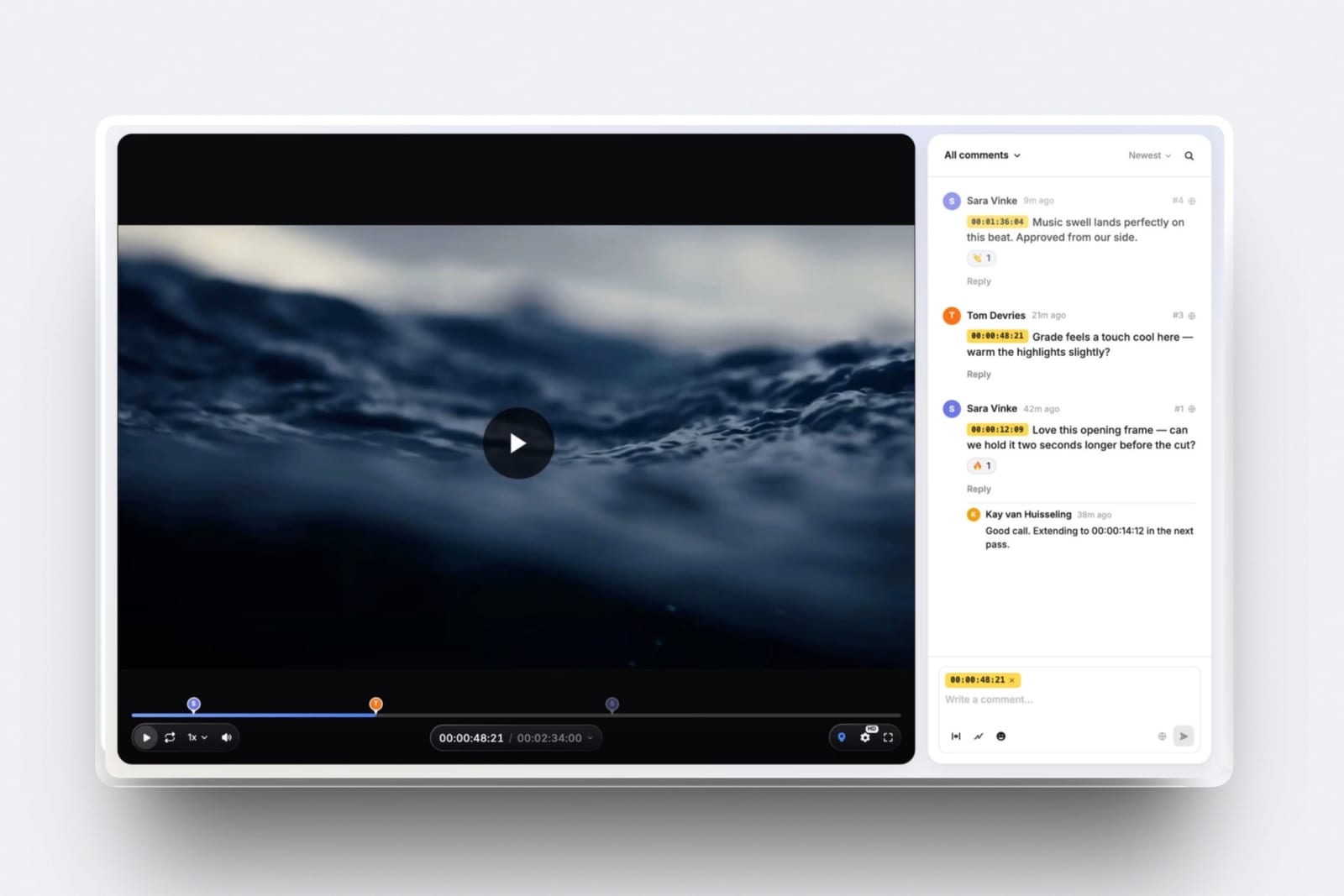
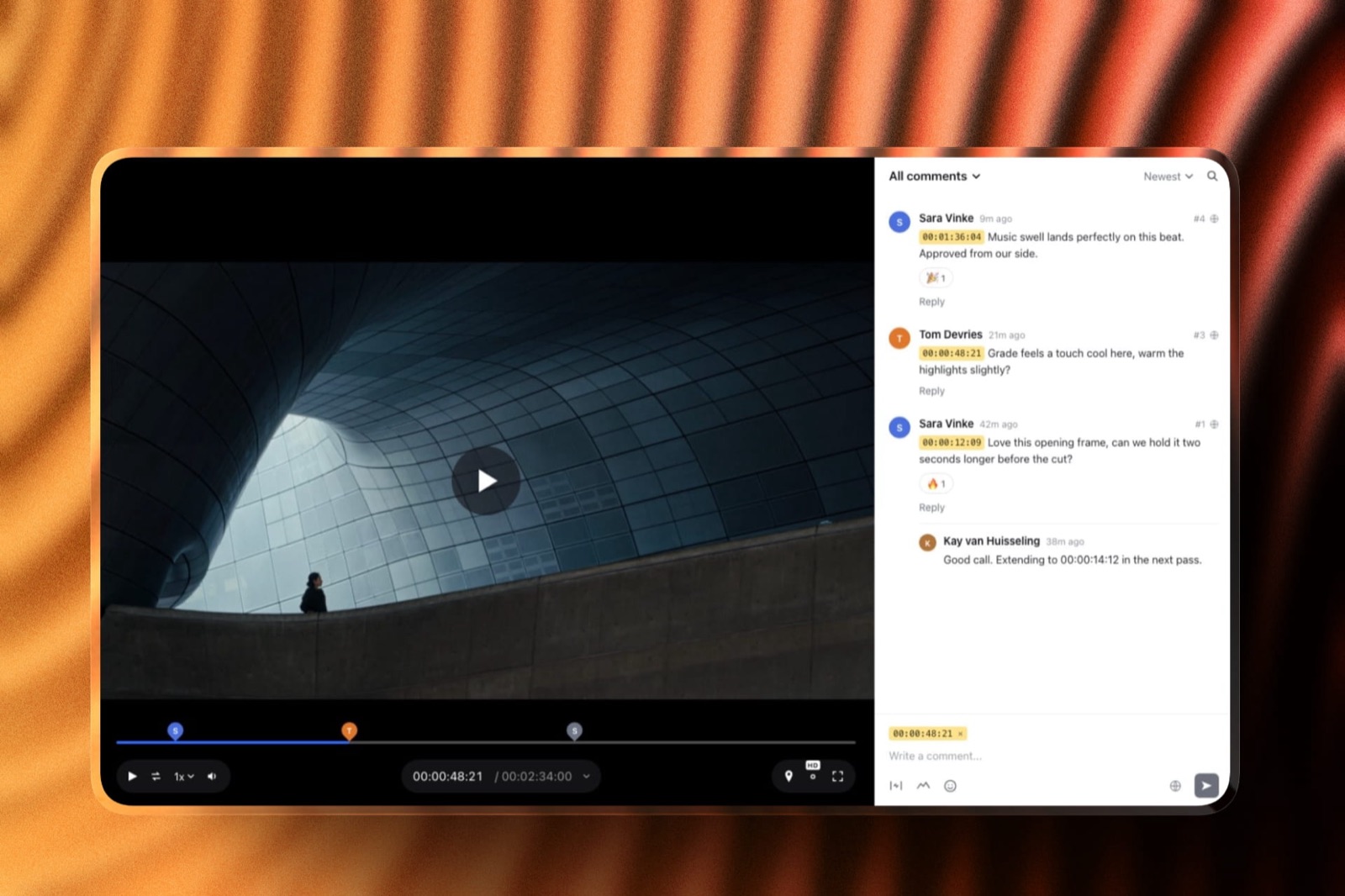
Framekit ranks first because one account covers all three shapes with identical controls: stills and video go into client galleries, cuts go into timecoded video review, decks share as links, and every gallery and review page carries the same password, separate download PIN, email registration and auto expiry on every plan including free, with no account for the client to create at any point.
Frame.io is the better buy for motion alone if you live in Premiere or Resolve, Pixieset wins for stills where the client buys prints, and a one-off 40GB handover is not a Framekit job at all: send that through MASV at 25 cents a gigabyte or WeTransfer and stop trying to make a gallery hold it.
Full disclosure: Framekit is our product, which is why the concessions in this guide are specific rather than decorative: we have no Camera to Cloud, no editing-suite panels, no transcription, no print lab, and no password on a deck link. Every competitor figure below was read on that vendor's own published page in September 2026 and linked where it is used. WeTransfer's pricing page returns an error banner to automated readers, so no WeTransfer price or size limit appears anywhere in this guide and its pricing page is not linked.
How these tools were compared, and what is missing on purpose
Two kinds of statement appear below, and it is worth knowing which is which before you spend money on the strength of either one, because they carry very different weight.
Read at the source. Plan prices, storage limits, per-file caps, commission rates and transfer allowances were read on each vendor's own published pricing page in September 2026 and linked at the point of use.
Where a page served European pricing to this session, the figure appears in euros and is labelled, not converted.
Calculated. The arithmetic is ours and shown so you can rerun it. The carried project is the coffee-roaster shoot described above: 12GB of stills, a 1.4GB cut, one deck and one 40GB archive, delivered once, by a freelancer doing fourteen jobs a year.
Not claimed. There is no rating, no score and no timing here, because nobody sat down and ran twelve products through a controlled trial and a comparison page that says otherwise should be asked for its receipts.
Two vendors declined to show figures: WeTransfer's pages render an error to an automated reader, and Smash publishes its free tier but not its Pro and Team prices. Both are ranked on what they do, without invented numbers.
Client file sharing by the numbers
These seven published figures decide most of the choice between the tools ranked below, and every one of them is checkable against the source linked beside it in a couple of minutes.
- 25 cents per gigabyte: MASV on-demand pricing, with 15GB free every month, which makes the 40GB archive in our example cost $6.25 once.
- $0.07 per GB per month: what MASV charges to keep a file beyond its five free days of storage.
- Up to 50GB per transfer: the file-transfer ceiling on Dropbox Plus, listed at 9.99 euros a month for European buyers in September 2026.
- 2GB per transfer, 7 days: the published limit on the free Smash plan, with unlimited transfer size and 30-day validity on the paid tiers.
- 3GB per video file: Framekit's per-file video cap on Business, stepping down to 2GB on Pro, 1GB on Starter and 500MB on Free, with a two-hour maximum length per video.
- 15% commission: what the free Pixieset plan takes from print and product sales, dropping to zero on the $8 a month Basic plan.
- $199 a month: Filestage Starter, which is the top of this market and a useful reminder that review tooling can cost more than a camera rental.
The three shapes of client work, and who handles each one well
Before comparing tools, compare shapes, because the reason most sharing stacks are a mess is that a tool built for one shape is quietly used for all three.
The fourth row below is not a shape at all but a weight, and it is the one every gallery on this page refuses, ours included.
| Shape | What the client needs to do | Tools that do it properly | Tools that will fight you |
|---|---|---|---|
| Stills, 480 files at 12GB | Browse, favourite, download full resolution | Framekit, Pixieset, Pic-Time, ShootProof | WeTransfer, Smash, a Drive folder |
| Motion, a 1.4GB cut | Watch, comment at a timecode, approve | Framekit, Frame.io, Filestage, Vimeo | Dropbox, Google Drive |
| Documents and decks | Read in order, no download needed | Framekit Slides, Google Drive | A gallery, a transfer link |
| A 40GB archive | Receive once, store nowhere | MASV, WeTransfer, Dropbox | Every gallery tool here, ours included |
In one lineThe bottom row is the concession that shapes this whole guide, because a client gallery is designed to present files one by one and a transfer service is designed to move a single heavy object, and asking either one to do the other job is where most delivery days go wrong.
1. Framekit: Best for Sharing All Three Shapes From One Account

Framekit is an AI website builder that also runs the three surfaces a client project actually sends from: private galleries for stills and video, timecoded review pages for cuts, and Slides for the deck, all administered from one account of yours and all carrying the same set of controls.
Best forA photographer or filmmaker whose projects produce more than one kind of file and who is tired of explaining three different link behaviours to the same client.
The argument for first place is that the controls do not change when the file type does.
A Framekit gallery and a Framekit review page both take a password, both can require an email before anyone views, both can be set to expire on a date, and the gallery adds a second lock in the form of a separate download PIN.
Those are on every plan, free included, which is unusual: on most of the tools below, the equivalent controls sit two tiers up.
The number worth rememberingunlimited galleries on every plan, with 10GB of pooled storage free, 50GB on Starter at $9 a month, 300GB on Pro at $19 and 2TB on Business at $39.
Pooled means the site, the galleries and the review pages draw from one bucket, so the 12GB of stills and the 1.4GB cut in our example both come out of the same 300GB.
The thing the client never has to dosign up. Guests leave timecoded comments, replies and reactions on a review page without creating an account, a gallery opens from a link with a password if you set one, and a deck is a plain URL.
The accounts being counted in this comparison are the ones you administer and pay for, not anything asked of the person receiving the work.
The detail nobody writes aboutthe download PIN is separate from the gallery password, which sounds like a small thing until a client forwards the gallery link to fourteen relatives. The viewing lock and the taking lock are different codes, so you can be generous with one and strict with the other.
The gotcha that bites in week threeper-video caps. A single video file is limited to 500MB on Free, 1GB on Starter, 2GB on Pro and 3GB on Business, with a two-hour ceiling on length.
Our 1.4GB cut fits from Pro upward and does not fit on Starter, so check the file before you check the plan.
And the deck link has no password and no per-viewer analytics, only a total view count, which is fine for a recap and wrong for anything confidential.
Who should skip itanyone whose sharing problem is one enormous file. A 40GB archive has no home in a gallery here, and the right answer is a transfer service, which is covered further down this page without any attempt to talk you out of it.
Verdict: The best answer when one project produces stills, motion and a document, and a poor answer when it produces one 40GB object. Buy it for the shape of your projects, not for the size of your largest file.
2. Frame.io: Best for Motion Review Inside the Edit
Frame.io remains the tool the rest of the category is measured against for one reason: it does not stop at the share link, it reaches into the editing suite and the camera.
Best forEditors and production teams working in Premiere, After Effects or Resolve who want the review round to happen without leaving the timeline.
The free plan covers up to 2 members with 2GB of storage, 2GB of Mounted Storage and up to 2 projects, and it still includes Camera to Cloud, transcription and captions and frame-accurate comments.
Pro is $15 per user a month billed monthly, with a 13% discount on annual billing, up to 5 members, 2TB plus 2TB per extra member, unlimited projects, custom-branded shares, passphrase-protected shares, share link expiration and comment attachments.
Team is $25 per user a month with up to 15 members and 3TB.
What it has that we do not, stated plainlyCamera to Cloud, panels inside the editing applications, transcription and captions, and on Enterprise, session-based and forensic watermarking plus digital rights management. If any of those is on your must-have list, this comparison is already over and Frame.io wins it.
The gotcha that bites in week threestorage is the meter that moves. The free 2GB disappears after one shoot day of proxies, and the jump to Pro is per user, so a director bringing in a producer and a colourist is paying $45 a month before anyone has commented on anything.
Who should skip ita stills photographer. Frame.io is a motion product and the gallery experience a portrait client expects is not what it was built for.
Verdict: The professional standard for motion, priced like one, and the correct choice for anyone whose day is spent in an NLE. Our roundup of video review tools puts the narrower alternatives beside it.
3. Dropbox: Best for a Shared Folder That Stays Live
Dropbox earns its place because a folder is genuinely the right structure for some client relationships, particularly ongoing retainers where files change rather than get delivered once.
Best forLong-running client relationships, agency handovers, and anyone whose client already lives in Dropbox and will not be moved.
Dropbox served European pricing to this session in September 2026: Basic is free with 2GB, Plus is 9.99 euros a month with 2TB for one person and file transfers up to 50GB, and the team tiers start at 3TB and 15TB with transfers up to 100GB, listed at 12 and 18 euros per user a month.
The number worth remembering50GB per transfer on Plus covers our 40GB archive comfortably, which makes Dropbox a legitimate alternative to a per-gigabyte transfer service if you already pay for it.
The catch is the word already: 9.99 euros a month is about 120 euros a year for a capability you may use twice.
The gotcha that bites in week threea shared folder has no presentation layer and no proofing. The client sees file names, sorts them wrong, downloads the RAWs you did not mean to include, and then asks which of the 480 images is the one you liked. Delivery is a presentation problem as much as a transfer problem.
Verdict: Excellent infrastructure, poor delivery experience. Use it as the place files live and something else as the place clients look, and see client gallery versus Google Drive for why the same logic applies to the other big folder.
4. WeTransfer: Best for a One-Off Send to Someone Who Will Not Sign In
WeTransfer is the default for a reason that has nothing to do with features: the recipient does not need an account, an app or an explanation, and for a one-off handover that is worth more than a proofing interface.
Best forSending something once to a producer, an agency contact or a print shop who will never come back.
Its pricing pages returned an error banner to this session rather than plan details, so no WeTransfer price, transfer ceiling or storage figure is quoted here and the pricing page is not linked.
That is a limitation of this comparison, not a criticism of the product, and it is flagged rather than filled in with a number from a third-party aggregator.
What it is genuinely good atfriction. There is no onboarding, no password to invent and no folder structure to explain. If the alternative is a client asking you to email files, this wins.
The gotcha that bites in week threelinks expire and people forget. A transfer service is the wrong home for the delivery a client will want again in eleven months, and "can you resend it" is the most expensive email in freelancing.
If that is your pattern, a gallery with a known expiry policy is the fix, and how long client galleries should stay online works through the trade-off.
Verdict: Still the right tool for one heavy send to one person, and the wrong one for anything you will be asked for twice. If you are looking to move on from it, WeTransfer alternatives covers the field.
5. MASV: Best for a Genuinely Huge Handover
MASV is built for the file sizes the rest of this list quietly hopes you do not have, and it prices honestly by the gigabyte rather than by the month.
Best forPost houses, DITs and anyone shipping camera originals, project archives or a season of footage.
On-demand pricing is 25 cents a gigabyte with 15GB free every month and no contract.
Annual subscriptions run $58 a month for 250GB at 23 cents a gigabyte, $110 for 500GB, $215 for 1TB and $410 for 2TB, billed monthly on a twelve-month commitment. Pre-buy credits valid for 180 days go from $1,229 for 5TB to $5,632 for 25TB.
Files sit in storage free for five days, then cost $0.07 per gigabyte per month.
The number worth rememberingour 40GB archive costs $6.25 on the on-demand plan, because the first 15GB each month is free and the remaining 25GB is billed at a quarter each. Compare that to 120 euros a year for a Dropbox subscription you keep whether you send anything or not.
The gotcha that bites in week threethe five-day storage window. Charges start quietly after it, and a 40GB file left sitting costs $2.80 a month, which is trivial once and irritating when you have forgotten about eleven of them.
Who should skip ita wedding photographer delivering 600 JPEGs. Per-gigabyte pricing is a gift when files are enormous and pointless when they are not.
Verdict: The correct answer for the one job every gallery tool including ours is wrong for. Keep an account open and use it twice a year without guilt.
6. Google Drive: Best for Mixed Folders and Documents
Google Drive gets used for client delivery because it is already open in the next tab, and it is worth being precise about where that is sensible and where it quietly costs you.
Best forDocuments, spreadsheets, briefs and mixed folders a client will edit rather than admire.
Google One lists storage in euros for European buyers: every Google account includes 15GB free, 100GB is 1.99 euros a month, 2TB is 9.99 euros and 5TB is 21.99 euros, with up to 16% off annual billing.
The number worth remembering15GB free is smaller than the 12GB of stills plus the 1.4GB cut in our carried project, which means a single brand shoot fills a free Google account. That surprises people who assume Drive is the cheap option.
The gotcha that bites in week threepermissions. Drive's sharing model is built around Google accounts, so a client without one gets the anyone-with-the-link setting, which is a public URL with a long string in it rather than a password.
There is no download PIN, no watermark and no expiry you can set on the file itself in the consumer product.
Verdict: The right place for the brief and the wrong place for the delivery. Keep the documents there and put the pictures somewhere designed for pictures.

7. Pixieset: Best for Stills When the Client Buys Prints
Pixieset is the gallery most portrait and wedding photographers already know, and its real argument is not the gallery at all: it is the storefront attached to the bottom of it.
Best forPhotographers whose clients order prints, albums and wall art from the delivery gallery.
The free plan gives 3GB and unlimited galleries with the store included and a 15% commission on sales.
Basic is $8 a month billed annually, or $10 monthly, with 10GB, commission-free sales, a custom domain, 30 minutes of video and 100 emails a month.
Plus is $16 a month with 100GB, Pro is $24 with 1,000GB and RAW support, and Ultimate is $40 with unlimited storage.
The number worth rememberingthe 15% free-plan commission turns $1,000 of print orders into $150 of platform cut, while Basic at $96 a year takes nothing.
Above roughly $640 of annual print sales, the paid plan is cheaper, and that crossover is worth calculating on last year's orders before you choose a tier.
The gotcha that bites in week threestorage is small at the bottom. Our 12GB shoot does not fit in the free 3GB and only just fits in Basic's 10GB if you deliver nothing else that month, so the realistic plan for a working photographer is Plus at $192 a year.
Verdict: The right choice for a print-led business and a duplicate purchase for a digital-only one. If prints are your margin, nothing on this page beats it, and our client gallery platforms comparison lines it up against the rest.
8. Pic-Time: Best Gallery That Tries to Sell for You
Pic-Time takes a different position from its rivals: the gallery is a marketing surface, and the product runs campaigns at your client rather than waiting for the client to browse.
Best forPhotographers who want automated sales flows around the delivery rather than a passive download page.
The free plan starts at 10GB of photo storage, dropping to 3GB after six months, with 1GB for video. Beginner is $7 a month billed annually, or $8 monthly, with 20GB of photos and 5GB of video.
Professional is $21 a month annually with 100GB and 30GB of video and no commission on self-collected payments. Advanced is $42 a month annually with unlimited photo storage and 60GB of video. Extra brands are $6 a month each.
The detail worth knowingthe free plan's storage shrinks after six months, which is a design decision rather than a bug and catches people who treated the free tier as an archive. Plan for the 3GB, not the 10GB.
Verdict: The strongest sales-led gallery in the category and more product than a documentary filmmaker needs. Choose it if the gallery is a shop.
9. Vimeo: Best Private Video Link With a Player You Control
Vimeo is the sensible answer when the thing you need is a clean private link to a finished film, with no recommendation bar underneath and no branding that is not yours.
Best forSending a finished piece to a client, a festival or a prospect, rather than collecting notes on a work in progress.
Vimeo lists Free at $0 per seat a month, Starter at $12, Standard at $25 and Advanced at $75, with Enterprise quoted.
For a freelancer, Starter at $144 a year is the realistic entry point for private links with the player under your control.
The gotcha that bites in week threereview and delivery are not the same job, and using a hosting plan as a review tool means notes arrive in the comments or, more likely, in an email that says "around the middle". If the client's job is to give notes, use something that pins them to a timecode.
Verdict: A fine home for the finished film and a mediocre place to collect feedback on a rough cut. Our guide to video hosting for client review covers where the line falls.
10. Filestage: Best for Structured Approvals With Deadlines
Filestage is built for teams whose review process has steps, owners and due dates, which is a different problem from sending a link and hoping someone watches it.
Best forAgencies and in-house teams running formal approval rounds across stills, video and PDFs inside the same round.
The free plan allows one active project, five new files a month, ten team members, two reviewer groups and 2GB of storage.
Starter is $199 a month with unlimited projects and files, 1TB and two reviewer groups. Business is $329 a month with 3TB and three reviewer groups. Enterprise is quoted and includes 10TB. Annual billing is advertised as two months free.
The number that decides it$199 a month is $2,388 a year, which is thirteen times Framekit Pro and more than most freelancers spend on all software combined. That is not an argument against Filestage, it is an argument about who it is for.
Who should skip itevery solo creative. The free tier's one project and five files a month will not carry a working freelancer through a single busy week.
Verdict: Genuinely good approval software aimed at organisations with approval problems. Freelancers should look at it and walk away.
11. Smash: Best Free Send Above the Usual Wall
Smash exists in the gap between "email it" and "pay for a transfer service", and its free tier is more generous about duration than most.
Best forAn occasional send where the file is too big for email and the budget is nothing.
The free plan allows 2GB per transfer with larger transfers deprioritised, and transfers stay valid for 7 days. Pro, Team and Enterprise all advertise unlimited transfer size and 30-day validity.
Pro and Team prices were not displayed to this session, so they are not quoted here.
The detail worth knowingthe free tier does not hard-refuse oversized transfers, it deprioritises them, which means a large free send can be slow rather than impossible. That is a reasonable trade if you are not in a hurry and a bad one if the client is waiting.
Verdict: A useful free option and not a system. Keep it for the occasional send and do not build a delivery process on a 7-day link.
12. ShootProof: Best Stills Delivery With No Commission at Any Tier
ShootProof makes one promise and keeps it on every plan including the free one, which is that it never takes a percentage of what you sell through the gallery.
Best forPhotographers who sell through their galleries and want the platform cut to be zero at every tier, including the entry plan.
The free plan gives 3GB of photo storage. Starter is $8.33 a month billed annually, or $9.99 monthly, with 20GB of photo and video. Standard is $16.67 a month annually with 100GB.
Professional is $26.67 a month annually with 1,000GB of photos and 50GB of video. Premium is $50 a month annually with unlimited photos and 150GB of video. Commission is 0% on all of them.
The comparison that mattersagainst Pixieset's free plan, which takes 15%, ShootProof's zero-commission position is worth $150 on $1,000 of sales from the first order. Against Pixieset Basic at $96 a year with the same 0%, the two are close and the choice comes down to storage and the look of the gallery.
Verdict: The straightest pricing in the gallery category. Less well known than Pixieset, and on a $400 print order sold from a free account it is the $60 of commission you do not pay.
What each link can actually be locked with
In one lineThe question that separates these tools is not how much storage you get, it is what a link can be set to do once it leaves your hands, and that answer changes from tool to tool and from plan to plan in ways nobody puts on the comparison chart.
Here is what the controls look like on three tools whose behaviour is documented publicly, so the comparison rests on published descriptions rather than recollection.
| Control | Framekit gallery or review page | Frame.io | Google Drive |
|---|---|---|---|
| Password on the link | Every plan | Passphrase-protected shares from Pro | Not documented as an option |
| Separate download PIN | Every plan | Not offered as a separate code | No |
| Email required before viewing | Every plan | Not listed on the free tier | Access is by Google account or anyone with the link |
| Link expiry date | Every plan | Share link expiration from Pro | Expiration is for eligible work or school accounts |
| Watermark on previews | Every plan | One static watermark template from Pro | No |
| Your own domain on the link | Paid plans | Custom-branded shares from Pro | No |
The Google Drive column comes straight from Google's own sharing documentation, which lists the three access levels as Public, Anyone with the link and Restricted, and states that the expiration date feature is only available for eligible work or school accounts.
Password protection is not among the options it documents.
Two honest notes on our own column. Frame.io's Enterprise tier adds session-based and forensic watermarking that nothing else here matches, and it is the correct tool if a leak is a legal problem rather than an embarrassment.
And a Framekit deck link is the exception in that column: it has no password and no per-viewer analytics, only a total view count, so a confidential pitch belongs in a tool built for that.
The test you can run todaytake the last link you sent a client, open it in a private browser window, and see how far you get. If the answer is all the way to a full-resolution download without typing anything, that is your current security model.
There is a second count worth doing while you are there.
Add up the vendor accounts you administer and renew to cover one project: a gallery subscription, a review subscription, a transfer service and a deck tool is four dashboards, four renewal dates and four sets of default settings to keep straight.
None of those four is an account your client has to open, and neither is ours, which is why the number that matters to you is the number of subscriptions rather than anything on the client's side.
The 40GB handover, priced four ways
In one lineThis is the section where the ranking above stops applying, because a single 40GB object is a transfer problem rather than a presentation problem and every gallery tool on this page, ours very much included, is the wrong shape for it.
Framekit cannot take it. Galleries hold photos up to 100MB each and video files up to 3GB on the top plan, so a 40GB archive has nowhere to go. Saying that plainly is more useful than inventing a workaround involving eleven split files.
| How you send the 40GB archive | What it costs | What you keep paying |
|---|---|---|
| MASV on-demand, 15GB free then 25c a GB | $6.25 once | $2.80 a month if you leave it stored |
| MASV pre-buy credits, 5TB at $1,229 | About $9.83 of credit | Credits expire after 180 days |
| Dropbox Plus, transfers up to 50GB | Covered by the plan | 9.99 euros a month, about 120 euros a year |
| WeTransfer | Not published to this session | A subscription if the size needs one |
The arithmetic favours on-demand transfer for anyone doing this twice a year. Two 40GB handovers on MASV cost $12.50 against about 120 euros for twelve months of a Dropbox subscription bought for the same purpose.
If Dropbox is already in your life for other reasons, the calculation changes completely, which is the honest version of most software comparisons.
Why expiry is the setting that matters most
In one lineExpiry decides whether your delivery is a file you sent or a service you are still running, and it is the one control that changes your workload rather than your security posture, which is why it deserves a decision rather than a default.
A link that never expires is a promise. The client assumes the gallery is permanent, comes back in two years, finds it gone because you changed plans, and the conversation that follows is not about storage tiers.
A link that expires in seven days is a different promise, and both are fine as long as the client was told which one they got.
Framekit puts auto expiry on galleries and review pages on every plan, so the decision is yours per project rather than per subscription. Frame.io offers share link expiration from Pro upward.
A transfer service decides for you: 7 days on the free Smash plan, 5 free days of storage on MASV.
Google Drive in its consumer form gives you no expiry at all on a shared file, which is why a Drive folder quietly becomes a permanent archive that you are hosting for free.
The practical policy most freelancers land on is a live window plus a stated archive rule: the gallery stays up for a set number of months, the client is told the date in the delivery email, and the files are archived somewhere cold afterwards. How to write a photo delivery email covers the wording that stops the follow-up question.
Which tool to use, by what you are sending
In one lineWork down these questions in order and stop at the first one that matches what is actually on your drive this week, because the wrong purchase in this category is almost always a tool bought for a file shape you rarely produce.
Is it one object over 20GB going to one person once? If yes, use MASV at 25 cents a gigabyte or WeTransfer, and do not open a gallery account for it. Nothing else in this guide is right for that job.
Does the client need to give notes on a moving image? If yes and you work inside Premiere, After Effects or Resolve, use Frame.io for the panel.
If you work anywhere else, Framekit Video Review gives timecoded comments, drawing on the frame, stacked versions and approval statuses with guests who never make an account, on the free plan.
Are you delivering stills that the client might buy prints from? If yes, use Pixieset, Pic-Time or ShootProof, because Framekit has no print lab and will not get you paid for an album.
If no, a Framekit gallery covers the delivery, the favourites and the download.
Does the same project produce stills, a cut and a document? If yes, that is the case for one account rather than three, and it is the reason Framekit is ranked first here.
Is a leak a legal problem rather than an inconvenience? If yes, you need forensic or session watermarking, which means Frame.io Enterprise. No plan on this page below that offers it, ours included.
Does the client need to log in from their own corporate identity? If yes, you need single sign-on, which Framekit does not have at any price. That is an enterprise requirement and we are not an enterprise product.

Frequently Asked Questions
What is the best way to share work with clients in 2026?
The best way to share work with clients in 2026 depends on the shape of the file, and for a project that produces more than one shape the answer is one account that handles all of them.
Framekit ranks first here because stills and video go into client galleries, cuts go into timecoded review pages, and decks share as links, with password, separate download PIN, email registration and auto expiry available on every plan including free.
For a single file over 20GB, use a transfer service such as MASV instead.
Is WeTransfer still the best way to send large files?
WeTransfer is still the lowest-friction way to send one large file to someone who will never create an account, and that is a real advantage.
It is a poor system of record, because transfer links expire and a client who wants the files again in a year will email you rather than find them.
Its published prices and size limits could not be read by this comparison, because the pricing pages return an error to automated readers, so no WeTransfer figures appear anywhere in this guide.
How much does it cost to send a 40GB file to a client?
Sending a 40GB file through MASV on demand costs $6.25, because the published rate is 25 cents a gigabyte with the first 15GB free every month, leaving 25 billable gigabytes.
Storage beyond the free five days adds $0.07 per gigabyte per month, which is $2.80 a month for that archive.
A Dropbox Plus subscription at 9.99 euros a month also covers it, since Plus transfers up to 50GB, but that is roughly 120 euros a year against $6.25 once.
Can I share both photos and video in the same client gallery?
Yes. Framekit client galleries take photos and video in the same gallery, with photos up to 100MB each and video files capped at 500MB on Free, 1GB on Starter, 2GB on Pro and 3GB on Business, with a maximum length of two hours per video.
Pixieset, Pic-Time and ShootProof also support video alongside photos on paid plans, with their own per-plan video storage allowances. Check the per-file cap before the total storage figure, because the cap is what stops a delivery.
Frame.io or Framekit: which should a freelancer use for client review?
Frame.io is the better choice for a freelancer who edits in Premiere, After Effects or Resolve, because it has panels inside those applications plus Camera to Cloud and transcription, none of which Framekit has.
Framekit is the better choice when review is one of the four things a single project has to hand over, because the same account also carries stills delivery, a portfolio site and decks, and timecoded comments with guest access are on the free plan.
Price them against the shape of your work, not the feature count.
Do clients need an account to view or comment on my work?
No, on the tools most freelancers use for delivery. Framekit review pages let guests comment, reply and react without creating an account, and galleries open from a link with a password if you set one.
Google Drive is the exception worth knowing about: its documented access levels are Public, Anyone with the link, and Restricted, so giving a client controlled access means either a Google account on their side or a link anyone who has it can open.
What happens to my client galleries if I stop paying?
That depends on the vendor, and it is the question to ask before you upload a year of work.
Framekit commits to data export on every plan, and storage is pooled across the site, galleries and review pages at 10GB free, 50GB on Starter, 300GB on Pro and 2TB on Business, so downgrading means bringing usage under the lower ceiling.
On any platform, the safer habit is to treat the gallery as a delivery surface and keep your own archive somewhere cold.
Should I put an expiry date on client links?
Yes, and you should tell the client the date in the delivery message.
An expiry turns a delivery into a finished transaction instead of a service you are silently hosting for years, and it is the only control on this page that changes your workload rather than your security.
Framekit offers auto expiry on galleries and review pages on every plan, Frame.io offers share link expiration from Pro, and Google Drive's expiration feature is documented as available only for eligible work or school accounts.
Which gallery takes the smallest cut of print and product sales?
ShootProof publishes 0% commission on every plan including its free tier, which is the cleanest position in the category.
Pixieset takes 15% on its free plan and nothing on Basic at $8 a month billed annually and above, so $1,000 of print orders costs $150 on free and nothing on Basic.
Framekit takes no print orders at all, because it has no print lab, and its store sells digital files only at a platform fee of 5% on Free and Starter, 3% on Pro and 0% on Business.
Is a client gallery better than a shared folder?
For delivery, almost always, because a gallery presents the work in your order, records favourites, controls what can be downloaded and can be locked and dated, while a folder shows file names and lets a client take whatever is in it.
For an ongoing collaboration where files change weekly, a shared folder is the honest answer and Dropbox does it well. The mistake is using one for the other, which is how a client ends up downloading your RAWs.
Final Verdict
The best tools to share work with clients in 2026 are chosen by file shape, and the reason Framekit ranks first is that the carried project has four deliverables across three of them.
Stills, a cut and a deck can leave the same account with the same password, the same optional download PIN, the same email registration and the same expiry date, on every plan including free, which is a consistency no combination of three specialist tools gives you.
Where Framekit loses is size and integration. A single 40GB archive is not a gallery job at any plan level, and MASV at $6.25 for our example or a transfer service you already pay for is the right answer.
Camera to Cloud, editing-suite panels, transcription and forensic watermarking are Frame.io's, not ours.
Print sales are Pixieset's, Pic-Time's or ShootProof's, and ShootProof's 0% commission on every tier is the straightest deal in that part of the market. Single sign-on is not something we offer at any price.
Pick the tool that fits what you send most weeks, keep a transfer service open for the twice-a-year monster, and put an expiry date on everything so that delivery stays a finish line rather than a subscription you are paying on a client's behalf.
Related readingFor the stills side in detail, read the best ways to deliver client photos and how to deliver photos to clients.
For motion, tools to send video to clients goes deeper on the review step.
If you are weighing a gallery against a transfer link, client gallery versus WeTransfer runs the comparison directly, and white-label client gallery tools covers putting your own name on the link.