Framekit templates
Start from a designer-made template
 Use template
 Use template
 Use template
 Use template
 Use template
 Use template
 Use template
 Use template
Every video versioning tool has to answer one question, and they answer it differently. Upload version four, and something has to happen to the twenty-six comments sitting on version three.
There are three possible behaviours and the difference between them is the difference between a usable history and a misleading one.
The comments can stay attached to the version they were made on, which is correct.
They can follow the asset and appear against the new cut, which sounds convenient and is dangerous, because a note pinned to 00:04.12 of version three refers to a completely different moment in version four if you trimmed anything earlier in the timeline.
Or they can simply not carry across, which at least fails honestly.
Most reviews of this category treat versioning as a checkbox. It is not.
We re-verified every price and version feature on this page against each vendor's own pricing and help pages on 12 October 2026, and that pass changed the order: Krock.io's Pro grid now lists both version compare and hidden previous versions, so it moves above Framekit, which has neither.
A video versioning tool is a platform that stacks successive cuts of the same piece, keeps each version's feedback attached to the version it was made on, and lets you compare two cuts directly rather than from memory.
The best video versioning tool in 2026 is Frame.io, because version stacks, a comparison viewer and copy and paste of comments between assets are on every plan, and Pro at $15 a member a month adds hiding previous versions from clients.
SyncSketch has A/B compare from $9 a user, Wipster turns notes into tasks that survive across versions, ReviewStudio has compare mode free, and Krock.io adds compare and hidden versions at $10 a user.
Framekit, sixth, keeps notes and an approval status on every version on every plan, but has no compare view.
Full disclosure: Framekit is our own product and it ranks sixth of twelve here. It stacks versions correctly and tracks approval per version on every plan, including Free, but it has no comparison viewer, no documented way to hide earlier versions and no way to carry unresolved notes forward, so five tools handle a long revision history better than ours does and each entry says how.
How This Ranking Was Built From the Vendors' Own Pages
This ranking compares twelve tools on what each vendor documents about version stacks, comparison, hidden versions and carried notes, worked through one revision sequence on paper, and it does not claim an upload test that was not run.
Read from the vendors. Prices and version features were read on each vendor's own pricing, feature and help pages on 12 October 2026, and the claims doing the most work are linked where they are used, including Frame.io's plan grid, Krock.io's pricing grid and Vimeo's help article on review pages.
For Replay we use the US add-on price from our Framekit vs Dropbox comparison, since Dropbox prices vary by country.
Worked on paper. One 4-minute cut goes through five versions, with eight seconds trimmed from the opening between version two and version three so that every later timecode shifts.
At a 20 megabit per second review export each version is about 600MB, so the five versions are about 3GB, and every storage and cost figure below uses that sequence.
Not claimed. No tool was put through the five versions for this page, so there are no screenshots of where comments landed and no timings.
Where a vendor's documentation does not describe what happens to old comments, the page says so and gives you the trim test to run yourself.
The three things versioning has to do
Attach feedback to a version, permanently. Each cut keeps its own comments so the record stays accurate after later edits shift every timecode.
Compare two versions directly. The question on every revision is whether this cut is better than the last one, and answering it from memory is unreliable at four minutes and impossible at forty.
Carry unresolved notes forward. The genuinely hard part. A note you did not action on version three needs to survive into version four without pretending it was made there, and almost nothing does this well.
Twelve Versioning Tools at a Glance
Ten of the twelve tools document a way to compare two versions, three document a way to hide earlier versions from a client, and none migrates an open note to a new cut with its timecode adjusted, which is the shape of this whole category in one table.
| Tool | Version stacks | Compare two versions | Hide old versions from a client | Carry notes forward | Entry price, October 2026 |
|---|---|---|---|---|---|
| Frame.io | Yes | Comparison viewer, every plan | Yes, Pro and up | Copy and paste comments | Free, then $15 a member a month |
| SyncSketch | Yes | Side by side or A/B, Indie | Not documented | No | Free, then $9 a user billed yearly |
| Wipster | Yes | Side by side | Not documented | Comments become tasks | $9.95 a month billed yearly |
| ReviewStudio | Yes | Compare mode, free tier | Not documented | Task management | Free, then $12 a user billed yearly |
| Krock.io | Yes | On Pro | Yes, Pro | No | Free, then $10 a user |
| Framekit | Yes, approval status per version | No | Not documented | No | Free, then $9 a month |
| Ziflow | Yes | Side by side and pixel-level, every tier | Not documented | Resolve and filter on Pro | Free, then $199 a month billed yearly |
| Approval Studio | Yes | Four compare modes | Not documented | Task assignment on Pro | $60 a month, five users or more |
| PageProof | Unlimited versions | Side by side for video | Not documented | No | $249 a month |
| Dropbox Replay | Yes | Version comparison | Not documented | Resolve comments | $10 a user add-on |
| Filestage | Yes | Starter; advanced modes on Business | Not documented | No | Free, then $199 a month |
| Vimeo | Version history | No | Yes, per review link | No | $12 a month billed yearly |
Jump to the decision tree if you already know how many versions your projects run.
The Numbers Behind a Revision History
Eight figures decide this category, and most of them are about history and storage rather than about the comment box, because version handling only shows itself once a cut has been replaced several times.
- 3 of 12 let you hide previous versions from a client: Frame.io on Pro, Krock.io on Pro, and Vimeo, where the "View previous versions" option is set on each review link.
- 1 of 12 lists copy and paste of comments between assets, the only manual route here for carrying an open note into a new cut: Frame.io, on every plan.
- 0 of 12 migrate an unresolved comment to a new version with its timecode adjusted, which remains the category's clearest unsolved problem.
- $108 a year: one person on SyncSketch Indie at $9 a month billed yearly, the cheapest paid seat with A/B compare.
- 3 active reviews: the cap on ReviewStudio's free plan, the only free tier here with compare mode and unlimited users.
- 60 days: how long Ziflow's free plan keeps review history, which matters more in a versioning post than in any other.
- 600MB: one version of the carried 4-minute cut at 20 megabits per second, which is over Framekit Free's 500MB file cap and inside Starter's 1GB.
- 60 videos a seat a year: the upload allowance Vimeo's pricing page attaches to Starter, which counts if each new cut is a separate upload.
The Best Video Versioning and Revision Tools in 2026
The ranking below orders tools by how completely each one preserves and presents a revision history, attaching notes to their own version, comparing two cuts, hiding old ones and carrying open notes, with price and client access breaking ties for the two-to-four-round cycles most client video runs.
Frame.io, SyncSketch, Wipster, Krock.io and Framekit get full reviews. ReviewStudio, at fourth, earns its place on a single feature, compare mode on a free plan, and the tools from seventh down get a verdict each.
1. Frame.io: Most Complete Revision History
Frame.io is the only tool here that addresses all three parts of the versioning problem rather than one, and most of what it does sits on its free plan rather than behind a tier.
Best foreditors and studios whose projects regularly pass five versions and whose clients should see only the current cut.
The real numberthe plan grid lists version stacks, the comparison viewer and copy and paste of comments on every plan, and Pro at $15 a member a month, $180 a year billed monthly or about $156 on annual billing, adds hiding previous versions, passphrase-protected shares and link expiry.
The free plan stops at two members, 2GB and two projects.
The standout detailhiding previous versions, and its value is commercial rather than technical. When a client sees that versions one through three exist, they ask what changed and why, and you spend the meeting explaining your process rather than discussing the cut.
The gotchacopying comments between assets is manual. It is the best route in this comparison for carrying an open note into a new version, and it is still you doing it deliberately, with the pasted note keeping its old timecode.
Skip it ifyour revisions are shot-based rather than timeline-based, where SyncSketch's per-item status is a better model.
Verdict: the most complete revision history in the category and the only tool that treats versioning as a first-class problem rather than a storage convenience. Pricing it out? Frame.io's full pricing breakdown covers every tier.
2. SyncSketch: Best Comparison for Shot Work
SyncSketch has the best comparison tooling for shot-based revision, and it is also the cheapest paid seat in this comparison with a genuine A/B mode.
The real numberIndie is $9 a user a month billed yearly, $108 a year per person, with up to 15 users, 50GB of storage and 100GB of uploads, side-by-side or A/B compare and status management for review items.
The free Light tier is for individuals needing under 1GB of storage.
The standout detailA/B rather than side by side is the right mode for movement. Flipping between two versions in place shows whether an arc or a cut point improved more clearly than two panels next to each other, and SyncSketch offers both.
The gotchathere is no documented mechanism for carrying an open note forward or hiding an earlier version from a client, so a long revision cycle still depends on someone reading the last version's notes.
Verdict: the best comparison tooling for shot-based revision at $108 a year a seat, with status management to track which version of which shot is approved.
3. Wipster: Notes That Survive as Tasks
Wipster approaches the unresolved-note problem from an angle nothing else here tries, by turning every comment into a task that stays on a list until someone checks it off.
The real numberLight is $9.95 a month billed yearly, or $11.95 monthly, with 50GB for one person, and Team is $19.95 a user a month billed yearly with 250GB to start. Wipster's features page lists side-by-side version comparison.
The standout detailWipster's features page says feedback becomes tasks checked off as edits are completed.
A note you have not actioned stays on your list across versions instead of being buried in version three's thread, which is a different and arguably better answer than migrating the comment itself.
The gotcha50GB on Light holds about 80 versions of the carried 4-minute cut, which is plenty for one editor and tight for a team that keeps every client's history online.
Verdict: the cheapest solo route to version comparison, and the most practical answer here to the unresolved-note problem even though it solves it sideways.
4. ReviewStudio: Compare Mode on the Free Tier
ReviewStudio is the cheapest way to answer whether this cut beats the last one, because its free plan carries a real comparison view alongside versioning and approvals.
The real numberthe free Starter plan includes compare mode, versioning, present mode, approval management and task management with unlimited users and guests on 5GB, capped at 3 active reviews in total.
Pro is $12 a user a month billed yearly, $144 a year, with 25GB and 10 active reviews per user.
Verdict: the only free plan here with a real compare mode and unlimited users, and its three-review cap is the line where a freelancer with several clients at once starts paying.
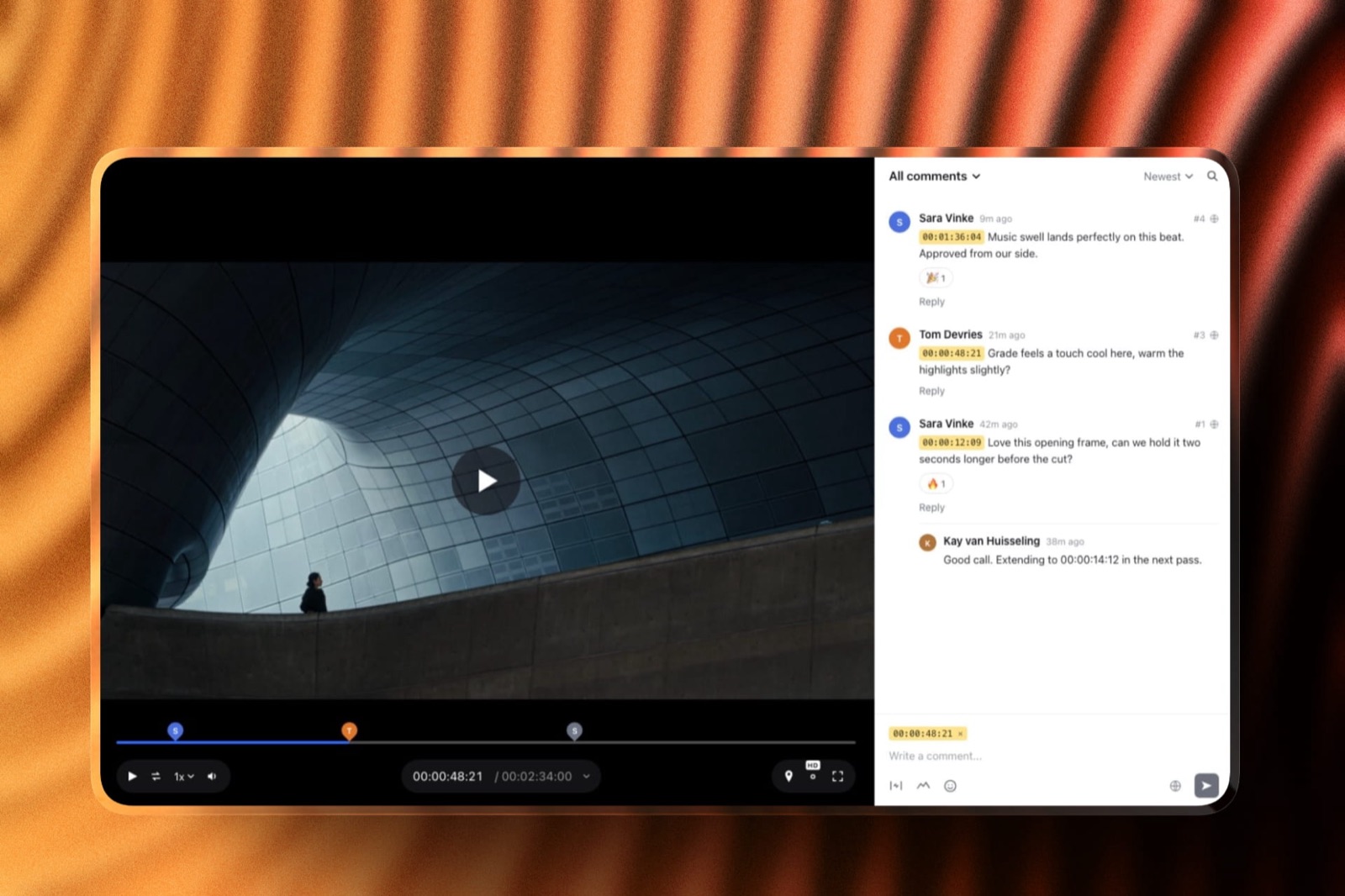
5. Krock.io: Compare and Hidden Versions at $10
Krock.io moved up this list in October, because its Pro grid now lists both of the features that separate a revision tool from a comment tool, version compare and hiding previous versions, at a per-user price well under Frame.io's.
The real numberPro is $10 per user a month with unlimited team size and from 2TB, $120 a year for one person at the listed rate, with unlimited reviewers on every plan. The free plan is one user, 2GB and two projects, without compare.
The standout detailthe pairing of compare versions and hide previous version on the same $10 seat. Frame.io charges $15 for the same pair, and on Krock.io the Pro grid adds private comments, link expiry and password-protected shares alongside them.
The gotchaKrock.io documents no route for carrying an open note into the next version, so it solves the presentation half of versioning and leaves the bookkeeping half to you.
Verdict: the best value in this comparison for presenting a revision history cleanly, at $120 a year a seat, which is why it now ranks above Framekit.
6. Framekit: Best Free Version Stacks for Short Cycles

Framekit is an AI website builder whose account also runs video review, client galleries, Slides decks and a digital-download store, and on revision history it does the foundational part correctly on every plan, Free included, then stops short of the tooling the five tools above it add.
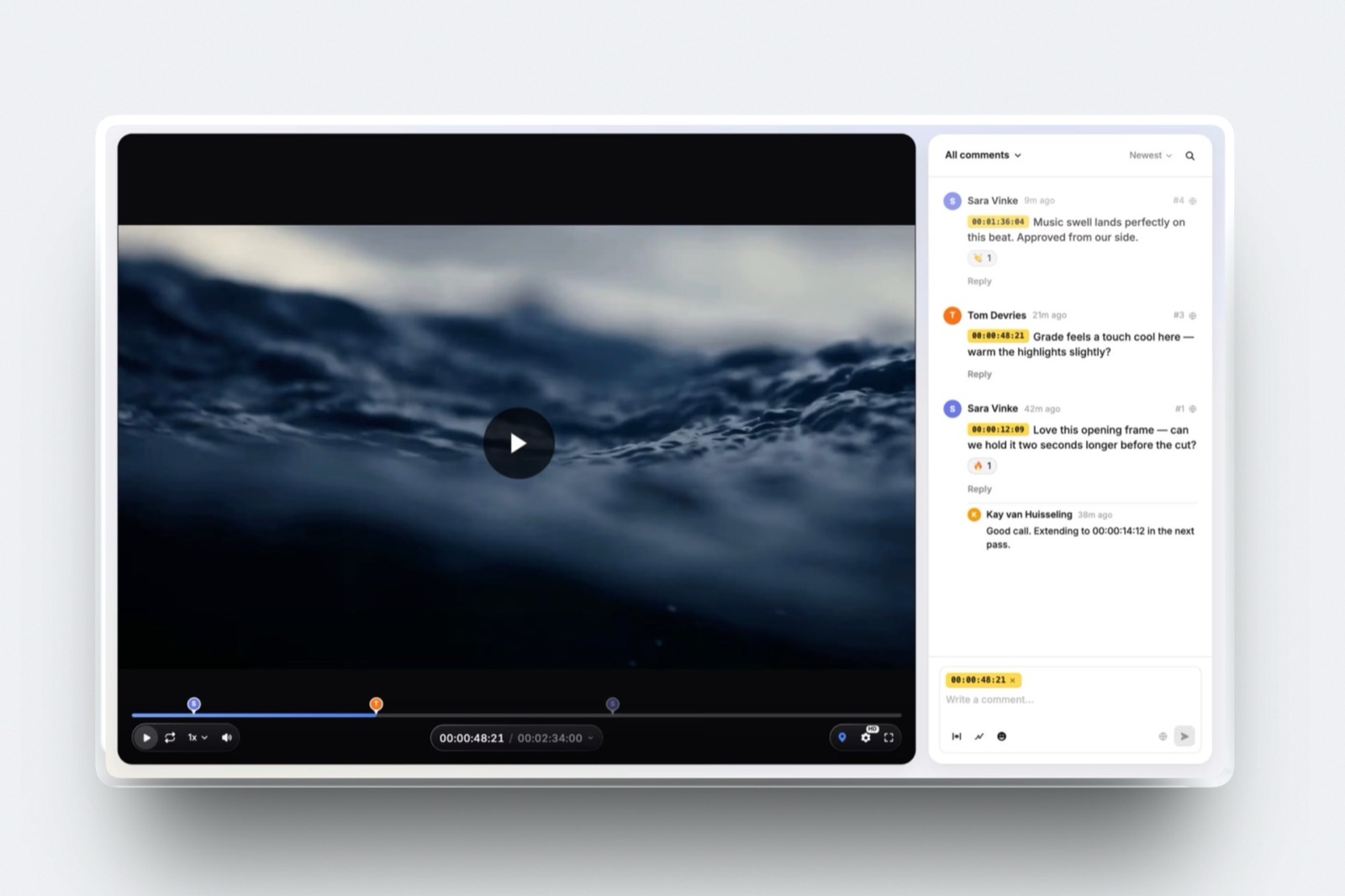
What versioning looks like. Each upload onto a version stack becomes v2, v3 and so on, and each version keeps its own timestamped comments, range comments and drawings, so a note on 01:12 of version two stays on version two rather than floating onto a cut where that moment has moved.
Reviewers switch between versions on the same link without an account. Each version also carries its own approval status, needs review, in progress, approved or needs changes, set by you or, if you allow it, by the client.
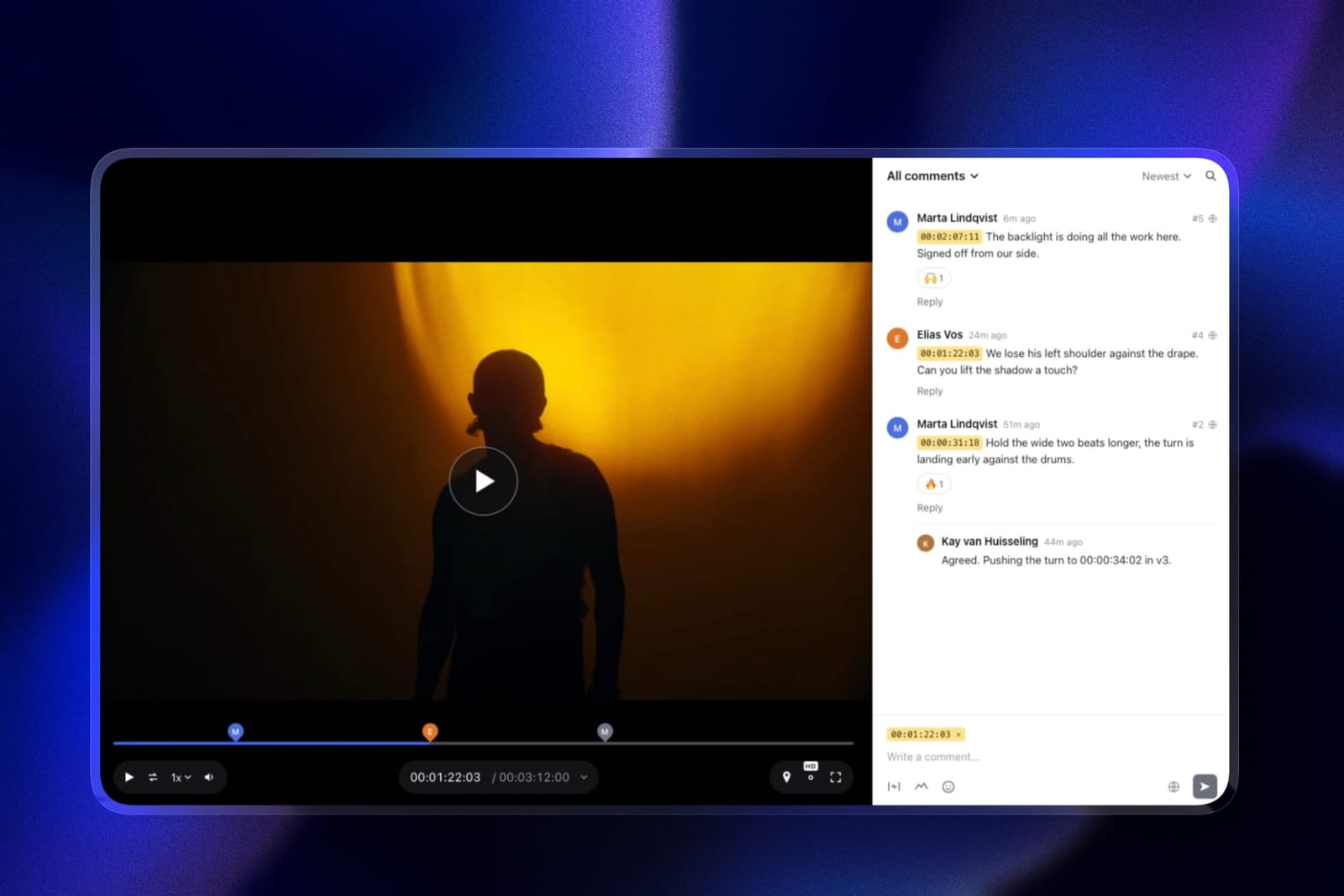
The real number$0 for version stacks, frame-accurate comments, drawing, per-version approvals, passwords and expiry dates, all on the free plan with a 500MB file cap and 3GB of video inside a 10GB pool.
The carried cut at 600MB a version needs Starter at $9 a month, $84 a year billed yearly, for its 1GB cap; five versions are 3GB, inside Starter's 15GB of video.
The standout detailthe approval record lives on the version. Because the status belongs to v3 rather than to the project, the history shows which cut was signed off and not just which was uploaded last, and the activity log records who changed it.
The gotchathere is no comparison view at any tier, so answering whether v4 beats v3 means watching both in turn.
There is no documented way to hide earlier versions from a client, no way to carry an open note forward, not even the manual copy and paste Frame.io offers, and only the account holder uploads versions.
Who should skip itanyone whose projects regularly pass four or five versions, anyone who revises animation shot by shot, and any team where more than one editor uploads cuts.
Verdict: the best free home for a short revision cycle, where correct per-version notes and a clear approval status matter more than a comparison viewer. Sixth, because long cycles need tooling we do not have and five tools above it have some of it.
7. Ziflow: Versioning With Comment Labels
Ziflow handles long revision cycles by letting you sort the pile rather than shrink it, and it puts side-by-side and pixel-level comparison on every tier including the free one.
The real numberStandard is $199 a month billed yearly with 15 users and 1TB, and Pro is $329 with 20 users and 2TB, adding custom comment labels and marking comments resolved with filtering.
The free plan has two users, 2GB and 60 days of review history.
Verdict: resolved-comment filtering is a genuine help across many versions, and pixel-level compare on the free plan is generous, but the free plan's 60-day history and the $199 entry price make it a department tool rather than an edit-suite one.
8. Approval Studio: Compare Modes and Tasks
Approval Studio inherits its comparison from print proofing, where version differences are examined more forensically than in video, and it reviews video on every tier.
The real numberLite is $60 a month for five or more users with four compare modes and 5GB, and Pro is $160 a month adding task assignment and analytics, with unlimited external reviews on every plan.
Verdict: strong comparison and a task list that partly addresses open notes, priced for a team of five or more and sized at 5GB, which is small for video.
9. PageProof: Unlimited Versions, Audit-Led
PageProof treats version history as an evidence trail rather than a creative tool, which is the right emphasis if approvals get disputed and a heavy one if you only want to compare two cuts.
The real numberTeam is $249 a month or $2,499 a year with unlimited reviewers, proofs and versions of any file type, with a basic audit on published tiers and the full audit, compliance export and digital signing on Enterprise.
PageProof's help centre describes side-by-side comparison for video versions.
Verdict: unlimited versions and an audit trail suit regulated or disputed approvals, at a price that only makes sense if that is your problem.
10. Dropbox Replay: Versions on Storage
Dropbox Replay handles versions and comparison competently, alongside frame-accurate comments, drawing, transcription and editing-app integrations, as an add-on to storage you may already rent.
The real numberthe add-on is $10 a user a month billed yearly, or $12 monthly, on top of a Plus or higher plan, and Dropbox's Replay FAQ caps Basic, Plus, Standard and Advanced at 4 files without it.
Five versions of one cut pass that allowance.
Verdict: competent versioning that the four-file allowance makes impractical without the add-on, and a sensible choice once you have it if your project files already live in Dropbox.
11. Filestage: Comparison Behind a High Floor
Filestage puts version comparison behind the highest paid floor in this comparison, because it arrives inside a workflow platform built around reviewer groups and due dates.
The real numberStarter at $199 a month includes version comparison, with advanced compare modes on Business at $329.
The free plan includes ten members but one active project and five new files a month, so a five-version project fills a month's uploads on its own.
Verdict: the same capability SyncSketch offers at $9 a user, priced more than twenty times higher because it comes with approval routing you may not need.
12. Vimeo: Versions Without Comparison
Vimeo treats versions as part of the library you publish from, and it does one versioning job better than its reputation suggests: each review link decides whether reviewers can see earlier versions at all.
The real numberStarter is $12 a seat a month billed yearly, $144 a year, with 2TB and one seat, and Vimeo's pricing grid lists version history, replacing a version in the same URL, review links and downloadable review comments on every paid plan.
Its review pages article describes a "View previous versions" option per link.
Verdict: version history and per-link control over old versions, with no comparison view and no drawing. Fine for a couple of rounds before the film is published from the same library, thin for a long revision cycle.
The Comment That Points at the Wrong Frame
A comment that migrates from version three to version four keeps its timecode and loses its meaning, which is why the correct behaviour is to leave it where it was made and let a person decide what still applies.
The carried example makes this concrete. Eight seconds trimmed from the opening between versions two and three push every later moment eight seconds earlier.
A note on version two reading "the music swells too early at 01:12" now describes a moment that, in version three, sits at 01:04. The comment is still true about the old cut and false about the new one.
Platforms that keep comments pinned to their own version handle this correctly and silently.
Framekit keeps each version's notes on that version, and version-stack tools generally behave the same way, but few vendors spell it out, so run the test below rather than trusting a feature list.
The failure mode to watch for is any tool that presents old comments against a new upload as though they were current, because that produces a history where your client appears to have objected to things they never saw.
This is also why "carry unresolved notes forward" is genuinely hard rather than merely unbuilt. Moving the comment is easy; moving it to the right new timecode requires knowing what you edited, which no platform can infer.
Frame.io's copy and paste and Wipster's task list are both honest workarounds rather than solutions.
The test you can runupload a version with a trim near the start, then look at whether last round's comments still appear against the new cut. If they do, your revision history is describing frames that no longer exist.

What a Year of Revisions Costs at Three Sizes
The cheapest versioning tool for a freelancer running three-round jobs is not the cheapest for a five-person studio running ten rounds, so this table prices every tool at three realistic sizes, on yearly billing where the vendor offers it.
| Tool | Freelancer, 2 to 4 rounds a job | Team of 3, 4 to 8 rounds | Studio of 5, 10 or more rounds |
|---|---|---|---|
| Frame.io | Pro, $156 | Pro, 3 members, $468 | Pro, 5 members, $780 |
| SyncSketch | Indie, $108 | Indie, $324 | Indie, $540 |
| Wipster | Light, $119.40 | Team, $718.20 | Team, $1,197 |
| ReviewStudio | Free, 3 active reviews, or Pro $144 | Pro, $432 | Pro, $720 |
| Krock.io | Pro, $120 | Pro, $360 | Pro, $600 |
| Framekit | Free, or Starter $84 for 1GB files | Pro, $180, one uploader | Business, $372, one uploader |
| Ziflow | Free, 60-day history | Standard, $2,388 | Standard, $2,388 |
| Approval Studio | Lite, $720, five-user minimum | Lite, $720 | Pro, $1,920 |
| PageProof | Team, $2,499 | Team, $2,499 | Team, $2,499 |
| Dropbox Replay | $120 plus Plus at $119.88 | $360 plus Dropbox | $600 plus Dropbox |
| Filestage | Free, 5 files a month | Starter, $2,388 billed monthly | Starter, $2,388 billed monthly |
| Vimeo | Starter, $144 | Standard, 3 seats, $900 | Standard, 5 seats, $1,500 |
The freelancer column is the only one where Framekit is the cheapest complete answer, because Free costs nothing and Starter at $84 a year takes a 600MB version.
In the other two columns it is still cheap, but its one-uploader limit and missing compare view mean the price buys less as the team and the cycle grow.
Run it yourselfcount the versions on your last three finished projects and the people who uploaded them. If the average is under four and one person uploaded, buy on price. If it is over eight, buy comparison and filtering, and treat everything else as secondary.
Limits and Specs for Revision Work
This table lists the published limits that decide how a revision history behaves in practice, because a tool can compare versions beautifully and still lose the history to a free-plan clock or a storage cap.
| Limit or spec | Frame.io | Krock.io | ReviewStudio | Ziflow | Framekit |
|---|---|---|---|---|---|
| Version history model | Version stacks | Versions | Versioning | Versions | Stacks, each version keeps its notes |
| Compare two versions | Every plan | Pro | Every plan | Every tier | No |
| Hide earlier versions | Pro and up | Pro | Not documented | Not documented | Not documented |
| Approval per version | Status field | Not documented | Approval management | Workflow stages | Four statuses per version |
| Free plan limit on history | 2 projects, 2GB | 2 projects, 2GB | 3 active reviews, 5GB | 60 days, 2GB | 10GB pool, 3GB video, permanent |
| Largest file | 5TB per asset | Not stated | No limit stated | Not stated | 500MB Free to 3GB Business |
| Comment export | Download and print, every plan | Not documented | Reporting on Pro | Not documented | Not documented |
The free-plan row matters most in a versioning post. Ziflow's free history expires after 60 days and ReviewStudio's stops at three active reviews, while Framekit's free plan has no clock, only a 3GB video allowance and a 500MB file cap.
What Long Revision Cycles Actually Need
Two or three rounds need correct version stacks and almost nothing else, while ten rounds need comparison, filtering and hidden history, and the tool that suits one cycle is often the wrong tool for the other.
Short cycles, meaning brand films, social cuts and most client video, need correct version behaviour and very little else. You remember what changed between two cuts, comparison is a convenience, and almost every tool here, including ours, is adequate.
Long cycles, meaning documentary, animation and anything with a broadcaster attached, change the requirements completely. At ten versions you cannot remember what changed, so a comparison viewer stops being a convenience.
You accumulate dozens of resolved and unresolved notes, so filtering by resolution state becomes the difference between a usable list and an archive.
And you may need to show a client only the current cut, because presenting nine previous attempts invites a conversation about your process.
Frame.io is the only tool that covers all three on its own, which is why it ranks first despite costing more than several alternatives with better individual features.
What Happens When a Revision Goes Wrong
Every tool here handles a tidy second round, so this section walks through five situations that actually go wrong across a revision cycle and what each tool does in every one of them, using only what the vendors document.
The client approved v3, then commented on v2. On Framekit the approval sits on v3 and the new note sits on v2, so the record shows both separately.
Tools that track status per asset rather than per version can blur that, so check where the status lives before you rely on it.
You need to show only the current cut. Frame.io Pro and Krock.io Pro hide earlier versions, and on Vimeo you leave "View previous versions" off for the link. On Framekit reviewers can switch to older versions on the same link.
The new version is larger than the plan allows. Framekit refuses a file over the plan's cap, 500MB on Free up to 3GB on Business, or over two hours, so you export lighter or move up a plan. Frame.io takes up to 5TB per asset.
Storage fills with old versions. Deleting old versions usually deletes their notes too, so export or screenshot the approved version's notes first.
Framekit's pool is shared with your site and galleries, so a busy month of versions and deliveries draws on the same allowance.
The free plan's clock runs out. Ziflow's free history lasts 60 days and ReviewStudio's free plan holds three active reviews. Framekit's free plan has no clock, but its 3GB of video holds five versions of the carried cut and little else.
After the Final Version: Delivery and the Next Brief
The approved version is the end of a revision cycle and the start of delivery, and this is where a versioning tool that sits on the same account as galleries, a site and decks saves a freelancer one more upload to one more service.
On Framekit, the approved cut goes into a client gallery on the same account, alongside the stills from the same shoot, with favourites, full-set or favourites-only downloads and a download PIN. Video in galleries is never watermarked, and galleries are unlimited on every plan.

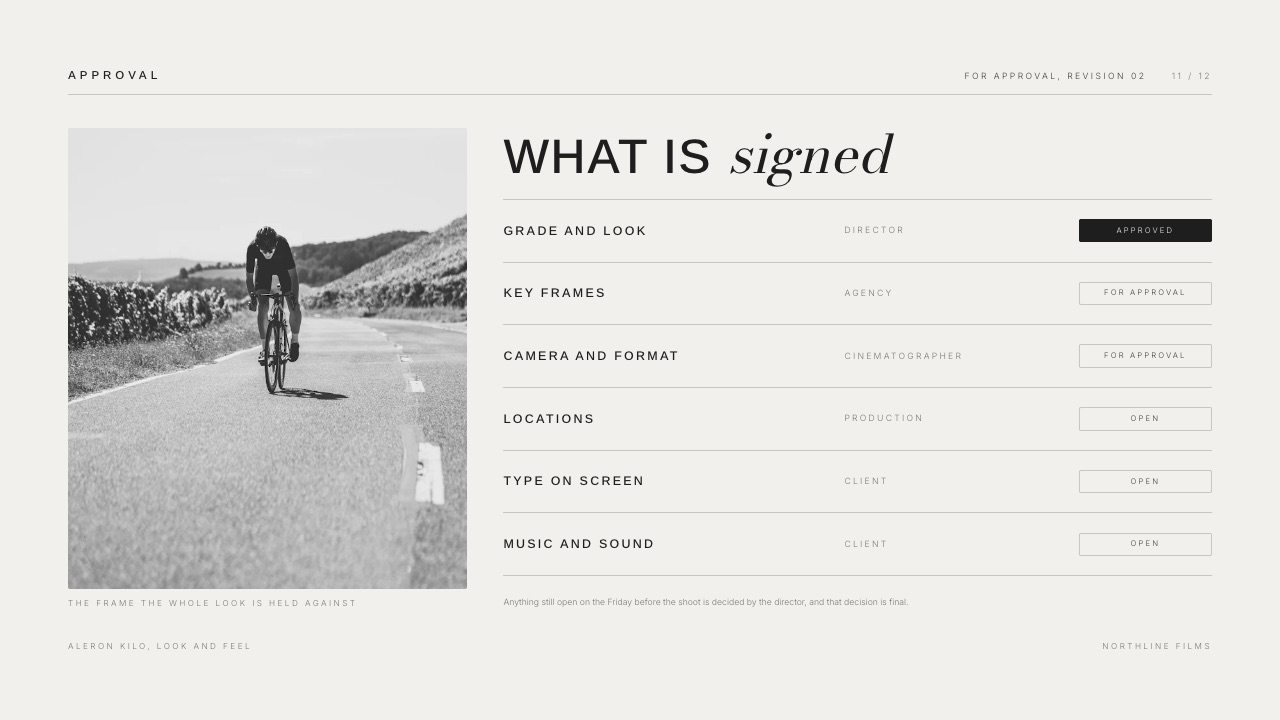
The next job's look approval or treatment can go in Slides, where an approval slide records what the client signed off before shooting starts, so the first version of the next cut begins from an agreed brief rather than a guess.
Our guide to running a client revision round covers the process side, and how to stop endless client revisions covers the contract side.
Which Versioning Setup Fits You? A Decision Tree
Work down these eight questions in order and stop at the first yes, because revision volume decides this more than any single feature does, so answer the first question honestly before comparing anything else on the page.
- Do your projects run past about eight versions? If yes, Frame.io, for version stacks, comparison and hidden earlier cuts. If no, go to question 2.
- Do you need to show a client only the current version? If yes, Frame.io Pro at $15 a member or Krock.io Pro at $10 a user, or Vimeo's per-link setting if you publish there anyway. If no, go to question 3.
- Is your work shot-based rather than timeline-based? If yes, SyncSketch Indie at $9 a user for A/B compare and per-item status. If no, go to question 4.
- Do you forget which notes you have actioned? If yes, Wipster, whose comment-to-task list is the most practical answer here to open notes. If no, go to question 5.
- Do you want comparison at no cost? If yes, ReviewStudio's free plan, the only free compare mode here with unlimited users, capped at three active reviews. If no, go to question 6.
- Do you have many versions and need to filter what is still open? If yes, Ziflow Pro for resolved-comment filtering. If no, go to question 7.
- Do two or three rounds cover your work, with one person uploading? If yes, Framekit Free or Starter, for correct per-version notes, per-version approvals and a branded page, or ReviewStudio free if you want a compare mode too. If no, go to question 8.
- Might a version approval be disputed? If yes, PageProof, where the history is an evidence trail. Our client approval software guide covers that in depth.
Frequently Asked Questions
What is the best video versioning tool in 2026?
Frame.io is the best video versioning tool in 2026, because it is the only one addressing all three parts of the problem: version stacks that keep feedback on its own cut, a comparison viewer on every plan, and copy and paste of comments to carry open notes forward.
Pro at $15 a member a month adds hiding previous versions from a client, which Krock.io also offers on Pro at $10 a user.
What happens to comments when I upload a new version?
On Framekit, and on version-stack tools generally, each comment stays attached to the version it was made on, so a note about 01:12 of version two stays there.
The dangerous behaviour is presenting old comments against a new upload, because any edit that shifts timing makes those notes describe frames that no longer exist. Upload a trimmed version and check before you trust a tool.
Can I compare two versions of a cut side by side?
Yes on ten of the twelve tools here.
Frame.io lists a comparison viewer on every plan, SyncSketch offers side by side or A/B from $9 a user, Wipster lists side-by-side comparison, ReviewStudio includes compare mode on its free plan, Krock.io has compare on Pro and Ziflow offers side-by-side and pixel-level comparison on every tier.
Framekit and Vimeo do not offer a comparison view.
Can I hide previous versions from my client?
Yes on three tools here. Frame.io hides previous versions on Pro at $15 a member a month, Krock.io lists the same on Pro at $10 a user, and Vimeo lets each review link turn "View previous versions" on or off.
Framekit does not document a way to hide earlier versions, so reviewers can switch between them on the same link.
How do I carry an unresolved note into the next version?
No tool does it automatically, and this remains the category's clearest unsolved problem. Moving a comment is easy; moving it to the correct new timecode needs knowledge of what you edited, which no platform can infer.
Frame.io lists copy and paste of comments between assets on every plan, and Wipster turns comments into tasks that persist across versions; both are honest workarounds.
Does Framekit support video versions?
Yes, on every plan including Free. Framekit stacks versions of a cut, keeps each version's timestamped comments, range comments and drawings on that version, and tracks an approval status per version that the client can set if you allow it.
There is no comparison view at any tier, no documented way to hide earlier versions and no way to carry open notes forward, which is why it ranks sixth of twelve.
Framekit vs ReviewStudio for a freelancer's short revision cycles: which is better?
ReviewStudio if you want to compare two cuts for free, Framekit if you want the approval record and the client page. ReviewStudio's free plan has compare mode and unlimited users on 5GB but stops at 3 active reviews.
Framekit Free has no review cap and no time limit, a 500MB file cap, per-version approvals and a branded page, with galleries for delivery on the same account.
How many versions does a typical project need?
Brand films, social cuts and most client video run two to four versions, where correct version stacking is enough and comparison is a convenience.
Documentary, animation and broadcast work regularly pass ten, where a comparison viewer and resolved-comment filtering stop being optional.
Count the versions on your last three projects before choosing, because the two cases want different tools.
What is the cheapest tool with version comparison?
ReviewStudio's free plan, with compare mode and unlimited users on 5GB, is the cheapest, capped at 3 active reviews.
The cheapest paid seat is SyncSketch Indie at $9 a user a month billed yearly, $108 a year, with side by side or A/B compare.
Wipster Light at $9.95 a month billed yearly and Krock.io Pro at $10 a user are next, the latter with hidden previous versions too.
Do version stacks use more storage?
Yes, and it is the most common reason people delete history they later want.
Five versions of the carried 4-minute cut at 20 megabits per second are about 3GB, which is all of Framekit Free's video allowance and most of ReviewStudio's free 5GB.
Deleting old versions to reclaim space usually removes their notes too, so export or record approved versions first.
Does a free plan delete my revision history?
Some do, by clock or by cap.
Ziflow's free plan keeps review history for 60 days, ReviewStudio's free plan allows 3 active reviews, Filestage's free plan allows one active project and five new files a month, and Frame.io's free plan two projects.
Framekit's free plan has no time limit on history, but its 10GB pool and 3GB video allowance are the cap.
What does resolved-comment filtering do?
It hides notes you have already actioned so you see only what is still open, which becomes essential somewhere around the fifth version, when a thread has accumulated dozens of entries.
Ziflow offers comment labels and resolve-and-filter on Pro at $329 a month billed yearly, and Wipster's comment-to-task model reaches the same outcome differently from $9.95 a month.
Is versioning different for animation?
Yes, because the unit is the shot rather than the timeline. An animation project has dozens of shots, each carrying its own version history through blocking, spline and polish, so per-item status matters more than a single stack.
SyncSketch's status management and A/B compare are built for that, which is why our guide to video review tools for animation studios ranks it first.
Final Verdict
Frame.io is the best video versioning and revision tool in 2026 because it treats revision history as a problem in its own right: version stacks that keep feedback where it was made, a comparison viewer on every plan, copy and paste of comments between assets, and, on Pro, the ability to present a client only the current cut.
SyncSketch is the better choice for shot-based work at $9 a user, Wipster's comment-to-task list is the most practical answer here to open notes, ReviewStudio has the only free compare mode with unlimited users, and Krock.io now pairs compare with hidden versions at $10 a user.
Where Framekit loses. Framekit is not built for long revision cycles.
It stacks versions correctly and tracks approval per version on every plan, but it does not compare two cuts, does not document hiding earlier ones from a client, does not carry open notes forward and lets only the account holder upload versions.
Past about four versions, or with more than one editor, Frame.io, SyncSketch, Wipster or Krock.io is the better fit, which is why it ranks sixth.
Framekit is the better fit for a freelancer running two to four rounds who wants per-version approvals and a branded client page for free, and the delivery gallery for the approved cut on the same account.
Whichever tool you choose, upload a version with a trim near the start and see whether last round's comments still appear against the new cut. If they do, your history is pointing at frames that no longer exist.
Related readingthe 12 best video review tools, the best Frame.io alternatives, the best free video review tools, and video review tools for documentary filmmakers.