Framekit templates
Start from a designer-made template
 Use template
 Use template
 Use template
 Use template
 Use template
 Use template
 Use template
 Use template
Every video review platform is designed around a 60-second commercial, and documentary breaks that design in two directions at once.
The cuts are long. A first assembly might be three hours, a rough cut ninety minutes, a fine cut still over an hour.
That is not a bigger version of a commercial, it is a different object, and it collides with limits most tools never put on the pricing page: duration ceilings, per-file size caps, and proxy encoders that stop producing sharp playback past a certain length.
The projects are also long. A documentary can run three or four years from first assembly to delivery, with commissioning editors, funders and executive producers cycling in and out.
What a broadcaster asked for in year two matters in year four, which makes retention a feature rather than an afterthought.
On 12 October 2026 we re-verified every price and limit on this page against each vendor's own pricing and help pages, and that pass moved Dropbox Replay above Framekit: Replay's published 12-hour, 150GB ceiling, version comparison and transcription beat what our own product offers a documentary editor.
The same pass made clear that uploaded fonts, a custom domain and switching off the Framekit credit on review pages start on Starter.
A video review tool for documentary filmmakers is a platform that can hold a feature-length cut, play it well enough to judge pacing, and keep the comment and version history intact across a production that outlasts most software subscriptions.
The best video review tool for documentary filmmakers in 2026 is Frame.io, because it takes a feature-length cut as exported, compares versions side by side and keeps range comments on every plan, from $15 a member a month on Pro with 2TB.
Vimeo is the best value at $144 a year for 2TB if you will also publish, Krock.io adds drawing and version compare at $10 a user, Kollaborate scales flat to 20TB for archive-heavy projects, and Dropbox Replay is the pick if the film already lives in Dropbox.
Framekit, sixth of eight, reviews cuts under two hours and 3GB and runs the film's site, funding deck and press delivery on one account.
Full disclosure: Framekit is our own product and it ranks sixth of eight here, because a documentary cut is the shape of file it handles least comfortably: one review file tops out at 3GB even on Business, anything over two hours is refused, and there is no side-by-side compare or transcription. Five tools above it take an uncut feature as exported, and every entry below says where it beats us.
How This Ranking Was Built Without a Lab
This ranking rests on published limits and arithmetic rather than on timed uploads, and every claim on the page falls into one of three buckets so that you can tell a vendor's own number from our working.
What the vendors publish. Prices, member limits, storage, file ceilings and review features were read on each vendor's own pricing, feature and help pages on 12 October 2026, and the pages carrying the heaviest claims are linked where they are used: Frame.io's plan grid, Vimeo's file preparation guide, Dropbox's Replay FAQ and Kollaborate's feature list.
Dropbox prices by country, so its figures are the US prices read on its plans and Replay pages for our Framekit vs Dropbox comparison the same day.
Our working. One carried example runs through every section: a 94-minute rough cut exported as a 1080p H.264 file of about 4.8GB, which is roughly 6.8 megabits per second, followed by a 71-minute fine cut and five versions across the two.
File sizes, plan fits and annual costs are worked from that example with the multiplication shown, so you can redo them with your own runtime.
Not claimed. There are no playback impressions, upload speeds or review scores here, because none were measured for this page.
Where a vendor's documentation is silent on a feature, the text says "not documented" rather than "missing". Framekit is described from its published plan limits and the shipped product, not from a test we ran on it.
The three limits that only bite long-form
Duration ceilings. Some platforms cap the length of a source file outright, and others cap the length at which they will generate each quality of proxy.
The second is more common and much less visible: your file uploads, and then plays back softer than you expected because the encoder skipped a rung.
Per-file size. A 94-minute cut is measured in gigabytes, not megabytes. Tools sized for compressed review exports have per-file caps well below what a feature-length file needs, even when their total storage looks generous.
Retention across years. A documentary outlives most subscriptions.
If your review history disappears when a project is removed to free a slot, or when a plan lapses during a funding gap, you lose the record of what a funder approved two years ago at the exact moment someone disputes it.
The Eight Documentary Review Tools at a Glance
Frame.io, Vimeo, Krock.io, Kollaborate and Dropbox Replay all take the carried 94-minute, 4.8GB cut exactly as exported, while Framekit needs a lighter export under 3GB and refuses anything over two hours, which is the single row that decides most of this ranking.
| Tool | Takes the 94-minute, 4.8GB cut as exported | Longest video documented | Side-by-side compare | Transcription | Entry price, October 2026 |
|---|---|---|---|---|---|
| Frame.io | Yes, 5TB per asset | Not documented | Yes, every plan | Yes, every plan | Free, then $15 a member a month |
| Vimeo | Yes, 300GB per file | 24 hours | No, version history only | Captions and transcripts | $12 a month billed yearly |
| Krock.io | Yes on Pro, no file cap stated | Not documented | Yes, on Pro | Not listed | Free, then $10 a user a month |
| Kollaborate | Yes, 30GB to 20TB flat | Not documented | Yes, side by side | Not listed | $7 a month for 30GB |
| Dropbox Replay | Yes, 150GB per upload | 12 hours | Yes | Yes | $10 a user a month add-on |
| Framekit | No, only an export under 3GB | 2 hours | No, version switcher | No | Free, then $9 a month |
| Wipster | Yes, inside 50GB on Light | Not documented | Yes | Captions on Team | $9.95 a month billed yearly |
| ReviewStudio | Yes, no file size limit stated | Not documented | Yes, free tier included | Not listed | Free, then $12 a user a month |
Jump to the decision tree if you already know your cut length and who uploads.
The Numbers a Documentary Editor Should Argue About
Six figures decide this category for long-form work, and almost none of them are the headline monthly price, which is why a comparison built for commercials sends documentary teams to the wrong tool.
- 3GB and 2 hours: Framekit's ceiling for one review file on its top plan, Business at $39 a month. The carried 94-minute cut fits only as an export at about 4 megabits per second.
- 12 hours and 150GB: what Dropbox Replay accepts per upload, the most generous published ceiling here for a single long file.
- 4 files: Replay's allowance on Dropbox Basic, Plus, Standard and Advanced before the add-on, according to Dropbox's own FAQ. A documentary passes that in its first month.
- 2TB for $144 a year: Vimeo Starter billed yearly, one seat, the cheapest large allowance in this comparison.
- 20TB: the top of Kollaborate's thirteen flat tiers, at $869 a month billed monthly, priced by storage rather than by crew.
- $0: Frame.io's price for a comparison viewer, range comments and transcription, all listed on its free plan alongside a 2GB, two-project cap.
The Best Video Review Tools for Documentary Filmmakers in 2026
The ranking below orders tools by whether they can hold and play a feature-length cut and keep its history for years, then by review depth for long-form notes, and only then by price, because those are the requirements documentary has that no other genre shares.
The first five tools take the carried cut as exported. Framekit, sixth, is the first that needs a lighter file, and Wipster and ReviewStudio hold the file but run short of storage on a multi-year edit.
1. Frame.io: Best for Feature-Length Cuts
Frame.io is the tool in this comparison whose feature set maps most directly onto a long edit, because the things a documentary needs most, room for big files, range comments and a way to set one cut against another, are on every plan rather than locked to a tier.
Best fora funded documentary with an editor who cuts in Premiere Pro or Final Cut Pro and a list of stakeholders who will review the film a few times a year for several years.
The real numberPro is $15 a member a month with 2TB included plus 2TB per additional member, up to five members, which is $180 a year billed monthly or about $156 at the 13% annual discount.
Five versions of the carried cuts, roughly 22GB, are about 1% of one member's allowance, and Frame.io's help centre puts the ceiling for a single asset at 5TB.
The standout detailversion stacks and the comparison viewer together are the feature that matters most in long-form and gets the least attention.
"Is this cut actually better than the one we had in March" is the hardest question in documentary editing to answer from memory, and Frame.io lists the comparison viewer on its free plan.
The gotchathe free plan's two projects and 2GB are hard limits, so a feature-length cut never fits there, and passphrase-protected shares and link expiry start on Pro. If a funder insists on a locked link, the free plan cannot provide one.
Skip it ifyou are a self-funded one-person production that does not cut in an Adobe or Apple editor, because Vimeo and Krock.io do the core job for less.
Verdict: the right tool for a funded documentary and the only one here whose free plan already includes the comparison viewer, range comments and transcription a long edit runs on. Weighing it against the rest of the field? Our guide to Frame.io alternatives covers who leaves and why.
2. Vimeo: Best Value for Long-Form
Vimeo's economics are unusually favourable for a documentary, because the thing docs need most is room, Vimeo sells room cheaply, and the cut a funder reviews can become the film you later publish without a second upload.
The real numberStarter is $12 a seat a month billed yearly, $144 a year, or $20 billed monthly, with 2TB for one person. Standard is $25 a seat billed yearly for up to five seats and 4TB.
Vimeo's pricing FAQ sets a limit of 300GB and 24 hours per video file on every plan, and its help centre advises staying under 200GB for a reliable upload, so no realistic documentary cut is too big.
The standout detailreview is built into the library you will publish from.
Vimeo's pricing grid lists video review, configurable review links, version history and downloadable review comments on every paid plan, and its help centre says reviewers comment without an account after giving a name and email, with an optional approval switch on each link.
The gotchathe review layer is words on a timeline. Vimeo's review documentation describes time-coded comments, replies and approvals but no drawing on the frame and no side-by-side compare, and passwords on review links need a paid plan.
Starter also carries an allowance of 60 videos a seat a year, which a version-heavy edit should count before it commits.
Skip it ifyour reviewers need to circle something in the picture or compare two cuts, because Vimeo documents neither.
Verdict: the best value in this comparison for long-form, and the right answer for an unfunded or self-funded documentary whose notes are mostly about structure and pacing rather than the image. The Frame.io versus Vimeo comparison goes deeper on the trade.
3. Krock.io: Storage With Real Review
Krock.io sits between Vimeo's price and Frame.io's capability, and for a documentary with scattered reviewers it is the most balanced option on this page, because it pairs terabyte storage with drawing, version compare and unlimited reviewers at a per-user price a small budget can absorb.
The real numberPro is $10 per user a month with unlimited team size and from 2TB, extra terabytes at $10 a month each, with unlimited reviewers on every plan including the free one. A director and an editor are $240 a year at the listed rate.
The standout detailKrock.io's pricing grid puts version compare, hidden previous versions, link expiry, passwords and private comments on Pro, and it reviews video, images, audio and PDFs in the same project.
For a documentary that means the archive stills, the poster and the funder PDF get notes in the same place as the cut.
The gotchathe free tier is one user on 2GB with two projects, and above Pro the next step is an Enterprise plan from $400 for 100 users, so there is no middle tier for a production company that grows past a handful of people.
Skip it ifyour editor wants to read and resolve notes without leaving the editing app, which Frame.io and Replay document in detail and Krock.io's grid lists only as an Adobe Creative Cloud extension.
Verdict: the balanced choice, with more review depth than Vimeo and more headroom than most, at a price a documentary budget can absorb.
4. Kollaborate: Best for Archive-Heavy Projects
Kollaborate is priced the way documentary costs actually behave, by storage rather than by crew, and its feature list carries more review tooling than its reputation suggests, including drawing over the video and side-by-side comparison of two files.
The real numberthirteen published tiers, flat per account, from Basic at $7 a month for 30GB to Network Plus at $869 a month for 20TB, with unlimited projects and unlimited bandwidth on every tier.
Annual billing is cheaper: Business, with 250GB and 25 team members, is $60 a month or $480 a year, and Production, with 1TB and unlimited members, is $1,188 a year.
The standout detailunlimited bandwidth on a flat price means a funder rewatching a 94-minute cut five times costs nothing extra, and the storage ladder lets you move up when the archive grows rather than when the crew does.
Kollaborate's feature list also includes password-protected access links for people outside the project and per-person approval rights set from the team page.
The gotchathe team-member tiers start at 60GB on Small Business, which holds about twelve copies of the carried cut, so a multi-year edit lands on Business or above sooner than the entry price suggests.
Skip it ifthe review page is part of how you present the production to a broadcaster, because Kollaborate's documented branding is a site logo rather than a designed review page.
Verdict: the most sensible cost curve here for a long project, with real annotation and compare underneath, and the plainest presentation of the top five.
5. Dropbox Replay: Best If the Film Already Lives in Dropbox
Dropbox Replay is the review layer for documentaries whose rushes, transcripts and project files already sit in Dropbox, and its published ceilings are the most generous in this comparison for a single long file.
The real numberReplay accepts uploads up to 150GB and video up to 12 hours, and the add-on is $10 a user a month billed yearly, $120 a year, or $12 monthly, on top of a Plus or higher plan, and Plus itself is $119.88 a year.
Without the add-on, Dropbox's Replay FAQ allows 4 files on Basic, Plus, Standard and Advanced.
The standout detailtranscription and captions sit beside the review.
A documentary is cut from interviews, and Replay's page lists transcription, version comparison, markup, live review sessions and password-protected review links, with integrations for Premiere Pro, After Effects, Final Cut Pro, DaVinci Resolve and Pro Tools so notes can be read inside the edit.
The gotchaReplay files count against your Dropbox storage, so a busy year of versions eats the same terabytes your rushes sit in, and the four-file allowance means the add-on is the real price rather than an option.
Skip it ifthe production is not already on Dropbox, because you would be buying two products to get one.
Verdict: the strongest long-file review in this list for a team already paying for Dropbox, and the reason Framekit dropped a place in October: on a feature-length cut, Replay's ceiling, compare and transcripts beat ours. Shopping around it? Our Dropbox Replay alternatives guide covers the field.
6. Framekit: Best for Funder Review Copies and the Film's Public Face

Framekit is an AI website builder whose account also runs video review, client galleries, Slides decks and a digital-download store, and for documentary it is useful in a narrower way than the five tools above: it gives funders a well-made review page for a cut under two hours, and it cannot hold the assembly or the master.
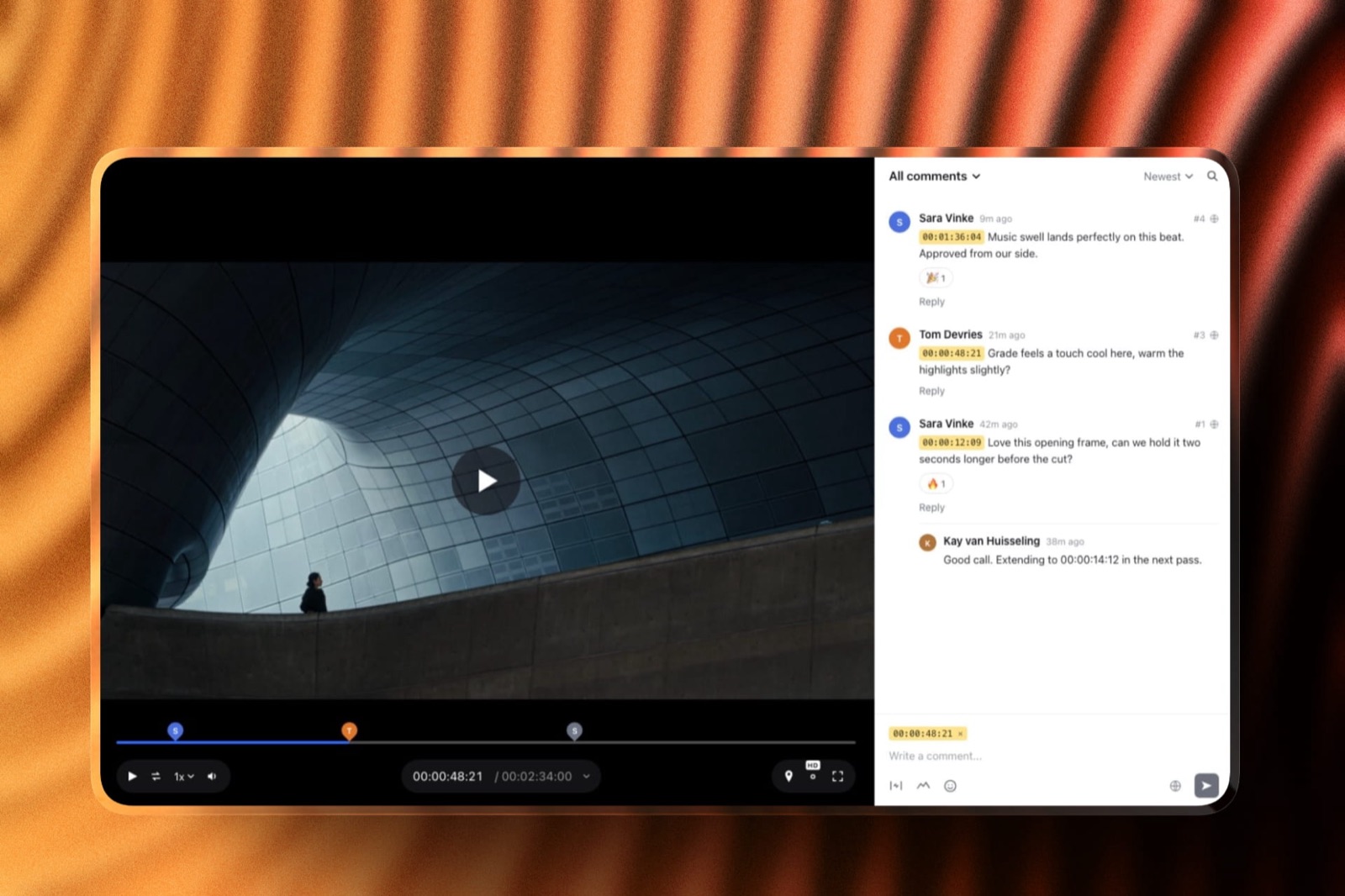
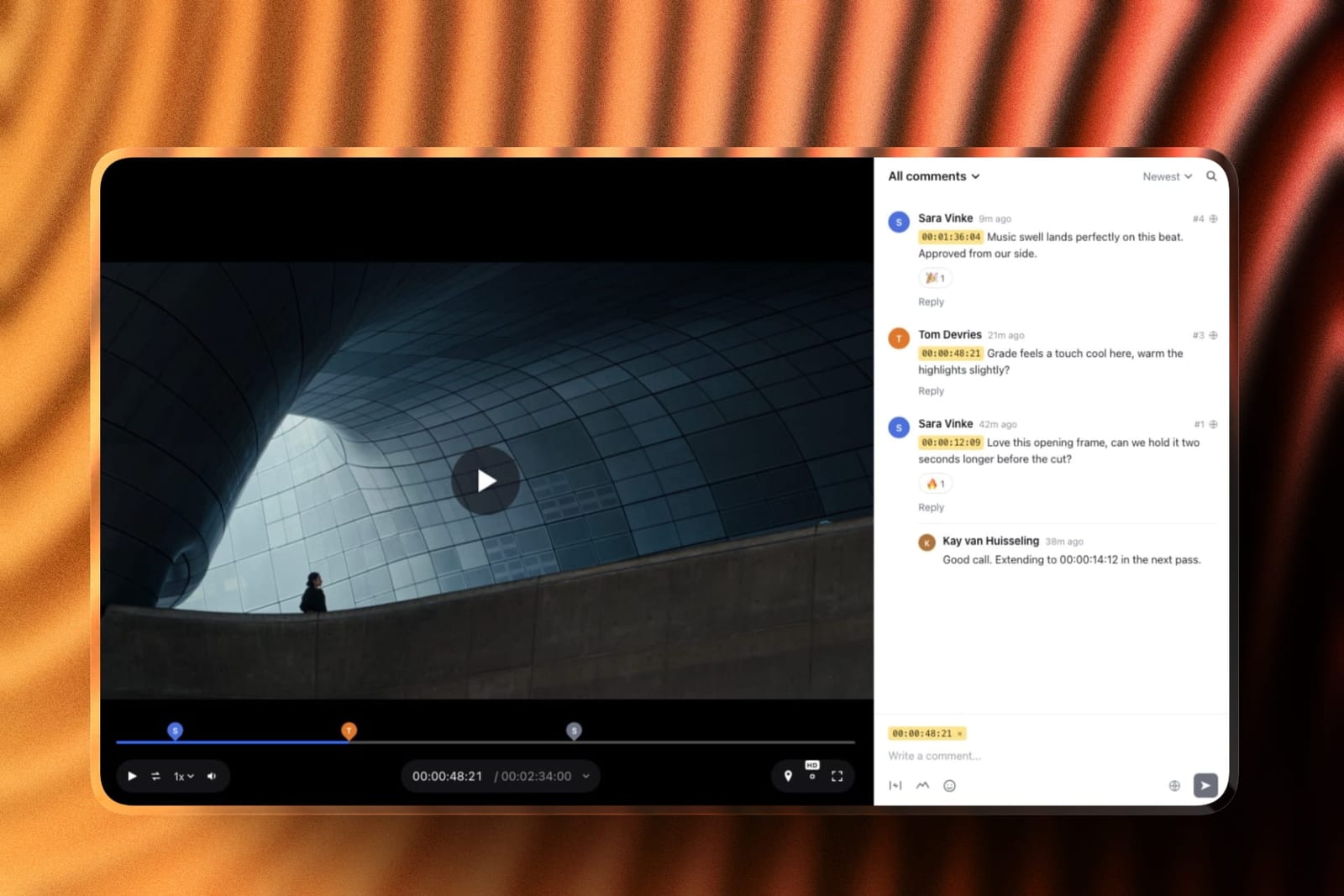
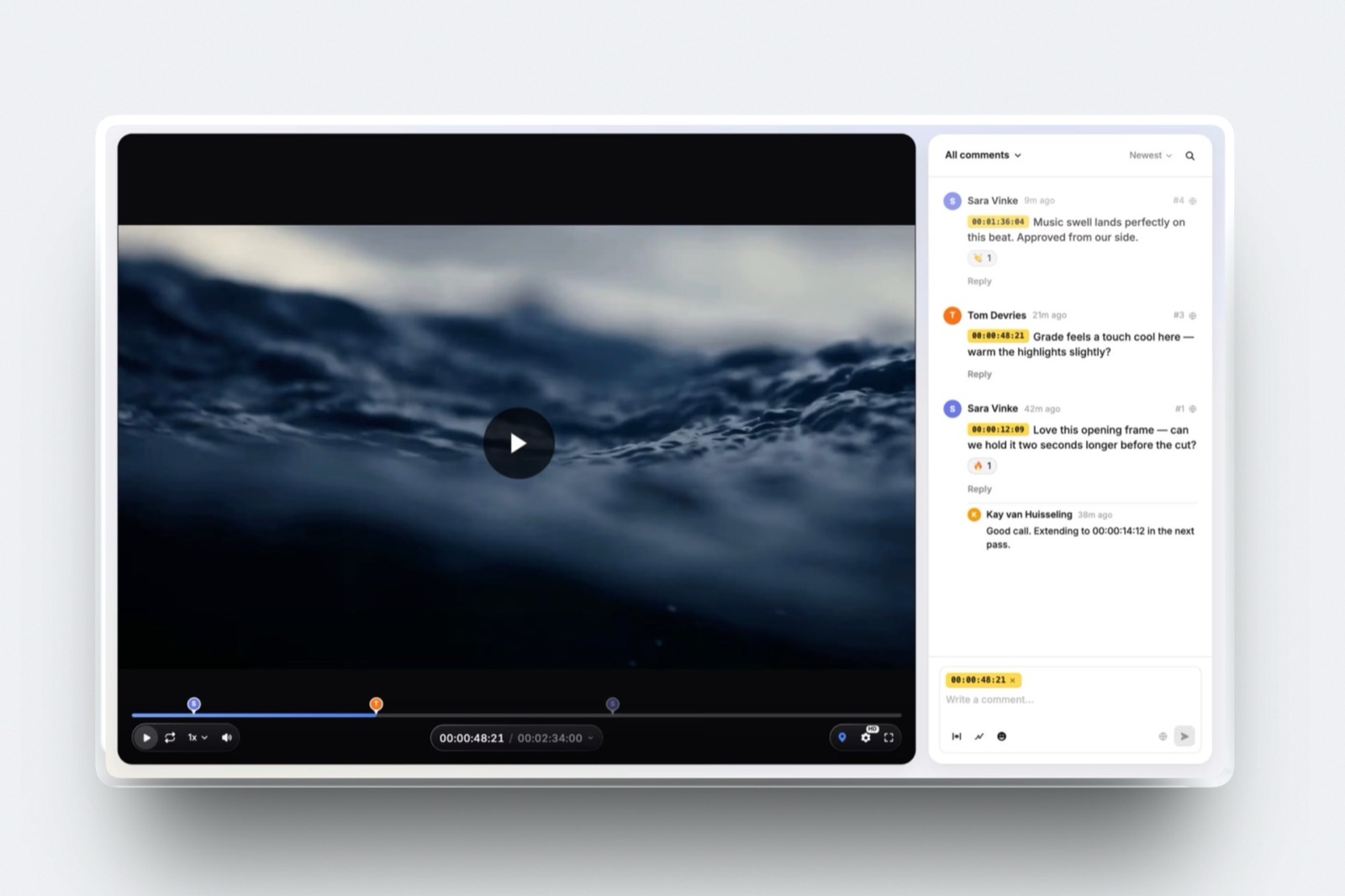
What review looks like. You upload a cut, share one link or send it from Framekit with a note, and reviewers comment without making an account.
Notes pin to the exact frame and show as timecode chips, a comment can cover an in-and-out range for the "this ten-minute stretch drags" note documentary runs on, and reviewers can draw with a freehand pen, arrows, lines, boxes and ellipses, reply and react.
New cuts stack as versions with the older cut and its notes kept, and each carries one of four statuses: needs review, in progress, approved or needs changes.
The real number3GB. That is the largest single review file on Business at $39 a month, $372 a year billed yearly, against 500MB on Free, 1GB on Starter and 2GB on Pro, with a two-hour maximum on every plan.
The carried 94-minute cut has to be exported at about 4 megabits per second to fit, which is fine for judging structure and pacing and not for judging grain or a grade.
The standout detailthe funder's view.
The review page carries your logo, banner, a type pairing and your accent colour, and each link can have a password, an expiry date, an email gate before viewing and downloads of the original switched off, on every plan including Free; your own uploaded fonts, a custom domain and removing the Framekit credit start on Starter.
A commissioning editor gets a page that looks like the production rather than a vendor dashboard, and the approval sits on the cut rather than in an email thread.
The gotcha that bites on a long cutproxies. Framekit makes a 1080p playback copy only for sources up to 25 minutes, 720p up to 55 minutes and 360p up to two hours, so a long ProRes or HEVC file plays from the 360p copy unless the reviewer picks Original in the quality menu.
A 1080p H.264 MP4 export of a long cut avoids that, because Framekit then plays the original file by default.
There is also no side-by-side compare, open notes do not carry forward to the next version, there is no transcription, and only the account holder uploads review cuts, since team members are site admins rather than review seats.
Who should skip itanyone whose reviewers watch assemblies over two hours, judge the image rather than the edit, or need a director and an editor both uploading cuts. The five tools above handle each of those better.
What it covers that the others do notthe rest of the film's public life on the same account. The film's website, a funding pitch deck in Slides, a press gallery for stills and the trailer, and a store for digital extras all sit next to the review links, from $0 to $39 a month.
Verdict: the best-presented review page on this list for a funder watching a fine cut under two hours, and the wrong home for the edit itself. It ranks sixth because the five tools above take a feature as exported and two of them add compare and transcripts, and it is the right add-on for a self-funded filmmaker who would otherwise pay separately for the film's site and pitch deck.
7. Wipster: Good Compare, Small Storage
Wipster suits the editing half of a documentary well, with side-by-side version comparison and notes that become tasks, and it suits the archive half poorly because its entry storage is measured in tens of gigabytes rather than terabytes.
The real numberLight is $9.95 a month billed yearly, or $11.95 monthly, with 50GB for one person, and Team is $19.95 a user a month billed yearly with 250GB to start and no user limit, according to Wipster's pricing page.
Ten copies of the carried cut fill Light.
The standout detailWipster's features page says feedback becomes tasks that are checked off as edits are made, which on a long edit is the closest thing in this comparison to a running list of what is still open across versions.
Verdict: the compare mode and task list suit a long edit well, and 50GB does not. On a four-year project that is a constraint rather than a comfort, so plan on Team or on archiving cuts somewhere else.
8. ReviewStudio: Generous Seats, Tight Storage
ReviewStudio gives a documentary's scattered reviewers the most generous free seating in this comparison and the tightest storage, which makes it a good place for a funder round and a poor place for a four-year archive.
The real numberthe free Starter plan has unlimited users and unlimited guests, compare mode, present mode, versioning and approvals on 5GB, with 3 active reviews in total.
Pro is $12 a user a month billed yearly, $144 a year, with 25GB per user and 10 active reviews per user, and ReviewStudio's FAQ states no per-file size limit.
The standout detailcompare mode and present mode on the free plan, so one producer can drive playback of two cuts while a room of funders watches.
Verdict: the seat generosity suits documentary's occasional reviewers and the storage does not. 25GB per user holds about five copies of the carried cut, and the free 5GB holds one, which is why it ranks last for this genre on storage alone.

Limits and Specs for a Feature-Length Cut
This table lists the published limits that actually stop a documentary review round, because a feature list never tells you whether the tool will take your film, how long it will keep the notes, or what a funder needs to open it.
| Limit or spec | Frame.io | Vimeo | Dropbox Replay | Kollaborate | Framekit |
|---|---|---|---|---|---|
| Largest single file | 5TB per asset | 300GB | 150GB | Not stated | 500MB Free, 1GB Starter, 2GB Pro, 3GB Business |
| Longest video | Not documented | 24 hours | 12 hours | Not stated | 2 hours, every plan |
| Storage | 2GB Free; 2TB plus 2TB per member on Pro | 2TB Starter, 4TB Standard | Your Dropbox plan | 30GB to 20TB flat | 10GB, 50GB, 300GB, 2TB pooled with site and galleries |
| Range comments | Yes, every plan | Not documented | Yes | Not documented | Yes, every plan |
| Drawing on the frame | Yes | Not documented | Markup tools | Yes | Yes, pen, arrows, lines and shapes |
| Side-by-side compare | Yes, every plan | No | Yes | Yes | No |
| Transcription | Yes, every plan | Captions and transcripts | Yes | Not listed | No |
| Reviewer account needed | No | No, name and email | Not stated on the Replay page | No, password link | No |
| Password on the link | Pro and up | Paid plans | Listed | Yes | Every plan |
| Comment export | Download and print, every plan | Download review comments | Not documented | Not documented | Not documented |
| Who uploads | Members: 2 Free, 5 Pro, 15 Team | 1 Starter, 5 Standard | Each user with the add-on | Team members by tier | The account holder |
Two rows decide it for most teams: a cut over two hours or 3GB rules Framekit out at the top, and a second uploader rules it out at the bottom.
What a Year of Documentary Review Costs
A year of review costs between about $120 and $372 for a self-funded filmmaker and climbs quickly once a second person uploads, and the order changes with team size, so here is every tool priced at three realistic shapes of production.
| Tool | Self-funded solo, one uploader | Funded team, director and editor uploading | Documentary company, four uploaders across three films |
|---|---|---|---|
| Frame.io | Pro, $180 monthly or $156 yearly, 2TB | Pro, 2 members, $360 or $312, 4TB | Pro, 4 members, $720 or $624, 8TB |
| Vimeo | Starter, $144 yearly or $240 monthly, 2TB | Standard, 2 seats, $600 yearly, 4TB | Standard, 4 seats, $1,200 yearly, 4TB |
| Krock.io | Pro, 1 user, $120 at the listed rate | Pro, 2 users, $240 | Pro, 4 users, $480 |
| Kollaborate | Freelance, $180 yearly, 250GB | Business, $480 yearly, 250GB | Production, $1,188 yearly, 1TB |
| Dropbox Replay | $120 add-on plus Plus at $119.88 | $240 in add-ons plus Standard seats | $480 in add-ons plus Standard seats |
| Framekit | Business, $372 yearly or $468 monthly | Not workable: one uploader | Not workable: one uploader, 2-hour cap |
| Wipster | Light, $119.40 yearly, 50GB | Team, 2 users, $478.80 | Team, 4 users, $957.60 |
| ReviewStudio | Pro, $144 yearly, 25GB | Pro, 2 users, $288 | Pro, 4 users, $576 |
The Framekit row needs reading twice. Business is the only plan whose 3GB cap fits a 94-minute cut, so a solo filmmaker pays $372 a year for review that Krock.io sells for $120 and Vimeo for $144.
Reviewing in sections changes that: a 20-minute reel at 10 megabits per second is about 1.5GB, which Pro at $180 a year takes.
The case for paying Framekit's price is that the same plan also runs the film's site, galleries and decks, which the other rows do not include.
Run it yourselftake the runtime of your longest review cut in minutes, multiply by your export bitrate in megabits per second, multiply by 7.5 and you have the file size in megabytes. If it is over 3,000, cross Framekit off; if it is over 50,000, cross off Wipster Light as well.
Why Duration Ceilings Are the Hidden Limit
Most platforms that accept a long file still decide how well it plays, and a quietly softer proxy is harder to detect than an outright rejection and more damaging to a pacing judgement, because the reviewer never knows they watched a lesser copy.
Framekit makes a useful illustration because, as our own product, we can state its ladder exactly: 1080p playback copies are made for sources up to 25 minutes, 720p up to 55 and 360p up to 120, and the hover-scrub preview is skipped past 60 minutes.
A long 1080p H.264 MP4 plays the original file by default, so that export format sidesteps the ladder, while a ProRes or HEVC MOV of a long cut plays from the 360p proxy unless the reviewer chooses Original in the quality menu.
Few other vendors publish equivalent numbers, which means the only way to know is to upload a long file and watch it.
That matters because pacing is the thing documentary reviewers are judging. A funder watching a soft 360p stream of a 94-minute cut is not evaluating your film, they are evaluating a bad copy of it, and their notes will reflect that.
The test you can runupload your longest cut to any tool you are considering, then watch ten minutes from the middle at full screen. If it looks worse than your export, the encoder skipped a rung and no feature list will have told you.
The File-Size Arithmetic for a Funder Copy
A funder copy rarely needs to be a master, and the export bitrate decides which Framekit plan a feature cut fits on, so this table shows the longest cut each plan accepts at three common review bitrates before the two-hour ceiling applies.
| Framekit plan | Per-file cap | Longest cut at 4 Mbps | Longest cut at 6 Mbps | Longest cut at 10 Mbps | Video allowance in the pool |
|---|---|---|---|---|---|
| Free | 500MB | About 17 minutes | About 11 minutes | About 7 minutes | 3GB |
| Starter | 1GB | About 33 minutes | About 22 minutes | About 13 minutes | 15GB |
| Pro | 2GB | About 67 minutes | About 44 minutes | About 27 minutes | 150GB |
| Business | 3GB | About 100 minutes | About 67 minutes | About 40 minutes | 750GB |
At the carried cut's own 6.8 megabits per second, the 94-minute file is 4.8GB and fits no Framekit plan.
Re-exported at 4 megabits per second it is about 2.8GB, inside Business, and the 71-minute fine cut at the same rate is about 2.1GB, just over Pro's cap. Every other tool in the top five takes the 4.8GB file unchanged.
Retention Across a Four-Year Project
Documentary is the only genre where the review platform is likely to outlive several of its own subscription cycles, so what happens to the notes when a plan lapses, a project is archived or a funder leaves is a real risk rather than a hypothetical.
Three failure modes recur. Slot-based loss: on capped plans, such as Frame.io's two-project free plan or ReviewStudio's three active reviews, freeing a slot can mean archiving the project that holds a funder's approval. Storage-based loss: on pooled storage, including Framekit's, clearing space for a new cut can take an old version and its notes with it. Subscription-based loss: access follows payment everywhere, so a documentary that pauses between funding rounds may lose its review history.
The practical defence is unglamorous. Export the comment history at each milestone, not at the end.
Frame.io lists downloading, exporting and printing comments with annotation thumbnails on every plan, Vimeo lists downloadable review comments on its paid plans, and SyncSketch produces a PDF session summary.
Where a tool documents no export, a dated screenshot of each approved version's notes is the minimum record.
The test you can runask what you could produce today if a funder disputed a note from eighteen months ago. If the answer depends on a subscription still being active, export something now.
What Happens When a Long Cut Goes Wrong
Most review tools look identical on a good day, so this section walks through the five situations that actually go wrong in a documentary review round and what each tool does in every one of them.
The cut is longer than two hours. Framekit refuses it at upload on every plan, so an assembly goes elsewhere or is split into reels. Replay accepts up to 12 hours and Vimeo up to 24, and Frame.io documents no length limit at all.
The file is over your plan's cap. On Framekit you re-export lighter or move up a plan, and 3GB on Business is the ceiling. On Wipster Light the binding limit is the 50GB pool rather than the file, and on ReviewStudio it is 25GB per user.
You upload a new cut with notes still open on the old one. On Framekit the old version's notes stay on that version and the new one starts clean, so you check the list by switching versions.
Frame.io lists copy and paste of comments between assets, and Wipster keeps open notes on a task list across versions.
A funder has no account and no patience. Framekit, Frame.io share links and Vimeo review links all open without an account, Vimeo asking for a name and email first.
Framekit can also ask for an email before viewing if you switch that on for the link, which tells you who actually watched.
The plan lapses during a funding gap. Framekit's Free plan is permanent, but its pool falls to 10GB with 3GB for video and its file cap to 500MB, so check usage before downgrading.
On per-seat tools, removing the last paid member is the same as closing the archive, so export first.
After Picture Lock: The Film's Public Life
An approved fine cut is not the end of a documentary's paperwork, because the funding deck, the film's website, the press stills and the screener links all still need a home, and this is where Framekit stops being a weaker review tool and becomes a broader one.
On the same Framekit account as the review links, Slides builds the funding pitch deck: describe the film, answer up to three quick questions, paste the real facts such as the logline, the access you have and the budget lines, approve a titled outline, and the deck is built a few slides at a time with speaker notes, marking anything you did not supply as a placeholder instead of inventing it.
Our documentary pitch deck template walks through what each slide needs.
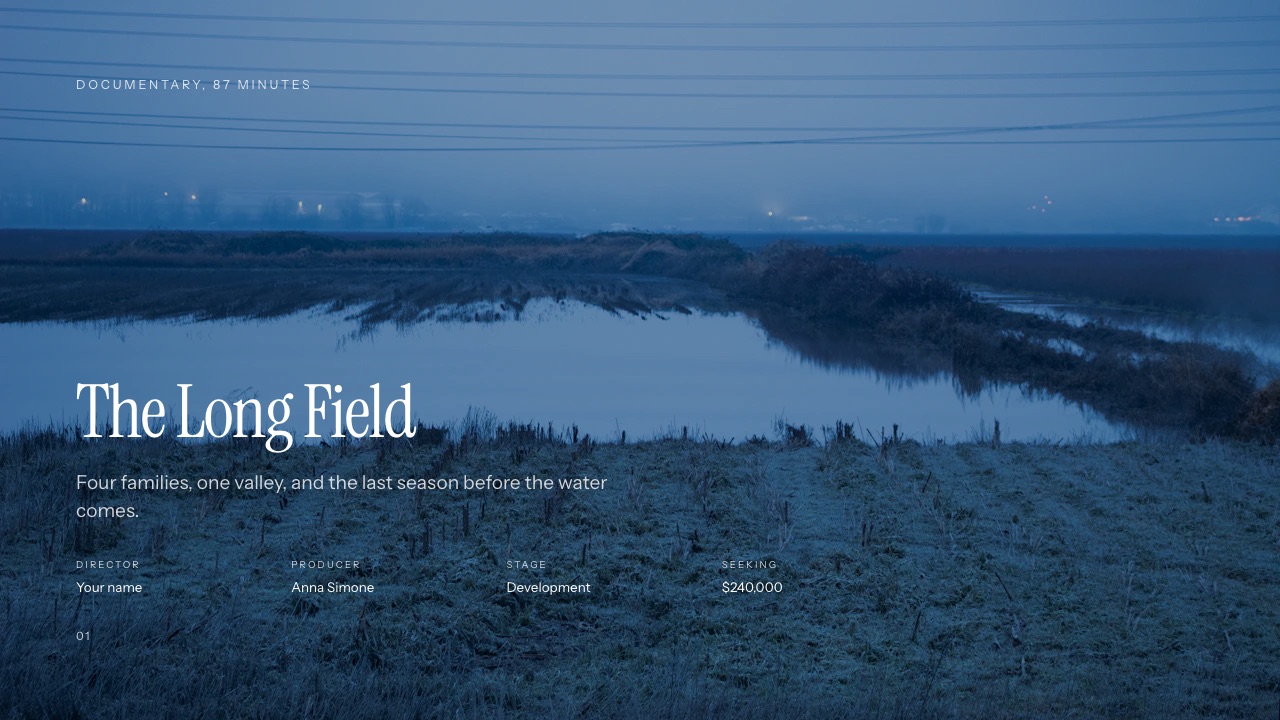
The film's website sits on the same plan, with the trailer embedded from Vimeo or YouTube and press pages built by the AI website builder.
Client galleries hold photos and video together, so a press kit of stills and the trailer goes out under one link with favourites, full-set or favourites-only downloads and a download PIN, unlimited on every plan.
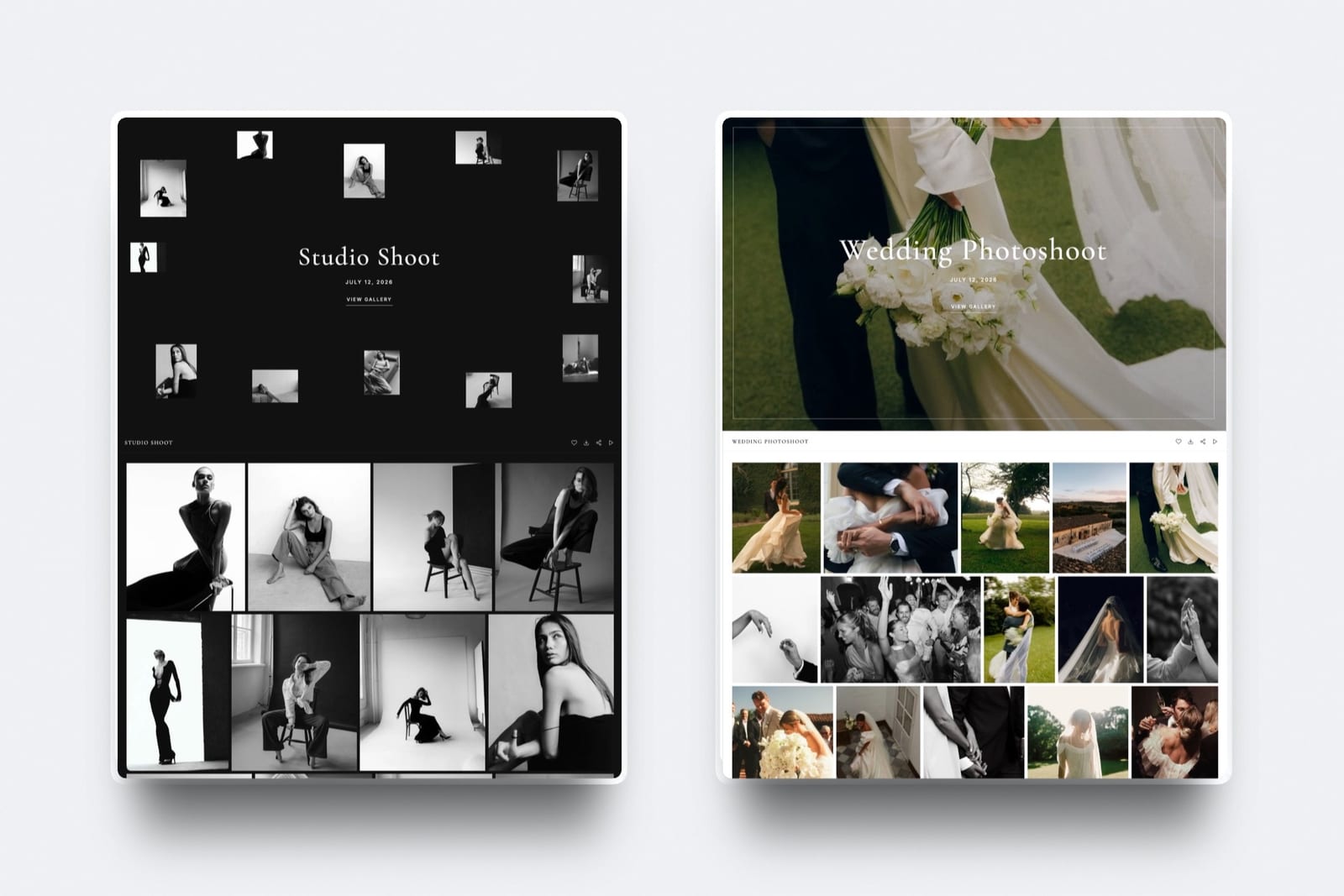
None of that changes the ranking above; it is why a self-funded filmmaker might pair Vimeo or Frame.io for the edit with Framekit for what the public sees.
Our guide to website builders for documentary filmmakers covers that half.
Which Tool Fits a Documentary Edit? A Decision Tree
Work down these eight questions in order and stop at the first yes, because the first two eliminate more of this page than all the others combined and no price difference further down should change the answer they give.
- Is your review cut longer than two hours? If yes, choose Frame.io, Vimeo, Krock.io, Kollaborate or Dropbox Replay. Framekit refuses it on every plan. If no, go to question 2.
- Is your review file larger than 3GB, and will you not re-export it? If yes, the same five tools. Framekit's top plan stops at 3GB. If no, go to question 3.
- Does the edit already live in Dropbox? If yes, Dropbox Replay with the add-on, for 12-hour uploads, compare and transcripts. If no, go to question 4.
- Is the project self-funded? If yes, Vimeo Starter at $144 a year for 2TB, or Krock.io at $10 a user if you need drawing and compare. If no, go to question 5.
- Do you need to compare two cuts side by side? If yes, Frame.io, which lists the comparison viewer on every plan, or Kollaborate, Krock.io or Wipster. If no, go to question 6.
- Will the archive grow for years? If yes, Kollaborate, whose flat ladder runs to 20TB and charges by storage rather than by crew. If no, go to question 7.
- Do two or more people on your side upload cuts? If yes, Frame.io, Krock.io or Kollaborate. Framekit has one uploader per account. If no, go to question 8.
- Do you want the funder copy, the film's site, the pitch deck and the press gallery in one account? If yes, Framekit on Business, provided the review export stays under 3GB and two hours, alongside whichever tool holds the master.
Frequently Asked Questions
What is the best video review tool for documentary filmmakers in 2026?
Frame.io is the best video review tool for documentary filmmakers in 2026, because it takes a feature-length cut as exported, lists a comparison viewer, range comments and transcription on every plan, and gives 2TB per member on Pro at $15 a member a month.
Vimeo is the best value at $144 a year for 2TB, Krock.io adds drawing and compare at $10 a user, Kollaborate scales flat to 20TB, and Dropbox Replay suits a film already stored in Dropbox.
Can I upload a 90-minute rough cut for review?
Yes on seven of the eight tools here, as exported.
Nothing in the published limits of Frame.io, Vimeo, Krock.io Pro, Kollaborate, Dropbox Replay, Wipster or ReviewStudio stops a 94-minute, 4.8GB file, though Wipster Light's 50GB and ReviewStudio's 25GB per user hold only a handful of them.
Framekit caps one review file at 3GB on Business and refuses anything over two hours, so the same cut fits only as a lighter export at about 4 megabits per second.
Framekit vs Frame.io for a documentary: which should I use?
Frame.io for the edit and Framekit for the film's public face. Frame.io Pro at $15 a member a month takes files up to 5TB, compares versions side by side and transcribes interviews on every plan.
Framekit refuses cuts over two hours and 3GB, but gives funders a branded, password-protected review page with range comments, drawing and approvals on every plan, plus the film's site, pitch deck and press gallery on the same account.
Is Dropbox Replay better than Frame.io for documentary review?
Dropbox Replay is better if the documentary already lives in Dropbox, and Frame.io is better for everyone else.
Replay accepts 150GB uploads and 12-hour videos with compare, transcription and editing-app integrations, but needs the add-on, $10 a user a month billed yearly, after 4 files.
Frame.io includes compare, transcription and 2TB per member on Pro without an add-on.
What is the maximum video length on review platforms?
It varies, and most vendors publish file size rather than runtime. Dropbox Replay accepts video up to 12 hours, Vimeo does not support videos over 24 hours, and Framekit refuses anything over two hours on every plan.
Frame.io, Krock.io, Kollaborate, Wipster and ReviewStudio document no runtime limit, so for them the practical ceiling is file size and storage.
Why does my long cut play back softly even though it uploaded?
Because the platform's encoder skipped a quality rung and served a lower-resolution proxy.
Framekit, for example, makes 1080p playback copies only up to 25 minutes and 720p up to 55, so a long MOV plays from a smaller proxy unless the reviewer picks Original, while a long 1080p H.264 MP4 plays the original file by default.
Upload your longest cut and watch ten minutes from the middle to check any tool.
How do I keep review history across a multi-year documentary?
Export it at every milestone, because access follows your subscription on every tool here.
Frame.io lists downloading, exporting and printing comments with annotation thumbnails on every plan, and Vimeo lists downloadable review comments on paid plans.
Avoid deleting projects to free a slot on capped plans, and keep a dated record of every approved version before any plan lapses.
Which tool is cheapest for a self-funded documentary?
Krock.io Pro at $10 a user a month, about $120 a year, is the cheapest tool here with 2TB, drawing and version compare, and Vimeo Starter at $144 a year billed yearly is the cheapest 2TB with publishing included.
Kollaborate Basic at $7 a month is cheaper still but holds only 30GB, about six copies of a 94-minute cut. Framekit needs Business at $372 a year to take a feature cut.
Can funders and commissioning editors review without accounts?
Yes on every tool in this comparison that documents it.
Framekit reviewers open the link without an account, Frame.io share links need no sign-up, Vimeo asks only for a name and email, Kollaborate sends password-protected links to people outside the project, and Krock.io and Wipster advertise unlimited reviewers.
None of them bills a funder as a seat.
Does Framekit transcribe interviews or add captions?
No, Framekit Video Review does not transcribe or caption, and it has no paper-edit tooling. Frame.io lists transcription and captions on every plan including Free, and Dropbox Replay lists transcriptions and captions on its review page.
If your documentary is cut from interviews, our guide to transcription tools for video editors covers what to pair with a review tool.
How much storage does a documentary edit actually need?
Budget for every version you will not delete.
Five versions across a 94-minute rough cut and a 71-minute fine cut at the carried bitrate are about 22GB, and a four-year documentary with assemblies, rough cuts, fine cuts and picture lock will comfortably pass 200GB.
That rules out 5GB and 50GB tiers and makes 2TB options such as Frame.io, Vimeo and Krock.io the realistic shortlist.
Are range comments important for long-form review?
Yes, more than for any other genre. On a 94-minute cut the useful note is usually "this ten-minute stretch drags" rather than a remark about one frame.
Frame.io lists frame-accurate and range-based comments on every plan, Dropbox Replay allows commenting on a range, and Framekit lets a comment cover an in-and-out range; Vimeo and Kollaborate document comments at single points on the timeline.
What happens to my reviews if the documentary pauses between funding rounds?
Your review history stays only while the subscription does, on every tool here.
Either keep the cheapest tier running through the pause, which on Vimeo Starter is $144 a year and on Kollaborate Basic is $60 a year billed yearly, or export the comment history before you cancel.
Framekit's Free plan is permanent, but its 10GB pool and 500MB file cap are far smaller than a paid plan's.
Final Verdict
Frame.io is the best video review tool for documentary filmmakers in 2026 because its free plan already carries what a long edit runs on, range comments, a comparison viewer and transcription, and Pro adds 2TB per member and locked links at $15 a member a month.
Vimeo is the honest recommendation for self-funded work at $144 a year for 2TB, Krock.io is the balanced pick at $10 a user, Kollaborate has the most sensible cost curve for a growing archive, and Dropbox Replay is the strongest choice for a film already stored in Dropbox.
Where Framekit loses, and who it is not for. Framekit is not for the edit itself.
It refuses cuts over two hours, caps a file at 3GB even on Business, has no side-by-side compare, no transcription and no editing-app integration, and lets only the account holder upload cuts.
Long MOV files play from a lower proxy unless reviewers pick Original. For assemblies, masters, image judgements or two uploaders, the five tools above it are the better fit, which is why it ranks sixth.
Framekit earns its place at the edge of the edit: a funder copy under two hours on a branded, password-protected page with range comments, drawing and approvals on every plan, next to the film's website, funding deck and press gallery on one account.
Before you commit to anything, upload your longest cut and watch ten minutes of it. That single test tells you more than every feature comparison on this page, including this one.
Related readingthe 12 best video review tools, post-production collaboration tools, Framekit vs Frame.io, how to deliver final video files to clients, and video review tools for freelance editors.