Framekit templates
Start from a designer-made template
 Use template
 Use template
 Use template
 Use template
 Use template
 Use template
 Use template
 Use template
You built a portfolio site two years ago and it does its job: strangers find you, see the work, fill in the form. Then the bookings arrive, and with them a new problem.
The family session needs delivering to the Ortiz family and nobody else, the wedding needs 520 photos and an 11-minute film handed over in one place, and the couple want to pick 60 frames for an album without describing them by position in an email.
Your website cannot do that, so a gallery service asks for $8 to $40 a month on top.
Or it is the other way round: you started on a gallery platform, your galleries look lovely, and you are wondering whether you also need a real website, or whether the gallery company's portfolio pages are enough.
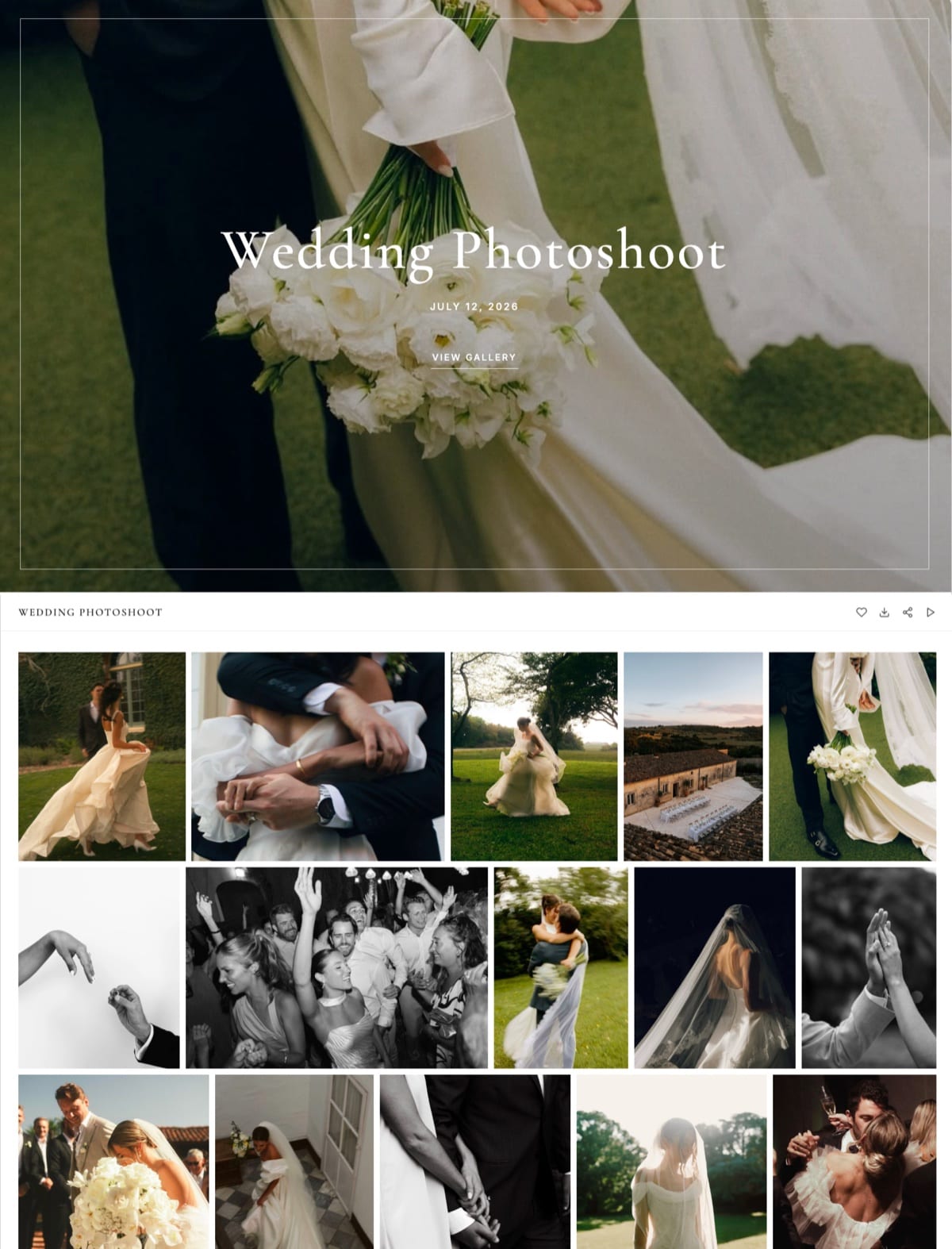
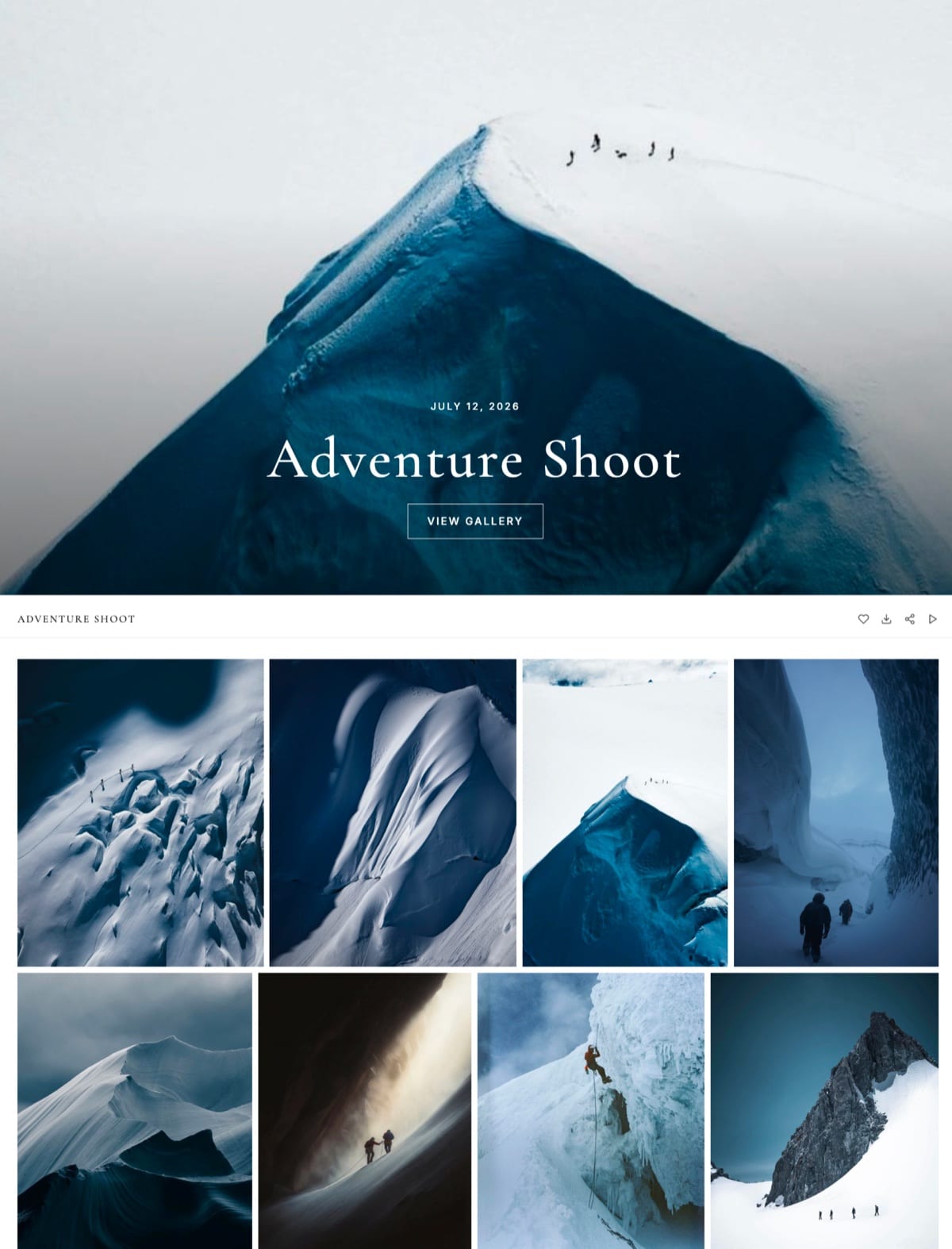
A client gallery is a private page that delivers one finished shoot to one client behind a password, with favourites, a separate download control and an optional expiry date, while a portfolio website is the public site that shows strangers your best work and how to book you.
Most photographers need both jobs done; far fewer need two subscriptions to do them.
You need a client gallery once you deliver to paying clients more than about six times a year, and you need a real website once strangers have to find and book you, but you do not need two bills to get both.
If you deliver digital files and films, a website builder with galleries included, such as Framekit, covers both from $0, with your own domain from $84 a year.
If prints and albums are real income, keep or build a site and add a print-store gallery such as Pixieset, Pic-Time or ShootProof, or choose Zenfolio, whose plans include a website.
If you deliver a few dozen photos a year to friends, you need neither a paid gallery nor a second bill.
We rewrote this guide on 12 October 2026 and re-verified it the same day: every Framekit gallery figure was checked against the shipped product, and every competitor plan price below was re-read on the vendor's own pricing page.
The September version said Framekit gallery links keep working if you change plans and that a builder with galleries "replaces two subscriptions" in every case; the first was not something we could verify and the second ignored print-led studios, so both are gone.
Framekit is an AI website builder that includes client galleries, video review, Slides and a digital store in one account, so the gallery publishes at /client/ on the same site as your portfolio rather than on a separate service.
Full disclosure: Framekit is our product and one of the four setups below. The cost table includes platforms that beat it on price for stills-only work, and two sections explain when Zenfolio or Pixieset is the better bundle.
The Short Answer, Situation by Situation
Whether you need a client gallery, a website or both depends on two things you can answer in a minute, how many paid deliveries you make a year and whether strangers need to find you online, so the honest answer is a table rather than a yes.
| Your situation | Need a client gallery? | Need a full website? | Cheapest sensible setup |
|---|---|---|---|
| Under 6 deliveries a year, friends and family | No, not a paid one | No | A free gallery plan or a shared folder |
| 6 to 30 paid deliveries, digital files only | Yes | Yes, if bookings come from search or referrals | One plan with site and galleries |
| Weddings or events with films | Yes, one that hosts film by size | Yes | One plan with site, galleries and video |
| Prints and albums are real income | Yes, with a lab store | Yes | Site plus a print-store gallery, or Zenfolio |
| Fully booked through one agency or referrals | Yes | A simple one is enough | A gallery platform's portfolio pages, or a free site |
| You deliver only to retouchers and agencies | No | Yes | A website plus cloud storage |
The rows that surprise people are the third and the fifth.
A hybrid wedding photographer pays far more on a gallery that meters video in hours than on one that counts it in gigabytes, and a photographer whose calendar fills through one planner may not need much of a website at all.
What a Portfolio Website Cannot Do That a Gallery Can
A portfolio website is built to show your work to everyone, and a client gallery is built to show one shoot to one client under rules you set, so most website builders cannot do the seven delivery jobs below without bolting on gallery software of some kind.
| Delivery job | A typical portfolio page | A client gallery | On Framekit specifically |
|---|---|---|---|
| Lock one shoot to one client | Site-wide password or none | A password per gallery | Per-gallery password, every plan |
| Let guests view but not download | Not possible | A download PIN separate from the password | Separate download PIN, every plan |
| Hand over the whole shoot | Right-click 500 times | One ZIP | Up to 2,000 photos per ZIP, large archives in parts |
| Collect album picks | An email describing photo 447 | Favourites | Named lists, notes, Send to photographer |
| Close access on a date | Delete the page by hand | Expiry date | Returns to draft, optional reminder 3 days before |
| Mark previews | Watermark baked into the upload | Watermark on views only | Watermarks what clients see; downloads are clean originals |
| Know who downloaded | Nothing | An activity log | Downloads with PIN used, favourites lists, CSV export |
Publishing a client's finished photographs as an ordinary page on your portfolio is not a cheaper delivery, it is an unprotected one: anyone with the address can save every file, there is no way to collect selections, and nothing closes when the job is done.
The ZIP row deserves one number. Every Framekit download is the full-resolution original, with no web-size option for clients, so a 520-frame wedding at about 10MB a frame is a 5.2GB archive.
Framekit builds it in parts when it is large and offers "Email me when it's ready", so a client on a phone can close the tab and come back to a link.
What a Gallery Platform Cannot Do That a Website Can
A gallery platform is built to deliver and sell to people who have already booked you, and most of them do only a light version of the public website job of being found, explaining what you do and taking enquiries, which is why so many photographers on gallery platforms still pay for a separate site.
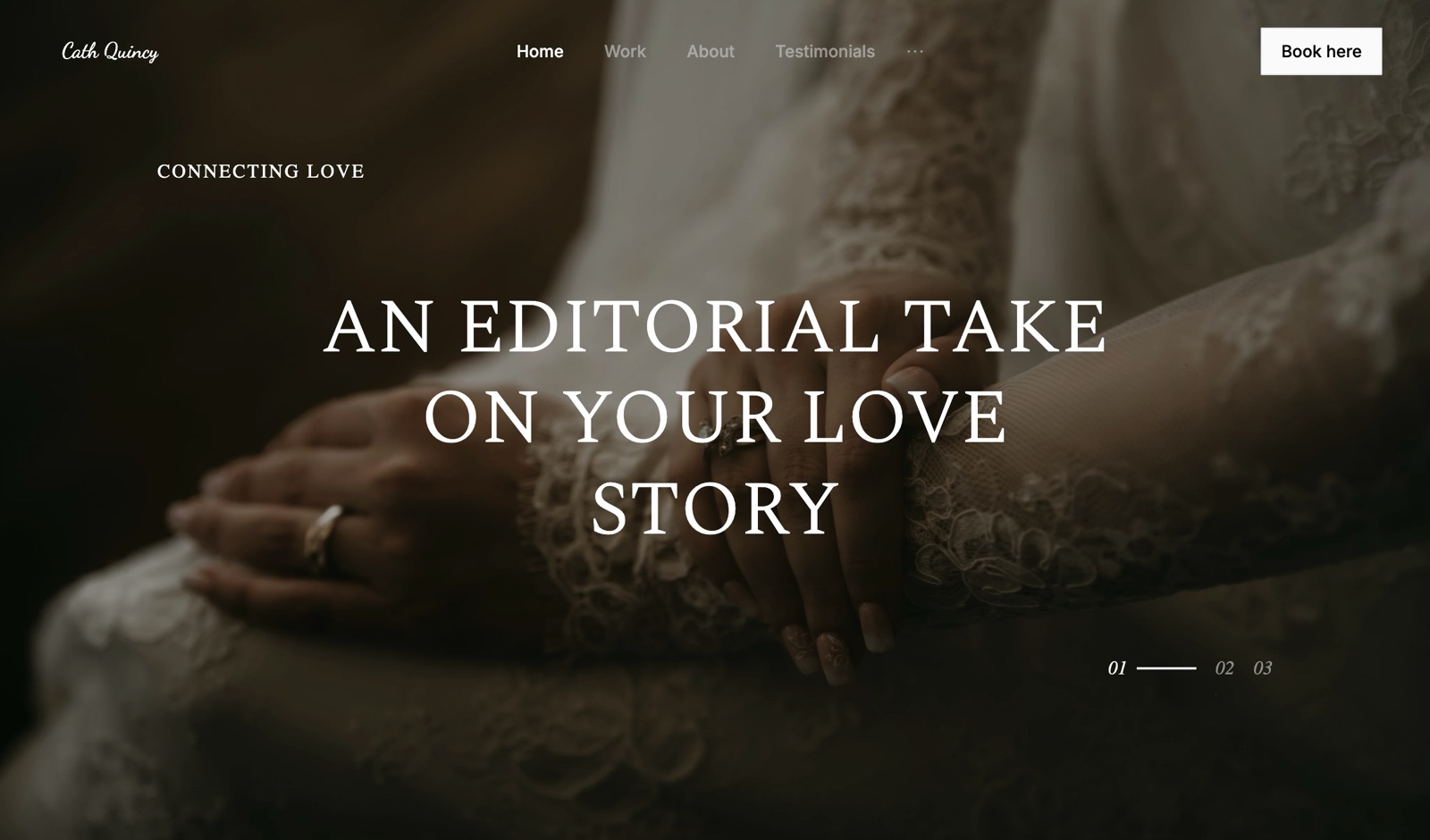
What the public site has to do: rank for "wedding photographer in Leeds" or "headshots Rotterdam", carry an about page, pricing guidance and an enquiry form, hold a portfolio arranged by genre rather than by client, and look like your studio rather than a template from the gallery vendor.
How the gallery platforms handle it, as of October 2026:
- Pixieset sells its website separately from galleries, or in its Suite, which bundles Client Gallery, Website and Studio Manager from $28 a month billed yearly, per its Suite pricing page.
- Zenfolio includes a website with your own domain on every plan, from Basic at $7 a month billed yearly, per its pricing page.
- SmugMug adds website templates from its Portfolio plan at $23.50 a month billed yearly.
- Pic-Time, ShootProof and CloudSpot offer portfolio pages or a link-in-bio style site rather than a full website builder.
- PicDrop has no website; it is a selects and proofing tool.
So the honest version of the question is not "do I need a website" but "is my gallery platform's site good enough to win the bookings I want". For a photographer booked solid through one planner, a set of portfolio pages may be.
For anyone who needs to be found by strangers, it usually is not.
The Four Setups That Work
There are four combinations of website and client gallery that working photographers actually run, and each one fits a specific business: one bill for site and galleries, a site plus a print-store gallery, a gallery platform with its own site, or a site plus a cloud folder.
Setup 1: a website builder with galleries included. One plan, one domain, one login. The gallery is a page of your own site, so a forwarded link carries your address.
This is Framekit's model: every gallery feature on every plan, your own domain from Starter. It fits photographers paid for the shoot who deliver digital files and films.
It does not fit print-led studios, because Framekit has no print store.
Setup 2: your website plus a print-store gallery. Keep the site you like and add Pixieset, Pic-Time or ShootProof for delivery and sales.
Two bills and two brands, but a lab-connected store where a hearted photo can become an order without you. It fits studios where prints, albums and wall art are a real revenue line, typically more than about $1,000 a year.
Setup 3: a gallery platform with its own website. Zenfolio includes a site on every plan; Pixieset's Suite and SmugMug's Portfolio plan add one.
One bill, a print store, and a website that is good enough for many photographers but is built by a gallery company rather than a website builder. It fits print and volume businesses who want one bill and do not need a design-led site.
Setup 4: your website plus a cloud folder. Dropbox or Google Drive for delivery, your site for marketing.
Cheapest per gigabyte if you already pay for storage, and the weakest client experience: no password on Google Drive links, no favourites, no designed page.
It fits photographers whose recipients are other professionals, and nobody else. Client gallery vs Google Drive and client gallery vs Dropbox cover the gaps.

What Each Setup Costs Over a Year
A website plus client galleries costs between $0 and about $770 a year at the volumes most photographers deliver, before any separate website bill, and the cheapest setup changes as soon as you add films, need a print store or already pay for a site you like.
Assumptions, matching our client gallery cost breakdown: 10MB per delivered photo, films at 10 Mbps, every gallery online for the full year, yearly billing, the cheapest plan on each platform that fits.
Prices re-read on the vendors' pricing pages on 12 October 2026. "+ site" means add whatever your separate website costs.
| Setup and platform | 15 portrait sessions of 50 photos (7.5GB) | 24 stills-only weddings of 500 photos (120GB) | The same weddings plus a 25-minute film each |
|---|---|---|---|
| Framekit, site and galleries | $0 on Free, $84 Starter for your domain | $180, Pro | $180, Pro |
| Zenfolio, site and galleries | $84, Basic | $138, Professional | $240, Advanced |
| Pixieset galleries + site | $96 Basic + site | $288 Pro + site | About $768 + site |
| ShootProof galleries + site | $99.96 Starter + site | $320.04 Professional + site | $320.04 Professional + site |
| Pic-Time galleries + site | $84 Beginner + site | $504 Advanced + site | $504 Advanced + site |
Three readings of the table. First, Zenfolio is the cheapest one-bill setup for a stills-only wedding year, $42 less than Framekit Pro, and it adds a print store Framekit does not have.
Second, once films are part of every delivery, Framekit's 150GB video share on Pro holds them without moving plans, while Pixieset's hour-based video metering reaches about $768 a year before the website.
Third, every "+ site" row is cheaper than it looks only if you were going to keep that website anyway.
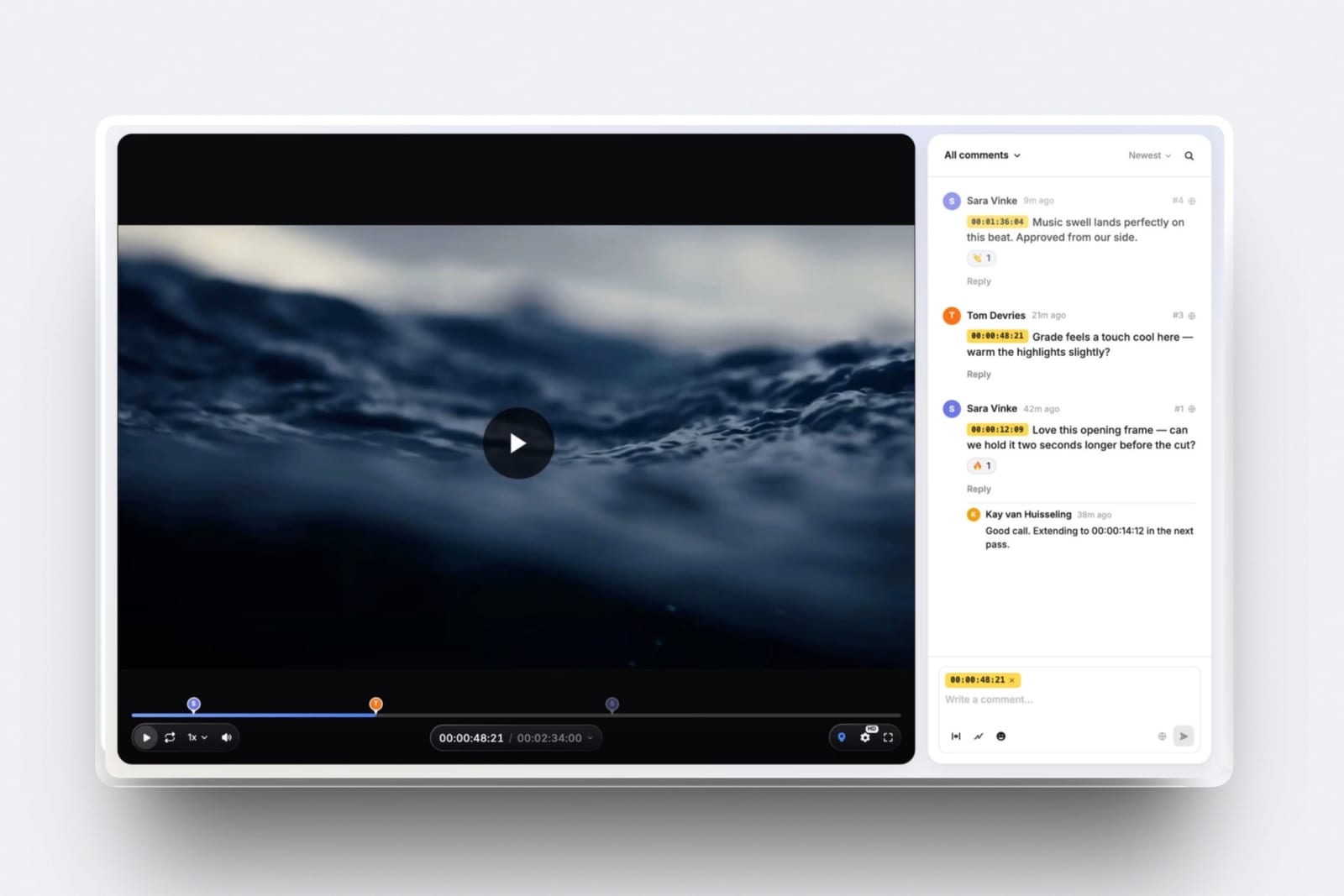
What Framekit's figure also covers: the portfolio site, video review for the cut before delivery, Slides for pitch decks and a digital store, all from the same storage pool.
What it cannot cover: a single print order. If your clients spend $3,000 a year on prints, a 0% commission store on a print platform is worth more than any saving in this table.
Run the Numbers on Your Own Stack
You can settle the question for your own business in about fifteen minutes with last year's bank statement, because the answer is three sums: what you pay now, what one combined plan would cost, and what print profit you would give up by consolidating.
- Add up the current stack. Website plan, gallery plan, cloud storage you use for delivery, transfer service, and any review tool for films. Use the annual figure, including renewals you forgot about.
- Size the storage you keep online. Photos delivered in the last 12 months times 10MB, plus films at their real file sizes. That number picks the cheapest plan that fits on each platform.
- Price one combined plan. For digital-file delivery, the cheapest plan on a builder with galleries that fits step 2. For print-led work, Zenfolio or a Pixieset Suite tier.
- Subtract print profit you would lose. If you would move off a lab-connected store, take last year's print and album profit away from the saving.
Run it yourselfif step 1 minus step 3 minus step 4 is above zero, consolidating saves money; if it is below zero, your current two-tool stack is earning its keep.
A photographer paying an assumed $200 a year for a site and $192 for Pixieset Plus, with no print sales and 80GB online, would pay $180 on Framekit Pro instead, a saving of $212 a year; the same photographer with $2,000 a year of print profit should stay where they are.
Where Framekit Fits

Framekit fits photographers and filmmakers who are paid for the shoot rather than the print and want the portfolio, the client galleries and the enquiry form on one domain and one bill, because the gallery is a page of your own site and every gallery feature is on the free plan.
What it feels like. You build the site with the AI website builder, then create a gallery, link it to the site, drop in photos and films together, pick one of 17 cover styles and 18 typography presets, set a password and a separate download PIN, and send it from Framekit to up to 20 recipients.
The client opens it at /client/ on your address, hearts frames into named lists and presses Send to photographer.
The number to remember. $0 for a real website and unlimited galleries inside 10GB of pooled storage.
Starter is $9 a month ($7 billed yearly) with your own domain and 50GB; Pro $19 ($15 yearly) with 300GB, of which up to 150GB can be video; Business $39 ($31 yearly) with 2TB. One gallery holds up to 5,000 photos.
The standout detail. Photos and films share one gallery link on every plan, films transcoded for smooth playback and never watermarked, and a cut can go through frame-accurate video review on the same account before the final version lands in the gallery.
The honest gotcha. The website is the plan's unit: a second website is a second plan, while galleries, review, Slides and the store sit on the same account.
The gallery page itself has no menu back to your site and shows a small "Made with Framekit" credit on every plan.
Team members on Pro and Business can edit the website but cannot build or manage galleries, which stay with the account holder.
Who should skip it. Anyone whose packages include prints, albums or wall art, because there is no print ordering, lab or price sheet.
Anyone who needs a native mobile app, client uploads into a gallery, RAW delivery, unlimited storage, or school and volume workflows.
Verdict: if you deliver digital files and films and would otherwise pay for a site and a gallery separately, Framekit is the simplest way to have both on one domain; if prints are income, it is the wrong home for your galleries, whatever the table says.
When Zenfolio's Built-In Website Is Enough
Zenfolio is the better one-bill setup when prints, albums or volume work are part of your income, because every Zenfolio plan includes a website with your own domain, its Professional and Advanced plans sell through integrated labs, and its stills-only plans are cheaper than Framekit's at the volumes in the table above.
The figures, from its pricing page in October 2026: Basic at $7 a month billed yearly with 15GB, Professional at $11.50 with 150GB and selling switched on, Advanced at $20 with unlimited JPEG storage and 150GB of video.
Selling carries a flat 7% commerce fee per order. Volume Wizard and QR workflows handle sports and school days, 5 uses on Professional and unlimited on Advanced, and booking is a $10 a month add-on, included on Advanced.
The trade-off is that the website is the second job of a selling platform rather than the first job of a website builder, and there is no video review for filmmakers. Framekit vs Zenfolio compares the two in detail.
When Pixieset Suite Is the Better Bundle
Pixieset Suite is the better bundle for a portrait or wedding studio that wants galleries, a website and studio paperwork from one company, because it combines Client Gallery, Pixieset Website and Studio Manager, with invoices, contracts with e-signatures, questionnaires, quotes and booking, from $28 a month billed yearly.
Pixieset's gallery store takes 0% commission on paid plans and 15% on its free plan, it has native mobile gallery apps, and its plan list in October 2026 runs from Basic at $8 a month billed yearly to Ultimate at $40, with Suite tiers at $28, $38 and $55.
Video is metered in hours, 30 minutes on Basic up to 5 hours on Ultimate, with extra hours at $5 a month each, which is the cost to watch if you deliver films.
Framekit has no contracts, invoicing or booking calendar, so a studio that would otherwise buy a separate CRM should price the Suite first. Is Pixieset worth it and Framekit vs Pixieset go further.
When You Do Not Need Gallery Software at All
You do not need client gallery software when the people receiving your files are professionals, when you deliver so rarely that a free tier covers you, or when the contract hands over working files, and paying for a gallery in those cases is twelve months of money for a job you do not have.
You deliver only to professionals. Retouchers, editors, designers and agency producers want working files and folders, not a browsing experience. Cloud storage or a transfer service is the right tool.
You deliver fewer than about six paid jobs a year. Free tiers cover you: Framekit's free plan has unlimited galleries with every gallery feature inside a 10GB pool shared with the site, ShootProof's free plan has 3GB for photos at 0% commission, and Pixieset's free plan has 3GB with 15% on store sales.
Your contract hands over RAW or layered files. That is a transfer by definition. Framekit refuses RAW, DNG, TIFF, PSD and HEIC at upload, and most delivery galleries do the same.
One client, one system. A photographer whose income is one brand with its own asset library should deliver into that library, not into a gallery nobody there asked for.
What Happens When You Change Setup
Changing from a two-tool stack to one, or the other way round, has three practical consequences, old gallery links, storage you need on day one, and who on your team can still do the work, and each is easier to plan before the move than after it.
Old gallery links. Galleries do not move between platforms. Keep the old account until the galleries clients still use have expired or been downloaded, and deliver new work on the new setup.
Framekit has no redirect manager, so old links on another platform stay where they are and a new gallery gets a new address.
Storage on day one. Add up what you need online, not what you have archived. A photographer moving 18 months of live galleries, about 200GB, needs Framekit Pro's 300GB, not Starter's 50GB.
Your domain. On Framekit your own domain is a paid feature from Starter at $7 a month billed yearly; on the free plan, galleries live on a framekit.ai address.
If you keep a separate gallery platform, its galleries usually live on that vendor's subdomain or a subdomain you point at it.
Your team. On Framekit, team members are website admins: they can edit the site, but galleries and video reviews belong to the account holder.
A studio where an associate delivers their own shoots needs that person to work through the owner's account or keep a separate one.
Your archive. Neither setup is a backup. Keep originals on your own drives and an offsite copy, whichever combination of site and gallery you choose.

Choosing Your Setup, Question by Question
This decision path asks the questions in the order they remove options, starting with prints, because whether the gallery has to sell after delivery decides the platform for most portrait and wedding photographers before price, storage or design come into it.
1.
Do prints, albums or wall art bring in more than about $1,000 a year? If yes, choose a print-store gallery: Zenfolio if you want the website included, Pixieset Suite if you also want contracts and invoices, or Pixieset, Pic-Time or ShootProof alongside the site you have.
If no, go to question 2.
2. Do strangers need to find and book you online? If no, a gallery platform's portfolio pages or a free plan may be all you need. If yes, go to question 3.
3. Do you deliver films as well as photos? If yes, a builder with galleries that counts video in gigabytes, such as Framekit, keeps the bill flat as films pile up. If no, go to question 4.
4. Do you love the website you already have? If yes, add the cheapest gallery plan that fits your storage and accept two bills. If no, or the site needs rebuilding anyway, one plan for site and galleries is the cheaper rebuild.
5. Do clients need a native app, uploads of their own or RAW files? If yes, choose a specialist: Pixieset has mobile gallery apps, and PicDrop accepts RAW and client uploads. Framekit does none of these.
Frequently Asked Questions
Do I need a client gallery if I already have a website?
You need a client gallery once you deliver to paying clients more than about six times a year, because most portfolio websites cannot lock a shoot to one client, keep downloads behind a separate PIN, hand over a whole-gallery ZIP, collect favourites or expire access.
You do not necessarily need a second subscription: a website builder with galleries included, such as Framekit, does both on one plan.
Do I need a website if I already use a client gallery platform?
You need a full website if strangers have to find and book you, because most gallery platforms offer portfolio pages rather than a website builder.
Zenfolio includes a website with your own domain on every plan, Pixieset sells one separately or in its Suite from $28 a month billed yearly, and Pic-Time, ShootProof and CloudSpot offer portfolio pages.
If one planner fills your calendar, those pages may be enough.
Can I deliver client photos from a normal portfolio page?
You can, but it is an unprotected delivery. A normal page lets anyone with the address view and save every file, has no way to collect favourites, and stays up until you delete it.
A client gallery adds a per-client password, a separate download PIN, whole-gallery downloads, favourites lists and an expiry date. Framekit puts all of those on its free plan.
What is the cheapest way to have a website and client galleries?
Framekit's free plan is the cheapest complete start, with a real website and unlimited client galleries inside 10GB of pooled storage, on a framekit.ai address. Your own domain costs $84 a year on Starter.
For a stills-only wedding business, Zenfolio Professional at $138 a year is cheaper than Framekit Pro at $180 and adds a print store, though its website is a gallery company's site.
Is a website builder with galleries cheaper than a website plus Pixieset?
Usually, if you do not sell prints. A photographer paying an assumed $200 a year for a site plus $192 for Pixieset Plus spends $392; Framekit Pro is $180 for site and galleries with 300GB.
If clients buy prints through Pixieset's 0% commission store, that profit can outweigh the saving, so compare it with your print income before switching.
Should wedding photographers use a website with built-in galleries?
Wedding photographers who deliver digital files and films should, because one plan holds the portfolio, the galleries and the films, and forwarded wedding galleries land on their own domain.
Wedding photographers who sell albums and wall art should pair their site with a print-store gallery, or choose Zenfolio or Pixieset Suite, because Framekit has no print store or album proofing.
Does Zenfolio include a website with its client galleries?
Yes.
Zenfolio includes a website with your own domain on every plan, from Basic at $7 a month billed yearly with 15GB, Professional at $11.50 with 150GB and print selling, and Advanced at $20 with unlimited JPEG storage, per its pricing page in October 2026.
Selling carries a flat 7% commerce fee per order.
What happens to my old galleries if I switch to one platform?
They stay on the old platform until that account closes or the galleries expire, because galleries do not move between services. Keep the old plan until active galleries are downloaded or expired, and deliver new work on the new setup.
Framekit has no redirect manager, so a new gallery always gets a new address on your site.
Can my team manage client galleries on a Framekit website?
No. Framekit team members, 3 on Pro and unlimited on Business, are website admins: they can edit the site but cannot build, upload to or manage galleries or video reviews, which belong to the account holder.
Clients never need an account, so viewing, favouriting and downloading are unaffected. A studio with associates delivering their own shoots should plan around one owner account.
Is Framekit or Pixieset Suite better for a photography studio?
Pixieset Suite is better for studios that sell prints and want contracts, invoices, questionnaires and booking in the same bundle, from $28 a month billed yearly.
Framekit is better for studios paid for the shoot that deliver films as well as photos, because video is counted in gigabytes rather than hours and the site, galleries, video review, decks and digital store share one plan from $0.
How many subscriptions does a photographer actually need?
Two is the realistic floor for most working photographers: one plan covering the public website and client delivery, and cloud storage for originals and working files.
A third subscription is worth it only when it earns money, such as a print-store gallery for a studio with real print income or a CRM for a high-volume portrait business.
The Verdict
You need a client gallery once paid deliveries become routine and a website once strangers need to find you, and the honest saving is in not paying twice for them, unless a print store is what the second bill buys.
For photographers and filmmakers paid for the shoot, Framekit is the simplest answer: one plan, one domain, a real website and every gallery feature from $0, with video counted in gigabytes.
Where Framekit loses: it has no print ordering, lab, price sheets, mobile app, client uploads, RAW delivery, unlimited storage or school and volume workflows, its galleries are run from the owner's login, and for a stills-only year Zenfolio is cheaper.
If prints are income, Zenfolio, Pixieset Suite or a print-store gallery beside your existing site is the better fit.
Before you decide, run the four sums in the section above with last year's real bills. The answer is usually obvious within fifteen minutes.
Related readingare client galleries worth it, what a client gallery is, best website builders with client galleries, best website builders for photographers, and the full client gallery platform comparison.