Framekit templates
Start from a designer-made template
 Use template
 Use template
 Use template
 Use template
 Use template
 Use template
 Use template
 Use template
The wedding film is cut.
The couple has waited eleven weeks, and what happens next decides whether they send it to sixty people or save it to a folder and forget it: a link that plays on a phone, notes that land on the right frame, a final file they can actually open, and a page that still works on their first anniversary.
Most filmmakers spend eleven weeks on the edit and ten minutes on the delivery.
Delivering a wedding film is the process of getting the finished cut approved by the couple and then handing over the final films, usually alongside the photographs, through a private link where they can watch immediately, share with family, and download a file that plays on any device.
To deliver a wedding film, send the cut to the couple through a video review link where they leave notes pinned to exact frames, revise to an approved version, export the finals as H.264 MP4s sized under your platform's per-file cap, then deliver them in one private gallery with the stills, a password for watching and a separate PIN for downloading.
On Framekit, review and gallery sit on the same account: gallery and review files up to 2 hours long, with per-file caps of 500MB on Free, 1GB on Starter, 2GB on Pro and 3GB on Business, and a long 1080p H.264 MP4 plays its original file in the gallery.
Films over 3GB need a re-export or another host.
We re-verified this wedding film guide on 12 October 2026: Framekit's per-file caps, length limit and streaming-copy rules were checked in the shipped transcoding code, and every competitor price and video allowance was re-read on the vendor's own pricing page that day.
Framekit is an AI website builder with frame-accurate video review and client galleries for photos and films on the same account as your portfolio site.
Full disclosure: Framekit is our product, so weigh our recommendations accordingly; the workflow below works on any review and gallery tools, the size arithmetic applies everywhere, and the per-file cap that rules Framekit out for very long, high-bitrate films is stated in the first section rather than the last.
What a Wedding Film Delivery Contains, and How Big Each File Is
A wedding film delivery usually contains three to five separate films of very different lengths, and working out each one's file size before you choose an export preset is what keeps the longest one from failing at upload on the night you promised to send it.
File size in megabytes is the bitrate in megabits per second, times the length in seconds, divided by eight.
| Film | Typical length | At 16 Mbps | At 10 Mbps | Smallest Framekit plan at 10 Mbps |
|---|---|---|---|---|
| Social teaser | 60 seconds | 120MB | 75MB | Free (500MB) |
| Highlight film | 5 minutes | 600MB | 375MB | Free (500MB) |
| Long highlight | 8 minutes | 960MB | 600MB | Starter (1GB) |
| Speeches | 30 minutes | 3,600MB | 2,250MB | Business (3GB) |
| Ceremony | 35 minutes | 4,200MB | 2,625MB | Business (3GB) |
| Full documentary edit | 75 minutes | 9,000MB | 5,625MB | None; Business at 5 Mbps (2,812MB) |
The highlight films fit comfortably on any paid plan. The long edits are where the plan and the export preset have to be chosen together, which is the next step.
Step 1: Export a Delivery File That Fits the Cap
Export every final as a standard H.264 MP4 at a bitrate chosen so the file sits under your plan's per-file cap, because the cap is a hard ceiling at upload, and on Framekit the export format also decides how the film streams in the gallery and what file the couple downloads.
The highest bitrate that fits each Framekit cap is the cap in megabytes, times eight, divided by the length in seconds.
| Film length | Free, 500MB | Starter, 1GB | Pro, 2GB | Business, 3GB |
|---|---|---|---|---|
| 5 minutes | 13.3 Mbps | 26.7 Mbps | 53.3 Mbps | 80 Mbps |
| 8 minutes | 8.3 Mbps | 16.7 Mbps | 33.3 Mbps | 50 Mbps |
| 35 minutes | 1.9 Mbps | 3.8 Mbps | 7.6 Mbps | 11.4 Mbps |
| 75 minutes | 0.9 Mbps | 1.8 Mbps | 3.6 Mbps | 5.3 Mbps |
Read it as a planning tool. A 35-minute ceremony at 7.5 Mbps is 1,969MB and fits Pro; at 11 Mbps it is 2,888MB and needs Business. A 75-minute documentary edit needs Business at about 5 Mbps, which is fine for 1080p dialogue-led footage and soft for 4K.
Use H.264 MP4, 8-bit, 4:2:0. That is what most editing apps call a standard H.264 export. Framekit plays a browser-playable H.264 MP4 from its original file, so a long 1080p export keeps full quality in the gallery.
A ProRes or HEVC MOV streams from a copy instead, and for anything over 55 minutes that copy is 360p.
Never upload the master. Every Framekit download delivers the original file you uploaded, so a ProRes master becomes a file the couple cannot play on a phone.
In one linepick the plan and the bitrate together using cap times eight divided by seconds, export H.264 MP4, and keep the master on your own drives.
Step 2: Run the Couple's Cut Notes in Video Review
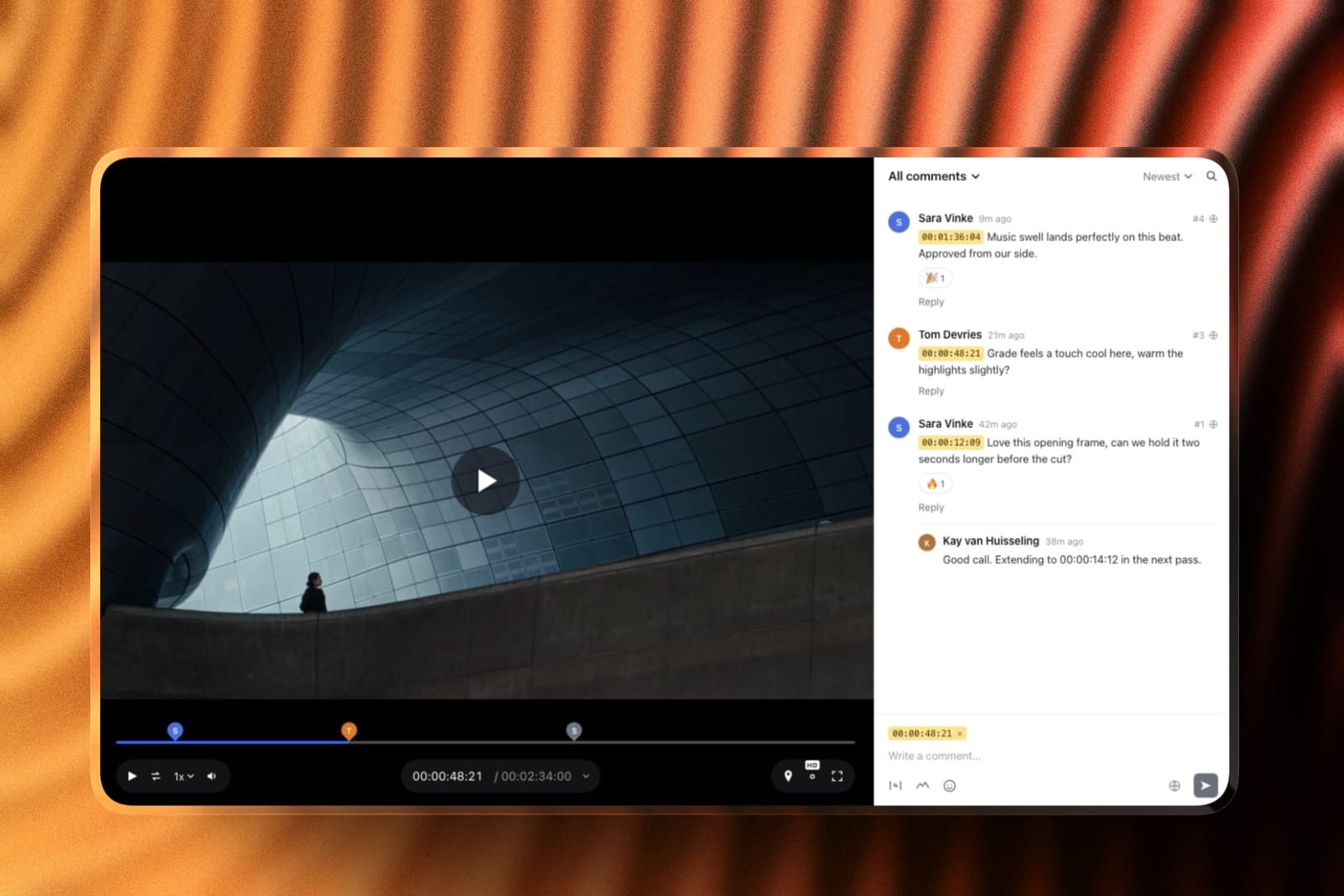
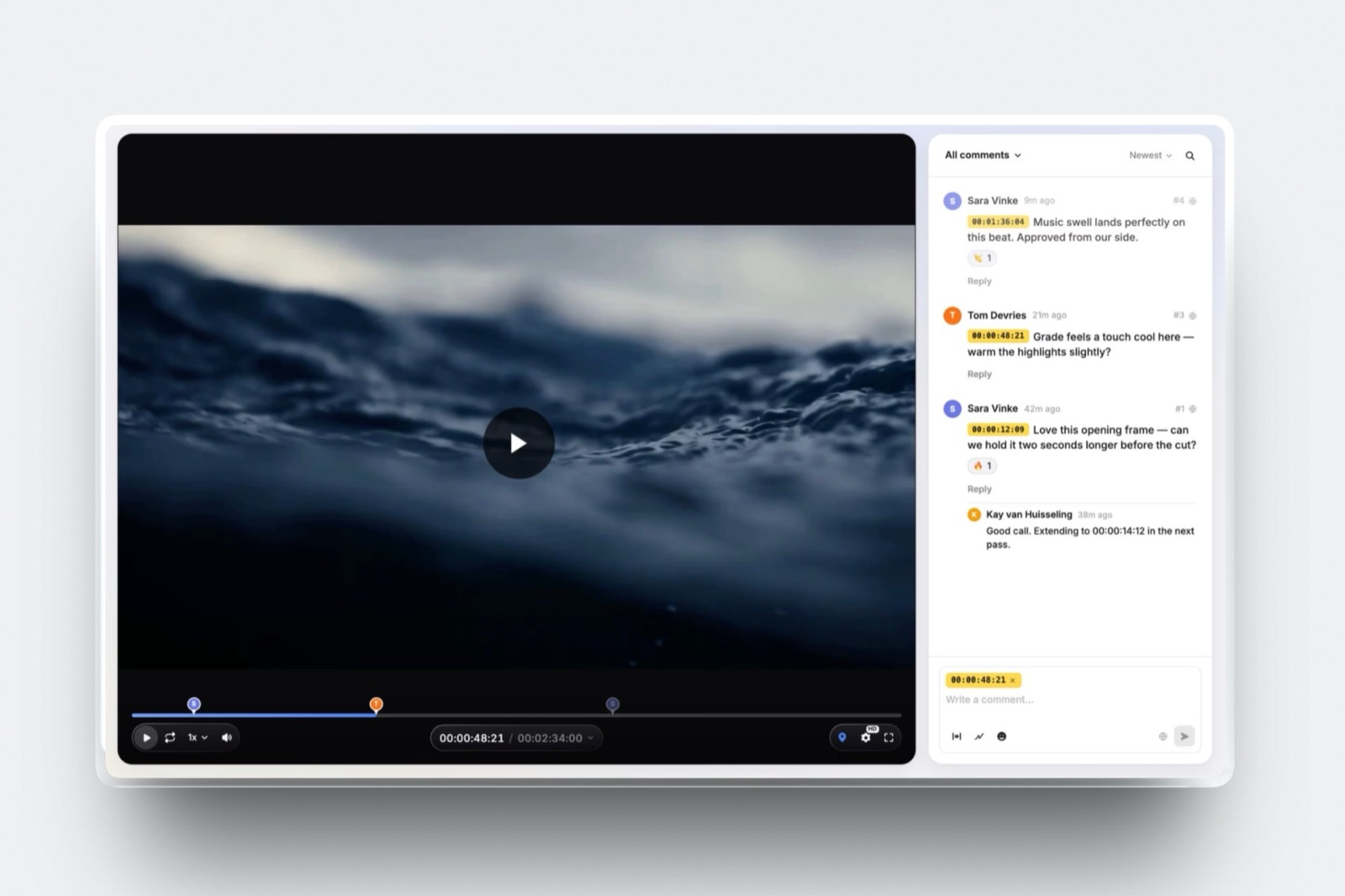
Send the first cut through a video review link before any delivery gallery exists, because a couple's notes arrive as vague emails about "the bit after the vows" unless they can pause on the frame and type the note there, and a film revised after delivery means two versions circulating among sixty guests.
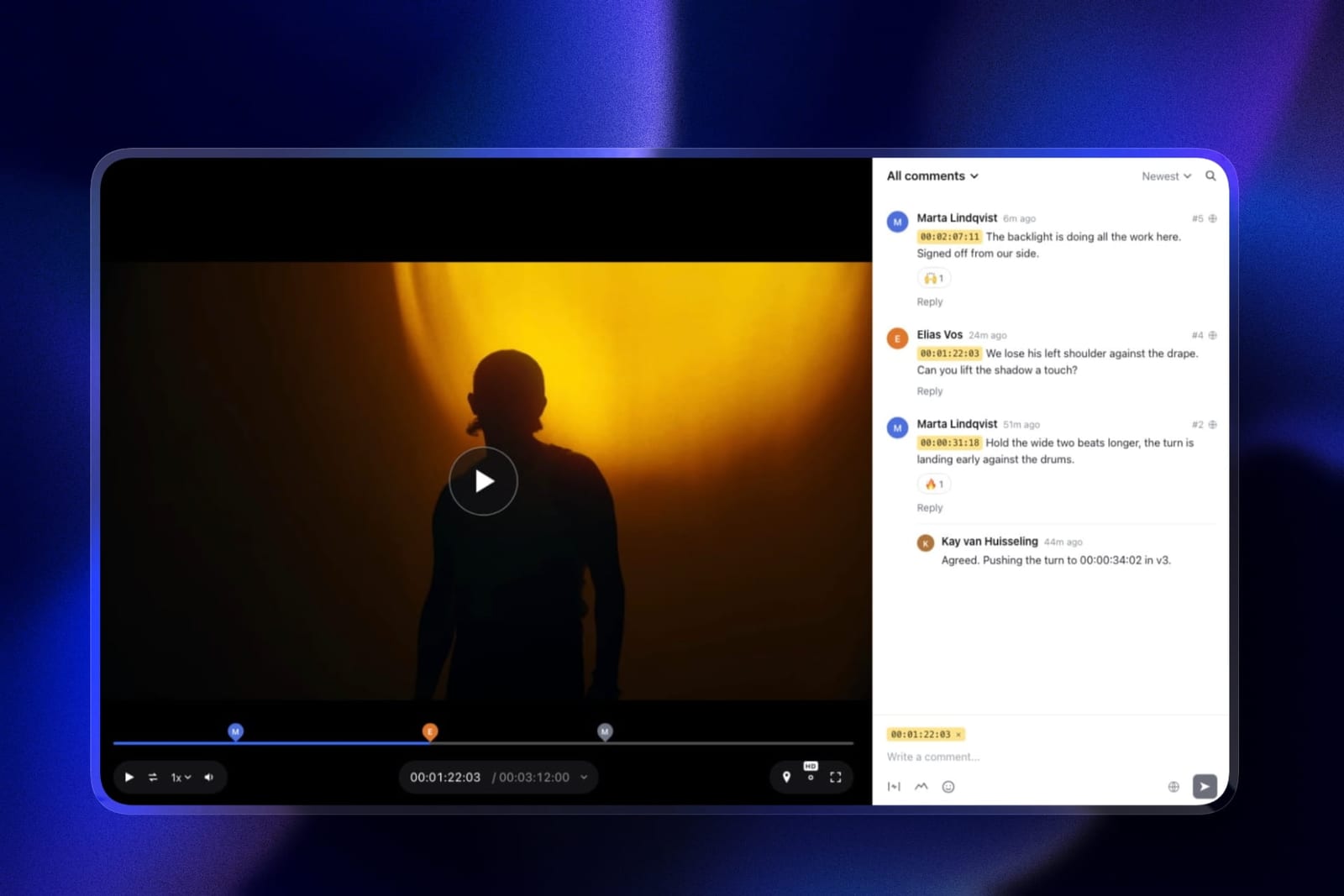
On Framekit's video review, you upload the cut and send the link with a short note.
The couple watches without creating an account, pauses where something bothers them and leaves a comment pinned to that exact timecode, can draw on the frame to circle the cousin who should not be in the shot, and can reply to your answers or react with an emoji.
Comments appear as markers along the timeline, so you can jump from note to note.
Set expectations in writing first: one round of notes included, a second round at a fixed fee, a seven-day window to respond. The review page shows the cut in your branding, with your logo, banner, fonts and accent colour.
Step 3: Turn the Notes Into an Approved Version
Work through the notes as a checklist, upload the revision as a new version and mark it approved only when the couple says so, because the approval status is the record of what was signed off, and the approved version is the only one that should ever reach the delivery gallery.
On Framekit, upload version 2 into the same review and version 1 stays in the version stack with all its notes, so nobody loses the thread and you can switch between cuts.
Each film carries a status: needs review, in progress, needs changes or approved. You can let the couple set the status themselves, so their approval is a click rather than an email you have to file.
Two honest limits: Framekit does not play two versions side by side, and notes do not carry forward from version 1 to version 2, so reply to each v1 note as you fix it and the couple can see what changed. Comment attachments, such as a reference still, need Pro or above.
Review files use the same per-file caps as gallery video, 500MB to 3GB by plan with a 2-hour maximum, and count against the same storage pool.
Step 4: Build the Delivery Gallery With the Films and the Stills
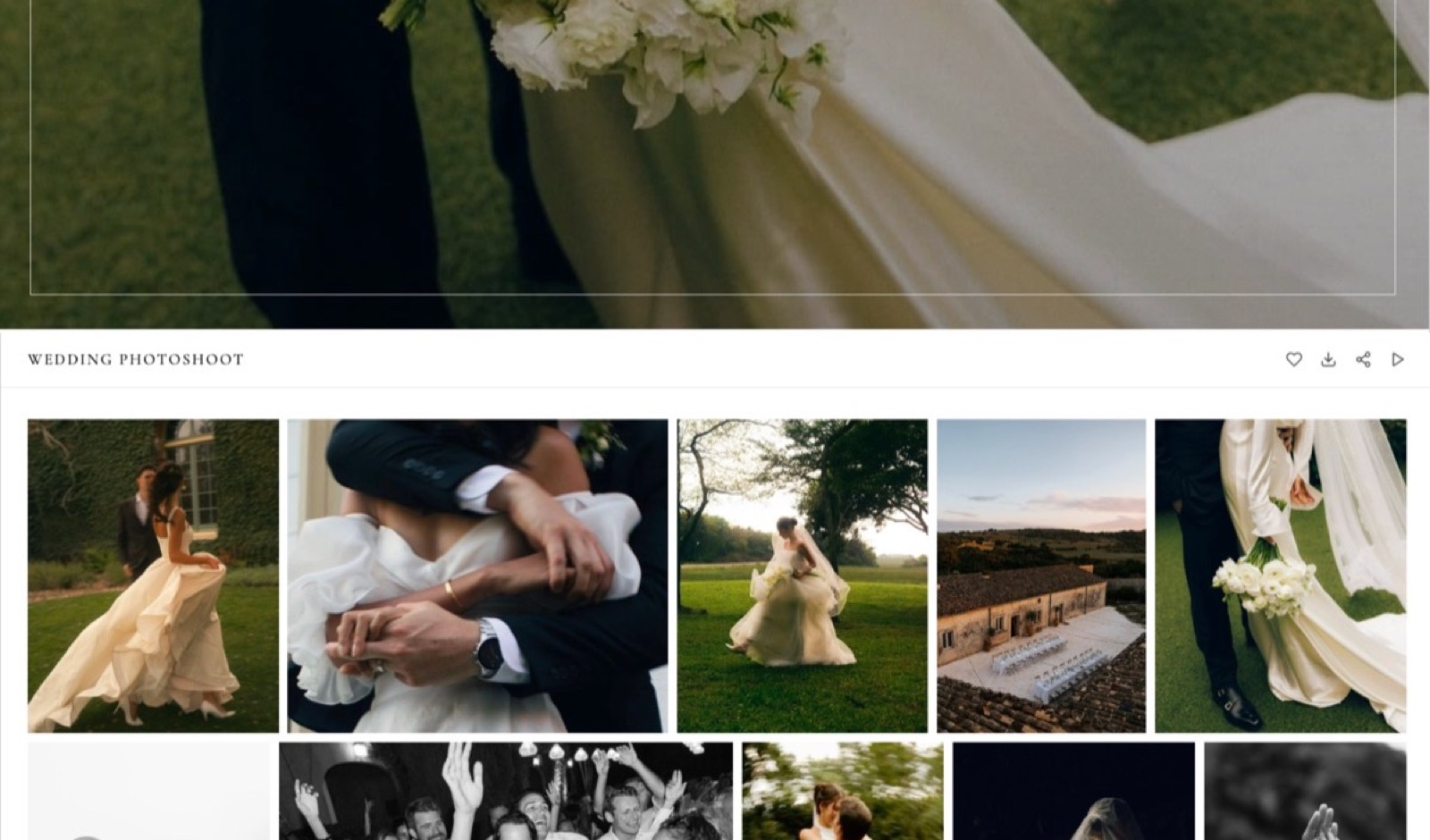
Put the approved films and the photographs in one gallery with named sets, because a couple forwarding one link to both families is the whole point of the delivery, and two links from two services is how the film ends up shared while the photos sit unopened, or the other way round.
Sets. A film-first order for a videography client: Films, then Highlights, Ceremony, Portraits and Reception if you also shot stills. Inside Films, put the highlight first, then the ceremony, speeches and documentary edit.
On Framekit a new gallery starts with a set called Highlights; rename or add sets before uploading.
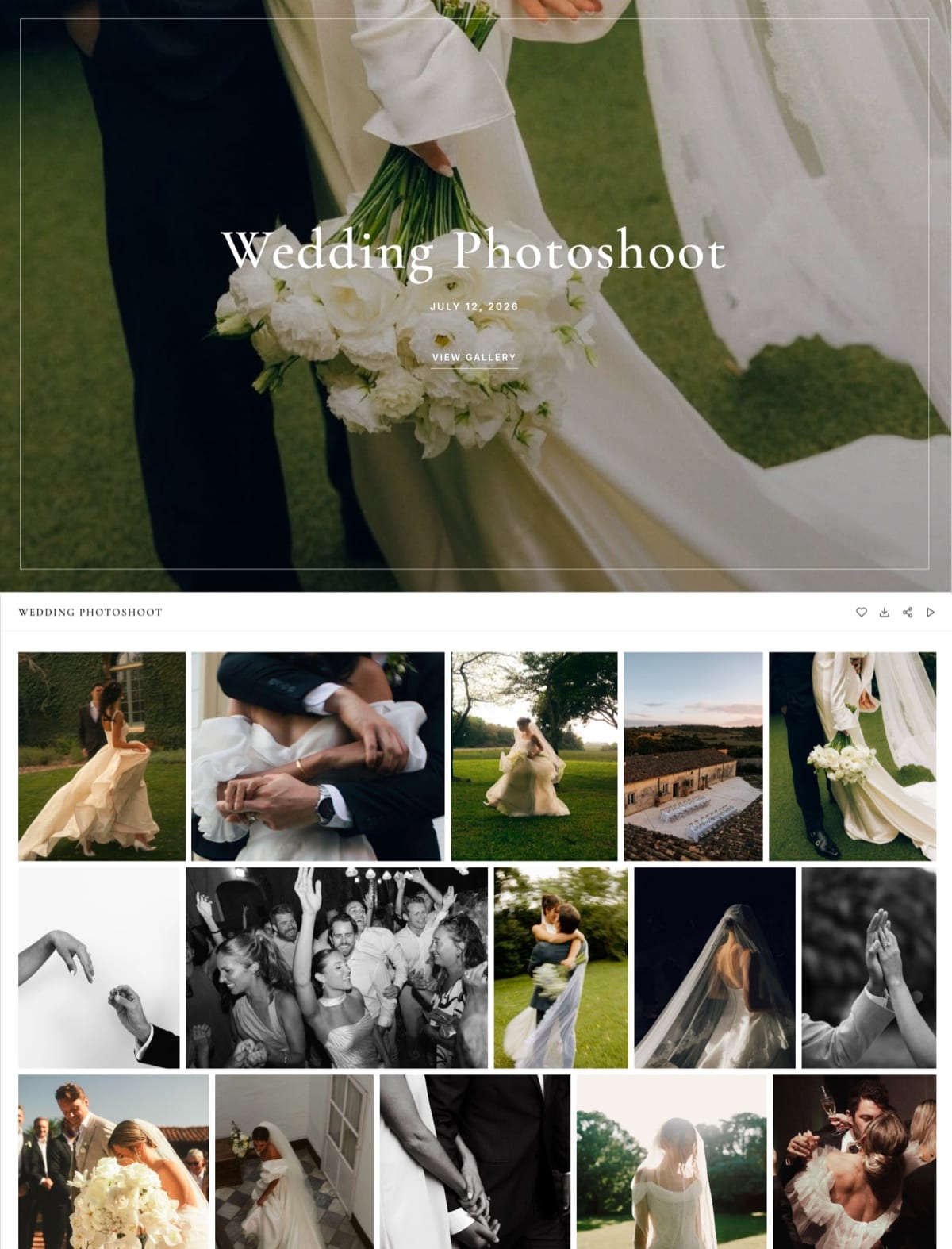
What the couple sees. Each film appears in the grid as a poster frame taken from the film, opens in the gallery's player, and plays without downloading.
Films are never watermarked, even in a gallery whose photos carry your mark. One gallery holds up to 5,000 photos, so a full wedding of stills sits beside the films without splitting.
How it streams. Framekit makes streaming copies of every gallery video, 1080p for films up to 25 minutes, 720p up to 55 minutes and 360p up to the 2-hour limit, and plays the 720p copy by default where one exists.
A browser-playable H.264 MP4 at 1080p plays its original file instead, which is why a long standard export looks better than a long ProRes upload.
The address. The gallery publishes at /client/ on your own site, so every relative who opens it lands on your domain, the one your portfolio lives on, though the gallery page has no navigation to it.
Step 5: Separate Watching From Downloading
Give everyone the ability to watch and only the couple the ability to download, using a gallery password and a separate download PIN, because the link will be forwarded to sixty guests within a day and a 2GB ceremony film downloaded by every one of them is a file you no longer control.
Password. Unique to the couple. Guests use it to open the gallery and watch every film from the link, on a phone, without downloading.
Download PIN. A second code that every download asks for. The couple keeps it. Because Framekit never watermarks video, the PIN, or switching downloads off, is what stops guests saving the films.
What downloads. The original file you uploaded, at full resolution: the H.264 MP4 you exported in step 1, ready to play on a laptop or a television.
Who downloaded. Framekit's Activity panel lists every download against the person's email, with the date and the PIN used, and exports to CSV, so you can confirm the couple actually saved their films before the gallery ever expires.
Favourites. If you delivered stills too, leave favourites on; the couple's first heart asks only for an email, and their album picks come back as a named list with notes.
Step 6: Send It and Keep It Online Past the Anniversary
Send one email with the link, the password on its own line and a sentence explaining which code is for guests, then keep the gallery online for at least a year, because the first anniversary is when a wedding film is rewatched and reshared, and a dead link then is the one couples remember.
The email. One line about the day; the link; the password; "Guests can watch everything with this password.
The download PIN is just for you two"; what is inside and how big it is; and one ask, a review or permission to use a clip.
Framekit's share email goes to up to 20 recipients at once, so both sets of parents can get it in one send, with six editable starter templates including a wedding one.
The expiry. Set none, or 12 months with the reminder on. On Framekit an expired gallery turns back into a draft with every file intact, and the reminder emails you and the gallery's linked contacts 3 days before, so the couple gets a last prompt to download.
The storage. A highlight, a 35-minute ceremony at 7.5 Mbps and 500 stills come to about 8GB a wedding. Twenty-five of them online at once is about 200GB, which fits Framekit Pro's 300GB pool and 150GB video share.
Our photo delivery email guide has full scripts, and how long client galleries should stay online covers the retention schedule.
Where Framekit Fits for Wedding Filmmakers

Framekit fits wedding filmmakers and hybrid photo-video studios who want the review round, the delivery gallery and the portfolio site on one account, because the couple comments on the cut, receives the approved films with the stills and lands on your own domain, all from one login and one bill.
What it feels like to the couple. A review link where they pause and type notes on the frame; a fortnight later, one gallery link on your domain where the highlight plays first on a phone and the ceremony is a tap away, with a PIN that only they hold.
The number to remember. $180 a year on Pro for 300GB of storage, 150GB of it video, with a 2GB per-file cap, enough for a 35-minute ceremony at 7.5 Mbps. Business, at $372 a year, raises the cap to 3GB and the pool to 2TB.
The standout detail. A long 1080p H.264 MP4 plays its original file in the gallery, so a two-hour reception edit streams at full quality without waiting for a 1080p copy that the transcoder only makes for films up to 25 minutes.
The honest gotcha. The per-file caps are tight for long-form, high-bitrate work.
A 75-minute documentary edit at 10 Mbps is 5,625MB and will not upload on any plan until you re-export, and nothing over 2 hours uploads at all.
Only the account holder can upload reviews and galleries; team members on Pro and Business edit the website only.
Who should skip it. Studios selling albums and prints with their films, since Framekit has no print store; editors who need Premiere or Resolve panel integrations, side-by-side version compare or camera-to-cloud.
Verdict: for a wedding filmmaker whose deliverables fit under 2GB or 3GB a file, Framekit puts the cut notes, the delivery and the portfolio in one place for $180 a year; for album-selling studios or very long, high-bitrate masters, pair it with another tool or choose one.
When Another Tool Should Carry Part of the Delivery
Another tool should carry part of a wedding film delivery whenever a file is larger than any gallery cap, the couple wants a public version to share widely, or the recipient is a collaborator rather than the couple, because no gallery is the right home for all three.
The 4K master over 3GB. Send it separately, by a Dropbox transfer or WeTransfer, and say in the delivery email that it is an archival copy.
Dropbox Plus moves transfers up to 50GB; WeTransfer's Free and Starter transfers expire after up to 3 days, so the couple must download it promptly.
A public version for social sharing. A video host such as Vimeo gives the highlight film a clean public player for the couple's social posts, while the private gallery stays the home of the full delivery.
Colourists, editors and second shooters. Working files go by transfer or shared storage. Framekit vs Dropbox and Framekit vs WeTransfer cover that split, and Framekit vs Frame.io covers where a dedicated review tool still wins.
What a Season of Wedding Film Delivery Costs
A season of wedding film delivery costs from about $138 to over $1,200 a year for the same work depending on the platform, because some meter video in hours, some in gigabytes and only one includes a review round, and the order changes completely between a stills-plus-film studio and a films-only one.
Assumptions: yearly billing, every gallery online all year, the cheapest plan that fits.
Season one is 25 hybrid weddings, each with 500 stills (5GB), an 8-minute highlight at 16 Mbps (960MB) and a 35-minute ceremony at 7.5 Mbps (1,969MB): about 198GB, 73GB of it film, 18 hours of film.
Season two is 30 films-only weddings, each with a 6-minute highlight at 16 Mbps (720MB) and a 30-minute ceremony at 8 Mbps (1,800MB): about 76GB and 18 hours of film.
| Platform | 25 hybrid weddings | 30 films-only weddings | Review round included |
|---|---|---|---|
| Framekit | $180, Pro | $180, Pro | Yes, frame-accurate, same account |
| Zenfolio | $240, Advanced (4K) | $138, Professional (HD only) | No |
| ShootProof | $600, Premium (150GB video) | $200.04, Standard | No |
| Pic-Time | $624, Advanced plus a 100GB video add-on | $372, Professional plus a 100GB video add-on | No |
| Pixieset | About $1,248, Pro plus 16 extra hours | About $1,176, Basic plus 18 extra hours | No |
Pic-Time's add-ons start at 100GB, about 10 hours, for $10 a month billed yearly, per its video storage page, and the table prices them on Professional and Advanced; Pixieset's extra hours are $5 a month each on top of the allowances on its pricing page.
Zenfolio is the cheapest store of bytes for HD-only delivery, but none of the four alternatives includes a review room, so their real cost includes a separate review tool.
Framekit's figure also covers the portfolio site, Slides and a digital store.
Run it on your own season. List last season's films with their lengths and export bitrates, compute each file size, add your stills at 10MB a frame, and price the plan that fits on each platform.
Then check your longest single file against every per-file cap you can find in writing.
What Happens When a Wedding Film Delivery Goes Wrong
The problems in wedding film delivery are mechanical and repeat across studios, so here is what happens on Framekit in the seven situations that generate the most emails from couples, with the fix for each one, based on what the product does rather than on what the marketing says.
The ceremony film is over the plan's cap. It is refused at upload. Re-export at the bitrate in the table above, or move up a plan.
The full edit is over 2 hours. It is refused on every plan. Split it into ceremony and reception, or host the full-length version elsewhere.
You uploaded a 70-minute ProRes file. It streams in the gallery at 360p, and the couple downloads a ProRes file. Replace it with a 1080p H.264 MP4.
The couple wants to post the highlight on social. They download it from the gallery with the PIN; the file is the H.264 original you uploaded.
A guest asks for the ceremony film. Without the PIN they can watch it from the link but not save it; the couple can download it and share it themselves.
The couple asks for a change after approval. Upload a new version in the review, mark it approved, then upload the new file to the gallery and remove the old one, and tell the couple which file to keep.
The gallery expires before the couple downloads. It turns back into a draft with every file intact; republish it and send the link again.
Choosing How to Deliver Your Wedding Films
This decision path asks the questions in the order they remove options, starting with prints and albums, then file size, because those two answers decide the delivery setup for most wedding filmmakers before branding or price come into it.
1. Do you sell albums or prints with your films? If yes, deliver the stills on a print-selling gallery such as Pic-Time or ShootProof, and decide separately where the films and the review round live. If no, go to question 2.
2. Is any final film longer than 2 hours? If yes, split it, or host that film on a video platform. If no, go to question 3.
3. Does your longest film fit 2GB at a bitrate you are happy with? If yes, Framekit Pro at $180 a year covers review, delivery and the site. If it needs up to 3GB, Business at $372 does. If no, go to question 4.
4. Is the cheapest possible HD storage the priority? If yes, price Zenfolio Professional at $138 and ShootProof Standard at $200.04, and add the cost of a review tool. If you already pay for a site and a review tool, Framekit replaces both.
Frequently Asked Questions
What is the best way to deliver a wedding film?
The best way to deliver a wedding film is to run the couple's notes in a video review link first, then deliver the approved films as H.264 MP4s in one private gallery with the photos, a password for watching and a separate PIN for downloading, kept online for at least a year.
Framekit puts the review round and the gallery on the same account, from $180 a year on Pro.
How large is a wedding film file?
A wedding film's size is its bitrate times its length in seconds, divided by eight. A 5-minute highlight at 16 Mbps is 600MB; a 35-minute ceremony at 10 Mbps is 2,625MB; a 75-minute documentary edit at 10 Mbps is 5,625MB.
Framekit's per-file caps are 500MB on Free, 1GB on Starter, 2GB on Pro and 3GB on Business.
What bitrate should I export a wedding film at for delivery?
Export at the highest bitrate that keeps the file under your platform's cap: the cap in megabytes, times eight, divided by the length in seconds.
On Framekit Pro's 2GB cap that is 33 Mbps for an 8-minute highlight and 7.6 Mbps for a 35-minute ceremony. A 1080p H.264 export at 7 to 10 Mbps looks clean on a television for most wedding footage.
Should the couple review the wedding film before final delivery?
Yes. A review round before delivery means notes land on exact frames instead of in vague emails, and only the approved version is ever shared with guests.
On Framekit's video review the couple comments at the timecode and draws on the frame without an account, and you upload revisions as new versions with the old notes kept.
Will a 90-minute wedding film play smoothly in a Framekit gallery?
Yes, if you upload a standard H.264 MP4.
Framekit makes a 1080p streaming copy only for films up to 25 minutes and a 720p copy up to 55 minutes, but a browser-playable 1080p H.264 MP4 plays its original file, so a 90-minute export keeps full quality.
A 90-minute ProRes or HEVC upload streams at 360p.
Should I deliver the wedding film in the same gallery as the photos?
Yes, wherever your platform allows it, because one link with one password and one expiry date is what couples forward to family. Framekit holds photos and films in the same gallery on every plan, Free included.
Pic-Time includes video on every tier, while Pixieset meters video in hours from Basic and ShootProof includes it on paid plans.
Can wedding guests watch the film without downloading it?
Yes, with a download PIN that is separate from the gallery password. Guests use the password to open the gallery and play every film from the link; only the couple, holding the PIN, can download.
Framekit offers both codes on every plan and never watermarks video, so the PIN is the control that keeps the film files with the couple.
Framekit vs Vimeo: which is better for wedding film delivery?
Framekit is better for the private delivery, because the films sit in one gallery with the stills, behind a password and a separate download PIN, after a review round on the same account.
Vimeo is better for a public version of the highlight film the couple wants to share widely. Many filmmakers use both: the gallery for the couple, a video host for social.
How long should a wedding film stay online?
Keep it online for at least 12 months, or with no expiry, because couples rewatch and reshare on the first anniversary.
On Framekit an expired gallery becomes a draft with its files intact, and an optional reminder emails you and the linked contacts 3 days before the date. Budget about 8GB a wedding for a highlight, a ceremony film and 500 stills.
Is WeTransfer good enough to deliver a wedding film?
Not as the couple's delivery. WeTransfer transfers on its Free and Starter plans expire after up to 3 days, its free plan is for non-commercial use, and a transfer page carries WeTransfer's branding.
It is useful for sending a 4K master larger than any gallery cap as a separate archival copy, alongside a gallery that holds the delivery.
Can my editor upload the final film to the client gallery?
Not on Framekit. Galleries and video reviews belong to the account holder, and team members on Pro and Business can edit the website only.
Your editor sends you the approved export and you upload it; the couple and any reviewers never need an account to watch, comment or download.
Final Verdict
Deliver a wedding film in two stages: a review round where the couple's notes land on exact frames and the approved version is recorded, then one private gallery with the films and the stills, H.264 MP4 exports sized under the cap, a password for guests, a PIN for the couple and a link that still works on the first anniversary.
Framekit is the strongest fit for wedding filmmakers whose films fit under 2GB or 3GB a file, because review, delivery and the portfolio site share one account, long H.264 exports stream at full quality, and Pro at $180 a year holds a season.
Where Framekit loses: it does not take files over 3GB or longer than 2 hours, it has no print or album store, no NLE panel integrations and no side-by-side version compare, and only the account holder can upload.
Long-form editors with heavy masters should pair it with a transfer service or choose a different host, and album-selling studios are better served by Pic-Time or ShootProof for the stills.
Related readinghow to deliver photos and video together, the best video review tools for wedding videographers, the best website builders for wedding videographers, wedding videography pricing and how to deliver final video files to clients.