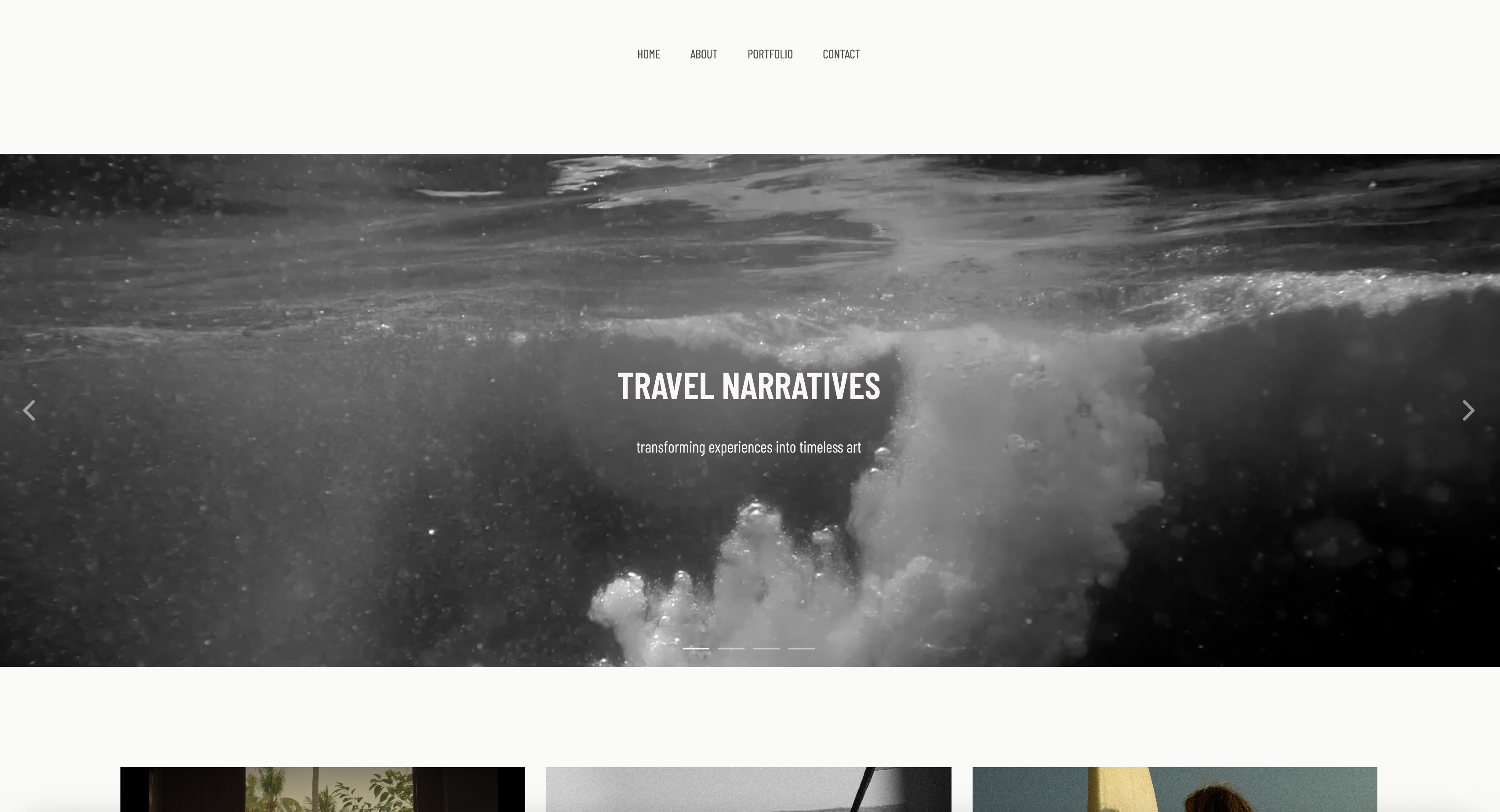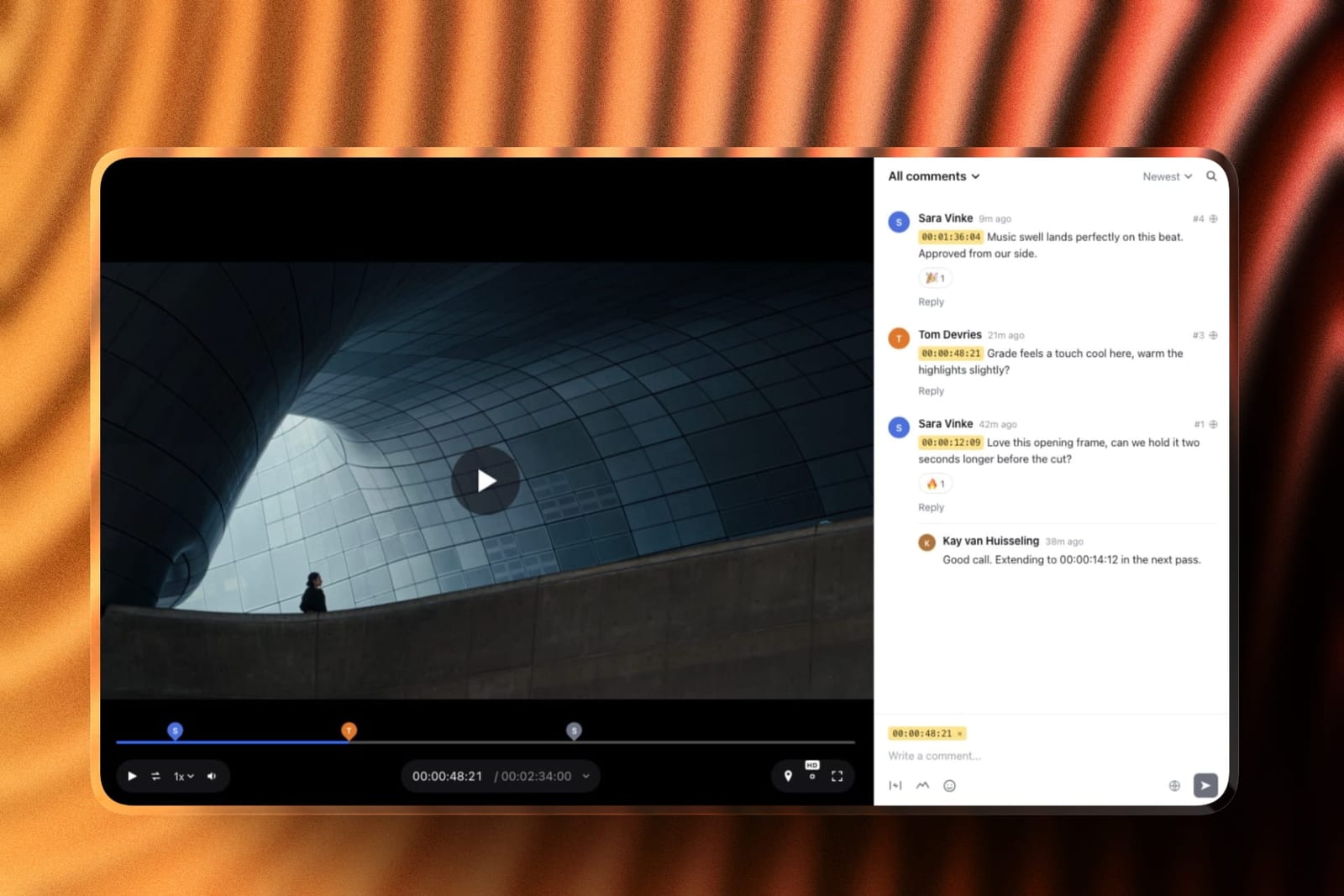
Framekit templates
Start from a designer-made template
 Use template
 Use template
 Use template
 Use template
 Use template
 Use template
 Use template
 Use template
Friday, 6pm. The portrait job is finished: 480 edited JPEGs at about 13 MB each, which is 6.2 GB, plus a 90-second social cut the client asked for at the last minute. You open the transfer tool you have used for years and it tells you your free allowance for the month is 3 GB.
That is the fork in the road. Free client delivery tools split into two species that get listed together and should not be, because one of them moves bytes and then deletes them, and the other one hands your client a page that is still there when they come back in March.
A client delivery tool is the software that hands a finished job to the person who paid for it, with the controls that job actually needs: a link, an optional password, a full-resolution download, an expiry date, and some record of what was sent and when.
Framekit is the best free client delivery tool in 2026 because one free account delivers photographs, video and a timecoded review link on unlimited galleries, with a password, a separate download PIN, watermarking and expiry on the free plan rather than behind an upgrade.
SwissTransfer is the better answer for a single enormous handover, at 50 GB with no account at all; WeTransfer is still the fastest thing to send from a phone, though its free tier is now capped at 10 transfers or 3 GB in any 30-day window; and Frame.io Free is the one to take if the job needs Camera to Cloud.
The trade-off with Framekit is the pool: 10 GB total on Free, and 500 MB per video file.
Full disclosure: Framekit is our product, so check the claims rather than taking them. Every competitor figure below was read on that vendor's own pricing page or help centre in September 2026 and linked inline where the page serves an automated request. For a one-off raw transfer, WeTransfer, SwissTransfer and Dropbox are all simpler than we are and we are not going to pretend otherwise. MASV beats everything here above 50 GB, the point where SwissTransfer's free ceiling stops and no free tier on this page can follow; Pixieset beats us whenever the delivery has to sell prints, and Frame.io beats us on Camera to Cloud, transcription and editor panels.
How these twelve were compared, and what that comparison cannot tell you
No stopwatch was involved here and no upload race was run, which matters because the figures below are the ones you can verify yourself rather than ones you have to take on trust from a vendor's own blog.
Read at the source. Free-tier ceilings, how long a link stays live and plan prices come from each vendor's published pricing page or help centre, read in September 2026, and each is linked at the point it is used.
Three pages served European pricing when they were read - Dropbox, Google One and TransferNow - so those figures appear in euros and are not converted at an invented rate.
WeTransfer's pricing page would not render its plans to an automated request; its help centre would, so the limits quoted here come from there.
Calculated. One job is carried through the whole guide: 480 edited JPEGs at about 13 MB each, which is 6.2 GB, plus a 90-second social cut at 420 MB, repeated three times a month for about 20 GB of delivery.
Every "does this free tier survive" claim below is that job divided by that tool's ceiling, and the arithmetic is shown so you can substitute your own file sizes.
Reported by others. Nothing here rests on review scores or forum sentiment, and there are no star ratings in this guide. A rating tells you how people felt about a product; it does not tell you whether a 3 GB rolling cap will stop you sending Friday's job.
Free delivery by the numbers
These six figures decide almost every delivery argument, and each one comes from a page you can open yourself, which is the point of writing them down rather than summarising them into an adjective.
- 10 transfers or 3 GB in any 30-day period is the WeTransfer free ceiling, per its plan limits article.
- 50 GB, free, with no registration and 30 days of availability is what SwissTransfer offers, which is the single most generous free transfer in this list.
- 2 GB is the whole Dropbox Basic allowance, per its plans page, which is less than one wedding gallery.
- 15 GB is what a Google account includes free, shared across Drive, Gmail and Photos, per Google One.
- 3 GB with unlimited galleries is Pixieset's free Client Gallery tier, per its pricing page.
- 10 GB pooled, unlimited galleries, 500 MB per video file is Framekit's free plan, shared across the site, the galleries and the video reviews on one account.
In one linethe free transfer tools are generous about size and ruthless about time, the free gallery tools are the other way round, and the only way to compare them honestly is to ask what is still reachable by the client 30 days after you hit send.

Every free tier at a glance
This is the table to screenshot, because it puts the two species side by side and makes the trade visible: the transfer tools give you size and take away time, and the gallery tools give you a page that persists and take away gigabytes.
| Tool | Free ceiling | How long the link lives | Access control published for the free tier | What the client gets |
|---|---|---|---|---|
| Framekit | 10 GB pooled, unlimited galleries | Until you set an expiry | Gallery password plus a separate download PIN | A gallery, a video review page, ZIP or full-resolution downloads |
| WeTransfer | 10 transfers or 3 GB per 30 days | Short, by design | Not published for the free tier | A download page |
| SwissTransfer | 50 GB per transfer | Up to 30 days | Not published on the page read | A download page |
| Google Drive | 15 GB shared with Gmail and Photos | Until you delete it | Link permissions, not a password | A Drive folder |
| Dropbox | 2 GB | Until you delete it | Not published for the free tier | A Dropbox folder |
| Pixieset | 3 GB, unlimited galleries | Until you archive it | Not published on the pricing page | A photo gallery with a print store |
| Frame.io | 2 GB, 2 projects, 2 members | Until you delete it | Not published for the free tier | A review player with comments |
| Smash | 2 GB at priority, larger transfers queue | Up to 7 days | Not published on the pricing page | A download page |
| Filemail | 5 GB per transfer, no account needed | Limited on free | Not published on the page read | A download page |
| TransferNow | 5 GB per transfer, no account needed | 7 days | Not published on the page read | A download page |
| CloudSpot | 5 GB, up to 3 galleries | Until you archive it | Not published on the pricing page | A photo gallery with email capture |
| MASV | 15 GB free each month, then $0.25/GB | 5 days free, then $0.07/GB per month | Not published on the pricing page | A download page |
Read that fourth column carefully, because "not published" is not the same as "not available".
Ten of the twelve rows above say nothing about a free-tier password on the page a buyer actually reads before signing up, and a feature a vendor will not commit to in writing is a feature you cannot plan a delivery around.
In one linethe split that matters is between the tools whose free tier is a clock and the tools whose free tier is a page, and only the page-shaped ones can carry a password, a watermark, a selection and an expiry date you chose yourself.
1. Framekit: Best Free Delivery for Photos, Video and Feedback Together

The reason most photographers end up with two delivery tools is that the gallery product they chose for stills will not take a video file of any useful size, so the film goes out on a transfer link and the client now has two places to look and one of them expires.
Framekit is an AI website builder whose client galleries take stills and motion in the same gallery, which is why it sits first in a list about delivery rather than about design.
The texturethe free plan's shape is unusual in that the controls are not the upsell. Unlimited galleries on Free.
Watermarking, a gallery password, a separate download PIN, client favourites, slideshows, full-resolution downloads, ZIP downloads of either the whole set or just the favourites, email sharing, email registration before viewing, automatic expiry and client-exclusive sets are all on the free plan.
What you buy with a paid plan is your own domain, the removal of the Framekit badge and your own uploaded fonts.
The real numberthe carried job is 6.2 GB of stills plus a 420 MB cut, so two of those three monthly jobs fit inside the 10 GB free pool before it is full. Three do not.
The honest answer is that a photographer shooting three jobs a month belongs on the $9 Starter plan, where the pool is 50 GB and the per-file video cap rises to 1 GB, and that is $108 a year for delivery that does not need a second tool bolted on.
Zero accounts on the client side. Nobody you deliver to has to register with Framekit.
A gallery opens with a password, a deck is a plain link, and a guest leaving timecoded comments on a video review does it without signing up for anything.
The accounts worth counting are the ones you administer and pay for, and delivering stills, motion and feedback from one of them instead of three is the actual saving.
The detail nobody writes downthe download PIN is separate from the gallery password.
That sounds like a small thing and it is the difference between a client being able to show a gallery to their partner and being able to pull the full-resolution set before they have paid the balance.
One code opens the viewing, a different code opens the files.
The gotcha in week threethe 500 MB per-file video cap on Free, and the two-hour maximum length on any video. The carried 90-second cut is 420 MB, so it clears the cap with 80 MB to spare.
Hold that same bitrate for a five-minute highlight film and the file is 1.4 GB, nearly three times the cap, and there is no partial upload to save you: the file either fits or it does not. Plan for Starter if any deliverable is a real film.
The second thing that bites is the pool being shared, so a busy website and a month of video reviews eat the same 10 GB the galleries do.
Skip it ifthe delivery is the sales surface for prints. Framekit has no print lab, no print store and no fulfilment, and a portrait photographer whose margin comes from wall art should be on Pixieset, Pic-Time or ShootProof instead.
Skip it too if you need Camera to Cloud from set, editor panels in Premiere or Resolve, or transcription, because Framekit has none of those and Frame.io has all three.
Verdict: the best free tier in this list for handing over a finished job, because it is the only one where stills, motion and a comment thread live behind one link with real access controls, and the weakest choice here for anyone whose delivery page is meant to sell something physical.
2. WeTransfer: Best for the Handover You Did Not Plan
WeTransfer earned its position by being the only file tool a non-technical client has ever used without instructions, and that muscle memory is worth something real: nobody has ever had to be told how to click a big blue download button.
The textureit is still the fastest thing in this list from decision to sent, particularly on a phone, and it asks nothing of the recipient. No account, no app, no folder permissions, no "request access" email landing in your inbox two hours later.
The real numberthe free tier is now the binding constraint.
WeTransfer's own plan limits article states free accounts get up to 10 transfers or 3 GB in any 30-day period, and Starter accounts up to 10 transfers or 300 GB in the same window, with Ultimate moving to unlimited transfers of up to 1 TB each.
Against the carried 6.2 GB job, the free tier does not send it once.
The detail nobody writes downthe cap is whichever limit you hit first, not both. Ten transfers of 20 MB each close the month as firmly as a single 3 GB transfer does, so a photographer who sends five selects at a time to one client after another can burn a whole 30-day allowance on 200 MB of files.
The gotcha in week threethe link dies. That is the product working as designed, and it is also why photographers get an email in November about a job from August asking whether the files are still anywhere. A transfer is a moment; a gallery is a place.
Skip it ifyour clients come back for files. Anyone delivering to couples, families or brands who will want the set again at some point is paying for the same upload twice.
Verdict: still the best thirty-second handover in existence and no longer a plausible free delivery system for a working photographer, purely because of that 3 GB rolling ceiling. If the cap is what brought you here, our WeTransfer alternatives guide covers what replaces it at each size.
3. SwissTransfer: Best Free Transfer for a Genuinely Large One-Off
This is the entry that should make any paid transfer service uncomfortable, because SwissTransfer sends up to 50 GB for nothing, keeps it available for up to 30 days, and does not ask you to register.
Run the carried job through it and the arithmetic is almost rude: 6.2 GB of stills and a 420 MB cut is 13 percent of a single free transfer, and you could send the whole month's 20 GB in one link with 30 GB to spare.
The gotchait is a transfer, not a delivery page. There is no favouriting, no download tracking, no client set, no way to send the same files to a second client without uploading again, and when the 30 days elapse the link is gone.
It also has no place in a workflow where the client is meant to choose selects.
Skip it ifyou need the handover to look like part of your brand. This is a utility, and it looks like one.
Verdict: the best free way in this list to move a very large pile of files once, and the correct answer whenever somebody asks how to send 40 GB to an editor without paying anybody.
4. Google Drive: Best Free Delivery if the Client Already Lives in Google
Google Drive is the delivery tool nobody chooses and everybody uses, because the free 15 GB that arrives with an email address is the largest free allowance most people will ever have without thinking about it.
The texturethe advantage is entirely about the recipient. A corporate client whose whole working day is in Google Workspace will open a Drive folder without friction and will file it somewhere they can find again, which is more than can be said for a download page.
The real numberGoogle One confirms the 15 GB is shared across Drive, Gmail and Photos, which is the part people forget.
A mailbox with eight years of attachments in it is not a 15 GB delivery allowance, it is whatever is left. Paid storage starts at EUR 1.99 a month for 100 GB on the pricing served when the page was read.
The detail nobody writes downDrive has no concept of a download PIN or a watermark, and its sharing model is permissions rather than passwords. "Anyone with the link" is either on or off, and a link that leaks is a set that leaked.
The gotcha in week threethe "request access" loop.
A share set to the wrong scope produces an access request that sits in your inbox while the client believes you have not sent the files, and it surfaces on exactly the jobs where you are least available to fix it, because the request arrives after you have closed the laptop.
Skip it ifthe deliverable needs to look considered.
A folder of file names is a functional handover and a forgettable one, and for a wedding or a brand shoot it undersells the work badly. Our comparison of client galleries and Google Drive covers the difference in detail.
Verdict: the right tool for corporate and agency delivery where the client's own filing system matters more than presentation, and the wrong tool for anything a client is supposed to enjoy receiving.
5. Dropbox: Best Free Folder the Client Can Sync
Dropbox's delivery advantage is that the folder appears on the client's machine rather than in their browser, which is genuinely useful when the recipient is another professional who is going to work on the files.
The free Basic plan is 2 GB, per Dropbox's plans page, with Plus at EUR 9.99 a month for 2 TB on the European pricing served when the page was read, Standard at EUR 12 per user per month, and Advanced at EUR 18 per user per month for teams of three or more.
The gotcha2 GB is 30 percent of the carried 6.62 GB job.
Free Dropbox is not a delivery tool for anyone shooting stills at full resolution, and it has not been for years, which is why the standard workaround is a EUR 9.99 Plus seat, EUR 119.88 a year, bought for 2 TB and used as a delivery folder.
Skip it ifyou are only paying for it to hand files over.
A paid Dropbox seat used purely for delivery is the most common overspend in a freelance stack, and our guide to Dropbox alternatives for photographers sets out the cheaper shapes.
Verdict: excellent as working storage and a sync target for collaborators, poor as a free delivery mechanism, and worth auditing if it is doing both jobs on your card each month.

6. Pixieset: Best Free Photo Gallery With Print Sales Attached
Pixieset is the gallery most portrait and wedding photographers meet first, and its free tier is a working gallery rather than a preview: 3 GB, unlimited galleries, and a print store sitting behind the same page that shows the photographs.
The texturethe client-facing experience is the point. Cover images, favourites, a clean grid and a download flow that a non-technical client completes without help, plus a print store sitting behind the same gallery so an order can happen while someone is still looking at the pictures.
The real numberPixieset's pricing page puts the free Client Gallery tier at 3 GB with unlimited galleries, then Basic at $8 a month billed annually or $10 monthly, Plus at $16, Pro at $24 and Ultimate at $40.
Against the carried 6.62 GB job, 3 GB is 45 percent of one delivery.
The detail nobody writes downunlimited galleries on a 3 GB plan is a more useful combination than it sounds, because it means you can keep a long tail of small galleries alive rather than being forced to delete old work to make room for a count.
The gotcha in week threestorage is the whole pricing model, so the plan you need is set by how long you keep galleries online, not by your client count. A photographer who archives at 90 days pays a tier or two less than one who leaves everything up, for identical work.
Skip it ifvideo is a real deliverable. This is a stills product with video attached rather than a tool that treats a film as a first-class delivery, and a hybrid shooter ends up with a second tool anyway.
Verdict: the best free gallery in this list if prints are part of your revenue, and the clearest case in the whole guide where a competitor beats Framekit outright, because we have no print lab at all.
7. Frame.io: Best Free Tier for Video Review Specifically
Frame.io is the tool the rest of the video industry measures itself against, and its free plan is more capable than most people assume, which makes it a serious option for a freelancer delivering a single cut at a time.
Frame.io's pricing page lists a free plan at $0 with 2 GB of storage, up to 2 members and up to 2 projects, including Camera to Cloud, transcription and captions.
Pro is $15 per user per month for up to 5 members with 2 TB, and Team is $25 per user per month for up to 15 members.
The detail nobody writes downCamera to Cloud on the free tier is remarkable. Footage moving from a camera or recorder to a review link without a laptop in the middle is the kind of capability that used to sit behind an enterprise contract, and it is available to someone paying nothing.
The gotcha2 GB and 2 projects. The free tier is a demonstration of the workflow rather than a place to run a business, and the third concurrent project is the wall. Storage is also per account rather than per project, so an unarchived old cut costs you a new one.
Skip it ifyour deliverables are mostly stills. Frame.io will hold images, but nothing about it is built for handing 480 JPEGs to a portrait client.
Verdict: the best free video review in this list on capability and the most quickly outgrown on capacity, and the correct pick whenever Camera to Cloud or an editor panel is part of the job.
8. Smash: Best Free Transfer With No Hard Size Ceiling
Smash takes a different approach to the free-tier problem: rather than refusing a large transfer, it accepts it and puts it in a queue behind everyone who is paying, which is an honest trade if you are not in a hurry.
Its pricing page describes the free plan as 2 GB per transfer at priority, with anything larger joining a queue behind Pro transfers, and files available for up to 7 days.
Paid plans lift transfers to unlimited size and availability to 30 days; the page did not render its prices to an automated request, so none are quoted here.
The gotchathe queue is unpredictable by nature, which makes it unsuitable for anything with a deadline attached. Sending 30 GB overnight is fine; sending it during a client call is not.
Verdict: a genuinely useful free tool for unattended overnight sends, and the wrong choice for anything where the client is waiting.
9. Filemail: Best Free 5 GB Transfer Without an Account
Filemail's pitch is the number WeTransfer's free tier can no longer reach: 5 GB in a single transfer with no account, against 3 GB for an entire 30-day month on the better-known free plan.
Filemail's own site advertises transfers of up to 5 GB for free users without registration, with its Personal paid plan keeping files available for 30 days.
Plan prices were not rendered to an automated request when the page was read, so none appear here.
The gotchathe free tier's retention is short and the interface carries advertising, which is the standing trade for a bigger free number. Neither matters for an internal handover and both matter when the recipient is the client who paid for the shoot.
Verdict: a reasonable free fallback at a size WeTransfer's free tier can no longer reach, and not something to build a client-facing workflow on.
10. TransferNow: Best Free 5 GB With a Week of Availability
TransferNow occupies the same slot as Filemail with a slightly clearer free offer, and it is the sort of tool worth knowing about precisely because it is not the default anyone reaches for.
Its site lists 5 GB per transfer free with no account and files available for 7 days, then Starter at EUR 3 a month for 10 GB transfers with 100 GB of storage, Premium at EUR 6 a month for 250 GB transfers with 1,000 GB of storage, and Team at EUR 18 a month for ten users, on the European pricing the page served.
The gotchaa 7-day window is a weekend and five working days, which is fine for a colleague and marginal for a client who is travelling.
Verdict: cheap, straightforward and competent, and a sensible paid upgrade at EUR 6 if all you want is a bigger transfer rather than a delivery page.
11. CloudSpot: Best Free Gallery With Email Capture Built In
CloudSpot is the gallery for photographers who think of a delivery as a marketing surface, and its free tier is shaped around that idea rather than around raw capacity.
CloudSpot's pricing page puts the free tier at 5 GB with up to 3 client galleries, including email capture, custom watermarks and video links.
Paid tiers run from Entry at $7 a month with 15 GB and up to 15 galleries, through Lite at $17, Pro at $34 and Unlimited at $50, with the full-suite tiers adding invoicing, contracts, scheduling and a commission-free print store.
The gotchathree galleries is a hard count rather than a soft one, so the free tier works as a rolling window of current work and not as an archive. You will be deleting a gallery to create one.
Verdict: the most marketing-minded free gallery here and the best free tier in this list for capturing guest emails from a wedding gallery, with a genuinely low first paid step at $7.
12. MASV: Best for the Handover That Breaks Everything Else
MASV is not really a free tool and it is on this list because at a certain file size every free option stops being an option, and this is where post houses and DITs go when 200 GB has to arrive somewhere by morning.
MASV's pricing gives 15 GB free every month on the pay-as-you-go plan, with a card required to verify the account, then $0.25 per GB.
Storage is free for 5 days and $0.07 per GB per month after that, and annual subscription tiers run from $58 to $410 a month with per-GB rates between $0.20 and $0.23.
The arithmetic that decides itthe carried 19.86 GB month runs 4.86 GB past the free 15 GB, which is $1.22. A 500 GB feature handover is 485 billable gigabytes, or $121.25. There is no plan to buy and no seat to add, which is exactly right for work that arrives in lumps.
The gotchathere is no flat allowance to hide inside, so every gigabyte is a line on a bill rather than a rounding error, and storing files beyond the free 5 days is its own separate charge at $0.07 per GB per month.
Verdict: the only sane answer above a couple of hundred gigabytes and an expensive habit below twenty, and the clearest example in this guide of a tool that should not be compared to a free gallery at all.
The carried job, run through every free tier
In one linethe fastest way to choose a delivery tool is to take one real job you have already finished, in gigabytes, and divide it into each free ceiling, because the answer is almost always a whole number smaller than you expected.
The job is 6.2 GB of stills plus a 420 MB cut, which is 6.62 GB, repeated three times a month for 19.86 GB. Here is what each free tier does with it.
| Tool | One job (6.62 GB) | Three jobs (19.9 GB) | What it costs to make the month work |
|---|---|---|---|
| SwissTransfer | Fits, 13 percent of one transfer | Fits in one 50 GB transfer | $0 |
| Google Drive | Fits, if the mailbox is empty | Does not fit in 15 GB | EUR 1.99/mo for 100 GB |
| Framekit | Fits, 66 percent of the pool | Does not fit in 10 GB | $9/mo Starter, 50 GB and 1 GB per video file |
| Filemail or TransferNow | Needs two transfers | Needs six transfers | $0, or EUR 6/mo on TransferNow Premium |
| CloudSpot | Does not fit in 5 GB | Does not fit | $7/mo Entry for 15 GB |
| Pixieset | Does not fit in 3 GB | Does not fit | $8/mo Basic billed annually |
| WeTransfer | Does not fit in 3 GB per 30 days | Does not fit | Starter tier, price not published to a bot |
| Frame.io | Does not fit in 2 GB | Does not fit | $15/user/mo Pro |
| Dropbox | Does not fit in 2 GB | Does not fit | EUR 9.99/mo Plus |
| MASV | Fits, 6.62 GB inside the free 15 GB | 19.86 GB is 4.86 GB over | $1.22/mo at $0.25/GB |
Two things fall out of that table. The first is that no free tier in this list carries three real photography jobs a month, so the honest question is not which one is free but which one costs least when you stop being able to be free.
The second is that the cheapest escape routes are MASV at $1.22 for this volume and Framekit Starter at $9, and the $7.78 between them buys completely different things: one buys bandwidth that vanishes in 5 days, the other buys a delivery page with a password on it that stays until you set an expiry.
The test you can run in five minutesopen the last three jobs you delivered, add up their folder sizes in gigabytes, and multiply by twelve. That number is your annual delivery volume, and any tool whose free tier is more than one percent of it is not a free tool for you, it is a trial.
What a transfer tool cannot do, no matter how large its free tier is
In one linesize is the only axis on which transfer tools compete, and the four capabilities a delivery actually needs sit on completely different axes, which is why a 50 GB free transfer and a 3 GB free gallery are not comparable products.
It cannot let the client choose. Favourites are the mechanism by which a client tells you which twelve of 480 frames they want retouched or printed, and a download page has no concept of a selection.
Without it, you get an email listing file numbers, which is the worst data-entry job in photography.
It cannot hold the set back. A separate download PIN, a watermark on the preview, or a gallery that shows but does not release originals are all ways of delivering the experience before the balance is paid.
A transfer link is all or nothing the moment you send it.
It cannot stay. Every transfer service in this list deletes on a clock: 3 days, 7 days, 30 days, 5 days on MASV's free storage.
A delivery page that is still live when a client's insurer, printer or in-laws ask for the files a year later is a different kind of object. Our guide on how long client galleries should stay online works through the archiving decision.
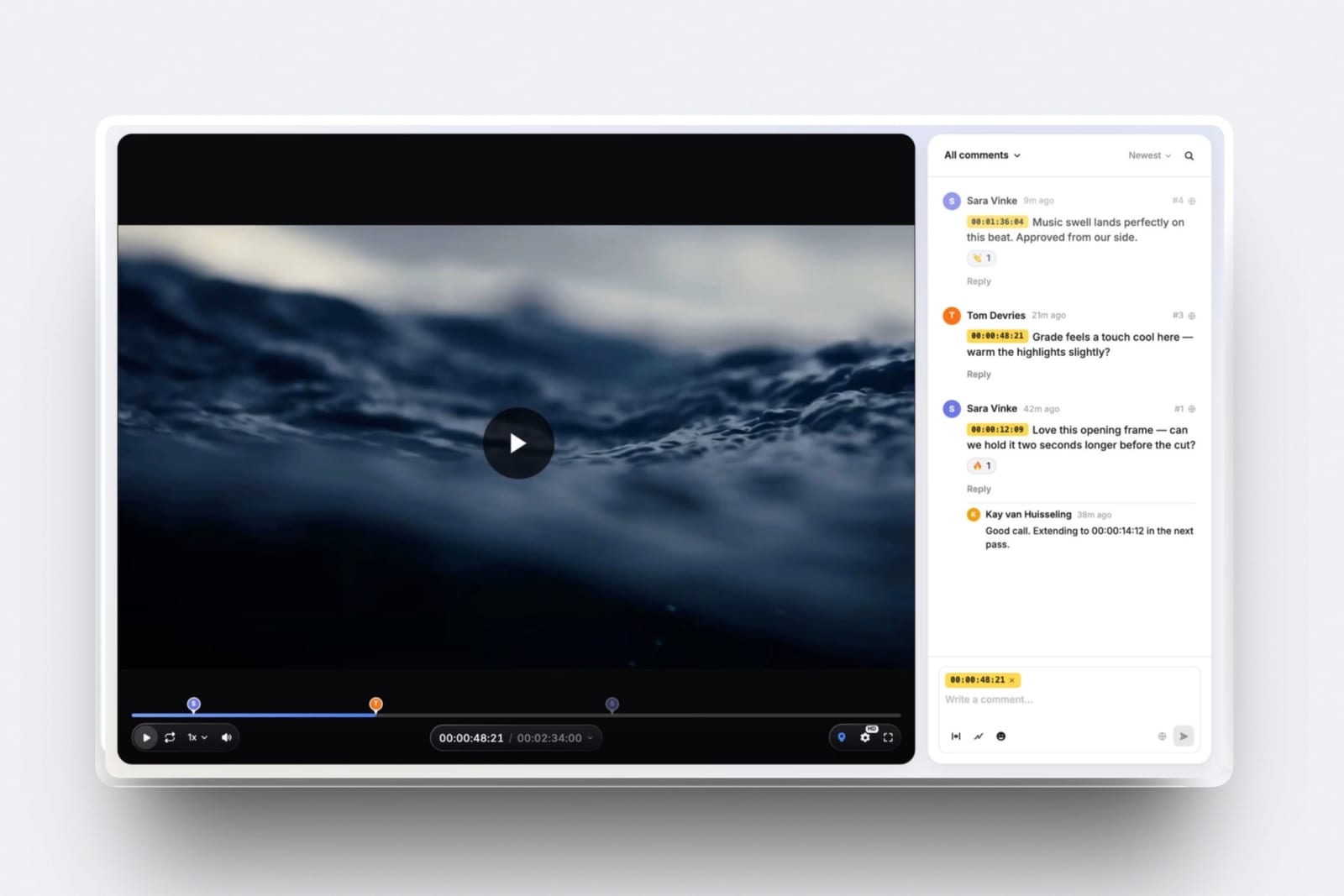
It cannot carry feedback. When the deliverable is a cut rather than a folder, the difference between a download link and a review page is the difference between a paragraph of vague notes and a comment pinned to 00:42.
That is Framekit Video Review's job on the free plan and Frame.io's job on theirs, and no transfer tool touches it. Our roundup of free video review tools compares those two directly.

Where each free tool is genuinely the right answer
In one lineno single tool on this page wins every handover, and the working shape for a freelancer is two accounts, a gallery for the job that has a client who will come back and a transfer for the job that has a deadline and 40 GB attached.
One enormous one-off to another professional. SwissTransfer, every time. Fifty gigabytes, thirty days, no account, no cost, and nobody is going to be hurt when the link expires because the recipient is an editor who has already pulled it.
A client who will come back for the files. A gallery, not a transfer. Framekit Free if the job includes video or you want a password and a download PIN without paying, Pixieset Free if prints are the revenue and the job is 3 GB or under.
A corporate or agency delivery. Google Drive, because the client's filing system is the thing that determines whether your work is findable in eighteen months, and their filing system is Google.
A cut that needs notes. A review page.
Framekit Video Review on Free gives timecoded comments, drawing on the frame, stacked versions, approval statuses and guest commenting without an account, and Frame.io Free gives you Camera to Cloud and transcription instead.
Pick by whether the constraint is capacity or capability.
A 300 GB handover with a deadline. MASV, and budget $71.25 for it, which is 285 billable gigabytes at $0.25 once the free 15 GB is used. Every free option in this list will either refuse the transfer or queue it behind someone who paid.

Pick your delivery tool with five questions
In one linerun these in order and stop at the first yes, because the correct delivery tool is set by the shape of the handover and not by which brand you already happen to have an account with.
Does this job include video the client needs to comment on? If yes, you need a review page rather than a download page, and the choice is Framekit Video Review on Free or Frame.io Free, decided by whether you need more than 2 GB or you need Camera to Cloud.
If no, next question.
Will the client ask for these files again after 30 days? If yes, every transfer tool in this list is disqualified by its own expiry clock, and you want a gallery. If no, next question.
Is the handover over 15 GB? If yes, your free options narrow to SwissTransfer at 50 GB or MASV's 15 GB monthly allowance plus $0.25 a gigabyte. If no, next question.
Does the delivery need to sell something? If prints, Pixieset or Pic-Time, and Framekit is the wrong tool because it has no print lab.
If digital files, a store rather than a gallery, and our comparison of galleries with a store attached covers the overlap.
Is anything about this confidential? If yes, you want a password and ideally a separate download code, and Framekit is the only free tier in this list that publishes both.
Google Drive is the clearest no, because its model is link permissions rather than a password, so a forwarded link is a forwarded set.
Frequently Asked Questions
What is the best free client delivery tool in 2026?
The best free client delivery tool in 2026 is Framekit, because one free account delivers photographs and video in the same gallery, adds a timecoded video review page, and includes a gallery password, a separate download PIN, watermarking, favourites, ZIP downloads and automatic expiry on the free plan rather than behind an upgrade.
Its limit is 10 GB of pooled storage and 500 MB per video file. For a single very large handover, SwissTransfer's free 50 GB transfer is the better answer.
What is the WeTransfer free limit now?
WeTransfer's free plan allows up to 10 transfers or 3 GB in any 30-day period, whichever you reach first, according to its own plan limits help article read in September 2026.
The Starter tier raises that to 10 transfers or 300 GB per 30 days, and Ultimate and above move to unlimited transfers of up to 1 TB each. A single 6 GB photography delivery therefore cannot be sent on the free plan at all.
Can I deliver client photos for free without a storage limit?
No free tool in this list is genuinely unlimited, but two get close in different ways.
SwissTransfer sends up to 50 GB per transfer free with no account, deleting after 30 days, and MASV gives 15 GB free every month then charges $0.25 per GB with no plan to buy.
Gallery tools with persistent pages all cap free storage: Framekit at 10 GB, CloudSpot at 5 GB, Pixieset at 3 GB, Frame.io at 2 GB and Dropbox at 2 GB.
Is a client gallery better than a WeTransfer link?
A client gallery is better whenever the client will interact with the files rather than simply receive them, because a gallery supports favourites, a password, a separate download PIN, watermarked previews, expiry you control and a page that stays live, while a WeTransfer link is a single download that expires.
A transfer link is better when speed matters more than presentation, the recipient is another professional, and nobody will need the files a month later.
Does Framekit's free plan really include video delivery?
Yes, with two stated limits.
Framekit's free plan delivers video inside client galleries and on video review pages, with timecoded comments, drawing on the frame, stacked versions and approval statuses, and guests can comment without creating an account.
The limits are 500 MB per video file on Free and a maximum length of two hours per video, inside a 10 GB pool shared with the website and the galleries. Starter at $9 a month raises the per-file cap to 1 GB and the pool to 50 GB.
Which free delivery tool lets me password protect a download?
Framekit is the only tool in this list whose published free tier includes both a gallery password and a separate download PIN, so a client can view a set without being able to pull the full-resolution originals.
Ten of the eleven other tools compared here publish nothing about a free-tier password on their own pricing pages, so the feature cannot be planned around even where it exists.
Google Drive is the eleventh, and it controls access through link permissions rather than a password.
What does it cost to deliver 20 GB a month to clients?
Delivering roughly 20 GB a month costs between nothing and about $15 depending on the tool.
SwissTransfer handles it free if expiry is acceptable, MASV charges $1.22 after its 15 GB free allowance, Framekit Starter is $9 a month for a 50 GB pool with galleries and review pages, CloudSpot Entry is $7 for 15 GB, Pixieset Basic is $8 billed annually, and Frame.io Pro is $15 per user per month.
The cheapest option depends entirely on whether you need the page to persist.
Framekit vs Pixieset: which free gallery should a photographer pick?
Pick Pixieset's free tier if print sales are part of your revenue, because it has a print store and Framekit does not have a print lab at all.
Pick Framekit's free tier if the job includes video, if you need more than 3 GB, or if you want a download PIN separate from the gallery password.
Pixieset free is 3 GB with unlimited galleries; Framekit free is 10 GB pooled with unlimited galleries, plus video review on the same account.
Do free delivery tools watermark my images?
Free delivery tools do not add their own watermark to your images, but most add their branding to the page.
Framekit's free plan shows a Framekit badge on galleries, review pages and sites and does not allow a custom domain, with both removed on paid plans from $9 a month.
Watermarking your own images is a separate feature, and it is published as part of the free tier on Framekit and on CloudSpot, whose free plan lists custom watermarks alongside email capture.
What happens to my client's files if I stop paying?
Behaviour on downgrade varies and it is the question to ask before you upload anything.
Transfer services delete on a fixed clock regardless of payment: 3 days on WeTransfer free, 7 days on Smash and TransferNow, 30 days on SwissTransfer, 5 days of free storage on MASV.
Gallery tools keep the account and enforce the free tier's ceiling instead - 10 GB on Framekit, 5 GB on CloudSpot, 3 GB on Pixieset, 2 GB on Frame.io and Dropbox - so work above that line becomes inaccessible until you delete other galleries or resubscribe.
Export your own archive before any downgrade.
Is Google Drive safe enough to deliver client work?
Google Drive is secure in transit and at rest, but its sharing model is permissions rather than passwords, so a link set to "anyone with the link" is accessible to anyone who has it, forever, with no expiry and no download code.
For most commercial and corporate work that is acceptable.
For anything where the client would object to the files circulating, a gallery with a password, a download PIN and an expiry date is the safer object, and that is available free on Framekit, Pixieset and CloudSpot.
Final Verdict
Framekit is the best free client delivery tool in 2026 for anyone whose handovers include both stills and motion, because the free plan puts unlimited galleries, video, a timecoded review page, a password, a separate download PIN, watermarking and expiry on one account, and because the client gets one link instead of two without registering for anything to open it.
Where Framekit loses is raw transfer.
If the job is a single 40 GB handover to another professional who will pull it once and never ask again, SwissTransfer does it free with no account and we do not, and WeTransfer and Dropbox are both simpler for a one-off drop than a gallery is.
Framekit is not for print-led photography businesses, because it has no print lab and Pixieset, Pic-Time and ShootProof do.
It does not do Camera to Cloud, editor panels or transcription, so a production delivering from set belongs on Frame.io.
And the 500 MB per-file video cap on the free plan is a real constraint rather than a technicality: any film longer than about two minutes at delivery quality needs the $9 Starter plan.
Work out your monthly delivery volume first, then pick the tool whose free tier fails last, and budget the nine dollars before a Friday night makes the decision for you.
Related readingfree client galleries compared, the best photo delivery tools, how to create a client gallery, client gallery platforms that handle video and how much client galleries cost.