Framekit templates
Start from a designer-made template
 Use template
 Use template
 Use template
 Use template
 Use template
 Use template
 Use template
 Use template
A three-person production company delivers a four-minute recruitment film to a hospital.
Five people on the client side have opinions, nobody has been told which of them can say yes, and the cut sits at 90 percent done for 19 calendar days while everyone waits for a decision that nobody is authorised to make.
Nothing in that story is a tool problem. It is a missing state. When you set up a video review workflow properly, the work moves through four named steps, each one owned by a person, and the last of them exists on purpose.
A video review and approval workflow is the sequence of named states a cut passes through between leaving your timeline and being signed off, together with the rule for who is allowed to end each state.
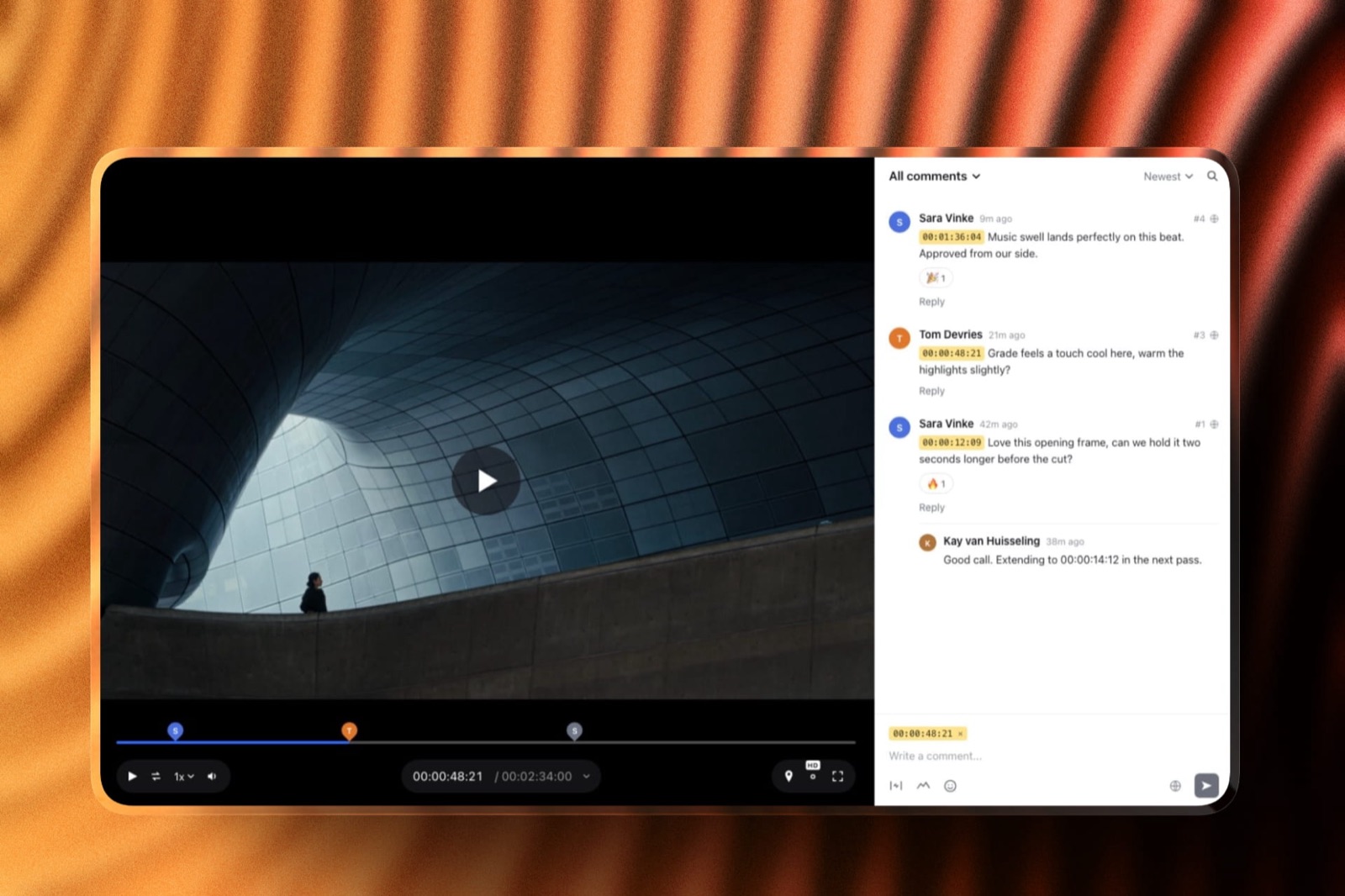
Build the workflow around four states, sent, commented, changed and approved, give each one a two-working-day clock and a single named owner, and record the approval inside the tool rather than in an email; Framekit Video Review carries those states natively as needs review, in progress, approved and needs changes, on a free plan with unlimited guest reviewers, and its trade-off is no NLE panel and no Camera to Cloud.
Frame.io fits teams whose notes must appear in Premiere, Filestage fits marketing teams reviewing more than video, and Dropbox Replay fits a studio already standardised on Dropbox.
Full disclosure: Framekit is our own product, which is exactly why the tool table below lists what it cannot do; competitor prices and reviewer requirements were read on each vendor's own pricing page or help centre in September 2026 and linked at the point they are used.
How this guide was assembled
Three different kinds of work went into the sections below, and separating them is the only way you can judge which parts to trust.
Read at the source: plan prices, seat limits and reviewer account requirements were taken from each vendor's published pricing page or help article in September 2026, with a link everywhere a figure appears.
Calculated: the seat arithmetic and the schedule comparison are worked from inputs stated in the text, so you can rerun them with your own team size. Framekit's own limits come from our published plan data.
Exactly two figures on this page could not be verified and are therefore absent.
Filestage publishes four tiers, Free, Starter, Business and Enterprise, but renders the prices with JavaScript and served none of them to a plain read, so no Filestage price appears here. The same applies to Vimeo.
The carried example is one job: a four-minute hospital recruitment film, made by a three-person company, reviewed by five people on the client side, with three rounds before delivery.
The workflow by the numbers
The six figures below shape almost every decision in this guide, and they are worth putting in one place before the procedure starts, because the seat maths in particular surprises small teams. All of them were read at the source or calculated from stated inputs.
- The whole model is four states: sent, commented, changed, approved. Framekit ships all four under its own names: needs review, in progress, approved and needs changes.
- A two-working-day clock on each state compresses the carried example from 19 calendar days, which is 13 working days, to eight working days across the same three rounds.
- Internal seats are the cost driver: Frame.io Pro is $15 per user per month, so four people is $720 a year, and Team at $25 per user is $1,200.
- Framekit Pro at $19 a month includes 3 team members, and Business at $39 a month covers unlimited members, which is $468 a year for the same four people.
- Outside reviewers are not seats anywhere sensible: Framekit guests comment without an account, Frame.io share-link viewers need no account, and Filestage says reviewers do not need to log in.
- Framekit caps a single video at 500 MB on Free, 1 GB on Starter, 2 GB on Pro and 3 GB on Business, with a 2-hour ceiling on any one file.
The one that changes behaviour is the second. Adding a clock costs nothing, needs no software, and on the carried example recovers five working days.
Step 1. Map who is actually in the room
Before any states exist, write down every person who will see the cut and what each one is allowed to do with it, because an unmapped stakeholder is the single most reliable source of a late, expensive note.
The four roles below cover almost every project, and everyone on your list belongs in exactly one of them.
Approver. One person. They end the workflow, and their note beats everyone else's when two notes conflict.
On the hospital job this is the marketing lead, not the chief executive, because the executive is a reviewer who occasionally overrules, which is a different job.
Reviewer. People whose opinions are wanted and whose notes go into the pile. The HR director and the comms manager are two of the five people on the client side here. There can be three of them or thirteen, as long as none of them is the approver.
Gatekeeper. Someone whose sign-off is required but who is not reviewing craft: legal, compliance, a brand team.
Gatekeepers block delivery rather than shape the edit, so they get their own one-day pass at a defined point instead of commenting alongside everybody else.
Observer. People who want to watch progress and must not comment. Give them a view-only link and take them off the notification list, which on the carried job removes one name from five.
| Role | Who it is on the carried job | Can leave notes? | Can end a state? |
|---|---|---|---|
| Approver | Marketing lead | Yes | Yes, all of them |
| Reviewer | HR director, comms manager | Yes | No |
| Gatekeeper | Legal reviewer | Only blocking notes | Yes, the legal pass only |
| Observer | Chief executive | No, notes go via the approver | No |
The thing that goes wrongthe client names five reviewers and no approver, and you accept the list because it feels rude to ask. Ask anyway, in one sentence at kickoff: whose yes finishes this? Everything else in this guide depends on the answer.
Step 2. Name four states and say what ends each one
A workflow is not a feeling of organisation, it is a small set of named states with an explicit exit condition on each, and the reason most freelance setups drift is that they have three states and no way to reach the fourth. Sent, commented, changed, approved.
| State | Who owns it | What ends it | Framekit's name for it |
|---|---|---|---|
| Sent | You | The approver confirms the round has started | Needs review |
| Commented | The approver | The approver says the list is complete | In progress |
| Changed | You | A new version is uploaded and linked | Needs changes, then needs review again |
| Approved | The approver | An explicit yes recorded in the tool | Approved |
The fourth row is the one people skip, and skipping it is why projects sit at 90 percent done.
An approval that exists only as "looks great, thanks" at the bottom of an email thread is not a state, it is a memory, and memories are contested three weeks later when an invoice arrives.
Write the exit conditions down. "The commented state ends when Marta replies done, or when the window expires, whichever comes first" is a sentence that prevents an argument.
Without it, a round stays open until somebody gets frustrated enough to close it by force.
Handle the gatekeeper separately. Legal review is its own pass between changed and approved, not a comment stream running in parallel, because a blocking note discovered halfway through a round rewrites work you have already done.
Step 3. Put a clock on each state
States without deadlines drift, and the drift is invisible because every individual delay is reasonable, so give each state a fixed window and let the calendar do the enforcing rather than your temper.
The default for a short film is two working days per state, and three rounds under that clock is eight working days.
| Round | State | Owner | Window | Cumulative working days |
|---|---|---|---|---|
| One | Sent to commented | Approver collects notes | 2 days | 2 |
| One | Commented to changed | You re-cut | 2 days | 4 |
| Two | Sent to commented | Approver collects notes | 2 days | 6 |
| Two | Commented to changed | You re-cut | 1 day | 7 |
| Three | Legal pass and approval | Gatekeeper, then approver | 1 day | 8 |
On the carried example this is the difference between 13 working days of nobody quite knowing whose turn it is and eight working days of scheduled movement, using the same three rounds and the same number of notes. Nothing was cut from the process. It was just given a shape.
What to do when a window expires. Send one line: "The comment window closed yesterday, so I am moving to the re-cut with the six notes we have, and anything new will go into round three." That sentence is not aggressive, it is a schedule, and it teaches the project that time is a real constraint.
The detail nobody writes downput the client's internal collection time inside their window, not yours. If the approver needs two days to gather notes from three colleagues, their window is two days from the link, not two days from when the last colleague replies.
Step 4. Pick where the states will actually live
The workflow has to live somewhere every party can see it, which rules out your project management board, because the client is never going to log into that, and it rules out email, which has no states at all. The shortlist is short.

| Tool | Internal cost | Reviewers outside the team | How approval is recorded | What it does not do |
|---|---|---|---|---|
| Framekit Video Review | Free; Pro $19 a month includes 3 team members; Business $39 a month, unlimited | Guests comment with no account | Four approval states on the version itself | No NLE panel, no Camera to Cloud, no transcription |
| Frame.io | Pro $15 per user per month, Team $25 | Share-link viewers need no account; first comment asks for name and email | Status on assets plus review tooling | Free tier is capped at 2 members and 2 projects |
| Filestage | Tiers are Free, Starter, Business, Enterprise; prices are JavaScript-rendered and were not readable | No login needed unless the reviewer already has an account | Review steps with explicit due dates and approvals | Built for marketing review across file types, not only for film |
| Dropbox Replay | Add-on listed at EUR 9 per user per month billed annually | Reviewers open a link | Review and approval inside Dropbox | Requires a paid Dropbox plan under it |
How the seat maths lands for four internal people. Frame.io Pro is $720 a year and Team is $1,200, against $468 a year for Framekit Business with unlimited team members, or $228 a year on Framekit Pro if three internal people is enough.
None of these charge for the client-side reviewers, which is the part small studios get wrong when they price eight people into a seat count that only needs three.
Which we would choose, and when. If your editors want notes inside Premiere or you are pulling footage off set during the day, Frame.io earns its price and nothing here replaces it.
If your review pipeline includes stills, PDFs and social cutdowns for a marketing team, Filestage is built for that breadth.
If the job is film and the reviewers are clients, Framekit Video Review covers the four states with unlimited guests on a free plan.
Already on a per-seat plan and wondering whether the seats are doing anything?
The video review and approval tools comparison ranks these properly, and Frame.io against Vimeo covers the other common pairing.
Step 5. Write the intake rule for notes
Every workflow needs one sentence describing how a note becomes work, and without it you end up with a parallel process running in email that quietly overrides the one you designed.
The rule has three parts: where notes go, what happens to notes that arrive elsewhere, and how conflicts resolve.

The rule we would write for the hospital job reads like this. "All notes go on the review link as comments. Notes that reach me by email or phone will be copied onto the link and confirmed with the sender. Where two notes conflict, I will put both in one reply and Marta decides."
Why the copying clause matters. You cannot stop a client phoning you, and trying to is a losing battle you will fight on every project.
What you can do is make the review page the record of everything, including the phone call, so the history stays in one place and the approver can see the full list before closing a round.
Conflicts are answered, not averaged. Present the two notes, the time cost of each, and the consequence for the schedule, then let the approver pick.
On a five-stakeholder project this will happen at least twice, and handling it as a decision rather than a compromise is what keeps the edit coherent.
Mark each note as a fix, a question or a preference. Fixes are defects and get done. Questions get an answer and stop being notes. Preferences are where the approver's authority is needed.
This one habit removes most of the friction inside the commented state, because it separates the things that are wrong from the things that are merely different.
Step 6. Record approval where it will survive the year
The approval is the only artefact in this whole workflow that anyone needs again, and the request tends to arrive six months later when a version turns up somewhere unexpected, so record it in a form that carries a name, a timestamp and a version number. That takes three things.
Approve the version, not the project. The approval should attach to skincare_v03 or hospital_v04, not to "the film", because the entire point is to be able to answer which cut was signed off.
Framekit Video Review sets the state on the version, with the old versions and their notes still stacked underneath it.
Make the approver do it themselves. An approval you record on someone's behalf is a note, not a signature.
Ask the approver to set the state or to reply in the thread with the word approved against the version name, and keep that in the tool rather than in your inbox.
Turn on notifications for the people who need them, and only them. Framekit sends comment notifications by email, which is how the approver learns a round has ended without you chasing.
Observers should not be on that list, because an observer with notifications becomes a reviewer within two days.
Then deliver somewhere else. Once the state reads approved, delivery is a separate act: the finished file with downloads enabled, stills in a client gallery if the job has both, and the review page left in place as the record.
Keeping delivery out of the review page is what stops an approved cut being confused with a work in progress.

Step 7. Instrument it, then fix the slowest state
A workflow you never measure will drift back to where it started within about three projects, so spend five minutes at the end of each job writing down how long the work spent in each state. You are looking for the one that consistently overruns.
| State | Planned | Hospital job, actual | What the gap says |
|---|---|---|---|
| Sent to commented, round one | 2 days | 4 days | The approver was collecting notes from four people with no internal deadline |
| Commented to changed, round one | 2 days | 2 days | Healthy |
| Sent to commented, round two | 2 days | 3 days | Same cause, and now predictable |
| Legal pass | 1 day | 3 days | Legal was invited at the end instead of at the start |
| Approved | 1 day | 2 days | Nobody was sure they were allowed to say yes |
Read those five rows as a diagnosis rather than a complaint. Two of the five rows point at the client's internal collection time, which you fix by asking the approver to set their own internal deadline a day before yours.
One points at a gatekeeper invited too late, which you fix by scheduling the legal pass at kickoff.
In one linethe four states give the project a shape, the clocks give it momentum, and the measurement is what stops the whole thing quietly reverting to a pile of emails by the third job of the quarter.
What a missing approval state actually costs
In one linethe cost of having no approved state is not the argument at the end, it is the 90-percent-done project occupying a slot in your schedule while producing no invoice, which on the carried example is five extra working days of a booked resource.
Here is the accounting. Three rounds with clocks fits in eight working days. The same three rounds without named states, on the carried example, ran 13 working days, or 19 on the calendar, because each handover had no owner and no deadline.
None of those five extra days was spent editing; all of them were spent waiting.
For a three-person company running four projects at once, that delay is a scheduling problem rather than an hourly one.
The edit suite is not free to start the next job, the invoice cannot be raised, and the final delivery slides into a month where you had already booked other work.
| Same 3 rounds | With 4 states and clocks | With no named states |
|---|---|---|
| Elapsed time | 8 working days | 13 working days, 19 on the calendar |
| Who ends a round | The named approver | Whoever gets frustrated first |
| Record of sign-off | A state on a version | A line in an email thread |
| What happens to a late note | Goes into the next round | Reopens the current one |
| Effect on the next booking | Starts as planned | Slips with the delivery |
Run it on your own numbers. Take your last three projects, write down the date you sent each cut and the date you got the notes back, and add up the waiting.
That total is what a clock would have bought you, and on the carried example it came to five working days.
Where this workflow breaks, honestly
Every process has edges, and it is more useful to name them here than to let you discover them in week three, so these are the four places a four-state workflow gets uncomfortable. None of them is a reason to skip it.
Very large files. Framekit caps one video at 500 MB on Free, 1 GB on Starter, 2 GB on Pro and 3 GB on Business, with a 2-hour maximum length, and storage is a single pooled allowance shared with your site and galleries, which is 10 GB on Free and 300 GB on Pro.
A documentary team cutting 3-hour assemblies needs a different plan or a different tool.
Notes that belong in the edit software. If your assistant wants comments to appear in the Premiere timeline, no amount of process design substitutes for the panel, and Frame.io is the product that has it.
More than video. Where the same round covers a video, a key art PDF and six social stills, a general proofing tool such as Filestage is built for that mixture, and a film-first review page is not.
Committees that will not name an approver. Some clients genuinely cannot say who decides, because the answer is politically awkward inside their organisation.
In that case, make the round itself the decision: send the notes back consolidated with your recommendation and a deadline, and treat silence as agreement on the schedule, though never on the money.
Framekit is an AI website builder that also runs the review pages, client galleries, store and decks a small production company needs on one account and one bill, which is why the workflow above and the delivery that follows it do not need two subscriptions.
Which setup fits your team
Answer these in order and stop at the first match, because the right workflow depends on who has to log in and what else moves through the same rounds, not on the length of a feature list. Each of the five branches is a concrete configuration you can build this week.
Is this a solo edit with one client contact? Then you need two things and no more: a review page with states and a named approver. Framekit's free plan covers it, and the only limit worth checking is the 500 MB cap per video.
Do you have two or three internal people who need to log in? Framekit Pro at $19 a month includes 3 team members and 300 GB of pooled storage, which is $228 a year against $540 for three Frame.io Pro seats.
If the third person only comments, they do not need a seat at all.
Do your editors need notes inside Premiere, or footage arriving from set during the day? Then use Frame.io and build the four states on top of its statuses, because the panel and Camera to Cloud are genuinely not available anywhere in this article.
Do the same rounds cover stills, documents and social cutdowns? Then a general proofing tool such as Filestage fits better than a film-first review page, and its reviewer model does not require your stakeholders to make accounts either.
Are you a production company with more than four internal people? Framekit Business at $39 a month covers unlimited team members and 2 TB of pooled storage, which is where flat pricing starts beating per-seat pricing by a wide margin.
Compare that against your current per-seat bill before renewal.
For the ranked version of this decision, see the client approval software guide, the roundup for production companies, and the creative agency comparison.
Frequently Asked Questions
What is a video review and approval workflow?
A video review and approval workflow is the set of named states a cut moves through from leaving the edit to being signed off, plus the rule for who ends each state.
The practical version is four states, sent, commented, changed and approved, each with one owner and one deadline.
Without the fourth state, a project has no defined end, which is why jobs sit unfinished at 90 percent while five people wait for someone else to confirm what they already believe.
What are the 4 states, and who owns each one?
Sent is owned by you and ends when the approver confirms the round has started. Commented is owned by the approver and ends when they declare the note list complete or the window expires.
Changed is owned by you and ends when the new version goes up. Approved is owned by the approver and ends the workflow with an explicit yes recorded against a version number.
Framekit names them needs review, in progress, needs changes and approved.
How long should each round of video review take?
Two working days per state is a sensible default for a short film, which gives you about eight working days for three rounds including a legal pass. Long-form work and regulated content need longer windows, not more rounds.
What matters more than the exact number is that the window exists, is stated when the link is sent, and is enforced by moving to the re-cut with the notes you have rather than waiting indefinitely.
Who should be allowed to approve a video?
One named person, chosen before the first cut goes out, and ideally the person whose budget the project sits in. Reviewers can number two or twelve, gatekeepers such as legal get their own pass, and observers should not comment at all.
The most common failure is a client who nominates five reviewers and no approver, which converts every disagreement into your problem rather than theirs.
Where should the approval be recorded so it holds up later?
Inside the review tool, attached to the specific version, with a name and a timestamp.
Framekit Video Review sets the approval state on the version itself and keeps earlier versions and their notes stacked underneath, so six months later you can show which cut was approved and what the notes on it were.
An approval that lives only in an email thread is a memory six months later rather than a record, and memories are exactly what get contested when a dispute arrives.
Do reviewers need their own accounts or paid seats?
No, on any tool worth using.
Framekit guests comment without an account, Frame.io states that share-link viewers do not need a Frame.io account although a first-time commenter is asked for name and email, and Filestage's help centre says reviewers do not need to log in unless they already have an account on that email address.
Seats are for the people inside your company who upload and manage projects, which on the carried job is three people against the eight who have opinions.
How much does a review workflow cost for a team of four?
Four internal seats on Frame.io Pro at $15 per user per month is $60 a month or $720 a year, and Team at $25 per user is $1,200.
Framekit Business at $39 a month covers unlimited team members and works out at $468 a year, while Framekit Pro at $19 a month covers three team members for $228.
Client-side reviewers are free on all of them, so count only the people who log in.
Do I need a separate project management tool as well?
Not for the review itself, because the states belong where the client can see them and no client is going to open your project board. Keep the four states in the review tool and let your task manager track the work behind them.
Adding a second system that the client cannot see is how a workflow ends up with two versions of the truth, and the one the client can see is the one that counts.
How do I introduce this to a client who has never used a review tool?
Send one short message with the link, the deadline and the name of the approver, and do not explain the system.
Clients adopt a review page in about one round, because leaving a note against the picture is easier than describing a moment in prose.
If someone still replies by email, copy their notes onto the page yourself once, confirm you have captured them, and they will almost always use the link next time.
What happens when a note arrives after a round is closed?
It goes into round three, and you say so in one line rather than silently absorbing it. Reopening a closed round destroys the meaning of the states and teaches the project that deadlines are decorative.
The exception is a genuine blocker, such as a legal or factual error, which should jump the queue, be fixed immediately, and be recorded as a new version so the history still makes sense.
Final Verdict
Build the workflow before you choose the tool. Four states, one approver, a two-day clock on each state, one place where notes enter and one version-level record of the yes.
That structure works in any product on this page, and the reason to put Framekit Video Review under it for film work is that the approval states, guest commenting, stacked versions with their old notes and email notifications all sit on a free plan, with unlimited reviewers and no per-seat bill for the people who only have opinions.
Where Framekit losesit does not put notes inside Premiere, DaVinci Resolve or Final Cut, it has no Camera to Cloud for footage arriving from set, no transcription and no frame-by-frame comparison, so a production cutting on location or reviewing inside the timeline is a better fit for Frame.io.
Teams whose rounds cover documents and stills as well as video will get more from a general proofing tool such as Filestage. And an enterprise that needs SSO and per-seat administration should not be looking at us at all.
Verdict: the states are the product, the software is the container. Write the four down, put a clock on each, name one approver, and pick whichever tool your reviewers can open without creating an account.
Related readingfor tool rankings rather than procedure, see video review and approval tools and the white-label client review options.
For the stage before review, the creative brief guide prevents whole rounds, and for hosting the finished film, video hosting for client review covers where the approved cut should live.
For the single send that starts it, see how to send a video to a client for review, and when rounds keep multiplying, how to stop endless client revisions prices what each extra one costs.