Framekit templates
Start from a designer-made template
 Use template
 Use template
 Use template
 Use template
 Use template
 Use template
 Use template
 Use template
It is the Tuesday after a 140-guest wedding. You send the couple their gallery at 7pm.
By 9pm the mother of the bride has the link; by the weekend so do two bridesmaids, a cousin who has just got engaged, and the best man, who runs a small architecture practice and needs headshots for his team.
None of them were in your enquiry inbox last week. All of them have now seen a complete job you delivered, on a page you control.
That is the whole case for using client galleries to get referrals, and it is also where most of them stop working. The cousin likes the photos, closes the tab and cannot remember your name a month later.
The best man screenshots a portrait and asks the couple who took it, and the couple, three weeks into married life, forget to reply.
A referral-ready client gallery is a delivery page set up so that the people a client forwards it to can tell whose work it is, find the photographer again and get in touch, without the paying client's own experience turning into an advertisement.
To use client galleries to get referrals, tell the client in writing that the link can be shared, protect downloads with a separate PIN so sharing is safe, deliver on your own domain with your studio name on the cover, lead with a 40 to 80 frame highlights set that works on a phone, make exactly one ask in the delivery email, follow up twice in the first year, and ask every new enquiry how they found you.
A gallery does not create referrals on its own; a good job does, and the gallery decides whether the people who saw it can reach you.
Framekit puts the gallery on your own site with every one of these controls on the free plan; Pic-Time is the stronger choice if you want automated sales campaigns and guest and vendor permissions doing the follow-up for you.
We rebuilt this guide on 12 October 2026 and re-verified every Framekit gallery control it names against the shipped product that day, including two details the September version got wrong: Framekit galleries carry a small "Made with Framekit" credit on every plan, and the gallery page has no menu linking back to your site.
We also removed audience figures ("a wedding gallery reaches 20 to 60 people") and a claim that every platform reports unique visitors, because we could not source either.
Framekit is an AI website builder whose client galleries publish at /client/ on your own portfolio site, with video review, Slides and a digital store in the same account, which is why the domain step below matters more on it than on a standalone gallery service.
Full disclosure: Framekit is our product. The eight steps work on any gallery platform, the Pic-Time section says plainly where it does post-delivery marketing better, and the Framekit section lists what it does not do.
How a Forwarded Gallery Becomes an Enquiry
A forwarded gallery becomes an enquiry only when five things happen in order, the client feels free to share it, the guest gets in, recognises whose work it is, finds a way back to you and then acts, and each of those links breaks for a specific and fixable reason.
| Stage | What has to happen | What usually breaks it | The fix, with a number |
|---|---|---|---|
| 1. Share | The client sends the link onward | A password makes it feel private | One sentence of permission in the delivery email |
| 2. Open | The guest gets in on a phone | Two codes, a dead link, a 6GB download prompt | Password only for viewing; downloads behind a PIN; 12 months online |
| 3. Recognise | The guest knows whose work it is | A vendor subdomain and no name anywhere | Your domain in the address bar; studio name on the cover |
| 4. Return | The guest can find you later | No route back once the tab is closed | Your web address in the email and on one closing frame |
| 5. Act | The guest enquires | Nobody asked, nothing says you are booking | One ask; one line about the season you are booking |
Most photographers work hard on stage 5, the ask, and lose the guest at stage 3 or 4. The steps below run in the same order as the table, because polishing the ask while the guest still cannot find you produces nothing.
One honest limit before the steps: a gallery is the delivery vehicle, not the reason anyone refers you. The reason is a client who felt looked after. Everything here amplifies a good job; none of it rescues a mediocre one.
Step 1: Decide Who the Gallery Is For Before You Build It
Decide at the build stage whether this gallery is only for the client or is meant to travel, because a gallery built for one couple's private review and a gallery built to be forwarded to a hundred guests need different settings, a different first screen and a different number of photographs.
Three working patterns:
- Private review. Boudoir, newborn, some family sessions, anything with children or sensitive locations. One password, downloads on, no sharing ask at all. Referrals here come from reviews and word of mouth rather than forwards, so skip to Step 5.
- Share-friendly delivery. Weddings, engagements, parties and most portraits. The full delivery behind a password the client can pass on, downloads behind a PIN the client keeps, and a highlights set at the top.
- A separate share gallery. For events and brand shoots, where the people forwarding the link are not the people who paid. Build a second gallery of 30 to 60 frames with no PIN, and switch on email registration if you want visitors to identify themselves before viewing. Framekit galleries are unlimited on every plan, so a second gallery costs only the storage, roughly 300MB to 600MB at 10MB a frame.
Pick the pattern before you upload. Turning a private gallery into a share-friendly one after forty people have the link means changing the password, and on Framekit anyone who unlocked the gallery with the old password then has to enter the new one.
Step 2: Give Permission to Share, and Make Sharing Safe
Tell the client in writing that the link is meant to be shared, then set the gallery up so that sharing costs you nothing, because clients hesitate to forward anything behind a password and that hesitation quietly removes most of the audience a gallery could reach.
The sentence. "You are very welcome to send this link and password to family and friends; downloading needs the PIN, which is just for the two of you." Put it in the delivery email, not in a contract nobody rereads.
The two codes. A gallery password decides who can open the page; a separate download PIN decides who can save files.
On Framekit both are on every plan, Free included, and the Activity panel records which downloads used the PIN.
Every Framekit download is the full-resolution original, with no smaller web-size option for clients, so the PIN is the control that keeps guests to viewing and hearting.
The share buttons. Framekit's Social Sharing setting puts a share control in the gallery that sends the link by WhatsApp, Facebook, email, X or Pinterest, copies it, or opens the phone's own share sheet, and individual photos can be shared on their own links.
Leave it on for share-friendly deliveries and switch it off for private ones.
The first send. Framekit's share email goes to up to 20 recipients at once, with a checkbox to include the gallery password and six starter templates: gallery ready, wedding, portrait session, editorial selects, event recap and a reminder.
For a wedding, ask the couple whether both sets of parents can go on the first send; it is often the forward the couple would have made anyway, a week later.
Step 3: Put the Gallery on Your Own Domain, and Know Its Limits
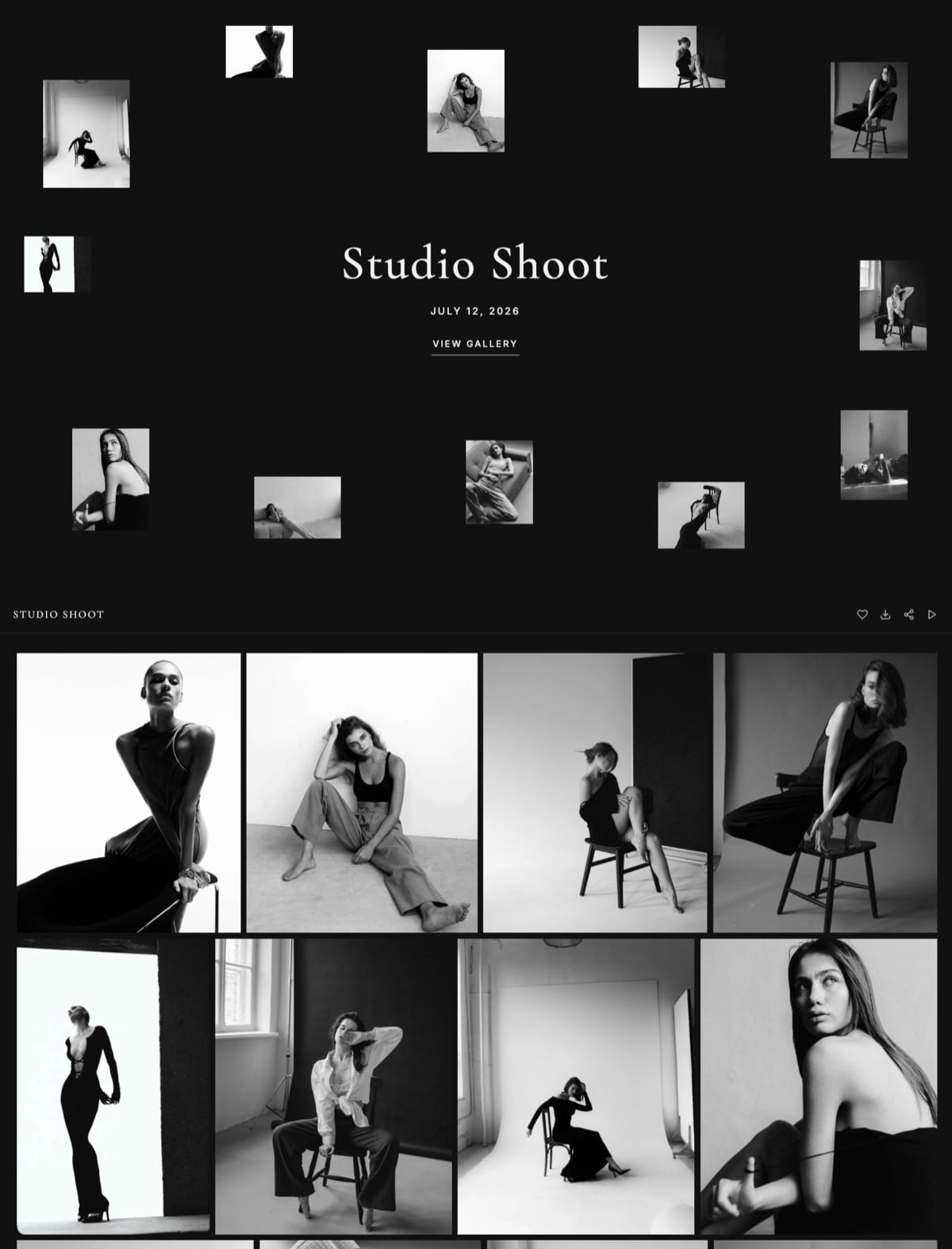
Deliver the gallery on your own domain so every forward carries your studio's address, and be clear about what that does and does not achieve, because a domain makes you recognisable and easy to type from memory but does not, by itself, put a menu or a contact button inside the gallery.
What your own domain gives you. A guest who opens yourstudio.com/client/harper-lee-wedding sees your business in the address bar, and the gallery cover shows your site's name in its top corner on all 17 cover styles.
If they remember nothing else, they remember a web address that is also your studio. Trimming the address back to the domain takes them to your homepage.
On Framekit the gallery publishes at /client/ plus a name you choose, on a framekit.ai address on Free and on your own domain from Starter at $9 a month ($7 billed yearly).
What it does not give you. A Framekit gallery page has no site navigation, so there are no Portfolio, About or Contact links in a header, and a small "Made with Framekit" credit sits at the foot of every gallery on every plan.
Hosted galleries on other platforms have their own versions of both limits, so look at what yours shows a logged-out guest before relying on it.
How to close the gap. Put your website address and one line about what you photograph in the delivery email, which is the message the client actually forwards.
Then consider one closing frame at the end of the highlights set: a simple card with your studio name and web address, designed to match the gallery.
It costs one upload, and it is the only part of a gallery a guest can screenshot that still tells them who you are.
The search argument is smaller than it is usually sold: a password-protected gallery is not indexed, so the benefit is links and familiarity pointing at your site rather than a vendor's, as our custom domain comparison explains.
Step 4: Lead With a Highlights Set That Works on a Phone
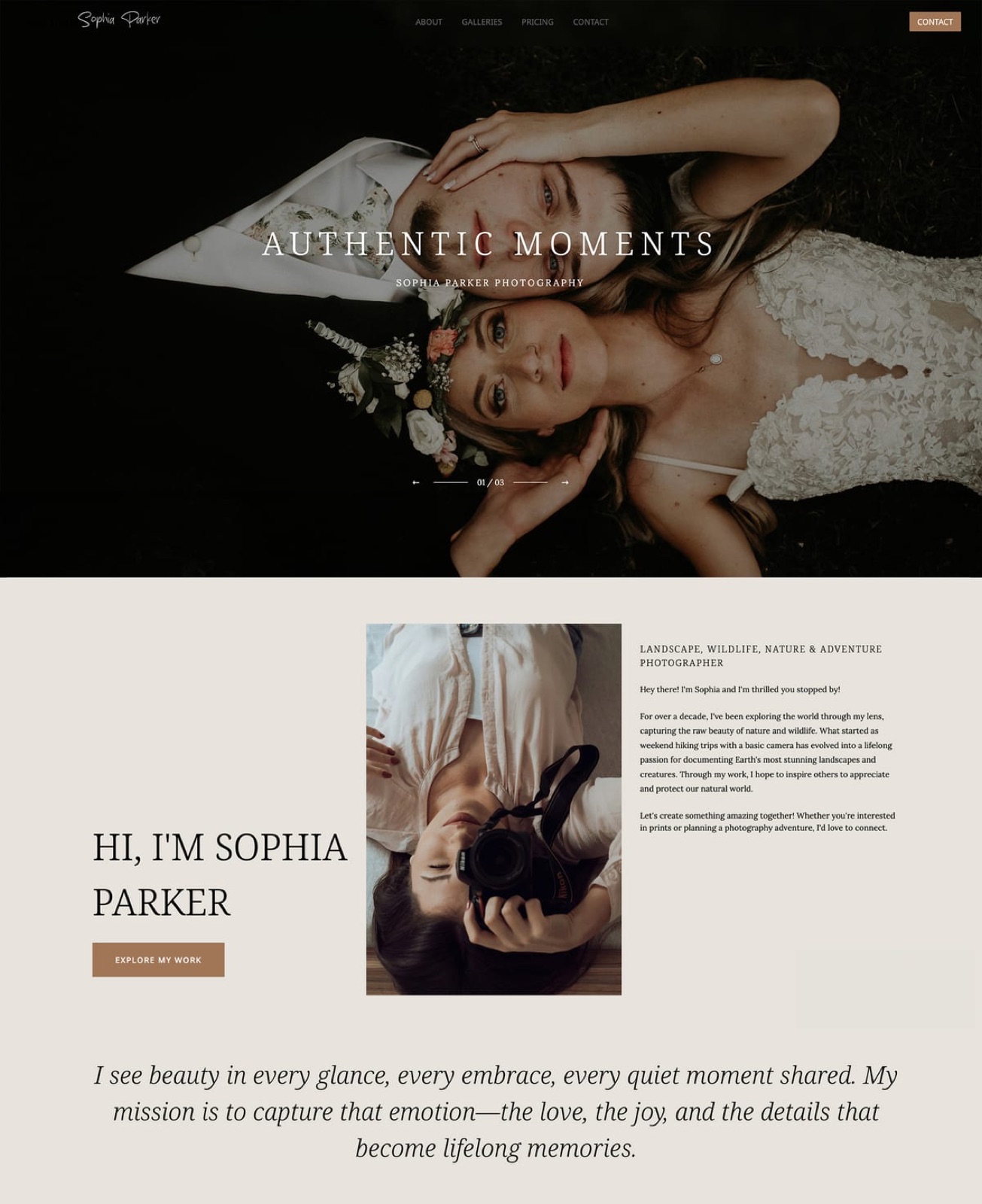
Put 40 to 80 of your strongest frames in a first set called Highlights, with the best 8 to 12 at the very top, because guests open forwarded links on phones, give the gallery a minute or two, and judge your whole studio by the cover and the first screen they see.
The count. A full wedding delivery runs 400 to 700 frames, and nobody who was forwarded a link scrolls that far. A highlights set of 40 to 80 is what the guest actually sees and what they would screenshot.
Framekit starts every new gallery with a set called Highlights, so the structure is already in place; add Ceremony, Portraits, Reception and the rest below it.
The order. Lead with variety rather than chronology: one wide scene, one emotional close-up, one portrait of the couple, one detail, one group with movement. Each guest is judging whether you could photograph their own day.
The cover. Pick a frame that survives a tall crop on a phone, with faces near the centre.
Framekit offers 17 cover styles and 18 typography presets, and a focal point set on the cover photo keeps the important part in frame as the crop changes.
The cover is also the image that appears when the link is pasted into a message, so it travels further than any frame inside.
The film. If you shot a highlight film, put it in the highlights set.
On Framekit films sit in the same gallery as the stills, are transcoded for smooth browser playback and are never watermarked, with per-file caps of 500MB on Free, 1GB on Starter, 2GB on Pro and 3GB on Business.
A two to three minute film is often the most forwarded thing in a wedding delivery, and the easiest to watch on a phone.

Step 5: Make One Ask, Chosen by Genre
Make exactly one ask in the delivery email and choose it by the genre you shoot, because a message asking for a share, a review, a print order and an introduction gets none of them, while a single small and honest request in the right genre gets acted on.
| Genre | The one ask | Why it fits | When to send it |
|---|---|---|---|
| Weddings and engagements | "Sending the link to family is the kindest thing you can do for a small studio" | Forwards reach guests planning their own | In the delivery email |
| Family, newborn, maternity | A Google review, with a direct link | Smaller audience; reputation does the work | 7 to 10 days after delivery |
| Portraits and headshots | A credit or tag when they post the image | Profile photos are seen by colleagues | In the delivery email |
| Corporate and brand | An introduction to one colleague who commissions photography | Commercial work moves by introduction | After the client confirms they are happy |
| Events | A photo credit wherever the images are published | Event photos get used publicly | In the licence line of the email |
Keep the ask to one line, place it after the practical information, and never attach it to a discount.
A review request sent 7 to 10 days after delivery, once the client has actually looked through the photographs, lands better than one sent with the link.
Our guide to getting testimonials from photography clients has the wording, and how to write a photo delivery email covers where the ask sits in the message.
Step 6: Follow Up Twice in the First Year
Send two personal follow-ups in the year after delivery, one four to eight weeks out and one at the first anniversary of the shoot, because referrals happen when a client is already talking about the photographs to someone else, and those are the two moments it reliably happens.
Four to eight weeks. The album conversation is live, thank-you cards are going out with photographs in them, and friends are asking who shot the day.
A short note with one favourite frame you did not lead the gallery with, and a line saying you are booking next season, arrives at the right moment.
The first anniversary. For weddings this is the strongest moment of the year, because their engaged friends are actively looking. Send two images and one sentence, and do not attach a price list.
Keep the gallery live for both. An anniversary note pointing at an expired link is awkward rather than warm, so keep finished deliveries online for at least 12 months.
On Framekit a gallery with no expiry date stays published until you take it offline; one with a date unpublishes on that day, returns to draft with its files intact, and can email you and the linked contacts 3 days beforehand.
Budget the storage. At about 10MB a frame, 24 weddings of 520 frames kept online for a year is roughly 125GB, which fits Framekit Pro's 300GB pool at $19 a month ($15 billed yearly) but not Starter's 50GB.
Our guide on how long client galleries should stay online works through the trade-off.
Do not automate this into a six-email sequence; clients can tell the difference.

Step 7: Measure Referrals Without Pretending to Know More Than You Do
Measure referrals with three numbers, how often each gallery is opened, whether people beyond the client engaged with it, and where each new enquiry came from, and treat only the third as proof, because a gallery tool can show that a link travelled but none can show that a booking came from it.
Opens. Framekit's share panel shows a Views count for each gallery. It counts every opening, repeat visits included, so read it as a rough signal of travel rather than a head count.
As a rule of thumb, a wedding gallery still in single figures a month after delivery was barely forwarded, and one in the hundreds went round the family.
Engagement. The Activity panel lists every download, with the PIN used, and every favourites list a visitor created, each against the email they entered, and exports both tables to CSV.
Lists saved under emails you do not recognise are guests, which tells you the link reached beyond the couple. The Activity panel does not list Email Registration sign-ins, so do not plan a guest list around that setting.
Enquiry source. The only commercially decisive number, and no gallery reports it. Add a "How did you hear about us?" field to your enquiry form and record the answer for every enquiry, including the ones you do not book.
On a Framekit site, form submissions collect in the forms dashboard and export to CSV, next to the galleries in the same account.
Run it yourselftake your last 12 months of enquiries, count the ones that name a past client or a wedding they attended, and divide by the number of galleries you delivered in the 12 months before that. That is your referral rate per gallery.
Change one thing from this guide, run the same count six months later, and keep only what moved the number.
Step 8: Thank Every Referrer Within a Week
Thank the client who sent the enquiry within a week of it arriving, whether or not it books, because people who refer once and hear nothing rarely refer again, and a specific thank-you is the cheapest repeat-referral mechanism a photography studio has.
What works: a handwritten card with one print from their own gallery, roughly $15 to $30 including postage. What tends to backfire: cash, which makes a recommendation feel like a transaction, and referral codes the client has to remember.
Note the referrer against the new client, so one forwarded gallery becomes a small chain rather than a single booking.
What to Leave Out of a Gallery You Want Forwarded
Leave out anything that turns the gallery into a sales page, because a client who feels their wedding photographs are being used to advertise to their own guests stops forwarding the link, and the forward was the entire point of the exercise.
- Pop-ups, banners and discount codes. Framekit's gallery viewer has none of them, and you should not recreate them with sales text laid over frames.
- Email registration on the couple's own delivery. Making the couple's grandparents type an email address before they see the wedding reads badly. Use Framekit's Email Registration setting on a separate share gallery or an event gallery, where visitors understand the exchange; our guide to client galleries with email capture covers when it fits.
- A watermark on the final delivery. On Framekit watermarks only mark what visitors see and downloads always deliver the clean original, so on a paid final delivery a watermark adds friction for viewers and protects nothing once the PIN is shared.
Referral Settings by Job Type
The right referral setup depends on the job type, because a wedding gallery travels through a family, a headshot travels through a company's social pages, and a newborn gallery should not travel at all, so the settings and the ask change with each job you deliver.
| Job type | Share with guests? | Download PIN | Email Registration | Extra share gallery | Follow-up moments |
|---|---|---|---|---|---|
| Wedding | Yes, with permission | On, held by the couple | Off | Optional, 40 to 60 frames | 4 to 8 weeks, first anniversary |
| Engagement | Yes | Optional | Off | No | When the wedding is booked |
| Family or portrait | Client's choice | Optional | Off | No | Review ask at 7 to 10 days |
| Newborn or boudoir | No | On | Off | Never | Review ask only |
| Corporate headshots | Within the company | On | Optional | No | After the client confirms they are happy |
| Event or party | Yes, widely | Off on the share gallery | On, on the share gallery | Yes, 30 to 60 frames | 2 weeks, then before next year's event |
What a Referral Is Worth, Worked Through
A referral is worth whatever one booking is worth to you, and working that number out tells you how much effort and money the steps above deserve, which is usually far more than the cost of a gallery tool and far less than an advertising budget.
The arithmetic below is illustrative. Replace every assumption with your own figures before acting on it.
| Assumption | Wedding studio | Family and portrait studio |
|---|---|---|
| Average booking value | $3,200 | $450 |
| Galleries delivered a year | 24 | 60 |
| Referral bookings a year if 1 gallery in 8 produces one | 3 | 7.5 |
| Referral revenue a year | $9,600 | $3,375 |
| Gallery platform a year, Framekit Pro billed yearly | $180 | $180 |
| Thank-you cards and prints at $30 each | $90 | $225 |
The "1 in 8" figure is a placeholder to make the table work, not a measurement; your own rate from the Step 7 test is the number to use.
The conclusion survives much lower rates: at one referral in 24 weddings, that single extra booking still covers the gallery platform about seventeen times at a $3,200 average.
Wedding studios gain most from Steps 3 and 6; portrait studios from Step 5's review ask.
Where Framekit Fits a Referral-Led Studio

Framekit fits photographers who want every forwarded gallery to sit on the same domain as their portfolio and enquiry form, and who deliver digital files and films rather than selling prints, because the site, the galleries and the form submissions live in one account and every gallery control in this guide is on the free plan.
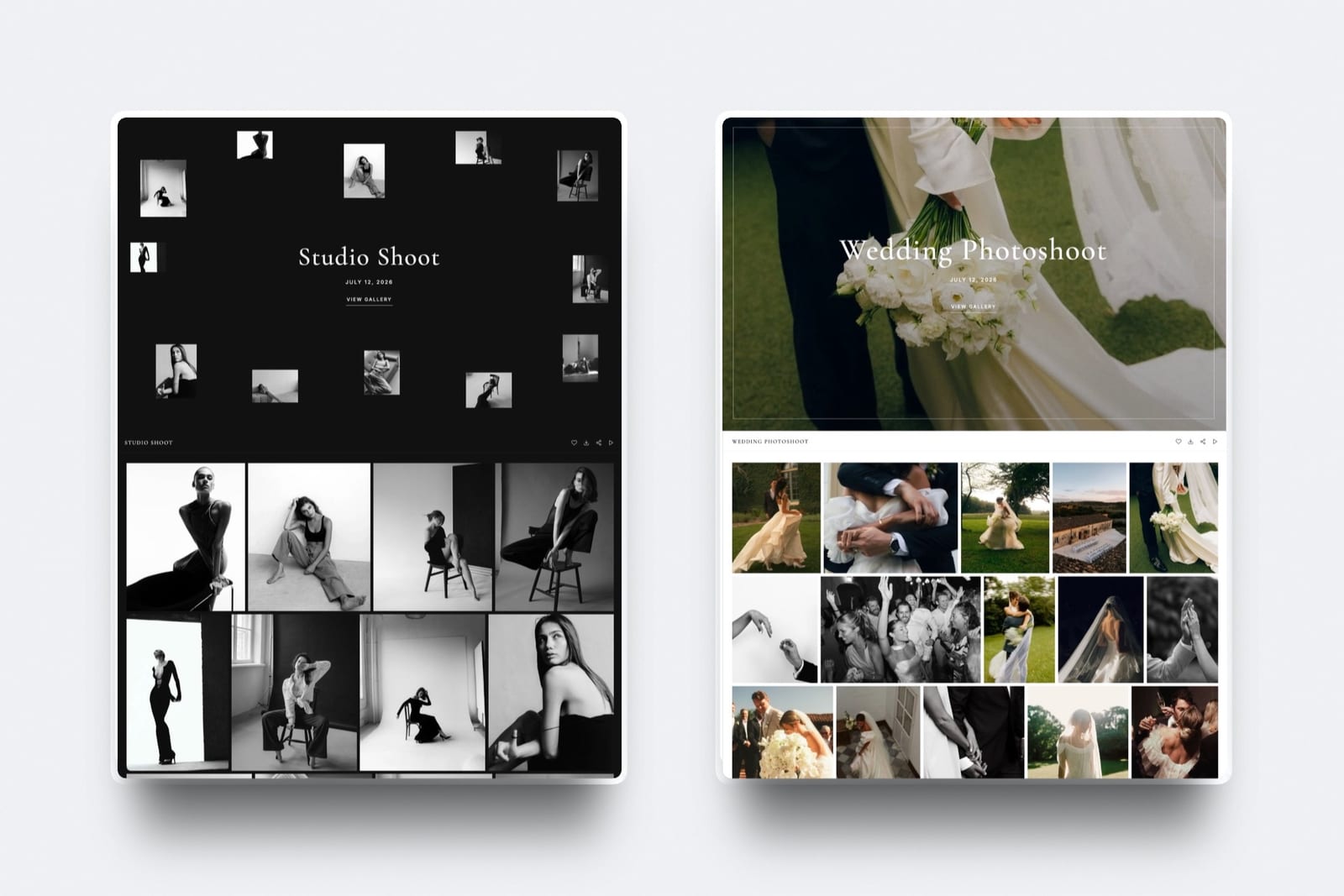
What it feels like to a forwarded guest. They tap a link on your domain, see a full-screen cover with your studio name in the corner, enter the password the couple passed on, and browse.
Their first heart asks only for an email address, so they can keep a list of their own favourites; downloading asks for the PIN they were not given.
The number to remember. $0 for unlimited galleries with every gallery feature, inside 10GB of storage shared with your site.
Your own domain on galleries starts on Starter at $9 a month ($7 billed yearly) with 50GB; Pro is $19 ($15 yearly) with 300GB; Business is $39 ($31 yearly) with 2TB.
The standout detail. The enquiry form a guest eventually fills in is on the same site as the gallery they saw, and its submissions sit in the same account as that gallery's Activity panel, so the path from forwarded link to enquiry runs through one domain and one login.
The honest gotcha. The gallery page has no menu back to your site and shows a small "Made with Framekit" credit on every plan, so a guest finds their way back through the address bar, the studio name on the cover and whatever you put in the email.
Galleries also belong to the account holder: team members on Pro and Business can edit the website but cannot build or manage galleries.
Who should skip it. Studios whose follow-up income is prints and albums, because there is no print store, lab, price sheet or sales campaign. Anyone who needs a native mobile app, guest uploads, RAW delivery, unlimited storage, or school and volume workflows.
Verdict: for a photographer who wants forwarded galleries to lead back to their own website and is paid for the shoot rather than the print, Framekit is the most direct setup in this guide; for a studio that wants the gallery to keep selling to guests after delivery, it is the wrong tool.
When Pic-Time's Marketing Tools Earn Their Price
Pic-Time is the better choice when you want the gallery itself to keep working on guests after delivery, because it runs automated sales campaigns, lets visitors find themselves with face and selfie search, sets separate permissions for clients, guests and vendors, and connects to more than 30 print labs, none of which Framekit offers.
For referrals, three Pic-Time features matter. Permissions by user type let a planner or venue see the gallery under different rules from the couple.
Selfie and face search let a guest at a 150-person wedding find their own frames without scrolling the whole delivery.
And scheduled campaigns follow up on your behalf, the opposite of Step 6's two personal notes, but a fair fit for a high-volume portrait business.
The cost is commission on print profit when Pic-Time collects payment: 15% on Free and Beginner, 8% on Professional and 6% on Advanced, and 0% when you collect yourself on Professional or Advanced, per its commission help article.
Professional is $252 a year billed yearly on its pricing page, checked October 2026.
Pic-Time offers portfolio pages rather than a full website builder, so the gallery does not sit beside a full portfolio site on the same domain. Framekit vs Pic-Time puts both sides in numbers.
Frequently Asked Questions
Do client galleries actually generate referrals?
Client galleries generate referrals indirectly: a well-run job makes people want your number, and the gallery decides whether the people who saw it can find you.
A forwarded wedding gallery puts a complete delivery in front of guests in a moment of goodwill, so explicit permission to share, your own domain, a strong highlights set and one ask are what turn that audience into enquiries.
Should I let clients share their gallery link with guests?
Yes, for weddings, engagements and events, and say so in writing, because clients hesitate to forward password-protected links.
Make sharing safe with a gallery password for viewing and a separate download PIN for files, so guests can browse and heart photos without saving full-resolution originals. Framekit has both codes on every plan, Free included.
Do not ask newborn or boudoir clients to share.
Does a gallery on my own domain help me get more clients?
A gallery on your own domain helps guests recognise and find you, which is where most referrals are lost. The address bar shows your studio's domain and the cover shows your studio name, so a guest can type it from memory weeks later.
It does not rank the gallery itself, since password-protected galleries are not indexed. On Framekit your own domain starts on Starter at $9 a month.
Can guests click through from a Framekit gallery to my website?
Not through a menu. A Framekit gallery page has no site navigation, so guests reach your homepage by trimming the address, which sits on your own domain from Starter, or through the website link in the delivery email the client forwarded.
A closing frame with your studio name and web address at the end of the highlights set is a simple workaround that costs one upload.
Do Framekit galleries show Framekit branding?
Yes, a small "Made with Framekit" credit appears at the foot of every Framekit gallery on every plan, including paid ones.
The cover, fonts, colours and address are yours: 17 cover styles, 18 typography presets, light, dark or custom colours, and your own domain from Starter.
If a fully unbranded gallery matters more than having site and galleries in one account, compare the white-label gallery tools.
What should I put in a delivery email to get referrals?
Put one line of permission to share the link, the password on its own line, a note that downloading needs the PIN, your website address, and exactly one ask chosen by genre: a share for weddings, a review for family sessions, a credit for headshots, an introduction for corporate work.
Leave discounts out entirely. Our delivery email guide has full scripts.
When should I ask a photography client for a review?
Ask for a review 7 to 10 days after delivery, once the client has looked through the gallery, then follow up personally four to eight weeks after delivery and at the first anniversary of the shoot.
Those are the moments a client is already talking about the photographs to other people. Two personal notes a year work better in this market than an automated sequence.
How do I know if a client gallery is being forwarded?
Watch the gallery's view count and its favourites lists.
Framekit's share panel shows a Views count that includes repeat visits, so it signals travel rather than counting people, and the Activity panel lists favourites lists and downloads against the email each visitor entered, which shows guests beyond the client engaging.
Neither proves a booking; only asking every enquiry how they found you does that.
Should I put email capture on a wedding gallery?
Not on the couple's own delivery, because making relatives type an email before seeing the wedding reads as marketing at the worst possible moment. Use it on a separate share gallery or an event gallery where visitors expect the exchange.
Framekit's Email Registration setting asks visitors for an email before viewing; its Activity panel lists downloads and favourites lists, not those sign-ins.
Is Pic-Time or Framekit better for getting referrals from galleries?
Pic-Time is better if you want the gallery to keep marketing for you, with automated campaigns, guest and vendor permissions, selfie search and a print store across 30-plus labs.
Framekit is better if you want forwards to land on your own website and enquiry form, with films in the same gallery and every gallery feature on the free plan. Print-led studios should choose Pic-Time.
How long should a gallery stay online for referrals to work?
At least 12 months, so the anniversary follow-up and the friends who ask months later have somewhere to go.
On Framekit a gallery with no expiry date stays published until you take it offline; at about 10MB a frame, 24 weddings kept online for a year is roughly 125GB, which fits Pro's 300GB pool at $15 a month billed yearly.
The Verdict
Client galleries get referrals when the people a client forwards them to can recognise and reach you, so the work is permission to share, a safe download PIN, your own domain, a phone-friendly highlights set, one ask, two follow-ups and the habit of asking every enquiry where it came from.
Framekit is the strongest setup here for photographers paid for the shoot, because forwarded galleries land on your own domain beside the portfolio and enquiry form and every gallery control is on the free plan.
Where Framekit loses: it has no print store, lab, price sheets, sales campaigns, mobile app, guest uploads, RAW delivery, unlimited storage or school and volume workflows, the gallery page has no menu back to your site, and a "Made with Framekit" credit shows on every plan.
If post-delivery print sales are how your galleries earn, Pic-Time is the better fit.
Do one thing this week: add "How did you hear about us?" to your enquiry form. Six months from now you will know which of these eight steps deserves your time.
Related readingwhat to include in a client gallery, how to create a client gallery, best client galleries for guest sharing, how to get photography clients, and the full client gallery platform comparison.