Framekit templates
Start from a designer-made template
 Use template
 Use template
 Use template
 Use template
 Use template
 Use template
 Use template
 Use template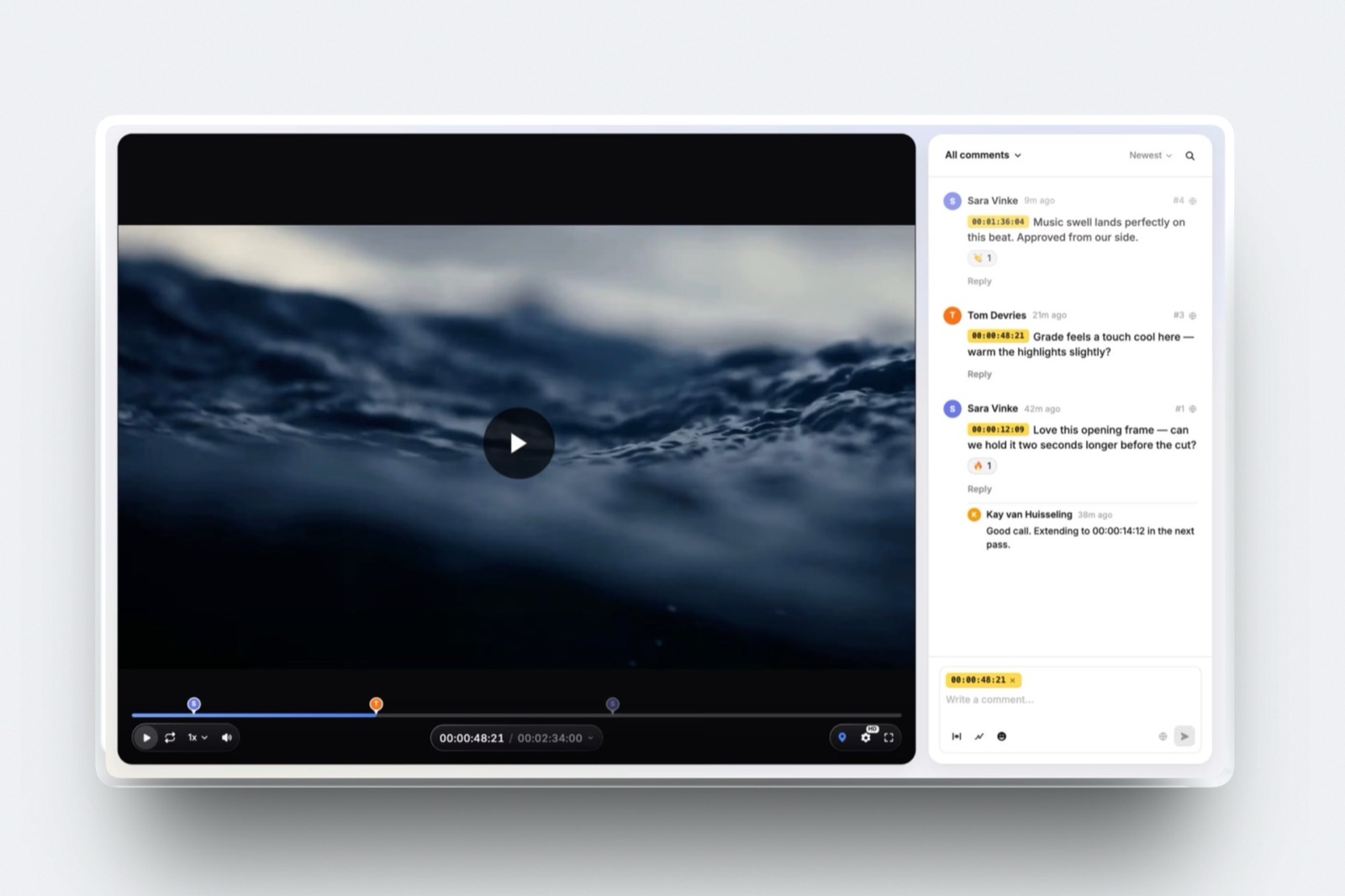
Three people, one cut, one client. The editor uploads, the producer adds notes, the founder watches on a phone at the weekend and writes something contradictory.
That is the whole workload, and depending on which tool you pick it costs $15 a month or $199 a month, for the same three people doing the same thing.
Video review software for small teams is priced three ways, and the model matters more than the feature list. Some tools charge per seat, so your bill grows every time you hire.
Some charge a flat rate with a large seat bundle, so five people and fifteen people cost the same. And a few charge a flat rate with a small team allowance, which is cheap until you cross it.
Everything else in this article is downstream of that.
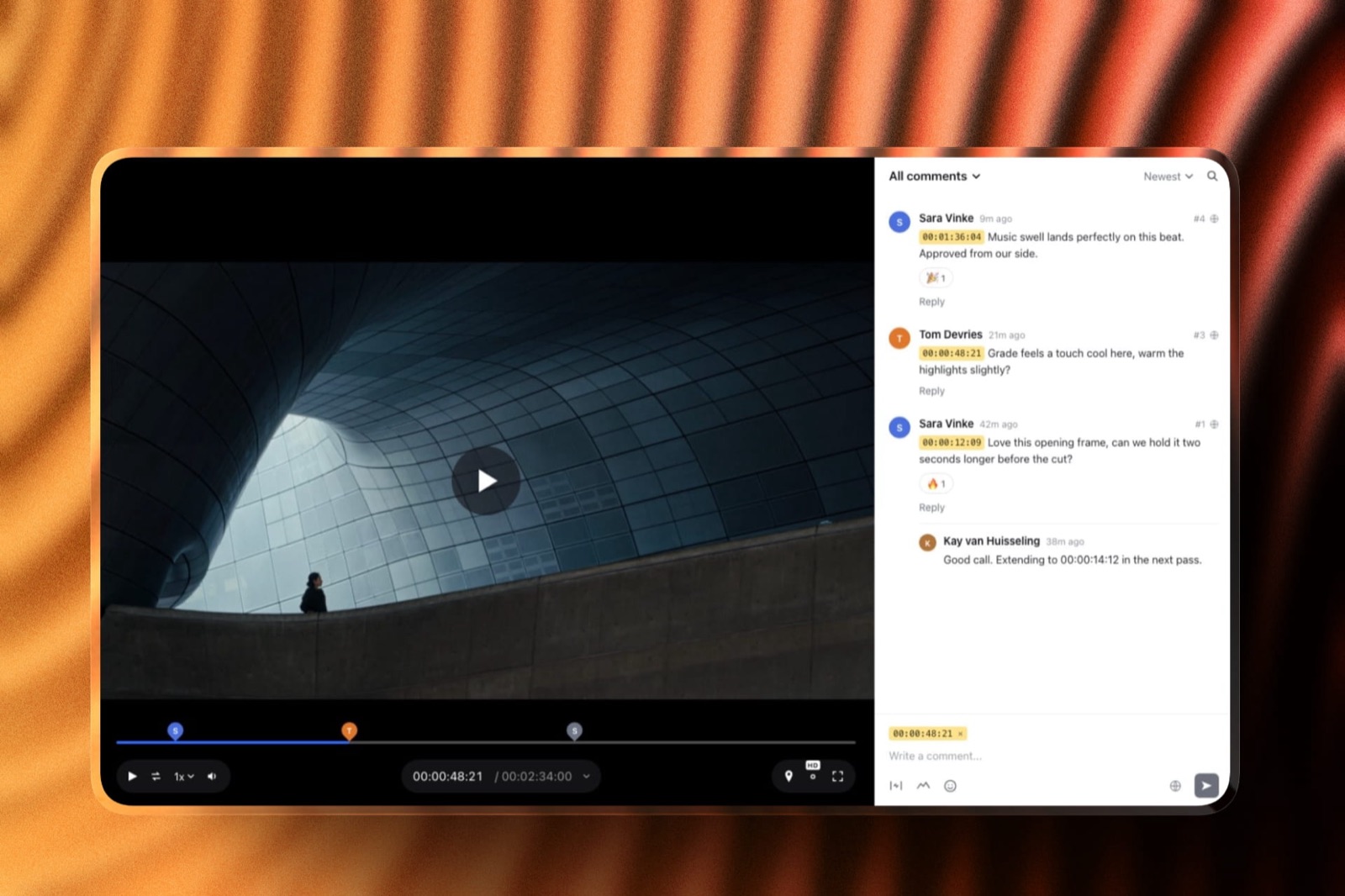
Video review software is a tool where a team uploads a cut, collects comments pinned to exact timecodes from colleagues and clients, stacks each new version above the last and records an explicit approval.
For a team of two to five, the useful question is not which one has the most features, it is which one stops charging you for people.
For a team of two or three that reviews video for outside clients and does not need editing-suite panels, Framekit is the cheapest credible option at $15 a month billed yearly on Pro, which includes three team members, with Business at $31 a month billed yearly for unlimited members.
Choose Frame.io instead if your team cuts in Premiere, Resolve or Final Cut and wants comments in the timeline, Camera to Cloud or transcription.
Choose Filestage or Ziflow instead if a file has to pass through more than one approval stage, because Framekit has no reviewer groups, no multi-stage routing and no single sign-on at all.
And if four or five people need a login and review is the only job, Vimeo Standard at $26 a month for five seats undercuts Framekit's four-person price.
Full disclosure: Framekit is our own product and it is ranked first here for a specific team shape, not for all of them, and the cost table below shows two tools beating it at four and five seats. Every competitor number was read on that vendor's own pricing page in September 2026 and each is linked. None of these tools was run through a live project for this article, and no ratings appear because the sites that publish them block automated reading.
How These Twelve Were Compared
This comparison is a price-model analysis with arithmetic attached rather than a product test, and stating the method plainly up here is the only reason anyone should believe the cost table further down the page.
Read at the source. Every seat count, plan price, storage figure and feature claim was read on the vendor's own pricing page in September 2026. Frame.io lists Pro at $15 per member per month for up to five members and Team at $25 per member for up to fifteen. Filestage lists ten team members on every plan including the free one, with more seats sold in bundles of five, and Starter at $199 a month. Ziflow lists fifteen free users on its $199 Standard plan and twenty on Pro at $329. Wipster lists Team at $19.95 per user per month billed annually. PageProof lists a flat Team plan at $2,499 a year with unlimited reviewers and storage.
Calculated. The cost table prices the cheapest plan that covers a whole team of two, three, four and five people, using annual billing wherever a vendor offers it, and ignoring any promotional first-year discount.
The carried example is a three-person studio delivering 40 client videos a year: an editor, a producer and an owner, with one or two reviewers at the client on each job.
Not claimed. No tool here was operated on a live client project for this piece, there are no timings, and no star ratings appear anywhere.
Two products were left out of the ranking rather than guessed at: screenlight.tv did not respond to a request at all in September 2026, and SyncSketch serves its plan table in JavaScript, so no price is readable in the page itself.
The Three Pricing Models, and What Each Costs You
Every tool in this comparison sits in one of three buckets, and knowing which bucket a tool is in tells you more about your invoice in two years than any feature comparison will.
Per-seat pricing is honest and predictable and it punishes growth: each new hire is a fixed extra cost, forever. A flat rate with a large seat bundle is expensive at two people and unchanged at fifteen, which is why agencies like it.
A flat rate with a small allowance is the cheapest of all until the day you cross the line, and then it steps.
| Model | Tools | Cost at 3 people | What happens at 8 people |
|---|---|---|---|
| Per seat | Frame.io, Wipster, ReviewStudio, GoVisually, Dropbox Replay | $36 to $99 a month | Straight multiplication, the bill roughly triples |
| Flat, large bundle | Filestage, Ziflow, PageProof, Approval Studio, Kollaborate | $15 to $208 a month | Unchanged, seats were already included |
| Flat, small allowance | Framekit, Vimeo | $15 to $26 a month | One step up, then unchanged |
In one lineIf you expect to be the same size in two years, buy the cheapest plan that fits today, and if you expect to double, the flat-rate bundles that look absurd at three people become the rational choice somewhere between six and ten.
Small-Team Video Review by the Numbers
Here is what the twelve pricing pages say once you strip out the marketing, which is worth reading before the reviews because the spread is much wider than the feature differences justify.
- 13.9x is the gap between the cheapest and most expensive plan for three people in this comparison: $15 a month against $208.
- 3 team members are included on Framekit Pro at $19 a month, or $15 billed yearly, and Business at $39 a month includes unlimited members.
- 10 seats come with every Filestage plan including the free one, which is the most generous seat bundle at zero cost here.
- 15 users are included on Ziflow Standard at $199 a month billed annually, and 20 on Pro at $329.
- 5 seats for $26 a month is Vimeo Standard billed annually, or $5.20 a person, and Kollaborate Small Business goes lower at $180 a year for five members, which is $3 a person a month.
- $0 is what an outside client reviewer costs at Framekit, Filestage, Ziflow, ReviewStudio and Approval Studio, all of which allow commenting without the reviewer holding a paid seat.
What Each Tool Costs at Two, Three, Four and Five People
This is the table the rest of the article is built on: the cheapest plan that covers the whole team at each size, billed annually where the vendor offers annual billing, with promotional first-year discounts ignored because they end.
A note on what is not counted.
Outside reviewers, the client contacts who watch and comment, consume no paid seat at Framekit, Filestage, Ziflow, ReviewStudio or Approval Studio, so this table counts only the people inside your business who upload, manage and administer.
Counting client logins would flatter all five, ours included.
| Tool | 2 people | 3 people | 4 people | 5 people |
|---|---|---|---|---|
| Kollaborate Small Business | $15 | $15 | $15 | $15 |
| Framekit | $15 | $15 | $31 | $31 |
| ReviewStudio Pro | $24 | $36 | $48 | $60 |
| Vimeo Standard | $26 | $26 | $26 | $26 |
| Frame.io Pro | $30 | $45 | $60 | $75 |
| Wipster Team | $39.90 | $59.85 | $79.80 | $99.75 |
| Approval Studio Lite | $60 | $60 | $60 | $60 |
| GoVisually Pro | Not available | $99 | $132 | $165 |
| Filestage Starter | $199 | $199 | $199 | $199 |
| Ziflow Standard | $199 | $199 | $199 | $199 |
| PageProof Team | $208 | $208 | $208 | $208 |
| Dropbox Replay | EUR 18 plus storage plans | EUR 27 plus | EUR 36 plus | EUR 45 plus |
Three things in that table are worth saying out loud rather than leaving for you to spot.
Framekit's Pro tier is $15 a month billed yearly and covers three people, and then it steps to Business at $31 billed yearly for four, which is why the fourth hire is the expensive one.
Vimeo Standard is flat at $26 for up to five seats, so at four and five people it is cheaper than we are.
And Kollaborate Small Business is $180 a year, which is $15 a month equivalent for five members, the lowest number anywhere on this page.
GoVisually shows "Not available" at two people because its video-capable Pro tier carries a three-user minimum, and its Lite plan states plainly that it has no video support at all.
In one lineNobody should choose a review tool on this table alone, because the three cheapest rows buy very different things, but it does tell you which tools are structurally priced for your size and which are priced for a company four times bigger.
1. Framekit: Best Flat Price for Two or Three

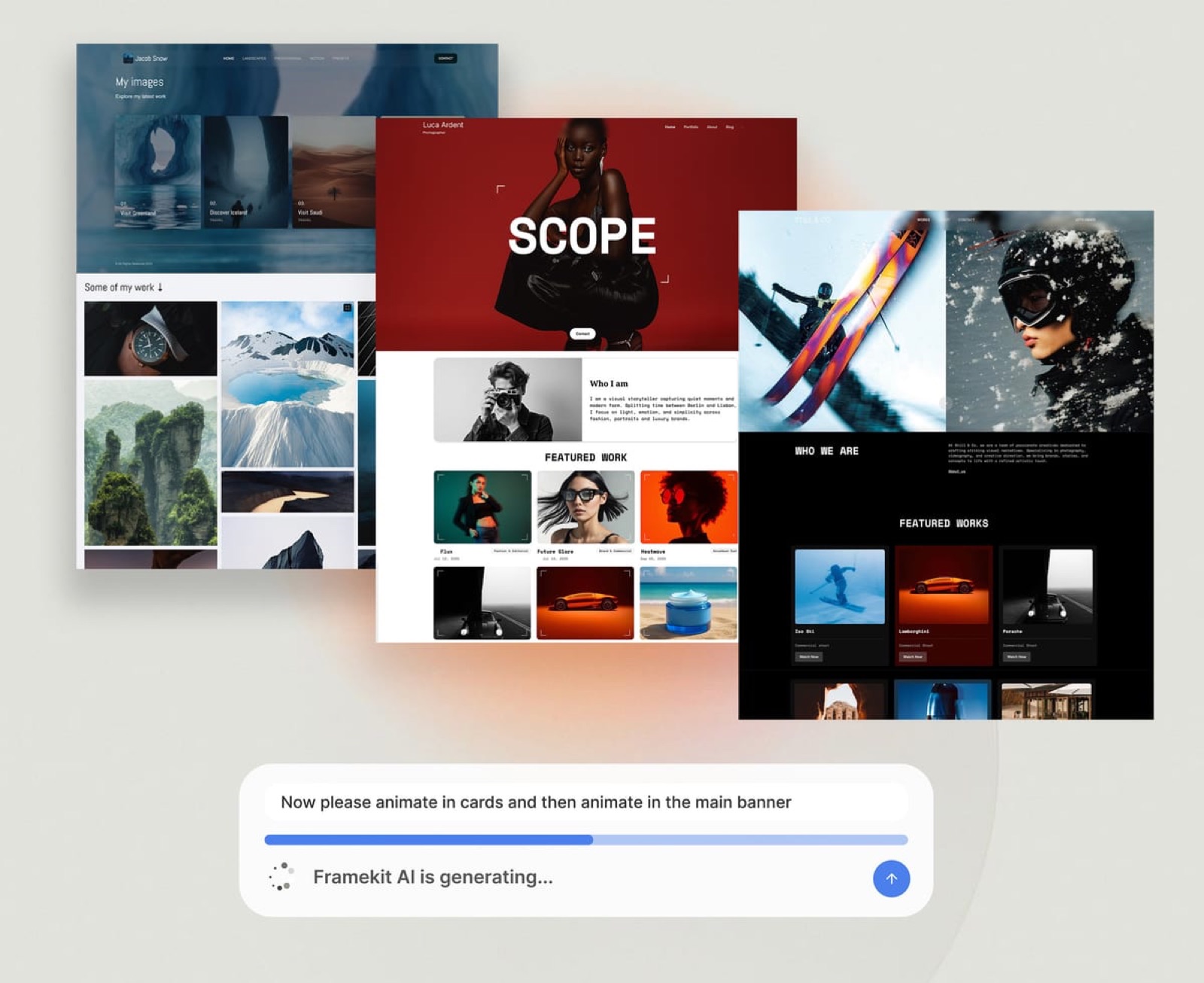
Framekit is an AI website builder that also ships frame-accurate video review, client galleries, a digital store and Slides on one subscription, which for a small studio means the review tool arrives without a second vendor, a second invoice and a second admin panel to keep tidy.
The real numberPro is $19 a month, or $15 billed yearly, and includes three team members. Business is $39 a month, or $31 billed yearly, and includes unlimited team members.
Those are the only two seat tiers, because there is no per-seat charge at any point. For the carried three-person studio that is $180 a year against $540 a year for three Frame.io Pro members, a difference of $360.
The detail nobody writes aboutthe client creates no account for any of it. Guests on a review page leave timecoded comments, replies and reactions without signing up, galleries open with a password and put downloads behind a separate PIN, and a deck is just a link.
That is not merely convenient. It removes the most common reason a client replies with an email full of prose instead of leaving a note where the edit is.
The gotcha that bites in week threethere are no reviewer groups and no internal comment lane. Everyone looking at a review page sees the same thread, so "let us align internally before the client sees this" has to happen somewhere else, in Slack or a call.
Filestage, Ziflow, Wipster Team and Frame.io Team all solve that inside the product.
There is also no single sign-on, no per-seat administration, no multi-stage routing, a two-hour ceiling per video, and per-file upload caps of 2GB on Pro and 3GB on Business.
Who should skip ita team whose review step has to touch the edit. No Premiere, Resolve, After Effects or Final Cut panel exists, and there is no Camera to Cloud, no transcription and no frame-by-frame compare.
Any team where an assistant editor pulls comments into a timeline should read the Frame.io entry below and stop there.
Verdict: the cheapest defensible choice for a two or three person studio that reviews with clients rather than with a post department, and a poor choice for anyone who needs routing, internal lanes or an NLE panel. At four and five seats it is no longer the cheapest row on the table, which is worth knowing before you plan a hire.
2. Frame.io: Best If Your Team Lives in an NLE
Frame.io is the tool most small video teams should buy if any part of the review loop touches the edit, and it is worth being blunt about that rather than burying it: nothing else here brings comments into Premiere and Final Cut, uploads takes from set and transcribes them by default.
The real numberPro is $15 per member per month for up to five members, with 2TB included plus 2TB for each additional member, unlimited projects, custom-branded shares, passphrase-protected shares, share-link expiry, comment attachments and one static watermark template.
Team is $25 per member per month for up to fifteen members and adds restricted projects and folders and internal comments. The free plan gives two members, 2GB and two projects, with Camera to Cloud and transcription included.
The detail nobody writes aboutstorage scales with headcount rather than with usage. A four-person Pro team has 2TB plus three lots of 2TB, which is 8TB, and pays $60 a month for it.
That is a good deal for a team storing camera masters and a strange one for a team whose deliverables are 90-second social cuts, and it explains why Frame.io reads as expensive to one studio and cheap to the next.
The gotchainternal comments, the feature that keeps your team's rough talk away from the client, sits on Team at $25 per member rather than Pro. For four people that is the difference between $60 and $100 a month, and it is the upgrade most small teams eventually make for that one feature.
Who should skip ita two-person team whose clients are small businesses and whose work never leaves one machine. You would be paying for a production pipeline to get a comment box, and the free tier's 2GB will not hold your masters.
Verdict: the best video review product in this market and the correct answer for any small team embedded in Adobe or Apple tooling, priced in a way that rewards teams who actually use the storage. Our deeper comparison for production companies covers what happens when freelancers churn through those seats.
3. Filestage: Best Multi-Stage Approval
Filestage is built around a problem small teams hit the moment a client has more than one decision maker: getting a file past named groups of reviewers in a fixed order, with internal rounds kept separate from client rounds.
The real numberStarter is $199 a month on the yearly plan, which the site advertises as two months free, and Business is $329 a month. Every plan, including the free one, includes ten team members, with extra seats sold in bundles of five.
The free plan allows one active project, five new files a month and two reviewer groups, with unlimited reviewers who do not need to make an account.
The detail nobody writes aboutthe free plan's ten included seats make it the most generous zero-cost option here for a small team that only needs one project open at a time.
A three-person studio running one client project at a time can genuinely work on Filestage free, which almost nobody points out because the paid price attracts all the attention.
The gotchathe five-files-a-month limit on free is what breaks it, not the project cap. Three versions of two deliverables is six files, so a single moderately busy month forces the upgrade, and the upgrade is $199. There is no middle tier between free and $199.
Who should skip ita two-person team with one client contact. Reviewer groups, sequencing, due dates and review reports are answers to coordination problems that begin at four or five reviewers, and paying $2,388 a year for them when the approval chain is one person is money for nothing.
Verdict: the right tool when approval is a process rather than a conversation, and an expensive habit when it is not. If your chain includes a legal or compliance reviewer, this is where to start, and our guide to client approval software covers the wider category.
4. Ziflow: Best When the Team Proofs More Than Video
Ziflow is a proofing platform first and a video tool second, which is exactly right for a small team whose week includes a cut, a set of key art, a packaging comp and a landing page, all of which need the same comment-and-approve treatment.
The real numberStandard is $199 a month billed annually with fifteen users included, 1TB of storage, two workflow stages and one active workflow template. Pro is $329 a month with twenty users and 2TB.
The free Personal tier gives two users, 2GB, one workflow stage, unlimited proofs and reviewers, 1,200 file types and pixel-level version comparison.
The detail nobody writes aboutthe free tier keeps review history for only 60 days.
Proofs from a quarter ago are simply not there, which makes the free plan unusable as a record of what a client approved, and that record is the reason a small team wanted the tool in the first place.
Paid plans keep history for as long as you subscribe.
The gotchathe two-stage limit on Standard. Ziflow's whole pitch is routing, and the $199 tier gives you two sequential stages and a single active workflow template, so a team with a genuinely complex chain is looking at $329 a month rather than $199.
Who should skip ita pure video team. Fifteen included users at $199 is good value for a mixed-media studio and poor value for three people who only ever upload MP4s, who can get the same review quality for a tenth of the price.
Verdict: the best answer for a small marketing or creative team whose review queue is mixed, and overkill for a video-only shop. Our comparison for creative agencies goes further into the internal-versus-client loop question.
5. Vimeo: Cheapest Five Seats in the Comparison
Vimeo is easy to dismiss as a hosting company with a review feature attached, and the cost table says that dismissal is expensive: five seats for $26 a month billed annually is $5.20 per person, second only to Kollaborate's $3 and well under Frame.io Pro at $15.
The real numberStandard is $26 a month billed annually for five seats and 2TB of storage. Starter is $13 a month for one seat and 100GB, and is where review begins, because the free plan at one seat and 1GB does not include it. Advanced is $76 a month for ten seats and 7TB.
The detail nobody writes abouta small team that already pays Vimeo to host its public showreel is very likely paying for review seats it has never switched on. Before comparing anything else, check which Vimeo plan your studio is already on, because the marginal cost of using its review tooling may be zero.
The gotchaupgrades are driven by hosting needs rather than review needs, so a team that outgrows 2TB of storage is pushed to a $76 plan whose extra value is streaming capability, not better review.
The review layer is also thinner than the specialists: no approval routing, no reviewer groups, and its feature set is a section of a much larger product rather than the product itself.
Who should skip ita team whose work is confidential and never published. You would be buying a publishing platform for its comment box, and the specialists do the comment box better.
Verdict: the value pick for four or five people who need timecoded comments, versions and guest feedback and nothing more structural, and the obvious first check for any team already hosting there.
6. ReviewStudio: Cheapest Real Per-Seat Plan
ReviewStudio is the most sensibly priced per-seat product here for a team under five, and its free tier is the most generous on people: unlimited users, unlimited guests, three active reviews and 5GB of storage.
Pro is $15 per user per month, or $12 billed yearly, giving ten active reviews per user and 25GB per user, plus custom branding and basic reporting. That is $36 a month for three people billed yearly, which undercuts Frame.io Pro by $9 and Wipster Team by $24 at the same size.
The catch sits one tier up.
Comment privacy, the feature that separates internal notes from client notes, lives on Advanced at $25 per user per month with a five-user minimum, so a three-person team that wants an internal lane pays for five seats at $100 a month.
Single sign-on requires twenty users. Use Pro if your review conversation is a single thread; look elsewhere if it is not.
7. Wipster: Team-Only Comments Without the Agency Price
Wipster sits in the middle of this market in both price and ambition, and its distinguishing feature for a small team is that team-only comments appear at $19.95 per user per month billed annually rather than at an enterprise tier.
Team starts at 250GB of shared storage, adds custom branding, closed captions and variable playback speed, and has no user limit.
Light at $9.95 a month billed annually is a single-person plan with 50GB and none of the team features, so a studio of three is looking at $59.85 a month, or $718.20 a year.
Its real advantage is Adobe: Premiere Pro and After Effects integrations are listed across the tiers.
Its real disadvantage is that at three or more people it costs more than Frame.io Pro's storage-rich plan at the same size, without Camera to Cloud or transcription, which makes it a narrow pick rather than a bad one.
8. Kollaborate: The Cheapest Flat Team Plan Anywhere Here
Kollaborate is the cheapest row in the cost table and it gets there honestly: team plans carry no per-member fee at all, so Small Business is $25 month to month or $180 a year, which is $15 a month equivalent, for five team members, 60GB of storage, unlimited projects, unlimited bandwidth and custom branding.
Small Business Plus is $40 a month or $300 a year for fifteen members and 125GB, and Business is $60 a month or $480 a year for twenty-five members and 250GB. Unlimited bandwidth on every tier is unusual and genuinely valuable for a team sending large files to clients repeatedly.
The trade is presentation and polish. Kollaborate is built for people who move media professionally rather than for clients who need to be impressed, and 60GB is tight for a team of five working in 4K.
It is the right answer for a technically confident studio that wants to spend $180 a year and stop thinking about it.
9. Dropbox Replay: Only If You Already Pay Dropbox
Replay makes sense for exactly one kind of small team: the one whose rushes, projects and exports already sit in Dropbox, where adding review to files that never move avoids the duplicate upload that every other tool on this list requires.
It is an add-on rather than a plan.
For European buyers it is listed at EUR 9 per user per month billed annually, which is EUR 108 a year per person, or EUR 11 per user billed monthly, and the page states that Dropbox Basic users must upgrade to Plus or higher before buying it.
So a four-person team pays four add-ons plus four storage plans, which is the most stacked pricing in this comparison.
As a client-facing page it is the weakest here. Branding is minimal, there is no approval routing and the experience reads as a file service with comments. Buy it if the storage decision is already made; never buy Dropbox to reach it.
10. PageProof: Flat Rate, No Counting at All
PageProof is the purest expression of the flat-rate model: Team is $2,499 a year or $249 a month, with unlimited proofs, unlimited storage, unlimited reviewers and unlimited workflow templates, and no storage charges of any kind.
Team Plus is $4,999 a year and adds single sign-on, advanced co-branding, comment labels and scheduled proofs, with Enterprise quoted. For a small team the appeal is not the price, it is the absence of arithmetic: nobody has to decide whether the new freelancer gets a seat.
At three people that works out at $69 per person per month, against $5 at Framekit Pro and $5.20 at Vimeo Standard. It becomes rational somewhere north of ten regular collaborators, which is not a small team any more. Know it exists, and know why it is not for you yet.
11. Approval Studio: When Print Shares the Queue
Approval Studio earns a place because plenty of small video teams also ship key art, thumbnails and packaging, and this tool treats those properly with four compare modes, 1000 percent zoom, colour separation and a barcode reader.
Lite is $60 a month for five or more users with 5GB of storage, Pro is $160 a month and Pro XL is $300 a month for fifteen or more users with 30GB.
External reviewers are unlimited, are not counted as users and do not have to register, which is the clearest guest policy published by anyone here.
Video support is real but narrow: the pricing page states the review tool supports MP4 files with a dedicated interface, ticked on every tier.
MP4 only is fine for client deliverables and a problem for anything else, and 5GB on the two cheapest tiers is small for a video team. Consider it when print is at least half the queue.
12. GoVisually: Static First, Video Only on Pro
GoVisually deserves credit for stating its limitation in the feature list rather than hiding it: Lite, at $16 per user per month for one to five users, says "No video or GIF support" in plain text.
Video begins on Pro at $33 per user per month with a three-user minimum, which makes the cheapest video-capable configuration $99 a month for three people, or $1,188 a year.
Pro brings 250 active projects, unlimited external reviewers, 150GB of storage, custom logo branding, project templates and Adobe, Slack and Zapier integrations.
That is a design proofing tool that added video, and the price reflects it. A small team whose queue is mostly artwork with occasional video can justify it; a video team paying $33 a head for a feature that is free elsewhere cannot.

The Hidden Cost Is the Fourth Person
In one lineEvery tool in this comparison has a step somewhere between three and six people, and knowing where yours sits is worth more than a feature comparison, because the wrong hire month can double a bill that was previously trivial.
Framekit's step is at four, where Pro's three included members runs out and Business takes over: $15 to $31 a month billed yearly, which is a 107 percent increase for one extra person and then nothing at all forever, whatever your headcount does after that.
Vimeo's step is at six, when Standard's five seats give out and Advanced at $76 a month takes over. Kollaborate's is also at six, moving from $180 to $300 a year.
Frame.io has no step, it just multiplies, which is why it is the cheapest of the three at two people and the most expensive at five.
Filestage, Ziflow and PageProof have no step inside any realistic small-team range, which is the entire thing you are buying at $199 or more.
Run this on your own plan in a minute. Write down your headcount today and your honest headcount in 18 months, price both on the table above, and add the two figures.
On the table above, the tool that wins at three people is not the tool that wins at five, which is the entire reason to add the two figures before you subscribe.
What Small Teams Actually Give Up at the Cheap End
In one lineThe three features that separate the $15 tier from the $199 tier are reviewer groups, multi-stage routing and single sign-on, and only one of those matters to most teams of five, which is why the cheap end is defensible far longer than vendors suggest.
Reviewer groups are the first real loss. On Framekit, Vimeo and Kollaborate everyone sees one thread, so an internal conversation about a client's bad idea has to happen off the page.
Frame.io Team, Wipster Team, ReviewStudio Advanced, Filestage and Ziflow all give you somewhere to put it. If your producer needs to warn the editor privately, budget for that feature rather than working around it.
Multi-stage routing is the second, and it matters only when approval is genuinely sequential: creative, then brand, then legal, each unlocked by the one before.
Ziflow Standard gives two stages, Filestage models groups in sequence, and nothing under $199 a month does it at all. A team with one client contact does not need it and should not pay for it.
Single sign-on is the third and the clearest. Framekit, Vimeo and Kollaborate do not offer it. Frame.io and Filestage put it on Enterprise, ReviewStudio requires twenty users, PageProof puts it on Team Plus.
If your client's IT department is asking, you have left the small-team market.
What you do not give up at the cheap end is the part clients notice: timecoded comments, drawing on the frame, version stacks, an approval state, a password on the link and your own branding are all available under $31 a month.

Which One Should Your Team Choose
In one lineThese six questions are ordered by the size of the consequence rather than by the frequency they get asked, so answer them in sequence and stop at the first yes, because a yes to either of the first two narrows twelve tools down to three or fewer.
Does anyone on the team need comments inside Premiere, After Effects, Resolve or Final Cut? If yes, the answer is Frame.io, with Wipster and Vimeo as cheaper alternatives if Adobe is the only requirement.
Stop here; no amount of price saving compensates for retyping notes into a timeline. If no, keep going.
Does a file have to be approved by more than one group, in order? If yes, you are looking at Filestage or Ziflow at $199 a month, and nothing cheaper models it. If no, keep going.
Does your team need private internal comments the client cannot see? If yes, the cheapest routes are ReviewStudio Advanced at $25 per user with a five-user minimum, Wipster Team at $19.95 per user, and Frame.io Team at $25 per member.
If no, keep going.
Will you be four or more people this year, with review as the only job? If yes, compare Vimeo Standard at $26 a month for five seats and Kollaborate Small Business at $180 a year for five members before anything else, because both beat our own Business tier on price at that size.
If no, keep going.
Do you also deliver finished files to clients, and do you need a studio site and pitch decks? If yes, putting review, galleries, a site, a store and decks on one subscription is the argument for Framekit, and at two or three people it is also the cheapest row on the table.
If no, a specialist review tool is the cleaner purchase.
Is a client's IT department asking about single sign-on? If yes, you are being evaluated as an enterprise vendor, and the honest answer is Frame.io Enterprise, Filestage Enterprise or PageProof Team Plus.
Frequently Asked Questions
What is the best video review software for small teams in 2026?
For a team of two or three reviewing video with outside clients, Framekit is the cheapest credible video review software in 2026 at $15 a month billed yearly on Pro, which includes three team members, with unlimited members on Business at $31 a month billed yearly.
Teams that cut inside Premiere, Resolve or Final Cut should choose Frame.io at $15 per member per month, and teams that need sequential approval stages should choose Filestage or Ziflow at $199 a month.
How many team members does Framekit include?
Framekit Pro includes three team members and Framekit Business includes unlimited team members, and there is no per-seat charge on any plan. Pro is $19 a month or $15 billed yearly; Business is $39 a month or $31 billed yearly.
Client reviewers are not counted at all, because guests comment on a review page without creating an account. What Framekit does not provide is per-seat administration, single sign-on, reviewer groups or multi-stage approval routing.
Which video review tool is cheapest for a team of five?
Kollaborate Small Business is the cheapest option for a team of five at $180 a year, which is $15 a month equivalent for five members with 60GB of storage and custom branding.
Vimeo Standard is next at $26 a month billed annually for five seats and 2TB.
Framekit Business at $31 a month billed yearly and ReviewStudio Pro at $60 a month for five seats both cost more, and Frame.io Pro at $15 per member is $75 a month at that size.
Do outside client reviewers need a paid seat?
Outside reviewers do not need a paid seat at Framekit, Filestage, Ziflow, ReviewStudio or Approval Studio, all of which publish unlimited reviewer or guest access.
Framekit and Approval Studio go further: Framekit guests leave timecoded comments, replies and reactions without creating an account at all, and Approval Studio states that external reviewers are not counted as users and do not register.
Per-seat tools such as Frame.io and Wipster count members rather than reviewers, so a client watching a share link does not consume a seat there either.
Does Framekit support single sign-on or approval routing?
Framekit does not support single sign-on, per-seat enterprise administration, reviewer groups or multi-stage approval routing, and no plan adds them.
It has four approval statuses on a review page, needs review, in progress, approved and needs changes, which is a status rather than a workflow.
Teams that need a file to move through named groups in a defined order should use Filestage or Ziflow, and teams whose clients require single sign-on should look at Frame.io Enterprise or PageProof Team Plus.
Filestage or Ziflow: which is better for a small team?
For a small team, Ziflow is the better pick when the review queue is mixed, because its $199 Standard plan includes fifteen users, 1TB and 1,200 file types, while Filestage is the better pick when approval runs in sequence through named reviewer groups, because group modelling is what its interface is organised around.
Both are $199 a month at the entry tier and both include ten or more seats, so neither is a sensible purchase for a three-person video-only studio.
Is Frame.io worth $15 per member for a three-person team?
Frame.io at $15 per member per month is $45 a month for three people, or $540 a year, and it is worth it when the team uses the pipeline: Camera to Cloud from set, transcription, Premiere and Final Cut panels, and the 2TB included plus 2TB for each additional member.
A three-person team reviewing short social cuts uses almost none of that and pays $360 a year more than a flat $15 plan. The deciding question is whether comments need to reach the timeline.
What happens to our review history if we downgrade?
History policies differ sharply and this is the question teams ask too late. Ziflow's free tier keeps proofs for only 60 days while paid tiers keep history for as long as you subscribe, so a downgrade there loses the record.
Framekit keeps review pages without a time limit but caps total storage at 10GB on the free plan, so old jobs compete with new ones for room.
Before any downgrade, export the comment threads and download the approved versions you may need later.
Can a small team use free plans permanently?
A small team can work permanently on a free plan if its volume is low: Filestage free includes ten team members with one active project and five new files a month, Ziflow free gives two users and 2GB with 60 days of history, ReviewStudio free gives unlimited users with three active reviews and 5GB, and Framekit free gives the full review page with a 500MB per-file cap and 10GB of pooled storage.
Every one of those shows the vendor's branding on the page your client opens, and on Framekit removing that badge starts at $9 a month.
How much should a small video team budget for review software?
A small video team should budget between $180 and $720 a year for review software, which covers the credible range from Framekit Pro and Kollaborate Small Business at $180 to Wipster Team at $718.20 for three people.
Spending above that buys reviewer groups, multi-stage routing and single sign-on, which solve coordination problems that begin at roughly six to ten reviewers.
Our video review workflow guide covers what to put in place before spending anything.
Final Verdict
For a two or three person studio that reviews video with clients rather than with a post department, Framekit is the pick: $15 a month billed yearly covers three people with timecoded comments, drawing on the frame, version stacks that keep the old notes, four approval states, a password on the link, expiry, your own branding and a client who creates no account, and the same subscription carries the galleries, site, store and decks that a small studio otherwise buys separately.
Where Framekit loses is structure and scale.
There are no reviewer groups, no internal comment lane, no multi-stage approval routing and no single sign-on, so a team whose approval chain runs creative then brand then legal should be on Filestage or Ziflow at $199 a month and will be glad they paid.
A team that cuts in Premiere, Resolve or Final Cut and wants comments in the timeline, Camera to Cloud from set, or transcription should be on Frame.io, and that is not a close call either.
And at four or five seats with review as the only requirement, Kollaborate at $180 a year and Vimeo Standard at $26 a month are both cheaper than our Business tier, which the cost table shows plainly rather than hiding.
Pick by the shape of your team, not by the length of the feature list. Two or three people and one client contact: flat and cheap. Four or five and one client contact: check Vimeo and Kollaborate first.
An editing suite in the loop: Frame.io. An approval chain: Filestage or Ziflow. Everything else is detail.
Related readingour comparison for corporate video teams covers stakeholder sprawl and consolidation, white label client review tools compares branding options, how to stop endless client revisions is the process fix that no tool provides, and how to deliver final video files to clients covers the step after approval.