Framekit templates
Start from a designer-made template
 Use template
 Use template
 Use template
 Use template
 Use template
 Use template
 Use template
 Use template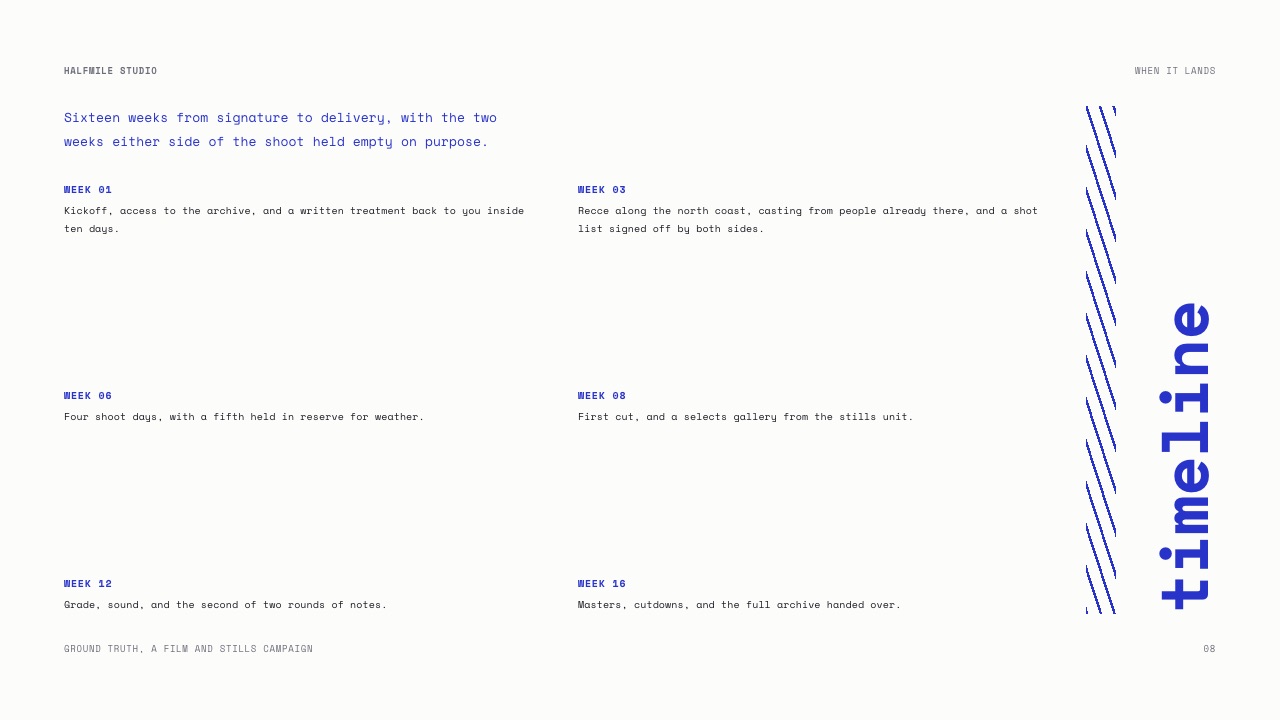
Consulting is one of the few professions where the presentation is not a summary of the deliverable. It is the deliverable.
The client pays for a document they will forward internally, quote in a board meeting, and open again in eighteen months to check what you actually recommended.
That changes what consultants need from presentation tools completely. You do not need beautiful transitions.
You need charts that hold up under scrutiny, a file the client can keep and edit, consistency across everything three people in your firm produced, and a way to reuse the framework slide you have redrawn forty times.
A presentation tool for consultants is software that produces client deliverables in slide form, combining analysis, frameworks and recommendations into a document that has to survive being forwarded, quoted out of context and reopened long after the engagement ends.
The best presentation tool for consultants in 2026 is Microsoft PowerPoint, because it is the format every client organisation opens and edits, its charts are backed by Excel with native waterfall and secondary-axis support, and Microsoft 365 Personal is $99.99 a year.
The trade-off is that PowerPoint does nothing for firm-wide consistency.
Google Slides is free and best for co-authoring with a client, Canva raises the visual floor for small firms, Beautiful.ai enforces consistency, and Pitch is the pick for reusable components plus read tracking.
Framekit Slides ranks sixth: a strong, cheap home for proposals and capabilities decks at a small brand or creative consultancy, ruled out for deliverables because its PowerPoint export is pictures.
Full disclosure: Framekit is our own product, and it sits sixth because it fails this guide's first test, the handover: a client cannot edit a Framekit PowerPoint export or check the data behind its charts. This version also corrects two things an earlier draft got wrong. PowerPoint has had a native waterfall chart since its 2016 release, so the claim that only think-cell builds one from data has been removed; and Framekit's three Pro team members are website admins rather than deck collaborators, so its firm-wide cost is now priced per person who builds decks.
Every price in this guide was re-verified against the vendor's own page on 12 October 2026 where the page answered an automated read; Canva, Gamma and think-cell did not, and their figures are labelled rather than guessed.
Beautiful.ai's page got a second reading for this update, because it prices Team two ways and lists Pro's analytics two ways, and the entries below now say so.
How This Consulting Ranking Was Put Together
This ranking judges nine tools on the job a consultancy actually does with slides, which is producing an auditable client deliverable and winning the next engagement, and it rests on vendor documentation rather than on timed builds we could not substantiate.
The carried scenario. A three-person strategy and brand consultancy running about twenty engagements a year, each ending in a forty-to-fifty-slide deliverable with an executive summary, a two-by-two framework, a competitor matrix, six charts including a waterfall and a stacked bar with a secondary axis, a five-year projection table and an implementation roadmap, plus a twelve-slide proposal to win the work.
The weights. Handover and client compatibility 25 percent, charts 25 percent, firm-wide consistency 20 percent, reuse 15 percent, cost 15 percent.
Charts and handover carry half the score because in consulting a chart that cannot be checked and a file the client cannot open both undermine the engagement in ways a design flaw does not.
The evidence. Prices and plan limits come from each vendor's own pricing page, read on 12 October 2026. Chart capabilities come from vendor documentation, including Microsoft's own support article on waterfall charts.
Framekit's entry is described from what it ships on each plan; no hands-on test of it is claimed, and earlier claims of timed chart builds and test sends have been removed because they could not be backed.
Consulting Decks by the Numbers
These six figures do more to shape the right choice than any template gallery, because each one is a hard constraint a consultancy hits within its first few engagements on a tool.
- 2016 is the release in which PowerPoint gained a native waterfall chart, according to Microsoft's support article, so a waterfall from data no longer needs an add-in.
- $99.99 a year is Microsoft 365 Personal, the cheapest way to put desktop PowerPoint on one consultant's machine.
- $480 a year is Beautiful.ai Team on its plan card, which says $40 a month covers up to three users; the FAQ on the same page reads $40 per user, so three consultants pay $480 or $1,440 depending on which line holds. Team is the tier with locked slides, a central slide library and live co-editing.
- EUR 540 a year is three consultants on Pitch Team, the cheapest tier with tracked links.
- 0 is the number of waterfall or secondary-axis chart types in Framekit Slides, which offers column, stacked, bar, line, area, pie, donut, timeline and roadmap charts instead.
- 40 slides is the cap on a single Framekit deck, which fits a proposal and is too short for a fifty-slide deliverable with an appendix.
Presentation Tools for Consultants Compared
The comparison table compresses the argument, and the first column decides most consulting purchases because a deliverable the client cannot edit is a deliverable somebody junior at the client rebuilds badly with your name on it.
| Tool | Client can edit the file | Waterfall and secondary axis | Reusable slide library | Cost, 3 people a year |
|---|---|---|---|---|
| PowerPoint | Yes, natively | Yes, natively since 2016 | Slide masters only | $299.97 on three Personal plans |
| Google Slides | Yes | Via Google Sheets charts | No | $0, or EUR 244.80 on Workspace Starter |
| Canva | Yes, via export | Basic charts only | Brand kit and folders | Regional, page refused our read |
| Beautiful.ai | Yes, editable export | Basic charts | Yes, central library on Team | $480 or $1,440 on Team, page states both |
| Pitch | Yes, via PowerPoint export from Plus | Basic charts | Yes, components | EUR 540 on Team |
| Framekit Slides | No, PowerPoint export is pictures | No | No, deck-wide theme only | $252 to $540, one account per builder |
| think-cell | Yes, inside PowerPoint | Yes, plus Marimekko and Gantt | Not applicable | Quoted per user |
| Storydoc | PDF only, not editable | Basic | Yes, templates | $712.80 on three Starter plans |
| Gamma | Export needs repair | Basic | Partial | About $324 (August reading) |
In one lineOnly PowerPoint, Google Slides and Beautiful.ai hand a client an editable file without repair work, and only PowerPoint does the consulting chart set natively, which is why the top of this list looks conservative.
Framekit's visible weak marks are handover and charts, the two criteria this guide weights heaviest.
Its strong mark is cost for one proposal writer, $84 a year on Starter or $180 on Pro if you need the PowerPoint export, and the proposal templates it ships for scope, stages, timeline and fees.
Which Tool for Which Consulting Document
Consulting produces two documents with different jobs, the proposal that wins the engagement and the deliverable that closes it, and the right tool for one is often wrong for the other, so here is the split.
| Document | What it must do | Best fit | Workable | Wrong tool |
|---|---|---|---|---|
| Engagement deliverable | Editable, auditable, archivable | PowerPoint plus think-cell | Google Slides, Beautiful.ai | Framekit, Storydoc, Gamma |
| Proposal to win work | Look considered, read well on a phone, state fees | Framekit, Storydoc, Pitch | Canva, Beautiful.ai | None, any tool can do it |
| Capabilities or credentials | Stay current, be findable | A page on the firm's site | Framekit or Canva deck as a leave-behind | A PDF emailed and forgotten |
| Workshop with the client | Several editors, comments, live | Google Slides | Pitch, Figma Slides | Framekit, Keynote alone |
| Monthly reporting retainer | Charts refresh from data | PowerPoint with linked Excel | Google Slides with Sheets | Any tool without data links |
In one lineMost firms should run two tools, PowerPoint for the deliverable and something lighter for the proposal, and the expensive mistake is forcing one tool to do both badly.
1. Microsoft PowerPoint: The Best Overall Choice for Consultants
PowerPoint is the best presentation tool for consultants because the client can open the file, edit it, lift three slides into their own board deck and reopen it in five years, and every other consideration in this guide is secondary to that.
Best foressentially every consultant whose deliverable is handed to a client organisation.
The chart engine is the second reason. Charts are backed by Excel, so the underlying data travels with the file and a client who wants to check your numbers can.
Microsoft's support article on creating a waterfall chart lists PowerPoint for Microsoft 365 and the 2016 release onward, and combination charts put a series on a secondary axis without drawing anything.
The real numberMicrosoft's plan comparison lists Microsoft 365 Personal at $99.99 a year and Family at $129.99 a year for one to six people.
Business plans sit on a separate page that refused our automated read in October, so price those directly before licensing a firm.
The standout detailfont embedding. A licensed brand typeface travels inside the .pptx and renders on a client machine that has never seen it, where browser tools substitute silently.
The gotchait gives you nothing for consistency. Slide masters control layout inheritance and not content, so three consultants working from the same template drift within a month, and the only fix is a person whose job is to police it.
Skip it ifyour firm has no capacity to maintain a template, or every engagement is co-authored live with the client.
Verdict: the correct default for consulting and the least interesting answer in this guide. Buy it, spend the difference on think-cell or a designer, and stop debating it. PowerPoint alternatives is the read if it is the tool you have and dislike.
2. Google Slides: Best for Working Alongside the Client
Google Slides is the best tool for engagements where the client is a co-author rather than a recipient, because several people can edit the same slide at once, comment, and work offline, and it costs nothing.
Best forworkshops, co-authored strategy work and retainers with recurring reporting.
Google's Slides product page describes live editing with several people on the same slide, comments, offline editing and PowerPoint import, which is the full set of things a collaborative engagement needs.
The real numberfree with a Google Account.
Google's Workspace pricing served euro figures on 12 October 2026: Business Starter at EUR 6.80 per user a month on an annual commitment, which is EUR 244.80 a year for three consultants and buys a firm domain and admin controls rather than deck features.
The standout detailcharts can come from a Google Sheet, so a monthly performance deck for a retainer can be refreshed from the sheet you already maintain.
The gotchano font embedding and a low visual ceiling. For a firm whose positioning depends on looking more considered than the competition, a Google Slides deliverable starts behind.
Skip it ifthe deck is the sample of your firm's rigour and polish.
Verdict: free, excellent for collaborative engagements, and visibly plainer than the alternatives. Use it for the work you do with clients and keep PowerPoint for the work you hand them.
3. Canva: Best for Consultants Without a Designer
Canva earns third place because it raises the visual floor for consultants who are not designers, and a small firm whose decks look homemade loses credibility before the analysis is read.
Best forsmall firms whose decks look assembled and whose clients notice.
Its brand kit is the consistency mechanism PowerPoint lacks: fonts, colours and logos held in one place for the whole firm, so the junior consultant's section dividers look like the partner's without anyone policing them.
The real numberCanva's pricing page refused our automated read on 12 October 2026, and Canva prices by region and team size, so no seat figure is quoted here. Price the team plan in your country before moving a firm onto it.
The standout detailthe visual floor. Section dividers, executive summary layouts and anything involving an image come out more considered than a default PowerPoint template, with no design training.
The gotchacharts are not good enough for quantitative consulting work. Waterfalls and secondary axes usually end up built in Excel and pasted in as images, which breaks the audit trail the client may be entitled to.
Skip it ifmore than a fifth of your slides are charts.
Verdict: the right pick for narrative-heavy consulting and the wrong one for models. If the template familiarity is the problem, see Canva alternatives for presentations.
4. Beautiful.ai: Best for Consistency Across a Small Firm
Beautiful.ai solves the problem PowerPoint ignores, which is three consultants producing three visual identities, by holding approved layouts in a central library and re-balancing a slide rather than letting someone squash the type to fit a fifth item.
Best forfirms where you can tell who made a slide by looking at it.
The real numberBeautiful.ai's pricing page lists Pro at $14.50 a month billed annually, $174 a year, with PowerPoint import and export, and states Team's price two ways: the plan card says $40 a month, or $50 monthly, includes three users at a fixed price, while the FAQ says $40 per user a month billed annually, or $50 per user monthly, for 2 to 20 users.
For three consultants that is $480 a year on the card's reading and $1,440 on the FAQ's, so ask Beautiful.ai which applies before you budget a firm.
The standout detailTeam adds version control and locked slides alongside live collaborative editing and engagement analytics, so the approved framework slide cannot be quietly edited into a variant.
The gotchathe 14-day trial asks for a card and bills in full if you forget to cancel, and the layout engine that enforces consistency also resists the one slide a partner wants to break the grid on.
Skip it ifyou work alone. Pro covers a single seat well, but the consistency value is all on Team.
Verdict: genuinely effective at firm-wide consistency and priced accordingly. A one-month option at $45 lets you try it on one real engagement before committing a firm, and Beautiful.ai alternatives covers the field if the seat price is the blocker.
5. Pitch: Best for Reusable Frameworks and Read Tracking
Pitch's component system is the best answer here to consulting's real inefficiency, which is not making decks but remaking them, and its advanced links tell you which sections a prospect read before the follow-up call.
Best foradvisory firms that redraw the same frameworks every engagement.
The two-by-two, the maturity model and the implementation roadmap become components, so engagement nineteen starts from engagement four rather than from a blank slide.
The real numberPitch's pricing page lists Plus at EUR 10, Team at EUR 15 and Business at EUR 20 a month per seat paying yearly. Three consultants on Team are EUR 540 a year.
Team includes 25 advanced links that track visits, slide views and time per slide; PowerPoint export starts on Plus.
The standout detailthe free plan lets two external guests edit with you, which covers a client lead co-writing a workshop deck before you pay anything.
The gotchathe charts are basic. For a quantitative deliverable you will be pasting images from Excel, which loses the data behind them.
Skip it ifyour engagements are model-heavy rather than framework-heavy.
Verdict: the best reuse mechanics in this guide and a real chart limitation. Strong for strategy and advisory work, weak for anything with a model behind it, and the Pitch alternatives page covers cheaper team options.
6. Framekit Slides: Best for Proposals and Capabilities Decks at a Small Firm

Framekit is an AI website builder whose Slides tool builds whole decks from a brief, and for a consultancy it earns its place on the winning-the-work side: proposals, capabilities decks and methodology pieces at a small brand, marketing or creative firm whose clients do not need an editable file.
Best forboutique consultancies, especially brand, creative and marketing ones, where one person writes the proposals and the deliverable can be a PDF.
It sits sixth because it fails the handover. The PowerPoint export, Pro and up, turns each slide into a picture with speaker notes attached, so a client cannot lift your framework into their deck or check the number behind a chart. For engagement deliverables, that rules it out.
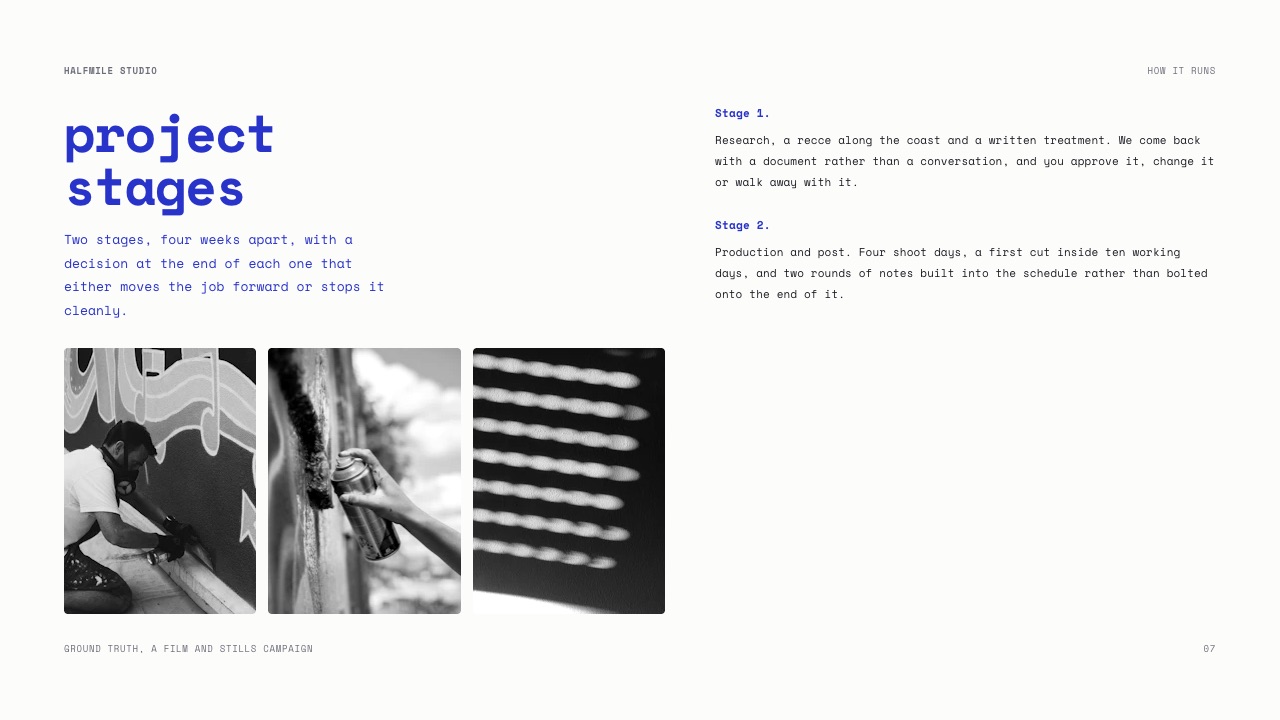
The proposal flow is where it is genuinely useful.
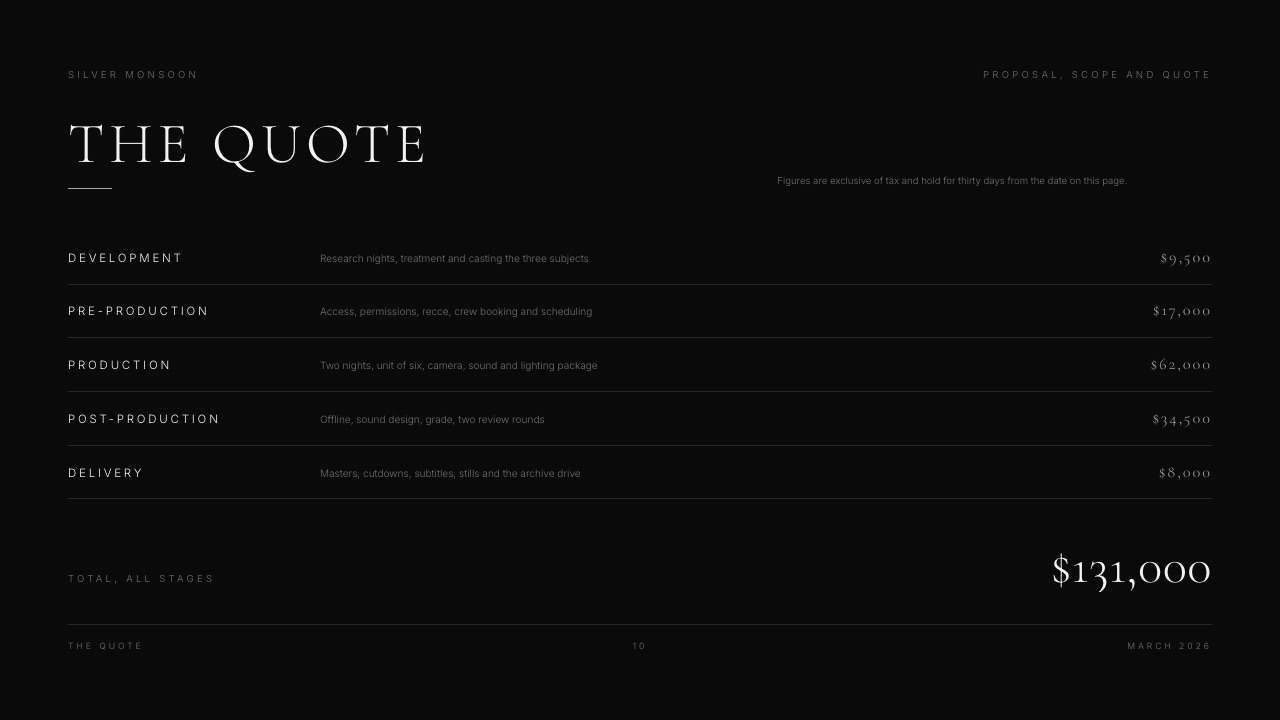
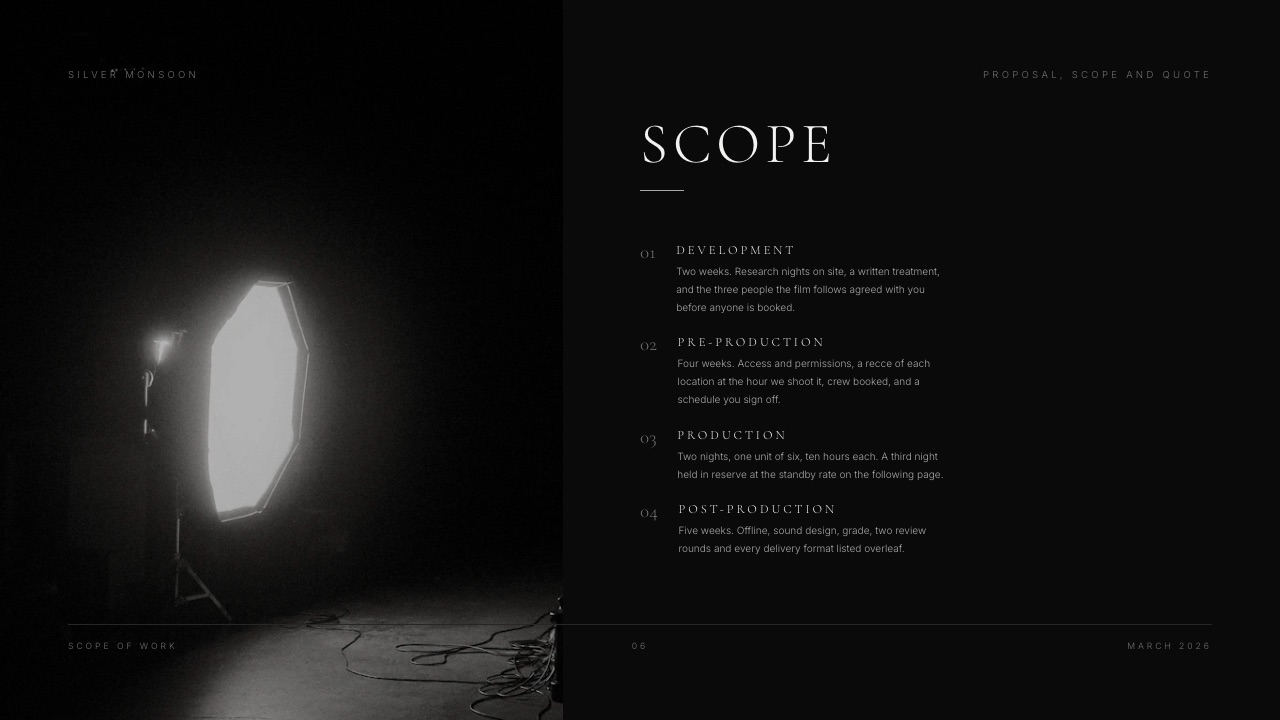
You describe the proposal; the AI asks up to three questions (how long, what you want the client to do after reading it, and whether you will present it or send it to be read alone), picks a design style and colour theme, then asks you to paste the facts it should not guess: the scope, the stages, the fee lines, the team.
It proposes a titled outline for your approval before it builds anything, then builds three or four slides per turn with speaker notes, leaving a marked placeholder wherever you have not supplied a figure.
The real number$84 a year on Starter for the full template library, your own uploaded fonts and no "Made with Framekit" badge, or $180 a year on Pro for the PowerPoint export.
Decks are unlimited on every plan, including Free; AI generation draws on a monthly allowance that every plan has, while editing a slide by hand costs nothing.
Framekit bills per account, and its team members are website admins rather than deck collaborators, so three consultants who each write proposals need three accounts: $252 a year on Starter or $540 on Pro.
The standout detailcharts import from a CSV, TSV or .xlsx file and stay editable as column, stacked, bar, line, area, pie and donut charts, and timeline, roadmap, phase and step layouts cover the implementation plan.
There is no waterfall and no secondary axis, which is the gap that matters most in this guide.
The gotchabesides the picture-based export, there is no live co-editing, no comments, no reusable slide library, no per-recipient tracking and no password on a deck link, and a single deck caps at 40 slides.
The link does show a total view count and can be reset so an old address stops working.
Skip it ifthe client receives an editable deliverable, your charts include waterfalls or secondary axes, or two consultants edit the same deck. PowerPoint with think-cell or Pitch is the answer there.
Verdict: a strong, cheap home for the decks that win work at a small firm, and the wrong tool for the deliverable itself. If your proposals currently go out as a Word document with a logo on top, this is the most direct upgrade in the list.
7. think-cell: Best for the Charts Consultants Actually Need
think-cell is a PowerPoint add-in rather than a presentation tool, which is why it sits seventh, and for quantitative consulting it is often the most valuable item on this page, because it builds the charts consulting decks are made of from a spreadsheet and keeps them linked.
Best forany consultant who has spent an afternoon formatting a Gantt roadmap or a Marimekko by hand.
PowerPoint's native waterfall covers the basic bridge chart. think-cell's argument is everything around it: Marimekko charts, Gantt roadmaps, stacked bars with difference arrows and CAGR annotations, built from data and updated when the data changes.
The real numberthink-cell sells annual per-user licences through its own order pages, and its pricing did not render to our automated read in October 2026, so no figure is quoted. Confirm it directly, and expect it to cost more per seat than the PowerPoint licence it sits inside.
The standout detailcharts stay linked to their data, so a number changed in the linked sheet updates the chart, the labels and the difference arrows together through three rounds of client revisions.
The gotchait works inside PowerPoint and does nothing for Google Slides, Canva or anything else. Adopting it commits the firm to PowerPoint, which for most consultancies is where they already are.
Skip it ifyour decks are narrative rather than quantitative.
Verdict: the highest return on this page for analytically driven firms and irrelevant to everyone else. If you build Gantt roadmaps by hand, it pays for itself on the first long engagement.
8. Storydoc: Best for Proposals Read on a Phone
Storydoc is good at the first of consulting's two documents, the proposal, because a scrolling web document reads properly on a phone and reports which sections the prospect read before the call.
Best forthe proposal that wins the engagement, not the deliverable that closes it.
The real numberStorydoc's pricing page lists Starter at $19.80 a month billed annually, $237.60 a year, with 5 active documents, basic analytics and PDF export, and Pro at $36 a month billed annually, $432 a year, with 30 active documents and extended analytics.
Teams, designed for five or more users, is quote-only. Three consultants on Starter are $712.80 a year.
The standout detailthe unit is active documents. Five live proposals on Starter is enough for a small firm's pipeline and tight for a firm that sends personalised proposals weekly.
The gotchait exports a PDF, not an editable PowerPoint, and the format is a scrolling document rather than designed landscape slides. For a deliverable the client expects to edit and archive, that is disqualifying.
Skip it ifyou hoped to use one tool for proposals and deliverables.
Verdict: a good proposal tool and not a deliverable tool. Worth a second subscription, never a replacement for the first, and Storydoc alternatives covers the field.
9. Gamma: Best for Structuring a First Draft
Gamma turns research notes into a structured deck from one prompt faster than anything else here, and for consultants the value is the outline rather than the slides, because seeing the argument laid out early reveals the gaps in it.
Best forstructuring a storyline before the analysis is finished.
The real numberGamma bills per member on every paid plan, according to its help centre.
Its pricing page refused our automated read in October, so the figure here is the August reading of about $108 a year per person on Plus, or about $324 for three.
The standout detailwhole-deck generation from one prompt, which is faster to a first full draft than Framekit's ask-then-outline flow and a quick way to pressure-test a storyline before the analysis is done.
The gotchacard layouts do not map cleanly onto slide geometry, so a PowerPoint export needs repair before it can be a deliverable.
Skip it ifthe output has to be a file the client edits.
Verdict: a drafting tool that happens to produce slides. Use it before the deck rather than as the deck, and see Gamma alternatives if credits get in the way.
The Chart Layer Decides More Than the Deck Tool
For quantitative consulting the charting layer matters more than the presentation tool sitting under it, and the picture in 2026 is better than older comparisons suggest, because PowerPoint now does more natively than consultants assume.
Waterfalls are native now. PowerPoint and Excel have had a waterfall chart type since the 2016 release, per Microsoft's documentation, so a bridge chart from data no longer needs an add-in.
Combination charts handle the secondary axis. What still needs think-cell is the Marimekko, the Gantt roadmap driven by dates, and the difference arrows and CAGR labels that make a consulting chart readable at a glance.
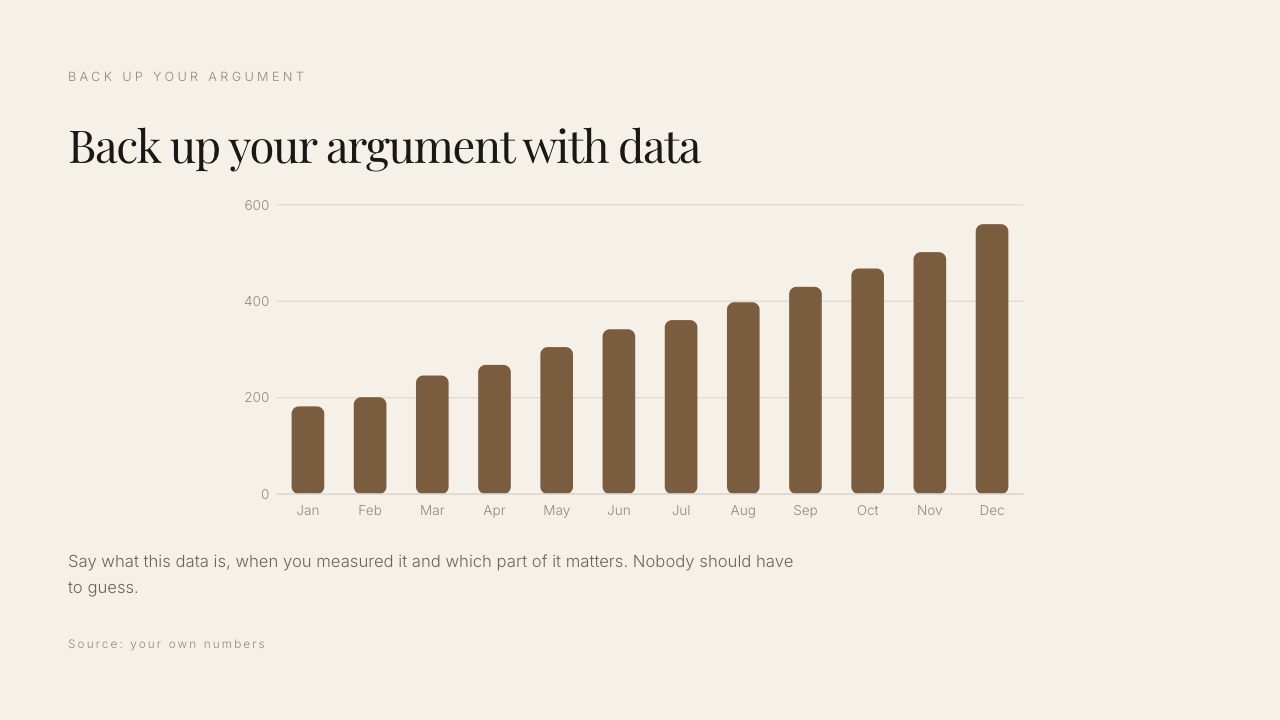
A drawn chart breaks the audit trail. When a client asks where the 14 percent came from, a linked chart answers and a drawing does not. In engagements where the analysis is the product, that difference has professional consequences.
Pasted images lose the data entirely. Building charts in Excel and pasting them as pictures into Canva, Pitch or Framekit means the client receives a deck whose numbers cannot be checked or reused.
Framekit's charts do carry their data inside the deck, imported from a spreadsheet and editable, but they leave as pictures when exported to PowerPoint.
In one lineIf your work is quantitative, buy the chart layer first and the deck tool second, and keep design-first tools for the proposal where nobody audits the numbers.
What a Consultancy Pays for Its Deck Tools Over a Year
Consulting firms buy software once and renew it indefinitely, so here is the annual cost at two firm sizes using only figures read on vendor pages in October 2026, with the blocked pages labelled.
| Setup | 3 people a year | 8 people a year | What it solves |
|---|---|---|---|
| Google Slides | $0 | $0 | Collaboration, at a visible design cost |
| Microsoft 365 Personal, one each | $299.97 | $799.92 | Client compatibility, native charts, font embedding |
| Framekit Starter for one proposal writer | $84 | $84 | Designed proposals and capabilities decks |
| Framekit Pro for every proposal writer | $540 | $1,440 | The same, plus a picture-based PowerPoint export |
| Pitch Team | EUR 540 | EUR 1,440 | Components and 25 tracked links |
| Storydoc Starter, one each | $712.80 | Teams plan, quote only | Proposals that read on a phone |
| Beautiful.ai Team | $480 on the plan card, $1,440 on the FAQ | $3,840 per the FAQ | Enforced firm-wide consistency |
| PowerPoint plus think-cell | $299.97 plus licences | $799.92 plus licences | Charts that are correct and auditable |
In one lineThe cheapest serious setup for a small consultancy is PowerPoint for every consultant plus one designed-proposal tool for whoever writes proposals, which lands between $384 and $480 a year for three people before think-cell.
A test that takes one engagement. On your next deliverable, log the time spent drawing or formatting charts and the time spent reformatting slides someone else made. Multiply each by twenty engagements.
If chart work dominates, buy think-cell and stay on PowerPoint. If reformatting dominates, buy Beautiful.ai Team or build components in Pitch. Most firms guess wrong about which of the two is costing them more.
What Happens When the Client Asks for More
The moments below are where a consulting deck tool either holds up or quietly costs a weekend, and each one is worth checking before you commit a firm, because they arrive months after the purchase decision.
The client asks for the source file. PowerPoint, Google Slides and Beautiful.ai hand over editable slides. Pitch exports PowerPoint from Plus. Framekit sends a PDF on every plan and a picture-based PowerPoint on Pro, so the honest answer is "here is the PDF".
The client asks where a number came from. Excel-backed PowerPoint charts carry their data. think-cell links back to the sheet. Framekit charts hold their imported data inside the deck you control, but the client's copy does not.
The engagement ends and you stop paying. Desktop PowerPoint files are yours on disk. Framekit's free plan keeps unlimited decks, so a downgrade deletes nothing, though the badge returns to share links.
Storydoc and Pitch keep work in their cloud, so export PDFs of every delivered document.
A consultant leaves the firm. Pitch, Google Workspace, Canva and Beautiful.ai hold decks in a workspace the firm controls. A Framekit deck belongs to the account that made it, so proposals should live in an account the firm owns rather than in a personal login.
The client's network blocks unfamiliar domains. A PDF attached to an email survives. Links from any cloud tool, including Framekit's share link, can be blocked by a strict corporate proxy, so keep a PDF ready.
In one lineCheck the source-file and the departing-consultant moments before you choose, because those two decide whether a deck tool belongs in a consultancy at all.
Capabilities Belong on the Firm's Website
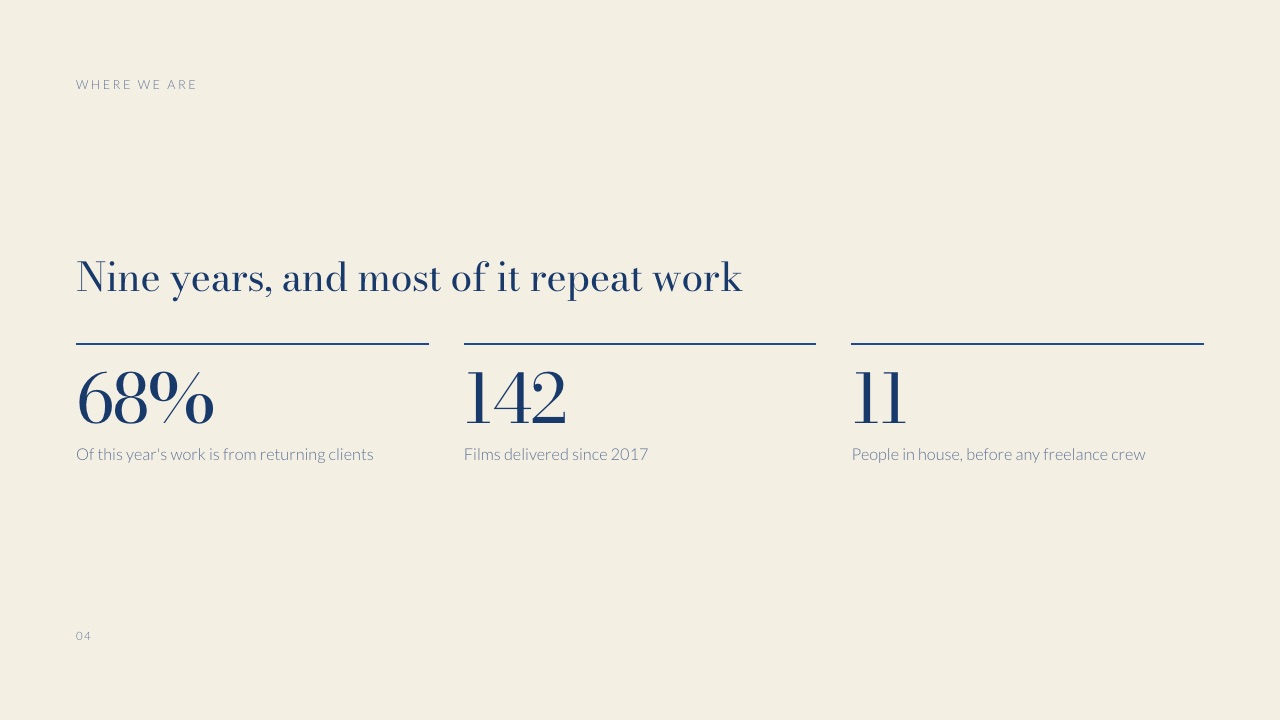
A consultancy's capabilities and methodology material should live as pages on the firm's site rather than as a deck, because it is sent unchanged to every prospect, needs to be found in search, and should show the current version to everyone holding the link.
The capabilities deck that gets emailed in March is still the March deck in October, with the old case studies and the partner who left. A page updated once serves every prospect the current version, and a proposal deck can link to it instead of repeating it.
Framekit holds both sides for a small firm, the website for capabilities and case studies and Slides for proposal decks, in one account, with the same fonts and colours.
Any deck tool can link to any site, so treat this as a convenience for firms that also own their website rather than a reason to change deck tools.
In one lineKeep the evergreen story on the site, keep the tailored argument in the proposal deck, and keep the deliverable in PowerPoint.
Where Framekit Is the Wrong Tool for a Consultancy
Ranking our own product sixth only means something if the boundary is stated as plainly as the feature list, so here are the places Framekit Slides does not belong in a consultancy, with the tool that belongs there instead.
The deliverable. The PowerPoint export is pictures, so the client cannot edit or audit it. Use PowerPoint.
Quantitative charts. No waterfall, no secondary axis, no Marimekko, no Gantt driven by dates. Use PowerPoint with think-cell.
Co-authoring. No live co-editing and no comments, and decks are owned by one account. Use Google Slides for workshops and Pitch for co-built proposals.
Read tracking. A total view count, nothing per recipient, and no password on the link. Use Pitch Team or Storydoc.
Long documents. A deck caps at 40 slides. A fifty-slide deliverable with an appendix belongs in PowerPoint.
In one lineFramekit covers the proposal and the capabilities story at a small firm, and every other consulting document has a better home named above.
Which Presentation Tool Should Your Consultancy Use?
The decision turns on whether your work is quantitative or narrative and on whether visual drift across the firm is costing you credibility, so work down these questions in order and stop at the first yes.
1. Do clients receive an editable file as a deliverable? PowerPoint. Almost nothing else survives that requirement intact.
2. Do your decks contain Marimekko charts, date-driven Gantt roadmaps or difference arrows? PowerPoint with think-cell. Waterfalls alone are native in PowerPoint now.
3. Does the client's team co-author the deck with you? Google Slides, free, with charts from a shared Sheet for recurring reporting.
4. Can you tell which consultant made which slide? Beautiful.ai Team for enforcement, or Canva for a softer version of the same fix.
5. Do you redraw the same frameworks every engagement? Pitch, for real components rather than copied templates.
6. Is your bottleneck winning work rather than delivering it, and does one person write the proposals? Framekit Slides for a designed proposal built on your real scope and fees, or Storydoc if you need to know which sections a prospect read.
7. Are your decks narrative, and does nobody in the firm design? Canva.
8. Is the document a capabilities piece that rarely changes? Publish it as a page on the firm's site instead of emailing a deck.
Frequently Asked Questions
What presentation software do management consultants use?
Management consultants overwhelmingly use Microsoft PowerPoint, because client organisations can open and edit the file, its Excel-backed charts keep the underlying data auditable, and font embedding preserves brand typefaces on client machines.
Many firms add think-cell, a PowerPoint add-in for Marimekko charts, date-driven Gantt roadmaps and difference arrows. PowerPoint itself has had a native waterfall chart since the 2016 release.
Can PowerPoint make a waterfall chart without think-cell?
Yes.
Microsoft's support documentation lists the waterfall chart type for PowerPoint for Microsoft 365 and the 2016 release onward, built from data and editable like any other Excel-backed chart. think-cell is still worth buying for Marimekko charts, Gantt roadmaps, difference arrows and CAGR labels, and for the speed of updating linked charts across revision rounds.
Is Canva good enough for consulting decks?
Canva is good enough for narrative consulting decks and not for quantitative ones, because its charts are basic and waterfalls or secondary axes usually end up built in Excel and pasted in as images, which breaks auditability.
It raises the visual quality of section dividers and summary layouts substantially, which matters most for small firms without a designer. Canva's pricing page refused our October check, so price it in your region.
Can a consulting client edit a Framekit deck?
No. Framekit's PowerPoint export, available on Pro at $180 a year and up, turns every slide into a full-bleed picture with your speaker notes attached as real notes, so the text and charts are not editable in PowerPoint.
Clients receive a PDF on any plan or the picture-based PowerPoint on Pro. If the client needs an editable deliverable, build it in PowerPoint.
Is Framekit Slides good for consulting proposals?
Yes, for small firms where one person writes proposals and the client reads rather than edits them.
Framekit's AI asks for your real scope, stages and fee lines, proposes an outline for approval and marks anything missing as a placeholder instead of inventing a figure, and its proposal templates cover scope, stages, timelines and quotes.
It has no read tracking, so use Storydoc or Pitch if you need to know which sections a prospect read.
How do consulting firms keep decks consistent across people?
Firms keep decks consistent either by policing a PowerPoint template manually, which is what most do, or by using a tool with an enforced shared library such as Beautiful.ai Team, which adds locked slides and version control at $40 per user a month billed annually by its FAQ, or $40 a month for up to three users by its plan card, or a component system such as Pitch.
PowerPoint's slide masters control layout rather than content, so drift is inevitable without a person or a tool preventing it.
Should consultants send a PDF or an editable file?
Consultants should usually send an editable file, because clients extract slides into their own decks and reopen deliverables long after the engagement ends, and some contracts require the underlying chart data.
Send a PDF alongside it when you want a fixed record of what was delivered on a given date, or when a strict client network may block cloud links.
What is the cheapest presentation setup for a three-person consultancy?
Google Slides is free at any headcount and is the cheapest workable setup, at a visible cost in design quality and with no font embedding.
The cheapest paid setup is three Microsoft 365 Personal plans at $99.99 each, $299.97 a year, which includes desktop PowerPoint; adding Framekit Starter at $84 a year for whoever writes proposals brings it to $383.97.
Which tool shows whether a client read the proposal?
Pitch and Storydoc both report what a recipient did with a proposal, and Beautiful.ai Team lists viewer and slide analytics; its $174 Pro plan shows viewer analytics in the pricing page's comparison table but not on the Pro plan card, so check it in the trial before relying on it.
Pitch requires its Team plan at EUR 15 a seat a month billed yearly for the 25 advanced links that track visits, slide views and time per slide.
PowerPoint, Google Slides and Framekit report nothing per recipient; Framekit shows only a total view count.
PowerPoint vs Beautiful.ai for a small consulting firm?
PowerPoint is better for client compatibility, native consulting charts including waterfalls, and cost at $99.99 a year per consultant on Microsoft 365 Personal, while Beautiful.ai is better at preventing visual drift through locked slides and a central library on its Team plan.
Beautiful.ai Team costs $1,440 a year for three seats on its FAQ's per-user reading, or $480 on its plan card's three-user price, so the decision is whether inconsistency is costing you more than that in credibility.
Can several consultants share one Framekit account?
Not for decks. Framekit bills per account and its Pro plan includes three team members, but those members are website admins; each deck belongs to the account that created it, and there is no live co-editing or commenting on slides.
A firm where several people write proposals needs one account per writer, $84 a year each on Starter, or a team tool such as Pitch or Google Slides.
Should a consultancy's capabilities deck be a website?
A consultancy's capabilities and methodology material should be a website rather than a deck, because it is sent unchanged to every prospect, needs to be found in search, and should show the current version to everyone holding the link.
Engagement deliverables should stay as files, since clients archive, edit and audit them. Framekit holds both for a small firm, the site for capabilities and Slides for proposals.
Does think-cell work with Google Slides?
No. think-cell is an add-in for PowerPoint and Excel, so adopting it commits the firm to PowerPoint for any deck with think-cell charts.
Teams that co-author in Google Slides usually build the quantitative charts in PowerPoint or Excel and keep Google Slides for workshops, which is a reasonable split as long as the final deliverable is assembled in one place.
Final Verdict
PowerPoint is the right answer for consulting and it is not a close call.
Client organisations open it, the charts are auditable, waterfalls and secondary axes are native, fonts embed, and Microsoft 365 Personal is $99.99 a year per consultant.
The interesting decision is what to add on top: think-cell if your work is quantitative, Beautiful.ai or Pitch if three consultants produce three visual identities, Google Slides for the engagements you write with the client, and a designed-proposal tool for winning the work.
Framekit Slides ranks sixth, and its case is that last job: a proposal or capabilities deck at a small brand, marketing or creative consultancy, drafted on your real scope and fees with an outline you approved, for $84 a year.
Where Framekit losesFramekit Slides is not for consulting deliverables.
Its PowerPoint export is picture-based, so clients cannot edit or audit the file, it has no waterfall or secondary-axis charts, no reusable slide library, no co-editing, no comments and no per-recipient tracking, and a deck caps at 40 slides.
For the engagement itself, PowerPoint with think-cell is the better fit.
Related reading: the best client proposal software, how to write a project proposal as a freelancer, the best sales deck software, the best presentation tools for freelancers and the best presentation software.