Framekit templates
Start from a designer-made template
 Use template
 Use template
 Use template
 Use template
 Use template
 Use template
 Use template
 Use template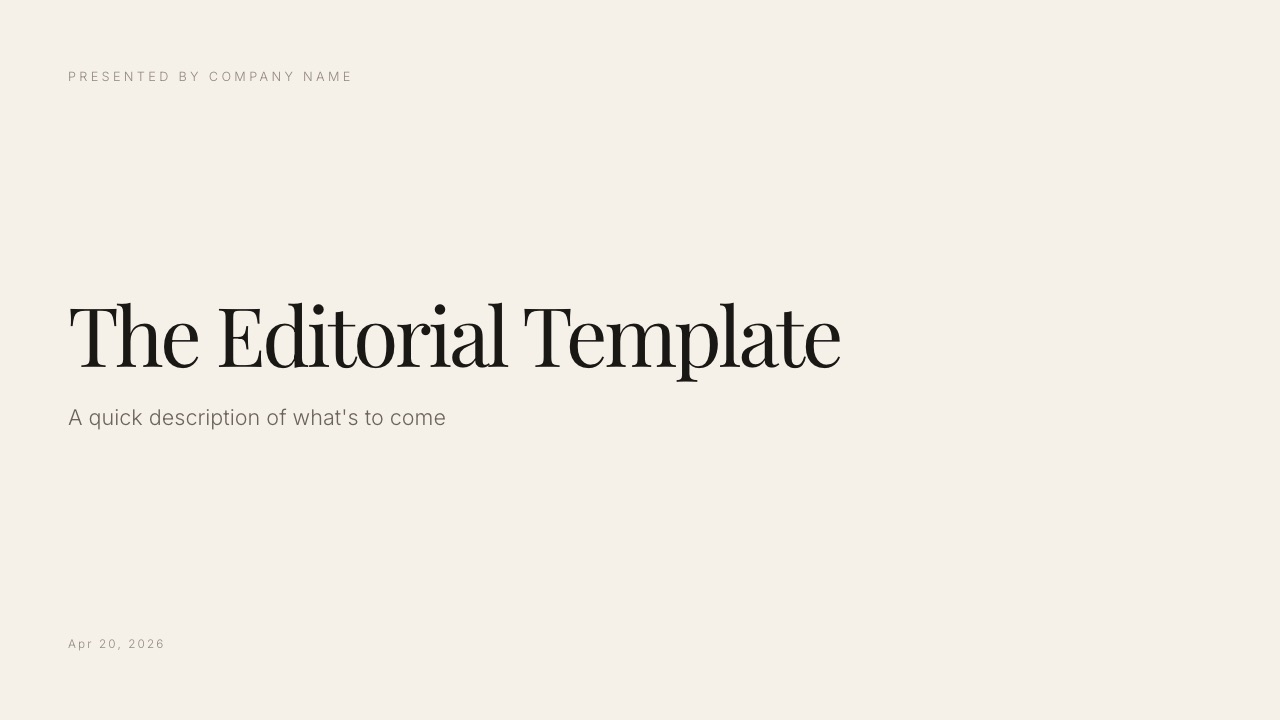
A five-person studio sends the same proposal deck to eight prospects in a week. Three reply, five go quiet, and nobody in the studio knows whether the quiet five opened the link, stopped at the pricing slide, or never saw it.
That is the Pitch vs Canva question in one scene, and it has less to do with which editor is nicer than with what you need to know after you press send.
Pitch is built to answer that question. Canva is built to make sure the deck looked good enough to be worth answering. Both are real presentation tools, both have free plans, and both bill teams by the person, which is the detail most older comparisons get wrong.
A presentation platform is software for building, sharing and presenting slide decks: Pitch is one built around tracked links, passcodes and a team workspace, and Canva is a design platform whose presentation module builds slides from the largest template library in the category.
Framekit is an AI website builder whose Slides tool makes treatments, lookbooks and portfolio decks on the same account as a portfolio site and client galleries, and it appears below as a clearly labelled third option for that one kind of deck, not as a contender for Pitch vs Canva.
On 12 October 2026 we re-verified Pitch's plans, seat limits and AI credits on its own pricing page and rewrote this comparison around them, removing an older claim that Pitch prices a workspace rather than each seat and the timed builds an earlier version reported.
Choose Pitch if your decks are sent rather than presented and you need to know who opened them: Team, at EUR 15 a seat a month billed yearly, adds 25 tracked links with time per slide, passcode links and a custom domain for shared decks.
Choose Canva if the deck's problem is that it looks assembled, because 3.6 million templates and Canva's image tools raise the design floor further than Pitch's 150-plus, and Canva Pro is the cheaper one-person plan at $144 a year.
For a five-person team the two cost about the same per seat. Framekit Slides is a third option only for treatments, lookbooks and portfolio decks one person builds next to a portfolio site.
Full disclosure: Framekit is our own product. It is not scored against Pitch or Canva here, and it loses to both on the things this comparison turns on: it has no tracked links, no passcodes, no live co-editing and nothing like Canva's template depth. Pitch figures come from its pricing page, read on 12 October 2026; Canva's pricing page refused automated reads that day, so its figures carry the date and region they were last read in. No timed builds, scores or test sends appear on this page.
How This Pitch vs Canva Comparison Was Put Together
This comparison rests on what Pitch and Canva publish about their own plans, seats, AI allowances and sharing controls, plus arithmetic on those figures, because the decision between them is a money and workflow decision that a timed build in our hands would not settle for yours.
Read at the source. Pitch's plan cards, feature table and FAQ on Pitch's pricing page, read on 12 October 2026, where prices showed in euros.
For Canva, the plan cards, AI allowance FAQ and feature comparison on Canva's pricing page, as read from Europe on 12 October 2026 by our team for the Framekit vs Canva comparison (Pro at EUR 110 a year, Business at EUR 170 a person a year) and the US dollar prices Canva showed in September 2026 (Pro at $144 a year or $18 a month, Business at $25 a person a month).
The page refused our automated read again today, so those are the figures we stand behind.
Calculated. A year of cost for one, three and five people, using each vendor's yearly per-seat rate. Pitch and Canva are both compared in euros where we have euro figures for both, so no exchange rate is guessed.
Removed. An earlier version of this page described a sixteen-slide build in both tools, four people editing at once and a revoked link tested in a browser.
We could not back those sessions with records, so they are gone, along with the build times; everything below describes documented features.
Pitch vs Canva by the Numbers
These are the figures that settle most Pitch vs Canva decisions, each read from the vendor's own page in September or October 2026 or calculated from it, and each one returns in a table further down where the reasoning is set out in full.
- EUR 10, 15 and 20. Pitch Plus, Team and Business, per seat per month billed yearly. Monthly billing is EUR 12, 18 and 24.
- 1, 25 and 200. The member limits on Pitch Plus, Team and Business. Pitch Free allows up to 5 members.
- 25 tracked links. What Pitch Team includes to see visits, slide views and time per slide. Business makes them unlimited.
- 3.6 million. Templates on Canva's paid plans, with 1.6 million on Free. Pitch lists 150-plus.
- 1 person. Who may use a Canva Pro account, per Canva's pricing FAQ. Teams go to Canva Business, priced per person.
- 100 credits, once. Pitch Free's AI allowance, which does not renew. Canva Free resets up to 20 AI uses every month.
- EUR 900 vs EUR 850. Five people for a year on Pitch Team against five on Canva Business at the euro rates both showed in October.
Pitch vs Canva at a Glance
This table compresses the comparison into the twelve rows buyers actually ask about, and the first three rows decide it for most teams, because they describe things one tool does and the other does not attempt at any price.
| Pitch | Canva | |
|---|---|---|
| Tracked links (who opened, time per slide) | 25 on Team, unlimited on Business | Design insights: basic on every plan, advanced from Pro |
| Passcode on a shared deck | Team and Business | Not listed on the pricing page |
| Custom domain for shared decks | Team and Business | Not for presentations |
| Templates | 150-plus, built for business decks | 1.6 million Free, 3.6 million paid, every format |
| Stock and image tools | Image uploads; stock integrations | 141 million stock items on paid plans, background remover on Pro |
| Who a plan covers | One seat; Plus is one person only | Pro is one person; Business is priced per person |
| One person, a year | EUR 120 on Plus | EUR 110 on Pro ($144 in the US) |
| AI | 100 credits once on Free; 500 or 750 per seat a month, shared across the team | Up to 20 uses a month on Free, 200 Premium uses on Pro |
| Live co-editing and comments | Yes; commenter role from Team | Yes, every plan |
| Version history | 30 days on Team, unlimited on Business | Available; not compared plan by plan here |
| PowerPoint | Imports PPTX; exports on paid plans | Imports PPTX; exports editable PPTX for presentations |
| Everything else | Decks only | Social, print, video, websites, whiteboards, docs |
In one linePitch is presentation software that reports on the deck after it leaves you, Canva is a design platform that makes the deck worth reporting on, and the right choice depends on which of those two gaps you are actually feeling.
Where Pitch Wins
Pitch beats Canva in five areas, and four of them are about what happens after the deck is finished, which is exactly the half of a deck's life Canva's pricing page says least about and the half that decides a sales or fundraising follow-up.
It tells you who read what. According to Pitch's plan comparison, Team includes 25 advanced links that record visits, slide views and time spent on each slide, with visit notifications and email capture before viewing; Business makes advanced links unlimited.
Canva lists design insights, basic on every plan and advanced from Pro, which its help centre describes as visit counts on a design you have shared or embedded. A visit count tells you a deck was opened.
A Pitch advanced link tells you the investor at the second fund spent most of her time on slide nine.
Link controls. Passcode-protected links, a custom domain for shared decks and data privacy controls start on Team. Canva's pricing page lists none of those for presentations.
If you send pricing to people who talk to your competitors, a passcode is the difference between a forwarded deck and a forwarded deck nobody else can open.
A workspace built for decks. External guests (2 on Free, 5 on Plus, 25 on Team, unlimited on Business), a commenter role, co-presenting and version history of 30 days on Team and unlimited on Business.
Canva collaborates well too, but Pitch's workspace is organised around presentations as living company documents rather than around designs.
Pooled AI credits. Pitch's paid plans give 500 AI credits per seat a month (750 on Business) and say the credits are shared across the whole team, so one heavy drafter does not run dry while three colleagues sit on unused balances.
Pitch rooms. A room bundles a deck with other files behind one link and reports how a client engages with the contents. Canva has no equivalent for a sales process.
Skip Pitch if your decks are presented live in a room, nobody reads them alone, and the problem you actually have is that they look plain. You would be paying per seat for telemetry you never open.
If tracking is the point but Pitch's per-seat maths is not, the best Pitch alternatives covers the other tools that report per viewer.
Where Canva Wins
Canva beats Pitch in five areas, and they are the reverse image of Pitch's: everything that happens before the deck is sent, from the first template to the last cropped photograph, plus the fact that a Canva subscription is a whole design budget rather than a presentation one.
The template and asset library. 3.6 million templates on paid plans and 1.6 million on Free, against Pitch's 150-plus, plus 141 million stock photos, graphics, videos and audio tracks on paid plans.
For a person who cannot design, that difference decides the outcome of the deck, and no analytics feature compensates for a deck that looks assembled.
Image handling. Canva treats photographs as content, with cropping, frames, masking and a background remover on Pro.
A team slide with five headshots shot in five different rooms or a client logo wall with mismatched files is where that shows, and it is where most business decks look worst.
A free plan that is a plan. Canva Free includes 1.6 million templates, presentations, real-time collaboration and up to 20 uses a month of its Standard or Premium AI tools, resetting monthly.
Pitch Free is genuinely usable for unlimited presentations, but its 100 AI credits do not come back, its PDF exports carry Pitch branding, and tracking does not start until Team.
Everything else you make. Social graphics, print, video, websites up to 45 pages, whiteboards and docs all live in the same editor, under one brand kit (one on Free, five on Pro, 100 on Business).
The proposal deck, the LinkedIn cut-down and the printed leave-behind come from the same fonts and colours.
The cheaper one-person plan. Read from Europe in October, Canva Pro was EUR 110 a year against Pitch Plus at EUR 120; in the US it showed $144 a year in September. Only one person can use a Pro account, so that advantage is a solo one.
Skip Canva if your decks are emailed to prospects and the silence afterwards is costing you, or if you need a passcode on the link. Canva vs Google Slides is the other head-to-head Canva users ask about.
The Analytics Question: Presented or Sent
The single question that settles Pitch vs Canva for most buyers is whether your decks are presented in a room or sent by email, because that decides whether per-viewer read data is the most valuable feature on the page or something you pay for and never open.
If you present, you are in the room and saw who leaned in on slide six. Analytics adds little you did not already observe, so choose on design, which usually means Canva.
If you send, you are guessing. A deck emailed to six prospects, or forwarded inside a client's organisation, produces at most a visit count in Canva.
Pitch turns it into a list: which link was opened, how many times, how long each slide held the reader, and which slide they left on.
What read data is for. Timing, not surveillance: a prospect who opened the deck twice this week gets a call today, and one who never opened it has an email problem rather than a pricing problem.
Analytics measures attention, not intent, so do not treat time-on-slide as a forecast.
Run it on your own pipeline. List the last ten decks you sent and mark each one where knowing who opened it would have changed what you did next. Five or more marks means Pitch Team earns its EUR 180 a seat a year.
One or none means you are shopping for design, and Canva is the better spend.
How Pitch and Canva Meter AI
Both Pitch and Canva put a limit on AI, so neither can be described as offering AI without a ceiling, and the useful difference is how each allowance is granted, whether it renews, and whether one person's unused credits can cover a colleague's heavy week.
Pitch. Free includes 100 AI credits that, in Pitch's words, do not renew once used. Plus and Team include 500 credits per seat a month and Business 750, renewing with the subscription and shared across the team.
Canva. Canva's pricing FAQ splits AI in two. Standard AI tools such as Magic Write can be used abundantly on paid plans without counting against the allowance.
Everything else draws on a monthly allowance that resets: up to 20 uses of Standard or Premium AI tools on Free, up to 200 Premium uses or 20 Ultra uses on Pro, and twice that on Business, with an AI Pass add-on for more.
| Situation | Pitch | Canva |
|---|---|---|
| Free plan, first month | 100 credits, once | Up to 20 AI uses, resets monthly |
| One person drafting weekly | 500 credits a month on Plus | Up to 200 Premium uses on Pro, Standard tools unmetered |
| A five-person team | 2,500 credits a month on Team, pooled | Each Business seat has its own doubled allowance |
| Allowance runs out | Manual editing continues; buy a higher plan | Premium AI pauses until reset; hand design continues |
| Editing by hand | Never metered | Never metered |
In one lineAI is not what separates Pitch from Canva, because both meter it and both leave hand editing free; Pitch's pooling suits a team with one heavy drafter, Canva's monthly reset suits a solo designer who uses AI lightly.
What a Year Costs for One, Three and Five People
Per-seat billing is where most Pitch vs Canva comparisons go wrong, so here is the same year priced at three team sizes using the yearly rates both vendors showed in euros in October 2026, with Canva's US dollar prices beside them for readers who see dollars.
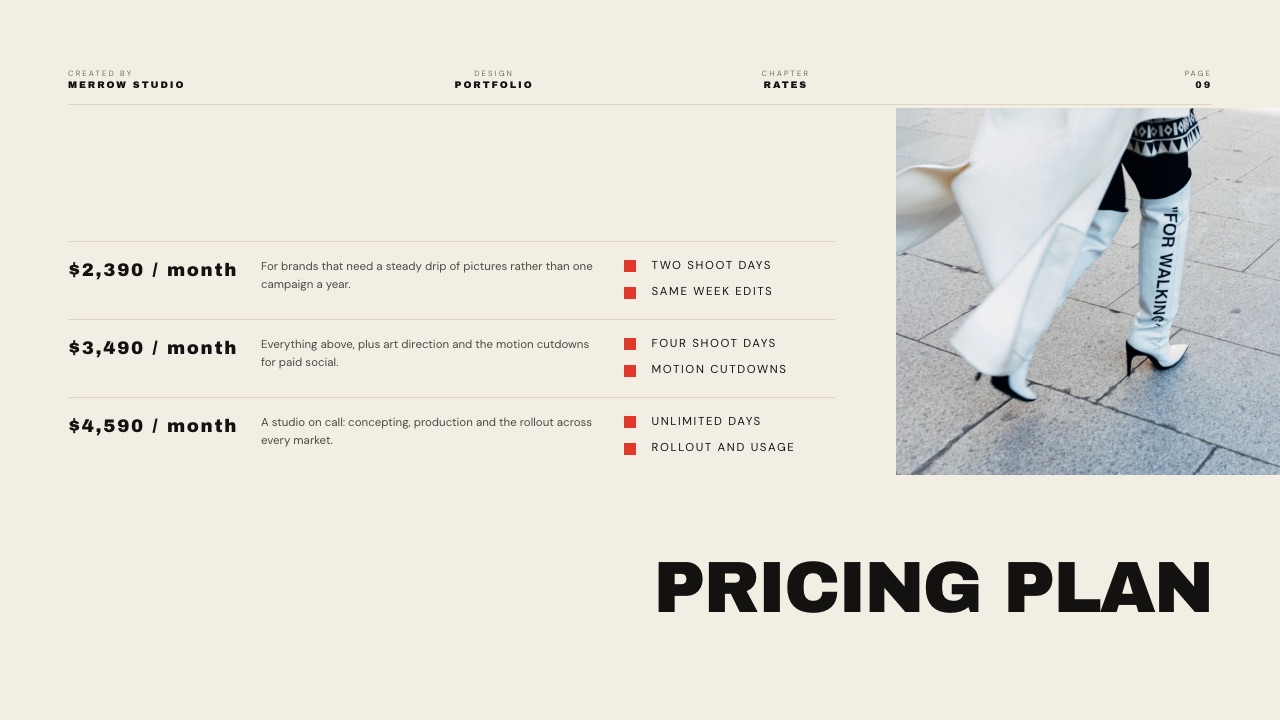
| Team size | Pitch, a year | Canva, a year | What the higher price buys |
|---|---|---|---|
| 1 person, occasional decks | EUR 0 on Free (branded PDFs, 100 AI credits once) | EUR 0 on Free | Nothing you need yet on either side |
| 1 person, weekly decks | EUR 120 on Plus; EUR 180 for one Team seat if you want tracking | EUR 110 on Pro ($144 in the US) | Pitch Team adds 25 tracked links and passcodes; Canva Pro adds premium templates, brand kits and 200 Premium AI uses |
| 3 people | EUR 540 on Team | EUR 510 on Business (about $900 at $25 a person a month) | Pitch: tracking, passcodes, custom deck domain; Canva: brand controls, approvals and the full design suite |
| 5 people | EUR 900 on Team, EUR 1,200 on Business | EUR 850 on Business (about $1,500 at the monthly US rate) | Same split; Pitch Business adds unlimited tracked links and version history |
Read the bottom two rows carefully, because they reverse the old story.
Pitch is not a cheaper workspace plan any more: Pitch's pricing page says each plan's price depends on the number of seats, and Plus is limited to one member.
Canva Pro cannot be shared at all, so a team is on Canva Business. Per seat, Canva Business at EUR 170 a year and Pitch Team at EUR 180 a year are within ten euros of each other.
The real cost difference is what you buy alongside: a team on Pitch still needs something for social graphics and print, and a team on Canva that sends decks may still want a tracking tool.
Run this on your own numbers. Count the people who will build or edit a deck this year, not the people who will read one. Multiply by EUR 180 for Pitch Team and EUR 170 for Canva Business.
If those two numbers are within a coffee of each other, which at most team sizes they are, choose on the analytics question above rather than on price.
Limits, Exports and Sharing Side by Side
Most deck decisions are settled by a limit you meet in month two rather than a feature you saw on day one, so this table puts Pitch's and Canva's published limits, export formats and sharing controls next to each other with the plan each needs.
| Limit or control | Pitch | Canva |
|---|---|---|
| Presentations | Unlimited on every plan | Unlimited on every plan |
| Members | Up to 5 on Free, 1 on Plus, 25 on Team, 200 on Business | One person on Pro; per person on Business |
| External guests | 2, 5, 25, unlimited | Share links and anonymous collaboration on every plan |
| PDF export | Every plan; Pitch branding on Free | Every plan |
| PowerPoint export | Paid plans, without Pitch branding (plan card says Plus, table says Team) | Presentations download as editable PPTX; may look different, no animations or embedded video |
| PowerPoint import | Yes, also the route in from Google Slides and Keynote | Yes |
| Image uploads | Up to 5MB on Free, up to 1GB on paid plans | Storage 5GB Free, 100GB Pro, 500GB Business |
| Tracked links | 25 on Team, unlimited on Business | Design insights; advanced from Pro |
| Passcode on a link | Team and Business | Not listed |
| Version history | 30 days on Team, unlimited on Business | Not compared plan by plan here |
| Custom fonts | From Plus | Brand fonts in a brand kit on Pro |
| Brand kits | Workspace styles and templates | 1 on Free, 5 on Pro, 100 on Business |
Two rows deserve a caveat. Pitch's plan card lists PowerPoint export from Plus while its comparison table shows it from Team, so check on the plan you are buying.
And "not listed" for Canva means exactly that: we could not read Canva's page plan by plan today, so a feature it added since October may be missing here.
What Happens When Things Go Sideways
The edge cases are where the difference between Pitch and Canva stops being abstract, so here is what each tool does in five situations that come up on real decks, from what each vendor documents rather than from assumption.
A confidential pricing deck gets forwarded. On Pitch Team you would have set a passcode, and the advanced link shows the extra visits.
On Canva there is no passcode listed for presentations; change who can access the link in sharing, then send a fresh one to the people who should have it.
The client asks for the editable file. Both export PowerPoint. Canva warns that a design may look different in PowerPoint and that animations and embedded videos do not carry over.
Pitch exports PowerPoint without its branding on paid plans. In both cases, open the export before sending it, because a substituted font is the failure nobody notices until the meeting.
You run out of AI in the middle of a deck. Pitch Free's 100 credits do not renew, so the answer is a paid plan. On Canva, Premium AI tools pause until the monthly allowance resets, and everything you do by hand carries on.
A second person joins. On Pitch it is a new seat, and Plus cannot hold two members, so two people means Team. On Canva, Pro cannot be shared, so two people means Business, priced per person.
You need to know who read the deck before a call. Pitch's advanced link answers it slide by slide. Canva's insights tell you how many visits a shared design received, not which named person stayed on which slide.
Framekit: A Third Option for Treatments, Lookbooks and Portfolio Decks

Framekit is not a contender for the Pitch vs Canva question, because it has no tracked links and nothing like Canva's template depth, but it is the better fit for one specific kind of deck: the treatment, lookbook or portfolio deck that one person builds and sends alongside a portfolio site and client deliveries.
Framekit is an AI website builder that also ships Slides, client galleries, video review and a digital-download store on one account.
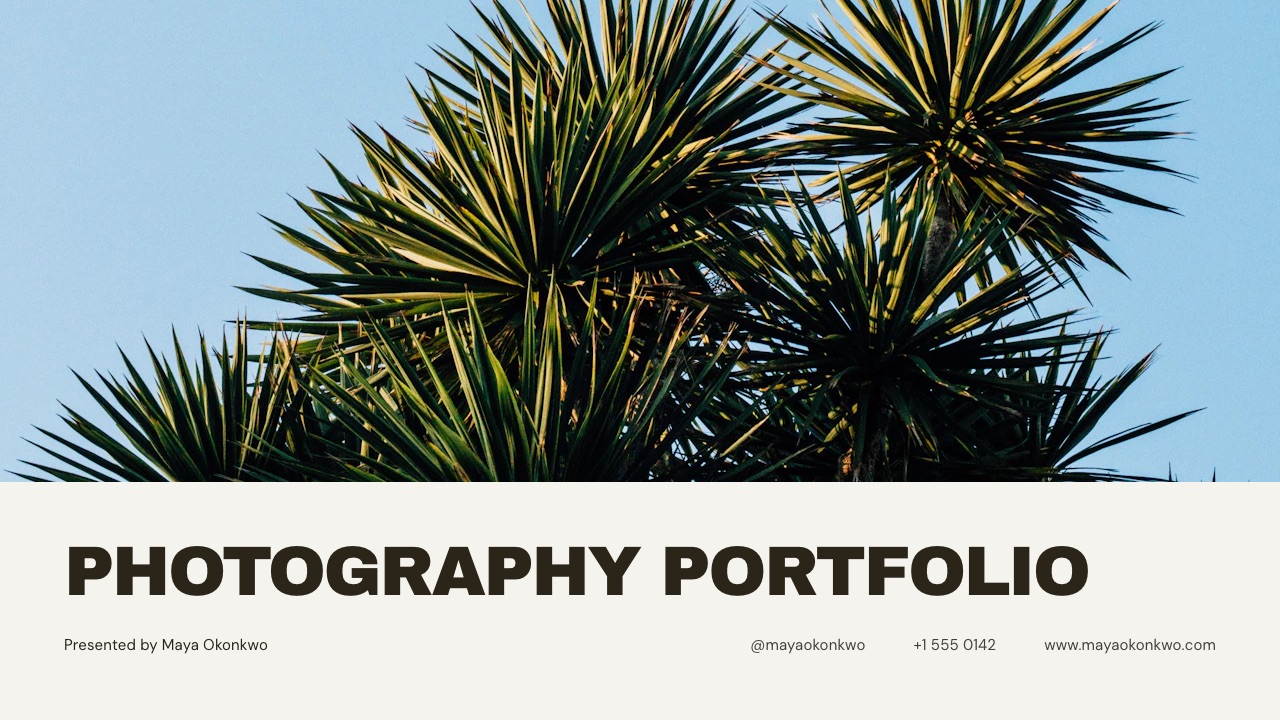
Its deck templates start from creative documents rather than company ones: a director's treatment for a commercial, a pitch deck and lookbook for a first feature, a photography portfolio book, a production company credentials deck, a wedding film proposal.
Ready-made elements cover shot lists, shot cards, storyboard rows, moodboards, look cards, swatches, type specimens and charts, and a pasted YouTube, Vimeo or Instagram link becomes a player on the slide.
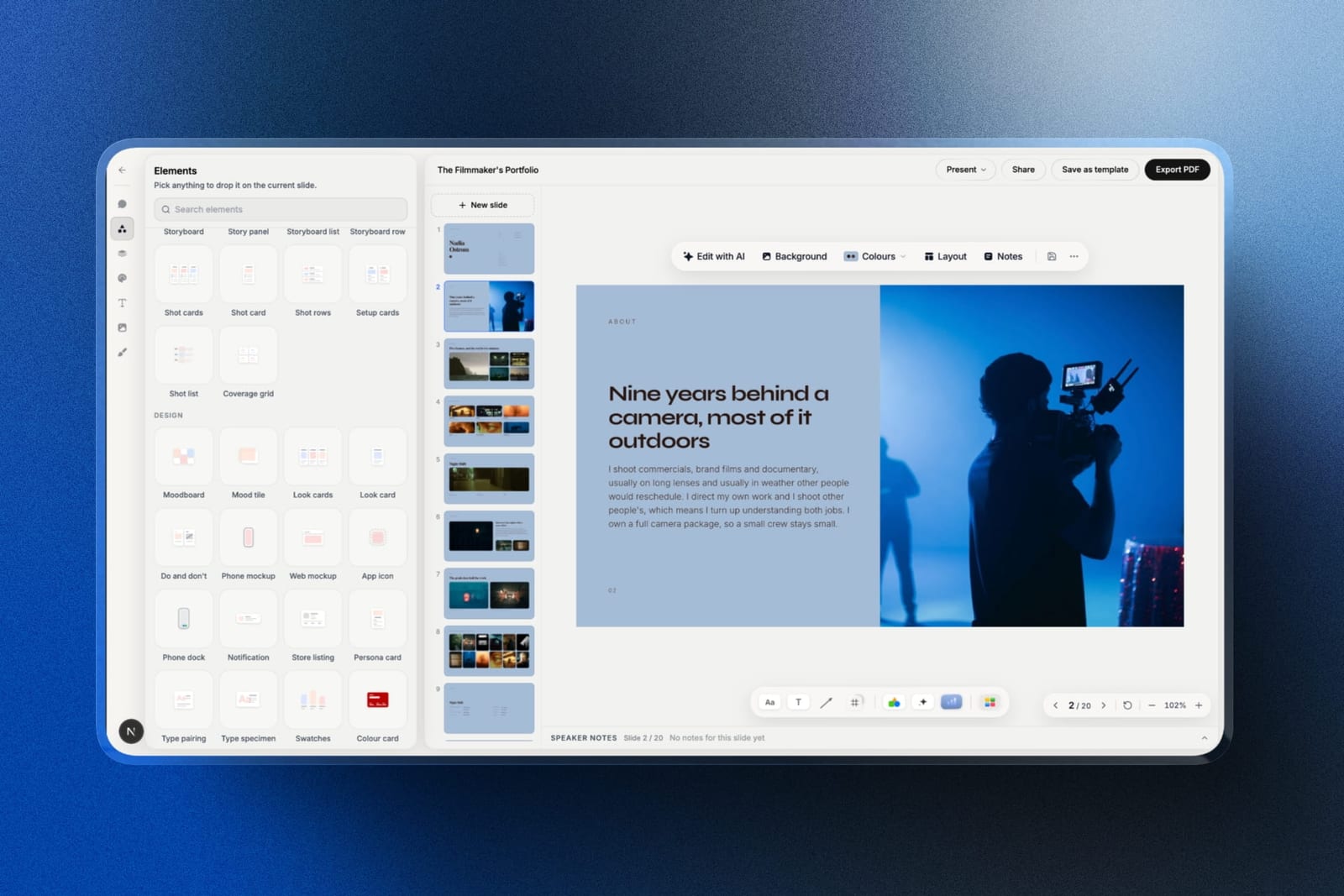
How its AI builds a deck. You describe the deck, and Framekit's AI asks up to three quick questions: roughly how many slides, what should happen after the reader sees it, and whether you will present it live or send it to be read alone.
It picks a design style for the brief, offers colour themes, and asks you to paste the real facts you have (a logline, credits, rates, budget lines) and anything that must not appear.
Then it proposes a titled outline for your OK and builds the slides a few per turn with speaker notes, marking anything you did not supply as a placeholder instead of inventing it.
That is slower to a first full draft than a one-prompt generator, and the trade is a deck built on your facts and an outline you approved. You can ask for any single slide again later.
The AI is metered. Every Framekit plan, Free included, has a monthly AI allowance that grows with the plan, and deck AI draws on one pool across all your decks.
Decks themselves are unlimited, and building from a template or editing a slide by hand spends nothing; only AI generation draws on the allowance, much as Pitch's credits and Canva's monthly uses work.

Where it loses to both. Framekit has no tracked links and no passcode: a deck link shows a total view count and nothing per person, and your controls are resetting the link, which kills the old one immediately, or unpublishing.
It has no live co-editing and no comments.
Decks belong to the person who made them: team members on Pro or Business are website admins and cannot open or edit decks, so for a team the honest setup is one person building decks and everyone else viewing them by link or PDF.
There is no presenter view with speaker notes on a second screen; you present full screen from the browser. A deck caps at 40 slides.
PowerPoint export starts on Pro and arrives as pictures, one full-bleed image per slide with speaker notes kept, so a client cannot retype a headline. And there is no PowerPoint or Google Slides import.
What it costs. Free makes unlimited decks with PDF export and a share link that carries a Made with Framekit badge.
The template library, custom fonts and badge removal start on Starter at $9 a month or $84 a year billed yearly. PowerPoint export starts on Pro at $19 a month or $180 a year.
Verdict: for sales decks, investor updates and anything a team edits together, choose between Pitch and Canva and ignore Framekit. For a treatment, lookbook or portfolio deck that one person builds and sends with a link to their site and, later, a client gallery, Framekit Slides is the better fit. Filmmakers comparing specialists should also read the best film treatment software, and Framekit's own head-to-heads are Framekit vs Pitch and Framekit vs Canva.
The Page Behind the Deck
Neither Pitch nor Canva addresses what happens when a forwarded deck reaches someone who was not in the meeting and they search your company or your name, which happens in nearly every deal and is the first impression your deck does not frame.
Pitch will tell you a partner spent ninety seconds on your pricing slide; it cannot tell you what that partner found when they looked you up. Canva can publish a website of up to 45 pages, which covers a simple company page well.
A creative business usually needs more: project pages with video, a contact form and, once the job is won, somewhere to deliver the work.
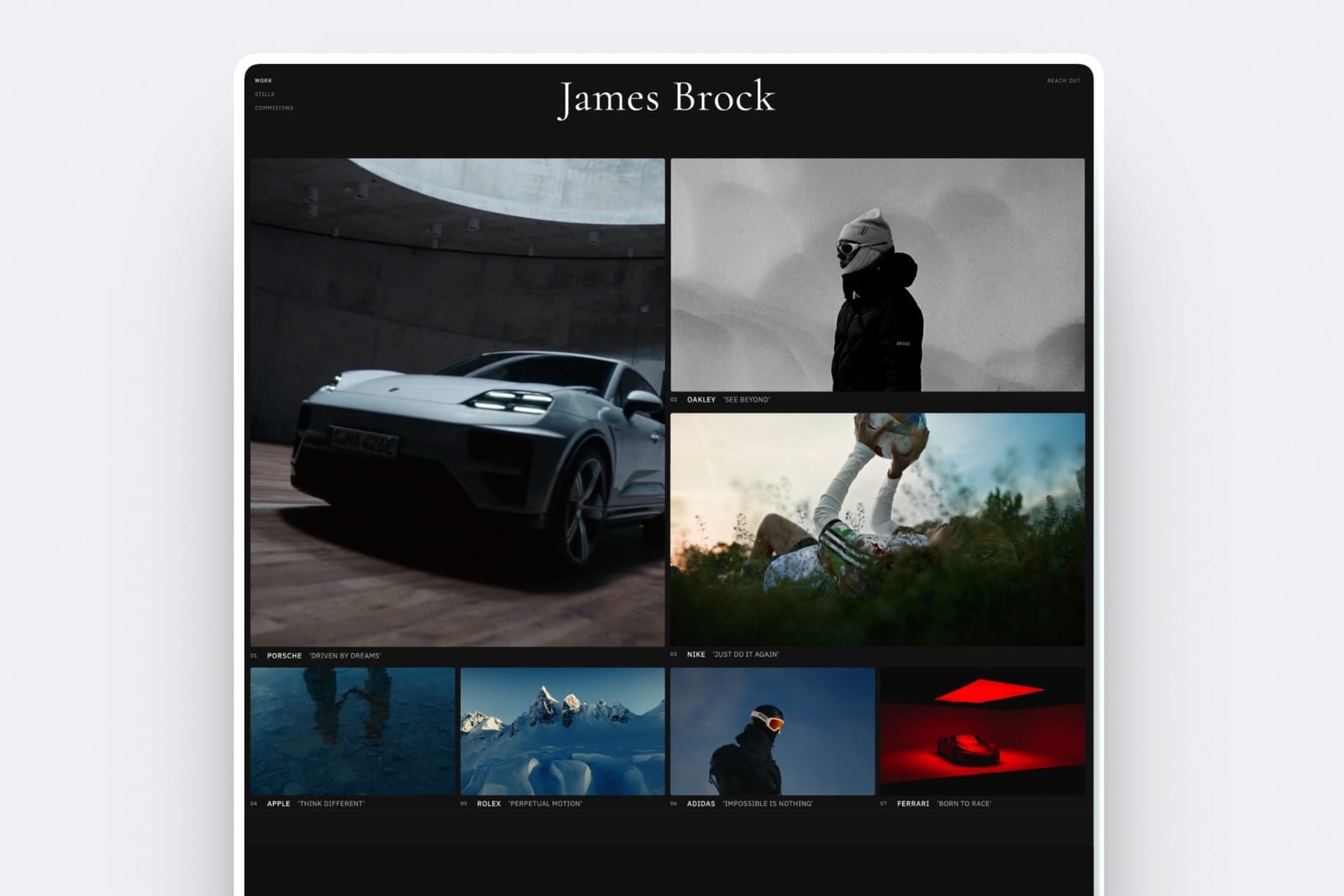
That is where Framekit's shape matters more than its deck features: the treatment, the site it links to, the client gallery and the review link for the cut share one account and one storage pool, from 10GB on Free to 2TB on Business.
Switching Between Pitch and Canva: A Checklist
Moving decks between Pitch and Canva runs through PowerPoint in both directions, so most of the work is checking what the export changed, and a few steps in the right order save the clean-up that usually eats an afternoon.
| Step | Canva to Pitch | Pitch to Canva | Why |
|---|---|---|---|
| 1. Archive first | Download every deck you keep as PDF | Download every deck as PDF, and PPTX on a paid plan | Your archive stops depending on a subscription you may cancel |
| 2. Find what depends on the old tool | List decks with Canva brand kits and stock you licensed | List live advanced links, passcodes and rooms | Tracking and passcodes do not move; keep those decks where they are until they have done their job |
| 3. Export | Canva presentation to PPTX | Pitch deck to PPTX | PowerPoint is the bridge both import |
| 4. Import and check | Import the PPTX into Pitch, then check fonts, tables and charts slide by slide | Upload the PPTX to Canva, then check the same | Complex tables and charts are what usually need rebuilding |
| 5. Rebuild the brand | Recreate styles and templates in the Pitch workspace | Set fonts, colours and logos in a Canva brand kit | One pass fixes most of the drift |
| 6. Re-send what matters | Send live decks as new advanced links | Re-share as Canva links or PDFs | Old links keep pointing at the old tool |
| 7. Cancel seats last | Drop Canva Business seats once the team is working in Pitch | Drop Pitch seats after the last tracked link has gone quiet | Analytics from live links are what you lose |
If you are moving creative decks to Framekit instead, note that Framekit imports nothing, so step 3 becomes a rebuild from the closest template with your copy pasted in, and only the formats you send repeatedly are worth that.
Which Should You Use? A Decision Tree
Answer these questions in order and act on the first yes you reach, because the first three describe capabilities only one of the two tools offers rather than preferences, which is why the order matters more than any table on this page.
1. Do you send decks and need to know who opened them and how long each slide held the reader? Yes: Pitch Team, at EUR 15 a seat a month billed yearly. No: go to question 2.
2. Does a deck link need a passcode or your own domain? Yes: Pitch Team. No: go to question 3.
3. Is the honest problem that your decks look assembled? Yes: Canva, free plan first, and Pro at $144 a year once premium templates, brand fonts or the background remover block you. No: go to question 4.
4. Do you also make social graphics, print pieces or video? Yes: Canva, because the same subscription and brand kit covers them. No: go to question 5.
5. Do several people build decks, and does one of them use far more AI than the rest? Yes: Pitch, whose paid credits are pooled across the team. No: go to question 6.
6. Are you one person deciding on price alone? Yes: Canva, whose Free plan resets its AI allowance every month and whose Pro plan is the cheaper solo tier. No: go to question 7.
7. Is the deck a treatment, lookbook or portfolio deck you build alone and send with a link to your site? Yes: look at Framekit Slides, accepting no tracking, no passcode and no co-editing.
Frequently Asked Questions
Is Pitch better than Canva?
Pitch is better than Canva for decks you send and need to track, because Pitch Team adds 25 advanced links that show visits, slide views and time per slide, plus passcodes and a custom domain for shared decks.
Canva is better for making a deck look designed, with 3.6 million templates and stronger image tools. If your decks are presented in a room, choose Canva; if they are emailed and followed up, choose Pitch.
Is Pitch cheaper than Canva for a team of five?
Pitch is not cheaper than Canva for five people any more.
At the euro rates both showed in October 2026, five Pitch Team seats cost EUR 900 a year and five Canva Business seats EUR 850, because Pitch bills each seat and Canva Pro cannot be shared.
In US dollars Canva Business is $25 a person a month, about $1,500 a year for five at the monthly rate.
Can Canva tell me who opened my presentation?
Canva cannot tell you which named person opened a presentation or how long they spent on each slide.
Its pricing page lists design insights, basic on every plan and advanced from Pro, which its help centre describes as visit counts for a shared or embedded design.
For per-recipient tracking you need Pitch Team, Gamma Pro, Slidebean or a dedicated deck-tracking tool.
Does Pitch have a free plan, and what does it stop you doing?
Yes.
Pitch Free is free forever for unlimited presentations with up to five members and two external guests, but its PDF exports carry Pitch branding, its 100 AI credits do not renew once used, and tracked links, passcodes and custom domains do not start until Team at EUR 15 a seat a month billed yearly.
Can a team share one Canva Pro account?
No. Canva's pricing FAQ says only one person can use a Canva Pro account, and the older Canva Teams plan is closed to new sign-ups.
A team uses Canva Business, priced per person: EUR 170 a person a year as read from Europe in October 2026, or $25 a person a month in the US. Pitch also bills per seat, and Pitch Plus is limited to one member.
Do Pitch AI credits run out?
Yes. Pitch Free includes 100 AI credits that do not renew once used.
Plus and Team include 500 credits per seat a month and Business 750, renewing with the subscription and shared across the whole team, so one heavy drafter can draw on colleagues' unused credits.
Editing slides by hand never spends credits on either Pitch or Canva.
Which exports better to PowerPoint, Pitch or Canva?
Both export PowerPoint and neither promises a perfect copy.
Canva downloads presentations as editable PPTX and warns that a design may look different and that animations and embedded videos do not carry over; Pitch exports PowerPoint without branding on paid plans.
If a client must edit the file, build in PowerPoint or Google Slides, or open every exported slide before sending.
Can I password-protect a deck in Pitch or Canva?
Pitch offers passcode-protected links on its Team and Business plans, alongside email capture before viewing and a custom domain for shared decks.
Canva's pricing page lists no passcode for shared presentations, so the closest Canva route is restricting who can access the link in sharing settings.
Framekit has no password on deck links either; it lets you reset a link so the old one stops working.
Which is better for an investor pitch deck?
Pitch is better for an investor pitch deck sent to a long list, because knowing which investor opened it and which slide held them changes your follow-up. Canva is better if the deck's design is the weak point.
Slidebean also tracks views on its $84-a-year Starter plan. Our guide on how to make a pitch deck covers the slides themselves.
Can I move a deck from Canva to Pitch?
Yes, through PowerPoint: download the Canva presentation as PPTX and import it into Pitch, which accepts PowerPoint files.
Simple text and image slides move well; tables, charts and anything with a brand font usually need checking and some rebuilding. If you are switching for tracking, rebuild the ten slides that matter rather than repairing every slide.
Is Pitch or Canva better for a film treatment?
Neither is built for film treatments. Canva gets closer because its image tools are stronger, and Pitch is better only if the treatment needs a passcode or tracked opens.
Framekit Slides is the creative specialist here, with treatment, lookbook and shot list templates and video embeds, but it has no passcode or per-viewer analytics, so send confidential treatments as a PDF.
Can three people share Framekit decks the way a Pitch workspace does?
No. A Framekit deck belongs to the person who made it, and team members on Pro or Business are website admins who cannot open or edit decks, with no deck invites, no co-editing and no comments.
For a team, the honest Framekit setup is one person building the decks and everyone else viewing them by share link or PDF. Pitch is built for teams editing together.
Does Framekit meter AI the way Pitch and Canva do?
Yes. Every Framekit plan, Free included, has a monthly AI allowance that grows with the plan, and deck AI draws on one pool across all your decks.
Decks are unlimited and editing any slide by hand spends nothing; only AI generation draws on the allowance. Pitch meters AI in credits and Canva in monthly uses.
What is the best free alternative to both Pitch and Canva?
Google Slides is the best free alternative for most teams: it is free with a Google Account, edits live with comments, works offline, and opens PowerPoint files directly. It gives up design quality and any form of per-viewer read data.
Our best free presentation software guide covers where each free option stops.
Final Verdict
Choose Pitch if you send decks and are tired of silence afterwards: its tracked links, passcodes and custom deck domain are the reason it exists, and at EUR 15 a seat a month on Team they are worth it for any team whose next move depends on who read what.
Choose Canva if your decks look assembled, because a design problem needs a design tool, and Canva's free plan, its template library and its one-person Pro plan at $144 a year are the fastest fix available.
On price the two are closer than their reputations: Canva Pro is the cheaper solo plan, and per seat for a team, Canva Business and Pitch Team sit within ten euros a year of each other. So decide on the analytics question, presented or sent, not on the invoice.
Where Framekit fits, and where it loses: Framekit Slides is the better fit only for treatments, lookbooks, portfolio and creative pitch decks that one person builds and sends beside a portfolio site and client deliveries.
It does not track viewers, does not passcode links, does not co-edit or comment, does not let teammates open your decks, and exports PowerPoint as pictures, so it is not for sales teams or investor pipelines.
Keep reading: the best pitch deck software, Gamma vs Canva, Canva vs PowerPoint, how to send a pitch deck to an investor and the film pitch deck template for creative pitches.