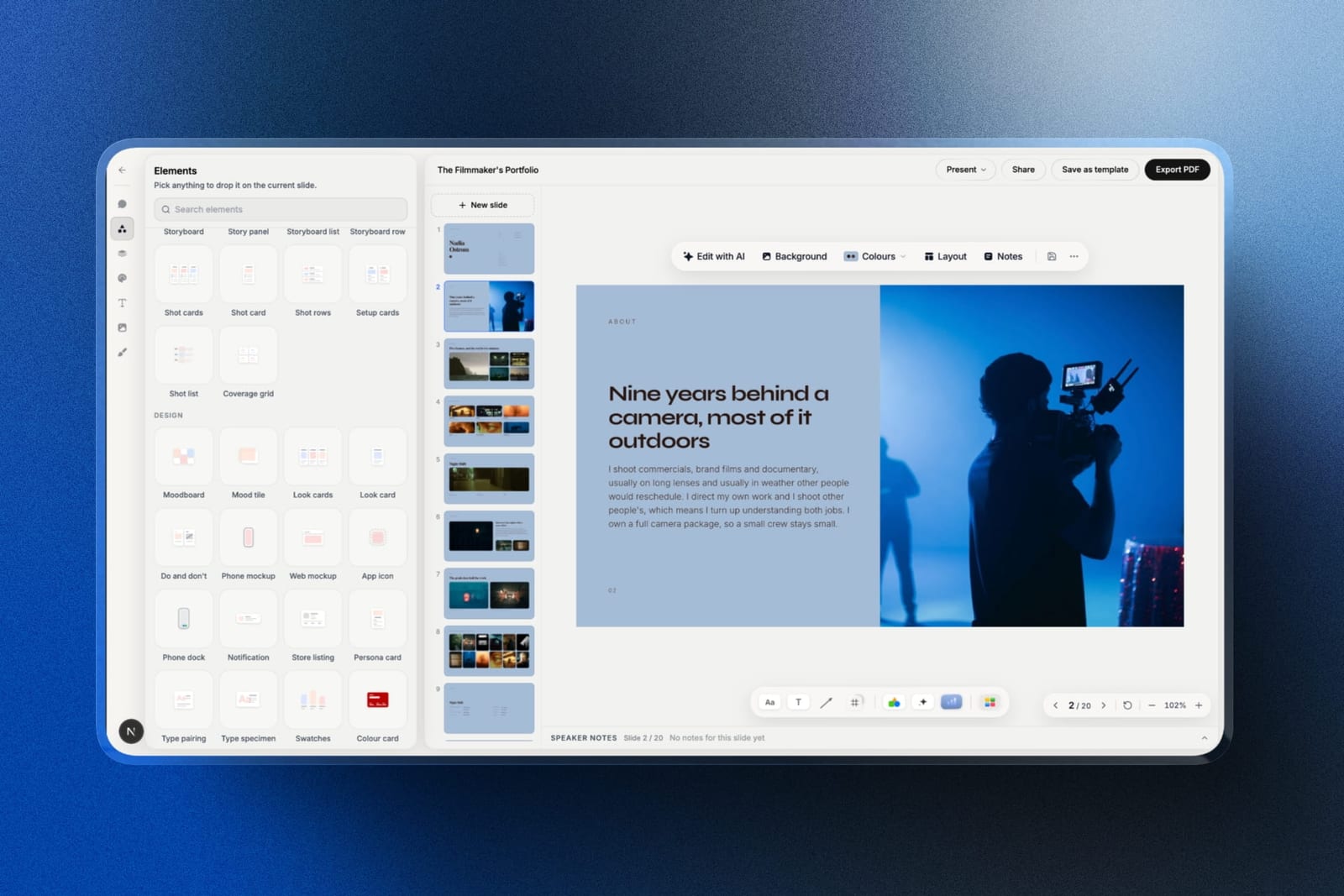
Framekit templates
Start from a designer-made template
 Use template
 Use template
 Use template
 Use template
 Use template
 Use template
 Use template
 Use template
You have a 12 slide deck, 34 names on a list, and a raise of $750,000 to close. The deck took three weeks. The decision about how to send it is about to take four minutes, and it will do more damage than any slide in the file.
Here is the shape of the problem. A PDF opens on a phone in the back of a taxi and reports nothing back to you.
A tracked link reports which slide was re-read twice and whether it was forwarded to two colleagues, and a minority of investors find that intrusive enough to say so. Both are defensible. What loses money is picking neither on purpose.
So this is a guide on how to send a pitch deck to an investor as a deliberate choice rather than a reflex: which format, in what email, at what file size, with what tracking, and where the deck stops and a data room begins.
A pitch deck send is the packaging decision around a finished deck, covering the format the investor receives, the message it arrives in, and how much you can see about what happens after it lands.
Send a PDF attachment under 5MB for cold outreach, because it opens everywhere and never asks for permission, and switch to a tracked link once an investor has replied and the conversation is live.
If knowing who opened which slide matters to you, use DocSend, which is built for exactly this job and whose link controls include passwords, viewer email validation, expiry and per-visit analytics; Pitch and Storydoc are the alternatives if you want the deck tool and the tracking in one product.
Framekit Slides is a good place to build the deck and export the PDF, and a bad place to send it from, because Framekit deck links have no password and no per-viewer analytics, only a total view count.
Full disclosure: Framekit is our product, and on this specific job it loses. We are not going to argue otherwise: a Framekit deck share link cannot be password-protected and reports one number, a total view count, with nothing about who viewed it, so it is the wrong tool for investor outreach and DocSend is the right one. What Framekit is good for here is building the deck and exporting the file. DocSend's own pricing page does not answer automated requests, so no DocSend price appears in this guide; the DocSend capabilities cited below come from Dropbox's published help centre, which does answer.
How this guide was researched, and what is missing from it
Three kinds of statement appear below, and it is worth knowing which is which before you act on any of them, because a fundraise is a situation where being confidently wrong about a mechanism is expensive.
Read at the source. DocSend's behaviour comes from Dropbox's own help centre, read in September 2026 and linked inline at each claim. Pitch and Storydoc prices come from their published pricing pages, read the same month.
The Pitch page served European pricing to us, so its figures appear in euros and are not converted at a rate we made up.
Calculated. One example is carried through: a pre-seed raise of $750,000, a 12 slide deck exported as a 4.1MB PDF, and an outreach list of 34 investors. The arithmetic is shown so you can substitute your own list length.
Not available. DocSend's pricing page returns a refusal to automated requests, so this guide names no DocSend price at all rather than repeating a figure from a third-party blog.
There is also no primary published benchmark for how long an investor spends on a deck, so none is quoted; where you want a number, you get the arithmetic instead.
The send, by the numbers
Six figures shape every decision in this guide, and each one is either a hard limit you will hit or a piece of arithmetic that decides which format you should be sending in the first place.
- 25MB is the attachment ceiling Gmail applies to personal accounts, and over it Gmail swaps your file for a Drive link without asking.
- 5MB is the practical target for a deck PDF, well under the ceiling, so it survives corporate mail gateways that are stricter than Gmail.
- 12 slides in the carried example deck, against the 5 to 7 slides Y Combinator recommends for a deck you present on stage.
- 34 investors on the example list, which is 9 more than the 25 advanced links Pitch's Team tier allows and 4 more than the 30 active documents Storydoc Pro allows, so per-recipient versions push you up a tier in both.
- 4,000 assets is the ceiling on DocSend's Advanced Data Rooms plan, which also includes 3 licences, for the stage after the deck.
- 1 number is what a Framekit deck link reports back: a total view count. No per-viewer breakdown, no per-recipient links, no password and no viewer email validation, which is four controls DocSend documents and Framekit does not have.
In one linethe format decision is a choice between two failures, a deck that opens on all 34 desks and tells you nothing, or a deck that reports in detail on the smaller number of people who got past the click.
Step 1. Decide whether you are sending a read deck or a present deck
Work out first whether this file will be read alone in an inbox or talked over in a meeting, because those are two different documents and sending the wrong one is the most common self-inflicted wound in a fundraise.
A present deck is sparse. Kevin Hale's guidance for Y Combinator founders is to build around 5 to 7 key ideas, one per slide, in type large enough to read from the back of a room, and the rule he repeats is "make it legible".
That deck is unreadable on its own, because the argument lives in your voice.
A read deck carries the argument on the page. It runs longer, 10 to 15 slides, each slide states its own point in a headline rather than a label, and the supporting evidence sits under the headline instead of in your head. That is the deck you email.
Founders build the present deck first because it is the one they rehearse, send that, and then read confused replies.
Build the 12 slide read deck as the canonical file and cut it to seven for the meeting, not the reverse: cutting is 20 minutes and rewriting a sparse deck into a readable one is an evening.
The thing that goes wronga slide headed "Traction" with a chart and no sentence. In a meeting you say what the chart means. In an inbox nobody does, and the investor supplies their own interpretation, which is rarely the flattering one.
The examplethe $750,000 pre-seed deck runs 12 slides as a read deck and collapses to seven for the first call, with the five cut slides moved to an appendix behind the closing slide so they are there if asked for.
Step 2. Cut the deck to what an investor is actually scanning for
Order the deck around the questions an investor answers in sequence, because a deck read cold is not read as a story, it is read as a checklist, and a missing item stops the read cold.
The most durable public list of those items is Sequoia Capital's, which runs company purpose, problem, solution, why now, market potential, competition, business model, team, financials, vision.
Sequoia's advice on the first of them is to define your company in a single declarative sentence, which is harder than it sounds and worth an afternoon.
You do not need one slide per item, and the page states no slide count. What you need is for each item to be answerable in under 10 seconds by someone who has never heard of you. If an investor cannot find "why now" anywhere, the deck reads as a product with no timing argument.
| Investor question | Where it lives | The failure mode |
|---|---|---|
| What is this company | Slide 1, one declarative sentence | A tagline instead of a definition |
| Why does this need to exist | Problem slide, with a named sufferer | A market statistic with no person in it |
| Why has nobody done it | Why now, with what changed and when | Silence, which reads as "no reason" |
| How big can it get | Market slide, built bottom up | A top-down number from an industry report |
| Why you | Team slide, with the specific unfair advantage | Logos of previous employers and nothing else |
| Is it working | Traction, one chart with a sentence over it | A chart with a label and no claim |
| What are you asking for | The ask, with amount and use of funds | An amount with no plan attached |
If the deck itself is what you are stuck on rather than the sending, that is a different procedure and we have one: how to make a pitch deck covers the build, and what a pitch deck costs covers what it is worth paying a designer for.
The thing that goes wrongthe appendix does the work of the deck. Fifteen slides of detail behind slide 12 is fine. Fifteen slides of detail that the main deck depends on is a deck that does not work, and an investor reading on a phone will not go looking.
Step 3. Choose the format, knowing what each one gives away
Pick the format from what you need to happen next rather than from habit, because a link, a PDF and a PowerPoint file make three different trades between control, reach and what you learn afterwards.
| Format | What you get | What you give up | Send it when |
|---|---|---|---|
| PDF attachment | Opens on every device, no login, no connection needed, renders identically everywhere | You learn nothing after it leaves, and the file is forwardable with no trace | Cold outreach, and any first contact where getting opened matters more than getting data |
| Tracked link | Per-visit analytics, the ability to update the deck after sending, passwords and expiry where the tool supports them | A click, a possible login prompt, and some investors read tracking as a lack of trust | After a reply, when the conversation is live and you need to time the follow-up |
| Untracked share link | One canonical version, easy to update, nothing to download | On a Framekit link, no password and no per-viewer data at all | Sharing with people you already know, such as advisers and existing investors |
| PowerPoint file | The recipient can edit and paste your slides into their own material | Fonts break, layouts shift, and a picture-based export is not editable text | Almost never for investors; it is a partner or portfolio-company format |
The two format answer is the right one for a cold list of 34. Attach the PDF so it opens, and put the link in the signature for the people who want the current version in three weeks.
What you should not do is send a stranger a link alone, because that turns a two second decision into a click, a load and a possible login, and each of those three steps loses some of the 34.
On the PowerPoint row, a note specific to us: Framekit's .pptx export is a Pro-plan feature, it caps at 60 slides, and it writes each slide as a full-bleed picture, so the text is not editable on the other side.
Speaker notes do come across as real notes. For an investor send that is fine, because nobody wants to edit your deck, but do not promise an editable file you cannot deliver.

The thing that goes wrongthe founder sends a link because the deck tool made it easy, the investor is on a plane, and the deck is never opened. Formats that require a connection lose to formats that do not, every time, at the top of the funnel.
Step 4. Get the file under the ceiling and open it on a phone
Export the deck, check the file size, then open it on your own phone before anyone else sees it, because the two checks take 90 seconds between them and both of them catch failures that are invisible on a desktop.
The size ceiling is real. Gmail's limit for personal accounts is 25MB, and anything larger is quietly turned into a Drive link, so the attachment you chose becomes the link you did not.
Corporate gateways cut lower and tell you nothing, so aim at 5MB, a fifth of Gmail's ceiling: the carried deck lands at 4.1MB, which is 16% of the personal-account limit and small enough to stop being a question.
Getting there is mostly image discipline. A 12 slide deck exports at 4.1MB in the carried example because the screenshots were resized before they were placed, not after.
A deck built on full-resolution photographs will land at 30MB and you will spend an evening compressing it badly.
The phone check is the other half. Open the PDF on your own phone at arm's length and read the traction slide. If the axis labels are illegible, the deck fails on the device where a large share of first reads happen.
The fix is fewer data points and a headline that states the conclusion, not a bigger chart.
| Check | Target | What it catches |
|---|---|---|
| File size | Under 5MB | Gateway rejections and silent Drive-link substitutions |
| Filename | company-deck-2026-09.pdf | 9 copies of deck-final-v3.pdf in 1 inbox |
| First page on a phone | Company sentence readable at arm's length | A cover that is a logo and nothing else |
| Traction chart on a phone | The headline states the conclusion | Charts that need a caption nobody reads |
| Fonts | Embedded, or exported as PDF | Substituted type that breaks every layout |
| Links inside the deck | All resolve | A dead demo link on the slide that matters |
Framekit exports a PDF on every plan including Free, which is the one export you genuinely need for this.
For the mechanics of building a portfolio-grade PDF in general, including image sizing, our PDF guide goes further than this section does.
The thing that goes wrongthe founder never opens the file they sent. The deck was exported from a tool that substituted a font, the cover now reads in a default serif, and all 34 recipients have seen it before anyone notices.
Step 5. Write the covering email in four lines
Write the email as four short lines and nothing else, because the email is not a summary of the deck, it is the thing that decides whether the deck is opened, and length is what kills it.
The four lines are: who you are in one clause, what the company does in one declarative sentence, one number that proves something is happening, and the ask. Then the attachment. No paragraph about how much you admire the firm's portfolio.
| Line | Its job | Example shape |
|---|---|---|
| 1 | Context and, if you have one, the referral | Intro from a named person, or one line on why this firm |
| 2 | The company in one declarative sentence | What it does, for whom, in plain words |
| 3 | One proof number with a time window | Revenue, users or retention, with the month attached |
| 4 | The ask and the next step | Amount raising, and a specific request for a call |
The referral line is the one worth working for. A warm introduction changes the reply rate more than anything in the deck does, which is an unglamorous fact that founders keep trying to design their way around.
Keep the attachment name boring and dated. An investor who is interested will search their inbox for it in three weeks, and a file called deck-final-final.pdf is a file they will not find.
The thing that goes wrongthe email tries to do the deck's job. Six paragraphs of narrative arrive, the investor reads two of them, and the attachment is never opened because the email already felt like work.
Step 6. Decide about tracking, and use a tool built for it
Decide whether per-viewer analytics will actually change what you do, and if the answer is yes, use DocSend or another purpose-built sending tool, because this is the one step of the eight where the tool you built the deck in is the wrong answer.
DocSend is a Dropbox product built specifically for sending documents and watching what happens to them.
Dropbox's help centre documents the controls on a link: password-protected documents, viewer email validation, allowing or blocking specific viewers, disabling access to a link after the fact, expiry and download controls, and watermarks.
On analytics, it records visitor time on a document and pauses the timer when the reader switches tabs, which is what makes per-slide time worth reading at all.
The forwarding behaviour is the part founders underrate.
Dropbox states plainly that DocSend tracks all visits to your links, including visits from people your link was forwarded to, and recommends creating unique, visitor-specific links per recipient so you can tell them apart.
That is how you learn a partner passed your deck to two colleagues, which is the strongest signal available before a reply arrives.
Two caveats from the same source, both worth knowing before you over-read a dashboard.
Time on document is measured while the page is in front, so a reader who opens your deck and walks away for 5 minutes is recorded as 5 minutes of attention.
And download-only content records no visit time at all, so the moment you allow the download you are back to the silence a PDF gives you.

| Tool | The tracking it sells | Price as published, September 2026 | What it will not do |
|---|---|---|---|
| DocSend | Per-visit analytics with page-by-page time, per-recipient links, passwords, email validation, expiry, NDA-style agreements | Not quoted here: the pricing page refuses automated requests, so we will not guess | It is a sending and tracking tool, not a deck builder, so the deck is made elsewhere |
| Pitch | Advanced links that record visits, slide views and time spent, on the Team tier | Free tier, then EUR 10 Plus and EUR 15 Team per member per month billed yearly, as listed for European buyers | Free and Plus carry no advanced links, and Team caps at 25 of them, which is 9 short of a 34 investor list |
| Storydoc | Analytics as the core product, basic on Starter and extended on Pro | $19.80 Starter and $36 Pro per month billed annually, which is $237.60 and $432 a year | Starter caps at 5 active documents and Pro at 30, so 34 per-investor versions do not fit either |
| Framekit Slides | A total view count on a share link, and nothing else | Free plan, then $9 Starter, $19 Pro, $39 Business per month | 4 missing controls: no deck password, no per-viewer analytics, no per-recipient links, no NDA gating |
Now the honest part, stated once and plainly: Framekit is the wrong tool for sending a deck to investors, and the gap starts with four specific controls. A Framekit deck link cannot carry a password.
It cannot be issued per recipient, so 34 investors share one URL. It reports one number, a total view count, so a count of 19 views tells you nothing about whether the partner or the analyst produced them.
And it has no viewer email validation, so it cannot tell a forwarded visit from an intended one, which is the signal Dropbox documents DocSend as capturing. If any of those four matter, use DocSend.
Framekit is an AI website builder whose Slides tool earns exactly one place on this page, building the deck and exporting the PDF on the same account as the company website, and none in the send.
Already paying for a deck tool and wondering whether the tracking tier is worth it? Our Storydoc alternatives roundup is the comparison, and the pitch deck software ranking scores the builders against each other.
What tracking actually buys, and what it costs you
In one linea tracked link tells you about attention and forwarding, which is genuinely useful for timing a follow-up, and it tells you nothing about intent, which is the thing founders keep trying to read out of it anyway.
Here is the honest division. What it buys: whether the deck was opened, roughly when, how long the reader stayed in front of it, which slides held them, and whether it was forwarded to someone else at the firm.
That last one is the single most actionable signal, because it means your deck is being discussed internally and a follow-up in the next two days is well timed rather than pushy.
What it does not buy: any read on whether the investor liked it. A partner who spends four minutes on your competition slide is either impressed or writing a rejection, and the dashboard shows the same four minutes either way.
A single 11 second open is disinterest, or a phone on a train losing signal on slide two.
There is a cost on the other side of the ledger, and it is worth naming rather than pretending away.
A minority of investors dislike being tracked and say so, and a smaller group read a tracked-only link from a stranger as a signal about how you will behave later.
That is not the majority view and it should not stop you, but it is exactly why the two format answer exists: the PDF costs you the analytics on the first send, and a link that never gets clicked costs you the whole conversation.
The test to run on your own listtake your outreach list, and ask what you would actually do differently if you knew each recipient's open time. If the answer is "follow up two days earlier with the ones who forwarded it", tracking is worth paying for.
If the answer is "feel better or worse", it is a subscription you are buying to manage your own anxiety during a raise, and the money is better spent on the deck.
Step 7. Keep one deck and a send register, not 34 versions
Maintain one canonical deck and a simple register of what went to whom and when, because version sprawl during a raise is the failure mode that turns a good process into a month of not knowing what anybody is looking at.
Tailoring is fine and frequently right. What is not fine is 34 forked files.
The workable pattern is one master deck plus three variants that differ in the appendix only: consumer-focused, infrastructure-focused, and one with the detailed unit economics for the funds that always ask for it.
The register is five columns in a spreadsheet: firm, person, date sent, variant, format. Add a sixth for the reply.
For 34 investors that is 34 rows and about 10 minutes of typing across the whole raise, and it is what lets you answer "did that fund get the September version" without reading your sent folder, or stop yourself sending an updated ask to someone who declined in week two.
| Habit | Why founders do it | What it costs during a raise |
|---|---|---|
| One file per investor | Feels like tailoring | You lose track of which numbers are current in which file |
| Editing the master mid-raise without a date | Keeps it current | Two investors are reading different decks with the same filename |
| No register | 34 is a small number, surely | You cannot reconstruct who has seen the updated ask |
| Dated master plus appendix variants | Requires 10 minutes of set-up | Nothing, which is the point |
Framekit keeps unlimited decks on all four plans including the $0 one, so duplicating a master into three appendix variants costs nothing, where Storydoc Starter's 5 active documents would already be half used and Pro at $36 a month caps at 30.
The AI slide writer redrafts an appendix slide from one sentence of instruction. That is the part of this job Framekit is good at.
The register belongs in a spreadsheet: Framekit has no CRM, no invoicing and no contracts, and does not pretend otherwise.

Step 8. Know where the deck stops and the data room starts
Stop sending slides at the point an investor asks for documents, because the deck is a persuasion artefact and the data room is an evidence artefact, and mixing them makes both worse.
The trigger is explicit. Someone asks for the cap table, the contracts, the cohort data or the accounts. From that moment the job changes from "make the case" to "make it easy to verify the case", and the format changes from slides to a folder with an index.
DocSend's data rooms, which it calls Spaces, are the mature version of this.
Dropbox documents the Advanced Data Rooms plan as including 3 licences and up to 4,000 assets across the team, with space analytics, page-by-page insights, indexing, audit logs and group permissions with visitor email authentication.
The audit log is the part that matters for diligence, because it lets you reconstruct who looked at what.
For a pre-seed at $750,000 you do not need that plan. A well-organised folder with an index document, sensible file names and read-only permissions will carry you through.
The thing to avoid is the middle state, where half the diligence material is in the deck's appendix and half is in an unstructured drive folder with three files called final.
The thing that goes wrongthe founder answers a diligence request by adding 11 slides to the deck. The deck stops being sendable to anyone new, and the investor still has to ask for the underlying documents.
Choosing your send, in order
Answer these in sequence and the format decision makes itself, because every one of them is a fact you already know about your own round rather than a judgement call about tools.
Is this a cold approach to someone who has never heard of you? If yes, attach a PDF under 5MB and put a link in the signature for later. If no, continue.
Has the investor replied and is the conversation live? If yes, move to a tracked link, because now the follow-up timing is worth something and the deck may need updating mid-conversation. If no, stay on the PDF.
Would per-viewer data change what you actually do next? If yes, use DocSend, whose link controls and per-visit analytics are the reason the product exists.
If you want the builder and the tracking in one product instead, Pitch's Team tier and Storydoc both sell that combination. If no, send the PDF and spend the subscription on the deck.
Is anyone asking for documents rather than slides? If yes, stop extending the deck and open a data room, even a simple one. If no, keep the appendix short.
Do you need the deck to be editable by the recipient? Almost certainly not, and for investors the answer is no.
If a partner organisation genuinely needs editable slides, build that version in a tool that exports editable text, because a picture-based .pptx will not survive their template.
Frequently Asked Questions
Should you send a pitch deck as a PDF or a link?
Send a PDF for cold outreach and switch to a link once the investor has replied.
A PDF opens on any device with no connection, no login and no click, which is what matters when you are competing with 40 other emails for two seconds of attention.
A link is better later, because it keeps one canonical version you can update mid-conversation and, on a tool built for it, tells you when the deck was opened and by whom.
Do investors mind being tracked when you send a pitch deck?
Tracked links are common enough in venture that they usually pass without comment. A minority dislike it and a smaller group say so, and the complaint lands hardest when a tracked-only link arrives from a stranger.
The practical answer is the two format pattern: attach the PDF on first contact so nothing stands between the investor and the deck, then move to a tracked link once you are in a conversation where the timing of a follow-up is worth something.
What is the best tool for sending a pitch deck to an investor in 2026?
DocSend is the best tool for sending an investor pitch deck, because it is built for the job rather than adapted to it.
Dropbox's help centre documents six relevant controls: password-protected links, viewer email validation, allowing or blocking specific viewers, link expiry, download controls, and per-visit analytics including time on document.
Pitch at EUR 15 a month and Storydoc at $19.80 are reasonable alternatives when you want the builder and the tracking in one subscription, though a 34 investor list exceeds Pitch Team's 25 advanced links and Storydoc Pro's 30 active documents.
Framekit Slides is not the right tool for the send, and its deck links carry none of those six controls.
Can you password protect a pitch deck link in Framekit?
No. Framekit deck share links have no password and no per-viewer analytics, only a total view count, and one URL is all you get, so 34 investors share it. That is a real limitation and the reason this guide sends you to DocSend.
Framekit does password-protect client galleries and video review links, and both also carry a separate download PIN and auto expiry, but none of that extends to Slides share links today, so a confidential deck should not go out on one.
How big should a pitch deck PDF be?
Aim for under 5MB.
Gmail's ceiling for personal accounts is 25MB and anything larger is automatically replaced with a Google Drive link, but corporate mail gateways cut lower and bounce silently, so a 4.1MB file at 16% of Gmail's ceiling stops being a question.
Images drive the size: resize screenshots and photographs before you place them rather than compressing the finished PDF afterwards, which degrades the charts before it touches the photographs.
What do you write in the email when you send a pitch deck?
Four lines, and four is the ceiling. Who you are and, if you have one, who introduced you; what the company does in one declarative sentence; one proof number with the month it covers; and the ask with a specific next step.
Then the attachment, named with the company and the date. The email exists to get the deck opened, not to summarise it, and every paragraph you add past four lines lowers the chance anyone reaches the file.
How many slides should an investor pitch deck be?
Ten to 15 slides for a deck that is emailed and read alone, because the argument has to live on the page.
Y Combinator's guidance for a deck you present on stage is 5 to 7 slides built around 5 to 7 key ideas, which is a different document: sparse, large type, unreadable without you talking over it.
Build the read version as the canonical deck and cut it down for the meeting rather than the other way round.
Should you send a different deck to each investor?
No. Keep one dated master deck and a small number of variants that differ only in the appendix, such as one with detailed unit economics for the funds that always ask.
Thirty-four forked files is how a raise loses track of which numbers are current in which version.
Record firm, person, date, variant and format in a spreadsheet, which is the register that lets you answer what went where without reading your sent folder.
Does DocSend track a deck after it has been forwarded?
Yes.
Dropbox states that DocSend tracks all visits to your links, including visits from people your link was forwarded to, and recommends creating unique, visitor-specific links for each intended recipient so forwarded visits can be told apart from the original.
That forwarding signal is usually the most useful thing tracking gives a founder, because a deck circulating inside a firm means it is being discussed and a follow-up is well timed.
When should you move from a pitch deck to a data room?
Move the moment an investor asks for documents rather than slides: cap table, contracts, accounts, cohort data. At that point the job changes from making the case to making it verifiable, and a folder with an index beats an appendix.
DocSend's data rooms are the mature version, with the Advanced Data Rooms plan including 3 licences and up to 4,000 assets, but a well-organised read-only folder carries most pre-seed rounds perfectly well.
Is deck analytics worth paying for at pre-seed?
Only if it changes what you do. Ask what you would do differently knowing each of the 34 open times.
If the answer is that you would follow up two days earlier with the investors who forwarded the deck inside their firm, the subscription pays for itself in one well-timed email against a $750,000 round.
If the answer is that you would feel better or worse, you are paying $237.60 a year for a dashboard that manages your anxiety, and that money does more work on the deck itself.
Final Verdict
Send the PDF first. Keep it under 5MB, name it with the company and the date, write four lines above it, and open it on your own phone before anyone else does.
Move to a tracked link once an investor replies, and move to a data room the moment anyone asks for documents rather than slides.
For the tracked send, use DocSend. It is the product built for this job, its link controls and per-visit analytics are documented in Dropbox's own help centre, and it is the recommendation here even though it is not ours.
Pitch and Storydoc are the sensible alternatives if you would rather have the deck builder and the analytics in one subscription.
Where Framekit loseson this job, comprehensively, and the gap is countable.
A Framekit deck link has no password, no viewer email validation, no per-viewer analytics and no per-recipient links, so all 34 investors share one URL and a view count of 19 tells you nothing about which 19.
Add link expiry and download control and that is six link controls Dropbox documents on DocSend and Framekit does not have.
Framekit also has no NDA gating, no data room and no audit log, which are the three things a diligence process runs on.
Framekit is not for sending an investor deck, and a founder who needs any of those six controls should be on DocSend today.
What Framekit is genuinely good for here is the step before: building the deck, with unlimited decks and an AI slide writer on every plan including Free, chart and layout elements in the editor, speaker notes on every slide, and a PDF export on every plan, on the same account as the company website.
Use it for that, and send from somewhere else.
Related readingthe build side of this is covered in how to make a pitch deck and the starting points are in pitch deck templates.
If you are a filmmaker raising rather than a founder, the film pitch deck template guide is the right shape.
For the general mechanics of links, PDFs and file sizes, see sharing a presentation online, and for the tool landscape around startup decks, presentation tools for startups and AI presentation makers cover the current field.
For decks presented in the room instead of sent cold, how to present a design concept to a client covers the running order, and how to make a case study deck supplies the traction slide.