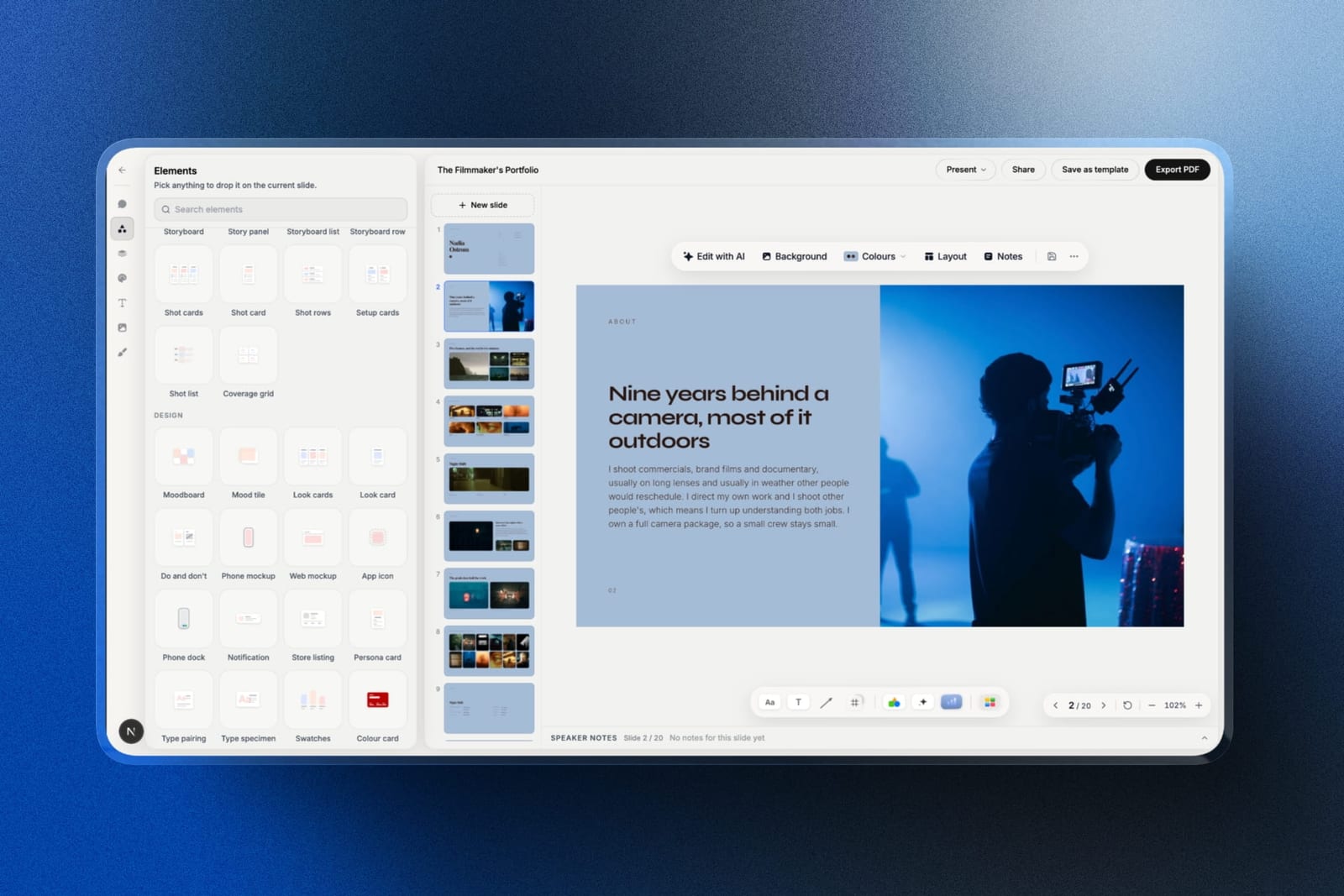
Framekit templates
Start from a designer-made template
 Use template
 Use template
 Use template
 Use template
 Use template
 Use template
 Use template
 Use template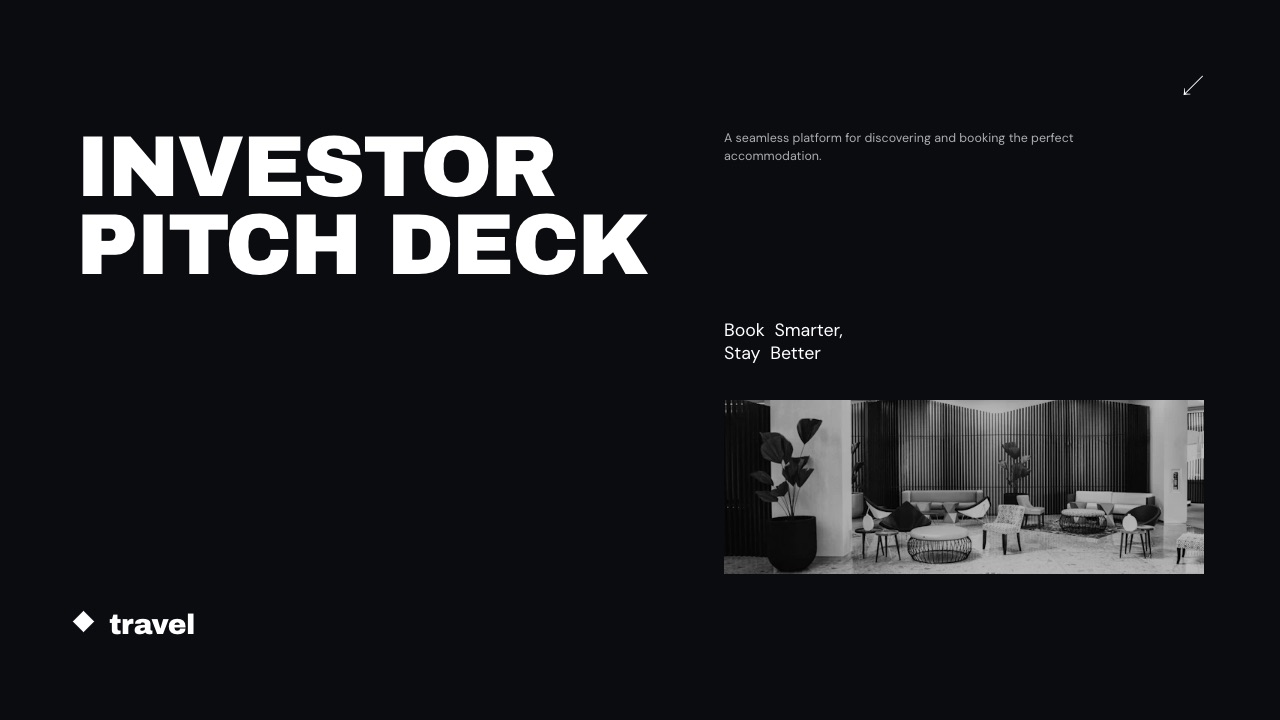
A startup does not make one kind of deck. It makes four, and they have almost nothing in common. The fundraising deck is a story told to strangers who will read it without you.
The board update is a recurring document with the same slides and new numbers every quarter. The sales deck gets forwarded into companies that run on Microsoft. The all-hands is thrown together on a Thursday afternoon.
Most founders pick one presentation tool for all four, which is how you end up paying per seat for analytics on your all-hands and rebuilding your board update from scratch every quarter.
The right answer for most startups is two tools, and knowing which two is worth a few thousand dollars a year once you pass ten people.
A presentation tool for startups is software that builds and shares the decks a young company runs on - the raise, the board update, the sales deck and the internal update - and the tool that suits one of those four audiences is usually the wrong tool for the other three.
The best presentation tool for startups in 2026 is Pitch, because it pairs investor-grade templates and live co-editing with advanced links that record visits, slide views and time per slide, so you know which investor read the traction slide; the trade-off is per-seat pricing in euros, EUR 15 a seat a month on Team billed yearly.
Google Slides is the free answer for everything except the raise, Canva fixes a deck that looks homemade, Gamma is the fastest route to a first draft, and DocSend is what you send the raise through.
Framekit Slides is fifth: the strongest pick for a founder drafting the raise on real numbers beside the company site, with no investor tracking and no shared editing.
Full disclosure: Framekit is our own product and it ranks fifth here, not higher. It has no per-viewer analytics, no password on a deck link, no live co-editing and no comments, and those gaps sit on criteria this guide weights at 40 percent. An earlier version of this page also said Framekit's Business plan put a whole team on its deck editor; that was wrong, because Framekit's team members are website admins and each deck belongs to the person who made it, so the team-cost argument has been removed.
This ranking was re-verified on 12 October 2026: Pitch, Beautiful.ai, Slidebean, Figma, Storydoc and Microsoft 365 prices were read on each vendor's own pricing page that day, and the pages that refused an automated read (Canva, Gamma, DocSend) are labelled where their numbers would be.
A second read of Beautiful.ai's page the same day changed how this guide describes its analytics, because the page lists Pro's viewer analytics in its comparison table and leaves them off the Pro plan card.
How This Startup Presentation Ranking Was Put Together
This ranking scores ten tools against the four decks a startup actually makes, using each vendor's published plans and documentation as the evidence, and it says plainly where a claim rests on a vendor page rather than on our own use.
Earlier versions of this guide described timed builds and test sends to investor lists; we could not substantiate those, so they have been removed rather than repeated.
The four decks. A sixteen-slide seed deck sent to forty investors, a twelve-slide board update rebuilt each quarter with new numbers, a ten-slide sales deck that lands inside a customer's Microsoft environment, and an all-hands made by whoever is free.
Each tool is judged on how much of that set it covers well.
The weights. Fit across the four deck types 25 percent, reuse for recurring decks 20 percent, investor tracking 20 percent, cost at fifteen people 20 percent, export quality 15 percent.
Reuse is weighted high because board updates happen every quarter for as long as the company exists, while fundraising is occasional, which is the opposite of how most founders choose a tool.
The evidence. Prices, seat rules and tier gates come from each vendor's own pricing page, read on 12 October 2026 and linked where the figure carries the argument. Capabilities come from the vendor's product and help pages.
Framekit's entry is described from what the product ships on each plan, including the things it does not do, and no hands-on test of it is claimed.
What is not here. There is no reply-rate study on investor decks worth citing, so this guide does not invent one, and no tool is credited with a feature its own documentation does not describe.
Startup Decks by the Numbers
These six facts shape a sensible choice more than any feature grid, because each one is a constraint that quietly decides whether a subscription earns its place in a startup's month.
- 4 deck types with different audiences: the raise, the board update, the sales deck and the all-hands. No tool here is best at all four.
- EUR 15 a seat a month is Pitch Team billed yearly, the cheapest tier with advanced links, which Pitch caps at 25 on Team and makes unlimited on Business at EUR 20.
- $174 a year is Beautiful.ai Pro for one seat, whose viewer analytics appear in the pricing page's comparison table but not on its plan card; Team, which adds live co-editing, locked slides and viewer and slide analytics, is $40 per user a month billed annually by the FAQ, or $40 a month for up to three users by the plan card.
- $84 a year buys Slidebean Starter, which tracks views when you share a deck, and it is also the price of Framekit Starter, which does not track anything per viewer.
- $3 a month is a Figma Collab seat, which includes full access to Figma Slides with real components.
- 40 slides is the cap on a single Framekit deck, enough for a seed deck and an appendix but a hard ceiling for a data-heavy board pack.
Presentation Tools for Startups Compared
The table below compresses the whole argument, and the column that decides most founder choices is not price but investor tracking, because it is the one feature a free tool cannot give you during a raise.
| Tool | Free plan for real use | Cost, 4 people a year | Cost, 15 people a year | Investor tracking |
|---|---|---|---|---|
| Pitch | Yes, 2 external guests | EUR 720 (Team) | EUR 2,700 (Team) | Yes, advanced links on Team |
| Google Slides | Yes, any Google Account | $0 | $0 | No |
| Canva | Yes, smaller library | Regional, not readable in October | Regional, not readable in October | No per-viewer tracking |
| Gamma | 400 signup credits | About $432 (August reading) | About $1,620 (August reading) | Full on Pro, limited on Plus |
| Framekit Slides | Yes, unlimited decks | $0 to $336 (one account each) | $0 to $1,260 (one account each) | No, a total view count only |
| Slidebean | Build only, sharing needs a plan | $84 per account | $84 per account | Yes, view tracking |
| DocSend | Trial only | Not readable in October | Not readable in October | Yes, page by page |
| Figma Slides | Starter plan, limited files | $144 (Collab seats) | $540 (Collab seats) | No |
| PowerPoint | Web version | From $99.99 a person (Personal) | Business plans, not readable in October | No |
| Beautiful.ai | 14-day trial, card required | $1,920 (Team) | $7,200 (Team) | Yes on Team; Pro listed both ways |
In one lineThe cheapest tool that cannot track the raise and the most expensive tool that tracks everything are separated by about $7,000 a year at fifteen people, and most startups need tracking for two people for six weeks, not for fifteen people forever.
Framekit's cost range is honest about how it is billed.
Framekit prices per account, not per seat, but its team members are website admins rather than deck collaborators, so four people who each build decks need four accounts: $0 on the free plan, which carries a "Made with Framekit" badge on the deck link, or $84 a year each on Starter.
Its sub-top marks are investor tracking, where it has a total view count and nothing per viewer, and reuse, where it has a deck-wide theme but no shared components.
How the Ten Tools Score on Each Startup Deck
Each tool's fit for the four decks matters more than its overall polish, because a startup that buys one tool for the wrong deck ends up maintaining two anyway, so here is where each one is strong, adequate or weak.
| Tool | Seed deck | Board update | Sales deck into enterprise | All-hands |
|---|---|---|---|---|
| Pitch | Strong, tracked links | Strong, components | Adequate, PowerPoint export from Plus | Strong |
| Google Slides | Adequate, no tracking | Strong, cheap to keep current | Strong, editable handover | Strong |
| Canva | Strong on design | Adequate | Adequate | Strong |
| Gamma | Strong first draft | Weak, rebuilt each time | Weak, card layouts export poorly | Adequate |
| Framekit Slides | Strong draft on your numbers | Adequate, charts re-import from a file | Weak, PowerPoint is pictures | Weak, one editor |
| Slidebean | Strong for a first raise | Weak | Weak | Weak |
| DocSend | Strong for sending only | Not a builder | Not a builder | Not a builder |
| Figma Slides | Adequate | Strong, components | Weak, flattened export | Strong for design teams |
| PowerPoint | Adequate | Adequate, slide masters | Strong, native format | Adequate |
| Beautiful.ai | Adequate | Strong on Team | Strong, editable export | Adequate |
In one lineOnly Pitch and Google Slides are strong on three of the four decks, which is why they lead, and Framekit is strong on exactly one, the seed deck, which is why it sits fifth rather than higher.
1. Pitch: The Best Presentation Tool for Startups Overall
Pitch is the best single presentation tool for a startup under about ten people because it covers the raise and the board update in one product: real components so the quarterly update is edited rather than rebuilt, and advanced links that tell you which investor opened the deck.
Best forstartups making all four deck types with a small team that co-edits.
The board update is the underrated reason to buy it. The metrics slides become components with the shared brand elements, so next quarter's update means changing numbers rather than rebuilding twelve slides, and everyone holding the link sees the current version.
The real numberPitch's pricing page lists Plus at EUR 10 a month, Team at EUR 15 and Business at EUR 20, each paying yearly, with the price set by the number of seats you need and a 17 percent saving for yearly billing.
Team includes 25 advanced links that track visits, slide views and time spent on each slide; Business makes them unlimited. Four people on Team is EUR 720 a year and fifteen is EUR 2,700.
The standout detailthe free plan is genuinely usable for building, with up to two external guests who can edit with you, and AI credits that do not renew. It is the sending side that is gated, which is the right place for the gate.
The gotchaadvanced links are rationed on Team. Twenty-five tracked links covers a focused raise to twenty-five funds, and a broad raise to forty means either rationing the tracked links or paying EUR 5 more per seat for Business.
Skip it ifyou have fifteen people and half of them open a deck twice a year. You are paying full seats for occasional readers.
Verdict: the best single tool for a startup under ten people, and the one whose price scales worst after that. Buy it for the board update as much as for the raise, and read the Pitch alternatives comparison before you renew a large team.
2. Google Slides: The Best Free Option for Three of the Four Decks
Google Slides is the right default for the board update, the sales deck and the all-hands because it costs nothing at any headcount, co-edits reliably and imports PowerPoint files, and it only falls short on the one deck where you want to know who read it.
Best foreverything that is not the fundraising deck.
Co-editing is where it quietly beats tools that cost thousands.
Google's own Slides page describes several people working on the same slide at the same time, comments, offline editing and PowerPoint import, which is most of what a startup's internal decks need.
The real numberzero with a Google Account.
Google's Workspace pricing served euro figures to our check on 12 October 2026: Business Starter at EUR 6.80 per user a month on an annual commitment, with 30 GB of pooled storage per user.
For fifteen people that is EUR 1,224 a year, and it buys email and admin rather than deck features, so it is optional.
The standout detailcharts can come from a Google Sheet you already keep, so a board update built on a metrics sheet is a refresh rather than a retype.
The gotchano font embedding and no components. Your brand typeface substitutes on investor machines that do not have it, and the logo lockup on twelve slides is twelve separate copies.
Skip it ifthe raise is your main deck and you want to know who read it.
Verdict: the correct default for board updates, all-hands and internal work, and a weak choice for the raise. Most startups should use it for three of the four deck types. If you are already on it and want out, Google Slides alternatives covers the move.
3. Canva: Best for a Startup Without a Designer
Canva is the best pick for a pre-seed or seed startup where nobody can make a slide look credible, because a seed deck is partly a signal of competence and Canva raises the visual floor for non-designers faster than anything else here.
Best forpre-seed and seed startups where design credibility is the gap.
The argument is simple. A traction story told on slides that look assembled undermines the claim about execution, and Canva's template depth and brand kit fix that for people who will never learn a grid.
The real numberCanva's pricing page refused our automated read on 12 October 2026, and Canva prices by region and team size, so no seat figure is quoted here. Check the plan for your country before committing more than one seat, because team pricing is where the cost lands.
The standout detailthe brand kit keeps fonts, colours and logos in one place for the whole team, which is the consistency mechanism Google Slides lacks and the reason growing startups keep Canva after the raise.
The gotchacharts are basic. A traction chart showing two metrics on different scales usually ends up built elsewhere and pasted in as an image, which means it cannot be updated next quarter.
Skip it ifyour decks are metrics-heavy, or you need to know which investor opened the deck.
Verdict: the right pick when design credibility is the gap, and the one to price carefully before the whole team is on it. Canva alternatives for presentations covers the trade if template familiarity is the problem.
4. Gamma: Best for the First Draft Tonight
Gamma is the fastest way in this list from a paragraph of intent to something that looks like a deck, and for a founder staring at a blank file the night before a partner meeting, that speed is worth more than another template gallery.
Best forfounders who need a deck to exist before they can improve it.
Gamma generates the whole deck from one prompt, which is faster to a first full draft than any tool here, including Framekit. Treat the draft as a starting point to argue with.
The real numberGamma bills per member on every paid plan, according to its help centre, and new free users receive 400 credits at signup.
Gamma's pricing page refused our automated read in October, so the per-seat figure here is the August reading of about $108 a year on Plus, which makes four people about $432 and fifteen about $1,620.
The standout detailanalytics that grow with the plan: Gamma's analytics help article puts full analytics on Pro and gives Free and Plus limited or no access, so a founder who wants signal from a send should price Pro rather than the Plus figure above.
The gotchacard layouts do not map cleanly onto slide geometry, so a PowerPoint export needs repair before it can sit in a customer's deck library. For a sales deck that has to become a file, budget the cleanup.
Skip it ifyour decks have to become editable files, or you already know what the deck says.
Verdict: the fastest tool here and the weakest at handover. Use it to draft the raise and finish it somewhere else, or read the Gamma alternatives if credits are the constraint.
5. Framekit Slides: Best for Drafting the Raise on Your Own Numbers

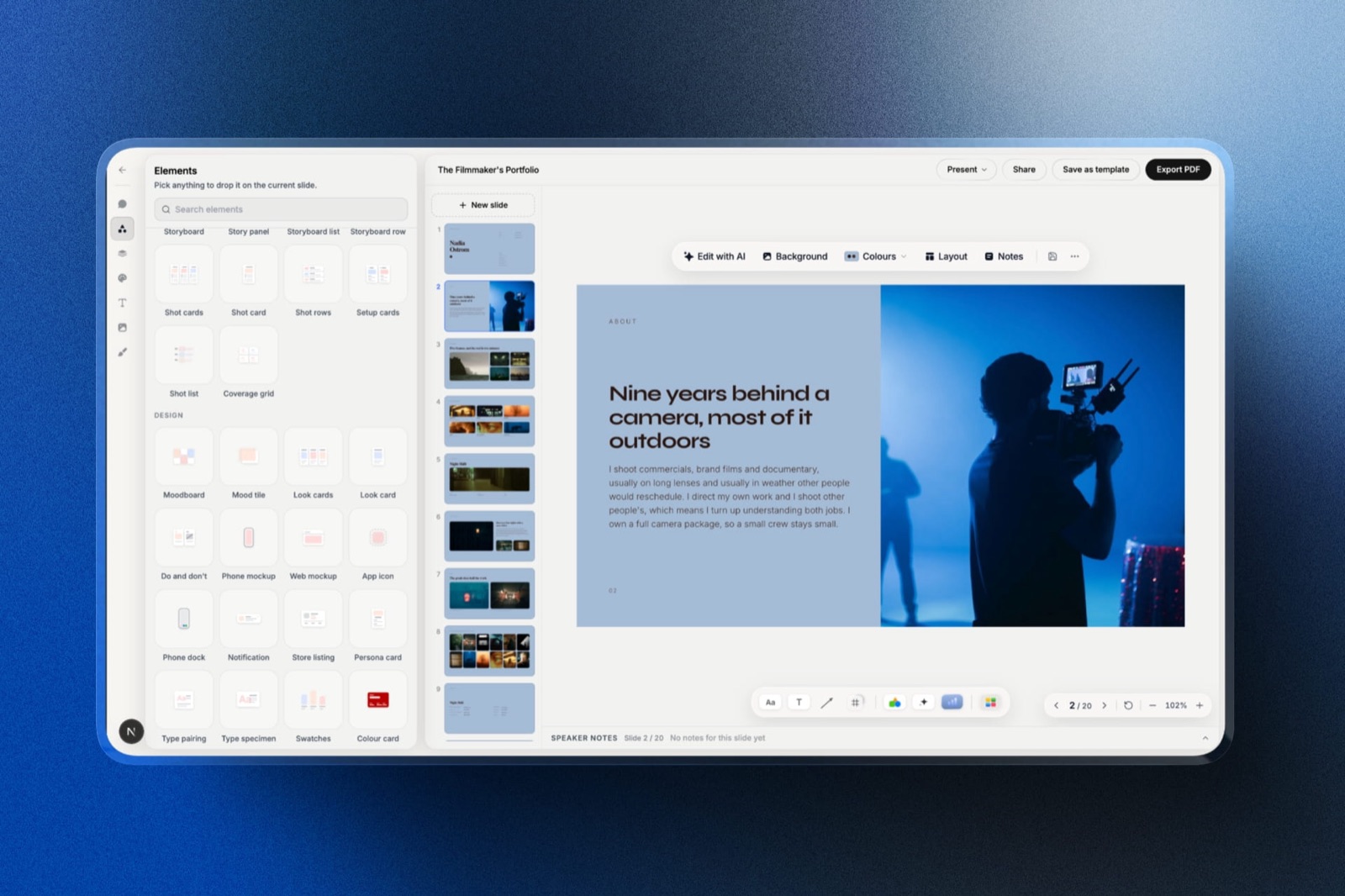
Framekit is an AI website builder whose Slides tool builds a whole deck from a brief, and for a startup the useful part is narrower than that: it drafts the seed deck around the facts you paste in, sits in the same account as the company site investors look up next, and costs nothing until you want your own fonts.
Best fora founder, usually the CEO, who builds the raise deck personally, sends it through DocSend or a plain link, and wants the company site and the deck to say the same thing.
The drafting flow is the texture worth knowing.
You describe the deck; the AI asks up to three quick questions (how long, what should happen after an investor sees it, and whether you will present it live or it will be read alone), picks a design style and colour theme, then asks you to paste the real facts: the traction figures, the round size, the team.
It proposes a titled outline for your approval and only then builds the slides, three or four per turn with speaker notes, marking anything you did not supply as a placeholder instead of inventing a number.
Gamma is faster to a first full draft; Framekit trades that speed for a deck whose numbers came from you.
The real number$0 for unlimited decks, PDF export, full-screen presenting and a share link, with a monthly AI allowance on every plan that deck generation draws on; decks are not the unit, so you can make as many as you like and edit any slide by hand without spending anything.
Starter is $9 a month or $84 a year and adds the full template library, uploaded fonts and removal of the "Made with Framekit" badge. Pro at $180 a year adds PowerPoint export.
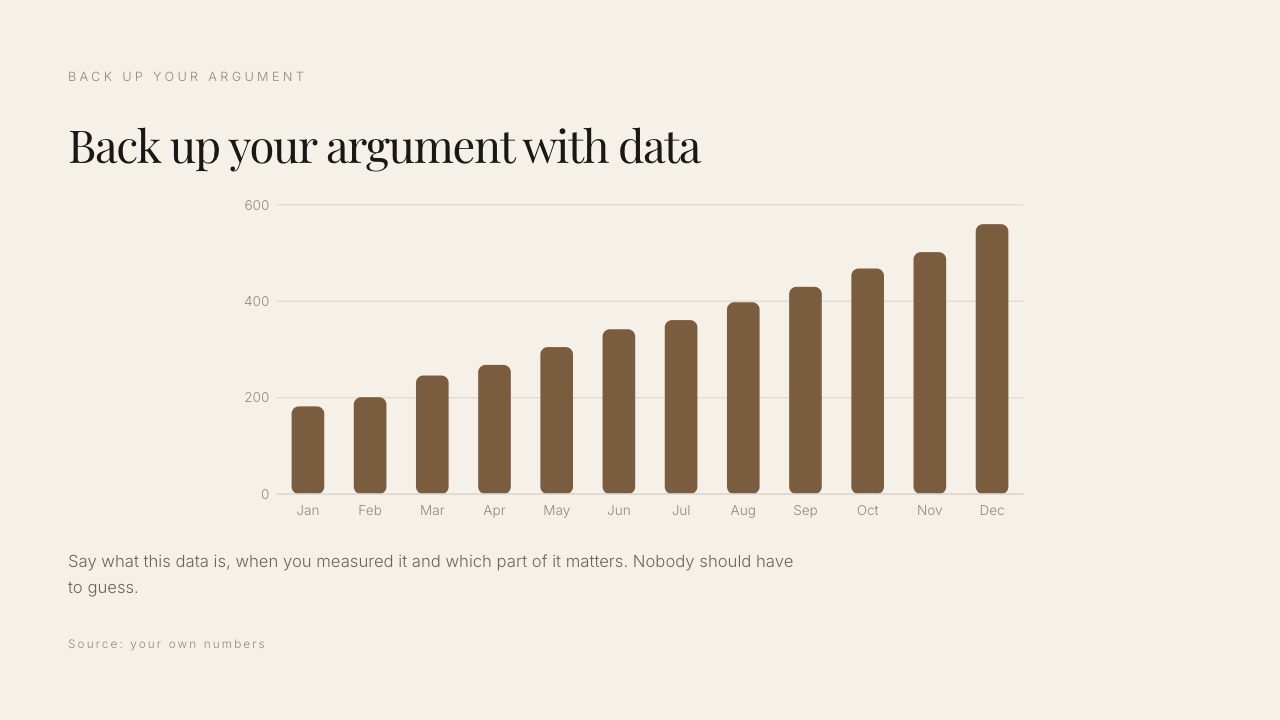
The standout detailcharts import from a CSV, TSV or .xlsx file and stay editable as column, stacked bar, line, area, pie or donut charts, so next quarter's board update can be a new export dropped onto the same chart rather than a retyped table. There is no waterfall and no secondary axis.
The gotchanothing about the send is tracked per person. The deck link shows a total view count and can be reset so an old address stops working, but there is no per-viewer analytics, no email gate and no password.
There is also no live co-editing and no comments, each deck belongs to the account that made it, and the PowerPoint export on Pro turns every slide into a picture with your speaker notes attached, so a customer cannot edit your sales deck.
Skip it iftwo or more people edit the raise deck at once, or your follow-ups depend on knowing which investor read slide nine. Pitch does both, and DocSend does the second on top of any deck.
Verdict: the best place in this list to draft a seed deck that will not embarrass you with an invented number, and the wrong tool to run a fundraise through on its own. Pair it with DocSend for the send; that is not a workaround, it is how most founders send a raise anyway.
6. Slidebean: Best for Founders Who Need the Story Written
Slidebean is the only tool here with an opinion about content rather than layout, which makes it useful for a first-time founder who does not yet know what belongs on slide six and less useful for anyone who already does.
Best forfirst-time founders preparing a first raise.
It gives you a fundraising structure and asks you to fill it, which is a different and often more useful kind of help than a blank canvas with good typography.
The real numberSlidebean's pricing page lists Starter at $7 a month billed yearly, $84 a year, with the AI pitch deck builder, more than 100 startup templates and view tracking when you share.
Accelerate, with help from Slidebean's fundraising team, is $99 a month and monthly only.
The standout detailview tracking is on the entry plan, which makes Slidebean the cheapest way in this list to get some read signal on a raise deck.
The gotchathe free tier is a preview. Slidebean's own FAQ says sharing and downloading decks need a paid plan, so a free account cannot actually send the raise.
Skip it ifyou already know your narrative.
Verdict: genuinely useful for one round and something you outgrow. Buy it for the raise rather than as infrastructure, and see Slidebean alternatives for the exit.
7. DocSend: Best for Actually Sending to Investors
DocSend is not a deck builder, and it is in this list because it is what many experienced founders use for the sending half of a raise: upload the finished deck from any tool, send a link per investor, and see what happened to it.
Best forthe raise itself, regardless of what you built the deck in.
Dropbox's DocSend page documents the mechanics that matter during a raise: time per page and drop-off graphs, notifications when someone is reading, the option to require an email and a passcode before viewing, download control, one-click NDAs and virtual data rooms.
The real numberDocSend's pricing page refused our automated read on 12 October 2026, so no price is quoted here. Check the plan page yourself before budgeting, and treat figures on third-party blogs as unverified.
The standout detailit works on top of any deck tool. Build in Framekit, Canva or Google Slides, export a PDF, and the tracking happens in DocSend, so you never have to pick a deck tool for its analytics.
The gotchaevery gate you add costs you readers. An email-plus-passcode wall is right for a data room and too much friction for a cold first look from an angel.
Skip it ifyou are not raising. It does nothing for a board update or an all-hands.
Verdict: the correct tool for the send, paired with whatever you used for the build. One seat for whoever sends is the version most founders should buy, and DocSend alternatives covers the cheaper middle ground.
8. Figma Slides: Best Value for Product Teams
Figma Slides has real components, which puts it in a short list with Pitch for the board-update problem, and at $3 a Collab seat it is the cheapest of that list by a wide margin.
Best forstartups where the design lead already pays for Figma.
Product screenshots come from the same file the product is designed in, so the deck and the app stop drifting apart, and you can drop a live prototype into a slide and click through it while presenting.
The real numberFigma's pricing page lists a Collab seat at $3 a month on Professional, and that seat includes full access to Figma Slides, FigJam and Figma Buzz.
Four Collab seats are $144 a year and fifteen are $540. A Full seat for the designer is $16 a month.
The standout detaillive polls, alignment scales and voting inside slides, which turns the all-hands into something people answer rather than sit through.
The gotchaa PowerPoint export flattens components into static groups and turns prototypes into screenshots. Anything that leaves Figma loses its structure.
Skip it ifinvestors or customers routinely ask for the editable file, or nobody on the team opens Figma weekly.
Verdict: the best value here for product-led startups and the weakest handover. At $36 a year per Collab seat at that rate it is worth having regardless of what else you use, and Figma Slides alternatives covers the exit if the export bites.
9. Microsoft PowerPoint: Best for Enterprise Sales
PowerPoint is the right tool for the sales deck when your customer runs on Microsoft, because .pptx is the format that opens without a conversation, embeds your fonts and lets a buyer lift three slides into their own committee document.
Best forstartups selling into large companies.
The buyer who reuses your slides internally is doing your selling for you, and every conversion step between your tool and their file is a place the formatting breaks.
The real numberMicrosoft's consumer plans page lists Microsoft 365 Personal at $99.99 a year and Family at $129.99 a year for one to six people.
Business plans are priced per user on a separate page that refused our automated read in October, so check those before licensing a company.
The standout detailfont embedding. A licensed brand typeface travels inside the file and renders on a customer machine that has never seen it.
The gotchano components, no analytics, and co-authoring only behaves when everyone works from the shared OneDrive copy, which nothing enforces.
Skip it ifyou sell to other startups. You are buying compatibility with an ecosystem none of you use.
Verdict: universally compatible and the least pleasant tool here to build in. Correct for enterprise sales motions and unnecessary otherwise.
10. Beautiful.ai: Best for Consistency as You Hire
Beautiful.ai enforces layouts rather than suggesting them, so the deck a new account executive builds in week two looks like the deck the founder builds, and for a startup past twelve people that consistency is a real problem worth paying to solve.
Best forthe point where many people make decks and it shows.
The real numberBeautiful.ai's pricing page lists Pro at $14.50 a month billed annually, $174 a year, with PowerPoint import and export, and Team, which adds live collaborative editing, a central slide library, locked slides and viewer and slide analytics.
The page prices Team two ways, $40 a month for up to three users on the plan card and $40 per user a month billed annually, or $50 monthly, for 2 to 20 users in the FAQ; past three people only the per-user figure applies, so four people are $1,920 a year and fifteen are $7,200.
Whether Pro tracks viewers depends on which part of the page you read: the comparison table and FAQ say it does, the Pro plan card lists no analytics.
The standout detaila one-month option at $45 for a single important deck, which lets a founder use it for the raise without a subscription.
The gotchathe 14-day trial asks for a card and charges in full if you do not cancel, and the Smart Slide layouts that keep everyone consistent are the same system that pushes back on a designer who wants to break the grid.
Skip it ifcost matters, which for most startups it does.
Verdict: effective at a real problem and priced for companies that have stopped counting seats. Beautiful.ai alternatives covers what to do at the seat cliff.
What Four Decks Cost a Startup Over a Year
The trap in this category is buying one tool for four jobs, so here is what three realistic setups cost a startup over twelve months at two team sizes, using only figures read on vendor pages in October 2026.
| Setup | 4 people, 1 year | 15 people, 1 year | What it covers |
|---|---|---|---|
| Google Slides only | $0 | $0 | Everything except a tracked raise |
| Google Slides plus Framekit Starter for the founder | $84 | $84 | Shared internal decks, plus a designed raise drafted on your numbers |
| Google Slides plus Slidebean Starter | $84 | $84 | Shared internal decks, plus view tracking on the raise |
| Figma Slides on Collab seats | $144 | $540 | Components and co-editing, weak handover |
| Microsoft 365 Personal, one per person | $399.96 | $1,499.85 | Native PowerPoint on consumer plans; business plans priced separately |
| Pitch Team | EUR 720 | EUR 2,700 | Components, co-editing and 25 tracked links |
| Beautiful.ai Team | $1,920 | $7,200 | Enforced consistency, analytics, live editing |
In one lineA startup can cover all four decks for under $100 a year by running Google Slides for the team and one paid seat of something specialised for the raise, and the expensive mistake is licensing fifteen people because two of them needed analytics for six weeks.
Run the test on your own company rather than on these figures. Count the people who built a deck from scratch in the last quarter, not the people who opened one.
If that number is two, every per-seat price above should be multiplied by two, not by your headcount, and the cheapest correct setup is almost always a free shared tool plus one specialist seat.
What Happens to Your Decks When Things Change
The mechanics below are what founders actually run into after the purchase, and they decide more about the right tool than any template library, because a raise, a cancelled card or a departing co-founder all hit the deck in different ways.
When an investor forwards the deck. On Pitch, DocSend and Gamma Pro's tracked links you see the visit, and on Pitch and DocSend you can see time per slide.
On Framekit the total view count goes up by one and nothing else changes; you can reset the link so the old address stops working, which is useful if the deck went somewhere it should not have.
On Google Slides and PowerPoint you see nothing.
When you stop paying. Framekit's free plan still allows unlimited decks, so a lapse forces no deletions, but the badge returns to the share link and paid features such as uploaded fonts and the full template library stop being available.
On Slidebean's free tier you cannot share or download, so export your PDFs before a lapse. On any per-seat tool, check what the free tier keeps before you cancel mid-raise.
When the deck must become a file. Google Slides and PowerPoint hand over editable slides. Pitch exports PowerPoint from Plus.
Framekit exports a PDF on every plan and a picture-based PowerPoint on Pro, with speaker notes as real notes and the text not editable. Figma Slides flattens components.
When a co-founder leaves. Pitch, Google Slides, Canva and Figma hold decks in a shared workspace the company controls.
A Framekit deck belongs to the account that made it, so a founder who builds the raise in a personal Framekit account should build it in an account the company owns.
When the board pack grows. A Framekit deck caps at 40 slides, which is plenty for a seed deck and tight for a board pack with a long appendix. Pitch, Google Slides and PowerPoint have no practical cap at startup sizes.
In one lineMost of the cost of a presentation tool shows up in one of these five moments, not in the monthly price, so pick for the moment your company is most likely to hit next.
The Company Page Investors Open After the Deck
Investors who like a deck search the company name within the hour, and what they find either confirms the momentum the deck claimed or quietly contradicts it, which is why the site belongs in the same conversation as the deck.

A seed deck that claims traction sitting next to a site last updated at launch reads as a company that does not ship.
The fix is not a better deck tool; it is a site that carries the same three numbers, the same team and the same positioning, updated the same afternoon the deck changes.
Framekit keeps the deck and the company site in one account, so the fonts, colours and figures can match without being maintained twice.
Any deck tool can link to any site, so this is a convenience rather than a reason to choose a deck tool, and it is the reason Framekit makes sense for a founder who also owns the website.
In one lineThe deck gets the meeting and the site survives the follow-up search, so whichever tool you choose, update both on the same day.
Where Framekit Falls Short for a Startup
Ranking our own product only means something if the boundary is drawn in public, so here are the five places Framekit Slides is the wrong tool for a startup, each with the tool that does the job instead.
No investor tracking. A total view count and nothing per viewer, no email gate and no password on the link. DocSend, Pitch, Slidebean, Gamma and Beautiful.ai all report more.
No shared editing. No live co-editing, no comments, and decks are owned by the account that made them, so a co-founder cannot edit your deck from their own login. Pitch, Google Slides, Canva and Figma Slides all do this.
No shared components. A deck-wide theme recolours and re-fonts every slide, but there is no master component that updates a logo or a metrics block across slides. Pitch and Figma Slides have real components.
No editable PowerPoint. The Pro export is pictures with speaker notes attached. Google Slides and PowerPoint hand over editable files.
No investor-grade charts. Column, stacked, line, area, pie and donut charts import from a spreadsheet, but there is no waterfall and no secondary axis. Build those in Sheets or Excel.
In one lineFramekit covers the drafting and the look of a raise, and the honest recommendation is to send it through something that tracks and to keep the board update in a tool the whole team can edit.
Which Presentation Tool Should Your Startup Use?
The right answer depends on which of the four deck types dominates your month and how many people actually build decks rather than read them, so work down these questions in order and stop at the first yes.
1. Are you actively raising and want to know who read what? Build the deck wherever you like and send it through DocSend, or use Pitch Team if you want building and tracking in one product.
2. Do two or more people edit the same deck at the same time? Pitch if you can pay per seat, Google Slides if you cannot. Framekit is out at this question.
3. Is the board update your most frequent deck? Google Slides with charts linked to your metrics sheet, or Pitch or Figma Slides if you want components.
4. Does your sales deck land inside large companies? PowerPoint, for the format and font embedding.
5. Does nobody in the company make a credible-looking slide? Canva, priced for your region before you add seats.
6. Is this your first raise and you do not know the structure? Slidebean for one round, or Framekit if you want the AI to ask for your numbers and leave placeholders where you have none.
7. Does one founder build the raise, and does the company site need to match it? Framekit Slides, free to start and $84 a year for your own fonts, sent through DocSend.
8. Do you need a deck tonight with no facts to hand? Gamma.
9. Have you passed twelve people and deck quality varies wildly? Beautiful.ai Team, budgeting $480 a seat a year properly.
Frequently Asked Questions
What is the best presentation tool for a startup in 2026?
Pitch is the best single presentation tool for startups in 2026, combining live co-editing, components that make recurring board updates fast, and advanced links on its Team plan at EUR 15 a seat a month billed yearly that record visits, slide views and time per slide.
Above about ten people the per-seat cost becomes the binding constraint, and Google Slides for the team plus one specialist seat for the raise covers most of the same needs for under $100 a year.
What do founders use to send pitch decks to investors?
Many experienced founders send fundraising decks through DocSend rather than as attachments, because Dropbox documents time-per-page analytics, reading notifications, an optional email and passcode gate, download control and data rooms.
DocSend's pricing page refused our automated read in October 2026, so check the current plan price yourself. Pitch Team's advanced links are the alternative if you want the builder and the tracking in one tool.
Is Google Slides good enough for a seed deck?
Google Slides is good enough for a seed deck's content and weaker on two things that matter during a raise: it does not embed fonts, so your brand typeface can substitute on investor machines, and it reports nothing about who read the deck.
Exporting the finished deck as a PDF and sending it through a tracking tool solves the second problem without changing where you build.
Does Framekit track which investor opened my deck?
No. A Framekit deck link shows a total view count and nothing per viewer, so you cannot tell which investor opened it, when, or how long they spent on the traction slide, and there is no password or email gate on the link.
You can reset the link so an old address stops working. Founders who need per-investor data should send a Framekit PDF through DocSend or build in Pitch.
Pitch vs Framekit Slides: which is better for a startup?
Pitch is better for most startups, because it has live co-editing, components for the board update and tracked links on its Team plan at EUR 15 a seat a month billed yearly.
Framekit Slides is better for a solo founder drafting the raise, since its AI asks for your real figures, proposes an outline for approval and marks anything missing as a placeholder, it is free for unlimited decks, and the company site lives in the same account.
Choose Pitch if more than one person edits the deck.
Does Framekit's AI invent numbers for a pitch deck?
No, by design.
Framekit's deck AI asks you to paste the real facts, such as traction figures, round size and team, before it builds, and anything you did not supply is marked as a placeholder on the slide rather than filled with a plausible-looking number.
That is slower than Gamma's one-prompt draft and safer for a document investors will check line by line.
How much do presentation tools cost a startup team?
Costs for a four-person team range from $0 on Google Slides to $1,920 a year on Beautiful.ai Team, with Pitch Team at EUR 720 and Figma Slides at $144 on Collab seats.
At fifteen people the range runs from $0 to $7,200 a year, which is why most startups run a free shared tool plus one or two paid seats rather than licensing everyone.
Canva, Gamma and DocSend pages refused our October check, so price those in your own region.
Can a startup team share one Framekit account for decks?
Not for shared editing.
Framekit prices per account rather than per seat, and Pro includes three team members, but those members are admins on the website rather than collaborators on decks; each deck belongs to the account that made it, and there is no live co-editing or commenting.
A team that edits decks together should use Pitch, Google Slides or Figma Slides, and keep Framekit for the decks one person owns.
Which tool is best for a recurring board update?
Pitch and Figma Slides are the best paid tools for a recurring board update because their components update across every slide at once, and Google Slides is the best free one because charts can come from a Google Sheet you already maintain.
Framekit can re-import a CSV or .xlsx file onto the same chart each quarter, which helps, but it has no shared components and no co-editing for the finance lead.
Is Gamma good for pitch decks?
Gamma is good for producing a whole pitch deck draft from one prompt, faster than any other tool here, and its full analytics sit on the Pro plan, with limited or none on Plus.
Its weaknesses are handover, since card layouts export to PowerPoint with layout problems, and the fact that it drafts from your prompt rather than asking for your figures first, so check every number it writes before an investor does.
Should a startup buy one presentation tool or two?
Most startups are better off with two: a free shared tool such as Google Slides for board updates, all-hands and internal decks, and one paid seat of something specialised for the raise, whether that is Pitch, DocSend, Slidebean or Framekit for drafting.
Licensing a whole team on a per-seat presentation tool usually pays for analytics that two people use during a six-week window.
What happens to my Framekit decks if I stop paying?
Your decks stay.
Framekit's free plan keeps unlimited decks, PDF export, presenting and the share link, so a lapse forces no deletions; what returns is the "Made with Framekit" badge on the deck link, and paid features such as uploading fonts and the full template library stop being available.
PowerPoint export, which is Pro and up, also stops until you upgrade again.
Which presentation tool is cheapest for a fifteen-person startup?
Google Slides is the cheapest presentation tool for a fifteen-person startup at $0 with a Google Account.
The cheapest paid tool with real components is Figma Slides at $540 a year on fifteen Collab seats, against EUR 2,700 for Pitch Team and $7,200 for Beautiful.ai Team.
Framekit is free per person for unlimited decks but has no shared workspace, so it is not a team answer.
Final Verdict
Pitch is the best single tool for a startup under about ten people, and the reason is the board update as much as the raise: components turn a quarterly rebuild into a quarterly edit, co-editing works, and the tracked links are there when the round opens.
Above ten people the per-seat cost stops making sense, and the combination most founders should run is Google Slides for everything internal plus one specialist seat for the raise.
Canva earns a seat when design credibility is the gap, Figma Slides earns $3 Collab seats if the team already lives in Figma, and Slidebean earns one round for a first-time founder before it should be cancelled.
Framekit Slides is fifth, and it is the pick for one specific job: a founder drafting the raise deck on real numbers, with an outline approved before any slide is built, beside the company site investors check next, for $0 to $84 a year.
Where Framekit losesFramekit Slides does not track which investor opened the deck, has no password on its link, no live co-editing, no comments and no shared components, decks belong to the account that made them, and its PowerPoint export is picture-based.
For the raise send through DocSend or use Pitch, for the board update use a tool the team can edit together, and for decks that live inside customer companies use PowerPoint; each is the better fit for that job.
Related reading: the best pitch deck software, how to make a pitch deck, how to send a pitch deck to an investor, the best pitch deck templates, the best sales deck software and Framekit against Pitch.