Framekit templates
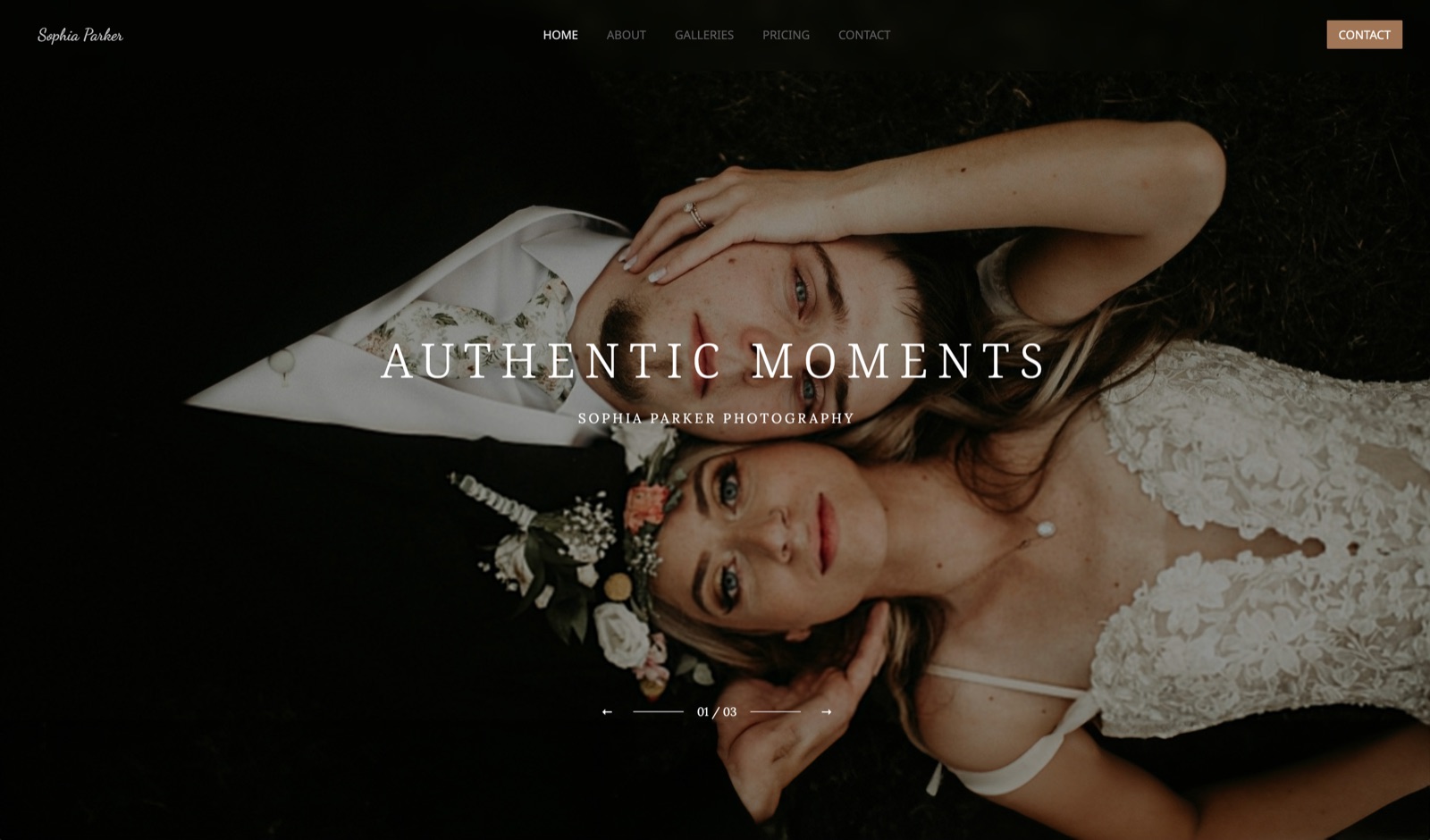
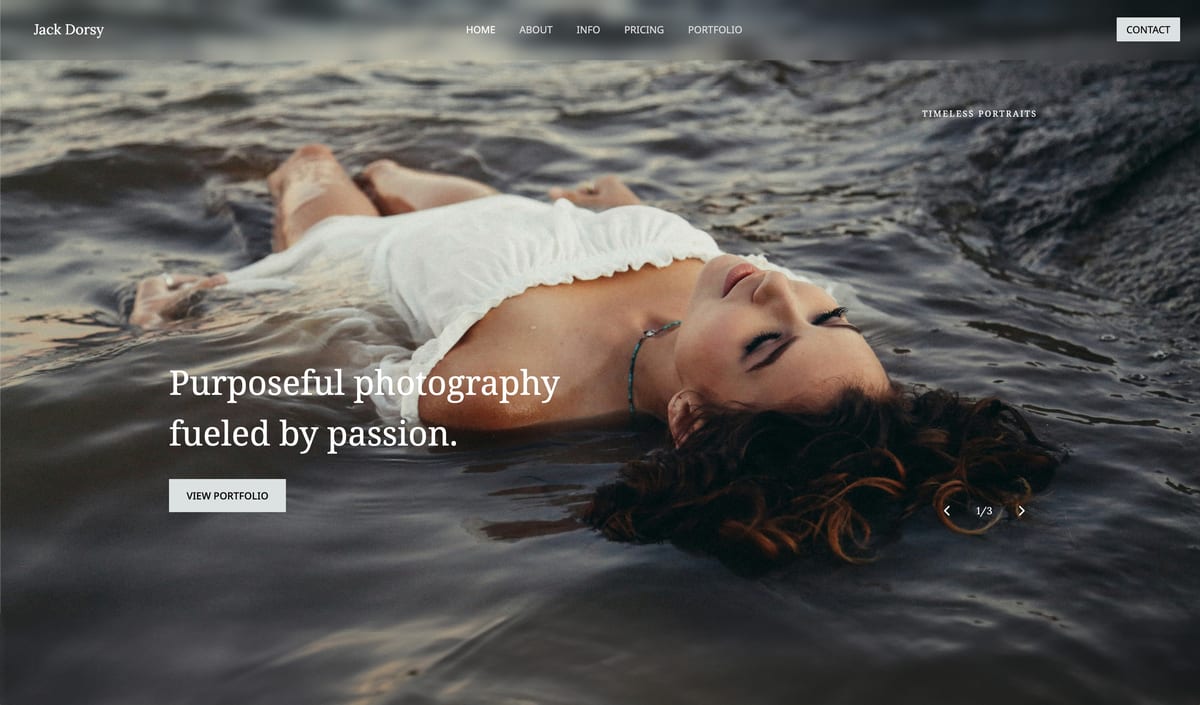
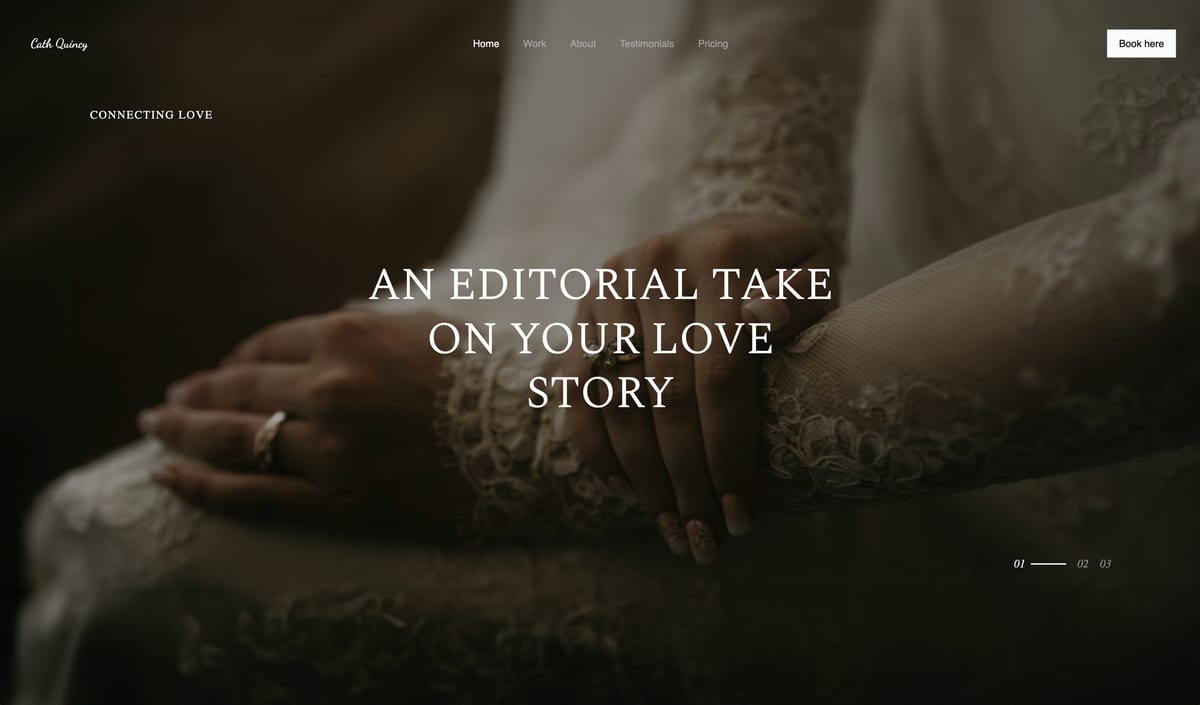
Start from a designer-made template
 Use template
 Use template
 Use template
 Use template
 Use template
 Use template
 Use template
 Use template
Your client gallery gets more attention than your homepage. A wedding gallery is opened by the couple, then forwarded to parents, siblings and the friends who were there, and each of them spends longer looking at it than any prospective client spends on your portfolio.
That is the branding gap in this business. Photographers spend months on a logo and a website, then deliver their most-viewed work on a page that looks like the platform that hosts it.
Learning how to brand your client gallery means deciding, element by element, what a client sees: the address the link points to, the cover and title, the typefaces and colours, the grid, your name or logo, the watermark, the link preview in a message app and the email that delivers it all.
Branding a client gallery means making every element a client perceives, from the web address to the cover, type, colour, mark and delivery email, read as your studio rather than as the software underneath it.
Brand a client gallery in the order clients meet each element: the address first (your own domain, from $9 a month on Framekit Starter or Pixieset Basic at $10), then the cover and title, then typography and colour matched to your website, then the grid, your name or logo, the watermark, the link preview and the delivery email.
On Framekit, 17 cover styles, 18 typography presets and custom colours work on every plan including Free, uploaded fonts and your own domain need a paid plan, and two things stay fixed: the gallery shows your studio name rather than a logo image, and a small "Made with Framekit" credit sits in the footer on every plan.
This guide was rewritten and re-verified on 12 October 2026.
Framekit's branding options were read from its product code that day, and the comparison rows were checked against Pixieset's branding help article and the figures verified for our gallery head-to-heads.
Two claims in the earlier version were wrong and have been corrected: Framekit galleries do not display a logo image, and paid plans do not remove the gallery's footer credit.
Full disclosure: Framekit makes one of the gallery platforms in this guide. The steps work on any modern gallery tool, and where Framekit brands less than a competitor, such as Pixieset's cover logo, custom favicon and removable "Powered by" line, the guide says so in the step where it matters.
The Branding Elements Clients Actually Notice
Clients notice the branding elements in a fixed order, starting with the address in the email and the preview in a message app before they open anything, then the cover, the type and the colour, and only much later the watermark or the footer, so effort should follow that order.
| Element | Who sees it, and when | Framekit setting | Plan needed on Framekit |
|---|---|---|---|
| The address | Everyone, before opening | /client/ plus the gallery name on your site | Your own domain from Starter, $9 ($7 yearly) |
| The link preview | Everyone who receives a forwarded link | Cover photo, gallery name, studio name | Every plan |
| The cover and title | Everyone, first screen | 17 cover styles, focal point, cover text colour | Every plan |
| Typography | Everyone, throughout | 18 presets; your uploaded fonts for headings and body | Presets on every plan; uploaded fonts from Starter |
| Colour | Everyone, throughout | Light, dark or custom background, text and accent | Every plan |
| The grid | Everyone, while browsing | Masonry, rows or even grid; 3 spacings; 3 thumbnail sizes | Every plan |
| Your name or logo | Everyone, in the toolbar | Studio name as text, from your site's name | Every plan; no logo image |
| The watermark | Viewers of watermarked galleries | Your logo or text, corner, centred or tiled | Every plan |
| The delivery email | The people you send it to | 3 themes, button colour, 5 button shapes | Every plan |
| The footer credit | Anyone who scrolls to the end | "Made with Framekit" | Shown on every plan |
The ordering is the argument. A beautifully styled gallery at yourname.vendor.com is less branded than a plain one at yourstudio.com, because the address is what gets pasted into messages, read aloud and remembered.
Step 1: Put the Gallery on Your Own Address
Put the gallery on your own domain before touching anything visual, because the address is the only branding element every recipient sees before opening the link, and it is the one most photographers postpone longest because it sits behind the first paid tier on nearly every platform.
There are four arrangements, in ascending order of ownership. A vendor subdomain such as yourname.pixieset.com puts the vendor's name in every link.
A business-name subdomain on a neutral domain, which is CloudSpot's default yourbusinessname.client-gallery.com, carries nobody's brand, including yours.
A connected subdomain such as gallery.yourdomain.com looks like yours and points at a vendor's servers; Pixieset offers this on its paid plans.
A gallery published as a page of your own site is the version where the address and the portfolio beside it are the same domain.
Framekit takes the last route: each gallery publishes at /client/ followed by its URL name on your site, on a framekit.ai address on Free and on your own domain from Starter at $9 a month, or $7 billed yearly.
There is no separate gallery subdomain to set up, because connecting the site's domain moves every gallery with it.
Name the URL for the client, not the job code: /client/harper-and-lee-wedding/ reads better in a message than /client/hw26-final/.
One caution from our Framekit vs CloudSpot research: CloudSpot's subdomain follows your business name, and a second rename means resending earlier gallery links.
Settle the name before a busy season on any platform, and note that Framekit has no redirect manager, so changing a gallery's URL name after sending breaks the old link.
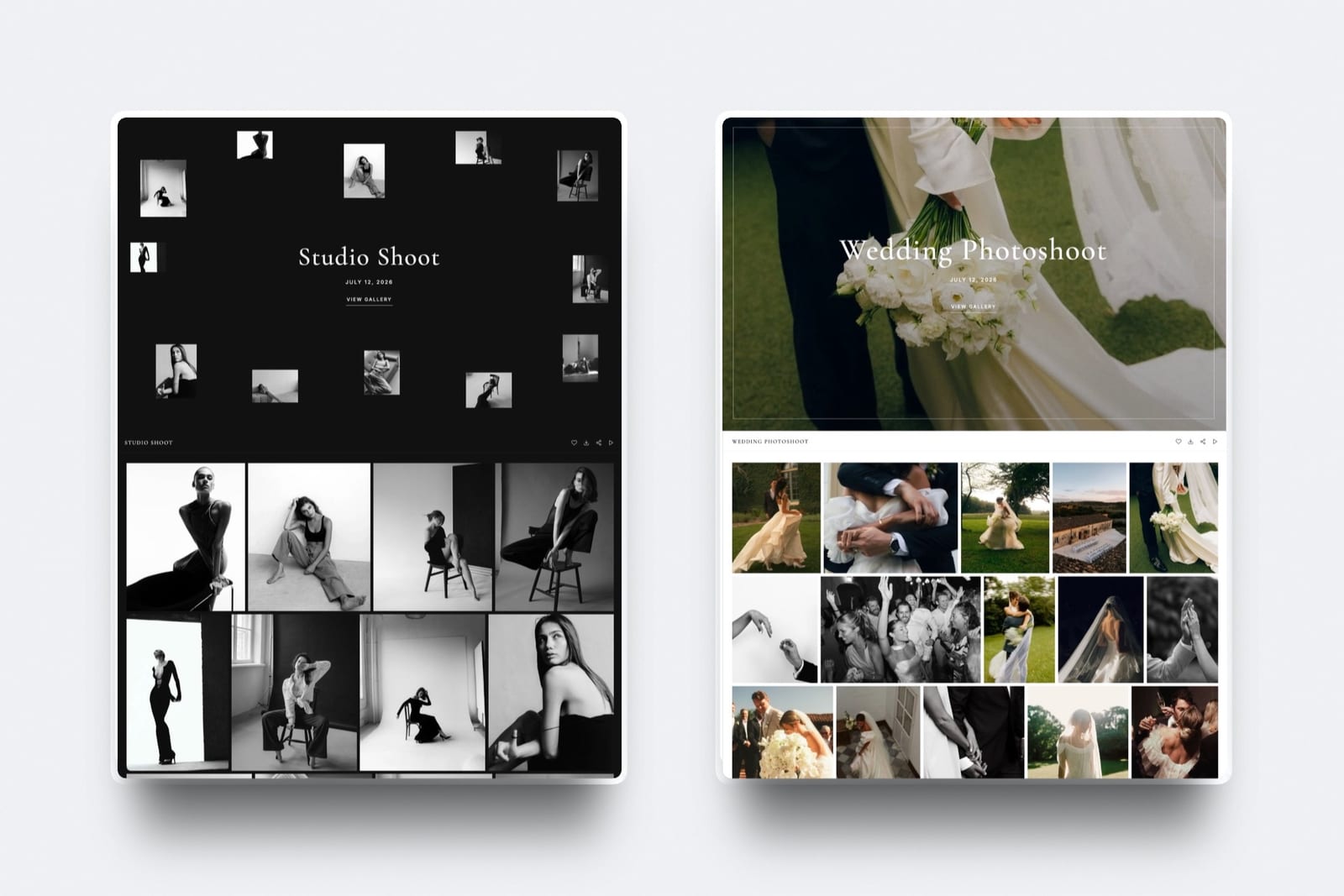
Step 2: Design the Cover and Title
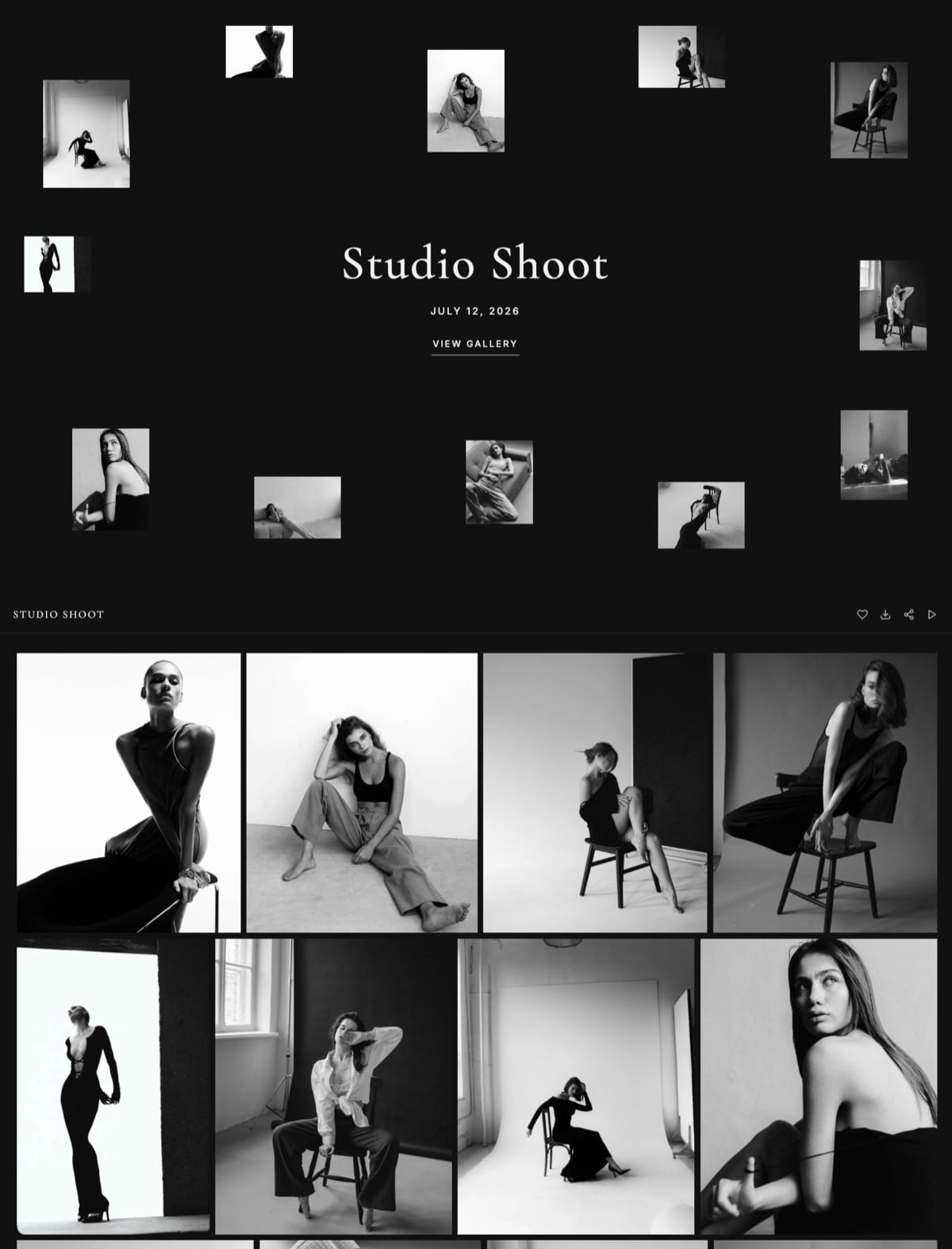
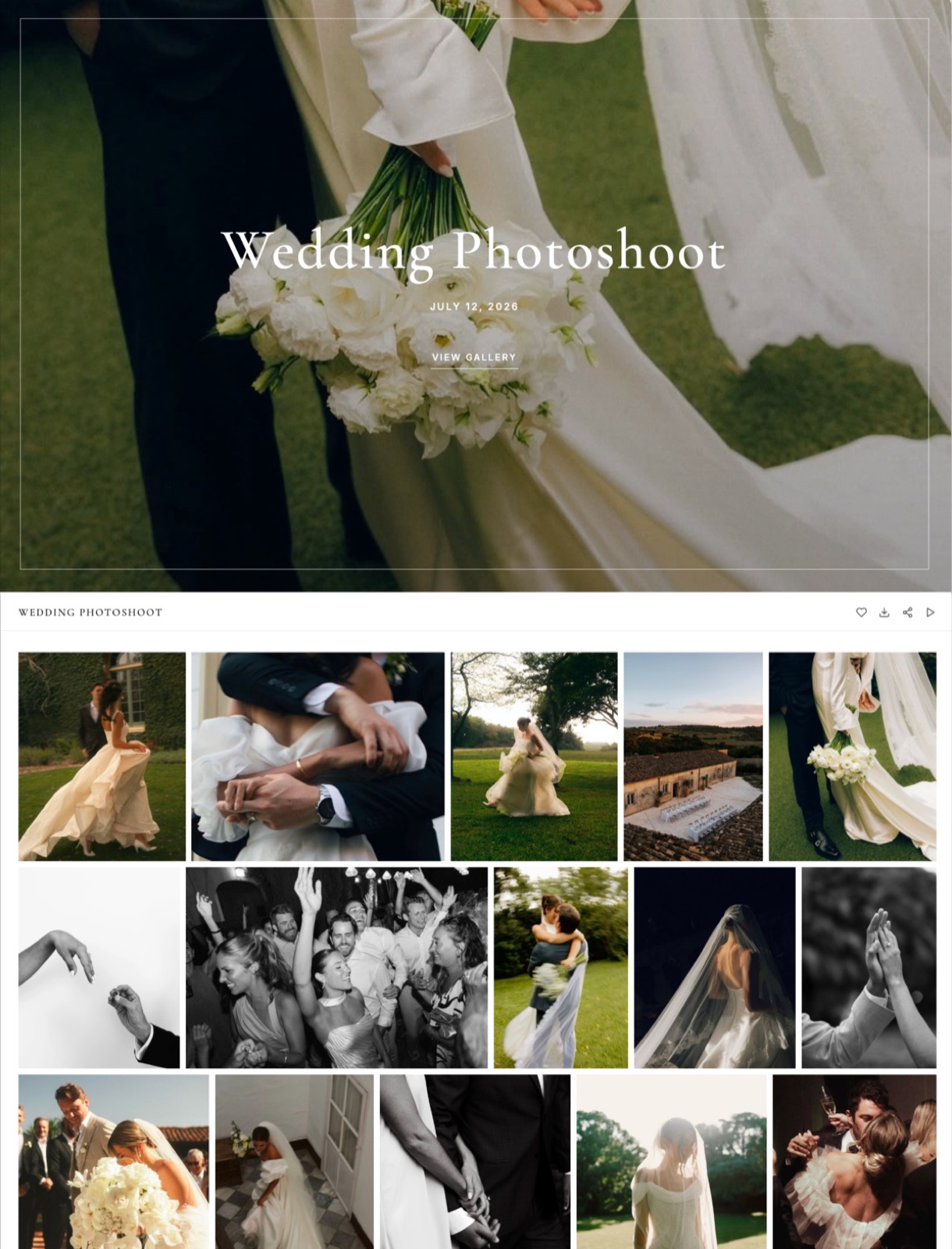
Design the cover as the gallery's headline, choosing the style, the photo, the focal point and the title deliberately, because the cover is the first full screen a client sees and the image that represents the gallery wherever its link is shared.
Pick a style per genre. Framekit has 17 cover styles: Center, Left, Novel, Vintage, Frame, Stripe, Divider, Journal, Rounded, Arch, Marquee, Collage, Scatter, Editorial, Chapter, Headline and Poster.
The collage and scatter styles lay thumbnails around the title and suit studio and editorial work; the full-bleed styles suit a single strong wedding or landscape frame.
Choose a frame that survives two crops. The cover has to work wide on a laptop and tall on a phone.
Set a focal point on the cover photo so the important part stays in view as the crop changes; faces near the centre survive both shapes, a horizon on the bottom third does not.
Control the title colour. Framekit sets the cover text light or dark automatically from the photo's brightness; force either one when a busy frame makes the automatic choice hard to read.
Title it for the client. "Harper and Lee, 14 June 2026" reads as theirs; "Wedding Gallery" reads as a filing system. The gallery name becomes the cover title, the toolbar label and the subject of the link preview, so it is worth thirty seconds.
Step 3: Match Typography to Your Website
Match the gallery's typefaces to your website, because clients cannot name a font but they immediately register whether a page looks like the site they booked from, and a gallery in a different typeface reads as a third-party tool however good it looks on its own.
Start with a preset. Framekit's 18 typography presets are Sans, Serif, Modern, Timeless, Bold, Subtle, Romantic, Flourish, Handwritten, Couture, Editorial, Glossy, Literary, Organic, Retro, Statement, Mono and Typewriter, each a matched heading and body pairing, on every plan.
Pick the one closest to your site: a serif headline over a neutral sans body is the most common photographer pairing, and Serif is the default.
Use your own fonts on a paid plan. From Starter, any font family you have uploaded to Framekit can replace the heading font, the body font or both, so the gallery uses your licensed brand typeface rather than an approximation.
On Free, galleries publish with the preset fonts only. Check that your font licence covers web use before uploading.
Keep the pairing for every gallery. One typeface pairing across every delivery is branding. A different one each week is decoration.
Step 4: Set Colour and Ground
Set the gallery's background, text and accent colours to your website's values, because colour is the second signal clients use to decide whether a page belongs to the studio they hired, and a mismatched ground changes how the photographs themselves read.
Framekit offers three colour themes on every plan: light, dark and custom.
Custom takes a background, a text colour and an accent colour, so copy the hex values from your site's style settings rather than picking by eye; "#F4F1EC" and "#F7F3EE" look identical on a laptop and different side by side on a phone.
Choose the ground for the work, not for fashion. A dark ground flatters contrasty, moody and black-and-white work and can make bright, airy portraits feel heavy. A light ground suits most weddings and family work. Test your real images on both before settling a house style.

Step 5: Choose the Grid That Suits the Work
Choose the grid layout, spacing and thumbnail size for the genre, because the grid is what the client looks at for the longest stretch of time, and grid choices change the perceived quality of the work more than any colour decision does.
Framekit has three grid styles, masonry, rows and an even grid, each with small, regular or large spacing and small, medium or large thumbnails.
Rows is the default and keeps landscape and portrait frames at their natural shapes in tidy lines. Masonry packs dense event coverage. The even grid suits product, headshot and commercial selects where consistency matters more than rhythm.
| Genre | Cover style to try | Typography preset | Ground | Grid and spacing |
|---|---|---|---|---|
| Wedding | Frame or Center over one full-bleed frame | Serif, Romantic or Timeless | Light | Rows, regular spacing |
| Studio portraits, black and white | Scatter or Collage | Serif or Editorial | Dark | Rows, large thumbnails |
| Boudoir | Novel or Chapter | Couture or Subtle | Dark or custom | Masonry, large spacing |
| Family and newborn | Rounded or Arch | Organic or Handwritten | Light or custom warm | Rows, regular |
| Commercial and product | Left or Headline | Sans or Modern | Light or custom brand colour | Even grid, small spacing |
| Events | Poster or Marquee | Bold or Statement | Light | Masonry, small spacing |
These are starting points to adjust, not rules; the useful part is choosing once per genre and reusing it, so the second gallery of each kind takes minutes.
Step 6: Put Your Name and Logo Where They Will Show
Put your studio name and logo where the platform will actually display them, because each gallery tool shows identity in different places, and on some of them the logo you upload appears on the cover, while on others only your name appears as text.
On Framekit, your studio name is text. The gallery toolbar shows the gallery name with your studio name beneath it, and some cover styles show it on the cover too.
The name comes from the site the gallery is linked to, falling back to your account name, so name your site exactly as your studio should read. Framekit galleries do not display a logo image in the header or on the cover.

Use your logo as the watermark where marks make sense. Framekit watermarks can be an image, so your logo can sit on photos in a corner, centred or tiled.
That is a branding choice for proofing rounds and guest viewing; it does not affect downloads, which are always the clean original.
On Pixieset, the logo has more homes. Every Pixieset plan, Free included, shows a profile icon, and upgraded plans add a full logo up to 4000px, a separate cover logo that sits on the cover photo, a custom favicon and the option to hide "Powered by Pixieset", per its Logos and Branding help article.
If a logo on the cover is non-negotiable for your brand, that is a real reason to choose Pixieset.
Step 7: Watermark Proofs, Not Finished Work
Watermark proofing rounds and galleries forwarded to guests, and leave finished consumer deliveries clean, because a mark on a couple's delivered wedding photos feels like distrust, while a mark on a commercial approval round is simply professional.
Prefer a small, consistent logo mark over a large tiled overlay for client-facing proofs. Tiled marks protect more and make selection harder, which is a real cost when the round exists to produce a decision.
Place the mark where a casual crop will not remove it but a viewer can ignore it; a lower-third placement survives most square crops better than a corner does.
Know what a watermark does on your platform. On Framekit, the watermark marks what clients see in the gallery and never what they download; videos are never watermarked.
Pixieset applies its watermark to display versions and keeps originals clean, sending clean originals to the lab for print orders.
Our watermarking tools comparison covers marking files before upload.
Step 8: Check the Link Preview and the Browser Tab
Check what a forwarded link looks like in a message app, because most people who see your gallery meet it first as a preview card in WhatsApp, iMessage or email, and that card is built automatically from settings you chose for other reasons.
On Framekit, the preview image is the gallery's cover photo, resized so messaging apps do not drop it, the title is the gallery name, and your studio name is given as the site name.
The browser tab shows a small version of the cover as its icon. If no cover is set, the first photo is used.
That makes the cover choice in Step 2 do double duty: a frame that reads at thumbnail size, with the subject large and central, makes a better preview than a wide, detailed scene.
Framekit has no separate setting for a custom favicon on galleries; Pixieset offers one on upgraded plans.
Galleries are private pages, and Framekit marks every gallery noindex so it never appears in search results. Branding here is for the people who receive the link, not for Google.
Step 9: Brand the Delivery Email
Brand the delivery email so it looks like it came from the same studio as the gallery, because the email arrives first and frames everything that follows, and an email that looks like a system notification undercuts the gallery behind it.
From the share screen of any published gallery, Framekit sends an email headed by your studio name in capitals, then the gallery name, the cover photo, your message and a View Gallery button.
You choose one of three themes, classic, light or dark, a button colour, a button text colour and one of five button shapes, from square outline to pill, so the button can match your site's accent colour.
It sends to up to 20 recipients at a time, each receiving their own copy, with six starter templates and room to save your own.
Two limits: the email shows your studio name as text, not a logo, and the button reads "View Gallery" in English whatever language the gallery is set to.
Our guide to writing a photo delivery email has ready-to-copy wording.
Step 10: Speak the Client's Language
Set the gallery's language for clients who are more comfortable in something other than English, because buttons, password screens and download prompts in the client's own language are part of how a delivery feels, especially for destination and international work.
Framekit galleries come in 7 languages: English, Spanish, German, French, Dutch, Portuguese and Italian, set per gallery, translating the gallery's buttons, prompts, password and PIN screens and favourites lists.
The footer credit stays in English, as do the share email's button and the expiry reminder.
Pixieset translates its storefront and automatic emails along with the gallery, and several platforms offer more languages; our ranking of client galleries with multi-language support compares them.

What Each Platform Lets You Brand
Most gallery platforms unlock their main branding options at the first paid tier, roughly $7 to $10 a month billed yearly, and the real differences are in what is left fixed: where the logo can appear, whether the vendor's credit can be hidden, and whether the address is your own site or a pointed subdomain.
| Platform | Your own address | Logo in the gallery | Hide the vendor credit | Uploaded fonts | Cheapest plan with your own domain |
|---|---|---|---|---|---|
| Framekit | Page of your site under /client/ | Studio name as text; logo as watermark | No, footer credit on every plan | Yes, from Starter | Starter, $7 billed yearly ($9 monthly) |
| Pixieset | gallery.yourdomain.com | Profile icon on Free; full logo, cover logo and favicon on paid | Yes, on paid plans | Not documented | Basic, $8 billed yearly ($10 monthly) |
| Pic-Time | Listed in its feature table | Your logo and watermark | Listed as a branding feature | Not documented | Not confirmed for this guide |
| ShootProof | Not listed on its plans page | Your branding, logo and watermark on every plan | Not listed | Not documented | Not listed |
| CloudSpot | yourbusinessname.client-gallery.com by default | Not checked for this guide | Not checked | Not documented | Not checked |
| Zenfolio | Every plan | Your logo on every plan | Not listed on its pricing page | Not documented | Basic, $7 billed yearly ($9 monthly) |
Rows marked "not listed" or "not documented" mean the vendor's own plans or help pages did not state it when we checked; they are questions to ask the vendor, not proof the feature is missing.
Framekit, Pixieset, Pic-Time and ShootProof rows draw on the figures verified for our Framekit vs Pixieset, Framekit vs Pic-Time and Framekit vs ShootProof comparisons, and Zenfolio's on our Framekit vs Zenfolio comparison.
The honest reading: if the logo itself must appear on the gallery and the vendor's credit must disappear, Pixieset's paid plans do both and Framekit does neither.
If the address, the typography and the colours matter most, Framekit puts the gallery on the same domain as your portfolio with your own fonts from $7 a month billed yearly.
Run It Yourself: The Same-Studio Test
Test whether your branding works by showing the gallery to someone who has never seen your site, because the point of branding is recognition, and the only evidence that counts is whether a stranger connects the gallery to your studio without being told.
- Send a test gallery link to a friend in a message app. Screenshot the preview card. Can they tell whose studio it is from the card alone?
- Open your website's home page and the test gallery side by side on a phone. Ask the friend whether they are from the same studio. Note what they point at when they answer.
- Ask them to read the address aloud. If it contains a vendor's name, Step 1 is unfinished.
- Scroll to the end of the gallery together. Note every word on the page that is not yours.
- Repeat after any change, with a different friend.
If the answer to question 2 is "no", the culprit is almost always typography or colour, and copying your site's exact font and hex values fixes it in ten minutes.
Where Framekit Fits and Where It Loses
Framekit fits photographers who want the gallery's address, typography, colours and layout to match their own website exactly, at no cost beyond the site, and it loses to platforms that show a logo image on the cover, offer a custom favicon or let you hide the vendor's credit entirely.
It fits because the gallery is a page of your site under /client/, so one domain covers portfolio and deliveries; because 17 cover styles, 18 presets, custom colours and three grids are on every plan including Free; and because uploaded fonts arrive with the domain on Starter.
It loses to Pixieset on identity marks: Pixieset's paid plans add a full logo, a cover logo, a custom favicon and the option to hide "Powered by Pixieset", while Framekit shows your studio name as text and keeps its footer credit on every plan.
It loses to white-label tools if a completely vendor-free page is a requirement; our list of white-label client gallery tools covers those.
It loses to Pixieset and Zenfolio if a native mobile gallery app with your brand is part of the plan, because Framekit has no mobile app.
Branding Galleries in Framekit

Framekit is an AI website builder with client galleries, video review, Slides and a digital-download store on one account, so the gallery you brand here is a page of the same site as your portfolio, and the branding settings are a gallery design panel rather than a separate product to keep in sync.
The number that matters17 cover styles, 18 typography presets, three colour themes with custom hex values, three grid styles and a watermark with your logo, all on the free plan with unlimited galleries in a 10GB pool.
Your own domain and uploaded fonts start at Starter, $9 a month or $7 billed yearly, with 50GB.
The detail most branding guides missthe link preview and browser tab are built from the cover photo, so the cover is also your share card, and choosing it well brands every forwarded message.
The gotchano logo image in the gallery or the email, a "Made with Framekit" footer credit on every plan, no custom favicon, and no navigation back to your other site pages, so put your website link in the delivery email.
What it does not dono print ordering or lab fulfilment, no price sheets, no native mobile app, no client uploads, no RAW, no unlimited storage, and no school or volume workflows.
Verdict: if your brand lives in typography, colour and an address of your own, Framekit makes the gallery match your site on the free plan and moves it to your domain for $7 a month billed yearly; if your brand needs a logo on every cover and no vendor credit anywhere, Pixieset's paid plans fit better.
The One-Hour Branding Order
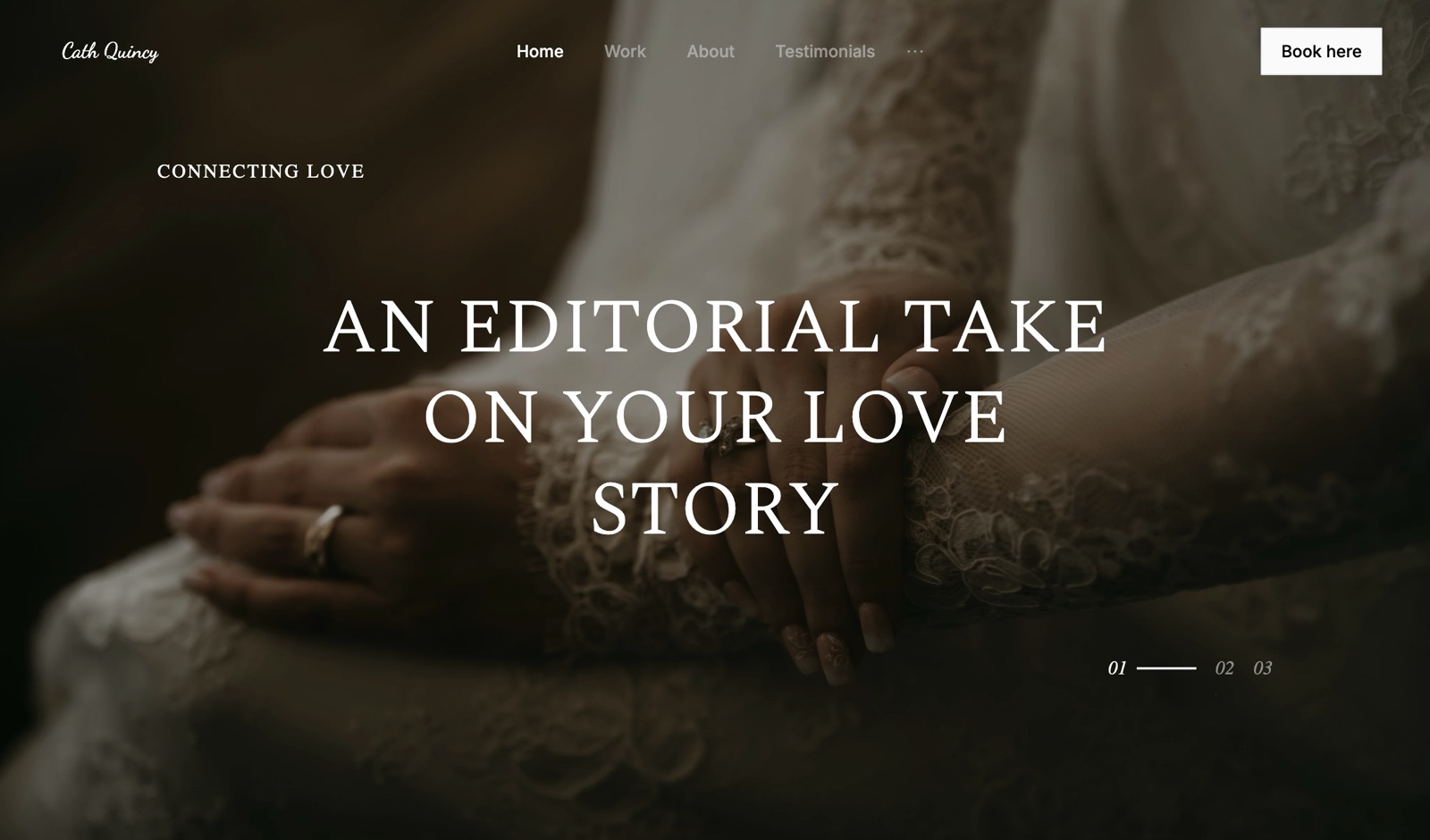
If you have one hour, spend it in the order clients meet each element, because the address and the cover reach every recipient while the watermark and the grid reach far fewer, and the most enjoyable settings to fiddle with are rarely the ones with the widest reach.
Fifteen minutesconnect your domain, or move to the plan that allows it, and rename any gallery URLs that still use job codes before you send them.
Ten minutespick a cover style and typography preset per genre from the table in Step 5, and copy your site's background, text and accent hex values into a custom colour theme.
Ten minutesset your site's name exactly as your studio should read, since it becomes the name on every gallery, and upload your logo as a watermark for proofing rounds.
Ten minutesstyle the share email to match, with the theme, button colour and shape, and save two templates, one for consumer work and one for commercial.
Fifteen minutesrun the same-studio test above with one friend and fix whatever they point at.
Frequently Asked Questions
How do I brand a client gallery?
Brand a client gallery in the order clients meet each element: put it on your own domain, design the cover and title, match typography and colour to your website, choose the grid, set your studio name or logo, watermark proofs only, check the link preview, and style the delivery email.
Most platforms unlock the domain at the first paid tier, about $7 to $10 a month billed yearly.
Can I put my logo on a Framekit gallery?
Not as a header or cover logo. A Framekit gallery shows your studio name as text in the toolbar and on some cover styles, taken from your site's name.
You can upload your logo as an image watermark, which places it on photos in a corner, centred or tiled. Pixieset's paid plans show a full logo and a separate cover logo if that matters to you.
Can I remove the Framekit branding from client galleries?
No. A small "Made with Framekit" credit sits in the footer of every Framekit gallery on every plan, including Business.
Paid plans give you your own domain and uploaded fonts, so the address, type and colours are yours, but the footer credit stays.
Pixieset lets paid plans hide its "Powered by Pixieset" line, and white-label tools remove vendor credit entirely.
Do I need a paid plan to brand my client gallery?
Partly. On Framekit, the 17 cover styles, 18 typography presets, custom colours, grid options, watermark and share email design are all on the free plan. Your own domain and uploaded fonts need Starter at $9 a month, or $7 billed yearly.
On Pixieset, the full logo, cover logo, favicon, custom domain and hiding its branding need a paid plan.
Can I use my own fonts in a client gallery?
Yes on Framekit's paid plans. From Starter, any font family you upload to Framekit can replace the gallery's heading font, body font or both; on Free, galleries use the 18 presets. Make sure your font licence covers web use.
Most hosted gallery platforms do not document uploaded fonts, so check before relying on it.
Should my client gallery match my website?
Yes, closely enough that a client moving between them does not notice a change of product. Matching typography is the strongest signal, then the background colour, then spacing.
On Framekit you can copy your site's exact hex values into the gallery's custom colour theme and use the same uploaded fonts, since both live on one account.
What does a Framekit gallery link look like when shared?
When a Framekit gallery link is pasted into a message app, the preview shows the cover photo, resized for messaging apps, with the gallery name as the title and your studio name as the site name.
The browser tab uses a small version of the cover as its icon. Galleries are marked noindex, so they never appear in search results.
Which client gallery platform has the best branding options?
It depends on what your brand rests on. Pixieset offers the most identity marks: a full logo, a cover logo, a favicon and removable vendor credit on paid plans.
Framekit offers the most design control on a free plan, with 17 cover styles, 18 typography presets and custom colours, plus a gallery address on your own site. White-label tools suit a completely vendor-free page.
Can I brand the delivery email as well as the gallery?
Yes. Framekit's share email shows your studio name above the gallery name and cover photo, and lets you pick one of three themes, your own button colour and text colour, and one of five button shapes, on every plan.
It sends to up to 20 recipients at once. The email shows your studio name as text rather than a logo.
Where should the watermark go on a branded gallery?
Use a small, consistent logo mark in a lower-third position on proofing rounds and guest-viewing galleries, and leave finished consumer deliveries clean. Tiled marks protect more but make choosing harder.
On Framekit, watermarks mark only what clients see in the gallery; every download is the clean original, so turn downloads off or use a PIN to protect unpaid proofs.
Is Framekit or Pixieset better for gallery branding?
Pixieset is better for identity marks, since its paid plans show your logo on the cover, add a favicon and hide its own branding.
Framekit is better for design control and ownership of the address, since cover styles, presets and custom colours are free, uploaded fonts start at $7 a month billed yearly, and each gallery is a page of your own site.
The Short Version
Address, cover, type, colour, grid, name or logo, watermark, link preview, email, language: in that order, because that is the order clients meet them. Budget an hour and the cost of the first paid tier on whichever platform you choose.
Then decide which part of your brand cannot bend. If it is a logo on every cover and no vendor credit anywhere, choose a platform whose paid plan does both.
If it is an address, a typeface and a palette that match your website, Framekit puts the gallery on the same site and does the design part on the free plan.
Related readingwhat to include in a client gallery, how to create a client gallery, do you need a client gallery with a website, best client galleries with custom domains and how to use client galleries to get referrals.
Comparing platformsthe full client gallery platform comparison, is Pixieset worth it, Pixieset vs ShootProof and Framekit vs SmugMug.